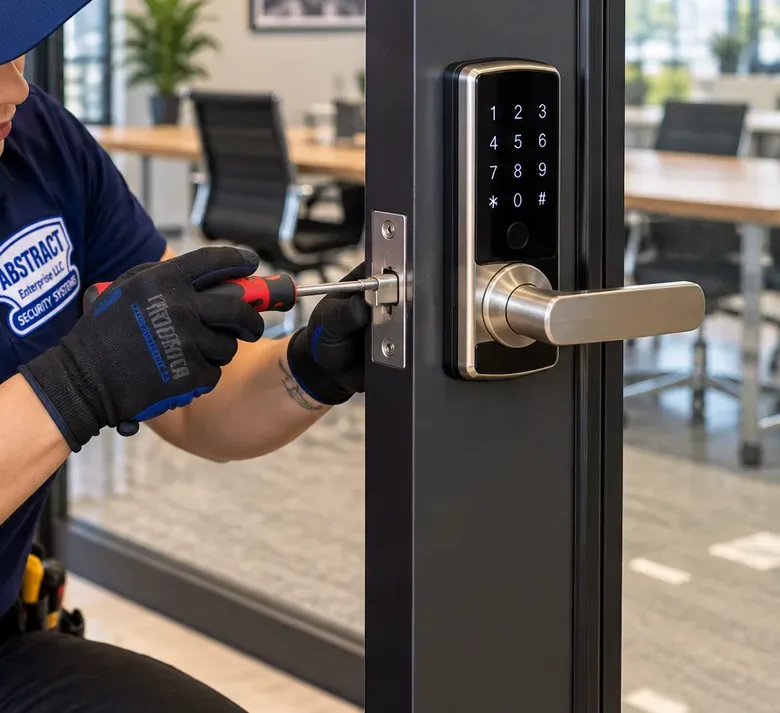
Houses That Empty at Rush Hour · Daytime Visitor Codes · Alerts That Matter · Westchester & Buhre Avenue Shopfronts
Pelham Bay sits at the end of the 6. Every weekday morning the detached and semi-detached houses between Middletown Road and Pelham Parkway empty out toward Buhre Avenue, the Pelham Bay Park terminal and the BxM8 stop, and they stay empty until evening. A smart lock earns its place here by running that empty house: letting the cleaner, the contractor and the kids from school in at the right hours, locking behind them, and telling you once — not forty times — that the house is shut. We plan the lock, the codes and the alerts around the hours your household is gone.
Pelham Bay visits run from our Bronx office at 460 E Fordham Rd · Written by Anwar Timothy, NYS license #12000287431 · Reviewed and updated October 17, 2026

Out of the house from seven until seven, and still handing a spare key to whoever needs to get in? Ring (646) 490-0629 or use the 60-second form. Tell us roughly when the house is empty and who has to come and go in those hours; we answer with a door-by-door plan and a written price before anyone visits Pelham Bay.

Pelham Bay was built because the train came, and it still runs on the train’s timetable. When the Department of City Planning rezoned the neighborhood in 2006, its write-up traced the area’s growth to the arrival of the Interborough Rapid Transit early in the twentieth century, with development spreading out around a rail terminal. That terminal is the Pelham Bay Park station at Bruckner Boulevard and Westchester Avenue, which opened on December 20, 1920 as the end of the line and is still the northern terminus of the 6. Buhre Avenue station opened the same day. Ask most households here how their weekday works and the answer starts with which train or which bus they catch.
The houses the trains brought are mostly freestanding. City Planning counted detached homes as about 72 percent of the residential stock in the rezoning area, which runs from Pelham Parkway South down to Middletown Road and from the Hutchinson River Parkway across to the Bruckner Expressway. Semi-detached houses made up about 17 percent of residential structures, attached houses about 6.6 percent and multifamily buildings about 4.5 percent of residential lots, with the apartment buildings lining the wider avenues. The City Council adopted the rezoning on March 22, 2006, mapping much of the inner blocks as R5A, a district that allows only detached one- and two-family homes, precisely to protect the large detached houses residents feared would be knocked down for denser buildings.
Put those two facts together and you have the job we are usually called to Pelham Bay for. A detached house has more doors than an apartment — the front door, a side or back door, often a door up from the garage or basement — and on a weekday nobody is behind any of them. The city comptroller’s neighborhood economic profile for this community district put the typical commute at 45.5 minutes in the 2012–2016 survey years, up from 41 minutes, with roughly as many residents getting to work by public transit as by car. Add the walk to the station or the express bus at either end and a working couple is out of the house for ten or eleven hours. During those hours the house still receives people: a cleaner, a plumber, a dog walker, a parent dropping off a grandchild, a child back from school. The question is how they get in, and whether you know when they leave.
That is what a smart lock is for in this neighborhood. Not as a gadget on the front door, but as the thing that replaces the key under the flowerpot, the copy given to the contractor three jobs ago and the 4 p.m. phone call asking “did you lock the back?” We set each visitor up with their own code that works only in their hours, have the bolt throw itself behind them, and tune the alerts so the phone in your pocket on the train tells you something useful: that the house was opened by the person you expected, at the time you expected, and that it is locked again.
Pelham Bay is also an established neighborhood, with a longstanding Italian American community and a sizable Greek one; the Greek American Institute and the Catholic schools associated with St. Theresa are part of its fabric. Where a house has stayed in one family for a long time, the key history is long too. A front-door cylinder that has not been changed in decades has usually had its keys copied for babysitters, tenants and relatives along the way, and nobody can say how many copies exist. A keypad deadbolt with named codes is often the first point at which a family knows exactly who can open its door.
Most Pelham Bay owners who let visitors in by code end up wanting to see them arrive. Our Pelham Bay security camera installation puts a camera on the door the visitors use, and the alarm installers for Pelham Bay homes can tie an alarm to the same lock so arming and disarming follow the codes.

The cleaner rang to say her code did nothing. The app shows the lock as offline and you are somewhere under Lexington Avenue. The bolt stops half-way since the cold snap. These are repair calls, and we treat them as repairs, not as new jobs. Call (646) 490-0629, say it is a smart lock fault in Pelham Bay, and we book the next open two-hour window; once a technician is at the door, most battery, pairing and strike-alignment faults are fixed in one to two hours. If the problem is the electric strike on the street door of a small building on Westchester Avenue rather than your own lock, our published Bronx figure for repairing a failed strike is $295–$485, and the Pelham Bay door buzzer repair page explains that work.
Nine kinds of work cover what Pelham Bay households and shopkeepers ask us for, and a single visit often combines three of them. Whatever the mix, a job is not finished until the door shuts and latches without a push, the inside opens with one turn, every person who should have a key still has one, and every code and phone has been tried at the door with you watching.
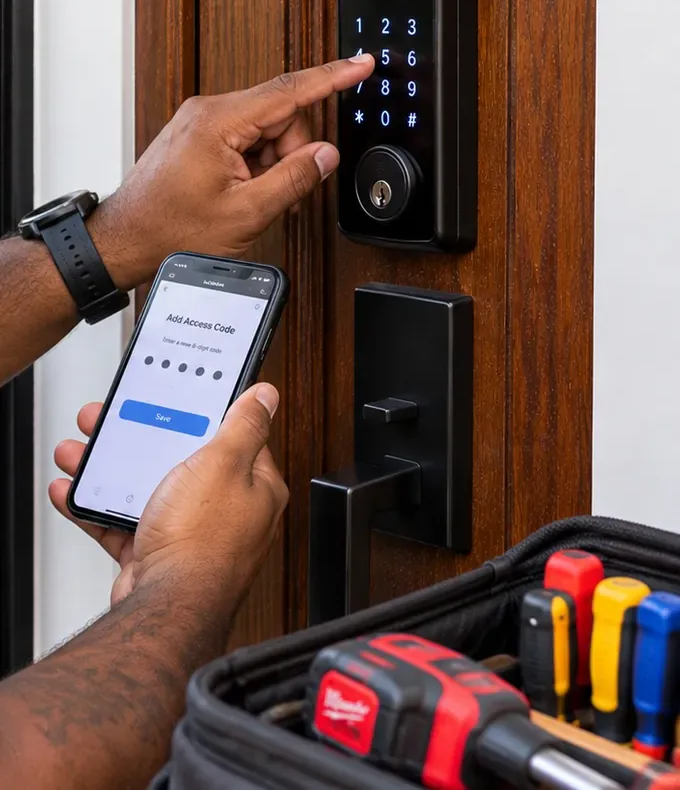
A separate code for each regular visitor — cleaner, dog walker, aide, tutor — that works only on their days and hours, so a code overheard or passed on is useless outside them.
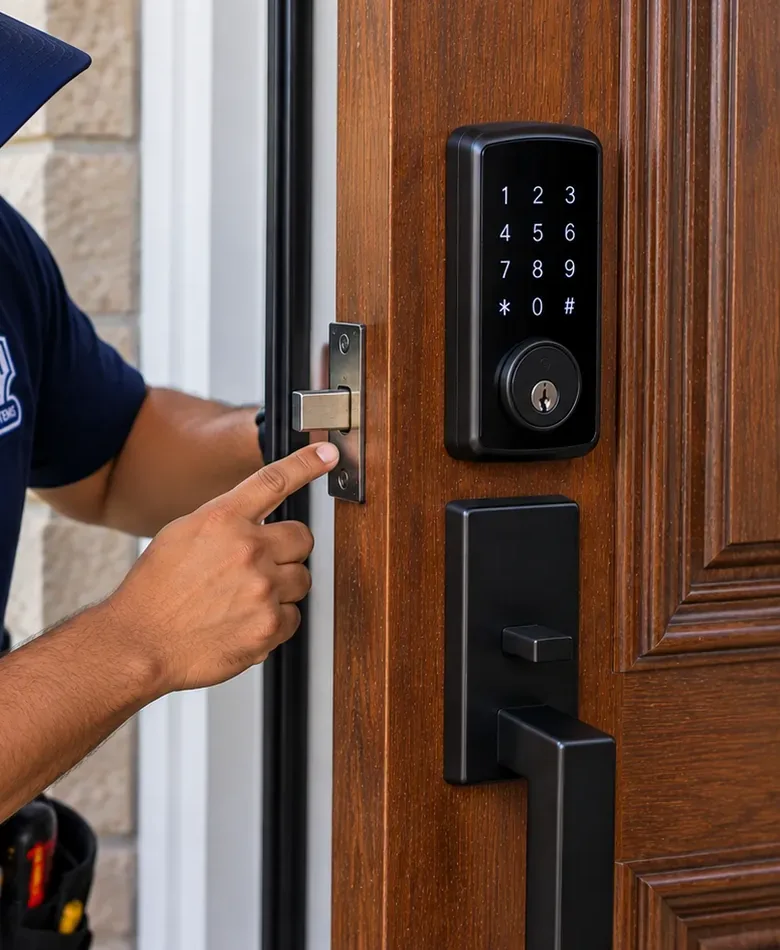
A keyed keypad or fingerprint deadbolt on the main entrance, matched to the backset and finish already on the door so the house looks the same from the sidewalk.
The door a contractor or a child actually uses, set to relock itself and to report when it is left open, so the busiest door in the house is no longer the one nobody checks.
Notifications set for the events that matter to a commuter — an unexpected code, a door left open, a failed attempt, a low battery — instead of a ping for every opening of the day.
Where a good single-cylinder deadbolt is already fitted, a retrofit unit replaces only the inside thumb-turn; every key in the family keeps working and nothing changes outside.
Owner’s door, tenant’s door and any shared entrance each on their own users, with the tenant keeping a key and a lock the owner does not monitor.
Keypad deadbolts and levers on Westchester, Buhre and Crosby Avenue stores and offices, with a code per employee and a log the owner reads from home; keypads with electric strikes where a door must buzz.
Signal tested at each door before a model is chosen; a Wi-Fi bridge or Thread border router placed indoors where the lock can reach it and the router can reach the internet.
Dead keypads, motors straining against a strike, locks that dropped off the app, schedules that drifted, and admin accounts nobody remembers the password for.

Pelham Bay’s housing reads like a cross-section of a century of Bronx building. The first wave followed the 1920 opening of the line, the inner blocks filled in with large freestanding houses for one and two families, and the wide avenues took apartment buildings and storefronts. The 2006 rezoning then froze the inner blocks at detached houses, which is why, two decades later, a walk down a side street off Buhre Avenue still passes driveway after driveway rather than a wall of new construction. Every type has its own front door problem.
What they share is age. Very few Pelham Bay doors arrive at a walkthrough as clean, factory-bored slabs. Most have carried several generations of hardware, and the hole the last deadbolt left behind decides as much about the new lock as the brochure does.
The house City Planning set out to protect: one or two families, freestanding on its lot, usually with a front entrance, a side or back door and a basement or garage door. Three or four lockable doors, and the most to gain from a plan that gives each door a job.
Roughly one residential structure in six. Two houses on one shared wall, with entrances side by side or mirrored. Each house keeps its own lock account and its own network, and we set keypad sounds and backlights so one family’s comings and goings do not light up the other’s porch.
The R5A district allows two families in a detached house, and many Pelham Bay houses are exactly that: an owner on one floor and a tenant, an adult child or a parent on the other. Two households, two schedules, sometimes one shared front door.
The mixed buildings on Westchester, Buhre and Crosby avenues, many beneath or beside the elevated line. A shop door, a stair door to the flats and a rear door, each held by a different person, none of whose codes should open the others.
Pre-war and post-war walk-ups and elevator buildings on the wide streets. With three or more families they are multiple dwellings, so tenants’ lock rights, the street-door rules and the city’s tenant data privacy law all apply.
Recent construction near the Pelham Bay Park station, such as the 3217 Westchester Avenue building offered by lottery in January 2026, arrives with its own entry and intercom equipment; unit-door locks have to work alongside what the developer fitted.
Many detached lots carry a garage, either at the back or tucked under the house. The door from the garage or basement into the living space is the one family members use most and lock least.
Owners redoing a two-family or a store-and-apartment building often bring the lock into a larger entry project. The Abstract Enterprises access control team in Pelham Bay handles shared street doors, and our intercom installation for Pelham Bay buildings lets an upstairs household see and admit a visitor without going down to the door.

Most smart lock marketing pictures someone standing at the door. In Pelham Bay the more useful picture is the door with nobody at it. A household that leaves for the 6 or the BxM8 in the morning and comes back after dark spends most of its waking weekday hours away from home. The lock’s real work happens in those hours, and it can be planned as carefully as a train timetable.
We start every Pelham Bay walkthrough by writing out the house’s weekday on one sheet: who leaves when, who comes in while the house is empty, which door they use and how long they stay. The plan for the locks falls out of that sheet. Below is the kind of schedule we end up with for a working couple with one child at school and a parent who visits, with the settings each line calls for. Your times will differ; the logic will not.
| Time | Who is at the door | What the lock does |
|---|---|---|
| 7:00–8:00 | Household leaves for the train or bus | Auto-lock throws the bolt a short time after the door closes; one “house locked” notice confirms every door |
| 9:00–12:00 (Tue) | Cleaner | Her own code, active only Tuesday mornings; one alert when she arrives, one when the door relocks behind her |
| Any weekday, by appointment | Contractor or plumber | A temporary code that starts and ends on the job dates; side or back door only, so the front stays shut |
| 12:30 | Dog walker | Scheduled code for the midday window; alert if the door stays open longer than the walk should take |
| 3:00–3:30 | Child home from school | A child’s code or fingerprint on school days; arrival notice to both parents |
| Evenings, irregular | Grandparent dropping off dinner | A standing code, no schedule; arrivals logged without alerts |
| Night | Everyone home | Auto-lock on, keypad still works, failed-code alerts stay on all night |
Three habits make that schedule work. First, one person per code. If the cleaner and the dog walker share a code, the log cannot tell you which of them came, and taking one away takes both. Second, give each code the narrowest window that still fits. A Tuesday-morning cleaner does not need a Saturday-night code, and if hers is ever overheard it is useless outside her hours. Third, put the visitors on the door you want them to use. A contractor who comes and goes from the truck all day is better on the back or side door with an auto-lock, leaving the front door untouched and its log clean.
The alerts deserve as much thought as the codes. A family that turns on every notification gets twenty or thirty a day and stops reading them by the end of the first week, which defeats the point. For a commuting household we usually leave on four kinds: a code used outside its schedule or by a user you flagged, a door left open, repeated wrong codes or a tamper warning, and low battery. Arrivals of people you expect go into the log without buzzing your phone, except the ones you actually want to hear about, such as a child getting home. You can always open the app and read the day’s history on the ride home.
Finally, decide what happens when the plan breaks. A train delayed for an hour, a cleaner who comes on Wednesday instead, a child locked out because the battery died. We set an administrator on two phones so one of you can always change a schedule from wherever you are, leave a mechanical key with someone nearby, and show you how to issue a one-off code in under a minute. A plan that only works on a good day is not a plan.
For a house that is empty all day, a camera that shows who used the code is the natural partner to the lock. Our camera crews for Pelham Bay houses fit a doorway camera at the same visit when you want one.

Pelham Bay’s shops sit on four streets: Westchester Avenue, Buhre Avenue, Middletown Road and Crosby Avenue, where Crosby crosses Middletown at one of the neighborhood’s main intersections. The 2006 rezoning trimmed the depth of the commercial overlays on these avenues from 150 to 100 feet in many places and cut the parking required for new stores, keeping business on the avenues and off the residential side streets. The result is a compact business district of small owner-run shops, restaurants, offices and practices — exactly the kind of place where a smart lock replaces a ring of keys handed between staff.
The stretch beneath the elevated 6 between Buhre Avenue and the Pelham Bay Park terminal. Storefronts with roll-down gates, apartments above and deliveries timed around the trains. Keypad deadbolts on staff doors and keypads with electric strikes where a door must buzz open for customers.
The cross street at the station that gives the stop its name. Small shops and services where the owner opens up in the morning and a part-time employee closes at night: the classic case for one code per person and a log the owner can read.
Shops, restaurants and offices running south toward Middletown Road, with the Pilgrim Station post office at 1545 Crosby Avenue. Back doors used by delivery staff all evening and front doors that need to lock the moment the last customer leaves.
The southern edge of the rezoned area, with the Pelham Bay library branch at 3060 Middletown Road and offices and practices mixed into the blocks around it. Suite doors with separate codes for staff, cleaners and after-hours vendors.
West of the Hutchinson River Parkway, the Westchester Square business district begins at the edge of the neighborhood. Owners with a shop in the square and a house in Pelham Bay often want both doors on one app, with different users on each.
Mixed-use and residential buildings close to the terminal with lobbies, garages and shared doors. Street-door keypads and electric strikes at our published Bronx figures; unit doors coordinated with the building’s own intercom and camera system.
Shops on these avenues that move to keyless doors often add a camera on the register and the door at the same time. See our Pelham Bay alarm installation for monitored contacts on the rear door, and the Westchester Square access control page for the larger business entrances just west of the parkway.

These are the questions Pelham Bay owners and shopkeepers ask once the lock is chosen and they start thinking about living with it. They are grouped by what they are really about. Price, booking and practical housekeeping questions are in the FAQ further down.
Yes, and it is the first thing we change for commuting households. Most lock apps let you choose notifications per user and per event rather than all or nothing. A sensible set for a house that is empty all day is: an alert when a particular user arrives (a child home from school), an alert when any code is used outside its schedule, an alert for repeated wrong codes or tampering, an alert if a door stays open longer than a few minutes, and a low-battery warning. Everything else — your own comings and goings, the grandparent who drops by — goes quietly into the log.
Some apps also offer a daily summary, or let you see the whole day’s history in one list. Where yours does not, a two-minute look at the log on the ride home does the same job. What you should not do is leave every alert on and train yourself to ignore them; the one that matters will arrive in a pile of ones that do not.
Scheduled codes run on the lock’s own clock, and that clock is set by the app, a bridge or a hub when the lock connects. If the lock’s time zone was never set correctly, or the lock has not synced since daylight saving time began or ended, its idea of “9 a.m.” can be an hour away from yours. A lock that has been offline for weeks can drift for the same reason.
The fix is usually simple: open the lock settings, confirm the time zone is Eastern, and let the lock sync through its bridge or your phone. We set and check the time zone at handover and note it on the handover card. If schedules keep drifting after that, the lock is losing its connection, which is a signal problem worth fixing for its own sake.
A weekday schedule does not know the school calendar. On a snow day or a holiday the children’s code still works from the start of its window, which is usually fine, but it may not work outside it, which is not. If your children’s code runs only from 2:30 to 6 on weekdays, a child at home on a snow day who steps out to a friend’s house at noon could be locked out on return.
There are three ways round it. Give children an unscheduled code or fingerprint and rely on arrival alerts instead of time windows; widen the window to cover the school day, accepting a little less restriction; or keep the schedule and plan to change it from the app on the morning of a closure. Most families with children at PS 71 or PS 14 end up choosing the first, because a locked-out child is a bigger problem than a code that works at lunchtime.
If the lock is reachable over the internet — a Wi-Fi lock, a lock with a Wi-Fi bridge, or a Matter lock with a border router at home — you can manage codes from anywhere your phone has data. The phone talks to the maker’s service or to your home hub, which passes the change to the lock. A Bluetooth-only lock with no bridge can be changed only by someone standing near the door.
Before a long trip, check two things: that the lock shows as online in the app away from your home Wi-Fi (switch your phone to mobile data at the curb and try it), and that someone nearby holds a mechanical key in case the lock goes offline while you are away. We test both at handover for any household that tells us it travels.
The real-world risk sits mainly with “hands-free” or “auto-unlock” features that open the door because your phone or fob is nearby. In May 2022 the security firm NCC Group published a Bluetooth Low Energy relay attack: equipment that forwards the radio conversation between a phone and a lock so the lock believes the phone is next to it. NCC reported successful exploits against a Tesla Model 3 and Y and against the Kwikset/Weiser Kevo smart lock, and said the problem was not an ordinary bug a patch could fix.
Its advice for users was to switch off passive unlock features that do not require an explicit action, such as tapping a button in the app. That is our default too. On a Pelham Bay house that sits empty all day we leave proximity auto-unlock off unless you specifically want it, and rely on codes, fingerprints or a deliberate tap in the app. Keypad codes and fingerprints are not affected by a relay of this kind.
Three things. Anyone who knows that password has full control of the door, including the ability to delete everyone else’s access. The log cannot tell you which family member made a change, because they all appear as the same account. And if the password leaks from some other site where it was reused, a stranger has your front door.
The better arrangement is one owner account with two-factor sign-in turned on, a second full administrator on a different person’s phone so you are never locked out of the settings, and everyone else invited as an ordinary user or given a code. We move households onto that arrangement at installation, and when we take over an existing lock we start by changing the shared password.
Many keypad deadbolts have a one-touch locking feature: tap the logo or a lock button outside and the bolt throws. It is convenient when you leave in a hurry for the train. It also means anyone at the door can lock it, which matters on a house where a relative inside has no key and no code, or on a door where a child plays on the stoop.
Locking someone in is not a risk, because the inside thumb-turn always opens the lock. Locking someone out is. If anyone in the house regularly steps outside without a code or phone, either give them a code or turn one-touch locking off and rely on auto-lock with a short delay instead. We go through this setting at handover rather than leaving it at the factory default.
Many smart deadbolts have a privacy, vacation or “lock-out” mode, set from the inside or the app, that disables keypad codes until it is turned off. It suits a household that gives out several visitor codes during the day and wants none of them to work overnight, or a family going away that wants every code silenced at once rather than deleted one by one.
Two cautions. Check whether the mode also blocks the mechanical key or the app on your model, because some do and some do not. And make sure everyone who might come home late knows it may be on. Schedules can do much the same job automatically by ending every visitor code at a set hour, which is often the simpler choice.
Usually, but it decides which lock you should buy. Brand apps such as those from the big lock makers run on both iPhone and Android, so anyone can be invited as a user. The friction comes with phone-wallet keys and home platforms: Apple’s home key works only on Apple devices, and a lock set up only in Apple Home or only in Google Home leaves the other half of the family on the outside.
A Matter lock can be shared with more than one ecosystem at once, so an iPhone household member and an Android one can both see it in their own app, though not every feature appears in every app. For a mixed household we usually keep the lock maker’s app as the main control, add Matter or a platform for convenience, and make sure nobody depends on a phone-only feature for getting in.
It depends on what is behind the garage door. Amazon’s Key In-Garage Delivery, for instance, works with a compatible smart garage opener: when the driver arrives they scan the package, Amazon checks the package and the driver’s location, the linked garage opens, the parcel goes inside and the door closes, with notifications at each step and an optional camera to watch. For a Pelham Bay house with a detached garage at the back of the lot and nothing valuable inside, that can end parcels left on the stoop.
Where the garage is tucked under the house with a door up into the living space, the garage is really part of the house. In that case the door between the garage and the house should be locked by its own smart deadbolt whenever the household is out, and set to relock if it is opened, so a delivery program can never become a way into the kitchen.
Yes, if both systems keep the right time. The lock log records which user unlocked at what minute; the camera records what happened at the door. If both clocks are correct, finding the clip that matches a log entry takes seconds. Some platforms join the two automatically, showing the code user beside the video event; others need you to look the time up in each app.
For shops on Westchester and Crosby avenues this is often the main reason to go keyless: a dispute about who opened up late, or who was in the back after closing, is settled by the log and the footage together. We set both clocks, test the match at handover and, where the camera system supports it, link the lock so its events appear on the recording timeline.
Keep riders out of the code list. Riders change from night to night and work for several platforms, so any code they hold is effectively public within a week, and a door they can open is a door into your kitchen and stockroom. The workable pattern is a side door that stays locked from outside, with staff opening it from inside when a rider knocks or rings, and a shelf or pass-through just inside for bagged orders.
Staff themselves can have their own codes for the same door, scheduled to their shifts, so the log shows who let deliveries out on a given night. If the volume justifies it, a video doorbell or intercom at the side door lets the person at the counter see the rider before opening. The inside of the door must always open freely for anyone leaving.
We have not found any published data showing that a smart lock changes an appraisal in this neighborhood, and we would not suggest buying one for that reason. Appraisals here turn on the house, the lot, the condition and the sales around it. A lock is a small fixture by comparison and a buyer may well replace it.
What a smart lock does do at sale time is make the handover cleaner: you can delete every code, give the buyer the administrator role or factory-reset the lock, and hand over the mechanical keys, so the new owner starts with a door nobody else can open. If you are planning to sell soon, choose a mainstream model with long app support rather than a niche one a buyer may not recognize.
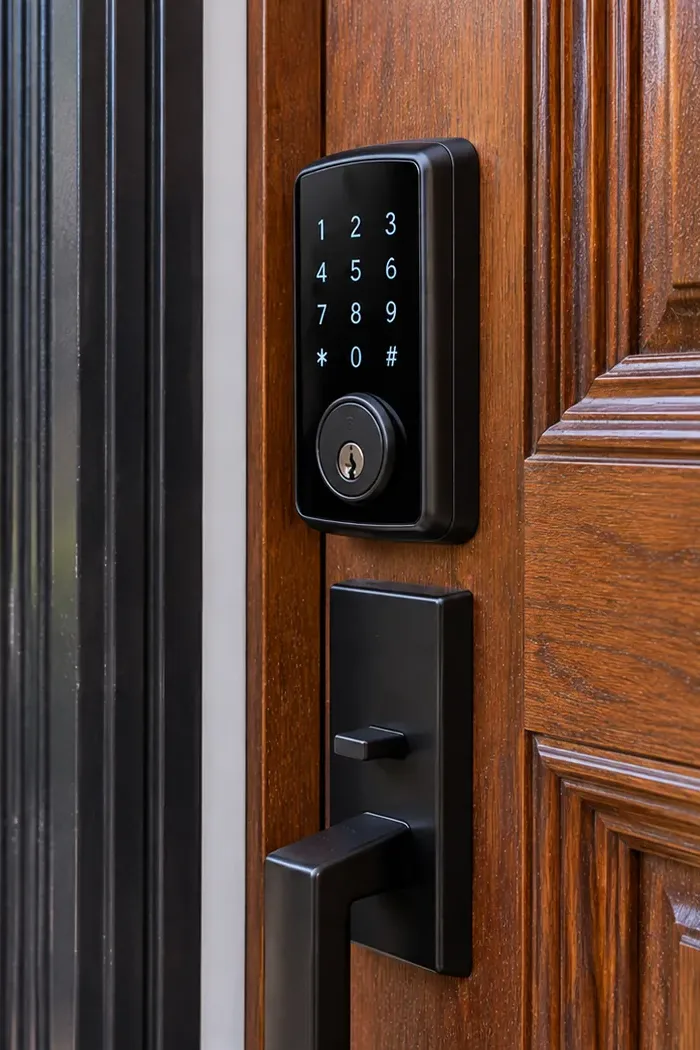
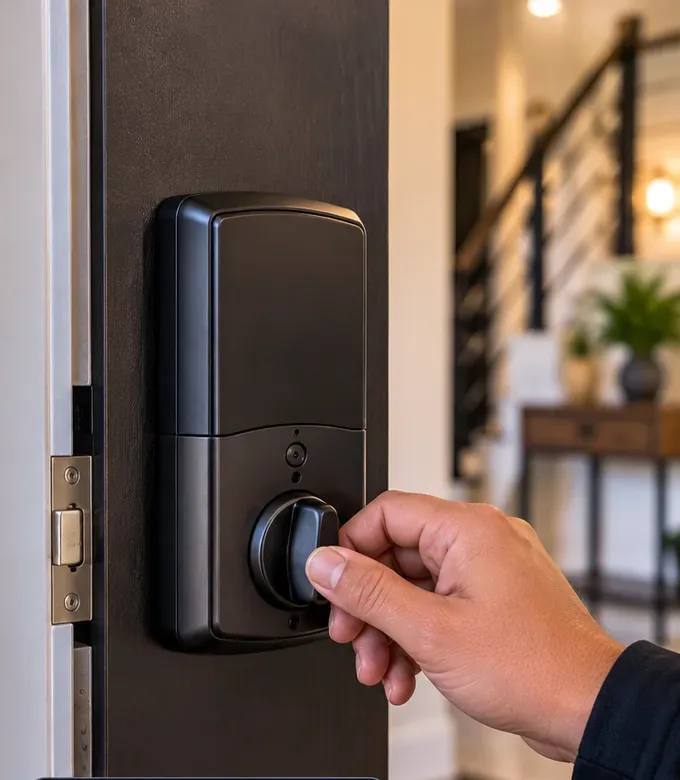
We do not sell one brand. The right lock for a Pelham Bay door depends on the door, how the household uses it and whether it has to be reached from a train in Manhattan. If a lock you have already bought is wrong for the door, we say so before it comes out of the box.
Connect to the home router directly, so they can be checked and changed from anywhere. The default for a house that is empty all day. Most need a 2.4 GHz network and a good signal at the door; battery life is shorter than Bluetooth models.
Longer battery life, with a small plug-in bridge indoors for remote access. One lock maker’s guidance puts its bridge within 10 to 15 feet of the lock, so placement in a detached house needs a nearby outlet.
Join a Thread mesh through a border router such as a compatible smart speaker or hub, and can be shared with more than one home platform. A good fit for mixed iPhone and Android households.
Report whether the door is open or shut as well as whether the bolt is thrown, so a door left ajar by a visitor raises an alert rather than a false “locked”.
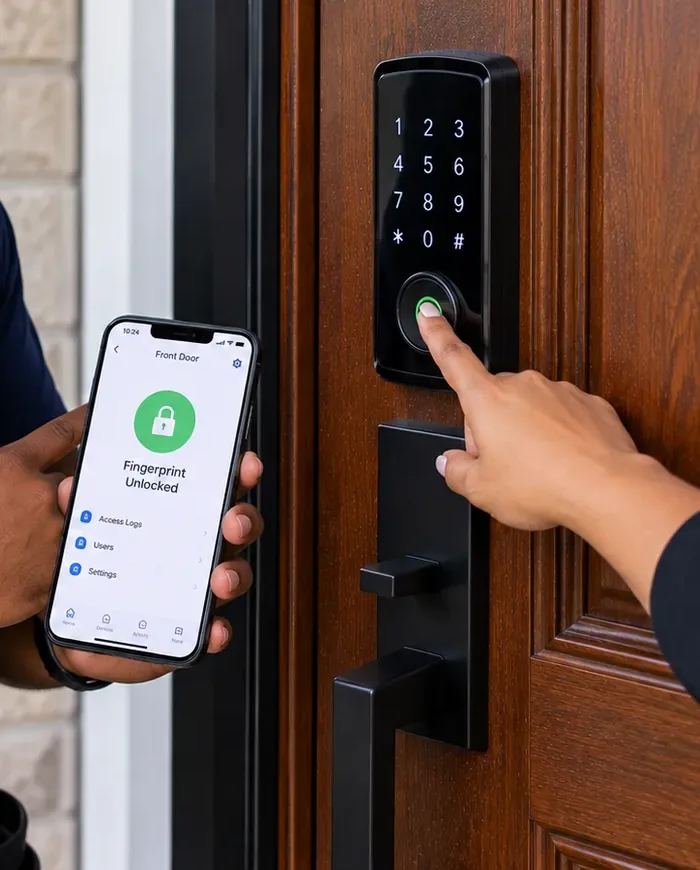
A finger instead of a code, popular for children and older relatives who forget numbers. We enroll two fingers per person and keep a code or key as backup.
Replace only the inside of a good single-cylinder deadbolt. The outside and the keys stay the same; the app, auto-lock and log arrive. Useful on doors where nothing outside should change.
For interior and office doors that need a code but not a deadbolt: a home office, a stockroom, a suite door inside a building that already locks.
For building street doors and shop doors that must buzz open, priced from our published Bronx figures; wired to a power supply with battery backup where the door calls for it.
Every exterior lock we fit keeps a mechanical override — a key cylinder or an emergency power contact — and every inside unit opens with one turn. For the security rating of any lock, look for its ANSI/BHMA grade on the box and in the specifications; for battery life and operating temperatures, use the maker’s published figures rather than a marketing headline.

Ask a chatbot or skim the cost guides from Angi, HomeAdvisor and LawnStarter and the same seven claims about smart locks keep coming back. We were unable to load Google’s AI Overview itself when this page was built, so each heading below quotes a claim made in that published material, and the paragraphs under it test the claim against the doors, commutes and households we actually meet in Pelham Bay.
That is LawnStarter’s national average, with a typical range of $200 to $460 and labor of $50 to $110. It is a fair figure for a pre-drilled modern door in a suburb where the lock drops into the existing holes and pairs with a phone in the driveway.
On a Pelham Bay house the national number leaves out the parts that take time here: an oversized or patched bore from several earlier locks, a strike that has to be moved or reinforced, a storm door in the way, and the signal work to make the lock reachable from a train. It also leaves out the hour spent writing visitor schedules and tuning alerts, which is the part that makes the lock useful to a commuting family.
That is why we quote house doors flat after seeing them, and publish only the building-door figures that do not depend on the door’s history. The written quote is the bill.
Product reviews often say a smart deadbolt goes on with a screwdriver in half an hour, and on the right door it can. The screwdriver part is rarely what goes wrong. What goes wrong is a door that does not quite latch, so the motor strains and the battery drains; a bolt that catches on the strike in humid weather; or a lock that never reliably reaches the internet.
The other half of a good installation is setup. A family that installs its own lock usually ends up with one shared code, every alert switched on and no second administrator. None of that is visible on day one; all of it matters on the day something goes wrong while everyone is at work.
If you want to fit the lock yourself, do it, then check the latch with the door swung shut from a few inches open and test remote access on mobile data. If either fails, that is the part worth paying someone for.
Many locks offer it, and it is pleasant with full shopping bags from the avenue. It relies on the phone’s location and a Bluetooth handshake, and both can be wrong. Geofences fire late or early, and in 2022 NCC Group showed that Bluetooth proximity features on at least one smart lock could be fooled by a relay attack.
There is also a practical problem in a dense neighborhood: if your phone decides you have arrived while you are still at the corner, the door can sit unlocked until you reach it.
For a house that is empty all day we leave auto-unlock off by default and use auto-lock instead, which closes the door behind you without depending on where your phone thinks you are.
The physical part of a good smart deadbolt is a deadbolt, graded under the same ANSI/BHMA residential standard as a mechanical one. What breaks most doors in practice is the frame and strike, not the cylinder, and that does not change with electronics.
The new risks are digital: a weak shared password, an old app no longer updated, a proximity feature left on. All three are setup choices, which is why we treat account setup as part of the installation.
Against that, a smart lock gives you things a mechanical lock never could: a record of every opening, a code you can cancel without changing the lock, and an alert when somebody tries wrong codes at two in the afternoon.
Matter makes it possible for one lock to appear in more than one home platform, and Thread gives the lock a low-power mesh to talk over. It does not make every feature appear everywhere. Lock makers’ own guidance notes that feature support varies by app and that a Matter-over-Thread lock needs a Thread border router at home before it works.
In practice a mixed household often ends up with codes and schedules in the lock maker’s app and simple lock and unlock in the other platforms. That is fine as long as you know which app holds the full controls.
If someone tells you Matter means you will never need the maker’s app, ask them how you will set a Tuesday-only cleaner’s code without it.
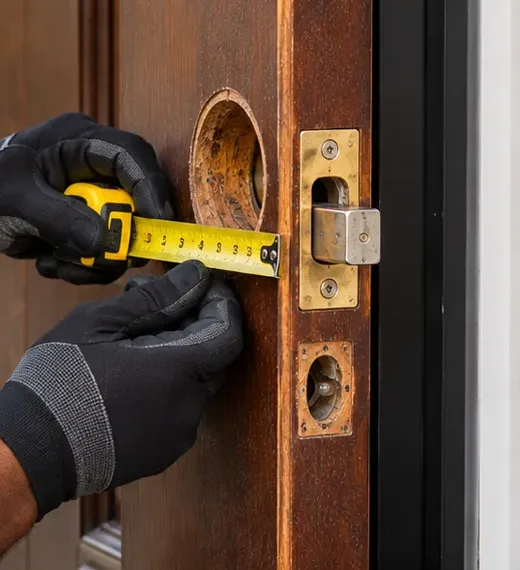
Smart deadbolts are made for a standard range of door thickness and backset, and many Pelham Bay doors fall inside it. Plenty do not: older solid doors thicker than a lock’s listed range, secondary doors too thin to hold it, storm doors with too little room behind them, and doors whose old bore has been enlarged by a succession of locks.
Almost every door can take some form of keyless lock. The question is which form, and whether the door needs work first. That is what the walkthrough decides.
The one door type we will refuse is any door where the proposed lock would need a key or code to get out. Free exit from inside is not negotiable on any home or business door.
Marketing sometimes implies that a lock with alerts is a security system. It is not. A lock tells you about the lock: codes used, the bolt’s position and, on some models, whether the door is open. It says nothing about a window forced at the back of the house or a cellar door it is not fitted to.
In a detached house with several ground-floor windows and a garage, an alarm with contacts and motion detection covers the openings the lock never sees. The two work well together: some alarm platforms can arm or disarm when particular lock codes are used, so the cleaner’s code also disarms the system for her visit.
Our advice for an empty-all-day house is to treat the lock as the access system and the alarm as the detection system, and connect them where your equipment supports it.

Write down who needs to get into the house on a normal weekday while you are out, send it with a photo of each door, and we will send back the codes, schedules and alerts we would set before anyone visits.
A detached house off Buhre Avenue, a semi-detached pair near the park, a two-family with a tenant upstairs or a shop on Westchester Avenue — give us the doors and the weekday, and a written answer comes back the same business day. Rather talk it through? Call (646) 490-0629.
Thank you — your doors and schedule are with our Bronx office, and an installer will call today or on the next business day. Locked out right now? Call (646) 490-0629 instead of waiting.
Six steps, whether the job is a single front door off Crosby Avenue, three doors on a detached house near the park or the staff door of a shop under the el.
Six places that between them describe where we work: the terminal that shaped the neighborhood, the park it is named for, the beach that just reopened, a library, a house older than the city’s ownership of the land and a war memorial.
The elevated northern terminus of the 6 at Bruckner Boulevard and Westchester Avenue, opened December 20, 1920, with elevators first fitted in 1989 and a pedestrian bridge over the expressway to the park. In the 1974 film The Taking of Pelham One Two Three, the hijacked train is one that left this station.
At 2,772 acres the largest public park in New York City, acquired by the city in 1887 and opened in 1888, with the Pelham Bay and Split Rock golf courses, Hunter Island and the Kazimiroff Nature Trail.
Pelham Bay cameras →The 1936 bathhouse on the Bronx’s only beach, a city landmark since 2006, reopened on May 20, 2026 after a $114 million reconstruction and seventeen years closed. Orchard Beach itself covers 115 acres along 1.1 miles of the park’s shore.
The New York Public Library branch at 3060 Middletown Road, a one-story brick building opened in 1976, on the southern edge of the rezoned blocks.
Pelham Bay access control →A Greek Revival house built in 1842 inside the park, a National Historic Landmark since 1975, and a reminder that this ground was the Pell family’s long before the subway arrived.
The World War I memorial and memorial grove on Crimi Road in the park, dedicated in 1933 to the 947 Bronx residents who died in that war.
Pelham Bay intercoms →We also fit smart locks in the neighborhoods around Pelham Bay: Country Club across I-95, Westchester Square, Pelham Gardens, Pelham Parkway, Throggs Neck and City Island, and across the rest of the Bronx, New York City, Long Island and the Hudson Valley.

Pelham Bay is priced as the Bronx, and the Bronx is priced at the Brooklyn base: no borough surcharge and no neighborhood premium. The table shows every published AESS figure that applies to keyless doors. There is no published price for a single house door because the door sets the work — a retrofit on a sound deadbolt and a new keypad deadbolt in a patched bore behind a storm door are not the same job. House doors are quoted flat, in writing, after a free walkthrough, and that quote is the invoice.
| Item | Pelham Bay price | What it covers and where the figure comes from |
|---|---|---|
| House door: keypad or fingerprint deadbolt, retrofit, keypad lever; codes, schedules and alerts set up | Quoted flat at free walkthrough | No published line; depends on the bore, the strike, the door, the network and the number of people and schedules |
| Single-door keypad or fob reader with electric strike | $1,500–$2,500 installed | The single-door figure from our Bronx access-control page, for a building street door, shop door or office suite; Bronx equals the Brooklyn base |
| New electric strike on a lobby or street door | $250–$450 | Our published Bronx door-buzzer figure for a replacement strike during an entry upgrade |
| Failed electric strike repair | $295–$485 | Our published Bronx door-buzzer repair figure for an entrance that hums when buzzed but stays shut |
| Setup-only visit (apps, bridge, codes, schedules; no hardware) | $225 first hour, then 30-minute blocks | The Bronx rate for visits that touch only apps, bridges and codes — for example re-planning visitor schedules on a lock already fitted |
| Service and callback rate | $195/hr, 3-hour minimum ($585) | For later service calls only; never charged on the original installation visit |
Take a two-story building near Buhre Avenue with a store at street level and apartments above. The owner wants the store’s front door on a keypad with an electric strike, and the strike on the residential street door has stopped releasing. On the published lines that is $1,500–$2,500 for the store door plus $295–$485 for the strike repair, $1,795–$2,985 in all. A smart deadbolt on the store’s rear door would be added as a flat walkthrough quote, because that figure depends on the rear door itself.
If you buy the lock yourself, its price is between you and the shop. If a lock maker sells an optional subscription for extra features, that is your choice and your bill. If you decide the house needs better Wi-Fi throughout, a mesh system is a separate purchase. We tell you at the walkthrough whether any of these is actually needed for your doors, and when it is not, we say so.
How the published national averages compare. The $330 average quoted by LawnStarter (typical jobs $200–$460, of which $50–$110 is labor) describes an ordinary pre-drilled door anywhere in the country. Treat it as a reference point from a third party, never as our Pelham Bay price.
Full terms — including 50% deposit, one-year parts-only warranty on AESS-supplied products, and the late-fee schedule — are set out in the service agreement. A lock you supply yourself carries its maker’s warranty.
Pelham Bay jobs fall into three shapes. A house is priced at the door because no two have the same history; the two building-door shapes are fixed at our published Bronx figures.
Bring your own lock and we fit it, correct the door, set up the app, schedules and alerts, and test everything from the curb. The house-door quote then covers labor only. If the lock you bought is wrong for the door, we tell you at the walkthrough so it can go back unopened.
One code per person, each with its own hours, and a log you can read on the way home. Send us the list of people who come and go while you are at work, and we will turn it into a lock plan.
The R5A rules that cover Pelham Bay’s inner blocks allow two families in a detached house, and many houses here hold exactly that. The arrangement varies: an owner upstairs renting the ground floor, a retired couple downstairs with a married child above, a house let as two separate rentals. The lock plan has to follow who actually lives behind each door, and a few legal lines frame it. What follows is a summary to help you ask the right questions, not legal advice about your own lease.
Each household gets its own account on its own door. The owner administers the shared entrance, if there is one, and the owner’s own unit; the tenant administers the tenant’s door or, if the owner keeps the account, has full use of a personal code and a mechanical key, and the owner agrees in writing not to read the tenant’s entry log. A shared front door gets one code per adult in both households, so either side can be changed without touching the other.
Where the two floors are family — parents and an adult child — we often put both units on one account with two administrators. That works until the day one floor is let to someone else, so we label each user clearly and keep the tenant-ready setup a five-minute change away.
If you rent an apartment in a building with three or more units on Westchester or Crosby Avenue, the state’s Multiple Dwelling Law gives you the right to add your own lock to your door, in addition to the landlord’s, provided you give the landlord a duplicate key on request. A retrofit or keypad deadbolt can fit that rule if it keeps a key cylinder. Building owners who move a street door to app or fob entry fall under the city’s Tenant Data Privacy Act and must publish a data retention and privacy policy. Our Bronx smart lock installation page covers apartment and co-op rules across the borough in more detail.
Every household in Pelham Bay that commutes builds up a cast of people who need the house while it is empty. Each one deserves a slightly different code, and each code needs an end. This is how we set up the common cases.
A named code active on cleaning day and hours only. Arrival and departure appear in the log; one alert when she arrives if you want it. When the arrangement ends, delete the code the same day rather than waiting for the next visit.
A temporary code with a start and end date matching the job, on the side or back door. Tell the crew the door relocks itself, so materials are not left propping it open. Delete the code at final payment.
A scheduled midday code and a door-left-open alert. For a sitter covering a week’s travel, a temporary code for the dates of the trip.
A code or fingerprint for each child, with an arrival alert to both parents. Unscheduled, so a snow day or early dismissal never locks a child out.
A standing code with no schedule and no alerts, so grandparents can come and go without setting off anyone’s phone, but still logged by name.
For a parent at home who needs care while the rest of the household works, one code per regular aide on the agency’s schedule, and a separate code for the agency’s cover staff that you can switch on when needed.
The retirement rule. A code should end when the relationship ends. We show every household how to see the full user list in the app, and suggest going through it once a season: anyone who has not used their code in three months, and whom you do not expect again, comes off. It takes two minutes and it is the single best habit a keyless house can have.
A lock is one part of how a house or shop is secured. These are the related services our Bronx crews carry out in Pelham Bay, each with its own page.
Doorway, driveway and back-yard cameras that show who used each code, with clips matched to the lock log.
Contacts and motion on the windows and doors a lock cannot see; arming tied to lock codes where the platform allows.
Card, fob and keypad readers for building entrances, shops and offices on the avenues.
Audio and video intercoms so an upstairs unit can see and admit a visitor.
Electric strikes and buzzers on street doors that hum but will not release.
Fire alarm work for the mixed-use and apartment buildings along Westchester Avenue.
Across the parkway and the expressway, our Country Club access control and Westchester Square intercom pages cover the neighboring districts.
This is general practice from our installers rather than the story of one job. On a house that will be empty all day, auto-lock does the work a person used to do on the way out, so the door has to be able to close and latch reliably every time with nobody watching. Before we switch auto-lock on we close the door gently from a few inches open, then from half-way, then let it swing from fully open. If any of the three leaves the latch short of the strike, the bolt will fire into the frame and jam, or the lock will report locked on a door that is not.
Older Pelham Bay doors fail this test more often than new ones, usually because a hinge screw has pulled out of the jamb, the strike has drifted after years of slamming, or weather-stripping added later makes the door spring back. The fix is carpentry, not electronics: longer hinge screws into the framing, the strike moved or filed, the weather-strip trimmed. Only when the door passes all three swings do we turn auto-lock on and set its delay. It is the least visible part of the job and the one that decides whether you stop thinking about the door at all.
Returns are between you and the shop that sold the lock, but we can make them easy. If you send the model before the walkthrough, we tell you whether it suits the door; if we find a problem on the day, we stop before opening the box so it can go back unused, and we tell you exactly which model or option would fit.
After, if you can wait. Painting around a fitted lock means masking or removing it, and fresh paint on the door edge and jamb can make a latch bind until it hardens. If the lock must go on first, we can fit it and you remove the two halves for painting, but leave the strike and latch area paint thin.
Yes. Bluetooth padlocks and keypad padlocks suit sheds, gates and storage lockers where there is no power and no door to bore. They are simpler than a deadbolt and usually have no internet connection, so they do not report remotely; we can set them up with codes for the same people who use the house.
Yes. Some keypad deadbolts are programmed entirely at the lock, and some Matter locks can be run from a home platform you already use without a separate maker account. You give up remote changes from the maker’s app or some features, so we explain what you lose before you choose. For a house empty all day, most families still prefer remote access.
Yes, always. Many keypad locks ship with a master or programming code printed in the manual or on a label, and anyone who knows the model can look it up. We change it at installation, keep it off the handover card and give it only to the administrator. If you fitted the lock yourself, check the manual and change it today.
Use a soft cloth lightly dampened with water, and dry it straight away. Avoid household sprays, solvents and abrasive pads, which can cloud a touchscreen or a fingerprint window and let moisture past the seals. Check the maker’s care instructions for your model, and wipe the keypad now and then so wear marks do not build up on the numbers you use.
Often, yes. Smart deadbolts come with their own strike, and its position and size may not match the old one. We fit the new strike where the bolt actually lands, fix it with long screws into the framing, and fill or cover any old mortise so the bolt has nothing to catch on. A motorized bolt needs a cleaner path than a hand-turned one.
Change a code whenever you think someone outside its owner knows it, and delete visitor codes when the visitor no longer needs them. Household codes do not need changing on a calendar if each person keeps their own and they are not written by the door. A seasonal look through the user list in the app does more good than routine changes.
This page is about Pelham Bay. It sits under the smart lock installation page for the Bronx, which covers public housing, co-ops, condominiums and apartment rules across the borough; the citywide rules are on our New York City smart lock hub. Each borough, county and region we serve has its own smart lock page.
AESS smart lock installation across NYC · Bronx · Manhattan · Brooklyn smart locks · Queens · Staten Island
Hudson Valley smart lock installation — Westchester, Rockland, Orange, Putnam, Dutchess and Ulster.
Bayside, Queens · Bedford-Stuyvesant, Brooklyn · Brooklyn Heights, Brooklyn · Chelsea, Manhattan · Flushing, Queens · Forest Hills, Queens · Greenpoint, Brooklyn · Jackson Heights, Queens · Kingsbridge, Bronx · Morris Park, Bronx · New Dorp, Staten Island · Throgs Neck, Bronx · Todt Hill, Staten Island · Upper East Side, Manhattan · Washington Heights, Manhattan · West Brighton, Staten Island · Williamsburg, Brooklyn · Upper West Side, Manhattan · Park Slope, Brooklyn · Astoria, Queens · Riverdale, Bronx · St. George, Staten Island · Tribeca, Manhattan · Tottenville, Staten Island · Harlem, Manhattan · Bay Ridge, Brooklyn · Mott Haven, Bronx
See our warranty page, read about Abstract Enterprises, or go to the home page for every other service we offer.
Home from the train to a dark keypad, a bolt that will not retract or a lock the app can no longer see? Three things to try on the stoop first: the mechanical key, the emergency power contacts (a 9-volt battery or USB-C, depending on the model) if your lock has them, and the second administrator’s phone. If none of them works, ring (646) 490-0629. The Bronx office gives you the next free two-hour arrival window, and the usual culprits — flat batteries, a lost pairing, a bolt dragging on its strike — generally take an hour or two to put right once a technician is at the door.
Crews for Pelham Bay leave from Abstract Enterprises Security Systems at 460 E Fordham Rd, Bronx, NY 10458. Call us direct on (646) 490-0629, or message pictures of your doors on WhatsApp (718) 679-0359 using wa.me.
Same-Day Estimates · 100% Licensed & Insured · NYS Low-Voltage License #12000287431 · 4.7★ from 201 Google Reviews
Full terms — including 50% deposit, one-year parts-only warranty on AESS-supplied products, and the late-fee schedule — are set out in the service agreement. Details on our warranty page.
Laws, city programs and third-party research on this page are summarized to help you ask the right questions of a landlord, tenant or adviser; they are not legal advice about your own situation. Sources include NYC Department of City Planning, the NYC Comptroller, NYC Parks and the Mayor’s Office, the Bronx Times, NCC Group and Amazon’s published service descriptions. Reviewed and updated October 17, 2026. Changelog: Pelham Bay smart lock page first published.