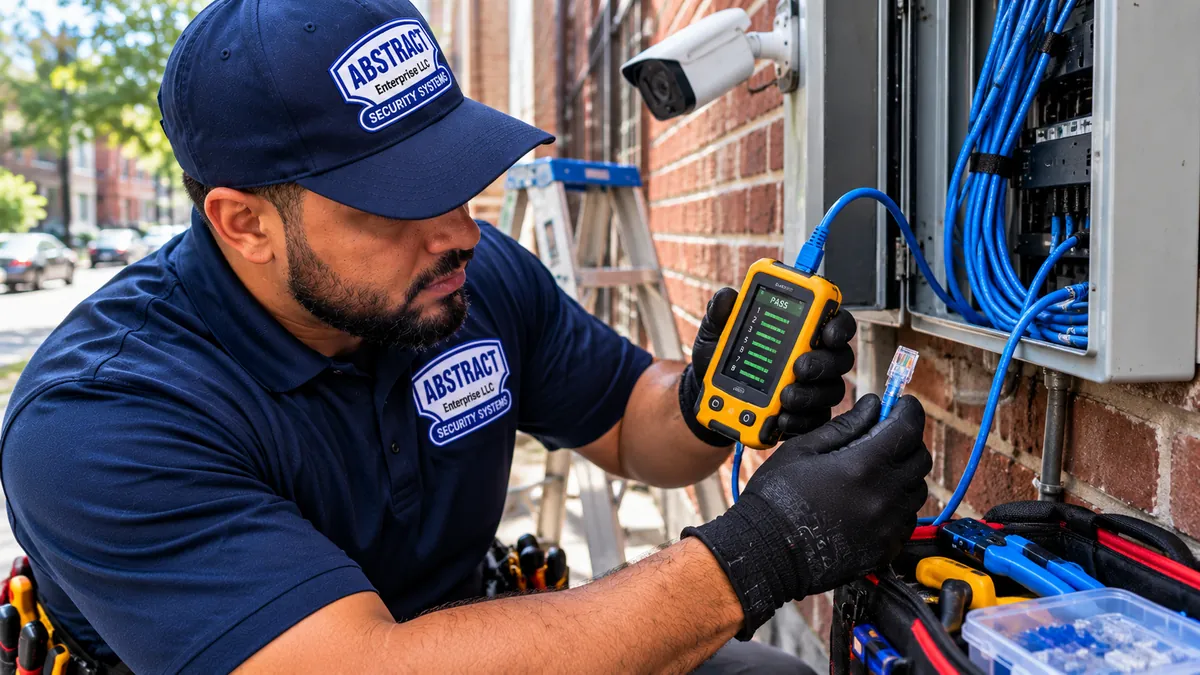
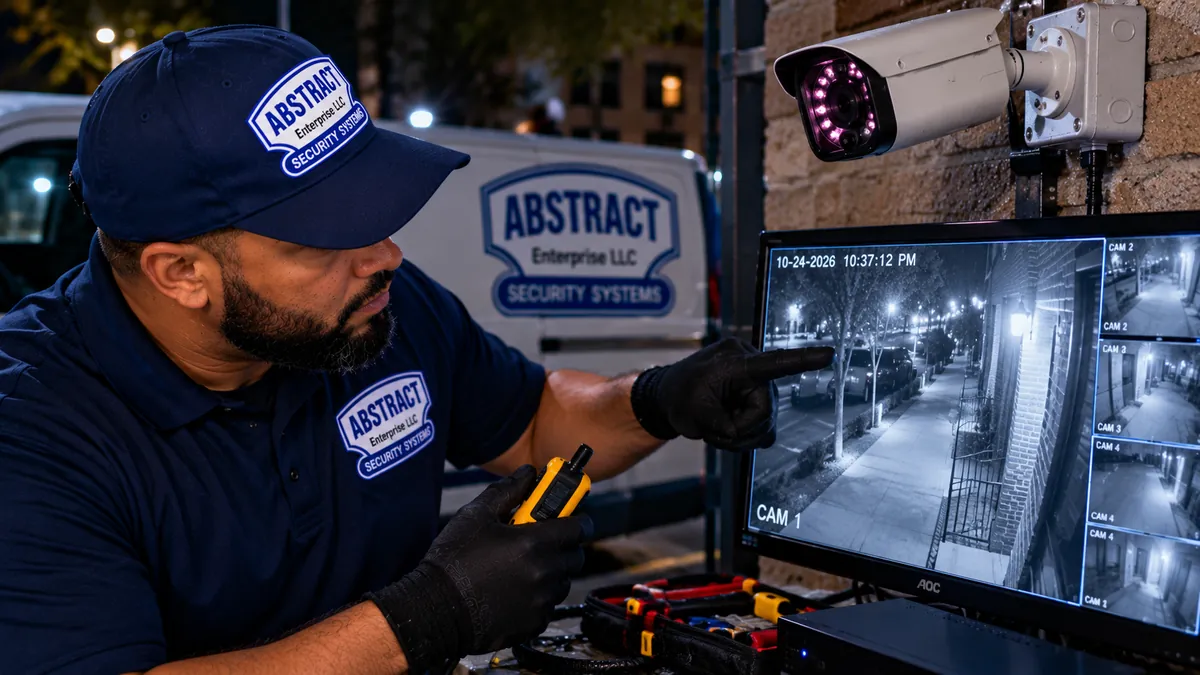
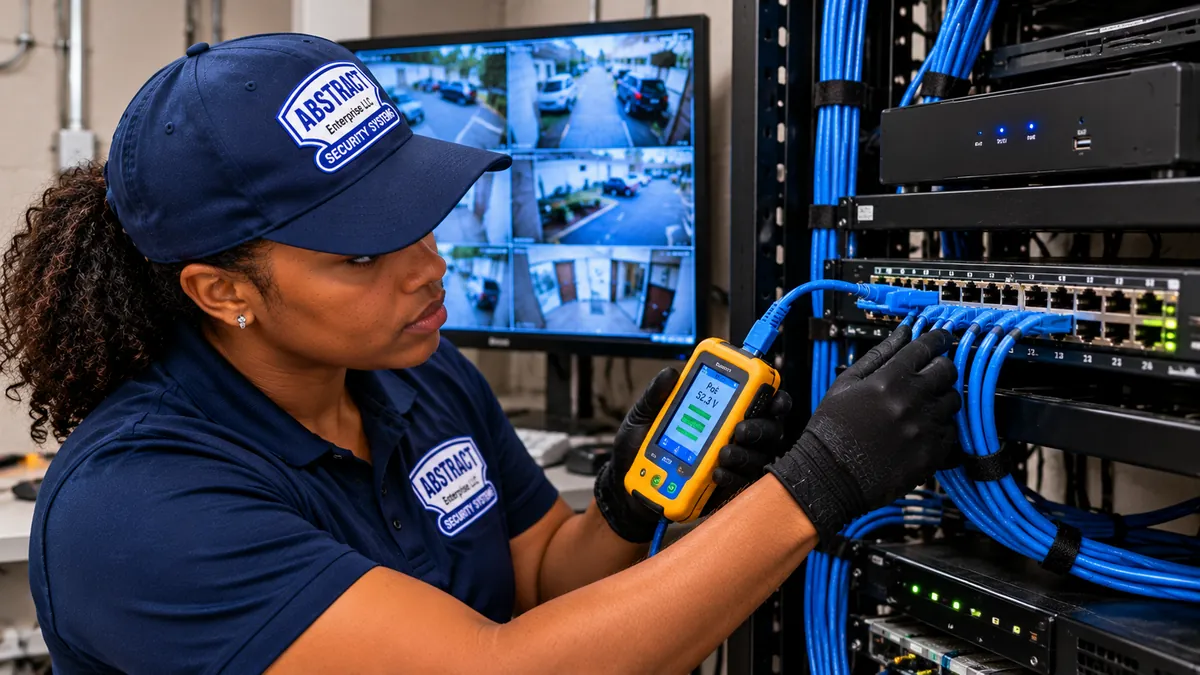
📷 NYS LIC #12000287431
⚡ Same-Day Manhattan
🏢 Co-op COI · Class A COI · LPC

Security Camera Repair in Manhattan

Same-day camera, DVR, NVR, and wiring repair across Manhattan — pre-war co-ops on the UES and UWS, Class A office towers in Midtown and Hudson Yards, brownstones in the Village and Chelsea, downtown lofts in SoHo and Tribeca, luxury condos along Park Avenue and Central Park West, and retail along Madison, Fifth, Broadway, and Lex. Hikvision, Dahua, Lorex, Speco, Uniview, Amcrest, Bosch, Axis, Avigilon, and most analog and IP commercial brands. Most repairs land between $150 and $1,500. Co-op board package and Class A COI emailed same-day. Firm written quote on-site after a 30-minute diagnostic — no surprises, no monthly fees, no contracts.

4.6★360+ Reviews
25+Years
Same-DayManhattan Dispatch
$0Monthly Fees

Get Your Manhattan Camera Repair Quote in 60 Seconds

✅ Licensed & Insured ✅ Same-Day Manhattan Dispatch ✅ No Monthly Fees
Why Manhattan Camera Repair Is Different

Manhattan Cameras Fail in Manhattan-Specific Ways

Manhattan has the most vertically dense building stock in the world — pre-war walk-ups and classic-six co-ops on the Upper East and West Sides, post-war high-rises in Midtown, Class A office towers in Hudson Yards and Bryant Park, glass condo towers along the Hudson and the East River, brownstones in the Village and Chelsea, downtown loft conversions in SoHo and Tribeca, and ground-floor retail spanning Madison, Fifth, Broadway, Lex, Park, and Seventh. Every one of those building types has its own wiring era, its own access rules, and its own failure mode. Pre-war plaster walls hide cables that fail when the building re-points its facade for Local Law 11. Class A office buildings require a Certificate of Insurance naming the building and the tenant before a screwdriver comes out of the bag. Co-op boards want a written scope. The super wants the basement riser closet kept clean. The Landmarks Preservation Commission wants approval before exterior hardware touches a brownstone facade in the Village or SoHo Cast Iron Historic District. A repair company that does not already work in this borough wastes the first hour of every service call learning your building.

Pre-war co-op wiring

UES, UWS, Murray Hill, Gramercy, Sutton Place, Park Avenue — plaster-and-lath walls, undersized risers, original 1920s conduit. Pulling new Cat6 from a basement to a sixth floor takes route-planning, not just a fish tape. Often a board-approved scope is needed before the work begins.

Class A COI requirements

Hudson Yards, Time Warner Center, One World Trade, the GM Building, the Seagram Building, the MetLife Building, the Chrysler Building, Bryant Park towers, FiDi office. Building requires COI naming building, managing agent, and tenant before any riser or ceiling-tile work. We email the COI same-day.

Brownstone vestibule IR bounce

Pre-war vestibules with hard tile walls, glass storm doors, marble lobby floors, and polished brass mailbox clusters bounce IR straight back at the lens. The fix is color night vision (ColorVu, ColorX, Starlight) or an external IR illuminator — not another camera reset.

LPC landmark district approval

Greenwich Village Historic, SoHo-Cast Iron, Chelsea Historic, Carnegie Hill, Mount Morris Park, plus individual landmarked buildings citywide. Exterior hardware needs LPC approval before installation. We coordinate with the architect or landmarks consultant.

Federal Wiretap Act

Audio recording on cameras facing common-area hallways or neighboring units is illegal under the Federal Wiretap Act and NY Penal Law Article 250. We disable audio on every common-area camera repair and document it for the building.

Steel-and-concrete WiFi block

Post-war high-rises kill 2.4GHz WiFi between floors. Modern luxury towers with low-E glass and metal-coated facades block 5GHz too. WiFi cameras that worked in a suburban driveway often need to be rewired hardwired in a Manhattan tower.

60-Second Repair Quote

Tell Us What's Broken

Four questions. We call back within the hour with a likely cause and a price range — before anyone comes to your building.

Yes, you can text me at this number about my repair quote.
Symptoms We Diagnose Daily

Common Camera Failure Modes in Manhattan Buildings

Most Manhattan camera failures fall into eight buckets — black screen fix, app offline repair, recording fix, blurry image, IR night vision, wiring damage, password lockout, and multiple-camera-at-once failures. Security camera system not working repair work walks each one in order. We see all of them every week. The point of this section is so you can describe the symptom over the phone and get a real price range before we dispatch.

Black Screen / No Signal

Power problem, cable problem, or video-input mismatch on the recorder or monitor. The fastest diagnostic is to swap the cable with a known-good lead and try a different DVR/NVR port. Roughly 60% of black-screen calls in Manhattan are a failed BNC connector or a dead PoE port — not a dead camera. In pre-war buildings, the failure rate of original-installation CCA cable in the riser closet adds to that, especially in buildings that recently completed a Local Law 11 facade repair (vibration loosens connectors).

📵

App Won't Connect

Hik-Connect, DMSS, Lorex Cirrus, Reolink, Amcrest View — all of them break the same four ways: firmware update broke the pairing, DDNS or P2P registration lost after a router reboot, port forwarding got reset on a new router, or the app updated and dropped support for older firmware. Most app-only repairs are done in under an hour.

💾

DVR / NVR Not Recording

Usually a failed or near-failed hard drive (DVR drives are written 24/7 and burn out around year 3–5). Other causes: motion-detection schedules without per-channel motion configured, the M&A setting that needs both motion AND an external alarm, a full drive that hasn't rolled over, or a firmware bug after auto-update. Diagnostic 15–30 minutes.

🌙

IR Night Vision Broken

Either the IR LEDs are blown (a common 5–7 year failure on Hikvision and Dahua bullet cams), the night-vision day-night sensor is stuck in day mode, or — most commonly in brownstone vestibules — IR is bouncing off a tile wall, glass door, or marble lobby floor and washing the image. Fix may be camera replacement, a sensor reset, or a swap to color night vision.

🔌

Camera Offline

For PoE cameras: dead PoE port, failed PoE switch, or wattage mismatch (some 4K IR cameras pull more than the switch port can supply at night). For WiFi cameras: 5GHz vs 2.4GHz mismatch, a router that auto-rebooted at 4 AM, or a weak signal that drops between concrete floors. We test PoE wattage with a meter on every offline call.

Wiring Damaged

Outdoor Cat5e/Cat6 and RG59 coax fail from winter freeze-thaw, summer roof work, rodent damage in basement riser closets, or the original installer's choice of CCA (copper-clad aluminum) cable. We splice, re-pull, or run fresh cable through existing conduit. If we find CCA, we recommend swapping to solid-copper Cat6.

🔒

Forgot Password

For Hikvision: SADP tool with a recovery file generated from the device serial number — manufacturer emails the file within an hour during business days. For Dahua: ConfigTool with a similar serial-based reset. On-site reset takes 30–60 minutes including reconfiguring the camera back to your network. We do not bypass passwords on cameras you cannot prove ownership of.

⚠️

Multiple Cameras Failing At Once

Almost always a power-supply or PoE-switch problem upstream of the cameras themselves — not eight cameras dying simultaneously. Other causes: an IP-address conflict after a router replaced itself, a botched firmware update that propagated to identical cameras, or someone in the building plugged a non-PoE device into the PoE switch and tripped a port-protection cutoff.

Most NYC camera-repair customers also pair with our intercom service or access control on the same site visit. One COI, one invoice, one crew.

Camera Terminology

The Acronyms That Show Up In Your Repair Quote

If you have read three CCTV Reddit threads, you have seen 40 acronyms. Here are the ones that actually matter when we are diagnosing your Manhattan camera system.

BNC

Bayonet Neill-Concelman — the round screw-on connector at each end of a coaxial RG59 cable. Loose, corroded, or water-damaged BNC connectors are the #1 cause of analog camera failure in Manhattan — and Local Law 11 facade vibration accelerates the loosening.

RG59 / RG6

Coaxial cable types used for analog and HD-over-coax cameras. RG59 for shorter runs (under 750 ft), RG6 for longer or higher-bandwidth runs. Replaced by Cat5e/Cat6 in modern IP installs.

PoE / PoE+

Power over Ethernet — runs camera power and data over a single Cat5e or Cat6 cable. PoE delivers up to 15W, PoE+ delivers up to 30W. 4K IR cameras at night often need PoE+ or they brown out.

NVR / DVR

Network Video Recorder (for IP cameras over Ethernet) and Digital Video Recorder (for analog cameras over coax). A hybrid recorder handles both. Most Manhattan pre-war retrofits use a hybrid so you keep working coax runs in the riser closet.

IP Camera

A camera with its own IP address that streams video over the network — usually over PoE Cat6. Higher resolution, better app integration, and easier remote viewing than analog. The current commercial standard.

HD-over-Coax / HD-TVI / HD-CVI / AHD

HD video over old coaxial cable runs without ripping out walls. Lets you upgrade analog cameras to 1080p or 4K without re-pulling cable. Big win for Manhattan pre-war retrofits — avoids plaster work, board approval, and freight elevator scheduling for new cable runs.

ONVIF

Open Network Video Interface Forum — the standard that lets a Hikvision NVR talk to a Dahua or Uniview camera. When this breaks, mixed-brand systems stop recording even though each camera works fine on its own.

P2P / DDNS

Peer-to-Peer (camera-to-app direct connection through the manufacturer cloud) and Dynamic DNS (a domain that follows your changing home IP). Both are ways to reach your cameras from outside your network. Both fail after router reboots.

SADP / ConfigTool

SADP (Hikvision) and ConfigTool (Dahua) are the manufacturer utilities for finding cameras on a local network, resetting passwords, updating firmware, and pushing IP changes. We use both daily.

ColorVu / ColorX / Starlight

Manufacturer names for color night vision — uses a wide-aperture lens and a sensitive sensor instead of IR LEDs. The right pick for tight Manhattan pre-war vestibules where IR washes out on tile floors, glass storm doors, and marble lobby surfaces.

CCA Cable

Copper-Clad Aluminum — cheap cable that looks like Cat6 but is mostly aluminum. Fails fast in cold weather and high-PoE-load runs. We swap CCA to solid-copper on every Manhattan repair where we find it — pre-war buildings see CCA failures faster than post-war.

COI

Certificate of Insurance — required by Class A buildings, most co-op boards, and most managing agents before any work in a riser, ceiling, or common area. We carry the package and email same-day.

Brands We Repair

15+ Camera Brands Serviced in Manhattan

We carry parts and firmware tools for the major manufacturers and most of the consumer kits sold at Costco, Sam's Club, and Home Depot. If we cannot source parts for your specific model, we tell you up front and give you the option of replacement instead of repair.

Hikvision+ ColorVu, AcuSense
Dahua+ TiOC, EZ-IP
Lorex+ Cirrus app
SpecoCommercial line
UniviewUNV / EZN
AmcrestHybrid systems
SwannDVR & NVR kits
Q-SeeLegacy systems
ReolinkWiFi & PoE
Annke4K kits
Night OwlCostco kits
ZmodoWiFi systems
FoscamIP cameras
ProvisionManhattan-installed
BoschCommercial
AxisClass A spec

We do not service Ring, Nest, or Arlo — these are sealed consumer products with no field-serviceable parts. If your Ring or Nest stopped working, the right call is to file a warranty replacement with the manufacturer or upgrade to a commercial-grade system.

Every Camera Type We Service

Camera-Type-Specific Repair in Manhattan

Different camera form factors fail in different ways. Here is what we see most often by camera type, with the typical repair window and the parts we keep on the truck.

📹

IP Camera Repair

Network IP camera repair is our most-common call type. We handle PoE camera repair, ONVIF re-pairing, IP-address conflict resolution, firmware recovery, and password reset for any IP camera on the major commercial platforms. Most Manhattan IP camera repairs run $250–$600 same-day.

PoE Camera Repair

PoE camera repair covers PoE switch port test and replacement, PoE+ wattage upgrades when the camera browns out at night, individual PoE injector swaps, and weatherproof outdoor PoE connector rebuilds. PoE camera repair in Manhattan averages 1–2 hours on-site (longer in pre-war buildings with awkward closet access).

🔌

Wired CCTV Repair

Wired CCTV repair and security camera wiring repair includes RG59 coax termination, BNC connector repair, Cat6 camera wiring repair, Ethernet cable camera repair, and full re-pulls through plaster, conduit, or riser closets. Wired systems are more reliable than wireless in Manhattan steel-and-concrete towers and pre-war buildings — modern luxury towers with low-E glass kill 5GHz signals between floors.

📶

Wireless Camera Repair

Wireless camera repair covers WiFi signal diagnostics, 5GHz vs 2.4GHz mismatch, router firmware compatibility, signal extender placement, and conversion to hardwired PoE when WiFi is too unreliable in pre-war Manhattan buildings or steel-and-concrete towers.

🔵

Dome Camera Repair

Dome camera repair includes bubble cover replacement (often scratched, painted over by a super, or hazed from UV), IR-cut filter swap, lens recalibration, and full housing re-seal when the weatherproof gasket has failed. Dome cameras typically last 8–12 years indoors, 5–8 years outdoors in Manhattan (freeze-thaw on parapet mounts, building HVAC condensation drip).

🔫

Bullet Camera Repair

Bullet camera repair covers IR LED replacement (the most common 5–7 year failure), mounting bracket repair after wind or impact damage, internal condensation removal, and full body replacement when the housing seal has failed. Outdoor Manhattan bullet cameras need re-weatherproofing every 3–4 years — sooner on south-facing rooftop mounts that catch direct sun and freeze cycles.

🔄

PTZ Camera Repair

PTZ camera repair handles the most complex failures — pan/tilt motor seizure, slip-ring electrical contact failure, preset memory loss, joystick controller pairing, and Hikvision/Dahua PTZ-specific firmware bricking. PTZ repair in Manhattan is typically $450–$1,200 because of the part complexity. Common in Class A office lobbies and luxury hospitality.

🏠

Indoor Camera Repair

Indoor camera repair technician work covers lens cleaning and replacement, IR LED swap on indoor IR cameras, mount and bracket repair, audio disable for common-area cameras (Federal Wiretap Act compliance), and full body replacement. Indoor camera repair in Manhattan homes and offices averages $200–$450.

🌧️

Outdoor Camera Repair

Outdoor camera repair is the highest-volume Manhattan repair category — building parapet mounts, brownstone facades, and rooftop access cameras all see significant freeze-thaw and weather wear. Outdoor security camera repair service includes weatherproof seal rebuild, outdoor BNC and RJ45 reterminate with dielectric grease, salt-air corrosion remediation, and IR LED replacement on outdoor bullet and turret cameras.

📺

DVR Repair

DVR repair (Digital Video Recorder for analog cameras over coax) covers hard-drive replacement, firmware recovery, channel reassignment, BNC input port repair, and full recorder replacement. DVR not working repair in Manhattan averages $300–$700 including the hard drive and labor. Most pre-war commercial systems still run analog DVRs.

💾

NVR Repair

NVR repair (Network Video Recorder for IP cameras over Ethernet) covers PoE port test and repair, hard-drive replacement, firmware recovery, ONVIF re-pairing for mixed-brand systems, and full recorder swap. NVR not recording fix in Manhattan averages $400–$900 depending on the model and brand. Class A office buildings often run higher-end Bosch, Axis, or Avigilon NVRs.

Camera Power Supply Repair

Camera power supply repair covers single-camera 12V/24V wall-adapter replacement, multi-channel power supply swap when 8 or 16 cameras die simultaneously, PoE injector replacement, and fuse replacement on multi-channel supplies. Power supply repair is typically $150–$400.

Brand-By-Brand Repair Detail

Brand-Specific Camera Repair in Manhattan

Each manufacturer has its own failure modes, recovery procedures, and parts availability. Here is what we see and what we charge for the brands Manhattan customers actually own.

Hikvision camera repair

Hikvision is the most common brand we repair in Manhattan. Standard Hikvision camera repair calls: SADP password recovery (manufacturer recovery file, 30–60 min), firmware brick recovery (TFTP boot sequence), IR LED replacement on aging bullet cams, ColorVu and AcuSense reconfiguration after auto-update, and Hik-Connect P2P repair after router changes. Hikvision repair in Manhattan averages $250–$650 same-day.

Dahua camera repair

Dahua is the second most common. Standard Dahua camera repair: ConfigTool password recovery, DMSS app pairing repair, EZ-IP and TiOC reconfiguration, Dahua firmware downgrade when an update broke a feature, and Dahua-specific ONVIF re-pairing for mixed-brand systems. Dahua repair in Manhattan averages $250–$650 same-day.

Lorex camera repair

Lorex camera repair covers Lorex Cirrus app pairing repair, Lorex DVR hard-drive replacement (Lorex DVRs are aggressive about beeping when a drive fails), HD-over-coax channel migration, and Lorex Smart Detection sensitivity recalibration. Lorex repair averages $250–$550 in Manhattan.

Swann camera repair

Swann camera repair handles older Swann DVR systems (many sold at Costco and Sam's Club 8–10 years ago), Swann SwannView and HomeSafe app repair, and Swann analog-to-IP migration when the original kit is past EOL. Some older Swann kits have parts-availability issues — we tell you up front before quoting.

Speco camera repair

Speco is a commercial-grade brand common in Manhattan retail, restaurants, and hospitality — Madison Avenue boutiques, Theater District venues, hotel back-of-house. Speco camera repair covers Speco DVR/NVR firmware update and recovery, Speco-branded app reconfiguration, and component replacement. Speco parts ordering is reliable through their dealer channel.

Uniview (UNV) camera repair

Uniview camera repair covers UNV NVR firmware recovery, EZStation app pairing, and ONVIF integration with non-Uniview cameras. Uniview is a growing Manhattan brand with good parts availability and reliable hardware — most UNV repair calls are configuration, not hardware failure.

Amcrest camera repair

Amcrest camera repair covers Amcrest View app pairing, Amcrest hybrid DVR reconfiguration, and integration with non-Amcrest cameras over ONVIF. Amcrest shares hardware lineage with Dahua so most Dahua-style repair procedures apply.

Q-See camera repair

Q-See is largely end-of-life — the original company shut down years ago and parts are getting scarce. Q-See camera repair is feasible for short-term fixes but most Manhattan Q-See systems we see are 8–12 years old (in pre-war commercial spaces installed 2010–2014) and we recommend planned replacement rather than chasing repairs that will recur.

Night Owl camera repair

Night Owl camera repair covers Night Owl DVR/NVR replacement (most Night Owl kits are sold at Costco), Night Owl Connect app reconfiguration, and analog-to-IP migration when the original kit is showing age. Many Night Owl repair calls in Manhattan turn into full-system upgrade conversations because the original kit's value has decayed and the building wiring deserves a better camera.

Reolink camera repair

Reolink camera repair handles Reolink WiFi camera reconfiguration, Reolink PoE camera and Reolink Argus battery camera repair, Reolink NVR setup, and Reolink app pairing. Reolink is a popular DIY brand across Manhattan condos and small businesses — we often migrate Reolink customers to commercial-grade PoE systems when reliability becomes a priority or when the co-op board flags the consumer-grade install.

Annke camera repair

Annke camera repair covers Annke 4K kit reconfiguration, Annke Vision app pairing, and Annke-to-Hikvision firmware compatibility issues (Annke uses Hikvision-derived hardware on many models). Annke repair in Manhattan averages $250–$500.

Wyze camera repair

Wyze cameras are sealed consumer products — the Wyze Cam V3, Wyze Cam Pan, Wyze Outdoor, and Wyze Doorbell are not field-serviceable. Wyze camera repair, where it exists, is limited to mount/bracket replacement and SD card swap. For broken Wyze cameras the right path is warranty replacement or upgrade to a commercial system.

Zosi camera repair

Zosi is a budget consumer brand (also sold under Zosi.com). Zosi camera repair is limited because the cost of the repair often exceeds the cost of a new kit. Most Zosi repair calls in Manhattan turn into upgrade conversations to commercial-grade Hikvision, Dahua, or Lorex — co-op boards rarely accept consumer-grade installations long-term.

Ring, Nest, and Arlo camera repair

Ring camera repair, Nest camera repair, and Arlo camera repair are all warranty-only paths — these are sealed consumer products with no field-serviceable parts. Ring Doorbell, Ring Stick Up Cam, Ring Spotlight, Ring Floodlight, Nest Cam Outdoor, Nest Cam Indoor, Nest Doorbell, Arlo Pro, Arlo Ultra, Arlo Essential — all replaced under manufacturer warranty when they fail. We help Manhattan customers transition off these consumer platforms when reliability becomes a priority — many co-op boards prohibit Ring/Nest doorbells outright because of the audio-recording concern.

Full Repair Stack

Everything We Fix on a Manhattan Repair Call

A camera repair is rarely just the camera. The point of failure is usually upstream — at the recorder, the switch, the wiring, or the network. We diagnose the full chain on every call.

📷

Camera Body Repair

Lens replacement, IR LED swap, IR-cut filter (day/night sensor) replacement, weatherproofing rebuild, mounting bracket repair, full body replacement when board damage is past economic repair.

📺

DVR / NVR Service

Hard-drive diagnostic and replacement (2TB to 14TB), motherboard repair on commercial recorders, firmware downgrade and recovery on bricked units, channel reassignment, schedule reconfiguration, complete hybrid replacement.

Cable & Connector

BNC reterminate, RJ45 re-crimp, splice damaged sections, full re-pull through existing conduit, swap CCA to solid-copper Cat6, weatherproof outdoor connections with dielectric grease and self-fusing tape.

🔌

Power & PoE

PoE switch test and replacement, PoE+ upgrade where wattage is insufficient, individual PoE injector swap, 12V/24V power-supply replacement, fuse replacement on multi-channel power supplies.

🌐

Network & IP

IP-address conflict resolution, ONVIF re-pairing for mixed-brand systems, port forwarding repair after router changes, DDNS reconfiguration, VLAN setup for camera isolation.

📱

App & Remote Access

Hik-Connect, DMSS, Lorex Cirrus, Reolink, Amcrest View, EZView pairing reset, P2P registration repair, phone-app reinstall and re-add, push notification troubleshooting.

💻

Firmware Recovery

Firmware update for compatibility, firmware downgrade when an auto-update broke a feature, brick recovery (Hikvision and Dahua have specific recovery sequences), password reset via SADP or ConfigTool with manufacturer recovery file.

🌧

Weather & Environmental

Outdoor camera reseal, condensation removal, lens cleaning and de-fogging, replace cameras with cracked housings, address salt-air corrosion on coastal blocks, repair freeze-cracked outdoor wiring.

🛠

Annual Maintenance

Scheduled clean & check — lens cleaning, connector inspection, hard-drive health test, firmware audit, port test on PoE switch, motion-detection sensitivity recalibration, footage retention verification. $250–$900 typical Manhattan annual visit (residential to Class A scope).

Combo discount

Most NYC camera repairs are scheduled alongside intercom service, door buzzer repair, or access control. Combining services saves $200–$400 in labor — same crew, same site visit, one COI, one invoice.

Manhattan Coverage

Camera Repair Across Every Manhattan Neighborhood

We dispatch from our Bronx office at 460 E Fordham Rd — the closer hub for Manhattan, especially Upper Manhattan, the Upper East Side, and the East Side. Same-day service from Inwood to FiDi when called before noon. Drive time: 15 minutes to Harlem, 25 minutes to Midtown, 35 minutes to FiDi outside rush hour.

Upper East SideCarnegie Hill, Lenox Hill, Yorkville, Sutton Place. Pre-war co-ops on Park, Madison, Fifth. Doorman buildings on East End. Carnegie Hill Historic District requires LPC approval for exterior hardware.
Upper West SideLincoln Square, Manhattan Valley, Morningside Heights. Pre-war classic sixes on Central Park West, Riverside Drive, West End Avenue. Columbia University area. Many buildings on the National Register.
Midtown East & WestTimes Square, Theater District, Bryant Park, Garment District, Diamond District, Murray Hill, Tudor City, Hudson Yards, Hell\u2019s Kitchen. Class A office buildings, hotels, retail. Same-day Class A COI standard.
Lower Manhattan & FiDiFinancial District, Battery Park City, South Street Seaport, Wall Street corridor, World Trade, Tribeca, Civic Center, Two Bridges. Class A office plus residential conversions. After-hours work standard for tenant-occupied floors.
The Village (West, Greenwich, East)West Village, Greenwich Village, East Village, NoHo, NoLita, Bowery. Greenwich Village Historic District requires LPC approval. Brownstones, walk-ups, retail, restaurants. Audio-off mandate strict here.
SoHo & TribecaSoHo-Cast Iron Historic District, Tribeca lofts, Hudson Square. LPC approval for exterior. Loft conversions with exposed brick and column-and-beam ceilings need careful cable routing. High-end retail on West Broadway, Broome, Spring.
Chelsea, Flatiron, NoMadChelsea Historic District, Ladies\u2019 Mile Historic, Flatiron, Madison Square, NoMad, Meatpacking. Mixed-use loft conversions, hotels, retail flagships, gallery spaces. Co-op boards on West 22nd through 27th well-organized.
Lower East Side & ChinatownLower East Side, Chinatown, Two Bridges, Seward Park, Essex Crossing. Tenement walk-ups, mixed-use commercial, restaurants. NYCHA buildings on Avenue D, Grand Street, Madison Street. Coordination with super or property manager.
Harlem & Upper ManhattanCentral Harlem, East Harlem, West Harlem, Hamilton Heights, Sugar Hill, Morningside Heights, Manhattanville. Brownstones, walk-ups, mid-century apartments, NYCHA. Mount Morris Park Historic District. Commercial along 125th, Lenox, ACP, Frederick Douglass.
Washington Heights & InwoodWashington Heights, Hudson Heights, Fort George, Inwood, Marble Hill. Pre-war co-ops along Cabrini Boulevard, Fort Washington Avenue, Pinehurst Avenue. Most affordable Manhattan repair scope but full pre-war wiring complexity.
Roosevelt Island & Stuy TownRoosevelt Island, Stuyvesant Town, Peter Cooper Village, Kips Bay, Tudor City. Mid-century post-war complexes with shared infrastructure. Property-management-coordinated repair scheduling.
Specialty (Manhattan)Class A buildings (COI same-day), co-op board approvals (stock package ready), landmark district LPC coordination, NYCHA buildings, FDNY-compliant retail and restaurants, hotel hospitality (PMS integration check), Department of Buildings work permits.
Building Types We Service

Camera Repair for Every Manhattan Property Type

Every Manhattan property has its own physics. Pre-war co-ops with plaster walls and undersized risers. Class A office towers with steel-and-concrete construction and freight-elevator scheduling. Brownstones with vestibule IR bounce. Loft conversions in SoHo and Tribeca with exposed-beam ceilings. Each fails differently. We design the repair around all of them.

🏢

Pre-War Co-ops & Condos

UES, UWS, Murray Hill, Gramercy, Sutton Place, Park Avenue, Central Park West. Plaster-and-lath walls, knob-and-tube remnants, original 1920s conduit. Board approval required for exterior work and most common-area work. We have a stock board package (license, COI, scope, wiring diagram) ready to email same-day.

🏬

Class A Office Towers

Hudson Yards, Time Warner Center, One World Trade, GM Building, Seagram Building, MetLife Building, Chrysler Building, Bryant Park towers, FiDi. COI naming building, managing agent, and tenant required. Freight elevator scheduling. After-hours work for any cable run above ceiling tiles. Bosch, Axis, Avigilon brand familiarity.

🏚️

Brownstones & Townhouses

Greenwich Village, Chelsea, West Village, East Village, Murray Hill, UES side streets, Harlem brownstone blocks. Vestibule IR bounce common with hard tile floors and glass storm doors. Color night vision swap is the standard fix. LPC approval for landmark district exteriors.

🏪

Retail Storefronts

Loss prevention, register-area facial-recognition placement, license-plate capture at delivery doors, after-hours service so you stay open. Same-day for downtime emergencies.

🍽

Restaurants & Bars

Kitchen, dining, bar, register, walk-in cooler, back-alley delivery. NYC Health Department-compliant placement. Manhattan restaurant scene from the Village to Murray Hill to Hell’s Kitchen. Repair on closed days where possible.

🏨

Hotels & Hospitality

Times Square, Hudson Yards, Midtown East, Theater District, FiDi waterfront, Tribeca boutique, Bowery, Lower East Side boutique. Lobby, hallway, elevator, parking, loading dock, employee-only zones. PMS integration check. Audio-off mandate enforced. Privacy-compliant placement (no guest-room interior coverage).

🏭

Loft & Mixed-Use Conversions

SoHo-Cast Iron, Tribeca lofts, Hudson Square, NoHo, Meatpacking, NoMad. Loft conversions with exposed brick walls and column-and-beam ceilings need careful cable routing through finished interior. Cable runs visible only with explicit owner sign-off.

🏥

Medical & Dental

HIPAA-compliant placement (no patient-room or treatment-area coverage), waiting room, hallway, pharmacy, billing, reception. Quiet repair scheduling between appointments.

🏘

Multi-Family & NYCHA

Lower East Side, East Harlem, Washington Heights, Inwood NYCHA campuses. Stuyvesant Town, Peter Cooper Village, Roosevelt Island. Lobby, mailroom, hallway, stairwell, rooftop. Property-management-coordinated scheduling. Common-area camera systems with super access. Audio-off mandate strict.

Real Questions Real People Ask

14 Pain-Point Questions From Manhattan Camera Owners

Sourced from Reddit, IPCamTalk, CCTVForum, Manhattan co-op and condo board threads, and our own service-call intake notes from the UES to FiDi. These are the questions Manhattan camera owners ask but rarely get a straight answer to.

🔥 My Hikvision DVR is making a loud beeping noise — what does that mean?

Almost always a hard-drive failure warning. Hikvision and Dahua DVRs both beep when the SMART status of the internal drive flags a fault. Check the recorder's main menu under Storage or HDD Info — if the status says "warning" or "error," the drive needs replacement. We swap drives on-site for $200–$450 depending on capacity. If the beeping is intermittent and SMART looks fine, it may be a fan or a stuck buzzer — we silence it and check the alarm log.

🔥 Can I just replace one camera or do I have to replace the whole system?

You can almost always replace one camera. The only exception is when the failed camera is on a system so old that the manufacturer no longer makes a compatible replacement (most pre-2014 Hikvision and Dahua kits). In that case we use a same-resolution generic replacement that ONVIF-pairs to your existing recorder — works fine, looks identical to the user. Single-camera replacement on a working system in Manhattan: $250–$600 including the new camera and labor. Pre-war buildings with awkward access (long pull through original conduit) can add $100–$200.

🔥 My cameras worked yesterday and now they're all offline — what happened?

If all your cameras went down at once, it is upstream of the cameras themselves. Check three things in order: (1) is the PoE switch powered and showing link lights, (2) did the recorder reboot or show a "no signal" pattern, (3) did your router get replaced or rebooted overnight. About 70% of Manhattan "all cameras offline" calls are a tripped power supply on the PoE switch — often after a building electrical event (cycling generator during ConEd outage, super flipped a breaker, surge from elevator equipment). Usually a $50 part and a 30-minute service call.

🔥 The recorded footage has gaps — am I missing things?

Yes, and the most common cause is motion-detection-only recording with the motion sensitivity set too low. Other causes: M&A schedule (motion AND alarm) on a system without an alarm input, channel-by-channel record settings that got reset, a hard drive that's full and not configured to roll over, or a firmware bug. We pull the event log on-site, identify the cause, and reconfigure to 24/7 recording with motion-event flags so you stop missing events.

🔥 Why is my night footage just a white blur?

IR washout. The camera's IR LEDs are bouncing off something close — a glass storm door, a tile vestibule wall, a marble lobby floor, a metal mailbox cluster, or a polished brass door knob. Pre-war Manhattan vestibules on the UES, UWS, and brownstone entries in Chelsea, the Village, and Harlem are the worst offenders — hard tile floors and glass inset doors are everywhere here. The fix is either a camera with adjustable IR intensity, an external IR illuminator mounted away from the camera, or a swap to color night vision (no IR at all). Consultation and replacement: $350–$700.

🔥 My camera is fogged up inside the lens — water damage?

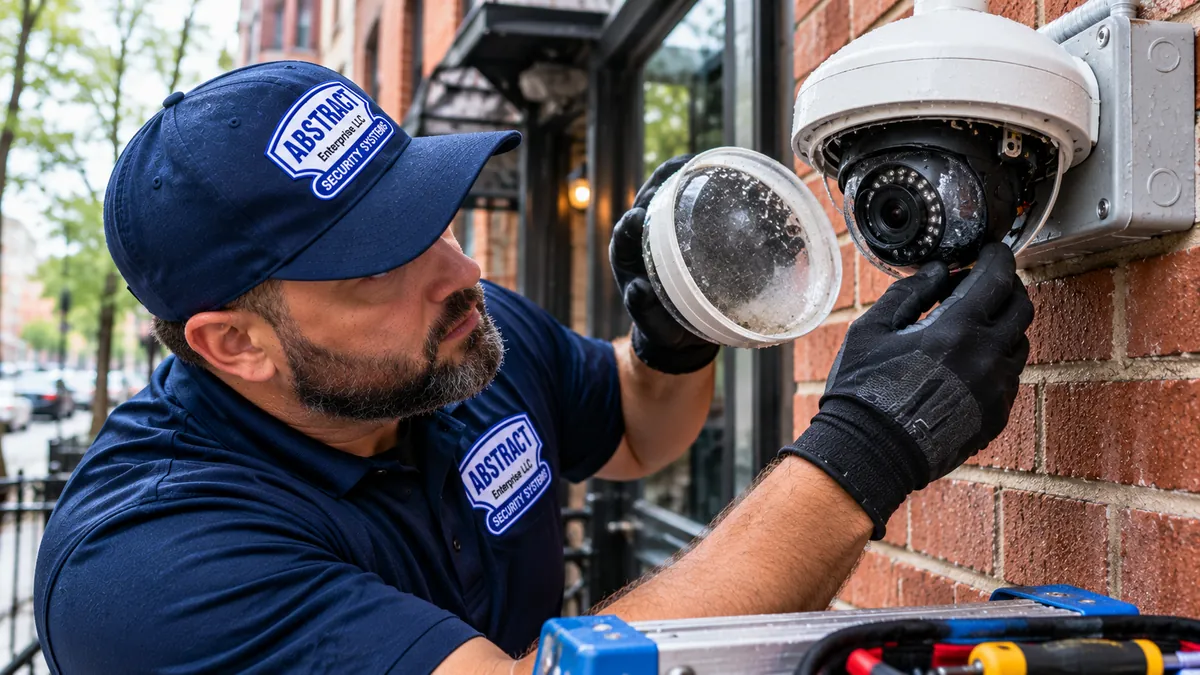
Yes — the weatherproof seal failed. Common after 4–6 Manhattan winters on bullet cameras and dome cameras with weak gaskets, especially on rooftop and exterior wall mounts that catch direct sun and freeze cycles. Sometimes you can dry it out by pulling the camera and leaving it in a warm dry room with the rear cover off for 48 hours, but the seal is already compromised so it will fog again on the next humid day. Replacement is the right call: $250–$500 for a same-spec swap.

🔥 The Hik-Connect app says my camera is offline but I can see it on my home network — why?

Camera works locally but not remotely is almost always a P2P registration problem. Hik-Connect needs a working internet connection from the camera or NVR to Hikvision's cloud servers. Common breaks: your router was replaced and didn't keep the same outbound rules, the camera's gateway IP no longer matches your router's IP, or Hikvision's P2P servers were temporarily down (check downdetector.com). Re-pairing fixes 90% of these in under 30 minutes.

🔥 Can you fix a camera that was painted over by my super or building maintenance?

Sometimes yes, more often no. If the dome bubble or front lens cover is painted, we can replace just the cover ($30–$80 part + labor). If the IR LEDs are painted, those are inside the housing and can't be repaired without a body swap. We see this most often in Manhattan after pre-Local-Law-11 facade prep work, hallway repaints in pre-war co-ops, and lobby renovations. Worth a 15-minute on-site look before deciding.

🔥 My old DVR is huge and loud — can I replace just that and keep my cameras?

Yes. If your existing analog cameras work, we keep them and swap the recorder for a modern hybrid that handles both analog (over your existing coax) and IP (over Cat6 you can add later). This is the cheapest path to a usable modern system. Hybrid recorder swap: $700–$1,200 installed including reconfiguring the channels and migrating any saved footage. Manhattan retrofit-friendly because it lets you keep working analog cameras over old coax (common in pre-war and pre-2014 installations) while adding new 4K IP cameras over fresh Cat6.

🔥 What's actually in your $250 service call?

30-minute on-site security camera diagnostics and surveillance system troubleshooting, full system test (power, cable, network, recorder, app), written quote for the actual repair, and the $250 is applied to the repair if you proceed. If the repair is over the phone (rare but possible — some app fixes), no service call charge. If we determine the system is past economic repair, we tell you and provide a no-pressure replacement quote.

🔥 Why does my camera password keep getting locked out?

Either someone is brute-forcing your camera from the internet (port-forwarded systems get hit constantly) or your camera is exposing port 80 to the internet by default. The fix is to change the default port, disable Hik-Connect or DDNS if you don't use it, set up VPN-only remote access, and enable lockout protection in the camera's security settings. We harden remote access on every repair call by default.

🔥 Can you take over service from my old security company?

Yes, as long as you actually own the equipment. If you signed a lease with ADT, Vivint, or a monitoring contract that "includes" the cameras, those are not yours and we can't service them. If you bought the cameras outright and just want to switch service providers, we take over and document everything for you. Most "ADT camera" customers are surprised to learn they don't own the hardware.

🔥 Will my camera footage still work for police if there's a break-in?

Only if the timestamp is correct and the recording is set to 24/7 (not motion-only). NYPD precincts that handle Manhattan calls (the 1st through 34th, plus PSA 4, 5, 6 for NYCHA) and detectives need clean footage with accurate time stamps for evidence. We verify time settings on every repair, set NTP sync to a public time server, and configure 24/7 recording with motion event flags so you have continuous footage and quick search to motion events. We also explain how to export clips in a format detectives can open.

🔥 What's the longest a security camera should last?

Indoor commercial cameras: 8–12 years. Outdoor commercial cameras in Manhattan: 5–8 years (winter freeze-thaw on parapet mounts, sun on south-facing rooftops, HVAC condensation drip). Hard drives in DVRs: 3–5 years (Manhattan commercial systems run 24/7 so drives wear faster). PoE switches: 6–10 years. Power supplies: 5–8 years. Security camera upgrade and repair are different conversations. If you have a system over 10 years old that's still working, that's a great run — but plan for replacement, not endless repair, because parts get harder to source after the manufacturer EOLs the model.

Common Searches

What People Ask Before They Call Us

Sourced from Google's "People also ask," autocomplete, Bing related searches, and Answer The Public for the camera repair vertical in New York.

How do I know if my security camera is broken?

Three signs: it shows offline in the app or recorder for more than 24 hours, the live feed is black or scrambled with the LED still on, or the recorded footage stops mid-event. If the camera was working yesterday and isn't today, something specific changed — usually power, cable, or network. We diagnose on-site in 30 minutes.

How long do CCTV cameras last?

Indoor: 8–12 years. Outdoor in Manhattan weather: 5–8 years (freeze-thaw on parapet mounts, HVAC condensation drip). The first thing to fail is usually the IR-cut filter (day/night sensor), then the IR LEDs themselves, then the weatherproof seal. The camera body and image sensor usually outlast everything else.

Can a CCTV camera be repaired?

Most can. Lens replacement, IR LED swap, cable splice, BNC reterminate, weatherproof reseal, and PoE-port repair are all routine. The exceptions are sealed consumer cameras (Ring, Nest, Arlo) and any commercial camera where the main board itself failed — those are usually replaced.

How much does it cost to fix a CCTV system?

Most Manhattan repairs land between $150 and $1,500. Connector reterminate or PoE port swap: $150–$350. Single camera replacement: $250–$600. DVR/NVR replacement: $700–$1,500. Full rewire or pre-war system overhaul: starts at $1,500 (more if board approval and freight elevator slots are needed). Free phone diagnosis, firm quote on-site. NYC sales tax 8.875%.

Why is my Hikvision camera offline?

In order: dead PoE port (test by swapping cable), failed power supply, lost IP (router DHCP conflict), Hik-Connect P2P registration broken (router rebooted), or firmware glitch (very common after auto-update). The camera itself is rarely the actual problem — it's almost always upstream.

Why is my Dahua camera offline on DMSS?

Dahua's DMSS app loses connection for the same reasons Hik-Connect does — P2P registration breaks after router or modem changes. Re-add the camera in DMSS, verify the camera's gateway matches your router IP, and check that the camera is reachable from a laptop on the same network first. If it's reachable locally but not in DMSS, it's a P2P or firewall issue.

Can I reset my security camera password without losing footage?

Yes. Password reset on the camera does not affect the recorder. The footage stays on the DVR/NVR hard drive. After reset, we re-add the camera to the recorder and the recordings continue without interruption. If you also forgot the recorder password, that's a separate reset — same process, manufacturer recovery file.

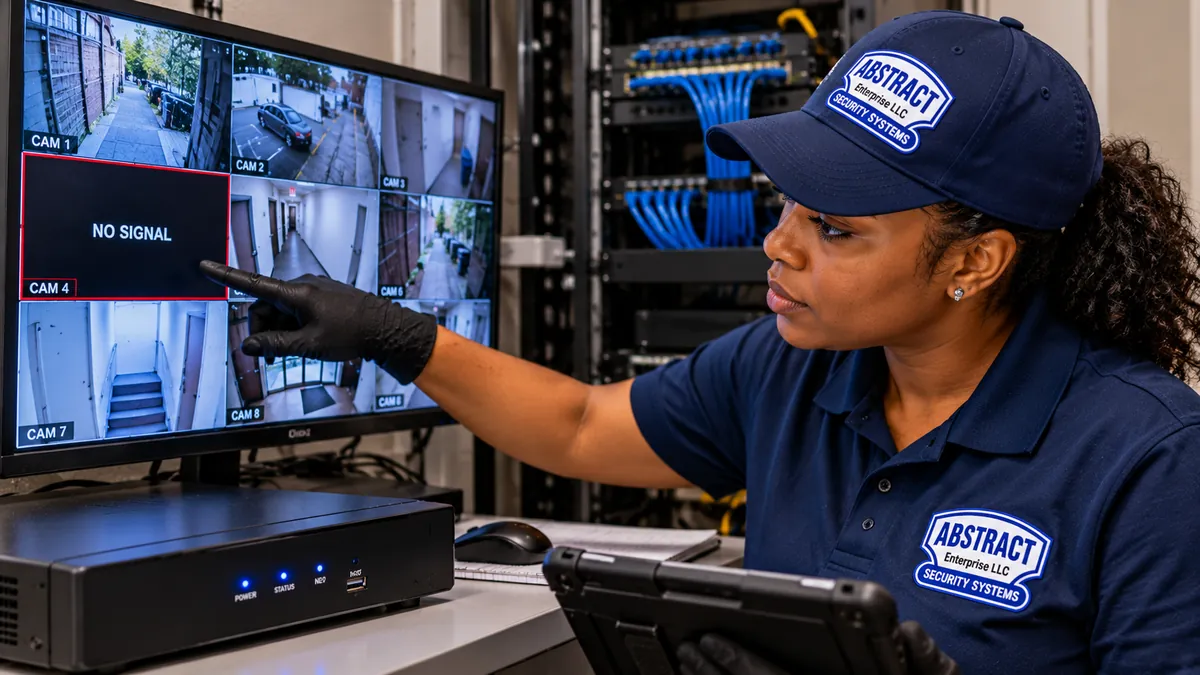
What does it mean when a camera says "no signal"?

Usually a cable problem (BNC loose, RJ45 unplugged, or cable severed somewhere along the run) or a video-input mismatch on the recorder. Less commonly, the camera lost power or the camera body itself failed. We test power, cable, and recorder port in that order — usually identify the cause in 5 minutes.

Why does my IR night vision look terrible?

Either the IR LEDs are blown, the IR-cut filter is stuck in day mode, or — by far the most common in Manhattan pre-war vestibules — the IR is bouncing off a hard surface within the camera's field of view (vestibule wall, glass door, marble floor, metal mailboxes). The fix is positional, optical, or a swap to color night vision.

Can rain damage a security camera?

Yes if the weatherproof seal is compromised. Look for fogging inside the lens, water droplets visible through the dome, or sudden image-quality degradation after a heavy rain. The seal cannot be reliably re-glued in the field — replacement is the correct call.

How do I update camera firmware safely?

Download from the manufacturer's official site (not a third-party). Verify the firmware matches your exact camera model and platform — there are multiple platforms behind the same model number. Update via the manufacturer's tool (SADP for Hikvision, ConfigTool for Dahua) over a wired connection. Never update over WiFi. If the update fails, do not power-cycle — call us, that's a brick recovery situation.

What is a hybrid DVR?

A recorder that handles both analog (over coax) and IP (over Ethernet) cameras at the same time. The right pick for Manhattan pre-war retrofits where you want to keep working analog cameras over old coax runs (common in 1980s–2010s installations) and add new 4K IP cameras over new Cat6. Saves the cost of re-pulling cable through plaster and original conduit — which in a UES or UWS pre-war can be the most expensive line item on the job.

AI Overview Reality Check

What Google AI Says About Camera Repair vs. What Actually Happens in Manhattan

Search "security camera repair cost" and Google's AI Overview gives you national averages built from generic homeowner-blog data. The numbers are not wrong — they're just not what Manhattan actually looks like. Manhattan has more pre-war buildings with original conduit, more Class A office towers with COI requirements, more landmark districts with LPC approval, and more co-op boards with stock requirements than any other US market. Here's the gap.

"Most repairs cost $100–$300"

That's a national average for suburban single-family homes with one or two consumer-grade cameras (Ring, Nest, Wyze) where the "repair" is often a battery swap or a mount adjustment. Manhattan repair calls are different: most are commercial-grade Hikvision, Dahua, Lorex, Speco, Bosch, Axis, or Avigilon systems running 4–32 cameras through a PoE switch and an NVR — with co-op board paperwork or Class A COI on top of the technical scope.

The actual Manhattan repair distribution: about 35% of calls are $150–$350 (connector or PoE port issues), 40% are $350–$700 (single camera or hard drive replacement), 20% are $700–$1,500 (DVR/NVR replacement or partial pre-war rewire), and 5% are over $1,500 (full pre-war system overhaul or board-approved scope through plaster and original conduit). The $100 number rarely shows up because there's a real on-site diagnostic, a licensed technician, and — in pre-war buildings — board approval and a freight elevator slot behind every call.

What this means for you: ignore the $100 estimate. Budget $250–$700 for a typical Manhattan single-camera or single-recorder repair. We always give a firm written quote on-site before any work begins, so you know exactly what you're committing to.

"Just reset the camera and reconnect to WiFi"

This is the AI's universal first answer for every camera problem. It works for consumer-grade WiFi cameras in suburban homes where the WiFi reaches everywhere — pointless in a Manhattan steel-and-concrete tower where 2.4GHz can't penetrate between floors and the camera's only job is to talk to a phone app. In NYC commercial-grade systems, it's almost never the right fix — and often it makes things worse.

Resetting a Hikvision or Dahua camera that's been integrated into a multi-channel NVR will wipe its IP address, its ONVIF pairing, and its motion-detection schedule. After reset, the camera comes up on the factory default IP (usually 192.168.1.108), which conflicts with your existing system, and the recorder no longer recognizes it. We get these calls weekly from Manhattan condo and co-op owners who tried the AI's advice — the recovery is often more expensive than the original repair would have been.

What this means for you: do not factory-reset commercial-grade cameras unless you know what you're doing. Power-cycle is fine. Reboot the recorder is fine. Reset is a one-way trip without the manufacturer recovery tool.

"Check your WiFi signal strength"

The AI's second universal answer. Helpful if you have a WiFi camera, useless if you have a PoE camera (most Manhattan commercial and Class A systems). PoE cameras don't use WiFi at all — they get both power and data over a Cat5e or Cat6 cable from the recorder or a PoE switch. Telling someone with a PoE Hikvision system to "check WiFi signal" is like telling someone with a wired phone to check their cell reception.

For PoE systems, the right diagnostic is to test the PoE port itself with a meter, swap the cable with a known-good lead, try the camera on a different port, and check the recorder's network status page. WiFi has nothing to do with it. For the smaller subset of NYC customers running WiFi cameras, signal strength does matter — but the typical fix is moving the router, not the camera, because thick NYC walls block 2.4GHz and most cameras don't support 5GHz at all.

What this means for you: tell us up front whether your cameras are PoE (Ethernet cable to the camera) or WiFi (no Ethernet to the camera). The diagnostic and the fix are completely different.

"Update the firmware to fix the issue"

Yes — sometimes. No — sometimes. Firmware updates fix specific bugs and add specific features, but they also introduce new bugs at roughly the same rate, and they can permanently brick a camera if the update fails partway through. We see one or two "I tried to update the firmware and now the camera is bricked" calls per month. Recovery is possible on Hikvision and Dahua but takes a TFTP server, the right firmware file, and a careful boot sequence.

The right rule: update firmware only when the update fixes a specific symptom you're experiencing. If the camera works, leave it. If you must update, do it over a wired connection (never WiFi), use the manufacturer's official tool (SADP or ConfigTool), and have someone else physically present in case the camera goes down and needs to be reseated.

What this means for you: don't update firmware preemptively because the AI told you to. Call us first if you're seeing a specific app or recording bug — we'll tell you whether a firmware update is the right answer or whether something else is going on.

"Replace the cable"

Often correct, but the AI doesn't tell you that Manhattan pre-war buildings are extremely difficult to re-cable. The original installer ran the cable through a riser closet, behind plaster, through original 1920s conduit, or up the side of a brownstone facade. Pulling new cable through that route requires physical access to the building's infrastructure, often a building super to unlock the basement or the roof, and frequently a board-approved scope of work — especially in UES and UWS pre-war co-ops.

The first move on a damaged cable is to inspect the connector and the first 6 feet of cable from the camera. About 60% of "cable failure" calls in Manhattan are actually a damaged BNC or RJ45 connector at the camera end, not a damaged cable run. We can re-terminate or splice in 30 minutes without re-pulling. If the cable run itself is genuinely damaged inside a pre-war wall or original conduit, we plan the new run with the super and the board.

What this means for you: don't assume re-cabling is required. The diagnostic tells us whether you need a $150 reterminate or a $1,500 cable pull. We give you both options when both apply.

"Try a different power adapter"

Useful for cameras with their own wall-wart power supply. Not useful for PoE cameras, which get power from the recorder or a PoE switch over the same Ethernet cable that carries video. Manhattan commercial systems are almost all PoE, so the AI's "try a different adapter" advice doesn't apply — there's no adapter to try. The right diagnostic is at the PoE switch or NVR power port, not at the camera end.

For non-PoE cameras with a 12V or 24V wall adapter, the AI's advice is right: a $15 replacement adapter often fixes the problem. The catch is that Manhattan commercial and Class A systems use multi-channel power supplies that share one large transformer across 8 or 16 cameras — if that transformer fails (often after a ConEd outage and generator cycling event), all cameras on it die simultaneously. We carry replacement multi-channel power supplies on the truck.

What this means for you: if all your cameras went out at once, the cause is upstream — the shared power supply or the PoE switch — not each individual camera. A "new adapter" mentality won't fix a shared-power failure.

"Call the manufacturer for warranty"

The AI assumes your camera is under warranty and the manufacturer is reachable. In practice, most Manhattan repair calls are on systems 3–8 years old, well past warranty. Even within warranty, manufacturers generally only replace defective hardware — they don't pay for the labor to remove the failed camera, install the replacement, and re-pair it to your system. So a "warranty replacement" still requires a service call.

For Hikvision and Dahua cameras under warranty, we coordinate the warranty claim, ship the failed unit back, and install the replacement in one visit. For Lorex, Swann, and Amcrest where the warranty is a hassle to claim, we usually recommend buying a same-spec replacement directly because the time saved is worth the small cost difference. For Bosch, Axis, and Avigilon (common in Manhattan Class A), we work directly with the manufacturer rep network. We tell you which path is right when we diagnose.

What this means for you: warranty is rarely the fastest path. Same-day Manhattan dispatch almost always beats waiting 2–3 weeks for a warranty replacement to ship.
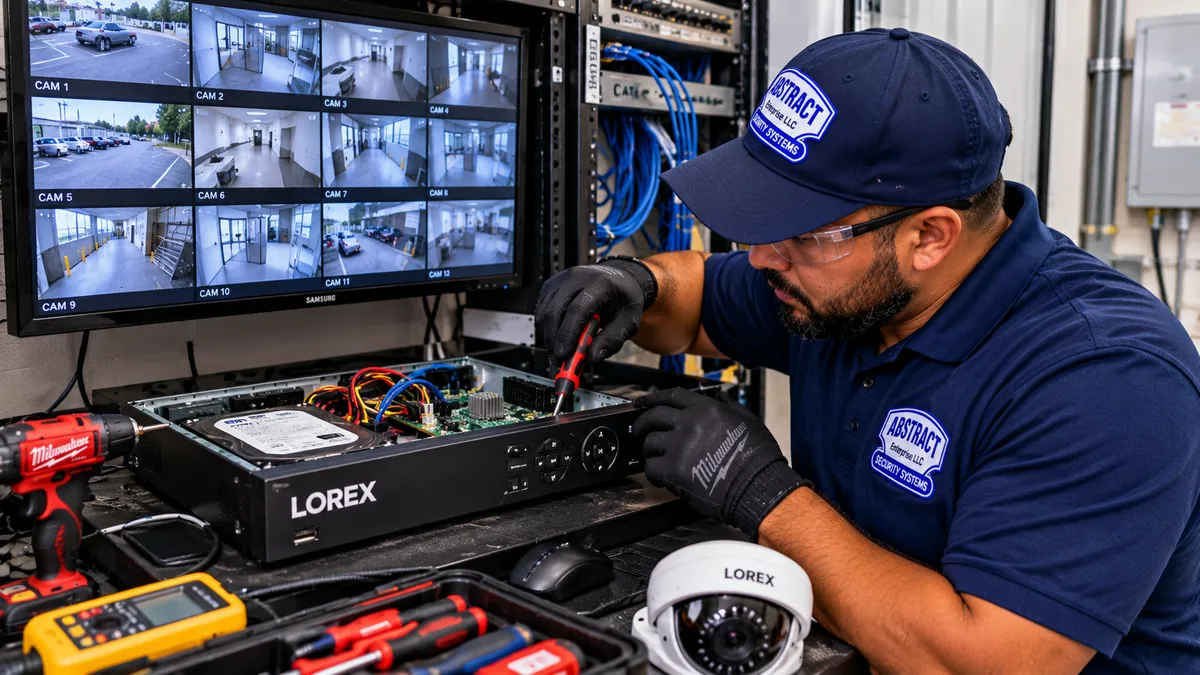
The Questions Searchers Type

How To Diagnose A Broken Manhattan Camera — Question By Question

These are the exact phrases Manhattan camera owners type into Google when something stops working. The answers below are how we actually approach each on a service call.

How to fix security camera that stopped working

Three-step diagnostic. First, power-cycle the recorder for 60 seconds and check if the camera comes back. Second, swap the cable at the camera end with a known-good lead and try a different recorder port — this isolates camera vs. cable vs. recorder. Third, if the camera still does not respond, the failure is either the camera body itself or the upstream power/PoE — call us and describe the symptom over the phone, we usually identify the cause in 5 minutes free of charge.

Why is my security camera not working all of a sudden?

Sudden failure across one camera is usually a connector or PoE port issue (60% of Manhattan sudden-failure calls). Building-wide power events (ConEd cycling, generator startup) cause the rest. Sudden failure across all cameras at once is upstream — failed PoE switch, tripped power-supply breaker, or a router replacement that wiped the recorder's network settings. The pattern of which cameras failed tells us the root cause faster than any other clue.

Why is my security camera offline?

For PoE cameras: dead PoE port, failed PoE switch, or wattage mismatch. For WiFi cameras: 5GHz vs 2.4GHz mismatch, weak signal between concrete floors, or router auto-rebooted. For app-only "offline" status (camera works locally but app says offline): P2P registration broke after router change, port forwarding got reset, or camera firmware needs an update. Camera offline troubleshooting averages 30–60 minutes on-site.

How to troubleshoot CCTV system that stopped recording

Check the recorder hard-drive status first (most common cause: drive failed at year 3–5). Then check the recording schedule for each channel — schedules get reset after firmware updates. Then check for M&A (motion AND alarm) settings that prevent recording when there is no alarm input wired. Then check that the drive is not full and configured to overwrite. CCTV troubleshooting service runs $250 for the diagnostic, applied to the actual fix.

How to fix camera no signal error

"No signal" on the recorder usually means a cable problem (BNC loose, RJ45 unplugged, or cable severed) or a video-input mismatch. The fastest fix is to swap the cable with a known-good lead. If that fixes it, the original cable failed somewhere along the run. If the camera still shows "no signal" with a known-good cable, the camera body itself is dead and needs replacement. Fix security camera no signal calls in NYC average $200–$500 depending on which side of the chain failed.

How do I fix my CCTV camera?

If the camera is a sealed consumer model (Ring, Nest, Arlo, Wyze), you can not fix it — file a warranty replacement or buy new. If the camera is commercial-grade (Hikvision, Dahua, Lorex, Speco, Uniview, Amcrest, Swann), the failure is almost always repairable: connector, cable, PoE port, power supply, or single-camera body replacement. Security camera troubleshooting service starts with three pieces of information. Tell us the brand, the symptom, and what changed recently — we will quote the repair before anyone comes to your building.

How much does CCTV repair cost in Manhattan?

Most Manhattan CCTV repairs land between $150 and $1,500. The $250 service call is applied to the actual repair if you proceed. Connector reterminate or PoE port swap: $150–$350. Single camera replacement with reconfiguration: $300–$700. DVR/NVR replacement with hard drive: $700–$1,500. Annual maintenance contract — camera system maintenance, CCTV maintenance service, and video monitoring system repair on a scheduled cadence: $250–$400. Affordable security camera repair is a real thing — we tell you when a $250 fix is enough and when it is not.

Who fixes security cameras near me in NYC?

For When NYC customers want to hire a security camera repair technician or find the best security camera repair company, the searches that lead them to us are often "security camera repair near me" — and our 360+ Google reviews show why. NYC homeowners and businesses Googling "security camera repair near me," "CCTV camera repair near me," "home security camera repair near me," or "video camera repair near me" — Abstract Enterprises Security Systems is licensed (NYS #12000287431), insured, and dispatches same-day from our Brooklyn office at 1282 Troy Ave and our Bronx office at 460 E Fordham Rd. We also cover Long Island (Nassau and Suffolk) and the Hudson Valley (Westchester, Rockland, Orange, Putnam, Dutchess, Ulster) on next-day service. Call (800) 486-0943.

Who repairs surveillance systems for Manhattan commercial buildings?

Manhattan Class A office buildings, retail storefronts, restaurants, hotels, medical practices, and multi-family residential buildings all have specific compliance requirements that most consumer-camera companies cannot meet. We carry Class A COI, coordinate with property managers and supers, and provide board-ready scope documentation for co-ops. Commercial security camera repair across all NYC building types.

How to book Manhattan CCTV repair

Call (800) 486-0943 before noon for the highest chance of a same-day window. Morning calls are almost always covered the same afternoon. We also offer emergency security camera repair and 24 hour security camera repair coordination for retail loss-prevention emergencies and after-hours commercial calls. Book CCTV repair service online via our free quote form or by phone — both are answered live during business hours.

How to fix security camera blurry image

Security camera blurry image repair starts with the right diagnosis. Blurry image is one of three things: dirty lens (clean with microfiber, no Windex), failed focus mechanism (replacement only — focus on commercial cameras is factory-set), or condensation inside the housing (weatherproof seal failed, replacement is the right call). Security camera blurry image fix runs $80 for a clean and check, $250–$500 for a camera replacement with re-weatherproofing.

How to fix night vision not working on security camera

Three causes in order: IR LEDs are blown (5–7 year failure on bullet cams), IR-cut filter (day/night sensor) is stuck in day mode, or — most commonly in NYC brownstone vestibules — IR is bouncing off a hard surface and washing out the image. Fix is replacement, sensor reset, or swap to color night vision (no IR at all). Night vision not working camera repair is typically $250–$650.

How to fix motion detection not working camera

Check sensitivity settings first (factory default is often too low), check that motion detection is enabled per channel on the recorder (this gets reset after firmware updates), and check that the motion zones are not set to ignore the area where you actually want detection. Motion detection not working camera repair is usually a configuration fix at the $250 service call price — no parts.

What does CCTV camera not turning on mean?

CCTV camera not turning on means the camera is not getting power. For PoE cameras, the PoE port or PoE switch failed. For 12V/24V cameras with a wall adapter, the adapter failed. For cameras on a multi-channel power supply, the shared transformer failed (kills all cameras at once). For battery cameras (Ring, Wyze), the battery is dead or the charging contact is corroded. Power diagnosis is 15 minutes on-site.

Tired of reading? Talk to a real Manhattan tech.

Free phone diagnosis. Most camera issues identified in 5 minutes. Same-day Manhattan dispatch from our Bronx office.

📞 Call Now (800) 486-0943 ⚡ Fast Quote → 💬 Speak to a Tech
DIY vs Professional

When to Try It Yourself and When to Call

Half of Manhattan camera issues can be fixed with a 5-minute reboot. The other half make things worse if you try. Here's an honest breakdown.

✅ DIY-Friendly

  • Reboot the recorder. Power off the DVR/NVR for 60 seconds, plug back in. Fixes about 30% of "cameras offline" calls.
  • Reboot the router. Same logic — clears DHCP conflicts. Try this before calling.
  • Clean a foggy lens. Microfiber cloth, no Windex. Don't use paper towel — it scratches.
  • Check the recorder time/date. If the time is wrong, set NTP sync to time.nist.gov. Critical for evidence.
  • Re-add a camera in the app. Remove it, scan the QR code, re-add. Works for app-pairing issues.
  • Replace a Wyze, Ring, or Nest battery. These are designed to be user-serviceable.
  • Update camera firmware ONLY if a specific bug fix in the changelog matches your symptom — and only over Ethernet.

❌ Call a Pro

  • Factory reset on a working commercial camera. You'll wipe the IP, ONVIF, and recorder pairing. Expensive recovery.
  • Open the camera housing. Breaks the weatherproof seal — replacement, not repair.
  • Re-crimp BNC or RJ45. Wrong tool or wrong technique = a connector that fails again in 6 months.
  • Hard drive replacement. Wrong drive type kills the recorder. Surveillance-rated drives only.
  • Pull cable through pre-war plaster, original conduit, or a co-op riser closet. Manhattan pre-war walls eat fish tape and can require a board-approved scope.
  • Anything involving a ladder over 8 feet. Insurance and code, not skill.
  • Any work in a Class A building, pre-war co-op, condo, or NYCHA. Manhattan-specific: COI required, license required, and often a board package required — plus LPC approval in landmark districts.
Things You Probably Didn't Know

Stuff About Manhattan Camera Repair That Most People Get Wrong

Most "dead" cameras are alive

About 70% of cameras we're dispatched to fix are actually working — the failure is upstream at the recorder, the switch, or the wiring. The camera itself is far more reliable than the chain it depends on.

NYPD won't accept blurry footage

The 1st through 34th Precincts and PSA detective squads need accurate timestamps, 1080p+ resolution, and continuous recording for evidence. Pre-war door cameras with low res or motion-only recording rarely produce useful clips. We verify all three on every repair.

Cheap cable is the silent killer

CCA (copper-clad aluminum) cable looks identical to real Cat6 but fails in Manhattan cold. About 30% of "old wiring" repairs in pre-war buildings are actually CCA failure on systems less than 5 years old. We swap to solid-copper on every repair.

4K isn't always better in Manhattan

4K cameras need 4× the bandwidth and 4× the storage of 1080p. In a 16-camera pre-war co-op that's a real cost — and most pre-war buildings have legacy network infrastructure that won't support 4K cloud upload anyway. For most Manhattan residential and small commercial use cases, 4MP at the right placement beats 4K at the wrong placement.

Your DVR's hard drive is consumable

DVR hard drives are written 24/7. They burn out around year 3–5. Schedule a check at year 3, replace at year 5. Surveillance-rated drives (WD Purple, Seagate SkyHawk) last twice as long as desktop drives.

Ring, Nest, and Arlo aren't repairable

These are sealed consumer products. When they break, the manufacturer replaces them under warranty (if you're lucky) or you buy a new one. We don't service them — and any company that says they do is reselling you a new unit.

What NYC Customers Say

Real Repairs, Real Manhattan Buildings

From our 360+ Google reviews and direct customer feedback. These are Manhattan-specific repair scenarios — actual neighborhoods, actual building types, actual fixes.

★★★★★

"My Hikvision NVR in our Park Avenue co-op was beeping all night and the recordings stopped four days ago. Anwar emailed the COI to my managing agent at 7 AM, was on-site by 10, swapped the failed hard drive, restored my settings, and verified the recording schedule. Less than two hours start to finish, including elevator scheduling. No upsell, no pressure."

— Margaret S., Upper East Side
★★★★★

"We had twelve cameras at our SoHo restaurant and four of them went dark after a January cold snap. The previous installer wanted us to replace the whole system for $5,200. Abstract came out, found a tripped PoE port, two corroded outdoor connectors on West Broadway, and a failed power supply. Fixed everything for $580. The other eight cameras have been running since 2019 with zero issues."

— Marco L., SoHo restaurant owner
★★★★★

"I manage four pre-war co-ops on the Upper West Side — between Riverside Drive and Broadway. We had a different security company on contract and they took 4–6 days to respond to anything, plus they never had the board package paperwork ready. Switched to Abstract last year. Same-day every time. They handle the COI and the board package for us. The supers and managing agents know them by name now."

— Patricia K., UWS managing agent
★★★★★

"My pre-war Murray Hill condo had three Dahua cameras the previous owner left behind. Couldn't get into them, didn't know the password, and the building wouldn't allow new cable runs without board approval. Abstract reset all three passwords using the manufacturer recovery files, reconfigured them to my network, and integrated everything with my new app. $410 total. Took about 90 minutes."

— David Z., Murray Hill condo owner
★★★★★

"My brownstone vestibule camera in the West Village had IR washout — the night image was just a white blur from the IR bouncing off the tile floor and glass storm door. Three other companies told me I needed a $1,400 system upgrade. Abstract swapped to a color night vision camera for $475. Problem solved. Nightly footage is now usable for the block association."

— Eleanor B., West Village brownstone
★★★★★

"Our Class A office on Sixth Avenue near Bryant Park had eight lobby and elevator cameras stop working overnight. The building required COI naming building, managing agent, and tenant before any work. Abstract had it emailed within an hour, was on-site by 7 AM before tenants arrived, found a fried PoE switch and a surge-damaged power supply, and was off-site by 10. $1,150 total. Building management has been recommending them ever since."

— Alex H., Bryant Park-area Class A tenant
Frequently Asked Questions

Manhattan Camera Repair FAQ

How much does it cost to repair a security camera in Manhattan?

Most Manhattan camera repairs run $150–$1,500. A simple BNC reterminate or PoE switch swap is often $150–$350. A failed camera body that needs replacing plus labor runs $300–$700. A DVR or NVR replacement with hard drive and reconfiguration runs $700–$1,500. Pre-war co-op work that requires board approval and a freight elevator slot can add $200–$400 in scheduling time. NYC sales tax 8.875%. Firm written quote on-site after a 30-minute diagnostic.

Can you fix my Manhattan camera the same day?

Yes — same-day Manhattan camera repair is available across the UES, UWS, Midtown, downtown, the Village, SoHo, Tribeca, Chelsea, Hell's Kitchen, FiDi, Hudson Yards, Harlem, Washington Heights, and Inwood when called before noon. We dispatch from our Bronx office at 460 E Fordham Rd — the closer hub for Manhattan, especially the East Side and Upper Manhattan. Drive time: 15 minutes to Harlem, 25 minutes to Midtown, 35 minutes to FiDi.

What are the most common Manhattan camera failures?

Top Manhattan failure modes, in order: a damaged BNC or RJ45 connector at the camera or DVR end (often loosened by Local Law 11 facade vibration), a bad PoE switch port or PoE injector (often after ConEd cycling events), a failed power supply or splitter, a damaged Cat5e or Cat6 run in a pre-war riser closet, IR-bounce washout on pre-war vestibule cameras, a failed hard drive in the DVR or NVR (commercial systems run 24/7 here), an IP address conflict, outdated firmware, and a 5GHz vs 2.4GHz mismatch on wireless models in steel-and-concrete towers.

What brands of camera do you repair?

Hikvision, Dahua, Lorex, Swann, Speco, Uniview, Amcrest, Q-See, Reolink, Annke, Night Owl, Zmodo, Foscam, Provision, Bosch, Axis, and most analog and IP commercial brands. We also fix off-brand kits sold by Costco, Sam's Club, and Home Depot. We do not service Ring, Nest, or Arlo — those are sealed consumer products without field-serviceable parts.

My DVR isn't recording — is it the hard drive?

Usually yes. DVR drives are written 24/7 and burn out around year 3–5. Other causes are misconfigured motion-detection schedules, a full drive that hasn't rolled over, channel-by-channel record settings that got reset, or a firmware bug after auto-update. Diagnosis takes 15–30 minutes on-site.

Can you fix camera wiring damaged by weather, rodents, or building work?

Yes. Damaged outdoor Cat5e/Cat6 and RG59 coax are some of the most common Manhattan repair calls — especially after winter freeze-thaw cycles, summer roof work, Local Law 11 facade repairs (vibration loosens connectors), and rodent damage in pre-war basement riser closets. We splice, re-pull, or run fresh cable. If we find CCA (copper-clad aluminum), we swap to solid-copper Cat6 because CCA fails fast in Manhattan weather and pre-war PoE-load conditions.

Why did my Manhattan camera app stop working?

App issues are usually one of four things: a firmware update broke the app pairing, the camera lost its DDNS or P2P registration after a router reboot, the camera's port forwarding got reset on a new router, or the app itself updated and dropped support for older camera firmware. Most NYC repair calls of this type are done in under an hour.

Is it worth repairing an old analog system or upgrading to 4K IP?

Depends on age and condition. If the analog system is under 8 years old and has working RG59 cabling, repair is the right call. If the system is over 10 years old with multiple failed cameras, replacement is more cost-effective. Many Manhattan pre-war buildings do a hybrid — keep working analog cameras over old coax (avoiding plaster work and board approval for new runs) and swap the DVR for a 4K hybrid recorder. This is the most common Manhattan retrofit path.

Can you reset a forgotten password?

Yes. For Hikvision we use the SADP tool with a password recovery file generated from the device serial number. For Dahua we use ConfigTool with a similar serial-based reset. On-site reset takes about 30–60 minutes including reconfiguring the camera back to your network. We do not bypass passwords on cameras you cannot prove ownership of.

Do you serve Manhattan commercial buildings, retail, restaurants, and hotels?

Yes. We carry general liability and workers comp meeting Class A building COI requirements and provide certificates of insurance naming the building, managing agent, and tenant as additional insureds before any work begins. Same-day repair is available for Madison Avenue retail, Fifth Avenue luxury, Times Square hospitality, Theater District, Diamond District, Garment District, Hudson Yards office and hospitality, FiDi office buildings, SoHo retail, the Village restaurant scene, and East Harlem commercial.

Are you licensed and insured?

Yes. NYS Low-Voltage Electrical Contractor License #12000287431. General liability and workers comp insurance carried at all times. We provide certificates of insurance on request before the job. The technician dispatched to your property is the licensed installer, not a sub.

Do you offer ongoing Manhattan maintenance contracts?

Yes — annual clean & check service starting at $250 for residential, $400 for commercial systems, and $600–$900 for Class A office and luxury hospitality with multi-floor scope. Includes lens cleaning, connector inspection (critical for pre-war buildings), hard-drive health test, firmware audit, PoE port test, and motion-detection recalibration. Same crew every visit, so we know your building, your super, and your managing agent.

Ready to fix it? Let's go.

Same-day Manhattan dispatch. Free phone diagnosis. $250 service call applied to the repair.

📞 Call (800) 486-0943 ⚡ Get Fast Quote →
All NYC Service Areas

Manhattan Coverage By Neighborhood

Same-day across Manhattan when called before noon. Pre-war co-op work with board approval may schedule for next day. Class A office and Hudson Yards routine same-day with COI emailed before 8 AM.

All ManhattanHub page · same-day
NYC Repair HubAll five boroughs
BronxSame-day · Bronx GBP
QueensSame-day · Bronx GBP
BrooklynSame-day · Brooklyn GBP
Staten IslandSame-day · +10%
Long Island RepairNassau & Suffolk
Hudson Valley RepairAll 6 HV counties
NYC Camera InstallHub · all 5 boroughs
Intercom ManhattanPair with cameras
Access ControlClass A doors
Structured CablingCat6 / Cat6A
vs. The Other Guys

Manhattan Camera Repair: Local Independent vs. National Chains

If you Google "camera repair near me" in Manhattan you'll find ADT, Vivint, Stanley Security, and a handful of national chains. Here's how the local-independent experience actually differs — especially on the pre-war co-op board package and Class A COI side, where Manhattan rules are stricter than the rest of NYC.

FeatureAbstract EnterprisesADT / VivintNational Chains
Same-day Manhattan dispatch✓ Yes✗ 5–7 day✗ 3–5 day
You own the equipment✓ Yes✗ LeasedSometimes
No monthly fees✓ Yes✗ $50–$80/mo✗ Often required
Licensed NYS installer on-site✓ AlwaysSubcontractorSubcontractor
Repair brands they didn't install✓ Any brand✗ ADT onlyLimited
COI for Class A & pre-war co-ops✓ Same-daySlowSlow
Honest "this is past repair" advice✓ Always✗ Always upsellSometimes
Free phone diagnosis✓ Yes✗ Service call required✗ Service call required
Service call: $250 applied to repair✓ Yes✗ Separate chargeVaries
Same crew on follow-ups✓ Always✗ Different tech✗ Different tech
Pricing

Manhattan Camera Repair Pricing

Most Manhattan camera repairs land between $150 and $1,500. No travel markup — Manhattan is dispatched from our Bronx office at the standard NYC base rate. Firm written quote on-site after a 30-minute diagnostic. The $250 service call is applied to the actual repair if you proceed. Pre-war co-op work that requires board approval and a freight elevator slot can add $200–$400 in scheduling time.

Service Call

$250 flat, applied to repair
  • 30-minute on-site diagnostic
  • Power, cable, network, recorder test
  • Camera body + IR inspection
  • Pre-war wiring spot-check (if applicable)
  • Written repair quote
  • Applied 100% to the actual repair

Major System Repair

$700–$1,500 full recorder, rewire, or pre-war
  • DVR / NVR replacement with hard drive
  • Multi-camera wiring repair
  • Hybrid recorder upgrade (analog + IP)
  • Pre-war partial rewire
  • Class A multi-floor service
  • 1-year parts warranty

Annual Maintenance

$250–$900 residential to Class A scope
  • Lens cleaning
  • Connector inspection (critical for pre-war)
  • Hard-drive SMART test
  • Firmware audit
  • PoE port test
  • Class A multi-floor scope $600–$900

All Manhattan prices include licensed labor, materials, and 1-year parts-only warranty on anything we replace. No travel markup — Manhattan dispatched from our Bronx office at standard NYC rates. No monthly fees. No subscription required. NYC sales tax 8.875%. View full camera pricing →

All Our NYC Services

One Call for Everything Low-Voltage

We are licensed for the full low-voltage stack across Manhattan. Bundle your camera repair with intercom, alarm, cabling, or access control on the same site visit and save $200–$400 in labor — plus only one COI submission to your building.

NYC-Specific Problems

Camera Repair Problems Unique to Manhattan

Cameras fail differently in Manhattan than in the rest of NYC — the borough has more pre-war buildings, more Class A office, more landmark districts, and stricter co-op boards than any other US market. Here are the top Manhattan repair drivers we see every week, ordered by frequency.

PRE-WARPlaster & original conduit

UES, UWS, Murray Hill, Gramercy, Sutton Place, Park Avenue. Plaster-and-lath walls, undersized risers, original 1920s conduit. Cable failures behind plaster need route-planning and often board approval before repair starts. Top Manhattan repair scope by complexity.

CLASS ACOI & freight scheduling

Hudson Yards, Time Warner Center, One World Trade, GM Building, Seagram Building, MetLife Building, FiDi office. Building requires COI naming building, managing agent, and tenant before any work above the ceiling tile. After-hours work standard. Freight elevator slot must be booked.

VESTIBULEBrownstone IR washout

Pre-war vestibules with hard tile walls, glass storm doors, marble lobby floors, brass mailbox clusters bounce IR straight back at the lens. UES, UWS, Village, Chelsea, Harlem brownstones the worst offenders. Fix: color night vision swap (ColorVu, ColorX, Starlight) or external IR illuminator. About 20% of "bad night footage" calls.

CO-OP BOARDApproval requirements

Most pre-war co-ops want a written scope, license number, COI, and wiring diagram before approving exterior or common-area work. We have a stock board package ready to email same-day. Some boards meet weekly so non-emergency scope can take 5–10 business days.

LPCLandmark district approval

Greenwich Village Historic, SoHo-Cast Iron, Chelsea Historic, Carnegie Hill, Mount Morris Park, individual landmarked buildings. Exterior hardware needs Landmarks Preservation Commission approval. We coordinate with the building's architect or landmarks consultant. Adds 2–6 weeks to non-emergency scope.

LL11Local Law 11 facade vibration

Manhattan Local Law 11 facade inspection cycles cause connector loosening on exterior cameras during repair work. Buildings completing FISP cycles often see cameras go offline mid-job. We coordinate with the facade contractor for re-termination after the work completes.

STEEL-CONCRETEPost-war WiFi block

Post-war high-rises and modern luxury towers with low-E glass and metal-coated facades kill 2.4GHz and often 5GHz WiFi between floors. WiFi cameras that worked elsewhere often need to be rewired hardwired in Manhattan towers. About 15% of "WiFi camera dropping" calls become PoE conversion projects.

UPGRADEEnd-of-life systems

Pre-2014 Hikvision, Dahua, Q-See, Swann kits in pre-war buildings — manufacturer no longer makes compatible parts. Repair gets more expensive than replacement, but the replacement scope often triggers board approval. We run the math and the board paperwork together.

Cameras and door buzzers fail in similar ways across Manhattan apartment buildings. We service both on the same call — one COI, one trip, one invoice. Door buzzer repair Manhattan →

🚨 Emergency Manhattan Camera Repair · Same-Day Service

Manhattan camera repair — we are the answer. Same-day dispatch when called before noon, emergency security camera repair coordination for after-hours retail, restaurant, and Class A commercial calls, 24 hour security camera repair scheduling for managed-property accounts. Most Manhattan camera repairs fixed in 1–2 hours on-site. $250 service call applied to the repair.

📞 Call (800) 486-0943
Field Notes

From the Truck — What This Week Actually Looked Like

Anwar — Manhattan week of April 27, 2026

Monday: UES pre-war co-op on East 84th Street, four-camera vestibule and lobby system, two cameras showing IR washout for the past month. Co-op board had already pre-approved the scope. 25 minutes from the Bronx office. Swapped both vestibule cameras for ColorVu color-night-vision units, kept the existing PoE switch and recorder. Night image now usable. $940 total. Managing agent asked about an annual contract.

Tuesday: Class A office on Sixth Avenue near Bryant Park, eight-camera lobby and elevator system, all eight offline overnight. COI emailed to the building at 6:30 AM. On-site by 7:30 before tenants arrived. Found a fried PoE switch (root cause: power supply that browned out during weekend ConEd cycling event) and a surge-damaged 12V supply downstream. Replaced both, restored all eight cameras. $1,150. Off-site by 10 AM. Building has referred us to two more tenants since.

Wednesday: West Village brownstone on Bank Street, owner-occupied with one exterior camera. Camera painted over by exterior painters during a recent facade refresh. Replacement camera plus new dome cover, dielectric grease, fresh weatherproofing. 35 minutes from the Bronx. $510. Owner showed me the LPC paperwork from the original install — we made sure the replacement matched the approved spec.

Thursday: Chelsea retail on Eighth Avenue, six-camera storefront system, NVR not recording for five days. 30 minutes from the Bronx. Hard drive failed (year 4, surveillance-rated WD Purple). Replaced with new 4TB drive, restored the recording schedule, verified time sync to NTP. $625. Owner asked about an annual maintenance contract — set up.

Friday: Murray Hill condo on East 38th Street, three Dahua cameras left behind by previous owner, new owner couldn't access any of them. 25 minutes from the Bronx. Used ConfigTool with manufacturer recovery files for all three (serial numbers verified, ownership documented). Reconfigured to the new owner's network, paired with the new app. $410. New owner happy to skip the cost of replacing working hardware.

Brand Comparison

Should You Repair an ADT, Ring, or SimpliSafe Camera in Manhattan?

ADT cameras

Most ADT camera systems in Manhattan are leased — you don't own the hardware. If your ADT camera fails, you have to call ADT for warranty replacement, and they're slow (5–7 day average response in NYC). If you own ADT cameras outright (some older installations are owned, not leased), we can service them like any other commercial camera. The catch is that ADT often uses re-branded Honeywell or Pelco hardware, and parts are harder to source. We tell you up front whether the repair is realistic.

Ring cameras

Ring Doorbell, Ring Stick Up Cam, Ring Spotlight Cam, Ring Floodlight Cam — all sealed consumer products. We do not service them. When they break the right path is to file a warranty replacement with Ring (1-year warranty, sometimes extends with Ring Protect Plus), or buy a new one. If you want a serviceable system, the upgrade path is to a commercial PoE camera with a recorder — about $850–$1,500 for a 4-camera system installed.

SimpliSafe cameras

SimpliSafe SimpliCam and Outdoor Camera are also sealed consumer products with no field-serviceable parts. Same as Ring — warranty replacement through SimpliSafe or buy new. The bigger SimpliSafe issue in Manhattan is that the WiFi-only architecture struggles in pre-war buildings with thick plaster walls and in steel-and-concrete post-war high-rises where 2.4GHz signal can't reach reliably across floors. Many co-op boards also prohibit Ring/Nest/SimpliSafe doorbells outright because of audio-recording concerns.

Nest cameras (now Google)

Nest Cam Outdoor, Nest Cam Indoor, Nest Doorbell — Google has discontinued and re-launched the line several times, and parts/firmware support is unpredictable. We do not service them. Many Manhattan customers with Nest systems are migrating to Hikvision or Dahua — long-term support is more reliable, and most Manhattan co-op and condo boards prefer professional-grade installations with no audio recording on common-area cameras.

Vivint cameras

Vivint is leased (like ADT) and locked into a monthly contract. We cannot service Vivint hardware while it is under contract. If you've ended your Vivint contract and own the hardware, the cameras typically need to be re-flashed to non-Vivint firmware to work with any other recorder, which is sometimes possible and sometimes not.

The fix for consumer-grade systems

If your Ring/Nest/Arlo/SimpliSafe system has been failing repeatedly, the right move in most Manhattan buildings is to upgrade to a commercial-grade PoE system. You own the hardware, no monthly fees, no app deprecation, and the system lasts 8–12 years instead of 2–4. We coordinate the board approval and the COI as part of the conversion. Get a free upgrade quote →

Last reviewed: April 2026 · Page last updated:
Changelog: Initial publication. Pricing reflects April 2026 Manhattan labor and parts costs. Brand list updated to include Bosch, Axis, and Avigilon (Class A spec). Co-op board package + LPC coordination workflow documented. Failure-mode data sourced from Manhattan service-call intake across UES, UWS, Midtown, the Village, SoHo, Tribeca, Chelsea, Hudson Yards, and FiDi. Quarterly PAA rescrape scheduled for July 2026.

Ready to Fix Your Manhattan Cameras?

Free phone diagnosis. Same-day Manhattan dispatch from our Bronx office when called before noon. $250 service call applied to the actual repair. Licensed, insured, no monthly fees. Co-op board package and Class A COI emailed same-day.

📞 Call (800) 486-0943 ⚡ Get a Free Quote →
Manhattan Camera Repair