Licensed Low-Voltage Installer · Hunters Point, Court Square, Queens Plaza & Dutch Kills · Studios, Towers, Lofts & Rowhouses
Sonos Installation in Long Island City, Queens
One Room, Many Jobs · Planned by the Hour, Not by the Room · Concrete Ceilings Respected · Desk, Sofa and Bed in the Same Square
Most Long Island City homes are new, compact and open. A studio or one-bedroom in a Court Square or Hunters Point tower is an office at nine, a dining room at seven, a cinema at ten and a bedroom at midnight, often all within twenty feet of the same window. So we plan a Long Island City Sonos system around the hours of the day instead of a list of rooms: where the sound should sit while you work, while friends are over, while the film is on and while one person sleeps and the other doesn't. Then we fit it to a building with concrete overhead, glass on one side and a management office that cares about every hole.
Written by AESS owner Anwar Timothy (New York State low-voltage license 12000287431), who re-checked each price against the Queens list · Reviewed and updated October 17, 2026
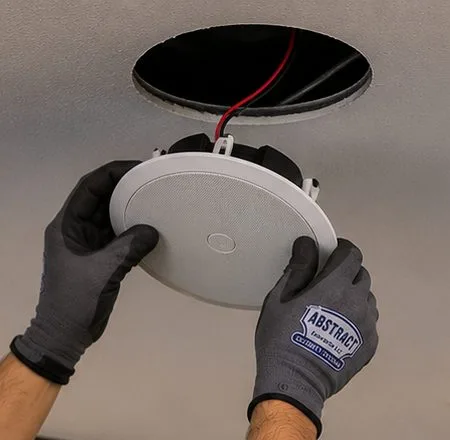
Looking straight up: a white round speaker, held by both gloved hands, is about to go into the dark hole cut for it, and a red lead hangs down to meet it.
Long Island City Sonos Quote
Tell us the floor plan, the Sonos models and what the room has to do at each time of day — a written Queens figure the same business day
✅
Request Received
A western Queens installer will call you back before the business day is out.
25+
Years Experience
✓
Same-Day Estimates
100%
Licensed & Insured
4.7★
201 Google Reviews
A 480-square-foot studio by the Court Square stations where the desk faces the TV, or a two-bedroom on Center Boulevard that just needs the soundbar sorted before guests arrive? Ring (347) 434-6392, or use the short form with your Sonos models and a quick sketch of the room. A licensed installer totals the lines that apply from the Queens price list lower down this page and emails it back; anything that means drilling into concrete overhead, or opening a wall the building owns, is marked as a walkthrough item rather than guessed.
From the Queens list: $125 sets up the whole Sonos system, $79 places a soundbar on furniture, $129 hangs it under the TV
Queens visits carry no parking line, and the certificate of insurance your managing agent or board asks for is free
Seven days a week we book two-hour windows between 8 AM and 8 PM; licensed under New York State low-voltage license 12000287431
Why Long Island City Homes Need Sonos Installation
Long Island City has added homes faster than almost anywhere in the five boroughs, and nearly all of them are small, new and shared between work and rest. The State Comptroller's September 2025 economic snapshot of the area counted 26,177 housing units in Long Island City and Hunters Point at the end of 2024, an increase of 308.1 percent since 2010, with roughly three in four occupied homes rented rather than owned. Queens West alone holds 4,757 units in eleven buildings; Hunters Point South added 5,255 between 2013 and 2024. That is not a neighborhood of family houses with a basement and an attic. It is a neighborhood of studios, alcove studios and one- and two-bedroom apartments, most of them stacked thirty, forty and sixty floors above the rail yards and the river.
Small apartments change what a Sonos system is for. In a four-bedroom house the question is which rooms get music. In a Hunters Point studio there is only one room, and it keeps changing what it is. In the morning it is a kitchen with the news on. From nine until six, for a large share of residents, it is an office with a laptop on a desk that faces the same wall as the television. In the evening it is a dining room, at weekends a party, at ten a cinema, and at midnight a bedroom, sometimes for one person while the other is still awake at the other end. A speaker that sounds right for a film at ten can be in exactly the wrong place for a video call at two in the afternoon, and a Sub that makes the film exciting will thump through the mattress three feet away.
The buildings add their own conditions. Towers in Court Square, Queens Plaza and along Center Boulevard are reinforced concrete: the ceiling over your bed is usually the underside of the floor above, with no void to hide a speaker in, and some slabs are post-tensioned with steel tendons under enormous tension. Exterior walls are often glass from knee height to ceiling. Internet arrives through whatever the developer chose, frequently a metal panel in a closet. Management companies and condo boards want insurance certificates, elevator bookings and a say in anything that is drilled. A resident on the neighborhood forum, asked about quiet buildings, put the trade-off plainly: luxury high-rises are generally better than older buildings "simply because they need to build it with concrete" — a fact that also decides where a Sonos cable can and cannot go.
Older Long Island City is still here, and it asks different questions. The Hunters Point Historic District on 45th Avenue keeps a row of 1870s and 1880s houses whose facades the Landmarks Preservation Commission has reviewed since 1968. Dutch Kills, between Queens Plaza and the Sunnyside Yard, mixes walk-ups, hotels and industrial buildings, some of them now lofts, such as the Arris Lofts in a former printing plant. Queensbridge Houses, opened in 1939 with 3,142 apartments, is still the largest public housing development in North America. And in November 2025 the City Council approved the OneLIC plan for 54 largely industrial blocks and about 14,700 more homes, so the new-apartment pattern will continue for years.
This page is therefore built around one idea: in Long Island City, Sonos is planned by the hour rather than by the room. We start by asking what the space has to do at each part of the day, then decide where each speaker sits and how it is controlled so that the switch from desk to sofa to bed is one tap, not a rearrangement. Only after that do we deal with the concrete, the glass, the closet panel and the building's paperwork, which is where a licensed installer earns the fee.
Long Island City facts that shape a Sonos plan
26,177 homes, up 308.1 percent since 2010: Long Island City and Hunters Point housing at the end of 2024, from the New York State Comptroller's Report 12-2026 (September 2025). Nearly all of that growth is new apartments, most of them compact.
About three in four homes rented: the same report's reading of 2023 census data for the area. Plans that come down cleanly matter more here than almost anywhere else in Queens.
802 condominiums, 67 floors: Skyline Tower at 3 Court Square, completed in 2021 and the tallest building in Queens (Wikipedia; CityRealty). Glass-sheathed, concrete-framed, and typical of what we wire in.
417 apartments over a subway entrance: Link Apartments QPN, a 26-storey rental that opened for leasing in 2025 with a direct, accessible entrance to the Queensboro Plaza station (Multifamily Dive, April 30, 2025). Elevated trains run at the window line of many Dutch Kills and Queens Plaza homes.
May 15, 1968: the Landmarks Preservation Commission designates the Hunters Point Historic District, about 47 houses on 45th Avenue between 21st and 23rd Streets built between 1871 and 1890 (LPC designation report).
14,700 more homes planned: the OneLIC neighborhood plan, approved unanimously by the City Council in November 2025 for 54 blocks (6sqft). More new apartments, more first occupants, more empty concrete boxes to plan.
Most Long Island City Sonos jobs share a visit with something else. When the TV is going on the wall at the same time, our Queens TV installation crew mounts it so the bracket, the soundbar and the hidden cable are planned once. When the building's internet is the real problem, the Queens network installers sort the router and access points first. And when a new apartment's door is getting a keypad or app lock on the same day, the Long Island City smart lock team can come along.
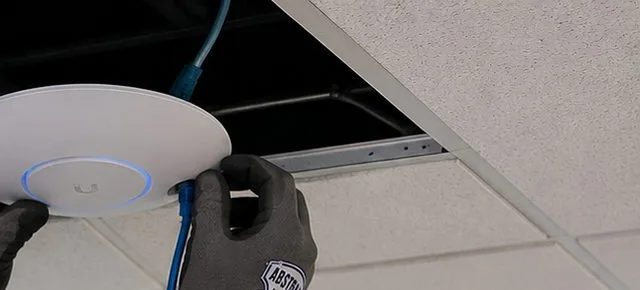
A disc-shaped access point, its status ring lit blue, sits against the ceiling grid in a gloved grip; the network lead runs up through a gap left by a removed tile.
Repair Capture
Sonos Dropping Out in a Long Island City Tower
The usual Long Island City repair call follows a change nobody connected to the speakers: a new internet provider after the promotional rate ran out, a router swapped for one that hides its 2.4 GHz band, a mesh unit added in the bedroom, or a move from one floor of the building to another. Suddenly the soundbar forgets the Era speakers, the bathroom speaker vanishes from the app, or the music stutters every evening when the whole floor is online. We can usually offer the next open two-hour window, often on the same day, and most of these are back to normal within an hour or two of a technician arriving. Call (347) 434-6392, say it's a Sonos dropout, and tell us which internet provider you use and where the router lives, so the van carries the right cable and a small switch. A visit where nothing is mounted is billed by time under our service policies: $195 for the first hour at the Queens rate, then 30-minute blocks.
The Long Island City Approach
One Room, Four Jobs: Planning Sonos by the Hour
When a Long Island City client sends us a floor plan, the first thing we ask is not "which rooms?" but "what happens here, and when?" A studio has one main space, a one-bedroom has two, and both are used for more things than any house room ever is. Writing the day down, hour by hour, turns a vague wish for "good sound" into decisions we can make: which speaker is the anchor, which one moves, which one stays quiet, and what has to happen with one tap when the room changes job. The table below is the version we sketch most often. Yours will differ, and that difference is the point of the walkthrough.
Time of day
What the room is doing
What Sonos should do
7 AM–9 AM
Kitchen and getting ready
An alarm or a favorite station on the speaker nearest the kitchen counter; nothing playing near the bed if one person sleeps later
9 AM–6 PM
Home office
Quiet background music on one speaker behind or beside the desk, never between the laptop microphone and the speaker during calls
6 PM–9 PM
Dining room, friends over
Whole apartment grouped at moderate volume, with the soundbar joining in so the music comes from the long wall rather than one corner
9 PM–11 PM
Cinema
Soundbar, Sub and any rear speakers as a home theater; the desk speaker either becomes a surround or stays out of it
After 11 PM
Bedroom for one, study for the other
Night Sound on the soundbar, the Sub's level trimmed, a sleep timer on the bed-side speaker, headphones for whoever is still watching
Every row in that table is something the Sonos app can already do. Sonos describes Night Sound as reducing "the intensity of loud sounds while increasing the level of quieter sounds", which is exactly what an open-plan apartment needs at eleven at night. Sleep timers and alarms are standard features in the app, and Speech Enhancement lifts dialogue on the home theater products. What the app cannot do is put the speakers in the right places. That is a physical decision, made once, and in a small space the margin between right and wrong is often a foot or two.
The anchor and the floater
In most studios and one-bedrooms we recommend one fixed anchor and one or two speakers that can move. The anchor is the TV wall: a Beam, Ray or Arc Ultra under the screen, wall-mounted or on the console, with a Sub or Sub Mini nearby if the household wants one. It is wired into place, tuned once with Trueplay and left alone. The floater is an Era 100 or a portable Roam or Move that can sit on the desk during the day, on the kitchen counter in the evening and on the bedside shelf at night. Sonos lets products be grouped and ungrouped in seconds, so the floater joins the soundbar for a party and leaves it for the late shift without anyone touching a cable.
Getting the anchor right first saves money. A soundbar that is in the wrong place forces every other speaker to compensate; a soundbar that is centred, at ear height for the sofa, with its upward drivers clear of shelves, makes a single Era 100 sound like a much bigger system when they are grouped. In Long Island City the wrong place is usually the result of the floor plan: the only long wall is the one shared with the corridor, the window takes the other, and the TV ends up on a narrow pier between them. We look for the wall that serves both the sofa and the desk before suggesting anything is drilled.
Where the bed is, the bass is a problem
The most common mistake we see in Long Island City studios is a Sub placed where it sounds best for the sofa, which in a single room is often a few feet from the foot of the bed. Low frequencies travel through concrete and furniture, and the person who wants to sleep feels every explosion. The answer is rarely to remove the Sub. It is to put it where its energy points away from the sleeping corner, lift it off the slab on a firm stand rather than a soft pad, and trim its level in the app for late listening. Sonos's own guidance is that the Sub works against a wall, in a corner or behind furniture, with its front opening clear; we use those options to keep it away from the bed and from the wall shared with a neighbor.
Work hours change the plan
The desk is the newest room in most Long Island City apartments, and it changes Sonos plans more than anything else. A speaker on the desk sounds lovely for music while you work, but a laptop sending its sound to a Sonos speaker during a video call is a different matter. Sonos's AirPlay article says that system audio sent from a Mac over the older AirPlay route may come with "a delay or audio interruptions", and that Sonos speakers cannot play AirPlay audio while the source device is on a phone call. For calls, the dependable choices are the laptop's own speakers, a headset, or a speaker connected to the computer directly. We set the desk up so the music speaker stays a music speaker, sitting behind the screen rather than facing the microphone, and the call audio never has to take a detour across the network.
The last tap of the night
At the end of the evening the room has to calm down quickly. We name the rooms in the app the way you speak about your apartment — "Sofa", "Desk", "Bed" rather than "Living Room 2" — and set the sleep timer and alarm on the bedside product. For a couple on different schedules we show how Sonos headphones can take the TV sound through TV Audio Swap on supported soundbars, so the film can carry on in silence while the other person falls asleep a few feet away. None of this costs anything extra in equipment. It is the difference between a system that was set up and one that was planned.
What We Install
Sonos Installation Services in Long Island City
Long Island City jobs are smaller in floor area than the Queens average and bigger in decisions per square foot. These are the services we are asked for most, each described the way it usually plays out in a Hunters Point, Court Square or Dutch Kills home.
Studio and one-bedroom plans
A walk through the space with the daily routine in mind, then one soundbar as the anchor and one or two movable speakers placed for desk, kitchen and bed. Everything set up on one system, rooms named the way you talk, and the switch between work, dinner and film made a single tap.
Soundbars on the TV wall
Arc Ultra, Beam and Ray on consoles or on the wall, fixed into concrete, steel studs or the plywood behind a media niche. Power and HDMI hidden in the wall where the building allows it, or in a paintable cover where it doesn't, with the TV link tested before we leave.
Sub placement that spares the bed
Sub 4 or Sub Mini sited where the sofa hears it and the sleeping corner doesn't, on a firm stand off the slab, with its level trimmed for late listening. In two-bedrooms, placed so the bass stays out of the shared wall with the bedroom next door.
Desk and work-from-home setups
An Era 100 or Era 300 placed for working hours, out of the line between speaker and microphone, plus the honest advice on which audio belongs on Sonos and which belongs on the laptop or a headset during calls.
Network fixes in towers
Router moved out of the closet panel where it can be, one product wired where the layout allows, mesh and range extenders checked against Sonos's requirements, and the 2.4 GHz band confirmed on the newest routers that hide it.
Ceiling and in-wall speakers where possible
In lofts with dropped soffits, rowhouses with joists, and renovated condos with a hung ceiling, ceiling or in-wall speakers on a Sonos Amp. In raw concrete towers we explain why the ceiling usually stays untouched and what the alternatives are.
Move-in setups for new buildings
A visit timed after the furniture arrives and the internet is live, so the soundbar goes where the sofa actually ended up. Building insurance certificates and elevator bookings handled with the managing agent before the day.
Moving the system out
When a lease ends, speakers taken down, brackets removed and the system packed for the next apartment, whether that is upstairs in the same tower or across the river. Re-setup at the new address is quoted the same way as a new job.
Sonos for studios, offices and taprooms
Background music for creative studios, office pantries in Court Square towers, galleries, cafes on Vernon Boulevard and taprooms in former industrial space, with control kept on a business account rather than a staff phone.
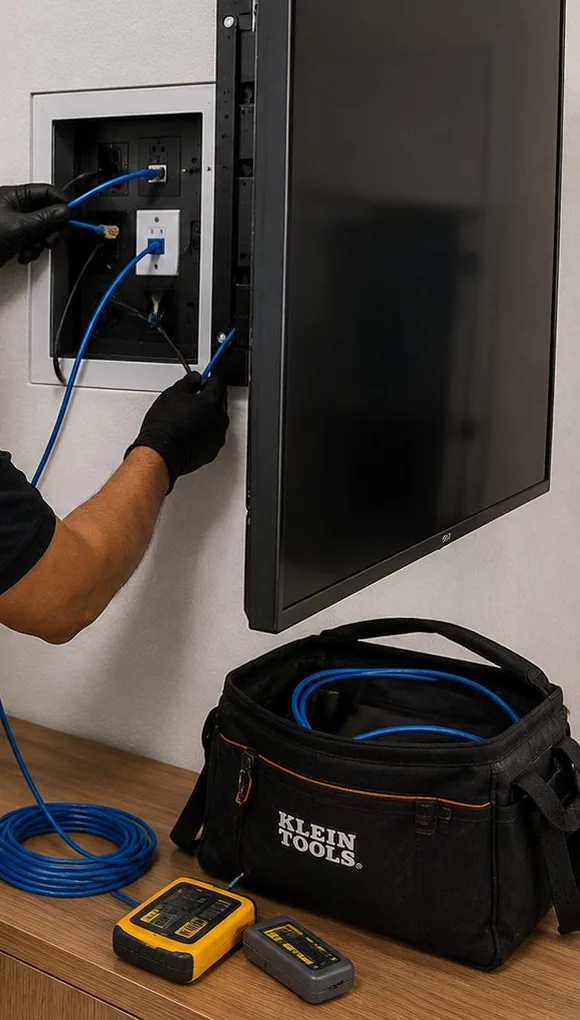
The edge of a flat-screen hangs beside an opened in-wall box where a gloved hand seats a cable; lower down, a sideboard carries a blue cable coil, a branded black bag and two yellow test units.
Building Specialists
Sonos Installation for Long Island City's Architecture
Long Island City's housing falls into six broad families, and each one decides something different about a Sonos job: what can be drilled, where cable can travel, who must agree, and how far the signal has to reach. Most of our work is in the first two; the others turn up every week.
Rental towers since the 2000s
The glass-and-concrete buildings along Center Boulevard, Jackson Avenue, Queens Plaza and the blocks around Court Square. Studios to three-bedrooms, often managed by the developer. Ceilings are slab, walls between apartments are concrete or rated steel-stud assemblies, and most leases require written consent before anything is fixed. Plans here lean on freestanding and console placement, with a wall bracket only where management agrees.
Condominium towers
Skyline Tower's 802 units in Court Square are the largest example; smaller condos line the side streets of Hunters Point. Owners can usually do more than renters, but the condo's alteration rules still govern drilling, working hours and anything touching the slab or the corridor wall. Boards often ask for a product sheet and an insurance certificate before the day.
Converted industrial lofts
Factory and printing buildings turned into homes and studios, like the Arris Lofts in Dutch Kills. Tall ceilings, exposed concrete or timber, sprinkler pipes and conduit running in the open, big steel windows. Speakers can often hang or sit where they couldn't in a tower, and exposed cable in conduit is part of the look rather than a compromise.
Hunters Point rowhouses
The 1870s and 1880s houses on 45th Avenue and their neighbours: brick or brownstone fronts, wood joists, plaster on the older walls and, inside the historic district, facades reviewed by the Landmarks Commission. Many are divided into two or three apartments. Inside work follows the ordinary rules; anything on the front belongs in a separate conversation.
Dutch Kills walk-ups and small buildings
Three- to six-storey brick buildings between Queens Plaza and the rail yards, some over shops, some beside hotels. Walls are brick and plaster, apartments are railroad or compact layouts, and the elevated trains along Queens Plaza and 31st Street are close by. Sonos plans here deal with plaster, train noise and walk-up stairs.
Queensbridge and Ravenswood
NYCHA's six-storey brick buildings north of the Queensboro Bridge. House rules from the housing authority come first, so we keep these jobs to products that plug in and sit on furniture, set up properly on the resident's own network, and avoid any drilling the rules don't clearly allow.
Material and method by building type
Building
What we fix into
How cable travels
Who has a say
Rental tower
Steel studs with toggle anchors, or concrete only where management allows, after a scan
Short runs behind the TV, paintable cover along baseboards, nothing through the slab
Landlord's written consent; building's insurance and elevator rules
Condo tower
Steel studs, concrete with sleeve anchors after a scan, plywood blocking if the developer installed it
In-wall behind the TV with a concealment kit; inside dropped soffits where they exist
Board's alteration rules; certificate of insurance naming the condo and its agent
Converted loft
Concrete, timber beams, brick, sometimes cast iron
Surface conduit run to match the existing pipes; above any hung ceiling
Owner or co-op board; landlord for rental lofts
Hunters Point rowhouse
Wood joists and studs, brick party walls, plaster
Through joist bays, closets and the cellar; cable kept off the front facade
Owner; the Landmarks Commission only for exterior changes in the district
Dutch Kills walk-up
Brick and plaster, sometimes metal lath
Along baseboards and door trims, through closets between rooms
Landlord; walk-up surcharge where we carry gear to the third floor or higher
NYCHA building
Usually nothing: furniture and stands
Plug-in only; no new holes
Housing authority rules
Most Long Island City apartments pair Sonos with one other upgrade. Residents in new towers tend to add a keypad or app lock at the same time, which our Long Island City smart lock installers handle, while owners renovating a condo or a rowhouse often wire for data and audio together through our structured cabling team in Queens.
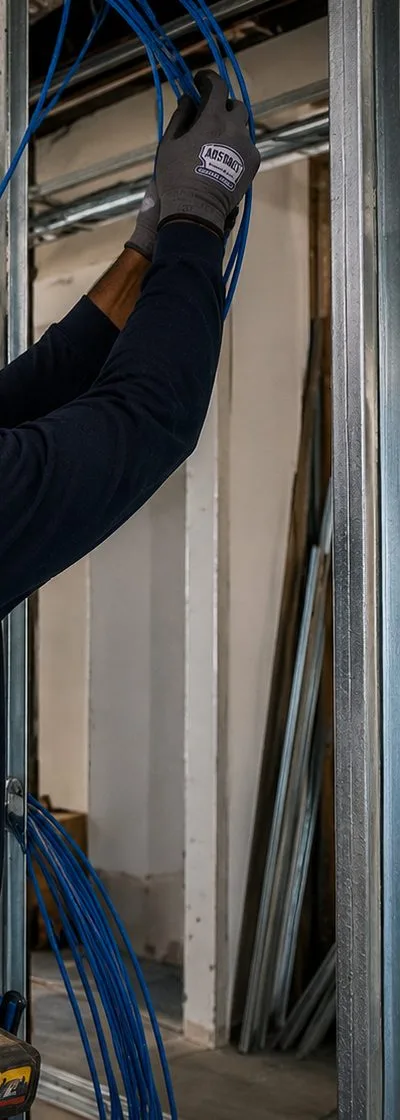
In a tall, narrow view of an unfinished wall, galvanized metal studs stand in a row while long loops of blue cable hang between them; at the top a gloved hand guides more cable down from the ceiling framing.
Inside the Tower
The Concrete Box: Signal, Cable and Drilling in a New Long Island City Apartment
Once the daily plan is clear, a new tower apartment sets the technical limits. They are not difficult, but each one quietly decides what is possible, and most surprises on install day come from one of these five.
1. The slab overhead
In a typical concrete tower the ceiling of your apartment is the bottom of the next floor's slab, painted or skimmed. There is no cavity for an in-ceiling speaker, and in some buildings the slab is post-tensioned: steel tendons run through the concrete under very high tension. Concrete-scanning firms are blunt about the hazard. Penhall's guidance notes that a single half-inch strand carries roughly 30,000 pounds, and that cutting into one without scanning first is dangerous; the remedy it describes is a ground-penetrating radar scan to mark the tendons before anything is drilled. For a Sonos job that means we do not drill the slab on the strength of a guess. If the building's manual or the managing agent says the slabs are post-tensioned, overhead fixings are off the table unless the building arranges and approves a scan; we plan around the slab instead.
2. Soffits and bulkheads
Where a tower does have space overhead, it is usually in a dropped soffit along the hallway, over the kitchen or around the window line, built in drywall on steel framing to hide ducts and sprinkler pipes. Those soffits are the only places in many apartments where an in-ceiling speaker or a concealed cable can go, and they are full of things that matter more than music. We open nothing until we know what is inside, and we do not move or obstruct sprinkler heads, smoke detectors or duct access panels.
3. The closet panel
Many newer apartments bring every cable — internet, TV, sometimes phone — into a recessed metal panel in a coat or utility closet, and the provider's router ends up inside it. A metal box behind a closet door is a poor place to broadcast Wi-Fi. Sonos's interference guidance rates metal as the worst obstruction it lists, "Very High", ahead of plaster and concrete. Where the panel has a spare cable to a room, we move the router out to that room and leave only a modem or fiber terminal in the closet. Where it doesn't, we wire one Sonos product or an access point near the panel and let the rest of the system work from there.
4. The glass wall
Floor-to-ceiling glass is beautiful and acoustically lively. Sound reflects off it, a soundbar's side-firing drivers bounce off it unevenly, and a speaker on a window ledge picks up heat and the slight hum of the convector or through-wall unit below. We keep the anchor on a solid wall when one exists, use Trueplay after the curtains or shades are in place, and treat the window line as somewhere for a movable speaker on a nice evening rather than a permanent home for anything.
5. The heating and cooling unit
Through-wall heating and cooling units, common in Long Island City rentals, blow air up the glass and make a steady noise when they run. A speaker placed in their airflow gathers dust and sounds different every time the fan starts. We keep speakers out of that stream and run Trueplay with the unit off, because Sonos's tuning instructions ask for a quiet room while the tuning sweep runs.
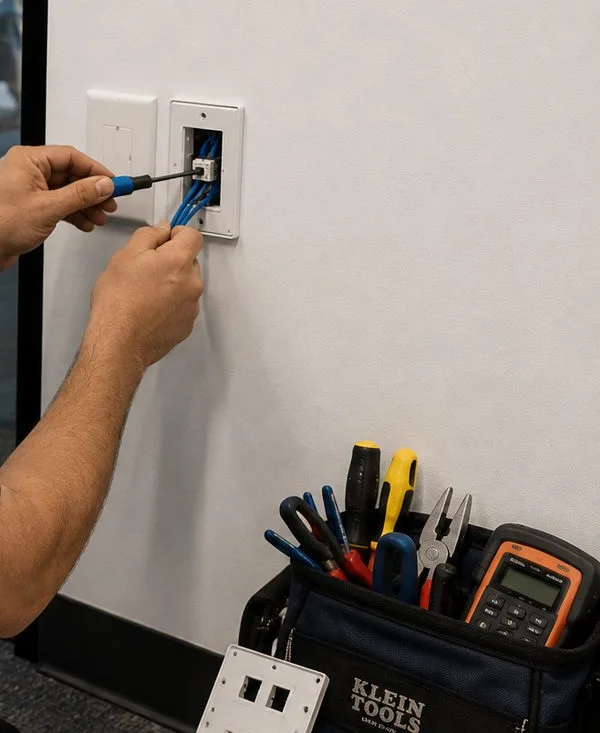
Fingers steady a white faceplate while a thin screwdriver tightens the jack behind it; near the floor, an open tool bag bristles with pliers, drivers and an orange meter beside a loose spare faceplate.
Commercial Sonos Installation
Business Sonos Installation in Long Island City
Long Island City is also a place of work. The Comptroller's report counts 4,909 businesses across Long Island City, Sunnyside and Woodside in 2023, up 19.5 percent in a decade, with more than a third of them in Long Island City and Hunters Point. Many are small and creative, sitting in old industrial space, and Sonos suits them: it is easy for staff to run, plays from licensed business music services, and can grow from one speaker to a whole floor. These are the corridors we work in most.
Vernon Boulevard
The neighborhood's main street for cafes, restaurants, bars and small shops between the waterfront towers and the old rowhouse blocks. Narrow storefronts, deep plans and apartments overhead, so speakers are aimed down and in, never at the ceiling the upstairs neighbors live on.
Jackson Avenue and Court Square
Offices, galleries and food businesses at the foot of the towers, near MoMA PS1 and the courthouse. Office floors here have hung ceilings and plenty of space overhead, which suits ceiling speakers on an Amp for pantries, reception areas and meeting rooms.
Queens Plaza
Office towers, hotels and new apartment buildings around the elevated tracks and the bridge approach. Lobby music, amenity lounges and hotel common areas, where train noise from outside sets the minimum level the music has to clear.
Dutch Kills and the industrial blocks
Workshops, studios, breweries and small manufacturers in brick and concrete buildings along 21st Street, 38th to 41st Avenues and toward the rail yards. Hard rooms with lots of echo, where speaker count and placement matter more than size.
Silvercup and the production studios
Film and TV production around Silvercup Studios and the smaller stages nearby. Music in lounges, green rooms and offices has to stop instantly when a stage is recording, so control is planned before anything is installed.
Center Boulevard and the waterfront
Ground-floor retail, fitness studios and daycare spaces at the base of the Hunters Point South and Queens West towers, near Gantry Plaza State Park. Residential neighbors directly above and the park outside make volume control part of the job.
Rules and conditions that apply to business sound
The 42 dBA ceiling. According to the city's noise code fact sheet, music played by a commercial establishment "shall not exceed 42 dBA as measured in any dwelling unit receiving the noise". In mixed buildings along Vernon Boulevard and at the base of the towers, that figure decides speaker type, position and the volume limit we set.
Return-air ceilings. In office floors where the space above a hung ceiling carries return air, cable run there must be rated for that use. We check before pulling, not after.
Sprinklers and detectors. No speaker or cable is fixed to sprinkler pipes or hung from them, and nothing obstructs a sprinkler head or a smoke detector.
Music for customers. Consumer streaming plans are sold for listening at home. A shop, cafe or studio playing to the public should sign up for a business music service, and we connect Sonos to whichever one the owner picks.
Landlord and tenant. In multi-tenant commercial buildings, anything fixed to the structure needs the landlord's agreement, and we bring an insurance certificate naming whoever the lease requires.
Hands type on a laptop resting on a rack’s slide-out tray, its screen filled with a device table; above it short blue jumpers loop between two switches, and orange leads crowd the lower bays.
Your Questions Answered
Sonos Installation in Long Island City: Questions Answered
These are the questions Long Island City residents and business owners put to us that the rest of our Sonos pages don't already answer. They are grouped by what is really being asked: how one room does several jobs, what a brand-new concrete building allows, how the older lofts and rowhouses differ, and what businesses need.
One room doing several jobs
In a studio where the bed sits a few feet from the TV, where can a Sub go so the bass doesn't come up through the mattress?
Put it on the far side of the seating from the bed, not between them, and get it off the bare slab. A Sub 4 or Sub Mini against the wall behind or beside the sofa still fills the seats, and its energy points away from the sleeping corner. A firm, heavy stand or a solid piece of furniture underneath is better than a soft foam pad, which can let it rock. After that, two settings do the rest: Trueplay with the Sub in its final position, and a lower Sub level in the app that you keep for late films. If the only workable spot is near the bed, a Sub Mini is easier to tame than a Sub 4, and in some studios the right answer is no Sub at all, with an Arc Ultra's own bass doing the work.
One of us sleeps in the alcove while the other is up late at the desk — how can the kitchen end have music without reaching the bed?
Separate the two ends physically and in the app. A small speaker on the kitchen counter or desk, facing away from the alcove and kept at low volume, carries surprisingly little across an open room, especially if a bookcase or curtain sits between. Group nothing with the bedside speaker after a set hour, put a sleep timer on it, and leave the soundbar out of late-night music altogether, because its width spreads sound across the whole space. For anything louder than background music, the person who is awake should use headphones; Sonos headphones can take over a supported soundbar's TV sound so the picture stays on and the room stays quiet.
Can the Era 100 on my desk be the speaker for video calls on my laptop?
It can play music while you work, but it is not the right speaker for calls. Sonos's own AirPlay article warns that sending a Mac's system sound over the older AirPlay route can bring "a delay or audio interruptions", and that Sonos products cannot play AirPlay audio while the source device is on a phone call. A delay of even a fraction of a second makes conversation awkward. Keep calls on the laptop's speakers, a headset or a wired desk speaker, and let the Era 100 handle music before and after. If you want the computer to play through it reliably for music, a cable through Sonos's Line-In Adapter into the Era 100's USB-C port is steadier than wireless.
Our flex bedroom was made with a pressurized temporary wall — can a speaker or soundbar be mounted on it?
We don't fix anything to it. A pressurized wall is held in place by pressure against the floor and ceiling rather than being anchored, and it usually belongs to the landlord or a wall company, not to you. A bracket and the weight of a soundbar or speaker can loosen it. Brick Underground's guide to these walls also notes that the Buildings Department does not treat them differently from ordinary walls for permit purposes, which is one more reason not to add to them. Put the speaker on a stand, a shelf or the dresser in the flex room, and keep the TV and soundbar on one of the apartment's permanent walls.
My roommate games and streams all evening on the same router — will that make the Sonos stutter?
Usually not because of bandwidth. Sonos needs very little of your internet speed to stream music. What does cause trouble is a crowded Wi-Fi channel and a router struggling with many devices at once, and in a tower dozens of neighboring networks compete for the same airwaves. Sonos's interference article suggests restarting the router so it picks a new channel, and lists cordless phones, baby monitors, other access points and microwaves among the usual culprits. The most reliable fix in a busy apartment is to connect the gaming computer or console to the router by cable, and if the router is close to the TV, to wire the soundbar too, which takes both off the crowded wireless.
A brand-new concrete building
The building manual says our floor slabs are post-tensioned — can anything be drilled into the ceiling or floor?
Not by us without the building's approval and a scan. Post-tensioned slabs carry steel strands under great tension, and concrete-scanning specialists warn that cutting one can release that load violently; the standard precaution is a ground-penetrating radar scan to mark them before any drilling. That is the building's call and usually the building's contractor. For Sonos, the practical answer is that you rarely need to drill the slab: soundbars go under the TV on a wall or console, Era speakers on stands or shelves, and any cable runs along walls or inside soffits. If you do want something overhead, ask the managing agent first, and we will work to whatever the scan and the building allow.
The internet arrives in a metal panel inside our coat closet — is that why the Wi-Fi is weak, and can the router come out?
Very likely, and yes in most cases. A router sealed in a metal enclosure behind a closet door loses much of its signal before it reaches the room; Sonos's interference guidance rates metal as the worst obstruction on its list. Look inside the panel for a second cable labelled for a room, often the living room or bedroom. If there is one, we move the router to that room and keep only the modem or fiber box in the closet. If there isn't, we connect one Sonos product or a small access point near the closet by cable and let the system build its own network from there. Either way, the panel itself is not ours to modify if it belongs to the building.
Our building just received its temporary certificate of occupancy and punch-list crews are still on our floor — should the Sonos wait?
Wait for the parts that depend on finished walls, but not for everything. In a newly opened building, painters, electricians and the developer's own trades may still be fixing items on your list, and a soundbar fixed today may come off when a wall is repainted next month. We suggest setting up the freestanding speakers and the network straight away, so you have music from the first week, and booking the wall-mounted soundbar and any concealed cable once the punch list for your apartment is signed off. If the developer's crew needs to reach a wall where a bracket already sits, we can take it down and refit it.
The through-wall heating and cooling unit under our window is loud — where should the speakers sit, and does it matter for tuning?
Keep speakers out of its airflow and switch it off while tuning. Those units push air up the window and across the ledge, so a speaker placed there collects dust and sounds different every time the fan cycles. A shelf or stand a few feet along the wall is better. Trueplay asks for a quiet room while it plays its test tones, so we turn the unit off for the three minutes or so each room takes, then turn it back on. If the unit is loud enough to mask quiet passages in films, Speech Enhancement or Night Sound on the soundbar will help more than turning everything up.
Can the sponsor add speaker wiring to our unit before we close on a new-construction condo?
Sometimes, if you ask early enough and the sponsor agrees. Some developers allow buyers to request changes before the walls in their unit are finished; others refuse anything that isn't on the offering plan. The useful requests are modest: a network cable from the closet panel to the TV wall, a recessed box behind the planned TV position, and blocking in the wall for a bracket. We can mark those on your floor plan for you to send to the sponsor. Anything agreed is the sponsor's work under their contract; we then install and set up the Sonos once you own the apartment. This is general guidance, not legal advice about your purchase agreement.
Lofts, rowhouses and older buildings
Our converted-factory loft has exposed conduit and sprinkler pipes across a concrete ceiling — can speaker cable run in the open too?
Yes, and in a loft it often looks better than hiding it. We run it in its own conduit, matched to what is already on the ceiling, fixed to the concrete rather than to the sprinkler pipes or anyone else's conduit, with neat bends and straps at even spacing. Speakers can then hang from the ceiling on pendant mounts or sit on brackets on columns, which suits tall loft rooms better than anything flush. Before we drill a converted building's concrete, we ask the owner or board what is known about the slab, for the same reason as in a new tower. Inside the conduit, keep speaker cable separate from the building's electrical wiring.
Our 45th Avenue rowhouse is split into apartments — can the owner's floor have ceiling speakers without disturbing the tenants below?
Usually, because the ceiling of the owner's floor is the floor of the apartment above or the roof, not the tenants' space. In these wood-framed houses the joists run between the brick party walls, and speakers go between them. The work is reached from the owner's own rooms, cable travels through the owner's closets and joist bays, and the Amp sits on the owner's floor. Where a ceiling speaker would sit over a tenant's bedroom — for example on a garden-floor ceiling — we suggest wall-facing products instead, because a speaker in a shared floor sends some sound both ways. Anything that would touch the front facade inside the historic district is a separate question for the Landmarks Commission.
Our front room near Queensboro Plaza looks onto the elevated tracks — should the speakers face the window or away from it?
Away from it, and toward where you sit. A speaker aimed at the listener from a few feet away needs less volume to stay clear over a passing train than one bouncing its sound off the glass. In a narrow front room near the el we usually put the soundbar or a stereo pair on the wall opposite the window, run Trueplay between trains, and set the room to a sensible maximum so nobody turns it up for a train and forgets to turn it down afterwards. Heavy curtains on the window side help both the sound and the noise.
Businesses
Our taproom has a concrete floor, brick walls and a steel roof deck — how do we keep the music from turning to mush in all that echo?
Use more speakers at lower volume rather than a few loud ones, and point them at the people, not the walls. In a hard industrial room, sound reflects off every surface, and a pair of big speakers turned up to fill it creates a wash where speech and music blur. Several smaller speakers spread along the seating, each covering a short distance, keep the music clear at a level where customers can still talk. Soft things help too — banquettes, wood tables, acoustic panels in the ceiling bays — and we can suggest where a few panels would do the most good. We tune each zone after the room is open and full, because a crowd changes the sound more than any setting.
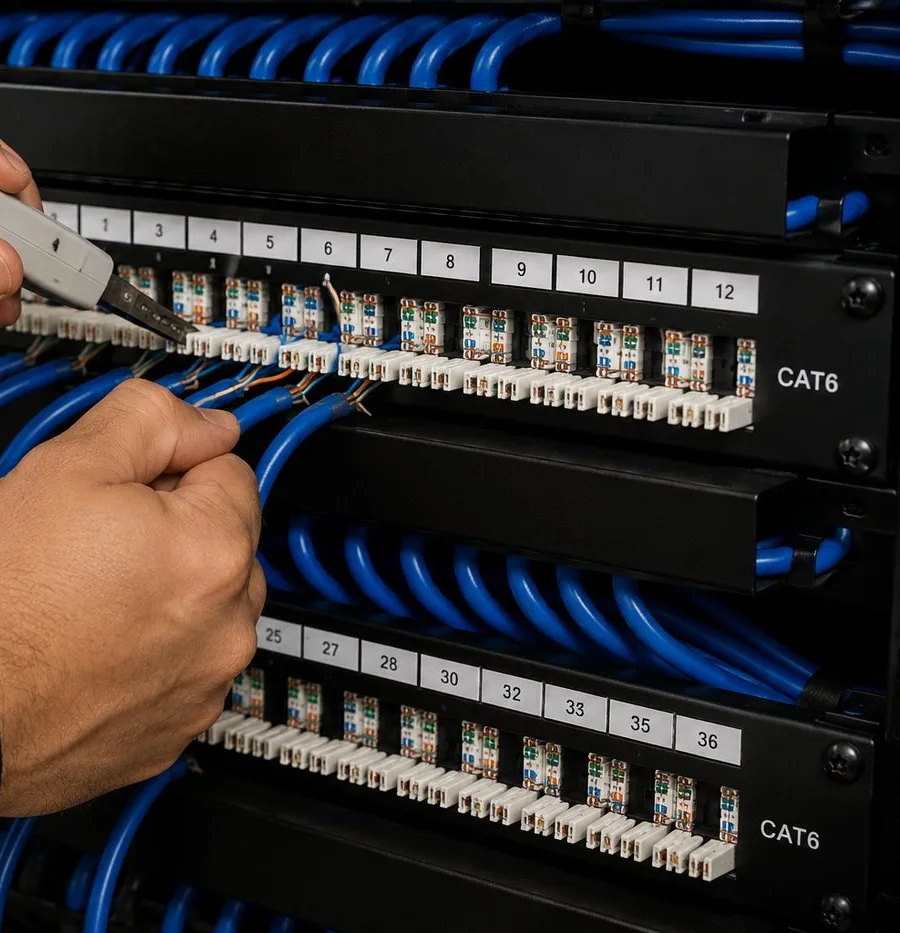
A fist grips a bundle of blue leads while the blade of a punch tool presses wires into the upper row of a CAT6-labelled panel; the lower panel’s ports run from 25 to 36.
Equipment
Types of Sonos Systems We Install
You buy the Sonos products from whichever store you prefer; AESS is not a Sonos dealer and doesn't need to be. What we bring is the knowledge of which products suit a compact Long Island City home and where each one should sit. These are the categories we install most, with the job each one usually does here.
Arc Ultra
The largest Sonos soundbar, for one- and two-bedrooms with a proper TV wall. Sonos says it detects when it is wall-mounted and adjusts its EQ to calm the bass resonance from the wall, which helps on the thin steel-stud partitions common in towers. Needs a clear path upward for its height channels.
Beam (Gen 2) and Beam Ultra
Mid-size soundbars that fit the narrow piers between windows and the shallow consoles studios tend to have. Connected by HDMI ARC or eARC, with Night Sound and Speech Enhancement for late evenings.
Ray
A compact soundbar that connects to the TV optically, made for consoles and cubbies. A good fit for a bedroom TV or a small studio where the soundbar has to live inside furniture.
Sub 4 and Sub Mini
Wireless subwoofers. In most studios the Sub Mini is the one we suggest, placed away from the bed and off the bare slab; the Sub 4 suits larger living rooms where it can sit by a wall far from neighbors' bedrooms.
Era 100 and Era 300
The flexible speakers: desk music, kitchen counter, bedside, or a pair as rear surrounds. Both can take a line-in source through Sonos's Line-In Adapter on the USB-C port, which is how a turntable or a desktop computer connects by cable.
Roam 2 and Move 2
Portable speakers on battery. In Long Island City they are the floaters: desk by day, bedside by night, and out to a balcony or the building's roof deck when the rules allow.
Amp
Powers passive ceiling or in-wall speakers, so it appears in lofts, rowhouses and renovated condos with soffits. Reviewers measured it at 125 watts per channel into 8 ohms, with HDMI ARC for a TV.
Port
Adds an existing stereo or powered speakers to the Sonos system. Popular in lofts where someone has brought a receiver and a record collection from a previous home.
Sonos headphones
Sonos Ace and Ace Ultra can take TV sound from a supported soundbar through TV Audio Swap. In a studio shared by two people on different schedules, that is often the most useful product in the system.
Wi-Fi bands and the newest routers
Sonos's system requirements say every Sonos product works on the 2.4 GHz band and that routers offering only 5 GHz are not supported; its list of supported Wi-Fi modes covers 2.4 GHz and 5 GHz and says nothing about 6 GHz. The routers Long Island City residents get from new providers or buy themselves increasingly combine 2.4, 5 and 6 GHz under one name, and some let the 2.4 GHz band be switched off. We check that it is on, that Sonos and the phone running the app share one network, and that no guest network or captive log-in page is involved, because Sonos does not support those.
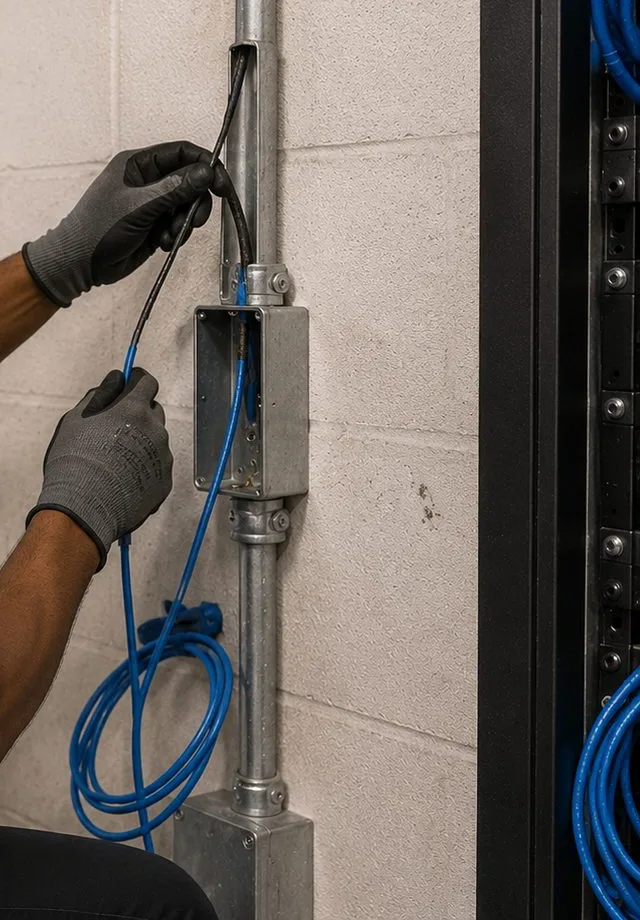
Steel conduit climbs a painted block wall to a junction box, from which gloved hands are pulling blue cable; slack hangs in loops beneath, with the side of a rack visible at the right.
AI Overview Reality Check
What AI Gets Wrong About Sonos Installation in Long Island City
We could not view Google's AI Overview from our research environment, so the claims below are the ones that circulate in AI answers, retail videos and cost guides generally. Each is tested against what a compact Long Island City apartment actually involves.
"A small apartment doesn't need any planning — just plug the speakers in."
It is true that Sonos products plug into power and join an app, and in a studio nothing needs to be cut. It is not true that a small space is simple. The smaller the room, the more jobs it does, and the closer every speaker sits to the desk, the sofa and the bed at once.
The common failures in Long Island City studios are placement failures: a Sub at the foot of the bed, a soundbar on a pier so narrow that its side drivers fire into the window frame, an Era speaker facing the laptop microphone. None of them shows up on the day the box is opened. They show up the first time someone tries to sleep while someone else is watching a film.
That is why our Long Island City visits start with a written day: what the room does at each hour, and who is in it. Once the plan exists, plugging in really is the easy part.
"Concrete buildings make Wi-Fi speakers useless."
Concrete does weaken Wi-Fi. Sonos's own interference table rates plaster and concrete as "High" obstruction. But inside a single apartment the router and the speakers usually share the same concrete box, and the walls between rooms are often steel-stud partitions, which pass signal far better than the slab.
What actually defeats Sonos in towers is less dramatic: a router shut in a metal closet panel, a mesh system that wasn't set up the way Sonos requires, and dozens of neighbors' networks on the same channel. Sonos lists metal as a "Very High" obstruction, worse than concrete.
The fix is ordinary network work: move the router out of the panel, wire one Sonos product if the layout allows, restart the router so it finds a quieter channel, and confirm the 2.4 GHz band is on. We rarely need more than that inside a Long Island City apartment.
"You can always put ceiling speakers in for an invisible look."
Ask an AI assistant for a tidy Sonos setup and it tends to reach for speakers flush in the ceiling. Even Sonos treats those as a job that usually needs a professional, and it is describing houses whose ceilings are hollow between joists.
In many Long Island City towers the ceiling is a concrete slab with nowhere to put a speaker, and some slabs are post-tensioned, where drilling without a scan is dangerous. The places that can take ceiling speakers are the dropped soffits, the hung ceilings in renovated condos and offices, and the wood-joisted rowhouses of Hunters Point.
So the honest answer for a typical tower apartment is that the clean look comes from a well-placed soundbar and small speakers on shelves or brackets, not from cutting the ceiling. Where a ceiling can take speakers, we price them per zone after seeing it.
"Any speaker can be your computer speaker over AirPlay."
With so many Long Island City residents working from home, this one matters. Sonos does support AirPlay on most of its current products, and for music from a phone or a Mac it works well.
But Sonos's own support page warns that streaming a Mac's system audio over the older AirPlay route can bring delay or interruptions, and that Sonos speakers can't play AirPlay audio while the source device is on a phone call. For video calls, where the voice has to match the lips and a delay derails conversation, that is a real limitation.
We set desk speakers up for music and leave calls on the laptop, a headset or a wired speaker. If you want the computer connected for music without the wireless delay, the Line-In Adapter and a cable are the dependable route.
"Plug in an extender and the dropouts stop."
Generic Wi-Fi advice says to add an extender wherever the signal is weak. Sonos's system requirements list wireless range extenders and powerline Ethernet among the things it does not support, and say that in a mesh network with a wired Sonos product, that product must connect to the primary mesh unit.
In Long Island City apartments we often find a plug-in extender bought to "help" the bedroom speaker, which is exactly what makes it disappear from the app. Removing it, and placing a properly configured mesh unit or access point instead, usually ends the problem.
Mesh is not wrong; it just has to be built the way Sonos expects. We check the configuration rather than adding another box.
"Professional Sonos installation costs hundreds of dollars a room."
National cost guides talk in room-by-room figures for whole-home audio; one we read put additional rooms at $500 to $1,000 each. Those figures describe cutting ceilings and pulling cable through houses, which is not what most Long Island City apartments need.
Our Queens list prices the actual tasks. Setting up a whole Sonos system is $125, a soundbar on a console is $79 and on the wall $129. A studio with a soundbar on its console, a Sub and an Era speaker on the desk can be set up for the $125 line plus $79. Ceiling zones in lofts and rowhouses sit within the published $800 to $2,500 per zone range, priced after a walkthrough.
The difference is that small homes pay for decisions and setup more than for construction, and our prices reflect that.
"Renters can't have a proper Sonos system."
This one appears in forum answers and some AI summaries: if you can't drill, you can't have a good system. In a neighborhood where about three in four homes are rented, it would be bad news if it were true.
It isn't. A soundbar on a console, a Sub Mini against a wall, Era speakers on stands or shelves and a portable for the balcony make a complete system without a single hole. Where a landlord does allow a bracket, the holes are small and easy to fill when you leave.
What renters do need is a plan that moves. We write down which products are where and how the system is set up, so the next apartment, upstairs or across the river, takes an hour rather than a weekend.
Plan the Room Around Your Day
Send a sketch of the apartment and a line about how each part of it is used, morning to night. We send back a speaker plan and a written figure from the Queens list.
A studio over Court Square, a two-bedroom on Center Boulevard, a loft in Dutch Kills, a 45th Avenue rowhouse or a studio space on Vernon Boulevard — send the details and a written Queens total comes back before the end of the business day. Would rather talk? Call (347) 434-6392.
✅
Thanks — Request Received
Thanks. A western Queens installer will phone before the business day ends. Need us sooner? Ring (347) 434-6392.
How It Works
Our Installation Process
Seven steps, whether the job is one soundbar in a Queens Plaza studio or a loft with ceiling speakers on two Amps. The Long Island City version starts with the clock rather than the floor plan.
1. Your day, written down
Send the floor plan or a sketch, the Sonos products you own or plan to buy, and a few lines on what the apartment does at each time of day: where you work, where you eat, where you watch and who sleeps when. That routine, not the room count, shapes the plan.
2. A written figure from the Queens list
From your sketch we pick the Queens rows that apply — the setup line, a console placement or a wall mount, a bracket, perhaps a cable run and a wall surcharge — and email the sum. Work inside a ceiling or a building-owned wall shows up as a walkthrough item carrying the published per-zone band rather than an invented number.
3. Building paperwork before the day
We send the managing agent or board the insurance certificate they ask for, note the building's working hours, book the service elevator through you, and ask whether the slabs are post-tensioned or the walls may be opened at all.
4. A walkthrough for anything overhead or in a wall
Ceiling speakers in a loft or soffit, cable from the closet panel, a bracket on concrete: these get a short visit first, so we can see the panel, the soffits, the wall type and the route before quoting the final figure.
5. Network first
Before unboxing a single speaker we sort the internet: the router comes out of the closet panel if a spare cable allows it, plug-in extenders and powerline adapters go, the 2.4 GHz band is confirmed on, and a cable goes to one product if that steadies things.
6. Every speaker set, then tested in three modes
The soundbar goes on its console or bracket, the Sub away from the bed, the floater on the desk or counter. Trueplay runs in each room with the through-wall unit off, and we check the room in work mode, film mode and late-night mode before calling it done.
7. Hand-over by the hour
Every resident gets the app working on their own phone. Rooms are named the way you speak about them, alarms and sleep timers are set, and you keep a short note of what is where, so the next move, upstairs or across the river, is quick.
Coverage Area
Sonos Installation Near Long Island City's Landmarks
Customers describe their address to us by these six places more than by street names, so they make a handy map of where we work, from the river to the rail yards.
Gantry Plaza State Park and the Pepsi-Cola sign
The waterfront park opened in 1998 and grew to 12 acres in 2009, built around the restored 1925 transfer bridges that once loaded rail cars onto barges. Behind it, the Pepsi-Cola sign at 4-09 47th Road, first put up in 1940 and a city landmark since 2016.
Hunters Point Historic District
The row of houses on 45th Avenue between 21st and 23rd Streets, built between 1871 and 1890 in Italianate, Second Empire and neo-Grec styles and designated by the Landmarks Commission in 1968. The oldest homes we work in here, and the only ones in Long Island City with joists to hide a ceiling speaker.
MoMA PS1
The contemporary art center at 22-01 Jackson Avenue, in a Romanesque Revival schoolhouse from 1892. Its Warm Up outdoor music series has filled the courtyard on summer Fridays since 1998; in 2026 it ran for its 28th season over six Fridays in July and August.
Court Square and Skyline Tower
The cluster of towers around the courthouse and the Court Square stations, including Skyline Tower at 3 Court Square, the tallest building in Queens, with 802 condominiums over 67 floors. Many of the studios and one-bedrooms we plan are within a few blocks.
Queensbridge Houses and Queensbridge Park
North of the Queensboro Bridge, NYCHA's development of 96 six-storey buildings and 3,142 apartments, opened in 1939 and still the largest public housing project in North America, with the riverside park beside it.
Silvercup Studios
The film and television studios near the Queensboro Bridge, in and around the former Silvercup bakery, which anchor Long Island City's production businesses. A reminder that a lot of local work happens on stages where silence matters.
We also install Sonos in the neighborhoods next door: Sonos installation in Astoria to the north, Sunnyside and Woodside to the east, Maspeth across the rail yards, and Ravenswood along Vernon Boulevard. Across Newtown Creek, our Brooklyn Sonos page covers Greenpoint and the rest of the borough.
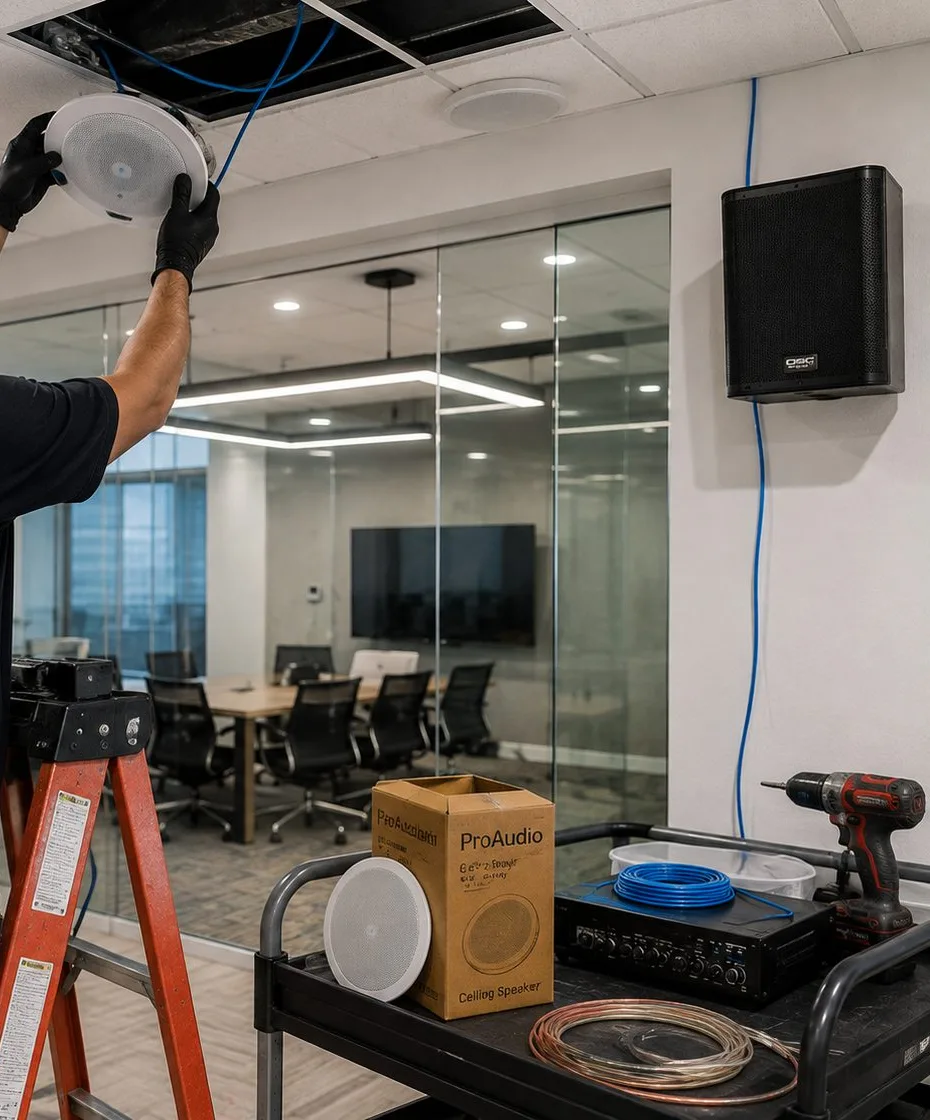
Gloved hands push a white round speaker up into an open ceiling panel; to the right a black box speaker hangs on a white wall with a blue cable running down from it, and below sits a cart holding a boxed ceiling speaker, a spare grille, a coil of cable and a drill, in front of a glass-walled meeting room.
Pricing
Sonos Installation Cost in Long Island City
Living by the river costs nothing extra here: Long Island City pays Queens rates. You can verify every number against our Queens Sonos page and the Queens TV and audio list it was copied from. Pick the rows that match your apartment, add them, and that sum is what the quote and later the invoice show. Ceiling and in-wall speakers, and any cable through floors, soffits or walls the building controls, are priced in writing after a walkthrough and before any work begins.
Item
Queens price
What it means in a Long Island City apartment
Sonos setup
$125
One charge per system: every product joined, rooms named for how you use them, soundbar, Sub and surrounds built, alarms and sleep timers set, Trueplay run (the "Sonos / wireless surround" line)
Soundbar wall-mounted under the TV
$129
Hung beneath the screen and levelled, with the HDMI or optical connection proven before we pack up
Soundbar placed on console or stand
$79
Renters pick this most: the bar sits on furniture, hooked up and proven working, wall untouched
Sanus soundbar bracket
$84.99
Supplied when you don't already have a mount
In-wall concealment
$169
A kit that carries power and the HDMI lead inside the wall, to code, on walls the building lets us open
Paintable cord cover
$59
Paint-ready channel stuck along a slab-side or rented wall nobody will open
Cable run to a cabinet or other spot
$99
A single run of 25 ft or less, typically closet panel to soundbar
A/V receiver
$129
A stereo receiver wired in and configured, often paired with a Port in a loft
Universal remote
$99
A universal remote taught your TV, soundbar and streaming box
Streaming device setup
$49
Per device
Full home theater
$350
Several components set up together as one system
Ceiling, in-wall or outdoor speakers on an Amp
Quoted at walkthrough
Each zone lands inside the $800–$2,500 band AESS publishes for whole-home audio; the exact number follows a look at the route
Set by how far the cable travels, what it passes through and what the building permits
Walls and access
Condition
Price
Drywall on wood studs
$0
Metal studs (common in LIC towers)
+$30
Plaster (pre-war co-ops, older houses)
+$45
Brick or stone (rear walls of attached houses)
+$65
Concrete or cinder block
+$75
Tile or marble
+$95
Plywood backer board
$85
High mount (above about 8 ft)
$75
Walk-up, 3rd floor and above, no elevator
$40
Certificate of insurance for a co-op, condo or landlord
Free
Parking charge
None in Queens
Hourly visits, and a TV hung at the same time
Plenty of tower calls are pure configuration: a provider changed and the speakers lost the network, the router needs to leave its closet panel, two roommates want separate systems, the Sub stopped pairing. With nothing hung or cut, the visit is charged on the clock — $195 for the first hour at the Queens rate, then half-hour blocks. A TV hung during the same visit starts at the Queens base of $179.99, which covers a 32- to 55-inch screen on a flat or tilt mount fixed to drywall over wood studs; every other size and wall is on our Queens TV mounting price list.
What a few Long Island City jobs add up to
These are sums of the published lines above, shown so you can check them; your own quote lists only the lines you need.
Renter's studio, no holes: soundbar on the console ($79) plus Sonos setup for the soundbar, Sub Mini and a desk speaker ($125) = $204.
One-bedroom, bar on a steel-stud wall: $129 to hang it, $84.99 for the Sanus bracket, $30 because the studs are metal, $125 to set the system up — $368.99 in all.
Router out of the closet panel: cable run up to 25 ft from the panel to the TV wall ($99) plus Sonos setup ($125) = $224.
Condo TV wall with nothing showing: soundbar wall-mounted ($129), Sanus bracket ($84.99), in-wall concealment ($169) and Sonos setup ($125) = $507.99, plus $30 if the wall is metal studs.
Included, and not included
Included without a separate line: levelling every bracket, connecting the TV, joining each product, naming rooms, signing in your music apps, setting alarms and sleep timers, Trueplay where the product supports it, and vacuuming up afterwards.
Not our trade: new outlets and anything at line voltage go to a licensed electrician; scanning a post-tensioned slab is arranged by the building; patching and painting after a wall is opened go to your painter or the building's.
Who buys what: order the Sonos products from any retailer you like; we can bring the bracket, the cable, the cover strip or the in-wall kit, each at its listed price.
Visits that can't go ahead: a $150 return-trip fee is charged when we arrive and can't begin — the soundbar is still in transit, the service elevator was never reserved, no one answers the door, or the condo board's sign-off hasn't come through. Moving the date a full day ahead costs nothing.
Gig apps and national menus, or a licensed installer who works here. A flat national price for hanging a soundbar assumes a house with drywall and studs, and for that it can be fine. Long Island City apartments ask other questions: where the bed sits relative to the Sub, why the router is in a metal box, whether the slab may be drilled at all. Answering those well takes a published Queens list, a state low-voltage license and a company you can still reach after the visit.
Shop Our Systems
Sonos Installation Packages & Pricing
Three bundles from the Queens page, priced the same in Long Island City. None hides a number: every card names its lines so you can repeat the sum, and a wall surcharge appears on top only when your wall calls for one.
Starter — Sonos Setup
$125The most common Long Island City booking. You have already put the speakers where you want them; we join them into one system, name the rooms after how you use them, set alarms, sleep timers and favorites, and tune with Trueplay. One line: $125.
Standard — Wired Anchor
$224When the internet lives in a closet panel across the apartment, one cable fixes most of it: a run of up to 25 ft ($99) from the router to the soundbar or an access point, plus the system setup ($125). Together, $224.
Premium — Living-Room Theater
$507.99For a condo TV wall where nothing should show: wall-mounting the soundbar ($129) on a Sanus bracket ($84.99), running power and HDMI inside the wall with the concealment kit ($169), and setting the system up ($125). Total $507.99, plus $30 on steel studs or $75 on concrete.
Bring Your Own Equipment — Labor Only
If you arrive in Long Island City with a mount from your last apartment, use it. Labor alone is the $129 wall-mount line plus whatever surcharge the wall carries, and $125 sets the whole system up. Your mount needs a weight rating that covers the product, and its own maker stands behind it; should it not suit a steel-stud or concrete wall, you hear that before the drill comes out, with the Sanus bracket as the alternative.
Ceiling and In-Wall Zones in Lofts, Soffits and Rowhouses
Lofts with soffits, renovated condos with hung ceilings and joisted rowhouses can take speakers built into the ceiling or wall, powered by a Sonos Amp. We look at each route before naming a number, and every zone is quoted inside AESS's published $800 to $2,500 whole-home audio band, in writing, before you agree to anything.
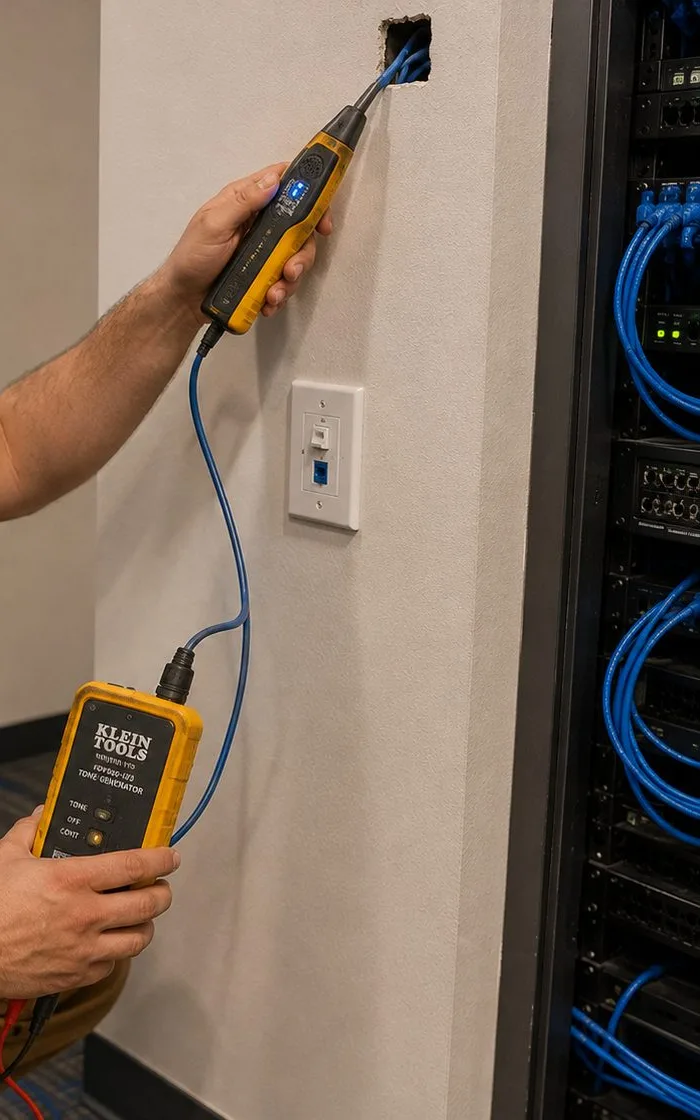
A tracer wand touches the cable ends sticking out of a hole near the top of the wall; its blue lead drops past a switch plate to the tone unit held low, while an equipment rack full of blue patch leads stands at the right.
Get Your Apartment Priced Today
A floor plan, a photo of the TV wall and the closet panel, and the list of products is enough for a written figure on everything that doesn't touch a ceiling.
Every Sonos Installation Service in Long Island City
A Long Island City Sonos visit often turns into a TV, a network fix or a lock on the same day. These are the related AESS pages for the neighborhood and the borough.
How our two-hour arrival windows work, how hourly visits are charged, and when a second trip costs extra.
Field Notes
Field Notes From Long Island City Sonos Visits
Habits our installers keep on apartment calls around western Queens. Read them as working practice, not as accounts of any one customer or address.
Ask where everyone sleeps before asking where the TV goes. In a studio the bed decides more about the Sub than the sofa does, and it is far easier to move a speaker on the plan than after it is on the wall.
Open the closet panel before unpacking anything. If the router is inside, half the dropouts the client described are explained, and the fix is often a cable that is already in the wall waiting to be used.
Read the building's rules sheet on the way up in the elevator, not after the drill comes out. Towers differ on working hours, on what may be fixed to which wall, and on whether the slab may be touched at all.
Sit at the desk and make a test call before leaving. If the desk speaker is in the way of the microphone, move it then. And name the rooms in the app the way the client talks — "Sofa", "Desk", "Bed" — because that is what they will tap at midnight.
FAQ
Long Island City Sonos Installation FAQ
Our TV faces the bed rather than a sofa — does a soundbar still work from that angle?
+
Yes, as long as the bar is centred on the screen and the bed is roughly in front of it. A soundbar aims its sound forward and to the sides, so it serves whoever is in front of the TV, sitting or lying down. Run Trueplay from the bed if that is where you watch. Keep the bar's top clear if it has upward-firing drivers, and if the bed sits much lower than a sofa would, a slight downward tilt of the TV helps the picture more than anything changes the sound.
Our new router puts 2.4, 5 and 6 GHz under one network name — will Sonos connect to it?
+
Usually, provided the 2.4 GHz band stays switched on. Sonos's requirements say all its products support 2.4 GHz and that routers offering only 5 GHz aren't supported, and its list of supported Wi-Fi modes covers 2.4 and 5 GHz only, so the 6 GHz band does nothing for Sonos. Problems start when a router's setup turns the 2.4 GHz band off, puts Sonos on a guest network, or separates the phone running the app from the speakers; we check those three things at every visit.
Can the Sonos visit be booked for the same day the movers come?
+
We'd rather come a day or two later. On moving day the service elevator is usually reserved for the movers, the furniture isn't where it will end up, and the internet often isn't live yet. Sonos placement depends on all three. Book us once the sofa, bed and desk are in place and the provider has connected the service; if you want music on the first night, a portable speaker set up on your own phone will tide you over.
In an apartment under 600 square feet, is a wired Sonos connection ever worth it?
+
Sometimes. In a small apartment with a router in the open, Wi-Fi alone is normally fine. A cable earns its place when the router is shut inside a metal closet panel, when dozens of neighbors' networks crowd the airwaves and the music stutters every evening, or when the soundbar sits right beside the router anyway and a short cable costs nothing extra. The $99 cable run on the Queens list covers up to 25 feet, which reaches most rooms in an apartment this size.
Will our music carry into the corridor through the apartment door?
+
Some will, because the gap around an apartment door is usually the weakest point in an otherwise solid tower wall. Keep speakers and the Sub away from the entry wall, aim them into the room rather than toward the door, and use the volume limit in the Sonos app for late evenings. A door sweep or seal, fitted with the building's agreement, helps more than any speaker setting. We can stand in the corridor while you play music, so you hear what the neighbors would.
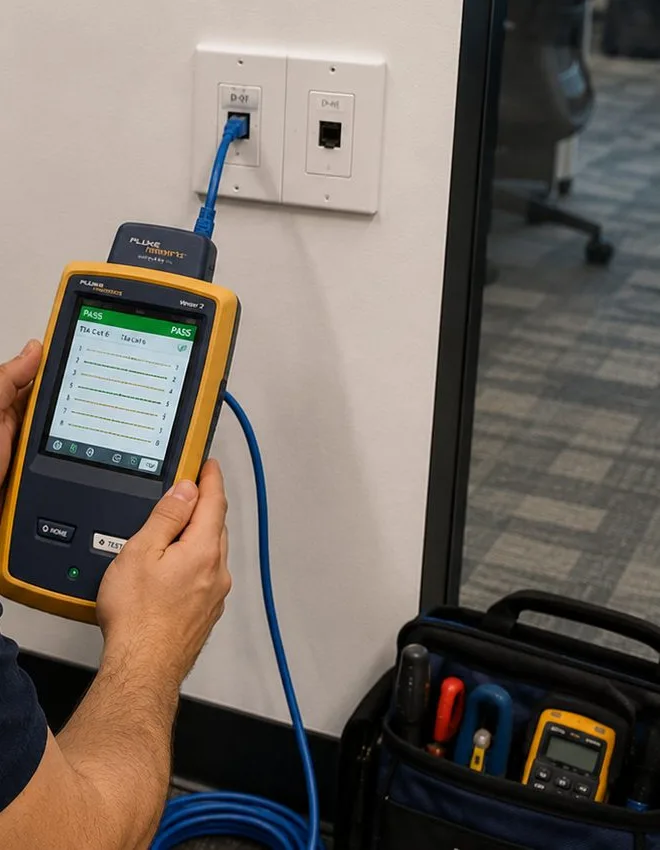
A yellow certification tester fills both palms, its screen showing a green result; its blue lead climbs to one of two side-by-side faceplates, and a tool bag with a meter waits on the floor.
All Areas Served
Sonos Installation Across Queens and New York
This is one neighborhood in a growing set. Its parent is the Sonos installation in Queens page, which in turn sits under the New York City Sonos installation hub. We write a new neighborhood only after researching its buildings and streets, so the list below grows slowly.
Need a camera, an intercom panel, an alarm or better Wi-Fi rather than speakers? The AESS home page lists every service, about us tells you who will turn up, and the free quote page takes any request at all.
Long Island City Sonos Gone Quiet — Same-Day Visits
The soundbar lost its Sub after the new router went in, the bedroom speaker vanished from the app, the desk speaker keeps cutting out at night? Call (347) 434-6392 for the next open two-hour window, frequently the same day; most of these are working again within an hour or two of a technician arriving.
Long Island City Sonos, Fitted to One Room and a Whole Day
Booking from a Court Square studio or a Hunters Point loft? The Queens desk answers (347) 434-6392; photos and floor plans can go by WhatsApp to (718) 679-0359 through wa.me. Business address: Abstract Enterprises Security Systems, 460 E Fordham Rd, Bronx, NY 10458, our Bronx office.
Rated 4.7★ across 201 Google Reviews · work carried out under New York State low-voltage license #12000287431 · fully licensed and insured, with written estimates the same day you ask
Who covers what if something fails? Sonos looks after the speakers, soundbars and Amps it makes, bracket and cable makers look after theirs, and a fault in our own workmanship comes back to us. Before any Long Island City job starts you sign one short agreement, and nothing in it is hidden in small print on a website. Full terms — including 50% deposit, one-year parts-only warranty on AESS-supplied products, and the late-fee schedule — are set out in the service agreement. See our warranty page.
Last reviewed October 17, 2026. Revision history: Long Island City Sonos neighborhood page launched with Queens pricing, a by-the-hour plan for studios and one-bedrooms, guidance on concrete slabs, closet panels, glass walls and through-wall units in new towers, notes for lofts, Hunters Point rowhouses and Dutch Kills walk-ups, and setup advice for local studios, offices and taprooms.