Sonos systems planned around the house you actually own: plaster on lath you would rather not open, stone rooms that swallow Wi-Fi, a barn or detached garage across the lawn, and a weekend place that has to wake up working on a Friday night with nobody there to reboot the router. We design the network first, place the speakers second, and set the whole system up so it recovers on its own — across Westchester, Rockland, Orange, Putnam, Dutchess and Ulster.
Reviewed and updated October 17, 2026 · Written by Anwar Timothy, NYS licence #12000287431
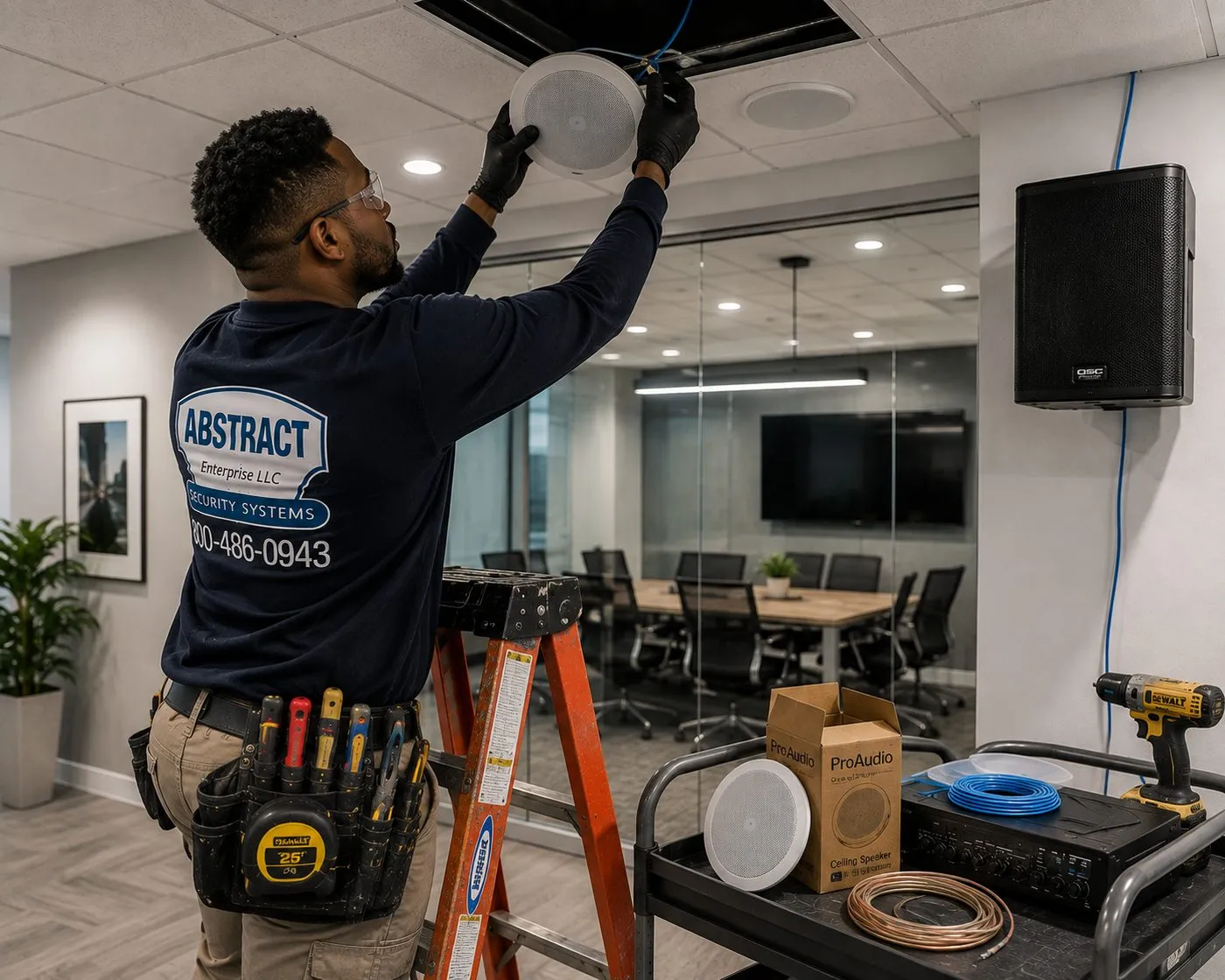
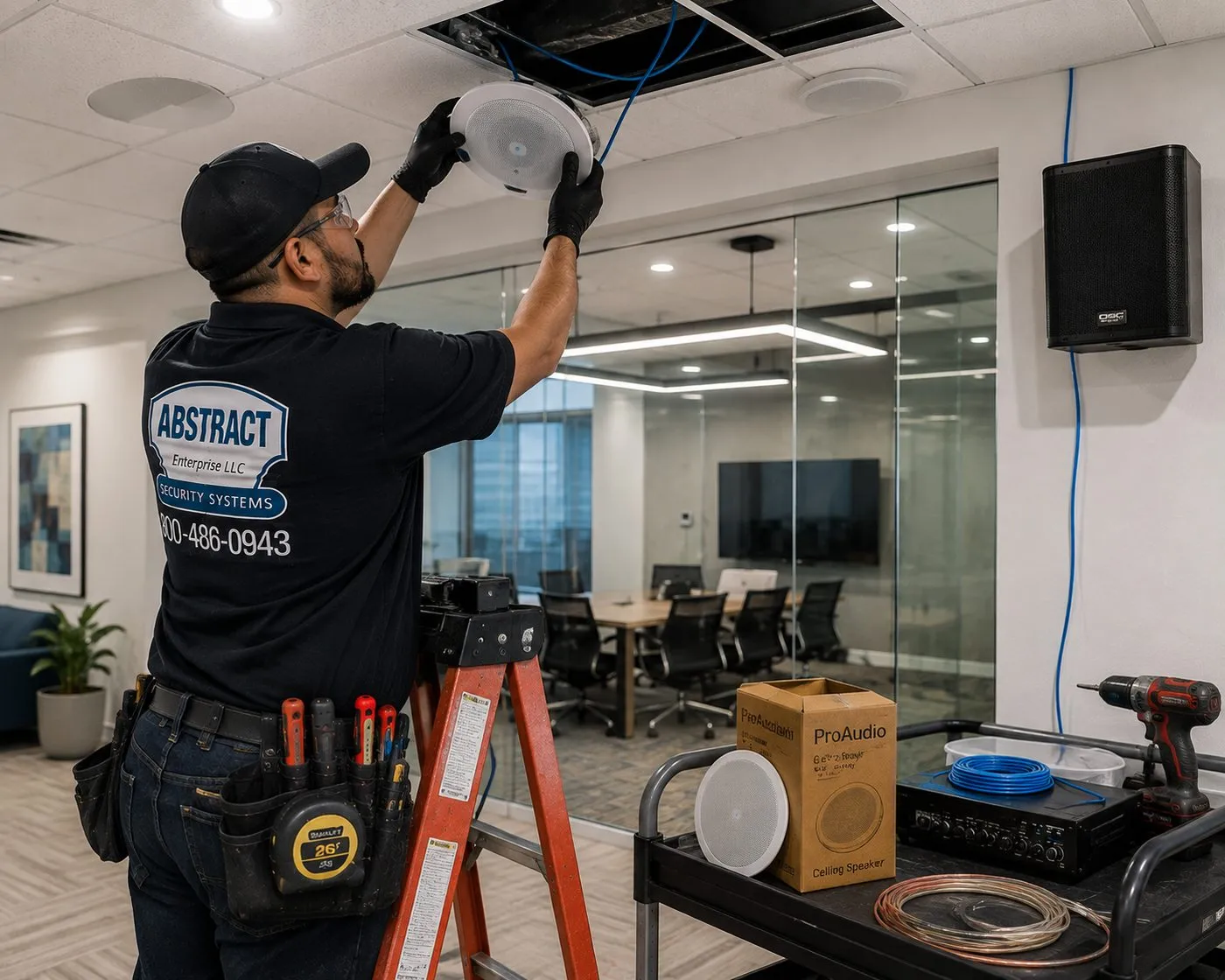
A technician on an orange stepladder lifts a round ceiling speaker into its cut-out while a cart beside him holds a boxed speaker, a drill and spools of copper and blue cable — the kind of fit-out behind a Sonos Amp zone.
Get a Free Sonos Quote
Tell us the town, the rooms and what you already own — we call back the same business day
✅
Request Sent!
We'll call you back the same business day.
25+
Years Experience
✓
Same-Day Estimates
100%
Licensed & Insured
4.7★
201 Google Reviews
Not sure whether your house needs more speakers or a better network? Call (800) 486-0943 or use the 60-second form. Tell us where the router sits and which rooms you want music in, and a licensed technician will tell you which of the two is really the problem.
Published line-item prices for Sonos setup, mounting and wiring
Two-hour arrival windows, 8 AM to 8 PM, seven days a week
NYS licence #12000287431 · insured, certificate of insurance on request at no charge
Why Hudson Valley Homes Need Professional Sonos Installation
Sonos sells itself as the speaker system you can set up in ten minutes, and in a newer suburban house with a good router in the middle of it, that is roughly true. Plug the speaker in, open the app, press the button it asks you to press. The trouble in the Hudson Valley is that a great many houses here are not that house. They are a Federal-era farmhouse in Dutchess with walls of plaster on hand-split lath, a stone house near the Wallkill whose interior walls are two feet thick, a 1920s colonial in a Westchester village that has had three generations of wiring threaded through it, or a converted barn in Ulster where the “living room” is a timber-framed volume with a hayloft above it. In houses like those, the speaker is the easy part. Getting a steady network signal to it, and getting music to every room that matters without cutting the walls apart, is the job.
The age of the housing is measured, not guessed. Stacker’s September 2025 ranking of New York counties by housing age, built on U.S. Census Bureau data, puts 28 percent of Westchester’s homes — 109,608 of them — at 1939 or earlier, and 25.3 percent of Ulster’s. Dutchess and Putnam each sit near 18 percent, Rockland at 11.5 percent. Those pre-war houses were framed, plastered and in many cases built of stone long before anyone imagined a wireless signal needing to pass through them. A Wi-Fi router that blankets a drywalled split-level can struggle to reach the next room through a masonry chimney stack or a plaster wall reinforced with metal lath.
Then there is the land. Valley properties are measured in acres more often than in feet of frontage, and the places people most want music — a barn turned into a workshop or party room, a detached garage, a pool house, a screened porch at the far end of a deck, a dock on a Putnam lake — are frequently the places the house network never reached. Sonos speakers are network devices first and speakers second. A speaker that cannot hold a connection drops out mid-song, vanishes from the app, or refuses to group with the others, and no amount of re-pairing fixes a signal that was never strong enough. Solving that means treating the outbuilding as a network problem: a buried or aerial cable, a wireless bridge, or an access point wired back to a switch, chosen for the distance and the ground in between.
A large share of the valley’s Sonos systems also live in houses nobody is in for most of the week. Weekend houses, ski-season cabins and rental properties need a system that comes back on its own after a power cut, because nobody will be there to unplug and replug anything. That matters here more than in a city apartment: when storms crossed the region in early July 2026, Orange & Rockland Utilities reported more than 47,000 customers affected over a few days. Sonos also does not let its own app control a house from outside that house’s network — a limit many second-home owners only discover after the installer has left. And in the more remote parts of Ulster, Dutchess and Putnam, the internet connection itself may be slow or on a satellite or fixed-wireless plan, which shapes how a system should be set up, updated and used.
This page is about doing Sonos installation properly in that setting. We are a licensed low-voltage contractor; network cabling, access points, speaker wire, in-ceiling speakers and TV mounting are the trade we already practise across the six counties. We plan the network before the speakers, we use wireless products where the walls argue against wire, we run cable where a cable is the only reliable answer, and we set everything up so you understand it when we leave. What we do not do is electrical work: a new outlet in a barn or a circuit for an equipment closet is for a licensed electrician, and we will tell you before the visit if your plan needs one.
Valley facts that change how a Sonos system is planned
28 percent and 25.3 percent: shares of Westchester and Ulster homes built in 1939 or earlier (U.S. Census Bureau data via Stacker, September 2025). Putnam is 17.9 percent, Dutchess 18.0 percent, Rockland 11.5 percent; Orange was not among the counties listed.
More than 47,000: Orange & Rockland Utilities customers affected by storms, heat and heavy rain from July 1, 2026, according to the utility’s July 6 update — with outages still open in Clarkstown, Ramapo, Warwick and Goshen.
$20.8 million: the New York ConnectALL grant Ulster County announced on September 25, 2025, with a Verizon match, to bring fibre to close to 1,300 addresses in the county that had no qualifying broadband at all.
32°F: the bottom of the operating temperature range Sonos publishes for its Amp and for Move 2. WeatherSpark’s climate summary puts Poughkeepsie’s average January low at 19°F — the reason an unheated barn is no place for an amplifier.
−13°F to 149°F: the operating range Sonos lists for the Outdoor Speakers made with Sonance, rated IP66 — passive speakers that can stay up all winter, driven by an Amp kept indoors.
2.4 GHz: the Wi-Fi band every Sonos product can use. Sonos lists routers that broadcast only 5 GHz as unsupported, which matters when a mesh system or a provider’s router is set up to hide the 2.4 GHz band.
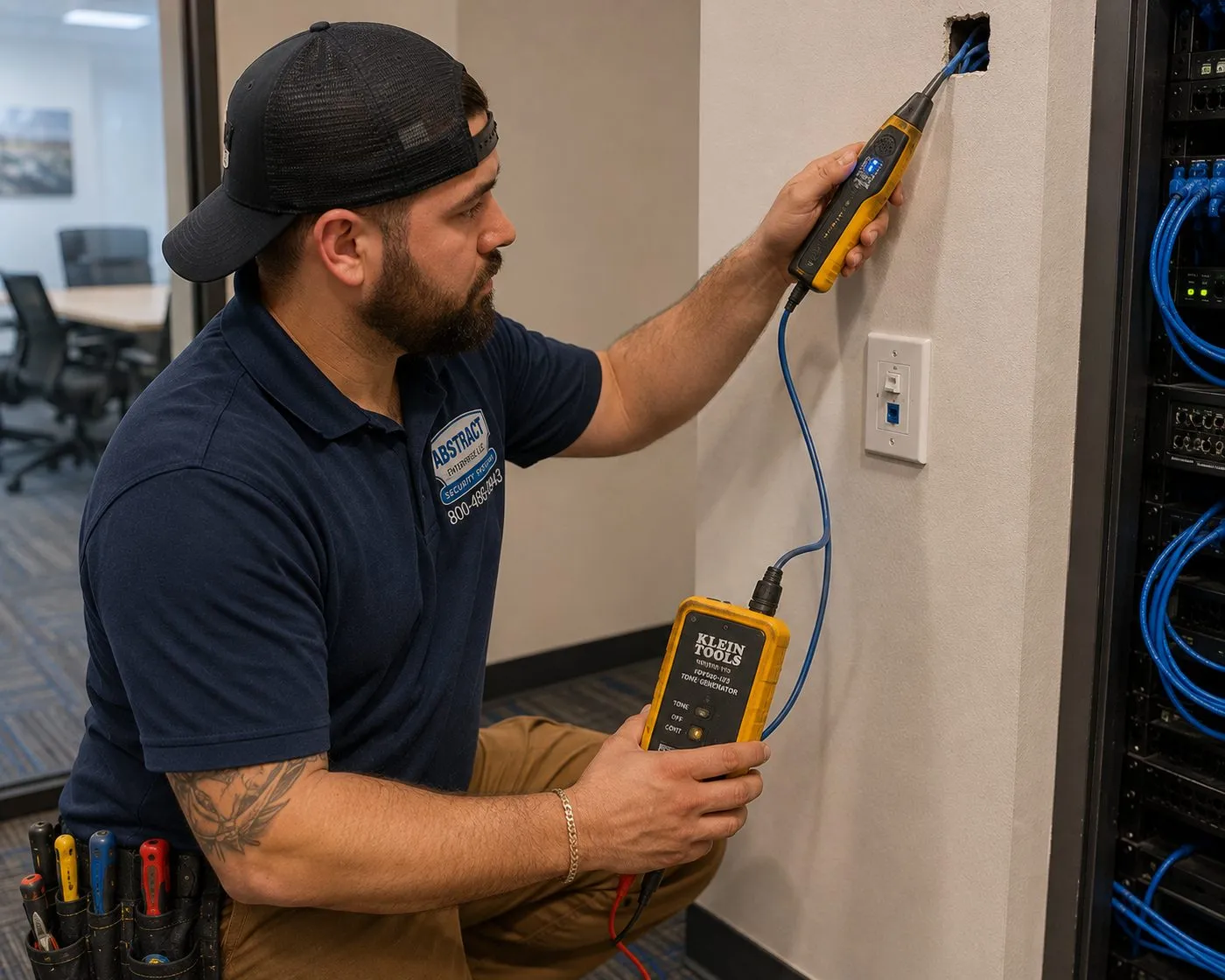
A technician kneels at a wall jack with a tone generator and probe, following an existing cable back toward a rack of patch cables — how we find out where old wiring goes before planning a new run.
Repair Capture
Sonos Dropping Out in the Hudson Valley?
Speakers that disappear from the app, rooms that won’t group, music that stutters every few minutes, a system that stopped working after a new router or a power cut — nearly always a network or configuration fault, not a broken speaker. A setup-only visit is billed at the published county rate, and most of these problems are found and fixed in one to two hours once a technician can see the network. Call (800) 486-0943, say it’s a Sonos system that has started dropping out, and tell us what changed recently.
What We Install
Sonos Installation Services in the Hudson Valley
Each of these starts the same way — with a look at the router, the walls and the distances — and ends the same way: every speaker in the app, grouped, tuned, and recovering by itself after the power goes off.
Multi-Room Sonos Systems
Era 100, Era 300, Five and portable speakers placed room by room, joined to one system, named sensibly and grouped the way your household actually listens. In older houses we lean on wireless speakers so the plaster stays shut.
Sonos Home Theater
Arc Ultra, Beam or Ray at the TV, with a Sub and a pair of rear speakers where the room warrants them. Mounted, connected by HDMI eARC or ARC, and tuned with the room’s own furniture in place.
Sonos Amp With Architectural Speakers
In-ceiling and in-wall speakers driven by a Sonos Amp, for kitchens, great rooms and baths where free-standing speakers don’t suit. Best where ceilings can be reached from an attic or the walls are open during renovation.
Outdoor Speakers
Weather-rated passive speakers under the eaves of a porch, deck or pool house, powered by an Amp that stays indoors. The cable path and the amplifier’s location get planned before anything is drilled.
Barns, Garages and Outbuildings
Music in a detached building means getting the network there first: a buried or aerial cable, a point-to-point wireless bridge, or an access point wired back to a switch — matched to the distance and what lies between.
Network Backbone for Sonos
Ethernet drops to a key speaker, a switch in the right closet, access points placed for coverage rather than convenience, and a decision on whether a wired Sonos product should broadcast the dedicated Sonos network.
Second-Home and Rental Setups
Systems configured to recover after outages, with a simple control plan for guests, sensible names, alarms and auto-updates set deliberately, and a printed card in the drawer for whoever arrives on Friday.
Moving and Expanding Existing Systems
Adding speakers, re-homing a system to a new router, splitting one house’s system into two households, or moving speakers between the city apartment and the weekend house without breaking either.
Troubleshooting a Sonos System Someone Else Set Up
Dropouts, missing rooms, a sub that won’t bond, surrounds that went silent after an update. We trace it to the network, the settings or the hardware, fix it, and explain what was wrong.
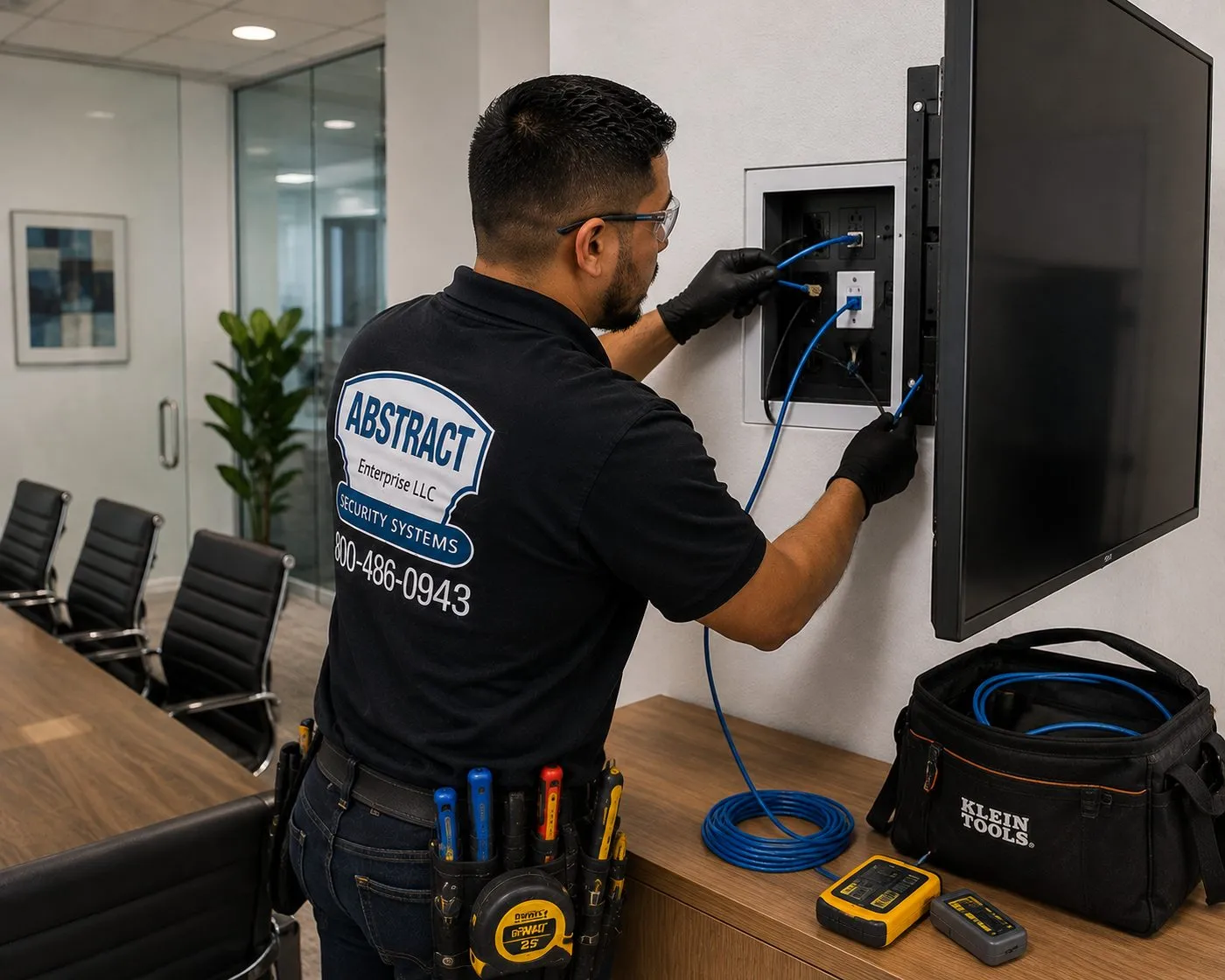
A technician connects a blue cable inside a recessed box set into the wall next to a mounted display, with a tool bag and tester on the table below — the hidden connection point a soundbar and TV share.
Building Specialists
Sonos Installation for Hudson Valley Architecture
Where a Sonos system lives decides almost everything about it: which speakers, how many wires, how the signal travels and where the gear can safely sit. These are the building types we meet most between the Bronx line and the Catskill foothills, and what each one asks of a Sonos plan.
Plaster-and-Lath Farmhouses and Victorians
Walls that crack when opened and cost far more to repair than the speakers cost to buy. The plan is usually wireless-first: Era speakers on shelves or brackets, wire only where a basement, attic or closet gives a hidden path.
Balloon-Framed Houses
Many late-1800s valley houses have studs running uninterrupted from sill to roof. Those open bays can carry a cable from cellar to attic in one pull — or be blocked by later fire-stopping and plumbing. We find out with small inspection holes, not guesses.
Stone Houses
Fieldstone and rubble walls a foot or more thick that stop Wi-Fi almost completely. Rooms on either side of them behave like separate buildings, so the network plan matters more than the speakers.
Converted Barns and Timber Frames
Tall open volumes, exposed beams, no ceiling cavity to hide a speaker in. Free-standing and bracket-mounted speakers do most of the work; a carefully dressed surface cable along a beam can carry the rest.
Lake Houses and Mountain Cabins
Seasonal or weekend use, damp air when closed up, long driveways and often a slow internet connection. These systems are set up for self-recovery and simple control above all else.
Post-War and Newer Houses
Drywall, reachable attics and basements, sometimes conduit already roughed in. The best candidates in the valley for in-ceiling speakers driven by a Sonos Amp and for Ethernet drops to the TV and key rooms.
Methods and materials by house type
Old plaster: decide what not to open. In a plaster house the first question is which rooms genuinely need wire and which can be served by a wireless speaker that plugs into an outlet. A kitchen with an attic above it may be a good place for two in-ceiling speakers on a Sonos Amp; a front parlour with a decorative plaster ceiling almost certainly is not. Where we do run cable, we use the existing paths first — behind baseboards that can be lifted and refitted, up through closets stacked floor over floor, along old heating or plumbing chases, and in from an unfinished cellar or attic — so the plaster face is disturbed in as few places as possible. Any hole we cut is the size of a single-gang low-voltage bracket and is placed where a wall plate will cover it.
Balloon framing: use the bays, respect the blocks. When a stud bay runs clear from the cellar to the attic, it is the quickest way to get a cable from an equipment closet downstairs to a speaker zone upstairs. We check each bay before relying on it: a weighted line dropped from the attic, a borescope through a small hole, or a tone generator on an existing cable to see where it goes. Where fire-stopping has been added across a bay, we do not remove it to make our job easier; we drill a properly sized hole, pass the cable, and seal the opening.
Stone: treat each side of the wall as a separate zone. Thick masonry is excellent for sound isolation and terrible for radio signals. Rather than turning a router up and hoping, we put network capacity on both sides: a wired access point or a wired Sonos product in the stone room, connected by a cable that goes around the wall through a doorway head, a floor joist bay or a basement, not through the stone. Speakers in stone rooms generally sit on furniture, on stands or on brackets fixed into mortar-free stone faces with masonry anchors.
Timber and barns: dress the cable, don’t bury it. In a timber frame there is often nowhere to hide a cable without cutting into a beam, and we will not cut structural timber for a speaker wire. Instead we run cable along the top or back face of a beam where it can’t be seen from the floor, fixed with staples rated for the cable, and come down inside a post-to-wall corner. Wireless speakers fill the gaps.
Newer drywall houses: wire generously while it’s easy. If the walls and ceilings are hollow and reachable, an Ethernet drop behind the TV, a cable to each in-ceiling speaker pair and a home-run back to one closet cost little more than doing half the job, and they make the system far less dependent on Wi-Fi.
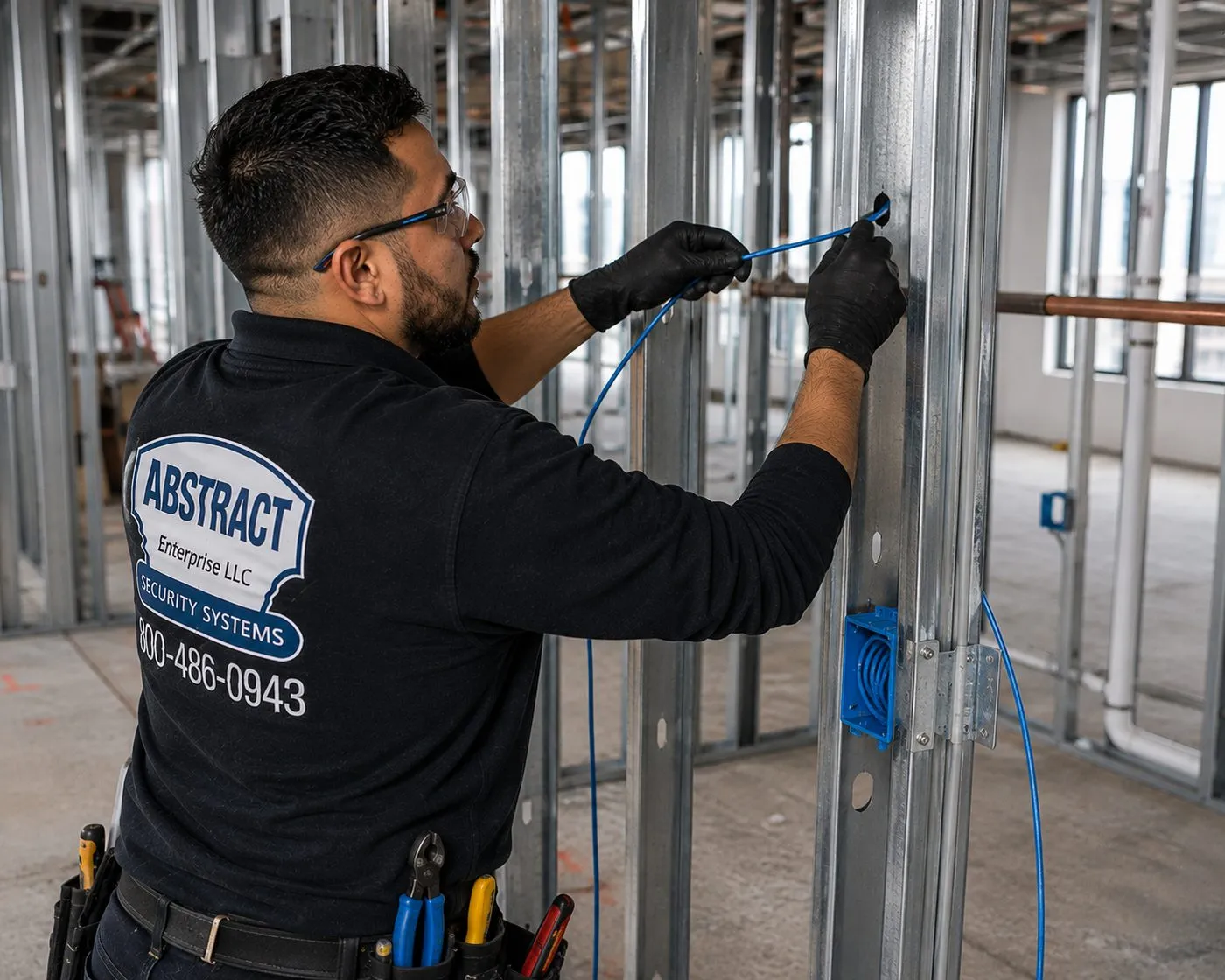
Blue cable is threaded through a punched stud toward a low-voltage box in an open, unfinished wall — when walls are open for renovation, wiring for speakers costs a fraction of what it does later.
Owners who plan Sonos in an old house often end up improving the whole network while they’re at it. Our network installation in the Hudson Valley covers switches, access points and building-to-building links on the same walkthrough, and the AESS AV and sound team handles larger theater and listening-room work.
Across the Property
Barns, Garages and the Far End of the Lawn
On a valley property, the hardest Sonos room is often not in the house at all. It is the barn used for parties, the detached garage that doubles as a workshop, a studio above a carriage house, a pool house, or a dock where someone wants music on a summer evening. Each of these is a separate building with its own walls, its own power and usually no network of its own.
The first decision is how the network crosses the gap. For a short distance with clear line of sight, a well-placed outdoor-rated access point on the house may be enough. For a longer gap, or where trees, a hill or another building are in the way, the options are a cable — buried in conduit or run on a messenger wire where that is permitted and practical — or a pair of point-to-point wireless bridge radios mounted on each building. Copper Ethernet is limited to about 100 metres per run, and on runs between separate buildings it can carry surges from a nearby lightning strike, which is why outbuilding links are often built with fibre and media converters, or with surge protection at both ends. People who have done this on their own properties say the same in home-networking forums: trench fibre or put up directional antennas, and don’t hang a long copper run between buildings without protection.
The second decision is what the building is like inside in January. A heated studio can house a Sonos Amp like any room in the house. An unheated barn or garage cannot: Sonos publishes an operating range of 32° to 104°F for its Amp, and a valley barn will spend much of the winter below freezing. In that case the amplifier goes in the house or a heated space and the speaker cable makes the trip, or the outbuilding gets self-powered speakers that are brought in for winter. Weather-rated passive speakers such as Sonos’s Outdoor Speakers, listed for −13°F to 149°F, can stay mounted year-round.
The third decision is power. Every Sonos product needs an outlet or, in the case of Era 100 Pro, a PoE+ switch port. If the barn has no receptacle where the speaker should go, that is electrician’s work before ours, and we will say so at the quote stage rather than on the day.
Under about 100 feet, clear sight line: often an outdoor access point on the house or a single wireless bridge pair.
A run within copper’s limit, with a trench or conduit available: outdoor-rated, direct-burial Ethernet with surge protection at both buildings.
Longer runs or lightning-prone exposure: fibre in conduit with media converters, which also isolates the buildings electrically.
No trench possible, no sight line: a relay through an intermediate building or a mast, designed on site.
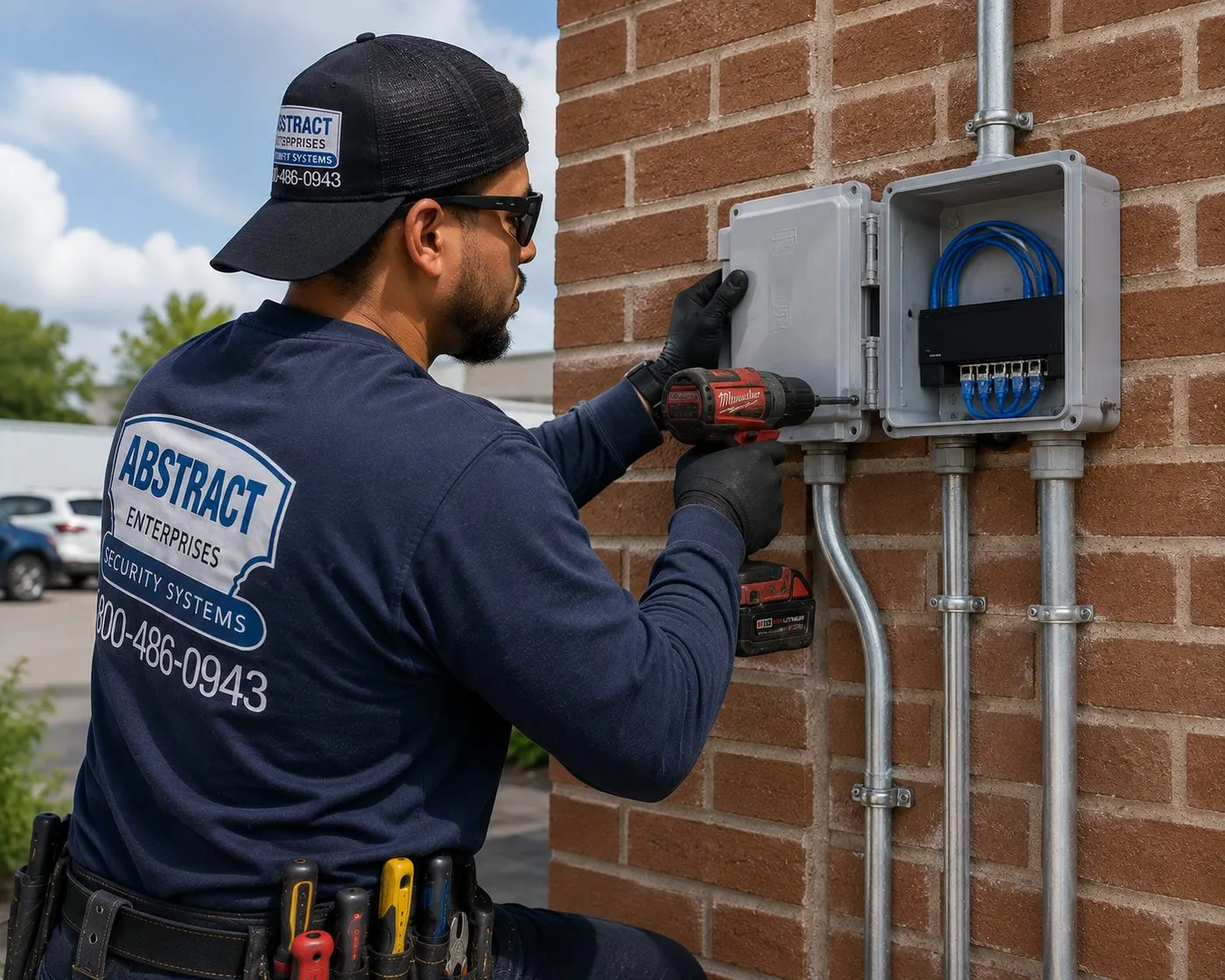
A technician drives a screw into a grey weatherproof enclosure on a brick exterior wall, with metal conduit running up into it and blue cable coiled inside — the kind of protected entry an outbuilding link needs.
Commercial Sonos Installation
Business Sonos Installation in the Hudson Valley
Sonos suits small businesses that want good background music, simple control by staff and a system that doesn’t need an AV department. These are the kinds of valley business where we see it most, and what each tends to need.
Short-Term Rentals and Guest Cottages
Operators of short-term rentals in Ulster County are required by county law to register with the Department of Finance, and towns such as Woodstock add their own permits. Hosts want a system guests can use without being able to break it.
Inns, B&Bs and Event Barns
Several zones — breakfast room, porch, a barn used for gatherings — each with its own volume, all controllable by staff from one tablet. Outbuildings bring the same network questions as on a private property.
Tasting Rooms and Farm Stores
Music that sits under conversation, a fixed volume ceiling and a schedule. Timber buildings, concrete floors and roll-up doors make placement and outdoor zones the main design work.
Restaurants and Cafés in River Towns
Ceiling speakers on a Sonos Amp in a dining room, a separate zone for the bar or patio, and streaming accounts set up for business use where the service requires it.
Professional Offices and Studios
Reception and waiting areas, therapy and yoga studios, salons. Era 100 Pro on PoE+ suits rooms where a cable is easier to provide than an outlet.
Retail on Village Main Streets
Older two-storey commercial buildings with tin or plaster ceilings, where surface-mounted speakers and a well-placed access point usually beat cutting into a historic ceiling.
Compliance callouts for commercial Sonos work
Music licensing is the business’s responsibility. Personal streaming accounts are generally licensed for personal use; a business playing music to customers should use a service and licences intended for commercial use. We set up whichever service you choose but cannot license it for you.
Cable ratings. Cable inside walls is rated for in-wall use, cable above a ceiling used for air handling carries the plenum listing that space requires, and cable buried outside is direct-burial rated or run in conduit.
No electrical work. New receptacles, circuits for an equipment rack or power in an outbuilding are for a licensed electrician; we coordinate with yours.
Egress and accessible routes. Speakers, brackets and cable covers are kept clear of exit paths, corridors and the space people walk through.
Paperwork for owners. Inns, managed rentals and leased storefronts frequently need our insurance certificate on file before the first visit; we send it at no cost, with the owner listed as additional insured if asked.
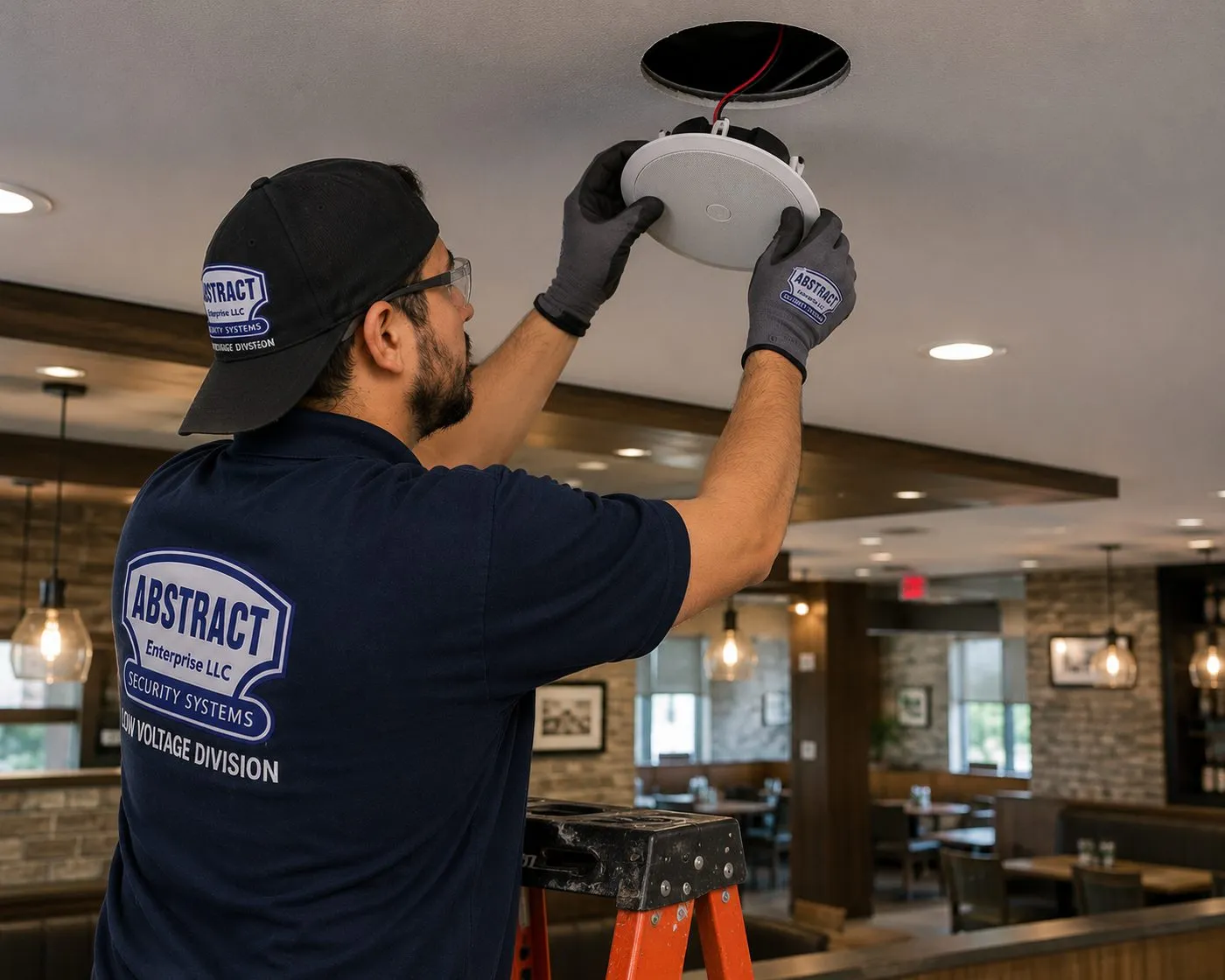
A technician on a stepladder presses a round ceiling speaker into a restaurant ceiling, with booths, pendant lights and a brick wall in the dining room behind him.
County by County
How Sonos Work Changes Across the Six Counties
The Hudson Valley is six different markets for Sonos, and the job changes as you move north from the city line. This is what we typically plan for in each.
Westchester. More than a quarter of the county’s housing predates 1940, and much of it is the kind of house — Tudor, colonial revival, shingle-style — where owners renovate one floor at a time. The common Sonos brief is a home theater in the family room plus music in the kitchen and on the terrace, with the network upgraded at the same time because the original router lives in a basement corner. Renovations are the moment to run Ethernet and speaker wire while ceilings are open. Westchester setup-only visits are billed at $235 for the first hour.
Rockland. Mostly post-war housing — about 11.5 percent predates 1940 — with drywall, reachable attics and basements, which makes in-ceiling speakers on a Sonos Amp a realistic choice in many Rockland houses. Rockland is also O&R territory, where early-July 2026 storms knocked out power across Clarkstown and Ramapo; setting the system up to recover cleanly after an outage is part of every job. Rockland shares Westchester’s $235 first-hour rate.
Orange. A mix of historic Newburgh, Goshen and Warwick housing and large newer subdivisions, plus farms and horse properties with barns and long driveways. The newer houses suit wired Sonos backbones; the farm properties raise the outbuilding questions above. Orange setup-only visits are $250 for the first hour.
Putnam. Lake houses around Mahopac, Carmel and Putnam Valley, older river houses in Cold Spring and Garrison, and roughly 18 percent of the housing stock built before 1940. Docks, porches and boathouses are the typical outdoor zones, and many homes are weekend places. Putnam setup-only visits are $250 for the first hour.
Dutchess. Farmhouses and estates along the river from Hyde Park to Red Hook, horse country around Millbrook, converted industrial buildings in Beacon and a mix of older and newer housing around Poughkeepsie. Stone, plaster and outbuildings are routine here, and so is the decision about which rooms get wire and which stay wireless. Dutchess setup-only visits are $275 for the first hour.
Ulster. One house in four built before 1940, stone houses in New Paltz, Hurley and Kingston, mountain cabins toward the Catskills, and a large number of weekend homes and registered short-term rentals. It is also where rural internet is still being extended — the county’s 2025 ConnectALL award targets nearly 1,300 unserved locations. Self-recovery, guest-proof control and realistic expectations about streaming over a slow line matter most here. Ulster setup-only visits are $275 for the first hour.
Your Questions Answered
Sonos Installation in the Hudson Valley: Questions Answered
Old walls, thick stone, outbuildings, cold winters, weekend houses and thin rural internet: each cluster below takes one valley problem and answers it in the opening lines. Quick price and booking questions are in the FAQ further down.
Old houses and a wireless-first plan
Can a Sonos system work in a plaster-and-lath farmhouse without opening the walls?
Yes, and in many older valley houses that is the plan we recommend. Most of the current Sonos range — Era 100, Era 300, Five, the Arc Ultra and Beam soundbars, the Sub and the portable speakers — needs nothing more than an outlet and a network signal. A multi-room system made of those products can fill a farmhouse with music without a single cable inside a wall. The installation work then shifts from pulling wire to three other jobs: making the network strong and steady in every room that gets a speaker, choosing positions where each speaker sounds right and is near an outlet, and mounting speakers on brackets or furniture so they look intended rather than parked.
Where wire genuinely improves the result — a TV wall that needs an Ethernet connection, or a kitchen where ceiling speakers would be far better than a speaker on the counter — we look for the hidden route first. Unfinished cellars and attics, stacked closets, baseboards that can come off and go back on, and old chases left by heating or plumbing often give a path that never touches the plaster face. If a cut is unavoidable, it is small and sits behind a wall plate.
What we will tell you honestly is when wireless won’t be enough. If the Wi-Fi in a room is weak and nothing can be done short of a cable, a speaker there will drop out no matter how good it is. That room then needs a network fix, covered in the next cluster, before it gets a speaker.
How does balloon framing change the way speaker wire gets pulled in an old valley house?
It can make long vertical runs surprisingly easy, or surprisingly risky, depending on what has been done to the house since. In balloon framing — common in houses built in the second half of the 1800s — the wall studs run continuously from the sill to the roof plate, with floor joists hung from them. That leaves open bays that can run from cellar to attic. For a cable from a basement equipment closet to a second-floor ceiling speaker, one of those bays can carry the whole run in a single pull.
The catch is that the same open bays let fire travel. Many owners and earlier contractors have added fire-blocking across them, and plumbers and electricians have drilled through them for a century. Before we rely on a bay, we prove it: a weighted line dropped from the attic, a small inspection hole and a borescope, or a tone on an existing cable to see where it emerges. If we meet fire-blocking, we drill a hole sized for the cable, pass the cable, and seal the opening with fire-rated sealant, rather than removing the blocking.
The practical result is that a balloon-framed house is often a better candidate for a few hidden cables than its age suggests, but only after the bays are checked. We include that check in the walkthrough, and we will say which runs are realistic before you decide where the speakers go.
In a room with stone walls, are free-standing Era speakers better than in-ceiling speakers?
Usually, yes. A stone room offers no hollow wall to hide cable in, and often a plaster or board ceiling under an occupied floor that can’t easily be opened either. Free-standing speakers such as a pair of Era 100s or an Era 300 avoid both problems: they need only an outlet and the network, they can sit on a deep window sill, a shelf or a pair of stands, and they can be stereo-paired or grouped with the rest of the house.
Stone rooms also tend to be acoustically live, with hard surfaces that make sound bright and echoey. Free-standing speakers can be moved and angled to suit the room in a way ceiling speakers can’t, and Sonos’s room tuning features adjust their output to the room once they are in place. Rugs, curtains and upholstered furniture do as much for the sound as the choice of speaker.
The thing a stone room nearly always needs is a network plan. Thick masonry blocks Wi-Fi so well that a speaker in a stone room may see little or none of the router’s signal. The fix is to bring network capacity into the room by cable, routed around the stone, and then let the speakers connect locally.
Wi-Fi, the dedicated Sonos network and long runs
Our Wi-Fi barely reaches the kitchen — is that a speaker problem or a network problem?
A network problem, and it should be fixed before more speakers are bought. Sonos speakers stream music from the internet and coordinate with each other over your home network. When the signal in a room is weak, the symptoms look like a faulty speaker — dropouts, a room missing from the app, grouping that fails — but replacing the speaker changes nothing.
The usual valley causes are a router placed where the provider’s line enters the house — in a basement corner, a mudroom or behind a stone chimney — and walls that block signal more than the router’s maker assumed. The fixes, in rough order of cost, are moving the router to a central location if the line can be extended, adding a properly placed access point connected back to the router by Ethernet, or using a mesh system whose satellites are wired together wherever possible.
We test before recommending anything. A signal survey with the speakers’ actual positions in mind takes minutes and tells us whether a given room needs a better network, a different speaker position, or nothing at all.
Which Sonos products can't use the dedicated Sonos network created by a wired setup?
When your home Wi-Fi is congested or patchy but you have one Sonos product that can sit near the router. Sonos describes this as a wired setup: one product is connected to the router by Ethernet, and it broadcasts a separate wireless network used only by the Sonos system. Other compatible Sonos products then talk to each other over that network instead of competing with phones, laptops and televisions on your Wi-Fi.
It is not a cure-all. Sonos’s own support pages list the products that cannot use that dedicated network and must stay on your home Wi-Fi or on Ethernet: Arc Ultra, Era 100, Era 100 Pro, Era 100 SL, Era 300, Move, Move 2, Roam, Roam 2, Roam SL, Sonos Play and Sub 4. A system made largely of those products gains little from the switch. Sonos also says surrounds and subwoofers can’t be the first wired product, and that your router’s Wi-Fi and the Sonos network should be on separate channels.
So we decide case by case. In a house with a mix of older Sonos speakers and a crowded network, a wired setup can steady things noticeably. In a house built around newer Era speakers, the better investment is usually stronger Wi-Fi with access points wired back to a switch.
Can we wire Sonos through powerline adapters or the Ethernet port on a mesh satellite?
Sonos advises against both, and our experience agrees. Its recommended-settings page says Sonos products should be hardwired back to a router or switch only, not to open Ethernet ports on Wi-Fi access points or extenders unless those devices are themselves connected back to the network by Ethernet, and that Ethernet-over-power devices should not be used.
The reason is that a wired Sonos product assumes its cable is a reliable link to the rest of the network. A mesh satellite connected wirelessly, or a powerline adapter running over an old house’s wiring, can look like a cable while behaving like a weak wireless link, and the system can end up with confusing loops and dropouts that are hard to diagnose.
If the only route to a speaker is through a mesh satellite, we either connect that satellite back to the router by cable — making its Ethernet port a genuine wired connection — or leave the speaker on Wi-Fi. Old wiring that would carry a powerline signal is usually also a hint that a proper Ethernet run nearby is possible.
Can a Wi-Fi-only speaker such as an Era 100 be wired with Ethernet?
Yes, with an adapter. The Era 100 and Era 300 have a USB-C port rather than a built-in Ethernet jack. Sonos sells a Combo Adapter, listed at $39 on its site, that adds an Ethernet port and a line-in to Era 100, Era 100 SL, Era 300, Move 2, Sonos Play and Beam Ultra. That is useful when a speaker sits in a room the Wi-Fi struggles to reach but a cable can get there, such as a stone room with a cable coming up from the cellar.
Era 100 Pro, the version Sonos sells for professional installation, is powered by PoE+ over its Ethernet cable, so one cable provides both power and network. It suits ceilings, barn walls and studio spaces where a cable run is easier to provide than an outlet. Products with built-in Ethernet ports include Five, Amp and Port.
We wire the speakers that benefit most — usually the TV-room soundbar or a speaker in the room furthest from the router — and leave the rest wireless.
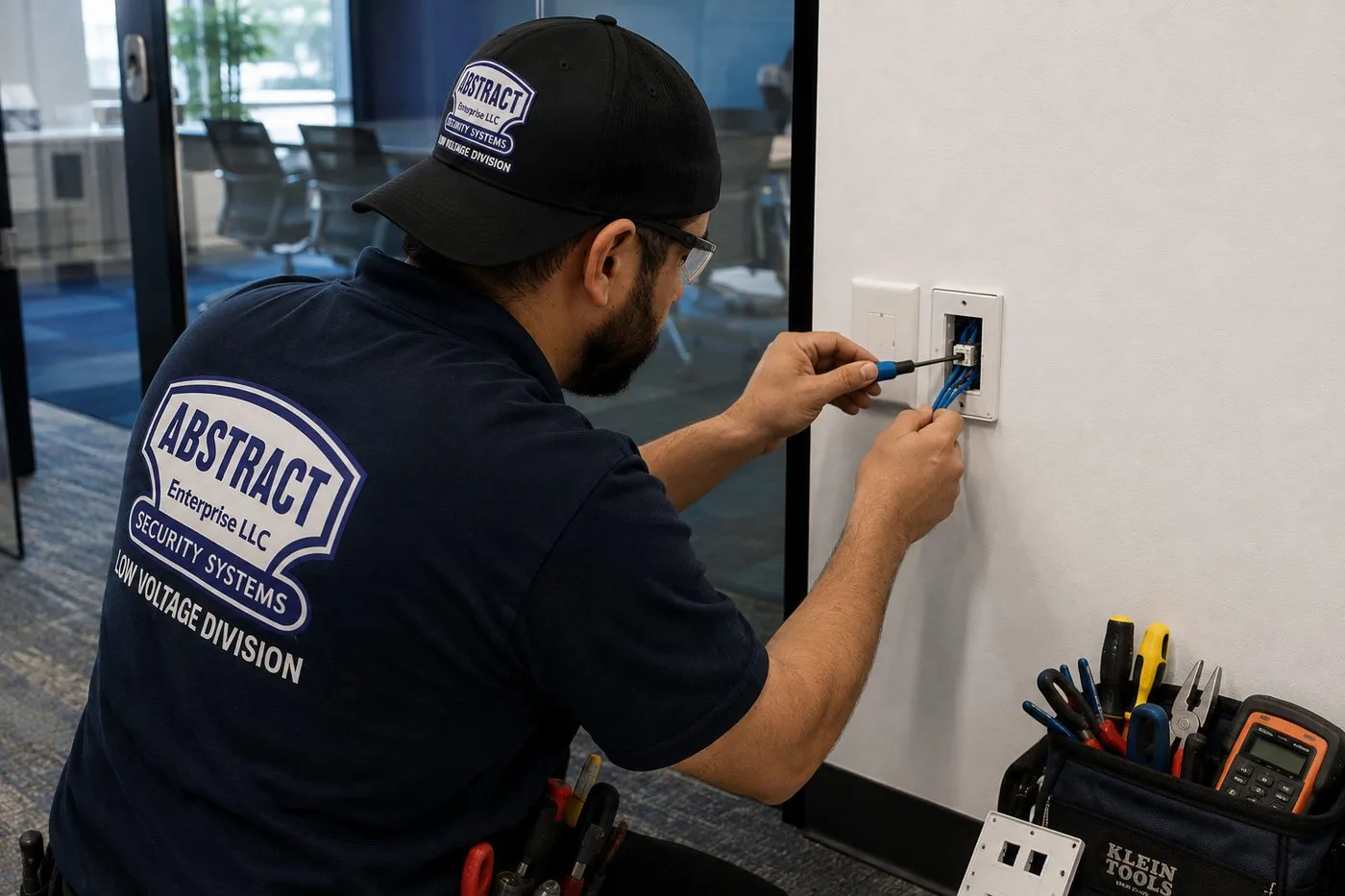
A technician terminates cable into a wall plate next to a light switch, with hand tools and a meter in a bag at his feet — one tested Ethernet point can steady the Sonos speaker that sits beside it.
Barns, garages and winter
How do you get music to a barn or detached garage 150 feet from the house?
By getting the network there first, then the speakers. At 150 feet, three approaches are realistic. A buried cable in conduit between the buildings gives the most reliable link and can be copper Ethernet with surge protection at both ends or fibre with a media converter at each end; fibre also isolates the two buildings electrically. A pair of point-to-point wireless bridge radios, one on each building, needs a clear line of sight but no trench. And where the barn is visible from the house and the distance is short, an outdoor-rated access point on the house wall can sometimes cover it on its own.
Once the barn has a network, the Sonos side is ordinary: speakers on brackets or shelves, or a Sonos Amp driving passive speakers if the building is heated. The barn joins the same Sonos system as the house, so music can be grouped across both.
The site survey decides which approach fits: the distance measured, the ground between the buildings, trees and slopes, and whether the barn has power where the equipment needs to go. If it doesn’t, an electrician comes first.
Can a Sonos Amp live in an unheated barn or garage through a valley winter?
Not within Sonos’s published limits. The Amp’s user guide gives an operating temperature of 32° to 104°F. An unheated building in the valley spends much of December to February below freezing — WeatherSpark’s climate summary for Poughkeepsie puts January’s average low at 19°F — and condensation as it warms up again is its own risk for electronics.
The usual answer is to put the Amp somewhere heated — the house, a heated workshop or a conditioned closet — and run speaker cable to the barn, rated for burial or in conduit. Passive speakers have no electronics to protect and tolerate cold far better. Where the run is too long for speaker cable to make sense, the alternative is self-powered Sonos speakers in the barn for the warm months, brought indoors for winter.
The same thinking applies to summer. A garage or barn roof in July can exceed the top of that range, so we keep equipment out of loft spaces and away from south-facing walls.
Are Sonos outdoor speakers safe to leave up through freezing winters?
The passive outdoor speakers Sonos sells with Sonance are designed for it. Sonos lists them as engineered for humidity, water, salt spray, heat, UV and freezing temperatures, rated IP66, with an operating range of −13°F to 149°F. They have no electronics of their own and are driven by a Sonos Amp kept indoors, which is what lets them stay mounted under the eaves of a porch or pool house through the winter.
Our part is placement and cable. We mount them under an overhang where possible, angled down so water runs off, and use outdoor-rated speaker cable with a drip loop where it enters the building, so water follows the cable down and away rather than into the wall. We keep cable penetrations above grade and sealed.
Portable Sonos speakers are a different matter. Move 2 is rated IP56 and Roam 2 and Sonos Play IP67, but Sonos gives Move 2 an operating range of 32° to 104°F and says its charging base is for indoor use only. Portables are for bringing out, not for leaving out.
Is a Move 2 or Roam 2 better than wired outdoor speakers for a porch or a dock?
For occasional use in summer, often yes. A Move 2 is rated for up to 24 hours of battery life and Roam 2 up to 10 hours, both join your Sonos system on Wi-Fi at home and switch to Bluetooth away from it. For a dock at the end of a Putnam lake lawn, a portable that comes back to the house at night avoids trenching, cable and amplifiers altogether.
Wired outdoor speakers win where music outside is a regular thing: an evening patio used most of the summer, a pool house, a long porch that needs even sound along its length. They are always there, always in the system, and don’t need charging or carrying.
Many valley systems end up with both: a pair of outdoor speakers on an Amp for the main outdoor living space, and one portable that goes where the day goes.
Weekend houses, rentals and remote management
Can we start or stop the music at the weekend house from our apartment in the city?
Not with the Sonos app on its own. Sonos’s app controls a system from a phone or tablet on the same network as the speakers; its documentation and community forums are consistent that a phone in Manhattan can’t browse and play on a system in Ulster. Some third-party apps and smart-home platforms offer limited remote control, but none of them is supported by Sonos and we don’t promise them.
What second-home owners usually want from remote access is reassurance — that the house is quiet, that a guest hasn’t left it playing at full volume, that it will work on Friday. The practical answers are local: alarms and auto-play turned off unless you want them, speakers set to come back at sensible volumes, and a home-automation or smart-plug arrangement if you do need to cut power remotely.
If you own Sonos in both homes, each is its own system. The app can switch between them when you are physically at each one, and we can name rooms so you are never unsure which house you are controlling.
How do we set up Sonos so it recovers by itself after a power cut while nobody is there?
By making the network come back cleanly, because the speakers will follow it. When power returns after an outage, the provider’s modem, the router, any switches and access points, and the speakers all start at once. Most problems after an outage come from the network devices settling in the wrong order or getting new addresses, not from the speakers.
We set the router to hand the speakers consistent addresses, keep the network design simple enough to recover without intervention, and where the system depends on a wired backbone, put the modem, router and switch on a small battery backup so short flickers don’t restart them at all. Those devices also go on a surge protector; the early-July 2026 storms in O&R’s service area, which affected more than 47,000 customers, are the kind of event that ends with every device in the house restarting at once.
Before we leave, we cut the power ourselves and watch the system come back, and we write down the one or two steps to take if a room ever fails to return.
We rent the house out on weekends — how do we keep guests from changing the Sonos setup?
By deciding what guests should be able to do, then limiting everything else. Guests generally want to play their own music and adjust volume; they don’t need to rename rooms, change tuning, add services or factory-reset a speaker. AirPlay on supported Sonos speakers lets an iPhone send music without the guest joining your Sonos account, and a guest Wi-Fi network can be set up with that in mind.
We also fix the things that commonly go wrong in rentals: volume limits on rooms near bedrooms or neighbours, speakers on brackets rather than shelves where they get knocked, the TV soundbar set so the TV remote is all a guest needs, and a short instruction card. Any streaming accounts used to play music to guests should be ones you are comfortable leaving signed in.
For hosts registered in Ulster County or permitted in Woodstock, a system that guests can’t misconfigure also means fewer calls on Saturday night.
Rural internet
Does Sonos keep playing when the rural internet goes down?
Partly. Streaming services need the internet, so Spotify, Apple Music and internet radio stop when the connection does. What keeps working depends on the source: a TV connected to a Sonos soundbar by HDMI plays whatever the TV is playing, a turntable or CD player connected through a line-in plays as long as the local network is up, and music stored on a computer or network drive on the same network can still be played through the Sonos app.
The local network itself must keep running for any of that to work — if the router loses power, the speakers lose each other. That is another reason to keep the router and switch on battery backup in houses where the internet drops more than it should.
Setup is the other moment the internet matters. Sonos products often download updates when they are first added, and on a slow line that step can take a long time. On rural jobs we allow for it, and where possible we let updates finish before we start tuning rooms.
Does a satellite or fixed-wireless internet plan cause problems for Sonos?
Not by itself. Sonos cares about the network inside your house, not how the internet reaches it. What matters is the router those services supply. Sonos needs a router that offers 2.4 GHz Wi-Fi — it lists 5-GHz-only routers as unsupported — and some newer Sonos products also use 5 GHz and Wi-Fi 6. If the supplied router lets you hide or disable the 2.4 GHz band, it needs to stay on.
Data caps and speed are the other consideration. Streaming music uses far less data than streaming video, but a house with several rooms playing all day adds up. If your plan has a cap, it is worth choosing lower streaming quality in the music service or relying on local sources more often.
If the internet provider’s router sits in an awkward place — which with satellite dishes and fixed-wireless antennas it often does — we usually leave it alone and add a well-placed router or access point of our own behind it, so the house network is designed around the house rather than around the dish.
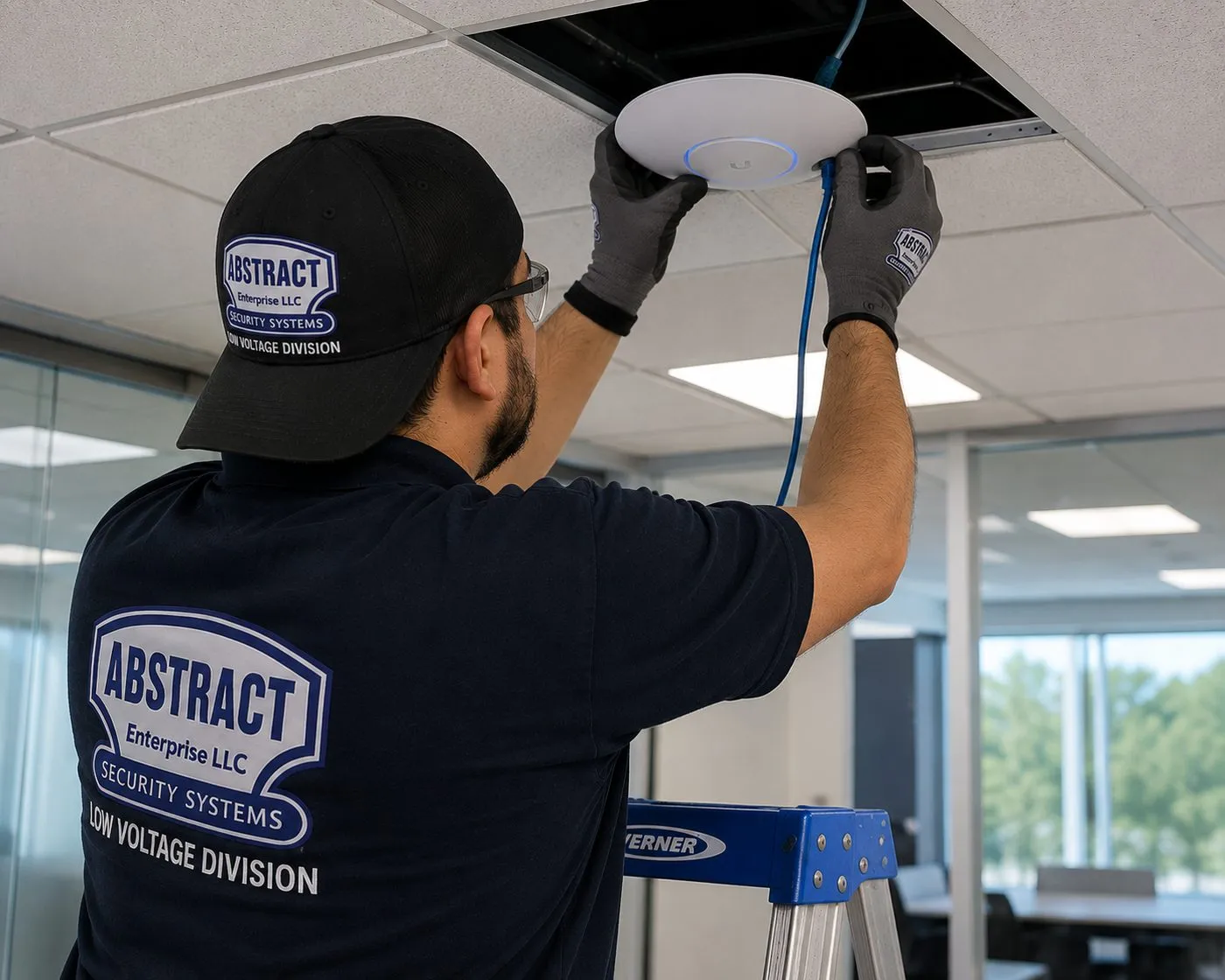
A technician seats a white access point in a drop-ceiling tile, its blue Ethernet cable running back to the network — a wired access point is often the fix for Sonos rooms the router can’t reach.
Equipment
Types of Sonos Systems We Install
We install Sonos products you have already bought or ones you choose with us, and the network gear that makes them reliable. These are the categories we fit most in Hudson Valley homes and businesses, with what each is good at in an older or larger property.
Era 100 and Era 300
Plug-in speakers for single rooms, stereo pairs or surrounds. Era 300 adds spatial audio. Both connect by Wi-Fi, or by Ethernet through Sonos’s Combo Adapter, and both stay on your home Wi-Fi rather than the dedicated Sonos network.
Five
Sonos’s largest single speaker, with a built-in Ethernet port and line-in. A good choice for a big great room or a barn where one speaker has to fill a lot of air.
Arc Ultra, Beam and Ray
Soundbars for the TV, connected by HDMI eARC or ARC. Paired with a Sub and two rear speakers they form a full home theater; on their own they also play music as part of the house system.
Sonos Sub
Wireless subwoofers that bond to a soundbar or an Amp. They need an outlet and a spot where bass sounds even, and they can’t be the wired product that starts the dedicated Sonos network.
Sonos Amp
Drives passive in-ceiling, in-wall and outdoor speakers at 125 watts per channel, with HDMI eARC/ARC for a TV, a subwoofer output and two Ethernet ports. Sonos lists a 32°–104°F operating range, so it lives indoors.
Sonos Architectural by Sonance
Passive in-ceiling, in-wall and outdoor speakers designed to pair with Amp. The outdoor pair is rated IP66 and listed for −13°F to 149°F.
Era 100 Pro
Sonos’s speaker for professional installation, powered by PoE+ over one Ethernet cable and able to tune itself for wall or ceiling mounting. Useful in studios, offices and barns with no handy outlet.
Move 2, Roam 2 and Sonos Play
Battery speakers for porches, docks and gardens. Move 2 is rated IP56 with up to 24 hours of battery; Roam 2 and Play are IP67. Their charging bases are for indoor use.
Port
Brings an existing stereo receiver or a turntable setup into the Sonos system, with Ethernet built in. Common in older houses with good hi-fi gear already in the living room.
Network Gear for Sonos
Switches, wired access points, outdoor access points, wireless bridges and fibre media converters for outbuildings, with surge protection and battery backup where the property calls for it.
Speaker wire, Amp loads and why we don’t overload a zone
A Sonos Amp is often asked to drive more speakers than it should. Sonos’s own guidance is that speakers should be rated at least 125 watts for 8-ohm models or 200 watts for 4-ohm models, that nothing below 4 ohms should be connected, that two pairs of 8-ohm speakers can be wired in parallel, and that speakers should not be wired in series. In practice that means one Amp per zone of up to four 8-ohm speakers, sized to the room. A long porch or a great room that needs six speakers gets two Amps, not one Amp working beyond its limits. Speaker cable gauge goes up with distance, and every run between buildings is rated for burial or run in conduit.
A technician on a ladder fits a ceiling speaker while a black speaker hangs on the wall nearby, a glass-walled conference room behind him and a cart of boxed speakers and wire at his side.
AI Overview Reality Check
What AI Gets Wrong About Sonos Installation in the Hudson Valley
Google’s AI Overview text could not be read from the environment this page was researched in, and we won’t pretend to quote it. The seven statements below are the claims that appear again and again in Sonos marketing, setup guides, forums and the summaries chatbots build from them — each tested against valley houses, barns and weekend homes.
“Sonos sets up in minutes — no installer needed”
For one speaker in a drywalled room near a good router, that is fair, and plenty of valley owners do exactly that themselves.
The claim stops holding when the system spans a stone house, a second floor behind a chimney and a barn. Setup in the app is still quick; the hours go into making every room reachable on the network and choosing where speakers and cable can go in an old house.
If your first speaker set up in five minutes but the third one keeps dropping out, that is the moment an installer earns the fee — usually by fixing the network, not the speaker.
“Wire one speaker and the whole system runs on SonosNet”
Older advice, repeated by summaries, says wiring any Sonos product to the router moves every speaker onto Sonos’s own mesh network.
Sonos’s current support pages list a long set of products that can’t use that network at all — including Arc Ultra, every Era model, Move 2, Roam 2, Sonos Play and Sub 4. In a system built around those, wiring one speaker changes little for the rest.
The dependable fix for newer Sonos systems in a big or stone-walled house is strong Wi-Fi from access points wired back to a switch, with Ethernet to the speakers that benefit most.
“A mesh Wi-Fi kit fixes any Sonos dropout”
Mesh systems help many houses, and we install them. The claim goes wrong when the mesh satellites are linked to each other wirelessly through thick walls, which is the situation in many valley houses.
Sonos specifically warns against plugging its products into the Ethernet port of an access point or extender that is not itself wired back to the network, and against Ethernet-over-power adapters.
A mesh system with its units wired together by cable is excellent. A mesh system relaying through two feet of fieldstone is the cause of the dropouts, not the cure.
“You can control Sonos from anywhere with the app”
This turns up in second-home planning advice more than anywhere. Owners assume the app works like a security camera app, from any location.
Sonos’s own documentation and its community moderators say the controller must be on the same network as the system; only some third-party tools offer limited remote control, without Sonos support.
For a weekend house, the reliable plan is a system that doesn’t need remote attention: no surprise alarms, sensible volumes, clean recovery after outages.
“Outdoor Sonos is just a Move left on the patio”
Portable speakers are rated against splashes and dust, so summaries suggest leaving one outside as an outdoor system.
Sonos gives Move 2 an operating range of 32° to 104°F and says its charging base is for indoor use only. A valley January is well outside that, and so is a dock in full August sun on a hot day.
For music outside all season, passive outdoor speakers on an indoor Amp are the design built for weather; portables are for carrying out and bringing back.
“Any Wi-Fi router will do”
Product pages emphasise that Sonos works on ordinary home Wi-Fi, which is true.
Sonos lists routers that only provide 5 GHz, and WPA/WPA2 Enterprise security, as unsupported. Some provider-supplied and business-style networks fall into those categories, particularly in rentals and inns where someone has tightened the settings.
We check the router and its settings before installing, and if the network was set up for a different purpose we add a separate segment for the Sonos system rather than weakening your security.
“Set it up once and forget it”
Sonos systems are low-maintenance, and that is part of their appeal. But they are software products, and the software changes.
In May 2024 Sonos released a redesigned app that removed features people relied on; The Verge reported a formal apology from the company’s CEO and months of updates to restore them. Updates can change how a system behaves.
That is why we document how your system is set up — room names, groups, wired products, network settings — so that after an update or a router change, anyone can put it back the way it was.
A Sonos System Planned Around Your Property
Tell us where the router is, which rooms and buildings you want music in, and what you already own. We will tell you what the network needs before we talk about speakers.
The county, the age of the house, and whether there’s a barn or outbuilding involved — that is enough to begin. We reply the same business day, or call (800) 486-0943.
✅
We Got Your Request!
We'll call you back the same business day. If it's urgent, call us now at (800) 486-0943.
How It Works
Our Installation Process
The order never changes, whether it’s one Era speaker in a Rockland kitchen or a house, barn and porch in Ulster: network first, speakers second, recovery tested last.
1. Property sketch and quote
You tell us the town, the Sonos products you own or want, where the router is and which rooms and buildings need music. We price the fixed items and decide whether a walkthrough is needed.
2. Two-hour arrival window
Visits run in two-hour arrival slots from morning to evening on any day of the week; for the northern counties we line up neighbouring jobs on the same day so travel time stays out of your bill.
3. Network survey
A signal reading in every room and building that gets a speaker, a look at the router’s settings, and a check of the paths a cable could take.
4. Network fixes first
Access points, switches, Ethernet drops or an outbuilding link installed and tested before any speaker is added, so the system starts on a steady network.
5. Speakers placed and mounted
Speakers positioned, bracketed or fitted in ceilings and walls, soundbars connected by HDMI, Amps wired, and every product added to one Sonos system.
6. Tune, group and name
Rooms named the way your household talks, groups set up, tuning run where supported, volume limits set for bedrooms, neighbours or guests.
7. Power-cut test and handover
We cut the power, restore it and watch every room return on its own, then show you the controls and leave a written record of how the system is set up.
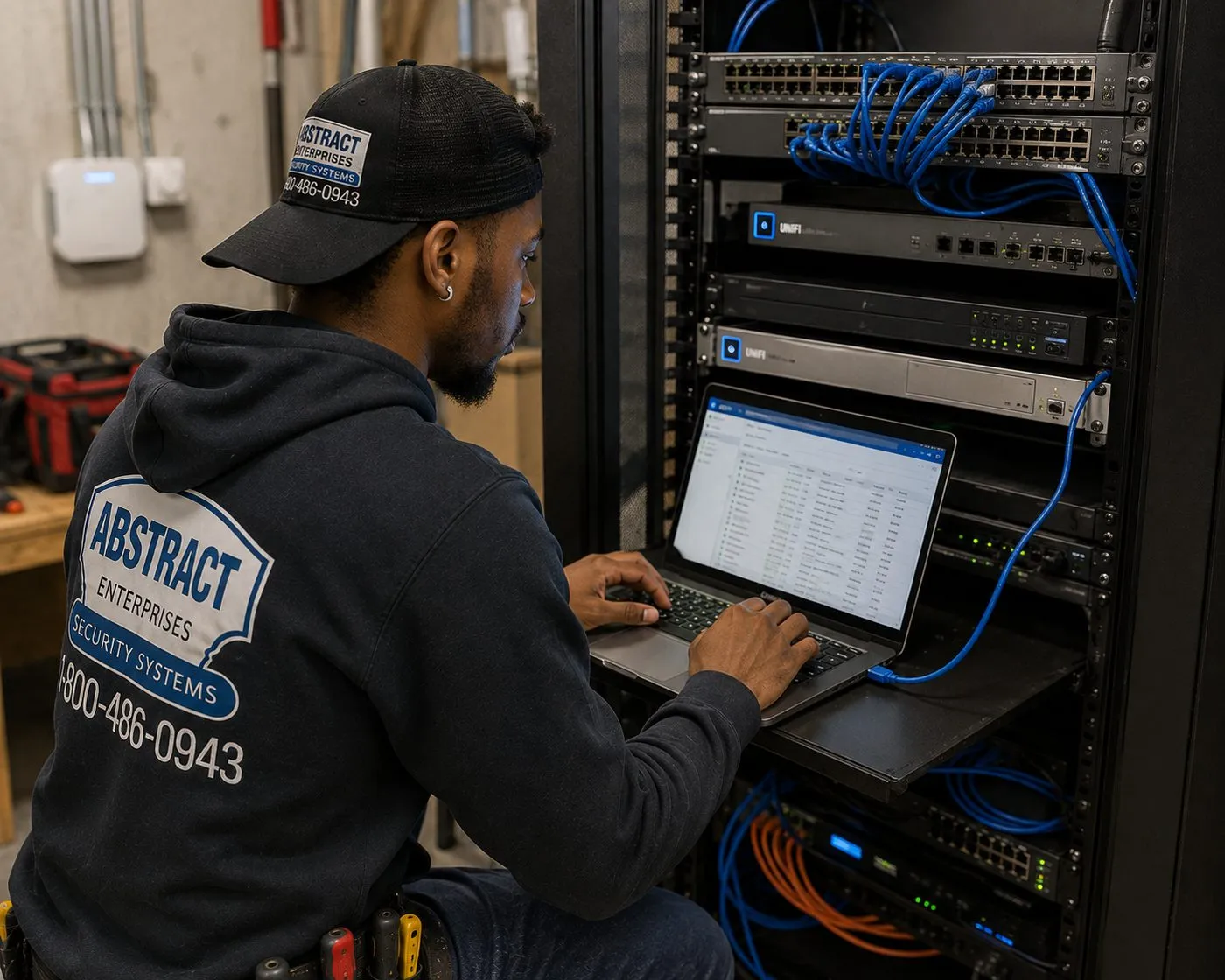
A technician works at a laptop on a pull-out shelf in a network rack, patch cables running into the switch above — the switch that feeds access points and wired speakers across a property.
Coverage Area
Sonos Installation Near Hudson Valley Landmarks
One landmark from each of the six counties, from the Westchester estates to the Ulster stone-house country. We work in the homes, barns and businesses around all of them.
Caramoor, Katonah
The former country estate of Walter and Lucie Rosen, now a music centre whose largest venue, the tented Venetian Theater, takes its name from historic arches and columns, with the Spanish Courtyard inside the Rosen House. Westchester’s best-known case for music outdoors.
Bear Mountain State Park, Stony Point
Perkins Memorial Drive climbs to the tower at the summit, open from April through late November, weather permitting. The parkland around it marks the line between Rockland’s suburbs and the hill country to the north.
Washington’s Headquarters, Newburgh
The Hasbrouck family’s fieldstone farmhouse, built in 1750, where Washington stayed for more than 16 months; opened in 1850 as the nation’s first publicly owned historic site. The house is closed for restoration, with the museum building open.
Boscobel, Garrison
A Federal-period mansion demolished in the 1950s after falling into disrepair, its fragments saved and reassembled about 15 miles upriver from its original site, overlooking the Hudson in Putnam County.
Mount Gulian, Beacon
The Verplanck family estate, with an English garden planted in 1804 and a restored circa-1730 Dutch-style barn brought from a nearby property and rebuilt on site — Dutchess barn country in a single view.
Historic Huguenot Street, New Paltz
A ten-acre National Historic Landmark District at the heart of the 1678 New Paltz settlement, with 30 buildings including seven stone houses from the early 18th century — the Ulster stone-house tradition at its source.
We also serve Hyde Park and the Vanderbilt Mansion area, Rhinebeck and Millbrook, Kingston, Woodstock and Saugerties, Warwick and Goshen, Nyack and New City, Mahopac and Cold Spring, White Plains, Bedford and Pound Ridge, and every town between the city line and the Catskills.
Pricing
Sonos Installation Cost in the Hudson Valley
Fixed Sonos and TV-audio work is priced from our published line items; network design, in-ceiling and outdoor speaker runs and outbuilding links are quoted after a walkthrough because they depend on the building. The line items below are the same in all six counties. The county changes the setup-only hourly rate and, if a TV is going up as well, the TV mounting base price.
Item
Price
What it covers
Sonos setup
$125
Sonos soundbar or system added to your network and app, rooms named, tested
Soundbar wall-mounted under the TV
$129
Arc Ultra, Beam or Ray bracket fixed, levelled and connected
Soundbar placed on console or stand
$79
Positioned, connected to the TV and tidied
Sanus soundbar bracket
$84.99
Supplied by us, if you need one
Full home theater
$350
Soundbar or receiver, sub and surrounds connected and calibrated
A/V receiver connection
$129
For a Port or receiver-based system
In-wall concealment
$169
Code-compliant in-wall power and cable kit at the TV, hollow walls
Paintable cord cover
$59
Surface raceway where the wall can’t be opened
Cable run to a cabinet or other spot
$99
Up to 25 feet, for sources kept away from the TV
Universal remote programming
$99
One remote for TV, soundbar and sources
Streaming device setup
$49
Apple TV, Roku, Fire TV or similar
Plywood backer board
$85
Where framing isn’t where a bracket needs to be
High mount (above about 8 ft)
$75
Brackets mounted high in tall rooms
Box removal
$25
Packaging taken away
Certificate of insurance
Free
For landlords, associations and commercial properties
Wall-type surcharges for brackets
Wall
Surcharge
Drywall on wood studs
$0
Metal studs
+$30
Plaster
+$45
Brick or stone
+$65
Concrete or cinder block
+$75
Tile or marble
+$95
Setup-only visits and TV mounting by county
County
Setup-only visit (first hour)
TV mounting base
Westchester
$235
$219.99
Rockland
$235
$219.99
Orange
$250
$229.99
Putnam
$250
$229.99
Dutchess
$275
$254.99
Ulster
$275
$254.99
Setup-only visits — a Sonos system to re-home onto a new router, rooms that have dropped out, a sub that won’t bond — are billed at a flat first hour and then in 30-minute blocks.
What is quoted at the walkthrough
In-ceiling, in-wall and outdoor speakers on a Sonos Amp — the number of zones, the cable path and the house construction drive the labour.
Ethernet drops, switches and access points — how many, and how hard the route is through plaster, stone or timber.
Outbuilding links — trenching or conduit, wireless bridges, fibre and surge protection, decided after measuring the distance and the ground.
Larger systems. Our Hudson Valley AV and sound installation page publishes its own package ranges, from an entry TV-mount-plus-Sonos-starter package at $1,200–$5,000 to whole-home Sonos with Atmos at $12,000–$35,000.
What the price includes, and what it doesn’t
Included: mounting and connecting the products listed, adding them to your Sonos system, naming and grouping rooms, tuning where the product supports it, testing every source you use and showing you the controls.
Not included: electrical work. New outlets, circuits for an equipment closet and power in an outbuilding are for a licensed electrician.
Not included: patching and painting, and Sonos products themselves unless you buy them through us.
Return trips: a $150 return-trip fee applies if we arrive and can’t start, for example with no access or the equipment not on site. Rescheduling is free with 24 hours’ notice.
National retailer versus local installer. Big-box services and app-booked installers set up Sonos nationally, and for a speaker or a soundbar in a modern room they do a good job. A local licensed low-voltage contractor earns the difference on the property as a whole: the stone room the Wi-Fi can’t reach, the barn 150 feet away, the network that has to recover on its own at a weekend house, and the published price list you can check before you book.
Shop Our Systems
Sonos Installation Packages & Pricing
Three common starting points, each added up from the list prices in the tables above. Wall surcharges, a backer board or a high mount are added only if your wall or room needs them; network and speaker-wire work beyond these is quoted separately.
Starter — Sonos Setup
$125
Sonos setup $125 = $125. Your Sonos speakers added to your network and app, rooms named and grouped, tested from every phone in the household and after a power cycle.
Standard — Soundbar on the Wall, Set Up
$338.99
Soundbar wall-mounted $129 + Sanus soundbar bracket $84.99 + Sonos setup $125 = $338.99. Arc Ultra, Beam or Ray under the TV, connected by HDMI and added to the house system.
Premium — Full Sonos Home Theater
$648
Soundbar wall-mounted $129 + in-wall concealment $169 + full home theater $350 = $648. Soundbar, Sub and rear speakers placed, bonded and calibrated, with the TV’s power and HDMI inside a hollow wall.
Bring Your Own Equipment — Labour Only
Already own the Sonos gear and the bracket made for it? We install customer-supplied Sonos products and rated brackets at the same labour line items — for example $129 to wall-mount your own soundbar on your own bracket, with no bracket charge. Customer-supplied products carry their manufacturer’s warranty; we check any bracket’s rating before fitting it.
Get Your Sonos Job Priced Before Anyone Drives Out
A list of the Sonos products you have, a photo of the TV wall, and a rough sketch of the property with the router marked is usually enough to price the fixed items and plan the walkthrough.
Planning a Sonos Network for a Hudson Valley Property
Most Sonos frustration on large or old properties traces back to decisions made before the first speaker was unboxed. These are the planning rules we follow on valley jobs.
Map the router, then the rooms. Mark where the internet enters, where the router sits and every room or building that should have music. Distances and walls between them decide the design.
Keep 2.4 GHz switched on. Sonos lists 5-GHz-only routers as unsupported; band steering and “hide 2.4 GHz” settings on provider routers cause more setup failures than anything else.
Wire the backbone, not every speaker. Access points and switches connected by cable give every speaker a strong local signal. Speakers themselves need Ethernet only where they gain from it.
One network, not three. Range extenders that create separately named networks split the system. Use one network name across the property.
Treat outbuildings as their own design. Distance, line of sight, trenching and surge protection decide between cable, fibre and wireless bridges.
Keep amplifiers warm and ventilated. Amp and Port belong in conditioned space with airflow around them, not in a cold barn or a hot attic.
Put the network on backup power. A small battery unit for the modem, router and switch keeps short flickers from restarting the system.
Write it down. Room names, wired products, network settings and passwords recorded in one place make the next update, router swap or service visit quick.
Common Problems With Sonos Systems Someone Else Set Up
A good share of our valley Sonos calls are to sort out a system that grew one speaker at a time. These are the faults we find most often.
Speakers on an extender’s separate network. A range extender added years ago broadcasts its own network name, and some speakers joined it. The system splits and grouping fails. We consolidate everything onto one network and replace the extender with a wired access point where needed.
A wired speaker plugged into a wireless mesh satellite. Exactly the arrangement Sonos warns against. It works until it doesn’t, and the failures are intermittent. We either wire the satellite back to the router or take the speaker off Ethernet.
An Amp in the wrong place. Shut in a cabinet with no airflow, up in a hot attic, or out in a garage. We move it somewhere conditioned and ventilated, and extend the speaker cable if necessary.
Too many speakers on one Amp, or speakers wired in series. Sonos says not to wire in series and not to connect below 4 ohms. We rewire the zone or add a second Amp.
Outdoor cable with no drip loop and no burial rating. Water follows the cable into the wall, and ordinary cable in the ground fails within a few seasons. We replace it with rated cable, in conduit where it crosses the lawn.
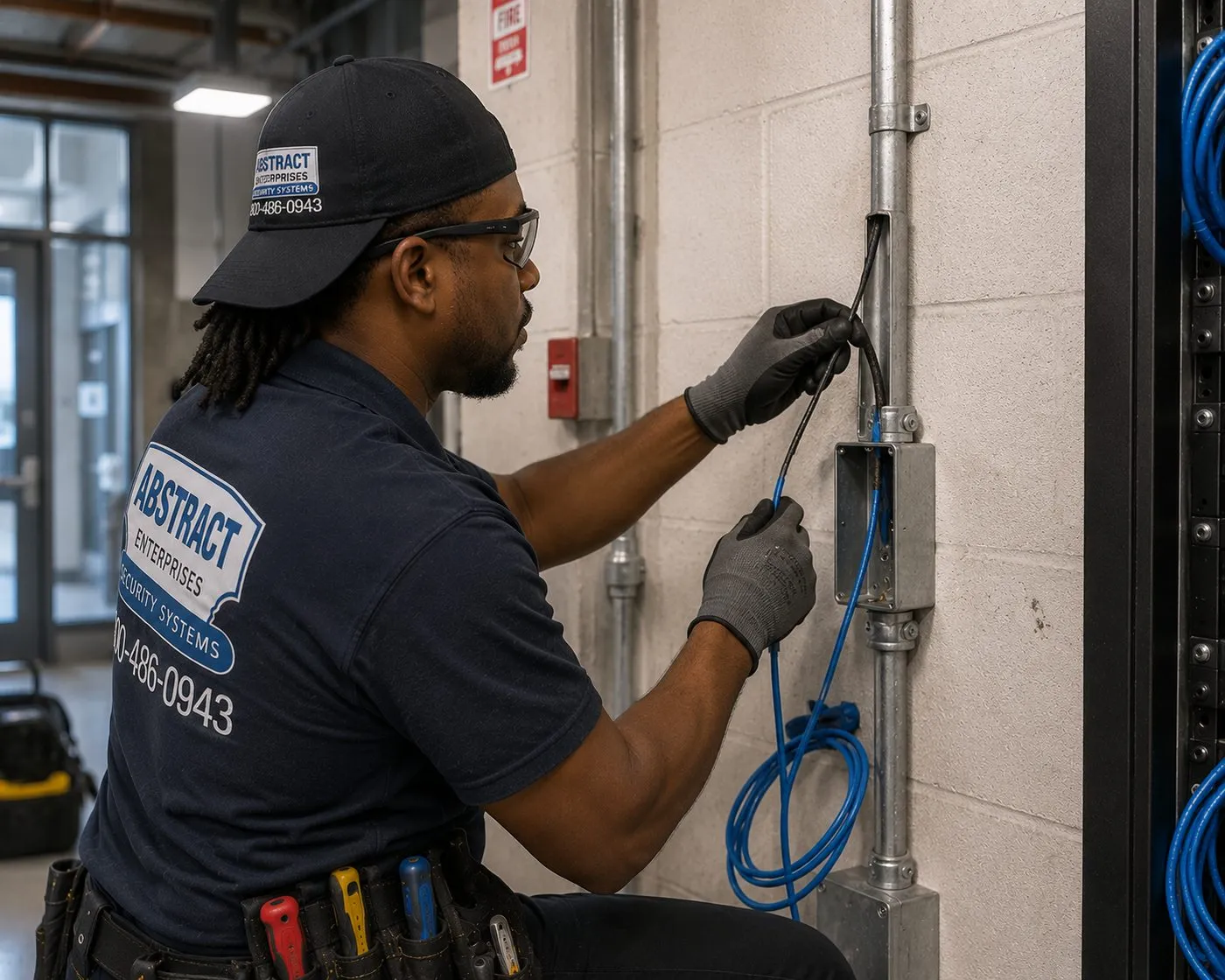
A technician draws blue cable out of a conduit box on a painted block wall, with metal conduit running up the wall beside him — on masonry, conduit is how a cable gets protected.
Complete Services
Every Sonos Installation Service in the Hudson Valley
The work Sonos owners in the valley most often book alongside their speakers, linked in one place.
Arrival windows, rescheduling, the return-trip fee and what’s included.
Field Notes
Field Notes on Valley Properties
How our crews start a Sonos walkthrough on a valley property — general practice, not the story of any one customer
The first thing our technicians do on a valley Sonos job is ignore the speakers. They walk to the router, note where the line comes in and what the provider supplied, and then carry a phone running a signal meter through every room and out to every building where music is wanted. In an old house the readings tell the story quickly: strong in the rooms near the router, a cliff at the stone wall or the chimney stack, nothing at all in the barn. That walk usually decides more of the design than anything on the Sonos product page.
The second habit is to switch everything off at the end. Before packing up, the crew cuts power to the network and the speakers, waits, restores it, and watches each room return to the app without anyone touching it. On a weekend house that is the test that matters, because the next power cut will happen when nobody is there.
FAQ
Hudson Valley Sonos Installation FAQ
What does Sonos installation cost in the Hudson Valley?
+
Sonos setup on your network and app is $125. A soundbar wall-mounted under the TV is $129, a Sanus soundbar bracket $84.99 and a full home theater with sub and surrounds $350. In-ceiling, outdoor and network work is quoted after a walkthrough.
Will you check that a bracket we bought fits the Sonos speaker it has to carry?
+
Yes. We install customer-supplied Sonos products at the same labour line items, check any bracket you supply against the speaker it carries, and the products keep their manufacturer’s warranty.
Can you add new speakers to the Sonos system we already have?
+
Yes. New speakers join your existing system and account, are named and grouped with the rooms you already use, and we check the network can carry them before adding more.
Can the TV be mounted on the same visit as the Sonos soundbar?
+
Yes. Start from your county’s TV mounting base — $219.99 Westchester or Rockland, $229.99 Orange or Putnam, $254.99 Dutchess or Ulster — then add the soundbar and Sonos setup lines from the price table.
How much is a visit to fix a Sonos system that keeps dropping out?
+
A setup-only visit is billed at a flat first hour, then in 30-minute blocks: $235 in Westchester and Rockland, $250 in Orange and Putnam, and $275 in Dutchess and Ulster.
Whose Sonos account is the system registered to?
+
Yours. We set the system up under your own Sonos account and email, so you keep full control, and we never register a customer system to an account of ours.
Can a turntable or an older stereo play through Sonos?
+
Yes. Port brings an existing stereo receiver into the system, Five has a line-in, and Era 100, Era 300 and Move 2 accept Sonos’s line-in or combo adapter. A turntable without a built-in preamp also needs a phono preamp.
Do you work evenings and weekends?
+
Yes. Appointments run in two-hour arrival windows between 8 AM and 8 PM, seven days a week, which suits weekend-house owners who are only up on Saturdays and Sundays.
Can you provide a certificate of insurance for an inn, rental or managed property?
+
Yes, free of charge. We can name the owner, association or property manager as additional insured and send it before the work date.
Do products you supply carry different warranty cover from products we buy ourselves?
+
Products we supply carry our one-year parts-only warranty on AESS-supplied products as well as the manufacturer’s own warranty; products you supply carry the manufacturer’s warranty. The service agreement sets out the full terms.
All Areas Served
Sonos Installation Across New York
Dedicated Sonos pages for every county and borough are on the way. Where a page isn’t live yet, the link takes you straight to the quote form; we already install Sonos there at the same published prices.
Sonos Gone Silent? Need It Fixed in the Hudson Valley?
If rooms have vanished from the app or the music cuts out, call (800) 486-0943. Same-day visits are possible when a two-hour window is open in your area, and most network and configuration faults are fixed in one to two hours once we are on site. We test recovery after a power cycle before we leave.
Sonos Installation Hudson Valley — Licensed, Insured, Published Prices
Abstract Enterprises Security Systems · 460 E Fordham Rd, Bronx, NY 10458 · (800) 486-0943 · WhatsApp (718) 679-0359 via wa.me
NYS Low-Voltage Licence #12000287431 · 100% Licensed & Insured · Same-Day Estimates · Rated 4.7★ from 201 Google Reviews
Sonos products and brackets carry their manufacturer's warranty. Full terms — including 50% deposit, one-year parts-only warranty on AESS-supplied products, and the late-fee schedule — are set out in the service agreement. See our warranty page.
Page reviewed and updated October 17, 2026. Changelog: first publication of the Hudson Valley Sonos installation hub. Photos on this page are from our low-voltage, network and audio work; dedicated Sonos photos will replace them as they are added. Sonos, Era, Arc, Beam, Move, Roam and Amp are trademarks of Sonos, Inc.; Abstract Enterprises is an independent installer and is not affiliated with Sonos.