Multiroom Zones · Arc Ultra, Sub & Surrounds · In-Ceiling Speakers on Sonos Amp · Patio & Pool Audio · New-Build Pre-Wire · Wi-Fi That Reaches Every Room
Sonos set up the way a Long Island house is actually lived in: a family-room theater over the den, music in the kitchen that follows you to the deck, a basement that gets its own zone, and speakers by the pool that don't drop out every time someone walks behind the garage. We plan the zones, run the wire where the house allows it, mount the bar, fit the ceiling speakers, fix the network the system depends on, and hand you one app that the whole family can use.
Reviewed and updated October 17, 2026 · Written by Anwar Timothy, NYS licence #12000287431
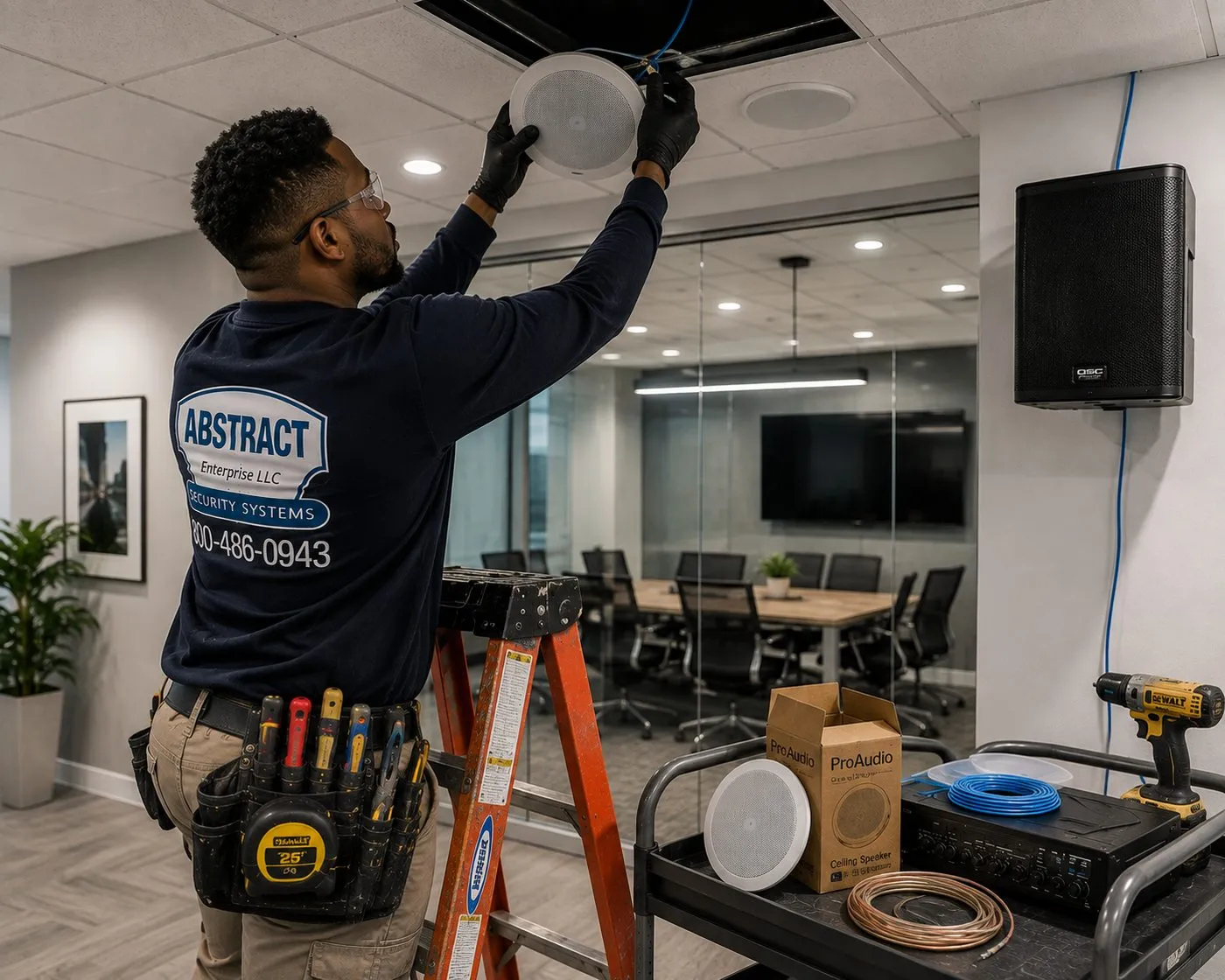
A technician on an orange ladder seats a white round speaker into a ceiling opening, with blue cable running down the wall to a cabinet speaker. On the cart below: an amplifier, a coil of speaker wire, blue cable and a boxed ceiling speaker. Passive ceiling speakers like these are what a Sonos Amp drives.
Get a Free Sonos Quote
Rooms, products you own and your town — we call back the same business day
✅
Request Sent!
We'll call you back the same business day.
25+
Years Experience
✓
Same-Day Estimates
100%
Licensed & Insured
4.7★
201 Google Reviews
Boxes of Sonos gear in the hallway and a party on Saturday? Call (800) 486-0943 or send the 60-second form with the rooms you want covered and what you already own. A technician reads every request, sketches the zones and confirms the price of each line before anyone books a van.
Published line-item prices; multiroom wiring quoted in writing after a walkthrough
Two-hour arrival windows, 8 AM–8 PM, seven days a week, Nassau and Suffolk
NYS licence #12000287431 · certificates of insurance issued free
Sonos was designed for houses with more than one room worth listening in, and Long Island is mostly houses. Across Nassau and Suffolk, roughly eight in ten homes are lived in by the people who own them, according to the Census Bureau, and the typical household is close to three people. That means a family room that doubles as a movie theater, a kitchen where someone always wants the radio on, kids' rooms, a home office, a finished basement and, from May to September, a yard. One speaker can't serve all of that. A properly planned Sonos system can, and it is the reason Long Islanders ask us about Sonos more than any other audio brand.
The catch is that a Sonos system is only as good as the house it sits in and the network it rides on. A single Era 100 on the kitchen counter works out of the box. Eight zones across two floors, a basement and a pool deck is a different job: it needs a plan for which rooms get their own volume, where the wired speakers go, where the amplifiers live, how power reaches the surrounds behind a sectional, and, most of all, whether the Wi-Fi actually covers the far end of a 3,000-square-foot colonial and the back fence. Most of the calls we get about Sonos on Long Island aren't about the speakers at all. They are about speakers that go silent in the basement, a sub that drops off when the microwave runs, or a patio pair that works until someone closes the slider.
The houses shape the answer. A center-hall colonial with a full basement makes wire easy to run: drop it through the floor behind the TV and you are in the joists. A high ranch puts the family room half below grade beside the garage, so the theater and the living room sit on different floors. A Cape or a ranch that grew a dormer, a rear extension or a second storey over the years hides older framing behind newer drywall, and sometimes a set of ceiling speakers a previous owner installed and never connected. And the new construction going up across both counties is the one moment when speaker wire, network cable and the equipment closet cost a fraction of what they will after the drywall is taped.
Then there is outdoors. Decks, patios, pergolas and in-ground pools are part of how Long Island lives in summer, and a Bluetooth speaker on the table is how most of them are served. Sonos's own outdoor speakers, designed to be powered by Sonos Amp, are built for weather; the work is in getting wire from the house to the speaker, keeping power where the electrical code wants it near water, and making sure the network reaches the yard.
That is the work we do across Nassau and Suffolk: planning zones for the way a family moves through the house, installing the speakers and wiring cleanly, fixing the network the system depends on, connecting Sonos to the TV, the alarm app and the smart-home controls already in the house, and pricing every step up front.
Long Island numbers that shape a Sonos system
Roughly four in five homes owner-occupied: the Census Bureau’s QuickFacts puts the 2020–2024 rate at 81.9% in Nassau and 82.2% in Suffolk. People who own the ceiling can cut speakers into it, and wire they pay for stays theirs.
458,166 and 512,565 households: Nassau and Suffolk, 2020–2024 (Census QuickFacts), averaging 2.99 and 2.93 people each — families who all want something different playing at the same time, which is exactly what multiroom zoning is for.
94.8% and 93.2%: share of households with a broadband internet subscription in Nassau and Suffolk (Census QuickFacts, 2020–2024). The connection is almost always there; what fails is the Wi-Fi inside the house.
96.5%: households with a computer in each county (Census QuickFacts). Sonos is set up and controlled from a phone or tablet, and nearly every household already carries one.
821 and 1,399: building permits issued in 2025 in Nassau and Suffolk (Census QuickFacts). Each new house is a chance to pre-wire for speakers before the walls close.
480,591 and 583,777 housing units: Nassau and Suffolk as of July 1, 2025 (Census QuickFacts) — more than a million homes between the city line and Montauk Point.
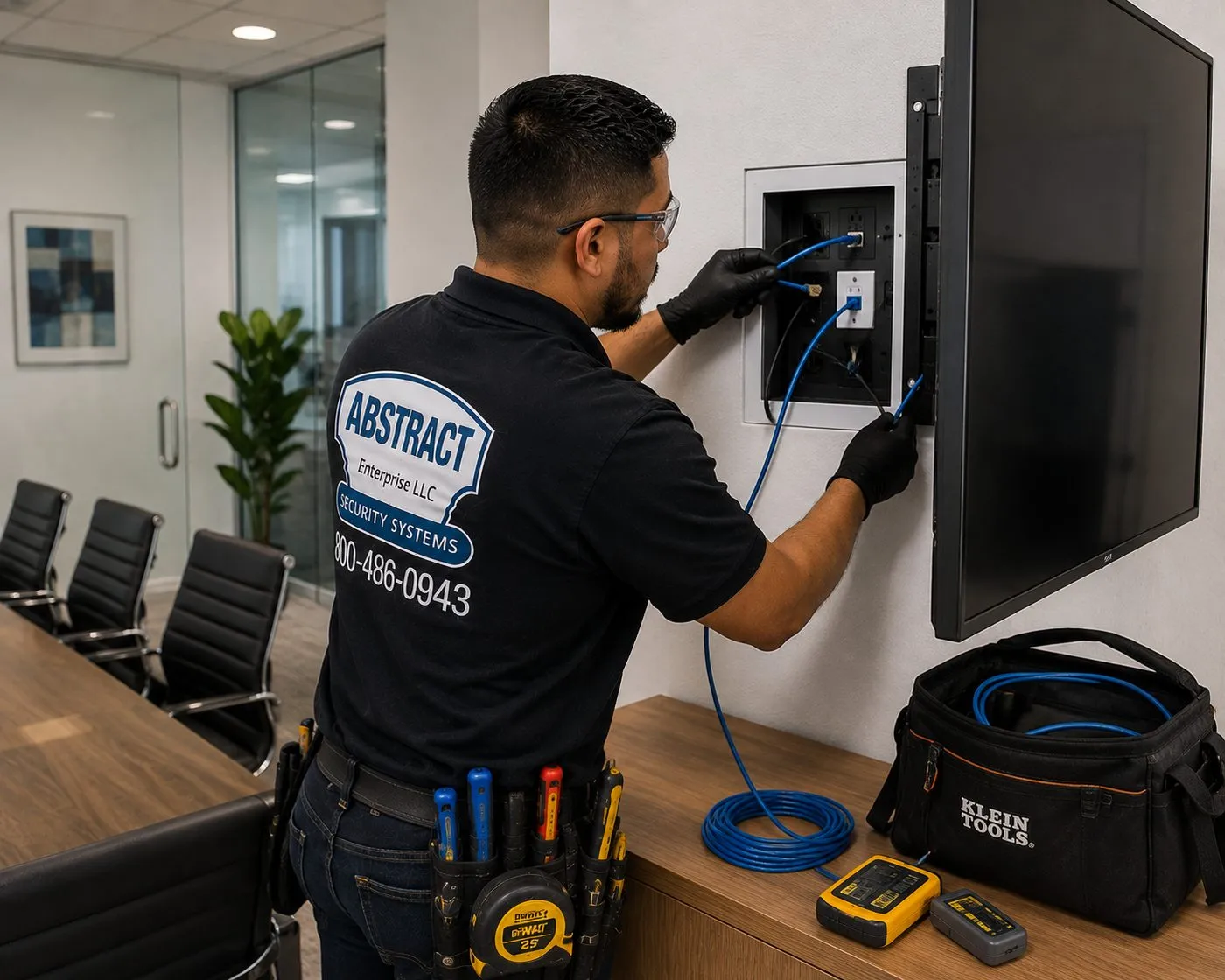
A technician plugs blue cables into a recessed box set into the wall beside a mounted flat screen, with two cable testers and a tool bag on the credenza below. A recessed box behind the TV is where power, HDMI and Ethernet meet before a Sonos bar goes underneath.
Repair Capture
Sonos Dropping Out on Long Island?
Speakers that vanish from the app, a basement zone that won't group with the kitchen, surrounds that cut out mid-film, or a system that stopped working after a new router from the cable company — those are not new installations. Nearly all of them trace back to the network, a TV audio setting or a pairing, and with a technician in the house most are sorted in one to two hours. We book them as a setup-only visit: $225 for the first hour in Nassau or $250 in Suffolk, then 30-minute blocks. Same-day when a two-hour window is open. Call (800) 486-0943 and say it's a Sonos problem.
What We Install
Sonos Installation Services on Long Island
A Long Island Sonos job is usually three or four of these services in one plan. Most families start with the family-room theater and a couple of rooms of music, then add the basement, the deck or the ceiling speakers over a year or two. We design for that from the first visit, so nothing installed today has to be torn out to grow.
Whole-Home Zone Planning
A room-by-room plan that decides which spaces get their own volume, which share one, and which products go where — drawn around how your family actually moves through the house on a weekday evening, not around a showroom.
Family-Room Home Theater
Arc Ultra, Beam or Ray under the TV, a Sub where the bass measures evenly, and a matched pair of surrounds behind the seats. Bar wall-mounted for $129, Sonos system setup for $125, full home-theater hookup for $350.
In-Ceiling Speakers on Amp
Sonos in-ceiling speakers by Sonance, or compatible passive speakers, wired back to a Sonos Amp. Kitchens, primary suites and open-plan great rooms get sound with nothing on the counters. Wiring is quoted in writing after a walkthrough.
Finished Basements
The basement as its own zone: a media wall with a bar and sub, ceiling speakers in a drop or drywall ceiling, and an equipment shelf for the Amp and network switch. Usually the easiest floor in the house to wire.
Attic Rooms and Bonus Spaces
Converted attics and rooms over the garage that the router never reached. We check the signal before you buy, then decide between a wired speaker, a mesh node or an Ethernet run so the room stays in the system.
Patio, Deck and Pool Audio
Weather-rated Sonos outdoor speakers on an Amp, or an Era or Move where portability matters. Wire routed from the house, power kept where the code wants it near a pool, and Wi-Fi checked at the back fence.
New-Construction Pre-Wire
Speaker wire to every ceiling location, Ethernet to the TV walls, a home run to the equipment closet and rough-in brackets in place before insulation — the cheapest Sonos work you will ever pay for.
Wi-Fi and Network for Sonos
Mesh placement, a wired Sonos product at the router, Ethernet to the far end of the house and fixes for the settings Sonos doesn't support. Setup-only visit rates apply: $225 first hour in Nassau, $250 in Suffolk.
Alarm and Smart-Home Tie-In
Sonos added to an Alarm.com account so music plays from the same app as the alarm and in its scenes, plus Alexa or Sonos Voice Control set up per room and AirPlay checked from every phone.
Existing Stereo Into Sonos
Sonos Port connected to the receiver you already own, so the old speakers in the den join the rest of the house. A/V receiver hookup is $129 when it needs reconnecting too.
Rescue of Pre-Wired Speakers
Ceiling speakers a builder or previous owner installed and never connected. We trace the wire, find where it ends, test it and bring it back to an Amp. Common in houses that changed hands.
Sonos for Small Businesses
Background music for salons, gyms, offices and shops along the main roads, zoned so the counter and the floor run at different levels, with certificates of insurance issued free for landlords.
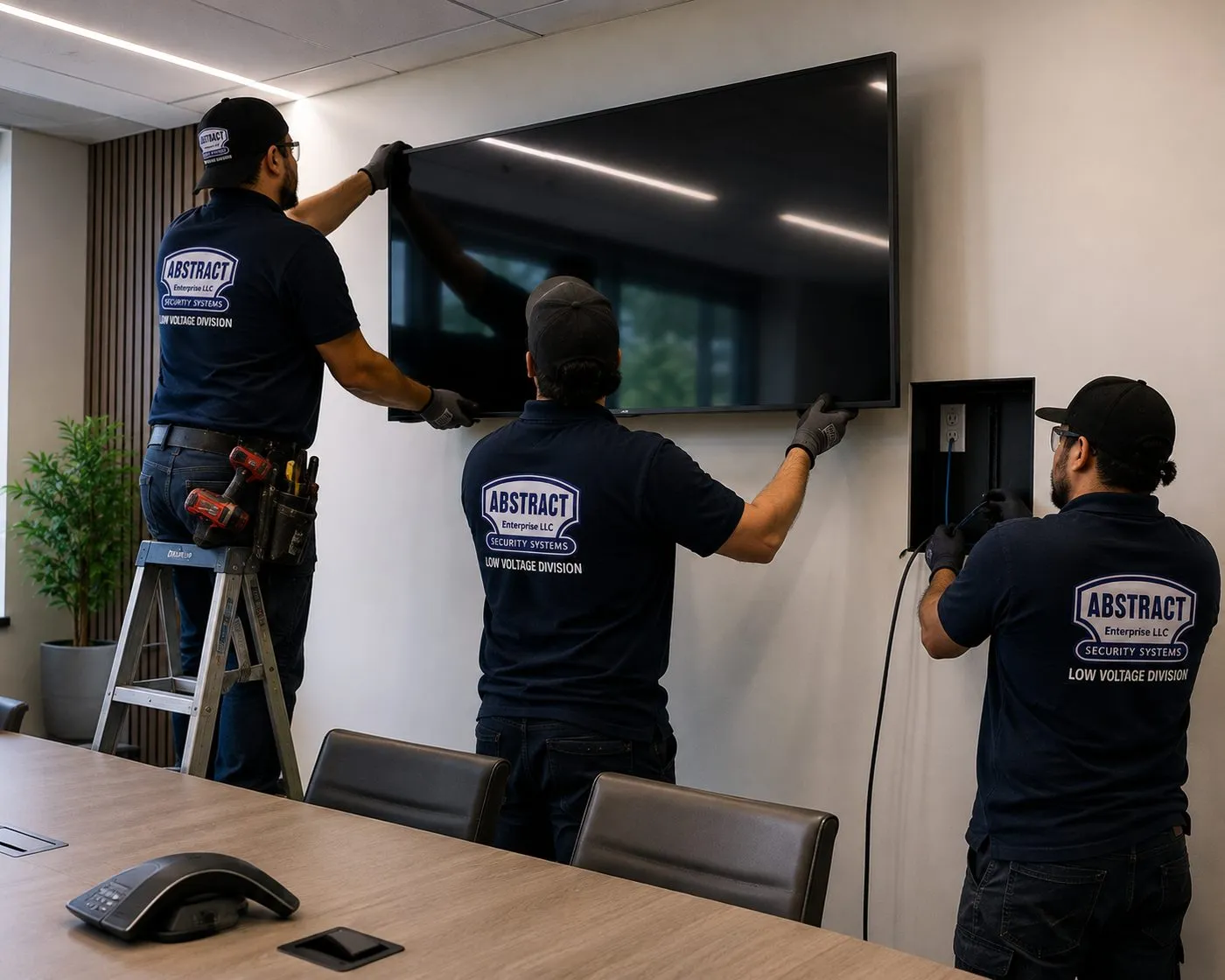
Two technicians lift a large flat screen onto its wall mount while a third feeds cable into a recessed outlet box to the right; a conference phone sits on the table in front. The screen goes up and gets levelled first; a Sonos soundbar is then aligned to it.
The same set of Sonos speakers goes into a high ranch, a colonial and a new build in three very different ways. What matters for Sonos is not the style on the outside but four things on the inside: where wire can travel, where the router sits, how far the farthest zone is from it, and which rooms are over, under or beside each other.
Center-Hall Colonials
Two floors over a full basement, family room off the kitchen, bedrooms upstairs. The basement is a wiring highway to the first floor; the second floor is reached through closets stacked above each other or the attic. The router is often in a corner office, far from the primary suite.
High Ranches and Splits
Living room, kitchen and bedrooms upstairs; family room, laundry and garage on the lower level, partly below grade. The theater usually lives downstairs, the music upstairs, and the slab-on-grade lower floor limits which walls wire can run through.
Expanded Capes and Ranches
Post-war houses that gained dormers, rear extensions and second storeys over the decades. Old and new framing meet behind the drywall, attic access is often over the original section only, and Wi-Fi has to cross what used to be an exterior wall.
Newer Colonials and Custom Builds
Two-storey foyers and great rooms, open kitchens, mudrooms and bonus rooms over the garage. Large footprints that one router can't cover, and ceilings that suit in-ceiling speakers better than anything on a shelf.
New Construction in Progress
Framing open, no insulation yet: the window to run speaker wire, Ethernet and a home run to the equipment closet, and to set rough-in brackets for ceiling speakers so the drywall crew cuts around them.
Houses With Pools and Big Yards
Decks off the kitchen, patios below, pools beyond. Outdoor zones that need wire through a rim joist or along the foundation, and a network that reaches past the back wall of the house.
Methods by house type and floor
Basement to first floor. In a house with an unfinished or drop-ceiling basement, wire for a family-room theater or kitchen ceiling speakers comes up through the floor plate from below. We drill the plate inside the wall cavity, not the floor in the room, and support cable on hooks or straps across the joists rather than leaving it loose on the ceiling tiles. Where the basement ceiling is finished drywall, a few small access holes at the joists let us fish across, and we tell you before we make them.
First floor to second floor. Second-floor rooms are reached through a stacked closet, a chase beside the chimney flue's framing, a plumbing wall or the attic. In a colonial the attic over the second floor is often the easiest route to bedroom and primary-suite ceilings; we come down from above, which avoids opening finished walls downstairs.
Attic and bonus rooms. Converted attics and rooms over the garage tend to have knee walls with accessible space behind them. Wire runs behind the knee wall and across, and insulation is put back the way we found it. These rooms often sit at the edge of Wi-Fi coverage, so an Ethernet run to a speaker or a mesh node is part of the plan.
Slab floors and lower levels. A high ranch's lower level and many ranch additions sit on a slab, so wire can't come up from below. Routes go through the wall from the floor above, along the ceiling in a soffit, or in a paintable raceway along the trim where nothing else works.
New construction. Before insulation we run 16-gauge or heavier speaker wire to each speaker location, Ethernet to the TV walls and the farthest rooms, and everything back to one closet or basement wall where the Amps and network switch will sit. Each run is labelled at both ends and tested before the walls close.
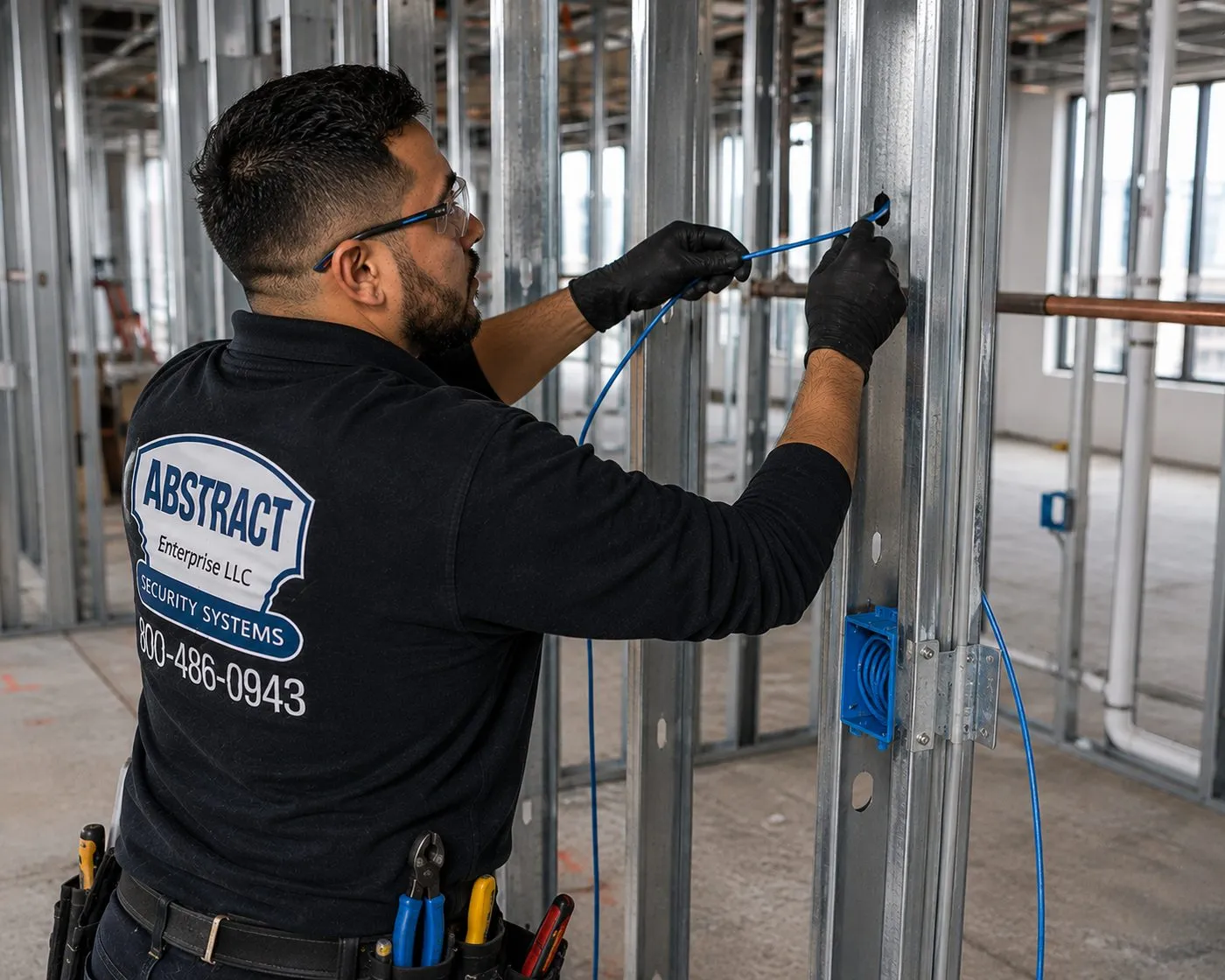
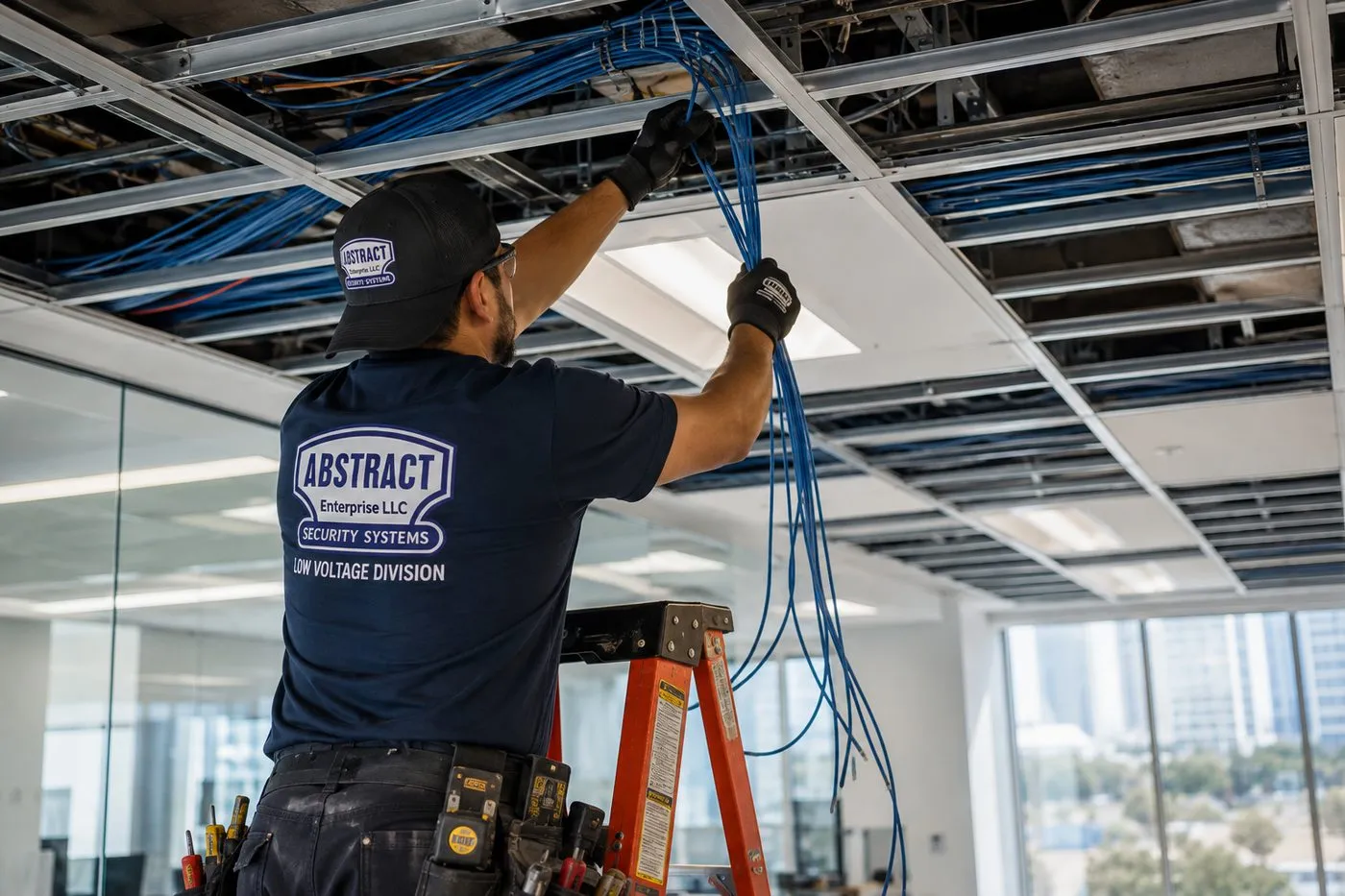
A technician threads blue cable through a punched metal stud next to a blue low-voltage box, in a building with the framing still open. This is the stage at which speaker wire and Ethernet for a Sonos system cost the least to run.A technician on a ladder draws a bundle of blue cable down from above an open ceiling grid, with tiles removed and more cable supported overhead. In a finished basement with a drop ceiling, speaker and network cable for a Sonos zone travels above the grid on its own supports.
Long Island's small businesses sit along a handful of long roads, and many of them want background music that someone behind the counter can control from a phone. Sonos suits a salon, a boutique gym, a dental office, a showroom or a small restaurant: zones for the front and back, volume limits, and no rack of pro-audio gear to maintain. These are the corridors where those businesses cluster.
Jericho Turnpike, Nassau
NY 25 keeps the Jericho Turnpike name through Nassau, running east from Mineola past Jericho and Syosset. Strip centres and freestanding shops along it: salons, fitness studios, medical offices and restaurants that want music in the waiting area and quiet in the treatment rooms.
Jericho Turnpike, Western Suffolk
The same road crosses Route 110 in South Huntington and continues to Commack before becoming Main Street in Smithtown. Retail plazas and professional offices where a two-zone Sonos system is a practical upgrade from a radio.
Sunrise Highway, South Shore
NY 27 runs through Valley Stream, Lynbrook and Rockville Centre, then Merrick, Wantagh, Seaford and the Massapequas. Storefronts along the service roads and nearby downtowns, many with long, narrow sales floors that suit ceiling speakers on an Amp.
Middle Country Road and Smith Haven
NY 25 becomes Middle Country Road through central Suffolk. Around Smith Haven Mall in Lake Grove, opened in 1969 with 119 shops and restaurants in its main building, the surrounding plazas house fitness, beauty and service businesses.
Riverhead and the North Fork
Route 25 is Main Street again in Riverhead and Main Road through the North Fork to the Orient Point ferry. Tasting rooms, farm markets, boutiques and restaurants that run seasonally and want a system staff can switch on without training.
Montauk Highway, East End
NY 27 continues east as Montauk Highway to Montauk Point State Park. Village shops and hospitality businesses that open for the season and need music working on the first busy weekend.
Compliance callouts for commercial Sonos work on Long Island
Insurance paperwork for the landlord. Most shopping-plaza owners want an insurance certificate on file before any trade works in a unit. Tell us who must be named and we issue it at no cost.
Cable jackets in return-air ceilings. Many retail units move air back to the HVAC through the space above the ceiling grid; speaker and data cable there needs a plenum listing, and that is what we pull.
Power for the Amps. If the back room needs a new circuit or receptacle for the amplifier shelf, a licensed electrician installs it and arranges inspection. Our work starts at the plug.
Music for the public. Streaming accounts have their own terms for business use. We install and configure the system; choosing a service licensed for a commercial space is the owner's call, and we'll set up whichever you choose.
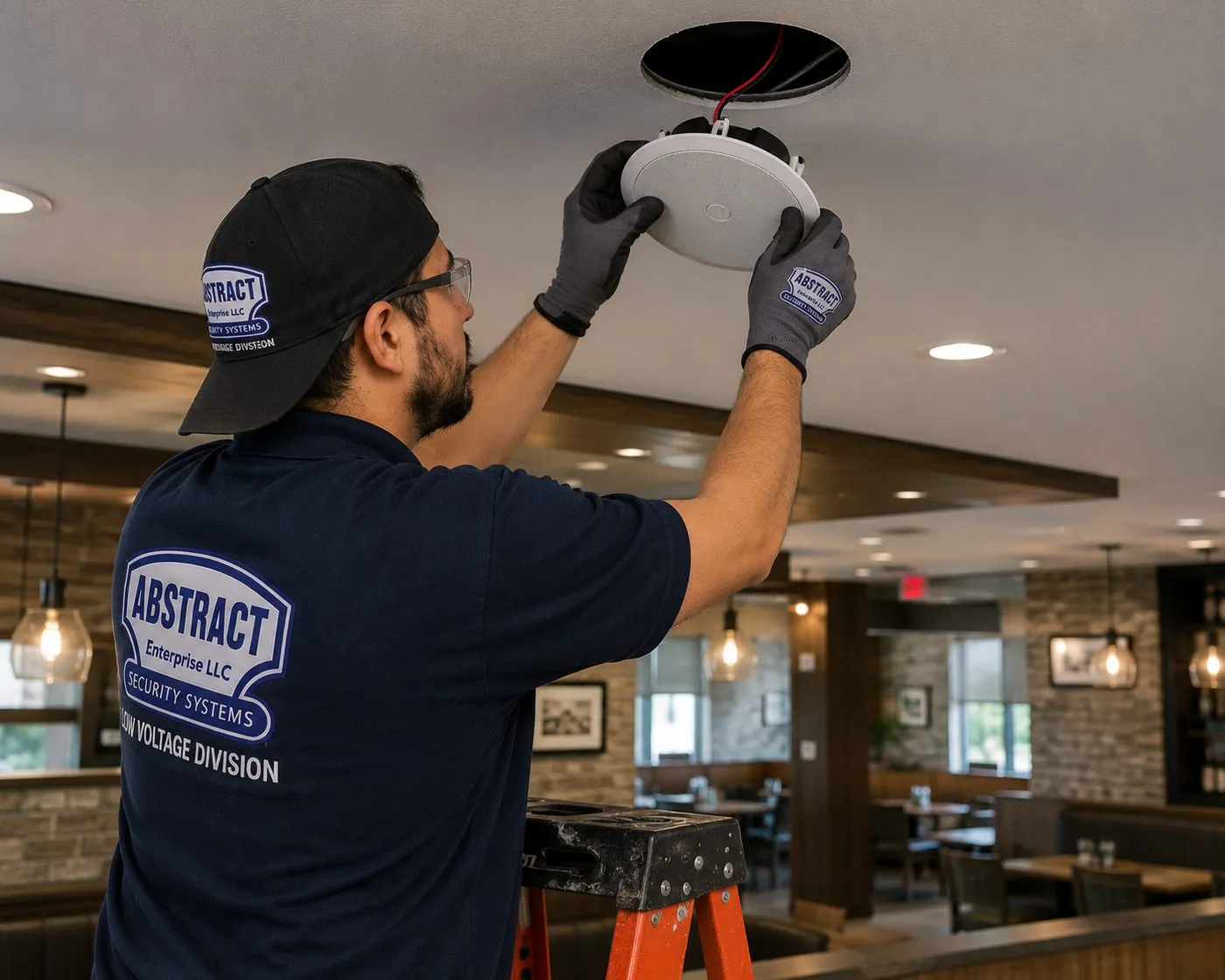
A technician lifts a white ceiling speaker into its cut-out above a restaurant dining room with brick-veneer walls, booths and pendant lights. Ceiling speakers on an amplifier carry background music evenly across a room, which is how small businesses use a Sonos Amp.
Signs a Long Island House Is Ready for Whole-Home Sound
Nobody wakes up wanting an amplifier. They want the music to follow them, the film to sound like a film and the app to stop arguing with them. These are the situations that most often bring a Long Island family to a planned Sonos system rather than another speaker on a shelf.
Four speakers, four apps. A smart speaker in the kitchen, a Bluetooth box on the deck, a soundbar from a different brand and a radio in the garage. None of them play together, and each one needs its own phone pairing. One system with zones replaces all of it.
The kitchen is louder than the music. Range hood, dishwasher and an open plan that carries every conversation. A pair of ceiling speakers spreads sound across the room instead of blasting it from one corner of the counter.
The basement is where everyone actually watches. The family room upstairs has the nicer TV, but the kids, the game console and the sectional are downstairs. That room deserves the theater.
Summer means a speaker on the patio table. It needs charging, it gets knocked into the pool, and nobody can hear it past the second row of chairs. Fixed outdoor speakers on an Amp are louder, weather-rated and always there.
Speakers in the ceiling that nobody uses. The builder or the last owner put them in, and the wire disappears into a wall. They can almost always be brought back to life.
A new build or a gut renovation on the calendar. The walls are about to be open. This is the one time wire is cheap, and the most common regret we hear is not running it.
If one of these sounds like your house, a list of rooms and the products you already own is enough for us to start. If a room is better served by a single portable speaker than by wire in the ceiling, we'll say so.
Your Questions Answered
Sonos Installation on Long Island: Questions Answered
These are the questions Long Island homeowners ask when they move from one Sonos speaker to a system. They are grouped by the decision behind them; short questions about price, timing and policies are in the FAQ further down.
Zoning a whole house
How do we decide which rooms of a colonial get their own Sonos zone and which ones share?
Start from what happens at the same time. A zone is any area that needs its own source and volume, so the test is simple: will two rooms ever want different things playing at once? The kitchen and the family room in an open plan almost never do, so they share. The primary suite and the kitchen often do on a Saturday morning, so they're separate. The basement nearly always wants its own, because that's where the game or the film is on while the rest of the house has music.
In a typical four-bedroom colonial that usually lands at five to seven zones: family room theater, kitchen and breakfast area, dining or living room, primary suite, basement, and one outdoor zone, with kids' rooms and the office as single speakers that can join any group. Sonos lets you group and ungroup zones from the app at any time, so the plan doesn't have to predict every weekend; it just has to put the boundaries in sensible places so no zone fights another.
Can one Sonos Amp run the kitchen and the dining room as separate zones?
No. One Amp is one zone: everything wired to it plays the same thing at the same volume. Sonos's own guide to ceiling speakers says a single Amp can reliably power up to three pairs of Sonos Architectural speakers wired in parallel, so an Amp can cover a long kitchen and breakfast area, or a great room, as one space. If the dining room needs its own volume, it needs its own Amp or its own self-powered speaker.
There is one more rule worth knowing before you buy: to get Sonos's speaker tuning and Trueplay on an Amp, every speaker connected to it must be the same size. Mixing a large and a small in-ceiling model on one Amp works, but loses the optimisation. When we plan a floor, we group speakers by room and by model so the Amp count matches the zone count.
Will music stay in sync when the whole first floor is grouped for a party?
Yes, when the network is healthy. Sonos is built to play the same stream in time across rooms, and grouping the kitchen, family room, dining room and deck is the normal party setup. What breaks sync is a weak link: one speaker on the edge of the Wi-Fi drops and rejoins, and the group stutters.
So the party test is part of our hand-over. We group every zone, play the same track, walk the house and the yard, and watch for any room that lags or drops. If one does, we fix the network path to that room before we leave rather than leaving you to discover it with forty guests in the backyard.
Finished basements and attic rooms
Should the Arc and Sub go in the finished basement or the main-floor family room?
Whichever room gets used for films, and in a lot of Long Island houses that is the basement. It's darker, it's away from the bedrooms on the second floor, the sectional is bigger and the game consoles already live there. It's also the easiest room to wire, because the ceiling over it is the floor of the house and the walls were framed recently.
The upstairs family room often has the fireplace, the windows and the open kitchen, which make it a better music room than a cinema. A common split is an Arc Ultra or Beam with a Sub and surrounds in the basement, and a Beam or a pair of ceiling speakers on an Amp in the family room. Both join the rest of the house for music, and the theater gets the room where it sounds best.
Our basement has a drop ceiling — can Sonos in-ceiling speakers go into the tiles?
They can go into the ceiling, but not supported by the tile alone. A suspended ceiling tile won't hold a speaker's weight for long, so the speaker is fitted with a support bracket or tile bridge that spreads the load onto the grid, and in some cases a safety wire to the structure above. The cut-out is made in a new tile, which is cheaper than patching drywall.
Two other things matter in a drop ceiling. The space above is open to the rest of the basement ceiling, so speakers sound thinner without a back box or enclosure; we'll tell you when one is worth it. And the cable is supported above the grid on its own hangers rather than lying on the tiles, so the next person who lifts a tile to reach a pipe doesn't pull a speaker wire with it.
The converted attic bedroom never gets Wi-Fi — what's the fix before adding a speaker there?
First, find out how bad it is. We measure the signal in the room from the speaker's actual position, because the bed corner and the dormer window can differ a lot. Attic rooms are often separated from the router by two floors, a run of ductwork and a knee wall packed with insulation with a foil facing, any of which can eat the signal.
Then pick the cheapest fix that works. Sometimes moving a mesh node to the hallway below is enough. Sometimes an Ethernet run up through a closet to the attic, to a node or straight to the Sonos speaker, is the reliable answer. What Sonos itself says not to use is a plug-in wireless range extender; its system requirements list those as unsupported, and they cause exactly the dropouts people are trying to cure.
Patios, decks and pools
What actually survives a Long Island summer and winter outdoors — Sonos's outdoor pair or a Move?
For speakers that stay up all year, the wired outdoor pair. Sonos's outdoor speakers by Sonance are rated IP66 and tested for humidity, salt spray, temperature and UV, with an operating range Sonos lists as minus 13 to 149°F. They are passive speakers driven by a Sonos Amp kept indoors, which means no electronics outside to fail in a January freeze.
A portable Sonos speaker is the right answer for a table you carry outside on a nice evening and bring in afterwards. It isn't a fixed installation, and it shouldn't live on the deck from Memorial Day to Labor Day. Many families end up with both: fixed speakers for the deck and pool area, and a portable one for the end of the dock or the beach.
How far from the pool can the outdoor speakers and their power go?
The speakers themselves carry low-voltage speaker wire from an Amp inside the house, so the question is really about electricity. The residential electrical code's pool section keeps general receptacles at least six feet from the inside wall of a pool, and requires a protected receptacle within a set distance for in-ground pools. That governs where an electrician can put an outlet, not where we can put a passive speaker.
Because the Amp lives indoors, outdoor speakers around a pool need no outlet at all near the water. We mount them on the house, a pergola post or a fence line aimed back at the seating, run the wire through the rim joist or along the foundation, and keep every powered device inside or on a properly protected outdoor receptacle installed by an electrician.
Will patio speakers bother the neighbors on a quarter-acre lot?
They don't have to. Sound carries further than people expect on a still summer evening across open yards, so outdoor speakers are aimed at the seating and away from the property line, mounted under an eave where possible, and set with a sensible volume ceiling. Several smaller speakers at moderate volume cover a patio far better than two loud ones, and they are much kinder to the house next door.
Sonos also lets you cap the maximum volume of a zone in the app. On an outdoor zone we set that cap with you during hand-over, so a teenager's playlist at 11 PM can't go past the level you agreed was fine with the neighbors.
New construction and renovation pre-wire
Building on Long Island this year — what should the electrician's walkthrough include for Sonos?
Bring the speaker plan to the pre-drywall walkthrough, not the electrician's alone. Decide where each pair of ceiling speakers goes, where every TV will hang, where the outdoor speakers will mount and where the equipment will live. Then make sure the low-voltage contractor runs speaker wire to each location, Ethernet to each TV and to the far rooms, and a home run for each zone back to the equipment spot.
The electrician's part is power: a dedicated outlet at the equipment shelf or rack, outlets behind the TVs and wherever a Sub or surrounds will sit, and protected outdoor receptacles for anything powered outside. With both done before insulation, finishing the system later is mostly fitting speakers and plugging in Amps.
Where should the Sonos Amps live in a new house — a closet, the basement or a rack?
Somewhere central, ventilated and near the network. The Sonos Amp's documentation asks for at least three inches of clearance on all sides when it sits on a shelf, and says two Amps fit side by side in a 2U rack space and four in 3U. A basement wall with a small rack, or a ventilated closet near the router, works well for most houses.
Avoid a shut closet with no airflow, the attic and the garage. Each Amp also needs a network path: the Amp has two Ethernet ports, so a small switch in the same spot lets every Amp be wired, which is the most reliable way to run a multiroom system with several Amps.
The family-room home theater
Under a 65-inch TV in an open-plan family room, does an Arc Ultra beat a Beam plus a Sub?
It comes down to the room and the TV. Arc Ultra is about 46.4 inches wide and 13 lb, with 14 drivers and Dolby Atmos; Sonos describes it as built for large rooms and TVs. Under a 65-inch or larger screen in an open family room it is the natural choice, and it can pair with two Subs. A Beam is shorter and suits a smaller den, a bedroom or a TV under 55 inches, and it pairs with a Sub and surrounds just the same.
Before choosing, measure the TV's width and the wall or console below it, and check how the room opens to the kitchen. In an open plan, the Sub matters as much as the bar, because it lets the bar run cleanly without straining. We'll look at the room and tell you honestly when the smaller bar plus a Sub sounds better than the bigger bar alone.
Where do the Sub and surrounds go when the sectional floats in the middle of the room?
Sonos's surround guidance is to place the speakers behind and to the left and right of the usual listening position, and both surrounds must be the same model in the same orientation. With a sectional in the middle of the room, that means stands or wall mounts behind it, each with power nearby, since Sonos surrounds are wireless for audio but still plug in.
The Sub 4 can stand upright or lie on its side under a sofa, according to Sonos, which helps in a family room with no spare corner. We try two or three positions, run Trueplay and leave it where the bass is even across the seats, not where it's loudest in one. Where floor outlets don't exist, we route cords neatly to the nearest wall outlet or recommend an electrician add one.
Can ceiling speakers on an Amp be the rear surrounds instead of two Era speakers?
Yes, with a second Amp. Sonos's surround guidelines describe using one Amp for front speakers and a second Amp to drive the surrounds, and note that the surround Amp can't be networked on its own; it works alongside the main home-theater product. In a family room where the ceiling over the sofa is flat and accessible from the floor above, in-ceiling surrounds keep the floor clear.
If the room above is finished and the ceiling can't be reached, Era 100s on stands or wall mounts are the simpler route. We'll price both and show you where each would go before you decide.
Wi-Fi across a larger footprint
Our mesh system covers the house — why does Sonos still drop in the far rooms?
Usually because of how the mesh is arranged, not because Sonos and mesh don't mix. Sonos recommends a Wi-Fi mesh router when you need to extend coverage, and when a Sonos product is wired it says that product must connect to the primary mesh node. A wired speaker plugged into a satellite node, or a satellite placed at the edge of the old router's range instead of halfway, are the two layouts we fix most often.
The other common cause is a setting. Sonos lists guest networks, networks behind a login page and 5 GHz-only routers as unsupported, and all products need to be on the same subnet as the phone running the app. A new router from the cable company with band steering or client isolation switched on can quietly break things that worked the week before.
In a five-to-eight-zone house, which Sonos products should be plugged into the network by cable?
Sonos's own system requirements recommend one or more Sonos products wired to the router by Ethernet at all times for a wired setup, and require the router to support Spanning Tree Protocol when that's done. In a house with several Amps, a Port or a Sub near the network equipment, wiring them is simple and makes the whole system steadier.
It isn't mandatory for a small system on good Wi-Fi. For a five-to-eight-zone Long Island house with a basement and an outdoor zone, we wire whatever can sensibly be wired at the equipment location, and let the room speakers run on Wi-Fi from properly placed mesh nodes.
Can the backyard zone run on Wi-Fi from a router at the front of the house?
Sometimes, but plan to check it. A router in a front office has to send its signal through the whole house, often including a kitchen full of appliances and an exterior wall, before it reaches a speaker by the pool. We measure at the deck and at the far edge of the patio before mounting anything outside.
The good news with fixed outdoor speakers is that the Wi-Fi only has to reach the Amp, and the Amp sits indoors near the back of the house or in the basement. Put the Amp on Ethernet or near a mesh node and the outdoor zone is as reliable as any room inside.
Alarm and smart-home integration
Can the alarm system's app control the Sonos speakers?
If the alarm runs on Alarm.com, yes. Alarm.com's installation guide says Sonos speakers can be added to an Alarm.com account so that users can play audio from their Sonos favorites, play and pause, change the volume and mute from the Alarm.com app, and include audio in Scenes. Fuller control, such as grouping speakers and choosing sources, still opens the Sonos app from inside the Alarm.com app.
Two limits are worth knowing: an Alarm.com account supports one Sonos household at a time, and music has to be saved to My Sonos before it can be played from Alarm.com. We set the favorites up with you so the Scenes you want, such as music on in the kitchen when the system is disarmed in the morning, actually have something to play.
Which voice assistants work with a Sonos system in our house?
On current Sonos products such as Arc Ultra, Sonos lists Amazon Alexa and its own Sonos Voice Control alongside the app and the touch controls, plus Apple AirPlay 2 for anyone on an iPhone. We set up voice per room, so asking the kitchen speaker for music plays in the kitchen and not in the basement.
If your household is invested in another ecosystem, check the specific Sonos model before you buy, because voice assistant support has changed over time and isn't the same on every product. We'll confirm compatibility for the exact models on your list during the quote.
Our house was pre-wired with ceiling speakers that were never connected — can they join Sonos?
In most cases, yes. Houses that change hands sometimes come with ceiling speakers and a bundle of unlabelled wire in a closet or the basement; one Long Island homeowner on Reddit's r/Ubiquiti described powering a set of in-ceiling speakers the original owners had installed and never hooked up. We use a tone generator and probe to match each wire to its speaker, test each run for shorts and continuity, and check the speakers' impedance before connecting anything.
The Sonos Amp drives a minimum of 4 ohms, according to its product guide, so we confirm the speakers' rating first; two pairs of 8-ohm speakers can be wired in parallel on one Amp. Once each run is identified, the old speakers become Sonos zones on an Amp at the equipment location, often for far less than new speakers would cost.
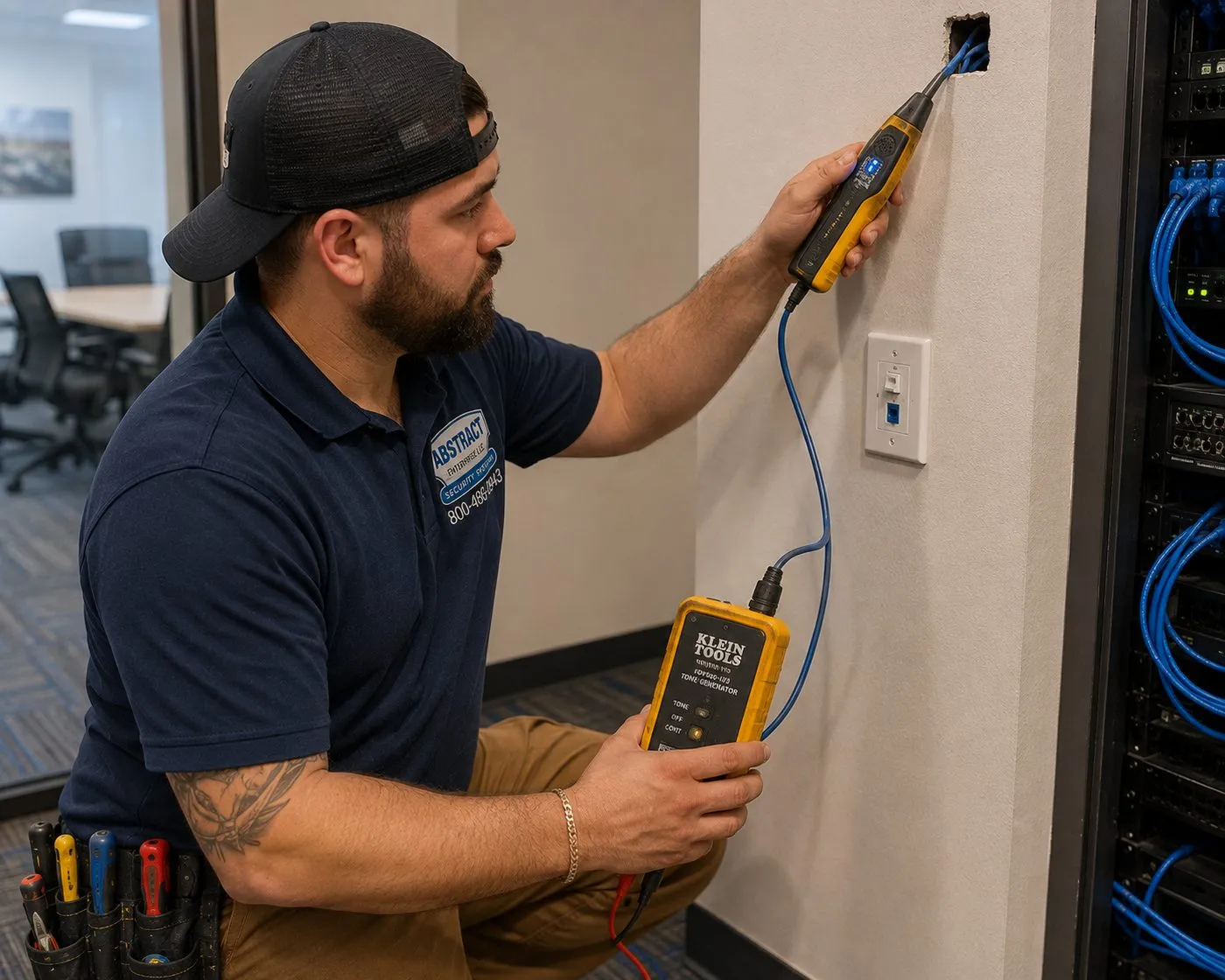
Kneeling by a wall, a technician holds a tone probe at a cable coming out of an opening while a tone generator clipped to the other end sits in his hand, beside an equipment rack. This is how an unlabelled speaker wire is matched to the speaker it serves.
Equipment
Types of Sonos Systems We Install
We install the whole Sonos range and the compatible speakers around it, and we'll tell you when the product on your list doesn't suit the room. Figures below come from Sonos's own product pages and guides; ranges change, so confirm the current model before buying.
Arc Ultra Soundbar
About 46.38 in wide, 2.95 in tall and 13 lb, with 14 drivers including Sonos's Sound Motion woofer, HDMI eARC, Wi-Fi 6 and Bluetooth 5.3. Pairs with up to two Subs and a set of surrounds. The family-room theater for larger rooms and TVs.
Beam and Ray
Smaller Sonos soundbars for dens, bedrooms and basements with a smaller TV. Both appear on Sonos's list of products the Sub 4 pairs with, so a family can start with the bar and add bass later.
Sub 4
Sonos lists it at 15.31 × 15.83 × 6.22 in and about 26 lb, with a 10/100 Ethernet port. Stands upright or lies on its side under a sofa, connects over Wi-Fi, and pairs with Arc Ultra, Arc, Beam, Ray, Five, Era 300 and Era 100.
Era 100 and Era 300
Self-powered speakers for single rooms, and the usual choice for wireless surrounds. As surrounds they must be a matching pair; with a wireless main bar, Era surrounds can't use Ethernet, per Sonos's surround guidelines.
Sonos Amp
125 W per channel into 8 ohms, HDMI ARC, line-in, sub out and two Ethernet ports. Drives one pair of speakers, or two pairs of 8-ohm speakers in parallel; Sonos says up to three pairs of its Architectural speakers of the same type.
In-Ceiling and In-Wall by Sonance
Sonos Architectural speakers designed for the Amp, with Trueplay support on in-wall and in-ceiling models. Sonos suggests a pair for rooms up to about 150 sq ft and six or more speakers for spaces up to about 500 sq ft.
Outdoor Speakers by Sonance
Passive outdoor pair rated IP66 and built to Mil Spec 810 for humidity, salt spray, temperature and UV, with an operating range of −13°F to 149°F. Powered by an indoor Amp over 16-gauge or heavier wire, mounted on FastMount brackets.
Sonos Port
Brings an existing receiver or stereo into the Sonos system, with analog and coaxial digital outputs, an automatic 12V trigger to turn the amplifier on, and dual Ethernet ports. Shelf or rack mounted.
Mesh Wi-Fi and Switches
Not Sonos products, but the part that decides whether Sonos works. Mesh nodes placed for coverage, a small switch at the equipment location so Amps and the Port can be wired, and Ethernet to the far end of the house.
Connections and settings that make or break it
HDMI eARC is how a Sonos soundbar gets sound from the TV and lets the TV remote control the volume. It must be the TV port labelled eARC or ARC, with the TV's audio output set correctly; most "no sound" calls about a new bar are the wrong port. Trueplay tunes speakers to the room: Sonos's support article says most products need an iOS device, while Arc Ultra, Era 100 and Era 300 can also be quick-tuned from Android, and advanced tuning remains iOS-only. Re-run it whenever a speaker is moved. Ethernet to at least one product at the router is what Sonos recommends for a wired setup, and it is what keeps a large system steady.
We test every zone, every group and every source — the TV, AirPlay from each phone, the streaming services you use and voice control — before we leave, because a system that plays Spotify in the kitchen but drops the film in the basement is not finished.
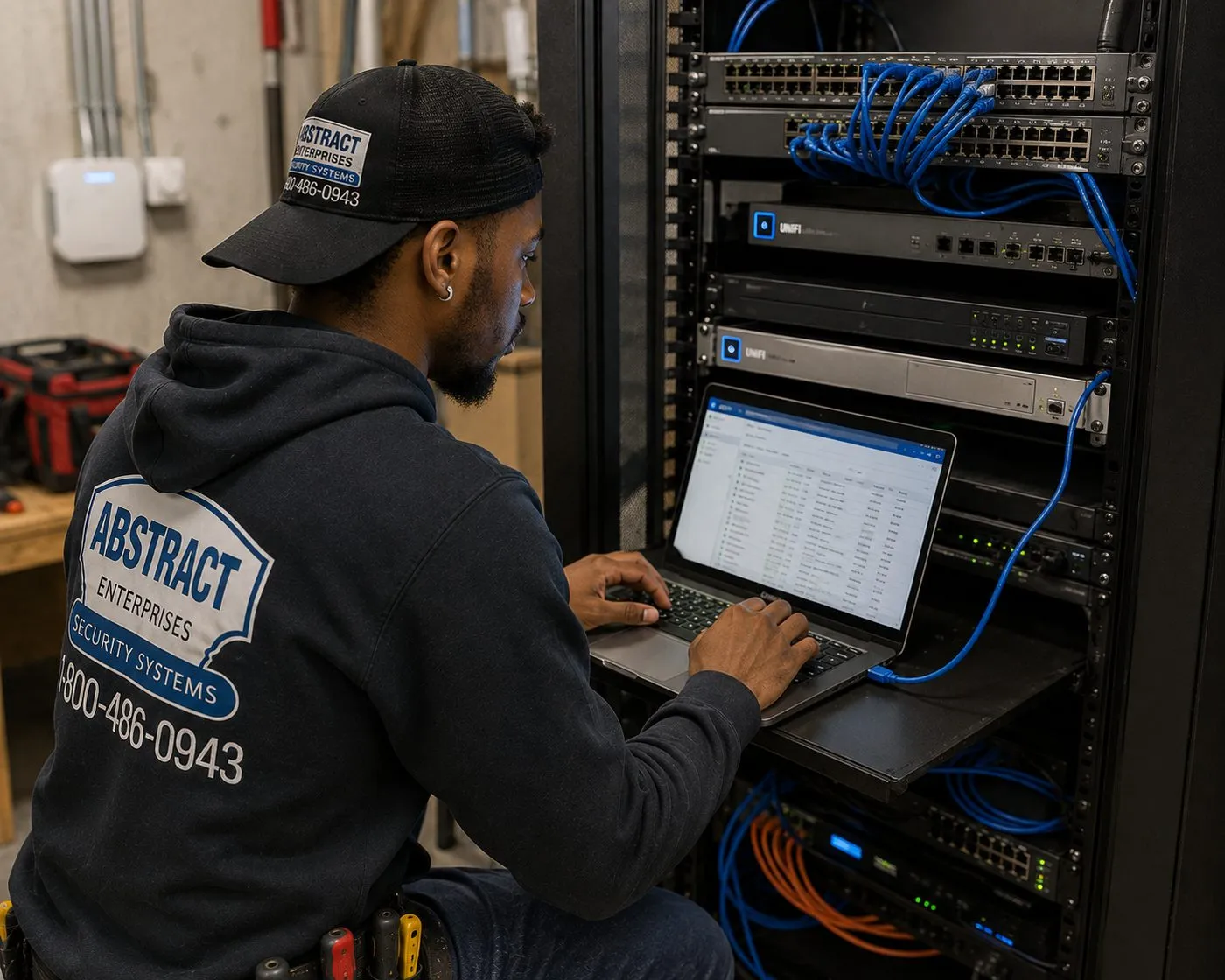
A technician types on a laptop resting on a rack shelf, with network switches and patch cables above and more equipment below, in what looks like a basement utility area. A small rack like this is where Sonos Amps and a switch can share a wired, ventilated home.
Plain-English Glossary
Sonos Terms You Will See on a Box, an App or a Quote
Zone (room). Any area with its own source and volume. In the Sonos app each room is a zone; zones can be grouped to play together.
Group. Two or more zones playing the same thing in sync, each with its own volume. The usual party setup.
Household. Every Sonos product on one system and one account. Sonos says up to 32 products can be added to a single system.
Home theater product. The soundbar or Amp connected to the TV, which the Sub and surrounds are bonded to.
Surrounds. A matched pair of speakers behind the seats, bonded to the home theater product. AirPlay, Bluetooth and line-in are disabled on speakers used as surrounds.
Passive vs active. Passive speakers (in-ceiling, outdoor) need an amplifier such as Sonos Amp. Active speakers (Era, Arc, Sub) have their own amplifiers and plug into the wall.
Wired in parallel. How several speakers share one Amp channel. The total load must stay at or above the Amp's 4-ohm minimum.
Trueplay. Sonos's room tuning, using a phone's microphone (advanced, iOS) or the speaker's own microphone (quick tuning on supported models).
Mesh router. A Wi-Fi system with several nodes that share one network name. Sonos recommends mesh for extending coverage; wired Sonos products connect to the primary node.
Range extender. A plug-in repeater that creates a second network. Sonos lists these as unsupported.
Spanning Tree Protocol (STP). A router feature that stops network loops. Sonos requires it when products are wired.
AI Overview Reality Check
What AI Gets Wrong About Sonos Installation on Long Island
We couldn't load Google's AI Overview from our research environment, so we haven't invented its wording. Below are claims that national cost guides, retailer listings and forums actually publish — the material AI summaries are built from — checked against how Sonos jobs go in Long Island houses.
"Surround sound installation costs $241 to $1,350"
That is Angi's 2026 national range for professional surround sound installation, with simple setups lower and custom work far higher. It is a fair description of a national midpoint and says little about any particular house.
A Sonos family room built from a wall-mounted bar, a Sub and a pair of surrounds is assembled on our side from published lines: $129 to wall-mount the bar, $125 for the Sonos setup, and the TV mounting base for your county if we hang the screen too. Wiring ceiling speakers for surrounds is the variable part, and that's quoted in writing after we see the room.
When comparing quotes, ask what the number covers: mounting, wiring, the Sub and surround setup, Trueplay, and whether the network is checked. A low headline often leaves out the parts that make the system work.
"Multi-room audio adds $500 to $1,000 per room"
Angi lists additional zones or multi-room audio at $500 to $1,000 per room as an add-on to surround installation. Per-room averages are a reasonable starting point for a budget.
On Long Island the cost of a zone is mostly the wire path, and the house decides it. A kitchen above an open basement ceiling is a short, easy run. A primary suite on the second floor of a finished colonial with no attic access over it is not. Two rooms with the same speakers can differ widely in labour.
That's why we quote multiroom wiring after a walkthrough rather than by the room, and we show you the route for each zone so you can see why one costs more than another.
"Sonos works anywhere you have Wi-Fi"
Sonos's own requirements are more specific. They list wireless range extenders, Ethernet-over-power adapters, guest networks, networks with a sign-in page, WPA Enterprise and 5 GHz-only routers as unsupported, and they require every product and the controlling phone to sit on the same subnet.
In larger Long Island houses the usual culprits are exactly those: a plug-in extender bought to reach the basement, a powerline kit to the bonus room, or a new router with a guest-style setting switched on.
Sonos recommends a mesh router to extend coverage, with any wired Sonos product connected to the primary node. Fixing the network first is often the cheapest way to fix the speakers.
"Sonos ceiling speakers just plug into the Wi-Fi"
Product listings that show a sleek ceiling speaker can give that impression. Sonos's in-ceiling, in-wall and outdoor speakers by Sonance are passive: they have no amplifier or Wi-Fi of their own and are designed to be powered by a Sonos Amp over speaker wire.
So every set of ceiling speakers means a wire from the speaker to an Amp, and an Amp with power and a network connection. Sonos says one Amp can reliably power up to three pairs of its Architectural speakers wired in parallel, and that all speakers on an Amp must be the same size to get its tuning.
The planning question is where the Amps live and how the wire reaches them, which is why pre-wiring during construction or a renovation saves so much.
"Ceiling speaker installation averages $1,000 to $2,000"
One installer-software blog gives that range, with $200 to $500 for a basic one-or-two-speaker job, and a thread in a low-voltage installers' Facebook group puts the labour per speaker at around 45 minutes to an hour. Neither describes the ceiling over your kitchen.
The biggest swing factor is access. With an open basement below or an attic above, a pair of ceiling speakers is quick. Under a finished floor, wire has to be fished between joists, sometimes with small access holes that need patching by a painter afterwards.
Our walkthrough identifies the access for each speaker location before pricing, so the quote reflects your house rather than a national average.
"Trueplay works with any phone"
Not quite. Sonos's support article says most Sonos products need an iOS device for Trueplay. Arc Ultra, Era 100 and Era 300 (along with a few newer models) can do quick tuning from Android, but advanced tuning is iOS-only, and some iOS devices don't support it.
In a household of Android phones, the in-ceiling speakers on an Amp and older products may never get tuned unless someone brings an iPhone. Sonos also advises re-running Trueplay if a speaker moves or the setup changes.
We carry an iOS device on Sonos jobs so every zone that supports Trueplay gets tuned during installation, whatever phones the family uses.
"The Sonos app is the same as it always was"
Summaries trained on older material may describe an app that no longer exists. Sonos released a redesigned app in May 2024 that, as PCWorld reported, was hobbled by poor performance and removed features such as queue editing and local media access at launch; CEO Patrick Spence stepped down in January 2025 in the aftermath.
For homeowners, the practical point is that menus and steps described in older guides may not match what's on your phone, and features have changed through updates since.
At hand-over we walk through the current app on your own phone: rooms, groups, favorites, volume limits and the TV settings, so you aren't relying on a tutorial written for a previous version.
Music in Every Room, Planned Around Your House
Send a list of the rooms, what you already own and where the router sits. We'll sketch the zones and tell you what each step costs.
List the rooms, the Sonos gear and the kind of house, and a technician answers the same business day. Prefer to talk? Call (800) 486-0943.
✅
We Got Your Request!
We'll call you back the same business day. If it's urgent, call us now at (800) 486-0943.
How It Works
Our Installation Process
Seven steps, whether it's one family-room theater in Hicksville or eight zones and a pool deck in Commack. Single-room jobs usually finish in one visit; wired multiroom systems are scheduled in stages we agree up front.
1. Tell us the house
Call, text or use the form with the rooms you want, the Sonos products you own, where the router is and the house type. We reply with the fixed-price lines and what needs a walkthrough.
2. Walk the house
For wired zones, a technician checks the router, the basement, the attic and the Wi-Fi at each speaker position, then sends a written zone-by-zone quote.
3. Book two-hour windows
Pick slots from 8 AM to 8 PM, seven days. Multi-zone jobs are split into agreed stages, such as wiring first and finishing after the painter.
4. Wire and mount
Speaker wire and Ethernet run along the planned routes, ceiling and outdoor speakers fitted, the bar mounted and levelled to the TV, Amps placed with clearance.
5. Network and setup
Mesh placement or wired anchors fixed, every product added to your Sonos household, rooms named, Sub and surrounds bonded, eARC confirmed.
6. Tune and test
Trueplay run on every zone that supports it, each zone and group tested with your services, AirPlay from each phone, voice control and volume caps set.
7. Hand-over
We walk the app with you on your own phone, label the equipment location, note which wire goes where, and take the boxes if you want them gone.
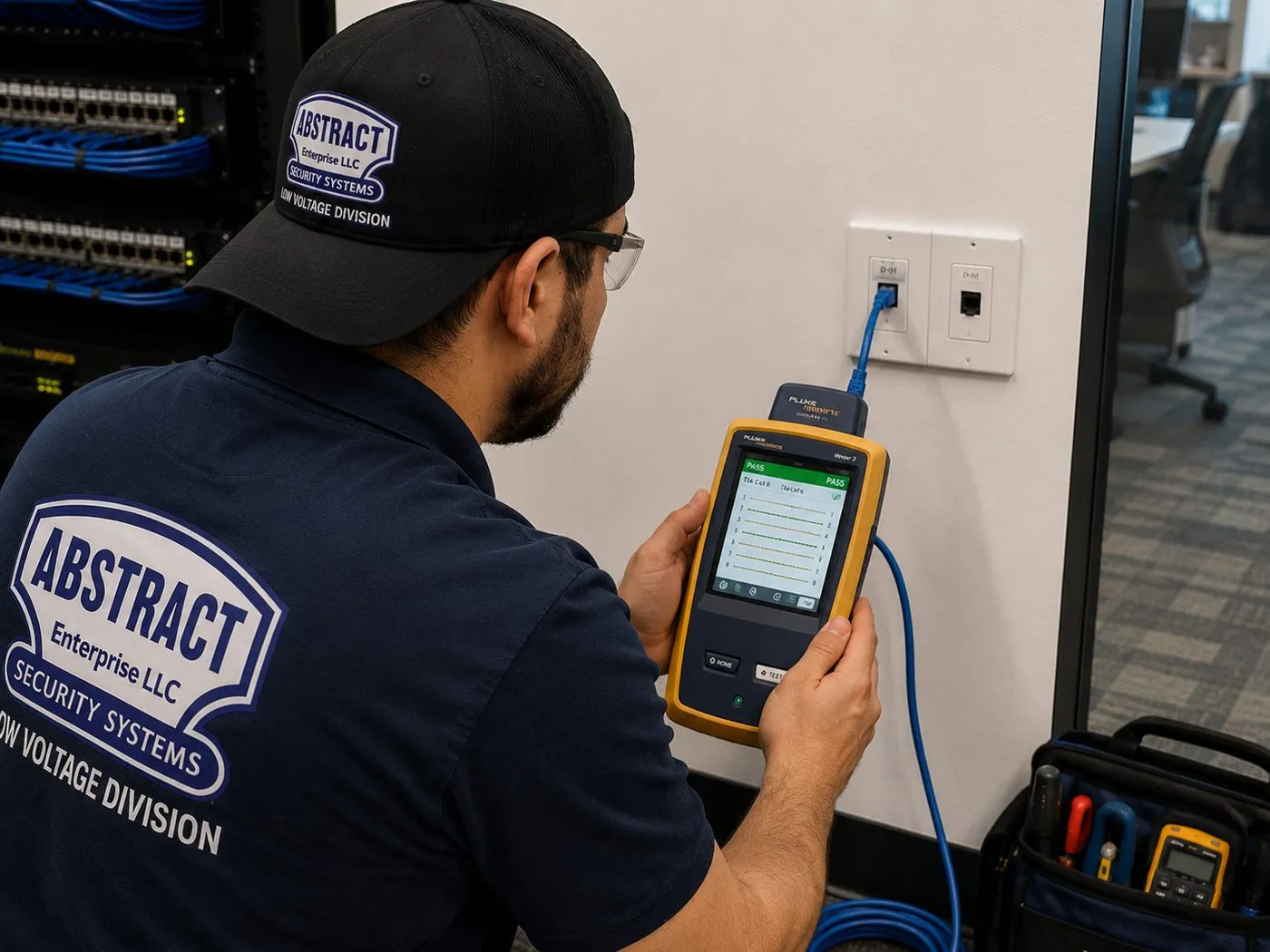
A technician holds a handheld cable tester plugged into a wall jack, its screen showing a list of passing results, with a patch panel visible on the left. Every run that feeds a wired Sonos product or a mesh node is tested before the walls close.
Coverage Area
Sonos Installation Near Long Island's Landmarks
Long Islanders tend to give directions by the parks, the beaches and the big roads. These are six of them, and we install Sonos in the houses and businesses around every one.
Eisenhower Park, East Meadow
A 930-acre county park in the heart of Nassau, larger than Central Park, with three 18-hole golf courses, the county's September 11th Memorial and the Harry Chapin Lakeside Theatre, which runs outdoor concerts and movies through the summer.
Bethpage State Park, Old Bethpage
A 1,477-acre state park on the Nassau–Suffolk border with five golf courses, including the Black Course that hosted the 2002 and 2009 U.S. Opens, the 2019 PGA Championship and the 2025 Ryder Cup. Plainview, Farmingdale and Bethpage surround it.
Planting Fields, Upper Brookville
An arboretum and state historic park of more than 400 acres in the Town of Oyster Bay, the former estate of William Robertson Coe, whose 353 acres were deeded to New York State in 1949. North Shore villages and hamlets ring it.
Sunken Meadow State Park, Kings Park
A 1,287-acre park in the Town of Smithtown with three miles of Long Island Sound beach, a three-quarter-mile boardwalk and a 27-hole golf course. The neighborhoods of Smithtown, Kings Park and Fort Salonga sit behind it.
Heckscher State Park, East Islip
A 1,600-acre park on the Great South Bay, officially opened in February 1929, with a beach, a boat launch and a disc golf course in Heckscher Forest. The South Shore communities of the Town of Islip run east and west of it.
Fire Island Lighthouse
The 168-foot tower on the western end of Fire Island, first lit in 1858 and returned to service in 1986 after a preservation society raised over $1.2 million to restore it. Seen from Bay Shore to Babylon across the Great South Bay.
We also install across Garden City, Mineola, Westbury, Levittown, Hicksville, Syosset, Massapequa, Merrick, Rockville Centre, Huntington, Commack, Smithtown, Dix Hills, Lake Grove, Port Jefferson, Patchogue, Sayville, Riverhead and the North Fork, and the communities between them. The same crews and prices cover Nassau and Suffolk, and we cover Sonos installation in New York City and Hudson Valley Sonos installation too.
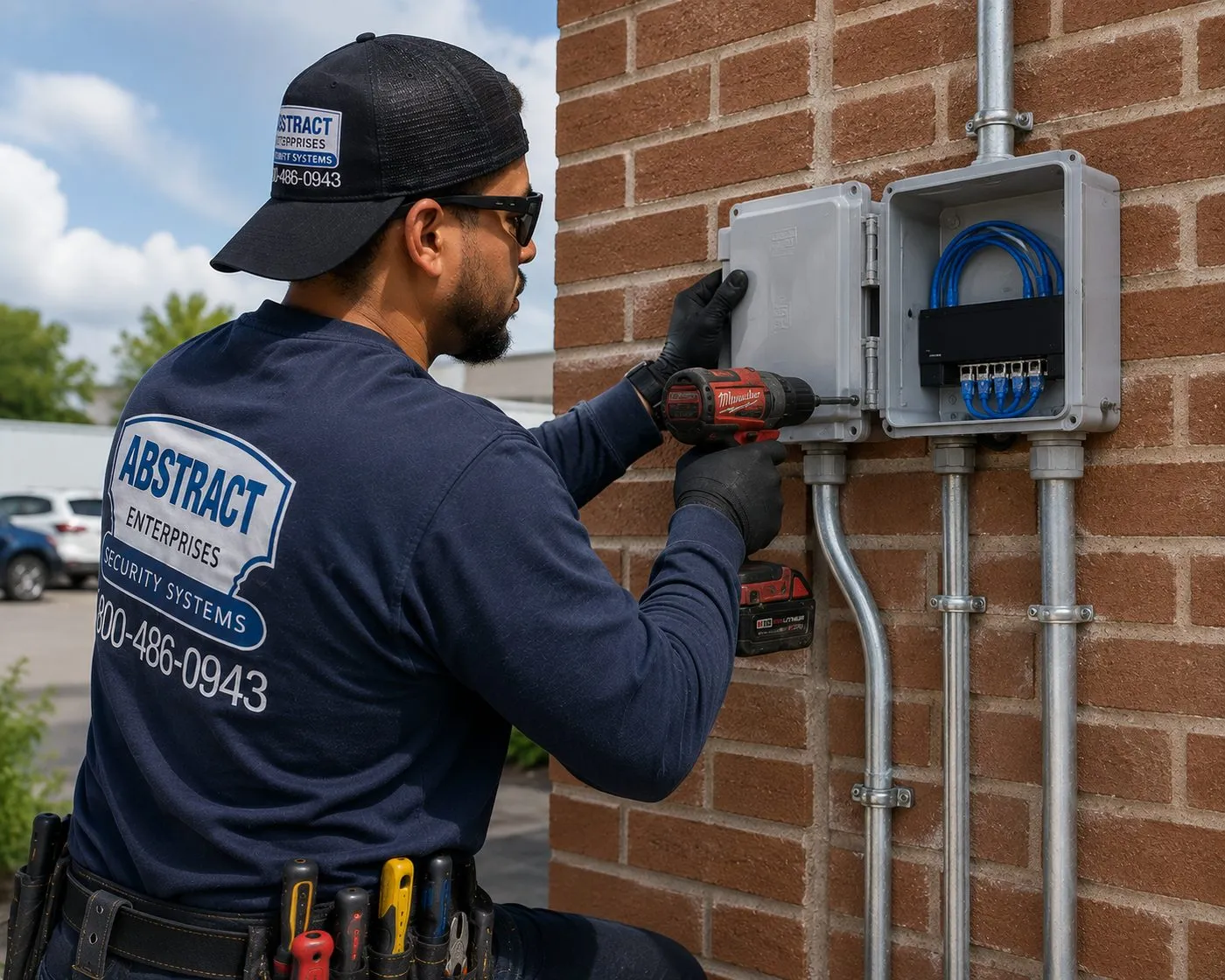
A technician drives a screw into a grey weatherproof box on a brick wall, with metal conduit running up and down from it and blue cables inside. Outdoors, cable enters the house through sealed, protected paths like this, while the Amp powering the speakers stays inside.
Pricing
Sonos Installation Cost on Long Island
Every fixed price below is a line item published on our Long Island TV mounting price list, and these add-ons are the same in Nassau and Suffolk. Wired multiroom work — ceiling and outdoor speakers, new wire runs and pre-wire — depends on the house, so it is quoted in writing after a walkthrough rather than guessed at.
Item
Price
What it covers
Sonos setup
$125
Sonos system set up on your network and account, rooms named, products added and checked
Full home theater hookup
$350
TV, audio, sources and remote configured to work together
Soundbar wall-mounted under the TV
$129
Bar mounted, centred and levelled to the screen, connected by HDMI eARC
Soundbar placed on console or stand
$79
Positioned, connected and TV audio output set
In-wall concealment
$169
Code-compliant in-wall power and cable kit behind the TV
Paintable cord cover
$59
Surface raceway where the wall can't be opened
Cable run to a cabinet or other spot
$99
Up to 25 feet
A/V receiver hookup
$129
Receiver connected and set up, for example with a Sonos Port
Streaming device setup
$49 each
Connected and routed through the system
Universal remote programming
$99
One remote for the TV and its sources
Setup-only visit
$225 Nassau / $250 Suffolk
First hour flat for Wi-Fi, app and pairing problems, then 30-minute blocks
Ceiling, in-wall and outdoor speakers, new wire runs, pre-wire
Written quote
Priced after a walkthrough of the wire route for each zone
Wall and access charges for the TV wall
Condition
Price
Drywall on wood studs
$0
Metal studs
+$30
Brick or stone (fireplace walls)
+$65
Concrete or cinder block
+$75
Tile or marble
+$95
Plywood backer board
$85
High mount (above about 8 ft)
$75
Box removal
$25
Certificate of insurance
Free
Where Nassau and Suffolk differ
Two numbers change between the counties. If we hang the TV as well, the TV mounting base is $209.99 in Nassau and $229.99 in Suffolk. A setup-only visit — for a Sonos system that stopped working, a new router, or speakers that need re-pairing — is $225 for the first hour in Nassau and $250 in Suffolk, then 30-minute blocks.
What the price includes, and what it doesn't
Included: the work on each quoted line, a test of every zone and group, Trueplay where the product supports it, and a hand-over on your own phone.
Left out unless we quote it: the speakers, bars and Amps themselves; any electrician’s work such as a new receptacle at the equipment shelf; and finishing work like spackle and paint around access holes.
If the job can't begin: a $150 return-trip charge applies when the crew arrives in your window but the Sonos gear hasn't been delivered or the attic and basement can't be reached.
Rescheduling: free with 24 hours' notice.
National brands versus a local installer. ADT, Ring and SimpliSafe sell security systems, not whole-home audio, so they aren't really part of this comparison; big-box stores and app marketplaces sell setup through networks of independent installers. A local licensed low-voltage contractor plans the zones, runs and tests the wire, fixes the network and answers to you directly if a room drops out next month.
Shop Our Systems
Sonos Installation Packages & Pricing
Most Long Island Sonos projects begin at one of these three. The totals are simple sums of the price-list lines in the table above — no bundle discounts or hidden extras — and they assume you already have the Sonos hardware.
Starter — Sonos Setup
$125
Your Sonos products set up on your network and account: rooms named, speakers added, groups tested, Trueplay run where supported, and the app walked through on your phone.
Standard — Family-Room Theater
$254
Wall-mount labour for the Sonos bar ($129) plus the Sonos setup line ($125) comes to $254 on a framed drywall wall: the Arc, Beam or Ray square to the TV, eARC live, and your Sub and surrounds joined and tuned.
Premium — Theater, Wires Hidden
$423
$129 wall-mounted bar + $125 Sonos setup + $169 in-wall concealment = $423. Power and HDMI inside the wall behind the TV, so nothing shows between the screen and the bar.
Bring Your Own Equipment — Labour Only
Bought the Arc Ultra and its Sonos wall mount already? We mount with your customer-supplied bracket for the labour-only price of $129, plus the $125 setup. Customer-supplied products and brackets carry their manufacturer's warranty rather than ours, and we check the mount matches the bar before it goes on the wall.
Hanging the TV on the same visit? Add the TV mounting base for your county ($209.99 Nassau, $229.99 Suffolk). Whole house configured together with the TV, sources and remote? The full home theater hookup is $350. Ceiling speakers, outdoor speakers and pre-wire are added from a written quote once we've seen the route.
Ready to Map Your Zones?
A floor-by-floor list of rooms and a photo of the TV wall is usually enough for a first price. Wired zones get a short walkthrough.
Nassau County. More houses on smaller lots, and more of them built in the first post-war decades and expanded since. Sonos jobs here are often about making an older footprint behave like a modern one: a family room added off the back of the house, a finished basement that became the real living room, a second storey over a ranch. The router usually lives where the cable line comes in, and the far side of the extension is where the Wi-Fi gives out. Outdoor zones are compact patios and decks where aiming the speakers away from the fence line matters. Driving distances are short, so same-day windows open more often, and setup-only visits are $225 for the first hour. Nassau issued 821 building permits in 2025, according to Census QuickFacts, and a large renovation with the ceilings open is as good a time to pre-wire as a new build.
Western and central Suffolk. From Huntington and Babylon east through Smithtown, Islip and Brookhaven, lots are larger and houses often newer, with two-storey foyers, great rooms, bonus rooms over the garage and in-ground pools. These are the jobs with the most zones, the longest wire runs and the biggest Wi-Fi footprints, and where an equipment rack in the basement with several Amps and a network switch makes sense. Suffolk issued 1,399 building permits in 2025 per Census QuickFacts, and new construction is where we do most of our pre-wire. Setup-only visits are $250 for the first hour.
The North Fork and the far East End. Long drives between jobs, so we schedule wired installs in planned blocks and confirm everything is on site before the van leaves. Outdoor zones here often face open water or farmland with nothing to reflect sound, so more, smaller speakers aimed at the seating beat two large ones. Same-day service is offered only when a two-hour window is open.
Along the South Shore bays. Communities from the Five Towns' bay side to Massapequa, Babylon and the Great South Bay shoreline see damp summer air and wind off the water. That is exactly what Sonos's outdoor speakers are rated for — IP66, with salt-spray and humidity testing — and it's a good reason to keep the Amp and every powered device inside the house rather than in a deck box.
Room-by-Room Plan
A Sample Zone Plan for a Long Island Colonial
Every house is different, but the decisions repeat. This is the kind of plan we sketch at a first walkthrough for a two-storey colonial with a finished basement and a backyard deck. It is an illustration of the method, not a record of a particular home, and products are examples rather than recommendations for your rooms.
Zone
Typical products
How it's wired or powered
Why it's its own zone
Family room
Arc Ultra or Beam, Sub 4, two matching surrounds
Bar on eARC; Sub and surrounds plug in; Ethernet to the TV wall if available
Films and games need their own source and volume
Kitchen and breakfast area
Two or three pairs of in-ceiling speakers on one Amp
Wire up from the basement; Amp at the equipment location
Most-used music room; open to the family room but often playing something else
Living or dining room
Pair of in-ceiling speakers on an Amp, or one Era
Wire from below, or self-powered on a shelf
Dinners and guests; usually grouped with the kitchen
Primary suite
Pair of in-ceiling speakers on an Amp, or Era 100s
Wire down from the attic, Amp in the basement rack via a home run
Quiet mornings while the kitchen is busy
Basement
Beam or Ray plus Sub, or ceiling speakers on an Amp
Short runs in the joists; equipment shelf nearby
Second TV room, gym or playroom with different listeners
Deck or patio
Outdoor speakers by Sonance on an Amp
Wire through the rim joist; Amp indoors
Summer evenings; volume capped for the neighbors
Kids' rooms and office
One self-powered speaker each
Wi-Fi from a mesh node
Join any group from the app when wanted
The plan then answers three practical questions. How many Amps? One per wired zone, so in this example four. Where do they live? On a ventilated shelf or a small rack in the basement, with a network switch beside them. Does the Wi-Fi reach? We walk the house with a meter, place mesh nodes where the plan needs them, and wire what can be wired. Built that way, adding the garage, a bonus room or a pool zone later means one more Amp and one more home run, not a redesign.
Network First
Getting Wi-Fi to the Far Corners of a Long Island House
Long Island is almost fully connected — the Census Bureau puts broadband subscriptions at 94.8% of Nassau households and 93.2% in Suffolk — yet the most common Sonos complaint we hear is dropouts. The internet line is fine; the problem is getting the signal from a router in the front office to the back deck, the basement and the bedroom over the garage. These are the rules we work to.
Find where the router actually is. In many houses it sits where the cable or fiber line enters, which is rarely the middle of the house. Moving it, or wiring a mesh node to a central spot, often helps more than any new product.
Use mesh, not extenders. Sonos recommends a mesh router to extend coverage and lists wireless range extenders and Ethernet-over-power adapters as unsupported. If either is in the house, it's the first suspect.
Wire the anchors. Amps, a Port and a Sub near the equipment location can be wired to a switch. Sonos recommends at least one product wired to the router for a wired setup, connected to the primary mesh node in a mesh network.
Check the router's settings. Guest networks, sign-in portals, WPA Enterprise and 5 GHz-only setups are all on Sonos's unsupported list, and the phones and speakers must be on the same subnet. STP has to be supported when Sonos products are wired.
Measure, don't guess. We test signal at the position each speaker will sit — including the deck and the far end of the patio — before anything is mounted.
Network fixes are billed as a setup-only visit, $225 for the first hour in Nassau and $250 in Suffolk. New Ethernet runs to a node or a speaker are quoted after we see the route; our network cable repair service on Long Island handles existing runs that have failed.
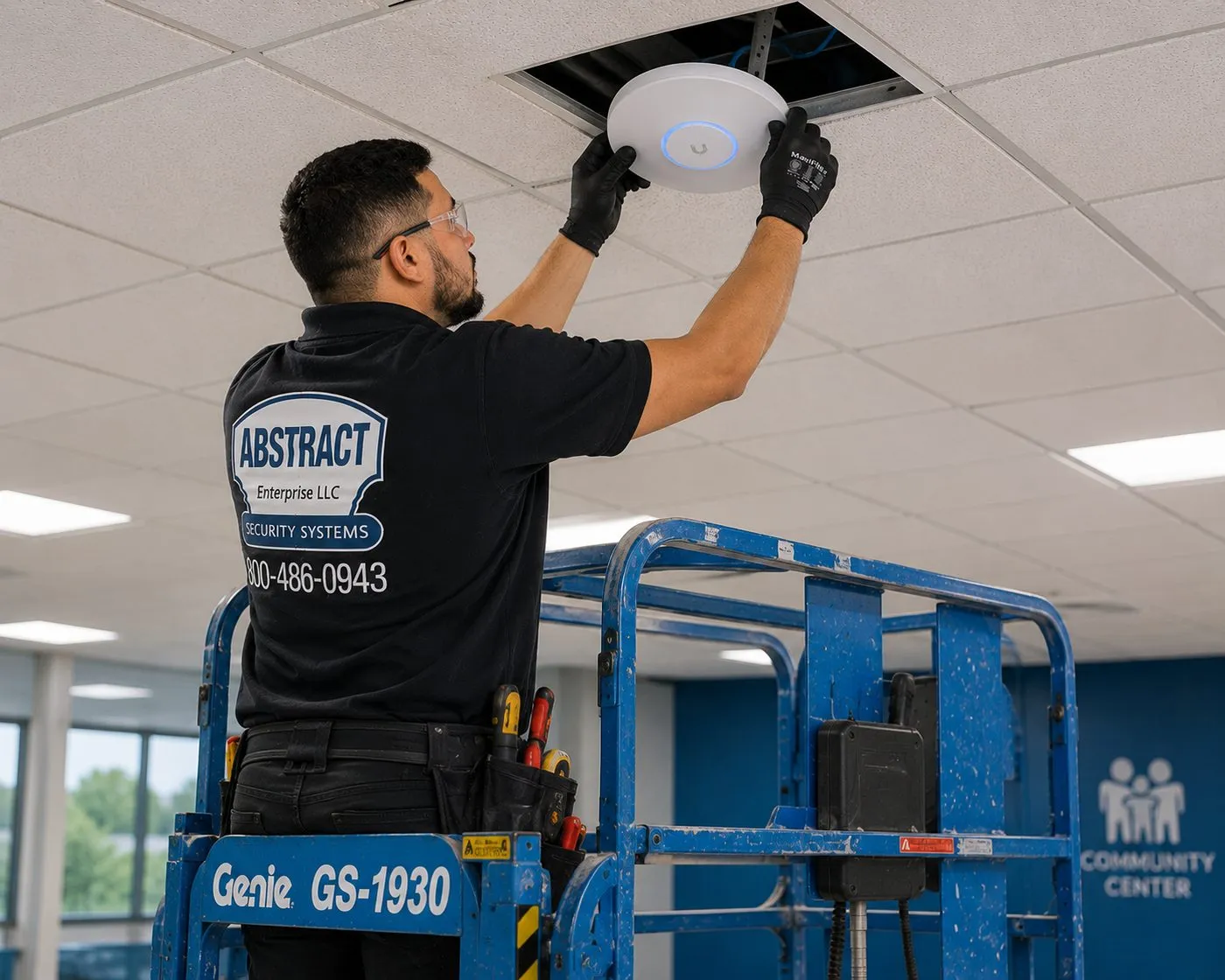
Standing on a scissor lift, a technician presses a round white wireless access point onto an open ceiling tile in a large room with a wall sign reading Community Center. In a home, the same idea — a properly placed node — is what lets Sonos reach the far rooms.
Before the Drywall
A Pre-Wire Checklist for Long Island New Builds and Renovations
Use this at the pre-drywall walkthrough with your builder or general contractor. Everything on it is far cheaper with the framing open than after the walls are finished.
Speaker wire to every ceiling location you might want, including rooms you aren't ready to fit yet. Label both ends and leave the far end coiled in a rough-in bracket or low-voltage box.
Outdoor runs to the deck, patio and pool area, brought through the rim joist or foundation and sealed. Sonos's outdoor speakers call for 16-gauge or heavier wire.
Ethernet to every TV wall, to the likely mesh-node spots on each floor, and to the equipment location.
A single equipment location — a basement wall or ventilated closet — where every speaker home run and network cable lands. Allow shelf or rack space for one Amp per wired zone with three inches of clearance around each.
Power from the electrician: a dedicated outlet at the equipment location, outlets behind each TV and where the Sub and surrounds will sit, and protected outdoor receptacles where anything outside will be powered, placed per the pool distances in the code.
Conduit or a pull string from the equipment location to the attic and to the TV walls, so future cables can be added without opening anything.
If your project is already past drywall, all is not lost. Basements, attics and stacked closets still give access to most rooms; the walkthrough tells us which.
Fixing Earlier Installs
Common Problems in Sonos Systems Someone Else Set Up
Plenty of Long Island houses already have Sonos — installed by a builder, a previous owner or a weekend of YouTube. When those systems misbehave, the cause is usually one of the eight below, and a single setup-only visit sorts most of them.
A range extender or powerline kit holding the system together. Both are on Sonos's unsupported list. Replacing them with properly placed mesh or an Ethernet run usually ends the dropouts.
Wired speaker on a satellite node. In a mesh, the wired Sonos product belongs on the primary node. Moving one cable fixes a surprising number of houses.
Mixed speakers on one Amp. Different sizes or models sharing an Amp, so Sonos's tuning is off. We re-group them by model or add an Amp.
Speaker load below 4 ohms. Too many speakers paralleled on one Amp. The Amp's guide sets 4 ohms as the minimum; we re-balance the zones.
Soundbar on the wrong HDMI port. Plugged into an ordinary input, not eARC, so sound drops or the TV remote can't control volume.
Surrounds that don't match. Sonos surrounds must be the same model and orientation. We pair them correctly or swap one.
Trueplay never run. Common in Android-only households, since advanced tuning needs iOS. We tune every supported zone.
An Amp shut in a closet with no air. Sonos asks for clearance on all sides. We move it to a ventilated shelf or rack.
Setup-only visits are $225 for the first hour in Nassau and $250 in Suffolk; rewiring or adding speakers is quoted in writing.
Complete Services
Every Sonos Installation Service on Long Island
A multiroom Sonos job tends to pull in the TV, the network and the alarm. Here is where those pieces live on our site for Nassau and Suffolk.
Send the details for any service and get a written price the same business day.
Field Notes
Field Notes From Long Island Sonos Walkthroughs
The order our technicians work in on a multiroom walkthrough in a Nassau or Suffolk house (general practice, not a single customer's job)
We start at the router, not the family room. Where the internet line comes in decides almost everything else: how far the farthest zone is, where mesh nodes have to go, and whether the equipment can sit near the network or needs its own run. A quick signal reading in the basement, the primary suite and at the back fence tells us more about how the system will behave than any product list.
Next we go down to the basement and up into the attic. An open basement ceiling or an accessible attic over the second floor turns a hard wiring job into a routine one, and a finished basement with no access panel turns a routine one into a longer conversation. We look for old wire too; a coil of speaker cable in the utility room usually means there are speakers somewhere waiting to be found.
Only then do we talk about speakers. By that point the zones almost draw themselves: which rooms can be wired cheaply, which should get a self-powered speaker instead, and where the Amps will live. The family sees a plan with a price per zone, and can start with two rooms knowing the rest will slot in later.
FAQ
Long Island Sonos Installation FAQ
What does a Sonos family-room setup cost on Long Island, start to finish?
+
For a wall-mounted Sonos soundbar on drywall over wood studs, it is $129 to mount the bar plus $125 for the Sonos setup, so $254 in labour. Hiding power and HDMI inside the wall adds $169, bringing it to $423. If we hang the TV too, add the mounting base for your county: $209.99 in Nassau or $229.99 in Suffolk. Brick, block or tile walls add the published surcharge.
Do you check that the Amps, surrounds and mounts we picked actually match before install day?
+
Either works. Most families buy their Sonos products from a retailer they like and we install them; if you would rather we supply them, we quote them separately. Either way, tell us the exact models before the visit so we can confirm Amps, surrounds and mounts match each other and the rooms.
Can a multi-room wired system be split into a wiring day and a setup day?
+
A family-room theater or a few self-powered speakers usually fit in one appointment. A wired system with ceiling speakers in several rooms is scheduled in stages we agree in the written quote, typically wiring first and fitting and setup afterwards, so the house is never left with open ceilings longer than necessary.
Will you have to open our ceilings to wire in-ceiling speakers?
+
Each speaker needs its own cut-out, which is covered by the speaker grille. Beyond that, it depends on access: with an open basement below or an attic above, wire is fished in with no other openings. Under a finished floor we may need a few small access holes, and we show you where before quoting. Patching and painting are not included.
Can you take over a Sonos system another installer put in?
+
Yes. We start with a setup-only visit to see what is there: which products, how the Amps are wired, where the network is weak and whether the account is in your name. That first hour is $225 in Nassau or $250 in Suffolk, and we tell you what needs fixing before doing more.
What happens to our Sonos system if we switch internet providers or routers?
+
The speakers stay; the network connection has to be re-established. A new router means updating the Wi-Fi details on the system and checking that settings such as guest mode or a sign-in page are not enabled, since Sonos does not support them. If you book us, a setup-only visit covers it.
Can everyone in the family control the system from their own phone?
+
Yes. Anyone on the home Wi-Fi can install the Sonos app and control the speakers, and iPhone users can also use AirPlay. During hand-over we install and check the app on every phone you want included and show each person how to find their rooms and groups.
Is there a monthly fee for a Sonos system you install?
+
Not from us. You pay for the installation and own the equipment outright. Streaming services such as music subscriptions bill you separately, and an Alarm.com integration depends on your existing alarm service plan.
Do you install in both counties, including evenings and weekends?
+
Yes. We work across Nassau and Suffolk in two-hour arrival windows from 8 AM to 8 PM, seven days a week. Same-day service depends on a window being open, and for the North Fork and the far East End booking a few days ahead gives the most choice of times.
What should we have ready before the technician arrives?
+
The Sonos products on site and unopened if you want us to check them first, your Wi-Fi name and password, the login for your Sonos account and streaming services, clear access to the TV wall, the basement ceiling and the attic hatch, and the house cleared of furniture where speakers will be fitted.
If we sell the house, do in-ceiling speakers stay or go?
+
That is a matter for your sale contract, not for us, but plan for it. Ceiling and outdoor speakers are fixed to the house and are often treated as staying; the Amps, soundbar and portable speakers are usually considered yours. We label every Amp and wire run, which makes either choice simple.
How do you catch a dead-on-arrival Sonos unit before it goes into a ceiling?
+
We power up and test products before fitting them, so a dead unit is usually caught before it is in a wall. A faulty Sonos product is a matter for the retailer or Sonos under its own warranty, and mounts and kits carry their manufacturer warranty. Full terms — including 50% deposit, one-year parts-only warranty on AESS-supplied products, and the late-fee schedule — are set out in the service agreement.
All Areas Served
Sonos Installation Across Long Island and New York
You are on the Long Island hub of our Sonos service. County and borough pages are being written one by one; until a page is published, its link below opens the quote form instead, and our crews already work in all of these places.
Rooms missing from the app after a router swap, a soundbar with no TV sound, or a group that won't hold together? Ring (800) 486-0943. Same-day when a two-hour window is open; most network, pairing and eARC faults are fixed in one to two hours once we're in the house.
Sonos Installation Long Island — Licensed, Insured, Priced Up Front
Abstract Enterprises Security Systems · 1282 Troy Ave, Brooklyn, NY 11203 · (800) 486-0943 · WhatsApp (718) 679-0359 via wa.me
NYS Low-Voltage Licence #12000287431 · 100% Licensed & Insured · Same-Day Estimates · Rated 4.7★ from 201 Google Reviews
Full terms — including 50% deposit, one-year parts-only warranty on AESS-supplied products, and the late-fee schedule — are set out in the service agreement. See our warranty page.
Reviewed and updated October 17, 2026. Changelog: first published — Sonos zoning, family-room theaters, basement, attic and outdoor audio, pre-wire and Wi-Fi work across Nassau and Suffolk.