What are you looking for?
About Us Contact Us Careers Get a Free Quote (800) 486-0943
Pick a service
✅ Got Your Own System?
🎬 Home TheatreQuote 🎶 AV SoundQuote 🔑 Access ControlQuote
Now pick your area
Pick your area
Long Island
Hudson Valley
Services available
Pricing & Tools
Pick a service for pricing
🚪 Intercom Pricing 🔔 Buzzer Repair Pricing
Calculators
📹 Camera System Calculator 🚨 Alarm Calculator ⚡ Cabling Quote Builder ✅ Got Your Own System?
Select your area
Home › Sonos Installation NYC
NYS Licensed Low-Voltage Contractor · Manhattan · Brooklyn · Queens · The Bronx · Staten Island

Sonos
Installation in
New York City

Arc & Beam Mounting · Ceiling Speakers on Sonos Amp · Multi-Room Setup · Wired Backbone · Trueplay Tuning

Sonos is sold as plug-in-and-play, and in a house with one router and drywall it mostly is. A New York apartment is a different test: plaster and concrete that Sonos itself rates as heavy obstructions to Wi-Fi, dozens of neighbors' networks on the same channels, ceilings that may be lath, steel and terracotta, and a building that wants insurance paperwork before anyone cuts a hole. We plan the network first, then the speakers — soundbars mounted, ceiling speakers cut in and wired to an Amp, rooms grouped in the app and tuned — in 2-hour arrival windows from 8 AM to 8 PM, seven days a week.

Reviewed and updated October 17, 2026 · Written by Anwar Timothy, NYS licence #12000287431

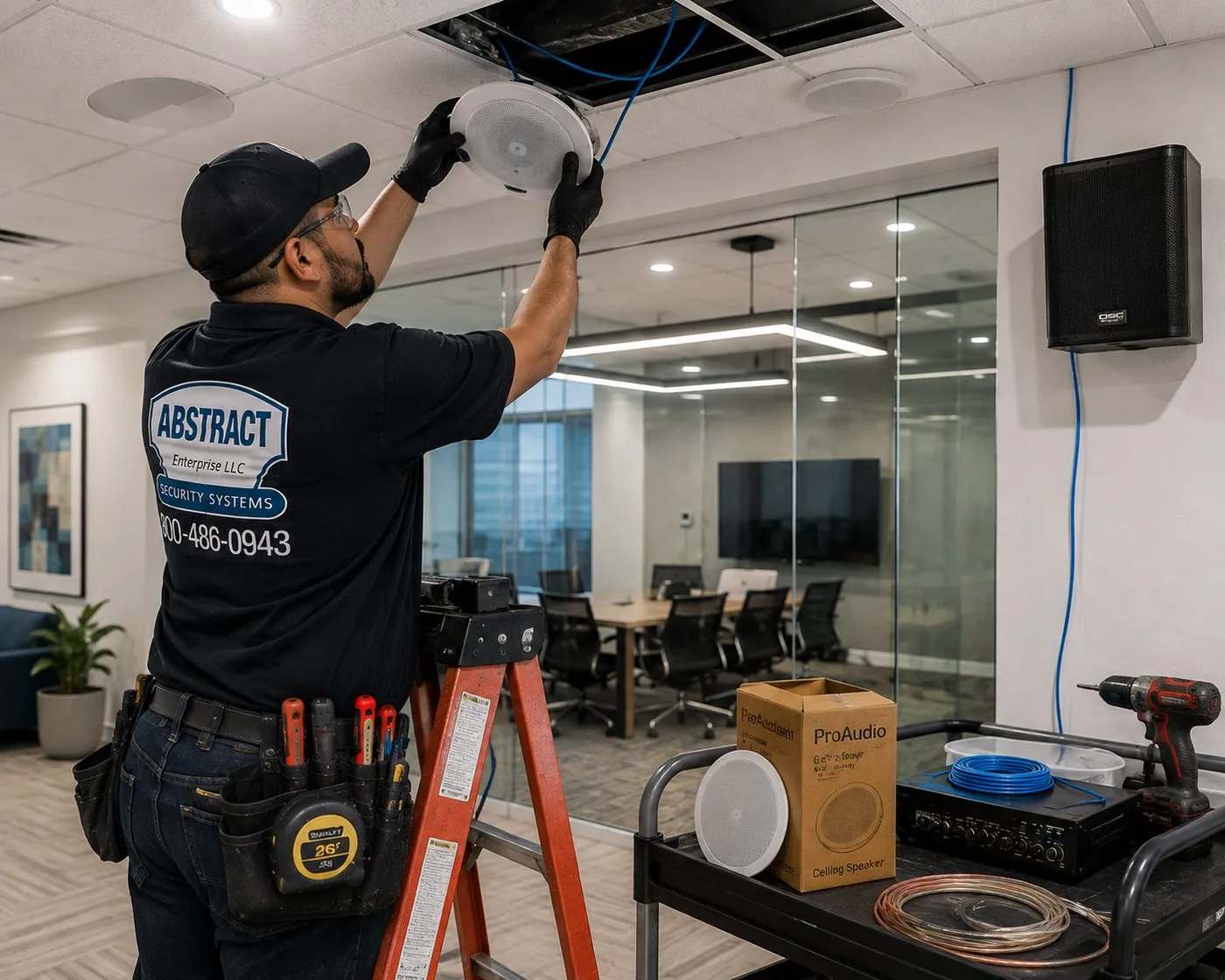
Technician on a ladder seating a round white ceiling speaker beside a glass conference room, Sonos installation NYC ceiling audio work
A technician on an orange stepladder presses a round white speaker into an open ceiling tile, with a cart below holding a boxed speaker, an amplifier, a coil of copper speaker wire and blue cable. The speaker brand is not identifiable in the photo.
Get a Free Sonos Quote
List the Sonos products and the rooms — a written price comes back the same business day

✅
Request Sent!
We'll call you back the same business day.
25+
Years Experience
✓
Same-Day Estimates
100%
Licensed & Insured
4.7★
201 Google Reviews

Sonos boxes already in the apartment? Ring (800) 486-0943 or use the 60-second form. Tell us the products and the rooms and a licensed installer replies with a written price from the published lines on this page.

  • Sonos setup line on our published price list: $125
  • Your building's COI paperwork handled by us at no charge, ahead of the appointment
  • Licensed under NYS #12000287431, with arrival booked in two-hour slots from morning to 8 PM, weekends included
The Neighborhood

Why New York City Homes Need Sonos Installation

Most Sonos trouble in this city starts with the building, not the speaker. Sonos publishes a short table of how much common materials weaken a wireless signal. Wood, glass and synthetic materials are rated low. Brick and marble are medium. Plaster and concrete are rated high, and metal very high. Those last three are the inside of a typical New York apartment: plaster on wood or metal lath in pre-war buildings, poured concrete floors and block walls in post-war towers, and steel framing everywhere from a Midtown condo to a gut-renovated brownstone floor-through. A speaker that streams flawlessly in a showroom can stutter in a bedroom two plaster walls away from the router.

Then there are the neighbors' networks. Sonos lists Wi-Fi routers, extenders and access points among the devices that cause interference, alongside cordless phones, baby monitors, wireless cameras and smart-home hubs. In a walk-up you might see twenty networks on your phone; in a high-rise, more. One Sonos owner on Reddit's r/sonos put it plainly: apartments and dense urban areas "can be a nightmare where everyone else's Wi-Fi bleeds into your space." That is not something a speaker can solve on its own. It is solved by where the router sits, which band and channel the system uses, and whether one Sonos product is wired.

The third problem is the network type. Sonos's own system requirements rule out guest networks, networks with a log-in portal page, wireless range extenders, powerline (Ethernet over Power) adapters, mobile hotspots and routers that broadcast only 5 GHz. Several newer rental buildings in the city provide building-wide Wi-Fi as an amenity, and that kind of managed network is where we hear about speakers that can't be found by the app. A Sonos community answer to exactly that complaint suggested what we usually do: put your own router behind the building's connection so the speakers live on a network you control.

Ceiling and wall speakers bring a different set of city problems. Cutting into a hundred-year-old plaster ceiling without cracking it is slow, careful work. Many post-war buildings have concrete slab ceilings with no cavity at all, and some landmark-era buildings combine steel beams with terracotta or brick arches above the plaster. Every wire has to reach an Amp somewhere in the apartment, through walls that were not built with a cable path in mind. Co-op and condo boards typically want to know about any work that cuts into walls or ceilings, and doorman buildings book contractors around a service elevator.

None of this means Sonos is the wrong choice for a New York home. It is a very good system for apartments, partly because so much of it can be wireless and partly because it grows one room at a time. It means the installation has to start with the network and the structure, and then the speakers. That is the order we work in.

New York City numbers that shape a Sonos job

  • 54 percent: the Rent Guidelines Board's 2026 Housing Supply Report says more than half of the city's apartments are in pre-1947 buildings, so the typical Sonos room here is walled and ceilinged in old plaster or masonry.
  • 3,705,000: housing units in the city in 2023, the figure the same report takes from the Housing and Vacancy Survey — nearly all of them sharing walls, floors and airwaves with neighbors.
  • High: the interference rating Sonos gives both plaster and concrete in its guide to reducing wireless interference; metal is rated very high.
  • 18 inches: the minimum distance Sonos recommends between its products and other electronic devices, which matters on a crowded media console.
  • 32: the maximum number of Sonos products in one system under Sonos's system requirements — plenty for a classic six, but worth knowing in a townhouse or an office.
  • 42 dBA: the limit the city's Noise Code fact sheet sets for music from a store, restaurant or bar, measured inside any apartment that receives the sound — the number behind every commercial Sonos zone we set up under residences.

Taken together, those figures describe a typical New York Sonos visit: older walls that weaken Wi-Fi, a network shared with hundreds of neighbors, a building with rules, and in commercial spaces, apartments overhead. The speakers are the easy part once those are handled.

Most New Yorkers who call about Sonos are also hanging a TV over the soundbar. Our TV installation crews in NYC work from the same published price list, and owners who want lighting, shades and locks on the same app system often bring in Abstract Enterprises' home automation team at the same time.

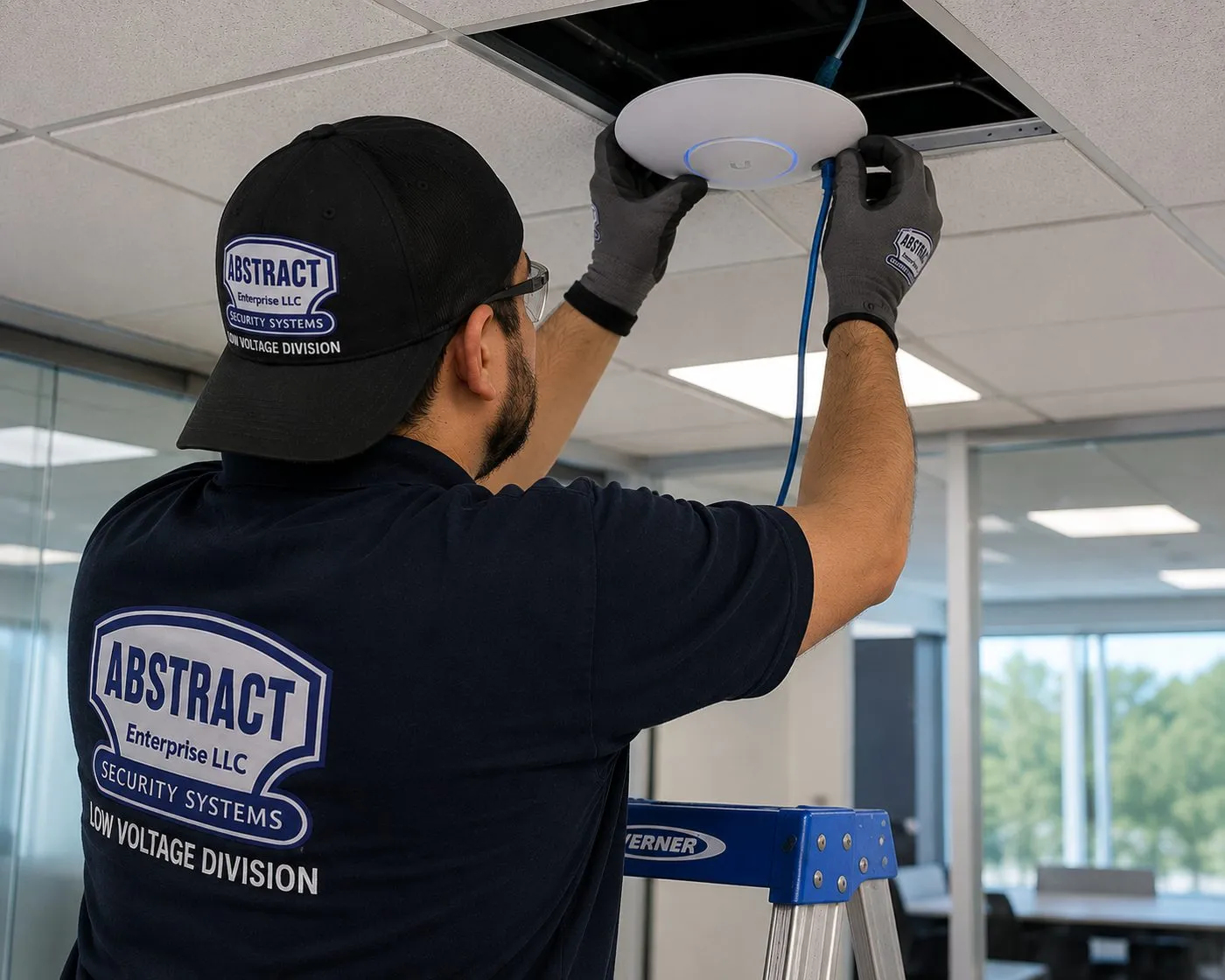
Technician mounting a white ceiling Wi-Fi access point into an office ceiling tile, network groundwork for Sonos installation in New York City
A technician on a blue stepladder holds a white disc-shaped access point up to an open ceiling tile, a blue network cable feeding into it — the kind of wired access point that gives a Sonos system a stronger signal than a router in a hall closet.
Repair Capture

Sonos Acting Up in NYC?

Speakers vanishing from the app, music that stops every few minutes, a Beam that went silent after a TV update, grouped rooms playing out of step, or a system that stopped working when the building changed its Wi-Fi — those are service visits, not new installs. We book them in the next open 2-hour window, and most network and setup faults are sorted in one to two hours once a technician is in the apartment. Call (800) 486-0943 and say it's a Sonos problem; how setup-only time is billed is set out in our TV and audio service policies.

What We Install

Sonos Installation Services in NYC

A Sonos job in the five boroughs is usually two or three of the services below in one visit. The order is always the same: get the network right, put the hardware where it belongs, then set up and tune the rooms in the app with you holding the phone.

Arc, Beam and Ray Mounting

The Sonos soundbar goes on the wall under the TV, on the TV's own mount, or on the console. We leave the gap Sonos asks for between bar and screen, fix the bracket with anchors chosen for the wall we find, and connect the bar to the TV port it actually needs.

Sub and Rear Surrounds

Adding a Sub, Sub Mini or a pair of Era speakers as rears turns the soundbar into a surround system. We place each one, pair it in the app, and plan where the rear speakers get power in a living room that often has two outlets at most.

Ceiling Speakers on a Sonos Amp

Passive in-ceiling speakers cut into the ceiling and wired back to an Amp, which joins them to the rest of the Sonos system. Kitchens, bathrooms and bedrooms where nobody wants a speaker on the counter. Scoped at a walkthrough, because the ceiling decides the method.

In-Wall Speakers

Flush speakers set into a stud wall, usually as the front pair of a media wall or as stereo music in a living room. Possible in drywall and many plaster walls; not in solid masonry or concrete, which we tell you before anything is marked.

Port to Your Existing Receiver

Keep the receiver and speakers you already love and add Sonos streaming through a Port, connected by analog or digital coaxial output, with the 12-volt trigger set so the amplifier wakes when music starts.

Multi-Room Setup and Grouping

Every product added to one system, each room named, rooms grouped the way you actually listen, music services signed in, and voice control switched on or off as you prefer. The $125 Sonos setup line on our price list covers this work.

Wired Backbone

An Ethernet run from the router to one Sonos product, or to a ceiling access point, so the system stops depending on a weak link through plaster. Sonos lists a wired connection as an option in its requirements, and in many pre-war apartments it is the single biggest fix.

Network Tune-Up for Sonos

Router placement, a band and channel plan that avoids the busiest neighbors, separate settings checked for anything Sonos doesn't support, and removal of the range extenders and powerline adapters that Sonos lists as unsupported.

Trueplay Tuning

Every room tuned with Sonos's Trueplay, which measures how sound reflects off the walls and furniture and adjusts the speaker for its spot. We bring a compatible iPhone for the advanced method, so an Android-only household isn't left untuned.

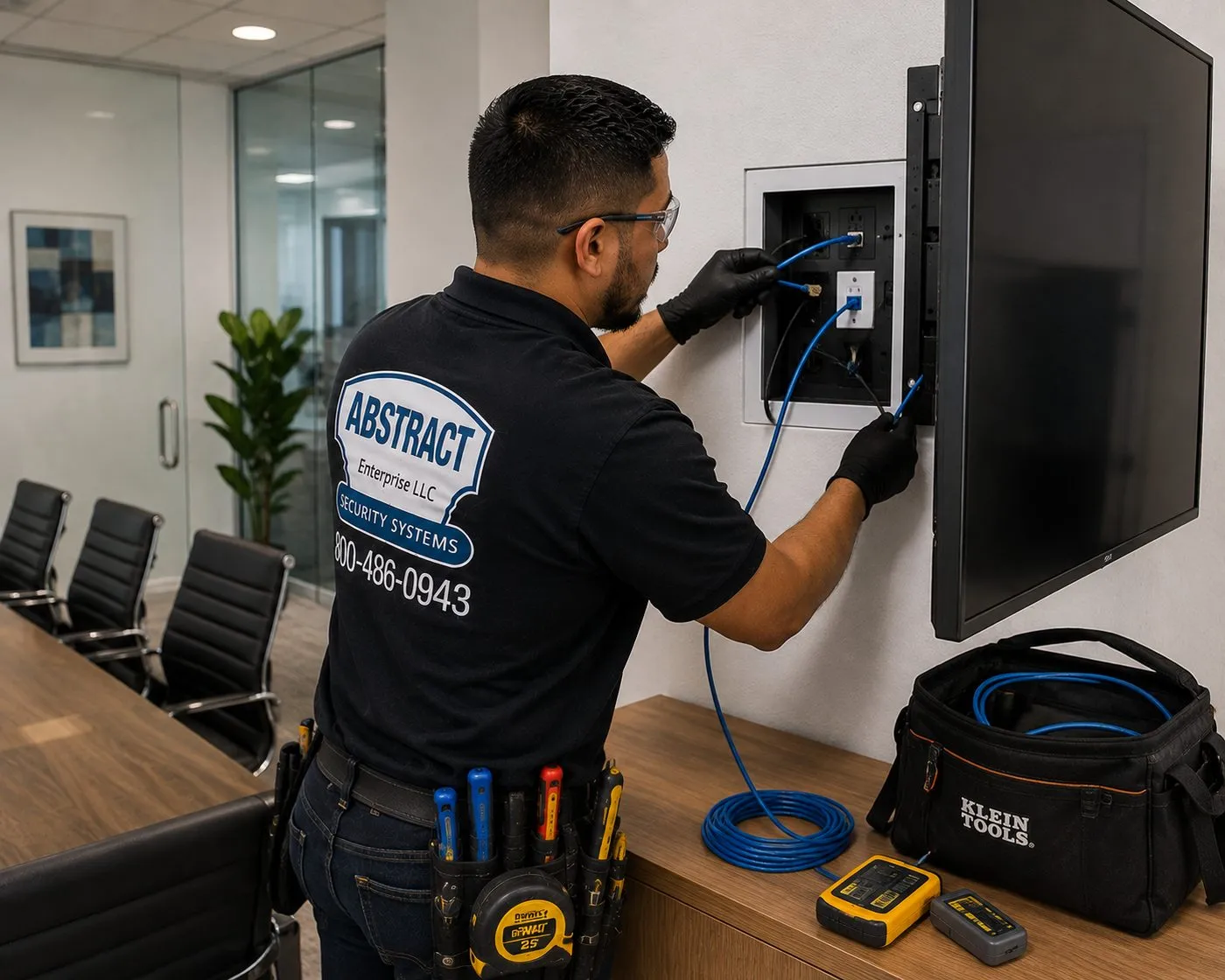
Technician connecting blue cables inside a recessed wall box beside a wall-mounted display, TV-wall wiring for Sonos installation in NYC
Gloved hands work two blue leads into an open, flush-mounted wall box at the edge of a big wall screen; on the table below sit a yellow tester and a black tool bag. This box position is where a soundbar's HDMI and an Ethernet line usually come out of the wall.
Building Specialists

Sonos Installation for New York City's Architecture

Sonos ships one way. The ceilings, walls and wiring paths it ends up in vary building by building. These are the building types we see most often in New York Sonos work and what each one changes about the job.

Pre-War Elevator Co-ops

Plaster on lath walls and ceilings, generous room sizes and thick masonry between apartments. Wi-Fi struggles through the plaster, so a wired backbone is common. Ceiling speakers are possible in many rooms but every cut is planned around joists, pipes and old wiring, and the board usually wants to know about it.

Brownstones and Townhouses

Several floors stacked on wood joists with plaster ceilings, party walls of brick and a router that usually lives on one floor. Multi-floor Sonos systems here nearly always need a wired link or a second access point; the joist bays also give the best cable paths in the city.

Post-War Towers

Concrete slab ceilings and block or concrete walls. Excellent for a soundbar bracket, very poor for running wire and difficult for Wi-Fi. Ceiling speakers normally mean a dropped soffit or an existing drop ceiling; otherwise wireless Era speakers on brackets carry the music.

New Condos

Drywall on metal studs, sometimes a dropped ceiling in kitchens and baths, and occasionally speaker or network pre-wire left by the developer. We trace what is already in the walls before suggesting anything new, because it is often there and unused.

Lofts and Conversions

Exposed brick, timber or concrete ceilings, columns and open plans. Sound bounces off hard surfaces, which is where Trueplay earns its keep, and cable paths are usually surface raceway or the voids above kitchens and bathrooms.

Two-Family Houses and Detached Homes

Common in Queens, Staten Island and the outer parts of Brooklyn and the Bronx. Drywall or plaster over wood framing, basements and attics for cable runs, and space for outdoor speakers on a deck. Closest to suburban work, with a tenant often on the other floor.

How each New York surface changes the Sonos install

Plaster and lath ceilings. The hole for an in-ceiling speaker is far larger than a screw hole: Sonos lists an 8.25-inch cut-out for its 6-inch in-ceiling speaker and 10.125 inches for the 8-inch. In old plaster, a cut that size has to be scored and cut slowly, with the lath supported so it doesn't shake loose keys of plaster around the opening. We mark the location, check the cavity through a small pilot hole first, and walk away from any spot where the plaster is already loose.

Concrete slabs. There is no cavity to put a speaker in and no path to fish a wire through. The realistic choices are a dropped soffit built by a carpenter, an existing drop ceiling in a kitchen or bathroom, or wall-mounted Sonos speakers that need only power. We say which before anyone opens a wall.

Steel and arch floors. Some of the city's oldest apartment houses were built with steel beams and brick or terracotta arches between them under the plaster. The Dakota on Central Park West, finished in 1884, is a documented example: rolled steel beams three to four feet apart with brick or terracotta arches, under concrete slabs. Ceilings like that are surveyed carefully before any speaker is promised.

Drop ceilings. The easiest ceilings in the city for speakers. Tiles lift out, wire runs above the grid, and the speaker drops into a tile or a support bridge. Common in renovated kitchens and in commercial spaces.

Metal studs and drywall. Good for in-wall speakers and soundbar brackets, as long as the fixings are made for light-gauge steel. Sonos's Era 300 wall mount is described as stud-mounting only and not for drywall, so on a metal-stud wall we locate the studs first and plan the speaker position around them.

Brick and stone. Strong for a soundbar or speaker bracket, impossible for hidden wire. Brick also rates medium for Wi-Fi loss in Sonos's table, so a router behind a brick party wall needs a better path to the speakers.

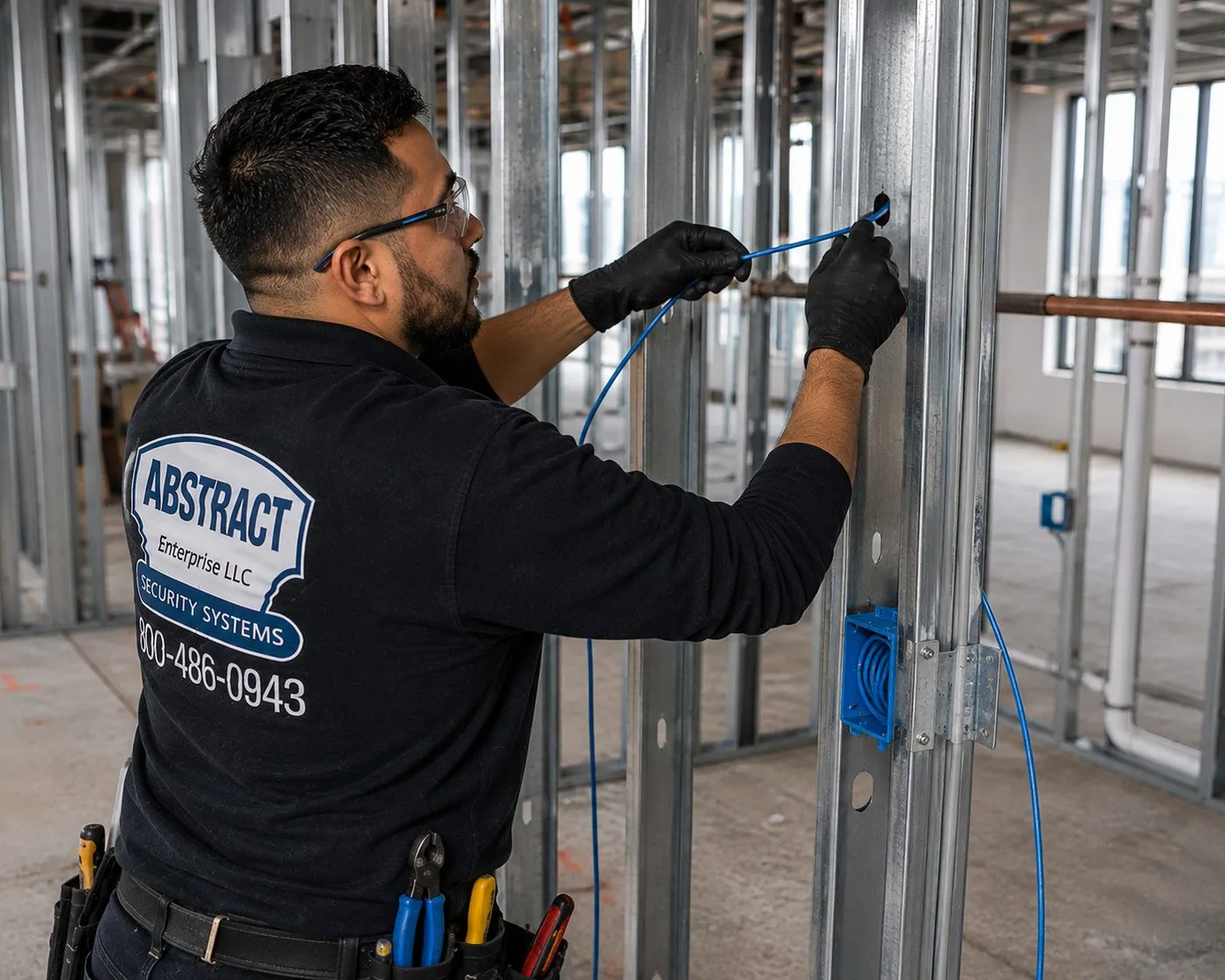
Technician feeding blue cable through punch-outs in open metal studs beside a low-voltage box, speaker and network prewire for Sonos installation in New York City
Bare steel framing, no sheetrock yet: the technician pulls a blue line along the studs at chest height, a pipe crossing behind him and a blue box screwed to the upright beside his hands. Renovations at this stage are when ceiling-speaker wire costs least to run.

If you are renovating, the cheapest Sonos install happens before the drywall goes up. Speaker wire to ceiling locations and a network cable to the TV wall cost very little while the studs are open. Our structured cabling installation in NYC is often booked alongside the Sonos plan for exactly that reason.

Commercial Sonos Installation

Business Sonos Installation in NYC

Sonos is common in small New York businesses for the same reason it is common at home: staff can run it from a phone. Sonos markets installed systems to businesses as well, and a restaurant, boutique or office often ends up with ceiling speakers on Amps, a Port into existing gear and a couple of wall speakers. These are the settings we work in most.

Restaurants and Cafes

Dining-room ceilings with several speakers per Amp, a separate bar zone and a volume ceiling set low enough for the apartments upstairs. Wiring runs above drop ceilings or soffits where the room allows.

Boutiques and Showrooms

Even, low-level music across a long, narrow storefront, with speakers spaced so there are no loud and quiet patches between the door and the fitting rooms.

Offices and Studios

Background music in a reception area, a conference room soundbar on the display, and the network work that keeps Sonos discoverable on a business network rather than lost behind a guest Wi-Fi.

Salons, Barbershops and Gyms

Music all day from a front-desk phone or tablet, speakers mounted out of reach, and a short written note for staff on how to regroup rooms if someone changes them.

Building Amenity Spaces

Residents' lounges, gyms and roof-deck rooms in condo and rental towers, where the managing agent controls scheduling and the system has to be simple for staff to reset.

Medical and Professional Waiting Rooms

Quiet music and a TV, with speakers flush in the ceiling and every cable hidden for a clean, easily wiped finish.

Compliance callouts for Sonos systems in New York businesses

  • Music under apartments. The city's Noise Code fact sheet limits music from a commercial establishment such as a store, restaurant or bar to 42 dBA measured in any apartment that receives it. We place speakers away from party walls, agree a maximum level with the manager on the day, and show staff where that level sits on the app's volume slider.
  • Business networks. Sonos requires the app and every speaker to be on the same subnet and does not support WPA/WPA2 Enterprise security, guest networks or portal log-ins. On a business network that usually means a dedicated network for the music system, set up with your IT provider.
  • Cable in ceilings. Speaker and network cable above a commercial ceiling is run in cable types suited to the space it passes through, and Sonos's own in-ceiling manual tells installers to consult local building codes before running speaker wire through ceilings.
  • Power and permits. Amps and Ports need outlets. New outlets and any line-voltage wiring are work for a licensed electrician; we coordinate with yours and never add or move an outlet ourselves.
  • Landlord paperwork. Before a storefront fit-out the property manager will usually ask to see our insurance with the owner listed. That certificate costs you nothing and is generally emailed within the day.
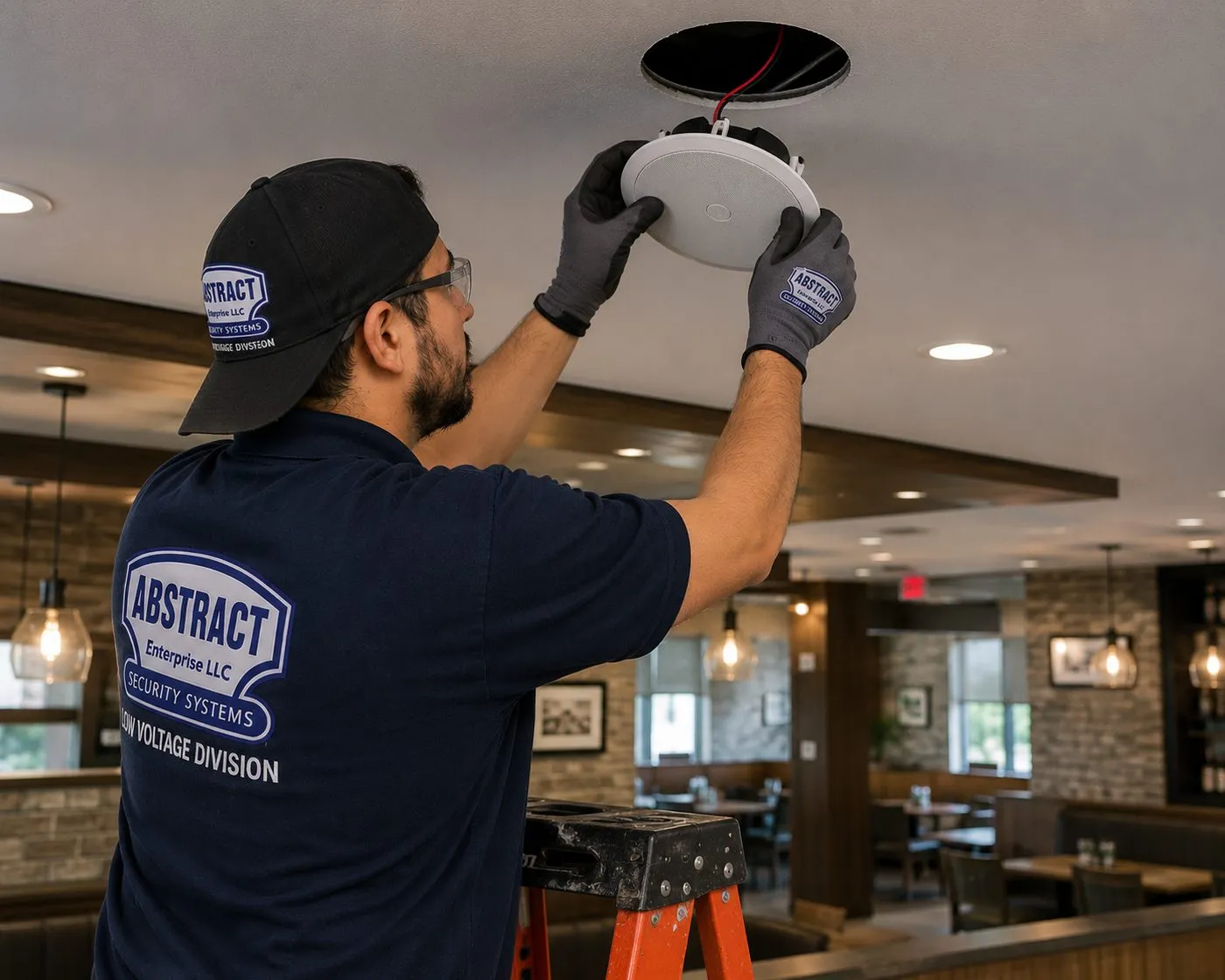
Technician lifting a round white ceiling speaker into a cut-out above a restaurant dining room, commercial Sonos installation NYC
In a restaurant with brick walls and pendant lights, a technician holds a round white speaker up to its opening in the ceiling, speaker wire hanging from the hole. The speaker's brand isn't visible.
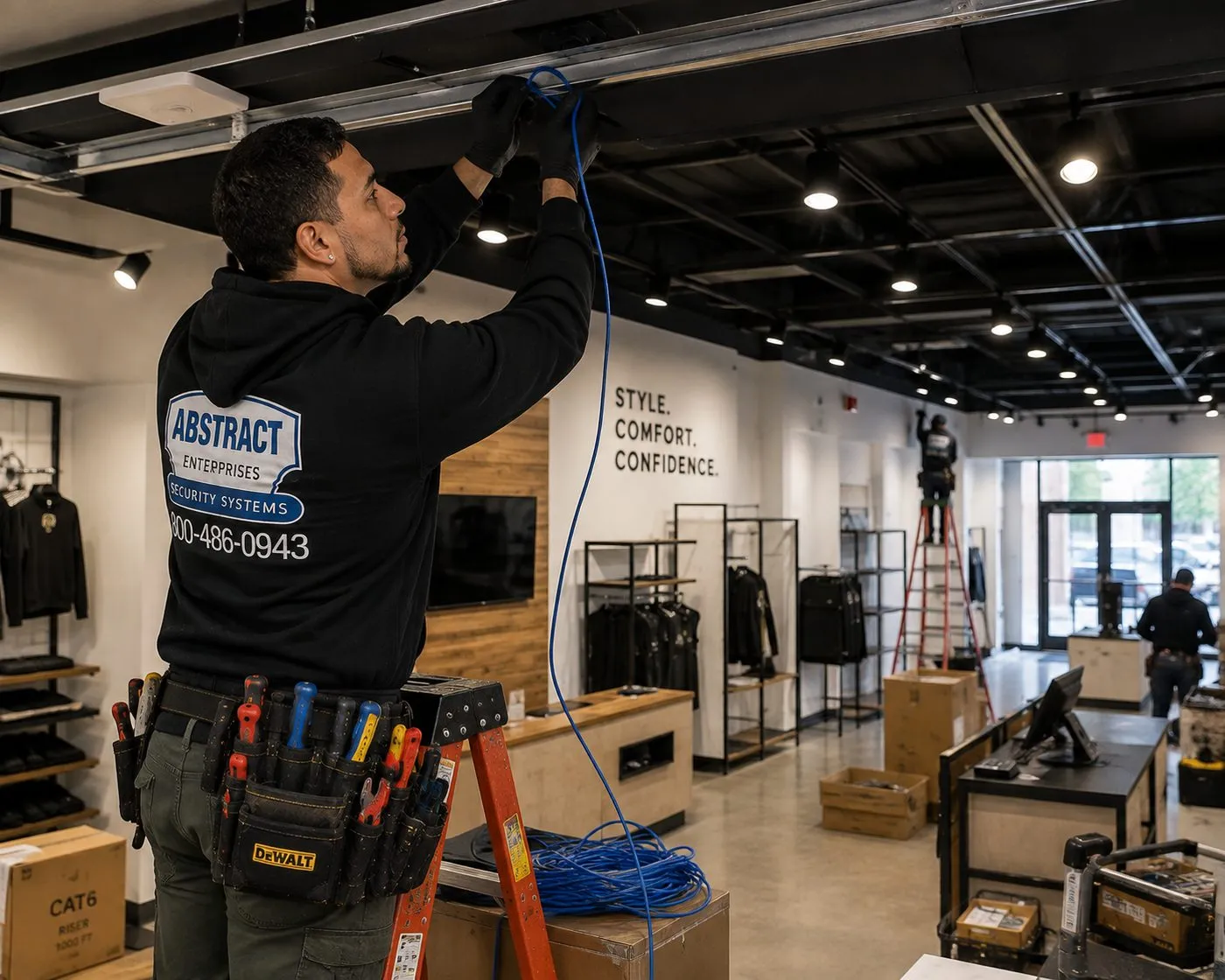
Technician running blue cable along an open black ceiling in a clothing store with shelving and a wall display, retail Sonos installation in New York City
A technician on a stepladder threads blue cable along the open ceiling of a clothing store with track lights, garment racks and a wall-mounted screen, while a second worker on a taller ladder works further back.

A shop owner putting in music is often also fed up with the store's Wi-Fi or its old camera recorder. Our low-voltage installation services in NYC cover audio, data and security under one licence, and AESS AV and sound installation takes on larger systems that go beyond Sonos.

Your Questions Answered

Sonos Installation in NYC: Questions Answered

Below are the real worries we hear on the phone before a Sonos booking, sorted into six themes: whether the network will hold up, whether the ceiling or wall will take speakers, whether the building will allow it, how it will sound to the neighbors, which products to buy and how it fits a rental. Cost, warranty and scheduling are in the FAQ further down.

Network and Wi-Fi in a crowded building

Why does my Sonos keep dropping out in my apartment building?

Usually because the signal between the router and the speakers is weak or crowded, not because a speaker is faulty. Sonos rates plaster and concrete as high-loss materials for wireless signals, and it lists other routers, extenders, cordless phones, baby monitors and wireless cameras as common sources of interference. In a New York building you have all of those at once, most of them belonging to neighbors. A speaker with a marginal link plays fine at 2 PM and drops at 9 PM when everyone upstairs starts streaming.

The fix is in the network, in roughly this order: move the router out of the hall closet if it is buried there, keep Sonos products at least 18 inches from other electronics as Sonos recommends, pick a channel the neighbors aren't crowding, and if a room is still unreliable, wire one Sonos product or add a wired access point. We test the signal in each room before and after, so you can see the change rather than take it on trust.

My building provides the Wi-Fi — will Sonos work on it?

Often not as it comes. Sonos's system requirements exclude guest networks and networks with a log-in portal, require the app and every speaker to sit on the same subnet, and don't support WPA or WPA2 Enterprise security. Building-wide Wi-Fi in amenity rentals is frequently set up in one of those ways, which is why the app can't see speakers that are plainly powered on and connected.

The dependable answer is your own router, connected to the building's network or to a separate internet line, with your Sonos and your phone on it. We set it up, move the speakers across and check that the app finds every room. If your lease or building management restricts adding a router, we will tell you that plainly before you buy more speakers.

Should one Sonos be wired to the router, and can you run that cable in a finished apartment?

If any room struggles on Wi-Fi, yes. Sonos lists a wired setup, with one or more products connected to the router by Ethernet at all times, as a supported way to build the system, and in mesh networks it says the wired Sonos must connect to the primary node. In a pre-war apartment with the router in one corner, wiring the soundbar or an Amp often settles the whole system.

In a finished apartment we run that cable the least visible way the building allows: inside a stud wall where there's a cavity, along baseboards or door casings in a slim raceway painted to match, or through a closet. Concrete and brick walls mean surface routing. If the router and the TV are on opposite sides of the apartment, a wired ceiling access point near the speakers can be the neater answer.

My router sits by the front door and the living room is behind two plaster walls — what then?

Then the router is in the wrong place for Sonos, and most likely for everything else too. Internet providers in the city usually install the router wherever the cable enters, which is often the entrance hall or a bedroom closet. Two plaster walls between it and the TV is exactly the situation Sonos's interference table warns about.

Options, from simplest to most involved: move the router to a central spot if the provider's cable can be extended; add a wired access point near the living room; or wire one Sonos product back to the router. What we don't do is add a plug-in range extender or a powerline adapter, because Sonos lists both as unsupported and they cause many of the dropouts we are called to fix.

Ceilings, walls and speaker wire

Can ceiling speakers go into a pre-war plaster ceiling?

In many rooms, yes, with care and a survey first. A Sonos 6-inch in-ceiling speaker needs an 8.25-inch hole and 4.73 inches of depth behind the ceiling; the 8-inch model needs a 10.125-inch hole and 5.32 inches of depth. In plaster on wood lath there's usually room between the joists, but the opening has to be cut slowly and the lath held so the surrounding plaster doesn't let go. Sonos's own installation manual tells installers to survey for studs, conduit, pipes, ducts and other obstructions before cutting, and to probe through a small pilot hole if unsure.

Where plaster is already sagging, cracked in a web pattern or sounds hollow across a wide area, we don't cut it; no speaker should hang from plaster that isn't holding on. We show you the spot, suggest the nearest sound location, or recommend a plasterer before the speakers go in.

My ceiling is solid concrete — are in-ceiling speakers still possible?

Not directly into the slab. Many post-war towers have poured-concrete ceilings with the finish skimmed straight onto them, and there is neither depth for a speaker nor a path for wire. That is a property of the building, not something a better saw can change.

There are three honest alternatives. A carpenter can build a dropped soffit along one side of the room, which gives a cavity for speakers and cable; kitchens and bathrooms sometimes already have a drop ceiling we can use; or the room gets wireless Sonos speakers on wall brackets that only need a nearby outlet. We look at the room and tell you which one fits before you commit to buying in-ceiling speakers.

How does the speaker wire get from the ceiling back to the Amp without opening every wall?

By choosing where the Amp lives first. An Amp in a hall closet, a media cabinet or a bedroom closet near the speakers keeps the wire short, and the run can often follow the joist bay the speakers sit in to a wall cavity that drops to the closet. In brownstones, the joists give clean runs front to back; side-to-side runs cross joists and need careful drilling or a soffit.

Where a run would mean opening finished plaster, we look for an existing path first: a closet ceiling, a chase beside a riser, the space above kitchen cabinets. Only when none exists do we suggest an access cut, and we tell you its size and position so a plasterer can be booked alongside. A cable path is also why some customers choose wireless Sonos speakers for one room and in-ceiling for another.

Will the Era 300 wall mounts hold on my wall?

Only if they go into a stud. Sonos describes its Era 300 wall mount as stud-mounting only and not for drywall, with a ball joint that swivels 15 degrees up, down, left or right. That matters in New York, where the spot you want for a rear speaker may be a plaster wall with no stud nearby, a metal-stud partition or brick.

We locate the framing before agreeing the position and adjust it a few inches if needed. On brick and concrete we use masonry fixings rated for the load and suited to the mount; where neither works, a floor stand or shelf is the better answer, and we will say so rather than force a bracket into a wall that can't carry it.

The building, the board and the landmarks

Does cutting ceiling speaker holes count as an alteration in my co-op?

Often it does, and you should ask before booking. Co-op and condo alteration rules exist for work that cuts through walls and ceilings or touches electrical systems, and trade coverage of New York boards notes they may regulate any work touching fragile or old walls, even cosmetic work. Speaker holes in a ceiling, and cable run inside walls, can fall under that, while a soundbar on two anchors or wireless speakers on a shelf usually do not.

Ask the managing agent whether low-voltage speaker work needs an alteration agreement. If it does, we supply the scope, speaker locations, product sheets showing cut-out sizes and our insurance certificate, so the board reviews a clear plan. If the answer is no, we still send the certificate and confirm the building's contractor hours.

My building is in a historic district — does the Landmarks Preservation Commission need to approve speakers?

For interior Sonos work, usually not. The Commission says an LPC permit is needed for interior work only when the work also needs a Department of Buildings permit, when interior work affects the exterior, or when the interior itself is a designated interior landmark. Ceiling speakers and low-voltage wiring inside an apartment don't normally meet any of those.

Outdoor speakers are a different matter. Anything fixed to a facade, a stoop or a roof visible from the street in a historic district may need review, because most changes to front and rear facades there do. If you want speakers on a brownstone's rear deck or garden wall, we check before drilling. This is general information, not legal advice; your building's counsel or the LPC has the last word.

When can the work be scheduled in a doorman building?

Inside the building's contractor hours, which in many co-ops are weekdays during business hours. Trade guidance on New York alteration rules describes the traditional window as Monday to Friday, 9 AM to 5 PM, with weekend work limited, and contractors typically arranging the service elevator at least 48 hours ahead. Your building may differ, so we ask when you book.

That shapes the visit. A soundbar and app setup fits comfortably in a building window. Several rooms of ceiling speakers may be split across two weekday visits rather than squeezed into one. We book the service elevator through the super or the front desk, and we tell you in advance if a weekend date you asked for isn't allowed.

Sound, bass and the neighbors

Will a Sonos Sub bother the people downstairs?

It can, because bass travels through floors and structure far more easily than voices do. Sonos's guide allows the Sub 4 in a corner, against a wall, or under furniture with at least an inch of clearance above it, and its wireless connection lets it sit anywhere in the room. That flexibility is useful in an apartment: the Sub doesn't have to go in the corner that drives the most vibration into the floor.

We try two or three positions with you, sitting where you watch, and keep the one that gives even bass at the lowest level. A dense rug or an isolation pad under it helps on wood floors. After Trueplay, we set the Sub's level in the app and show you the night-listening setting on the soundbar so late films stay in your living room.

Do in-ceiling speakers send music into the apartment above?

Some sound does go up into the ceiling cavity, and in a wood-joist building that cavity is shared with the floor above. How much reaches the neighbor depends on the ceiling, the floor above and the volume, and it is worth discussing before a bedroom or a late-night living room goes into the plan.

Practical steps: keep ceiling speakers for background listening in kitchens, baths and hallways, set a sensible maximum in the app, and use the soundbar and Sub for loud films. Where noise upstairs is a real concern, wireless speakers on wall brackets are often the better choice for that room. We would rather tell you that now than install speakers you can't use after 10 PM.

Choosing the gear

Arc Ultra, Beam or Ray — which one suits my living room?

Size the bar to the TV and the room. Sonos lists the Arc Ultra at about 46.4 inches wide and the Beam (Gen 2) at about 25.6 inches, both connecting to the TV by HDMI; the Ray is the compact model and connects by optical cable. A 75-inch TV over a long wall suits an Arc Ultra; a 50-inch TV in a narrow living room is usually better served by a Beam; the Ray fits a bedroom or a studio and an older TV with an optical output.

Check one thing before you order: which audio outputs your TV has. If it has HDMI ARC or eARC, an Arc Ultra or Beam connects with one cable and the TV remote controls the volume. If it only has optical, the Ray connects directly. Send us the TV model and we will confirm before you buy.

Do I need a Sonos Amp, or can I keep my receiver and add a Port?

It depends on what you are keeping. The Port is a streamer: Sonos describes analog and digital coaxial outputs to a receiver or amplifier, an analog input for something like a turntable with a built-in preamp, and a 12-volt trigger that wakes a third-party amplifier when Sonos starts playing. If you love your receiver and speakers, the Port puts them on Sonos.

The Amp has its own amplifier and drives passive speakers directly, which makes it the usual choice for in-ceiling and in-wall speakers. Reviews list it at 125 watts per channel into 8 ohms, with an HDMI ARC input for a TV. We will tell you which one your plan needs, and how many.

How many ceiling speakers can one Amp run?

Sonos says the Amp reliably powers up to three pairs of its architectural speakers, six in total, when wired in parallel. In practice that is one room with six speakers, or a pair each in three nearby spaces that will always play together, such as a kitchen, a dining area and a hall.

If rooms need different music or volume, they need separate Amps, because one Amp is one Sonos room. That is the decision we make with you at the walkthrough: which spaces will ever play separately, and which never will. It sets how many Amps you buy and where the speaker wire goes.

Does Trueplay work if everyone in the house uses Android?

Partly. Sonos says most of its products need an iOS device for Trueplay tuning. Its newer speakers — Arc Ultra, Beam Ultra, Era 100, Era 100 Pro and Era 300 — can tune themselves with quick tuning from iOS or Android using their built-in microphones, while advanced tuning, where you walk the room with the phone, is iOS only. Architectural speakers on an Amp are tuned through the app with a supported iOS device.

We bring a compatible iPhone and run advanced tuning in each room, which Sonos says takes about three minutes per room. The room has to be reasonably quiet while it runs, and if you later move a speaker or change a stereo pair, Sonos advises tuning again.

Renting and moving

I rent — what Sonos setup leaves no holes?

More of one than people expect. A Sonos soundbar on the console, a Sub on the floor and Era speakers on stands or shelves need no drilling at all, and wireless rears can sit on bookcases at the back of the room. The network work — router placement, channel settings, removing an extender — leaves nothing behind either.

If your lease allows small holes, the soundbar can go on the wall or on the TV mount, and a paintable cord cover hides the cable. In-ceiling speakers are for owners, or for renters with written permission from the landlord, because the ceiling openings stay when you leave.

We're moving apartments — can you take the system down and set it up at the new place?

Yes. We take down the soundbar and any wall mounts at the old apartment, pack the hardware with its cables, and reinstall at the new one with anchors for whatever wall we find there. The system then has to join the new Wi-Fi, which is where moves usually go wrong; we do that on the visit and retune each room, because a new room sounds different.

Ceiling speakers normally stay with the apartment, since they are built in. If you are leaving behind an Amp and speakers, we can remove the Amp from your Sonos account so the next owner or tenant can set it up cleanly.
Plain-English Glossary

Sonos Words You Will Hear on the Visit

The Sonos app and the network settings behind it use a handful of terms that matter for an installation. Here is what each means in an apartment.

TermWhat it means for your system
SystemEvery Sonos product you control from one app account. Sonos allows up to 32 products in a single system.
RoomOne named place in the app — a speaker, a stereo pair, a soundbar with its Sub and rears, or an Amp with its ceiling speakers.
GroupTwo or more rooms playing the same music at the same time, set from the app.
Wired setupAt least one Sonos product connected to the router by Ethernet, which Sonos supports as an alternative to an all-Wi-Fi system.
2.4 GHz / 5 GHzThe two Wi-Fi bands. Every Sonos product works on 2.4 GHz; many newer ones also use 5 GHz. A router that offers only 5 GHz is not supported.
SubnetThe part of a network your devices share. The Sonos app and every speaker must be on the same one, which is why guest and building networks cause trouble.
S1 / S2Sonos's older and current app generations. Products set up with the S1 app are limited to older Wi-Fi modes and can't use WPA3 security.
TrueplaySonos's room tuning, which measures how sound reflects in the room and adjusts the speaker for its position.
AmpThe Sonos amplifier that powers passive in-ceiling, in-wall or bookshelf speakers and adds them to the system.
PortThe Sonos streamer for an existing receiver or amplifier, with line-out, digital coaxial out, line-in and a 12-volt trigger.
Architectural speakersPassive speakers built into ceilings and walls, such as the in-ceiling models Sonos makes with Sonance.
Cut-outThe size of the hole a ceiling or wall speaker needs — 8.25 inches for Sonos's 6-inch in-ceiling model.
12V triggerA low-voltage signal from a Port that switches on a separate amplifier when Sonos starts playing.
HDMI ARC / eARCThe TV port that sends sound to a soundbar or Amp over one cable and lets the TV remote control volume.

If a quote uses a word that isn't here, ask what it means for your room. Anyone who has installed Sonos in this city should be able to explain it in a sentence.

Equipment

Types of Sonos Systems We Install

We install the Sonos products you buy, and if you haven't bought yet, we will tell you which ones the rooms need. These are the families we fit most in New York homes and businesses, with the specifications that matter for mounting and wiring. Figures come from Sonos's product and support pages unless noted.

Arc Ultra

The large Sonos soundbar, about 46.4 in wide, 2.95 in tall and 4.35 in deep, roughly 13 lb. Sonos sells a wall mount for it and says the bar detects wall-mounting and adjusts its EQ to temper bass resonance from the wall.

Beam (Gen 2)

The mid-size soundbar, about 25.6 in wide and 6.35 lb, connecting to the TV over HDMI ARC or eARC. A common match for 50- to 65-inch TVs in city living rooms.

Ray

The compact bar for bedrooms, studios and older TVs, connecting by optical cable. Light enough for almost any wall, and easy on the neighbors.

Era 100 and Era 300

Standalone speakers for music or as surrounds behind a soundbar. Sonos's Era 300 wall mount swivels 15 degrees each way and is for stud-mounting only; Sonos also sells a Sanus-made wall mount for the Era 100.

Sub 4

The wireless subwoofer. Sonos's guide allows it in a corner, against a wall or under furniture with an inch of space above, and lists dual-sub options — two Sub 4s, or a Sub 4 with a Sub (Gen 3) — for Arc Ultra, Arc, Beam and Ray setups.

Amp

Powers passive speakers: 125 watts per channel into 8 ohms in reviewers' measurements, an HDMI ARC input, a subwoofer output and two Ethernet ports. Sonos says it powers up to three pairs of its architectural speakers in parallel.

In-Ceiling and In-Wall Speakers

Sonos and Sonance in-ceiling models in 6-inch and 8-inch sizes, 8 ohms nominal, with paintable, bezel-less grilles. Cut-outs of 8.25 in and 10.125 in, mounting depths of 4.73 in and 5.32 in.

Port

Streams Sonos to an existing receiver or amplifier. Sonos asks for at least 2 inches of space around it on a shelf, open ventilation and distance from radiators and other heat sources.

Network Hardware

Routers, wired access points and network switches that give the system a strong, supported connection. Not Sonos products, but often the part that decides whether Sonos works well.

Which Sonos products use which Wi-Fi

This matters in a crowded building, because the 5 GHz band is usually far less congested than 2.4 GHz. Sonos's own list, for products on the current app:

Wi-Fi supportSonos products (per Sonos support)
5 GHz with 802.11ac/ax/n/aAmp Multi, Arc Ultra, Beam Ultra, Era 100, Era 100 Pro, Era 100 SL, Era 300, Move 2, Sonos Play, Sub 4
5 GHz with 802.11n/aFive, Move, One (Gen 2), One SL, Port, Sub (Gen 3), Sub Mini and several SYMFONISK models
2.4 GHz with 802.11n (plus b/g)Amp, Arc, Arc SL, Beam (Gen 1), Beam (Gen 2), Beam Ultra, Ray
All products802.11b/g on 2.4 GHz; WPA and WPA2 Personal security

Models and specifications change, so we confirm each product's connections, mount and weight before the visit. That also tells us which anchors, cables and network parts to bring.

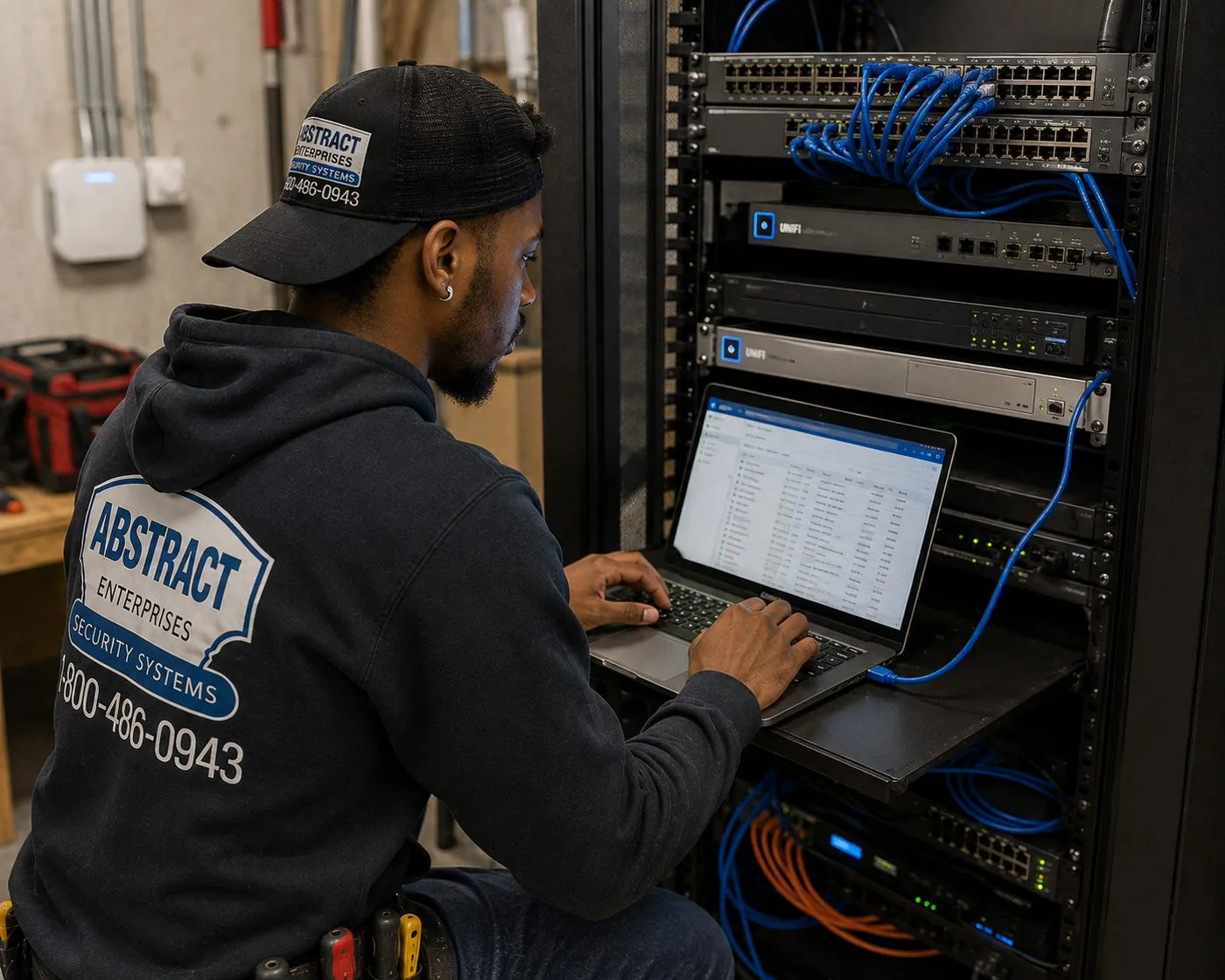
Technician configuring network switches on a laptop at an open equipment rack, network setup behind Sonos installation in New York City
A technician in a hoodie sits at an open equipment rack, typing on a laptop resting on the rack shelf, with network switches and blue patch cables above and a wall-mounted access point on the concrete wall behind.
AI Overview Reality Check

What AI Gets Wrong About Sonos Installation in NYC

How these were chosen: our research tools could not load Google's AI-generated summaries, so we don't quote them. Instead, each heading below is a statement we found in print — in a national cost guide, a forum thread or product marketing — of the sort that search assistants pick up and repeat. Under each one is what changes when the system is going into a New York apartment or storefront.

"Sonos is plug-and-play — nobody needs an installer"

For one speaker in a house with a good router, that is close to true. It is also why so many Sonos systems in the city were set up by their owners and work most of the time.

Sonos's own pages draw the line differently. Its beginner's guide to in-ceiling speakers says architectural speakers often require a professional installer, and its guide to in-wall speakers says you'll likely need one, because an Amp has to be installed, holes cut and speaker cable run. Its system requirements also rule out common city network setups. Plug-and-play stops where the network or the ceiling starts.

If your system is a soundbar and two speakers on a good home network, you may need no one. If it is dropping out, crossing plaster walls or going into a ceiling, that is the point to call.

"Multi-room audio costs $500 to $1,000 per room"

That is Angi's figure for additional zones in a whole-home audio system, and it is a reasonable national number. Angi's same guide puts labor at $50 to $100 an hour for jobs of two to three hours.

A New York room doesn't have an average ceiling. A drop-ceiling kitchen is quick; a pre-war plaster ceiling is slow and careful; a concrete-slab room may need a carpenter's soffit or a different product entirely. Add a building insurance certificate, contractor hours and a service elevator, and the same "room" means different work in different buildings.

That's why AESS publishes the lines it can price in advance — the $125 Sonos setup, soundbar mounting, brackets, wall surcharges — and prices ceiling and wall speakers after a walkthrough, within the $800 to $2,500 per zone range published on our NYC AV and sound installation page.

"Any Wi-Fi will do — add an extender if the signal is weak"

Extenders are the standard advice for weak Wi-Fi, and quick answers repeat it for speakers too.

Sonos's system requirements list wireless range extenders and Ethernet-over-power adapters as unsupported, alongside guest networks, portal log-ins, mobile hotspots and 5 GHz-only routers. Following the generic advice can make a Sonos system worse.

What works in a plaster-and-concrete apartment is a better router position, a wired access point, or one Sonos product wired to the router — all supported by Sonos and all things we do on a visit.

"Ceiling speakers can go in any ceiling"

Many DIY videos make in-ceiling speakers look like a drywall job: trace the template, cut, wire, clip in. In a suburban house with drywall ceilings and an attic above, that's largely accurate.

In New York, the ceiling might be plaster on lath, a concrete slab with no cavity, or steel beams with masonry arches. Sonos's in-ceiling speakers need an 8.25- or 10.125-inch opening and up to 5.32 inches of depth, and its manual tells installers to survey for pipes, ducts and conduit first and to consult local building codes before running speaker wire through ceilings.

We survey each ceiling before you buy speakers for it, and we will tell you when a room is better served by wireless speakers on brackets.

"Trueplay works on any phone"

Sonos's marketing for its newer speakers mentions tuning from iOS or Android, and summaries generalize that to the whole range.

Sonos's support article is more precise: most Sonos products need an iOS device for Trueplay; the Arc Ultra, Beam Ultra, Era 100, Era 100 Pro and Era 300 can use quick tuning from either platform; and advanced tuning is iOS only. Architectural speakers on an Amp need a supported iOS device.

An Android-only household can still have every room tuned — we bring a compatible iPhone and run advanced tuning room by room during the visit.

"Sonos's app problems are fixed, so setup is simple again"

Sonos released a redesigned app, version 80.0, on May 7, 2024. Trade press reported problems with volume control, grouped rooms and missing features, and the company's chief executive publicly apologized and set out a schedule of fixes.

The app has been updated many times since, and most systems we set up today go smoothly. But many owners lost confidence in grouping and regrouping, and some older products set up on the S1 app can't use the newer Wi-Fi modes or WPA3 security that a modern router offers.

Part of every visit is checking which app and software each product runs, confirming every room appears and groups correctly, and showing you how to regroup without starting again.

"Put the subwoofer in the corner for the most bass"

Corner placement for maximum bass is classic home-theater advice, and Sonos's own guide allows the Sub in a corner.

In a pre-war building with wood-joist floors, the corner is where bass couples most into the structure — and into the bedroom below. The goal in an apartment is even bass at the couch at the lowest level, not the most bass possible.

Because the Sub is wireless and Sonos permits it under furniture with an inch of clearance, we can usually find a spot along the front wall or under the console that sounds right without shaking the floor. We test positions with you and set the Sub level after Trueplay.

Sonos That Stays Connected in a New York Building

Send the product list, the rooms and where the router sits. We send back the plan, the price and what your building needs from us.

Get In Touch

Request a Free Quote

Whether it's one Ray in a Bronx bedroom or six ceiling speakers across a Park Slope parlor floor, the form below is all we need to start; expect a written figure by the end of the business day. Rather talk it through? Call (800) 486-0943.

✅

We Got Your Request!

We'll call you back the same business day. If it's urgent, call us now at (800) 486-0943.

How It Works

Our Installation Process

Seven steps, whether it's a Ray in a Washington Heights bedroom or six ceiling speakers and an Arc Ultra in a Tribeca loft.

1. Send the product list and photos

You tell us which Sonos products you have or plan to buy, which rooms they go in and where the router sits, with a photo of the TV wall and each ceiling. We reply with a written price from our published lines and say what needs a walkthrough.

2. Walkthrough for built-in speakers

For ceiling or wall speakers we survey each ceiling, find a home for the Amp and a cable path, and confirm the board's rules. Simple soundbar and setup jobs skip this step.

3. Building paperwork and booking

We issue the certificate of insurance your managing agent asks for, free, and book a 2-hour arrival window between 8 AM and 8 PM that sits inside the building's contractor hours.

4. Network first

On arrival we check signal in every Sonos room, fix the router position and channel, remove unsupported extenders, and add a wired link or access point where a room needs one.

5. Mount, cut and wire

Soundbar brackets fixed with anchors for the wall we find, ceiling openings cut to the speaker's template after a pilot-hole check, speaker wire run to the Amp, and dust cleaned up as we go.

6. Set up the system

Every product joined to one Sonos system, rooms named and grouped, music services signed in, the TV remote tested on soundbar volume, and software updated.

7. Tune and hand over

Trueplay run in each room that supports it, the Sub level set for the apartment, and a walkthrough of the app with you so you can group rooms and adjust volume yourself.

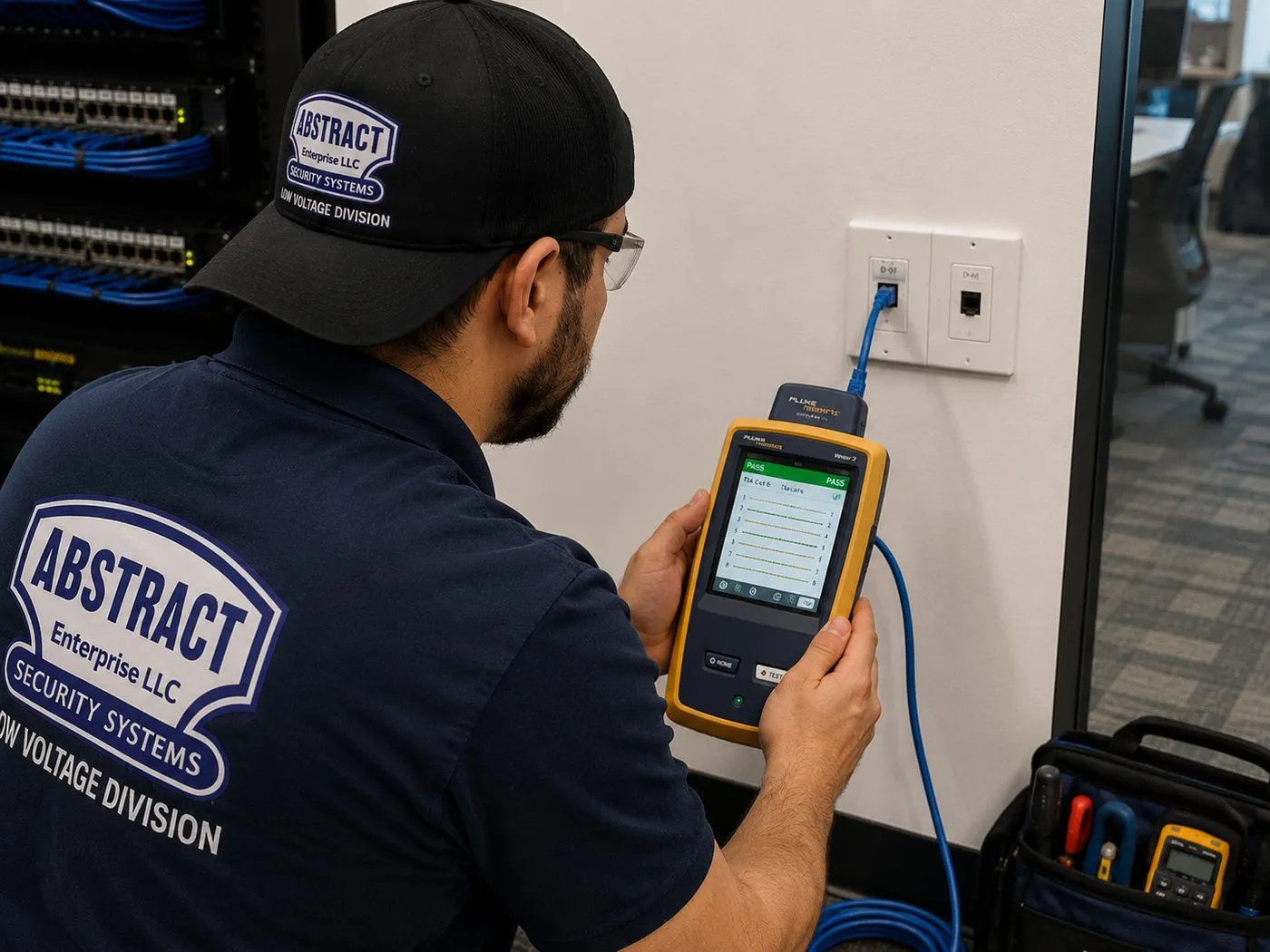
Technician holding a handheld cable tester connected to a wall network jack, verifying a wired link during Sonos installation in NYC
A technician holds a yellow handheld cable tester whose screen shows a result, its blue lead plugged into a white wall plate, with a network rack to his left — how a new wired link for a Sonos product is checked before the speakers rely on it.
Coverage Area

Sonos Installation Near NYC's Landmarks

When a customer gives us the address, the building's era often predicts the ceiling, the walls and the Wi-Fi before we walk in. The six places below span that variety, from 1830s Staten Island houses to waterfront towers begun in 2019.

The Dakota, Central Park West, Manhattan

Completed in 1884 to Henry Hardenbergh's design and a co-op since 1961. Its floors are steel beams with brick or terracotta arches under concrete — the kind of ceiling that is surveyed carefully before any in-ceiling speaker is promised, in the Dakota and in the many apartment houses built in the decades after it.

Brooklyn Heights Historic District, Brooklyn

Designated on November 23, 1965, the first historic district in New York City and known for its 19th-century brownstones. Plaster ceilings on wood joists, brick party walls and stacked floors make wired links and joist-bay speaker runs the norm.

Parkchester, the Bronx

Built by Metropolitan Life between 1939 and 1942: 171 brick buildings of eight or 13 stories with more than 12,000 apartments, converted to condominiums in 1974 and 1986. Masonry walls that hold a soundbar bracket well and challenge Wi-Fi from room to room.

Forest Hills Gardens, Queens

The garden suburb planned by Frederick Law Olmsted Jr. and Grosvenor Atterbury for the Russell Sage Homes Foundation, laid out by 1910. Atterbury used standardized precast concrete panels in his houses, and today the community has over 800 homes, townhouses and garden apartment buildings.

Hunters Point South, Long Island City, Queens

The waterfront redevelopment along Center Boulevard, where TF Cornerstone broke ground in 2019 on 1,194 apartments in towers of 46 and 56 floors. Concrete construction, drywall partitions and a very crowded Wi-Fi environment.

St. Paul's Avenue–Stapleton Heights, Staten Island

A historic district designated in 2004 on the hillside between Tompkinsville and Stapleton, with about 92 freestanding houses from Greek Revival villas of the 1830s to early 20th-century Arts and Crafts homes. Wood framing, basements and attics — good cable paths, and porches where outdoor speakers need a landmarks check first.

We also install Sonos in Harlem, Inwood, the Upper East and Upper West Sides, Chelsea, the Financial District, Williamsburg, Greenpoint, Fort Greene, Bed-Stuy, Ditmas Park, Bay Ridge, Astoria, Jackson Heights, Bayside, Riverdale, Pelham Bay, Throgs Neck, St. George and Tottenville, and in Nassau, Suffolk and the six Hudson Valley counties.

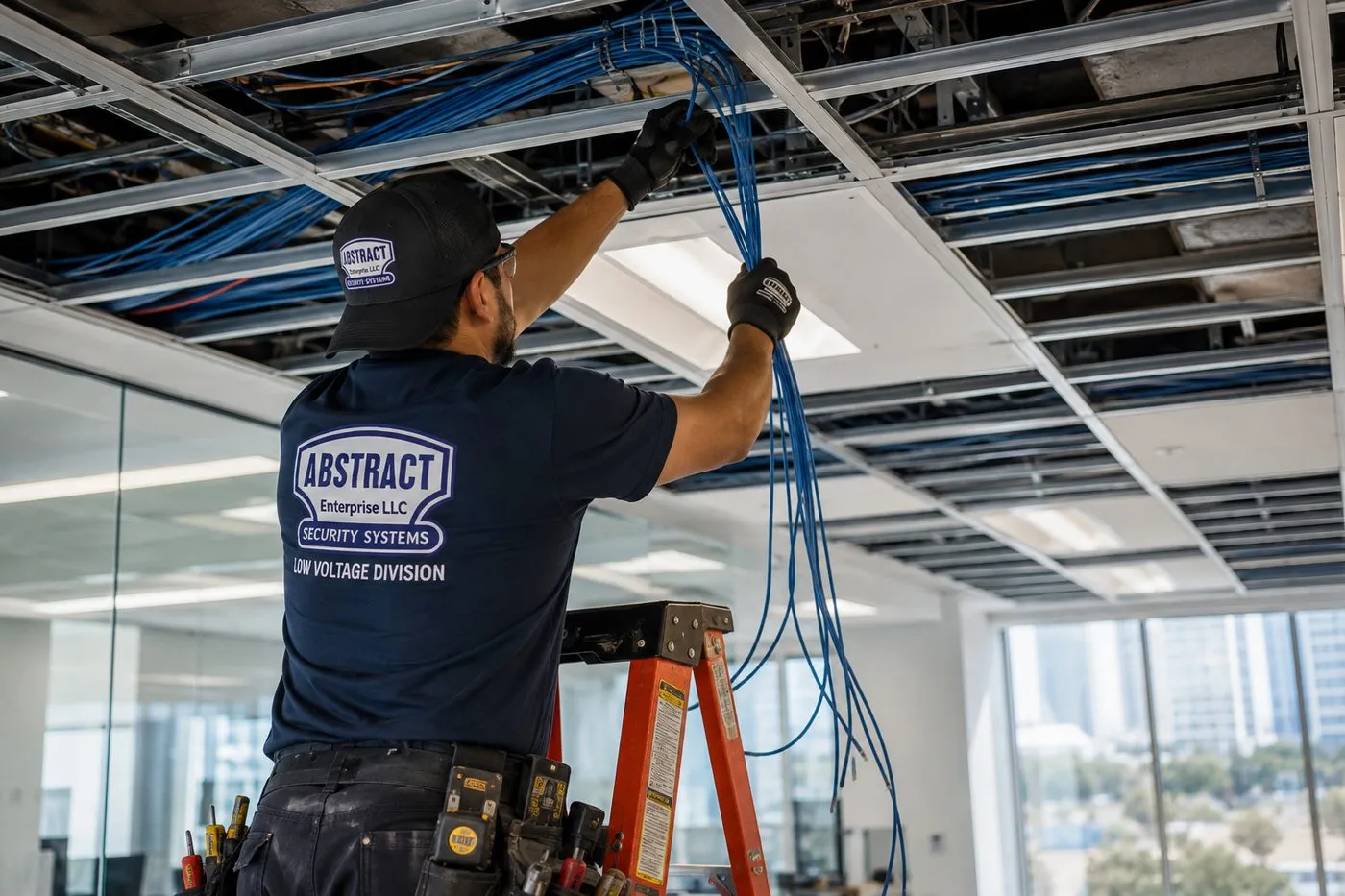
Technician on a ladder pulling a bundle of blue cables through an open ceiling grid in an office, speaker and network cable run for Sonos installation in New York City
A technician on an orange ladder draws a loose bundle of blue cables down through an open drop-ceiling grid, with glass-walled offices and windows behind him.
Pricing

Sonos Installation Cost in NYC

Every line below is already published on AESS's TV and audio price list. Work we can't price without seeing the ceiling or wall is quoted after a walkthrough, in writing, before any work starts. If something unexpected turns up on the day, you get the price before we do it.

ItemPriceWhat it covers
Sonos setup$125Sonos system, app and rooms set up (the Sonos / wireless surround line on our price list)
Soundbar wall-mounted under the TV$129Arc Ultra, Arc, Beam or Ray on its bracket, levelled and connected
Soundbar placed on console or stand$79Placed, connected to the TV and tested
Sanus soundbar bracket$84.99Supplied by us when you don't have a mount
In-wall concealment$169Code-compliant in-wall power and cable kit behind the TV
Paintable cord cover$59Surface raceway where the wall can't be opened
Cable run to a cabinet or other spot$99Up to 25 ft
A/V receiver$129Receiver connected and configured, for example with a Port
Universal remote$99Programmed for TV, Sonos and sources
Streaming device setup$49Per device
Full home theater$350Multi-component system setup
In-ceiling or in-wall speakers on AmpQuoted at walkthroughWithin the $800–$2,500 per zone range published for whole-home audio
Wired backbone, access point, Port or Amp placementQuoted at walkthroughDepends on cable path, wall type and distance

Wall and access add-ons

ConditionPrice
Drywall on wood studs$0
Metal studs+$30
Plaster+$45
Brick or stone+$65
Concrete or cinder block+$75
Tile or marble+$95
Plywood backer board$85
High mount (above about 8 ft)$75
Walk-up, 3rd floor and above, no elevator$40
Box removal$25
Certificate of insurance for your buildingFree

Setup-only visits by borough

When nothing is being mounted or cut — joining a system to new Wi-Fi, regrouping rooms, tracking down dropouts — the visit is billed by the hour: the first hour at a flat rate, then 30-minute blocks.

BoroughSetup-only, first hour
Brooklyn$195
Queens$195
The Bronx$225
Staten Island$225
Manhattan$265

What's included, and what isn't

  • Included: mounting and levelling, connecting to the TV, joining every product to one system, naming and grouping rooms, signing in your music services, Trueplay in each tunable room, and cleaning up dust.
  • Not our trade: we don't touch line-voltage wiring, so any extra outlet for an Amp or Port is booked with an electrician, and plaster repair or repainting around a ceiling cut is for your plasterer or painter.
  • Products: you buy the Sonos products from the retailer you prefer; we supply brackets, cable, cord covers and in-wall kits on the lines above.
  • Wasted visits: if the crew arrives and can't begin — Sonos boxes not delivered yet, the doorman won't let us up, or the board hasn't signed off — the $150 return-trip fee is charged.
  • Fragile surfaces: century-old plaster, and any tile or marble near a mount, may crack despite slow cutting. You hear that risk at the walkthrough, and nothing is cut until you agree.

National platforms versus a local licensed installer. Cost guides and gig platforms quote national averages that assume drywall, an attic and a good router. What they leave out in New York is the plaster, the concrete, the crowded Wi-Fi, the board and the service elevator. A local installer with published line prices and a low-voltage licence can quote the real job, then answer to you afterwards. Our full TV mounting price list for NYC shows every line in one place.

Shop Our Systems

Sonos Installation Packages & Pricing

Three common starting points for a city Sonos job, each adding up published lines so you can check the sum. Wall-type surcharges, stair carries and similar extras are added separately.

Starter — Sonos Setup

$125

Sonos setup ($125): every product joined to one system on your network, rooms named and grouped, music services signed in, Trueplay where supported. For speakers that only need to be placed and set up properly.

Standard — Soundbar on the Wall + Setup

$338.99

Sonos setup ($125), plus the Arc, Beam or Ray hung below the screen ($129) on a Sanus bracket ($84.99): $338.99 in all. Plaster walls add $45, brick $65, concrete $75.

Premium — Soundbar, Hidden Wiring + Setup

$507.99

Everything in Standard ($338.99), with the TV and soundbar power and HDMI taken inside the wall through a code-compliant recessed kit ($169): $507.99. Needs a hollow wall and a building that permits it.

Bring Your Own Equipment — Labor Only

Already bought the Sonos wall mount for your Arc Ultra, or another mount rated for your bar? Then it's the labor price: $129 to wall-mount plus any wall surcharge, and $125 if you want the full Sonos setup. Customer-supplied mounts must be rated for the product and carry their maker's warranty. If a supplied mount isn't suitable for the wall, we say so before drilling and offer the Sanus bracket instead.

Ceiling and Wall Speaker Rooms

In-ceiling and in-wall speakers on a Sonos Amp are priced per room after a walkthrough, because the ceiling, the cable path and the Amp location set the work. Our published range for whole-home audio is $800 to $2,500 per zone installed; your written quote shows exactly where your rooms fall before you commit.

Ready to Price Your Sonos Rooms?

A photo of the TV wall, a photo of each ceiling and your product list are enough for a written price.

Across the Five Boroughs

How Sonos Jobs Change From Borough to Borough

The app is the same in Inwood and in Great Kills. The housing around it is not, and it changes what a Sonos visit involves. Each borough will get its own page; until then, this is the summary.

Manhattan

Manhattan Sonos work is mostly about access and structure. Doorman co-ops and condos expect a certificate of insurance, a booked service elevator and work inside weekday hours, and boards are more likely to treat ceiling cuts as alterations. Ceilings range from plaster on lath on the Upper West Side to concrete slabs in post-war towers on the East Side and drop ceilings in renovated lofts downtown. Wi-Fi congestion is at its worst here, so the network plan usually comes first, and setup-only visits are billed at the Manhattan hourly rate.

Brooklyn

Brooklyn is brownstone country as much as anywhere in the city: Brooklyn Heights, Park Slope, Fort Greene, Bed-Stuy and Crown Heights all have long runs of row houses with plaster ceilings on wood joists. Multi-floor Sonos systems are common in owner-occupied houses, and they need a wired link or an access point on each floor. Newer towers in Downtown Brooklyn, Williamsburg and Greenpoint bring concrete ceilings and building-provided Wi-Fi, which is where we see the most "speakers missing from the app" calls.

Queens

Queens covers almost every building type the city has. Long Island City's towers are concrete and crowded with networks; Jackson Heights, Forest Hills and Kew Gardens have pre-war co-ops and garden apartments with plaster and co-op boards; and much of the borough is two-family houses with basements, attics and drywall, which are the easiest homes in the city for ceiling speakers and cable runs.

The Bronx

The Bronx brings large brick complexes like Parkchester and Co-op City, pre-war elevator buildings along the Grand Concourse, and houses in Riverdale, Country Club, Throgs Neck and City Island. Masonry and concrete dominate the apartment work, so wireless speakers and a strong network plan carry most systems, while the houses take ceiling speakers much like suburban homes. Setup-only visits are billed at the Bronx rate.

Staten Island

Staten Island Sonos jobs are mainly in detached and semi-detached houses with drywall or plaster over wood framing, often with a deck or yard where outdoor audio comes up. Attics and basements make cable runs simple. The historic districts on the North Shore, such as St. Paul's Avenue–Stapleton Heights, add a landmarks check before anything is fixed to a visible porch or facade.

Network First

Building a Sonos Network That Survives a New York Building

Most Sonos service calls we take in the city come back to the network. This is the checklist we work through on every install, drawn from Sonos's support pages and from what we find in apartments.

  • A supported router. One that broadcasts 2.4 GHz as well as 5 GHz, uses WPA2 or WPA3 Personal security, and puts the app and every speaker on the same subnet. Guest networks, portal log-ins and enterprise security are out.
  • A sensible router position. Central rather than at the front door, out of metal cabinets and away from the TV's back panel, with at least 18 inches between Sonos products and other electronics as Sonos recommends.
  • No extenders or powerline adapters. Sonos lists both as unsupported. We remove them and replace them with a wired access point where coverage needs help.
  • One wired product where it helps. In plaster-and-concrete apartments, a single Ethernet connection to the soundbar, an Amp or a Port often steadies the whole system. On a mesh network, Sonos says it must go to the main node.
  • Channels picked for the building. We look at which channels the neighbors crowd and set the router to avoid them, then check signal in each Sonos room.
  • Managed switches set correctly. Where a building or office uses managed network gear, the switch settings that Sonos systems rely on for discovery are checked with whoever runs that network.
  • Current software. Every product updated, and older products set up on the S1 app identified, because they can't use the newer Wi-Fi modes or WPA3.

None of this is visible once the speakers are playing, which is the point. A system built this way should still be working the day a new neighbor moves in with a powerful router.

Before your appointment

Have the Sonos products in the apartment, boxed or unboxed. Know your Wi-Fi name and password, and your Sonos account log-in if you already have one. If the router belongs to the building or your provider, tell us when you book. Send the managing agent's details if your building wants a certificate of insurance. And if you are planning ceiling speakers, a photo of each ceiling and of the closet where the Amp might live saves a lot of time.

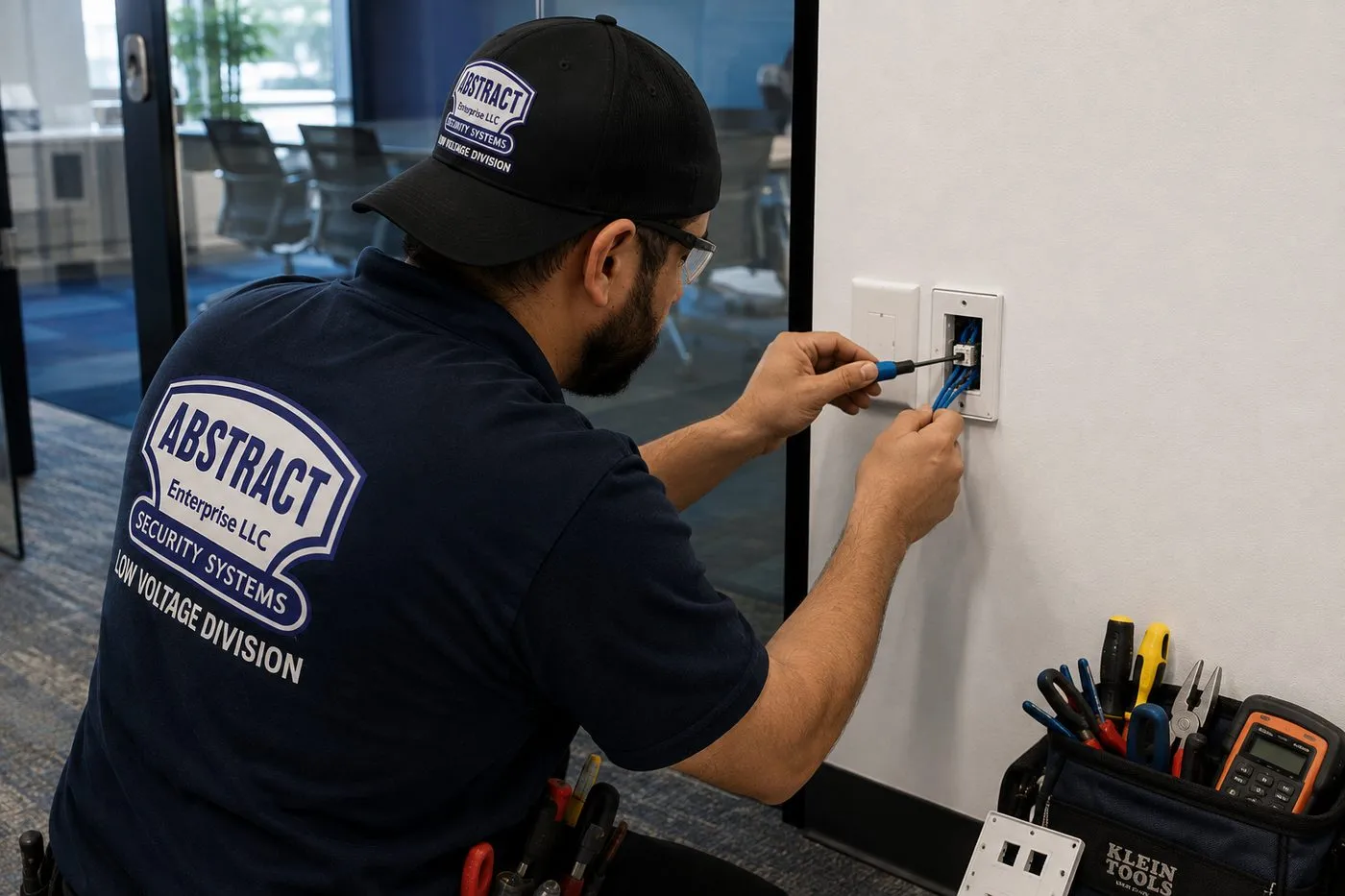
Technician terminating a blue network cable at a white wall plate beside a mounted display, Ethernet drop for a wired Sonos product in New York City
A technician in a cap fits a blue cable into a white wall plate with a small tool, next to the edge of a mounted screen, with a tool pouch and a meter in a bag on the floor.
Complete Services

Every Sonos Installation Service in NYC

A Sonos visit is often one part of a bigger change — a new TV, a renovation, a new network. These are the related city services people book alongside it.

Soundbar Installation NYC

Other soundbar brands, mounted and wired with the same care for plaster, brick and concrete.

TV Installation in New York City

The TV above the Arc or Beam, with height, spacing and cable route planned together.

AV & Sound Installation NYC

Dedicated theaters, conference rooms and systems that go beyond Sonos.

Abstract Enterprises Network Installation

Routers, access points and switches that give Sonos a supported, steady connection.

Structured Cabling in NYC

Ethernet and speaker cable pre-wired while the walls are open.

Home Automation NYC

Lighting, shades, locks and thermostats tied into the same everyday controls.

Service Policies

Appointments, rescheduling, return trips and setup-only billing.

All AESS Services

Cameras, alarms, intercoms, access control and more across New York.

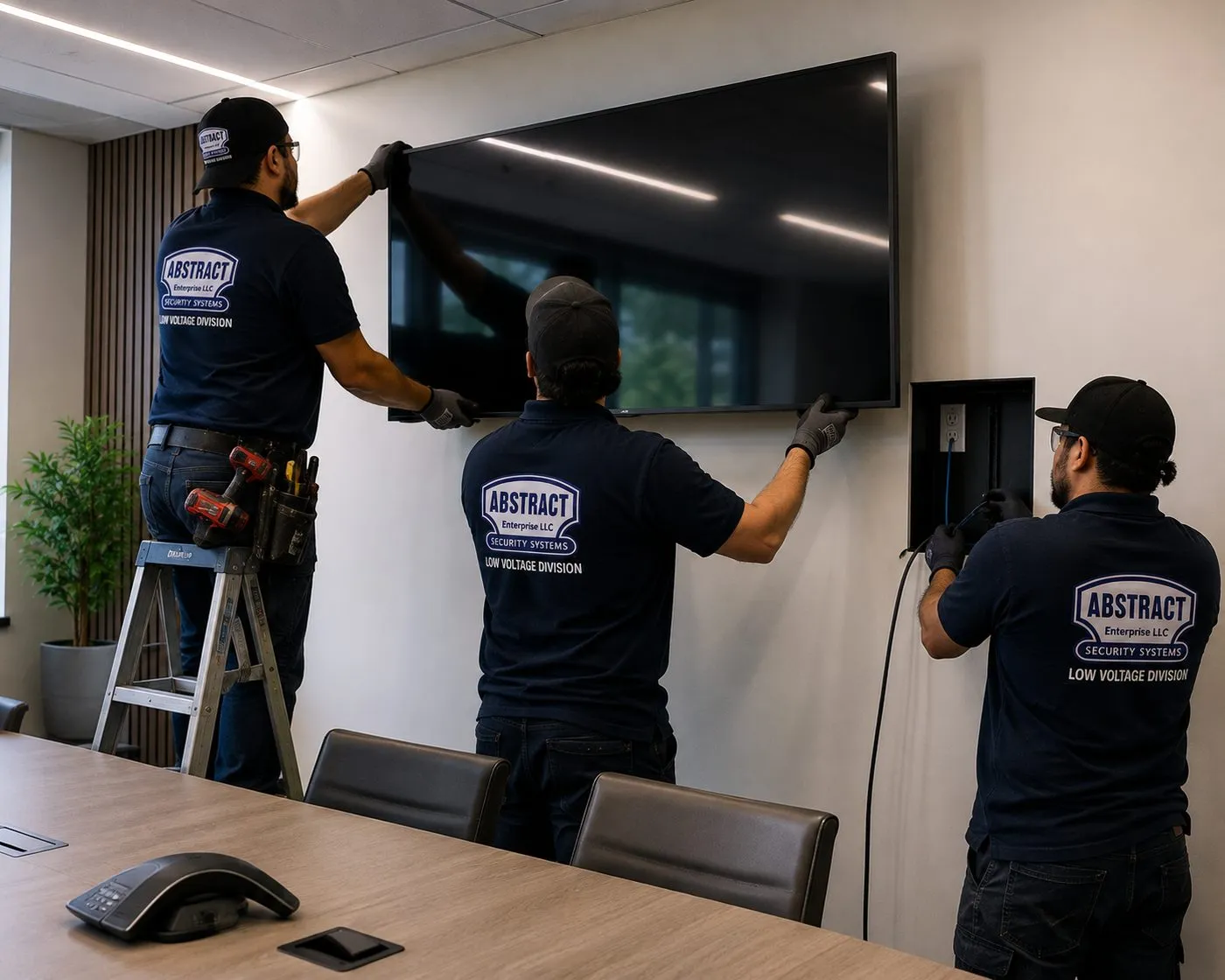
Three technicians mounting a large display on a conference-room wall above a recessed box, AV mounting alongside Sonos installation in NYC
Two technicians, one on a stepladder, guide a large display onto its wall mount in a conference room while a third works at a recessed box in the wall below, a conference phone on the table in front.
Field Notes

Field Notes on New York Sonos Rooms

How our installers survey a Sonos room in an older apartment — standing practice, not one particular job

The first thing out of the bag isn't a drill, it's a phone. Before touching a speaker we walk from the router to each Sonos room checking signal strength and counting the networks around us. If the bedroom reads poorly through two plaster walls, there's no point mounting anything until the network plan is settled.

The second check is the ceiling. A knock tells us a lot: drywall sounds hollow and light, plaster rings dense, and a dull, unchanging thud usually means concrete. In a plaster ceiling we press around the planned speaker spot for give, and drill one small pilot hole to probe the cavity for pipes, cable or a joist before marking the full cut-out.

The third is the closet. Every in-ceiling plan depends on where the Amp can live with power, ventilation and a cable path, so we find that spot before promising speakers anywhere. If no closet works, the plan changes before you buy anything.

FAQ

NYC Sonos Installation FAQ

How much does a Sonos installation cost in New York City?
+

Sonos setup is $125 on our published price list. Wall-mounting a Sonos soundbar under the TV is $129, a Sanus soundbar bracket is $84.99 and in-wall concealment is $169. Wall surcharges run from $0 for drywall on wood studs to $95 for tile or marble. Ceiling and wall speakers on a Sonos Amp are quoted after a walkthrough, within our published $800 to $2,500 per zone range.

Do I buy the Sonos speakers, or do you supply them?
+

The Sonos hardware is your purchase, from whichever store you like; our job is fitting it. Mounting hardware, cable, raceway and in-wall kits come from us at the prices listed above. Still deciding? Describe the rooms and we will name the products and the number of Amps that suit them.

Who handles the warranty if a Sonos speaker fails?
+

Sonos products carry Sonos's manufacturer warranty through the seller, so a faulty speaker goes back through the retailer or Sonos. Full terms — including 50% deposit, one-year parts-only warranty on AESS-supplied products, and the late-fee schedule — are set out in the service agreement.

How long does a Sonos installation visit take?
+

A soundbar on the wall with full setup usually fits in one visit within your 2-hour arrival window plus the work itself. Trueplay takes about three minutes per room, according to Sonos. Several rooms of ceiling speakers can take longer and are sometimes split across two visits to fit a building's contractor hours.

What hours do your NYC installers work, and is same-day possible?
+

Crews start as early as 8 AM and the last arrival slot ends at 8 PM, including Saturdays and Sundays. If today still has a free slot, you can have it. Where a co-op or condo limits trade hours, the booking follows the building's rules.

Can I move my appointment?
+

Give us a day's warning and the new date costs nothing. Inside 24 hours, the $150 return-trip fee still applies, because the crew and the building slot were already committed.

Will you set up my music services and voice control?
+

Yes. During setup we sign in the music services you use, set your default service, and switch voice control on or off as you prefer, then show you how to change any of it in the app.

Will you take the Sonos boxes away?
+

If you like. Box removal is $25 on our price list. Many owners keep the original boxes for a future move, which we also understand.

Can you put Sonos in an office or restaurant as well as at home?
+

Yes. We install Sonos in restaurants, shops, offices, salons and building amenity rooms, usually with ceiling speakers on Amps and a separate network for the music system. Commercial jobs are quoted after a walkthrough.

Do you install Sonos outside the five boroughs?
+

We do. Our technicians travel to Nassau and Suffolk on Long Island and up the Hudson Valley to Westchester, Rockland, Orange, Putnam, Dutchess and Ulster. Pick the county in the quote form so the right crew calls you back.

All Areas Served

Sonos Installation Across New York

Borough-level Sonos pages, plus regional hubs for Nassau–Suffolk and the Hudson Valley counties, are still in progress. Until each one is published its link takes you to the quote form — our crews already cover all of those areas.

Long Island

Sonos installation on Long Island — Nassau and Suffolk counties.

Hudson Valley

Hudson Valley Sonos installation — Westchester, Rockland, Orange, Putnam, Dutchess and Ulster.

Sonos is one of many systems we fit. The AESS home page lists the rest, and our company background page explains the licence and the team behind this one.

Sonos Not Playing? Need Help in NYC Today?

Silent Beam, rooms greyed out in the app, a group that won't stay together? Phone (800) 486-0943 and we'll give you the earliest free arrival slot. Once a technician is in the apartment, network and setup problems are typically resolved within an hour or two.

Sonos Installation NYC — Licensed, Insured, Network-First

Abstract Enterprises Security Systems · 1282 Troy Ave, Brooklyn, NY 11203 · (800) 486-0943 · WhatsApp (718) 679-0359 via wa.me

NYS Low-Voltage Licence #12000287431 · 100% Licensed & Insured · Same-Day Estimates · Rated 4.7★ from 201 Google Reviews

Sonos products carry Sonos's manufacturer warranty through the seller; brackets and parts carry their maker's warranty. Full terms — including 50% deposit, one-year parts-only warranty on AESS-supplied products, and the late-fee schedule — are set out in the service agreement. See our warranty page.

Page reviewed and updated October 17, 2026. Changelog: first publication of the New York City Sonos installation hub.