Floor-by-Floor Network Plans · Separate Systems for Owner & Tenant · Garden & Roof-Deck Audio · Ceiling Speakers on Sonos Amp · Arc & Beam Mounting
A Brooklyn house is tall, narrow and often shared. The internet line lands in the cellar, the living room is a floor up, the bedrooms are two or three floors above that, the garden is out the back, and in a two-family house there is a second household on its own floor. Sonos can serve all of it — if someone decides first where the network runs, which speakers belong to which household, and how music gets out to the yard. That is the job we do from our shop on Troy Avenue, in 2-hour arrival windows from 8 AM to 8 PM, every day of the week. Call our Brooklyn line, (347) 934-8335.
Reviewed and updated October 17, 2026 · Written by Anwar Timothy, NYS licence #12000287431
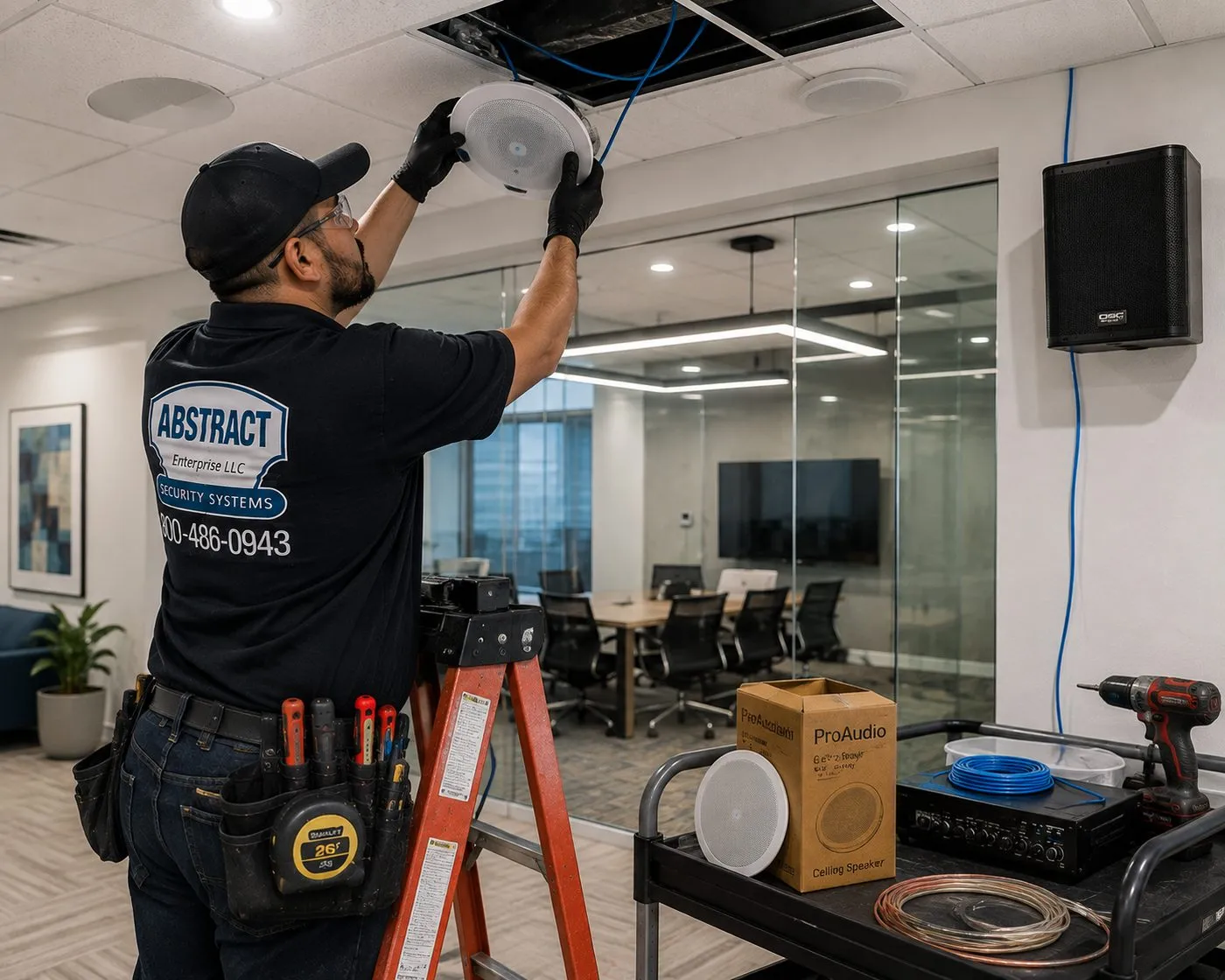
A technician on an orange stepladder presses a round white speaker into an opening in a tiled ceiling, blue cable feeding down from the void. On the cart below sit a second speaker, its box, an amplifier, a coil of blue cable and a loop of copper speaker wire. No brand is readable on the speaker itself.
Brooklyn Sonos Quote
Tell us the floors, the products and where the internet comes in — written price the same business day
✅
Request Sent!
A Brooklyn technician will call you back the same business day.
25+
Years Experience
✓
Same-Day Estimates
100%
Licensed & Insured
4.7★
201 Google Reviews
Already own the speakers and just want them working on every floor? Call (347) 934-8335 or send the 60-second form. Say how many storeys the house has and where the internet comes in, and a licensed installer sends back a written price built from our published lines.
Brooklyn is our base rate: Sonos setup $125, setup-only first hour $195
Our shop is at 1282 Troy Ave in East Flatbush, so most of the borough is a short drive
NYS low-voltage licence #12000287431, fully insured, with free insurance certificates for condo boards and managing agents
In Brooklyn the hard part of a Sonos job is usually not one room. It is the shape of the house. A classic Brooklyn rowhouse is narrow and deep: a renovation guide from the New York architects Havard Cooper Architecture describes the brownstone footprint as "almost always 20 feet wide and 40 to 50 feet deep," and a long-running Brownstoner forum thread on house sizes puts 20 feet as the standard width, anything under 20 as narrow and 25 or more as wide. Stack three or four of those floors on top of a cellar and you have a building that is short in one direction and very long in the other two. A router that covers a suburban ranch house easily is asked to push a signal 45 feet from the street windows to the garden windows, and then up through several plaster ceilings.
The internet does not arrive in the middle of that building. It arrives wherever the provider's line enters, which in a rowhouse is frequently the cellar or the garden level. A Brownstoner member giving advice on a Fios installation described the result simply: the fibre terminal "goes in the cellar," and Ethernet cable is used to connect access points around the house. A poster on Reddit's r/HomeNetworking, writing about a four-floor New York brownstone, made the same point from the other side: the channel was already the least busy one, but "the problem is really that it doesn't reach far enough through the house." Sonos speakers sit at the end of that weak link. They drop out on the top floor, lag behind the parlor floor when grouped, or vanish from the app altogether.
Then there is the second household. Brooklyn has a great many two- and three-family houses where the owner lives on some floors and rents out the rest. Across the city, the Comptroller's office counts roughly 225,000 two-family structures, where the homeowner typically lives in one unit and rents the other. Sonos has a setting called Guest Access, which Sonos says lets any device on the same Wi-Fi network control playback, volume and grouping, and which Sonos switches on by default. In a house where the tenant shares the owner's Wi-Fi, that means the tenant's phone can see, and play to, the owner's speakers. Few people find this out until it happens. A Brooklyn Sonos plan has to decide early whose network is whose.
The fourth piece is the yard. Most Brooklyn houses have one, and plenty of condo conversions have a shared roof deck. People want music out there, which means outdoor speakers, an Amp somewhere indoors, a cable path through a brick rear wall, and some thought about the neighbors whose gardens are a few feet away on each side. In a historic district, the rear facade is part of what the Landmarks Preservation Commission looks after, so anything fixed to the outside of the house gets checked before the drill comes out.
The newer half of the borough brings the opposite set of problems. Since the 2004 rezoning, Downtown Brooklyn has added close to 27,000 housing units, and the 2005 Greenpoint–Williamsburg waterfront rezoning turned the East River edge into a line of towers. Those apartments are concrete boxes with drywall partitions, sometimes with a structured-media panel in a closet, often with dozens of neighbors' networks visible from the couch. Ceiling speakers are rarely possible there, but a well-placed soundbar, a Sub and a pair of Era speakers, on a network you control, can sound excellent.
So the Brooklyn Sonos visit starts with three questions before anyone opens a box: where does the network need to be on each floor, which speakers belong to which household, and does the music need to reach the yard or the roof? Answer those and the speakers themselves are quick work.
Brooklyn figures that shape a Sonos plan
20 feet by 40 to 50 feet: the typical brownstone footprint described by Havard Cooper Architecture's renovation guide — a long front-to-back distance for Wi-Fi on every floor, multiplied by three or four floors.
1,141,824: housing units in Kings County as of July 1, 2025, according to the Census Bureau's QuickFacts, with an owner-occupied rate of 29.5 percent for 2020–2024. Most Brooklyn Sonos systems are in rented homes, which shapes what can be drilled.
About 225,000: two-family structures across New York City, per the City Comptroller's housing market spotlight — the building type where owner and tenant most often share an internet line and, without planning, a Sonos system.
Close to 27,000: new housing units added in Downtown Brooklyn since its 2004 rezoning, as reported in 2025 — concrete towers where Sonos lives on wireless speakers and a private network.
On by default: Sonos's Guest Access setting, which lets any device on the same Wi-Fi control playback, volume and grouping. In a shared house it is the first setting we discuss.
1965, 1973, 1978: the designation years of the Brooklyn Heights, Park Slope and Fort Greene historic districts — three of the borough's largest concentrations of rowhouses, where outdoor speakers on a facade need a landmarks check.
Those numbers describe the typical Brooklyn call: a tall, narrow house or a tower apartment, a network that ends before the house does, often a second household under the same roof, and a garden or deck that the owner wants to hear music in by next summer.
Brooklyn owners who call about Sonos are often fixing the Wi-Fi for the whole house at the same time. Our Brooklyn network installation team wires access points floor by floor, and many houses also get the TV above the soundbar hung by AESS TV installation in Brooklyn on the same visit.
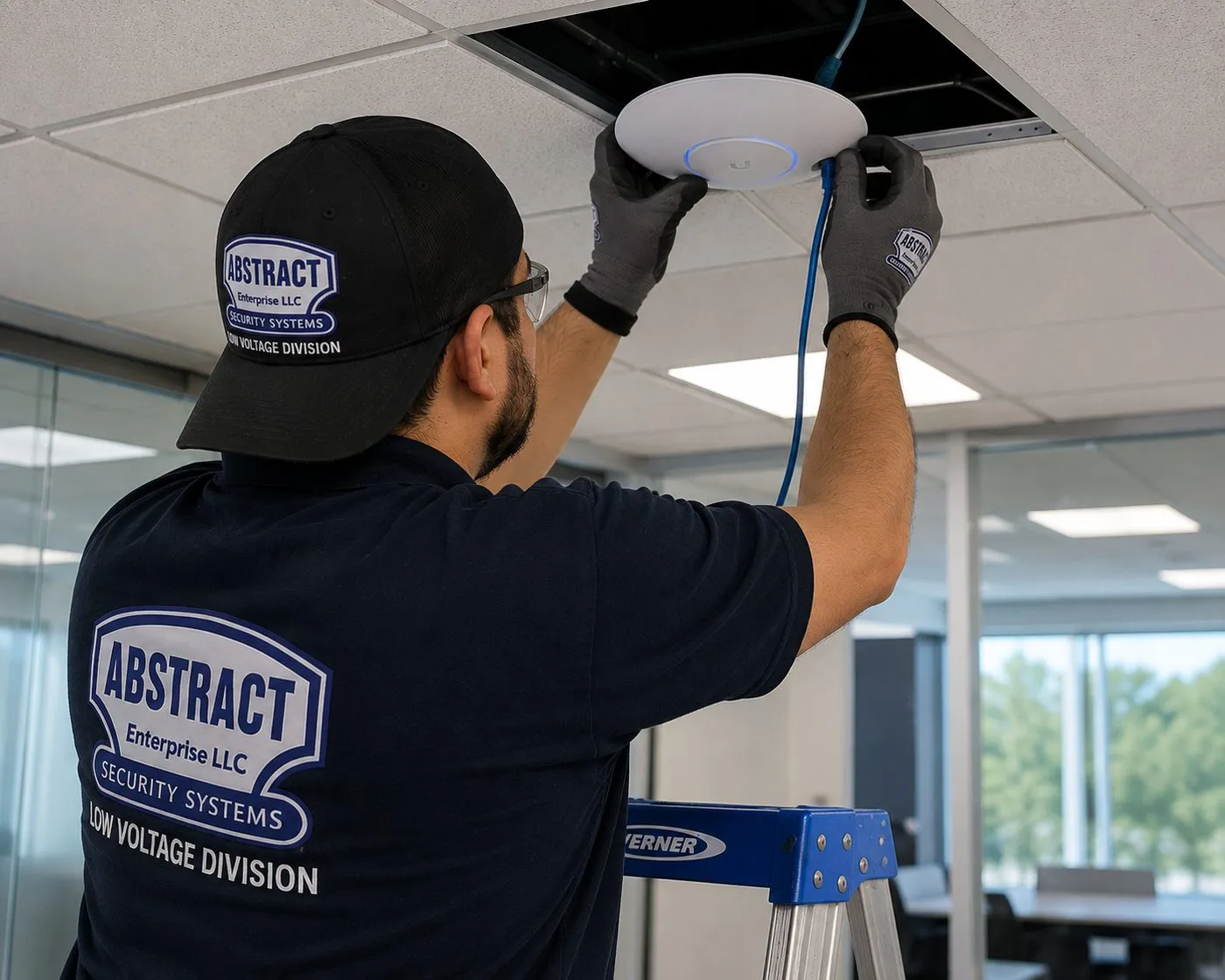
A technician on a blue stepladder lifts a white access point toward an open tile, a blue Ethernet cable trailing from the ceiling into the unit. One wired access point per floor is how a tall house gets the same signal at the top as it has at the bottom.
Repair Capture
Top-Floor Sonos Cutting Out in Your Brooklyn House?
Bedroom speakers that drop every evening, a garden pair that went silent after the provider swapped the router, a tenant's music suddenly playing through your kitchen, or an Arc that no longer answers the TV remote — those are service calls, and we treat them that way. We book the next free 2-hour window, and most network and setup faults in a Brooklyn house are put right within an hour or two of the technician walking in. Phone (347) 934-8335 and say it's a Sonos repair. Setup-only time in Brooklyn is $195 for the first hour, then 30-minute blocks, under our TV and audio service policies.
What We Install
Sonos Installation Services in Brooklyn
Most Brooklyn Sonos jobs combine two or three of these. A rowhouse usually needs the network work first; a tower apartment usually needs the soundbar and surrounds first. Either way, every product ends up in one tidy system per household, tuned and handed over with the app on your phone.
Floor-by-Floor Network for Sonos
A wired access point on each floor of a rowhouse, fed from the cellar or garden level where the internet arrives, so the top-floor bedroom gets the same signal as the parlor. Sonos lists extenders and powerline adapters as unsupported, so we don't use them.
Owner and Tenant Systems
Two households, two networks, two Sonos systems that never see each other. We separate the Wi-Fi, set each system up on its own account, and switch Guest Access to suit how the house is shared.
Garden and Roof-Deck Audio
Outdoor speakers fixed to the rear wall, a fence post or a deck structure, wired back through the house to an Amp indoors, with a volume ceiling set in the app so a summer evening doesn't become a 311 call.
Parlor-Floor Theater
The Arc Ultra or Beam under the TV in the front parlor, a Sub tucked under the console or the sofa, and Era speakers behind the seats — placed so the long, narrow room sounds even from the bay window to the pocket doors.
Ceiling Speakers on Sonos Amp
Passive in-ceiling speakers cut between the joists of a kitchen, bath or garden-level family room and wired to an Amp in a closet or the cellar. Each ceiling is surveyed first, because old plaster, ornamental cornices and medallions change where a speaker can go.
Tower Apartment Systems
Soundbar, Sub and wireless surrounds in a concrete apartment in Downtown Brooklyn, Williamsburg or Greenpoint, on your own router so the speakers aren't lost among the building's networks.
Renovation Pre-Wire
Speaker wire and network cable roughed in while a floor is open, labelled at both ends, so later floors of a phased brownstone renovation can join the system without opening finished plaster.
Port and Turntable Rooms
A Port added to the receiver and speakers you already own, so a record player or a vintage amplifier in the back parlor becomes another room in the Sonos app.
Trueplay and Handover
Every room tuned with Trueplay, using a compatible iPhone we bring if your household is all Android, then a walk through grouping, volume limits and alarms so you can run the house without calling us.
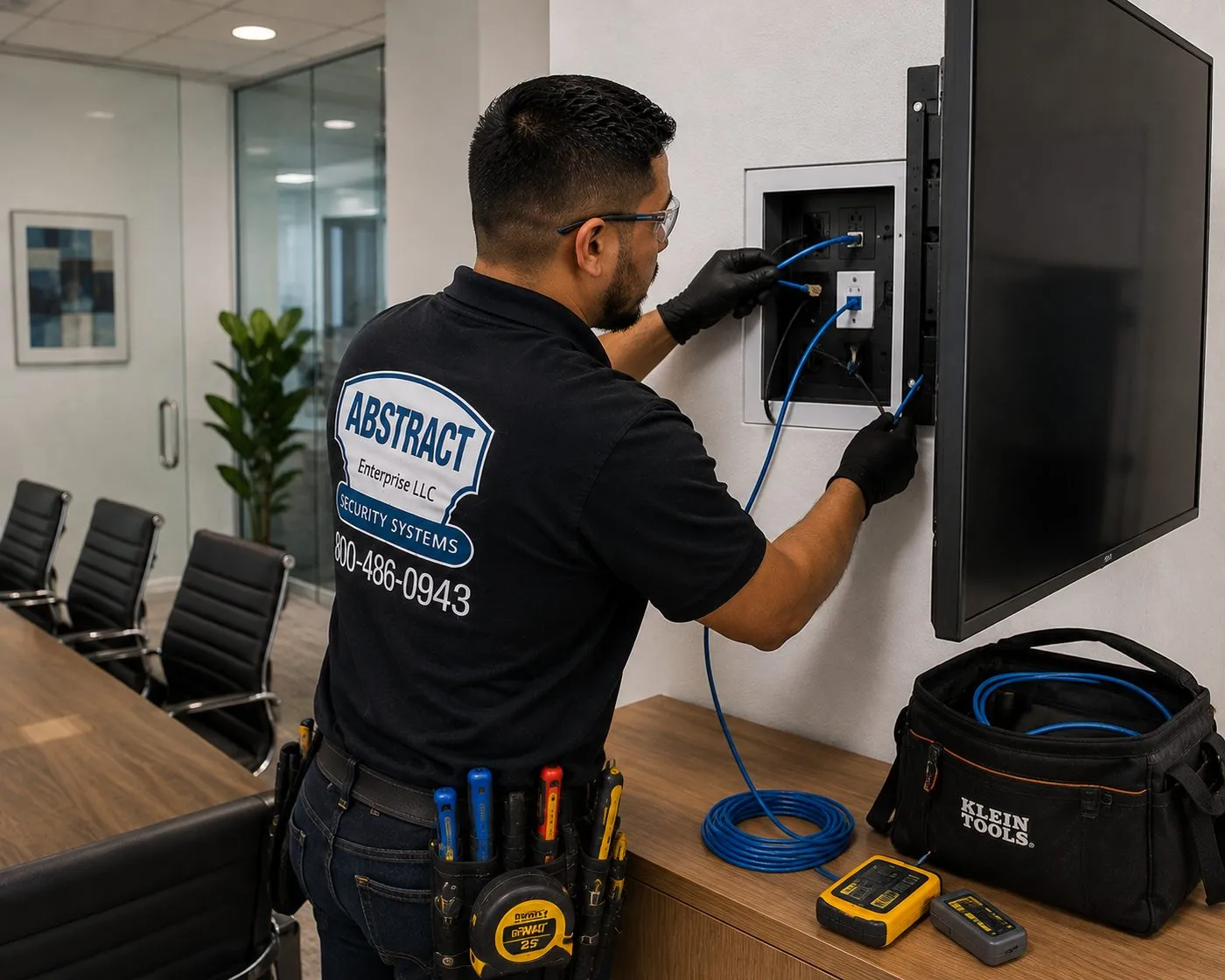
Gloved hands seat blue cables into the jacks of a recessed wall box just to the left of a mounted screen; a black tool bag and two yellow testers sit on the credenza below. The box is where HDMI and Ethernet for a Sonos soundbar can come out of the wall without a visible cable.
Building Specialists
Sonos Installation for Brooklyn's Architecture
Brooklyn has more kinds of houses than most American cities, and each one changes the Sonos plan. These are the building types our crews meet most often, and what each one means for the network, the speakers and the wire.
Brownstone and Brick Rowhouses
Three or four floors over a cellar, plaster ceilings on wood joists that span from party wall to party wall, and stairs at one side. The network goes floor by floor; ceiling speaker positions follow the joists; cable rises in closets stacked above each other.
Two-Family Masonry Rowhouses
The Sunset Park, Bay Ridge, Crown Heights and Bushwick house with a flat on each floor. Two households, one internet entry point, and often one Wi-Fi network that both share. We split them before adding any speakers.
Wood-Frame Rowhouses and Victorians
Frame houses in Bed-Stuy, Greenpoint and Fort Greene, and the detached Victorians of Ditmas Park and Prospect Park South. Lighter walls for Wi-Fi, attics and crawl spaces for cable, and porches and side yards for outdoor speakers.
Pre-War Elevator Apartments
The older apartment houses along Ocean Parkway, Eastern Parkway and the avenues of Flatbush and Crown Heights. Plaster on masonry, a building with a super and sometimes a board, and an apartment that works much like a Manhattan co-op for Sonos purposes.
Waterfront and Downtown Towers
Concrete slabs, metal-stud partitions, glass walls and a crowded Wi-Fi environment in Downtown Brooklyn, Williamsburg and Greenpoint. Wireless Sonos on a private network, with the soundbar and surrounds placed around windows rather than walls.
Warehouse Lofts
DUMBO, Williamsburg and Bushwick conversions with timber or concrete ceilings, brick walls and open plans. Hard surfaces make Trueplay essential; cable usually runs in surface raceway or above the kitchen and bath.
How the floors of a rowhouse change the Sonos install
The cellar. This is where the internet usually arrives and where the cable for the rest of the house should start. A small wall-mounted switch or a shelf beside the provider's box becomes the hub: one cable up to each floor's access point, one to the Amp if the ceiling speakers are on the garden level, one to the wired Sonos product if the house needs one. Damp cellars need equipment off the floor and away from the water heater; we mount it on the wall or on a board.
The garden level. Often the kitchen and family room in an owner's triplex, or a separate rental unit in a two-family. If it is the owner's kitchen, it is the easiest place in the house for ceiling speakers, because the ceiling is shallower and sometimes already opened during a kitchen renovation. If it is a tenant's flat, nothing of the owner's system belongs there except, perhaps, a cable passing through a closet with the tenant's agreement.
The parlor floor. The tallest ceilings, the plaster cornices and centre medallions, and usually the TV. This is where people most want ceiling speakers and where we most often argue for wall-mounted or free-standing speakers instead, because cutting an 8.25-inch hole near decorative plaster risks damage that costs far more to repair than the speakers cost to buy. A soundbar under the TV with Era speakers on stands, or bookshelf speakers on an Amp hidden in a cabinet, preserves the room.
The upper floors. Bedrooms and a study under lower ceilings, often with closets stacked directly above each other on each floor. Those stacked closets are the natural cable riser: a hole through the closet floor, a cable through, a hole through the next. Each floor gets an access point on the hall ceiling and, where wanted, a pair of ceiling speakers or an Era 100 on a bracket.
The roof and the rear. Roof decks on rowhouses and condo conversions, and the garden behind the house. Outdoor speakers need a mounting surface, a cable path through a brick wall or a roof penetration, and an Amp inside. Roof penetrations are a roofer's work; we bring the cable to the inside face and coordinate with yours.
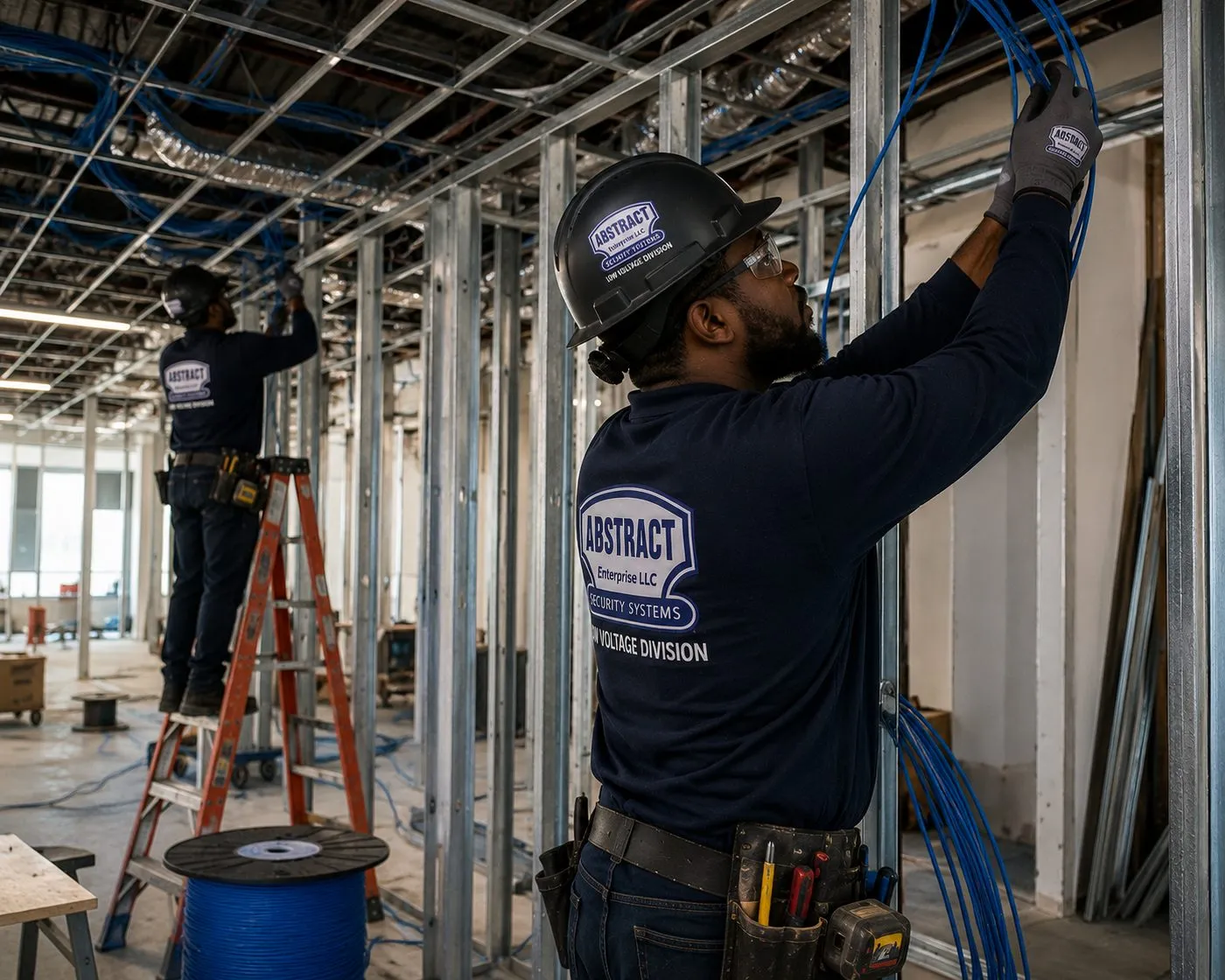
Bare metal studs, no drywall yet: a technician in a hard hat reaches up to guide blue cable along the framing while a colleague on an orange ladder works further down the room, a spool of blue cable on the floor between them. A floor at this stage is the cheapest time to run speaker wire.
A brownstone renovation is the moment to plan Sonos for every floor, even the ones you won't finish this year. Our structured cabling crews in Brooklyn rough in network and speaker cable while the walls are open, and the AESS low-voltage team for Brooklyn handles the cameras, intercom and door hardware that usually go in during the same gut job.
One House, Two Households
Sonos in a Brooklyn Two-Family: Keeping the Systems Apart
This is the part of Brooklyn Sonos work that installers from elsewhere tend to miss. A two-family or three-family house has one roof, one cellar and very often one internet connection, but two or three separate lives going on inside it. Sonos is built around a single household per system. When the owner and the tenant share a network, their systems can collide in ways that range from mildly confusing to plainly intrusive.
The first collision is control. Sonos describes its Guest Access setting as controlling "whether devices connected to the same WiFi network as your Sonos system can control playback, volume, and grouping as guests without access to administrative features," and lists the default as on. In a single-family home that is a convenience: a visiting friend can queue a song without being added to your account. In a house where the tenant downstairs is on the same Wi-Fi, it means the tenant's phone can find your living room and turn it up. Most tenants would never do it on purpose; some apps and voice assistants will happily find the speakers for them.
The second collision is setup. If the tenant buys their own Sonos speaker and sets it up on the shared Wi-Fi, the app may offer to add it to the system that is already there — yours. Sonos community members who have tried to run two systems on one network describe the results bluntly: one long-time forum contributor wrote that when a phone is registered to both, "it could pick either of the systems to latch onto," and that "results will be frustratingly unpredictable." Sonos's own support article on connecting to more than one system describes it as a way to use Sonos at home and at a friend's or family member's home — in different places, on different networks.
The clean answer is a separate network for each household. In most two-family houses that does not mean a second internet bill. One modem in the cellar feeds a router that can run two isolated networks, or two routers on separate subnets, each with its own Wi-Fi name. The owner's access points and the owner's Sonos live on one; the tenant's devices live on the other. Neither household's speakers appear in the other's app. Guest Access can then stay on, because the only "guests" on each network are the people who actually live there and their visitors.
What we set up in a shared house
Two networks from one connection. Separate Wi-Fi names and passwords, isolated from each other, with the owner's Sonos on the owner's network only. If the tenant's lease includes internet, they get their own network name and nothing changes about their service.
A cable path that respects the tenant's flat. Where the owner's system needs a cable from the cellar to the upper floors, it rises through common areas or the owner's own closets. If the only route is through the rental unit, we ask you to get the tenant's agreement first, and we schedule around them.
Guest Access set on purpose. On for a family that likes visitors to play music; off for a household that wants its speakers to answer only to people signed in to the account.
Volume limits where floors meet. Sonos lets you set a maximum volume for each product in the app. On a floor that sits over or under the tenant's bedroom, we agree that ceiling with you on the day.
A written note of what belongs to whom. Which access points, switches and speakers are the owner's, and which network the tenant uses, so the next time someone moves out the handover is simple.
If the tenant wants Sonos of their own, the same visit can set up their system on their network. It is a separate setup, on their account, and they can book and pay for it directly.
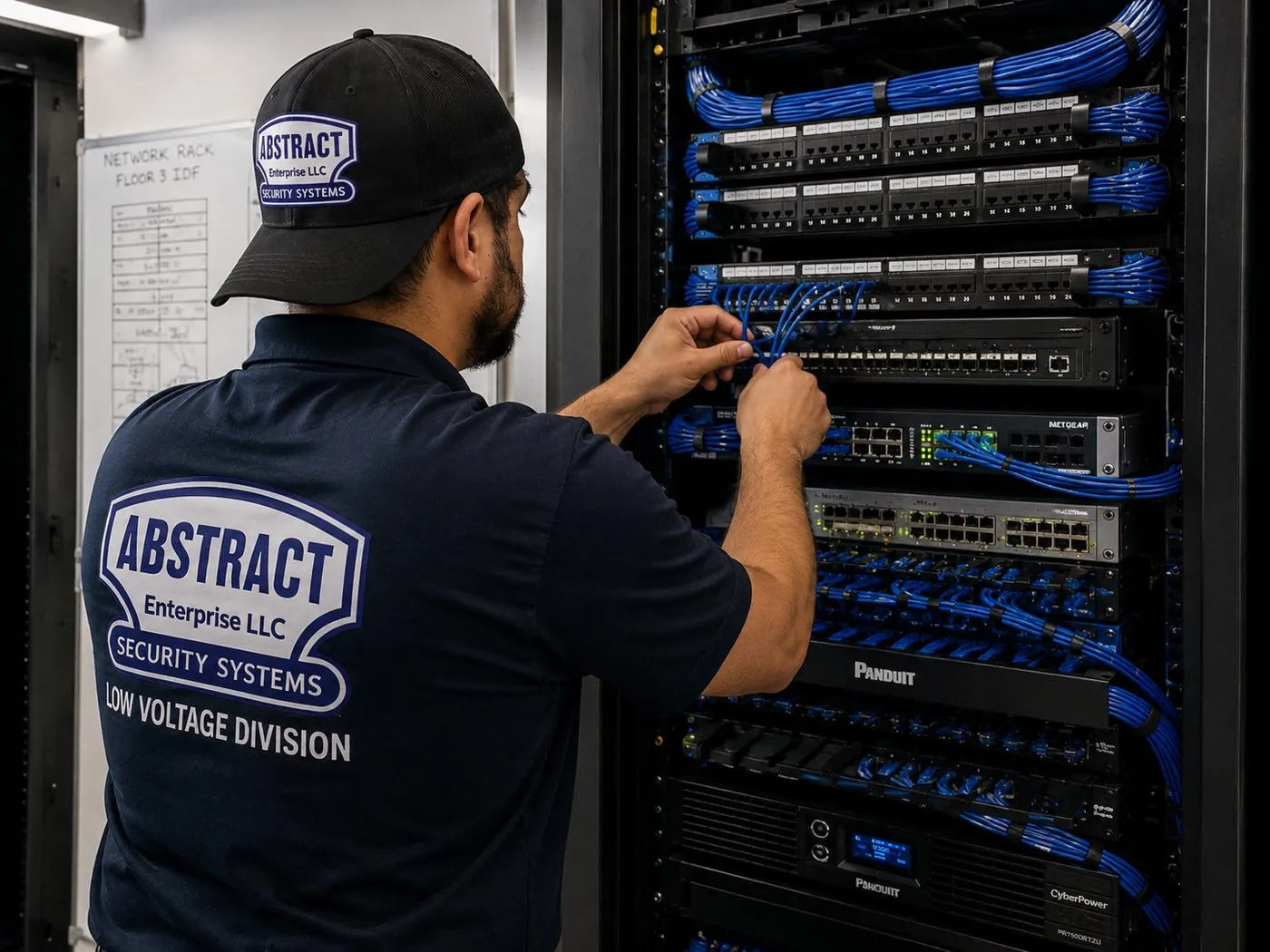
A technician in a cap, photographed from behind, plugs short blue patch cables into a switch in a tall black rack full of patch panels and network gear; a whiteboard with a handwritten table hangs on the wall to his left. In a house, the same job happens on a much smaller shelf in the cellar.
Out the Back Door
Garden, Deck and Roof Speakers for Brooklyn Houses
Ask a Brooklyn homeowner which Sonos room they use most from May to September and many will name the one with no walls. The rear garden of a rowhouse, the deck off a kitchen extension, or the roof deck on a condo conversion is where people actually spend summer evenings. Getting good music out there is mostly a wiring and placement problem.
The speakers. Sonos sells an outdoor pair made with Sonance. Sonos lists it as IP66-rated and built for humidity, water, salt spray, heat, UV and freezing temperatures, from −13°F to 149°F, and designs it to be driven by a Sonos Amp. The speakers are passive: they need speaker wire back to an Amp, and the Amp lives indoors. Sonos's own guide to the Amp lists an operating range of 32° to 104°F, which in Brooklyn rules out an unheated shed or a rear vestibule in January.
The wire. In a masonry rowhouse the cable has to pass through the rear wall, usually from a closet or the back of a kitchen cabinet on the garden level. We drill through the brick at a slight downward slope toward the outside, sleeve the hole, seal it, and run the cable along the wall in a paintable raceway or behind a downspout to each speaker. On a wood-frame house the path is easier, through the rim joist or a window frame. On a roof deck the cable needs a roof or bulkhead penetration that a roofer seals; we bring the wire to the inside of the bulkhead and fix the speakers to the deck structure, never to the roofing.
The neighbors. Brooklyn gardens sit side by side with only a fence between them, and bedrooms face the yards. The city's Noise Code says no one may use a sound reproduction device in a way that creates unreasonable noise. We aim speakers down and into your own garden, away from the windows of the houses next door, and set a volume limit in the app for the outdoor room so the evening stays pleasant for everyone.
The landmarks question. In a historic district, most changes to the front and rear facades of a building come under the Landmarks Preservation Commission's review. Small brackets on a rear wall may still need a check. If your house is in Park Slope, Brooklyn Heights, Fort Greene, Carroll Gardens, Cobble Hill, Clinton Hill or any of the borough's other districts, we confirm what is needed before drilling, or mount the speakers on a fence, pergola or deck structure instead of the masonry. This is general information, not legal advice.
Outdoor options compared
Option
Best for
What it needs
Sonos outdoor pair on an Amp
A garden or deck used most evenings, music that should be there whenever you are
Indoor Amp, speaker wire through the wall, a solid mounting surface
Move 2 carried outside
Renters, occasional use, a stoop or a shared yard
Nothing fixed; charge it indoors
Roam 2 or Sonos Play
A small terrace or a fire escape with a planter
Nothing fixed; smaller sound
Era speakers just inside open doors
A kitchen extension that opens fully onto the deck
Indoor outlet and a shelf or bracket; close the doors at night
We will tell you honestly which of these suits your yard. A wired outdoor pair is the best sound and the least fuss once it's in, but in a rental or a shared garden a portable speaker is often the right answer.
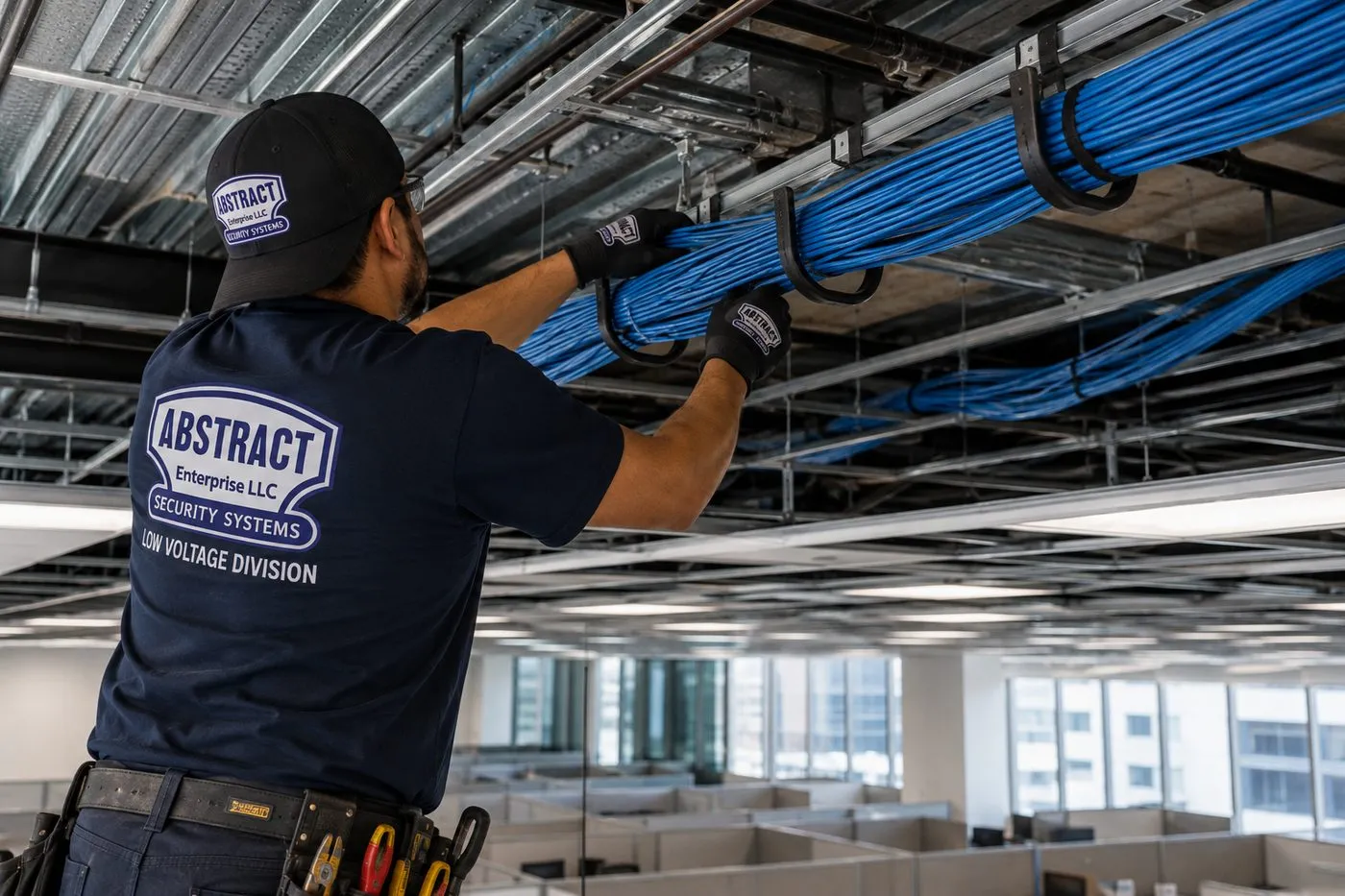
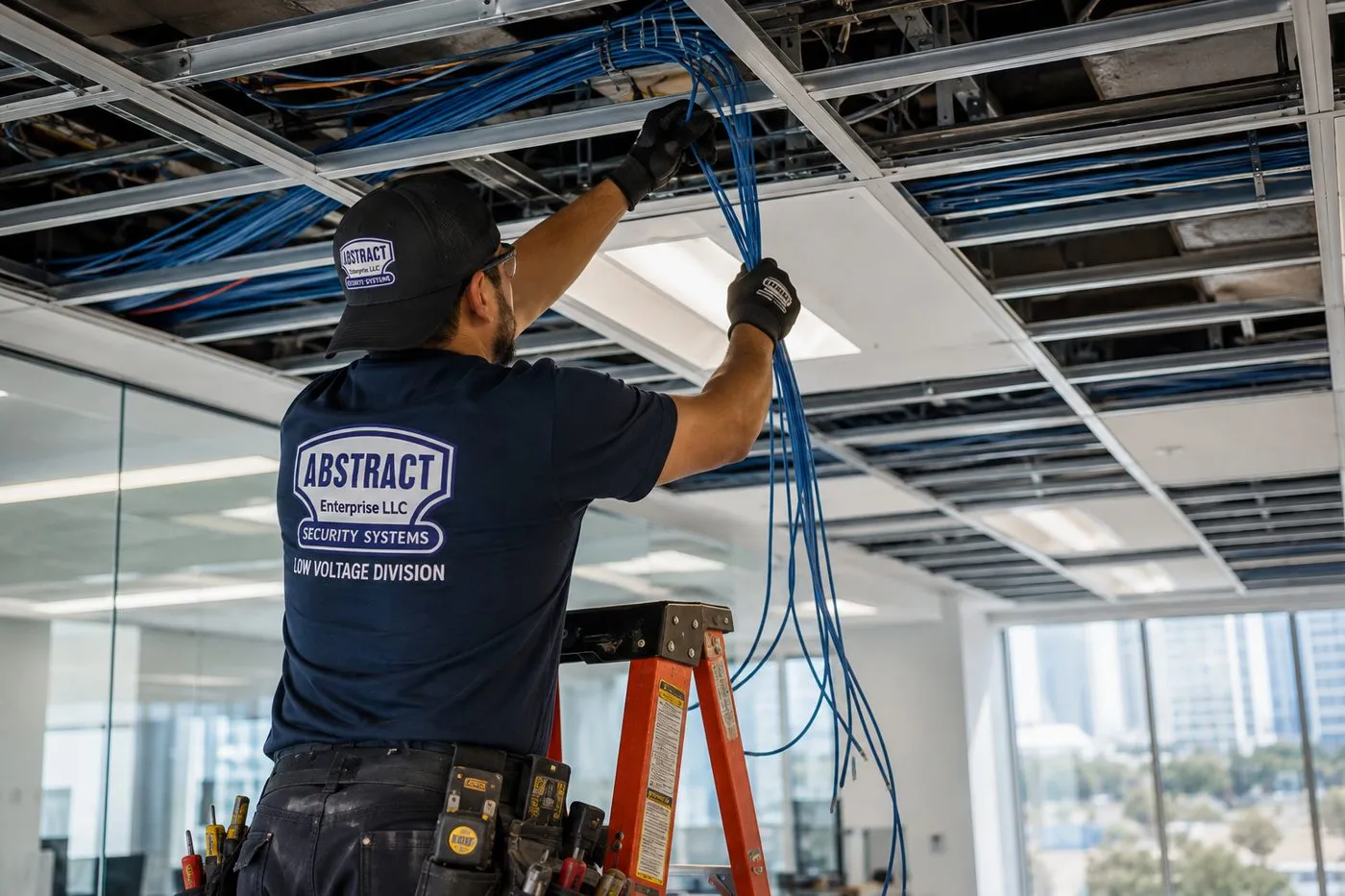
Seen from behind, a technician raises a thick bundle of blue cable into black J-hooks hanging beneath an open ceiling, with an office floor and windows in the background. In a house the run is far smaller, but supporting cable along a clean route is the same habit.
Commercial Sonos Installation
Business Sonos Installation in Brooklyn
Brooklyn's shopping streets are mostly ground-floor businesses with apartments overhead. That single fact shapes every commercial Sonos job in the borough: the music has to fill the shop and stop at the ceiling. Brooklyn has two dozen business improvement districts, and these are the corridors where our commercial calls come from most.
Park Slope Fifth Avenue
Restaurants, bars and boutiques along a long avenue with the Park Slope 5th Avenue BID behind it. Narrow, deep storefronts with apartments above — ceiling speakers spaced evenly front to back on one or two Amps, and a low volume ceiling.
Atlantic Avenue and Smith Street
Antique shops, cafes and restaurants from Brooklyn Heights to Boerum Hill, with the Atlantic Avenue BID along the avenue. Older buildings with tin or plaster ceilings, where surface-mounted speakers are often wiser than cut-in ones.
Downtown Brooklyn and Montague Street
Fulton Mall, MetroTech and the Court–Livingston–Schermerhorn and Montague Street BIDs: offices, gyms and dining near the courts, often on managed building networks where Sonos needs its own segment.
Williamsburg and Greenpoint
Bedford Avenue, Grand Street, Graham Avenue and Manhattan Avenue: cafes, record shops, bars and studios, many in converted industrial space with exposed ceilings and long cable runs.
Myrtle Avenue and Fort Greene
The Myrtle Avenue Brooklyn Partnership's stretch of restaurants and shops, plus DUMBO's design studios and showrooms nearby. Brick walls, timber ceilings and owners who want the speakers to disappear.
Bay Ridge and Sunset Park
Third Avenue, Fifth Avenue and 86th Street in Bay Ridge, and the Sunset Park BID on Fifth Avenue: family restaurants, salons and long-established shops where staff run the music from a counter tablet.
Compliance callouts for Brooklyn shops and restaurants
Music under apartments. The city's Noise Code fact sheet limits music from a commercial establishment to 42 dBA measured inside any apartment that receives it. We keep speakers off party walls and away from the ceiling under bedrooms, and set the room's volume limit in the Sonos app so staff can't push past it.
No music aimed at the sidewalk. The Noise Code bars using a sound reproduction device to attract attention to a business from outside or through an opening onto a public street. Speakers face into the room, not out of the open front window.
Business Wi-Fi. Sonos needs the app and the speakers on the same subnet, and it doesn't support guest networks, portal log-ins or WPA/WPA2 Enterprise. Most shops get a small dedicated network for the music system, separate from the customer Wi-Fi.
Power. New outlets for an Amp or a Port are electrician's work. We tell you where they need to be and work with your electrician; we don't touch line voltage.
Landlord paperwork. Commercial landlords usually want a certificate of insurance naming them before work starts. Ours is free and usually sent the same day.
Music that opens and closes with the shop
Sonos's alarms are not only for waking up. Sonos's support page describes setting a time, a room, the music, the volume, how often it repeats and how long it plays, with up to 32 alarms per system. For a Brooklyn cafe that means the morning playlist can start at a set volume when the shutters go up and stop on its own at closing, and the bar's late playlist can be capped lower after 10 PM. We set these up during handover so nobody has to remember.
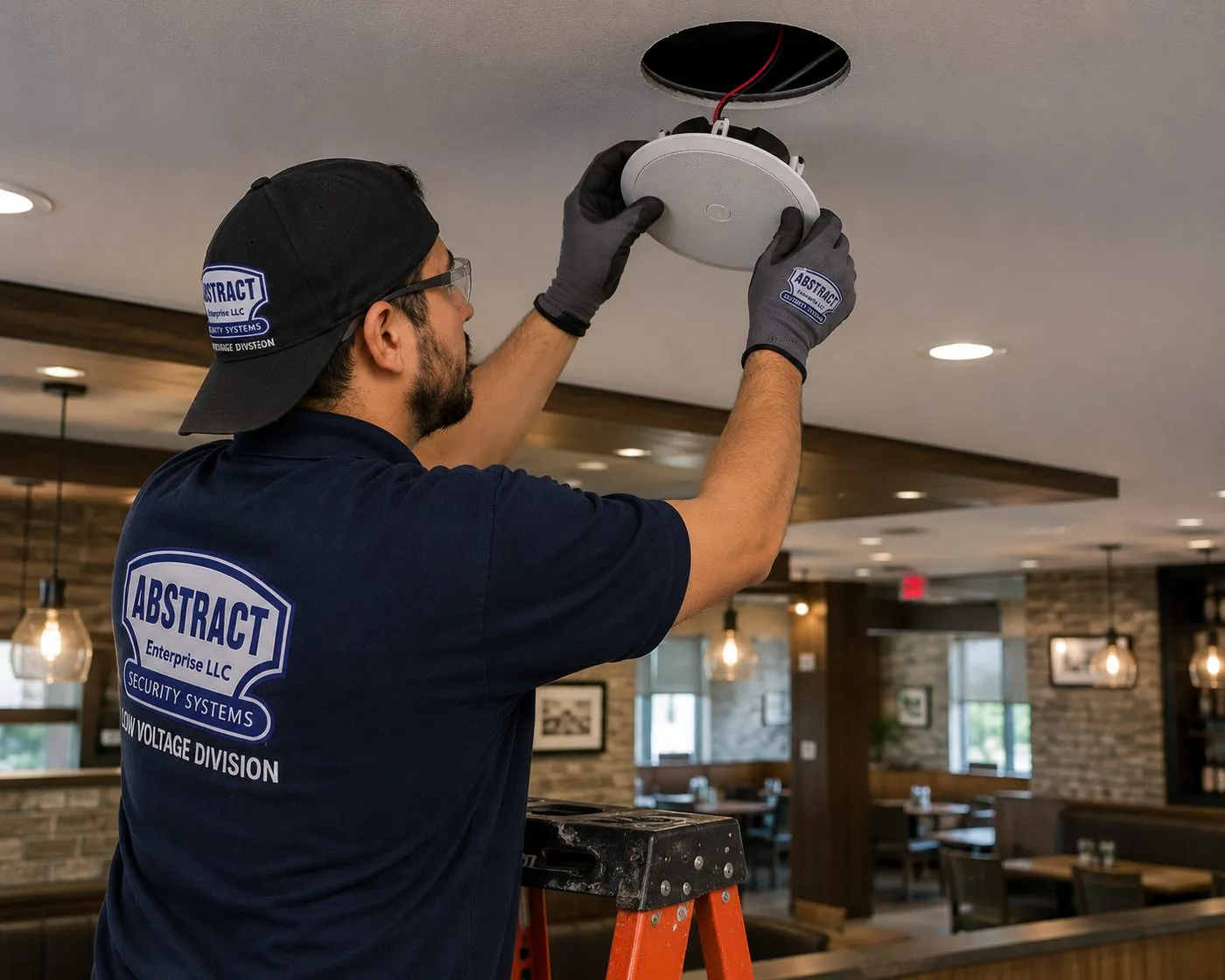
In a dining room with pendant lights, wood beams and stone-clad walls, a technician on an orange ladder guides a round white speaker into its opening in the ceiling, a red and black wire running up into the hole. No brand is visible on the speaker.
Sonos Installation in Brooklyn: Questions Answered
These are the questions Brooklyn owners and renters actually put to us before a Sonos booking, grouped by the part of the house they concern. Prices, scheduling and paperwork are covered in the FAQ near the bottom of the page.
The tall, narrow house
The provider's router sits in our cellar — should its own Wi-Fi stay switched on once each floor has an access point?
Usually not, or at least not on the same channels. A router radio broadcasting from the cellar mostly reaches the cellar and the garden level, and phones and speakers on the parlor floor can cling to its weak signal instead of moving to the strong access point a few feet away. The tidier arrangement is to leave the provider's box where the line enters, set its Wi-Fi off or hand the job to the access points, and let one access point per living floor do the broadcasting. A Brownstoner member advising another owner on a Fios installation described the same layout: the terminal "goes in the cellar," with Ethernet out to access points around the house.
If the house needs one Sonos product wired by Ethernet, it should be the one nearest the router's primary connection — Sonos says that on a mesh network the wired product must connect to the primary node. In practice that is often the soundbar or an Amp on the parlor floor, fed by the same cable that serves the parlor access point through a small switch. The top-floor bedroom then gets a strong signal from the access point a few feet away, not a weak one from four floors down.
Our joists run side to side between the party walls — does that limit where ceiling speakers can go?
It sets the rules rather than limiting the result. In a typical rowhouse the floor joists span the short way, from one party wall to the other, so every joist bay runs side to side across the house. A ceiling speaker has to sit between two joists, and its wire can travel easily along that bay to the side of the house where the stairs or a closet are. Moving a wire front to back means crossing joists, which means drilling each one carefully in the middle of its depth or finding a soffit or a closet to go around.
So in a Brooklyn kitchen, a pair of speakers usually lines up across the room rather than along it, and the Amp sits in a closet on the same side as the cable. Before marking anything we find the joists with a scanner and a small pilot hole, because joist spacing in a 19th-century house is not always the modern 16 inches, and an extension at the back may have joists running the other way.
Can a cable reach the top floor through the stacked closets, the old dumbwaiter shaft or a disused flue?
Stacked closets, usually yes, and they are our first choice: a hole in the closet floor directly over the closet below, a cable fished through, and the next floor the same way, with each hole fire-stopped afterwards. Many rowhouses have bedrooms laid out the same way on each floor, so the closets line up. A disused dumbwaiter shaft, where a house still has one, can also be a good riser once someone has confirmed it is empty and safe to work in.
Flues are different. We don't run cable inside a chimney flue, active or not, because a flue's job is to carry heat and gases and it may be reconnected later; a cable in it is a problem waiting for the next owner. Where a chimney breast is the only route, the cable runs beside it in a chase built by a carpenter, not inside it.
Owners, tenants and shared houses
Can a tenant on our Wi-Fi turn our Sonos up without ever being added to our account?
Yes, if you share one Wi-Fi network. Sonos's Guest Access setting lets any device on the same network control playback, volume and grouping without being added to your account, and Sonos lists it as on by default. A tenant on your network can therefore see your rooms in their Sonos app or in some music apps and play to them. Most never would, but the setting doesn't distinguish between your visiting sister and the people downstairs.
The proper fix is separate networks: yours for your floors and your Sonos, the tenant's for theirs, both from the same internet line if you like. Once the networks are separate, the tenant can't see your speakers at all, and you can leave Guest Access on for your own visitors. If separating the networks isn't possible right away, you can switch Guest Access off in the Sonos app's privacy settings as a stopgap; we show you where it is.
We bought the departing tenant's Sonos speakers — how do they move onto our system?
They have to leave the tenant's system before they can join yours. A Sonos product belongs to one system at a time, so the simplest route is for the tenant to remove them from their system before handing them over; then they are added to yours like new products. If the previous owner of the speakers isn't around to release them, a factory reset clears them so they can be added fresh. Once they're in, they appear as new rooms and can be grouped with the rest of the house.
If the garden unit is being folded back into the owner's house at the same time, the two separate networks become one, the access points on that floor join your network, and any Ethernet runs installed for the tenant are relabelled. If a new tenant is moving in instead, the speakers stay on your network and the new tenant gets a fresh network of their own. Either way we make the network change and the Sonos change on the same visit, so nothing is left behind on a network that no longer exists.
Where does the Amp for the garden speakers live if the garden level is someone else's apartment?
Somewhere on the owner's side of the house, with a cable route to the yard that doesn't depend on the tenant's rooms. Common answers in Brooklyn are the cellar, if it is the owner's space and stays above freezing, with the speaker cable leaving through a cellar wall below the garden; a closet on the parlor floor with the cable dropping down the rear facade in a raceway; or a deck off the parlor floor that has its own path to the yard below.
The Amp must stay indoors, because Sonos lists its operating range as 32° to 104°F. If the only practical route passes through the garden apartment, the tenant's written agreement comes first, and the cable runs inside a closet or along a ceiling edge in raceway, not across their living space.
Decks, roofs and rear walls
How does speaker wire get from the kitchen through a brick rear wall to the garden without letting water in?
Through one small, sleeved and sealed hole. We pick a spot inside — usually the back of a base cabinet, a closet or behind a radiator cover — and drill through the brick with a long masonry bit, angled slightly downward toward the outside so any water runs out, not in. A short sleeve lines the hole, the cable passes through with a drip loop on the outside, and the gap is sealed with an exterior-grade sealant that suits masonry.
Outside, the cable follows the wall in a paintable raceway, a downspout line or a mortar joint to each speaker. We drill brick, not mortar, for the speaker brackets, because old mortar crumbles. If the house is in a historic district, we confirm first what the rear facade work needs; often mounting the speakers on the fence or a pergola avoids the question.
Can speakers go on the shared roof deck of our condo conversion?
Possibly, but the deck usually isn't yours alone. In most small Brooklyn condo conversions the roof is a common element controlled by the condo association, even where one owner has exclusive use of it. Fixing speakers to the deck structure, running cable through the bulkhead and drilling anything on the roof generally needs the association's written approval, and the roofer who maintains the warranty on the membrane may need to do any penetration.
If approval is slow or unlikely, a pair of Move 2 speakers carried up for the evening gives good outdoor sound with no fixings at all. If approval comes through, we fix the outdoor speakers to the deck framing, never through the roofing, and bring the cable to the inside of the bulkhead where your roofer has sealed the opening.
Towers and new construction
The TV wall in our Downtown Brooklyn condo is solid concrete — how does the Arc Ultra get mounted and connected?
With concrete anchors and a cable route that stays on the surface. Many newer towers put the TV on a concrete shear wall or column rather than a stud partition. Concrete holds a soundbar bracket extremely well once it is drilled with a hammer drill and fixed with anchors rated for the load, and the $75 concrete line on our price list covers the extra time and hardware. Before drilling we scan for embedded conduit, because towers often run electrical pipe inside the pour.
What concrete won't do is hide a cable. The HDMI lead from the TV to the Arc Ultra is short and runs behind the screen, but power and any Ethernet line have to come down the wall in a slim paintable raceway ($59) or across to a nearby media console with a cable run ($99). Where an adjacent stud wall exists, we sometimes mount the TV and bar there instead so the in-wall kit can be used; we show you both options before choosing.
We're renovating our brownstone one floor at a time over two years — how do we make sure the later floors can join the Sonos system?
By putting the backbone in during the first phase, even on floors you aren't touching yet. When the first floor is open, we run network cable from the cellar to a junction point on every floor above — usually inside the stacked closets — and leave a labelled coil at each one. When the contractor reaches a floor later, the network is already there, and speaker wire for that floor only has to reach the closet, not the cellar.
We also write down where every cable and coil is, with photographs before the walls close, and give a copy to you and your contractor. On a two-year renovation that drawing is worth more than the cable, because the people who open the next floor won't be the ones who closed the last one.
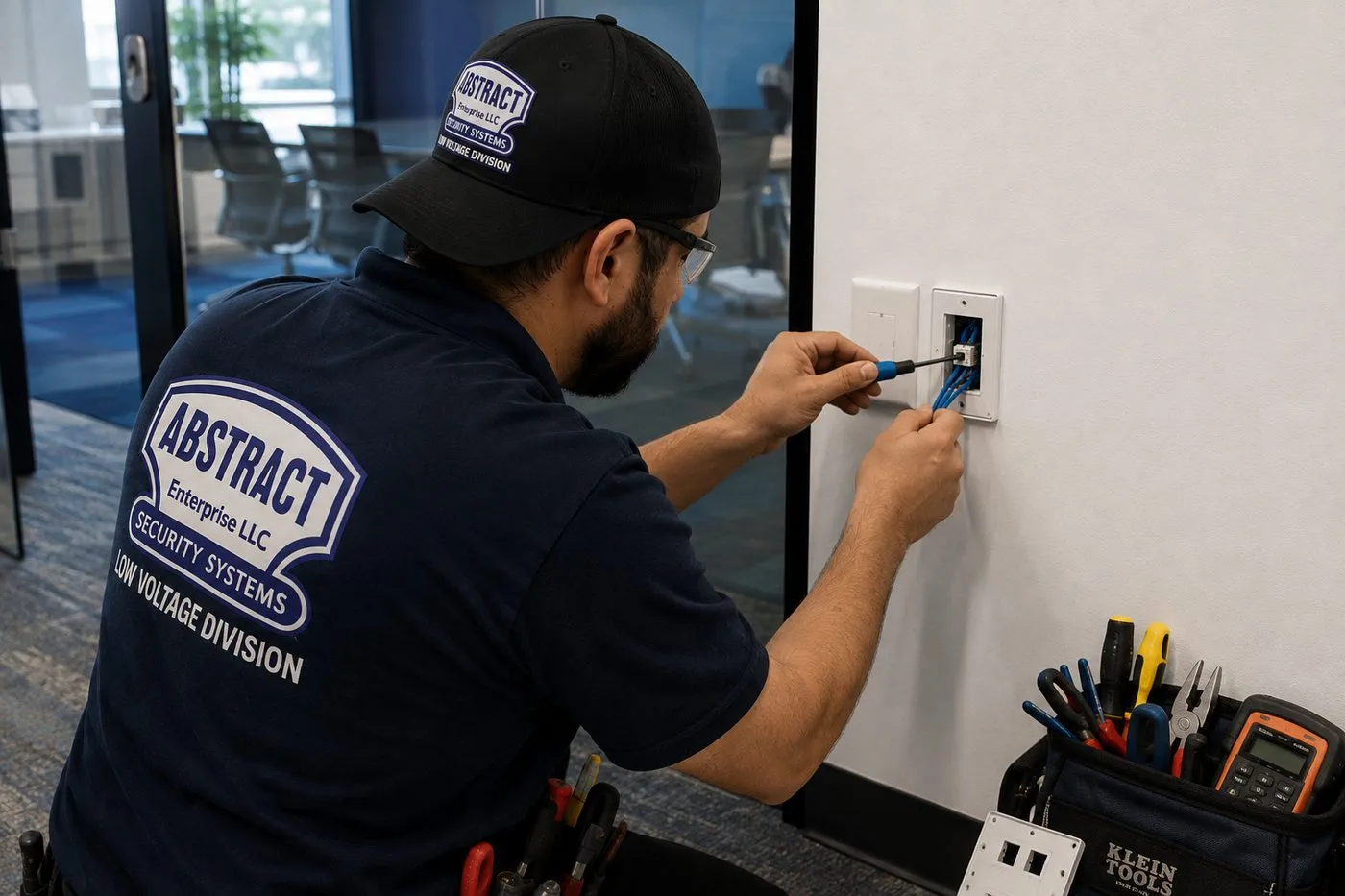
A technician in a cap works a blue cable into a white wall plate with a small tool, a toolbag with a meter and screwdrivers on the floor below. A finished jack like this behind a TV is how a Sonos soundbar gets a wired connection.
Before We Arrive
A Brooklyn House Survey for Sonos, Floor by Floor
Send us answers to these and we can usually price the job from photos alone. If you don't know an answer, leave it blank; we find out on the walkthrough.
Floor
What we ask
Why it matters
Cellar
Where does the internet come in? Is there power near it? Does it stay dry and above freezing?
Sets where the network starts and whether an Amp or switch can live there.
Garden level
Owner's space or a rental? Kitchen ceiling already opened or finished?
Decides whether cable can pass through and whether ceiling speakers are easy here.
Parlor floor
Where is the TV? Are there plaster cornices or a ceiling medallion? Which wall faces the yard?
Soundbar plan, whether ceiling speakers are wise, and the route to the garden.
Upper floors
Do the closets line up from floor to floor? Which rooms want music?
The cable riser and where each access point goes.
Roof and yard
Deck or garden? Who controls the roof? Historic district?
Outdoor speaker method and any approval needed first.
Household
Does anyone else live in the building? Do they share your Wi-Fi?
Whether we separate the networks before adding speakers.
A photo of each ceiling you want speakers in, the TV wall, the spot where the internet arrives and the rear wall of the house covers most of it. Text them to (347) 934-8335 or attach them to a reply to our quote email.
Network Plan
The Brooklyn Network Plan Behind a Reliable Sonos System
Speakers get the attention, but in a Brooklyn house the network decides whether Sonos is a pleasure or a nuisance. These are the decisions we make, in order, before a single speaker is unboxed. Each one comes from Sonos's own support pages or from what we find inside the borough's houses.
Decision
Rowhouse or two-family
Tower or pre-war apartment
Where the network starts
Beside the provider's box, usually in the cellar or garden level, with a small switch on the wall
Wherever the provider's line enters the apartment, often a hall closet or a media panel
How Wi-Fi reaches each room
One wired access point per living floor, fed up a riser through stacked closets
One router in a central spot, plus a wired access point if the apartment is long
Whose network is whose
Owner and tenant on separate, isolated networks from one connection
Your own router, not the building's amenity Wi-Fi
Which Sonos product is wired
The soundbar or Amp nearest the main switch, if any room still struggles
Usually none; occasionally the soundbar through a jack behind the TV
What comes out
Plug-in extenders and powerline adapters, which Sonos lists as unsupported
The same, plus any travel router added as a stopgap
Guest Access
Decided with the owner once networks are separate
Usually left on for visitors
Six rules we follow in every Brooklyn house
Wire the floors, don't hop them. A wireless hop through a plaster-and-joist floor loses signal at each level. Ethernet up the riser to each access point removes that loss, and Sonos's guidance on wired setups assumes the network behind it is solid.
2.4 GHz stays on. Every Sonos product works on 2.4 GHz and Sonos doesn't support routers that broadcast only 5 GHz. In a rowhouse the 2.4 GHz band also travels further through plaster, which helps the garden speakers' Amp at the back of the house.
One subnet per household. Sonos requires the app and every product to be on the same subnet. We keep each household's devices on one network and never split a system across two.
No guest or portal networks for Sonos. Sonos lists guest networks and log-in portal networks as unsupported. The tenant's network is a full private network of its own, not a "guest" network on the owner's router.
Keep Sonos clear of other electronics. Sonos recommends at least 18 inches between its products and other electronic devices. On a parlor console crowded with a cable box, game console and router, that sometimes means moving the router rather than the soundbar.
Label everything. Every cable, access point and switch port is labelled with its floor and its household. In a house that changes tenants every few years, labels are what keep the next visit short.
What a floor-by-floor plan looks like on paper
For a typical four-storey Brooklyn rowhouse with a rental garden unit, the written plan we leave behind reads something like this. The cellar holds the provider's box, a small switch and, if the owner wants garden speakers and the cellar stays warm, an Amp on a wall board. The garden unit has the tenant's own access point on the tenant's network, fed by its own cable from the switch. The parlor floor has the owner's first access point on the hall ceiling, the soundbar under the TV and, if a room needs it, a wired connection to the soundbar from the same switch. The third and fourth floors each have an access point on the hall ceiling, reached through the stacked closets, and an Era speaker or a pair of ceiling speakers in the rooms that want music. The rear wall has one sealed hole for the garden speaker cable.
Every item on that list has a label, a location and an owner. It's the opposite of what we usually find on a service call: a router in the cellar, a mesh unit on each floor talking wirelessly through the plaster, a tenant on the same network and a Sonos system that works on Tuesday and not on Saturday.
In a tower, the plan is shorter
A Downtown Brooklyn or waterfront apartment rarely needs more than your own router in a sensible spot, perhaps one wired access point at the far end of a long layout, and the speakers joined to that network. The care goes into the router's channel choice, because the neighbors' networks are many and close, and into keeping the Sonos products off the building's amenity Wi-Fi. If the apartment has a media panel, we test its runs and use the ones that work.
Bass needs its own thought in a tower. Concrete slabs carry low frequencies into the apartments above and below more readily than people expect, so the Sub goes on a dense rug or an isolation pad, away from the column or shear wall that ties into the structure, and its level is set after Trueplay with you sitting where you watch. A Sub Mini is often enough in a one-bedroom; a Sub 4 suits a larger living room where the soundbar is an Arc Ultra. Either way, the night-listening setting on the soundbar is switched on for late films, and we show you where to find it in the app.
Brooklyn House Words
Rowhouse Terms Our Installers Use on a Sonos Visit
Brooklyn houses come with their own vocabulary. When a technician says the riser goes through the stacked closets to the bulkhead, this is what they mean.
Term
What it means for your Sonos system
Cellar
The lowest level, usually unfinished, where the internet and utilities arrive. The natural start of the network.
Garden level
The floor half a level below the street with a door to the yard. Often a kitchen in an owner's triplex, or a separate rental flat.
Parlor floor
The main floor at the top of the stoop, with the tallest ceilings and most of the original plaster detail. Usually where the TV and soundbar go.
Floor-through
An apartment or room that runs the full depth of the house, street windows to garden windows. A long distance for Wi-Fi from one router.
Party wall
The shared masonry wall between your house and the next one. Brackets can go on it; hidden cable generally can't go in it.
Stacked closets
Closets placed one above the other on each floor, the easiest route for a cable from the cellar to the top of the house.
Riser
The vertical cable route between floors, whether through closets, a chase or an old dumbwaiter shaft.
Bulkhead
The small rooftop structure over the stair that gives access to the roof. Cable for roof-deck speakers passes through or beside it.
Rear extension
An addition at the back of the house, often with its own roof and joists running a different way from the main house.
Equipment
Types of Sonos Systems We Install
You buy the Sonos products from whichever store you like; we fit them, network them and tune them. These are the products that come up most in Brooklyn houses and apartments, described for what they mean on install day. Specifications are Sonos's own unless we say otherwise.
Arc Ultra
The full-width soundbar for a parlor-floor TV of 65 inches and up. About 46.4 inches wide and 13 lb; Sonos sells a matching wall mount and says the bar detects wall-mounting and adjusts its bass accordingly.
Beam (Gen 2)
The mid-size bar, about 25.6 inches wide, on HDMI ARC or eARC. A natural fit for the narrower TV walls of a tower one-bedroom or a rowhouse study.
Ray
The compact bar on an optical connection, for a top-floor bedroom TV or an older set without HDMI ARC.
Era 100 and Era 300
Standalone speakers that also serve as rear surrounds. In a long parlor they often sit on stands behind the sofa. Sonos describes the Era 300 wall mount as stud-mounting only, so brackets go where the framing is.
Sub 4 and Sub Mini
Wireless subwoofers that can sit under a console or sofa. In a two-family house, the placement and level are set with the floor below in mind.
Amp
Drives passive ceiling, wall and outdoor speakers and adds them to Sonos as one room. Indoors only, within Sonos's stated 32° to 104°F operating range; Sonos says it powers up to three pairs of its architectural speakers in parallel.
Outdoor Speakers by Sonos and Sonance
A passive pair rated IP66 by Sonos, from −13°F to 149°F, for garden walls, fences, pergolas and deck framing, wired back to an indoor Amp.
Move 2, Roam 2 and Sonos Play
Battery speakers for a stoop, a shared yard or a roof deck where nothing can be fixed. Sonos rates the Move 2 IP56 and says its charging base is for indoor use only.
Access Points and Switches
Not Sonos products, but in a Brooklyn rowhouse they decide whether Sonos works. One wired access point per living floor, fed from a small switch where the internet enters.
Matching products to a Brooklyn house
Space
Usual Sonos answer
What we watch for
Front parlor with TV
Arc Ultra or Beam, Sub, two Era speakers behind the seats
Plaster cornices and medallions; long room needs even surround placement
Garden-level kitchen
One pair of in-ceiling speakers on an Amp
Joist direction, kitchen exhaust duct, tenant above or below
Top-floor bedroom
Era 100 on a bracket or a Ray under a small TV
Needs an access point on that floor, not a signal from the cellar
Hard surfaces and echo; Trueplay matters most here
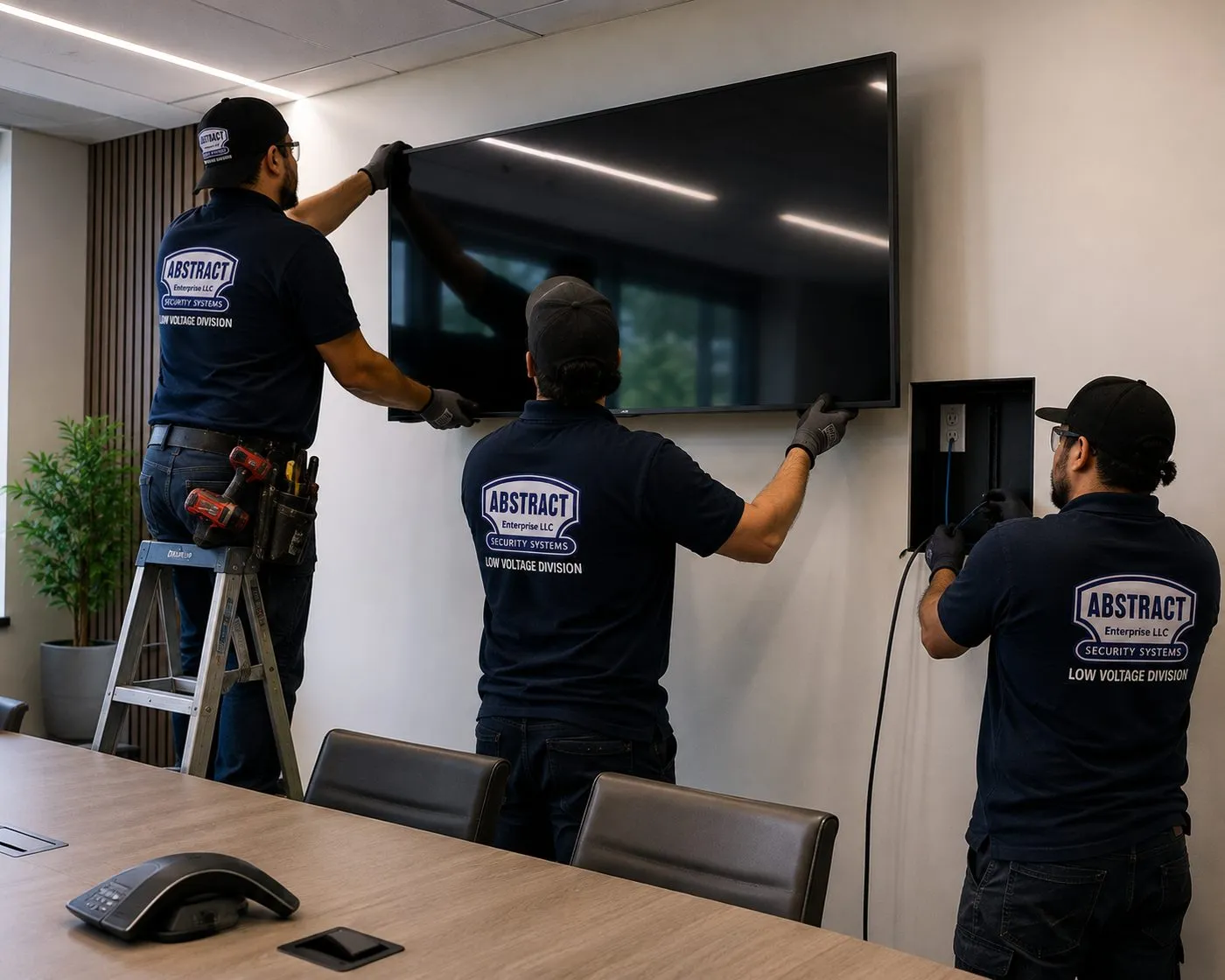
In a meeting room with a wood table, two technicians, one on a stepladder, guide a large flat screen onto its wall mount while a third works at a recessed box set into the wall beside it. A conference phone and a tablet sit on the table.
AI Overview Reality Check
What AI Gets Wrong About Sonos Installation in Brooklyn
A note on method: our research tools couldn't load Google's AI summaries, so nothing below is quoted from one. Each heading is a claim we found in published advice — forums, product pages, generic networking guides — of the kind answer engines repeat. Under each is what actually happens in a Brooklyn house or apartment.
"Buy a mesh Wi-Fi kit and Sonos will work in any house"
Mesh kits are sold as the fix for big houses, and wireless mesh does extend coverage. In a single-storey house with drywall, it may be all you need.
A Brooklyn rowhouse stacks three or four floors of plaster on joists over a cellar, and each wireless hop through a floor costs signal. Sonos's own requirements add a condition: in a mesh network with a wired Sonos product, that product must connect to the primary node. Brooklyn owners who have been through it say the same thing on Brownstoner — wire the access points with Ethernet where you can.
Our standard rowhouse plan is a wired access point on each living floor. It costs more on day one than a box of mesh units, and it's the version that keeps the top floor playing.
"Your Sonos speakers are private to your account"
The Sonos account is private: no one else can change your settings, add products or see your music services without signing in.
Control is a different matter. Sonos's Connection Security page says Guest Access lets any device on the same Wi-Fi control playback, volume and grouping, and that it is on by default. In a single-family home that's handy; in a two-family house on one shared network, it means the tenant's devices can reach the owner's speakers.
The fix is in the network, not the speaker: give each household its own network, or switch Guest Access off until you can.
"You can run two Sonos systems on one network and switch between them"
Sonos does support connecting one app to more than one system, and answers that skim the support pages repeat that.
Read the article and it describes using Sonos at home and at a friend's or family member's home — different places, different networks. Sonos community members who tried two systems on one network report that a phone registered to both "could pick either of the systems to latch onto," with "frustratingly unpredictable" results.
For a Brooklyn two-family, two systems are right; two systems on one network are not. Separate networks first.
"Outdoor speakers just need an outdoor outlet"
That's true of portable speakers and of powered outdoor speakers from some brands, and general advice often stops there.
Sonos's architectural outdoor pair is passive. It needs speaker wire back to an Amp, and Sonos lists the Amp's operating range as 32° to 104°F, so the Amp stays in a heated room. In a brick rowhouse, getting that wire from the Amp to the garden is the main job: a sealed hole through the rear wall, a tidy route outside, and in a historic district, a check before anything is fixed to the facade.
If you want no wiring at all, a Move 2 carried outside is the honest alternative; Sonos says its charging base is for indoor use.
"All brownstones are the same, so the same speaker plan fits every one"
Renovation writers often describe the brownstone as a standard type, and a 20-foot-wide house is common enough that it's thought of as standard.
The same Brownstoner thread that calls 20 feet standard also calls anything under 20 narrow and 25 or more wide. Add rear extensions with joists running the other way, kitchens moved down to the garden level, original plaster on some floors and new drywall on others, and stacked closets that line up in one house but not the next, and the plan changes from door to door.
We survey each floor before quoting built-in speakers. A soundbar and wireless speakers can be priced from photos; ceiling and outdoor work can't.
"A professional Sonos install runs about $500 all-in"
That figure comes from a single owner's post on Reddit's r/sonos, describing a quote from a local home theater company, and it gets passed around as a typical price.
It may have been fair for that job. A Brooklyn job could be $125 for setup alone, or several thousand dollars for a multi-floor network, ceiling speakers on two Amps and an outdoor pair through a brick wall. A single "all-in" number tells you nothing about which of those you're buying.
Our published lines are below, item by item, at Brooklyn's base rate. Built-in speaker rooms are quoted in writing after a walkthrough, before any work starts.
"Ceiling speakers are always the neatest choice"
Flush, paintable grilles are hard to argue with in a modern room, and design sites recommend them for a clean look.
On a Brooklyn parlor floor the ceiling may carry original plaster cornices and a centre medallion, and an 8.25-inch cut-out near either risks damage that costs a specialist plasterer far more to repair than the speakers cost. In a tower, the ceiling is often a concrete slab with no cavity at all.
Ceiling speakers are often the best answer in the garden-level kitchen and the bathrooms. In the parlor, a soundbar with Era speakers, or bookshelf speakers on an Amp in a cabinet, usually keeps the room as it was meant to look.
Music on Every Floor of the House, and Only in Yours
Tell us how many floors, where the internet comes in and who else lives in the building. We send back the network plan, the speaker plan and a written price.
From a single Beam in a Downtown Brooklyn studio to four floors, a tenant's network and a garden pair in a Park Slope brownstone, this form is enough to start. You'll have a written figure by the end of the business day. Prefer to talk? Call (347) 934-8335.
✅
We Got Your Request!
Your request is with our Troy Avenue team, and a technician will phone before the business day ends. For anything that can't wait, ring (347) 934-8335.
How It Works
Our Installation Process
Seven steps, the same whether it's a Ray in a Bay Ridge bedroom or a four-floor Clinton Hill house with a tenant, a garden pair and an Arc Ultra in the parlor.
1. Map the house from your photos
You send the floor count, where the internet arrives, which rooms want music and photos of the ceilings, TV wall and rear wall. We reply with a written price for everything that can be priced from photos and flag what needs a walkthrough.
2. Walk the floors where built-in work is planned
For ceiling, outdoor or multi-floor network work, a technician walks the house top to bottom, finds the joists, the stacked closets and the route to the yard, and confirms any landmarks, condo or tenant approvals that apply.
3. Sort out who shares the building
In a two- or three-family house we agree which network belongs to which household and where the owner's cable will run, before booking any work in shared spaces or a tenant's flat.
4. Build the network from the bottom up
Switch beside the provider's box, cable up the riser, an access point on each living floor, separate networks where needed, and signal checked in every Sonos room before a speaker goes in.
5. Mount, cut and run the speaker wire
Soundbar and surround brackets fixed to what the wall actually is, ceiling openings cut between joists after a pilot check, outdoor cable sleeved and sealed through the rear wall, and dust cleaned as we go.
6. Set up each household's system
Every product added to the right system, rooms named by floor, music services signed in, Guest Access and volume limits set the way you chose, and alarms added for a shop or a morning routine.
7. Tune, label and hand over
Trueplay in every room that supports it, the Sub set with the floor below in mind, every cable and access point labelled, and a written record of what is where so the next floor, owner or tenant starts from a clear picture.
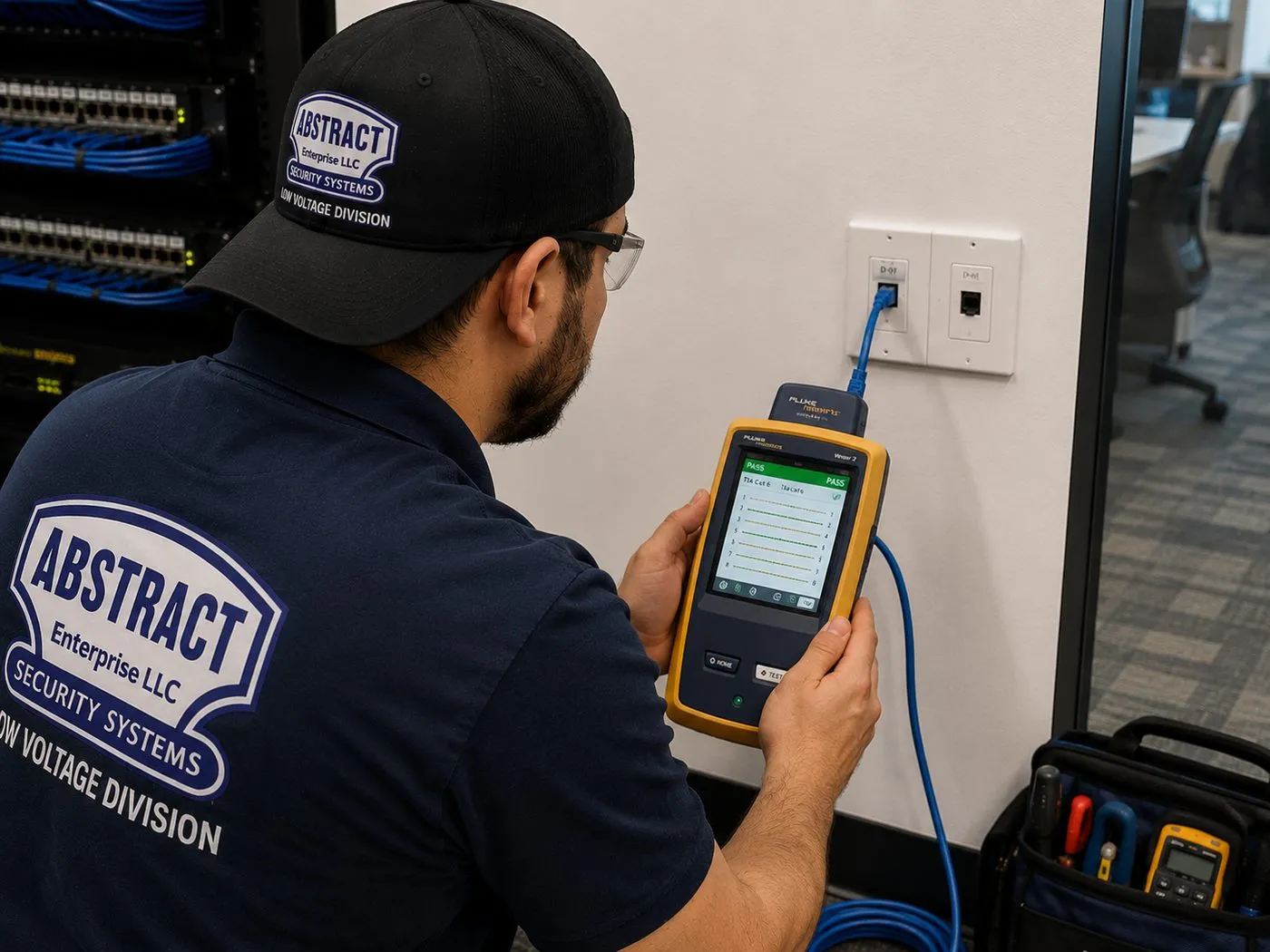
A technician holds a yellow handheld tester whose screen shows a result, its blue lead plugged into a white two-port wall plate, with a network rack at the left edge of the frame. Every new run up a rowhouse riser is tested this way before an access point or a Sonos product depends on it.
Coverage Area
Sonos Installation Near Brooklyn's Landmarks
The district or development an address sits in tells us a lot before we arrive: what the walls are made of, whether the rear facade is protected, whether a tenant lives downstairs, and how crowded the Wi-Fi will be. These six cover most of what the borough throws at a Sonos installer.
Park Slope Historic District
Designated by the Landmarks Preservation Commission in 1973 and extended twice since; the second extension, in April 2016, alone added 292 buildings. Mansions, rowhouses and churches on the slope below Prospect Park — tall parlor floors, plaster detail worth protecting, and gardens behind almost every house.
Carroll Gardens Historic District
Designated September 25, 1973, on President and Carroll Streets. Known for the deep front gardens in front of its 1860s–1880s brownstone rowhouses, which push the houses back from the street — and for rear gardens where outdoor speakers come up on nearly every visit.
Fort Greene Historic District
Designated in 1978. Blocks of Italianate, Queen Anne and Neo-Grec brownstone and brick rowhouses built between 1855 and 1875 around Fort Greene Park, plus wood-framed houses from the 1850s. Mixed construction on a single street means each house is surveyed on its own terms.
Ditmas Park, Flatbush
A historic district of large freestanding wood-frame houses, designated in 1981, in the part of Flatbush that the Historic Districts Council highlights for its concentration of wooden Victorian-style homes. Porches, attics and basements make cable runs easier than in a rowhouse.
Sunset Park Historic Districts
Four districts designated by the LPC in 2019. The Historic Districts Council describes Sunset Park as one of the earliest and most extensive concentrations of two-family masonry rowhouses in the city, mostly built between 1885 and 1912 — the textbook case for separate owner and tenant networks.
Greenpoint Landing
A 22-acre waterfront master plan on the East River that will hold about 5,500 apartments when complete, including towers of 30 and 40 storeys. Concrete construction, glass walls and a dense Wi-Fi environment where Sonos lives on a private network.
We also install Sonos in Brooklyn Heights, Cobble Hill, Boerum Hill, Prospect Heights, Clinton Hill, Bedford-Stuyvesant, Crown Heights, Prospect Lefferts Gardens, Windsor Terrace, Kensington, Midwood, Bay Ridge, Dyker Heights, Bensonhurst, Sheepshead Bay, Marine Park, Canarsie, East Flatbush, Bushwick, Williamsburg, DUMBO, Red Hook, Gowanus and Coney Island. Our shop is at 1282 Troy Ave, on the East Flatbush side of the borough.
A technician on an orange ladder draws a loose bundle of blue cables down through an open drop-ceiling grid, with glass-walled rooms and windows behind him. In a Brooklyn shop or office the same kind of ceiling makes speaker and network runs quick.
Pricing
Sonos Installation Cost in Brooklyn
Brooklyn is our base price area, so these are the starting numbers for the whole company. Every line below is on AESS's published TV and audio price list. Anything we can't price without seeing the ceiling, the wall or the route to the yard is quoted in writing after a walkthrough, and nothing is added on the day without your agreement first.
Item
Brooklyn price
Notes
Sonos setup
$125
The Sonos / wireless surround line: products joined to one system, rooms named and grouped, Trueplay where supported
Soundbar wall-mounted under the TV
$129
Arc Ultra, Arc, Beam or Ray on its bracket, levelled and connected
Soundbar placed on a console
$79
Connected to the TV and tested
Sanus soundbar bracket
$84.99
If you don't already have a mount for the bar
In-wall concealment
$169
Code-compliant in-wall power and cable kit behind the TV, where the wall has a cavity
Paintable cord cover
$59
For brick, concrete or a wall that can't be opened
Cable run to a cabinet or other spot
$99
Up to 25 ft
A/V receiver
$129
Connecting a receiver, for example to a Port
Universal remote
$99
Programmed for TV, soundbar and sources
Streaming device setup
$49
Each device
Full home theater
$350
Multi-component system setup
Setup-only visit
$195 first hour
Then 30-minute blocks: network fixes, regrouping, separating households, dropouts
TV mounted on the same visit
From $179.99
Brooklyn TV mounting base for 32″–55″ on drywall over wood studs, before wall and size add-ons
Ceiling, wall or outdoor speakers on Amp
Quoted at walkthrough
Depends on joists, plaster, the cable route and the rear wall
Access points, riser cable, separate networks
Quoted at walkthrough
Depends on floors, closet alignment and where the internet enters
Brooklyn wall and access add-ons
Condition
Price
Drywall on wood studs
$0
Metal studs (most new towers)
+$30
Plaster (most rowhouse floors)
+$45
Brick or stone (party walls, lofts, rear walls)
+$65
Concrete or cinder block
+$75
Tile or marble
+$95
Plywood backer board
$85
High mount, above about 8 ft (parlor floors)
$75
Walk-up, 3rd floor and above, no elevator
$40
Box removal
$25
Certificate of insurance for a board, association or landlord
Free
Three Brooklyn jobs, added up
Beam on a plaster wall in a Crown Heights walk-up, fourth floor: Sonos setup $125 + wall-mount $129 + Sanus bracket $84.99 + plaster $45 + walk-up $40 = $423.99.
Arc Ultra on the brick chimney wall of a Park Slope parlor, using your own Sonos mount, with Sub and Era rears: wall-mount $129 + brick $65 + Sonos setup $125 = $319. If the bracket sits above about 8 feet, add the $75 high-mount line.
Tower one-bedroom in Downtown Brooklyn, Beam on metal studs with the cables hidden: Sonos setup $125 + wall-mount $129 + Sanus bracket $84.99 + metal studs $30 + in-wall concealment $169 = $537.99.
What's included, and what isn't
Included: mounting, connecting, joining every product to the right system, naming rooms by floor, signing in music services, Trueplay, Guest Access and volume limits set as you choose, and cleaning up.
Not our trade: new outlets and any line-voltage work go to a licensed electrician; roof penetrations to a roofer; plaster repair around a cut to a plasterer.
Products: Sonos products are yours to buy from any retailer; brackets, cable, raceway and in-wall kits come from us at the lines above.
Return trips: if we arrive and can't start — products not delivered, no access to the cellar, the tenant's agreement not in place — the $150 return-trip fee applies. Rescheduling with 24 hours' notice is free.
Old plaster: century-old plaster can crack despite slow, careful cutting. We point out the risk at the walkthrough and cut nothing until you agree.
Gig apps and national averages versus a Brooklyn installer. Task apps and cost guides price an average house with drywall, one floor and a router in the middle. They don't price a cellar-to-roof network, a tenant's flat, a landmarked rear wall or a fourth-floor walk-up. A licensed local installer with published lines can, and is still around afterwards. See every line on our Brooklyn TV mounting price list.
Shop Our Systems
Sonos Installation Packages & Pricing
Most Brooklyn bookings begin with one of the three bundles below. None of them is a special deal: each price is just our published lines added together at the borough's base rate, and you can do the sum yourself. A plaster or brick wall, a walk-up or a high parlor mount goes on top.
Starter — Sonos Setup
$125
The Sonos setup line ($125): every product joined to one system on your network, rooms named by floor, music services signed in, Guest Access and volume limits set, and Trueplay where the product supports it.
Standard — Soundbar on the Wall + Setup
$338.99
Setup ($125) with the Arc Ultra, Beam or Ray wall-mounted under the TV ($129) on a Sanus bracket ($84.99). On a rowhouse plaster wall add $45; on brick, $65; on tower metal studs, $30.
Premium — Soundbar, Hidden Wiring + Setup
$507.99
Everything in Standard ($338.99) plus the in-wall power and cable kit ($169) so no cords show below the screen. Needs a hollow wall; on a brick party wall we use the $59 cord cover instead.
Bring Your Own Equipment — Labor Only
If the bracket is already in the box — Sonos's own Arc Ultra mount, say, or any mount rated for your bar's weight — you are charged for the work and nothing else: $129 for hanging the soundbar, any wall line that applies, and $125 if you'd like the whole system set up. Mounts you supply stay under their maker's warranty. Should yours not suit a Brooklyn plaster or brick wall, you hear that before a hole is drilled, and the Sanus bracket is offered as the alternative.
Multi-Floor, Two-Household and Outdoor Plans
Houses that need a riser and an access point per floor, an owner-and-tenant network split, Amps behind ceiling speakers or a garden pair through brick get one written price for the whole house after we've walked it. For guidance, our NYC AV page publishes whole-home audio at $800 to $2,500 per zone installed, and your Brooklyn quote itemises where each of your rooms lands inside that before anything is booked.
Want the Price for Your Floors in Writing?
Floor count, where the internet arrives, photos of the ceilings and the rear wall, and your product list. That's enough for a written Brooklyn price.
How a Sonos Job Changes From One Side of Brooklyn to the Other
The Sonos app is the same in Greenpoint and in Gerritsen Beach. The houses around it are not, and the visit changes with them.
Brownstone Brooklyn: Park Slope, the Heights, Cobble Hill, Carroll Gardens, Fort Greene, Clinton Hill
Mostly single-family or owner-plus-one-rental rowhouses, three or four floors over a cellar, much of it inside historic districts. The work is dominated by the floor-by-floor network, careful decisions about ceiling speakers near original plaster, and garden audio through a brick rear wall with a landmarks check first. Walk-up surcharges rarely apply because the owner's floors are reached by the house stairs, but high mounts on parlor floors often do.
Bed-Stuy, Crown Heights, Bushwick and Prospect Lefferts Gardens
Long rows of brownstones and brick houses, many of them two- and three-family, plus wood-frame houses in parts of Bed-Stuy and Bushwick. This is where the owner-and-tenant network split is most common, and where the cellar is most often shared space with a boiler, meters and the tenant's storage. Cable routes are planned through the owner's closets.
Williamsburg, Greenpoint, DUMBO and Downtown Brooklyn
Two different jobs side by side. In the towers along the waterfront and Downtown, it's a wireless Sonos system on a private router, a soundbar on metal studs or a concrete column, and surrounds placed around glass. In the converted warehouses and the remaining frame houses of Greenpoint and Williamsburg, it's brick, timber, surface raceway and Trueplay working hard against echo.
Flatbush, Ditmas Park, Midwood and Kensington
Detached wood-frame Victorians and pre-war elevator buildings. The houses behave almost like suburban homes: attics and basements for cable, porches and side yards for outdoor speakers, and Wi-Fi that passes through wood more easily than through Park Slope plaster. The apartment buildings bring a super, sometimes a board, and plaster on masonry.
Sunset Park, Bay Ridge, Dyker Heights and Bensonhurst
Two-family masonry rowhouses in Sunset Park, pre-war co-ops and rowhouses in Bay Ridge, and detached and semi-detached houses further south. Families with a parent or grown child on the other floor often want one system for the whole house rather than two; others want strict separation. We ask before we design.
Southern and eastern Brooklyn: Canarsie, Marine Park, Sheepshead Bay, East Flatbush
Brick row houses, attached two-families and detached homes with finished basements, close to our Troy Avenue shop. Basements become the media room; the Sub goes there, with ceiling speakers in a drywall ceiling that is the easiest of any in the borough.
Complete Services
Every Sonos Installation Service in Brooklyn
Few Brooklyn owners book Sonos on its own. It usually rides along with a house-wide network upgrade, a gut renovation or a new parlor TV, and these are the services that tend to share the visit.
Cameras, intercoms, alarms and access control across New York.
Field Notes
Field Notes From Brooklyn Rowhouse Sonos Jobs
The order a crew checks things in when it first walks into a tall Brooklyn house. This is our routine, described in general, not an account of any one client's home.
We start in the cellar, not the living room. The first questions are where the provider's line comes in, whether there's an outlet beside it, and whether the cellar is the owner's space or shared with a tenant's storage and the boiler. That decides where the network begins.
Then we climb. On each floor we open the closet nearest the stairs and look up: if the closet above sits directly over it, the riser is solved. We check the signal at the far end of each floor — the street end and the garden end are usually very different — and we ask who lives on that floor before touching anything on it.
Last comes the back of the house. We look at the rear wall from the garden, find the brick, the mortar and the downspouts, and note which neighbors' windows face the yard. Only then do we talk about which speakers go where, because by then the house has told us most of the answer.
FAQ
Brooklyn Sonos Installation FAQ
What does it cost to split an owner's and a tenant's Wi-Fi so the Sonos systems stay apart?
+
If the existing router can run two isolated networks and no new cable is needed, it is setup-only time: $195 for the first hour in Brooklyn, then 30-minute blocks, and most splits fit inside that first hour. If the house needs a second router, a new cable to the tenant's floor or access points on each level, that part is quoted in writing after we've seen where the internet comes in.
Do you charge extra when the apartment is up several flights with no elevator?
+
There is one flat line for it: $40 for a third-floor-or-higher walk-up with no elevator. It covers carrying ladders, tools and any brackets up the stairs. Inside your own house, climbing between your own floors doesn't trigger it.
Can you take out old wall speakers and dead wiring a previous owner left in the house?
+
Yes. Brooklyn houses often carry speaker wire, coax and phone cable from two or three owners back. We trace what is live and what is abandoned, remove old speakers and brackets you no longer want, reuse any cable that tests good, and cut back or label what is left. Filling the holes and repainting afterwards is for your painter or plasterer.
Can our tenant book their own Sonos setup for the same day as ours?
+
Yes. Once the networks are separate, the tenant's speakers are set up on their own network and their own Sonos account, as a separate booking that they arrange and pay for directly. Doing both households on one day means the crew from our shop at 1282 Troy Ave makes a single trip and each system is tested alongside the other.
Our restaurant already has ceiling speakers from the last tenant. Can Sonos run them?
+
Often, once we know what they are. Many restaurant ceiling speakers are ordinary 8-ohm models that a Sonos Amp can drive directly, within the limits Sonos sets for impedance and the number of pairs. Others are commercial speakers wired to a separate amplifier, and in that case a Sonos Port feeding the existing amplifier is usually the answer. We test the wiring and identify the speakers on a setup-only visit before you buy anything.
Will we get a record of where the cables, access points and Amps are in the house?
+
Yes. At handover you get a written list of every access point, switch, Amp and cable run, with the floor and closet each one is in, which network each belongs to and photos of anything that was closed into a wall. In a two-family house it also says which equipment is the owner's and which network the tenant uses.
Should we wait until the Sonos products are delivered before booking?
+
You can book first, but pick a date after the delivery. If the crew arrives and the products aren't there, the $150 return-trip fee applies. Moving the appointment with at least 24 hours' notice is free, so if a delivery slips, just call and move it.
We just closed on a house and the internet isn't connected yet. Can the Sonos work still go ahead?
+
The wiring can, the setup can't. We can run the riser cable, mount brackets, cut in ceiling speakers and wire the garden while you wait for the provider. Sonos needs a working home network and internet access to set up and update products, so the final setup and Trueplay are booked as a short second visit once the line is live.
Can the garden speakers play something different from the parlor at the same time?
+
Yes. Outdoor speakers on their own Amp form a separate room in the Sonos app, so the yard can play one thing while the parlor plays another, or the two can be grouped when you want the same music inside and out. The garden room also gets its own maximum volume, set with you on the day.
All Areas Served
Sonos Installation Across New York
Rowhouses, two-families and waterfront towers are Brooklyn's story. For the five-borough overview, start at the New York City Sonos installation hub; the pages below cover the other boroughs and regions, each built around its own kind of housing.
Cameras, intercoms, alarms and access control are on the Abstract Enterprises home page; the people and the licence behind this Brooklyn work are on our about page.
Brooklyn Sonos Gone Quiet Tonight? We Can Help
Garden speakers silent, top-floor rooms greyed out, the tenant's music coming through your kitchen? Call (347) 934-8335 for the earliest open arrival window. Once a technician is in the house, most network and setup faults are fixed within an hour or two.
Sonos Installation Brooklyn — Licensed, Insured, Floor by Floor
Abstract Enterprises Security Systems · 1282 Troy Ave, Brooklyn, NY 11203 · (347) 934-8335 · WhatsApp (718) 679-0359 via wa.me
NYS Low-Voltage Licence #12000287431 · 100% Licensed & Insured · Same-Day Estimates · Rated 4.7★ from 201 Google Reviews
Sonos products carry Sonos's manufacturer warranty through the retailer that sold them; brackets and parts carry their maker's warranty. Full terms — including 50% deposit, one-year parts-only warranty on AESS-supplied products, and the late-fee schedule — are set out in the service agreement. See our warranty page.
Page reviewed and updated October 17, 2026. Changelog: first publication of the Brooklyn Sonos installation page.