New Dorp’s wiring changes character every few blocks. On the streets toward Richmond Road it lives in high ranches and semi-attached houses, where owners added a switch here and a cable there until one weak link could take a whole floor offline. Along New Dorp Lane it serves dental chairs, clinic desks, pharmacy counters and the offices over the shops. Below Hylan Boulevard, in New Dorp Beach, it has to survive rebuilt and raised houses on blocks that only got storm sewers in 2025. We find the fault on a certification tester, repair the link at the point that failed, and hand back a run that passes Category 6 again, with a written record of what was wrong.
Reviewed and updated October 17, 2026 · Written by Anwar Timothy, NYS licence #12000287431 · Part of our Staten Island Cat6 repair coverage
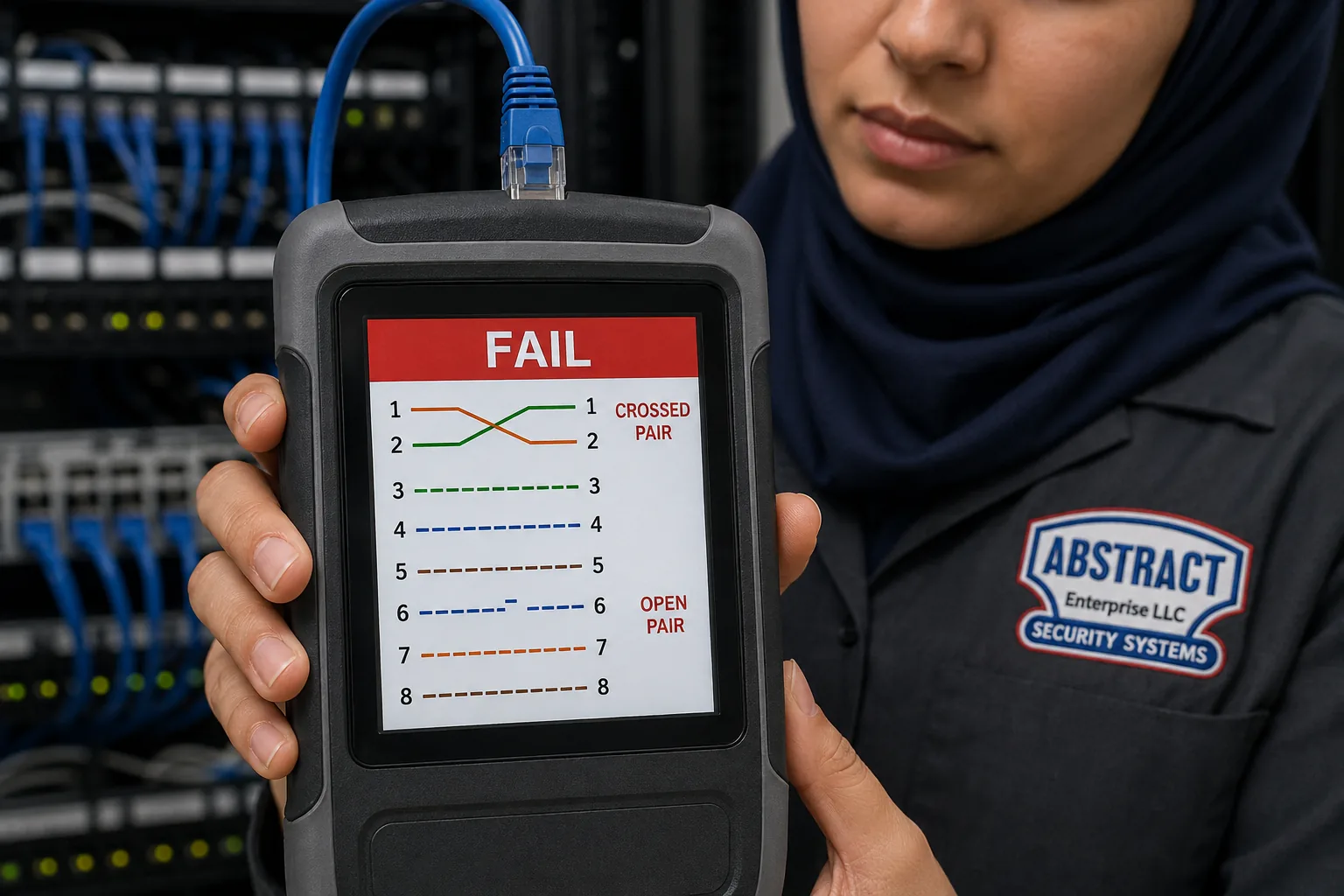
Close-up of a handheld tester held in front of a rack: the red banner on its screen says FAIL, and the pin diagram shows lines 1 and 2 swapped and line 6 broken, marked CROSSED PAIR and OPEN PAIR.
New Dorp Cat6 Repair Quote
Tell us what the dead link feeds and which floor it is on — a technician replies the same business day
✅
Request Sent!
A technician will call you back the same business day.
25+
Years Experience
✓
Same-Day Estimates
100%
Licensed & Insured
4.7★
201 Google Reviews
Upstairs bedrooms offline, an operatory PC that cannot see the X-ray server, or a card reader at a Lane counter that keeps dropping? Phone (347) 934-8335 or use the 60-second form. A licensed technician reads what you send and tells you, before anything is booked, whether it sounds like a bad termination, a damaged run, a failing switch in a chain, or something on the provider’s side that we would send back to them.
Every suspect link tested from both ends, so the repair goes where the fault actually is
One Staten Island price list: $195 an hour with a three-hour minimum, replacement runs from $175
NYS licence #12000287431 · insured · one written quote that covers the whole visit
Why New Dorp Properties Need Cat6 Repair Built Around How the Network Grew
New Dorp is a small, dense piece of Staten Island with a real main street, and that shapes how its network cabling ages. The name comes from the Dutch Nieuw Dorp, the “new village” laid out in 1671, and the neighbourhood still reads like a village with a centre: houses on all sides, a walkable shopping street, a library, a train station in a cutting under New Dorp Lane, and Miller Field and the bay at the bottom of the hill. Wikipedia’s census figures put the New Dorp tabulation area at 29,083 people in 2020, up from 27,623 ten years earlier, in ZIP code 10306. Most of them live in houses, and most of the neighbourhood’s businesses sit on two roads: the Lane and Hylan Boulevard.
The Lane is the older of the two. The Landmarks Preservation Commission’s report on the Lane Theater at 168 New Dorp Lane, which opened on February 10, 1938 and became an interior landmark in 1988, records that development came to New Dorp in the 1880s and that by 1917 a commercial strip faced the railroad along the Lane. In December 2005 the City Council rezoned the Lane; CityLand’s summary says commercial-only buildings were held to two storeys, mixed-use buildings to 35 feet, and homes were kept off the ground floor. In 2017 the Council approved a business improvement district covering 146 properties and about 180 businesses between Hylan Boulevard and Richmond Road. A July 2026 report by Carol Chen for The City Reporter, published by Documented, describes Chinese-owned restaurants, pharmacies, dentists’ offices and clinics clustering around the Lane, along with adult day-care centres. Put those facts together and you get the Lane’s network in one sentence: small professional and retail tenants in two-storey buildings, each with a handful of links that matter enormously to them, and an office or flat upstairs whose cable often shares the same ceilings.
Away from the Lane the picture is residential, and mostly mid-century. Point2’s summary of the American Community Survey for 2019–2023 counts 41.4 percent of New Dorp’s homes as detached single-family houses, 25.3 percent as attached single-family houses and 17.7 percent in two-unit buildings, with a median build year of 1968. A September 2026 neighbourhood guide from DeFalco Realty points out how common the high ranch, or raised ranch, is in 10306: a garage and a den at ground level, the kitchen and bedrooms up a short stair. Those houses were built before anyone ran Ethernet. Their Cat6 arrived later — from a cable installer, an electrician during a renovation, or an owner with a box of cable and a weekend — and it grew room by room. That is why the faults we see inland are so often about how the network was extended: a small switch on a shelf feeding another switch in a bedroom, a flat cable slid under the carpet, a run tied to the basement pipes because they were the nearest thing to hang it from.
Below Hylan Boulevard the story turns to water. Parts of New Dorp Beach sat under about six feet of water after Hurricane Sandy, according to Rob Stephenson’s 2025 neighbourhood essay, and when New York State closed its buyout programme to new neighbourhoods in April 2014, DNAinfo reported that New Dorp Beach was not among those added. Instead the area rebuilt house by house, many of them raised. Rain is the other half of it. On July 14, 2025 the Staten Island Advance described Hylan Boulevard near New Dorp Lane as nearly impassable, “as if it was a river”. And on May 20, 2025 the city finished an $84 million project that laid 8,701 feet of storm sewers in a New Dorp Beach area that, in DEP’s words, had none before. For Cat6 that means two practical things: below Hylan, equipment and terminations belong on the living floor, and anything that must go into the space beneath a raised house has to respect the rules for that space.
So a Cat6 repair in New Dorp starts with a question that the borough-wide advice does not ask first: who built this network, and how did it grow? In an inland house the answer usually leads to a weak link in a chain, a run in the wrong place, or a jack that furniture has been leaning on for years. On the Lane it leads to an operatory, a desk phone or a counter. Below Hylan it leads to the enclosure and the flood line. The tester finds the fault; knowing the building tells us how to repair it so it stays repaired.
New Dorp facts that shape a Cat6 repair
29,083 residents: the 2020 census count for the New Dorp neighbourhood tabulation area cited by Wikipedia, in ZIP code 10306 — a dense neighbourhood of houses around one shopping street.
About 180 businesses on 146 properties: the New Dorp business improvement district approved in April 2017, per CityLand; the 2005 rezoning keeps homes off the ground floor of the Lane’s buildings, so offices and flats sit above the shops.
41.4 / 25.3 / 17.7 percent: detached single-family, attached single-family and two-unit homes in Point2’s ACS 2019–2023 summary, with a median build year of 1968 — the cabling in most of them was added long after the walls went up.
8,701 feet of storm sewer and 101 new catch basins: what the city’s $84 million New Dorp Beach project added by May 2025, raising Milton, Finley and Cedar Grove Avenues by more than a foot and lowering Hett Avenue by about ten inches.
More than 880 homeowners: the number DDC worked with to rebuild driveways and front yards to the new street levels — a reminder that the ground around many New Dorp Beach houses changed recently.
July 14, 2025: the evening Hylan Boulevard near New Dorp Lane ran “as if it was a river”, per the Staten Island Advance — ground-floor shops and basements near the Lane are not only a Sandy-era concern.
Those six numbers explain most of what we find. A neighbourhood of 1960s houses wired after the fact, a main street of two-storey buildings with a professional office in nearly every second door, and a low shoreline that is still being re-engineered. None of that is visible from the wall plate, which is why every repair here begins with a test rather than a guess.
When the repair list turns into a rewire, the work moves to the right team. Our network cable repair crew for Staten Island handles older Cat5e and general Ethernet faults across the island, and Cat6 installation on Staten Island takes over when a house or a Lane office needs new home runs rather than repairs. If a wired camera is misbehaving too, mention it when you book and its link can be tested on the same visit.
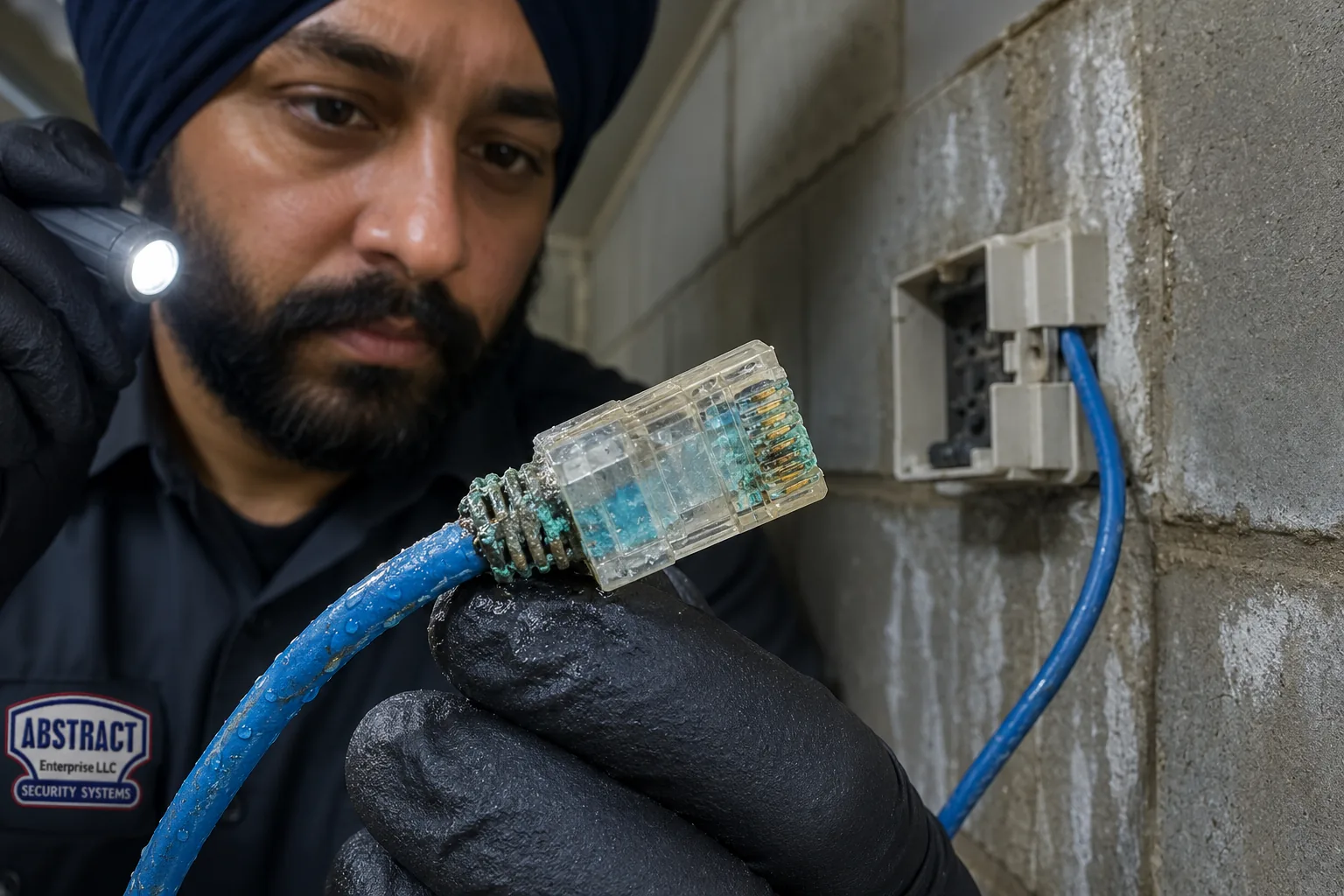
Held up in a flashlight beam, the clear connector has turned blue-green inside, with crusted residue on the cable just behind it; the small surface box it came out of is screwed to unpainted cinder block.
Repair Capture
Need Cat6 Repair in New Dorp Today? Same-Day Service Calls
A dentist who cannot pull up the morning’s X-rays, a pharmacy label printer that has gone silent, the upstairs of a high ranch with no wired connection since last night, a camera under a raised house in New Dorp Beach showing nothing on the recorder — those are booked as service calls, and we offer the next open two-hour window. The van carries a certification tester with distance-to-fault, a toner and probe, Cat6 and Cat6A keystones and panel modules, factory-made cords, sealed boxes, hangers and enough cable to replace a run when a run is what failed. Most termination, cord and switch-chain faults are found and fixed within one to two hours of reaching the equipment. Call (347) 934-8335.
What We Repair
Cat6 Repair Services in New Dorp
Nine kinds of work cover the faults described on this page. Each finishes the same way: the repaired links certified against their category, a copy of the results for you, and a plain line on the invoice saying what failed and where.
Switch-Chain and Uplink Repair
Finding the one weak cable or tired switch in a chain of small switches that feeds a whole floor, then replacing the chain with direct runs or a single central switch where the house allows.
Under-Carpet and Floor-Run Replacement
Removing flat or round cable that was laid under carpet, rugs or thresholds and has been walked flat, and rerouting the link through a wall, closet or basement ceiling.
Re-Supporting Runs Off Pipes and Ducts
Taking Cat6 off water lines, gas pipes, conduit and ductwork, and hanging it from the joists on proper supports so it is no longer crushed by ties or disturbed by the next plumber.
Furniture-Wall Jack Rebuilds
Replacing jacks that a bed, sofa or cabinet keeps pressing on, with angled or recessed hardware and short cords that leave the plug out of harm’s way.
Operatory and Exam-Room Links
Repairing the cable to dental chairs, sensor PCs, exam-room computers and imaging stations in the Lane’s practices, scheduled around patients.
Desk-Phone and Computer Links
Sorting out offices where computers reach the network through the back of a desk phone, so a phone fault no longer takes the computer with it.
Counter, Register and Pharmacy Links
Card readers, registers, label printers and scanners at Lane and Hylan counters: the jack, the cord and the run back to the switch.
Raised-House and Under-House PoE Links
Cameras and access points below or on the outside of raised New Dorp Beach houses, with cable entries sealed and kept clear of flood openings.
Certification, Labels and a Room Map
Testing to Cat6 or Cat6A permanent-link limits, labelling both ends, and leaving a written list of which jack goes to which port.
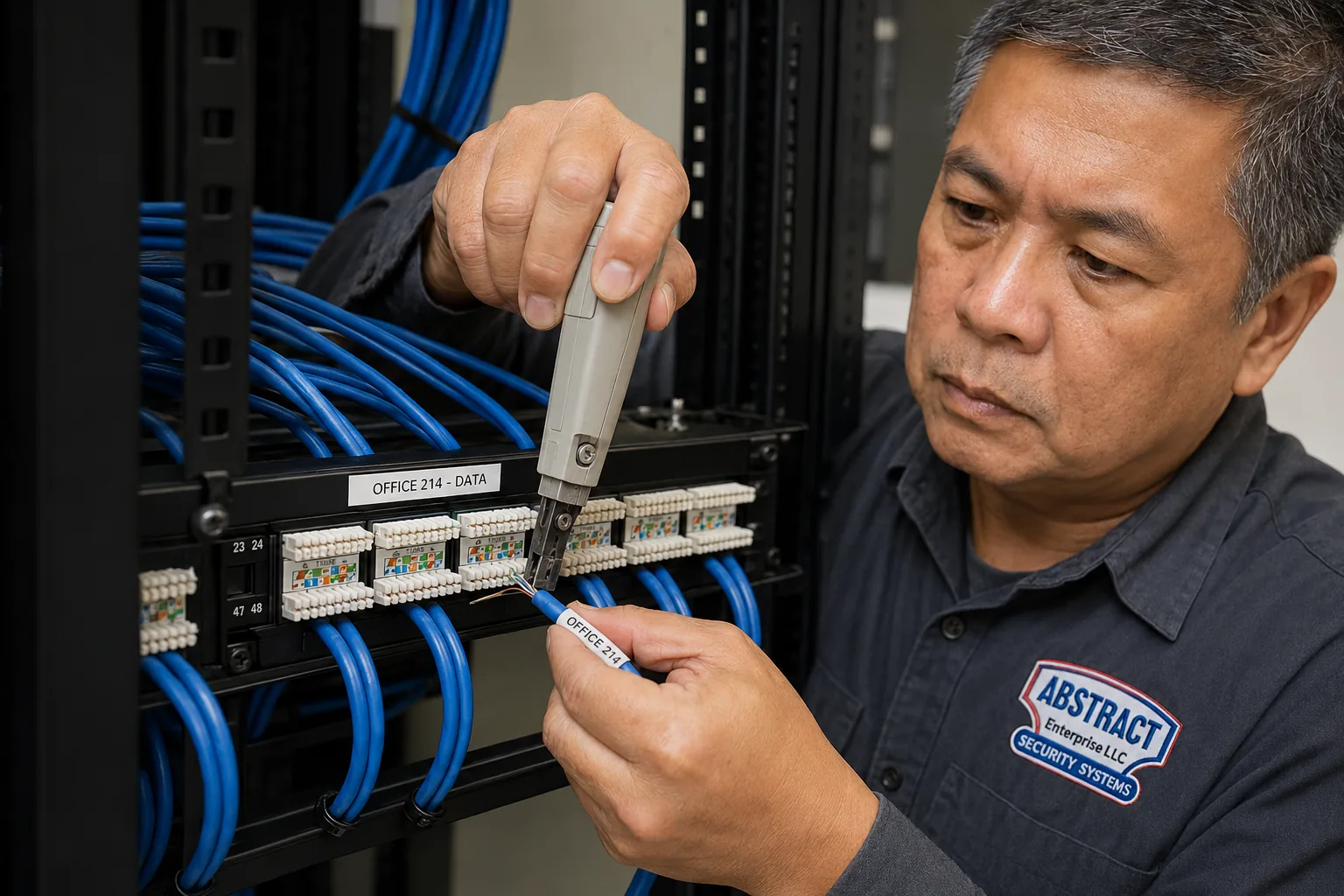
Close on a rack-mounted panel: a grey punch-down tool presses one cable, tagged OFFICE 214, into its slot beneath a printed strip reading OFFICE 214 – DATA.
Three New Dorps
How Cat6 Fails Differently Across New Dorp, the Lane and New Dorp Beach
Three building patterns make up most of New Dorp, and they sit in three fairly clear zones. The boundaries are not exact — DeFalco’s guide makes the point that flood risk “can differ by elevation and block” — but they are a useful first guess before anyone opens a wall.
Zone
Typical building
Where the Cat6 usually fails
What usually fixes it
The inland blocks and New Dorp Heights, from the Lane toward Richmond Road
High ranches, semi-attached and attached houses, detached houses and two-families, mostly 1960s–70s
Chained switches, flat cable under carpets, runs tied to pipes, jacks behind furniture, cords crushed in closets
Fewer hops between router and room, runs re-hung on the structure, new jacks where furniture sits
Operatory and exam-room links, PCs behind desk phones, counter jacks, cable shared with the floor above
Re-terminated operatory runs, separate links for phones and computers, counter jacks moved out of the kick zone
New Dorp Beach, below Hylan toward Miller Field and the bay
Converted beach bungalows, attached cottages, raised and rebuilt houses, garden apartments near Mill Road
Under-house camera links, low terminations, cable through the enclosure, entries that let water in
Equipment on the living floor, sealed entries, cable kept out of flood openings and off the enclosure floor
Inland, the age of the house matters less than the history of the network. A 1968 high ranch rewired properly during a renovation can test perfectly, while a 2005 extension wired by the previous owner can be the weak point of the whole house. On the Lane, the business decides the priority: the link to a dental chair is worth a dawn appointment, the link to a back-office printer can wait for the afternoon. Below Hylan, the question is height. A termination that sits a foot above the enclosure floor in a raised house is in the wrong place, however well it was made.
Two-family houses cut across all three zones, and the tenure picture is mixed — Point2’s summary records most homes as owner-occupied, but rentals of a floor are common. When a run serving one household passes through the other’s space, we plan the repair with both in mind and say up front which rooms we need to enter.
The inland zone is not uniform either. DeFalco’s guide separates New Dorp Heights, climbing toward Richmond Road and Todt Hill, from the flatter central blocks around Edison Street, Rose Avenue and Clawson Street. Up the hill, houses are larger and more often detached, with longer runs and more rooms per switch; on the central blocks they are narrower, more often attached or semi-attached, and the network has fewer routes to choose from. The same fault — a cable crushed in its only path — costs very different amounts of time to fix in the two places, which is why we ask for the cross street when you book.
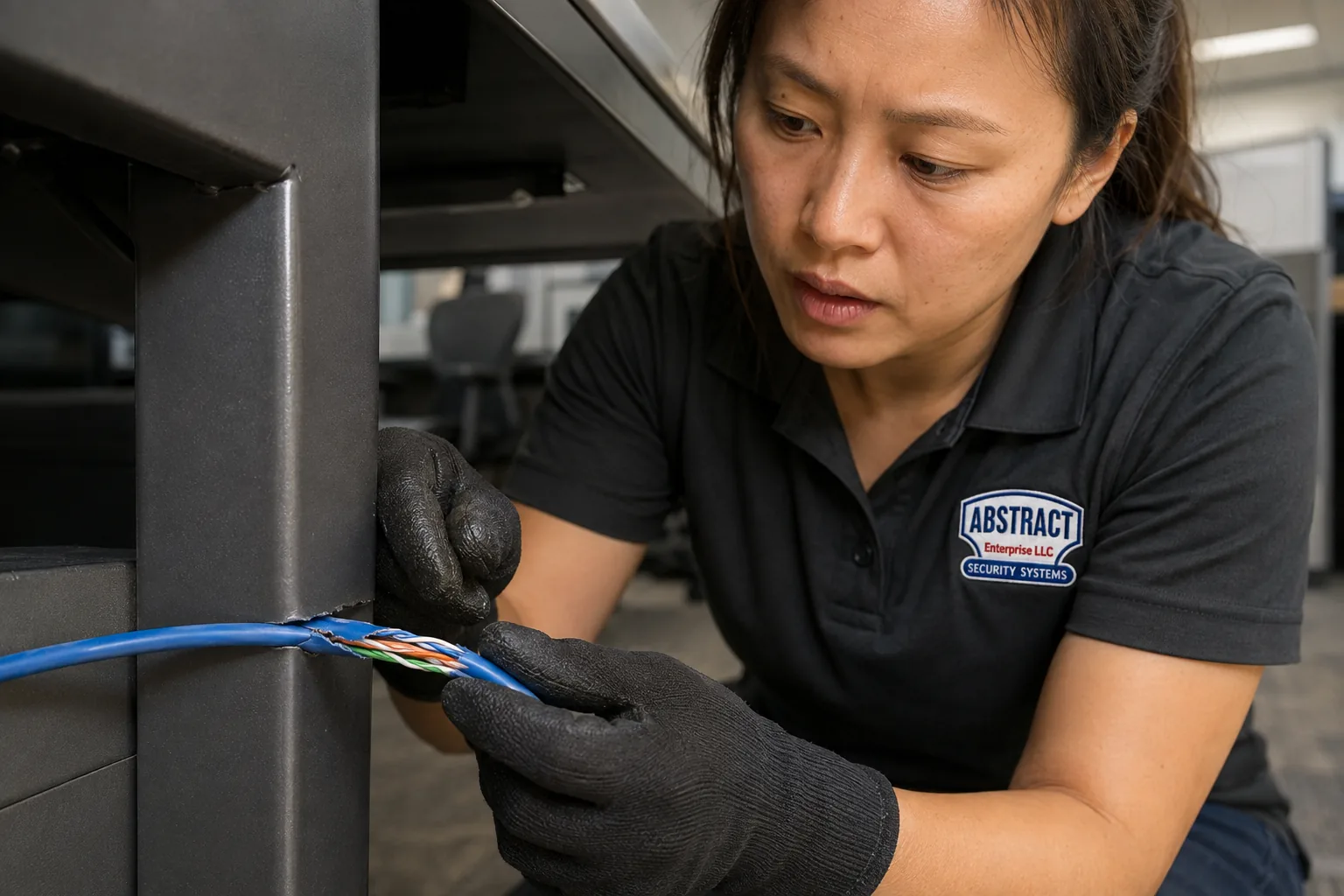
Torn open for a hand’s width where it pressed on a steel edge, the blue sheath exposes its coloured twisted pairs; a technician wearing black work gloves holds both sides of the tear.
Building Specialists
Cat6 Repair for New Dorp’s Architecture
In New Dorp the building tells us where a run was likely put, how it was fixed in place, and what will have to be disturbed to repair it. These are the building types that make up the neighbourhood, described by the faults they tend to produce rather than as a list of addresses.
High Ranches and Raised Ranches
Garage and den at grade, living floor up half a flight. The router usually lands downstairs where the provider’s line enters, so every bedroom link climbs a wall or crosses the garage ceiling. Chained switches and long cords up the stair are common.
Semi-Attached Houses
One shared wall, a side drive and a narrow footprint. There is little room to choose a route, so runs hug the basement ceiling or a single closet stack, and a fault in that one path can affect several rooms.
Attached Rows
A quarter of New Dorp’s homes, by Point2’s count. Party walls on both sides leave front and back walls for cable, and owners often went under the carpet or along the baseboard rather than through a finished wall.
Detached Houses
The most common type here, many from the 1960s with full basements. Runs drop from the router into the cellar, travel along joists and pipes, and climb through closets. The basement ceiling is where most repairs start.
Two-Family Houses
Nearly one home in five is in a two-unit building. Each floor may have its own provider, and cables cross the other household’s space. We agree access with both before starting.
Mixed-Use Buildings on the Lane
Shops at street level and offices or flats above, capped at 35 feet by the 2005 rezoning. Upstairs cable frequently runs through the shop’s ceiling, and the two tenants rarely know whose cable is whose.
1960s Shopping Centres on Hylan
Single-storey plazas from the decade when Hylan Plaza opened in 1966. Shared roofs, hung ceilings and back corridors carry counter, camera and office links between tenants.
New Dorp Beach Bungalows and Cottages
Converted summer houses, many attached, on low ground between Midland Beach and Oakwood Beach. Cable goes through tight crawl spaces and low closets, close to where water has been.
Raised and Rebuilt Houses Below Hylan
Houses lifted or rebuilt after Sandy, with the living floor well above the ground and an enclosure or open space below. The DOB limits what that lower space can be used for, and that affects where cable and equipment may go.
Methods we check in New Dorp buildings
How many boxes sit between the router and the room? We count them before we test anything. A link that passes through a provider’s gateway, a switch in the den, another switch in an upstairs closet and a third behind a television is four failure points, and the cable between any two of them can be the culprit. We test each hop separately, from both ends, so the fault is pinned to a cable or a device rather than to “the network”.
What is the run hanging from? In basements we look along the whole visible length. Communications cable should be held by the building structure on proper supports, not tied to pipes or to an electrician’s conduit, and the trade guidance we follow says exactly that. Ties pulled tight enough to hold a cable to a pipe are tight enough to deform it, and a crushed section shows up on the tester as a reflection at a measurable distance.
Is the cable round, solid and rated for where it is? Flat “slim” cables and stranded patch cord are made for short runs in the open. Pushed under a carpet or inside a wall they are walked on, pinched and bent, and their losses grow with length. Where we find them used as permanent cabling we replace them with solid-conductor Cat6 in a route that keeps feet and furniture off it.
Does the run share holes or stud bays with power? Owners who added cable themselves often followed the electrical cable because the holes were already there. The indoor separation rule for communications cable, set out in OSHA’s 29 CFR 1910.308 as at least two inches from light and power conductors with listed exceptions, is a safety rule first. Where we find data cable bundled with power we move it apart while the wall is open.
How high is the termination, and how close is the water? Below Hylan we note the height of every termination above the floor and above grade. Whatever must stay low gets a sealed box; whatever can move up does.
Lane practices that come to us for one link often leave with a list. When the list grows into new racks, a closet rebuild or a move upstairs, our structured cabling installation service on Staten Island takes it on, and the repair findings go with it.
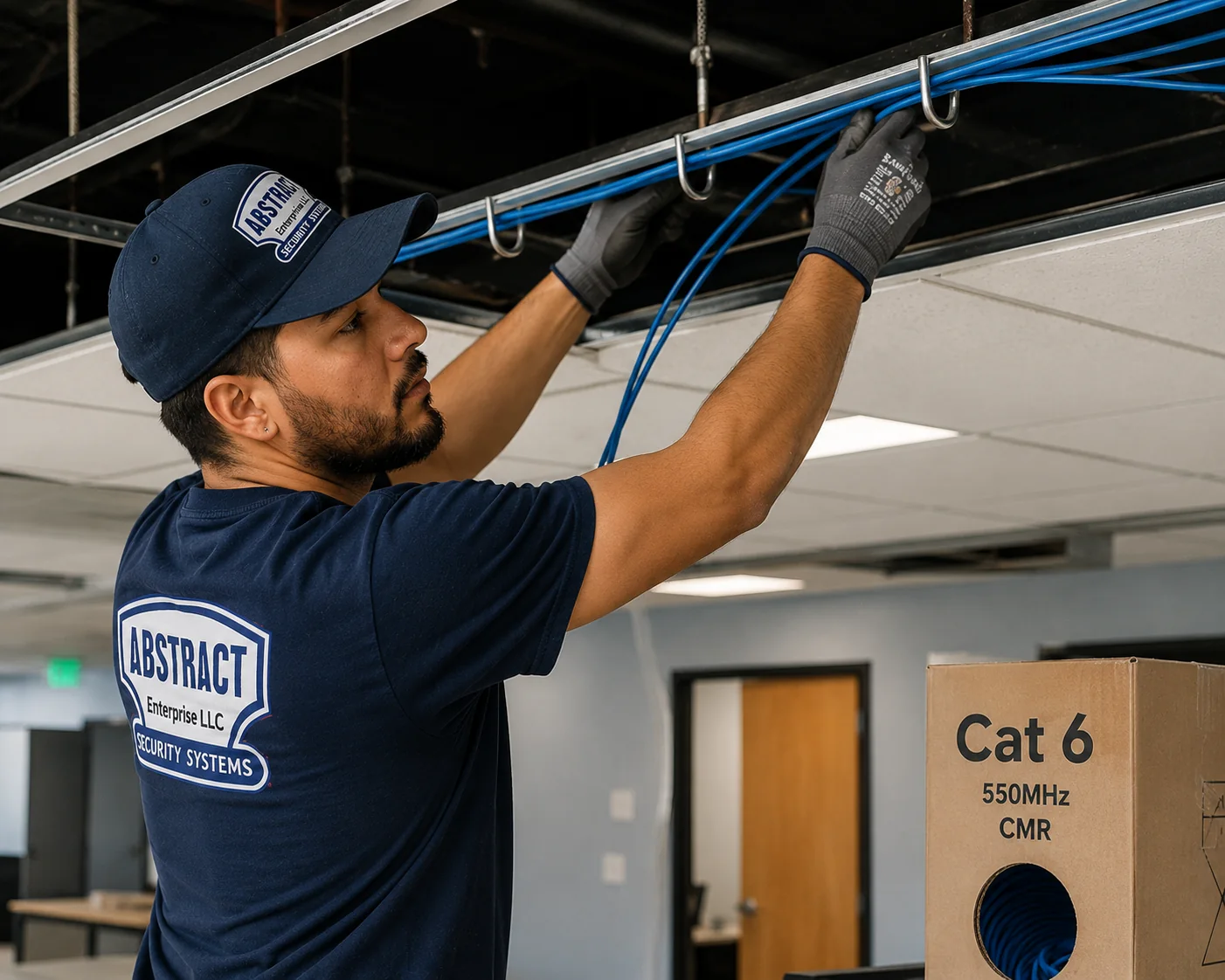
Looking up into an open ceiling: a technician in a cap lifts a bundle of blue cable into a line of J-shaped hangers beside the grid, while a carton printed Cat 6 550MHz CMR waits on a shelf.
Commercial Cat6 Repair
Business Cat6 Repair in New Dorp
Most New Dorp businesses run on a handful of links, and losing any one of them stops work. The corridors here are real places, chosen for the faults their buildings tend to produce; they are not a customer list.
New Dorp Lane, Hylan to Richmond Road
The business improvement district’s mile of shops, salons, restaurants and offices — about 180 businesses on 146 properties. An SI Advance writer in 2011 called it “a great little commercial strip of mostly old fashioned mom ’n pop stores”. Links here are short, but they run through old ceilings shared with the floor above.
Practices and Pharmacies Around the Lane
Documented’s 2026 reporting describes a cluster of Chinese-owned clinics, dentists’ offices and pharmacies around the Lane, alongside restaurants and adult day-care centres. Their networks carry imaging, records, prescription systems and phones, often on the same small switch.
Hylan Boulevard at the Lane
Directory listings place dental practices on Hylan near its junction with the Lane, and CityMD runs an urgent-care centre at 2710 Hylan. It is also the stretch the Advance saw run like a river in July 2025, so ground-floor jacks and floor boxes here are checked for water as well as wear.
The 1960s Hylan Shopping Centres
Wikipedia lists five shopping centres built along Hylan in the 1960s, the largest Hylan Plaza in 1966. Single-storey tenant spaces with shared roofs and long runs from a back-room switch to registers, kiosks and parking-lot cameras.
The Station End of the Lane
The Staten Island Railway crosses under New Dorp Lane in an open cut, and the Landmarks report notes the Lane’s commercial strip faced the railroad by 1917. The oldest storefronts are here, with cable added by one tenant after another.
Schools, Tutoring and Community Spaces
New Dorp High School sits beside Miller Field, Staten Island Technical High School occupies the old New Dorp High School building on Clawson Street, and the Staten Island Chinese School is based in New Dorp, with enrolment that Documented reported rising sharply in 2023 and 2024. Smaller classrooms and community rooms like these depend on a few wired desks and a printer.
Codes and rules that touch a New Dorp repair
NYC Electrical Code. The city’s current code is its amended version of the 2020 National Electrical Code, which took full effect on December 21, 2025. Communications cabling sits in its own chapter, separate from power wiring, and the repairs on this page are low-voltage work done under our NYS licence.
Support from the structure. The trade summaries of the code we follow say exposed communications cable is to be supported by the building structure — straps, staples, hangers or ties fastened to framing — and not strapped or taped to raceways as a means of support. Cable tied to plumbing or gas lines is re-hung.
Separation from power. At least two inches between indoor communications cable and light or power conductors, with the exceptions OSHA’s 29 CFR 1910.308 lists.
Abandoned cable. A dead run left in a ceiling is not just clutter: under the electrical code, whatever part of it can be reached has to come out unless it is tagged as kept for future use. When we replace a New Dorp run, the old one is pulled wherever we can get at it.
Below the design flood elevation. NYC Building Code Appendix G, as amended by Local Law 77 of 2023, wants utilities and their equipment at or above the design flood elevation or built to keep water out, and DOB Bulletin 2022-001 limits wet-floodproofed space below that line to parking, storage and building access.
Flood openings. FEMA’s Technical Bulletin 1 explains that enclosures below elevated buildings need openings that let floodwater enter and leave automatically, placed on more than one side so debris is less likely to block them all. We treat them as no-go zones for cable.
These are plain-language summaries to help New Dorp owners plan a repair, not legal or engineering advice. If a repair turns into a building alteration, the owner’s architect or the Department of Buildings has the final word.
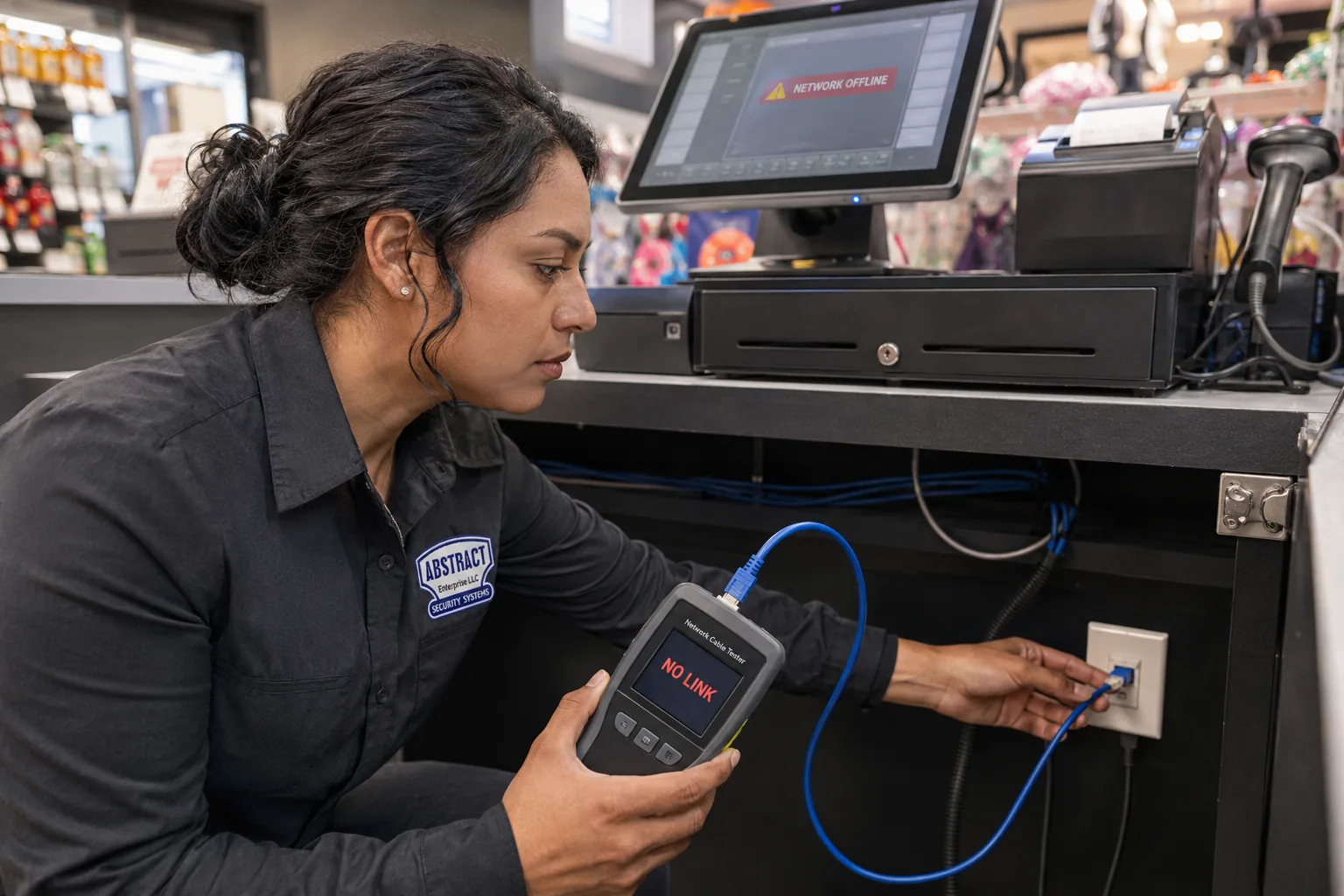
Crouched at the base of a checkout counter, a technician holds a tester that reads NO LINK; its blue lead runs to the jack under the counter top, and the till screen above warns NETWORK OFFLINE.
Your Questions Answered
Cat6 Repair in New Dorp: Questions Answered
These answers come from the questions New Dorp owners, practice managers and shopkeepers actually face. Each one is answered in full here, and none of them repeats an answer on our other Cat6 repair pages.
Houses inland of Hylan: high ranches, semis and attached rows
Most inland faults trace back to how the network was extended after the house was built. These are the questions owners in the Heights and the central blocks bring us most.
Three small switches are chained from room to room through our high ranch — can one bad Cat6 between them take the whole upper floor offline?
Yes, and it is a classic fault in houses that were networked after they were built. In a chain, every room after the first switch depends on every cable and every switch before it. If the run from the den switch up to the hall closet switch develops a bad pair, or that closet switch’s power adapter starts to fail, everything beyond it drops together — which looks like “the whole upstairs is down” even though only one link is at fault.
We test each hop on its own: router to first switch, first switch to second, and so on, from both ends. A cable fault shows up on the tester as a failed pair, a high loss figure or a reflection at a measured distance; a switch fault shows up as a good cable that still will not hold a link. Cheap desktop switches also renegotiate to lower speeds when a cable is marginal, so a chain can “work” at 100 Mbps for months before it fails outright.
The lasting repair is fewer hops. Where the house allows, we bring direct runs from each room back to one switch near the router, or at least cut the chain to a single switch upstairs fed by one certified run. Where a direct run would mean opening finished walls, we repair the failed hop, replace any tired switch you approve, and tell you which link is now the weakest so there are no surprises.
A flat Ethernet cable was run under the living-room carpet to the TV and keeps losing its link — can it stay under there?
Not for long. Flat cables are built for short, visible runs, and many are stranded rather than solid copper. Under a carpet they are stepped on, rolled over by chairs and pinched at the tack strip, and every crush changes the geometry of the pairs. The tester shows it as return-loss failures and reflections at the points people walk most — usually the doorway and the path to the sofa.
We do not repair a walked-on flat cable in place; we replace the link. In a high ranch or a semi, the usual route is down through the floor at the wall, along the basement or garage ceiling and back up behind the TV, finished with a wall plate and a short factory cord. In an attached row with no basement access, a run inside a closet or a neat surface raceway along the baseboard is often the better choice than another cable under the rug.
If you want the carpet run kept as a spare, we leave it disconnected at both ends and label it. A replacement run is priced from $175 before it is pulled, and the new link is certified before we leave.
The old Cat6 across our basement ceiling is zip-tied to the copper water line and the gas pipe — does it have to come off them?
It should. The trade guidance on the electrical code is clear that exposed communications cable is supported by the building structure — fastened to the joists with straps, staples, hangers or ties — and not hung from other systems. Pipes move, sweat in summer and get cut, re-routed and soldered by plumbers who do not expect a data cable taped to them. A gas line is the last thing anyone should be pulling cable ties around.
There is a network reason too. Ties cinched hard enough to hold a cable to a round pipe usually deform it, and a run that sags between pipes is bent at every tie. On the tester that shows up as a pattern of small reflections along the run. Taking the cable off the pipes and laying it in hangers or straps on the joists often clears marginal failures by itself.
We re-hang what can be saved, replace any section that has been crushed or kinked past recovery, and keep the data cable at least two inches from power cable while we are at it. If the run passes near the boiler or water heater, it is moved away from the heat and from anything that could drip on it.
A headboard or sofa keeps pressing on the wall jack and the plug keeps snapping — is there a repair that stops it happening?
Yes. In attached houses and semis, rooms are narrow and furniture ends up against the only wall with a jack. A straight plug sticking two inches out of the wall takes the full weight of a bed or sofa every time someone leans back, and the latch, the plug or the jack behind it eventually breaks. Re-crimping the cord does not change anything.
The fix is hardware that keeps the plug out of the way: an angled keystone so the cord leaves the plate downward, a recessed plate so the plug sits behind the wall’s surface, or a short right-angle cord. Where the jack is low behind a headboard, we can also move it a little higher or along the wall to a spot the furniture does not cover, using the slack in the wall or a short extension made inside a proper box.
We test the jack and the cable behind it first, because repeated pressure sometimes damages the termination or the conductors right at the back of the box. If it has, we cut back to good cable, re-terminate on the new hardware and certify the link.
On the Lane: practices, offices and counters
Lane businesses tend to have a few links that matter more than everything else. The questions below come from dental and medical offices, pharmacies and the offices above the shops.
What usually damages the Cat6 that feeds the computer and X-ray sensor at a dental chair?
Movement and cleaning. The cable to an operatory computer or sensor hub usually comes up through the floor, out of the cabinetry or down from the ceiling near the chair, and the chair moves, the delivery unit swings and the cabinets are wiped down many times a day. Cords get pinched in cabinet doors, plugs get pulled at an angle every time a cart is moved, and floor boxes near the chair base collect water from cleaning.
A failing link here rarely dies outright. More often an image transfer stalls halfway, the sensor software reports a lost connection, or the computer drops to a slow speed and the X-ray takes much longer to appear. We test the operatory link from the wall to the switch, and the cord from the wall to the computer separately, because the cord is the most common culprit and the cheapest to fix.
The repair is usually a fresh termination at the wall with a short, secured factory cord routed where doors and carts cannot reach it. Where a floor box takes water, we move the connection up into the cabinetry or onto the wall. We book operatory work before the first patient or after the last, and the imaging equipment itself stays with your dental equipment vendor.
Our office computers plug into the back of the desk phones, and when a phone is unplugged the computer drops too — is that a cabling fault?
Probably not. Many offices on the Lane were wired with one jack per desk, and the phone installer saved cabling by sending the computer through a second network port on the back of each IP phone. It works, but the computer now depends on the phone. On many phones, when the phone reboots, loses power or is unplugged, the port that feeds the computer goes down with it — a thread on Cisco’s community forum describes exactly that.
We test the wall link first. If it certifies, the cable is fine and the dependency is the issue. If it fails, the phone and computer both suffer, and the repair is a normal re-termination or cord replacement. A worn patch cord between phone and computer, kinked under a desk, is another frequent cause.
The lasting fix is a separate link for each device: a second run to each desk where the computer matters. Desks that only need a phone can stay as they are. We price any new run from $175 before it is pulled, and tell you which desks are worth separating first.
Can the Cat6 at a medical or dental office be repaired without anyone opening the computers that hold patient records?
Yes. A cable repair works on the cable: the jack, the patch panel, the cord and the run between them. Our testers connect to the wall jack and the panel port, not to your computers, and we do not need logins, passwords or access to your practice software to certify a link.
Where we need to see whether a computer has a working connection after the repair, a member of your staff can log in and confirm it, or we look only at the link lights on the network card and the switch. If a fault turns out to be inside a computer or in its settings, we stop and hand it back to your IT provider with the test results, rather than opening the machine ourselves.
We are happy to work to your office’s own procedure — signing in at the front desk, keeping screens turned away, or having someone accompany the technician in clinical areas. Tell us when you book, and the visit will be planned around it.
Below Hylan: New Dorp Beach houses
In the raised and rebuilt houses of New Dorp Beach, the rules for the space under the house decide where cable can go.
Can the Cat6 for the camera under our raised house leave through one of the flood vents in the enclosure wall?
No. Those openings are there so floodwater can flow into and out of the enclosure on its own, equalising the pressure on the walls; FEMA’s guidance asks for at least two of them, on different sides, partly so that debris is less likely to block them all. Anything threaded through a vent — a cable, a sleeve, a bit of foam to seal it — works against that purpose and can snag debris in a flood.
The camera link gets its own entry instead: a small hole through the enclosure wall or the floor framing above, sleeved, sealed and finished with a drip loop so water runs off the cable instead of along it. Published at from $185 per penetration, it is a one-off cost. Inside, the run goes up to the living floor as directly as possible, because the DOB limits wet-floodproofed space below the flood line to parking, storage and building access.
At the camera end we use outdoor-rated cable and a weather-protected termination, and we keep the connection as high on the post or wall as the camera position allows. If the existing cable is indoor-rated and has been sitting in the enclosure for years, we test it and usually recommend replacing the length that runs below the house.
When the cable is not the problem
Sometimes the honest answer is that the Cat6 is fine. One question comes up often enough in New Dorp homes to answer here.
Our son’s wired gaming PC lags only on weekday evenings — is the Cat6 in the wall to blame?
Almost certainly not, if the lag follows the clock. A damaged cable or a bad termination fails when it is disturbed, or when it is warm, or all the time; it does not know that it is 8 p.m. on a Tuesday. A problem that appears when the whole street is home and streaming points to the internet service, the provider’s equipment or other heavy use inside the house.
You can check without us. Run a speed test on the wired PC at a quiet hour and again at a busy one, and do the same on a laptop plugged straight into the router with a short cord. If both get worse together in the evening, the problem is upstream of your Cat6. If only the PC’s connection is poor at every hour, the run or its cord is worth testing.
If you want certainty, a single repair visit can certify the PC’s link and every other link in the house, and you get the results to show the provider if the problem turns out to be theirs. A link that passes certification is not the reason for the lag.
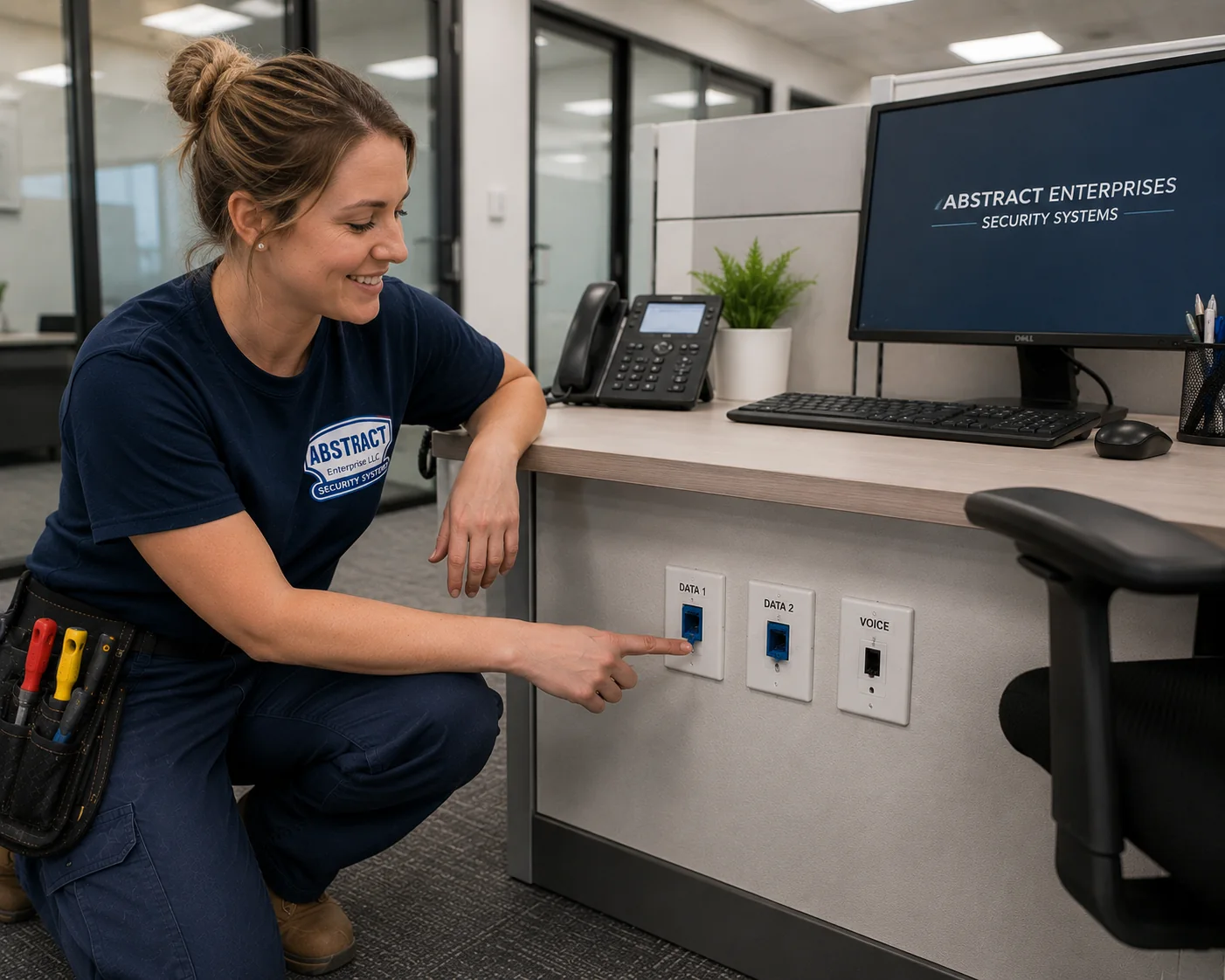
Two blue ports labelled DATA 1 and DATA 2 and a white VOICE port line the side of a cubicle; a technician kneeling with a tool pouch touches the first one, below a desk phone and a monitor.
Equipment
Tools and Parts on a New Dorp Cat6 Repair Visit
What comes off the van on a New Dorp call is chosen for the faults described above. Nothing here is exotic; what matters is that each item is the right grade for a repair that has to certify.
Certification Tester
The instrument that turns “it seems to work” into a pass or a fail. Each link is run against the limits for its own category, and the saved report lists its length, losses and crosstalk margins for your records.
Distance-to-Fault Readings
Time-domain measurements place a crush, a kink or a bad splice at a distance along the run, which tells us whether the damage is under the carpet, at the pipe ties or behind the jack.
Toner and Inductive Probe
For the unlabelled basement bundle: a tone on the room’s cable, traced back with the probe until we find which of a dozen identical blue runs feeds which bedroom or operatory.
Hangers, Straps and Supports
J-hooks, cable straps and fasteners that fix to joists and framing, so a run taken off the plumbing has somewhere proper to go.
Angled and Recessed Jacks
Keystones that send the cord downward and plates that sit the plug behind the wall line, for jacks behind beds, sofas, desks and cabinets.
Solid-Conductor Cat6 and Cat6A
Round, solid-copper cable for any run inside a wall, under a floor or across a ceiling, plus Cat6A where the link it replaces was Cat6A.
Factory-Made Patch Cords
Short moulded cords in several lengths, including right-angle ends, because a hand-crimped cord is the weakest part of many links we test.
Sealed Boxes and Outdoor Cable
Gasketed surface boxes for terminations that must stay low, and outdoor-rated cable with sealed entries for under-house and exterior camera links.
Fish Tapes, Rods and Access Tools
Steel tape and glow rods get a new cable through a closet stack, a stud bay or an old conduit; an oscillating saw makes a tidy square opening when one is unavoidable.
What is deliberately not on the list: couplers to join a broken run inside a wall, “repair kits” that splice conductors with gel connectors, and flat cable for permanent routes. Each of those makes a link work for a while and then fail certification, and in a house where the run is hidden behind finished surfaces, the next failure is harder to reach than the first. If a run is damaged somewhere it cannot be reached, it is replaced; if it is damaged where it can, it is cut back and terminated in a proper box.
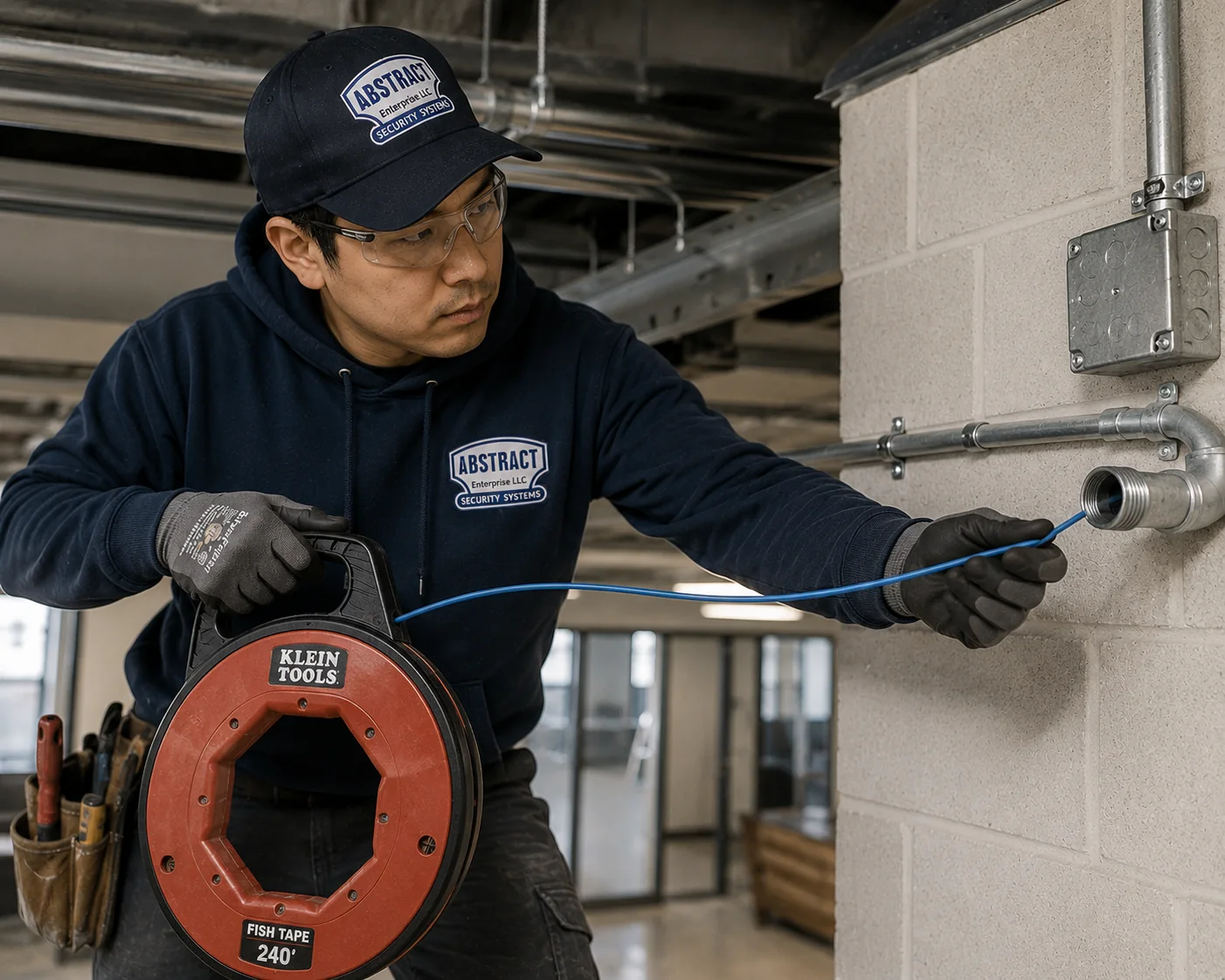
A red Klein reel labelled FISH TAPE 240′ is held at waist height while the technician pushes the steel tape into the mouth of a metal conduit bend on a grey block wall.
AI Overview Reality Check
What AI Gets Wrong About Cat6 Repair in New Dorp
Seven pieces of advice turn up again and again in how-to articles, shop listings and automated summaries. Google’s AI Overview itself was not visible to us when this page was written, so none of the headings below is a quotation; each is a paraphrase, answered with what New Dorp buildings actually show.
“Adding a cheap switch in each room is the easy way to get more wired ports”
It is easy, and for one extra port it is fine. The advice rarely mentions what happens when the second and third switches are fed from the first: every room downstream now depends on every cable and adapter upstream.
A high ranch networked after the fact can end up with three or four small switches in series, each on a wall-wart adapter, with the cable between them run by hand. One tired adapter or one walked-on cable takes out a floor, and the symptom points nowhere in particular.
Extra switches are a fine tool when each one is fed by a certified run back to a central point. They are a poor substitute for a direct cable to a room that needs a reliable connection.
“Flat Ethernet cable is just as good, and you can hide it under the carpet”
Flat cable is sold as the discreet option, and in the open, over a short distance, it usually works. Product listings rarely explain that many flat cables are stranded and that their pair geometry is easily disturbed.
Under a carpet in an attached house it is stood on every day, rolled over by chairs and bent at the tack strip. The tester shows the damage as failing return loss and reflections at exactly the places people walk.
If a cable has to live under a floor covering, it should be in a proper floor raceway, and in most New Dorp houses a run through the basement ceiling or a closet is simpler and lasts far longer.
“If the router shows the device as connected, the cable must be fine”
A link light only says that two ends agreed on some speed. It does not say whether all four pairs are working, whether the link is at full speed, or whether errors are being corrected all day.
Links can “work” at 100 Mbps because one pair is open or split, or that pass traffic but fail crosstalk badly enough to slow every large file transfer — the kind of thing a dental imaging workstation notices immediately.
Certification answers the question properly. If you want a quick check yourself, look at the speed the computer reports for its wired connection; anything below what the device should manage is worth a test.
“Cable ties are the tidy way to fix cable to whatever runs alongside it”
Tidy-looking, yes. The common advice to “bundle and tie” says nothing about what the bundle is tied to or how tight the ties are.
In New Dorp basements the nearest support is usually a copper water line, a gas pipe or a run of conduit. Cable cinched to those is deformed at every tie, gets disturbed whenever the plumbing is worked on, and is not supported the way the electrical code’s trade guidance describes.
Proper hangers or straps on the joists cost little and take minutes per run. Loose hook-and-loop straps, rather than hard plastic ties, keep the cable round.
“The new storm sewers mean New Dorp Beach basements and enclosures are safe now”
The city’s $84 million project, finished in May 2025, gave a low-lying area its first storm sewers and was described by DEP as helping to ease residents’ concerns about flooding. That is real progress for street flooding after heavy rain.
Storm sewers carry rainwater. They are not a seawall, and they do not change the building rules for the space under a raised house or move a house above the design flood elevation. A house that took water in Sandy sits at the same height it did before.
So we still keep equipment on the living floor, terminations high and entries sealed below Hylan. The sewers make it less likely those precautions will be tested; they do not make them unnecessary.
“A slow wired connection means the cable in the wall has gone bad”
Sometimes it does. But slowness has many causes, and a cable that has been in the wall since the 1990s or 2000s is not automatically the one to blame.
In houses networked after they were built, the usual culprits are a failing small switch, a hand-made patch cord, a desk phone sitting between the wall and the computer, or a provider issue that shows up only at busy times of day. The cable in the wall is often the healthiest part of the link.
Testing the cable separately from the devices on each end is the only way to know, and it means you pay to fix the part that actually failed.
“A medical office needs its whole network rewired when one link fails”
Advice aimed at practices sometimes jumps straight to a full upgrade, because a new installation is a simpler sale than a repair.
Many small practices have perfectly serviceable cabling with two or three failing links — usually the ones at the chairs, the front desk and the printer. Certifying every link gives you a list of what passes and what fails, and the failures are usually terminations and cords, not the cable in the walls.
Where testing shows the cabling really is past saving, we say so and price the replacement. Where it is not, you pay for the repairs that matter and keep the rest.
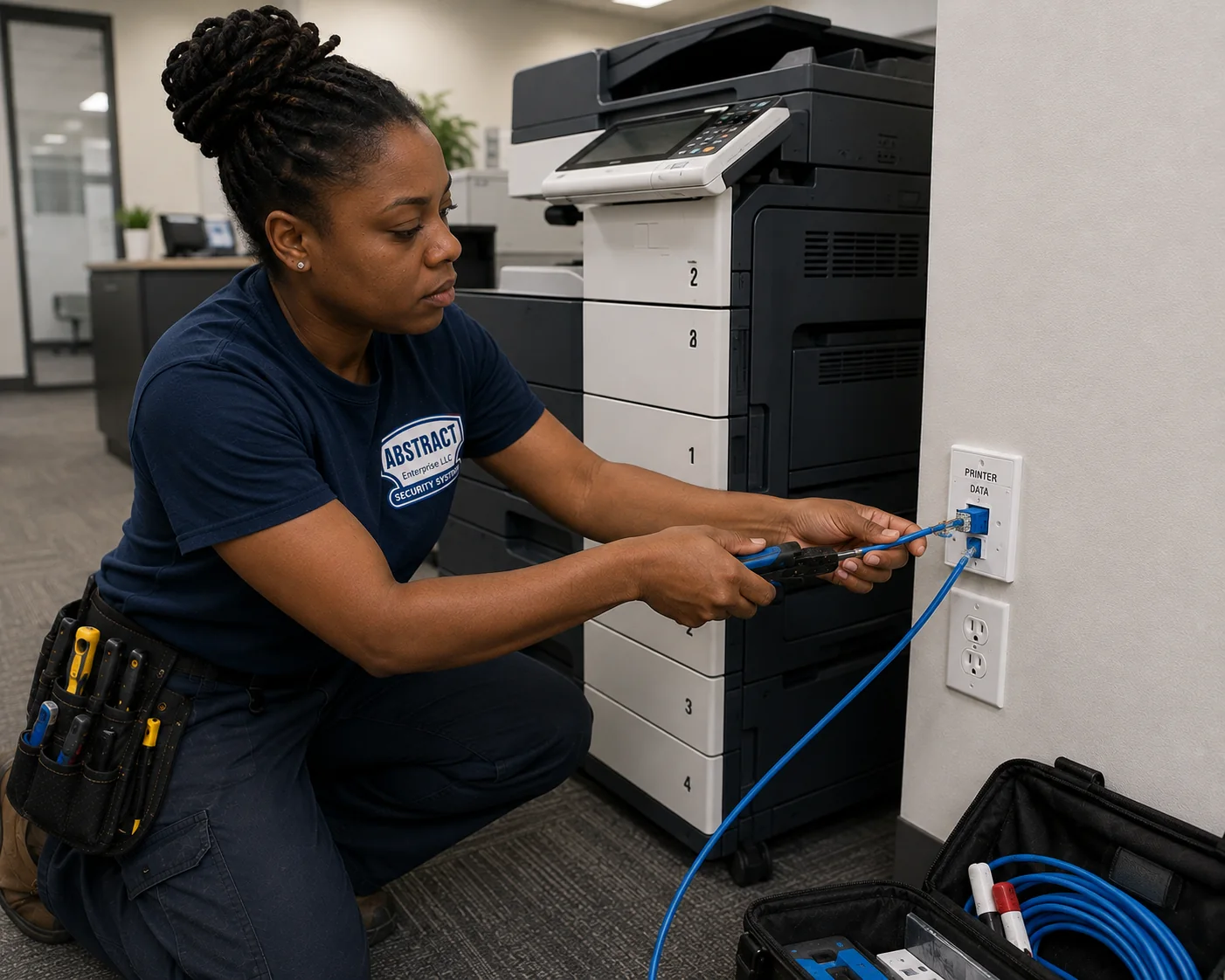
Down on one knee beside a multi-tray copier, a technician works a tool against a single-port plate captioned PRINTER DATA; a blue lead trails to an open tool bag on the carpet.
Get Every Floor Back on One Reliable Link
Say where the router sits, how many little switches stand between it and the dead room, and what the failing links serve. Before you book, you will know what the visit includes and how it is charged.
Whether it is a high ranch toward Richmond Road, a practice on the Lane or a raised house below Hylan, send us the failure and a written reply comes back within the business day. If you would rather talk, ring (347) 934-8335.
✅
We Got Your Request!
A technician will call within the business day; if a register or a chair is down right now, ring (347) 934-8335.
How It Works
Our Cat6 Repair Process in New Dorp
The same sequence runs for a single silent bedroom jack in a Rose Avenue semi and for a Lane practice with every chair affected; it is planned so the work is done in one trip.
1. Tell us how the network grew
Where the provider’s line comes in, where the router sits, how many small switches are between it and the failing rooms, and what each failing link feeds — a bedroom, a chair, a counter or a camera.
2. Send two photos
A picture of wherever the router and switches live, plus one of a jack that has failed. From those we load the matching keystones, cords, hangers and cable onto the van.
3. Test hop by hop
We certify every link, and every cable between one switch and the next, from both ends; each fault is pinned to a device, a termination or a measured distance down the run.
4. Walk the route
We look at what the run hangs from, where it crosses carpets, pipes, power cable or the space under a raised house, and note anything that will fail next.
5. Agree the fix in writing
Each link gets its own decision — a new termination, a new cord, re-hung, rerouted or replaced — and any new cable is priced from our published per-run figure before any is pulled.
6. Repair with matched parts
Solid Cat6 or Cat6A to match the link, angled or recessed jacks where furniture sits, proper supports, sealed entries and boxes where they are needed.
7. Certify and hand over
A final certification on every link we touched, labels at both ends, a jack-to-port list and the saved test results, so the next fault is quicker to find.
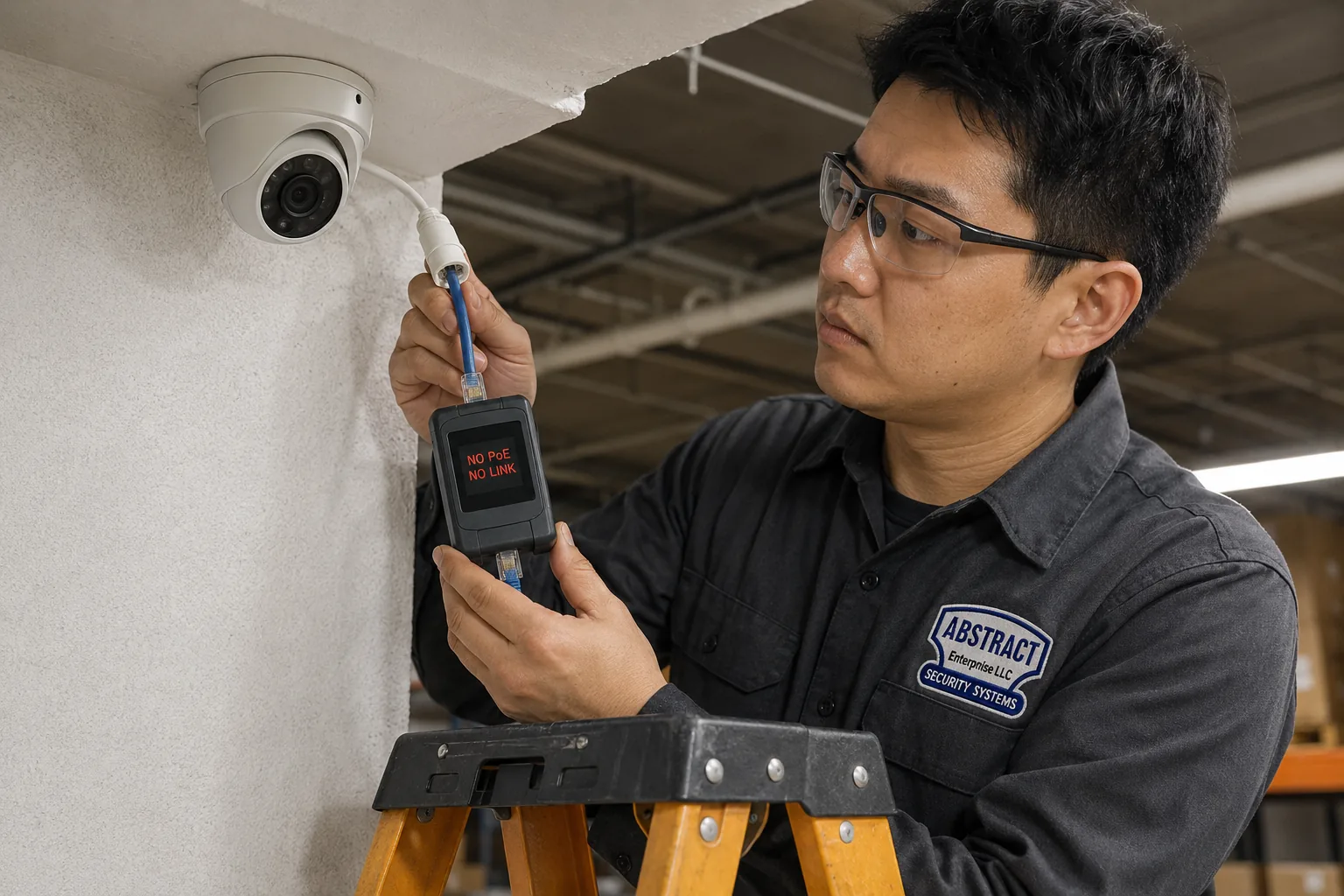
Up a yellow stepladder, the technician checks the lead dropping from a white dome camera; the handheld unit in his hand shows NO PoE above NO LINK in red letters.
Coverage Area
Cat6 Repair Near New Dorp’s Landmarks
New Dorp is easy to describe by its landmarks, and each one sits in a part of the neighbourhood with its own kind of building. They are here to help you place your home or business, not as a list of jobs.
Lane Theater and New Dorp Lane
The Lane Theater at 168 New Dorp Lane opened on February 10, 1938 and its interior was designated a city landmark in 1988. The Lane around it holds the two-storey mixed-use buildings, practices and shops described above, and the New Dorp library at 309 New Dorp Lane, a community library from 1907 that joined NYPL in 1926.
New Dorp Station
The Staten Island Railway runs under the Lane in an open cut here, at a station that first opened in 1860 and was rebuilt in the 1960s. In September 2023 the MTA made it the first station on the line with elevators. The blocks on both sides are some of the densest in the neighbourhood.
Miller Field
Former Vanderbilt farmland sold to the federal government in 1919, completed as an air coast defence station in 1921 and part of Gateway National Recreation Area since 1972, with its entrance off New Dorp Lane. The low ground between it and the bay is New Dorp Beach.
New Dorp High School and Staten Island Tech
New Dorp High School stands next to Miller Field, and Staten Island Technical High School at 485 Clawson Street occupies the former New Dorp High School building, vacated in 1982. Clawson Street is one of the central residential streets DeFalco’s guide singles out.
Hylan Plaza and the Hylan Boulevard Centres
Hylan Plaza, opened in 1966, is the largest of the shopping centres built along Hylan in the 1960s. Strip retail, medical offices and restaurants line the boulevard either side of the Lane.
Cedar Grove Beach and New Dorp Beach
Cedar Grove Beach, at Ebbitts Street and Cedar Grove Avenue, is listed among the city’s beaches for 2026. Behind it, the converted bungalows and raised houses of New Dorp Beach sit on the streets the city regraded for its new storm sewers.
We also repair Cat6 in the neighbourhoods around New Dorp: New Dorp Heights, Grant City, Dongan Hills, Midland Beach, Oakwood, Oakwood Beach, Richmondtown, Todt Hill, Bay Terrace and Great Kills. The Staten Island Cat6 repair page covers the rest of the island, from St. George to Tottenville.
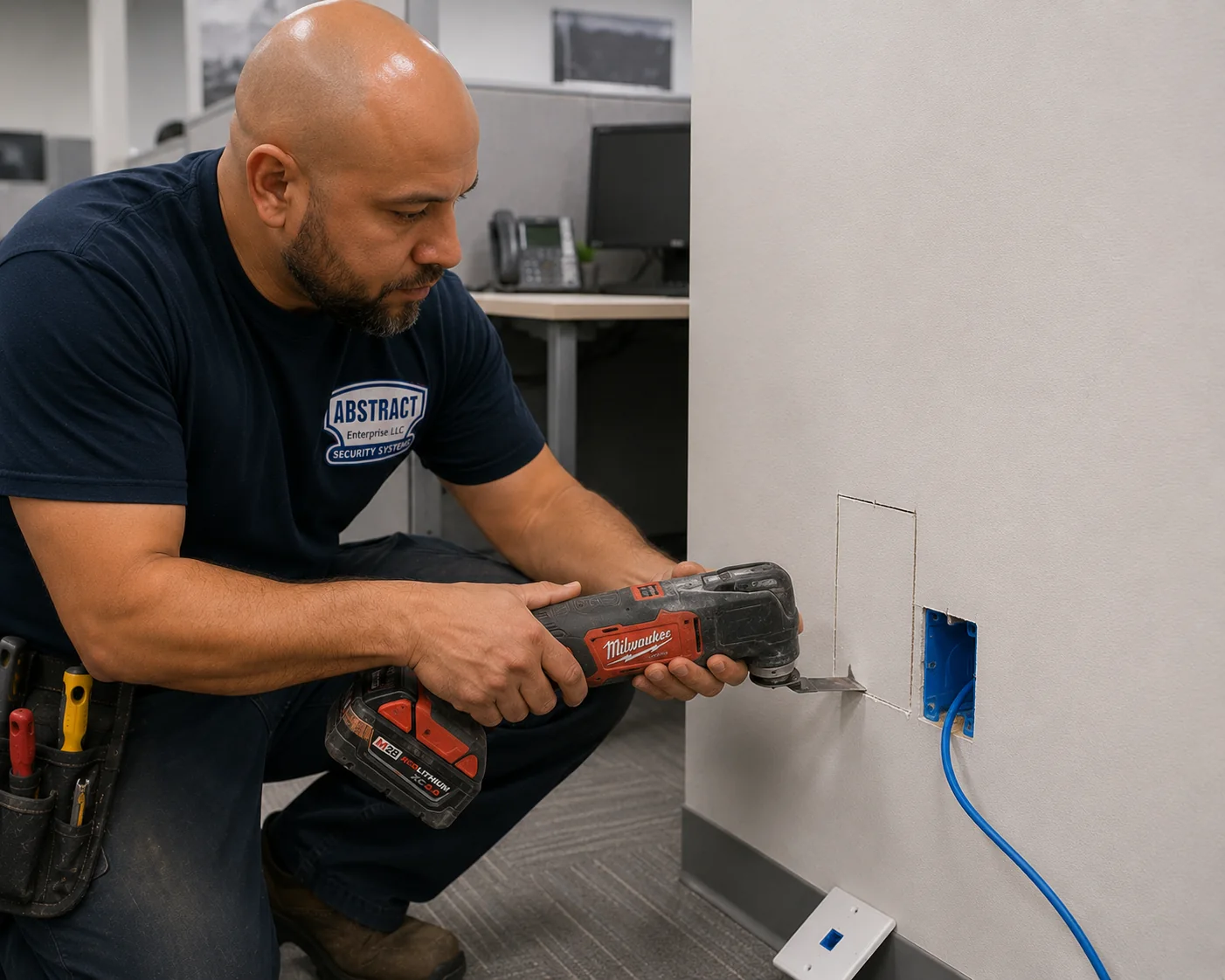
The blade of a red cordless multi-tool finishes a small rectangular cut in plain drywall just beside a blue box, from which a blue cable emerges; a spare blank plate rests on the floor.
Pricing
Cat6 Repair Cost in New Dorp
New Dorp is priced exactly like the rest of Staten Island. Every figure below is copied from our Staten Island Cat6 repair prices; nothing has been added or adjusted for the neighbourhood. Two things make up a bill: the hours spent finding and fixing faults, and any cable that has to be replaced or extended. They appear on separate lines of the quote.
Item
Price
What it covers
Repair labour on Cat6 or Cat6A links: testing, locating, re-terminating, cords, re-hanging, retest
$195/hr, 3-hour minimum ($585)
The island repair rate; every link that fits in the block is included
Time beyond the minimum
$195/hr
Same rate, billed as the work runs on
A run replaced or extended when the old one cannot be saved
From $175 per drop
Cable, keystone, plate, panel termination, the test, labels at both ends and a cord
Entry through a wall or floor made good: sleeved, sealed, bonded, with a drip loop
From $185 per penetration
Priced per hole, typical for under-house and exterior camera links
For comparison: one new Cat6 drop up to 100 ft at installation price
$296 per drop
From our Staten Island Cat6 installation prices, which list Cat5e at $254 and Cat6A at $424
Travel over the bridge
No separate charge
Visits are scoped to finish in one trip instead
Long reroutes, opening and patching finished surfaces, after-hours work
Quoted after testing
Depends on the route and the building
What one three-hour block usually covers in a New Dorp house
Enough, in most houses, to test every link and every switch-to-switch cable in the chain, find the hop that failed, re-terminate or re-cord the worst links, take a basement run off the pipes and onto proper supports, and certify everything we touched. If the answer turns out to be a new run — replacing a flat cable under the carpet, say, or a direct run to the upstairs — you get the price for it, built from the per-run figure above, before any cable is pulled. Time left in the block goes to the next links on your list.
A worked example from the published figures
Say the upstairs of a high ranch is offline, the switch chain is the cause, and the owner also wants the flat cable under the living-room carpet replaced and the under-house camera link given a proper entry. The visit would start with the three-hour block at $585. Two replacement runs — one direct run to the upstairs closet and one to the TV wall — add from $175 each, and the new sealed entry for the camera adds from $185. The written quote would therefore start from $1,120, with any hours beyond the first three at $195 each and listed separately. Every one of those figures is a published line; none is invented for the example.
Why the Lane and the beach blocks pay the same rate
Because the published island figures already cover them. The $195 hourly rate and the from-$175 replacement run are the same on our Staten Island network cable repair page, the Staten Island Cat6 repair page and the five-borough hub, and we do not run a separate price list for one neighbourhood. What changes from one New Dorp job to another is the route and the amount of cable, and the written quote after testing deals with both.
What moves a New Dorp Cat6 bill up or down
How many hops are in the chain: a router feeding rooms directly is quick to test; four switches in series take longer to untangle.
Whether cable has to be replaced: terminations and cords are fixed inside the block; a walked-flat under-carpet run or a crushed basement run adds a per-run price.
How the basement is finished: an open joist ceiling makes re-hanging and rerouting fast; a finished basement ceiling or panelled wall means access openings.
When the work can happen: operatory and counter links are often scheduled before opening, which we plan into the visit.
What the link carries: a camera or access point draws its power down the cable, so those links get a power-delivery check on top of certification, and some need Cat6A parts.
Third-party national figures, for context only: in January 2025 Fixr put a new Cat6 drop at $125–$250 including materials, and labour at $45–$75 an hour, across the United States. Those numbers describe new installations elsewhere in the country; they are neither our prices nor a repair rate.
Full terms — including 50% deposit, one-year parts-only warranty on AESS-supplied products, and the late-fee schedule — are set out in the service agreement.
Shop Our Systems
Cat6 Repair Packages & Pricing
A New Dorp repair usually takes one of these shapes, and every price in them is already published on our Staten Island pages.
Starter — Find It and Fix It · $585
Three hours at the $195 rate, which is the minimum visit. In that time a house or small office gets its doubtful links and the cables between its switches tested, bad ends and cords replaced, salvageable runs moved off the pipes, and a certificate for each link we repaired. Any hours left over are spent on whatever you want checked next.
Standard — Practice or Shop Recertify · $195/hr after the first three hours
For a Lane practice, pharmacy or shop with several failing links: each operatory, desk and counter link certified and its margins recorded, faulty terminations and cords replaced, desk-phone dependencies identified, and the remaining time estimated in writing after the first round of tests.
Premium — Shorten the Chain · repair time + from $175 per run
Direct runs from the rooms that matter back to one switch, flat and under-carpet cables replaced with solid Cat6 at from $175 per drop, under-house entries made good at from $185 each where a camera link leaves the house, and everything certified, labelled and mapped.
Bring Your Own Parts — Labour Only
Got a reel left from a renovation, a bag of keystones or a switch you bought online? We fit them and bill only labour, provided they suit the job — solid copper for anything in a wall, Cat6A hardware on a Cat6A link, outdoor cable outside. Parts you supply carry their maker’s warranty, and if they will not give a passing link you hear that before we start.
Want One Certified Link to Every Room That Matters
Send the room list, the router location and a photo of the switch corner, and we will price the repair or the shorter chain in writing before the visit.
A symptom on its own rarely names the fault, but in New Dorp buildings some patterns are strong hints. This is how we read them before the tester confirms it.
What you notice
What it usually means here
What we check first
Every room upstairs drops at once, then comes back
A failing switch or adapter, or a damaged cable between switches in a chain
Each hop from the router up, tested separately
The TV or console connection drops when people walk past
A flat or round cable under the carpet, crushed where people step
Distance-to-fault on that run, then the route
A basement-fed room went bad after plumbing work
Cable disturbed or crushed where it was tied to the pipes
The visible run for ties, kinks and sags
A bedroom jack fails every few months and the plug breaks
Furniture pressing on a straight plug
The jack’s termination, then angled or recessed hardware
An X-ray or image transfer stalls halfway at one chair
A worn or pinched cord at the operatory, or a damp floor box
The cord, then the wall link, then the floor box
Computers drop whenever a desk phone restarts
Computers fed through the phones’ second port
The wall link; if it passes, the phone dependency
The camera under the house goes offline after storms
Water at a low termination or an unsealed entry
The termination height, the entry and the cable rating
Slow only at busy evening hours
Provider congestion or heavy use, not the cable
A wired speed test at the router, quiet and busy hours
If none of these fit, describe what happens and when in the form or on the phone. The pattern of a failure — all at once, one room, one time of day, after one event — tells us a great deal before we arrive.
On the Day
Working Around New Dorp Households, Patients and Customers
A repair is only good if the household or business can live with the visit. New Dorp buildings put people very close to the work — two families on two floors, patients in the next room, customers at the counter — so the plan for the day matters almost as much as the plan for the cable.
Two households in one house
In a two-family house, or a high ranch with a relative living on the lower level, a run that serves one floor often crosses the other. We say before the visit which rooms we need to enter and for how long, test from the side that is free first, and leave the other household’s connection untouched unless their equipment is part of the fault. If the two floors share one router and switch, we tell both of you before anything is unplugged, and the downtime is counted in minutes rather than hours.
Practices, clinics and pharmacies
Clinical links are worked on when the room is empty — before the first appointment, at lunch or after the last patient — and the test equipment goes to the wall and the panel, not to your computers. A pharmacy counter link is usually fixed in one short window with the register moved to a working jack first, so the queue keeps moving. We keep a note of which links serve what, so the person at the front desk knows exactly which station will be offline and when.
Shops and restaurants on the Lane and Hylan
Counter links are best repaired before the doors open. Where a jack sits under a counter or behind a display, we move stock only with your say-so and put it back the way it was. If a run passes through the ceiling of the shop next door or the flat upstairs, we arrange access with that tenant through you, and nothing is opened in someone else’s space without them knowing.
Raised houses below Hylan
Work in the enclosure under a raised house is done from the ground with the stored items moved aside, and anything we disturb goes back. Because that space is meant for parking, storage and access only, we do not leave equipment, slack coils or junction boxes down there, and the cable we install runs up to the living floor by the shortest sensible route.
Whatever the building, you get a short written summary at the end: which links failed, what was done to each, which ones passed untouched, and anything we noticed that is likely to fail next. That list is often more useful than the repair itself when you plan the next piece of work.
Complete Services
Every Cat6 Repair Service in New Dorp
Cat6 repair is one part of keeping a New Dorp home or business connected. These are the related services our Staten Island teams cover, each on its own page.
Short answers to the practical questions that come before and around a repair. The repair questions themselves are answered in full further up the page.
Where will the technician park for a job on New Dorp Lane, or on a block where every driveway is shared?
+
On the street where there is room, and we allow extra time to find a space near the Lane, where parking is tight during business hours. On semi-attached blocks with a shared driveway, we will not block your neighbour’s car. Tell us when you book if there is a spot you would like us to use or avoid, and the van will only be there for the length of the visit.
Our adult day centre is open every day — how are ladders and loose cable kept away from members while a ceiling run is repaired?
+
We plan the work with your staff before we start. Where possible, the ceiling work is done in a room members are not using, early or late in the day, and the area under the ladder is coned off with a technician always beside it. Cable being pulled is never left lying across a floor or a doorway, and tools stay on the ladder or in the case rather than on chairs. If a room has to stay in use, we break the job into short sections so nothing is left open.
The old satellite dish is gone — can its hole through the wall be reused for the Cat6 to an outdoor camera?
+
Sometimes, and it is worth checking. If the old entry is where the camera cable needs to go, is above any flood level and can be properly sealed, reusing it saves a new penetration. Often, though, the dish hole is in the wrong place, is packed with old coax and sealant, or lets water track inside, and a new sleeved and sealed entry is the better repair. Either way the old coax comes out if it is no longer used, and the opening is sealed whether or not we pass through it.
Which lights on the router or switch should we look at before calling about a dead wired connection?
+
Look at the port the dead room’s cable plugs into. If its light is completely off while other ports are lit, the link is not being made at all, which points to the cable, the jack or the device at the other end. If it is lit but a different colour from the others, the link is usually running at a lower speed, often because a pair is damaged. Note which port it is and whether the light changes when someone moves the cord at the wall; that saves time on the visit.
What can the printing along a cable’s jacket tell you before any testing starts?
+
Quite a lot. The jacket normally names the category, such as Cat5e, Cat6 or Cat6A, the fire rating, such as CM, CMR or CMP, the manufacturer and the conductor gauge, and some cables add a date or footage markers. That tells us whether a run was ever meant to perform at Category 6, whether it is rated for the space it is in, and whether it is a recognised brand or an unlabelled import. It does not replace a test, but it often explains a result.
All Areas Served
Cat6 Repair Across New York
This page looks closely at one Staten Island neighbourhood. It sits under the AESS Cat6 repair page for Staten Island, which in turn sits under the five-borough Cat6 repair hub. Long Island and the Hudson Valley have their own hubs, and neighbourhood pages like this one examine single parts of each.
Cameras over a storefront, an intercom for the flat upstairs or a new network closet for a practice are all on the AESS home page, and our about page introduces the people who do the work.
Wired Connection Down in New Dorp? We Can Be There Today
Upstairs rooms dark in a high ranch, a chair-side PC on the Lane that cannot reach the server, a pharmacy counter that has lost its printer, a camera under a raised house gone blank — ring (347) 934-8335 and ask for a repair call. The first free two-hour arrival window is yours, and once the technician is at the switch, a bad termination, cord or chain link is normally put right inside an hour or two.
Cat6 Repair in New Dorp — Licensed, Insured, Tested to Category
Abstract Enterprises Security Systems · 1282 Troy Ave, Brooklyn, NY 11203
NYS Low-Voltage Licence #12000287431 · 100% Licensed & Insured · Same-Day Estimates · Rated 4.7★ from 201 Google Reviews
Parts you supply carry their manufacturer’s warranty. See our warranty page and the service agreement for full terms.
Page reviewed and updated October 17, 2026. Changelog: first publication of the New Dorp Cat6 repair page, written for the neighbourhood’s high ranches, semi-attached and attached houses, New Dorp Lane practices and shops, and New Dorp Beach homes. No Field Notes story is included because we have no documented New Dorp Cat6 job to report yet; one will be added when there is.
Sources used on this page
NYC DEP, “City Completes $84 Million Street and Drainage Project in New Dorp Beach Area” (May 20, 2025) — storm sewer length, catch basins, street regrading, homeowner driveways.
Staten Island Advance, Scott R. Axelrod (July 14, 2025) — Hylan Boulevard near New Dorp Lane during flash flooding.
Staten Island Advance, New Dorp topic page — 2011 description of New Dorp Lane, the Lane’s municipal parking lot, the 2015 merchants’ shopper’s guide.
Wikipedia, New Dorp, Staten Island; New Dorp Beach; New Dorp station; Staten Island Technical High School — history, census figures, shopping centres, station history, schools.
Landmarks Preservation Commission, Lane Theater interior designation report (1988).
CityLand — New Dorp Lane rezoning (December 2005) and the New Dorp BID (April 2017).
Point2, New Dorp demographics (ACS 2019–2023) — housing types, build year, tenure.
DeFalco Realty New Dorp guide (September 17, 2026) — high ranches, semi-attached and two-family houses, block-by-block flood risk.
The City Reporter / Documented, Carol Chen (July 30, 2026) — businesses around New Dorp Lane.
DNAinfo (April 11, 2014) and Rob Stephenson’s New Dorp essay (May 22, 2025) — New Dorp Beach after Sandy.
MTA (September 19, 2023) — New Dorp station elevators; National Park Service — Miller Field history.
NYC Department of Buildings, Buildings Bulletin 2022-001; NYC Building Code Appendix G; FEMA Technical Bulletin 1 (flood openings).
EC&M and code-education summaries of NEC cable support; OSHA 29 CFR 1910.308; Cisco Community thread on PCs connected through IP phones; Fixr (January 2025).