Lobby camera dark in a six-story co-op, a mailbox camera that missed the 3 a.m. visitor, or a house camera that sees the lawn but not the gate? Ocean Parkway camera repair line, booked within 2 hours: (347) 934-8335
Six-Story Co-Ops and Rentals From Church Avenue to Sea Breeze Avenue · Houses Behind the Front Yards · Ground-Floor Practices, Shuls and Schools · Basement Recorders at the Brighton Beach End
Security Camera Repair in Ocean Parkway
Any Brand, Any Installer · Footage Saved Before Anything Is Restarted · Written Price Before Parts · The Board or Owner Gets the Logins
Security camera repair in Ocean Parkway starts with our $150 Brooklyn service call, which pays for the on-site diagnosis and is applied to the repair if you go ahead. On our published Brooklyn list most repairs land between $150 and $1,500: a single fault such as a worn hard drive, a dead power supply or one failed camera usually costs $150 to $700, and replacing a recorder or rewiring several cameras runs $700 to $1,500. We fix systems other companies put in, from the lobby, mailbox and basement cameras of a six-story co-op between Avenues K and M to the porch camera of a house set back behind its front yard near Avenue P, a medical office on the ground floor near Kings Highway, or a basement recorder at the Brighton Beach end. Requests are booked within 2 hours, visits come in two-hour arrival windows, and you hear what failed and get a written price before any part is replaced.
Every price on this page comes from our published Brooklyn camera repair list, and your own repair price is written down before work starts
Rated 4.7★ across 201 Google Reviews
Reviewed and updated November 12, 2026, against the Landmarks Preservation Commission's 1975 designation report for Ocean Parkway; the Department of City Planning's Special Ocean Parkway District rules (Zoning Resolution Article XI, Chapter 3); NYC Parks' Ocean Parkway Malls bike path project record and Community Board 12's FY26 district needs statement; building listings on Homes.com, Zillow, Coldwell Banker and Apartments.com that describe camera systems at 260, 360, 1250, 2580 and 2650 Ocean Parkway; CityRealty's building records; NYPD Crimestoppers notices about apartment-building break-ins near Ocean Parkway and Avenue M in August 2025 and August 2026; Brooklyn Paper police blotters; First Street's Hurricane Sandy surge model for Brighton Beach and a 2012 r/Brooklyn thread from the parkway after the storm; Unlimited Applications Security Company's NYC guide to DVR and NVR recording failures; CablingInstall's summary of Brick Underground on co-op camera footage; HomeAdvisor's Brooklyn cost page; New York Labor Law §203-c; and the New York Department of State on security and CCTV installer licensing. · Abstract Enterprises Security Systems, NYS license #12000287431 · crews dispatched from our Troy Avenue office in Brooklyn
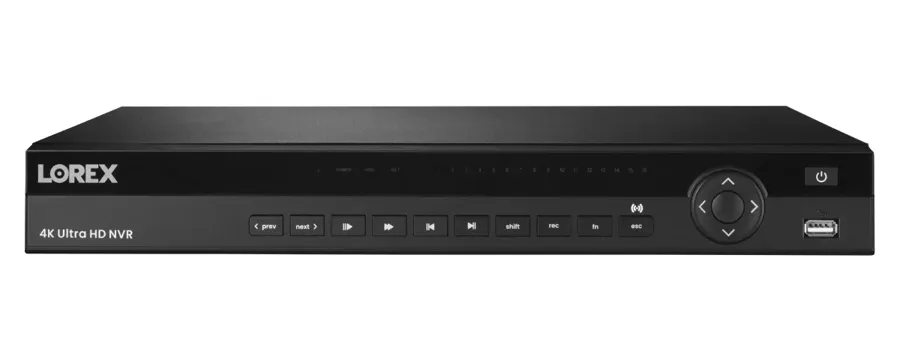
A product photo from the AESS job library, not taken on Ocean Parkway: a 16-channel network video recorder. In a six-story Ocean Parkway apartment house this box usually sits in the basement, in a locked closet near the super's workshop, the boiler room or the telephone and internet panel, and every lobby, mailbox, hallway, elevator-landing and courtyard camera runs back to it. It is where most of our repairs begin, because it holds the footage, shows which cameras dropped and when, and is the part that can stop saving video while every picture on the lobby monitor still looks fine.
Ocean Parkway Camera Repair Request
Co-op, condo, rental building, house, practice, shul or school: send the address, the nearest avenue and what the screen shows, and a technician calls back with the next step
✅
Request Sent!
Thank you. A technician will contact you about the Ocean Parkway address shortly.
25+
Years Experience
✓
Same-Day Estimates
100%
Licensed & Insured
4.7★
201 Google Reviews
Owner-operated since 2002 · Thousands of jobs completed · Booked within 2 hours
Security camera repair in Ocean Parkway is mostly repair for buildings run by committees. The typical system here belongs to a co-op board, a condominium's managing agent or a landlord with a live-in super, not to one person who watches it every day. The cameras hang in a lobby, over a bank of mailboxes, in a basement corridor, in a courtyard or a parking area, and they feed a recorder in a basement closet that someone set up years ago. When a camera goes dark, the super notices it on the lobby monitor, mentions it to a board member, the board puts it on the agenda for next month, and in the meantime the drive keeps recording over itself or stops altogether. Then a mailbox is pried open at three in the morning, or a shareholder's storage cage is emptied, and the first person who checks the playback finds a gap. Our repair does two things: it finds and fixes what failed, and it leaves the building with alerts that reach the right phone, logins that belong to the board instead of a former super, and a short written record of what was found, so the next failure is a message, not a surprise. Send a photo of the recorder screen to (347) 934-8335 or on WhatsApp, and we will tell you the likely fault and what that kind of repair costs on our Brooklyn list before you book.
Looking at your photos costs nothing. The $150 service call covers the on-site diagnosis and is applied to the repair if you go ahead.
All work is done under New York State license #12000287431, the license the state requires of companies that install or service security and CCTV systems for other people.
We repair any brand and any installer's work, and we tell a board plainly when an old recorder or camera is not worth the money to fix.
The Neighborhood
Why Ocean Parkway Properties Need Security Camera Repair
Ocean Parkway is a road before it is a neighborhood: about five and a half miles from the circle at the southwest corner of Prospect Park to Sea Breeze Avenue near the ocean, designed by Olmsted and Vaux and built in the mid-1870s, 210 feet wide from building line to building line. The cross-section has never changed much: a 70-foot main roadway in the middle, a 20-foot tree-lined mall on each side with benches and, on the west side, the bike path that was dedicated in 1895, then a 25-foot one-way service road and a 15-foot sidewalk on each side. Behind the sidewalk, the Special Ocean Parkway District requires every lot fronting the parkway to keep a 30-foot front yard. That is all the history this page needs, because it explains the one thing that makes camera work here different: almost every front camera on the parkway looks out across a deep yard at a wide, busy, tree-filled corridor, and almost every building camera feeds a recorder that a group of people, not one owner, is responsible for.
The buildings that line the parkway are mostly six-story elevator apartment houses, built from the late 1920s through the 1950s and many converted to co-ops later in the twentieth century, with houses behind the front yards on some stretches and newer condominiums here and there. CityRealty's records give a feel for the type: 1601 Ocean Parkway, built in 1929, six stories and 59 rental apartments with a live-in super; 1171 Ocean Parkway between Avenues K and L, built in 1939, six stories and 64 co-op units with an intercom and a live-in super and no doorman listed; 2727 Ocean Parkway at the southern end, built in 1956, six stories and 174 co-op units with a private courtyard and outdoor parking. Buildings like these have camera systems now, and their sales listings say so: one for 260 Ocean Parkway, near the Kensington end, states that "Security cameras are installed throughout the building and on every floor"; a listing at 1250 Ocean Parkway, between Avenues L and M, mentions that the building "is also equipped with new security cameras"; a listing at 360 Ocean Parkway in Kensington pairs an "Updated lobby and secure entry system" with "Surveillance cameras"; and one at 2650 Ocean Parkway notes "security cameras installed throughout the entry points" alongside a live-in super and porter.
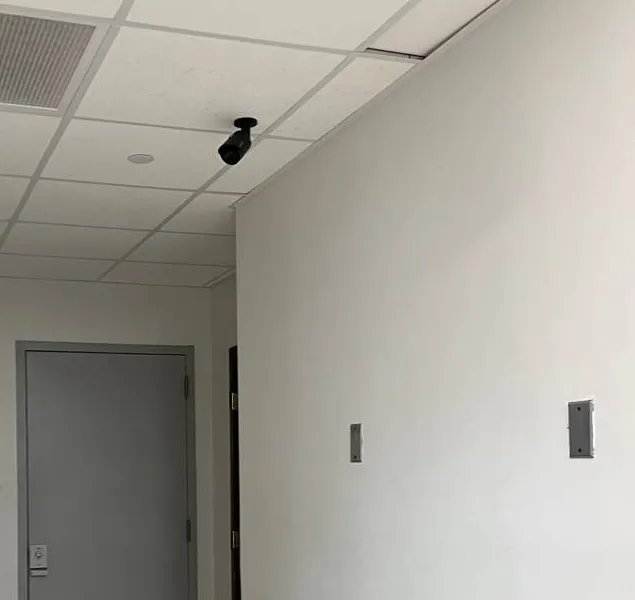
A photo from the AESS job library, not taken on Ocean Parkway: a small black bullet camera hanging from a white ceiling-tile grid, aimed down a short corridor at a grey steel service door. In the basement of an Ocean Parkway apartment house this is the camera that watches the hall to the boiler room, the door to the storage cages or bike room, or the corridor that leads from the rear courtyard into the building. It hangs low, so it is easy to knock or turn, and it is often the camera nobody looks at until something goes missing downstairs.
Those systems are a decade or two into their lives, and they are looked after the way most shared things in a co-op are looked after: by a super who can see the lobby monitor but often cannot log in to the recorder, a board that meets monthly, and a managing agent who handles several buildings. When something breaks, three things tend to happen. A camera or a drive fails and the picture on the monitor freezes or goes black, and it waits for the next board meeting. A recorder keeps showing live pictures while it has stopped saving anything, which nobody discovers until they need a clip. Or the person who held the admin password, often a former board member, a departed super or the original installer, is no longer around, and the building is locked out of its own footage. One New York camera repair company puts the central problem in one sentence on its recorder troubleshooting page: "A live camera picture does not prove that usable footage is being recorded."
The incidents that make boards look at their recorders are mostly small and mostly at night. NYPD Crimestoppers has twice asked for help identifying someone who got into an apartment building near Ocean Parkway and Avenue M in the 66th Precinct "by unknown means" and pried at what was inside: once at about 4:40 a.m. on Thursday, August 7, 2025, and again at about 3:00 a.m. on Tuesday, August 18, 2026. Brooklyn Paper's police blotters over the years describe apartments on the parkway entered through windows near Brighton Beach Avenue, near Avenue P and between Avenue Z and Murdock Court. And Flatbush Shomrim, the volunteer safety patrol in Flatbush and Midwood, regularly reports that it "retrieved camera footage" from residents and buildings before an arrest by the 70th Precinct. In every one of those situations the question that matters to the building is the same: was the camera at the door, the mailboxes or the hall actually recording, and can the board hand over a clean copy quickly.
The southern end adds water. The blocks near Brighton Beach, Coney Island and Sheepshead Bay took the surge from Hurricane Sandy in October 2012; First Street's recreated model of the storm counts 84 properties in Brighton Beach alone that were hit by storm surge, and a thread on r/Brooklyn posted after the storm showed "Ocean parkway & Brighton Beach after Sandy passed" with drowned cars and sand in the streets. Many buildings at that end still keep their recorder, switches and power supplies in the basement, often on a shelf that was chosen before anyone thought about flooding, and a camera repair there includes a conversation about how high the equipment sits.
So a camera repair on Ocean Parkway means getting the system recording again, and making it accountable to the building: alerts that reach the super and a board member, a login that belongs to the corporation rather than a person, a drive sized for the number of days the board actually wants, and a one-page record of what was found and fixed for the next meeting's minutes.
Six Ocean Parkway facts that shape a camera repair
The front camera looks across 30 feet of yard before it reaches the sidewalk. Zoning Resolution §113-12 requires a 30-foot front yard on lots fronting the parkway, so a camera on a facade or a porch is far from the gate and the sidewalk. A lens set wide to "see everything" sees nobody's face.
The corridor never stops moving. In front of every building is a 70-foot main road with traffic lights, two tree-lined malls with benches and a bike path, and a one-way service road with parked cars on each side. A camera set to record on motion records almost all the time.
The street is a landmark; the buildings are not. The Landmarks Preservation Commission's 1975 designation covers the roadway, malls and service roads out to the outer curb lines of the service roads, not the facades behind them, so replacing a camera on a parkway building does not by itself need a Landmarks permit.
Several precincts share one road. Police notices and blotters about the parkway name the 66th Precinct near Avenue M, the 61st near Avenue P and Avenue S, and the 60th near Brighton Beach Avenue and Avenue Z, while Flatbush Shomrim's posts credit arrests to the 70th, which covers Midwood and Ditmas Park on the east side. A clip may be requested by any of them.
Co-op boards change; logins should not. In a co-op, the cameras, the recorder and the footage belong to the corporation, and a 2014 summary of advice from a New York real estate attorney notes that technically any member of the board can view footage from common areas.
Repairs are priced by the fault, not the address. HomeAdvisor's Brooklyn page puts the average surveillance camera install or repair at $1,416, with a typical range of $680 to $2,145 across all job sizes; a single repair on our Brooklyn list usually lands between $150 and $700.
Where this page applies. It covers the buildings and houses that front Ocean Parkway and the side-street addresses just off it, from Church Avenue and the Kensington end south past Ditmas Avenue, Avenue J, Avenue M, Kings Highway, Avenue P and Avenue U to Neptune Avenue and Sea Breeze Avenue at the Brighton Beach end. For the rest of the borough, see our main Brooklyn security camera repair page. The price follows the fault, not the end of the parkway you live on.
Same-Day Repair on Ocean Parkway
Need Repair on Ocean Parkway? A Lobby Camera That Missed the Night, a Basement Recorder That Quit, or a Clip a Detective Wants Today
Urgent calls from the parkway come in three kinds. The first is the morning after: mailboxes pried, a package taken from the lobby, a storage cage opened or a car on the service road broken into, and the super or the board needs the video before the drive records over it. The second is the after-outage call: the building lost power, or Con Edison or an electrician shut it off for work, and when it came back the recorder did not, or half the cameras stayed dark, or the system started beeping in the basement and has not stopped. The third is the discovery that nothing has been saved for weeks.
If you need footage from an incident, leave the recorder running. Do not restart it, unplug it, press any button the screen offers about initializing or formatting the disk, or let a well-meaning shareholder "reset" it. Most recorders overwrite their oldest video once the drive is full, so the clock is already running on the clip you need. Call (347) 934-8335, give us the date and time window and the camera names if you know them, and we book the visit with saving that footage as the first task. If a detective has asked for a copy, tell us which precinct and the case details when you book; the clip is exported to USB with the recorder's original timestamps, and we note the recorder's clock against the real time so the time on the video is never in doubt.
For everything else the path is the same. The $150 service call books a two-hour arrival window, the technician finds the cause, and you get a written price before any part is replaced. Requests are booked within 2 hours. We do not promise that the repair itself happens the same day, because some parts, especially larger recorders and specific camera models a board wants to match, have to be ordered, but most single-camera, power and hard drive faults are fixed on the first visit when the part is on the truck.
What We Install
Security Camera Repair Services in Ocean Parkway
Every repair below is priced from our Brooklyn camera repair list. The service call pays for finding the fault. The repair itself is priced by what failed, how many cameras it touches and how hard the run is to reach, whether that is a mailbox camera in the vestibule of a six-story co-op near Avenue J or a camera on the back corner of a house behind its front yard near Avenue U.
Recorders that show but do not save
Systems where the lobby monitor looks alive but playback is empty: drives that failed or were never initialized, recording schedules switched off after an update, full disks with overwrite turned off. We restore recording, confirm how many days the drive really holds, and test playback on several cameras before we leave.
Lobby, vestibule and mailbox cameras
The cameras every board cares about most, at the street door, between the outer and inner doors, and over the mailboxes. We fix dead cameras, re-aim them so faces are recorded rather than the tops of heads, and deal with the glass doors that turn into mirrors at night.
Parkway-facing cameras
Front cameras that look across the yard at the service road, the mall and the main road. We set them to record the building's own gate and walk clearly, stop the trees, buses and headlights from filling the drive, and set a second, narrower view where one camera cannot do both jobs.
Basement, storage and bike-room cameras
Cameras on basement corridors, storage-cage aisles, bike rooms, laundry rooms and the doors to the rear courtyard. These are often low, dim and forgotten. We repair them, move them out of reach, and set the light and recording so a person, not just a shape, is on the clip.
Power, switch and outage recovery
Systems that came back wrong after the building lost power: dead PoE switch ports in a closet on a middle floor, blown fuses in a central power box, recorders stuck on a setup screen, and clocks reset to a factory date. We restore settings and put battery backup where it belongs.
Courtyard, parking and rear-yard cameras
Cameras over the courtyards and outdoor parking behind the larger co-ops, and along the side paths and driveways of houses. Long runs, weather and trees take a toll. We repair or replace runs, connectors and mounts and check the view by day and after dark.
Access for boards, supers and owners
Recorders whose admin password left with a former super, a past board officer or the installer, and apps set up on someone's personal phone. We restore access for the corporation, set separate view-only logins for the super, the desk and the board, and record who holds what.
Cable and connector repair
Runs cut during apartment renovations, crushed in a courtyard, chewed in a basement or soaked where they pass through brick, and connectors corroded in a damp closet. Repaired, re-terminated or replaced, and tested end to end.
Footage export and condition reports
Clips copied to USB with original timestamps for detectives, insurers, attorneys, Shomrim requests the board approves, and boards, with a written note of any difference between the recorder clock and the real time, plus a plain-language report of what was found for the board's file.
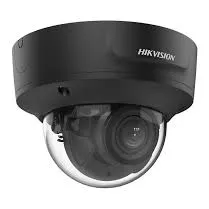
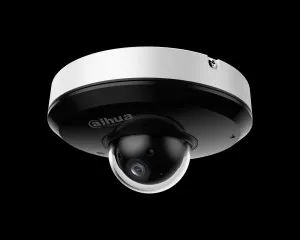
A product photo from the AESS job library, not taken on Ocean Parkway: a black varifocal dome camera. Its zoom lens can be set on site to fill the picture with a doorway, a bank of mailboxes or a gate thirty feet away instead of the whole lobby or the whole front yard. On the parkway, where the front door is set back from the sidewalk and the lobbies are long, a dome that "works" but shows the entrance as a small patch in the corner is one of the cheapest things to fix: the camera stays, and only the lens setting and the aim change.
Building Specialists
Security Camera Repair for Ocean Parkway's Architecture
Six kinds of property make up nearly every camera repair we take from the parkway and the blocks beside it. Each one decides where the recorder lives, which cameras matter most, who can approve the work and who should be able to watch the footage afterward.
Prewar six-story apartment houses
Brick and stone elevator buildings from the late 1920s and 1930s, many now co-ops, with a vestibule, a long lobby, mailboxes, a basement with storage and a live-in super, and cameras added in stages over the last twenty years.
Postwar co-ops
Larger six-story buildings from the 1940s and 1950s, some with more than a hundred and fifty units, courtyards and outdoor parking, where the camera system covers several entrances and the recorder serves dozens of cameras.
Full-service buildings
Buildings and complexes with a doorman or a front desk and key-fob entry, where the desk watches the cameras live and the recorder, the fob system and the intercom have to agree with each other.
Houses behind the front yards
Detached and semi-detached houses, many enlarged over the years, set back behind the parkway's required yards, with cameras on the porch, the side path, the driveway and the rear, and the recorder in a basement, attic or closet.
Newer condominiums
Recent buildings with enclosed parking, a telecom room of switches and a camera system the sponsor's contractor installed, now run by a board and a managing agent who inherited it.
Side-street two- and three-families
Houses on the numbered and lettered streets just off the parkway, where a landlord's system on the shared door sits alongside tenants' own Wi-Fi cameras and doorbells.
The prewar six-story house: a long lobby, one recorder, many hands
The commonest building we repair on the parkway is a six-story elevator apartment house with a front walk across the yard, an outer door and a vestibule with the mailboxes and the intercom panel, an inner door, a long lobby to the elevator, and a basement with the boiler, the storage rooms and the super's workshop. Its cameras were usually added in stages: a couple at the entrance years ago, a few hallway and basement cameras later, then a newer recorder when the old one died, so one system often mixes coax cameras with network cameras on two kinds of cable. The recorder is almost always in the basement, often in a closet with the telephone and internet panel, and the only screen most residents ever see is the lobby monitor or the picture on the intercom.
The repair starts with a list. Every camera, what it is supposed to watch, which cable it rides on, which switch or power box feeds it, and whether the recorder is actually saving it. In buildings like these, that list rarely exists, and making it is often where we find the problem: a camera labeled "lobby" on the recorder that has really been showing the basement stairs since a channel was swapped, a switch port that died two winters ago and took the fourth-floor hall with it, or a mailbox camera that records only when the lobby lights are on. The board gets the list with the repair price, so the next decision is made with the whole system in front of it.
The postwar co-op: more entrances, bigger recorders, longer cables
The larger buildings from the 1940s and 1950s, especially toward the southern end, often have more than one entrance, a courtyard, a parking area and dozens of cameras. A 174-unit co-op like the one CityRealty lists at 2727 Ocean Parkway, with a private courtyard and outdoor parking, needs cameras at the street door, the courtyard gates, the parking lot, the laundry and storage rooms and the elevator landings. Recorders in buildings this size are 16-, 32- or 64-channel units, and they are usually full, so a repair has to work within the channels the building already has or plan carefully for a larger recorder.
Distance is the other issue. Courtyard and parking cameras can sit at the far end of a long cable run, and runs that long are where voltage drop, water in connectors and cable damage show up first. On a repair we test those runs from both ends, replace what has failed, and where a camera at the far edge of the lot keeps failing because of its run, we discuss a closer switch or a different route rather than replacing the same camera every year.
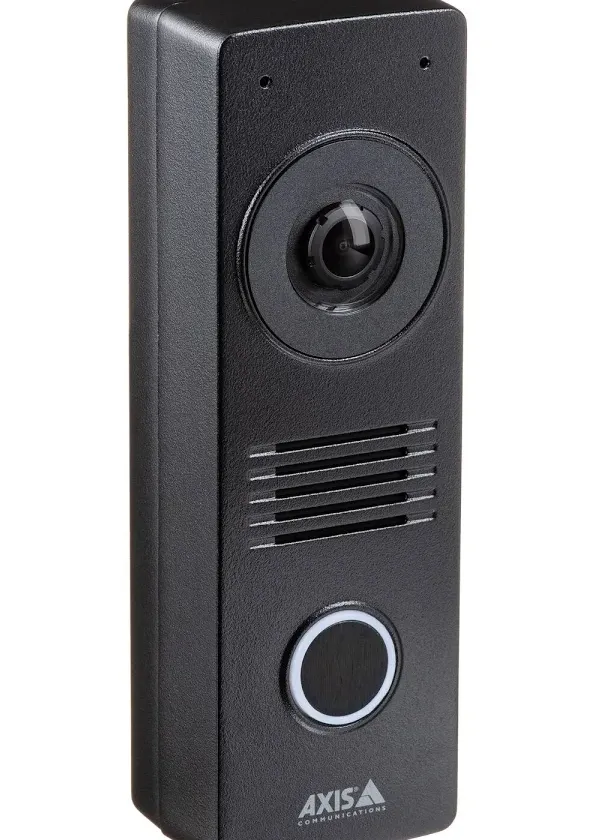
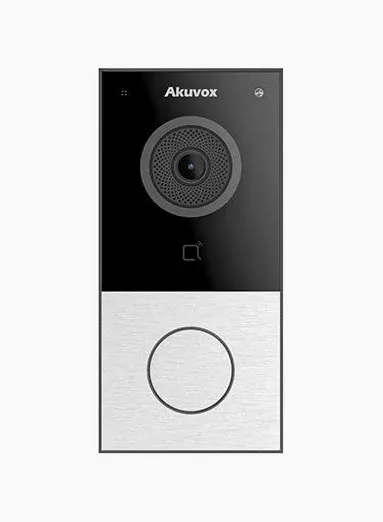
A product photo from the AESS job library, not taken on Ocean Parkway: a black video intercom door station with a camera, a speaker grille and a lit call button. Panels like this sit beside the outer doors of many apartment houses on the parkway, and their cameras often show video only while a call is in progress. On a repair visit we check whether the door station's camera can also feed the building's recorder, so the face of everyone who is buzzed in is saved along with the rest of the lobby.
Full-service buildings: the desk, the fobs and the recorder
Some of the parkway's larger complexes run like small towns. One listing for the Harway Terrace co-ops at 2580 Ocean Parkway describes "a modern lobby with key-less entry, 24-hour doorman, security cameras." In buildings like that, three systems meet at the front door: the fob or keyless entry system that logs who opened the door and when, the intercom that lets visitors call up, and the camera system that records it all. When they drift apart, the board ends up with a fob log that says a door opened at 2:14 a.m. and a recorder whose clock says something else, or a desk monitor that shows cameras the recorder has stopped saving.
On a repair here we bring the recorder's clock into line with the real time, check that the cameras covering each fob-controlled door are recording at a frame rate high enough to catch a face, and, where the entry system supports it, set it so that a door event can be matched to the camera at that door quickly. We do not rewire or reprogram another company's entry system without the board's approval and that company's involvement where they hold a contract, but we make sure the camera side of the front door is doing its job.
Houses behind the front yards: the camera is far from the gate
On the stretches of the parkway lined with houses, the Special Ocean Parkway District's rules shape the camera system as much as the architecture does. The required 30-foot front yard means the porch camera is far from the gate and the sidewalk; the rules against porches, stairs and canopies projecting into that yard on newer construction mean the front of the house is often a flat wall; and the district encourages large one- and two-family houses, many of which have been enlarged or combined over the years. The result is a house with a lot of camera work to do: a front camera that has to recognize a face at the gate, side cameras along a narrow path, a driveway camera, and rear cameras on additions that did not exist when the first system went in.
The most common repair complaint on these houses is not a dead camera but a useless one: a wide-angle camera on the porch that shows the whole lawn, the service road, the mall and a moving blur of traffic, and a person at the gate who is a few pixels tall. The fix is usually a varifocal camera on the existing cable, set to the gate and the walk, and, if the owner wants the wide view as well, a second camera for that. The recorder in these houses tends to live in a basement utility room or an attic, and the attic ones run hot in summer, so we check the drive's health and the recorder's temperature on every visit.
Field Notes
Field Notes: Repairing a Six-Story Co-op's Camera System for the Whole Building
These notes describe how our technicians work through a typical camera repair in a six-story apartment house on the parkway, after a board member or the super calls because a camera is dark or a clip could not be found. It is our working order, not a story about one address.
Save what is there. Before anything is restarted or opened, the technician exports whatever the recorder still holds for the dates the board cares about, and notes the recorder's clock against the real time.
Read the recorder's own log. Most recorders keep a record of disk errors, video loss, power loss and logins. That record usually shows when the system really stopped working, which is often well before anyone noticed, and whether it was the drive, the power or a single camera that went first. It also shows who has been logging in, which matters when a board is trying to work out who still has access.
A product photo from the AESS job library, not taken on Ocean Parkway: a mini pan-tilt dome camera with a white housing over a black lens dome. In the larger parkway co-ops, cameras like this sometimes watch a courtyard, a parking area or a long lobby, turning between preset views. When one stops moving or drifts off its presets, the repair is usually its settings, its power supply or its motor, and we check which before anyone buys a new camera.
Walk the building top to bottom. Every camera that matters is checked where it hangs, from the roof door to the courtyard: power and signal at the camera, the connector and bracket, the view and the light it actually has after dark.
Price before parts, then make it accountable. The board or managing agent hears the cause and gets a written price before anything is replaced. When the repair is done, every camera is checked by day and after dark, the recorder is set to send alerts for video loss, disk errors and a full or missing drive to the super and a named board member, the admin login is changed and handed to the corporation, and a one-page list of cameras, channels, drive size and days of recording goes into the board's file. The building leaves with a system that tells it when something breaks.
Fault by Fault
Busy Views, Full Drives, Mirror Glass, Middle-Floor Closets and Lost Logins: Why Ocean Parkway Camera Systems Fail
Six causes account for most of the camera trouble we find on parkway buildings and houses. Several of them are not broken parts at all, which is why it pays to know which one you have before anyone orders a new recorder.
The busiest view in Brooklyn: a front camera that never stops recording
A camera on the front of a parkway building that is set to record on motion has an impossible job. In front of it are trees whose leaves move with every breeze, a bike path and benches on the mall, a service road with cars pulling in and out, and a six-lane main road with traffic lights, headlights and a steady stream of vehicles. The NYC recorder guide we cite on this page warns that "Busy sidewalks, trees, headlights and delivery traffic can increase actual recording time," and on the parkway that camera is effectively recording around the clock, often at its highest quality, while the cameras inside record only when someone walks by.
The effect shows up in the days the recorder holds. A drive the installer sized for a month of mostly-quiet cameras ends up holding a week or two, because one or two front cameras are eating most of it. The repair is a set of settings rather than parts: motion zones drawn around the building's own walk and gate instead of the street, a lower bitrate or frame rate for the wide street view, and if the board wants a month of everything, a drive sized with the real numbers. The same guide gives the arithmetic: storage in terabytes is roughly the number of cameras times their average bitrate in megabits per second, times 86,400 seconds, times the days kept, divided by 8,000,000. Eight cameras averaging 2 Mbps for 30 days of continuous recording comes to about 5.18 terabytes before any margin.
Full drives and silent recorders: pictures on the monitor, nothing in playback
Live view and recording are separate jobs. The lobby monitor can show every camera perfectly while the recorder is saving nothing, because the drive has failed, was never initialized after a replacement, is full with overwrite turned off, or the recording schedule was switched off by an update or a well-meaning visitor. The recorder guide lists the usual suspects plainly: "a failed or uninitialized surveillance hard drive, disabled recording schedule, full storage with overwrite turned off, incorrect channel settings, recorder clock error or DVR/NVR hardware fault." It also points out that with overwrite disabled, "recording may stop at capacity," which is exactly what a building discovers the morning after a theft.
The drive itself wears. Recorders in apartment houses write video every minute of every day, and the drive is the moving part. On a repair we read its health, replace it with a drive rated for continuous surveillance recording where it is failing, set overwrite so the building always has its most recent days, and test playback on several channels at known times.
Mirror glass: the vestibule camera that records its own lobby
Most parkway buildings have a pair of doors at the entrance with the mailboxes and the intercom between them, and many of the cameras meant to watch that vestibule were mounted in the lobby, looking out through the glass of the inner door. By day that works. At night the lobby is bright and the vestibule is darker, so the glass reflects the lobby back into the lens, and if the camera's own infrared light comes on, the glass throws it straight back as a white flare. The result is a clear picture of the lobby chandelier and a faint ghost of whoever is at the mailboxes.
The fix depends on what the building will allow. Sometimes it is enough to turn off the camera's infrared, angle it so it is not square to the glass and set its exposure for the vestibule rather than the lobby. More often the right answer is a small camera inside the vestibule itself, high on the wall or in the ceiling, on a cable fed through from the lobby side, so the mailboxes and both doors are seen directly.
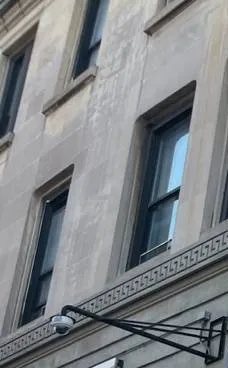
A photo from the AESS job library, not taken on Ocean Parkway: a bullet camera on a long black steel wall arm below a carved Greek-key band on a pale stone facade with tall sash windows. Many prewar apartment houses on the parkway have stone or terra-cotta trim around the entrance and the first floor. When a camera on a facade like this fails, we reuse the existing mount where it is sound, fix into mortar joints or plain masonry rather than carved stone, and set the lens for the walk and the gate across the front yard rather than the far side of the parkway.
The closet on the fourth floor: switches and power boxes nobody remembers
In a six-story building the cameras on the upper halls rarely run all the way to the basement. Somewhere along the way, often in a closet on a middle floor, an installer put a network switch or a power box to feed the cameras above and below it. When the power to that closet is interrupted, a breaker trips, a battery backup quietly dies or a switch port fails, the cameras on those floors go dark together while the lobby carries on. Boards then assume the hall cameras are broken, when the cameras themselves are fine.
On a repair we find every such closet, test the switch and its ports, check what powers it and whether its outlet is on a circuit a resident or a contractor might switch off, and label it. If the fix needs a new outlet or circuit, we tell the board exactly what an electrician has to do; we do not do electrical work ourselves.
Water at the southern end: the basement shelf that was too low
At the Brighton Beach end, a recorder on a basement shelf faces two kinds of water: the rare storm surge, like Sandy in 2012, and the more frequent problem of leaks, sewer backups and heavy-rain flooding in basements.
If a recorder has been in water, we try to recover any footage the building needs from the drive first, then assess whether the recorder is worth keeping. When it is repaired or replaced, the conversation is about height and air: up off the floor, away from pipes, on a wall bracket or in a closet on a higher floor if the cables can reach, with a battery backup that is itself above the water line.
Lost logins: the password that left with the super
Boards turn over, supers retire, managing agents change and installers close. In many parkway buildings the admin password for the recorder was set by one of those people, the phone app was registered to their personal email, and when they left, the building lost control of its own system. A real estate attorney quoted in a 2014 Brick Underground piece, summarized by CablingInstall, put the board's position simply: "technically a board member could review security footage from a public area at any point," though in practice footage is usually reviewed only when there is an incident.
On a repair we recover the recorder for the corporation, using the manufacturer's reset procedure where there is no other way, change the admin password, move the app account to an email the building controls, remove access for people who should no longer have it, and set up named view-only logins for the super, the desk and the board members who need them. Who holds the admin password is the board's decision; we write it down where the board tells us to.
Commercial Security Camera Repair
Business Security Camera Repair in Ocean Parkway
Ocean Parkway itself is mostly residential, and commercial vehicles are barred from it, so its businesses are the kind that fit inside or beside apartment buildings: medical, dental and therapy offices on ground floors, synagogues, yeshivas and schools, care facilities, and the shops on the avenues that cross it. Their camera systems are usually small, privately owned and separate from the building's, and their repairs have their own rules about privacy, staff and patients.
Church Avenue and the Kensington end
Shops, restaurants and services along Church Avenue at the top of the parkway, near the Prospect Park circle, with apartment buildings above and around them.
Avenue J and Avenue M
Two of Midwood's shopping streets, crossing the parkway between rows of six-story buildings, with groceries, bakeries, restaurants and offices a short walk from the parkway lobbies.
Kings Highway
The busiest crossing on the middle of the parkway, with stores, offices and medical practices, and the blocks where many ground-floor practices in parkway buildings sit.
Avenue U
A long commercial avenue crossing the parkway in Homecrest and Gravesend, with shops, services and offices on both sides.
Neptune Avenue and Brighton Beach Avenue
The southern crossings near Brighton Beach and Coney Island, where storefronts sit below apartments and the basement recorders face the flood questions described above.
Ground-floor practices on the parkway
Medical, dental and therapy offices in the street-level units of parkway buildings, with their own entrances from the walk or the side street and their own camera systems.
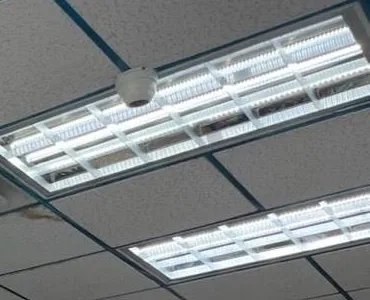
A photo from the AESS job library, not taken on Ocean Parkway: a small white dome camera on grey acoustic ceiling tiles beside a long louvered fluorescent light panel. This is the ceiling of a waiting room or a reception area, the kind found in the ground-floor practices of parkway buildings. A dome placed this close to a bright light panel can be blinded by glare or flicker, and in a practice it must be aimed so it records the entrance and reception without looking into treatment rooms.
Practices on the ground floor: two systems, one front door
A practice in the street-level unit of a parkway building usually has its own cameras at its own door, its reception desk and its back office, recording to a small recorder in a closet, while the building's cameras watch the shared walk and lobby. The two systems are separate, and they should stay that way: the practice's footage is the practice's, and the building's is the board's. On a repair we keep them apart, fix the practice's system on its own network rather than the building's, and make sure the practice's cameras do not look into treatment rooms or capture patients' screens and paperwork at the desk.
Synagogues, yeshivas and schools
The parkway and the blocks around it hold dozens of synagogues; Wikipedia, citing a 2009 estimate, puts the number along the parkway at more than forty. There are also yeshivas, among them the Mir Yeshiva near Avenue R, and schools such as Abraham Lincoln High School near the southern end. Institutions like these are often looked after by volunteers or a part-time facilities person, their buildings are crowded at some hours and empty at others, and their camera systems have to cover entrances, social halls, offices and sometimes parking.
For them we keep the admin login with the institution rather than one volunteer, set alerts to reach whoever is responsible that season, and schedule the visit at hours that suit the building.
Rules that touch a commercial camera repair
State licensing. The New York Department of State licenses companies that install or service security systems, and its rules cover closed-circuit television used to watch for intrusion, theft or movement. An owner can work on their own system, or have an employee do it, without a license; a company working on someone else's property needs one. AESS works under NYS license #12000287431.
Cameras that watch staff. New York Labor Law §203-c requires employers who monitor employees electronically, including by video, to give written notice and get acknowledgment. If a repair adds or moves a camera that watches a reception desk, a nurses' station or a back office where staff work, the notice should be updated.
Footage requests. Detectives from the 60th, 61st, 66th or 70th Precinct may ask for a copy of a clip; a copy on USB with the original timestamps usually answers that without the recorder leaving the building. Requests from community patrols such as Shomrim are the owner's or board's decision. The NYPD runs a no-cost program for businesses to register where their cameras are. Ring ended its in-app tool for police video requests in January 2024, and police can still obtain video from cloud services with a warrant.
The parkway's landmark. The Landmarks Preservation Commission's 1975 designation of Ocean Parkway as a scenic landmark runs to the outer curb lines of the service roads, so it covers the street, the malls and the benches, not the buildings behind them. A camera on a parkway facade is therefore not a Landmarks matter unless the building sits in a separately designated historic district, and nothing is ever mounted on the malls, the trees or the parkway's lampposts.
Your Questions Answered
Security Camera Repair in Ocean Parkway: Questions Answered
These are situations boards, supers, managing agents, homeowners and practice managers on the parkway describe when they call. Each answer is written for the buildings and houses here.
Cameras that face the parkway
Our recorder holds about ten days of video, and the board wants thirty. A board member noticed that the camera facing the parkway uses far more of the drive than any other. Can one camera be made to take up less space?
Yes. Each camera usually has its own recording settings, and the street-facing one is probably recording all the time at full quality because traffic, trees and headlights keep triggering it. We draw its motion zone around your own walk and gate, lower its bitrate or frame rate for the wide view, and check that the gate is still clear. Then we measure what each camera really uses and tell the board whether thirty days fits on the current drive or needs a larger one.
Our front camera is mounted under the entrance canopy, about thirty feet back from the sidewalk. A neighbor's clip from it showed a person at our gate, but nobody could make out the face. Is that a broken camera?
Usually not. A wide lens spreads the picture across the yard, the service road and the mall, so a person at the gate fills a tiny part of the frame. The repair is to set the camera, or a varifocal replacement on the same cable, for the gate and the walk, and if the board still wants the wide street view, to add a second camera for that. We test the new view with someone standing at the gate, by day and after dark.
Lobbies, vestibules and mailboxes
Our only camera on the mailboxes is in the lobby, looking out through the glass of the inner door. At night the recording shows our own lobby reflected in the glass. Can that be fixed without a new camera?
Sometimes. Turning off the camera's infrared, angling it away from square to the glass and setting its exposure for the vestibule can cut the reflection enough to see faces. If the glass still wins, the reliable fix is a small camera inside the vestibule, high on the wall or in the ceiling, with its cable fed from the lobby side, so the mailboxes and both doors are seen directly. We try the settings first and price the second camera only if they do not work.
After reading about mailbox break-ins in a building near Avenue M, our board asked whether our cameras would show someone at the boxes at four in the morning. How do we find out for certain?
By playing back a real night. We pick a recent early-morning hour, play back the mailbox, vestibule and lobby cameras at that time, and check three things: that each camera recorded at all, that the picture under the night lighting shows a face rather than a shape, and that the clip starts before the person reaches the boxes rather than after. Whatever fails that test is what the repair fixes, and the board gets the result in writing.
Our lobby door opens with key fobs. The fob system shows a door opened at 2:14 a.m., but the camera clip for that minute shows nobody. What would cause that?
Usually the two clocks disagree, the camera recorded at a low frame rate that skipped the moment, or the camera only records on motion and was slow to trigger. We set the recorder's clock to network time and match it to the fob system's clock, raise the frame rate on the door cameras, and set a few seconds of pre-recording so the clip starts before the door moves. After that a fob event and a clip can be lined up within seconds.
Basements, storage and the back of the building
Shareholders' storage cages in our basement were opened, and the camera at the end of the aisle shows a dark tunnel. The lights down there only come on when someone walks in. What should change?
The camera needs to see before the lights do. We set it to use its own infrared in the dark, or replace it with a low-light model if it cannot, move it so it looks along the aisle at a height where it cannot be reached, and set pre-recording so the first seconds are kept. If the board prefers, an electrician can set the aisle lights to stay on at a low level, which helps any camera. We test it in the dark before we leave.
Southern end and practices
Our building near Brighton Beach Avenue had water in the basement after a heavy storm, and the recorder now shows a disk error. We need video from the night before the storm. Is it gone?
Not necessarily. Do not let anyone format the disk or keep restarting the recorder. We remove the drive and try to read it in a known-good recorder or reader, and copy off the dates you need before deciding whether the drive or the recorder can be saved. A drive that was soaked may not be recoverable, but many that only took damp air or a brief splash can be read. When the system goes back in, it goes higher.
Our dental office is on the ground floor of a parkway co-op. The building's camera at the shared walk also sees our door. Do we need our own system, or can we be added to the building's?
That is the board's decision and yours, but we usually recommend separate systems. The practice's footage, with patients coming and going, is yours to manage, and the building's footage belongs to the corporation. A small recorder for the practice, on the office's own network, with cameras at your door and reception, keeps both sides clear about who can see what. The building's walk camera stays the building's.
Equipment
Types of Security Cameras and Recorders We Repair
We repair whatever is on the building, whoever put it there. These are the kinds of equipment we find in parkway lobbies, basements, courtyards, houses and practices, and the faults each one tends to develop here.
Coax and HD-over-coax cameras
Cameras with round BNC connectors, from older analog to HD models, still common in buildings whose first cameras went in years ago. Typical faults: water in connectors where cables pass through the basement wall, failed power adapters, and infrared that has dimmed with age.
Network (IP) cameras
Cameras powered and connected over one data cable, standard in newer condos and in later additions to older systems. Typical faults: dead switch ports after an outage, address conflicts after an internet provider swaps the router, and lost passwords.
DVRs, NVRs and hybrid recorders
The box in the basement closet, the super's office or the attic. Typical faults: worn drives from round-the-clock recording, full disks with overwrite off, dusty fans, damp connectors and settings lost after a power cut.
Varifocal domes and bullets
Cameras with an adjustable zoom, the right tool for a gate thirty feet away or a long lobby. Typical faults: a lens set too wide to recognize anyone, focus that drifted after a knock, and covers that are scratched or clouded.
Pan-tilt and 360-degree cameras
Moving cameras over courtyards and parking areas, and fisheye cameras in lobbies. Typical faults: lost presets, sticking motors and flattened views that make faces hard to read.
Wi-Fi, battery and cube cameras
Plug-in and battery cameras in apartments, in practices and on houses. Typical faults: weak signal through brick and concrete, router changes, cold-weather battery drain, and accounts tied to someone who has moved out.
Video door stations
Door stations with their own camera at the outer door. Typical faults: video that reaches some apartments but not others, failed call buttons, and pictures that are shown during a call but never recorded.
PoE switches and extenders
The switches that power network cameras, often in a closet on a middle floor or a telecom room. Typical faults: dead ports after an outage, overloaded power budgets and closets nobody remembers.
Power supplies and battery backups
Central power boxes, plug-in adapters and UPS units. Typical faults: blown channel fuses, adapters on an outlet a contractor switched off, and backups whose batteries died years ago.
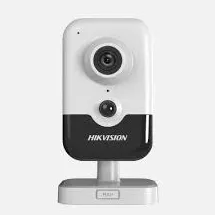
A product photo from the AESS job library, not taken on Ocean Parkway: a slim video door station with a camera lens at the top and a large round call button. Stations like this suit the side or service entrance of a parkway building, a ground-floor practice's own door, or the gate of a house behind its front yard. If its camera stream can be recorded, we add it to the recorder so the visitor at that door is saved, not just shown.A product photo from the AESS job library, not taken on Ocean Parkway: a white indoor cube camera. In parkway apartments and practices, small cameras like this sit on a shelf watching a front hall, a reception desk or a home office. Their usual faults are Wi-Fi drops through masonry walls and an app account registered to someone who no longer lives or works there, both of which we sort out on a visit.
National brands versus a local licensed repair
Some parkway households and offices have cameras from a national alarm company or a consumer brand and wonder who should fix them. The table shows how the choices usually compare for a repair.
Question
ADT or a similar alarm company
Ring or SimpliSafe camera
AESS local repair
Who owns the equipment
Depends on the contract; some is leased
You own it
You or the building own it, and we repair it
Building recorder in the basement
Its own panels and recorders
No local recorder; clips go to the cloud
DVRs, NVRs, hybrids, drives and footage export
Logins for a board, a super and a desk
Depends on the plan
Shared account access
Admin for the corporation, view-only for others
Telling you when it stops recording
Depends on the plan
App shows the camera offline
Recorder alerts for video loss and drive errors to named phones
Other brands on the same building
Usually only its own
Support covers its own devices
Any brand, any installer
Licensed technician on site
Varies by dealer
Remote support
Yes, NYS license #12000287431
Price before work
Varies
Replacement device price
$150 service call, then a written repair price
AI Overview Reality Check
What AI Gets Wrong About Security Camera Repair in Ocean Parkway
These claims turn up in AI-generated answers, national repair guides and the cost pages of directories such as Angi, HomeAdvisor and Fixr. Each is true somewhere, and each sends a parkway board or homeowner toward the wrong repair, a lost clip or a bill they did not need.
"If the monitor shows a picture, the cameras are recording"
Quick answers tend to treat a working live view as proof that a camera system is healthy, and suggest checking the monitor as the first step.
A live picture proves only that the camera, its cable and the recorder's input are working. Whether anything is being saved depends on the drive, the schedule, the overwrite setting and the recorder's clock. The NYC recorder guide cited on this page opens with the opposite warning: "A live camera picture does not prove that usable footage is being recorded."
The real check is playback: pick a time from last night, play back the mailbox and door cameras, and see whether there is anything there. On every repair we do that on several cameras, and we set the recorder to alert the super and a board member when recording stops.
"If the recorder runs out of space, buy a bigger hard drive"
When a recorder holds fewer days than expected, the standard advice is to upgrade the drive.
Sometimes that is the right answer, but on the parkway the cause is often one or two street-facing cameras recording nonstop at full quality because the view never stops moving. A bigger drive filled by the same settings still fills. Storage depends on each camera's bitrate, frame rate and schedule as much as on the drive, and the guide we cite notes that trees, headlights and traffic all increase recording time.
Measure first. We look at what each camera actually uses, fix the settings on the busy ones, and only then size a drive for the number of days the board wants.
"A camera on the front of your building watches the street"
Advice on deterring crime often assumes that a front camera covers the street and the sidewalk outside a building.
On Ocean Parkway the street is enormous. The landmark corridor is 210 feet wide, and with the 30-foot front yards on each side, the facades across the parkway are roughly 270 feet apart by our own arithmetic. A camera on a facade sees its own yard and walk clearly, the sidewalk and service road less well, and the mall and main road as background. It does not watch the street in any way that will identify a person on the far side.
So set each front camera for what it can do well: the gate, the walk and the door. If the board wants a view of the service road where residents park, that is a separate, narrower camera aimed at that stretch, and we tell you honestly how much detail it will capture.
"Only a licensed company is allowed to touch a building's cameras"
Some answers tell co-op boards that any work on a camera system must be done by a licensed contractor, including simple checks.
New York's licensing rules apply to companies that install or service security and CCTV systems for others. The Department of State's guidance says that an owner who installs a system on their own property, or has an employee do it, does not need a license. A co-op's or landlord's own super, as an employee, can check a monitor, swap a power adapter or save a clip.
Where a license matters is when the building hires an outside company. That company should hold a state license, and AESS works under NYS license #12000287431.
"Recording only on motion saves space and misses nothing"
Many setup guides recommend motion recording for every camera as the efficient choice.
Motion recording works well on a quiet basement corridor. It works badly on a camera facing the parkway, where it triggers constantly and saves little space, and it can miss the start of an event on a camera that triggers late, such as one waiting for lights to come on in a storage aisle or one watching a vestibule through glass. The first second a person is in view is often the second that matters.
We set recording camera by camera: continuous at a modest quality for the entrances and mailboxes, motion with pre-recording for the quiet basement and courtyard cameras, and carefully drawn zones on the street-facing ones.
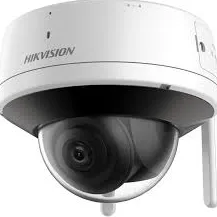
A product photo from the AESS job library, not taken on Ocean Parkway: a Wi-Fi dome camera with an external antenna. In a parkway apartment house, a camera like this can make sense for one spot a cable cannot reach, such as a far corner of a courtyard, but it still needs power, and the brick and concrete of a six-story building block Wi-Fi quickly. When a wireless camera keeps dropping, we test the signal where it hangs before blaming the camera.
"Every resident has a right to see the building's footage"
Some answers suggest that tenants or shareholders can demand video from the building whenever something happens to them.
The cameras, the recorder and the footage in a co-op belong to the corporation, and in a rental building to the owner. The 2014 Brick Underground advice summarized by CablingInstall quoted a real estate attorney saying cameras can be placed anywhere in a co-op "as long as cameras cannot see into private apartments," and that while a board member technically could review common-area footage at any time, that is not usually how it works. Release of footage is a board or owner decision, and police can request it through their own process.
The practical answer for boards is a written policy: who may review footage, who approves releasing a copy, and how requests from detectives, insurers and residents are handled. Our part is making sure the footage exists, can be exported cleanly with its original timestamps, and is only reachable by the people the board names.
"A camera repair costs about the same as a new consumer camera"
Cost answers often quote prices for a single consumer camera and treat that as the cost of any camera repair.
A parkway building's system is not a single camera. HomeAdvisor's Brooklyn page puts the average surveillance camera installation or repair at $1,416, with a typical range of $680 to $2,145 and jobs from $160 to $3,500, and that range blends new systems with small fixes. The real cost depends on what failed: a setting, a drive, a switch in a closet or a cable through a basement wall.
On our Brooklyn list most single repairs land between $150 and $700, and the board gets a written price for its fault after the diagnosis, before any part is replaced.
Talk to a Technician Before Anyone Formats the Drive or Buys a New Recorder
Tell us the address and the nearest cross avenue, the type of building, how many cameras there are, which ones are out, and where the recorder sits. If you need footage from a particular night, say so and we will plan the visit around saving it. In a co-op or condo, tell us who can approve the repair and whether the super will be on site. Photos of the recorder screen, the dark cameras, the power supply and the closet or shelf the recorder lives on help us bring the right parts. For anything urgent, call (347) 934-8335 now.
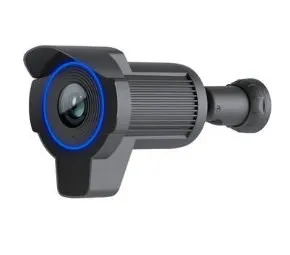
A product photo from the AESS job library, not taken on Ocean Parkway: a black bullet camera with a long hood and a blue-lit ring around the lens. On the parkway a camera like this suits a courtyard gate, a parking area or the side path of a house, where the long hood keeps rain and low sun off the lens. When one fails outdoors, we check the connector and the cable entry for water before we condemn the camera.
✅
Request Sent!
Thank you. A technician will contact you about the Ocean Parkway address shortly.
How It Works
Our Repair Process
1. Send a photo and the address
A photo of the recorder screen or the dark camera, the Ocean Parkway address and nearest cross avenue, and the type of building, by text, WhatsApp or the request form. Tell us if you need footage from a particular night.
2. Confirm who decides
Board, condo, landlord, managing agent, homeowner or practice: we confirm whose system it is, who approves the price and who holds the recorder login, so nothing stalls at the door.
3. Book the service call
The $150 Brooklyn service call puts the visit on the schedule in a two-hour arrival window and is applied to the repair if you go ahead. The super's access to the basement and closets is arranged ahead.
4. Save the footage first
Any clip that matters is exported to USB with its original timestamps before anything is restarted or opened, and the recorder's clock is checked against the real time.
5. Test the whole chain
Outlet and battery backup, power supply or PoE switch in each closet, every cable run, the recorder and drive, the recording settings and the app, camera by camera.
6. Name the cause and write the price
You hear what failed and why, and get a written, itemized repair price before any part is replaced. If the price changes on site, you hear the new number first.
7. Repair and check day and night
The failed part is repaired or replaced, and every camera is checked for picture and recording, including after dark under the real light of the lobby, the vestibule, the service road and the yard.
8. Set alerts and hand over
Alerts for lost video and drive errors go to the super and a named board member or owner and are tested, cables are labeled at the recorder, logins go to the corporation, and you are shown how to export a clip.
Coverage Area
Security Camera Repair Near Ocean Parkway's Landmarks
Kensington Stables
The riding stable near the top of the parkway at the Kensington end, a short ride from the bridle paths of Prospect Park, among the apartment houses closest to Church Avenue.
The surviving milestone
The parkway's only remaining original milestone, the three-mile marker on the mall between Quentin Road and Avenue P, a reminder of the road's 1870s layout.
Ocean Parkway station
The Q train's stop near the southern end, on a masonry viaduct with three groin vaults, close to Brighton Beach Avenue and the buildings at the ocean end.
South Brooklyn Health
The hospital near Avenue Z at the southern stretch of the parkway, on a site that has held a hospital since 1909.
Abraham Lincoln High School
The public high school at the southern end of the parkway near Shore Parkway, one of the institutions whose neighborhood blocks fill with students twice a day.
2601 Ocean Parkway
The address Brooklyn Law School lists for one of its student residences in its 2025 campus safety report, at the 11235 end of the parkway.
Ocean Parkway is billed at our Brooklyn rate, from the Kensington end to the ocean. Every repair starts with the $150 service call, which covers the on-site diagnosis and is applied to the repair if you go ahead. The figures below come from our published list of Brooklyn security camera repair prices; your exact price is written down on the visit, once we know what failed.
Repair
Brooklyn price
Service call, on-site diagnosis and written repair price
$150, applied to the repair
Motion zones, recording schedule, alerts, app or login settings with no parts
Usually within the $150 service call
Clean and check for a blurry or filmed-over picture
$80
Dome or front cover replacement
$30–$80 part plus labor
Connector reterminate or PoE port swap
$150–$350
Power supply repair
$150–$400
Hard drive swap, by capacity
$200–$450
Indoor camera repair
$200–$450
Single camera replacement on a working system
$250–$600
Night vision camera repair
$250–$650
DVR not working, including drive and labor
$300–$700
NVR not recording, by model
$400–$900
Vandalized camera, per camera plus cable repair
$400–$900
PTZ camera repair
$450–$1,200
Hybrid recorder swap, channels reconfigured
$700–$1,200
DVR/NVR replacement with drive, or multi-camera wiring repair
$700–$1,500
Full rewire or whole-building overhaul
From $1,500
Three things move a parkway repair within those ranges. The first is the size of the system: a six-story building with thirty cameras on a 32-channel recorder takes longer to test and reconfigure than a house with six. The second is where the fault is: a dead camera in the lobby is quick, while a failed switch in a closet on the fourth floor, a run through a finished basement ceiling or a courtyard cable under paving takes tracing. The third is the recorder: replacing a large recorder, moving one up out of a damp basement at the southern end, or recovering one whose admin password is lost adds setup time. Bundling the camera repair with intercom, door buzzer, alarm or cabling work on the same visit saves $200 to $400 in labor on our Brooklyn list.
Full terms — including 50% deposit, one-year parts-only warranty on AESS-supplied products, and the late-fee schedule — are set out in the service agreement.
Shop Our Systems
Security Camera Repair Packages & Pricing
Three ways parkway repairs usually come together, priced from our Brooklyn list.
Single-issue repair: $150–$700
One fault, one visit: a worn drive replaced, a switch port or power supply replaced in a middle-floor closet, a street-facing camera's settings fixed so the drive holds more days, a vestibule camera re-aimed or replaced to beat the glass, a house's porch camera set for the gate, or a lost login recovered for the board.
Major system repair: $700–$1,500
The recorder or the wiring: a DVR or NVR replaced with a new drive and every camera reconfigured, a recorder moved up out of a damp basement, several runs replaced after a renovation or water damage, or a mixed coax and network system brought onto one hybrid recorder.
Annual maintenance: $250–$800
Every camera checked by day and after dark, covers cleaned, connectors and power tested, the drive's health read, battery backups checked, alerts tested to the super's and a board member's phones, the days of recording measured and a clip export tried. Residences start at $250, commercial systems at $400, and managed multi-property accounts run $500 to $800.
Bring your own equipment. If the board or the owner has already bought a replacement camera or recorder, we can fit it at labor-only rates. Tell us the exact model and we quote the labor by phone or text, and the visit is booked once it is paid. Your own equipment is installed as supplied: we cannot vouch for parts we did not supply, and if a model will not work with your recorder, will struggle on Wi-Fi through brick and concrete, or cannot handle the light where it is going, we tell you before the visit.
Complete Services
Every Security Camera Repair Service in Ocean Parkway
Lobby, mailbox and hallway cameras
Vestibule glass, mailbox views, dark hall cameras and the closets that feed them, in co-ops, rentals and condos along the parkway. Request a repair
Recorder, drive and outage repair
DVRs, NVRs and hybrids in basement closets and attics, including recorders whose front cameras fill the drive. Brooklyn security camera repair
Does this page cover the whole length of the parkway, from the Kensington end near Church Avenue down to Sea Breeze Avenue, and the side streets just off it?
+
Yes. We repair camera systems in every building and house fronting Ocean Parkway from Church Avenue to Sea Breeze Avenue, and on the side streets beside it in Kensington, Midwood, Homecrest, Gravesend, Sheepshead Bay and Brighton Beach. Every address is billed at the same Brooklyn rate, starting with the $150 service call that is applied to the repair.
Is there a law that says how many days of video a co-op or apartment building has to keep?
+
We have not found a general New York City rule that requires apartment buildings to have cameras or to keep a set number of days of footage. The number is usually set by the board, the owner or the building's insurer. We size the drive and the recording settings to whatever number the building decides.
A shareholder complained that the hallway camera on her floor looks straight into her apartment whenever her door is open. Can that be fixed without removing the camera?
+
Usually, yes. We can re-aim the camera along the hallway so her doorway is at an angle, or set a privacy mask that blacks out the area of her door in the picture so it is never recorded, while the rest of the hall is saved as normal. We check the result in playback with the door open before we leave.
Our building's elevator is being modernized next month. Should the camera repair wait until the elevator work is finished?
+
Only the parts that touch the elevator. Lobby, mailbox, hallway, basement and courtyard cameras can usually be repaired now. Any camera inside the cab or cabling that runs with the elevator equipment should be coordinated with the elevator company, so tell us their schedule and we plan that part of the work around it.
Our co-op is two buildings side by side with one board. Can both buildings' cameras be handled on one recorder and one visit?
+
Often, yes, if the cables or the network already connect the two buildings, or if a link between their basements is practical. Otherwise each building keeps its own recorder and the board views both in one app. Either way, one visit can usually cover both, and the board gets one list of cameras and one written price.
Can the repair be invoiced to our managing agent instead of the board treasurer?
+
Yes. Tell us when you book who the invoice should go to and who approves the price. We send the written repair price and the invoice to the managing agent, copy the board contact you name, and the price is the same whichever of you pays.
What should a board's written policy on camera footage cover?
+
At a minimum: who may view live and recorded video, who approves releasing a copy, how requests from police, insurers, attorneys, community patrols and residents are handled, how long footage is kept, and who holds the admin login. A board should write it with its own attorney. We make sure the system can do what the policy says, with the right logins for each role.
Will the technician block the lobby or the front door while working in a busy building?
+
No. We keep one door and a clear path open at all times, set the ladder to one side, and work on the entrance cameras in short stretches so residents, deliveries and visitors can pass. If a camera over the doorway needs longer work, we tell the super beforehand so a notice can go up.
How long will the building's cameras be off while the recorder is repaired, and should we tell residents?
+
Most repairs take the recording down for well under an hour, and only while a drive, a switch or the recorder itself is being swapped. A full recorder replacement can take longer while every camera is set up again. We tell you the expected window in advance, and a short notice in the lobby is a good idea.
Can a board member approve the repair price by email while the technician waits on site?
+
Yes. Once the technician finds the cause, the written, itemized price is sent by text or email to the person you name, and work starts as soon as that person approves it. If nobody can approve on the day, the price stays on file and we book the repair when the board decides.
Ready to Have Every Ocean Parkway Camera Recording, and the Board Told When One Stops?
Send a photo of the recorder screen or the dark camera, the address and nearest avenue, and the date of any footage you need. We book within 2 hours, give you a two-hour arrival window, save your footage first, write down the repair price before any part is replaced, and leave the building with alerts, logins and a camera list that belong to it.