Any Brand, Any Installer · Footage Saved Before Anything Is Touched · Written Price Before Parts · Brooklyn Rate
Security camera repair in Kensington starts with our $150 Brooklyn service call, which pays for the on-site diagnosis and is credited to the repair if you go ahead. On our published Brooklyn list most single faults cost $150 to $700, and a recorder replacement or a rewire of several cameras runs $700 to $1,500. We fix systems other companies installed, from the basement recorder of a six-story pre-war building on Ocean Parkway to the porch cameras of a two-family on Turner Place, a synagogue or school near 18th Avenue, or a restaurant in Little Bangladesh on McDonald Avenue. Requests are booked within 2 hours, visits come in two-hour arrival windows, and you hear what failed and get a written price before any part is replaced.
Reviewed and updated November 12, 2026, against Con Edison's July 3, 2026 notice cutting voltage by 8 percent for 122,000 customers in an area it named as Windsor Terrace, Kensington, Flatbush, Borough Park, Bensonhurst and Dyker Heights; News 12's February 2025 report on the man filmed taking about $15,000 from the donation boxes of a Kensington synagogue; News 12 Brooklyn's September 2025 report on the surveillance video released after a 3-year-old was shoved near McDonald Avenue and Albemarle Road; amNY's October 2022 report on the security footage released after a shooting inside a parked school bus opposite 660 McDonald Avenue; r/AskNYC and r/Brooklyn threads about building cameras and package theft; Brick Underground on landlords and building footage; Forgotten New York's "Lanes of Kensington"; Untapped New York on Kensington's history; Wikipedia's entries on Kensington and Ocean Parkway; New York Labor Law §203-c; and the New York Department of State on security and CCTV installer licensing. · Abstract Enterprises Security Systems, NYS license #12000287431 · crews dispatched from our Troy Avenue office in Brooklyn

Owner-operated since 2002 · Thousands of jobs completed · Booked within 2 hours
Security camera repair in Kensington is mostly about systems that were working once, then quietly stopped, in buildings where several people assume someone else is watching them. A six-story building from the late 1920s or 1930s has a recorder in the basement that the super checks when he remembers. A co-op on Ocean Parkway has a lobby monitor that still shows a picture, so the board believes everything records. A two-family has two households and one set of cameras that nobody fully controls. A synagogue, a mosque or a church is empty for long stretches of the night. A shop on Church Avenue or McDonald Avenue runs on one person's phone. When something happens, the camera that mattered turns out to be dark, aimed at the wrong place, blurred at night or saving nothing. So on every visit we copy whatever footage is still on the recorder first, and only then find out why the system failed. In Kensington the usual causes are a power supply, PoE switch or drive hurt by a brownout or outage, a connector at the camera that let water in under a porch or cornice, a hard drive worn out in a hot basement or closet, a cable cut during facade, roof or window work, and logins that left with a former super, tenant, relative or installer. Send a photo of the recorder screen to (347) 934-8335 or on WhatsApp, and we will tell you the likely fault and what that kind of repair costs on our Brooklyn list before you book.
Kensington sits just south of Prospect Park and Green-Wood Cemetery, with Windsor Terrace to the north, Borough Park to the west, Ditmas Park and Prospect Park South to the east and Midwood to the south. It grew after Ocean Parkway was laid out in the 1870s, and its ZIP code, 11218, takes in a remarkable mix of buildings on a small map: the six-story elevator apartment houses built from the late 1920s to 1941, the post-war towers and co-ops that went up along Ocean Parkway in the early 1960s, brick row houses, the duplex-porch two-families that Forgotten New York called "almost the signature style of the neighborhood," Foursquares on the numbered streets off Beverley Road and Ditmas Avenue, and the shops of Church Avenue, McDonald Avenue, Coney Island Avenue, Ditmas Avenue and 18th Avenue. That variety is why camera repair here rarely follows one script. The recorder could be in a boiler room, a super's office, a cellar under a porch, a closet in an upstairs apartment, a synagogue office or the back of a store, and each of those places wears out equipment in its own way.
Most of the camera systems we are called to in Kensington were not put in by the people who own them now. Buildings change management, two-families change hands, stores change tenants, congregations change volunteers, and the system stays on the wall. Nobody has the password, nobody knows which cable goes to which camera, and the only person who ever looked at the recorder was the one who left. On r/AskNYC a tenant described a familiar situation: "My building has cameras but our landlord won't check them without a police report." That sentence holds most of what goes wrong. The cameras exist, but nobody checks whether they record until there is a police report, and by then the drive may have overwritten the night in question or the camera may have been dark for months. A repair visit fixes the fault, and it also puts someone in charge of knowing when the next one happens.
Kensington's cameras do real work when they are working. In February 2025, News 12 reported that a man was caught on surveillance video stealing about $15,000 in cash from several donation boxes at a synagogue in Kensington at around 1 a.m. on January 25, when nobody was inside; the video showed him walk in through the front door, move through the building and head off toward Coney Island Avenue. In September 2025, News 12 Brooklyn reported that police were looking for a man accused of shoving a 3-year-old girl who was walking with her mother near McDonald Avenue and Albemarle Road in broad daylight, and that "surveillance video shows the suspect walking away from the scene wearing what appeared to be a bright green jacket." In October 2022, amNY reported that the NYPD released security footage of the man police said shot someone sitting inside a parked, off-duty school bus opposite 660 McDonald Avenue. In each case a camera someone had kept running gave police and the public something to work with. The same cameras, left with a dead drive or a wrong clock, would have given them nothing.

The other pressure is power. On July 3, 2026, Con Edison reduced voltage by 8 percent and asked 122,000 customers in an area it named as Windsor Terrace, Kensington, Flatbush, Borough Park, Bensonhurst and Dyker Heights to hold off on washers, dryers and microwaves and to run only one air conditioner while crews made repairs. Camera systems rarely fail at the moment the lights go out. They fail when voltage sags and recovers, when a hard drive is writing as power dips, when a cheap plug-in adapter or an older PoE switch takes the stress, and when the recorder restarts and comes back with a clock reset to a factory date or a camera missing from the grid. Many of our summer calls start the same way: nothing seemed to happen, but a week later someone noticed the cameras had stopped recording on the day of the brownout.
So camera repair in Kensington means two things: getting the system recording again, and making sure the right person is told the next time it stops. Buildings with a camera at the front door often have a video intercom or door buzzer at the same entrance, and we can look at both on one trip so the visitor at the door is both answered and recorded.
Where this page applies. It covers Kensington from Caton Avenue and Fort Hamilton Parkway in the north down to Foster Avenue, and east to Coney Island Avenue, including Parkville's diagonal blocks, the lanes around Caton Place and Turner Place, the Ocean Parkway apartment buildings and the shops of Church, McDonald, Ditmas and 18th Avenues. For the rest of the borough, see our main Brooklyn security camera repair page; the price is the same Brooklyn rate.
Urgent camera calls from Kensington come in three kinds. The first is the after-incident call: a donation box emptied, a package taken from a vestibule, a store counter robbed, a car opened on the block, or a detective from the 66th Precinct at the door asking for video. The owner opens the app and needs to know right now whether the night is still on the drive. The second is the after-power call: Con Edison lowered the voltage, the block lost power for an hour, or a breaker tripped in the basement, and when everything came back the recorder was beeping, half the cameras were missing, or the screen was asking to set up the system as if it were new. The third is the slow discovery: a camera that went dark months ago, found only when a board member, a tenant or a neighbor asked for footage of something.
If you need footage from an incident, leave the recorder running. Do not restart it, unplug it, or let anyone reset it or "format" the drive, even if the screen suggests it. Most recorders overwrite their oldest video once the drive is full, so the clock is already running on the clip you need, and a restart can hide the fault that caused a gap. Call (347) 934-8335, give us the date and the time window, and we book the visit with saving that footage as the first task. If a detective has asked for a copy, tell us when you book. The export goes to USB with the recorder's original timestamps, and the technician writes down what time the recorder showed against the real time, so nobody argues later about when something happened.
For everything else the path is the same: the $150 service call books a two-hour arrival window, the technician finds the cause, and you get a written price before any part is replaced. Requests are booked within 2 hours, and visits are early in the day. We do not promise the repair itself the same day, because some parts have to be ordered, but most single-camera, power and drive faults are fixed on the first visit when the part is on the truck. For a building, make sure someone with keys to the basement and roof door will be there.
Every repair below is priced from our Brooklyn camera repair list. The service call pays for finding the fault; the repair itself is priced by what failed, how many cameras it touches and how hard the run is to reach, whether that is a porch camera on a two-family off Beverley Road or a roof camera on a twenty-story co-op on Ocean Parkway.
One camera with no picture, tested at the camera, along the cable and at the recorder, so only the failed part gets replaced. In older Kensington buildings the fault is often a corroded connector or a tired plug-in adapter at the camera end, which costs far less than a new camera.
Systems that came back wrong after a voltage cut, a blown fuse or a long outage: recorders stuck on a setup screen, cameras missing from the grid, switch ports that power nothing, and clocks reset to a factory date. We restore settings, test each power source and add battery backup where it belongs.
DVRs and NVRs in boiler rooms, supers' offices, cellar corners, hall closets and stock rooms that beep, run hot, restart or keep only a few days of video. Drives are tested and replaced by type and capacity, and any footage that matters is copied first.
Cameras in the lobbies and vestibules of Ocean Parkway and Coney Island Avenue buildings that show the room but not the face, or the mailboxes but not the hand. Most fixes are lens settings, aim and lighting, not a new camera.
Cameras under stacked porches, on Foursquare porch columns, over row-house stoops and down narrow side yards, where water, ivy, squirrels and paint crews take their toll. Re-sealed, re-mounted or replaced and tested after dark.
Runs cut by roofers, pointing crews, window installers and cable-company technicians, connectors full of water behind cornices and under porch floors, and old coax that has cracked on the outside wall. Repaired, re-terminated or replaced and tested end to end.
Apps that lost the recorder after a new router or a new internet provider, accounts on a former super's, tenant's or volunteer's phone, and recorders whose admin password left with the installer. We restore access for the right person and change default passwords.
Clips copied to USB with original timestamps for detectives, insurers, co-op boards, congregations and landlords, with a written note of any difference between the recorder clock and the real time.
Every camera on a house, building, house of worship or store checked by day and after dark in one visit, with a written list of what works, what is failing and what each fix costs, so an owner or a board can decide what comes first.

Six kinds of property account for almost every camera repair call we take from Kensington. Each fails in its own way, and each decides where the recorder ends up, how the cables run and who has to say yes before the work starts.
Brick apartment houses from the late 1920s to 1941 along Ocean Parkway, Coney Island Avenue and the streets between them, with ornamented facades, long lobbies, basements with boiler and trash rooms, and a recorder in the super's office.
The apartment buildings up to twenty stories that went up along Ocean Parkway, many in the early 1960s and many later converted to co-ops, with garages, compactor rooms on each floor, roof cameras and long riser runs.
Two-family houses with one porch stacked over another, common on the lanes and side streets, where each household's door has its own porch and the cameras usually hang from the underside of the upper porch.
Detached houses with wide front porches, wood or vinyl siding and attics, on the numbered streets off Beverley Road and Ditmas Avenue, with camera cables run through attics, porch ceilings and basements.
Attached brick houses on short streets such as Kermit Place, and two-story boxy houses with one apartment per floor like those on Friel Place, where fronts are narrow and back yards are shared or overlooked.
Two- to four-story buildings on Church, McDonald, Coney Island, Ditmas and 18th Avenues with a store at street level and apartments above, where the store's cameras and the building's cameras often share a cellar and sometimes a recorder.
Kensington's six-story elevator buildings were built when nobody imagined cameras. When a landlord added them, usually in the last twenty years, the installer chose the shortest path: a recorder in the super's office or a basement room near the boiler, coax or network cable run up through an old pipe chase or along the elevator shaft, and cameras in the lobby, the vestibule, the mailroom, the basement corridor, the back door to the trash area and sometimes the roof door. Each camera was powered from a single box in the basement or from plug-in adapters on whatever outlet was nearby. The result is a system that works until one thing changes, and then several cameras fail at once for one reason.
What changes is usually the basement. A boiler room runs hot all winter. A super's office gets a second refrigerator or a space heater on the same outlet as the recorder. The landlord replaces the boiler, and the plumber moves a cable to get the new one in. The building's electrical service is upgraded and the recorder outlet is moved to a different circuit, sometimes one that shuts off with the lights. We trace these failures from the outlet up: power at the recorder, power at the camera power box, the health of the recorder's drive and its temperature, and then each camera along its run. When six cameras drop together, the cause is almost always shared, a power box or a switch, and fixing it costs far less than replacing six cameras.
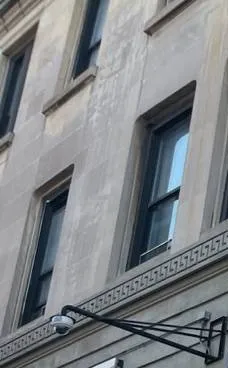
The facades bring their own repairs. Some of these buildings have stone or terra-cotta bands, cornices and ornament around the entrance. Cameras were often fixed into the stonework or hung on long steel arms to clear a cornice. Over time water gets into connectors behind the ornament, arms loosen, and a camera tilts until it shows the sidewalk at its feet. A repair here often means re-sealing the connection, tightening or replacing the arm, and setting the camera to show the steps and the door rather than the sky. Where a camera must come off a decorative surface, we put the new one on plain masonry or a mortar joint so the facade is not drilled again.

The taller buildings along Ocean Parkway, many built in the early 1960s and many since converted to co-ops, usually have cameras in the lobby, at the garage entrance and ramp, in the laundry room, at the back door, on the roof and sometimes on every floor at the compactor room. That means cable runs of a hundred feet or more through risers and ceiling spaces, and a recorder in a basement office far from the cameras at the top. Network cable has a practical length limit, and some systems were stretched past it with extenders or small switches hidden in a closet on a middle floor. When the upper-floor cameras start dropping in and out, the fault is often one of those hidden switches, overheating in a closet or plugged into an outlet that someone unplugs to run a vacuum.
The stacked porches that Forgotten New York found on Turner Place give each household its own front door and its own porch, one above the other. Cameras on these houses usually hang from the underside of the upper porch, aimed at the lower door and the steps, with another at the side path and one at the back. The recorder sits in the basement, the cellar or a closet in one of the two apartments. Two things go wrong. Water runs through the boards of the upper porch onto the camera and its connector every time it rains, and over a few years it gets inside. And the household that does not have the recorder has no way to know when it stops working, or to reach it when they need a clip.
A repair here means sealing or moving the connector out of the drip line, fitting a camera rated for the wet, and, where both households agree, setting up separate app access so each family sees the cameras it shares and not the ones that are private. If the recorder is in the tenant's space, we can usually move it to a shared closet or the owner's floor so the owner can reach it without knocking on a door. The owner of the house approves the work; the tenant does not have to pay for repairs to the landlord's system, and we confirm who is paying before we book.
Kensington's Foursquares, the square two-story houses with hipped roofs and wide porches on the numbered streets off Beverley Road and Ditmas Avenue, and its older detached Victorians, take cameras on porch ceilings, porch columns, eaves and the side of a driveway. Cables run through attics and down inside porch columns or along siding to the basement. Old wood moves with the seasons, so camera mounts loosen and tilt, and screws pull out of soft trim. Squirrels chew cable along gutters and in attics. Paint crews paint over domes and lenses. Vinyl siding installers take cameras down and put them back on without sealing the hole. Each of these is a small repair if it is caught early and a bigger one once water has gone down the cable into the house.
On Kermit Place, Friel Place and the other short lanes Forgotten New York walked, houses are narrow and attached, and a front camera sits over the door or the stoop with little room to aim. Back yards are small and overlooked by neighbors on three sides, which makes a back camera's view a matter of courtesy as well as security. On the avenues, a store at street level shares a building with apartments, and the store's recorder is often in the same cellar as the landlord's. We have found store cameras plugged into the landlord's power box, landlord cameras recorded on the store's recorder, and a single recorder that nobody would admit to owning. Before any repair on a mixed-use building we confirm whose equipment is whose, so the right person approves and pays, and so nobody loses a camera they thought was theirs.
Most Kensington owners who call about cameras on a mixed-use or apartment building end up pairing the camera repair with access control at the front door or a working intercom, because the door, the buzzer and the camera that watches it are one system as far as the tenants are concerned.
These notes describe the order our technicians work in when several cameras are out at a Kensington apartment building, two-family, house of worship or store and nobody is sure why. It is our working method, not a story about one address.
Save the night first. If anyone needs footage from a recent date, the technician exports it before restarting or unplugging anything, and notes the recorder's clock against a phone set to network time. On a building, this is also when we ask who requested the clip, because a co-op board, a managing agent and a detective may each want a copy and each has a different right to one.

Start at the power. The technician checks the outlet, the power strip, the battery backup if there is one, the camera power box or PoE switch, and the recorder's own power and temperature. After a brownout like the one in July 2026, this is where the damage usually is: a power box with a failed output, a switch that powers some ports and not others, a battery backup whose battery died years ago and now does nothing, or a recorder that restarted mid-write and marked part of its drive as bad.
Read the recorder's own log. Most recorders keep a record of video loss, drive errors and restarts with times. That log often tells us which camera dropped first, at what hour, and whether it was the night of an outage, a storm or the day the roofers were up top. It also tells us whether the drive has been recording at all.
Then walk the cables to the cameras. Every dark camera is tested at its end: power arriving, data arriving, connector condition, lens and housing. Water behind a cornice, under a porch, or at the top of a coax run on an outside wall is the most common Kensington finding. Cables cut by facade, roof and window crews come next.
Camera systems everywhere fail for the same handful of reasons. What changes from neighborhood to neighborhood is which of those reasons comes up most. In Kensington, three come up again and again, and shared ownership and lost logins, covered in the questions below, make each of them harder to spot.
A power cut is easy to understand: the system goes off and comes back on. A brownout is harder on equipment. When Con Edison lowered voltage by 8 percent across Kensington and the neighborhoods around it on July 3, 2026, lights dimmed and air conditioners struggled, but most people did not think about the recorder in the basement. Recorders, PoE switches and camera power boxes are built to run on a steady supply. Under low voltage, a cheap power box can drop its outputs one by one, a switch can stop powering its furthest cameras first, and a recorder can restart in a loop. Each restart while the drive is writing risks damage to the drive or the file it was writing.
The fix depends on what took the hit. A failed power box or switch port is replaced. A drive with bad sectors is replaced and the footage that matters is copied off first. A recorder that will not hold its settings may need a firmware reload or a replacement. Then comes prevention: a battery backup sized for the recorder and the switch, with a battery that is actually good, on an outlet that is not shared with an air conditioner or a refrigerator. Not every battery backup protects against low voltage; the kind we recommend for recorders corrects the voltage as well as covering short cuts, and we explain the difference before you buy one.
Recorders in Kensington live in some hard places. A boiler room in January runs hot and dry. A cellar under a two-family in August runs warm and damp. A hall closet in an apartment has no air moving at all. A stock room behind a store on Church Avenue has the recorder on a shelf above a refrigerator compressor. Hard drives in recorders are built for constant writing, but heat shortens their life, and a forum moderator on IPCamTalk put it plainly when a user reported losing a drive every few months: "If you have frequent failures in a system, you should look at temperature and vibration." Industry guides put the life of a DVR or NVR at five to ten years depending on care and environment, and in a hot closet it is the short end.
On a repair visit we read the drive's health, check the recorder's temperature, clean the fan and vents, and look at what else shares the outlet. Sometimes the right repair is not a part at all but moving the recorder a few feet, onto a shelf with air around it, off the floor of a cellar that takes water, or away from the boiler. If a recorder has to move, the cables have to reach it, and we price that before we start.

Kensington's housing has a lot of places where water runs down onto a camera: the underside of an upper porch on a duplex-porch two-family, the edge of a Foursquare's porch roof, the cornice of a pre-war apartment house, the canopy over a store. Cameras are sealed, but the connection where the camera's pigtail meets the building cable often is not, or was taped by an installer years ago and the tape has failed. Water gets into the connector, corrodes it, and the picture goes from fine to flickering to black over a season or two. Sometimes the water travels down the cable into the wall.
The repair is to cut back to clean cable, re-terminate, seal the connection properly in a box or with the right fittings, and move it out of the drip line if we can. If the camera itself has taken water, it is replaced. On the published Brooklyn list, a connector reterminate is $150 to $350 and a single camera replacement on a working system is $250 to $600, so catching it at the connector stage matters.
Kensington's businesses are mostly small and owner-run, packed into a few avenues and the corners where they meet. Their cameras often went in when the store opened, on whatever recorder the first owner bought, and have been through several tenants, renovations and outages since.
The shopping street from McDonald Avenue east toward Coney Island Avenue, co-named Little Bangladesh with McDonald Avenue in October 2022, with restaurants, cafés, groceries and services in low buildings that have apartments above the stores.
The long avenue on Kensington's west side, under and beside the F line's tracks, with Bangladeshi cafés and restaurants near Church Avenue, workshops and lots further along, and the 1935 Kensington Post Office.
The eastern edge, including the stretch from Church Avenue toward Avenue H known as Little Pakistan, with deep stores that run back to stock rooms and rear doors.
A cross street with local shops and services, running past the elevated Ditmas Avenue station, where stores sit beside the viaduct and its stairs.
The street through Parkville and past the Kensington Library at 4207 18th Avenue, with storefronts, houses of worship and the elevated 18th Avenue station.
The northern edge near the Church Avenue F and G station and Green-Wood, with corner stores, offices and the larger apartment buildings that face the parkway.

Most stores on Church Avenue, McDonald Avenue and Coney Island Avenue have between two and eight cameras: one on the register, one on the door, one or two on the floor, one in the stock room, and one at the back door or alley. The owner checks them on a phone, usually only after something happens. What fails most often is the recorder in the back, which sits on a shelf near a refrigerator compressor, a water heater or the boxes, fills up with dust and runs hot; the camera over the door, which is knocked by deliveries and gets aimed at the ceiling; and the phone app, which stops connecting after the store changes internet provider or router. A repair visit fixes the fault and then checks that the camera over the counter shows hands and cash, the camera at the door shows faces coming in rather than backs going out, and the back door camera works at night.
Kensington has a dense mix of houses of worship and religious schools, from the Ocean Parkway Jewish Center, completed in 1926 and listed on the National Register in 2009, to the synagogue that News 12 reported robbed in January 2025, the houses of worship of the neighborhood's many communities, and St. Rose of Lima in Parkville, which dates its start to 1870. These buildings share a pattern: they are busy at set times and empty for long stretches, often overnight, and their cameras are usually looked after by a volunteer or an office manager rather than a full-time facilities person. The January 2025 theft from the donation boxes at a Kensington synagogue happened at about 1 a.m. with nobody inside, and the video showed the man's path through the building. That is exactly what these systems are for, and exactly why it matters that every camera along that path is recording on a night nobody is watching.
For a house of worship, a repair visit usually ends with three things: alerts for video loss and drive errors sent to more than one person, so the system does not depend on one volunteer's phone; the cameras along the path from the front door to the office, the donation boxes and the back exit all checked for a usable picture after dark; and the administrator login held in the institution's name, with separate logins for each person who needs access. We schedule around services and school hours, and we can work with the building's own security volunteers.
New York State requires a license from the Department of State for companies that install, service or maintain security systems, including closed-circuit television used to detect or monitor intrusion or theft, for other people; an owner who installs a system on their own property, or has an employee do it, does not need one. AESS holds NYS license #12000287431. New York Labor Law §203-c requires employers who monitor employees by video to give notice; if a repair adds or moves a camera in a stock room, kitchen or office where staff work, the employer should make sure that notice is in place. No city rule requires stores or apartment buildings to have working cameras, but a landlord who has them and a store that relies on them for insurance should know whether they record. We give a written condition report on request for insurers, boards and landlords.
These are the questions Kensington owners, boards, congregations and store owners bring to us most, grouped by the kind of building they come from.
Often, yes. Most institutional systems we see in Kensington were laid out one camera at a time, each pointed at something someone worried about, so the path between those things is where the gaps are. On a repair visit we walk the route a person would take from each door, look at what every existing camera records along it after dark, and see whether re-aiming or refocusing one or two of them, especially a wide-angle camera near the door or a varifocal one at the end of a corridor, can cover the hallway without losing what they watch now. If a gap cannot be closed that way, we tell you which single added camera would close it and what it costs on the Brooklyn list. Either way, the cameras along that route should send an alert to more than one person if they stop recording, because a building that is empty overnight is exactly where nobody notices.
Probably not, though it will be if this keeps happening. A recorder that shuts off only when heavy kitchen equipment runs is usually sharing a circuit or an overloaded power strip with that equipment, or sitting on an outlet whose voltage dips every time a big motor starts. Each sudden shutdown while the drive is writing risks damaging the drive. We check the outlet and circuit, test the recorder and drive, and then give it its own clean power, typically a battery backup that also steadies the voltage, on an outlet that does not share a load with the cooler or exhaust. If the basement is hot from the kitchen above, we also look at where the recorder sits and whether it needs space and air. The fix is often the battery backup and a short move, not a new recorder.
Very likely. In taller buildings, installers often put a small network switch or an extender in a closet partway up, because a single network cable can only run so far from the recorder in the basement. That hidden box powers and connects every camera above it. If it overheats in an unventilated closet, runs on a plug-in adapter that is failing, or shares an outlet that someone unplugs, every camera above it drops while the lobby cameras, wired straight to the basement, carry on. We test that switch, its power and its ports, replace it if needed with one sized for the cameras it powers, put it on a protected outlet and label it, so the next super knows what it is and does not unplug it to run a floor polisher.
Usually not. A camera facing a glass door in daylight is looking straight into a bright street, so it exposes for the brightness and leaves anyone in front of the door as a silhouette. The fix is a camera setting called wide dynamic range or backlight compensation, which most lobby cameras have but which is often switched off, and sometimes a change of angle so the camera looks across the door rather than straight at it. If the camera is too old to handle that contrast, we replace it with one that can. In Kensington's long pre-war lobbies, a second camera on the inside wall that sees faces as people come in is sometimes the better answer, and we tell you which before you spend anything.
The recorder can usually tell you. Most recorders keep a log of restarts, video loss on each camera and drive errors, with times, and playback shows a timeline for each camera with gaps where nothing was saved. If the drive still holds that date, we read the log and the timeline for July 3 and the days after it, note any gaps camera by camera, and write it up for the board. If the drive has since overwritten that week, the log may still show restarts and errors from that day. The same check tells us whether anything was damaged, a drive with new bad sectors or a power box that lost an output, and whether the system needs a battery backup that corrects low voltage before next summer.
First, the owner or managing agent should confirm in writing who now administers the system. Then we copy any footage that matters, sign in using the manufacturer's recovery process for that model with proof the building owns it, set a new administrator password held by the owner or agent, and delete every old account, including the former super's. The new super gets his own login with the access his job needs, and nobody shares one password again. Changing the password alone is not enough, because some apps keep a device linked through the manufacturer's cloud account. We remove that link too, so the old phone cannot see the cameras. The whole job is usually a single visit within the service call or a small charge on the Brooklyn list.
Not necessarily. Rolling and flicker after rain usually means water in the connection between the camera's short cable and the building cable, not in the camera itself. We open the connection, cut back to clean cable, re-terminate it and seal it in a weatherproof box, and move it out of the drip line under the porch boards if we can. If the camera housing has taken water, the lens fogs or the picture stays bad when dry, and then the camera is replaced. On a duplex-porch two-family, we also look at the upper household's porch: if a gutter or a gap between boards is pouring water onto that spot, moving the camera a foot sideways can save the next one.
Usually. The first job is finding where it broke, because a painter may have only knocked the camera loose or painted over its connector at the top of the column. If the cable inside the column is damaged, we try to pull a new one through using the old one as a guide. If the old cable is stapled or stuck inside, we run the new one along a less visible route, behind a column edge, under the porch ceiling or through the porch floor, and paint the cover to match. We tell you which route and price before cutting anything, and we do not drill new holes in old trim when an existing one can be reused.
It depends on the camera's resolution and lens, not on how much of the street it shows. A wide camera that covers the whole block makes everyone small; the same camera zoomed in on the gate and the near sidewalk can show a face. For recognizing a person, a camera has to put enough pixels on their face, which with a typical wide lens means a few yards, not across a street. That is why police releases, like the September 2025 surveillance video from near McDonald Avenue and Albemarle Road, are often clips of someone walking close past a camera. On a repair visit we can adjust a varifocal camera to cover the approach to your door at a useful size, and if you want the far sidewalk too, we say whether a second, zoomed camera is worth it.
We repair whatever is on the building, whoever installed it. These are the kinds of equipment we find on Kensington houses, apartment buildings, houses of worship and stores, and the faults each tends to develop here.
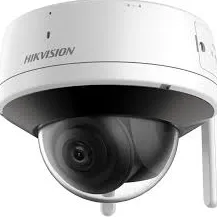
Cameras with round BNC connectors, from old analog to HD models, still common in six-story buildings and two-families wired fifteen or more years ago. Typical faults: water in connectors under porches and cornices, failed adapters and worn infrared.
Cameras powered and connected through a single data cable, standard in newer co-op and store systems. Typical faults: a failed switch port, a damaged plug at the camera, an address conflict after a router change, and cable runs stretched too far.
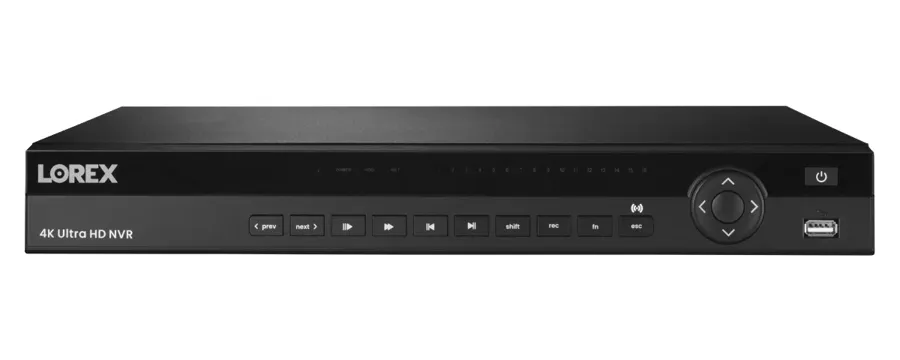
The box that holds the footage, in a boiler room, super's office, cellar or stock room. Typical faults: worn or failing drives, overheating, a full drive overwriting too soon, a wrong clock and lost passwords.
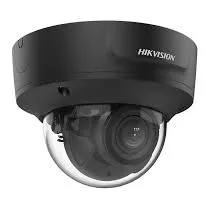
Cameras with adjustable zoom, common in long lobbies, mailrooms and on facades. Typical faults: set too wide to identify anyone, drifted focus, and fogging or glare at night.
Moving cameras over halls, store floors and parking areas. Typical faults: worn motors, presets lost after a power cut, and Wi-Fi models that drop through brick and plaster walls.
Plug-in and battery cameras added by owners, tenants and volunteers. Typical faults: weak signal through masonry, a router change, flat batteries, and accounts tied to someone who no longer lives or works there.
Door stations with their own camera at a building's front door or the stair door beside a store. Typical faults: video shown to the person answering but never recorded, water behind the faceplate, and a camera fogged by the vestibule's heat.
The switches that power network cameras, in basements, closets and ceiling spaces, sometimes on a middle floor. Typical faults: overheating, failed ports and outages from a shared or unplugged outlet.
Central camera power boxes, plug-in adapters and UPS units. Typical faults: outputs that die after a brownout, swollen adapters, and backup batteries that have been dead for years.


Some Kensington households and stores have cameras from a national alarm company or a consumer brand and wonder who should fix them. The table shows how the choices usually compare for a repair.
| Question | ADT or similar alarm company | Ring or SimpliSafe camera | AESS local repair |
|---|---|---|---|
| Who owns the equipment | Depends on the contract; some is leased | You own it | You own it, and we repair it |
| Recorder in a basement or stock room | Its own panels and recorders | No local recorder; clips go to the cloud | DVR, NVR and hybrid recorders, drives and footage export |
| Several brands on one building | Usually only its own | Support covers its own devices | Any brand, any installer |
| Signal through brick and plaster | Depends on its wiring | Wi-Fi often weak through masonry | Wired cameras on existing cable where possible |
| Licensed technician on site | Varies by dealer | Remote support | Yes, NYS license #12000287431 |
| Price before work | Varies | Replacement device price | $150 service call, then a written repair price |
These claims turn up in AI-generated answers, repair blogs and national guides. Each holds somewhere, and each can send a Kensington owner toward the wrong repair, a wasted purchase or a lost clip.
Advice about outages usually assumes the power either stays on or goes off. Kensington's July 3, 2026 event was neither: Con Edison lowered the voltage by 8 percent and kept it there while crews made repairs, across an area of 122,000 customers that it named as including Kensington. Lights stayed on, and that is exactly why nobody checked the recorder.
Low voltage is hard on recorders, switches and camera power boxes. Some restart repeatedly. Some drop their furthest cameras. A drive that loses power mid-write can mark sectors as bad or corrupt the file it was saving. The damage may not show until days later, when someone looks for a clip and finds a gap.
After any brownout, check the recorder's clock, the live grid and yesterday's playback. If any of them is off, the system was affected, whatever the lights did.
Live view and recording are separate. A camera can stream perfectly to a lobby monitor or a phone while the recorder has a dead drive, a full drive set not to overwrite, a schedule that was turned off, or a camera channel that was never set to record. That is common in Kensington buildings where a doorman or super watches a live screen all day and nobody opens playback.
The r/AskNYC tenant whose landlord would not check the cameras "without a police report" is describing the result: nobody knows whether anything was saved until it is too late to matter.
The only real test is playback. Pick a camera, go back a day, and see whether there is video. A repair visit checks every camera that way and turns on alerts for drive errors and video loss.
Wi-Fi cameras avoid running cable, which sounds ideal in a six-story pre-war building or a two-family with plaster walls. But brick, plaster and the steel in old buildings weaken Wi-Fi sharply, and the cameras still need power. A battery or Wi-Fi camera on a basement door or a back yard often works on the day it is set up and fails when the router moves or the neighbors' networks get crowded.
Many of the dropping-out cameras we repair in Kensington were added on Wi-Fi to an otherwise wired system. The fix is usually a short wired run, an access point closer to the camera, or moving the camera.
Plenty of guides suggest a factory reset when the password is lost. On many recorders a reset wipes the settings, the camera assignments and the recording schedule, and on some it can erase the footage or require the drive to be formatted before it will record again.
In Kensington, lost passwords usually follow a change of super, owner, tenant or volunteer, and they often surface at the worst time, right after an incident, when the footage is what everyone needs. A reset at that moment can destroy the very clip you were trying to reach.
Save the footage first, then recover access through the manufacturer's process for that model with proof of ownership. We do that on repair visits routinely.
Some advice says an old system is not worth fixing. Sometimes that is true: if several cameras have already failed, the recorder is obsolete and the cable is damaged, a replacement may cost less over time. But many older Kensington systems fail at one point, a power box, a switch, a connector or a drive, and the rest is fine.
Industry guides put recorders at five to ten years depending on care and environment. A recorder in a cool, dry room can outlast that; one in a hot boiler room may not reach it. The cameras on the walls often outlive the recorder.
We test before recommending. If a repair costs more than it is worth, we say so, and we show you what replacing just the recorder or just the failing cameras would cost.
City cameras watch some intersections and public spaces. They do not watch your building's mailroom, your store's register, your porch or the hallway of a house of worship. The 2025 Kensington cases on the record, the synagogue theft and the shove near McDonald Avenue and Albemarle Road, were described in the news through surveillance video, and the synagogue footage came from inside the building.
Private cameras are often what detectives ask for first after an incident on a block. They are only useful if the recorder kept the clip and the clock was right.
A repair that fixes the clock, extends how long the drive keeps footage and confirms the camera at the door actually records is what makes a private camera count.
Swapping a camera on a bracket looks simple, and an owner can do it on their own property. Repairing a system for someone else is regulated: New York State requires companies that install or service security systems, including CCTV used to detect intrusion or theft, to be licensed by the Department of State.
The job also involves more than the camera: power boxes, switches, drives, network settings, logins, and footage that may be evidence. Getting any of those wrong can lose a clip or open the system to strangers.
AESS repairs under NYS license #12000287431. Ask anyone who offers to fix a building's cameras whether they hold one.
If you are not sure whether the problem is the camera, the cable, the recorder, the network or the power, a short call or a photo can save you money and footage. Call now at (347) 934-8335, send a fast quote request, or send a photo of the recorder screen to a tech on WhatsApp. Same-day estimates are available on most days, and requests are booked within 2 hours.
Tell us the address, the type of building, how many cameras there are, which ones are out, and where the recorder sits. If you need footage from a specific date, say so and we will plan the visit around saving it. Photos of the recorder screen, the dark cameras, the power box and the shelf or closet where it all lives help us bring the right parts. For anything urgent, call (347) 934-8335 now.

A photo of the recorder or phone app with the dark cameras, the Kensington address and the type of building, by text, WhatsApp or the request form. Tell us if you need footage from a particular date.
Homeowner, co-op board, managing agent, landlord, congregation office or store owner: we confirm who approves the work and who holds the recorder login, so nothing stalls on the day.
The $150 Brooklyn service call books a two-hour arrival window and is credited to the repair if you go ahead. For buildings, we confirm the super or someone with keys will be there.
Any clip that matters is exported to USB with its original timestamps before anything is restarted or unplugged, and the recorder's clock is checked against the real time.
Outlet and battery backup, power box or PoE switch, cables and connectors, recorder and drive, then each camera and the app, starting wherever the recorder sits.
You hear what failed and why and get a written, itemized price before any part is replaced. If the price changes on site, you hear it first.
The failed part is repaired or replaced and every camera is checked for a usable picture and for recording, including after dark under the real lobby, porch or street lighting.
Cables are labeled at the recorder, logins go to the right people, alerts for video loss and drive errors are switched on, and you are shown how to export a clip yourself.
The synagogue whose cornerstone was laid in April 1925, completed in 1926 and listed on the National Register of Historic Places in 2009.
Where the F line rises onto the elevated Culver structure, with stores along Ditmas and McDonald Avenues beside the viaduct.
North of Church Avenue, where Ocean Parkway's center gives way to the 1950s sunken expressway and the service roads carry on to Park Circle.
The short streets near Caton Place, including Turner Place with its duplex porches and Kermit Place with its row of attached houses from about the 1910s.
The stretch of Coney Island Avenue from Church Avenue toward Avenue H, on Kensington's eastern edge.
The old village between 18th Avenue and Foster Avenue, with a diagonal street grid that goes back to the Freeman's Association of 1852 and the parish that dates its start to 1870.
We also serve the neighborhoods around Kensington, including Borough Park, Ditmas Park, Flatbush and Windsor Terrace, at the same Brooklyn rate. Our Borough Park security camera repair page covers the blocks to the west, our Ditmas Park security camera repair page covers the Victorian blocks to the east, and the whole borough is on our Brooklyn security camera repair page.
Kensington is billed at our Brooklyn rate. Every repair starts with the $150 service call, which covers the on-site diagnosis and is credited to the repair if you go ahead. The figures below come from our published list of Brooklyn security camera repair prices; your exact price is written down on the visit, once we know what failed.
| Repair | Brooklyn price |
|---|---|
| Service call, on-site diagnosis and written repair price | $150, credited to the repair |
| Motion, alert, app or login settings with no parts | Usually within the $150 service call |
| Clean and check for a blurry picture | $80 |
| Connector reterminate or PoE port swap | $150–$350 |
| Power supply repair | $150–$400 |
| Indoor camera repair | $200–$450 |
| Hard drive swap, by capacity | $200–$450 |
| Single camera replacement on a working system | $250–$600 |
| Night vision camera repair | $250–$650 |
| DVR not working, including drive and labor | $300–$700 |
| NVR not recording, by model | $400–$900 |
| PTZ camera repair | $450–$1,200 |
| DVR/NVR replacement with drive, or multi-camera wiring repair | $700–$1,500 |
| Full rewire or whole-building overhaul | From $1,500 |
Three things move a Kensington repair within those ranges. The first is reach: a camera on the roof of a twenty-story Ocean Parkway co-op, under the cornice of a six-story building or at the peak of a Foursquare's gable takes more ladder work and time than one over a front door. The second is how many runs failed: one wet connector under a porch is a small job, while several runs cut by a facade, roof or window crew are priced run by run. The third is the recorder: a recorder that has to be replaced, moved out of a hot boiler room or tenant's closet, or separated from a store's system on the same cellar adds setup and tracing time. If the price changes on site, you hear the new number before the work goes on. Bundling the camera repair with intercom, alarm or cabling work on the same visit saves $200 to $400 in labor on our Brooklyn list.
Full terms — including 50% deposit, one-year parts-only warranty on AESS-supplied products, and the late-fee schedule — are set out in the service agreement.Three ways Kensington repairs usually come together, priced from our Brooklyn list.
One fault, one visit: a wet porch connector re-terminated, a power box or switch port replaced after a brownout, a hot drive swapped, a lobby camera's glare fixed, or a login recovered after a super left. Typical for a two-family, a Foursquare or a small store on Church Avenue.
The recorder or the wiring: a DVR or NVR replaced with a new drive and the cameras reconfigured, a hidden mid-floor switch replaced and rewired, or several runs replaced after facade or roof work. Typical for a six-story building, a co-op or a house of worship.
Every camera checked by day and after dark, lenses cleaned, connectors and power tested, the drive's health read, backup batteries checked, alerts confirmed and footage export tested. Residences start at $250, commercial properties at $400, and owners with several buildings run $500 to $800.
Bring your own equipment. If you have already bought a replacement camera or recorder, we can fit it at labor-only rates. Tell us the exact model and we quote the labor by phone or text, and the visit is booked once it is paid. Your own equipment is installed as supplied: we cannot vouch for parts we did not supply, and if a model will not work with your recorder, will struggle on Wi-Fi through brick and plaster, or cannot handle the lighting where it is going, we tell you before the visit.
Dark cameras, wet porch and cornice connectors, and runs cut by building work. Request a repair
DVRs, NVRs and hybrids in basements, closets and stock rooms, including systems that came back wrong after a voltage cut. Brooklyn security camera repair
The full list behind every number on this page. Security camera repair prices in Brooklyn
Owners and managing agents with buildings in more than one borough. NYC security camera repair
On a wired camera that recovers by itself, the usual causes are a loose or corroded connector, a power supply or adapter that sags under load, a switch port that is failing, or an address conflict on the network. Weak Wi-Fi causes the same symptom on wireless cameras. The recorder's log usually shows the exact times of each drop, and matching those times to what else happens in the building, such as an elevator, a boiler or a kitchen starting up, often points straight at the cause.
Age alone does not decide it. Industry guides put recorders at five to ten years depending on care and environment, so eight years is within the normal range but toward the end of it. What matters more is how hot and dusty its room is, how its drive is doing and whether it still gets firmware updates. A repair visit reads the drive's health and checks the recorder's temperature and fan, and then we tell you honestly whether it has years left or should be planned for replacement.
A surveillance-rated drive is built for constant writing and often lasts several years, but heat and vibration shorten that, and a drive in a hot closet or boiler room can fail much sooner. Ordinary desktop drives put in recorders to save money tend to fail first. Most recorders can report a drive's health, and replacing a drive that is starting to show errors, before it dies, is far cheaper than losing the footage on it.
It depends on what is failing and what you want to see. If the cameras still give a usable picture and only the recorder is dying, a new recorder that accepts the existing cameras and coax can be the cheapest fix, and you can upgrade cameras one at a time later. If several cameras are already failing, the picture is too poor to identify anyone, or the cable is damaged, replacing cameras and recorder together usually makes more sense. We test first and price both ways.
Almost never. When every camera goes at once, the cause is something they share: the camera power box, the PoE switch, the recorder's video inputs or a setting lost in the restart. Check whether the power box or switch has its lights on. If it does and the cameras are still out, the recorder may have reset its channel settings. Either way it is usually one repair, not a dozen new cameras.
Yes, within what your lease allows. A camera inside your own apartment, looking at your own door, is usually your business, while anything in the building's halls, lobby or outside the building needs the landlord's permission. Some landlords also restrict doorbell cameras on apartment doors, so check your lease first. We can set up an indoor camera on your own Wi-Fi with no drilling in common areas, and we will not mount anything on building property without the owner's approval.
Usually not. Motion, alert, app, login and recording settings with no parts are normally fixed within the $150 Brooklyn service call. You only pay more if a part has to be replaced or a cable repaired, and in that case you get a written price before the work goes ahead.
Yes. Tell us the times the building is in use and any days we should avoid, and we book the two-hour arrival window around them. Most repairs can be done in an empty building with someone from the office or a trusted volunteer to let us in. If the recorder has to be switched off for a drive change, we tell you how long it will be off before we start.
Yes. Most recorders have a daylight saving setting and can also take the time from an internet time server so the clock stays right all year. When it is an hour off every spring and fall, the time zone or daylight saving option was usually set wrong at installation. We set it correctly, connect it to a time server where the network allows, and check that each camera's own clock follows the recorder.
We look for a compatible part first, such as a drive, power supply or fan that fits. If the recorder itself cannot be repaired, we copy off any footage you need and quote a new recorder that works with the cameras you already have, so the cameras and cable can stay. You get that price in writing before anything changes.
Yes. Most recorders can send an alert to one or more phones or email addresses when a camera loses video, a drive fails or fills, or the recorder restarts. We switch those alerts on during the repair, send them to the people who should know, and test that they arrive.
Security Camera Repair Brooklyn | Same-Day | Brownstone Pros · Security Camera Repair NYC | Same-Day | Abstract Enterprises · Security Camera Repair Manhattan | Same-Day | Co-op COI · Security Camera Repair Queens | Same-Day | Driveway Pros · Security Camera Repair Bronx | Same-Day | Home Base · Security Camera Repair Staten Island | Same-Day | Sandy Zone · Security Camera Repair Long Island | Nassau & Suffolk · Security Camera Repair Hudson Valley | Westchester to Ulster · Security Camera Repair Nassau County | Same-Day · Security Camera Repair Suffolk County | Hamptons + East End · Security Camera Repair Westchester County | Same-Day · Security Camera Repair Rockland County NY | Nyack, Suffern · Security Camera Repair Orange County | Newburgh, Goshen · Security Camera Repair Putnam County NY | Carmel, Mahopac · Security Camera Repair Dutchess County | Poughkeepsie · Security Camera Repair Ulster County | Kingston Woodstock
Security Camera Repair Bath Beach Brooklyn NY · Security Camera Repair Bay Ridge Brooklyn NY | AESS · Security Camera Repair Bedford-Stuyvesant Brooklyn NY · Security Camera Repair Bensonhurst Brooklyn NY | AESS · Security Camera Repair Bergen Beach Brooklyn NY · Security Camera Repair Beverley Square Brooklyn NY · Security Camera Repair Boerum Hill Brooklyn NY · Security Camera Repair Borough Park Brooklyn NY · Security Camera Repair Brighton Beach Brooklyn NY · Security Camera Repair Brooklyn Chinatown Brooklyn NY · Security Camera Repair Brooklyn Heights, Brooklyn NY · Security Camera Repair Brooklyn Navy Yard, Brooklyn NY · Security Camera Repair Brownsville Brooklyn NY | AESS · Security Camera Repair Bushwick Brooklyn NY | AESS · Security Camera Repair Cadman Plaza Brooklyn NY · Security Camera Repair Coney Island Brooklyn NY · Security Camera Repair Crown Heights Brooklyn NY | AESS · Security Camera Repair Cypress Hills Brooklyn NY | AESS · Security Camera Repair Ditmas Park Brooklyn NY | AESS · Security Camera Repair Downtown Brooklyn NY | AESS · Security Camera Repair DUMBO Brooklyn NY | AESS · Security Camera Repair Dyker Heights Brooklyn NY | AESS · Security Camera Repair East Flatbush Brooklyn NY · Security Camera Repair East Williamsburg Brooklyn NY
Access Control Installation Kensington Brooklyn NY · Security Camera Installation Kensington Brooklyn NY · Intercom Installation Kensington Brooklyn NY · Door Buzzer Repair Kensington Brooklyn NY | Parkway Lobbies · Structured Cabling Installation Kensington Brooklyn NY · Door Buzzer Installation Kensington Brooklyn NY · TV Installation Kensington Brooklyn · Alarm Installation Kensington Brooklyn NY | Every Language · Fire Alarm Installation Kensington Brooklyn NY | AESS
Send a photo of the recorder screen or the dark camera, the address, and the date of any footage you need. We book within 2 hours, give you a two-hour arrival window, save your footage first, and write down the repair price before any part is replaced.
Prefer to send photos? Message a technician on WhatsApp.