Any Brand, Any Installer Β· Footage Saved First Β· Written Price Before Parts Β· Brooklyn Rate
Security camera repair in Downtown Brooklyn starts with our $150 Brooklyn service call: a licensed technician comes to your tower, store or office, finds what failed, writes down the repair price, and the $150 is credited to the repair if you go ahead. On our published Brooklyn list most single faults cost $150 to $700, and a new recorder, a rewired run or several cameras done together runs $700 to $1,500. We repair systems other companies installed, including building-run lobby and garage cameras, store recorders in shared telecom rooms and office systems that sit on a company network. Requests are booked within 2 hours, visits come in a two-hour arrival window, and you hear the cause before any part is replaced.
Reviewed and updated November 12, 2026, against News 12 Brooklyn's report on the August 23, 2025 transformer fire and outage at 365 Bridge Street; News 12's January 2025 report on the NYPD's zone-based crime plan for Downtown Brooklyn and the 84th Precinct; Gothamist's February 2025 report on the saw theft caught on station video at Atlantic AvenueβBarclays Center; News 12's January 2025 release of surveillance images from the Hoyt Street station; News 12's June 2026 report on elevator and water complaints at The Addison; the Mayor's Office release of September 18, 2025 on the Fulton Street streetscape rebuild; Brooklyn Paper's 84th Precinct blotter; New York Labor Law section 203-c; Troutman Pepper's summary of New York City's biometric identifier law; SDM's report on the FCC's 2022 rules for Hikvision and Dahua; PoliticsNY on the NYPD's Connect New York program; Habitat magazine on co-op and condo theft; The Real Deal on Downtown Brooklyn housing since the 2004 rezoning; and the New York Department of State on security system licensing. Β· Abstract Enterprises Security Systems, NYS license #12000287431 Β· crews dispatched from our Troy Avenue office in Brooklyn

Owner-operated since 2002 Β· Thousands of jobs completed Β· Booked within 2 hours
In Downtown Brooklyn the first question on almost every camera call is not "which camera broke?" but "whose system is this, and where does it end?" A tenant in a rental tower sees a dead lobby camera that belongs to the landlord and may be serviced by a security vendor. A store on Fulton Street has its own recorder, but the cables run to a telecom room that only the building engineer can open. An office on a high floor has cameras that live on the company network, behind a firewall run by an IT firm in another borough. Before anyone climbs a ladder, we work out who controls the recorder, who holds its password and who has to approve the work, and we can usually do that from a photo of the recorder screen, its label and the building's name. Send them to (347) 934-8335 or on WhatsApp, and we will tell you what most likely failed and what that repair costs on our Brooklyn list.
Downtown Brooklyn packs a borough's worth of camera systems into a few dozen blocks. Since the 2004 rezoning the district has filled with tall rental and condominium buildings, and The Real Deal, citing a Downtown Brooklyn Partnership report, counted 26,853 apartments built there since 2004 as of August 2025. Those towers sit on top of shops, beside office buildings, college campuses and the Fulton Street shopping corridor, and every one of them has cameras: in the lobby, the mailroom, the package room, the garage ramp, the bike room, the elevators, the amenity floors and the loading dock. The camera count in a single building can run past what a whole block of row houses holds, and the people who own, run and depend on those cameras are rarely the same people.
That split is the first thing that shapes a repair here. In a typical rental tower the landlord owns the building system, a property manager runs the building, a security or low-voltage vendor may have installed the cameras years ago, and the internet provider owns the equipment in the telecom room. Tenants see the cameras every day but have no access to them. A condominium is different again: the developer bought the system, the board inherits it, and the recorder may still be signed in to the developer's contractor or a cloud account nobody on the board can open. Offices add a third layer, because cameras on a company floor often sit on the company's own network and a firewall controlled by an IT firm. When a camera goes dark, the fastest repair starts with knowing who can approve it and who can get us into the room where the recorder is.

The second thing is power, and what a tower does when it loses it. On the morning of Saturday, August 23, 2025, a contractor struck a high-voltage feeder line at 365 Bridge Street and a transformer caught fire. News 12 Brooklyn reported that nearly 230 residents were left without power, that FDNY had the fire under control just before 11 a.m., and that Con Edison restored service at about 5 p.m. A resident told the station that three of the building's four elevators went out and the one still running had buttons that did not work. An outage like that is hard on a camera system in ways that are easy to miss. A recorder that loses power while writing can come back with a damaged drive or lost settings, a network switch in the telecom room can return with dead ports, and the battery backup that was meant to carry the recorder through a short cut may turn out to have a battery that died years ago. In a tower, the lobby camera that looks dead in the morning is often fine. What failed was a box in a locked room several floors away.
The third thing is how often the footage becomes the record. Downtown Brooklyn is one of the busiest transit and shopping districts in the city, and much of what happens in it is reconstructed from cameras. In February 2025 Gothamist reported that a man used a circular saw to cut open a locked box on the northbound D, N and R platform at Atlantic AvenueβBarclays Center around 3 a.m. and took about $60,000 in electronics, writing that "surveillance video from the station shows a man wearing a black hooded jacket and face mask with a gray backpack." On New Year's Day 2025, after four people tried to take a 71-year-old woman's bag near the Hoyt Street station, police released four surveillance images and asked the public to identify them. Brooklyn Paper's 84th Precinct blotter has described police "reviewing the security footage from the parking lot" after two cars were taken from a garage on Front Street, and a thief "caught on surveillance camera fleeing the site" after copper wire was taken from a construction site on Jay Street. Footage helps only when the camera was recording, the clock was right and the picture was good enough to use. Making all three true is most of what a repair here is for.
The fourth thing is retail. In January 2025 News 12 reported that the NYPD had begun a zone-based plan for Downtown Brooklyn in early December 2024, that retail thefts in the area were down 27 percent and arrests up more than 40 percent compared with the same period a year earlier, and that overall crime in the 84th Precinct had risen nearly 25 percent in 2024. Business owners on the Fulton Mall corridor told the station that thefts and robberies had become common. "We're in the process of developing CompStat books based on zones," Police Commissioner Jessica Tisch said, while one shop owner who had been robbed several times put it more plainly: "Put more cops on the street, on foot, not in a car." For a store, that means the camera over the register and the camera over the door are evidence that gets asked for, often within hours, and a recorder that cannot export a usable clip is a recorder that failed even if every tile on the screen is lit.
Finally, the district keeps changing around its cameras. The city spent about a year rebuilding Fulton Street between Boerum Place and Flatbush Avenue in two-block sections, finishing in September 2025. Towers keep rising beside occupied buildings, and in June 2026 tenants of The Addison, a 26-story rental, told News 12 about long elevator outages during upgrades. Each change can move, cover, unplug or cut a camera, and usually nobody notices until the video is needed.
Where this page applies. It covers Downtown Brooklyn in Brooklyn Community District 2: the Fulton Mall corridor from Adams Street to Flatbush Avenue, the towers around Willoughby, Lawrence, Duffield, Gold and Bridge Streets, the blocks around Albee Square, DeKalb Avenue and Flatbush Avenue Extension, the office and campus buildings off Jay Street, and the blocks near Borough Hall and Court Street. Neighbors have their own pages: Brooklyn Heights security camera repair to the west, Boerum Hill camera repair to the south, and Navy Yard camera repair to the northeast. The whole borough is on our Brooklyn security camera repair page. The price follows the fault, not the floor.
Urgent calls from Downtown Brooklyn fall into three groups. The first comes after the power comes back: the building is lit again, but the garage cameras, the mailroom camera or half the store's screen is black, or the recorder is beeping, or it has started up asking to be set up like a new machine. The second comes after an incident: a shoplifting on Fulton Street, a package or bike missing from a tower, a car broken into on a garage level, and the person who opens the playback finds the camera that should have seen it was dark, aimed at the ceiling or recording nothing but its own reflection. The third comes when control changes: a condo board takes over from the developer, a store changes owners, an office switches IT firms, and nobody can log in to the recorder.
If you need footage, protect it before anything else. Do not restart the recorder, do not pull its plug to "reset" it, and do not accept any prompt to initialize or format its drive, because each of those can overwrite or erase the hours you need. Call (347) 934-8335, give us the date and the time window, and we book the visit with exporting that clip as the first task. We save it to a USB drive with the recorder's own player, add a copy in a common video format, write down the recorder's clock against real time, and only then start on the fault. If the recording never happened, because the drive stopped writing weeks ago or the camera was unplugged during a fit-out, we tell you at once and then make sure the system warns you the next time it stops.
For everything else the path is the same. The $150 service call is booked within 2 hours of your request and the visit comes in a two-hour arrival window. If the recorder is in a telecom room, a server closet or a back office, tell us who holds the key and we arrange access before we arrive, along with any certificate of insurance or contractor sign-in the building requires. You hear the cause and get a written price before any part changes. Most single faults, a failed switch port, a dead power box, a drive swapped, a connector redone, a camera body replaced, are finished on the first visit when the part is on the truck. If a camera has to be ordered to match an older recorder, we tell you before you pay for it, and the repair is booked once the part is in.
These are the repairs we are asked for most in Downtown Brooklyn towers, stores and offices, each priced from our Brooklyn camera repair list. The service call pays for finding the fault. The repair is priced by what failed, never by the height of the building or the name on the lobby.
Recorders that came back on a setup screen, PoE switches with dead ports, battery backups whose batteries had quietly died, and drives that stopped writing after the building lost power. A drive swap runs $200 to $450 by capacity, and power supply repair $150 to $400.
Recorders still signed in to a developer's contractor, a former store owner or an IT firm that has gone, and phones that still get alerts after a change of control. Where no parts are needed, recovering access and resetting accounts is usually covered by the service call.
Cameras that dropped off after a firewall change, an address clash with new office equipment, or a switch that ran out of power for the cameras plugged into it. A connector reterminate or PoE port swap runs $150 to $350.
DVRs and NVRs that beep, restart, stutter in playback or keep fewer days than they should. A DVR that will not work averages $300 to $700 with the drive and labor, and an NVR that is not recording $400 to $900 depending on the model.
Store and lobby cameras that look out through floor-to-ceiling windows and show only their own infrared glare at night. Moving the camera tight to the glass or changing its night settings is often a no-parts fix within the $150 call; a replacement night-capable camera runs $250 to $650.
Cameras on garage levels and dock doors under towers, knocked out of aim by trucks, washed out by headlights or cut off when a contractor reworked a ceiling. Outdoor camera replacement with weatherproofing redone runs $250 to $600.
Finding a few minutes in a day of video from dozens of cameras, then saving it to USB with the original timestamp and a player the precinct, an insurer, a board or a lawyer can open.
Apps that lost the recorder after an internet or IT change, managers and board members who need their own logins, and owners who want to watch two locations from one screen. Configuration with no parts is normally within the service call.
Cracked domes, cameras pulled off a wall, cameras with water inside after a roof-deck storm. An indoor camera runs $200 to $450, and a vandalized camera $400 to $900 plus any cable repair. A pan-tilt-zoom camera over a garage or plaza runs $450 to $1,200.

Downtown Brooklyn camera systems come in seven shapes. What separates them for a repair is not the age of the facade but where the recorder ended up, how many hands the system passed through, and how many locked doors stand between the technician and the fault.
Post-rezoning towers with a staffed or keyless lobby, a package room, a garage, a bike room and amenity floors, where dozens of cameras feed a recorder in a telecom or security room the tenants never see.
Newer condo buildings where the developer chose and paid for the system, then handed the building to a board that may have no password, no drawings and no contract with the original installer.
Ground-floor and lower-level retail in mixed-use towers, with the store's own cameras, the building's cameras next door, and cables that pass through spaces the store does not control.
Early twentieth-century store and office buildings along Fulton Street and its side streets, with stores at grade, offices or apartments above, and camera cable added a little at a time over decades.
Office space off Jay Street, around Borough Hall and in newer towers, where a company's cameras sit on its own network and the building's cameras watch the lobby and the elevators.
College, hospital and civic buildings with long corridors, many entrances and cameras managed by a facilities or security department, where a repair runs to their rules and hours.
Theaters, gyms, food halls and the parking garages under towers: dark rooms, high ceilings, ramps and loading doors, where a camera's light conditions change more in an hour than an apartment's do in a year.
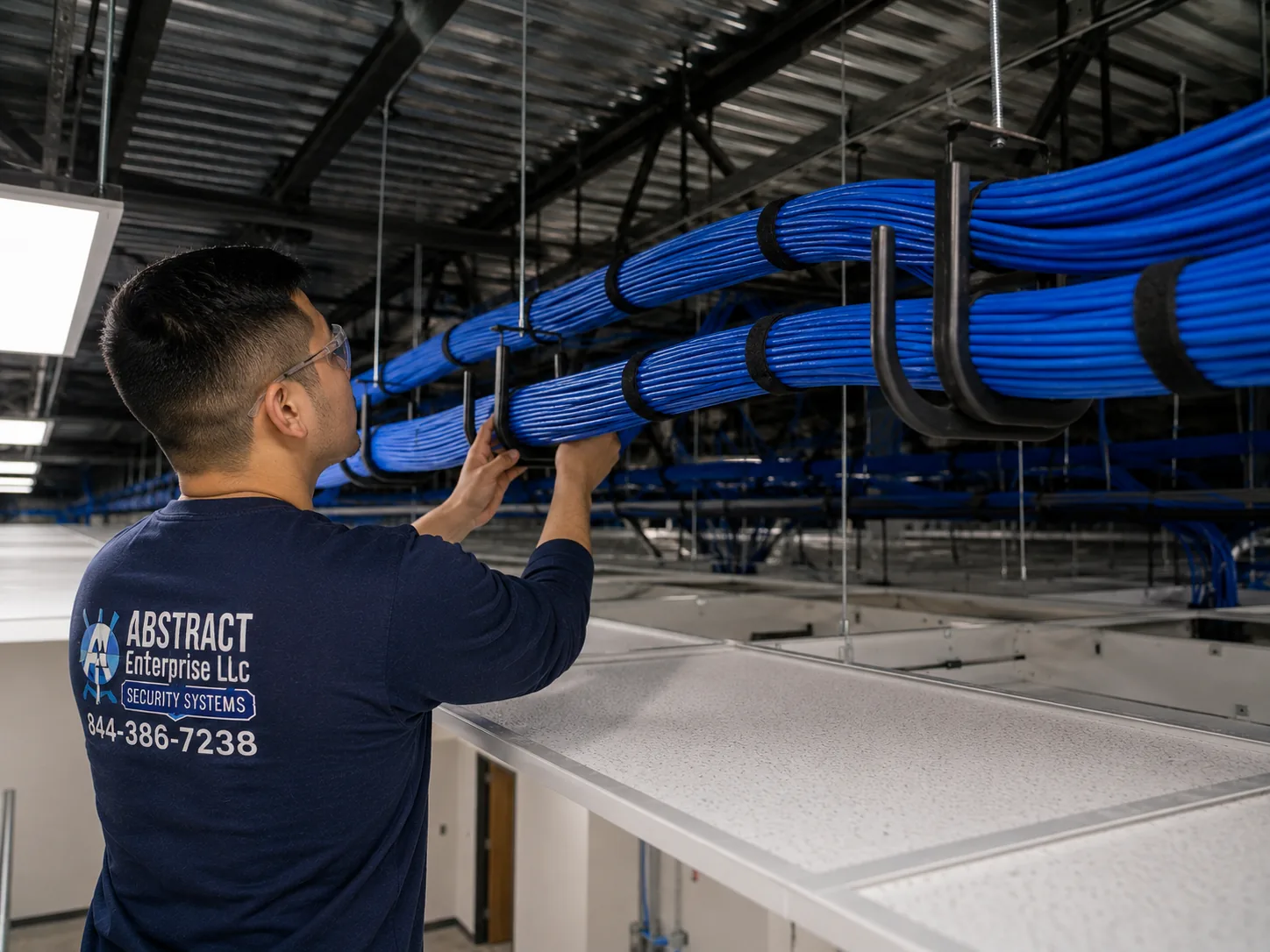
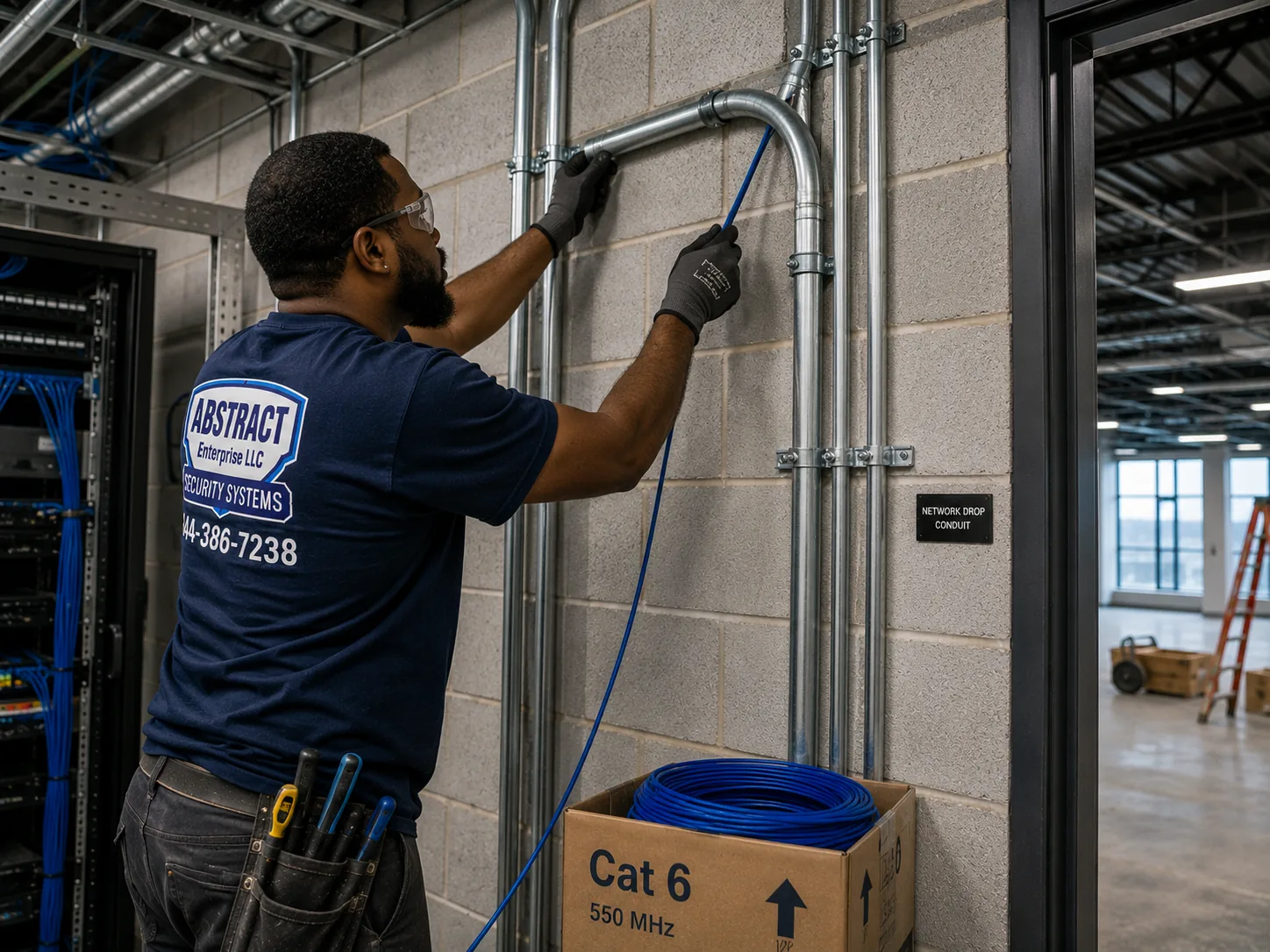
A large rental tower is the system we see most often here, and the one where tenants feel most helpless about it. The cameras are everywhere a tenant goes, but the recorder sits in a room on the ground floor, the cellar or a mechanical floor, next to the internet provider's equipment and the building's network switches, and only the building staff can open it. The cameras on the upper floors usually run over network cable back to switches in closets on each floor or every few floors, then up or down the risers to that room. When one camera on the twenty-third floor goes dark, the fault can be the camera, the jack it plugs into, the cable in the ceiling, the switch port in a closet two floors down, or the recorder in the cellar, and the only way to tell without guesswork is to test in that order from the recorder end out. That means our first call is to the building's manager or engineer, to confirm the work is approved and to have someone with the keys meet the technician. If a vendor still services the system under contract, we say so and suggest calling them first.
Condo buildings built since the rezoning were sold with their camera systems already in, and the board that takes over from the developer often inherits a recorder it cannot log into. The admin account may belong to the developer's low-voltage contractor, the phone app may be registered to an email at a company that has since moved on, and the drawings showing which camera plugs into which port may never have been handed over. For a repair, that changes the order of work. Before we change a password or reset an account, we confirm in writing who the board has authorized, because a condo's footage touches every owner and the board needs a clean record of who can see it. Then we recover access in a way that keeps the recordings, build the board a simple camera list with port numbers and locations, and set up named logins for the manager and whichever board members need them, so that the next handover does not start from zero.

Retail space in the base of a tower belongs to the store tenant, but very little around it does. The cable from the store's cameras may pass through a ceiling the building controls, the recorder may be in a back room the store shares with the building's equipment, and the camera at the store's entrance may sit a few feet from one of the building's own. When a store camera fails, we start with the store's side: power, recorder, switch and the cable as far as the store's boundary. If the fault is in a run through building space, we bring the landlord's approval into it before we open a ceiling or enter a shared room.
Along Fulton Street and its side streets, the buildings that predate the towers have had cameras added every time a store changed hands. A recorder under one counter, an older one abandoned in the cellar, coax cable from the first system still stapled along a joist, network cable from the newest one run beside it, and a camera on the facade that nobody can trace. Repairs in these buildings often begin with deciding what is live and what is dead, labeling what is live, and leaving the dead cable clearly marked so the next technician does not waste an hour on it. Where an old analog system is still recording, a hybrid recorder can keep the working coax cameras and take network cameras too, which is usually cheaper than replacing everything at once.
Office cameras in Downtown Brooklyn usually live on the tenant company's network, which means the person who can see why a camera dropped off is often not in the building. A firewall rule changes, a new printer or phone system takes an address a camera was using, a network switch is replaced and its new configuration puts cameras on the wrong segment, and the cameras vanish from the app while still recording on the recorder. On these jobs we work with your IT contact by phone or in person: we tell them exactly which addresses and ports the cameras and recorder need, and they make the change on their side. We do not reconfigure a company's network without that person's say-so, and we leave a short written note of what the camera system needs so it survives the next IT change.
These notes describe how our technicians work through a camera system in a large building where the cameras are many floors from the recorder, the most common kind of Downtown Brooklyn call. They set out standard practice, not a story about any one address.
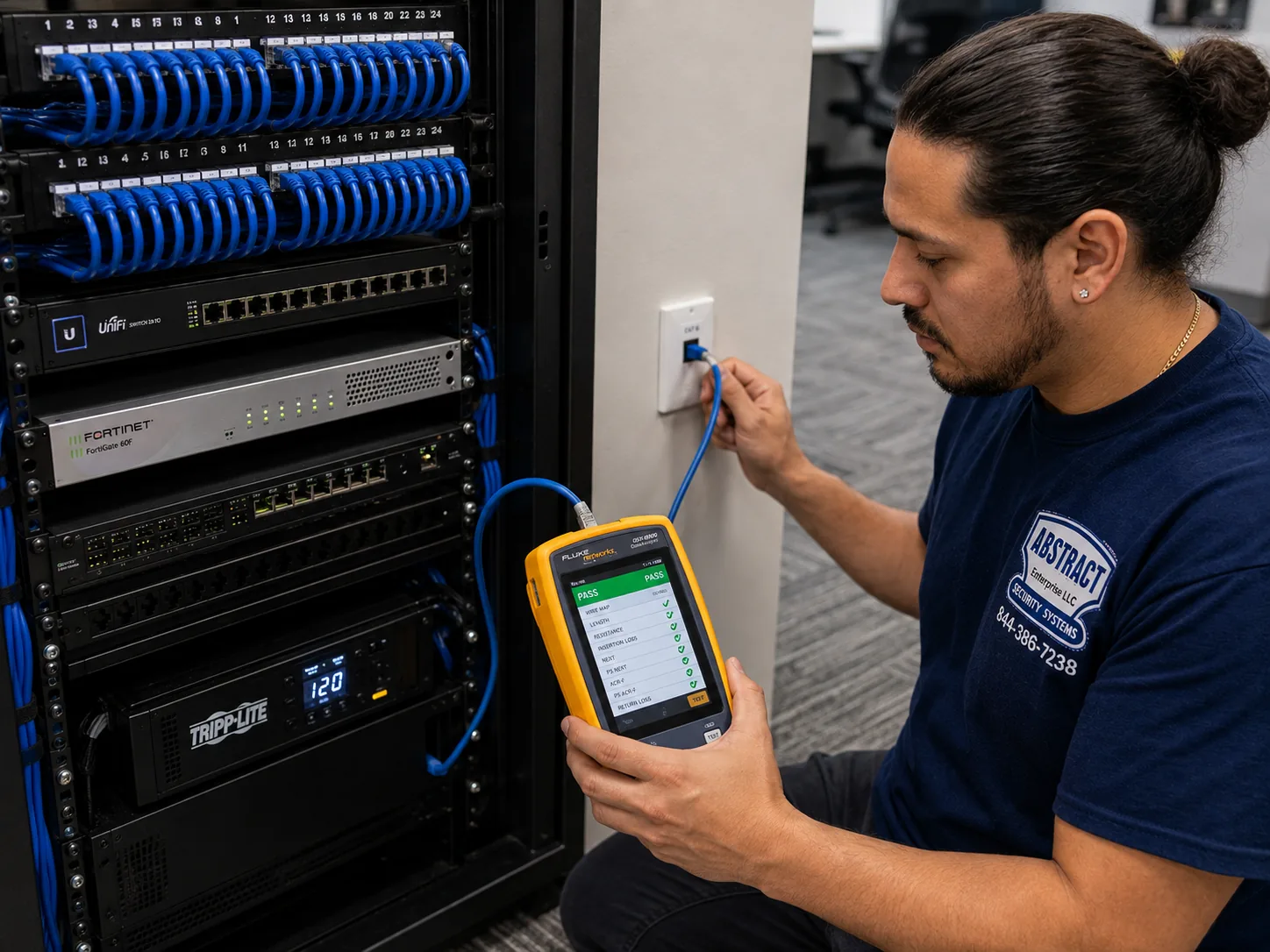
Start where the footage lives. The technician goes to the recorder first, photographs the screen, checks which channels are live, black or missing, reads the drive status, and notes the time the recorder thinks it is. Any clip the building asked for is exported before anything else is touched.
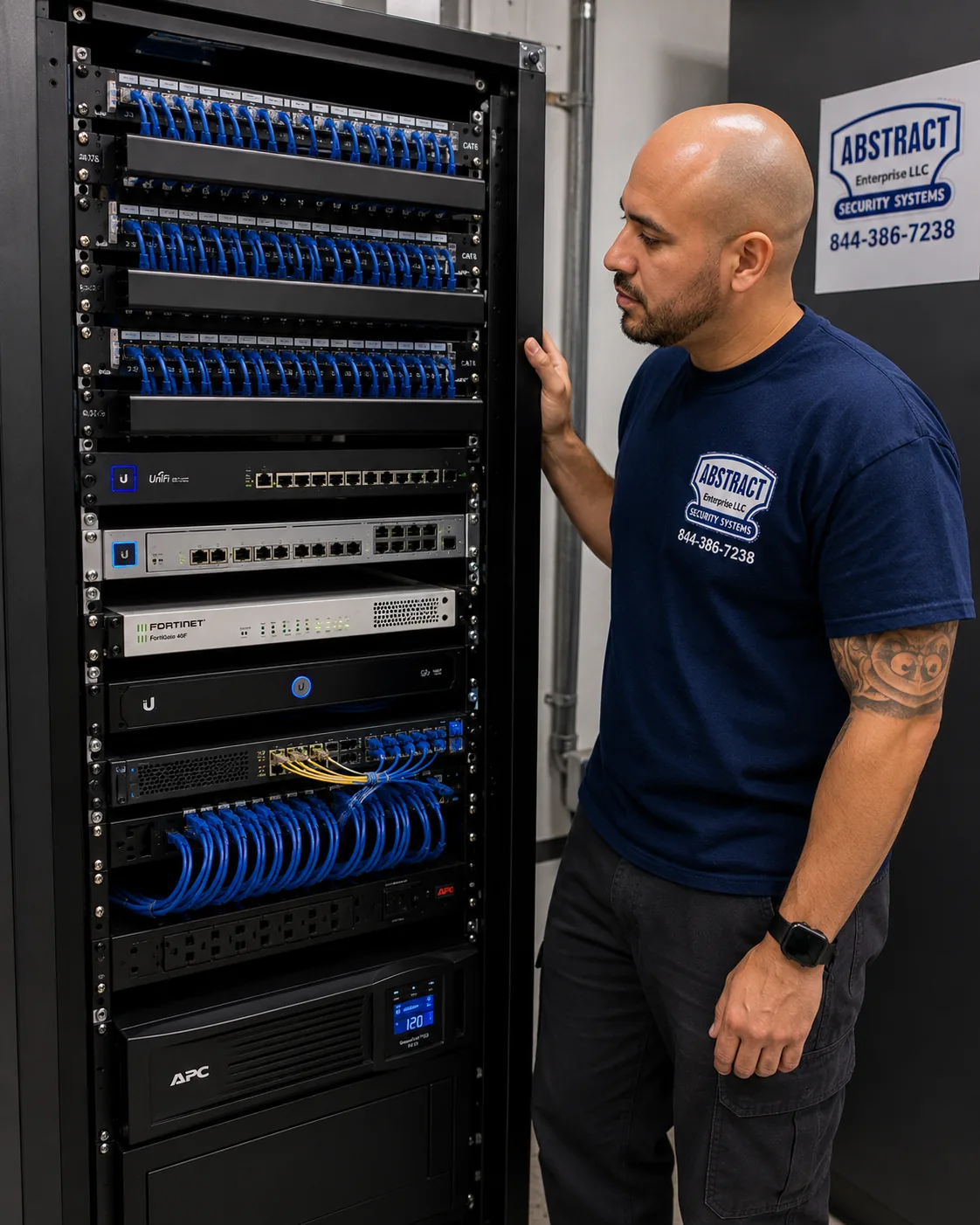
Check the room before the cameras. Next comes the room itself: the outlet and circuit the rack is on, the battery backup and its battery, the switches that power the cameras, how hot the room is and whether anything new has been plugged in. In a tower, a group of dark cameras that all share a switch tells us more than any single camera can.

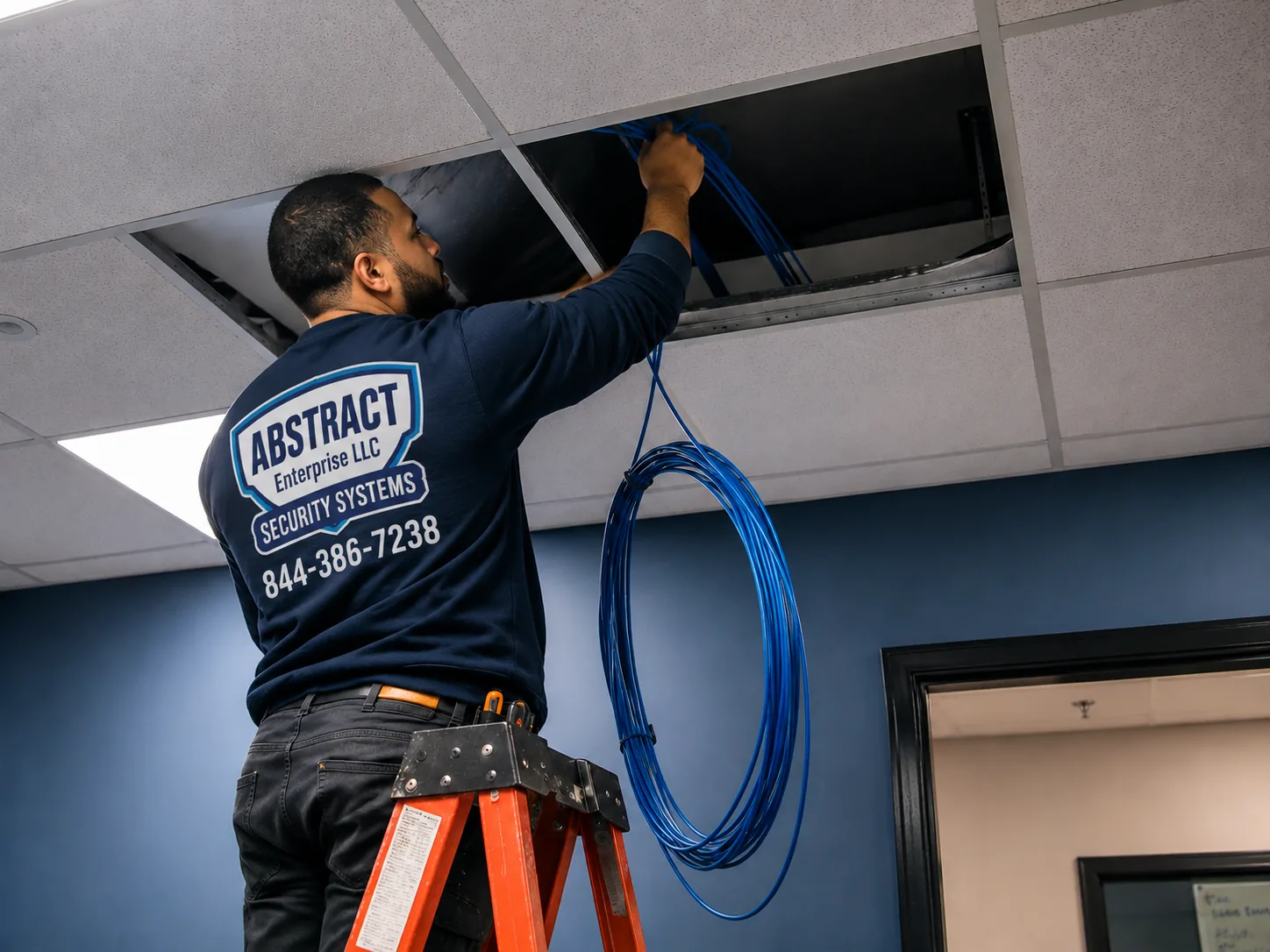
Follow one dark camera all the way out. For each camera that is still dark, the technician finds its cable at the patch panel, confirms the switch port is delivering power and data, then goes to the floor closet and finally the camera. Power and cable are proven good before the camera is blamed.
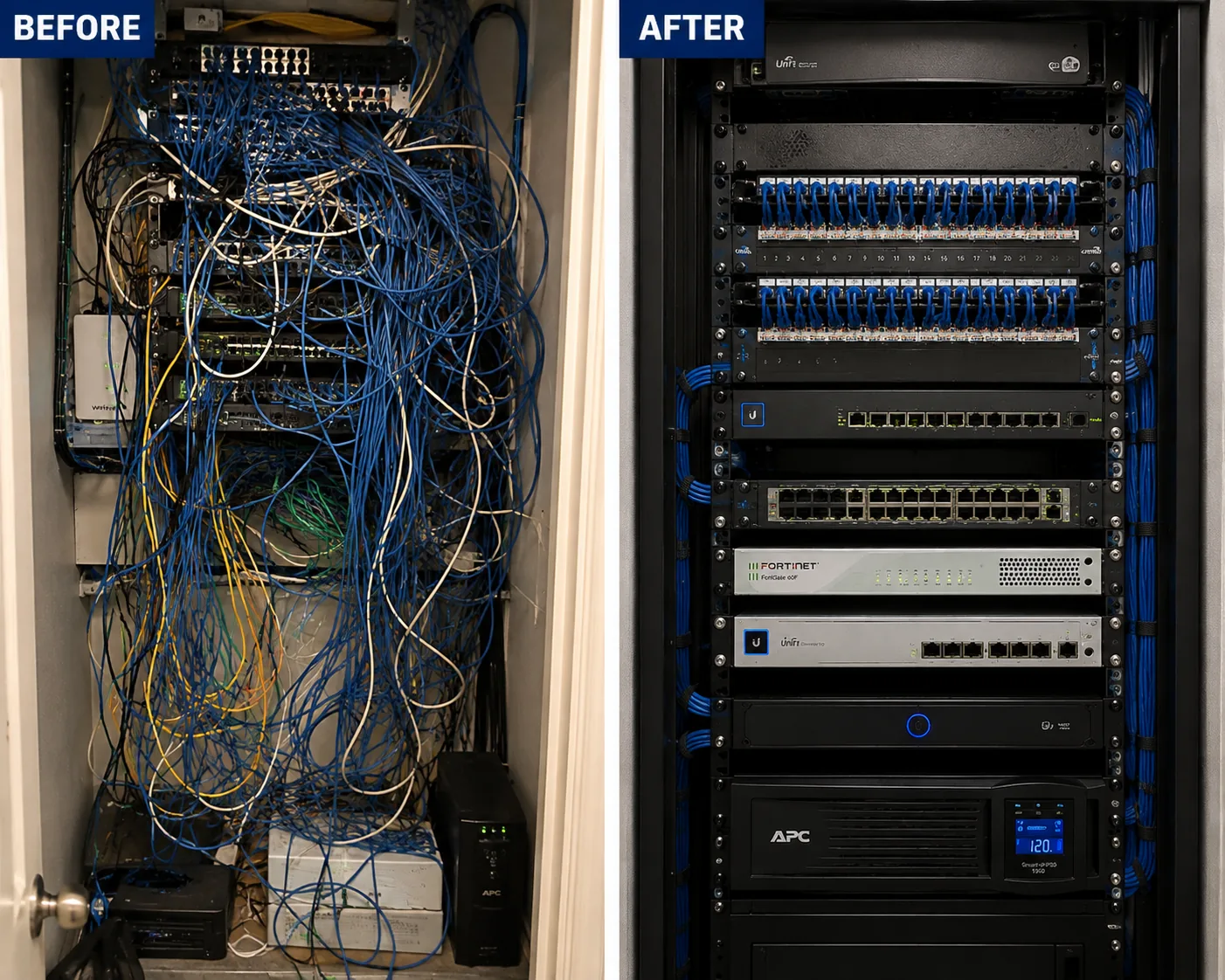
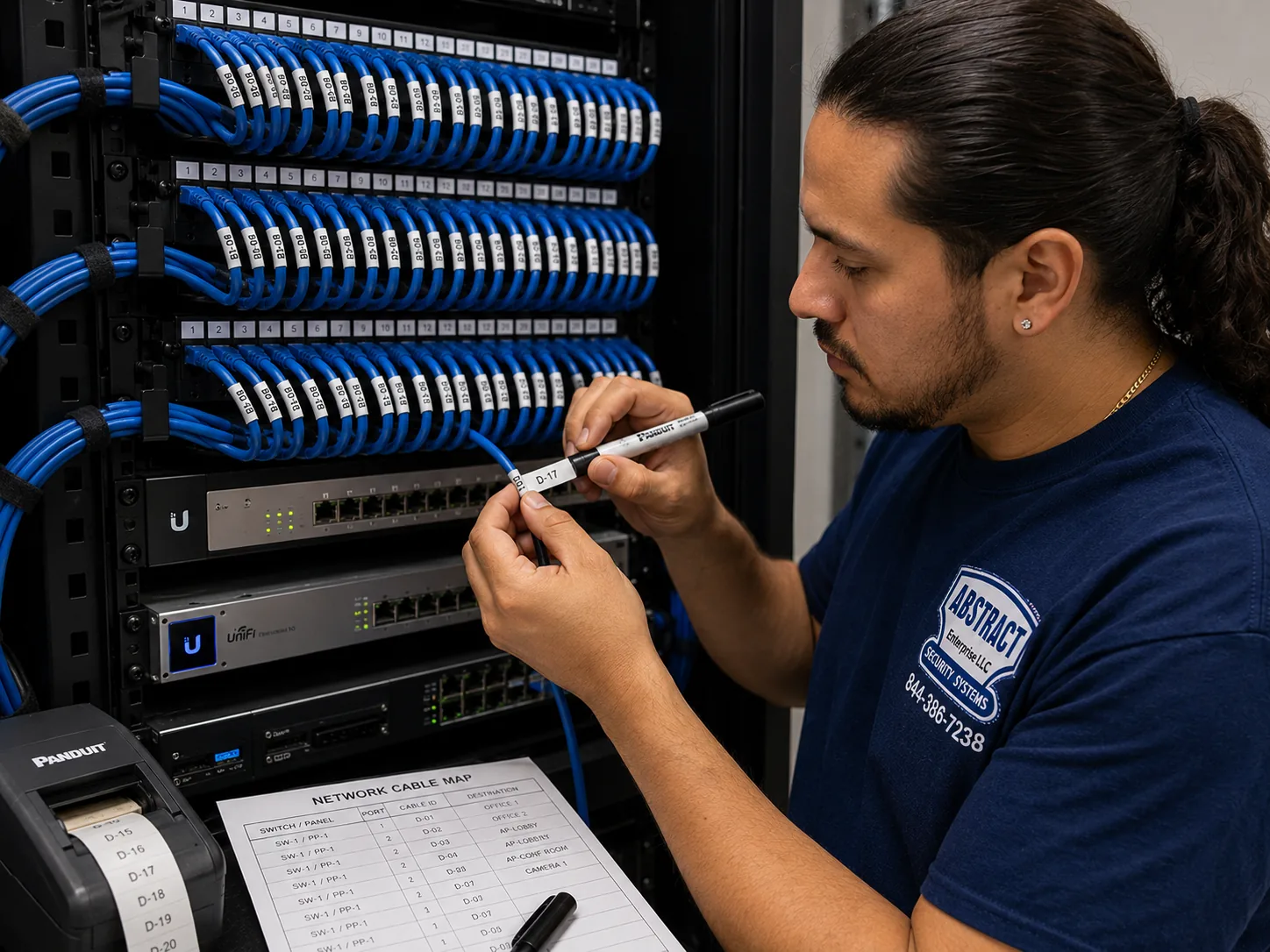
Leave the room better labeled than it was found. Before leaving, every cable we traced is labeled at both ends, the recorder's clock is set to update itself, failure alerts are switched on and sent to the manager, and a short list of what was found goes on the job record for the building.
Almost every repair we do in Downtown Brooklyn traces back to one of four causes. Knowing which one you are dealing with tells you who needs to be involved, how long the repair is likely to take and roughly what it will cost.
Cameras themselves rarely die in an outage. The equipment that runs them does. When a building like 365 Bridge Street loses power for most of a day, the recorder shuts down hard, the switches in the telecom room and floor closets go dark, and the battery backup, if there is one, runs until it is empty. When the power returns, everything starts at once. A recorder whose drive was writing when the power failed may come back with a damaged drive, a corrupted database or a prompt to initialize the disk. A switch may come back with ports that no longer supply power. A battery backup with a worn battery may switch off the moment the load hits it, and the recorder behind it may restart several times in the first hour. And because towers often have their own emergency power for life-safety systems, owners sometimes assume the cameras were protected too, when in fact they were on an ordinary circuit.
The repair is a matter of testing in order: building power at the rack, the battery backup under load, each switch and its ports, the recorder and its drive, then the cameras. A drive swap runs $200 to $450 by capacity on our Brooklyn list, power supply repair $150 to $400, and a failed switch port or connector $150 to $350. Most outage repairs are one or two parts, not a new system.

Network cameras are everywhere in the newer buildings, and a network camera is only as reliable as the network it sits on. In offices, the most common fault is a change somebody else made: a new firewall, a replaced switch, a new device that took a camera's address, or a security rule that blocked the recorder from the internet and broke the phone app. In towers and stores, it is an overloaded switch, a cable a contractor disturbed, or a router the internet provider swapped that lost the recorder's settings.
The repair is usually configuration rather than parts. We read the recorder's network settings, find what changed, and either fix it on the camera side or tell your IT person exactly what to change on theirs. Where the switch has failed or cannot supply enough power, a port swap or a replacement switch is priced before it is done.
Downtown Brooklyn is full of glass, and owners often mount cameras inside it to watch the sidewalk, the plaza or the terrace without drilling the facade. By day that works. At night, the camera's own infrared lights reflect off the glass and the picture turns into a white glow with a faint image behind it, or the camera picks up the reflection of the room behind it instead of the street. The camera has not failed, it is fighting the window.
The repair is to bring the lens right up against the glass with a shroud so the infrared cannot bounce back, to switch the camera's infrared off and rely on street and storefront lighting, or to replace it with a camera made for low light that does not need its own infrared. Settings changes are often within the service call, and a replacement night-capable camera runs $250 to $650 on our Brooklyn list.
The last cause is the quietest. A tenant fit-out on the floor above cuts a camera cable in the ceiling. An elevator modernization disconnects the cab camera and nobody reconnects it. A store renovation moves the recorder and loses two channels. A condo board takes over and the developer's contractor takes the password with them. A new manager inherits a system and cannot tell which camera is which. None of these show up as a fault until someone needs footage from the camera that changed.
The repair starts with an inventory: what is connected, what is recording, what is labeled and what is not. From there we fix what is broken, label what is live, document what we found for the owner, board or manager, and set the recorder to send alerts the next time a camera drops, so that the next change is caught the day it happens rather than the day it matters.
Downtown Brooklyn's businesses are packed into a district where foot traffic is heavy, landlords are large and the police ask for video often. A store's camera system here is judged less by how it looks on the counter screen and more by whether it can hand a detective a clear, correctly timed clip the same afternoon. The NYPD's zone-based plan for the district, reported by News 12 in January 2025, cut retail thefts 27 percent in its first weeks, and much of that work depends on footage from the stores themselves.
The rebuilt shopping corridor, closed to most traffic except buses and deliveries, lined with clothing, phone, shoe, jewelry and discount stores, many with recorders in a back room or cellar.
Large-format stores, a cinema and a food hall in the base of the City Point towers, with cameras that belong to tenants, the landlord and the building all within a few feet of each other.
Restaurants, banks, pharmacies and services on a wide avenue toward the Manhattan Bridge, where storefront cameras look out over heavy traffic and bright night lighting.
Side streets lined with tower lobbies, ground-floor shops, cafes and gyms, where store cameras sit beside the building's own and share its walls and ceilings.
Office buildings, college buildings and the businesses that serve them near Jay StreetβMetroTech, where camera systems often belong to an institution or a company's IT department.
Law offices, banks, shops and restaurants around Borough Hall and the courts, in older office buildings where cameras were added floor by floor.

Store owners here ask for the same three things. First, the cameras over the register, the entrance and the high-value displays have to show faces, not silhouettes, at the times thefts actually happen, which on a busy shopping street can be the middle of the afternoon as easily as closing time. Second, the recorder has to keep enough days that a loss found at the end of the week is still on the drive. Third, someone at the store has to be able to find and export a clip quickly, in a format a detective can play, without calling the person who installed the system five years ago.
A repair visit for a store therefore covers more than the dead camera. We check the aim and picture of every camera at the counter and the door, read how many days the recorder actually keeps, confirm the clock is right, and show the manager how to export a clip with the recorder's player. If the store needs more days than the drive holds, we price a larger drive before fitting it. If a camera cannot show faces where it hangs, we tell you whether it can be adjusted or has to be replaced.
Much of Downtown Brooklyn's retail sits inside towers or large commercial buildings, so the store's recorder, cable or internet may run through space the landlord controls. Before the visit we sort out who approves access, whether a certificate of insurance is needed, which hours contractors may work and whether the engineer must be there. That is what keeps a store repair to one trip.

Offices want cameras that stay quiet on the company network, with access limited to the right people. Venues and gyms want cameras that can see in dim rooms and at crowded doors. Food hall and counter operators want the cash area covered without filming card PINs. We book early visits for stores that open late, quiet-hour visits for venues, and coordinate with IT so office cameras come back on the network the same day.
Three rules come up on Downtown Brooklyn business repairs. New York Labor Law section 203-c says that "no employer may cause a video recording to be made of an employee in a restroom, locker room, or room designated by an employer for employees to change their clothes, unless authorized by court order," and that footage made in breach of it cannot be used for any purpose, so we will not aim or repair a camera to cover those rooms. New York City's biometric identifier law, in effect since July 9, 2021, requires retail stores, food and drink establishments and places of entertainment that collect biometric identifiers, such as face templates, to post a clear sign at customer entrances, with damages of $500 to $5,000 per violation according to Troutman Pepper's summary; ordinary video that is not analyzed to identify people falls outside the sign requirement. And the New York Department of State licenses companies that install, service or maintain security systems, which is why we carry NYS license #12000287431 and can show it to any landlord or managing agent who asks.
These are the questions Downtown Brooklyn owners, managers, boards and store operators ask us most, grouped by the kind of building they come from. Questions about our general terms are in the FAQ further down.
Yes, but the visit has to be arranged with the building, not just with us. We ask you for the engineer's or manager's contact, confirm with them when the room can be opened and whether they need a certificate of insurance or a contractor sign-in, and book the service call for a time when someone with the key will be there. Most of the work on a store system happens at the recorder and switch, so having that room open is what decides whether the repair is finished in one visit. If the building will not allow regular access, we can usually move the store's recorder into the store itself on the same visit, priced before we do it, so you are not waiting for a key the next time you need a clip.
Usually the way the building's network is set up, not the cameras. Many buildings that supply Wi-Fi to every apartment use a sign-in page, keep each device from seeing others on the network, or only offer a frequency band that small cameras cannot use. A phone handles all of that easily. A camera, which has no browser and often needs to talk to a recorder or to other devices in the apartment, cannot. The fixes are to ask the building's provider whether it can register the camera's hardware address or give you a private network, to put your own router behind the building's connection if your lease allows it, or to use cameras that record to a memory card and only need the internet for viewing. We can tell you which applies once we see the camera model and the network name.
Yes. A camera high on a tower meets far more wind than one over a brownstone stoop, and a light bracket screwed into a railing, a planter or a thin panel will rattle loose and blur the picture in every gust. The lasting repair is to move the camera onto a solid structure, such as a parapet, a column or the building's wall, with a heavier bracket fixed through to something that does not flex, and to keep the camera arm as short as possible. Most building managers will want to approve where a new fixing goes, so we bring them a photo and the proposed spot before we drill. If the camera is a pan-tilt-zoom model, we also check that it is not hunting back and forth in the wind, which wears out its motors.
Several things can hold a recorder back after the power returns. Large recorders run a disk check before they start recording, which can take a long time on big drives after a hard shutdown. The switch that powers the cameras may have come back later than the recorder, or not at all on some ports. The recorder's clock may have reset, so it recorded for hours with the wrong date and those hours sit somewhere else on the timeline. And if the building restored power in stages, the rack may have been without power for longer than your apartment or store was. We read the recorder's own log, which shows when it powered on, when each camera connected and when recording resumed, and from that we can tell you whether any video exists and fix whatever caused the delay, often with a properly sized battery backup and a clock set to update itself.
Almost certainly not. When it gets dark, the camera turns on its infrared lights, and those lights bounce straight back off the window into the lens, so the picture becomes a white haze with a ghost of the street behind it. In the daytime there is nothing to reflect, which is why the camera looks fine until evening. The fix is to put the lens flat against the glass with a rubber or foam shroud that blocks the reflection, to turn the camera's infrared off and let the street and storefront lights do the work, or to replace the camera with one built to see in low light without infrared. We test the result after dark, because that is the only time the problem shows.
If your store uses software to identify people from their faces, the city's biometric identifier law requires a clear and conspicuous sign near every customer entrance saying that biometric identifier information is collected, and it bars selling or sharing that information. The law, in effect since July 9, 2021, covers retail stores, food and drink establishments and places of entertainment, and Troutman Pepper's summary puts damages at $500 to $5,000 per violation. Plain recording that is not analyzed to identify anyone falls outside the sign requirement. We can switch the feature on or off and set it up as you ask, but whether and how to use it is a legal decision for your business, and we suggest checking with your lawyer first.
Most recorders export in their own file format by default, and that format only plays in the recorder maker's player. If the player was not exported alongside the clip, the file looks broken on any other computer. The fix is to export again with the player included, and to save a second copy in a common video format if the recorder offers one, keeping the original untouched. Check that the recorder's clock was right on the day and write down any difference, because detectives need to match your video to other cameras on the block. On a repair visit we set the export options correctly, show the manager how to do it in a few clicks, and make sure the clock updates itself from then on.
Not as it is. New York Labor Law section 203-c bars an employer from making a video recording of an employee in a restroom, a locker room or a room the employer has designated for changing clothes, unless a court has authorized it, and footage made in breach of that rule cannot be used for any purpose. If the stockroom doubles as a changing area, the camera has to come out or the changing has to move to a separate space without a camera. We can move the camera to cover the stockroom door from outside, aim it at the shelving in a room that is no longer used for changing, or take it down, and we will not repair or aim a camera to cover a changing area.
They did not break it, but they may have pushed it past what it can handle. Every recorder has a limit on how much video it can take in, record and play back at once. Two 4K cameras send several times as much data as the cameras they replaced, and an older recorder that was comfortable with its original cameras can start dropping frames on all of them, especially during playback. A camera may also be sending video in a compression format the recorder does not handle well. The fix is to set the new cameras to a resolution, frame rate and compression the recorder supports, which costs nothing in parts, or, if you want the full 4K picture, to replace the recorder with one rated for it. We check the recorder's limits and tell you which makes sense before anything is bought.
Because the switch ran out of power to share. A network switch that powers cameras over their data cables has a total power budget, and each camera draws part of it, more at night when its infrared turns on and much more if it is a pan-tilt-zoom model or has a heater. Add one hungry camera and the switch can no longer feed everything, so it cuts power to some ports, the cameras on them restart, and the cycle repeats. The fix is to check the switch's budget against what the cameras draw, move the new camera to a switch with spare power, or replace the switch with one that has a larger budget. We measure the draw on site, so you are not guessing.
Yes. Older systems were often set up by opening ports on the router so the phone app could reach the recorder directly, which also lets anyone on the internet try to log in. Most current recorders and apps can instead connect out to the manufacturer's relay service or through a company VPN, so the ports can be closed and viewing still works. We update the recorder's firmware where the maker has released fixes, change any default or shared passwords, set up named accounts, and tell your IT team exactly which ports to close. If the recorder is too old to receive updates, we say so and price a replacement, because a recorder that cannot be patched should not sit on a company network.
Often, yes. Cameras in theaters, bars and event spaces are usually fighting very low light, moving people and bright stage or screen lighting all at once. The camera turns up its sensitivity, the picture gets grainy and smeared, and faces disappear. A repair starts with settings: a faster shutter to freeze movement, the right balance between sensitivity and noise, and turning off infrared that would show up on stage or reflect off surfaces. Where that is not enough, moving the camera to where people are lit, such as the entrance, the bar or the ticket area, works better than trying to see faces in the dark middle of the room. A camera built for low light is the last step, priced before it is fitted.
We repair whatever is on the building, whoever installed it. These are the kinds of equipment we work on in Downtown Brooklyn towers, stores, offices and venues, and the way each one tends to fail here.
The standard in post-rezoning towers and offices, powered and connected over one cable from a PoE switch. Faults: switch ports that died or ran out of power, address clashes with new office equipment, and firmware out of step with the recorder.
Still common in older Fulton Street stores and commercial blocks, on round BNC connectors. They fail at the connector, the plug-in power adapter and the central power box.
The box that holds the footage, in a telecom room, back office or under a counter. Faults: drives damaged by outages and heat, recorders overloaded by new high-resolution cameras, and passwords that left with a previous owner.
The switches on each floor or in the telecom room that power and connect the cameras, where one failed or overloaded switch takes out a group of cameras together.
Office and institutional systems such as Axis, Avigilon and UniFi Protect, repaired at $400 to $1,200, $500 to $1,500 and $300 to $700 respectively on our Brooklyn list, with your IT team involved where the network is theirs.
Cameras over plazas, garages and loading areas that move and zoom. Faults: worn motors, lost presets, wind-loosened mounts and power draw a switch cannot supply. PTZ repair runs $450 to $1,200.
Cracked domes, fogged windows and loose brackets on roof decks, garage ceilings and storefront fascias. A dome or front cover replacement is $30 to $80 for the part plus labor.
Consumer cameras in apartments, on terraces and in small shops that will not join a building's managed Wi-Fi, lose their app after a router change, or stop saving video when a cloud plan lapses.
Battery backups that no longer carry a recorder through a short outage, concierge and counter monitors, and app access for owners, managers, board members and staff.

A note on Hikvision and Dahua. Many Downtown Brooklyn systems run on Hikvision or Dahua equipment, often under other names. The FCC's 2022 rules on these makers apply to future equipment authorizations, not to systems already installed, and we continue to repair them at $250 to $650 on our Brooklyn list. If a part has to be replaced, we tell you what works with your recorder.
Owners often ask whether they should call the alarm company, the camera maker or a local technician. The answer depends on what you own and who installed it.
| Question | ADT or similar alarm company | Ring or SimpliSafe camera | AESS local repair |
|---|---|---|---|
| Works on a building or store system another company installed | Usually only its own | Support covers its own devices | Any brand, any installer |
| Network recorders, PoE switches and floor closets | Its own systems | Mostly Wi-Fi and battery devices | Network, coax, hybrid and PoE |
| Working with a building engineer or an office IT team | Varies by dealer | Not part of the service | Arranged before the visit |
| Licensed technician on site | Varies by dealer | Remote support | Yes, NYS license #12000287431 |
| Monthly fee to keep recording | Depends on the contract | Often for cloud recording | None for a repair |
| Price before work | Varies | Replacement device price | $150 service call, then a written repair price |
These claims turn up in AI-generated answers and in national cost and how-to guides from sites such as Angi, HomeAdvisor and Fixr. Each is paraphrased below, then checked against what repairs actually look like in Downtown Brooklyn's towers, stores and offices.
Generic troubleshooting answers start at the camera: check its power, check its cable, and if it still shows nothing, replace it.
In a Downtown Brooklyn tower the camera is usually the last thing to blame. The cameras on upper floors connect through switches in floor closets and the telecom room, and those switches, their ports and the battery backup beside them fail far more often than the cameras do, especially after an outage like the one at 365 Bridge Street in August 2025. When a group of cameras goes dark together, they almost always share something upstream.
Testing from the recorder end out, rather than from the camera in, is what keeps an owner from buying cameras they did not need. We prove the power and the cable good before we price a new camera.
Shopping advice often treats cameras and recorders as interchangeable, as long as both say they support the same standard.
The standard helps, but it does not guarantee that every feature works, and it says nothing about capacity. An older recorder may accept a 4K camera and then struggle to record and play it back alongside everything else, so every camera starts to stutter. Some features, such as smart motion alerts, may only work between cameras and recorders from the same maker.
Before a replacement camera is bought, we check the recorder's model, its firmware and its limits, and tell you which cameras will work fully, which will work with limits, and when the recorder is the part that needs replacing.
Many answers suggest that moving to cloud-connected cameras removes the need for a local recorder and the repairs that come with it.
Cloud systems remove the hard drive, but not the network, the switch, the power or the account. In a building with managed Wi-Fi or a strict office firewall, a cloud camera may not connect at all without changes from the building or the IT team. When a plan lapses, some cameras keep live view but lose saved recordings. And when the person who set up the account leaves, getting it back can be harder than resetting a recorder.
Cloud management is a good fit for some offices and multi-site owners. It is a different set of things to look after, not an end to looking after them. We repair both and will tell you honestly which suits your building.
Some answers suggest that the police can view any business's cameras, or that stores in busy districts are linked in by default.
They are not. The NYPD's Connect New York program, launched as a pilot in 2024, integrates a participating business's cameras with the NYPD so officers can view them in real time, but a business has to choose to join. Otherwise, footage reaches the police the ordinary way: a detective asks, and the store exports a clip. In a district where retail theft is policed zone by zone, as the NYPD's Downtown Brooklyn plan has been since December 2024, those requests come often.
Whether or not you join, the useful thing is a recorder that keeps enough days, a clock that is right and someone at the store who can export a clip that plays. That is what we set up on a repair.
Owners often read that the federal government banned these brands and assume their cameras are now illegal or unrepairable.
The FCC's 2022 rules apply to future equipment authorizations for companies on its Covered List, and SDM's report on them says the rules allow the companies to keep selling equipment already authorized for sale in the United States. The report does not mention installed systems or repairs.
An installed Hikvision or Dahua system can be repaired, and we repair them. What has changed is planning: when a part is replaced, it is worth choosing one that leaves you options later, and we will explain the choices.

National cost guides tend to present camera repair as an inexpensive job, often based on a house with a couple of consumer cameras.
Some Downtown Brooklyn repairs are exactly that: a setting changed, a camera re-aimed, an app reconnected, all within the $150 service call. Others involve a recorder in a telecom room, a failed switch on a high floor or a run through an office ceiling, and on our Brooklyn list a new recorder, a rewired run or several cameras together runs $700 to $1,500. A national average says little about which one you have.
The realistic budget for one problem is the service call plus the one failed part, and you see that price in writing before the work. We would rather tell you a repair is cheap than let an average talk you into replacing a whole system.
Many answers present camera repair as a quick do-it-yourself job, or something the building's electrician can handle.
On your own equipment in your own space, you are free to try. But the New York Department of State licenses companies that install, service or maintain security systems, and the state's rules cover closed-circuit television used to detect intrusion or theft. A managing agent, condo board or office landlord will usually ask whether the person working on the building's cameras is licensed and insured. An electrician deals with the circuit the rack plugs into, not with the recorder, network and cameras.
If you hire someone, ask for the license number and a certificate of insurance. Ours is NYS license #12000287431, and a certificate for a manager, board or landlord can be arranged before the visit.
If you are not sure whether the problem is a camera, the power, the network or the recorder, ask before you spend money or press a button you cannot undo. Call now at (347) 934-8335, send a fast quote request, or send a photo of the recorder screen to a tech on WhatsApp. Same-day estimates are available on most days, and requests are booked within 2 hours.
Tell us the building, the floor or unit, how many cameras there are, which ones are out, when it started and where the recorder is. If the cameras belong to your landlord, your board or your company, tell us who manages them, and we will check who approves the repair before we book it. A photo of the recorder screen and its label, sent to WhatsApp, saves the most time.

A photo of the recorder screen, its label, the building and floor, and whatever came before the fault: an outage, a fit-out, an internet or IT change, or an incident.
You, your landlord, the condo board, the building's security vendor or your company's IT team: we confirm who holds the recorder password and who approves the price.
The $150 Brooklyn service call goes on the schedule in a two-hour arrival window, with any certificate of insurance, contractor sign-in, telecom-room key or freight elevator booking arranged ahead.
Any clip you asked for is exported to USB with the recorder's player and original timestamp before anything is restarted, unplugged or changed.
Building power, battery backup, switch or power box, recorder and drive, then cable and connectors, and only then the camera.
You hear what failed and why, and get a written repair price before any part is replaced, with the service call credited to it.
Only the failed part is repaired or replaced, then every camera is checked live, in playback and in low light, including through glass where it looks out a window.
Traced cables are labeled, the clock is set to update itself, failure alerts are switched on, each person's viewing access is confirmed, and a written record goes to the owner, board or manager.
The Greek Revival civic building completed in 1848 at Joralemon and Court Streets, the reference point for the office and court blocks on the district's western side.
Housed in the decommissioned Court Street subway station at Boerum Place and Schermerhorn Street, a landmark many callers use to place blocks south of Fulton.
The cheesecake institution at Flatbush Avenue Extension and DeKalb Avenue, open since 1950 and the easiest way to describe the eastern end of the district.
The 2 and 3 stop on Fulton Street, where police released surveillance images after an attempted robbery on New Year's Day 2025.
The transit hub at the district's southeastern edge, where station video recorded a saw theft on the D, N and R platform in December 2024.
The hospital on DeKalb Avenue at the district's northeastern edge, where the transformer-fire patient and the Hoyt Street victim were both taken.
We also serve the neighborhoods around Downtown Brooklyn, including Brooklyn Heights, DUMBO and Vinegar Hill to the north and west, Fort Greene to the east, and Boerum Hill to the south, at the same Brooklyn rates. Next door, our Brooklyn Heights camera repair page covers the brownstone and co-op blocks across Cadman Plaza, our security camera repair in Boerum Hill page covers the rowhouse blocks below Schermerhorn Street, and the whole borough is on our security camera repair in Brooklyn page.
Downtown Brooklyn repairs are priced from our published Brooklyn camera repair list, with no surcharge for a tower, a high floor or a Fulton Street address. Every visit starts with the $150 service call, credited to the repair if you go ahead. The full list is on our Brooklyn camera repair prices page.
| Repair | Brooklyn price |
|---|---|
| Service call, on-site diagnosis and written repair price | $150, credited to the repair |
| Settings with no parts: aim, night mode, alerts, app, clock, export, access | Usually within the $150 service call |
| Clean and check for a blurry picture | $80 |
| Connector reterminate or PoE port swap | $150β$350 |
| Power supply repair | $150β$400 |
| Dome or front cover replacement | $30β$80 part plus labor |
| Indoor camera repair | $200β$450 |
| Hard drive swap, by capacity | $200β$450 |
| Outdoor camera replacement with weatherproofing | $250β$600 |
| Night vision camera repair | $250β$650 |
| DVR not working, including drive and labor | $300β$700 |
| NVR not recording, by model | $400β$900 |
| Vandalized camera, per camera plus cable repair | $400β$900 |
| PTZ camera repair | $450β$1,200 |
| Hybrid recorder swap, channels reconfigured | $700β$1,200 |
| DVR or NVR replacement with drive, partial rewire, or several cameras at once | $700β$1,500 |
| Full rewire or whole-building overhaul | From $1,500 |
| Annual maintenance: residence / commercial / multi-property | From $250 / from $400 / $500β$800 |
Three things move a Downtown Brooklyn repair within those ranges. The first is how far the fault is from the recorder: a camera on a high floor, wired through a closet two floors away and a riser to a cellar room, takes longer to trace than a store camera ten feet from its recorder. The second is access: a telecom room that only the engineer can open, an office that needs its IT person on the line, a building that only allows contractors at set hours, or a freight elevator that has to be booked. The third is what came before the call: a recorder damaged in an outage whose footage has to be recovered first takes more time than a straight swap. If the price changes on site, you hear the new number before the work goes on. Doing the camera repair together with intercom, access control or cabling work on the same visit saves $200 to $400 in labor on our Brooklyn list.
Full terms β including 50% deposit, one-year parts-only warranty on AESS-supplied products, and the late-fee schedule β are set out in the service agreement.Three ways Downtown Brooklyn repairs usually come together, priced from the Brooklyn list above. Each starts with the $150 service call, credited to the repair, and your written price follows what the diagnosis finds.
One fault, one visit: a switch port or battery backup replaced after an outage, a recorder drive swapped, a locked recorder recovered for the right owner, a store camera behind glass reset to see at night, or a garage camera re-aimed and resealed.
The recorder, the wiring or several cameras: an NVR replaced and every camera set up again, a hybrid recorder so older coax cameras can stay, a store recorder moved out of a shared room, or a group of cameras on a failed floor switch brought back together.
A yearly check: drive health and recording confirmed, battery backup tested under load, clocks and firmware reviewed, failure alerts tested, export checked and roof-deck and garage cameras resealed, from $250 for a residence, $400 for a commercial system and $500 to $800 for managed multi-property accounts.
Bring your own equipment. If you have already bought a replacement camera or recorder, we can fit it at labor-only rates. Tell us the exact model and we quote the labor by phone or text, and the visit is booked once it is paid. We cannot vouch for parts we did not supply, and if the model you bought will not work with your recorder, or is a Wi-Fi camera headed for a building with managed Wi-Fi, we tell you before the visit.
Dark cameras, failed or overloaded switch ports, cut runs and cameras behind glass. Request a repair
NVRs, DVRs and hybrids after outages, and recorders nobody can log into. Brooklyn camera repair service
The full list behind every number on this page. Camera repair prices in Brooklyn
Managers and owners with buildings in more than one borough. AESS security camera repair across NYC
For cameras you bought and that sit entirely inside your apartment, usually yes, because they are your property. Many towers still require any contractor to sign in at the desk or send a certificate of insurance first, so check your building's contractor rules before the visit. Anything that involves drilling outside the apartment, the building's network closets or the building's own cameras needs management's approval.
Yes, on most recorders. We set up separate accounts for the owner, the manager and staff, give staff live view and playback only, and keep deleting, exporting and changing settings to the owner or manager. That way a clip cannot quietly disappear, and you can see in the recorder's log who did what.
Usually, yes. Remote viewing sends video over your internet upload, and a full-resolution stream from several cameras can use a lot of it. We set the remote view to use the recorder's smaller secondary stream, limit how many cameras play at once, and check that nothing is sending video out when nobody is watching. Recording on site is not affected.
Recording a public sidewalk from your own storefront is common in New York, because people on a public street have a limited expectation of privacy there. Recording sound is a different matter, and a camera should not look into neighbors' windows or private spaces. For a specific legal question about your store, ask your lawyer; we set the aim and masking to keep the view where it should be.
Yes, for wired and network systems that the builder or owner bought, such as cameras on a site fence, a hoist or a trailer recording to a local recorder. Rented camera towers and trailers that come with a monitoring contract are serviced by the rental company, so check that first. On a site we work under the general contractor's safety rules and sign-in.
Yes. Each building is set up as its own account, with its own job notes, camera list, photos and invoice, so a repair at one building never ends up on another's bill. Managers with several buildings often add an annual maintenance visit for each, priced at $500 to $800 for multi-property accounts on our Brooklyn list.
Sometimes, but it needs the building's approval and the right fixing. Curtain walls and storefront frames are engineered systems, and drilling into them can void the facade's warranty or let water in. Where the building agrees, we use the mounting points or clamps it allows; where it does not, we mount the camera on solid wall beside the glass or inside with a shroud against the window.
It should, if the counting runs on the camera or recorder and the camera goes back in the same position. Counting depends on the camera's exact height and angle over the entrance, so before we remove a counting camera we note its position, and afterwards we check the count line and walk through it to confirm it registers. If the count runs on a separate service, we tell you who to call to reconnect it.
Possibly. Many network cameras can record to their own memory card as a backup when they lose contact with the recorder, but only if that option was switched on and the card was not full or faulty. We check the camera's settings and the card for the time you need before anything is reset, and if the backup was never enabled we switch it on for the future.
Yes. Cameras with a speaker, siren or strobe have those features set up in the camera or the recorder, and they stop when a camera is replaced, reset or updated, or when the schedule that arms them is changed. We check the settings and the hardware, test the siren and light on the visit, and if the camera itself has failed we price a replacement with the same features.
Security Camera Repair Brooklyn | Same-Day | Brownstone Pros Β· Security Camera Repair NYC | Same-Day | Abstract Enterprises Β· Security Camera Repair Manhattan | Same-Day | Co-op COI Β· Security Camera Repair Queens | Same-Day | Driveway Pros Β· Security Camera Repair Bronx | Same-Day | Home Base Β· Security Camera Repair Staten Island | Same-Day | Sandy Zone Β· Security Camera Repair Long Island | Nassau & Suffolk Β· Security Camera Repair Hudson Valley | Westchester to Ulster Β· Security Camera Repair Nassau County | Same-Day Β· Security Camera Repair Suffolk County | Hamptons + East End Β· Security Camera Repair Westchester County | Same-Day Β· Security Camera Repair Rockland County NY | Nyack, Suffern Β· Security Camera Repair Orange County | Newburgh, Goshen Β· Security Camera Repair Putnam County NY | Carmel, Mahopac Β· Security Camera Repair Dutchess County | Poughkeepsie Β· Security Camera Repair Ulster County | Kingston Woodstock
Security Camera Repair Bath Beach Brooklyn NY Β· Security Camera Repair Bay Ridge Brooklyn NY | AESS Β· Security Camera Repair Bedford-Stuyvesant Brooklyn NY Β· Security Camera Repair Bensonhurst Brooklyn NY | AESS Β· Security Camera Repair Bergen Beach Brooklyn NY Β· Security Camera Repair Beverley Square Brooklyn NY Β· Security Camera Repair Boerum Hill Brooklyn NY Β· Security Camera Repair Borough Park Brooklyn NY Β· Security Camera Repair Brighton Beach Brooklyn NY Β· Security Camera Repair Brooklyn Chinatown Brooklyn NY Β· Security Camera Repair Brooklyn Heights, Brooklyn NY Β· Security Camera Repair Brooklyn Navy Yard, Brooklyn NY Β· Security Camera Repair Brownsville Brooklyn NY | AESS Β· Security Camera Repair Bushwick Brooklyn NY | AESS Β· Security Camera Repair Cadman Plaza Brooklyn NY Β· Security Camera Repair Coney Island Brooklyn NY Β· Security Camera Repair Crown Heights Brooklyn NY | AESS Β· Security Camera Repair Cypress Hills Brooklyn NY | AESS
Alarm Installation Downtown Brooklyn NY | Towers & Shops Β· Fire Alarm Installation Downtown Brooklyn NY Β· Structured Cabling Installation Downtown Brooklyn NY Β· TV Installation Downtown Brooklyn Β· Intercom Installation Downtown Brooklyn NY Β· Fiber Optic Installation Downtown Brooklyn NY | Risers Β· Door Buzzer Repair Downtown Brooklyn NY Β· Access Control Installation Downtown Brooklyn NY Β· Security Camera Installation Downtown Brooklyn NY Β· Door Buzzer Installation Downtown Brooklyn NY
Send a photo of the recorder screen, the label on the recorder and the building's name, and we will tell you what most likely failed and what that kind of repair costs on our Brooklyn list. The $150 service call is credited to the repair, the price is written down before any part changes, and requests are booked within 2 hours. Abstract Enterprises Security Systems has been owner-operated since 2002, holds NYS license #12000287431, is rated 4.7β across 201 Google Reviews, and sends Brooklyn crews out from our Troy Avenue office.
Prefer to send photos? Message a technician on WhatsApp.