Shop-floor camera knocked dark by a forklift, an NVR in a telecom closet that stopped recording, or a whole floor of cameras lost after a network change? Brooklyn Navy Yard camera repair line, booked within 2 hours: (347) 934-8335
Manufacturing Floors · Studios and Labs · Multi-Tenant Office Buildings · Warehouses and Docks on Wallabout Bay
Security Camera Repair in the Brooklyn Navy Yard
Any Brand, Any Installer · Your Cameras, Not the Landlord's · Cause and Written Price First · Brooklyn Rate
Security camera repair in the Brooklyn Navy Yard starts with our $150 Brooklyn service call, which covers the on-site diagnosis and is credited to the repair if you go ahead. On our published Brooklyn list most single faults cost $150 to $700, and a recorder replacement or a multi-camera rewire runs $700 to $1,500. We repair the cameras your company owns inside its own space, whoever installed them: four cameras in a design studio, a twenty-camera system across a food production floor, or a network camera setup spread over two floors of an office building. Requests are booked within 2 hours, visits come in two-hour arrival windows, and you hear the cause and get a written price before any part is replaced. Below: how Yard buildings change a camera repair, what breaks most often on shop floors and in closets, and what each fix costs.
Every price on this page comes from our published Brooklyn camera repair list, and your repair price is written down before work starts
Rated 4.7★ across 201 Google Reviews
Reviewed and updated November 12, 2026, against the Brooklyn Navy Yard Development Corporation's 2025 and 2026 Tenant Manuals; BNYDC's April 2025 request for proposals for a Yard-wide security assessment; CHA Consulting's description of its Navy Yard security master plan work; the BNYDC directions and gate page; DNAinfo's 2016 report on a warehouse theft at 63 Flushing Avenue caught on surveillance video; Brooklyn Paper's 2024 report on cable spools stolen at Steiner Studios and its 2025 coverage of FEMA funding for Hurricane Sandy repairs at the Yard; Williamsburg 365 and Brownstoner on the copper wire thefts of December 2024; The Local's 2012 Sandy report on Yard tenants; Kelley Drye's summary of New York's 2022 employee monitoring notice law; Security Info Watch on the FCC's 2026 Covered List rulemaking; and HomeAdvisor's Brooklyn camera repair cost range. · Abstract Enterprises Security Systems, NYS license #12000287431 · crews dispatched from our Troy Avenue office in Brooklyn
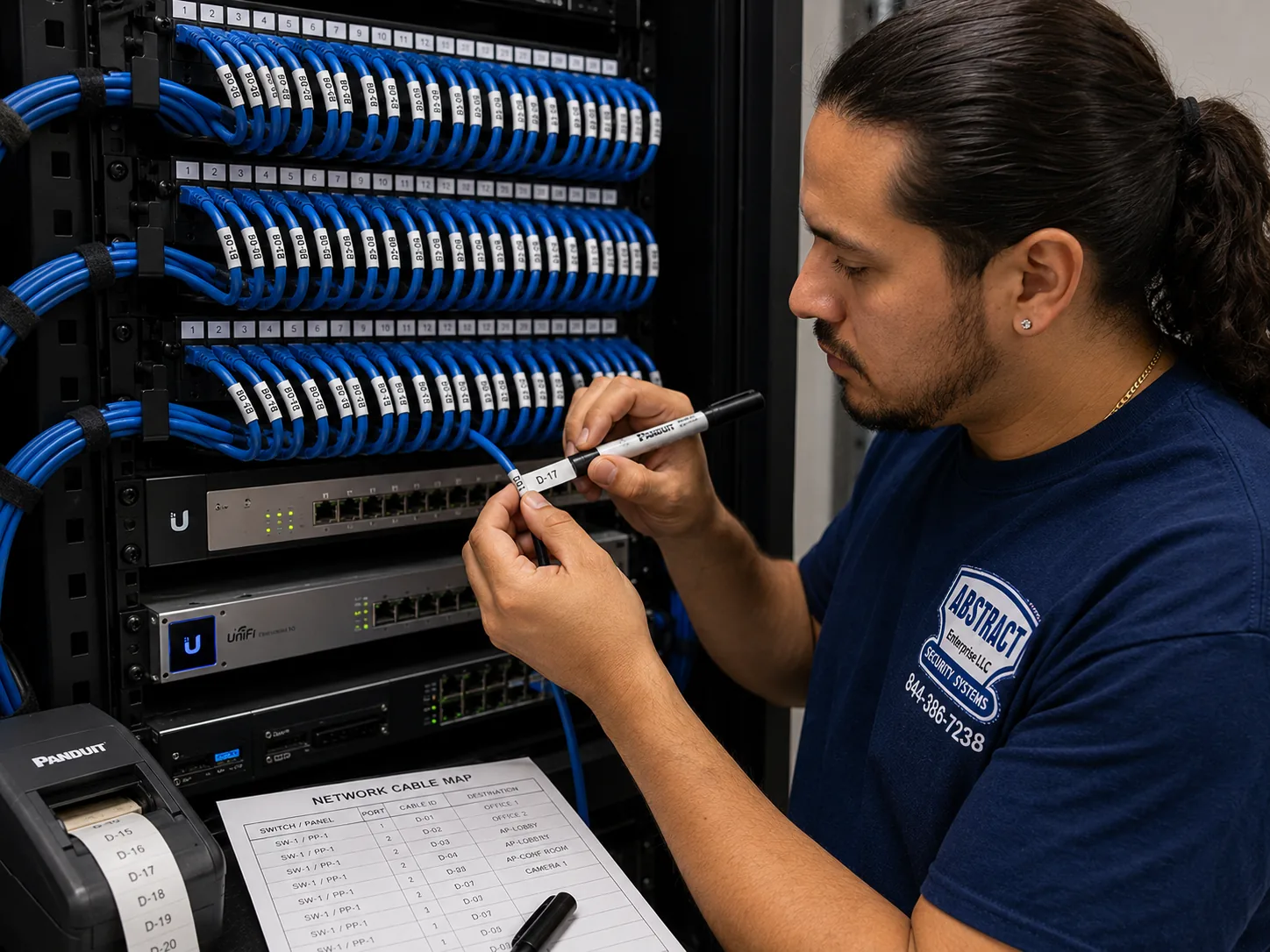
A photo from the AESS job library, not taken in the Brooklyn Navy Yard: a technician printing a label for each cable at a patch panel, with the port map beside it. In a Yard tenant space the camera cables usually end at a small rack or a switch on a shelf, often sharing it with the company's office network and sometimes left behind by a previous tenant. A label naming the camera at the end of each cable is what lets the next repair begin with a test instead of a hunt.
Navy Yard Camera Repair Request
Shop, studio, lab, office or warehouse: tell us the building, the floor and what the screen shows, and a technician calls back with the next step
✅
Request Sent!
Thank you. A technician will contact you about your Navy Yard space shortly.
25+
Years Experience
✓
Same-Day Estimates
100%
Licensed & Insured
4.7★
201 Google Reviews
Owner-operated since 2002 · Thousands of jobs completed · Booked within 2 hours
Before a technician heads to the Navy Yard, one question sorts out most camera calls: is the fault in the cameras, or in the network they ride on? In a typical Brooklyn home the camera system is a closed loop, a recorder and a handful of cables. In the Yard it is very often tangled up with the company's own network, a switch in a closet shared with the office computers, an internet line from one of the four providers that serve the Yard, and sometimes a rack left by the last tenant of the space. Cameras that all went dark on the same afternoon usually point to the switch, the power or a network change. A single camera that died on its own usually points to that camera, its cable or the connector at its end. Live view that works while playback is empty points to the recorder's drive or its settings. A photo of the recorder screen showing which tiles are dark, a photo of the label on the recorder, and your building number and floor are usually enough for us to tell you which of those it is. Send them to (347) 934-8335 or on WhatsApp, and we will tell you the likely fault and what that kind of repair costs on our Brooklyn list.
Looking at your photos costs nothing. The $150 service call is paid when you book and is credited to the repair if you go ahead.
All work is done under New York State license #12000287431. If your lease, your property manager or your own insurer wants a certificate of insurance, tell us the wording and it is arranged before the visit.
We repair any brand and any installer's work, and we say plainly when an old recorder is cheaper to replace than to nurse along.
The Neighborhood
Why Brooklyn Navy Yard Properties Need Security Camera Repair
The Brooklyn Navy Yard is not a neighborhood of houses and storefronts. It is a 300-acre industrial park on Wallabout Bay, owned by the City and run by the not-for-profit Brooklyn Navy Yard Development Corporation, with more than 550 businesses and over 13,000 people working inside its gates. Its buildings range from brick Navy storehouses and the concrete bulk of Building 77 to new glass office space at Dock 72 and the manufacturing floors of Building 128. Almost every one of those businesses has something worth watching: tools and materials on a shop floor, finished goods waiting at a loading door, cameras and lenses in a studio cage, inventory in a warehouse, a cash drawer at a food hall counter. And almost every one of them runs its own cameras, because the landlord's security covers the Yard, not the inside of your unit.
That split is the first thing to understand about camera repair here. BNYDC runs a large security operation of its own. Its April 2025 request for proposals for a security assessment describes a Security Department with more than 90 staff, including 71 security officers and 8 sergeants, posted at the Sands Street, Cumberland, Clinton Avenue and Clymer Street gates, a ferry landing booth and a command center. The same document puts the Yard's own "CCTV (closed circuit television/surveillance) System and Digital Video Management" in the scope of the review, along with the "adequacy of existing wiring and infrastructure system to connect individual buildings with the central monitoring station." In plain terms, the landlord has its own cameras, its own recorders and its own monitoring room, and it reviews them every five or six years. None of that is the system on your ceiling. If the camera over your loading door goes dark, BNYDC's security plan does not fix it, and the Tenant Manual says tenants install their own door locks, that BNYDC does not keep keys to tenant spaces, and, in its rules for events, that tenants are responsible for the security within their leased space.
The second thing is how often the footage inside a unit turns out to matter. In 2016 DNAinfo reported that three employees of a B&H Photo Video warehouse at 63 Flushing Avenue, the Yard's own address, were arrested for stealing nearly $4,000 in iPads and an Apple Watch. The theft was found because "a security guard watching surveillance footage after returning to work from a holiday" saw one worker put two iPads in his backpack, and while reviewing the video he spotted two more. In January 2024, according to the Brooklyn Paper's 88th Precinct report, 16 spools of Cat 5E cable worth about $20,000 were taken from a rental company's locked vehicle at Steiner Studios, and the suspect was identified on security cameras. And in December 2024, Williamsburg 365 and Brownstoner reported arrests over copper wire cut from equipment at the Yard's shipyard, including about $10,000 of wire from a crane. Each of those cases turned on video that was recording, kept long enough, and clear enough to identify someone. A camera that quietly failed months earlier gives you none of that.
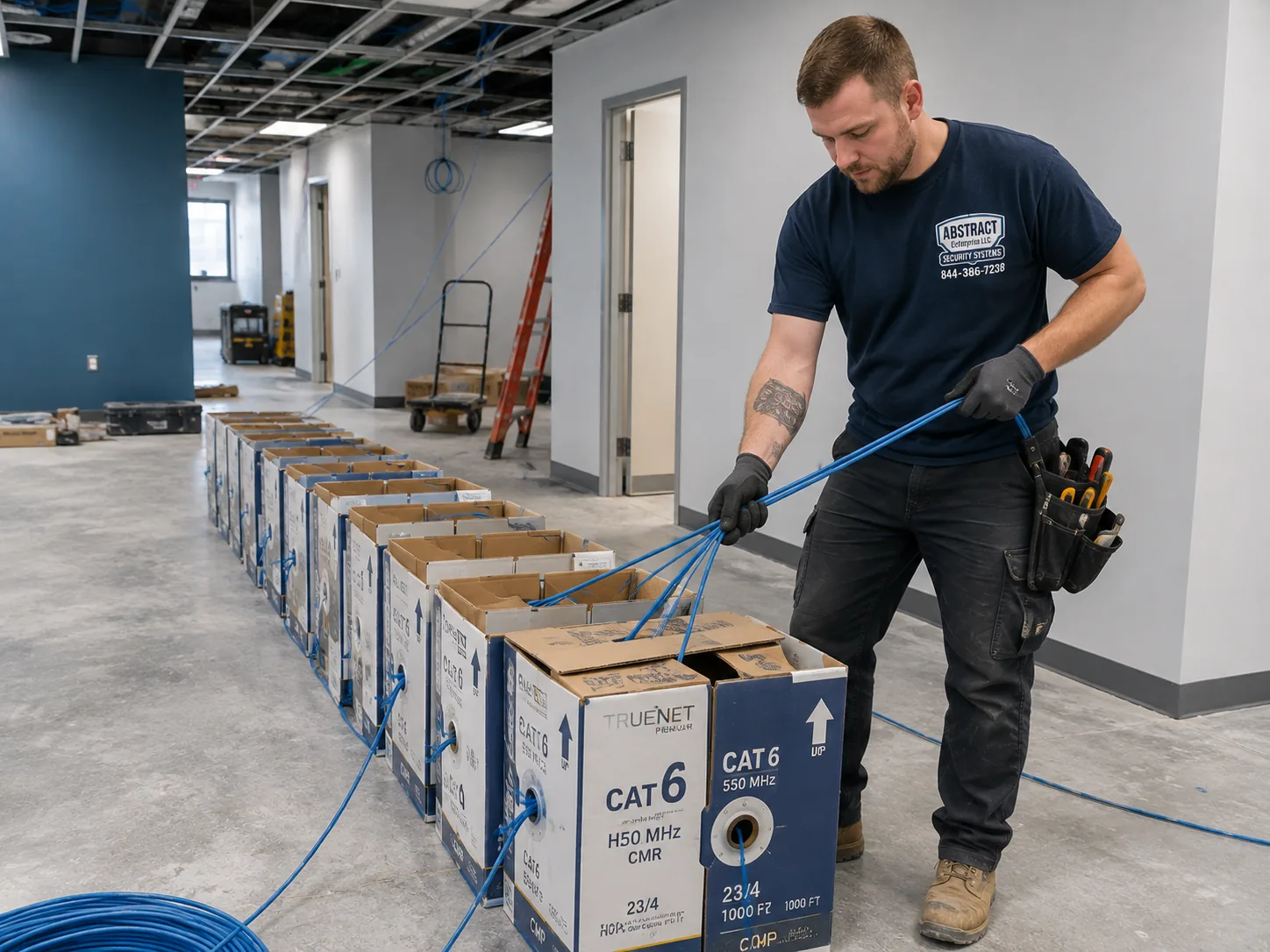
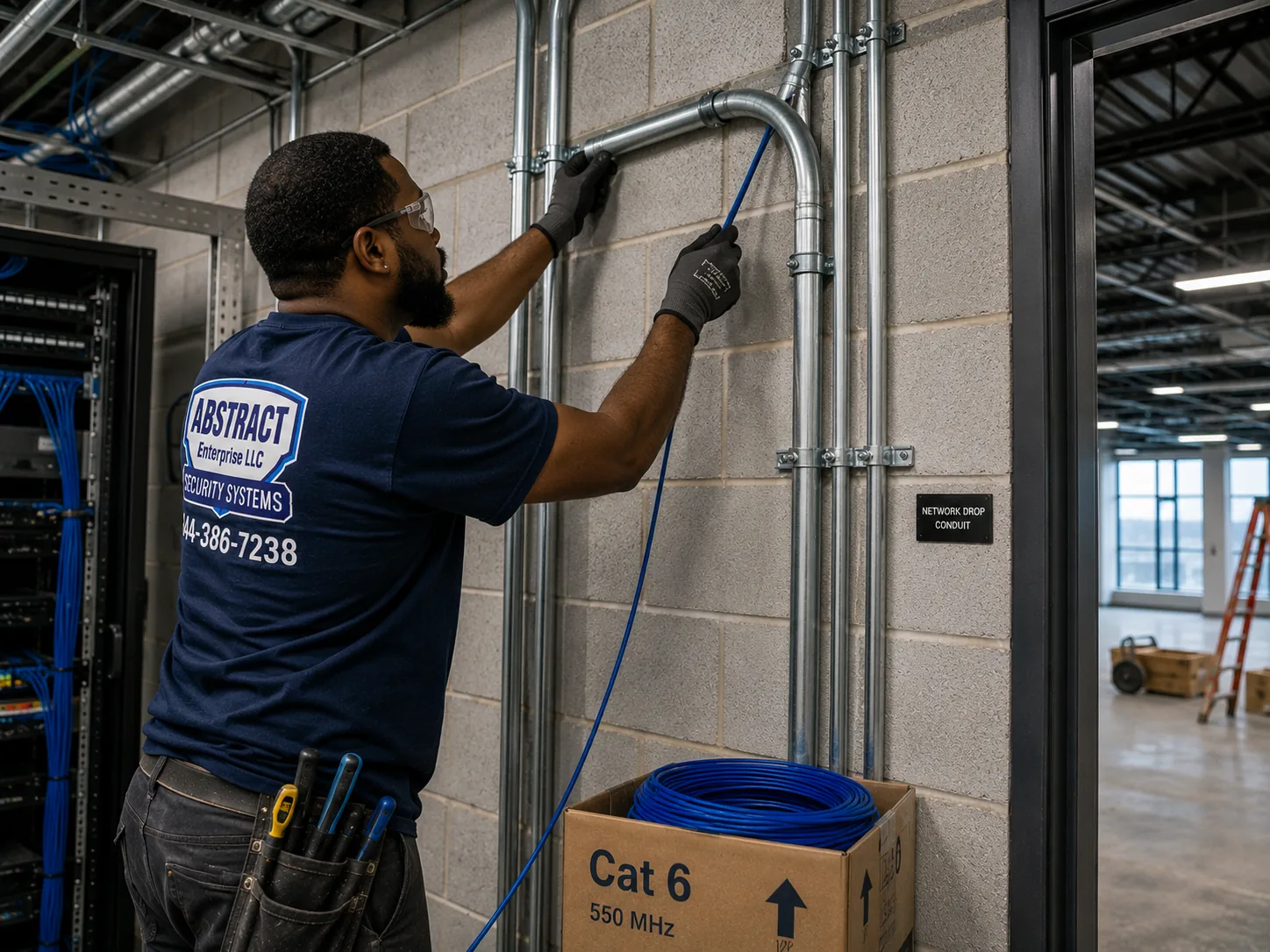
A photo from the AESS job library, not taken in the Brooklyn Navy Yard: boxes of cable staged before a multi-drop pull in a space that stays open for business. Most Navy Yard camera repairs need no new cable at all. When they do, it is usually a run crushed during a fit-out, a cable cut when a mezzanine or partition went in, or a run on a long manufacturing floor that was never within network distance limits in the first place, and having enough cable on hand keeps the job to one visit and one freight elevator booking.
The third thing is that Yard camera systems fail for reasons that ordinary home systems rarely see. Shop floors are hard on equipment. Sawdust, metal dust, flour, steam and exhaust coat lenses and clog the fans in recorders. Forklifts and pallet jacks clip cameras mounted too low on columns. Big open floors invite cable runs that are longer than a network cable is meant to carry, which works on day one and then turns flaky as connections age. Companies grow, move up a floor, sublet half a unit or take over a space from another business, and the camera system gets split, extended or inherited without anyone writing down what is connected to what. Network changes are constant, too, because tenants switch internet providers and IT contractors, and a new router or firewall is the most common reason cameras disappear from the phone app overnight.
Water and power are the fourth layer. Hurricane Sandy put up to six feet of water across the campus in October 2012, and the Brooklyn Paper reported in January 2025 that FEMA had awarded $28.7 million toward roughly $100 million of damage to motors, electrical systems and building controls. The Local, a New York Times and CUNY neighborhood site, reported at the time that Kings County Distillery lost grain and some electronics when about five feet of water came into its building, and that the ceramic maker IceStone lost manufacturing equipment and spent about three weeks without power. Flooding returned during Ida in 2021 and again in a 2023 storm. For a camera system, that history is a reason to look at where the recorder and its power sit on ground-floor units near the water, and to check that a battery backup is actually holding up the recorder rather than just sitting beside it.
Six Brooklyn Navy Yard facts that shape a camera repair
The landlord's cameras are not yours. BNYDC's 2025 security assessment covers its own CCTV system, video management and central monitoring station. Cameras inside your leased space are your company's to maintain and repair.
Footage inside units has solved Yard thefts. The 2016 B&H warehouse case at 63 Flushing Avenue was found by a guard reviewing surveillance video, and the 2024 cable theft at Steiner Studios was traced on security cameras.
Four internet providers serve the Yard. The Tenant Manual names Brooklyn Fiber, Crown Castle, Spectrum and Verizon, and tells tenants to coordinate telecom closet access with their property manager. A provider change is a common reason cameras drop off the app.
Freight access has hours. Freight elevators shut from 8 p.m. to 5 a.m. on weekdays and do not run on weekends or federal holidays without a paid after-hours booking, which matters when a repair needs a lift or a ladder taller than a passenger car takes.
Contractors need registering. One-day visitors get a QR code through the Yard's visitor system, and contractors on longer jobs get temporary ID cards from BNYDC Security. Registering the technician ahead of time saves the first half-hour of the visit.
Water has reached the Yard three times in a decade and a half. Sandy in 2012, Ida in 2021 and a 2023 storm all flooded parts of the campus, so a recorder on the floor of a ground-level unit is a risk worth fixing while we are there.
Where this page applies. It covers every building inside the Brooklyn Navy Yard's gates, from the Sands Street and Navy Street corner to Kent Avenue and Clymer Street, and from Flushing Avenue to the water, including Building 77, Building 3, Building 128, Building 92, Dock 72, the buildings along Flushing Avenue and the newer development at 399 Sands Street. The businesses just outside the wall in Vinegar Hill, Fort Greene, Clinton Hill and Williamsburg are served at the same Brooklyn rate, and the whole borough is covered on our Brooklyn security camera repair page. The price follows the fault, not the address.
Same-Day Repair in the Brooklyn Navy Yard
Need Repair in the Brooklyn Navy Yard? A Dark Loading-Door Camera, an NVR That Stopped Saving, or a Floor of Cameras Gone After an IT Change
Urgent camera calls from the Yard come in three kinds. The first follows a loss: tools are missing from a cage, a pallet left the dock that should not have, a package disappeared from a hallway, or a laptop walked out of a studio, and when someone opens the recorder the one camera that mattered is dark, frozen or recorded nothing. The second follows a change: a new internet line, a new firewall, an IT contractor who rebuilt the office network, or a fit-out crew who moved a partition, after which some or all of the cameras vanished. The third follows the building itself: a power interruption, a leak from above, or a hot summer week in a closet with no ventilation, after which the recorder reboots, beeps or refuses to start.
If you need footage from an incident, please leave the recorder alone until we have spoken. Do not restart it, do not let anyone "reset it to see if that helps," and do not pull out or reformat the drive. Most recorders overwrite the oldest video first, so the clock is running from the moment of the incident, and a reset or a new drive can wipe the very hours you need. Call (347) 934-8335, give us the date and time window, and we book the visit with saving that footage as the first task. The clip is exported with its original timestamp, and we note on the work order how it was copied, which is what police, an insurer or your own HR team will ask about later.
What We Install
Security Camera Repair Services in the Brooklyn Navy Yard
Every repair below is priced from our Brooklyn camera repair list. The service call finds the fault, and the written price covers fixing it. These are the jobs that come up most in Yard tenant spaces, from small studios to whole production floors.
Dead or flickering cameras
One camera or a row of them dark on the recorder. We test power, cable and the connector at the camera before blaming the camera, because on shop floors the connector is the usual culprit.
Recorders that stopped saving
Live view works but playback is empty or full of gaps. Worn or failed drives, wrong recording schedules, a full disk set not to overwrite, or a recorder clogged with dust from the floor.
PoE switches and network links
Switch ports that died, switches out of power budget after cameras were added, long floor runs past network distance, and camera links that fell apart when the office network was rebuilt.
Phone and remote viewing
Apps that lost the recorder after an internet provider change, a new router or a firewall, and accounts still tied to a former employee or a previous tenant.
Damaged and knocked cameras
Cameras clipped by forklifts, ladders or racking, bent brackets on columns, cracked domes over loading doors, and cameras painted over during a fit-out.
Dirty, foggy or useless pictures
Lenses coated in sawdust, flour, smoke or steam, infrared glare off a dome or a nearby wall, and cameras whose picture is sharp but aimed where nothing ever happens.
Inherited and split systems
Systems left by a previous tenant, systems split when a company sublet part of its unit, and systems moved when a business took a bigger space in another building.
Footage export
Clips saved to USB in the recorder's own format and in a common one, with the original timestamp kept, for police, insurers and internal investigations.
Maintenance and condition reports
A scheduled clean and check, drive health test and written condition report, useful before a lease renewal, an insurance review or a move to a new building.
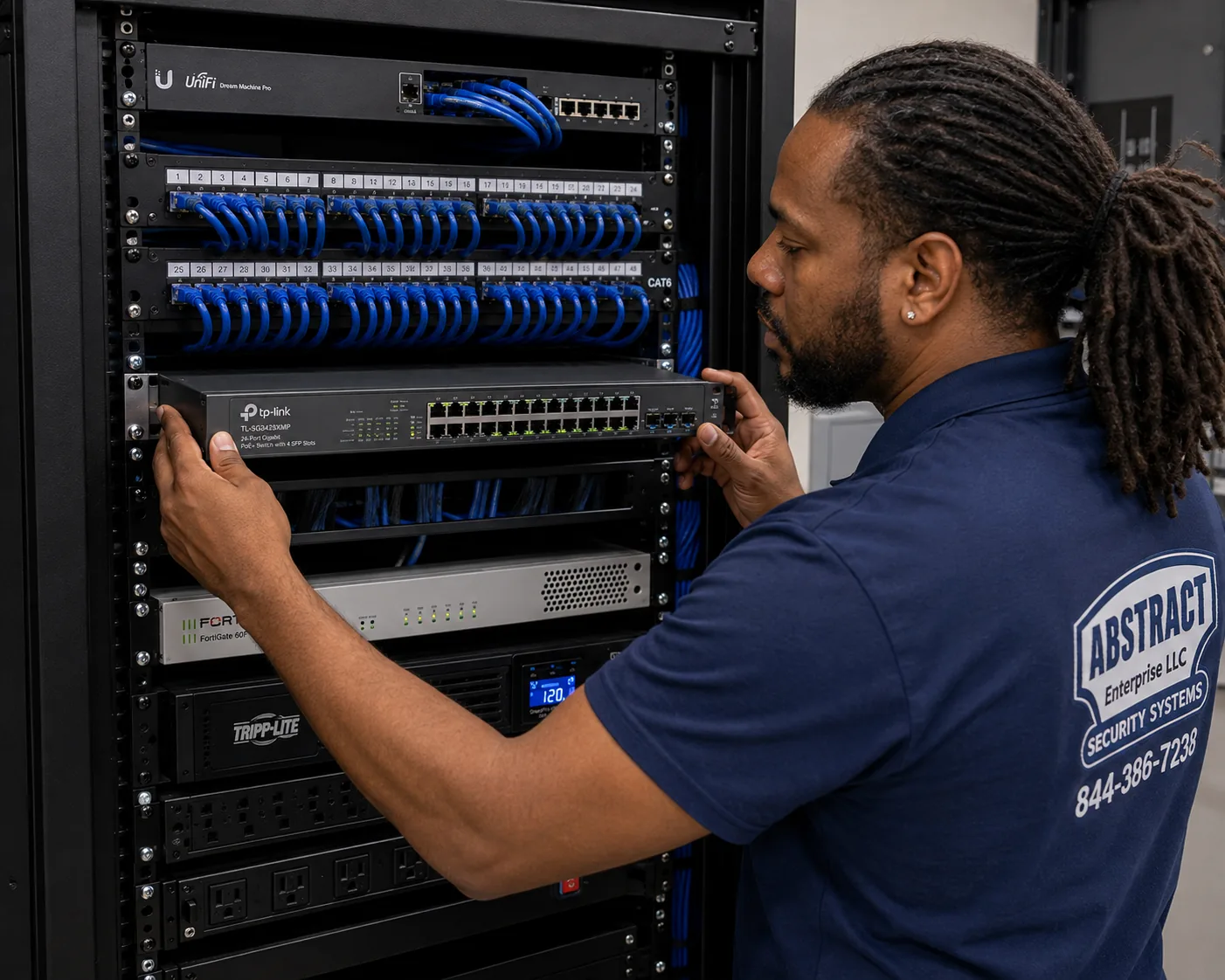
A photo from the AESS job library, not taken in the Brooklyn Navy Yard: a technician mounting a managed PoE switch below the patch panels in a commercial rack. In a Navy Yard unit the switch that powers the cameras is often the same one that runs the office, and when a company adds cameras, printers and access points over the years it can quietly run out of power to share. A switch with enough PoE budget, on a battery backup and labeled port by port, fixes a whole class of cameras that drop out at random.
Building Specialists
Security Camera Repair for the Brooklyn Navy Yard's Architecture
The Yard's buildings were put up over two centuries for shipbuilding, storage, power and war production, and later cut into tenant units for businesses that never imagined working there. Each kind of building hides the camera recorder in a different place, routes cable a different way, and puts a different obstacle between a technician and a dead camera. These are the six we meet most.
The converted Navy warehouse
Brick and heavy-timber or steel buildings along Flushing Avenue and the old storehouse rows, cut into shops and studios, with high ceilings and cable stapled along beams.
The concrete giant
Building 77 and Building 3: deep reinforced-concrete floors, long corridors and many tenants per floor, where cameras live inside each unit and cable cannot simply be pushed through a wall.
The new manufacturing building
Building 128's Green Manufacturing Center and other renovated industrial floors, with open plans, exposed ceilings and cable trays that tenants share.
The glass office building
Dock 72 and the newer office floors, with finished ceilings, building-wide networks, and suites that change hands as companies grow.
The single-story shed
Long, low buildings like Building 293 and the workshop sheds near the dry docks, with roll-up doors, wide spans and cameras on exterior walls facing the water.
The stage and studio complex
Sound stages and production offices around Steiner Studios, where cameras watch equipment cages and doors and must stay out of shots and sound.
The converted Navy warehouse: long runs along the beams
The older brick buildings in the Yard were built as storehouses, shops and offices for the Navy, and most were later divided into units for fabricators, furniture makers, artists, food businesses and small manufacturers. Camera systems in these spaces tend to grow one camera at a time. The first installer stapled cable along a timber beam or clipped it to a steel joist, the next one added a camera on a different run, and a few years later nobody knows which cable at the recorder goes to which corner of the floor. The ceilings are high, often fifteen feet or more, so a dead camera on a beam means bringing a ladder that fits in the freight car or booking a lift.
Repairs here usually start with an inventory. We trace each cable from the recorder or switch to its camera, label both ends, and test the run. On long open floors the commonest single fault is a connector that has worked loose or corroded where a cable crosses a cold exterior wall, followed by cable crushed against a beam by something stored above it. Where a run turns out to be longer than a network cable is designed to carry, we tell you, because no amount of camera swapping will make that link reliable. The fix is a small switch closer to the cameras or a different route, and it is priced before we start.
The concrete giant: deep floors and many tenants per floor
Building 77 is the Yard's tallest building, sixteen stories and about 952,000 square feet, and its lowest eleven floors were built with walls around 25 inches thick and no windows until the 2017 renovation cut them in. Building 3, an eleven-story reinforced-concrete supply storehouse from 1917, has the same kind of mass. In buildings like these a tenant's camera system is almost always self-contained inside the unit: cameras on the unit's ceiling and walls, cable along the unit's own ceiling, and a recorder on a shelf or in a small rack. What a repair cannot easily do is send cable through the building's structure, so we work with the paths that already exist and ask the property manager first about anything that would mean drilling, coring or using a shared riser.
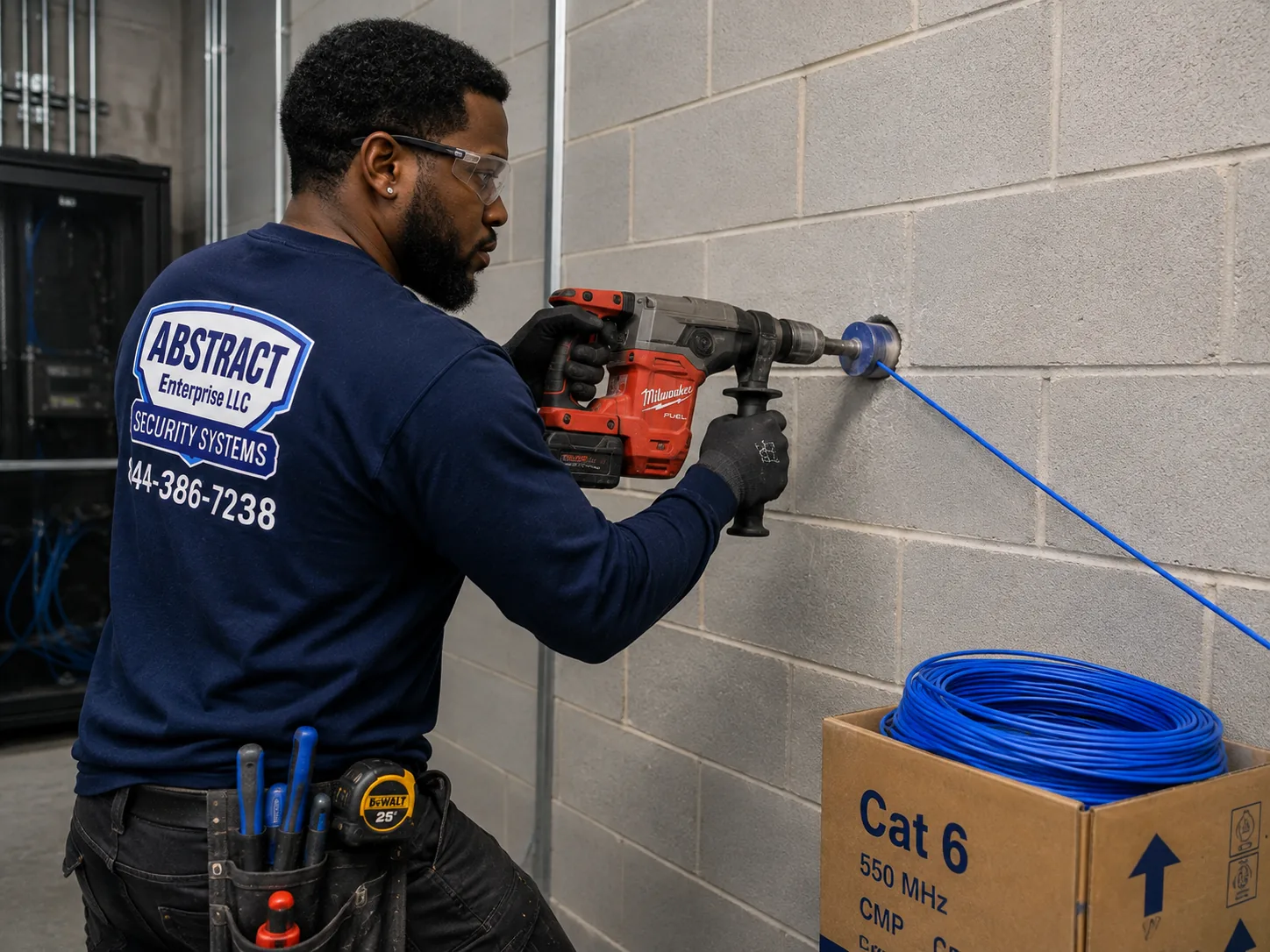
A photo from the AESS job library, not taken in the Brooklyn Navy Yard: a technician core drilling a block wall to carry cable through to a network room. In the Yard, any drilling through a building wall, slab or rated partition is an alteration that BNYDC wants to see first, so a camera repair that needs a new path through a wall is quoted with that approval step built in. Most repairs never need one, because the old cable path can be reused or a short run can stay inside the unit.
The new manufacturing building: open floors and shared trays
Building 128, home to the Green Manufacturing Center completed in 2016 and to Newlab, and other renovated industrial buildings give tenants big open floors with exposed ceilings, sprinkler mains, ductwork and cable trays that several companies may use. Camera systems here are usually newer network cameras on PoE, which means the network switch is the heart of the system. The faults we find are switch ports that failed after a power event, switches that ran out of PoE budget when the company added access points and phones, and cameras that were mounted on the nearest steel member rather than where they could see the work.
The glass office building: finished ceilings and changing suites
Dock 72, the 675,000-square-foot office building on the water that topped out in 2017, and other newer office floors in the Yard have finished ceilings, building network infrastructure and lobbies run by the building. Tenant camera systems here are usually small: a camera at the suite door, one or two over the main work area, and one in a server or storage room, recording to a compact NVR or to the cloud. The repairs are mostly about the network. A camera that worked for years stops after the company moves to a new internet plan or an IT contractor puts the cameras on a different network segment, and nobody updates the recorder.
The single-story shed: wide spans and walls facing the water
Long single-story buildings in the Yard, like the 1,000-foot Building 293 with its solar roof, and the workshop sheds near the dry docks have wide roll-up doors and walls exposed to wind and spray off Wallabout Bay and the East River. Outdoor cameras on these walls fail the coastal way: connectors that corrode inside their boots, brackets that rust, front windows that haze. Inside, the fault is usually distance, because a camera at the far end of a long building may sit on the very edge of what its cable can carry.
Roof use in the Yard is prohibited except in emergencies unless your lease grants roof rights, so cameras and cables that a previous tenant put on a roof edge are worth a second look. If one has failed, we discuss moving it to a wall rather than repairing it where it is.
The stage and studio complex: quiet, dark and full of expensive gear
Steiner Studios, which opened in 2004, and the production companies around it keep cameras on equipment cages, loading doors and corridors, and the camera system has to work in a place that is often dark, often full of lighting and grip gear on carts, and sometimes recording sound. Repairs here are scheduled around shoots, cameras with infrared lights are checked so they do not show up in a shot, and recorders with noisy fans are moved or replaced so they do not ruin a take.
Equipment theft is the reason these systems matter. The 2024 case reported by the Brooklyn Paper, in which spools of network cable worth about $20,000 were stolen from a rental company's vehicle at Steiner and the suspect was identified on security cameras, is the kind of loss studio tenants want a camera to answer for.
Field Notes
Field Notes: Checking a Camera System That Shares a Rack With the Office Network
These notes set out how our technicians approach a camera system in a Navy Yard tenant space, where the cameras, the office computers and the internet line often meet in the same small rack. They describe our standard checks, not a story from a particular job.
Start at the screen, then find the switch. The technician first notes which channels show video, which are black, which say "no signal" or "offline," and whether playback has gaps. Then the question is where the cameras actually connect. In a Yard unit the answer may be a PoE switch on the recorder's shelf, a switch in the office rack, or a port in a telecom closet down the hall, and finding it is half the diagnosis.
Check the power budget before the cameras. A PoE switch has a total amount of power it can share. When a company adds wireless access points, phones or extra cameras to the same switch over the years, it can run short, and the cameras that drop are the ones that happen to ask for power last. The technician reads the switch's power figures, or measures at the port, before replacing anything.
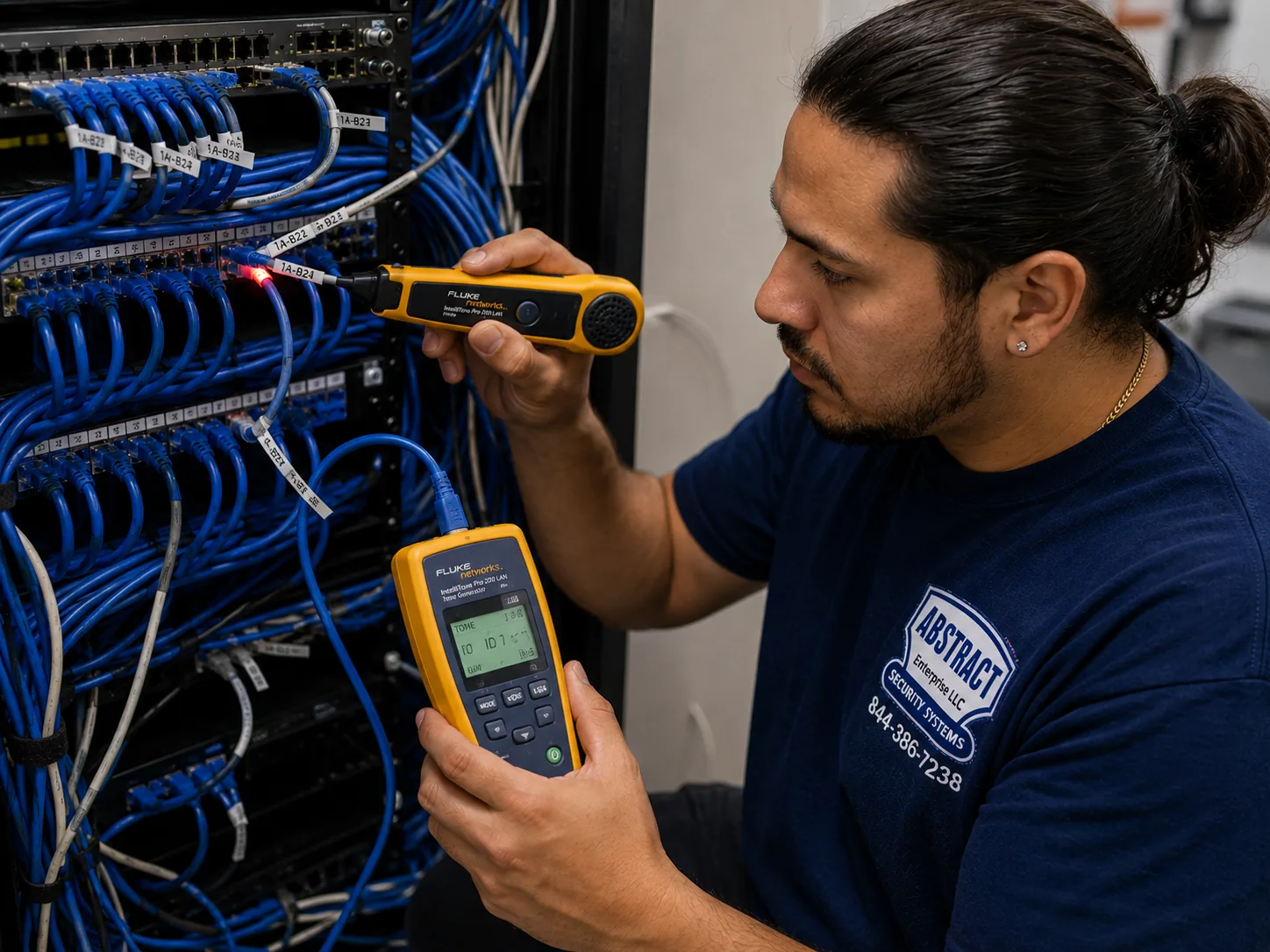
A photo from the AESS job library, not taken in the Brooklyn Navy Yard: a technician tracing an unlabeled cable at a patch panel with a tone generator and probe. In a Yard unit that has changed tenants or layouts, the rack often holds cables nobody can name, some live, some cut off at the far end, and toning them out is the quickest honest way to know which one feeds the dead camera.
Ask who changed the network last. Many "dead" cameras in the Yard are alive and simply unreachable after a new router, a new firewall rule or a new IP scheme. The technician asks when the internet or IT setup last changed, checks whether the cameras and recorder are still on the addresses they were set up with, and coordinates with your IT person rather than overwriting their work.
Price before parts, and label before leaving. You hear the cause and get a written price before anything is replaced. When the repair is done, every traced cable is labeled at both ends, a short channel map is left with the company, and the recorder's clock and failure alerts are checked so the next problem announces itself.
Fault by Fault
Dust, Distance, Networks or Impact: How Navy Yard Camera Systems Break
Five causes account for most of the camera failures we find inside Yard tenant spaces. Knowing which one you are dealing with usually tells you what the repair will cost before anyone climbs a ladder.
Dust and residue: the slow fade on production floors
Woodshops, metal fabricators, bakeries, coffee roasters, breweries and distillers all put something in the air. Sawdust and metal fines settle on a camera's front window, flour and sugar dust form a film, and steam and cooking exhaust leave a greasy haze. The picture does not die; it fades over months until faces and plates are a blur, and at night the infrared light bounces off the film and turns the whole frame white. The same dust gets pulled into the recorder's fan and the switch's vents, where it raises the temperature and shortens the life of the hard drive.
The fix is usually cheap: clean the windows with the right cleaner, check the seals, and clean or relocate the recorder so it is not breathing the shop floor. On our Brooklyn list a clean and check for a blurry picture is $80. Where a camera is mounted in the path of exhaust or spray, moving it a few feet out of the plume does more good than any cleaning schedule.
Distance: long floors and the limits of a network cable
A standard network cable is designed to carry data and power about 100 meters, roughly 328 feet, from the switch to the camera. Some Yard buildings are much longer than that, and a camera at the far end of a big floor may be cabled right at the edge or past it. Those cameras often work at first, then start dropping out as connectors age, as more cameras share the switch, or as the cable warms and cools with the seasons. The tell is a camera that goes offline and comes back on its own, sometimes many times a day, while closer cameras on the same switch never miss.
Swapping that camera rarely helps. The repair is to shorten the run, usually with a small PoE switch or extender mounted closer to the far cameras and fed by one cable, and to test every run with a cable analyzer so the weak link is found rather than guessed. It is priced in writing before we start, and it is often less than replacing the cameras someone assumed were bad.
Networks: the IT change that took the cameras with it
This is the single most common reason a Yard tenant calls us. The company switches internet providers, gets a new router or firewall, moves to a new IT contractor, or puts the office on a new address range, and the next morning the phone app says "offline" for every camera. Often the cameras are still recording locally the whole time; the recorder has simply lost its path to the internet, or the cameras have lost their path to the recorder because their addresses no longer fit the network.
Repairs here are mostly configuration, and a configuration fix with no parts usually falls within the $150 service call. The important part is doing it without breaking the office network, so we work with your IT person, keep the cameras on their own network segment where possible, change default passwords if they are still in place, and write down what we set so the next IT change does not repeat the problem.
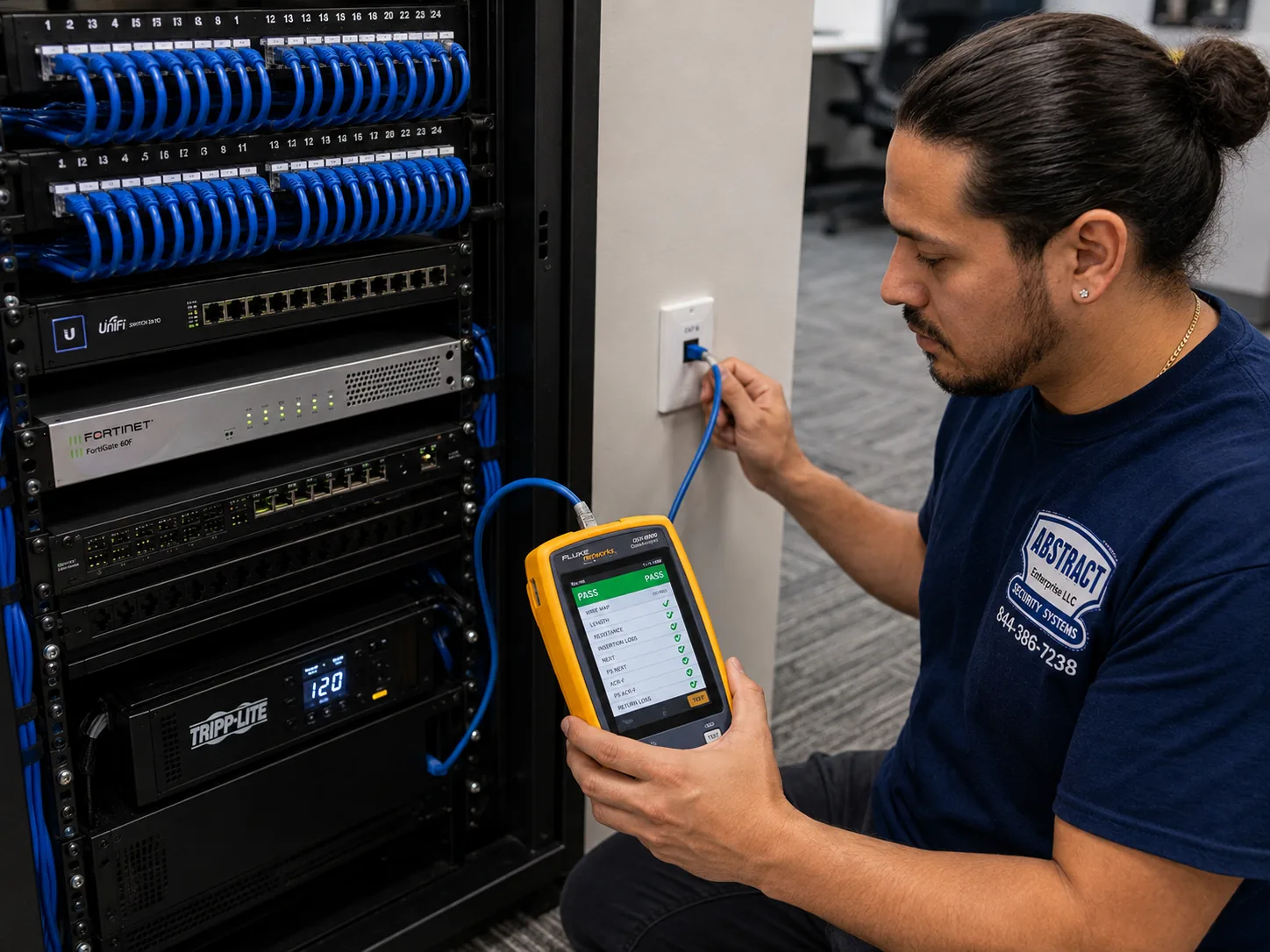
A photo from the AESS job library, not taken in the Brooklyn Navy Yard: a technician certifying a data drop with a cable analyzer that shows a PASS result. On a long Navy Yard production floor, a test like this is what separates a camera that is actually broken from a cable that is too long, crushed or badly terminated, which saves buying a camera that would have failed the same way.
Impact: forklifts, ladders and moving racks
Cameras on columns and low beams get hit. A forklift mast, a ladder carried through a doorway, a pallet stacked one row too high, or a rolling rack pushed into a corner can crack a dome, snap a bracket or pull a cable out of its connector. The camera may keep working at a crooked angle for weeks before anyone notices it now shows the ceiling. Cameras over loading doors take their own beating from trucks backing in and from the doors themselves.
If the camera body is fine, a new dome or front cover costs $30 to $80 in parts plus labor on our Brooklyn list. If the camera is broken, a same-spec replacement is $250 to $600. Either way we look at whether the camera belongs where it was: a few feet higher, or on the other side of the column, often keeps it out of harm's way for good.
Heat, power and age: recorders in closets
Recorders and switches in the Yard often live in a closet, under a desk, or on a shelf in a mechanical corner, and a lot of them are hot. Heat wears out hard drives, and a drive that is failing usually shows it first as gaps in playback, recordings that stop at random, or a recorder that beeps and shows a disk error. Power interruptions add to it: a recorder without a battery backup takes every flicker as a hard shutdown, and each one is a chance to corrupt the drive or the settings. Older recorders also lose their clock settings, so footage carries the wrong date and time.
The repair depends on what we find. A hard drive swap is $200 to $450 by capacity on our Brooklyn list. A DVR that is not working, including the drive and labor, averages $300 to $700, and an NVR that is not recording runs $400 to $900 depending on the model. If the recorder is past saving, a replacement with a drive and full reconfiguration is $700 to $1,500. In every case we check the clock, set the recorder to warn you when a drive or camera fails, and recommend a battery backup sized for the recorder and switch if one is missing.
Commercial Security Camera Repair
Business Security Camera Repair in the Brooklyn Navy Yard
Almost every camera system in the Yard belongs to a business, and the kind of business decides what a repair has to get right. BNYDC groups its tenants into industries such as food and beverage, fashion and visual design, manufacturing, transportation, and energy and sustainable technology, and its Industry Development Council adds medtech, robotics, sustainable design-build, fashion and wearables, beauty and personal care, life science and green energy. These are the tenants we see most.
Fabrication and woodworking shops
Cameras over tool cribs, material racks and roll-up doors, fighting dust and the occasional forklift. The priority is a picture clear enough to see who took what.
Food and beverage producers
Kitchens, bakeries, breweries and distilleries with steam, flour, washdown and cold rooms. Cameras need cleaning and sealing, and recorders need to be out of the humidity.
Film, photo and production companies
Equipment cages, stage doors and loading areas, where lenses, lights and rental gear are worth a great deal and the cameras must not interfere with a shoot.
Warehouses and distribution
Docks, aisles and packing stations, where footage settles shipping disputes and internal losses, and where recorders need enough days of storage to cover a late discovery.
Labs, robotics and hardware startups
Prototype benches and server rooms in office-lab suites, with cameras on the company network and an IT team that needs to know exactly what we change.
Retail counters and food hall stands
Registers, display cases and back rooms in shared spaces, where a camera over the register and one on the stock room usually matter most.
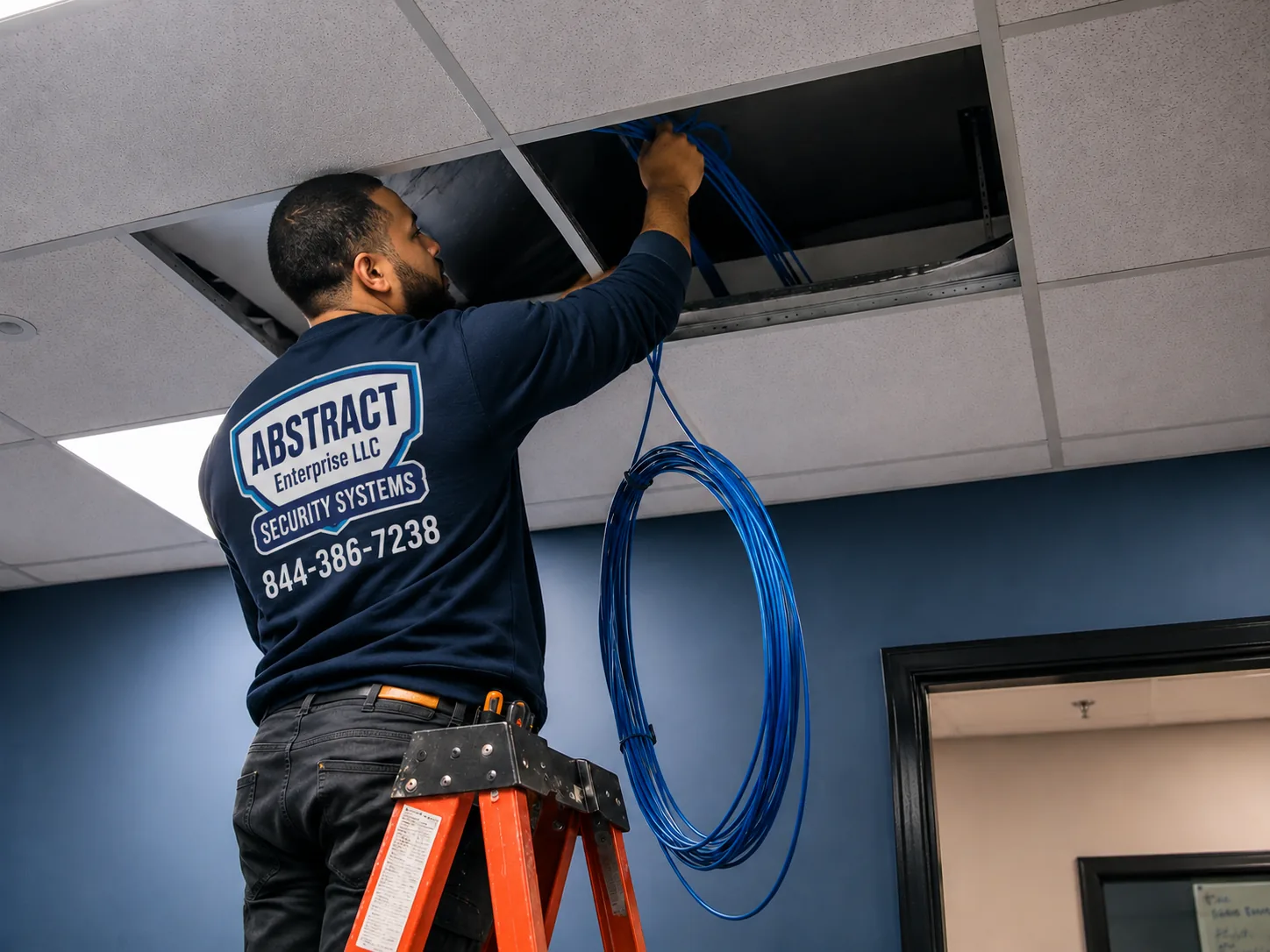
A photo from the AESS job library, not taken in the Brooklyn Navy Yard: a technician feeding cable through the ceiling of a commercial space that stays open during the work. In the Yard's finished office floors, a camera repair often means lifting a few ceiling tiles above people who are still working, so we work one section at a time and put every tile back before we move on.
What a Yard business needs from a camera repair
Business owners rarely call to say a camera is broken in principle. They call because something went missing, because a client or an insurer asked whether the cameras work, or because someone tried to pull a clip and found nothing. So the repair has to answer the practical questions: Is it recording right now? How many days does it keep? Does the clock match real time? Can the right people see it, and can the wrong people not? Every repair we close out ends with those four checked.
Internal losses and why retention matters
The 2016 B&H warehouse case is a useful reminder of how losses inside a business usually surface. The guard who found it was reviewing footage after a holiday, and the thefts he saw had happened on different days, weeks apart. Inventory shortfalls are often discovered at a count, a month or more after the fact. A recorder that keeps only a week of video, because its drive is small or because it records every camera at full quality around the clock, cannot help with that. During a repair we check how many days the system actually holds, and if it is short, we show you the options: a bigger drive, recording on motion for quiet cameras, or lower settings on cameras that do not need full detail.
Cameras, employees and New York's monitoring notice law
Many Yard businesses use cameras partly to watch work areas, and New York has rules about monitoring employees. Since May 7, 2022, the state Civil Rights Law has required private employers who monitor employees electronically to give new hires written notice and get their acknowledgment, and to post a notice "in a conspicuous place" where monitored employees can see it. The law firm Kelley Drye's summary notes penalties of up to $500 for a first violation, $1,000 for a second and $3,000 for each one after, enforced by the Attorney General, and points out that the law's text speaks mainly of phone, email and internet monitoring. Whether your cameras fall under it is a question for your own counsel, not for a camera technician, but a repair that adds or moves cameras in work areas is a good moment to check your notices are posted. Cameras in restrooms, locker rooms and changing areas are a different matter altogether, and we do not install or repair them there.
Rules that touch a commercial camera repair in the Yard
State licensing. The New York Department of State licenses companies that install, service or maintain security systems, and its rules treat a camera system used to detect or monitor intrusion or theft as a security system. We work under license #12000287431. A business owner can work on their own system, but anyone you hire to do it should be licensed.
BNYDC alterations. The Tenant Manual says plans for most alterations must be submitted to and approved by BNYDC, and that any electrical work must be done by a licensed electrician and approved first. A like-for-like camera, drive or recorder replacement inside your unit is ordinary maintenance. Drilling through walls or slabs, new cable through shared spaces, or new power circuits are not, and we tell you up front when a repair crosses that line so you can raise it with your property manager.
Shared spaces and telecom closets. Hallways, lobbies, risers, roofs and telecom closets belong to the building. We work in them only with the property manager's say-so, and we do not leave cameras, cable or equipment in shared hallways, which the Tenant Manual also restricts.
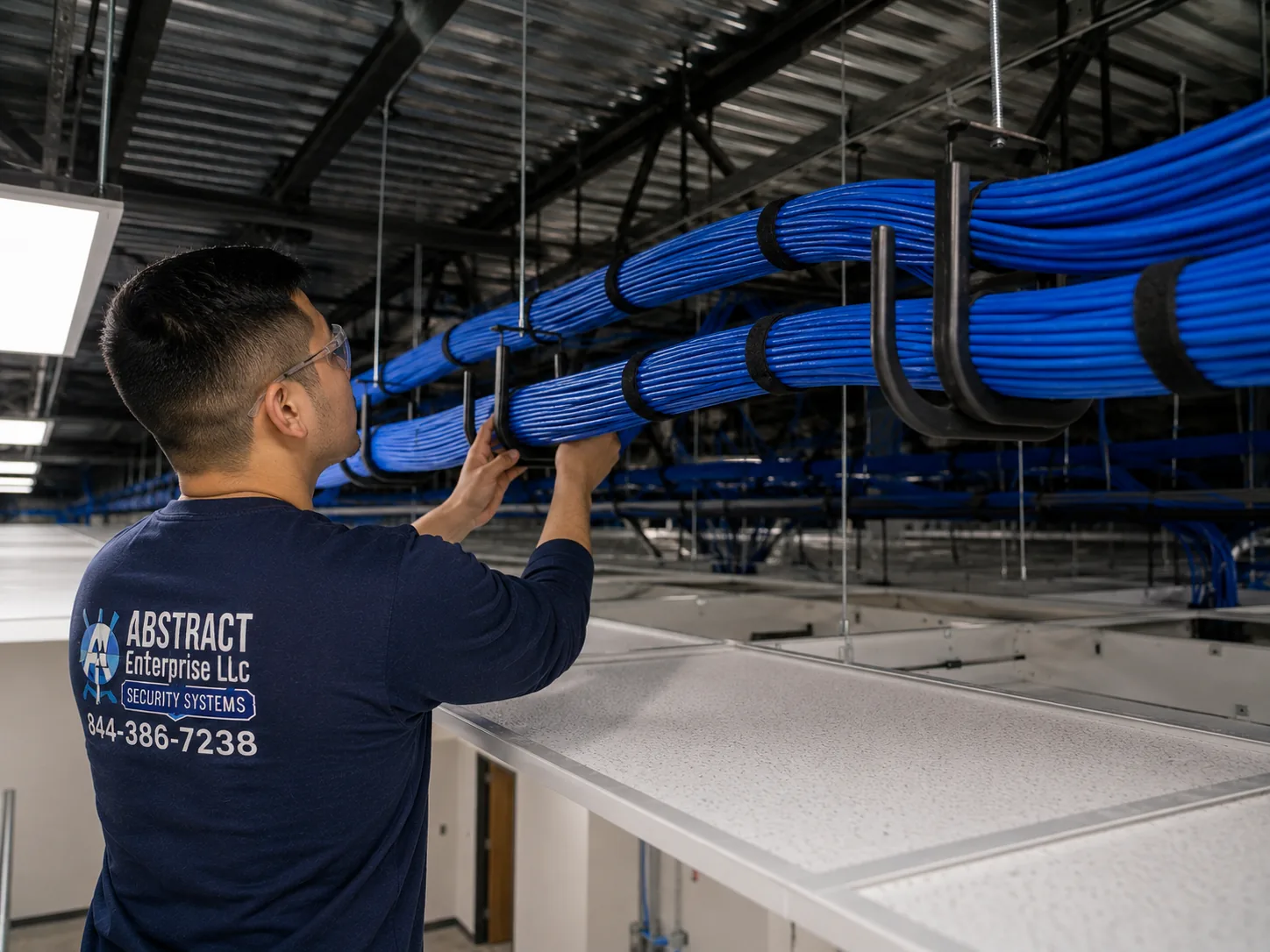
A photo from the AESS job library, not taken in the Brooklyn Navy Yard: J-hooks carrying neat bundles of cable across a commercial ceiling. On an exposed Navy Yard ceiling, camera cable supported this way, rather than lying on ductwork or tied to sprinkler pipe, is far less likely to be crushed or cut during the next fit-out, and far easier to trace when a camera stops.
Your Questions Answered
Security Camera Repair in the Brooklyn Navy Yard: Questions Answered
These are the situations Navy Yard business owners, office managers and IT contacts bring to us. They are grouped by where the trouble usually starts, and each answer reflects how the Yard's buildings and rules change the repair.
The landlord, the gate and the building
BNYDC has cameras all over the Yard. Can its security team see our cameras, or can we get theirs?
They are separate systems. BNYDC's cameras, recorders and command center belong to the landlord and are part of its own security program, which its 2025 assessment reviewed. Your cameras record to your recorder and are seen by whoever your company gives access to. If an incident outside your unit might be on a Yard camera, ask BNYDC Security directly; that request goes through them, not through us. We do not link a tenant system to the landlord's unless both sides ask for it in writing.
The technician has to get through the gate. Who registers them, and does that slow down an urgent visit?
Your company registers us, the same way you register any visitor. For a single visit the Yard's visitor system issues a one-day QR code, and for longer jobs BNYDC Security issues temporary contractor IDs. When you book, give us the name of the person who will register the technician and the gate you want us to use, and we send the technician's name and vehicle details. Registering the day before keeps an urgent visit from losing its first half-hour at the gate.
The camera that died is on the corridor wall outside our door. Is that ours to fix or the building's?
It depends who put it there, and the cable usually tells the story. If it runs back into your unit and shows up on your recorder, it is your camera and we can repair it, but because it sits in a shared hallway, we let the property manager know before we work there. If it runs to a building closet and is not on your recorder at all, it is probably the landlord's, and the repair is theirs to arrange. We check which it is before you pay for anything.
Internet, IT and the office network
We moved our internet to a different provider and every camera went offline on the app. Is the system broken?
Almost certainly not. When all the cameras drop off the app on the same day as an internet change, the recorder has usually lost its route out through the new router, or its saved network settings no longer match. In most cases it has been recording locally the whole time. We check playback on site to confirm, then restore remote access using the manufacturer's supported method instead of opening ports to the internet. With no parts needed, this usually falls within the $150 service call.
Our IT contractor wants the cameras off the office network. Can that be done without new cable?
Usually, yes. If the cameras already run to their own PoE switch or to the recorder's built-in camera ports, they can be kept on a separate network with only the recorder connected to the office side. If they share the office switch, a managed switch can put them on their own segment over the same cables. We agree the plan with your IT contact before changing anything, and leave them a written list of what was set so the camera network does not surprise them later.
Production floors and warehouses
The camera at the far end of our floor drops out several times a day and comes back by itself. Is it dying?
Usually the camera is fine and the cable is the problem. A camera that comes and goes on its own, while closer cameras on the same switch never miss, is the classic sign of a run near or beyond the roughly 100-meter limit of a network cable, or of a tired connector along the way. We test the run with a cable analyzer. If it is too long, a small switch or extender closer to the far cameras fixes it, and the price is written down before any work starts.
A forklift clipped the camera on a column, and now it shows the ceiling. Do we repair the mount or replace the camera?
Check the picture first. If the image is still clean once the camera is pointed back down, it is a mount and dome repair: a new bracket, and a new dome or cover at $30 to $80 in parts plus labor on our Brooklyn list. If the picture is cracked, dark or blotchy, the camera is replaced, $250 to $600 for a same-spec swap. Either way, we look at moving it higher or to the side of the column away from traffic, so it does not get hit again.
Our bakery's cameras get a white film every few weeks. Is there a camera that copes better with flour and steam?
Partly. A camera with a smooth, sealed housing and a sun hood collects less than an open dome, and a fixed lens behind flat glass is easier to wipe than a curved bubble. But the bigger gain comes from where the camera hangs. Moved out of the line of the ovens, the mixers or the steam vent by a few feet, a camera can go months between cleanings instead of weeks. We look at the airflow before suggesting new hardware, and we price a clean and check at $80 if that is all it needs.
The recorder in our shop's closet beeps and says the disk is abnormal. What does that mean, and is our video safe?
It means the recorder has detected a problem with its hard drive: failing sectors, a drive that dropped offline, or a drive it can no longer write to. Video already on the drive may still be readable, so if you need anything from the last few weeks, tell us before anyone formats or swaps the drive. We export what you need first, then replace the drive, which is $200 to $450 by capacity on our Brooklyn list, and look at why it failed, because a closet full of shop dust and heat will kill the next one too.
Moving, inheriting and growing
The last tenant took the recorder but left camera cables in our ceiling. Can we reuse them?
Often, and it is usually worth testing before paying for new cable. Left-behind network cable can be perfectly good, or it can be cut, crushed or patched together with connectors that will never pass. We trace each run, test it with a cable analyzer, and label what is usable. Anything that passes can carry a new camera; anything that fails is either repaired or abandoned. You get the results run by run, so you only pay for new cable where you actually need it.
We are moving to a larger space in another Yard building within a year. Should we fix the cameras now?
Fix whatever would leave you blind in the meantime, and hold the rest. A dead camera over the loading door or a recorder that is not saving should be repaired now, because a loss next month is just as costly as one after the move. Bigger work, like re-cabling a floor or replacing a recorder that still works, can wait. Most cameras, recorders and switches can move with you, and we can tell you during the repair which parts are worth taking and which are not.
Footage, staff and investigations
An employee is suspected of taking stock. Who in our company should be allowed to pull and watch the footage?
As few people as possible, and not anyone involved. Most recorders let you set separate users with different rights, so an owner or manager can view and export, while others can only see live video or nothing at all. During a repair we can set those users up and turn on the recorder's log so you can see who exported what and when. How the footage is used in an employment matter is a question for your own counsel; our part is making sure the video is saved properly and the access is controlled.
Can the recorder show whether a camera was actually recording on a particular night, or only that it works now?
Usually it can show both. Most recorders keep a log of video loss, disk errors, power restarts and recording gaps, and the playback timeline shows exactly which hours have video for each camera. If an insurer or a detective asks whether a camera was working on a given night, we can pull that log and the timeline for the date, and include them in a written note alongside any exported clip. If the recorder's clock was wrong at the time, we note that too, with the offset.
Our camera's infrared lights show up in footage we shoot on stage. Can they be turned off without losing night recording?
Yes. Most cameras let you schedule the infrared, switch it off entirely, or set it to come on only when the space is genuinely dark. On a stage, turning the infrared off and relying on the work lights or a little ambient light usually gives a perfectly usable picture of a cage or a door. Where a space is pitch-black when nobody is shooting, we can set the infrared to turn off during scheduled shoot hours only. It is a settings change, normally covered by the service call.
Equipment
Types of Security Cameras and Recorders We Repair
We repair whatever is on the ceiling, whoever put it there. These are the kinds of equipment we work on most in Navy Yard tenant spaces, and the faults each one tends to develop there.
Network (IP) cameras on PoE
The most common type in renovated Yard buildings. Faults: lost network addresses after IT changes, PoE ports or budgets exhausted, connectors loosened by vibration from machines.
Analog and HD-over-coax cameras
Older systems in long-tenanted warehouse units, with round BNC connectors and separate power. Faults: corroded connectors, failing power boxes, interference along long runs beside machinery.
NVRs, DVRs and hybrid recorders
The box that keeps the footage. Faults: drives worn by heat and dust, clocks that drift, recorders that rebooted into setup after a power cut.
PoE switches and extenders
The links between the recorder and far cameras on long floors. Faults: failed ports, overloaded budgets, extenders that were never powered properly.
Dome, turret and bullet housings
Hazy or coated windows, cracked domes over loading doors, bent brackets on columns, and seals that let in steam or washdown water.
PTZ and wide-area cameras
Pan-tilt-zoom cameras watching yards, docks and big floors. Faults: worn motors, lost presets, and housings that let in moisture on the water side.
Cloud-managed cameras
Systems such as UniFi Protect and other cloud-managed brands. Faults: lost controller links, expired accounts, licenses tied to a former employee's email.
Power supplies and battery backups
Central power boxes, plug-in adapters and UPS units, tested under load, since a backup that has quietly died protects nothing.
Monitors and viewing stations
Screens at a reception desk, a shipping office or a manager's workstation, and app access for owners and managers.
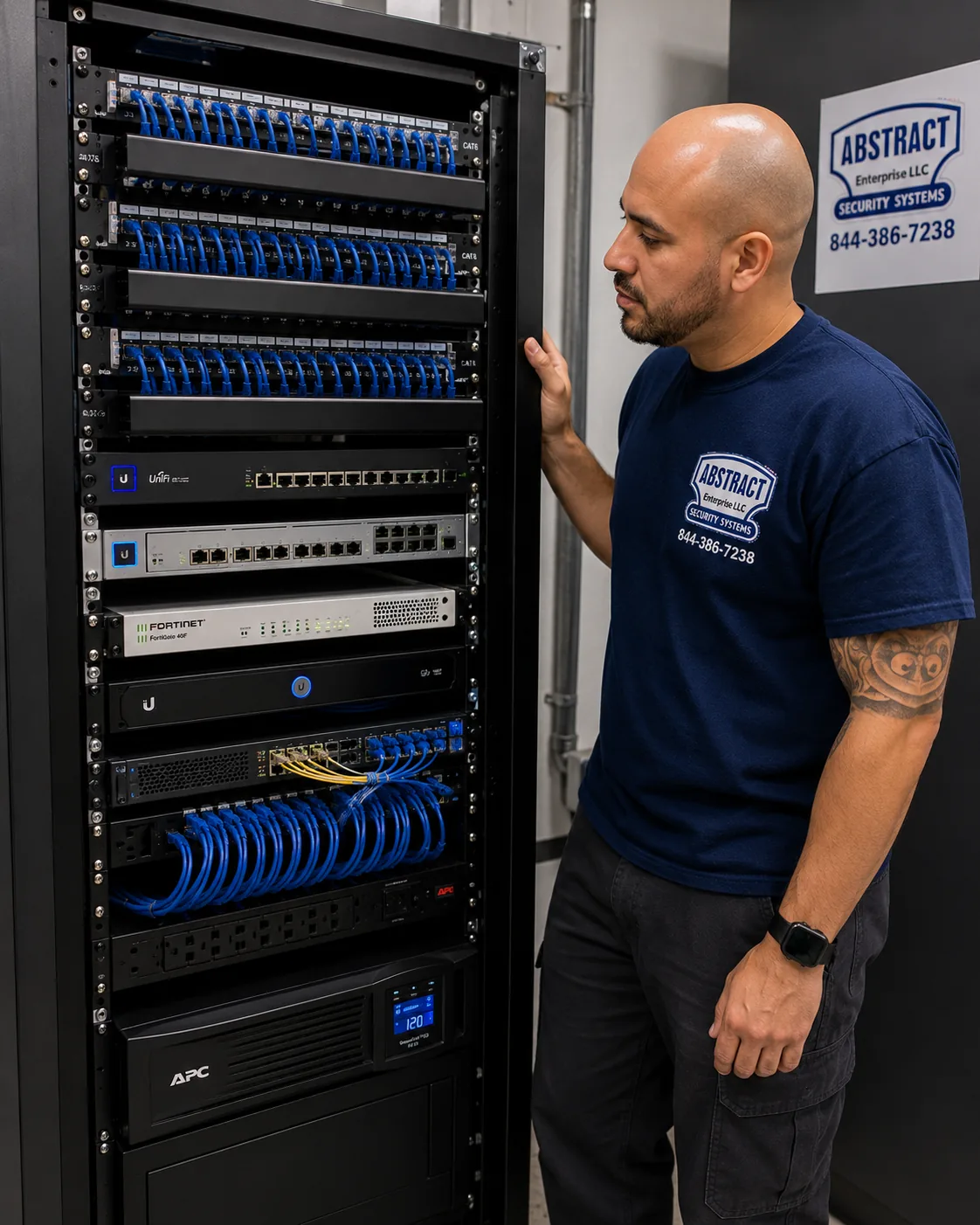
A photo from the AESS job library, not taken in the Brooklyn Navy Yard: a finished network rack with patch panels, switching, a firewall and a battery backup, every cable dressed and identified. Plenty of Navy Yard tenants keep their camera recorder in a rack like this beside the office network, and when it is laid out this way, finding the fault behind a dead camera is a matter of minutes.
National brands versus a local licensed repair
Some Yard businesses have, or once had, cameras from a national alarm company, battery or Wi-Fi cameras from a consumer brand, or a cloud-managed system set up by an IT firm. They can all work. The question when something breaks is who will actually come out and fix it, and what they are willing to touch.
Question
ADT or similar alarm company
Ring or SimpliSafe camera
AESS local repair
Who owns the equipment
Depends on the contract; some is leased
You own it
You own it, and we repair it
Wired cameras on long production floors
Its own installed systems
Mostly Wi-Fi or battery devices
Coax, network, hybrid and PoE, with runs tested
Other brands in the same unit
Usually only its own
Support covers its own devices
Any brand, any installer
Working with your IT contact
Varies by dealer
Phone or app support
On site, with a written list of changes
Licensed technician on site
Varies by dealer
Remote support
Yes, NYS license #12000287431
Price before work
Varies
Replacement device price
$150 service call, then a written repair price
AI Overview Reality Check
What AI Gets Wrong About Security Camera Repair in the Brooklyn Navy Yard
These claims come up in AI-generated answers and national cost guides when people search for camera repair. Each is reasonable in general and misleading for a business inside the Yard's gates. Here is what the field work actually shows.
"Camera repair in Brooklyn costs about $1,400"
HomeAdvisor's Brooklyn page for surveillance camera installation or repair gives an average of $1,416, a typical range of $680 to $2,145, and a low-to-high spread of $160 to $3,500. AI answers often repeat the average as if it were the price of fixing a camera.
That number blends new installations with repairs, which pulls it far above what most repairs cost. A loose connector on a shop-floor camera, a dead PoE port or a recorder that lost its network settings is nowhere near $1,400. On our published Brooklyn list most single faults are $150 to $700, and $700 to $1,500 covers a new recorder with a drive or a multi-camera rewire.
The planning number for a Yard tenant with one problem is the $150 service call, which is credited to the repair, plus the written price for whatever failed. The expensive jobs are real, but they are usually long floors that need new cable or old recorders that cannot be saved, and you will know that before you approve anything.
"A building with its own security team doesn't need its own cameras working"
Some answers suggest that a managed industrial park with gates and guards makes tenant cameras a nice-to-have. The Navy Yard does have a large security operation: BNYDC's 2025 assessment request lists more than 90 security staff and a command center.
But that operation watches the Yard, its gates and its common areas, not the inside of your unit. The landlord does not keep keys to tenant spaces, and its cameras do not see your tool crib, your stock room or your loading table. The 2016 B&H case at 63 Flushing Avenue was solved by footage from inside the business, reviewed by its own guard.
If your losses are most likely to come from inside your own space, by people who are allowed through the gate, only your own cameras will show what happened. That is why a dead camera in a Yard unit is worth fixing quickly, guards or no guards.
"If the camera shows no picture, the camera is dead"
Generic troubleshooting answers often jump to buying a new camera when a tile goes black. It is the most expensive guess you can make.
In Yard spaces, the camera is often not the failed part. A PoE switch that ran out of power, a cable past its distance limit, a connector shaken loose by machinery, or a network address that changed in an IT update will all show a black tile with a perfectly good camera at the far end. Replace the camera and the new one goes black too.
The cheaper route is to test the chain in order: power, cable and connector, switch port, recorder, then the camera. That is what the service call is for, and it is why we write the cause down before the price.
A photo from the AESS job library, not taken in the Brooklyn Navy Yard: a technician running cable into EMT conduit beside a telecom room in an industrial building. On a Navy Yard shop floor, camera cable that drops down a column into conduit like this survives forklifts, carts and cleaning crews, where cable left loose along the wall is the usual reason a camera dies a year after it was installed.
"Wi-Fi cameras are the easy fix for a dead wired camera"
A common AI suggestion is to replace a failed wired camera with a wireless one and skip the cable work entirely.
In buildings like Building 77, with walls around two feet thick on its lower floors, or in steel-and-concrete warehouses full of racking and machinery, Wi-Fi does not travel well. A wireless camera that works on a bench near the access point may stutter or drop out at the far end of the floor, and a busy production floor is full of equipment that can add interference. Battery cameras add a charging chore on top.
Where a wired camera has failed, the existing cable is usually the most reliable path, and testing it costs far less than discovering that a wireless replacement cannot hold a connection. We will still fit a wireless camera where it genuinely makes sense, such as a spot no cable can reach, but we will say so honestly.
"Cloud storage means you never lose footage"
Some answers say that if the footage is in the cloud, recorder failures do not matter.
Most wired camera systems in Yard units record locally to a recorder, and only send clips or alerts to the cloud, if anything. If the drive is failing, those local recordings are at risk whatever the app shows. Even true cloud cameras depend on an internet line that is shared with the office, and a busy upload or a provider outage can leave gaps. A cloud subscription can also lapse when the person whose card or email it was tied to leaves the company.
Cloud backup is a good second copy. But the reliable record is still a healthy recorder, with a drive that is tested, a clock that is right, and an alert that tells you when either fails.
"Hikvision and Dahua cameras are banned, so they all have to come out"
AI answers often say that because of federal rules, Hikvision and Dahua cameras must be ripped out and cannot be serviced. Many Yard systems installed over the past fifteen years use those brands or relabeled versions of them.
The FCC has put both companies on its Covered List, which restricts new equipment authorizations, and in 2026 it opened further rulemaking on Covered List firms. But as the Security Industry Association's Jake Parker told Security Info Watch, Hikvision and Dahua "are not telecom service providers," and a related proceeding on older device authorizations "explicitly would not affect continued use or operation of already-purchased communications equipment." Equipment you already own can generally keep running. Separate rules apply to federal contractors and some government-funded sites.
What changes is the repair path. Replacement parts in those brands can be harder to find, so when one fails we look at whether a compatible camera from another maker will work with your recorder, and if you are a federal contractor, we tell you to check your contract's requirements before choosing. We do not give legal advice on that point; we tell you what will work technically.
"Swapping a camera is a handyman job"
Plenty of answers treat camera repair as something anyone with a ladder can do in an afternoon.
For your own system, in your own space, you are free to try. But in New York the Department of State requires a license for companies that install or service security systems, and camera systems used to watch for theft or intrusion fall under that. In the Yard you also have BNYDC's rules on alterations, electrical work, roofs and shared spaces to think about, and a handyman who drills through a wall or taps a power circuit can put your lease in default.
If you hire someone, ask for their license number and a certificate of insurance, and ask what they will do if the fault turns out to be the network or the cable rather than the camera. Ours is NYS license #12000287431, and our written price tells you exactly what we are fixing.
Ask a Technician Before You Buy a New Camera for the Shop Floor
Tell us the building number and floor, the kind of space, how many cameras there are, which ones are out, where the recorder and switch sit, and the brand on the recorder's label if you can see it. If you need footage saved, say so first and give us the date and time window. A technician reads every request, calls back with the likely fault and what that kind of repair costs on our Brooklyn list, and books the visit in a two-hour arrival window once the service call is paid. If it is urgent, call (347) 934-8335 now.
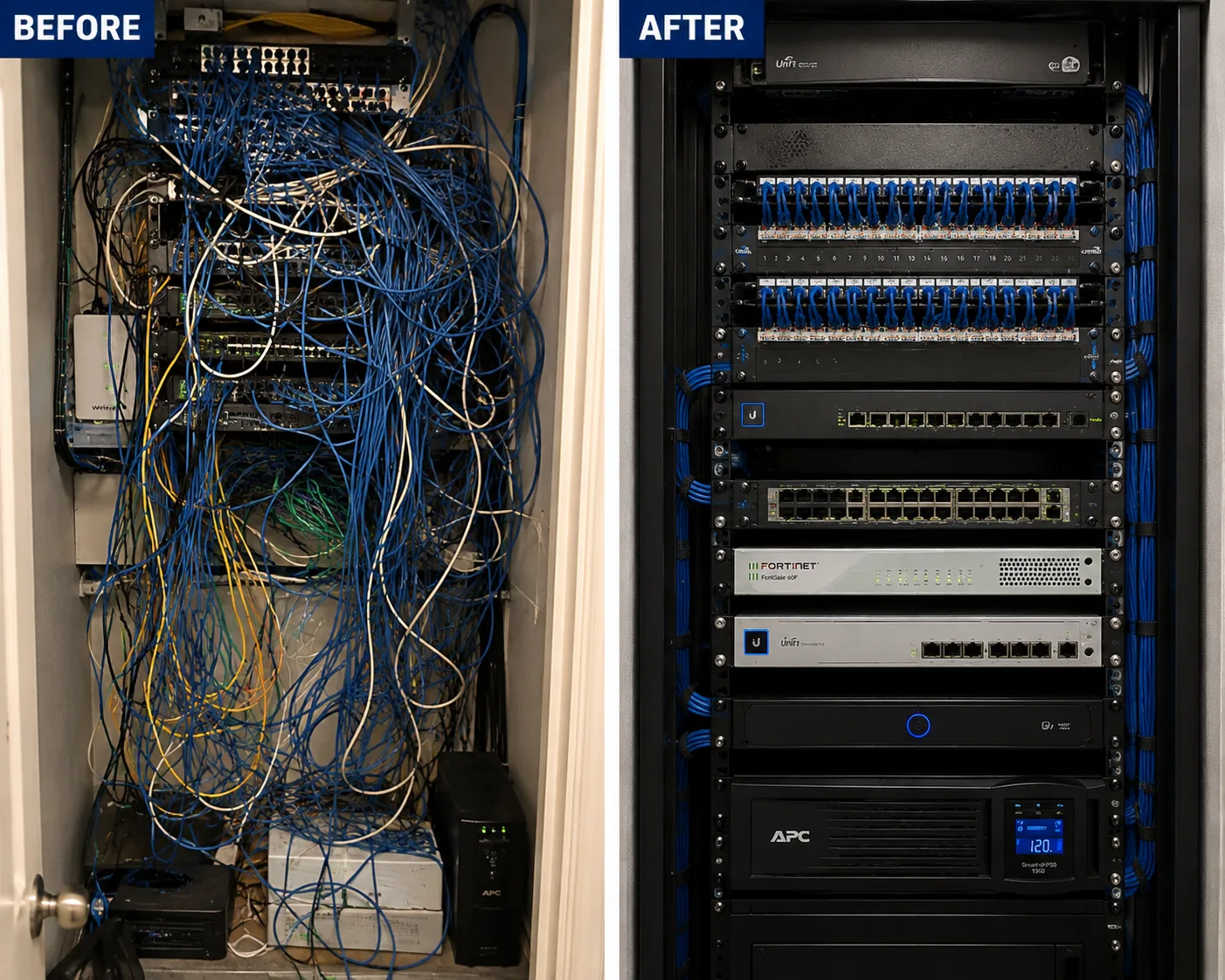
A photo from the AESS job library, not taken in the Brooklyn Navy Yard: before and after views of a network rack, an unlabeled tangle rebuilt into a dressed and identified rack. A Navy Yard unit that has passed through two or three tenants often has a rack like the one on the left, and cleaning it up during a camera repair is usually the difference between the next fault taking ten minutes or an hour to find.
✅
Request Sent!
Thank you. A technician will contact you about your Navy Yard space shortly.
How It Works
Our Repair Process
1. Send the screen, the label and the building
A photo of the recorder screen with the dark tiles, the recorder's brand label, and your building number and floor. Most faults narrow down from those three things.
2. Confirm who approves and who lets us in
We confirm who approves the repair, who registers the technician with BNYDC Security, and whether the work reaches a closet, ceiling or riser the property manager controls.
3. Book and pay the service call
The $150 Brooklyn service call books a two-hour arrival window and is credited to the repair if you go ahead.
4. Save footage first
Any clip you need is exported with its original timestamp before anything on the recorder is restarted, changed or replaced.
5. Test the chain in order
Power, cable and connectors, switch port and PoE budget, recorder and drive, then the camera, so the failed part is found, not guessed.
6. Cause and written price
You hear what failed and get a written repair price before any part is replaced. If an approval from BNYDC would be needed, you hear that too.
7. Repair and retest
The fault is fixed, every camera is checked live and in playback, the recorder clock is set, and alerts for camera and drive failure are turned on.
8. Label, document and hand over
Traced cables are labeled at both ends, a short channel map is left with the company, and your IT contact gets a list of anything we changed.
Coverage Area
Security Camera Repair Near the Brooklyn Navy Yard's Landmarks
Building 128 and Newlab
The Green Manufacturing Center, completed in 2016 at about 250,000 square feet, and home to Newlab, where open floors often run PoE camera networks beside lab equipment.
Building 3
The eleven-story 1917 concrete storehouse with Brooklyn Grange on its roof and the Pratt Research Yard inside, where cameras stay within each unit.
Building 303
A multi-tenant building in BNYDC's business directory whose ninth floor has hosted the Yard Industry Summit expo, with tenant units stacked floor by floor.
Clymer Street Gate
The Kent Avenue end of the Yard, closest to Williamsburg, with shorter gate hours that shape when a technician can come and go.
Building 41
The cogeneration plant built in 1995 and 1996. BNYDC is typically responsible for electric service up to each tenant's point of entry; the circuits feeding your recorder are yours.
399 Sands Street
The development built from 2018 to 2020 on the former Admiral's Row site at the Yard's edge, anchored by the Wegmans that opened in 2019.
Security Camera Repair Cost in the Brooklyn Navy Yard
The Brooklyn Navy Yard is billed at our Brooklyn rate. Every repair starts with the $150 service call, which is credited to the repair if you go ahead, and every number below comes from our published list of Brooklyn security camera repair prices. Your exact price is written down on the visit, once we know what failed, and nothing is replaced until you approve it.
Repair
Brooklyn price
Service call, on-site diagnosis and written repair price
$150, credited to the repair
Network, app, alert or clock settings with no parts
Usually within the $150 service call
Clean and check for a blurry or coated picture
$80
Connector reterminate or PoE port swap
$150–$350
Power supply repair
$150–$400
Dome or front cover replacement
$30–$80 part plus labor
Indoor camera repair
$200–$450
Hard drive swap, by capacity
$200–$450
Single camera replacement on a working system
$250–$600
Night vision camera repair
$250–$650
DVR not working, including drive and labor
$300–$700
NVR not recording, by model
$400–$900
Vandalized camera, per camera plus cable repair
$400–$900
PTZ camera repair
$450–$1,200
Hybrid recorder swap, channels reconfigured
$700–$1,200
DVR or NVR replacement with hard drive
$700–$1,500
Full rewire or whole-floor overhaul
From $1,500
Annual maintenance: commercial system / multi-location account
From $400 / $500–$800
Three things move a Navy Yard repair within those ranges. The first is distance: a camera at the far end of a long floor that needs its run tested, shortened or replaced takes longer than one near the recorder. The second is access: a ceiling over twenty feet, a camera above production equipment, a telecom closet the property manager has to open, or a repair that has to wait for a freight elevator all add coordination, and anything that has to happen after hours depends on BNYDC's own freight schedule and charges, which are separate from ours. The third is the network: when cameras share a switch and a firewall with the office, the fix may involve your IT contact, and we plan the work with them rather than around them. If the price changes on site, you hear the new number before the work goes on. Bundling the camera repair with intercom, alarm, access control or cabling work on the same visit saves $200 to $400 in labor on our Brooklyn list.
Full terms — including 50% deposit, one-year parts-only warranty on AESS-supplied products, and the late-fee schedule — are set out in the service agreement.
Shop Our Systems
Security Camera Repair Packages & Pricing
Three ways Navy Yard repairs usually come together, priced from the Brooklyn list above. Each starts with the $150 service call, credited to the repair, and your written price follows what the diagnosis finds.
Single-issue repair: $150–$700
One fault, one visit: a connector redone on a shop-floor camera, a PoE port or power supply replaced, a hard drive swapped, a cracked dome over the loading door replaced, or a camera knocked by a forklift remounted higher on its column. Most Yard calls end here.
Major system repair: $700–$1,500
The recorder, the far end of the floor or the whole network: a DVR or NVR replaced with a drive and every camera reconnected, a long run shortened with a switch and retested, or a system inherited from a previous tenant traced, labeled and brought back to life. Full rewires start at $1,500.
Annual maintenance: from $400
A scheduled visit for a commercial system: windows cleaned of dust and residue, connectors checked, the drive's health tested, firmware reviewed, the clock set and the retention confirmed, with a written condition report. Companies with spaces in more than one building, or elsewhere in the city, run $500 to $800.
Bring your own equipment. If your company has already bought a replacement camera, switch or recorder, we can fit it at labor-only rates. Tell us the exact model and we quote the labor by phone or text, and the visit is booked once it is paid. Your own equipment is installed as supplied: we cannot vouch for parts we did not supply, and if a model you bought will not work with your recorder, cannot reach the far end of your floor on its cable, or is a poor fit for a dusty or wet room, we tell you before the visit.
Complete Services
Every Security Camera Repair Service in the Brooklyn Navy Yard
Camera, connector and cable repair
Dead, knocked, coated and flickering cameras, and the runs that feed them. Request a repair
Do you cover every building inside the Navy Yard's gates, including Dock 72 and the sheds by the dry docks?
+
Yes. We cover every tenant building inside the Yard, from the Sands Street and Navy Street corner to Kent Avenue and Clymer Street, including Building 77, Building 3, Building 128, Dock 72, Building 293, the Flushing Avenue buildings and the sheds near the dry docks. The service call is the same $150 Brooklyn rate everywhere in the Yard.
Can the repair happen after hours or on a weekend, when the freight elevators are off?
+
Often, yes, if the work does not need the freight elevator. A recorder, switch or network repair can be done with what fits in a passenger car. If we need a tall ladder or a lift moved after 8 p.m. or on a weekend, your company books an after-hours freight car with BNYDC at least two business days ahead, and BNYDC's freight charges are separate from our price.
Does our IT person need to be there during the camera repair?
+
Not always, but it helps when the cameras share the office network or firewall. If the fault turns out to be a network setting, we need either your IT contact on the phone or written permission to change it. For a cable, camera or drive repair on a separate camera network, nobody from IT needs to be present, and we send them a short note of what was done.
Our cameras came with a monitoring contract from another company. Can you still repair them?
+
Check the contract first. Some monitoring contracts include service, and some leave the equipment owned by the company that installed it, in which case the repair is theirs. If your company owns the equipment outright, or the contract has ended, we can repair it whatever the brand, and we will not change anything that affects a live monitoring account without your say-so.
Do you repair cloud-managed camera systems such as UniFi Protect?
+
Yes, as long as someone at your company can log in as an administrator. With cloud-managed systems the most common problem in the Yard is an account tied to a former employee or a former IT firm, so before the visit, find out whose email the account is under. We repair the cameras, switches and controllers on site and hand back administrator access to whoever you name.
Can the repair be done between shifts so our production line keeps running?
+
Usually. Tell us your shift times when you book, and we will choose an arrival window before the line starts, at a break, or as the shift ends. Work at the recorder or switch rarely affects the floor at all. Work at a camera above running equipment waits until that equipment is safely stopped, and we will tell you in advance which cameras need that.
Can you repair a license plate camera covering our loading area or the gate to our lot?
+
Yes, if it belongs to your company. Plate cameras fail in the same ways as other cameras, and also lose their aim or focus after being bumped, or get washed out by headlights at night. We check the angle, the shutter and the infrared settings against real traffic and test them after dark if needed. Cameras on the Yard's own gates belong to BNYDC and are not ours to touch.
Our lab has its own entry rules, gowning or escorts. Can your technician work under those?
+
Yes. Send us your rules when you book: escorts, sign-in, protective clothing, tool restrictions or areas that are off limits. The technician follows them and brings only what the job needs. If a camera sits inside a controlled room, we plan the repair so it can be done in one entry where possible, and we wipe down any tools and parts as your procedures require.
Do you repair cameras at a food hall counter or a small retail stand inside the Yard?
+
Yes. Counters and stands usually have two to four cameras, often over the register, the prep area and a stock room, and a small recorder or cloud cameras. We schedule around service hours, keep the work out of the food area where we can, and get the register camera back first if several are down.
Can a camera be repaired or re-aimed to cover our company vans parked overnight in the Yard?
+
If you have a camera on your own building that can see the spot, yes. The Tenant Manual allows overnight parking only for commercial vehicles, and many tenants park the same vans in the same places each night. We aim and set the camera for that spot at night, check that a person at the van can actually be identified, and tell you honestly if the distance is too far for the camera you have.
Does a camera repair count as an alteration that needs BNYDC's approval?
+
A like-for-like repair inside your unit, such as a new camera on the same mount, a new drive, or a recorder in the same spot, is ordinary maintenance. Drilling through walls or slabs, running cable through shared spaces, adding new power circuits or mounting equipment on the roof or the outside of the building can count as alterations, and we flag those before you approve so you can confirm with your property manager.
We have cameras in two separate Yard buildings. Can both be viewed in one app after the repair?
+
Usually, yes, if both recorders are the same brand or support a common viewing app. Each building keeps its own recorder, and the app shows both as separate sites. If the two systems are different brands, we can often still put them in one viewing program on a computer, and we will tell you what is possible before you pay for any change.
More Security Camera Repair near Brooklyn Navy Yard
Ready to Get Every Navy Yard Camera Recording Again?
Send a photo of the recorder screen, a photo of the rack or shelf where it sits, and your building number and floor. We will tell you the likely fault and the Brooklyn price for that kind of repair, book the visit within 2 hours in a two-hour arrival window, and write down the cause and the price before anything is replaced. If you need footage saved, tell us first and leave the recorder alone until we arrive.