Concrete, Brick, Glass and Steel-Stud Walls · Your Lease Rules First · Freight Car Planned Ahead · Brooklyn Rate
TV installation in the Brooklyn Navy Yard starts at $179.99 on our Brooklyn list for a screen up to 55 inches on drywall over wood studs, with a $65 add-on for brick or stone, and every other line agreed in writing before the visit. Inside the Yard that base case is rare. Almost nobody lives here: the 300-acre campus on Wallabout Bay is a city-owned industrial park managed by the not-for-profit Brooklyn Navy Yard Development Corporation, and BNYDC says it now holds more than 550 businesses and over 13,000 workers. So the TVs we are asked about are working screens. A display at the end of a conference table in Dock 72. A welcome screen in a showroom on an upper floor of Building 77, where the lower walls are wartime concrete. A menu screen over a counter, a monitor on a production office wall, a break-room TV in an old brick warehouse. This page explains how each of those walls holds a bracket, what your lease and BNYDC expect before anything is drilled, how a 75-inch box reaches your floor when the freight elevators keep fixed hours, and what each part of the job costs.
Reviewed and updated November 13, 2026, against the BNYDC Tenant Manual (2026 edition) on alterations, electrical work, certificates of insurance, freight elevators, deliveries, waste, hallways, telecom providers, visitor registration and parking; BNYDC's mission page and FY25 impact figures; BNYDC's directions and gate-hours page and its May 2026 Cumberland Street Gate announcement; Wikipedia's Brooklyn Navy Yard article; The Bridge on Building 77 and on Dock 72; Time Out on Market @ 77; 6sqft on New Lab; Brooklyn Paper on the FEMA Sandy repair award; Angi's Brooklyn TV-mounting cost data and its guide to questions to ask a mounting pro; Bob Vila's TV mount installation cost guide; OSHA's fact sheet on silica dust from handheld drills; the NYC DEP noise code fact sheet; the 2010 ADA Standards; and the National Electrical Code on flexible cords. · Abstract Enterprises Security Systems, NYS license #12000287431 · crews dispatched from our Troy Avenue office in Brooklyn

Owner-operated since 2002 · Thousands of jobs completed · Booked within 2 hours
The quick answer for a Navy Yard screen. On our Brooklyn list, a TV or display up to 55 inches on drywall over wood studs is $179.99 in labor, a brick or stone wall adds $65, an old plaster wall adds $45, and a code-compliant in-wall power and cable kit is $169 where the wall and the lease allow it. A paintable cord cover is $59, a wall-mounted soundbar is $129, and a setup-only visit for the screen, the conferencing gear or the streaming device is $195 for the first hour and then 30-minute blocks. Bigger screens and poured-concrete walls carry their own lines on the same list, and we write them into your total from your photos before you book. Most Navy Yard requests are booked within two hours of reaching us, and the visit itself is set for a weekday window when your building's freight car and your floor are free.
The Brooklyn Navy Yard is not a neighborhood in the way Clinton Hill or Fort Greene are. It sits inside a boundary of Navy Street, Flushing Avenue and Kent Avenue on the land side and the East River and Wallabout Bay on the other, behind a wall and a set of gates, and every road inside it is private. The Navy built ships here from 1801 until 1966. The city bought the site, and since 1981 BNYDC has run it as a not-for-profit developer and property manager on the city's behalf. What that means for anyone hanging a TV is simple: you are almost always a tenant or a licensee, BNYDC is almost always the landlord, and the wall behind the screen belongs to someone who has written rules about it. That is the first difference between a Navy Yard job and a TV job in a Brooklyn apartment, and it shapes everything else on this page.
The second difference is who the screen is for. BNYDC describes more than 550 businesses on the campus, across food and beverage, fashion and design, manufacturing, media, robotics, medical technology and clean energy, with over 13,000 people working there. Those businesses want screens for the same handful of reasons. A meeting room needs a display that a laptop can reach and a camera can sit on. A reception desk or showroom wants a screen that shows the work to a visitor. A counter needs a menu or a queue display. A production team wants a monitor on the wall of an office that overlooks the floor. And a staff room wants an ordinary TV for lunch breaks and for the playoffs. The equipment is usually a commercial display or a consumer TV bought for an office; the hard part is the wall, the lease and the route from the loading dock to your suite.
The walls are hard because the buildings were built for war, for ships and for storage, and then reused. Building 77 went up in 1941 as a 16-story concrete storehouse, and The Bridge's account of its renovation puts it plainly: "The first 11 floors had no windows at all." Wikipedia's history of the Yard gives the lower walls as about 25 inches thick. Building 3 is an eleven-story reinforced-concrete supply storehouse from 1917. Dock 72, by contrast, is a new 16-story office building finished at the end of the 2010s, with 14-foot ceilings and eight-foot windows, according to The Bridge. Between those extremes sit low brick warehouses and shops, steel-framed halls such as the former Building 128 that now holds New Lab, and fit-out partitions that tenants have added inside all of them. Two suites on the same corridor can have completely different walls behind the screen, and the scanner that works in one will mislead you in the next.

The third difference is logistics. The Yard runs on its own calendar. BNYDC's Tenant Manual says the freight elevators shut down between 8 p.m. and 5 a.m. on weekdays and give no ordinary service on Saturday, Sunday or federal holidays. After-hours freight use is by request at least two business days ahead, at $50 an hour per car from 8 to 11 p.m., and with a four-hour minimum of $200 overnight and at weekends. Visitors, including installers, are registered by the tenant through BNYDC's visitor system and receive a QR code for the gate. Packages may not be left in shared areas, contractor waste has to be removed under the Tenant Alteration Guidelines, and the manual is blunt that "If waste is left behind, the tenant or licensee will incur penalties." None of that is a reason not to put a TV on the wall. It is the reason a Navy Yard screen job is planned a little differently from one in a brownstone.
Prices around the borough show why planning matters. Angi's cost data for TV mounting in Brooklyn gives an average of $280 and a typical range of $172 to $376, with jobs reported from $100 to $670. Bob Vila's national guide, drawing on Angi and HomeAdvisor, puts drywall jobs at $100 to $300 and brick, concrete or stone at $200 to $800, and says running wires inside a wall can cost as much as $1,000. Those spreads come mostly from the wall and the wiring. In the Navy Yard, the wall is more often concrete or brick than anywhere else in Brooklyn, and the wiring question is tangled up with a lease rule, so a fixed list with each add-on named matters more here than a national average does.
Where this page applies. It covers every tenant building inside the Yard's gates, from Building 77 and Building 3 on Flushing Avenue's side to Dock 72 on the water, the warehouses and shops around the dry docks, New Lab, Steiner Studios and the buildings near the Sands Street gate, plus the new commercial building at 399 Sands Street on the old Admiral's Row site. The streets outside the wall are covered on our Fort Greene TV installation page, our Clinton Hill page and our DUMBO page, with the whole borough on our Brooklyn TV installation page. The price is the same Brooklyn rate on both sides of the Yard wall.
The urgent screen calls we expect from a place like the Yard come in three kinds. The first is a display that has started to droop or lean. In a fit-out partition, that usually means the bracket was screwed into drywall between metal studs, or into the thin steel of the stud itself with a wood screw, and the weight has slowly pulled it loose. On old brick it usually means the anchors were set in the soft mortar joints rather than the brick. On concrete it can mean a plastic plug was used in a hole drilled too wide. The second is the screen, bracket or tangle of cables the previous tenant left behind when the suite changed hands. Leases at the Yard turn over, companies grow from one suite to a bigger one, and the wall you inherit may carry someone else's guesswork. The third is a meeting-room display that works but cannot be used: the laptop cable does not reach, the camera has nowhere to sit, or the sound comes from a laptop speaker at the far end of the table.
If a display is tipping, do not push it back up. If two people can safely lift it off, unplug it, take it down and call (347) 934-8335. If it cannot be lifted safely, keep people out from under it and call. Taking down an old TV is $85 on our Brooklyn list. If the same screen goes back up on a properly anchored bracket in the same visit, it is priced as a new mount on that wall type with the take-down added, and if we find that the wall itself is the problem, a cracked block or a crumbling patch of brick, we tell you so you can bring in BNYDC's Property Management before anything else is fixed to it.

Every service below is priced from the same Brooklyn TV list we use across the borough. In the Yard, the wall usually decides the add-on, the lease decides how the cables are hidden, and the building decides when we can bring the screen up.
A screen at the end of the table, at a height the whole room can see and the camera can work with, with a laptop connection that reaches the seats and a soundbar close to the picture for calls.
Brackets anchored into the wartime concrete of Building 77 and Building 3 and into the brick of older warehouses and shops, with the anchor matched to solid concrete, solid brick or hollow block.
Screens on the drywall partitions tenants build inside their suites and on the walls of newer floors such as Dock 72, with fixings that hold in steel studs and a plan for the windows.
A welcome or portfolio screen for a front desk or a showroom wall, mounted so the cables vanish and the screen can be seen from the door, often running from a small player or a laptop.
A display above a food-hall counter or a pickup window, out of the reach of customers and away from steam, heat and grease, wired so staff can switch it on without a ladder.
An ordinary TV for a staff kitchen or lounge, set on its stand where drilling is not allowed or mounted on a wall that can take it, with the streaming device and remote set up before we leave.
The Yard is a collection of buildings from three centuries, and a screen job inside one of them depends on three things: what the wall is made of, how the screen gets from the street to the floor, and how the space is used around the person doing the work. Six kinds of space cover nearly every request.
Building 77's former storehouse floors, built in 1941 with no windows on the lowest eleven stories and very thick walls, now offices, studios and light manufacturing.
Building 3, the eleven-story reinforced-concrete supply storehouse of 1917, with a loading platform around its base and Pratt's Research Yard among its tenants.
Dock 72's sixteen floors of offices raised on V-shaped columns, with 14-foot ceilings, eight-foot windows and a coworking operator on several floors.
Shipbuilding-era halls such as the one New Lab occupies, where 6sqft described ceilings of about 70 feet and a mix of studios, labs and event space.
One- to four-story brick buildings around the dry docks and the old perimeter, now workshops, distilleries, studios and makers, often with roll-up doors and mezzanine offices.
Drywall partitions on metal studs that tenants add to divide a floor into offices, meeting rooms and kitchens, which is where most screens actually end up.
The lower floors of Building 77 are the clearest example of how unusual Navy Yard walls can be. Wikipedia's account of the building says its lowest eleven stories were built with walls about 25 inches thick and no windows, likely for storing ammunition, and the 2017 renovation cut new windows into them. The Bridge describes the building as a "16-story concrete monolith" built in five months, with 58,000-square-foot floors and 10-foot ceilings after the renovation. For a TV, poured concrete is the best wall you can have once the bracket is in. It will not flex, it will not crush around an anchor the way old plaster does, and it will carry a large display for as long as anyone wants it there.
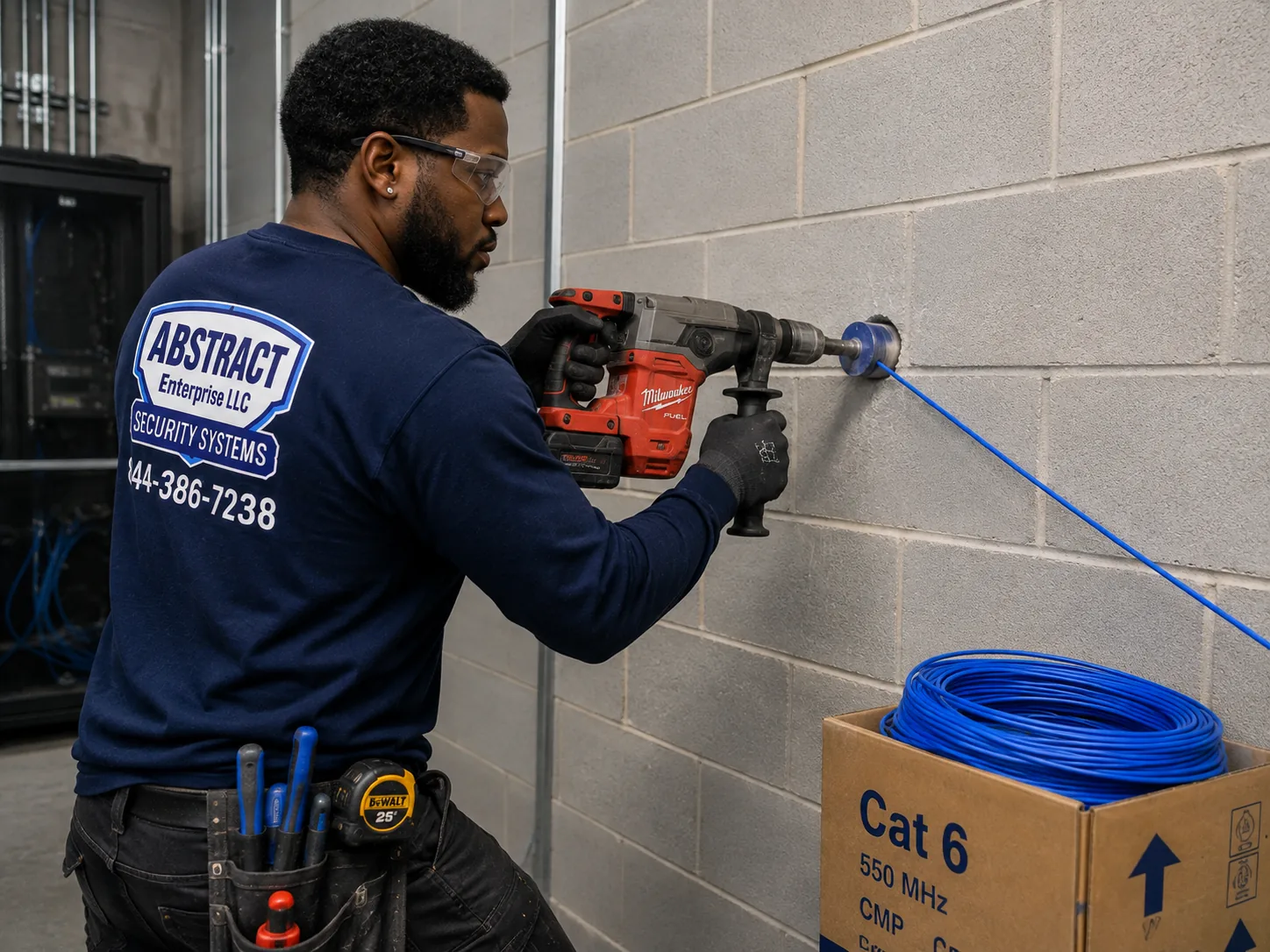
The work is in the drilling. Old concrete can be hard, and it can hide steel reinforcing bars a few inches from the surface. A hammer drill finds a bar by stopping dead, and the right answer is to move the hole, not to force it. So we scan first for anything metal, drill one pilot hole where the bracket plate will cover it, and plan the bracket position so that if one hole meets steel the plate can shift an inch without changing where the screen sits. The anchors are concrete anchors rated for the load, set to the depth the anchor needs, which in a wall this thick is a small fraction of the wall. Concrete also means dust: OSHA's fact sheet on silica says handheld drills used on concrete should have a shroud with a vacuum of the right airflow and a filter of 99 percent efficiency or better, with a HEPA vacuum to clean the holes. In an occupied office, that is also simply good manners.
Two more things matter on those floors. Some of the exterior walls were opened up for windows, and the frame around a new opening carries loads we will not drill into, so a screen goes beside a window, not into its surround. And many interior walls on a renovated concrete floor are not concrete at all but tenant partitions built against it. Knocking tells you which you have: a partition sounds hollow and gives a little, the original wall sounds like nothing at all. If your suite is on one of these floors, a photo of the wall from a few feet back, with the window or column beside it in the frame, is usually enough for us to tell you which wall we expect and which line of the list applies.

Building 3, by the background research we hold for the Yard, is an eleven-story reinforced-concrete supply storehouse built in 1917 by Turner, with a loading platform wrapping its base and a farm on its roof. Since 2023 it has also housed Pratt's Research Yard. A concrete storehouse from that era tends to have columns at regular intervals, deep beams overhead and walls that are either original concrete or later infill, and the column is often the most tempting place for a screen because it faces the desks. A display can go on a concrete column if the column is wide enough for the bracket plate and there is nothing running down its face, and the same anchor rules apply as on a wall. Where a column is too narrow, a fixed bracket on the nearest wall with the screen tilted toward the room is usually better than an arm reaching out from a pillar.
The loading platform around the base is where your screen will arrive. A display in its box is long and flat, and it is fragile when carried on its face; the box is printed with the side that should stay up. We bring the box up the freight car upright and keep it boxed until it is inside your suite, partly to protect it and partly because the Tenant Manual does not allow anything to be left in a corridor. If the screen is being delivered by a retailer before our visit, have it delivered to your suite, not to the dock, and keep the box. A display that arrives scratched is easier to return in its original packaging, and a sealed box tells us the screen has not been dropped on its way to your floor.
Dock 72 is the newest kind of Navy Yard building and the most ordinary in one way: inside a tenant suite, the walls you will want a screen on are usually drywall partitions. The difference is the light. The Bridge's tour of the building describes 14-foot ceilings, eight-foot windows around the floors and a building only 90 feet wide, so that every desk is within 45 feet of a window. That is wonderful for the people working there and hard on a screen. A display facing a window wall will show the window back to the room for much of the day, and a display on the window wall itself can be impossible to read with the sky behind it. So the first thing we check on a Dock 72 floor is where the sun comes from at the hours the room is used, and which wall lets the screen face away from the glass.
Ceiling height changes the mount, too. With a 14-foot ceiling, there is a temptation to put a screen high, where it looks tidy from the door. In a meeting room that is wrong: people at the table end up looking up, and the camera that sits on or under the screen looks down on everyone. We set meeting-room displays so that the middle of the screen is close to the seated eye height of the people at the far end of the table, and we mark that with painter's tape so you can sit in the chairs before anything is drilled. Lobby and lounge screens can go higher because people are standing or passing, and a slight downward tilt helps them in a tall room. The same building also has a large shared conference room and a rooftop conference room by The Bridge's account; those belong to the building, so screens there are a matter for its operator, not a tenant.

Some Yard spaces are not rooms at all. 6sqft's tour of New Lab described an 84,000-square-foot former shipbuilding building with ceilings of about 70 feet, workshops for around 60 companies and an event space used for workshops of around 200 people. In a hall like that, the walls may be steel, glass, or a long way from where people sit, and a screen is often wanted in the middle of an open floor. Fixing a display to a structural steel column or to the steel of a building we do not control is not a tenant decision; it is the landlord's. The honest options are a screen on its own stand, which is $119.99 on our list and needs no drilling at all, or a wall-mounted screen on a partition the tenant built, which counts as part of the tenant's own fit-out.
Sound matters in a big steel hall in a way it does not in a small office. A soundbar under a screen in a room with hard surfaces and a very high ceiling will echo, and in shared space it reaches people who are not in your meeting. For a presentation corner or a demo screen in an open hall, we usually suggest a soundbar placed directly in front of the screen at seated height ($79) rather than a wall bracket, set to a lower volume with dialogue enhancement turned on, so the people watching hear it and the neighbors at the next bench do not.
Much of the Yard is low brick buildings: shops, storehouses and small industrial buildings, many of them now home to makers, distillers, studios and workshops. Brick is a good wall for a TV if the anchors go into the brick and not into the mortar between bricks, and if the brick itself is sound. Old brick in an industrial building may have been painted, patched, drilled for long-gone machinery and soaked in more than one flood. Brooklyn Paper reported in 2025 that Hurricane Sandy put up to six feet of water across the campus in 2012, and BNYDC's resilience plans since then include raising equipment and workstations above the floodline. A screen on a ground floor near the water should therefore keep its connections, power strip and any player up off the floor, in a cabinet or on the wall behind the screen, not on the floor below it.
The brick or stone line on our list is $65 on top of the $179.99 base, because brick takes a hammer drill, masonry anchors and more time to place each fixing. On a wall that has been drilled many times before, we look at the old holes and work around them, and if the surface is crumbling where the bracket needs to go, we say so before drilling rather than trusting it. A mezzanine office above a workshop floor is often a light timber or steel structure added later, and its walls are usually partitions, not brick; the knock tells us which, and the price follows the wall.
Most screens in the Yard go on a wall that is neither concrete nor brick but a partition a tenant built to divide its space: drywall on metal studs, sometimes with a second layer of board for sound. Metal studs are thin steel channels that look exactly like wood studs on a scanner but will not hold a wood screw. A bracket on metal studs needs fasteners made for hollow walls or for sheet steel, spread across as many studs as the bracket plate allows, and for a larger screen a plywood backer behind the board is better still if the wall is open. Because the partition is part of your fit-out, it is usually the wall your lease is most relaxed about, but it is also the wall most likely to hide cables, sprinkler lines or a fire-rated corridor wall on the other side. A fire-rated wall between a suite and a corridor is not one we cut open for an in-wall kit.
If your partition is drywall on wood studs, the $179.99 base covers a screen up to 55 inches on a flat or tilting bracket. Metal studs and larger screens have their own lines on the same Brooklyn list, and we write them into the total from your photos. If you do not know what the studs are, a photo of the wall with the light switch plate taken off, or a note about what the person who built the suite told you, usually answers it before the visit.
These notes describe how our technicians plan commercial screen jobs in buildings like the Yard's. They are our practice, not a story about any one tenant or address.
Who said yes, and in writing. Before we load the van, we ask the tenant who approved the wall work: the Property Manager by email, a facilities person, or the lease clause itself. In a building where unapproved alterations can count as a default under the lease, a two-line email from the tenant to Property Management describing the screen, the wall and the cable route is worth far more than the five minutes it takes to send.
How the box reaches the floor. A 65-inch box will fit in most freight cars and in some passenger elevators; an 85-inch box needs the freight car and two people. We ask the tenant which car serves the suite and whether a slot has been booked, because the Tenant Manual's freight hours are fixed and after-hours use is booked two business days ahead with the building number, the date, the time and the car number.

What the wall is, confirmed once. On the day, the technician scans, knocks along the wall at screen height, then drills a single pilot hole where the bracket plate will cover it. Grey grit and a hard stop mean concrete; red dust means brick; a few millimeters of white powder and then nothing means drywall over a cavity; a bright scratch and a spinning bit means a metal stud. If that hole changes the line on the list from what was quoted, the tenant hears it before any other hole is drilled.
Tape, then chairs. Painter's tape outlines the screen on the wall. Someone sits in the far chair, someone stands at the door, and if the room is used for video calls, someone opens a call on a laptop to see where the camera will look. Moving tape costs nothing; moving a bracket on concrete costs a landlord's wall.
Hiding the wires is the part of a Navy Yard screen job most likely to run into a rule, so it is worth understanding the options before you choose a wall. There are four ways to get power and a picture to a mounted display, and each one fits a different kind of wall and a different answer from your Property Manager.
Leave the cables to a console or credenza. If the screen is mounted low enough above a credenza or a cabinet, the power cord and the HDMI or network cable can drop straight down behind the furniture into an outlet near the floor. Nothing is cut, nothing is hidden inside a wall, and the only holes are the bracket's. This is the most common answer on solid concrete and brick, where there is no cavity to run anything through, and it is the easiest one to undo when a lease ends.
A paintable cord cover on the surface. A cord cover is a slim channel fixed to the wall that carries the cables from the screen down to the outlet. It is $59 on our list, it can be painted the color of the wall, and it is fixed with a few small screws or a strip of adhesive, depending on the wall. On a concrete or brick wall, a cover is the only way to hide a vertical run. It does not cut the wall, which makes it the option most leases treat as minor, though you should still confirm with Property Management that it counts as non-material in your building.
A code-compliant in-wall power and cable kit. On a drywall partition, an in-wall kit puts a recessed power inlet behind the screen and a second one near the floor, joined inside the wall by the kit's own rated cable, with a pass-through for the HDMI and network cables. It plugs into an existing outlet; it does not connect to the building's wiring. It is $169 on our list. It needs a hollow wall with no fire rating, no insulation packed solid, no sprinkler line and nothing else in the stud bay, and it means two neat openings in a wall your landlord owns, so in the Yard it is exactly the kind of work to describe to Property Management before the visit.
A new outlet behind the screen. Some tenants want a real receptacle wired from a circuit, especially for a screen high on a wall, a video wall or a display in the middle of a long partition. That is electrical work. BNYDC's Tenant Manual says electrical work cannot be performed until approved by BNYDC and that "Any and all electrical work must be performed by a licensed electrician." We do not do electrical work. If your screen needs a new outlet, the right order is: you get BNYDC's approval, a licensed electrician installs the outlet, and we come back to mount the screen and dress the low-voltage cables to it. We are happy to mark the exact spot for the outlet on the wall before the electrician comes, so the box ends up hidden behind the screen.

A word on what never goes inside a wall: the TV's own power cord. The cord that comes with a display is a flexible cord, and the National Electrical Code does not allow flexible cords to be run concealed inside walls, floors or ceilings. Pushing it through two holes behind the screen is the most common shortcut in TV mounting, and in a building where BNYDC's rules already treat electrical work as something to approve, it is also the one most likely to be noticed. The in-wall kit exists precisely to avoid it.
Signal cables have rules of their own. A long HDMI run may need an active cable or an extender to carry a 4K picture reliably, and a meeting room where the laptop sits at the far end of a long table often needs one. A display that plays signage from a network player needs a working network jack near the screen, and in the Yard that jack leads back to a closet that may be yours or the building's. The Tenant Manual lists four providers with infrastructure on campus, Brooklyn Fiber, Crown Castle, Spectrum and Verizon, and says tenants should coordinate with their Property Manager about access to the building's telecom closets. If the jack behind your screen is dead, we can trace it within your suite; if the trace leads to a closet we cannot open, the next step is your Property Manager or your provider.
Every TV installer in Brooklyn has met the renter whose lease says something vague about wall fixtures. In the Navy Yard the question is less vague, because the landlord publishes a Tenant Manual and leases refer to Tenant Alteration Guidelines. BNYDC says the manual does not replace your lease, so the lease always wins, but the manual gives a clear picture of how the landlord thinks. Part C says that, generally, plans of proposed alterations must be submitted to and approved by BNYDC; licensees may not make any alterations without submitting plans; some work, such as painting, may count as a "Non-Material Alteration" that does not need plans, but tenants should confirm that with Property Management before starting; and unapproved construction or permits left open are each a default under the lease or license. The Tenant Alteration Guidelines themselves are not published online; tenants get them from Leasing or Property Management.
Where does a TV bracket fall? We do not decide that, and neither should any installer. A bracket on a partition you built is very different from a bracket on the original concrete of a landmark-era building, and an in-wall kit that cuts two openings is different again from a screen on a stand. What we can do is make the question easy to answer. Before the visit, we give you a short description in plain words: which wall, what it is made of, how many holes of what size, what the anchors are, whether any opening will be cut, how the power reaches the screen, and how everything is removed at the end of the lease. You send that to your Property Manager, and in most cases you have an answer before you would have had a delivery date for the screen.
Insurance is the other paper question. The Tenant Manual says BNYDC must have up-to-date certificates of insurance on file for each tenancy, collected and tracked by a compliance firm, with the requirements set out in your lease or license. Many tenants also have their own landlord or coworking operator, or a facilities team, that wants a contractor's certificate before work starts. We are licensed under NYS license #12000287431 and insured; tell us the exact names and addresses to show on the certificate and we send it ahead of the visit.

The end of a lease is worth thinking about at the start. A screen on a stand leaves nothing behind. A bracket on drywall leaves four to eight small holes that a painter fills in an hour. A bracket on concrete or brick leaves anchor holes that can be filled but not hidden as easily, and an in-wall kit leaves two openings that need patching. If your space is temporary, or you expect to move within the Yard as the company grows, pick the wall and the method you will be glad to undo. If you are signing a long lease and fitting out a suite, it can be worth planning the screens with the fit-out, so the power, the network jack and a backer board go into the partition before the drywall is closed.
Two smaller rules come up on almost every visit. Building 77's lobby needs a swipe card between 10 p.m. and 6 a.m., so a late job there needs an escort from the tenant. And roof use is prohibited at the Yard except in emergencies unless a lease grants the roof, which rules out the occasional request for a rooftop screen at a staff party unless your lease says otherwise. Neither is a problem if it is known in advance; both are problems if they are discovered at the gate.
Nearly every Navy Yard screen is a business screen. BNYDC groups its tenants into industries that include food and beverage, fashion and visual design, manufacturing, transportation and sustainable technology, and its Industry Development Council adds medical technology, robotics, design-build, wearables, beauty, life science and clean energy. The cards below describe the kinds of space where those businesses want a display. We do not name any tenant as a customer.
Meeting rooms and huddle spaces for teams in robotics, medtech and hardware, where a display shows CAD files, test data and video calls with investors, and the camera position matters as much as the screen.
Menu and order screens over a counter in a food hall or a production kitchen's pickup window, kept clear of steam and grease and set where staff can switch them on without a ladder.
Large screens for presenting collections, lookbooks and samples to buyers, on a showroom wall where color and glare matter and the cables must not show.
Monitors and TVs in production offices and edit rooms, often several screens on one wall, with the sources in a rack and the wall planned so the screens line up.
A screen in the office or on the mezzanine above a fabrication floor, mounted high enough to stay clear of forklifts and dust, often on brick or block.
Displays for staff training, onboarding and small events, sometimes on stands that can be moved when the room is reset, sometimes on a wall with a soundbar for a presenter.
The busiest corridors for this kind of work are easy to name. Building 77, on the Flushing Avenue side, mixes offices, studios and light manufacturing above the Market @ 77 food hall, where Time Out lists vendors including Russ & Daughters, Jalapa Jar, Pizza Yard, Rustik Tavern, Sabor Restaurant & Bakery, Hungry House and Transmitter Brewing. Dock 72 on the water holds offices and coworking floors. Building 3 and the buildings around it hold research, design and production tenants. New Lab in the former Building 128 holds hardware companies and events. And the low buildings along the dry docks and near the Sands Street gate hold workshops, distillers and studios, with Steiner Studios' stages and production offices inside the Yard as well. Each has a different wall, a different route in and a different set of people to ask.
Commercial jobs here also have a timing problem that home jobs do not. The best time to mount a screen is when nobody is using the room, but the freight cars do not run at night or at weekends without a booking and a fee, and the city's noise code sets the approved hours for construction at weekdays between 7 a.m. and 6 p.m. A few minutes of hammer drilling for a bracket is not a construction project, but a film office, a recording space or a lab next door may still care a great deal when it happens. We plan the drilling for a time the tenant chooses inside the building's normal hours, do all of it in one short burst, and do everything quiet, such as cable work and setup, around it.

These are the situations Navy Yard tenants describe when they ask about a screen: walls that turn out to be concrete, a lease that wants approval, a freight car with set hours, a meeting room that has to work for video calls, and a suite somebody else fitted out. Each is answered here in full and not repeated in the FAQ further down.
Yes. A wall of old poured concrete is one of the strongest places a large display can hang, and steel inside it is a routing problem, not a stopping point. We scan the area first for metal, drill a single pilot hole where the bracket plate will cover it, and plan the bracket so the plate can slide an inch or two if a hole meets reinforcing bar. The anchors are concrete anchors rated well above the display's weight, set only as deep as the anchor requires, which in a wall about two feet thick is a small fraction of its depth. Concrete is not drywall, so the job is priced from the masonry lines of our Brooklyn list rather than the $179.99 drywall base alone, and a 75-inch screen carries its size line on top. We write both into your total from a photo of the wall before you book.
It can be, if the column is wide enough for the bracket plate and nothing runs down its face. Concrete columns in early-twentieth-century storehouses like Building 3 are usually solid and very strong, so the anchors are not the worry; the width is. A bracket plate for a mid-size display needs a flat face somewhat wider than the plate itself, and a column that is narrower than that leaves the screen wobbling on an arm or the anchors too close to the corner of the concrete. If the column is wide enough, a fixed or tilting bracket on its face works well. If it is not, a screen on the nearest wall with a slight turn toward the desks, or on its own stand, is better, and we will show you both with tape before anything is drilled.
Usually. Old holes are only a problem when they land where the new anchors need to be, or when they have cracked the brick around them. We look at the wall first, choose a bracket position where the anchors meet solid brick rather than an old hole or a mortar joint, and test the pilot hole. If the brick around the spot you want is crumbling or cracked, we say so and suggest a nearby position that is sound, rather than relying on filler to hold a screen. The brick or stone line on our list is $65 on top of the $179.99 base, and a heavily patched wall does not change that price; it only changes where the bracket goes.
Send a short paragraph that answers six questions: which wall and what it is made of, the size and weight of the screen, the type of bracket and how many anchor holes of what size, whether any opening will be cut in the wall, how power reaches the screen, and how everything is removed at the end of the lease. We write that paragraph for you from your photos once you have picked the wall. If the plan uses a cord cover or a console, say so, because those do not cut the wall. If it uses an in-wall kit, say that it plugs into an existing outlet and does not connect to building wiring. And if a new outlet is wanted, say that a licensed electrician will do that part with BNYDC's approval, because the Tenant Manual requires it.
A screen standing on its feet or on a floor stand is furniture; nothing is fixed to the building, so it is hard to see it as an alteration. A wall bracket is different, because it puts holes in a wall your landlord owns, and the Tenant Manual says even non-material alterations should be confirmed with Property Management. If your approval is taking longer than your deadline, a stand setup at $119.99 gets the screen working now, and the same screen can go on the wall later once the answer comes back.
Usually both the company you sublet from and, through them, BNYDC. A sublet or licence sits underneath the main lease, and the main tenant normally carries the obligations to the landlord, including the rules about alterations. So the request usually goes from you to the company you sublet from, which checks its own lease and passes it to Property Management if needed. We can send the same written description to both, and if the answer is a stand for now, that is a perfectly good way to start.
Straight to your suite, if the carrier will bring it up. The Tenant Manual says packages cannot be left in shared public areas and loading docks must be kept clear except during loading and unloading, so a display left at the dock is a problem for you and for the building. Ask the carrier for delivery to the floor, have someone there to receive it, and leave it in its sealed box until we arrive. An 85-inch box takes two people and usually the freight car.
Sometimes, but the freight car is the deciding factor. BNYDC's Tenant Manual says there is no freight elevator service on Saturday, Sunday or federal holidays as standard, and weekend use is by request two business days ahead with a four-hour minimum of $200, paid to BNYDC, not to us. If your display is small enough to go up in a passenger elevator, or is already in your suite, a weekend visit is easier. If the screen is large and still in a box at the dock, a weekday visit with the freight car booked is usually simpler and costs you nothing extra.
For a room used for calls, the screen and the camera have to be planned together. The middle of the screen should sit close to the seated eye height of the people at the far end of the table, so nobody looks up, and the camera should sit just above or below the screen, close to its center, so people on the call see faces rather than the tops of heads. In a room with very high ceilings, such as the 14-foot floors at Dock 72, the pull is always to mount higher; for a call room that is the wrong instinct. We mark the screen with tape, open a call on a laptop, and move the tape until the picture of the room looks right before we drill.
There are three tidy answers. The first is a wireless presentation device, which many teams already own, so the laptop sends its picture to a receiver behind the screen. The second is a cable run under the table and along the wall in a cord cover or an existing raceway, which is fixed and reliable. The third is a run through the ceiling or wall to a connection plate near the table, where the wall and the lease allow it. A long HDMI run can need an active cable or an extender to carry a sharp picture, and we test it at the length it will be used. Whatever the route, nothing is taped across the floor where people walk.
It will help, if it is set up for the room. A laptop speaker at one end of a table is too quiet for people at the other end, and a soundbar under the screen puts the voices where the faces are. In a room with bare concrete or glass, sound bounces, so we keep the soundbar close to the screen, turn down the bass, switch on any dialogue or voice setting the bar has and test it with a real call at your normal volume. A wall-mounted soundbar is $129 on our list, or $79 placed on a credenza below. If the room still echoes after that, the fix is soft furnishing or acoustic panels, not a louder speaker.
Only after the bracket has been checked, and often it is better replaced. We look at what the bracket is rated for, whether it fits your display's bolt pattern, what it is fixed into, and with what. A bracket rated for a smaller screen or screwed into drywall between metal studs is not safe for a bigger display, however solid it looks. The jack is the other half: we tone it back to the panel to find out whether it is live and where it goes. If the bracket is sound and right for your display, we hang the screen on it and price the job as a mount on that wall. If it is not, it comes off and a new bracket goes on, and the old holes are filled or covered by the new plate.
Most likely a drywall partition built in front of an older solid wall, with a gap between them, or a partition with blocking or a backer board in one part and an empty cavity in the next. Both are common in buildings that have been refitted many times. A hollow-and-solid wall is not a reason to move the screen, but it is a reason to find out exactly what is there before choosing anchors, because a hollow-wall anchor in the solid part will not set and a concrete anchor in the hollow part will not reach. We scan, knock and drill the pilot hole where the plate will cover it, then choose an anchor for each point the bracket will use.
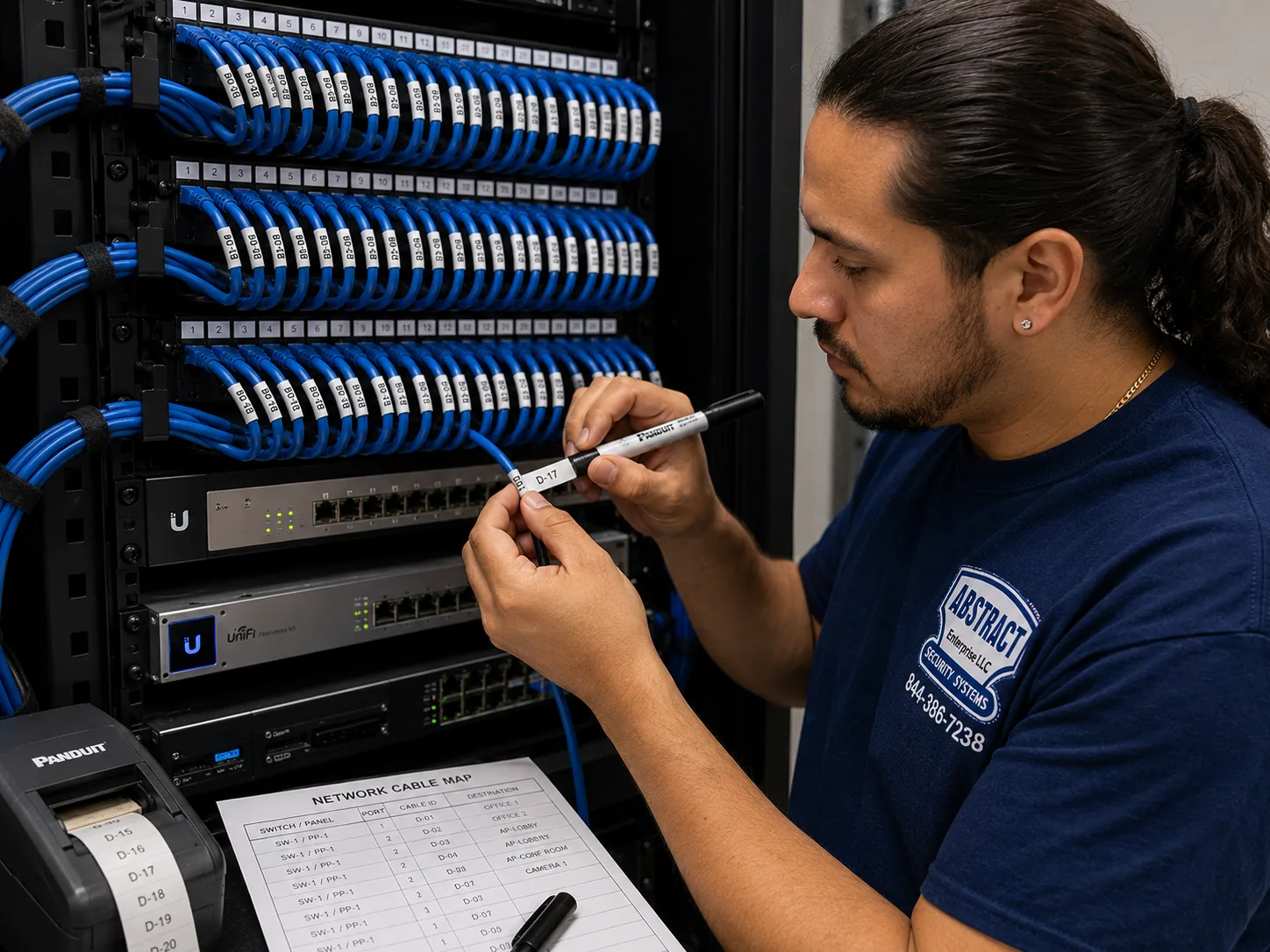
Brackets are supplied separately, or we hang your own if it is rated for the display's weight and fits its bolt pattern. These are the kinds of hardware that suit Navy Yard spaces, with where each one makes sense.
The display sits close to the wall. Best for meeting rooms and showrooms where the screen faces the seats directly, and the neatest choice on concrete or brick.
A few degrees of downward tilt for screens mounted above head height in a lobby or a tall room, and a way to angle a screen away from a window's reflection.
For a screen that has to face two directions, such as a break room that is also a meeting space. In a corridor or public area, an arm must stay within the ADA projection limits.
A display on its own feet on a credenza, or on a floor stand, where drilling is not allowed, approval is pending, or the screen sits in an open hall. A stand setup is $119.99.
Soundbars placed on a credenza ($79) or mounted on a bracket under the screen ($129), set up for speech in meeting rooms and for background sound in lounges.
Paintable cord covers ($59), code-compliant in-wall power and cable kits ($169), hook-and-loop ties behind the screen and labeled cables at both ends.

Electronics retailers and handyman apps book TV mounting across New York, and for a drywall partition in a modern office either can do a reasonable job. The table compares what a Navy Yard screen job needs, not the quality of any particular company.
| What the job needs | Store or app booking | Abstract Enterprises Security Systems in the Brooklyn Navy Yard |
|---|---|---|
| Knowing the wall before the visit | Often assumed to be drywall | Read from your photos, confirmed with a hidden pilot hole |
| Concrete, brick and steel studs | Depends on who is sent | Named lines on one Brooklyn list, e.g. +$65 for brick or stone |
| Landlord approval | Left to you | A written description of the work for your Property Manager |
| Hidden power | Varies | In-wall kit, $169, never a cord inside the wall; electrician for new outlets |
| Gate, freight car and waste | Discovered on the day | Planned with you before booking, including where the boxes go |
These are claims that turn up in generic online answers and national cost guides such as Angi, HomeAdvisor and Fixr, paraphrased, each followed by what the Yard's buildings and rules actually show.
Cost answers quote a national figure. Bob Vila's guide, citing Angi and HomeAdvisor, gives a typical $158 to $360 and an average of $259, and Angi's Brooklyn page shows an average of $280.
Those averages are mostly drywall jobs in homes. The same guide puts brick, concrete or stone at $200 to $800, and says running wires inside a wall can reach $1,000. In the Yard a large share of walls are exactly that kind of masonry, the screens are often bigger than a living-room TV, and there is a freight-car booking and an approval step on top. An average built from suburban drywall says very little about a display on wartime concrete.
Our list starts at $179.99 and names each add-on, such as $65 for brick or stone, so a Navy Yard tenant can see the real total in writing before booking.
Generic answers treat a landlord's permission as a quick conversation.
At the Yard the landlord publishes a Tenant Manual saying plans for alterations generally must be submitted and approved, that even non-material work should be confirmed with Property Management, and that unapproved construction is a default under the lease. A hallway chat with a building manager is not the same as approval, and the tenant, not the installer, carries the risk if the two are confused.
Get the answer in writing. We provide the description of the work your Property Manager needs.
Many answers suggest cutting two holes and pushing the TV's power cord through.
The National Electrical Code does not allow flexible cords concealed inside walls, and BNYDC's manual says any electrical work must be approved and done by a licensed electrician. On Building 77's concrete or an old brick wall there is no cavity to feed anything through in the first place, so the advice does not even apply to many Yard walls.
The safe options are a console drop, a $59 cord cover, a $169 in-wall kit on a suitable partition, or an electrician's outlet with approval.
Most how-to answers start and end with a stud finder.
On Building 77's original concrete there are no studs, and on a fit-out partition the studs are often steel, which a scanner finds but a wood screw will not hold. Old brick fools scanners completely, and a partition built in front of a solid wall can read as both at once, hollow in one spot and solid a hand's width away.
We confirm every wall with one pilot hole hidden behind the bracket plate and choose anchors for what is really there.
Generic advice gives one height for every room.
A meeting room used for calls needs the screen and the camera planned together, a lobby screen is seen by people standing or walking past, and a Dock 72 floor with 14-foot ceilings and eight-foot windows needs glare checked first. A counter screen in a food hall is read from a queue several feet back, which changes both the height and the tilt.
We tape the outline and check it from the chairs, the door and a live call before drilling.
Booking apps offer evenings and weekends as if every building were the same.
The Yard's freight cars stop at 8 p.m. on weekdays and give no standard service at weekends, with after-hours use booked two business days ahead at $50 an hour or a $200 minimum. Gate hours vary too: BNYDC's directions page lists some gates as open around the clock and others on shorter weekday and weekend hours, and it changes them during repairs.
We pick the visit window with you around the freight car, the gate and your team's quiet hours.
Installers in apartment buildings often leave packaging for the household to deal with.
The Tenant Manual bans storing anything in common hallways and says tenants are penalized for contractor waste left behind. In a central-collection building such as Building 77 or Building 3, the waste system is shared, and a display box the size of a door is not something to leave beside the bins.
Tell us whether you are keeping the box for a return. If not, it never reaches the corridor.
Not sure whether your wall is concrete or a partition, or whether a 75-inch screen will fit in your freight car? Ask first. Call now at (347) 934-8335, send a fast quote request, or send wall photos to a tech on WhatsApp. Same-day estimates on most weekdays.
Give us the building number, the floor, the screen size, what you know about the wall and whether approval is in hand. A technician will call back with the written total, or call (347) 934-8335 now.

The wall, the display's model sticker, where the source sits, your building and floor, and what your lease says about fixtures.
The wall we expect, the add-ons from the Brooklyn list and the total, in writing before you book.
You confirm with Property Management; we supply the description of the bracket, wall and cables they ask for.
You register us as visitors and book the freight car if needed; we arrive inside the agreed two-hour window.
Scan, knock and one pilot hole behind the bracket plate to confirm drywall, steel studs, brick or concrete.
The screen is outlined in tape and checked from the seats, the door and the camera position, with glare checked.
Anchors rated for that wall, the display hung and leveled, cables into a kit, a cover or down to a credenza.
Inputs, soundbar and network source tested with you; the area cleaned and nothing left in the corridor.
The 1941 concrete storehouse on the Flushing Avenue side, reopened in 2017 with new windows, offices, studios and the Market @ 77 food hall.
The sixteen-story office building on the water, raised on V-shaped columns, with a ferry stop at its west entrance.
The eleven-story reinforced-concrete storehouse of 1917, home to Pratt's Research Yard and a rooftop farm.
The former Building 128 shipbuilding hall, now workshops and studios for hardware and technology companies.
Completed in 1851 and a city landmark since 1975, one of the six dry docks still in the Yard.
The new gate at Flushing Avenue and Cumberland Street, opened in May 2026 with a landscaped parklet, serving industrial tenants and vendors.
We also serve Fort Greene, Clinton Hill, DUMBO and Downtown Brooklyn, along with Vinegar Hill and Williamsburg on either side of the Yard.
The Yard is billed at our Brooklyn rate. The base covers a screen up to 55 inches on a flat or tilting bracket on drywall over wood studs, labor only, with the bracket sold separately. Larger screens, steel studs and poured concrete have their own lines on the same list, written into your total before booking.
| Item | Brooklyn price |
|---|---|
| Wall mount up to 55", drywall on wood studs (bracket separate) | $179.99 |
| Display placed on its stand, no wall mount | $119.99 |
| Setup-only visit (display, streaming device, conferencing gear) | $195 first hour, then 30-minute blocks |
| Brick or stone wall add | +$65 |
| Plaster wall add | +$45 |
| Code-compliant in-wall power and cable kit | $169 |
| Paintable cord cover | $59 |
| Soundbar wall-mounted / placed | $129 / $79 |
| Above-fireplace mounting add | +$130 |
| Take down old TV | $85 |
Three typical Navy Yard jobs, added up from the list above for screens up to 55 inches. Brackets are extra unless you supply a rated one.
A display on a drywall partition on wood studs ($179.99) with its cables in a paintable cord cover to the outlet below ($59).
A display on a partition ($179.99), a code-compliant in-wall power and cable kit ($169) and a wall-mounted soundbar for calls ($129).
A display on brick ($179.99 + $65), a cord cover ($59), a wall-mounted soundbar ($129) and a first-hour setup of the player or streaming device ($195).
Bring your own equipment. If you already own a bracket, we install it at the labor prices above as long as it is rated for the display's weight and size. The same goes for your own soundbar bracket or cord cover.
Concrete, brick and partitions. Request a quote
Cord covers and in-wall kits. Ask about your wall
Soundbars and streaming. Brooklyn TV installation
Payment and rescheduling. TV installation policies
The total is agreed in writing and paid when the job is booked, so nothing changes hands at the suite door. If the pilot hole shows a different wall from the one quoted, the technician tells you the difference before drilling any further.
Yes. Each screen is priced from the Brooklyn list by its size, its wall and the cable method, and the lines are added together on one written total for a single visit. One gate registration and one freight booking usually cover all three.
Either works. Brackets are sold separately at list price, chosen from the display's model number for its weight and bolt pattern. If your team has already bought one, we install it at the labor price as long as it is rated for the screen.
Send us the exact names and addresses that should appear on the certificate, including BNYDC or any other landlord or operator your lease names, and we send it ahead of the visit so the paperwork is in place before the crew reaches the gate.
Register the technicians as visitors in BNYDC's visitor system, which emails each one a QR code that works at any gate, and tell us which gate and which building entrance to use. If parking is needed, tell us the rules your building gives visitors.
Someone from your team. The technician sets up the display, the soundbar and the device, but company passwords and sign-in codes stay with you. Have the person who manages those accounts available for the last part of the visit and it takes minutes.
Clear about six feet in front of the wall, move chairs back from the end of the table, and take anything fragile off nearby shelves. We put down blankets and drop cloths, but heavy furniture full of your equipment is better moved by your team.
Usually. We need the model number from the sticker on the back to confirm its weight and bolt pattern, and we carry a selection of mounting bolts. A display without its box is wrapped in our blankets for the trip up the freight car.
Taking down the old TV is $85 on our Brooklyn list. If the existing bracket is rated and fits the new screen, the new one goes on it; if not, a new bracket is fitted and the job is priced as a mount on that wall, with the take-down added.
Yes. Messages and calls are answered every day, and a person responds from 8 a.m. to 8 p.m. Eastern. Most requests are booked within two hours, and the visit itself is set for a window that suits your building's freight car and your team.
A display on a partition usually takes about an hour once the wall is confirmed. Concrete or brick takes longer because each anchor hole is drilled with a hammer drill, and an in-wall kit or a soundbar adds to that. We give you the expected time with the written total.
TV Installation Brooklyn NY · TV Installation NYC · TV Installation Manhattan NY · TV Installation Queens NY · TV Installation Bronx NY · TV Installation Staten Island NY · TV Installation Long Island NY · TV Installation Hudson Valley · TV Installation Nassau County NY · TV Installation Suffolk County NY · TV Installation Westchester County NY · TV Installation Rockland County NY · TV Installation Orange County NY · TV Installation Putnam County NY · TV Installation Dutchess County NY · TV Installation Ulster County NY
TV Installation Bath Beach Brooklyn | (347) 934-8335 · TV Installation Bay Ridge Brooklyn NY | Mounting & Setup · TV Installation Bedford Stuyvesant Brooklyn NY · TV Installation Bensonhurst Brooklyn NY | Wall Mounting · TV Installation Bergen Beach Brooklyn NY | Wall Mounting · TV Installation Beverley Square Brooklyn NY | Mounting · TV Installation Boerum Hill Brooklyn · TV Installation Borough Park Brooklyn NY | Abstract Enterprises Security Systems · TV Installation Brighton Beach Brooklyn NY | From $179.99 · TV Installation Brooklyn Chinatown, Brooklyn NY · TV Installation Brooklyn Heights, Brooklyn NY · TV Installation Brownsville Brooklyn · TV Installation Bushwick Brooklyn · TV Installation Cadman Plaza Brooklyn · TV Installation Canarsie Brooklyn · TV Installation Carroll Gardens Brooklyn · TV Installation City Line Brooklyn · TV Installation Clinton Hill Brooklyn · TV Installation Cobble Hill Brooklyn · TV Installation Columbia Street Waterfront Brooklyn NY · TV Installation Coney Island Brooklyn · TV Installation Crown Heights Brooklyn NY | Wall Mounting · TV Installation Cypress Hills Brooklyn | (347) 934-8335 · TV Installation Ditmas Park Brooklyn NY | Mantels & Plaster
Alarm Installation Brooklyn Navy Yard, Brooklyn NY · Door Buzzer Installation Brooklyn Navy Yard, Brooklyn NY · Intercom Installation Brooklyn Navy Yard, Brooklyn NY · Security Camera Installation Brooklyn Navy Yard Brooklyn NY · Security Camera Repair Brooklyn Navy Yard, Brooklyn NY · Structured Cabling Brooklyn Navy Yard Brooklyn NY · Fire Alarm Installation Brooklyn Navy Yard Brooklyn NY · Fiber Optic Installation Brooklyn Navy Yard NY | Yard Suites · Access Control Installation Brooklyn Navy Yard Brooklyn NY · Door Buzzer Repair Brooklyn Navy Yard NY | Readers & Locks
Send a photo of the wall and the display's model sticker with your building number and floor, and we will tell you what the wall is likely to be and what the job costs on the Brooklyn list. Call or text (347) 934-8335, message us on WhatsApp, or use the request form. Licensed under NYS license #12000287431, rated 4.7★ across 201 Google Reviews, with same-day estimates on most weekdays.