Cellar recorder dead after a downpour, a co-op lobby camera gone dark, or an Avenue U store that needs last night's video? Homecrest camera repair line, booked within 2 hours: (347) 934-8335
Mid-Century Elevator Co-ops · Ocean Avenue Condos · Rebuilt Houses and One-Story Brick Rows · Kings Highway, Avenue U and Coney Island Avenue Stores
Security Camera Repair in Homecrest
Footage Saved First · Cellar to Rooftop · Any Brand, Any Installer · Written Price Before Parts · Brooklyn Rate
Security camera repair in Homecrest starts with our $150 Brooklyn service call, which covers the on-site diagnosis and is credited to the repair if you go ahead. On our published Brooklyn list most single faults run $150 to $700, and a recorder replacement or the rewiring of several cameras runs $700 to $1,500. We fix systems other companies installed: the cellar recorder of a two-family off Avenue T, the lobby and laundry cameras of a six-story co-op on East 13th or East 14th Street, the garage cameras of an Ocean Avenue condo, and the counter cameras of a store on Kings Highway or Avenue U. Requests are booked within 2 hours, visits come in two-hour arrival windows, and you get the cause and a written price before anything is replaced.
Every price on this page comes from our published Brooklyn camera repair list, and your own price is written down before work starts
Rated 4.7★ across 201 Google Reviews
Reviewed and updated November 12, 2026, against News 12 Brooklyn's April 30, 2026 report on the $95 million plan for Homecrest's chronic flooding; the NYC Department of Environmental Protection's May 2026 Homecrest Cloudburst Hub presentation; News 12's August 2025 report on the Midwood-area outage and its December 2025 report on Brooklyn's winter storm outages; News 12's June 2025 report on the cash theft caught on camera at a salon on Avenue U; ABC7's June 2022 report on overnight store burglaries in Homecrest and nearby neighborhoods; the Brooklyn Paper's June 2018 61st Precinct report on the Avenue U cellar-door burglary; Brooklyn Community Board 15's April 2025 minutes; Wikipedia's Homecrest article; Brick Underground's September 2022 Homecrest guide; the Governor's April 2026 Securing Communities Against Hate Crimes announcement; FCC notice DA 26-294 and the FCC Covered List; HomeAdvisor's Brooklyn cost page; New York Labor Law §203-c; and the New York Department of State on security and CCTV installer licensing. · Abstract Enterprises Security Systems, NYS license #12000287431 · crews dispatched from our Troy Avenue office in Brooklyn
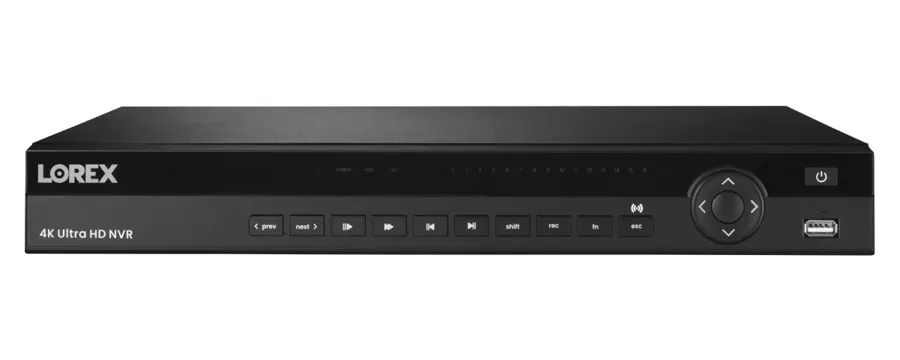
A product photo from the AESS job library, not taken in Homecrest: a 16-channel network video recorder. In a Homecrest two-family or one-family house this box usually sits in the cellar beside the boiler and the internet modem; in the six-story co-ops between Avenue S and Avenue U it is often in the super's office or a basement room off the laundry. Because Homecrest's cellars are the part of the neighborhood that takes on water in a cloudburst, where the recorder sits is the first thing we look at on almost every repair.
Homecrest Camera Repair Request
House, two-family, co-op, condo, store or congregation: tell us the address and what the screen shows, and a technician calls back with the next step
✅
Request Sent!
Thank you. A technician will contact you about the Homecrest address shortly.
25+
Years Experience
✓
Same-Day Estimates
100%
Licensed & Insured
4.7★
201 Google Reviews
Owner-operated since 2002 · Thousands of jobs completed · Booked within 2 hours
Security camera repair in Homecrest is, more often than anywhere else we work in south Brooklyn, a repair that begins in the cellar. That is where most Homecrest houses and many of its apartment buildings keep the recorder, the power supply, the PoE switch and the internet box, and the cellar is also where this neighborhood's chronic flooding does its damage. The other usual faults are the ones every older Brooklyn system develops: a power supply or switch port lost to a power dip, a hard drive that wore out or filled up, a connector at the camera that let in water, a cable cut during a renovation, and a login that left with a relative, a former super or the contractor who rebuilt the house. On every visit the first job is to copy any footage you still need, and only then to find out why the system failed. Send a photo of the recorder screen to (347) 934-8335 or on WhatsApp, and we will tell you the likely fault and what that kind of repair costs on our Brooklyn list before you book anything.
Looking at your photos costs nothing. The $150 service call covers the on-site diagnosis and is credited to the repair if you go ahead.
All work is done under New York State license #12000287431, the license the state requires of companies that install or service security and CCTV systems for other people.
We repair any brand and any installer's work, and we tell you plainly when a camera or recorder is not worth the money to fix.
The Neighborhood
Why Homecrest Properties Need Security Camera Repair
Homecrest is the stretch of south Brooklyn between Kings Highway on the north and Avenue X on the south, with Coney Island Avenue on the west and Ocean Avenue on the east, in ZIP code 11229 and the 61st Precinct. Wikipedia counts 44,316 residents at the 2010 census on about 688 acres, and some guides draw the lines differently, ending the neighborhood at Avenue U or stretching it west to Ocean Parkway. Whichever map you use, the building stock is the same mix: six-story elevator co-ops from around 1960 on the numbered East streets, prewar walk-ups, condominiums along Ocean Avenue built since the early 2000s, two-story houses that have been rebuilt into much larger ones, and, south of Avenue V, one-story bungalows and rows of one-story brick houses that share backyards and driveways. Kings Highway is the main shopping street, Coney Island Avenue and Avenue U carry stores for their whole length, and the Brighton Line runs north to south on an embankment along East 16th Street. Cameras are already on a great many of these buildings. The calls we take are about systems that have stopped doing their job.
The pressure that sets Homecrest apart is water. On April 30, 2026, News 12 Brooklyn reported a $95 million city plan to deal with what local officials called a persistent flooding problem in Homecrest, covering about 350 acres that take in Kings Highway, Coney Island Avenue and Avenues P through V. Most of the work will be underground: a storage tank under the tennis courts at Kelly Park to hold stormwater until the sewers can take it, and porous pavement in some parking lanes so rain soaks into the ground faster. "This project will help protect homes, streets and businesses from extreme rainfall," said Lisa Garcia, commissioner of the city's Department of Environmental Protection. The department's own presentation lists the storms behind the plan, including Henri in August 2021 at 1.94 inches of rain in an hour, Ida in September 2021 at 3.15 inches, and September 29, 2023 at 2.5 inches, and puts construction at mid-2028 to mid-2031. Until then, every heavy downpour is a test of whatever sits on a Homecrest cellar floor, and the recorder is very often one of those things.
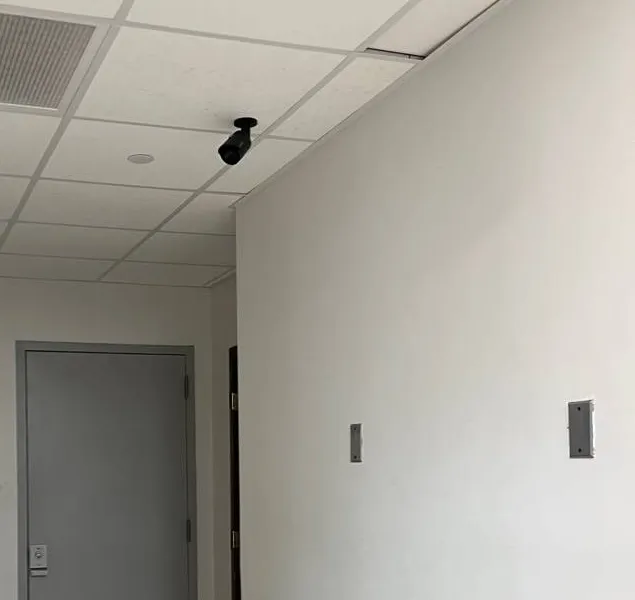
A photo from the AESS job library, not taken in Homecrest: a small black bullet camera hanging from a white ceiling-tile grid, aimed down a short corridor at a grey steel service door. In the basements of Homecrest's mid-century co-ops, a camera like this watches the corridor between the laundry room, the boiler room and the door to the trash area. It is also the camera most likely to be the last one working after water comes in, because it hangs from the ceiling while the recorder and the power box it depends on often sit lower down.
The second pressure is power. Homecrest shares Con Edison's south Brooklyn network with its neighbors, and the outages that touch the area are rarely dramatic but often enough to damage equipment. On the evening of August 13, 2025, News 12 reported that more than 5,600 customers in the Midwood area, across Kings Highway from Homecrest, lost service just after 7 p.m. after weather downed power lines, with power back by 10:37 p.m. After the storm of late December 2025, News 12 reported hundreds of Brooklyn customers still without power and quoted Con Edison saying "most of the outages appear to be weather-related," with melting snow and road salt able to seep into underground equipment. A camera system does not have to be in the dark for long to be hurt. A recorder that was writing to its drive when the power dropped, a power supply that took the surge when it came back, or a PoE switch that never powered up again are the most common results, and the owner usually finds out only when someone asks for a clip.
The third pressure is what cameras are used for here. Kings Highway, Avenue U and Coney Island Avenue are lined with small stores that keep cash, cigarettes and lottery tickets behind the counter, and the 61st Precinct has dealt with the burglaries that follow. ABC7 reported in June 2022 that police were looking for a man tied to seven overnight burglaries at closed businesses in Bath Beach, Homecrest, Gravesend and Bensonhurst, with more than $1,700 in lottery tickets, $800 in cigarettes and more than $6,000 in cash taken. In 2018 the Brooklyn Paper's 61st Precinct report described a burglar who got into an Avenue U business through the cellar door and took $6,000 from payroll drawers in the basement. At Community Board 15's April 2025 meeting, the precinct reported 51 burglaries for the year to date against 40 at the same point in 2024, a precinct-wide figure rather than a Homecrest one. Footage from cameras close to where things happen is what detectives ask for, and a store's camera only helps if it was recording.
Homecrest facts a repair technician works from
Flooding is a recognized, mapped problem. The city's Homecrest cloudburst plan covers about 350 acres and is built to handle 2.3 inches of rain an hour, but its construction is scheduled for mid-2028 to mid-2031. Its flood map separates nuisance flooding of 4 inches to a foot from deep flooding of a foot or more, both of which are enough to reach a recorder on the floor.
The cellar is the usual equipment room. On most Homecrest houses, and in many walk-ups and co-ops, the recorder, the internet modem and the camera power supply sit in the cellar near the boiler and the electric meter, because that is where the cables and services enter.
One precinct, one station house. Homecrest is in the 61st Precinct, whose station house is at 2575 Coney Island Avenue. When a detective asks a block for video, the request will come from there, and the recorder's clock has to be right for the clip to be useful.
The co-ops date from around 1960. Brick Underground's 2022 guide lists a 66-unit, six-story co-op at 2299 East 13th Street built in 1960 and a 64-unit, six-story co-op at 1750 East 14th Street built in 1961, both with elevators and live-in supers. Their camera systems were usually added decades after the buildings, a few cameras at a time.
The newest buildings are on Ocean Avenue. The same guide lists an eight-story, 22-unit condo at 2381 Ocean Avenue from 2006 and a 16-unit, eight-floor condo at 2131 Ocean Avenue that opened in 2019, the kind of building where cameras run over the building's own network and were handed over by a developer.
Repairs are priced by the fault. HomeAdvisor's Brooklyn page puts the average surveillance camera install or repair at $1,416, with a typical range of $680 to $2,145, but that figure mixes new systems with repairs. A single repair on our Brooklyn list usually lands between $150 and $700.
Where this page applies. It covers Homecrest from Kings Highway down to Avenue X and from Coney Island Avenue across to Ocean Avenue, and the blocks west toward Ocean Parkway that some maps include, from the co-ops on the numbered East streets to the one-story rows south of Avenue V. For the rest of the borough, see our main Brooklyn security camera repair page. The price follows the fault, not the address.
Same-Day Repair in Homecrest
Need Repair in Homecrest? A Recorder That Sat in Water, a Lobby Gone Dark After a Power Dip, or a Store Clip a Detective Wants Today
Urgent camera calls from Homecrest come in three kinds. The first follows rain: water came into the cellar, and afterward the recorder will not start, starts and shows no drive, or comes up with half its cameras missing because the power box on the floor beside it got wet. The second follows something that happened: a package taken from a stoop, a car door tried in a shared driveway, a store counter robbed overnight, and the owner or the board needs the video now. The third is the slow discovery: a camera in a co-op basement or on the back of a house went dark months ago, and nobody noticed until a neighbor, an insurer or the 61st Precinct asked for footage.
If water reached the equipment, do not switch it back on to see whether it works. Leave the recorder, the power supply and the switch unplugged, keep them where they are if they are now dry and off the floor, and call us. A drive that was wet or that lost power mid-write is far more likely to give up its footage if nobody keeps restarting it, and a power supply that sat in water can fail in a way that damages what is connected to it. If you need footage from an incident and the system is still running, do the opposite: leave it running, do not restart or reset it, and give us the date and time window. Most recorders overwrite the oldest video once the drive is full, so the clock is already running on the clip you need. Call (347) 934-8335 and we book the visit with saving that footage as the first task.
For everything else the path is the same: the $150 service call books a two-hour arrival window, the technician finds the cause, and you get a written price before any part is replaced. Requests are booked within 2 hours. We do not promise the repair itself the same day, because some parts and recorders have to be ordered, but most single-camera, power-supply and drive faults are fixed on the first visit when the part is on the truck.
What We Install
Security Camera Repair Services in Homecrest
Every repair below is priced from our Brooklyn camera repair list. The service call pays for finding the fault; the repair is priced by what failed, how many cameras it touches and how hard the run is to reach, whether that is a camera under the eave of a one-story brick row or one on the roof bulkhead of a six-story co-op.
After-rain recovery
Recorders, power supplies and switches that were on or near a cellar floor when water came in. We dry-test before powering up, save what is on the drive, replace what was damaged, and move the equipment up and out of the water's path.
Dead camera diagnosis
One camera with no picture, tested at the camera, along the cable and at the recorder, so only the failed part is replaced. On Homecrest houses the fault is often a connector or a plug-in adapter, not the camera.
Power dip and outage repair
Systems that came back wrong after a flicker, a brownout or a storm outage: recorders asking to be set up again, switch ports that power nothing, cameras missing from the grid, clocks reset to a factory date.
Recorder and drive repair
DVRs and NVRs in cellars, closets, super's offices and store back rooms that beep, show a drive error, run hot or keep only a few days. Drives are tested and replaced by type and capacity after any footage you need is copied off.
Co-op and condo common areas
Lobby, mailbox, elevator landing, laundry, basement corridor and garage cameras in buildings from the 1930s to 2019, with the board or managing agent approving the work and the login kept by the building, not one person.
Store and counter cameras
Counter, register, door and cellar-door cameras on Kings Highway, Avenue U, Coney Island Avenue and Neck Road, repaired around opening hours, with the recorder moved where a customer or intruder cannot reach it.
Cable and connector repair
Runs cut during gut renovations and enlargements, crushed under driveways and walkways, chewed or corroded at the camera, or damaged by other trades in shared shafts. Repaired, re-terminated or replaced and tested end to end.
Phone access and logins
Apps that lost the recorder after a router change, accounts in a relative's or a builder's name, and recorders whose password nobody has. We restore access for the owner and set new passwords.
Footage export and checkups
Clips copied to USB with original timestamps for the 61st Precinct, insurers, boards and landlords, and whole-system checkups by day and after dark with a written list of what works and what each fix costs.
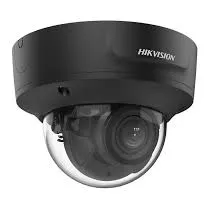
A product photo from the AESS job library, not taken in Homecrest: a black varifocal dome camera. Its zoom lens can be adjusted on site to fill the frame with a doorway or a mailbox wall instead of a whole lobby. In the long lobbies of Homecrest's 1960s co-ops, a dome like this that "works" but shows the entrance as a small patch of the screen is one of the cheapest things to fix on a repair visit, because the camera stays and only the lens setting and the aim change.
Building Specialists
Security Camera Repair for Homecrest's Architecture
Six kinds of property make up nearly every camera repair call we take from Homecrest. Each one fails in its own pattern, and each one decides where the recorder ended up, how the cables travel and who has to say yes before work begins.
Six-story co-ops from about 1960
Brick elevator buildings with sixty or so apartments on the numbered East streets, a live-in super, a basement laundry and cameras added over many years by more than one company.
Prewar walk-ups
Three-story buildings like the 24-unit walk-up from 1932 on East 14th Street, with no elevator shaft, a cellar under the whole building and cameras on the stoop, the hallways and the back door.
Ocean Avenue condominiums
Eight-story buildings from 2006 onward, with garages or parking at the base, network cameras on a building network, and systems handed over by a developer to a board.
Rebuilt and enlarged houses
Two-story houses rebuilt into much larger ones, with camera wiring closed into new walls, recorders in mechanical rooms and systems built by the builder's subcontractor.
Two-families and attached houses
Brick and frame houses with two households, one cellar and often two sets of cameras, two apps, and a recorder that runs on one apartment's outlet or router.
One-story rows and bungalows south of Avenue V
Rows of one-story brick houses with community backyards and driveways, and one-story bungalows, where the eaves are low and the cameras watch ground that several households share.
The 1960 co-op: twenty years of additions on one recorder
The elevator co-ops that went up on the East streets between Kings Highway and Avenue U around 1960 were not built with cameras. The systems in them were added in stages: a few analog cameras in the lobby and the laundry in the 2000s, a new recorder after a break-in, a couple of network cameras on the roof or in the garage after that, each by whichever company the board hired at the time. The result is a recorder in the super's office or a basement room with coax cameras on some inputs, network cameras on a switch beside it, and sometimes a camera or two in the lobby that connect to nothing at all. When one part fails, nobody is quite sure which cameras depend on it.
The repair starts with an inventory. We trace each camera to its input, label every cable at the recorder, note which power box or switch feeds which camera, and test the drive. In these buildings the cables usually go up through the same shafts and pipe chases that carry the building's older intercom and telephone wiring, which matters every time another trade works in them. A board that has had an intercom replaced, a riser re-piped or a new internet provider wired in should expect us to check the camera cables in those same paths first. We also confirm what the board wants from the system: how many days of video, who may export a clip, and whose phone gets the alerts. Those are the building's decisions, and we write them down so the next super inherits them.
The prewar walk-up: one cellar, one power box, every camera
Homecrest's older walk-ups, like the three-story, 24-unit building from 1932 on East 14th Street that Brick Underground listed, usually have the simplest systems and the most fragile ones. Four to eight cameras cover the stoop, the vestibule, the hallways, the back door and the cellar, and all of them run to one recorder and one central power box in the cellar or a first-floor closet. When that power box fails, every camera goes dark at the same moment, and because nothing in the building tells anyone, the first sign is often a tenant asking for footage of a stolen package.
There are two repairs here. The first is the obvious one: replace the failed supply, test each camera, and check the drive. The second is to stop one part from taking the whole building down again. Splitting the cameras across two supplies, or moving them onto a PoE switch with its own battery backup, means the next failure costs two cameras rather than all of them. Turning on the recorder's video-loss alert and sending it to the owner or the managing agent means somebody hears about it that night. In a walk-up with a cellar that takes on water, we also lift the recorder and supply off the floor, because those two boxes are the entire system.
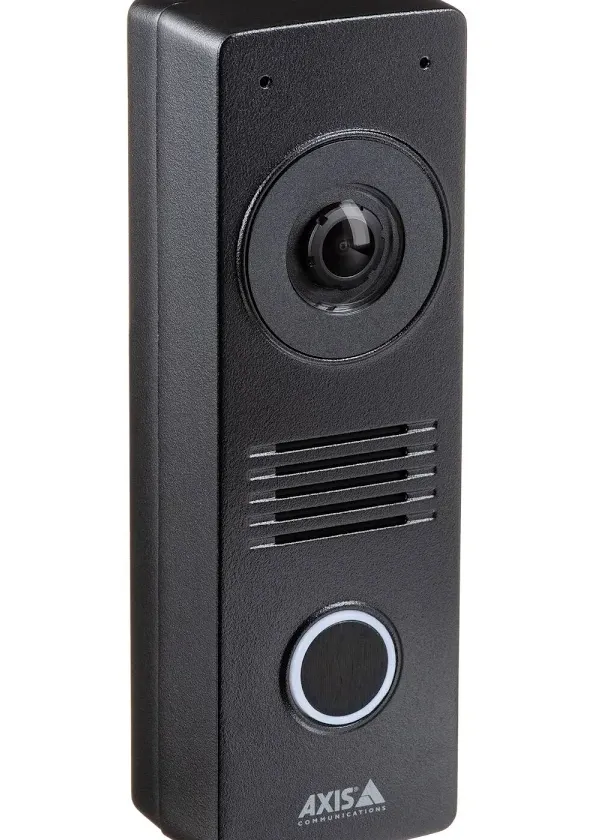
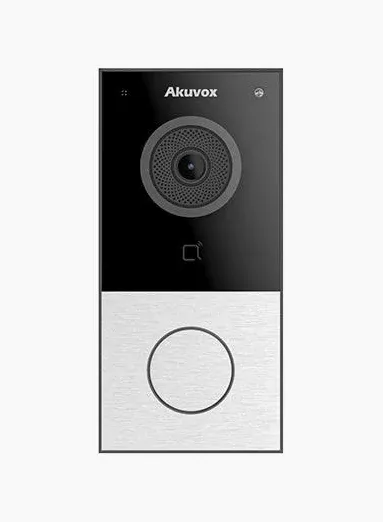
A product photo from the AESS job library, not taken in Homecrest: a black video intercom door station with a camera, a speaker grille and a lit call button. At the entrance of a Homecrest walk-up or a two-family, a door station like this often sits beside a separate camera system, each with its own app. When we repair the cameras we check whether the door station's video is reaching the right phones too, and whether its picture can be recorded alongside the others.
The Ocean Avenue condo: a developer's network, a board's problem
The condominiums that went up along Ocean Avenue since the early 2000s, such as the eight-story, 22-unit building from 2006 and the 16-unit building that opened in 2019 that Brick Underground described, were built with cameras in place. The system is usually a network video recorder in a telecom or meter room on the ground or parking level, network cameras in the lobby, the elevator, the garage and the trash room, and a managed switch that may also carry the building's door entry system and Wi-Fi. It was configured by the developer's low-voltage contractor and handed to the board with a password, sometimes in an email nobody can find now.
The faults in these buildings are less about wiring and more about the network. A change of internet provider, a new router installed by someone else, or a switch that rebooted with its settings lost can make every camera vanish from the app while they go on recording locally, or stop them recording entirely. The repair begins with getting into the recorder and the switch with the owner's credentials, documenting how the network is laid out, and separating the cameras from residents' traffic where the equipment allows it. If the developer's warranty period has passed, the board owns the system outright and can have anyone licensed repair it. If it has not, we tell you what we found in writing so you can take it back to the developer first.
Rebuilt houses: big systems, closed walls, no drawings
Wikipedia notes that many of Homecrest's private two-story houses have been renovated into much larger homes. In camera terms that means a system put in during construction by the builder's subcontractor: twelve to twenty cameras, cable pulled before the drywall, a recorder and switch in a mechanical room or a basement closet, sometimes a home automation controller on the same rack. When the family moves in, the cameras work. A few years later the builder has moved on, the subcontractor does not answer, nobody has a drawing, and the first failure leaves the family looking at a rack they cannot read.
These houses have three typical faults. A camera mounted under a deep new overhang or a box soffit can have its own infrared light bounce straight back off the underside, so its night picture is mostly glowing ceiling. A cable pulled tight around framing before the walls closed can fail years later at a staple or a sharp edge. And a single switch on the rack can power half the house's cameras, so when it fails the family loses the whole back of the house at once. We map the rack and label every port, test each run, look for a camera-side fix before anything that means opening a wall, and where a wall truly has to open, we tell you exactly where and why first.
Two-families: one cellar, two households
Homecrest's two-family houses have a familiar pattern: one cellar, one electric service split two ways, one internet line or two, and cameras that may belong to the owner, the tenant or both. The recorder often runs on whichever apartment's outlet was handy at the time, and the cameras reach the internet through one household's router. When the tenant changes providers, or the owner downstairs switches off a circuit, the cameras disappear.
The repair is to draw the house as it is now: which cameras exist, which recorder each one feeds, whose outlet powers what, whose router carries the video, and whose phone gets the alerts. Then we move power and network onto the owner's side where that is practical and set up separate viewing for the other household where both want it. When one household set up the system and has since moved out, a recorder can often be recovered on site, but some makers require proof of ownership or a reset that wipes settings. We say which route your recorder needs before anything is erased.
One-story rows and bungalows: low eaves and shared ground
South of Avenue V, Wikipedia describes one-story bungalow-type homes and rows of one-story brick houses with community backyards and driveways. Cameras on these houses face two problems that taller houses do not. The eaves are low, so a camera on the back or side of the house can be reached by anyone standing in the yard or the driveway, and is easily turned, covered or knocked loose. And the ground the camera watches is not only yours: the yard behind a row and the driveway that runs along it are shared, so a camera aimed to catch someone at your back door will also record your neighbors coming and going.
On these houses we look at mounting height and angle first. A camera can often be moved higher on a gable end, set back under the roof edge, or swapped for a dome that is harder to turn, so that it still sees the door and the walk but is out of easy reach. Where a camera's view takes in a neighbor's yard or windows, most recorders let us black out part of the picture permanently, so the shared ground stays covered and the private part does not. The low eave has one advantage: almost every camera on these houses can be reached from a short ladder, which keeps the labor on the small end of our list.
Field Notes
Field Notes: Working a Homecrest Camera System From the Cellar Floor Up
These notes set out the order our technicians follow on a Homecrest house, walk-up or co-op when several cameras are down and nobody knows why. They describe our method, not one particular address.
Look at the floor before the screen. The first thing the technician checks in a Homecrest cellar is whether anything has been wet: water lines on the walls, rust on the recorder's feet, a damp power strip, a tide mark on the cardboard box the supply sits on. If there are signs of water, nothing is switched on until it has been checked.
Save footage next. If anyone needs video from a recent date and the recorder is running, the clip is exported to USB before anything is restarted, and the recorder's clock is written down against the real time.
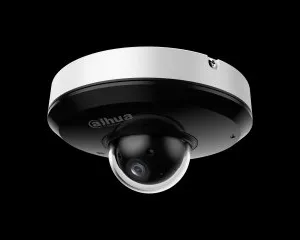
A product photo from the AESS job library, not taken in Homecrest: a mini pan-tilt dome camera with a white housing over a black lens dome. On a Homecrest store or a co-op parking area, a camera like this may be set to sweep between several views, which means it can be facing away at the moment something happens. On a repair we check whether its tour still makes sense or whether it should be parked on the one view that matters most.
Follow the power. Outlet, power strip, battery backup, power box or PoE switch, then the recorder itself. A cellar outlet shared with a sump pump, a dehumidifier or a washing machine explains a surprising number of failures, because every one of those motors starts and stops on the same circuit.
Walk the shared paths. In co-ops and walk-ups the technician follows the camera cables through the shafts, chases and ceilings they share with the intercom, phone, internet and plumbing, looking for damage from the last trade that worked there.
Price, repair, and leave a record. You hear the cause and get a written price before parts are replaced. Afterward every camera is checked by day and after dark, alerts for lost video and drive errors are switched on, and you are left with the logins and a list of what is connected where.
Fault by Fault
Water, Power Dips, Shared Shafts and Rebuilds: Why Homecrest Camera Systems Fail
Four causes explain most of the camera failures we find on Homecrest houses, apartment buildings and storefronts. Knowing which one you are dealing with is the difference between a $150 visit and a new system.
Water: the cellar is where the system lives and where the rain goes
The city did not set aside $95 million for Homecrest's flooding because of one bad storm. Its own presentation lists Henri, Ida and the September 2023 storm, and it notes that in 2023 New York saw rain every three days. On a Homecrest block that floods, the damage to a camera system rarely comes from the water touching a camera. It comes from the water reaching the recorder, the power supply, the power strip and the switch, which so often sit on the cellar floor or a low shelf because that is where the installer found an outlet. Even a few inches is enough to short a power strip or a supply, and a recorder that runs on through a wet power supply can be damaged by the supply itself.
The repair after water is careful rather than quick. Equipment that was wet is tested before it is powered, the drive is read separately if the recorder will not start, and any power supply or strip that sat in water is replaced rather than dried and trusted. Then the equipment moves: up onto a wall-mounted shelf or bracket well above the floor, onto its own battery backup, ideally on an outlet that is not shared with the sump pump. The cloudburst project should make deep flooding less frequent once it is built, but its construction is not expected before 2028, and a recorder that is off the floor survives whatever happens in the meantime.
Power dips: short outages, long consequences
The August 2025 outage across Kings Highway in Midwood lasted about three and a half hours; the winter storm outages of December 2025 ran longer for some households. Neither is unusual for south Brooklyn, and neither is what does most of the damage. A recorder that loses power while it is writing to its drive can come back with a corrupted file system or ask to be set up again. The surge as power returns can kill plug-in adapters, power box channels and PoE switch ports, so some cameras come back and others never do. And a recorder that restarts on its own may come back with its clock reset and stamp the next week of video with a date years in the past.
A properly sized battery backup on the recorder, the switch and the internet box together rides through flickers and short dips and lets the recorder shut down cleanly when an outage runs long. Most of the backups we find in Homecrest cellars are either too small, plugged into only the recorder, or carrying batteries that died years ago. Testing and replacing that backup is part of almost every after-outage repair we do here.
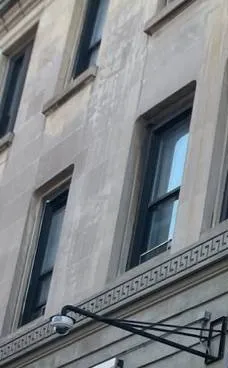
A photo from the AESS job library, not taken in Homecrest: a bullet camera on a long black steel arm below a carved Greek-key band on a pale stone facade with tall sash windows. A long arm like this holds a camera away from the wall so it can look along the building, which is how a camera on a Kings Highway storefront or the front of a co-op can watch both the door and the sidewalk. When a camera on an arm has drooped or turned, it is usually the bracket bolts that failed, and the camera itself is fine.
Shared shafts: other trades work where the camera cables run
In Homecrest's co-ops and walk-ups, camera cables almost never have a path of their own. They share pipe chases with plumbing, risers with the old intercom and telephone wiring, and ceilings with the internet provider's lines. Every time another trade works in one of those spaces, the cameras are at risk: a cable cut while an old intercom riser is pulled out, a run crushed when a pipe is replaced, a connector knocked loose behind a ceiling tile. Because the other trade was not working on the cameras, nobody tests them afterward.
Rebuilds and renovations: cameras closed into new walls
Homecrest has seen a great many houses rebuilt and enlarged. Camera wiring that went into a house during construction was pulled before insulation and drywall, around framing and through drilled holes. It works when the house is finished, and then fails a few years later at a staple pulled too tight, a sharp metal edge or a spot where a later contractor drove a screw. Cameras that were mounted under the old roofline and left in place through an enlargement are another source of calls: they end up in the middle of a new wall, with their cables cut or buried.
Commercial Security Camera Repair
Business Security Camera Repair in Homecrest
Homecrest businesses are mostly small and owner-run: groceries, bakeries and restaurants, pharmacies and medical offices, phone and electronics stores, salons, convenience stores selling lottery tickets and cigarettes, and offices above the stores. Their camera systems are usually one recorder in a back room, under the counter or in the cellar, with four to sixteen cameras. When something happens, the owner needs the video that night, and the repair has to work around opening hours.
Kings Highway
Homecrest's northern edge and its main shopping street, with stores, offices and medical practices around the Kings Highway station on the B and Q, and apartments above many storefronts. Heavy foot traffic means motion recording fills drives fast.
Avenue U by the station
The blocks around the Avenue U station on the Q, where Wikipedia notes a small, growing Chinese enclave and other guides describe Chinese, Uzbek, Russian and Caribbean shops. Many recorders here were bought and set up by the owners' families.
Coney Island Avenue
The western edge, with stores, auto businesses and offices for its whole length, and the 61st Precinct station house at 2575 Coney Island Avenue. Long frontages and parking areas mean long, exposed cable runs.
Neck Road
A local commercial street crossing the Brighton Line at the Neck Road station between East 15th and East 16th Streets, with corner stores and services whose cameras face the street and the station area.
Ocean Avenue
The eastern edge, mostly residential, with condominium buildings whose garages, lobbies and ground-floor offices share one building camera system.
Avenue X and the south end
Smaller stores and services near the one-story rows and bungalows, often in buildings with a cellar under the store and a single recorder for the whole premises.
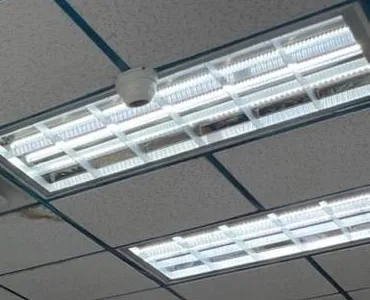
A photo from the AESS job library, not taken in Homecrest: a small white dome camera on grey acoustic ceiling tiles beside a long louvered fluorescent light. In a pharmacy or medical office on Kings Highway, a dome this close to a light fixture can pick up glare inside its own bubble, and a ceiling tile lifted for other work can leave it pointed at the wrong aisle. Moving the dome a tile or two away from the light is sometimes the entire repair.
The overnight counter and the cellar door
The two Homecrest-area burglaries we described above share a shape that should guide a store's camera repair. The 2022 pattern ABC7 reported targeted businesses overnight, after closing, and went for what sits behind the counter: lottery tickets, cigarettes and cash. The 2018 Avenue U burglary came in through the cellar door, went to the basement where payroll was kept, and left through a back door. A store system that covers only the sales floor during business hours misses both. The cameras that matter most after hours watch the counter and register from an angle that shows a face, the front door and gate from inside, the cellar door from the top of the stairs and from the cellar itself, and any back door to the yard or alley.
Just as important is where the recorder sits. A recorder under the counter or on a cellar shelf beside the cellar door is within reach of the person the cameras are recording, and taking it takes the footage with it. On a store repair we look at moving the recorder into a locked cabinet or a less obvious room, set the cameras to keep recording when nobody is in the store, and turn on phone alerts for after-hours motion at the counter and the cellar door, so the owner hears about it while it is happening rather than the next morning.
Family-built systems on Avenue U
Many store systems along Avenue U and Kings Highway were bought by the owner or a relative and set up without an installer. They work well until something changes: the relative who set the passwords moves away, the app is on one phone that was replaced, the recorder's menus are in a language some of the staff do not read, or the drive fills and nobody knows how to set it to overwrite. These are often the quickest repairs on our list. We recover access with the owner present, set the account in the owner's name, check the drive and recording schedule, and show the staff how to find and export a clip.
Some of those systems are Hikvision or Dahua recorders. The FCC has placed both companies' video surveillance equipment on its Covered List, so new models cannot be authorized, and owners sometimes hear that their system is now illegal to use. It is not. An FCC notice in 2026 states that its restrictions "would not affect continued use or operation of already-purchased communications equipment." What changes is the repair: replacement cameras and recorders may need to come from another brand that works with what you have. We tell you which parts of your system can stay.
Synagogues, churches, schools and grant-funded projects
Homecrest and the blocks around it have many houses of worship, schools and community organizations, and their cameras watch entrances, sidewalks and yards around the clock, often looked after by a custodian or a volunteer. Many of these systems were paid for with security grants. In April 2026 the Governor's office announced up to $70 million in Securing Communities Against Hate Crimes grants, with a maximum of $250,000 per organization and a list of eligible physical security upgrades that includes lighting, locks, alarms and access control. The announcement's official list does not name camera repair specifically, so any organization planning to include repairs should confirm eligibility with the state before counting on it. We can give a written, itemized scope for that purpose.
Rules that touch a commercial camera repair
State licensing. The New York Department of State licenses companies that install or service security systems, and its rules cover closed-circuit television used to watch for intrusion, theft or movement. An owner can work on their own system, or have an employee do it, without a license; a company working for someone else needs one. AESS works under NYS license #12000287431.
Cameras that watch staff. New York Labor Law §203-c requires employers who monitor employees electronically, including by video, to give written notice and get acknowledgment. If a repair adds or moves a camera that watches a stockroom, a register or a back office, the notice should be updated.
Footage requests. Detectives from the 61st Precinct may ask for a copy of a clip; a USB copy with the original timestamps usually satisfies the request without the recorder leaving the store. Whether to share a clip with a neighbor or another business is the owner's decision.
Landmarks. We found no designated historic district covering Homecrest. If your building is an individual landmark, tell us before the visit; the Landmarks Preservation Commission's rules say ordinary repair of existing equipment needs no permit, while moving cameras or adding conduit follows its rules.
Your Questions Answered
Security Camera Repair in Homecrest: Questions Answered
These are the situations Homecrest homeowners, co-op and condo boards, managing agents, store owners and congregations describe when they call. Each answer is written for the buildings and blocks here.
Rain, cellars and the city's cloudburst work
Our block is inside the area the city's Homecrest cloudburst plan covers, and construction is not expected before 2028. Is it worth repairing our cellar cameras now, or should we wait until the project is finished?
Repair now, but repair with the water in mind. Waiting leaves you without cameras for years, and the project is designed to reduce deep street flooding, not to keep every cellar dry. The useful step is to move the recorder, power supply and switch off the floor onto a wall shelf with a battery backup, so the next downpour costs you nothing. The cameras themselves are usually high enough to be safe.
The plan includes porous pavement in some parking lanes. Our garage camera's cable runs under the walkway to the curb side of the house. Could street or sidewalk work cut it, and what can we do ahead of time?
It could, if digging reaches a shallow run near the property line. Private low-voltage cables are generally not marked by utility locating services, so crews will not know it is there. We can trace and photograph the route, note its depth where we can reach it, and give you a sketch to show contractors. If the run is shallow or close to where work is likely, rerouting it along the house wall may be cheaper than repairing it after a cut.
The power dipped one evening during a summer storm, and the next morning our recorder's screen said it had no hard drive and was recording nothing. Is everything from before the dip gone?
Not necessarily. A drive that was being written to when the power dipped can drop off the recorder's list even though most of its data is still on it, and sometimes the fault is the drive's power or data connector rather than the drive. We test the drive separately, recover what can be read before installing a new one, and put the recorder on a battery backup so a dip does not catch it mid-write again.
Co-ops, walk-ups and condos
Our co-op on East 13th Street had its lobby intercom replaced last year, and two hallway cameras died the same week. Could the intercom job have done it?
Very likely. In Homecrest's 1960 co-ops the camera cables usually run up the same shafts as the old intercom wiring, and pulling out a riser or a junction box can cut or disconnect a camera run beside it. We trace the two dead runs from the recorder, find where they were damaged, repair them, and label the camera cables in the shaft so the next contractor can tell them apart. The repair record gives the board something specific to raise with the intercom company.
Every camera in our three-story walk-up went dark at once, and the landlord found out only when a tenant asked about a stolen package. How do we stop one failure taking out the whole building again?
When everything fails together, the cause is almost always the one shared part: the central power box, the switch or the recorder. After replacing it, we split the cameras across two power sources where the layout allows, add a battery backup, and switch on the recorder's video-loss alert so the owner or the managing agent gets a message the moment a camera drops. The next failure then costs a couple of cameras for a day, not every camera for weeks.
Our Ocean Avenue condo opened a few years ago, and two garage cameras are now dark. Should the board go back to the developer, or call a repair company?
Check the developer's warranty and the offering plan first. If the camera system is still under warranty, the developer may be responsible, and a written description of the fault helps that claim. If the period has ended, the system belongs to the condo and any licensed company can repair it. Either way we can diagnose it, write down what failed and why, and leave the decision about who pays with the board.
Houses, rows and the train line
The builder who enlarged our house put the cameras under a deep new overhang, and at night the picture is mostly the underside of the soffit glowing white. Is the camera faulty?
Usually not. The camera's infrared light is bouncing off the soffit right above the lens and blinding it. Moving the camera a few inches down or out on a short bracket, tilting it away from the overhang, or replacing it with a model that uses a separate light or color night vision usually fixes it. We test the new position after dark before we leave, because the problem only shows at night.
On our one-story brick row south of Avenue V, the rear camera has been pushed up to face the sky twice this year. The eave is so low anyone can reach it. What can be done?
Make it harder to reach and harder to move. We can relocate it higher on the gable or set it back under the roof edge, swap a bullet camera for a vandal-resistant dome that cannot simply be turned, and tighten it on a mount that locks its angle. We also turn on the tamper alert, so the next time the view changes you get a message instead of finding it weeks later.
Our rear camera watches the community driveway behind our row, and the neighbor next door says it also records her back windows. Can it be changed without losing the driveway?
Yes. Most recorders and many cameras support privacy masking, which blacks out a chosen part of the picture permanently so it is never recorded. We mask her windows and part of her yard, keep the driveway and your door in view, and if needed re-aim or narrow the lens so the mask takes up less of the frame. You can show her the result on the recorder.
Our yard on East 16th Street backs onto the Brighton Line embankment, and the cable to our back camera was strung along the embankment fence. It has been cut. Can it be repaired from our side?
Yes, and from your side is the only way we would do it. We do not attach to or work on railroad property or its fence. The new run goes along your own fence, wall or house in protected cable or conduit, and the camera is mounted on your own structure. If the camera itself was fixed to the railroad fence, we move it onto your property and re-aim it.
Stores and congregations
Our store on Avenue U shares a cellar with the shop next door, and our recorder sits on a shelf down there. People from their side walk past it every day. How do we keep it safe?
Move it or lock it. A recorder in a shared cellar can be unplugged, moved or taken by anyone who gets down there, including an intruder coming in the cellar door. We can put it in a locked, ventilated cabinet fixed to the wall, or run the cables up to a back room or office on your side, and add a camera that watches the recorder itself. We also set an alert if it loses power.
Our synagogue is applying for a state hate-crimes security grant. Can repairing our existing cameras be part of the project, or does it have to be new equipment?
That is a question for the grant program, not for us. The April 2026 announcement lists physical security upgrades such as lighting, locks, alarms and access control, and its official list does not mention camera repair either way. Ask the state Division of Criminal Justice Services before you apply. We can provide a written, itemized scope that separates repairs from new equipment so you can submit whichever the program accepts.
Equipment
Types of Security Cameras and Recorders We Repair
We repair what is on the building, whoever installed it. These are the kinds of equipment we find on Homecrest houses, co-ops, condos and stores, and the faults each tends to develop here.
Coax and HD-over-coax cameras
Cameras with round BNC connectors, from older analog to HD models, common in the co-ops and walk-ups wired in the 2000s. Typical faults: water in outdoor connectors, failed channels on the central power box and worn infrared lights.
Network (IP) cameras
Cameras powered and connected through one data cable, standard in the Ocean Avenue condos and the rebuilt houses. Typical faults: dead switch ports after a power dip, address conflicts after a router change and lost passwords.
DVRs, NVRs and hybrid recorders
The box that holds the footage, in a cellar, closet, super's office or store back room. Typical faults: drives lost after a dip, water damage on a low shelf, short retention and settings reset to the factory date.
Varifocal domes and bullets
Cameras with an adjustable zoom in lobbies, garages and on storefronts. Typical faults: a lens set too wide to recognize anyone, focus that drifted after a knock, and covers clouded by sun.
Pan-tilt and fisheye cameras
Moving cameras over parking areas and fisheye cameras over store floors. Typical faults: lost presets, sticking motors and a tour that leaves the camera facing away at the wrong time.
Wi-Fi, battery and cube cameras
Plug-in and battery cameras on shelves, inside windows and in back yards. Typical faults: weak signal through brick and through cellar walls, router changes and accounts tied to someone who has moved.
Video door stations
Door stations with their own camera at the front door or gate, often on a separate app. Typical faults: video that reaches one phone but not another, a call button that stopped working and a night picture washed out by the porch light.
PoE switches
The switches that power network cameras, often on a cellar shelf or in a rebuilt house's rack with no backup. Typical faults: dead ports or whole units after a surge, and power budgets exceeded when cameras were added.
Power supplies and battery backups
Central power boxes, plug-in adapters and UPS units. Typical faults: blown channel fuses, adapters that failed in a damp cellar, and backups whose batteries died years ago without anyone noticing.
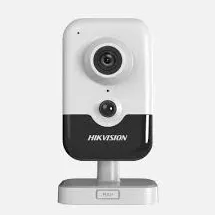
A product photo from the AESS job library, not taken in Homecrest: a slim video door station with a camera lens at the top and a large round call button. Some Ocean Avenue condos and rebuilt Homecrest houses have a station like this at the entrance, and its camera is often the only one that sees a visitor's face up close. When a building asks us to repair its cameras, we check whether this one is recording too, or only showing a live picture to whoever answers.A product photo from the AESS job library, not taken in Homecrest: a white indoor cube camera. Cubes like this sit on a shelf behind a store counter on Avenue U, in a medical office on Kings Highway or in a house's front hall, and they are the cameras most often unplugged by accident or turned toward the wall. When one keeps dropping off the app, the cause is usually its plug or the Wi-Fi it relies on, not the camera.
National brands versus a local licensed repair
Some Homecrest households and stores have cameras from national alarm companies or consumer brands and are not sure who should fix them. The table shows how the choices usually compare for a repair.
Question
ADT or similar alarm company
Ring or SimpliSafe camera
AESS local repair
Who owns the equipment
Depends on the contract; some is leased
You own it
You own it, and we repair it
Recorder in a cellar that can flood
Its own equipment only
No local recorder; clips go to the cloud
Recorders tested, drives recovered, equipment moved off the floor
Other brands on the same building
Usually only its own
Support covers its own devices
Any brand, any installer
Signal through brick and cellar walls
Depends on its wiring
Wi-Fi often weak through masonry
Wired cameras on existing cable where possible
Licensed technician on site
Varies by dealer
Remote support
Yes, NYS license #12000287431
Price before work
Varies
Replacement device price
$150 service call, then a written repair price
AI Overview Reality Check
What AI Gets Wrong About Security Camera Repair in Homecrest
The claims below turn up in AI-generated answers, help forums and national repair guides from sites like Angi and HomeAdvisor. Each is partly true somewhere, and each can lead a Homecrest owner to the wrong repair or a lost clip.
"If the recorder turns back on after it dries out, it is fine"
Advice after a flood often says to let electronics dry for a few days and then try them. If the recorder boots, carry on.
A recorder that starts after sitting in water can still have corrosion on its board and connectors that fails weeks later, and the power supply that sat beside it on the floor may now deliver unstable voltage that damages the recorder and cameras over time. In a Homecrest cellar, where the city's own map distinguishes nuisance flooding of 4 inches from deep flooding of a foot or more, even the smaller kind reaches a power strip on the floor.
Before powering anything that was wet, have it checked. Supplies and strips that sat in water should be replaced, the drive should be read separately if footage matters, and the equipment should go back on a shelf well above the floor.
"Weatherproof cameras make the whole system flood-proof"
Product pages and AI summaries lean on outdoor ratings such as IP66 or IP67 as if they settle the question of water.
Those ratings describe the camera housing against rain and dust. They say nothing about the recorder, the switch, the power box or the cable connectors in a cellar, and those are what fail when water comes in. In Homecrest the cameras on the outside of a house are usually the parts of the system least affected by flooding.
The protection that matters is where the indoor equipment sits and how it is powered. Wall-mounted equipment, sealed connectors at the cellar wall and a backup on a separate outlet do more than any camera rating.
"Hikvision and Dahua cameras are banned, so the system has to come out"
Some answers treat the FCC's Covered List as a removal order for every Hikvision or Dahua system in a store or a house.
The FCC's restrictions concern authorizing and selling new equipment. Its 2026 notice states that the restrictions "would not affect continued use or operation of already-purchased communications equipment." A store on Avenue U or Kings Highway running one of these recorders can keep using it.
The practical effect is on parts. A replacement camera or recorder may need to be another brand that works with what you have, and we tell you which parts of your system can stay before you buy anything.
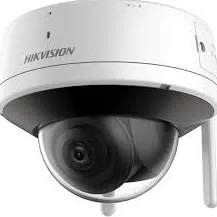
A product photo from the AESS job library, not taken in Homecrest: a Wi-Fi dome camera with an external antenna. On a Homecrest house this kind of camera suits the one spot a cable cannot reach, such as a garage at the far end of a shared driveway. It still needs power, a strong signal through brick and an account in the owner's name, which is why we treat it as the exception on a repair rather than the fix for a wired system.
"A surge protector strip keeps the cameras safe in an outage"
Outage advice often stops at plugging the recorder into a surge protector.
A surge strip does nothing when the power dips or cuts out, which is what interrupts a drive mid-write. Many strips stop protecting after absorbing a few surges without any sign that they have. And a strip on a cellar floor is one of the first things water reaches. Homecrest's outages, like the Midwood-area one in August 2025, are usually short dips and cuts, not lightning.
A battery backup sized to carry the recorder, the switch and the internet box, with a battery that is tested each year, is what prevents most outage damage. A strip is a cheap addition, not a substitute.
"More megapixels will fix a blurry face"
Many answers suggest replacing a camera with a higher-resolution model whenever faces come out unclear.
In Homecrest lobbies, store doorways and driveways, unclear faces usually come from a lens set too wide, a camera mounted too high or too far away, backlight from a glass door or a shop window, or a slow shutter that smears movement. A higher-resolution camera aimed the same way will often give the same result with larger files.
The cheaper repair is often the angle and the lens. Narrowing a varifocal camera onto a doorway, lowering a camera to face height at a safe distance, or adjusting for backlight fixes most of these without new hardware.
"Switch to cloud Wi-Fi cameras and the repair problems go away"
Some answers recommend replacing a wired system with battery or Wi-Fi cameras that upload to the cloud.
Wi-Fi cameras have their own failures: weak signal through brick walls and floors, uploads that stop when the internet goes down, batteries that drain faster in winter, and accounts that belong to whoever set them up. In a co-op or a store, a cloud plan for every camera also adds a monthly cost per device.
For most Homecrest buildings, repairing the wired system and adding a Wi-Fi camera only where a cable cannot reach gives more reliable recording at lower long-term cost.
"Camera repair in Brooklyn costs about $1,400"
National cost pages give an average, and AI answers repeat it as the price of a repair.
HomeAdvisor's Brooklyn page shows an average of $1,416 with a typical range of $680 to $2,145, but it covers installation and repair together. A Homecrest repair is usually one or two faults: a power supply, a drive, a cable, a connector or a login. On our Brooklyn list those typically fall between $150 and $700.
The $150 service call tells you what failed and what the fix costs before you commit, so you can compare that number, not an average, against replacing the system.
Talk to a Technician Before You Power Up a Wet Recorder or Buy New Cameras
Tell us the address, the type of building, how many cameras there are, which ones are out, and where the recorder sits. If water reached the equipment, say so, and leave it unplugged until we arrive. If you need footage from a particular date, tell us and the visit is planned around saving it. Photos of the recorder screen, the dark cameras, the power supply and the shelf or floor they sit on help us bring the right parts. For anything urgent, call (347) 934-8335 now.
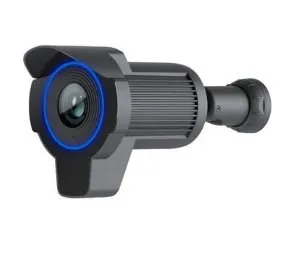
A product photo from the AESS job library, not taken in Homecrest: a black bullet camera with a long hood and a blue-lit ring around the lens. The hood shades the lens from sun and rain, which helps a camera on the back of a one-story row or over a store entrance on Kings Highway that faces the afternoon sun. If you send a photo of the camera that failed, even a blurry one taken from the ground, we can usually tell what it is before the visit and bring the right replacement.
✅
Request Sent!
Thank you. A technician will contact you about the Homecrest address shortly.
How It Works
Our Repair Process
1. Send the screen, the address and the date you need
Text or WhatsApp a photo of the recorder screen or phone app showing the dark cameras, with the Homecrest address, the type of building and any date of footage you need saved.
2. Confirm who owns the system and who approves
Homeowner, co-op or condo board, managing agent, store owner or congregation: we confirm who approves the work and who holds the recorder login before the day.
3. Book and pay the service call
The $150 Brooklyn service call books a two-hour arrival window and is credited to the repair if you go ahead.
4. Copy the footage first
Any clip that matters is exported to USB with its original timestamps before the recorder is restarted, unplugged or opened, and the recorder clock is compared with the real time.
5. Start in the cellar and test outward
The technician checks for water, then the outlet, battery backup, power supply or PoE switch and the drive, then each cable and camera, starting where the recorder sits.
6. Name the cause and write the price
You hear what failed and why, and receive a written, itemized repair price before any part is replaced. If the price changes on site, you hear it first.
7. Repair and test by day and after dark
The failed part is repaired or replaced and every camera is checked for picture and recording, including the night picture under the real lighting of the block.
8. Label, set alerts and hand over
Cables are labeled at the recorder, logins go to the right person, alerts for lost video and drive errors are switched on, and you are shown how to export a clip.
Coverage Area
Security Camera Repair Near Homecrest's Landmarks
Kelly Memorial Park
The park on Avenue S between East 13th and East 14th Streets, whose tennis courts are planned to sit over the cloudburst project's stormwater tank.
Homecrest Library
The Brooklyn Public Library branch at 2525 Coney Island Avenue, south of Avenue V, on the neighborhood's western edge.
61st Precinct station house
At 2575 Coney Island Avenue, the precinct that covers Homecrest and asks local buildings and stores for video after incidents.
Neck Road station
The Q stop on the Brighton Line embankment at Gravesend Neck Road between East 15th and East 16th Streets, opened in 1907, beside the remains of an old Long Island Rail Road station.
Avenue U station
The Q stop at the heart of the Avenue U shopping blocks, around which Wikipedia notes a small, growing Chinese enclave.
Kings Highway station
The B and Q stop between East 15th and East 16th Streets on the border of Homecrest and Midwood, at the center of the Kings Highway shopping street.
We also serve the neighborhoods around Homecrest, including Midwood across Kings Highway, Sheepshead Bay to the east, and Gravesend to the west across Coney Island Avenue, at the same Brooklyn rate. Our Gravesend security camera repair page covers the blocks west of Coney Island Avenue, our Brighton Beach security camera repair page covers the buildings near the boardwalk to the south, and the whole borough is on our Brooklyn security camera repair page.
Pricing
Security Camera Repair Cost in Homecrest
Homecrest is billed at our Brooklyn rate. Every repair begins with the $150 service call, which covers the on-site diagnosis and is credited to the repair if you go ahead. The figures below come from our published list of Brooklyn security camera repair prices; your exact price is written down on the visit once we know what failed.
Repair
Brooklyn price
Service call, on-site diagnosis and written repair price
$150, credited to the repair
Motion, alert, masking, app or login settings with no parts
Usually within the $150 service call
Clean and check for a blurry picture
$80
Connector reterminate or PoE port swap
$150–$350
Power supply repair or replacement
$150–$400
Dome or front cover replacement
$30–$80 part plus labor
Indoor camera repair
$200–$450
Hard drive swap, by capacity
$200–$450
Single camera replacement on a working system
$250–$600
Night vision camera repair
$250–$650
DVR not working, including drive and labor
$300–$700
NVR not recording, by model
$400–$900
Vandalized camera, per camera plus cable repair
$400–$900
PTZ camera repair
$450–$1,200
Hybrid recorder swap, channels reconfigured
$700–$1,200
DVR/NVR replacement with drive, or multi-camera wiring repair
$700–$1,500
Full rewire or whole-building overhaul
From $1,500
Three things move a Homecrest repair within those ranges. The first is water: a system that was wet needs its supply, strip and sometimes its recorder replaced, and moving the equipment up off the cellar floor adds a little labor that pays for itself the next time it rains. The second is the path: a camera run through a co-op shaft shared with other trades, or a cable closed into the walls of a rebuilt house, takes longer to trace and replace than one stapled along a cellar ceiling. The third is height and reach: a camera on the roof bulkhead of a six-story co-op or high on an enlarged house takes more ladder work than one under the low eave of a one-story row. If the price changes on site, you hear the new number before work continues. Bundling the camera repair with intercom, alarm or cabling work on the same visit saves $200 to $400 in labor on our Brooklyn list.
Full terms — including 50% deposit, one-year parts-only warranty on AESS-supplied products, and the late-fee schedule — are set out in the service agreement.
Shop Our Systems
Security Camera Repair Packages & Pricing
Three ways Homecrest repairs usually come together, priced from our Brooklyn list.
Single-issue repair: $150–$700
One fault, one visit: a wet power supply replaced and moved off the floor, a drive swapped after a power dip, a soffit-blinded camera remounted, a mask set over a neighbor's windows, or a login recovered. Typical for a two-family, a one-story row or a store on Avenue U.
Major system repair: $700–$1,500
The recorder or the wiring: a recorder replaced with a new drive and the cameras reconfigured, several runs replaced after another trade worked in a co-op shaft, or a walk-up's cameras split across two supplies with backup power. Typical for a co-op, a condo garage or a rebuilt house.
Annual maintenance: $250–$800
Every camera checked by day and after dark, lenses cleaned, connectors and power tested, the drive's health read, backup batteries tested, alerts confirmed and the equipment's height checked against the cellar floor. Residences start at $250, commercial properties at $400, and owners with several buildings run $500 to $800.
Bring your own equipment. If you have already bought a replacement camera or recorder, we can fit it at labor-only rates. Send us the exact model and we quote the labor by phone or text, and the visit is booked once it is paid. Your own equipment is installed as supplied: we cannot vouch for parts we did not supply, and if a model will not work with your recorder, will struggle on Wi-Fi through brick, or is not suited to where it is going, we tell you before the visit.
Complete Services
Every Security Camera Repair Service in Homecrest
Camera, connector and cable repair
Dark cameras, cut runs in co-op shafts and rebuilt walls, and corroded outdoor connectors. Request a repair
Recorder, drive and after-rain repair
DVRs, NVRs and hybrids in cellars, closets and super's offices, including systems that got wet or lost power. Brooklyn security camera repair
If the part for our repair has to be ordered, do we pay a second service call when the technician comes back to fit it?
+
No. The $150 service call covers finding the fault and is credited to the repair. When a part has to be ordered, the return visit to fit it is part of the repair price you approved in writing, not a new service call. We tell you on the first visit what is being ordered and when the return visit can be booked.
Can the repair at our house be scheduled around Shabbat and the Jewish holidays?
+
Yes. Tell us the days and times that do not work when you book, and we choose a two-hour arrival window that fits, such as earlier in the week or earlier in the day before a holiday. If the repair needs a second visit for a part, we book that around the same calendar.
Will our home internet go down while the cameras are being repaired?
+
Usually only briefly, if at all. Most repairs never touch the router. If the recorder or a camera switch connects through it, or the router needs a setting changed for phone viewing, the technician tells you before restarting anything so nobody is cut off in the middle of a call or a class.
Can the recorder send us a regular message confirming it is still recording, so we are not left guessing?
+
Many recorders can. Depending on the model, we can set alerts for a lost camera, a full or failed drive and a recorder that went offline, and some can send a scheduled status report or snapshot by email or app. We set up what your recorder supports and send it to the people you choose, such as the owner and a family member or the super and the managing agent.
Will a replacement camera fit the old mounting holes, or will there be new holes in our brick?
+
Often it fits, and when it does not, an adapter plate or a junction box can cover the old holes and take the new camera. We try to reuse the existing holes and cable entry. If new anchors are needed, they go into mortar joints where possible, and we fill any holes left unused.
Will the repair wipe out the motion zones and recording schedule we set up ourselves?
+
Not if it can be avoided. Before changing a drive, updating firmware or replacing a recorder, we note or export your settings and restore them afterward. A few repairs, such as some password resets, can clear settings on certain recorders, and we tell you before doing one of those.
Our repair is booked for the morning. How will you know the cameras work properly at night?
+
We check the night picture by covering the camera's light sensor or switching it to night mode during the visit, which shows how the infrared and the image look in the dark. For cameras where streetlights, porch lights or glare are the issue, we review recorded footage from that night remotely with your permission, or come back briefly after dark when that is the only way to be sure.
If we decide a month later that a repaired camera should point somewhere else, is moving it included?
+
No. Readjusting a camera after the repair is finished is new work and is booked as its own visit. That is why we confirm each camera's view with you on screen before the technician leaves, so you can ask for a change while we are still there.
Can our co-op get a written record of what was repaired to keep in the building's files?
+
Yes. The invoice lists each part replaced and the work done, and we can add a short note of which cameras connect to which recorder input, where the power supplies and switches are, and who now holds the admin login. Boards find it useful when a super or managing agent changes.
The clear bubble on our outdoor dome has turned cloudy after years of sun. Can just the bubble be replaced?
+
Often, yes. Many dome cameras take a replacement cover, and on our Brooklyn list the part is $30 to $80 plus labor. If the cloudiness is inside the camera rather than on the cover, or the maker no longer sells the cover, we tell you and price a same-type camera instead.
Can cameras in our medical office on Kings Highway be repaired while we are seeing patients?
+
Usually, by planning the order of work. We do the recorder, the waiting room and the entrance first, leave treatment-area cameras for a gap in the schedule or the end of the day, and keep the screen turned away from patients while we test. If a ladder is needed in a busy area, we agree the time with your front desk.
We run a dehumidifier in the cellar. Is that enough to protect the recorder sitting beside it?
+
It helps with damp but does nothing about water on the floor, and it often shares the recorder's outlet, so its compressor starting and stopping can stress the recorder's power. We keep the dehumidifier, move the recorder and its power supply up onto a wall shelf, and put the recorder on its own battery backup rather than the same strip.
Ready to See Every Homecrest Camera Recording Again, From the Cellar to the Curb?
Send a photo of the recorder screen or the dark camera, the address, and the date of any footage you need. We book within 2 hours, give you a two-hour arrival window, copy your footage first, check for water before powering anything, and write down the repair price before any part is replaced.