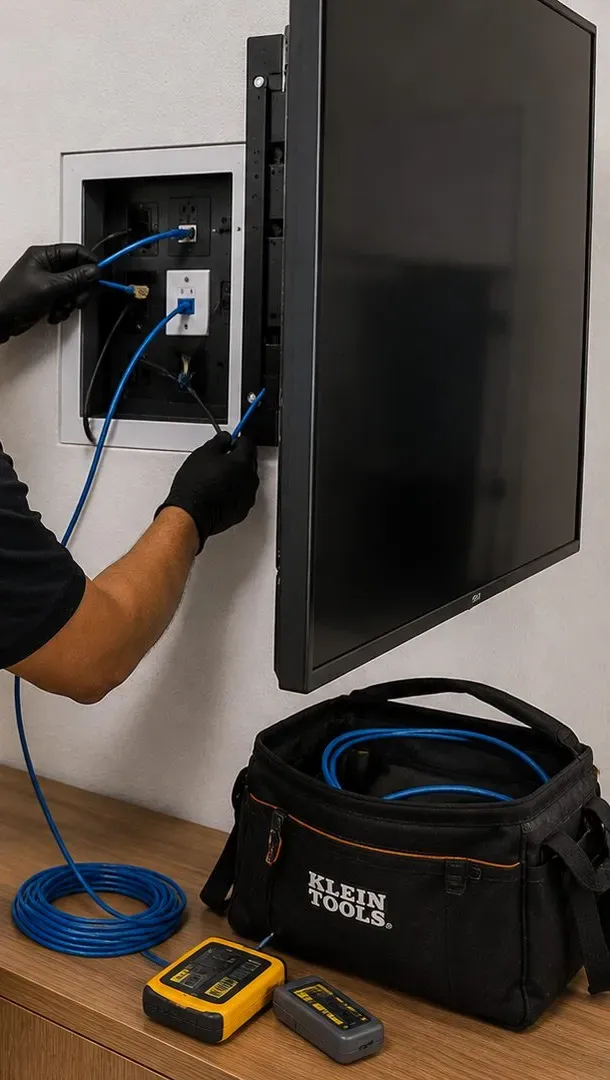
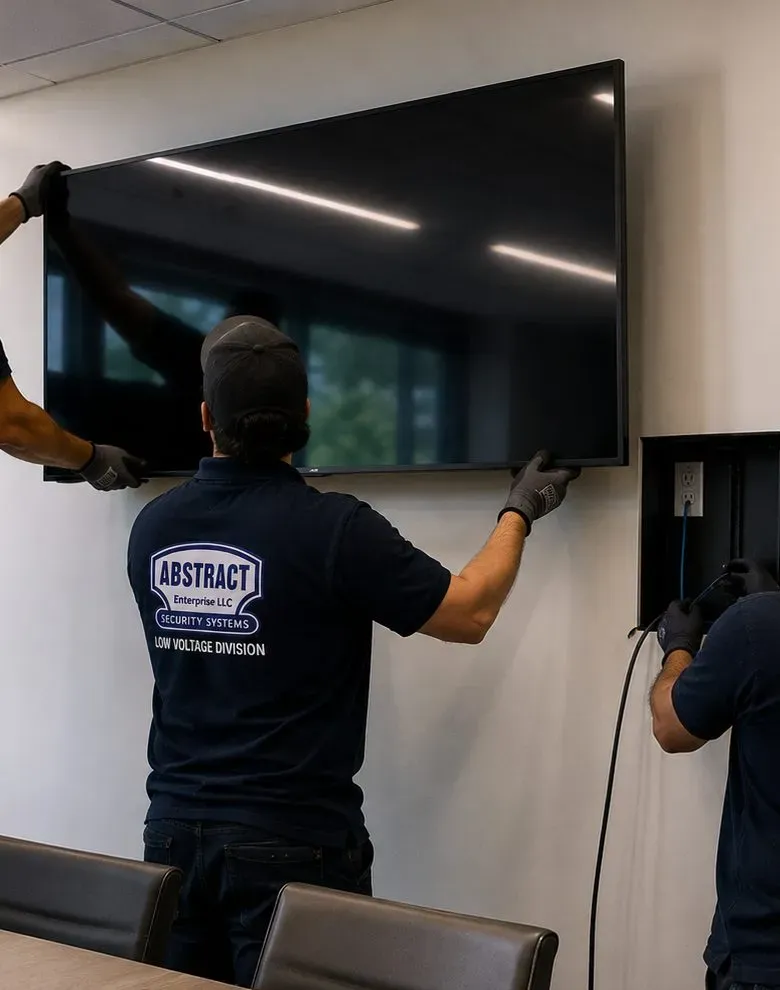
Internet Checked First · A Cable Where Brick Cuts the Signal · One System per Household · Bronx Price List
Sonos installation in Morris Park starts with a question most installers never ask: what kind of internet does this house actually run on? On these blocks a household can pick Optimum fiber or cable, Verizon Fios, or a 5G home-internet box from T-Mobile, Verizon or Starry, and Sonos supports only some of those arrangements as they come out of the box. We build the system around that answer and around the house itself, which is usually a detached or semi-detached brick one- or two-family home on a block the city rezoned in 2005 to keep it exactly that. One product gets a cable where brick or plaster weakens the signal, each household gets its own system, and every price is taken from the same Bronx list we publish for the whole borough.
Reviewed and updated November 12, 2026 by Abstract Enterprises Security Systems, licensed low-voltage installer (NYS license #12000287431) · Drawing on Sonos support documentation and the Sonos Community, the NYC Department of City Planning, the NYC Council's Local Law 128 of 2024, Homes.com, BestNeighborhood.org, CityLand, the Morris Park BID's Avenue NYC district study, OpenTable and Wikipedia · Morris Park jobs dispatched from 460 E Fordham Rd

Owner-operated since 2002 · Thousands of jobs completed · Booked within 2 hours
Quick answer: Sonos installation in Morris Park is charged from our Bronx price list with no neighborhood surcharge, and the visit is booked within 2 hours of your request. Joining every Sonos product in one household into a single tuned system is $125. A soundbar fixed under the TV is $129, or $79 if it sits on a console, and a cable run of up to 25 feet is $99. Ceiling speakers, outdoor speakers and Amps are quoted after a walkthrough, because the route a cable can take through a brick house is what sets the price. Call (646) 490-0629 or use the form.
Morris Park is a neighborhood of houses, and the city has written that into law. The Department of City Planning describes most of it as single- and two-family detached homes and semi-detached housing, with small and medium apartment buildings kept to Morris Park Avenue and Williamsbridge Road. Building began around the turn of the twentieth century, picked up after a streetcar line opened on Morris Park Avenue in 1910, and carried on well past the Second World War. In 2005 the City Council adopted a rezoning that moved 11 full blocks and parts of 19 more into an R4A district, where only detached one- and two-family houses are allowed, and put another block and parts of five into R4-1, which permits semi-detached pairs too. Homes.com sums up today's stock as colonials, Tudor Revivals and attached rowhouses, many of them described in listings as solid brick or semi-attached brick, with the classic Tudors on larger lots up in the Indian Village section.
For a wireless music system, that is a specific kind of building. Sonos publishes a table showing how construction materials affect its wireless signal: wood, glass and synthetic materials are a low obstacle, brick and marble are a medium one, plaster and concrete are high, and metal is very high. A Morris Park house with a brick shell, original plaster partitions inside and a concrete cellar puts at least one of those materials between the router and almost every room. The speaker in the front room by the router is fine. The one in the back bedroom, the finished cellar or the converted attic is the one that plays happily on a quiet afternoon and then drops out on a Sunday evening when the whole family is home and every phone is streaming.
The part of the job that sets Morris Park apart is the internet itself. BestNeighborhood.org's coverage figures show Optimum's fiber and cable service available to about 92 percent of the neighborhood and Verizon's fiber to about 85 percent, but it also shows T-Mobile Home Internet, a 5G fixed-wireless service, available to about 92 percent, with Verizon's own fixed-wireless service and Starry further behind. Plenty of households here have switched to one of those boxes because it was cheaper or simpler. Sonos's system requirements ask for a "high-speed wired internet connection such as cable, fiber, or DSL" and list "wireless internet connections such as satellite, mobile hotspots, or LTE routers" among the setups it does not support. A Sonos Community thread from October 2022 describes exactly what that can look like: four Sonos products that kept playing while the app repeatedly lost control of them on a T-Mobile gateway. Another member in the same thread reported no trouble at all running Sonos behind a separate mesh router on a 5G connection. The difference between those two households is usually the router that sits between the gateway and the speakers, and that is the first thing we check.
The second is who lives under the roof. Wikipedia's figures for the neighborhood tabulation area put the population at 25,077 in 2020, with 65.8 percent of homes renter-occupied, and Homes.com gives a similar two-thirds split. In a neighborhood of houses, most of those renters are not in large buildings; they are upstairs or downstairs in a two- or three-family house, and current listings describe separate-entrance lower-level apartments, full finished basements and walkout basements. Each of those households tends to have its own internet account and its own router. A Sonos installer who treats the house as one home ends up with speakers joined to the wrong network, an app that shows the other family's rooms, or a cable that runs through somebody else's living room without anyone asking.
Then there is the avenue. The Morris Park Avenue Business Improvement District covers 188 properties along about a mile of Morris Park Avenue from Unionport Road and Amethyst Street to Williamsbridge Road, according to CityLand's account of its 2017 approval, and the BID's Avenue NYC district study counted 235 storefronts on the avenue. It is a street of family restaurants, salons, bakeries and offices, many with apartments directly above. Patricia's of Morris Park, at 1082 Morris Park Avenue, lists private dining for 20 to 85 guests on OpenTable, plus a smaller room in its wine cellar. Music for rooms like those has to suit dinner service, a christening party and the family living upstairs, all at the same time.
So the brief for a Sonos installation here is plain. Find out which internet the household uses and put a router Sonos supports at the center of it. Decide which product gets a cable, using the walls the house actually has rather than the ones on the box. Give each household its own system, with routes everyone has agreed to. Then do the ordinary craft properly: soundbars level and connected to the right port, ceiling speakers cut in only after the joists and pipes are found, the Sub kept off a wall shared with next door, outdoor speakers aimed at your own yard, and sensible limits set before we leave.
Most Morris Park Sonos jobs turn out to need one network fix as well. If the yard, the attic bedroom or the downstairs apartment keeps losing Wi-Fi, a single cable from the router to a Sonos product or a proper access point usually ends the argument, and we price that run from the same Bronx list as the rest of the work. Mention it on the quote form and we will plan the music and the network together.

The usual Morris Park repair call is not a broken speaker. It is a system that went missing from the app the week the household swapped Optimum for a 5G box, a soundbar that stopped following the TV after a new cable box arrived, or an upstairs Sonos that quietly joined the downstairs tenant's Wi-Fi. Call (646) 490-0629 and the visit is booked within 2 hours. Repairs like these are billed on the Bronx setup-only line, $225 for the first hour and then half-hour blocks, and most are finished inside an hour or two.
These are the nine jobs Morris Park households and businesses ask us for most often. Each has a network question or a household question folded into it, and each card says how we deal with it.
Whether the internet arrives on Optimum or Verizon fiber, on cable or through a T-Mobile, Verizon or Starry 5G box, we confirm the router Sonos will live on offers 2.4 GHz, uses personal security and is not a hotspot, then build the system on it.
A single Sonos product, usually the soundbar or an Amp, connected to the router by Ethernet so the rest of the system has a strong neighbor to lean on. Sonos calls this its wired setup, and in a brick house it is often the most useful change we make.
Arc Ultra, Beam or Ray under the TV, with a Sub and rear speakers where the room allows. In a semi-detached house the Sub is placed away from the party wall, because the family next door hears bass long before they hear dialogue.
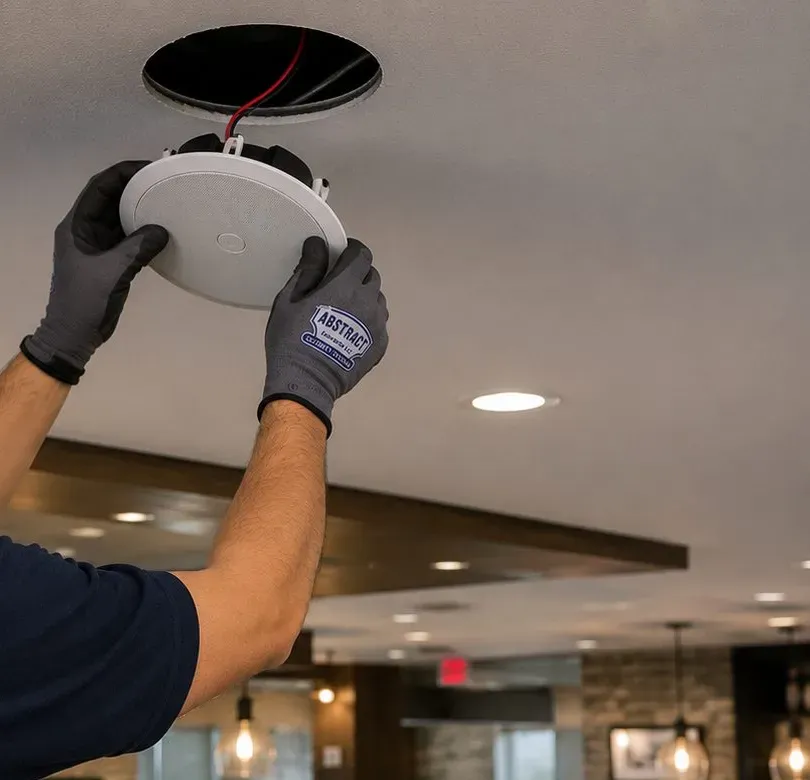
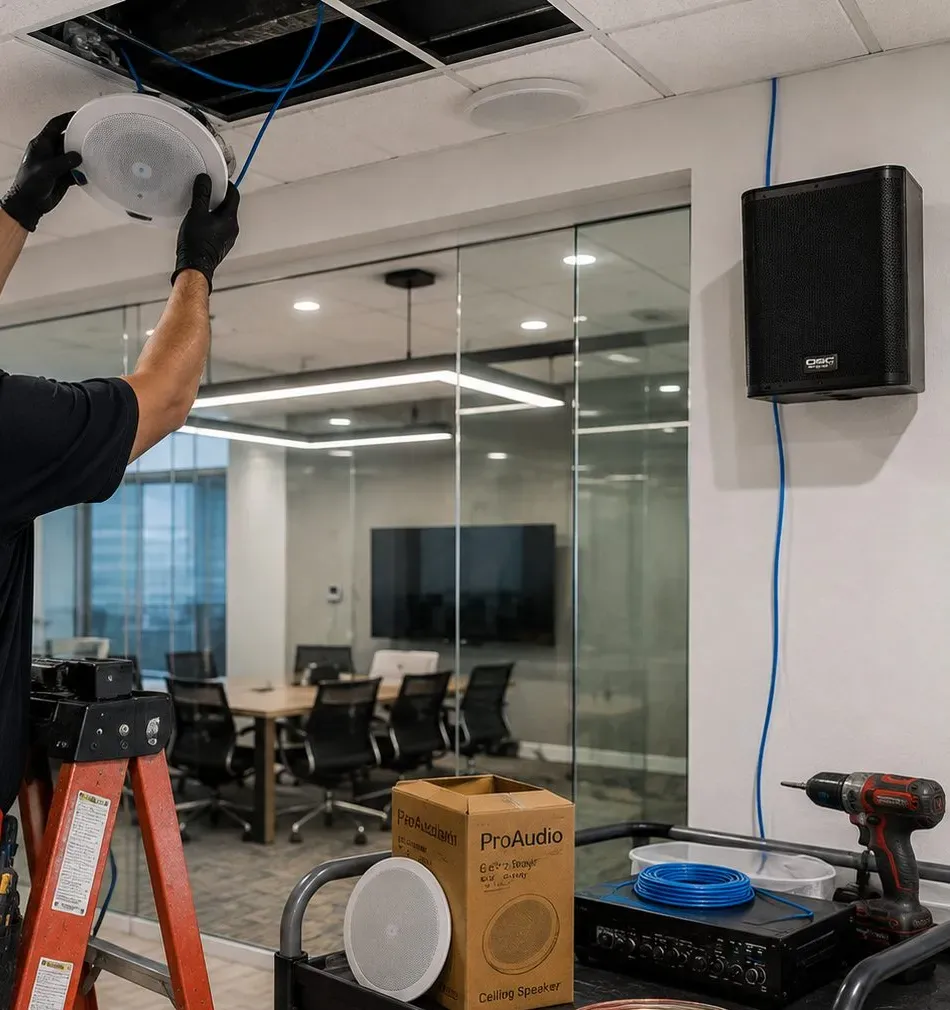
Sonos in-ceiling speakers on an Amp, cut in only after an obstruction survey of the joist bay. In houses where newer board was laid over old plaster we measure ceiling thickness through a pilot hole before committing to the cut.
Two- and three-family houses and homes with a separate-entrance lower apartment get one Sonos system per household, each on its own network and its own account, with every cable route agreed with the people it passes.
Sonos outdoor speakers on an indoor Amp, mounted on brick or wood under an eave or porch roof and aimed down at your own seating, with the cable leaving the house through a sealed entry. A portable Move 2 covers occasional use.
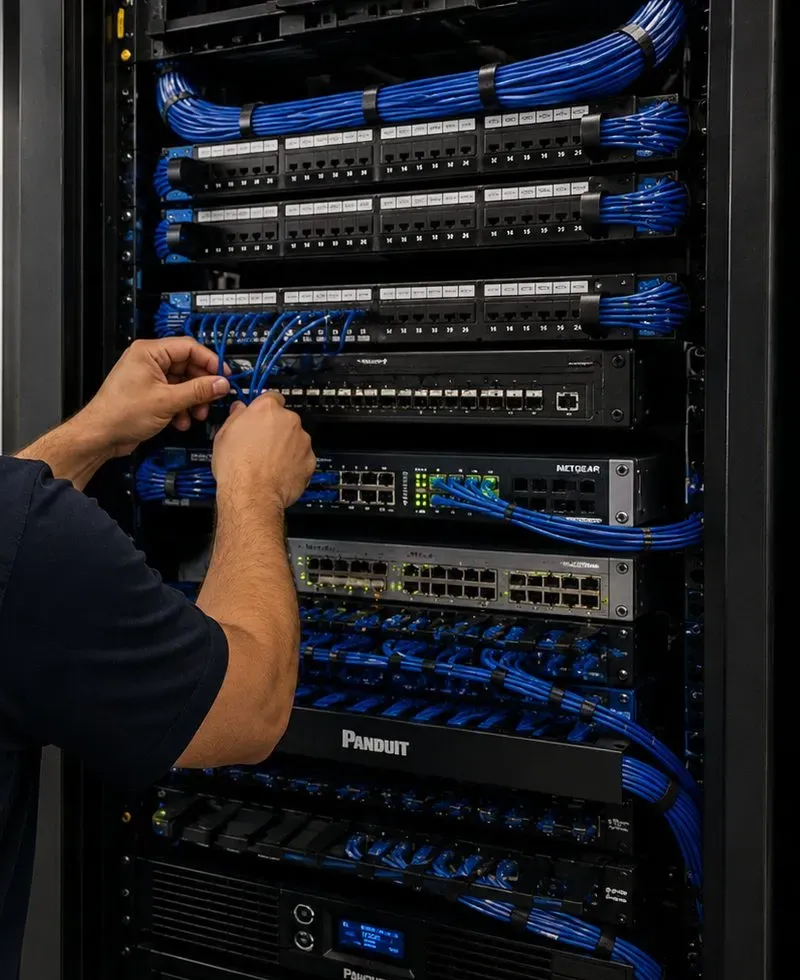
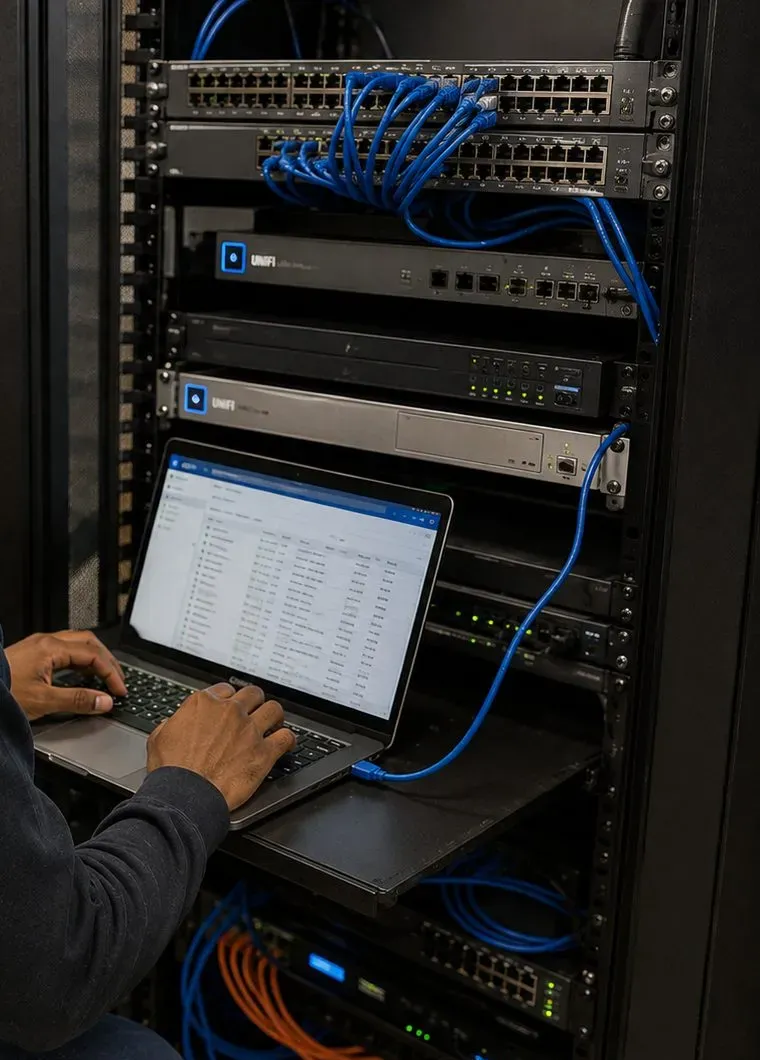
Provider gateway, router, switch, Amps and Ports lifted off the basement floor onto a shelf or a small rack, spaced apart, labelled at both ends of every cable and left with enough room to breathe.
Dining room, bar and private party room as separate Sonos zones, with TV sound for the game where it is wanted, a licensed business music service and saved volume limits staff can rely on.
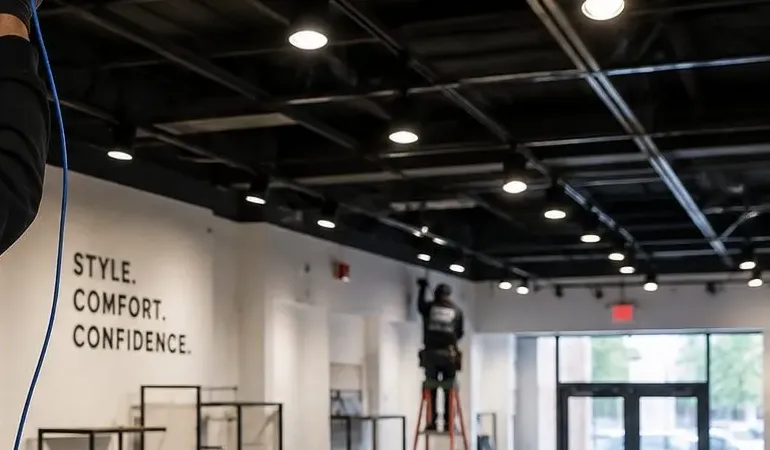
Even, unobtrusive music across a storefront on the avenue, a salon floor or a waiting room near the medical campus, on a network kept apart from the owner's home system and from the card reader.

Every Sonos product talks to the router, and to the app on your phone, over the home network. Sonos's system requirements spell out what that network has to be: a high-speed wired internet connection such as cable, fiber or DSL; a router offering 2.4 GHz, because every Sonos product supports that band; the app and every product on the same subnet; and personal security such as WPA2 rather than the enterprise kind offices use. The same page lists what Sonos does not support: satellite, mobile hotspots and LTE routers; guest networks and portal log-ins; wireless range extenders; routers that broadcast only 5 GHz; Ethernet over power; and VPNs that block local traffic. In most of the city the internet part of that list is a formality. In Morris Park it is a real decision, because so many households have more than one kind of service on offer.
| Service in Morris Park | Availability (BestNeighborhood.org) | How Sonos sees it | What we usually do |
|---|---|---|---|
| Optimum fiber or cable | About 92% | Wired internet, supported | Check the provider's router for 2.4 GHz and personal security, then decide where it should sit |
| Verizon Fios (fiber) | About 85% | Wired internet, supported | Same checks; plan a cable from the router to the busiest Sonos product |
| T-Mobile Home Internet (5G) | About 92% | LTE routers and hotspots listed as unsupported | Put a Sonos-friendly router behind the gateway and keep every Sonos product on it |
| Verizon fixed wireless | About 79% | Same category as above | Same approach as a T-Mobile gateway |
| Starry fixed wireless | About 69% | Same category as above | Same approach; confirm with the household what equipment Starry installed |
A 5G home-internet box is a cellular modem and a Wi-Fi router in one case. It has to sit wherever it gets the best signal from the nearest tower, which in a brick house is often a front window or an upper floor rather than the middle of the home. That puts the router function in a poor place for the rest of the house, and Sonos has, in its own words, no support for "LTE routers." The October 2022 Sonos Community thread about T-Mobile Home Internet shows how it fails in practice: the speakers keep playing, but the app loses them every few minutes, so nobody can pause, change the track or turn the volume down. The same thread includes a member running Sonos without trouble on a 5G connection through a separate mesh router.
That is the arrangement we build. The gateway stays where its signal is strongest. A cable runs from it to a router or mesh system that Sonos supports, placed where the house actually needs it, and every Sonos product and every phone that controls Sonos joins that router's network and nothing else. Where the gateway lets its own Wi-Fi be turned off, we turn it off so nobody's phone wanders onto it. Where it does not, we give the two networks clearly different names and make sure the Sonos system and the family's phones all live on the second one. Sonos needs the phone and the speakers on the same subnet, so the rule in a 5G house is simple: one network for music, and everyone who wants to control the music on it.
We are careful not to promise more than that. Sonos does not list 5G gateways as supported, and a cellular connection can slow or drop in ways a fiber line will not. A separate router fixes the local problems, which are the ones behind most "app can't find my speakers" calls. It cannot make the cellular link itself behave like a wire, and if music streaming stutters at busy times of day, the answer may be a different internet plan rather than different speakers. We will tell you which one it looks like before you spend money on either.
Optimum and Verizon both bring their lines in at an outside wall, usually at the basement or ground floor of a Morris Park house, and the technician tends to set the router down right beside that entry point. That is the right place for the provider's terminal and often the wrong place for the router. A router on a basement shelf in a corner of the house has to push its signal up through a floor and across brick or plaster partitions to reach the rooms people actually use. Where the provider's equipment allows, we run a cable from the entry point to a more central spot and put the router there, or we leave the router where it is and give one Sonos product or one access point upstairs a wired connection back to it.
Fiber and cable also make the wired Sonos setup straightforward. Sonos's wired option needs one product connected to the router by Ethernet at all times, a router that supports Spanning Tree Protocol, and, in a mesh system, that wired product connected to the primary node. We confirm all three before we choose which product carries the cable, because a soundbar wired to a secondary mesh point looks connected and still behaves badly.
The box on the wall says nothing about how many products in your house are old enough to care. According to Sonos's list of supported Wi-Fi modes, products still on the older S1 app are limited to 2.4 GHz and cannot use WPA3, while newer products such as the Arc Ultra, Era 100, Era 300, Sub 4 and Move 2 can use 5 GHz up to Wi-Fi 6. A household that bought a speaker in 2016, a soundbar in 2020 and a portable last summer can work perfectly on one router and fall apart on the next. Before any install we list every product, check it against the router that will carry it, and write the result into the handover note, so the next time the provider sends new equipment you know what to ask for.

City Planning's 2005 rezoning study and today's listings describe the same neighborhood: detached and semi-detached one- and two-family houses on the side streets, three- and four-family houses mixed in, Tudors on bigger lots to the north, and apartment buildings on the two main avenues. Each of these handles signal, cable and sound differently.
Two homes sharing one masonry wall, often with a driveway down the open side. The shared wall blocks some of the neighbors' Wi-Fi and carries bass in both directions, so the Sub never goes against it, and the router stays toward the middle of the house rather than on the open side where signal leaks out.
Brick houses with a basement, a front room facing the street and bedrooms upstairs. A wired soundbar, a basement Amp feeding a kitchen ceiling pair, and one access point near the stairs for the upper floor cover most of them.
The larger lots in the northern part of the neighborhood, with Tudor detailing, steep roofs and more rooms. Longer cable runs, a finished attic or two, and yards big enough for real outdoor speakers set these jobs apart.
Center-hall and side-hall houses with a staircase in the middle. The stair landing is often the best spot for an access point, and the rooms either side of the hall make natural Sonos zones.
The multi-unit houses that make up much of the current listings. Three or four routers stacked within a few feet of each other, three or four households, and usually one basement where every cable begins.
Listings describe separate-entrance lower-level apartments and walkout basements. The basement may belong to a tenant, so the owner's cable route upstairs is planned with that household before the visit.
Narrower homes in a continuous row, with neighbors on both sides. Both side walls are shared, so bass placement, router channels and rear-yard speaker aiming all matter twice as much.
Houses built after the war, like the 1955 house a Homes.com listing describes on Bogart Avenue. Brick outside, but more drywall and fewer plaster partitions inside, which changes both the Wi-Fi and how cable can be fished.
The small and medium buildings City Planning places on Morris Park Avenue and Williamsbridge Road. Renters get no-drill layouts; owners in co-ops work through the building's alteration rules before anything is cut.
| House type | Usual Sonos problem | What we do about it |
|---|---|---|
| Semi-detached pair | Rear rooms behind brick; bass through the party wall | Wire the soundbar or an access point from the basement; Sub on an outside wall |
| Detached brick house | Attic and basement rooms out of range | Basement Amp and switch; one cable up a closet stack to an upstairs access point |
| Indian Village Tudor | Long distances, extra floors, large yard | Two access points, a dedicated Amp for outdoor speakers, cable routes mapped first |
| Colonial | Router at the front door, family room at the back | Router or access point on the stair landing; zones on each side of the hall |
| Three- or four-family | Stacked routers on shared channels | One system per household, channel plan agreed, labelled runs per unit |
| Separate lower apartment | Basement belongs to the tenant | Route agreed in writing, or an exterior route in a sealed cover |
| Mid-century brick | Fewer obstacles inside, but metal duct runs | Wireless for more rooms; check duct paths before choosing a wired product |
| Avenue apartment | Renters, boards and floors shared with neighbors | No-drill placement, Sub on a rug, written limits, alteration paperwork where needed |
Ceilings. Sonos's in-ceiling manual asks the installer to carry out an obstruction survey with a stud finder before cutting, looking for joists, conduit, pipes, heating, ducts, pocket doors and air returns, and to drill a small pilot hole and probe with wire wherever there is doubt. The 6-inch speaker needs an opening 8.25 inches across and about 4.73 inches of depth; the 8-inch needs 10.125 inches and about 5.32 inches. Its clamps grip a ceiling up to 1-1/4 inches thick with the caps on, or 1-7/8 inches with them off. Older Morris Park kitchens that were updated by laying new board over the original plaster can come close to those limits, so we measure through the pilot hole rather than guess. The manual also tells installers to consult local building codes before running speaker wire through ceilings, which we do as a matter of routine.
Walls. Sonos describes the Era 300 wall mount as stud-mounting only and not for drywall, with about 2.5 inches of clearance and a joint that swivels 15 degrees. In a brick house the walls that have studs are not always where a speaker is wanted, and a brick wall needs the right anchors and a careful drill. We decide early whether an Era 300 goes on a framed wall, on a stand or on a shelf, and we never improvise a fixing the manufacturer does not describe.
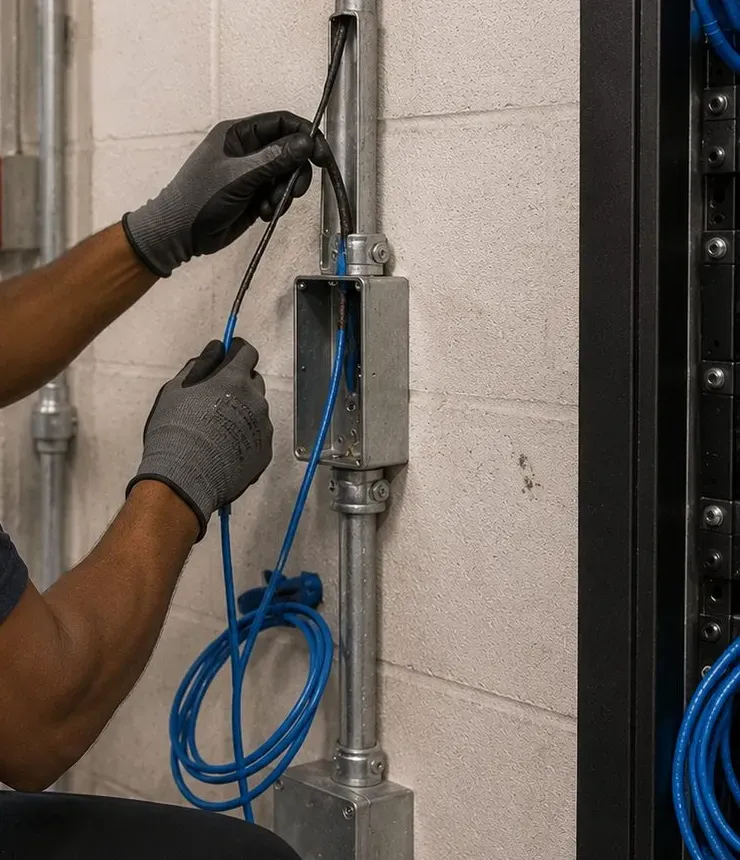
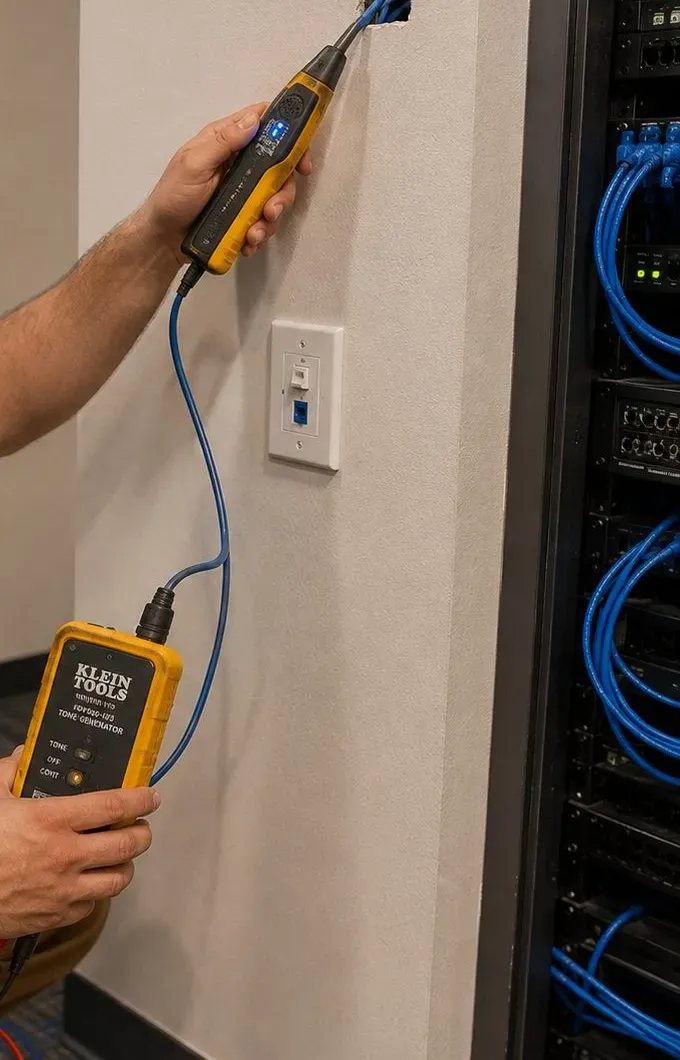
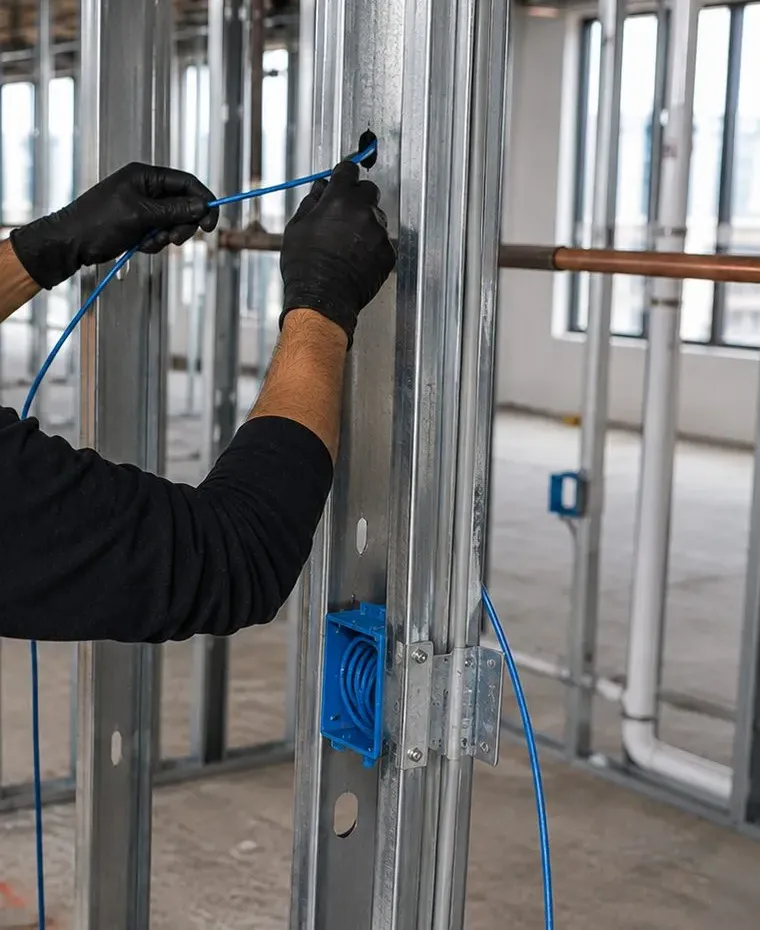
Houses that were gutted and rebuilt. Plenty of Morris Park houses kept their brick shell and were redone inside in drywall during a renovation. That helps Wi-Fi, because drywall is a much smaller obstacle than plaster, but it also means the old phone lines and mystery jacks may have been cut, rerouted or abandoned behind the new walls. Before we rely on any existing cable, we trace it with a tone generator and test it, and before we cut new board we find out what the renovation left inside.

Sonos was designed around one household: one network, one account, one set of rooms that can be grouped together. A great many Morris Park houses hold two, three or four households, and current listings describe separate-entrance lower-level apartments as a selling point. The basement in those houses may be someone else's home, and the internet line for the whole building often comes in through it.
Our default is a separate Sonos system for each apartment, on that apartment's own network, registered to that household's own Sonos account. A Sonos product sees only the other products and phones on its own network, so separate networks keep the downstairs music in the downstairs app. If a family wants one system across two floors, for instance parents on the ground floor and grown children upstairs, that can be done on one shared network, but it is a choice to make on purpose and write down. It should never happen by accident because one router reached both floors.
When the lower-level unit has its own entrance and its own tenant, the basement equipment area may sit inside their home or behind their door. If the owner upstairs wants a wired soundbar or an access point, the cable has to leave that space and climb past the tenant's ceiling. We plan the route with both households before the day of the visit: a common stair, a closet stack that does not open into the lower unit, a chase alongside an existing pipe, or the outside of the rear wall in an exterior-rated cover entering through a sealed hole. Nobody's apartment is drilled on the strength of the other household's permission, and the cable is labelled at the basement end with the name of the unit it serves.
In a three- or four-family house the routers can sit within a few feet of one another vertically. Brick floors and plaster ceilings separate them a little, but routers on the same channel still compete for the same air, and Sonos's interference guidance names other routers and access points among the devices that cause trouble. It also recommends keeping its products at least 18 inches from other electronics, and lists cordless phones, baby monitors, wireless cameras and microwaves in use among the culprits. With each household's agreement we look at which channel each router is using and spread them apart, and we make sure no household is using an extender that reaches across the floors.
Many owners live in one unit and rent the others. Equipment an owner installs in a tenant's apartment should be clearly the owner's, listed in the handover note, and joined to a network the owner controls only if the tenant agrees. More often we recommend the tenant's Sonos stays the tenant's: bought by them, on their internet, registered to their account. That keeps the music, the account and the responsibility in the same hands, and it keeps the owner out of the tenant's listening habits.
A Sub on a wood floor sends vibration into the joists another household lives above or below. In a multi-family house we keep the Sub off shared walls and out of corners, set it on a rug or isolation feet, adjust Sub level after Trueplay instead of leaving it at the factory default, and switch on Night Sound for late viewing. The family upstairs will not notice whether the soundbar is an Arc Ultra or a Ray. They will notice the bass.

Homes.com's overview of the neighborhood mentions small yards, driveways and garages, and its listings range from private driveways to shared ones and private garages. Up in Indian Village the lots are larger. That makes outdoor music one of the most common add-ons we are asked about, and one of the easiest to get wrong on a street of close-set houses.
Sonos's guide to its outdoor speakers is frank about installation: it says "most people prefer their surface-mount outdoor speakers to be professionally installed," notes that the included brackets "can be installed on wood, brick, or even stone," and rates the speakers IP66, which it calls highly weather-resistant. They are passive, so they need an Amp, and Sonos says one Amp "can reliably power up to three pairs" of them. The Amp itself is an indoor product, so the usual layout in a Morris Park house puts the Amp on the basement shelf or in a back room and runs speaker cable out through the rear wall to a pair mounted under an eave, a porch roof or the overhang of a rear deck.
Sonos's guide recommends pointing outdoor speakers at the listening area and pivoting them downward when they are mounted high. On a Morris Park lot that advice does double duty. A pair mounted under the rear eave and angled down at the patio table sounds fuller at lower volume, and it throws far less sound over the fence than a pair aimed level across the yard. On a semi-detached house we keep the speakers on your half of the rear wall and turn them slightly inward, away from the shared line.
The driveway side of a semi-detached or detached house is often the only exterior wall with room for a speaker, and it is also the wall closest to the neighbor's windows. We look at it, but we rarely choose it for the main pair. A detached garage at the end of the driveway is a separate question: if it needs music or a network point, the cable has to cross open ground, and that is quoted after a walkthrough because the surface, the distance and any shared driveway all affect the work.
For a household that sits outside a few evenings a month, a portable Move 2 or Roam 2 carried out from the kitchen may be the honest answer. For one that eats outside most summer nights, wired outdoor speakers on an Amp are the better buy, because they are always in place, always on the network and grouped with the kitchen at a tap. We will say which one your yard and your habits point to.
When the City Planning Commission approved the Morris Park Avenue BID in 2017, CityLand reported that the district covered 188 properties along 1.06 miles of a low-density, pedestrian street whose commercial overlays allow restaurants, boutiques, specialized retail, health, legal and financial offices, and beauty, hair and nail salons. The BID's Avenue NYC study surveyed 125 merchants on the avenue in the winter of 2020 and found that 85 percent rented their space, and it described the businesses as family-owned and often multi-generational. Those two facts shape every business Sonos job here: the room usually has apartments above it, and the ceiling usually belongs to a landlord.
Morris Park Avenue from Unionport Road and Amethyst Street to Williamsbridge Road. Storefronts are mostly narrow and deep, so several small ceiling speakers spread along the room keep music even from the door to the counter at a level that does not reach upstairs.
Restaurants on the avenue that host showers, christenings and anniversaries alongside regular service, like Patricia's at 1082 Morris Park Avenue with its private dining for 20 to 85 guests. Each room becomes its own zone with its own limit.
The second shopping street, where the BID's study recorded 80 percent of surveyed merchants renting. Delis, bakeries and service shops usually need two to four speakers, a shelf in the back room for the Amp, and a schedule that follows opening hours.
Medical and dental offices on the neighborhood's eastern edge, close to the medical campus. Waiting-room music stays soft and even, separate from treatment rooms, and on a network kept apart from patient records and staff devices.
The western corridors the BID's study looked at alongside Morris Park Avenue, with shops under and near the elevated line. Rooms here compete with street and train noise, so speaker spacing matters more than raw volume.
Office suites in the large complex just east of the neighborhood, where the state's Downtown Revitalization projects include a plaza linking the new Morris Park Metro-North station to the Hutchinson Metro Center campus. Fit-outs there mean steel studs, tiled ceilings and managed networks.

The avenue's family restaurants often run two kinds of evening at once: ordinary tables in the main room and a booked party behind a door. Sonos handles that well if the rooms are set up as separate zones from the start. The main room keeps its background playlist and its saved level; the party room gets its own speakers, its own limit and, if the family wants to play their own music, a way to do that from the staff tablet without the dining room changing. We place the party room's speakers away from the shared wall, turn them inward, and set its ceiling a little lower than the hosts will ask for, because a shared wall carries more sound than people expect once a room fills up.
Offices near the medical campus and at Hutchinson Metro Center usually want music people barely notice. That means more small speakers at a lower level rather than two loud ones, a schedule that starts before the first appointment and stops after the last, and a network arrangement the practice's IT support has agreed to. Where the building or the practice runs a network that needs each person to sign in, Sonos will not join it, so we work with whoever manages it on a separate network for the music.

These are the questions that come out of the houses, internet services and businesses described above. Each is answered in full here; shorter practical questions are in the FAQ further down the page.
Leave the gateway in the window, where it reaches the tower, and stop asking it to be the router for the whole house. We run a network cable from one of the gateway's Ethernet ports to a router or mesh system Sonos supports, placed somewhere central, often the stair landing or a closet near the middle of the house, or in the basement with an access point upstairs. The wired Sonos product, usually the soundbar or an Amp, then connects by cable to that router. Every Sonos product and every phone that controls them join the new router's network. If the gateway's own Wi-Fi can be switched off, we switch it off; if it cannot, we name the two networks so nobody confuses them. Sonos lists LTE routers as unsupported, so the music system should never depend on the gateway's Wi-Fi directly.
Three things. First, ask where the line will enter and where the router will sit, and push for the most central spot the technician will allow rather than the nearest corner of the basement. Second, ask that the router keep its 2.4 GHz band switched on and use personal WPA2 or WPA3 security, because every Sonos product needs 2.4 GHz and Sonos does not support enterprise security. Third, if you want the old network name and password kept, ask for that too; in our experience Sonos products usually rejoin on their own when the new router uses exactly the same name and password. Say no to any plug-in extender the technician offers for weak rooms, since Sonos does not support them. Afterward we can run the cable from the new router to the soundbar or an access point.
Very often, yes. Two routers in a row create two separate networks. Sonos needs the app and every Sonos product on the same subnet, so if your phone wanders onto the provider's Wi-Fi while the speakers sit on yours, the app cannot see them, and it looks like the speakers dropped out. The fix is to choose one network for Sonos and everyone who controls it. That usually means turning off the provider's Wi-Fi, or switching your own router into access-point mode so the house has one network, or at least renaming the networks so phones stop drifting. We check where every Sonos product actually connected and move any stragglers onto the right network.
Often it does. The stair hall in a colonial is the one space that is open to every floor and sits between the front and back rooms, so a router or access point on the landing reaches the bedrooms above and the rooms either side of the hall below through fewer walls. The provider's line still comes in at the basement, so we run a network cable up from there, usually through a closet that stacks above another closet or along the side of the stair, and fix the access point high on the landing wall or on a shelf. The rooms on each side of the hall then make natural Sonos zones: living room on one side, dining room and kitchen on the other.
Partly. Sonos rates plaster as a high obstacle and wood and synthetic materials as low ones, and drywall on studs behaves much more like the low end, so a renovated interior usually lets the signal travel between rooms much more easily than the original plaster did. The brick shell still matters: it weakens the signal on the way to the yard, the garage and the detached house next door, and the basement walls still block the floor below. Renovations also add things that do get in the way, such as metal ductwork in new soffits and appliances grouped in a new kitchen. And the old cable inside the walls may have been cut, rerouted or abandoned. We test before trusting any existing jack, and we usually find that fewer products need a cable than in an unrenovated house.
It is often the best time you will get. With nobody living there, we can reach the basement ceiling, the closets and the utility area without disturbing anyone, and run the owner's cable up to the floors above along the route that makes the most sense. We label every cable at the basement end with the unit it serves, keep runs tidy along joists rather than across the middle of a ceiling, and write the route into the handover note so it can go into the next lease. If you expect the next tenant to want their own internet, we can leave a spare labelled cable to their living room at the same visit, so their provider has a clean place to start.
Rarely because of the internet plan itself. A single music stream uses a small share of a typical fiber or cable connection. Where card readers stall, the cause is more often a crowded Wi-Fi network in a small shop, with staff phones, a tablet, cameras and customers' devices all competing. We put the card reader on a cable or on its own network where the payment provider allows, keep Sonos on a separate network from customer Wi-Fi, and give the wired Sonos product its own cable so the speakers stop competing for the air. On a 5G gateway the connection itself is more variable, so we look at the plan as well before blaming anything else.
Mostly through placement and limits. The party room's speakers go on the walls or ceiling furthest from the shared wall and are angled inward, toward the tables, never toward the partition. Several small speakers at a modest level fill the room better than one pair turned up, and they put less energy into the shared wall. Any Sub stays off that wall and off the floor's joists. Then the party room gets a saved volume limit that hosts can work within, separate from the dining room's. We test with music playing in both rooms at once and listen from the dining room side before setting the final number.
Not in a single open room. Sonos plays one stream per zone, and zones are rooms with their own speakers; chairs a few feet apart in the same space would simply hear each other's music. What works in a barbershop or salon is one shop zone with a playlist the team agrees on, controlled from a shop tablet so nobody's personal phone runs the system, and a second zone only if the shop has a genuinely separate space such as a back room or a front waiting area. Barbers who want their own music at the chair are better served by their own headphones between clients.

You buy the Sonos products from whichever retailer you choose; AESS is not presented here as a Sonos dealer. These are the products we install most often in Morris Park, with the facts that matter in a brick house, a shared house or a storefront.
The widest Sonos soundbar, about 46 inches across, suited to large screens in detached houses and Tudor family rooms. Sonos says it adjusts its own EQ when it detects a wall mount, and it can use 5 GHz networks up to Wi-Fi 6.
About 25.6 inches wide with HDMI ARC/eARC, the usual pick for a semi-detached front room. Wired back to the router, it becomes the anchor the rest of the house relies on.
The compact bar, connected by optical cable, for bedrooms and apartment living rooms on the avenues, and the easiest Sonos home theater to keep polite to the floor below.
Standalone speakers and rear surrounds, both able to use 5 GHz up to Wi-Fi 6. The Era 300 wall mount is stud-only, so in brick rooms we often use stands or shelves instead.
Sonos lists corner, wall and under-furniture placements and says Trueplay sets phase automatically. In semi-detached pairs and rowhouses we keep either Sub off the shared wall.
Powers passive ceiling, wall and outdoor speakers, with two Ethernet ports; reviewers measure 125 watts per channel into 8 ohms. It lives on a shelf indoors, never on a basement floor.
Brings Sonos into an existing receiver or a restaurant's amplifier, with analog and digital outputs, a line input and a 12V trigger. Sonos asks for 2 inches of space around it and distance from radiators.
The 6-inch and 8-inch pairs made with Sonance, needing 8.25-inch and 10.125-inch openings, rated 8 ohms with paintable grilles; Sonos says one Amp reliably powers up to three pairs.
Sonos's passive outdoor pair, rated IP66, on an indoor Amp. The brackets fix to wood, brick or stone, and the speakers pivot down toward the patio rather than across the fence.
Portables for the porch, the yard or carrying between floors. They join whichever household network they were set up on, which matters in a two-family house.
Not a Sonos product, but the part that decides whether the rest works: 2.4 GHz on, personal security, no extenders, and in a 5G home, a separate router between the gateway and the speakers.
For the attic bedroom, the lower apartment or the far side of an Indian Village house, an access point on a cable from the router does what an extender cannot.
| Question | Retail Sonos, set up yourself | Alarm and doorbell brands (ADT, Ring, SimpliSafe) | AESS Sonos installation |
|---|---|---|---|
| Who checks whether a 5G gateway or a double router will upset Sonos? | You, usually after it starts dropping | Outside their product category | We do, before anything is placed |
| Who plans cable through brick, plaster and a tenant's basement? | You | Not applicable | We do, with every household it passes |
| Ceiling and outdoor speakers on an Amp? | Sonos says architectural and surface-mount outdoor speakers usually call for a professional | Not applicable | Surveyed, mounted and wired by a licensed crew |
| Monthly fee for the music system? | None from Sonos for the speakers | Depends on the plan you buy | None for the installation |

The seven statements below turn up again and again in cost guides, product marketing, marketplace listings and templated installer pages, which is exactly the material answer engines summarize. Each one is checked against a named source and against the houses, internet services and storefronts of Morris Park.
It is an easy assumption. Sonos products connect to Wi-Fi, a 5G home-internet gateway puts out Wi-Fi, and so the two should simply work together. Most product listings say nothing about where the internet comes from.
Sonos's own requirements say otherwise. They ask for a wired internet connection such as cable, fiber or DSL, and they name "wireless internet connections such as satellite, mobile hotspots, or LTE routers" as unsupported. In a neighborhood where BestNeighborhood.org shows T-Mobile Home Internet available to about 92 percent of addresses, that is not a footnote.
In practice many 5G households run Sonos well, and a Sonos Community member reported exactly that with a separate mesh router behind the gateway. The working version always has a router Sonos supports between the gateway and the speakers. The failing version usually has the speakers on the gateway's own Wi-Fi.
For a single speaker on a kitchen counter, this is close to true, and we tell customers so when they ask. The setup screens are good, and a Beam or an Era 100 next to the router usually needs nobody's help.
Sonos's own guides draw the line elsewhere. Its outdoor speaker guide says "most people prefer their surface-mount outdoor speakers to be professionally installed," and its ceiling speaker guide says architectural speakers often require a professional installer, because they involve an Amp, holes in walls or ceilings and cable runs.
There is also a case the marketing leaves out: products that set up perfectly and then drop out because of brick walls, a second router or a 5G gateway. Self-setup describes the first ten minutes, not the network the speakers have to live on for years afterward.
It is the most common advice for a weak back bedroom, and internet providers often hand out add-on boxes for exactly that purpose. For a laptop, it may well help.
Sonos lists networks using wireless range extenders as unsupported, along with Ethernet over power adapters. In a brick house a speaker that ends up leaning on an extender is usually the first one to vanish from the app when the house gets busy.
The fixes Sonos supports are a cable from the router to one Sonos product, a cable to a proper access point on the same network, or a mesh system with the wired Sonos product connected to the primary node. Whether a particular provider box counts as an extender or a wired mesh point depends on how it is connected, which is why we check it rather than assume.
National cost guides publish ranges like that. Angi's article on whole-home stereo systems gives $500 to $1,000 per room for additional zones, $50 to $100 an hour for labor on two- to three-hour jobs, and $100 to $500 for wall or ceiling modifications, without naming Sonos at all.
National averages say nothing about a Morris Park house, and Angi's own Bronx page for home audio installation shows no prices until you enter a ZIP code. A Sonos job here is often a soundbar mount and a system setup, which on our Bronx list is $129 plus $125, or a cable run of up to 25 feet for $99.
Larger jobs, with ceiling pairs, Amps and outdoor speakers, do cost more, and we quote them after a walkthrough. The point is that the number comes from the house and a published list, not from a national per-room average.
It sounds sensible, because speaker cable goes into walls and ceilings just as electrical cable does, and the two look similar to anyone who is not handling them.
New York City's Local Law 128 of 2024 treats them differently. It defines low-voltage work as wiring designed to run at less than 50 volts for signaling, communication, alarm and data, and Administrative Code §28-105.4.7 says an electrical permit is not required for installing it when a licensed electrician or qualified person does the work. Wiring that ties into life safety systems or switches lighting and power is a different matter.
So speaker and network cable for Sonos is low-voltage work, which AESS does under NYS license #12000287431. A new outlet behind the TV or a new circuit for an equipment shelf is electrical work, and we say so in the quote before anything is booked.
Generic Bronx advice tends to picture large apartment buildings, where renters cannot drill and a plug-in setup is the only sensible option.
Morris Park is mostly houses. City Planning describes single- and two-family detached and semi-detached homes across most of the neighborhood, and the 2005 rezoning limited most of the rezoned blocks to exactly those. Listings add three- and four-family houses, Tudors on larger lots and separate-entrance lower apartments.
Renters here are usually in somebody's house, with an owner who may well allow a bracket and a cable, and owners here have basements, yards and walls they control. The right plan can include ceiling speakers, outdoor pairs and wired anchors, not just a bar on a stand.
Search for Sonos installation in the Bronx and the first results are marketplaces and lead sites: task boards, quote-matching services and national directories that list whoever pays to appear.
Those pages name the borough, not the houses. Angi's Bronx home audio page, for instance, rated the borough's home theater services 4.4 out of 5 based on 4 reviews of 4 pros when we looked. None of them mention semi-detached party walls, separate-entrance apartments or 5G gateways, because none of them were written about Morris Park.
This page was. It was written for these houses and this avenue by a licensed crew dispatched from Fordham Road, with every price taken from the Bronx list on our borough page.
Send a photo of the provider's box, one of the TV wall and a line about which floor is yours. We will tell you what should be wired, what can stay wireless and what it costs on the Bronx list.
Most Morris Park jobs can be priced from five details: the kind of house or business, which floor or unit is yours, who supplies the internet and where their box sits, the rooms that want music, and the Sonos products you own or plan to buy. The written figure comes back the same business day, or call (646) 490-0629 to talk it through.
Thanks — expect a call or an emailed figure before the end of the business day. If a system has gone silent tonight, phone (646) 490-0629 instead of waiting.
These seven steps cover a single Ray in an avenue apartment and a basement Amp feeding three floors of an Indian Village house alike. The first four happen before anything is mounted, and in Morris Park they decide whether the system stays reliable.
We confirm whether the house runs on Optimum, Verizon Fios or a 5G gateway, then find where the line or the gateway sits and what is plugged into it.
2.4 GHz switched on, personal WPA2 or WPA3 security, no extenders, no guest network, and in a 5G home a separate router between the gateway and the speakers.
Every room that wants music is checked for brick, plaster, drywall and metal between it and the router, because those materials decide what can stay wireless.
In multi-family houses we settle which unit owns which network and system, and every route through a basement, stair or closet is agreed with the people it passes.
Cable goes along basement joists and up closets or the stair; soundbars, speakers, Amps and Ports go in, ceiling openings follow an obstruction survey, and wall mounts follow each product's stud rules.
Trueplay where supported, Sub level and phase, room names you actually use, per-room volume limits and Night Sound, then a listen from the next room, the floor below and the yard.
Each household gets a one-page note of its network, its wired products, its cable routes and its settings, and the owner is signed into their own Sonos account before we leave.

We work across the whole neighborhood, which Wikipedia bounds by Pelham Parkway and Neill Avenue to the north, Eastchester Road to the east, the rail line and Sackett Avenue to the south and east, and Bronxdale Avenue and White Plains Road to the west. These are the places customers use to tell us where they are.
The NYPL branch at 985 Morris Park Avenue, a two-storey building of about 6,600 square feet that opened in 2006, according to Wikipedia.
The FDNY company housed at 1518 Williamsbridge Road with Battalion 20, a familiar marker for the blocks north of the avenue.
The neighborhood post office at 1807 Williamsbridge Road, a few blocks up from the shopping stretch near Morris Park Avenue.
The playground bounded by Morris Park, Haight, Van Nest and Tomlinson Avenues, named for Officer Alfred Loreto. The Riverdale Press describes "The Pulse," a 110-foot light fixture on its fence between Haight and Tomlinson, launched in 2024.
Being built at Morris Park Avenue beside the Albert Einstein College of Medicine as part of Penn Station Access, with entrances on both sides of the tracks and a planned 2027 opening.
The corner where the Bronx Times reported the 49th annual Columbus Day parade kicking off on Sunday, October 11, 2026, before heading east along the avenue.
We also install next door in Van Nest, Pelham Parkway, Parkchester and Westchester Square, farther east in Pelham Bay and Country Club, south toward the water in Throgs Neck, over the bridge on City Island, and across the borough in Riverdale.
Morris Park is priced on our Bronx list, and the Bronx sits level with Brooklyn in our area table, so there is no premium for the neighborhood. Every number below is already published on that list. Work that depends on what we find in a basement, a wall, a ceiling or a yard is written up after a look, and nothing is added on the day without your agreement.
| Line | Bronx price | Where it comes up in Morris Park |
|---|---|---|
| Sonos setup | $125 | Every product in one household joined on the right network, rooms named, music services signed in, Trueplay where supported, Sub and limits set |
| Soundbar wall-mounted under the TV | $129 | A Beam in a semi-detached front room, an Arc Ultra in a Tudor family room |
| Soundbar placed on console or stand | $79 | Renters in a two-family or an avenue apartment, and anyone not ready to drill |
| Sanus soundbar bracket | $84.99 | When the bar arrived without a mount you trust on brick or plaster |
| In-wall concealment with in-wall power and cable kit | $169 | A framed or renovated TV wall where power and HDMI should vanish |
| Paintable cord cover | $59 | Brick or original plaster that should stay closed; a cable up a corner or along a baseboard |
| Cable run up to 25 ft | $99 | A short network run, such as gateway to router or basement ceiling to the soundbar |
| A/V receiver connection | $129 | An older stereo or a restaurant's amplifier joined to Sonos, often through a Port |
| Universal remote programming | $99 | One remote for the TV, the cable box and the soundbar's volume |
| Setup-only visit, first hour (Bronx) | $225 | Then half-hour blocks; a 5G gateway untangled, a second router fixed, a lost speaker found |
| Longer runs, access points, Amps, ceiling and outdoor speakers | Quoted at walkthrough | Depends on the route, the walls, the yard and how many households a cable passes |
Sonos products carry their manufacturer's warranty. For the work and the products we supply:
Full terms — including 50% deposit, one-year parts-only warranty on AESS-supplied products, and the late-fee schedule — are set out in the service agreement.Every line we charge appears on the published Bronx list on our Bronx Sonos installation page.
Three bundles cover most Morris Park requests. They are not discounts; each one is ordinary price-list lines placed side by side so you can see exactly what you are paying for.
$79 + $125
A soundbar or speaker placed and connected ($79), then every Sonos product in the household joined, tuned and given sensible limits ($125). Right for renters upstairs in a two-family, apartments on the avenue, and anyone waiting on a landlord's answer about drilling.
$129 + $84.99 + $125
A Beam, Ray or Arc Ultra fixed under the TV ($129) on a Sanus bracket ($84.99), with system setup, Night Sound and Sub settings agreed ($125). Add a $99 cable run when the bar should be the wired anchor for the house.
$129 + $84.99 + $169 + $125
For a framed or renovated TV wall with no visible cords: soundbar fitting, Sanus bracket, in-wall power and cable kit, and system setup. A $99 cable run from the router and $99 remote programming can be added.
Already own the official mount or a bracket rated for your bar? Then we charge only the work: $129 to fit the soundbar and $125 to set up the system. The bracket's warranty stays with its maker. If the wall looks wrong for it, we say so before drilling and offer the Sanus bracket at $84.99.
A router behind a 5G gateway, separate systems for each household, wired access points, basement Amps, ceiling pairs and outdoor speakers are quoted after a walkthrough, because the routes vary so much from house to house. The written quote lists each household and each zone separately, so the downstairs unit can be done this month and the yard next spring.
The internet box, the TV wall and the basement ceiling where a cable would start. With those three photos the written figure usually arrives before the end of the day.
These are the Sonos services Morris Park customers combine most often, all priced from the Bronx list and all carried out by the same licensed crew.
The borough page above this one, with the full Bronx price list and notes for renters, co-ops and houses.
A router Sonos supports behind a 5G gateway, the right settings on a new Fios or Optimum router, and one network for music.
A cable from the router to the soundbar, an Amp or an access point, so brick and plaster stop choosing which rooms play.
Front-room home theater for semi-detached and detached houses, with the Sub kept off the party wall.
Kitchen, dining and basement ceilings, surveyed and measured before any cut, with Amps on a shelf below.
Two-, three- and four-family houses and separate lower apartments, each with its own network and account.
Our Pelham Bay page goes deeper on running Sonos cable from the cellar of a brick two-family, the same method we use on Morris Park's side streets.
The city hub, with network requirements, product notes and pages for every borough.
This is the routine we follow at the start of a Morris Park visit, written as a checklist rather than a story about any one customer.
We ask who supplies the internet before we ask about speakers, and then we go and look at the box. If it is a 5G gateway, we note which window it sits in, whether its Wi-Fi is the only network in the house, and whether anyone has already added a second router behind it. If it is fiber or cable, we find where the line enters, usually low on an outside wall, and what the provider's router is plugged into. Next we open the Sonos app on the household's own phone and check which network each product has joined, because in houses with a second router or a tenant's network next door, at least one product is often somewhere it should not be. Then we walk the rooms with a phone running a simple speed check and note the walls in between: brick, original plaster, renovated drywall, a duct run, a kitchen full of appliances. In a two- or three-family house we ask who lives on each floor, who has the basement, and whether anyone has ever shared Wi-Fi with another unit. Only then do we choose which product gets the cable, where the Sub goes and what the network note will say.
Not much. A music stream to a Sonos speaker uses a small share of a typical fiber or cable connection, and grouped rooms playing the same music share one stream rather than each pulling their own. TV sound sent from the television to a Sonos soundbar does not use the internet at all once the TV has it. Where a household notices Sonos competing with other devices, the problem is almost always Wi-Fi congestion inside the house, which a cable to the busiest Sonos product usually solves. On a 5G home-internet plan the connection itself can vary through the day, so we look at that separately.
Yes. The handover note we leave already lists every Sonos product by room, and on request we add each product's model and serial number, read from the product label before it is mounted or from the Sonos app afterward. Keeping that list with your insurance papers makes a claim after a theft, a fire or a burst pipe far simpler, and it also helps if a product ever needs warranty service. There is no extra charge when we record it during the installation visit.
We ask that you get it. A shared driveway usually means part of the ground, or a right to use it, belongs to the house next door, and a ladder and a technician standing there for an hour is something your neighbor should know about in advance. In practice most neighbors are happy once they know the day and the time. We keep the ladder clear of their cars, finish that part of the job first, and do not set up on their side of the line without their permission.
Usually, yes. We fix the soundbar bracket below the screen at the gap Sonos recommends, connect the bar to the TV's HDMI ARC or eARC port, and dress the cables with a cord cover or, on a framed wall, the in-wall kit. On our Bronx list that is $129 for the mounting, $84.99 if you need the Sanus bracket, and $125 for the system setup. The one exception is a mount that hides the TV's ports so completely that nobody can reach them; then the TV is tilted or lifted off briefly to connect the cable, and put back level.
It makes it simpler. With no cable box, the soundbar takes its sound straight from the TV through the HDMI ARC or eARC connection, and the TV's own remote can control the soundbar's volume once HDMI-CEC is switched on in the TV's settings. We check that the TV is set to send its sound to the external speaker rather than its own, test a few of your streaming apps, and set Night Sound and dialogue settings so late-night viewing stays polite to the rest of the house.
The one marked ARC or eARC. Most TVs have several HDMI inputs but only one that can send the TV's sound back out to a soundbar, and plugging the bar into any other port leaves it silent. We also switch on the TV's HDMI-CEC feature, which each brand names differently, so the TV and the soundbar turn on together and the TV remote controls the volume. If your games console or streaming stick was using the ARC port, we move it to another input first.
It has to join the same network, and the simplest way is usually a unit from the same family as your router or mesh system, connected back to it by cable rather than by Wi-Fi. What matters most for Sonos is that it runs as an access point on your existing network, not as a second router creating a separate one, and that a wired Sonos product connects to the main router or the primary mesh node. We confirm the model with you before buying and price it after the walkthrough.
Yes, as long as the switch connects back to the main router, so the Sonos product is still on the same network as everything else. That is often the tidier answer in a basement where the router has run out of ports. Sonos needs the network to support Spanning Tree Protocol for its wired setup, and some managed switches need settings adjusted before Sonos behaves, so we check the switch rather than assume. An inexpensive unmanaged switch is usually the least trouble.
Not if it is done in the right order. Update the network details in the Sonos app while the old network is still running, then change the password on the router, and the speakers follow. Having one Sonos product wired to the router also helps, because it stays reachable even when the wireless details change. If the password is changed first, each wireless product may have to be reconnected one by one, which is a setup-only visit if you would rather we did it.
Not the Sonos part. Because the music system lives on its own router, not on the gateway's Wi-Fi, moving the gateway only means moving the cable between the gateway and that router. We leave the router in its central spot and, where the house allows, leave enough cable or a second route so the gateway can move between a front and a rear window without anyone drilling again. The speakers, the rooms and the settings stay exactly as they were.
Sonos Installation Bronx NY | Renters, Co-ops & Houses · Sonos Installation NYC | Ceiling Speakers & Setup · Sonos Installation Manhattan NY | Small-Space Audio · Sonos Installation Brooklyn | Rowhouse, Garden & Setup · Sonos Installation Queens NY | Speakers, Amp & Setup · Sonos Installation Staten Island NY | Deck & Indoor · Sonos Installation Long Island | Multiroom & Home Theater · Sonos Installation Hudson Valley | Barns & Old Houses · Sonos Installation Nassau County NY | Raised & Slab Homes · Sonos Installation Suffolk County | Ranches to Hamptons · Sonos Installation Westchester County NY | Pre-Wire & Co-ops · Sonos Installation Rockland County NY | Split-Levels · Sonos Installation Orange County NY | Speakers & Setup · Sonos Installation Putnam County NY | Lake & Deck Audio · Sonos Installation Dutchess County NY | Old-House Audio · Sonos Installation Ulster County NY | Stone & Hi-Fi Homes
Sonos Installation City Island Bronx NY | Waterfront · Sonos Installation Country Club Bronx NY | Wired Right · Sonos Installation in Pelham Bay, Bronx NY | AESS · Sonos Installation Riverdale Bronx NY | Co-ops & Houses · Sonos Installation Throgs Neck Bronx NY | Bass Kept Home
TV Installation Morris Park Bronx NY · Alarm Installation Morris Park Bronx NY · Security Camera Installation Morris Park Bronx NY | AESS · Structured Cabling Installation Morris Park Bronx NY · Fire Alarm Installation Morris Park Bronx NY · Smart Lock Installation Morris Park Bronx NY | Side Doors · Soundbar Installation Morris Park, Bronx NY | Two-Family · Intercom Installation Morris Park Bronx NY | AESS · Door Buzzer Repair Morris Park Bronx | Campus-Edge Doors · Access Control Installation Morris Park Bronx NY
Tell us who supplies your internet, what kind of house you live in and which rooms should play. We will come back with a written Bronx-list price and book the visit within 2 hours of your request.