Wired Where Brick Blocks the Signal · One System per Household · Cellar Routes Planned First · Bronx Price List
Sonos installation in Pelham Bay starts with the walls. More than half of the neighbourhood's homes were built in 1939 or earlier, and the houses on blocks like Hobart, Wilkinson and Crosby Avenues are mostly brick, often with plaster inside and a cellar underneath. Sonos's own guidance rates brick as a medium obstacle to its wireless signal and plaster as a high one, so a speaker two rooms from the router can sound perfect on day one and drop out the first busy evening. We install Sonos here with the network in mind: a cable to the right product, a route through the cellar, a separate system for each household in a two- or three-family house, and every price taken from the same Bronx list we use across the borough.
Reviewed and updated November 1, 2026 by Anwar Timothy, licensed low-voltage installer (NYS license #12000287431) · Drawing on Sonos support documentation, NYC Department of City Planning, Bronx Times, News 12, StreetEasy, Homes.com, NeighborhoodScout and Wikipedia · Pelham Bay jobs dispatched from 460 E Fordham Rd

Owner-operated since 2002 · Thousands of jobs completed · Booked within 2 hours
Quick answer: a Pelham Bay Sonos job is priced on the Bronx list with no neighbourhood surcharge, and it is booked within 2 hours of your request. Bringing every Sonos product in one household into a single tuned system is $125; mounting a soundbar under the TV is $129, or $79 on a console; ceiling, outdoor and Amp work is quoted after a walkthrough because the cable route through a brick house decides the work. Call (646) 490-0629 or use the form.
Pelham Bay was farmland, then it was the end of the line. The land once belonged to Thomas Pell and was known in colonial times as Pell's Point, though Wikipedia is careful to note that the neighbourhood was never part of the old Town of Pelham. Very little was built here until the subway arrived. On December 20, 1920, the IRT Pelham Line opened its stations at Middletown Road, Buhre Avenue and Pelham Bay Park, and houses followed the trains. Most of what stands today went up between the 1920s and the 1960s, and the neighbourhood guide Reinvent NY points to Tudor-influenced and Colonial Revival details on Wilkinson Avenue, Hobart Avenue and Crosby Avenue. NeighborhoodScout puts the share of homes built in 1939 or earlier at 57 percent. After the war, by the account of the neighbourhood history site City Neighborhoods, Pelham Bay settled into its reputation as one of the borough's steadiest family neighbourhoods, home to large Italian, Hispanic and Albanian communities and a sizeable Greek one.
That age and that construction are exactly what a wireless speaker system notices. A Pelham Bay house is usually brick on the outside, often plaster on the inside, and divided into small rooms by walls that were built to last rather than to let a radio signal through. Sonos publishes a table of how building materials affect its wireless products: wood, glass and synthetic materials are a low obstacle, brick a medium one, and plaster and concrete a high one. Put a router at the front window where the cable company's line comes through the brick, and a Sonos speaker in a back bedroom behind two plaster walls, and the speaker is working at the edge of what it can hear. It may play happily in the afternoon and stutter in the evening when every phone in the house is streaming.
The second thing that makes this neighbourhood different is how many households share one roof. Listing sites describe the housing as overwhelmingly low-rise: detached and semi-detached one-family houses, brick two-family houses and a smaller number of three-family houses, with modest apartment buildings of three to six storeys. Homes.com listings in Middletown and Pelham Bay show a brick semi-detached one-family on the Hutchinson River Parkway, a semi-detached two-family with three large units and a cellar with a private rear entrance, and a detached three-family brick house on an oversized 50-by-100 lot on Hobart Avenue. In those houses there are often two or three internet accounts, two or three routers, two or three families who all want music, and one cellar where every cable starts. A Sonos installer who treats the house as one home will build a system that nobody can share sensibly.
The edges of the neighbourhood add a third kind of job. City zoning has kept the taller buildings mainly to the edges and the wider avenues, according to the local newsletter The Neighborhoods. StreetEasy lists co-op apartments along Pelham Parkway South and Middletown Road, including 1874 and 1910 Pelham Parkway South and 3121 Middletown Road, where a board has to approve anything cut into a wall or ceiling. Neighborhoods.com describes the rest of the apartment stock as brick walk-ups with hardwood floors and large windows, and no skyscrapers at all. And a new generation of buildings is arriving near the terminal: the Bronx Times reported permits for an eight-storey, 36-unit building at 1609 Crosby Avenue and a four-storey, 13-unit building at 1536 Gillespie Avenue, while New York YIMBY has covered a 17-storey building at 3250 Westchester Avenue. Steel studs and poured concrete bring their own rules.
There is one more local fact worth keeping in mind. In April 2025 News 12 reported Pelham Bay residents being woken late at night by bass, especially on Sundays and in the warm months; one resident described hearing only "boom, boom, boom, boom," and Councilwoman Kristy Marmorato urged neighbours to file 311 complaints. The source in that story was not anyone's living room. Still, it is a reminder that in a neighbourhood of close-set brick houses, a Sub placed against the wall shared with a semi-detached neighbour is part of the same conversation.
So the brief for a Sonos installation in Pelham Bay is plain. Decide which product is wired and which can stay wireless, using the walls you actually have. Work out where cable can run, which usually means the cellar, and agree that route with everyone who lives above it. Give each household its own system on its own network. Then do the ordinary craft well: soundbars level and connected properly, ceiling speakers cut in after the joists and pipes have been found, the Sub placed away from shared walls, and limits set before we leave.
Most Pelham Bay Sonos jobs come with a second question about the network. If the patio, the attic bedroom or the upstairs apartment keeps losing Wi-Fi, a single cable run from the router to an access point or a Sonos product usually ends it, and we price that run from the same Bronx list. Tell us about it on the quote form and we will plan both together.

The common Pelham Bay call is not a dead speaker. It is a back-room speaker that vanished after the provider replaced the router, a soundbar that no longer follows the TV, or an upstairs apartment whose Sonos joined the downstairs network by mistake. Ring (646) 490-0629 and the visit is booked within 2 hours. These are billed on the Bronx setup-only line, $225 for the first hour, then half-hour blocks, and most are finished in one to two hours.
These are the nine jobs Pelham Bay customers ask for most. Each one has a network or a household question built into it, and each card says how we handle it.
One Sonos product, usually the soundbar or an Amp, connected to the router by cable so the rest of the system has a strong anchor. Sonos supports this as its wired setup; in a house with brick and plaster between rooms it is often the single most useful change we make.
Arc Ultra, Beam or Ray under the TV, with a Sub and rears where the room allows. Prewar front rooms often put the TV in a corner or between two windows, so we plan the bar, the Sub and the rears around the layout you have.
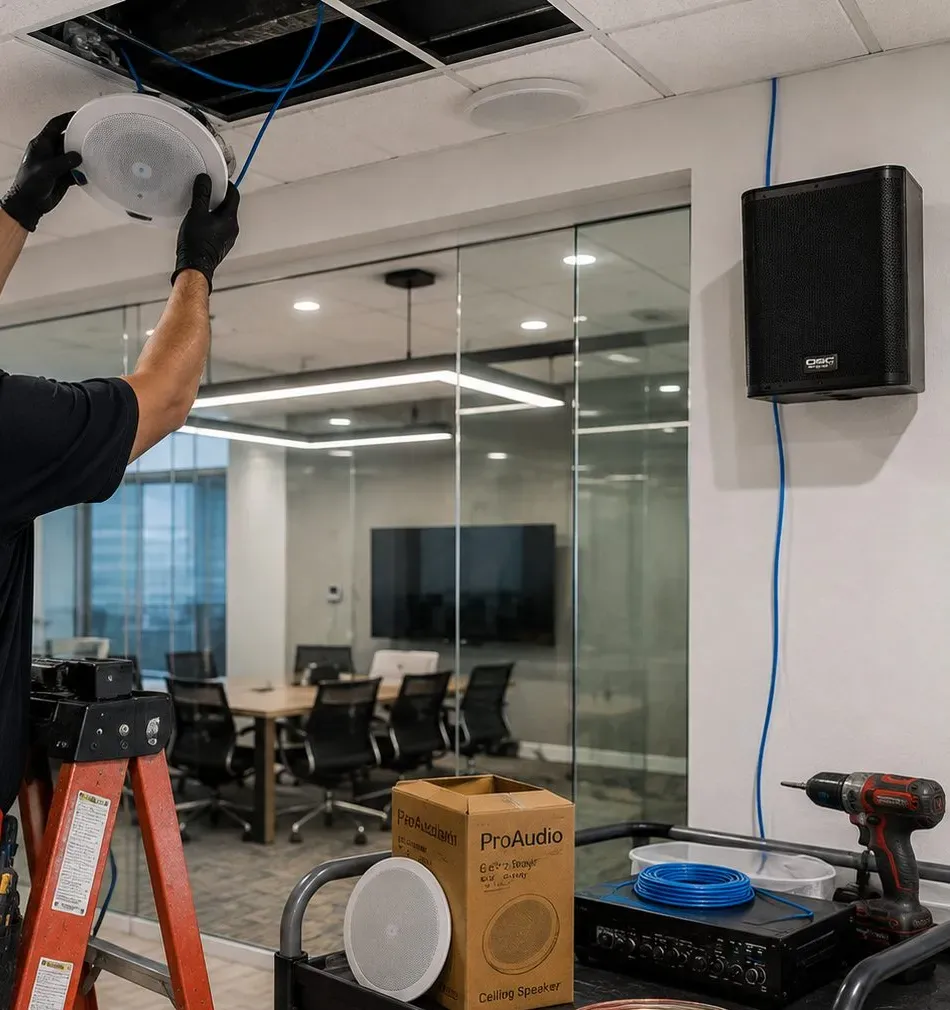
Pairs of Sonos in-ceiling speakers on an Amp, cut in after an obstruction survey of the joist bay. In older kitchens where new board was laid over plaster, we check ceiling thickness against the speaker's clamp range before cutting.
Two-family and three-family houses get one Sonos system per household, each on its own network, with cable routes agreed with every unit they pass and a written note of who owns what.
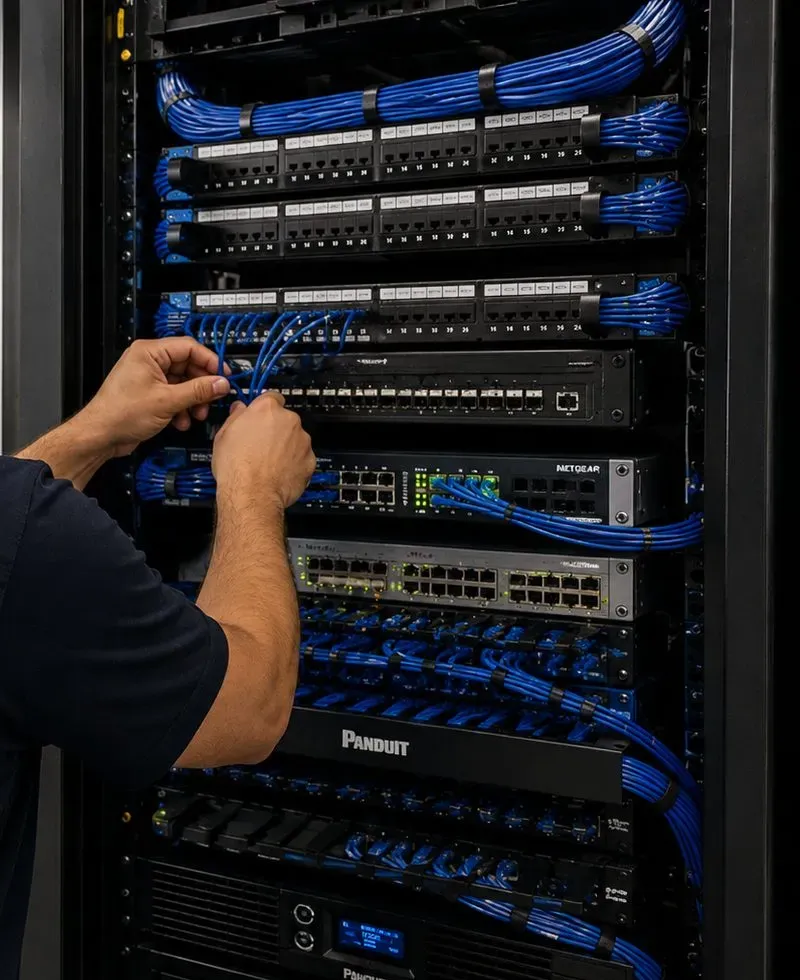
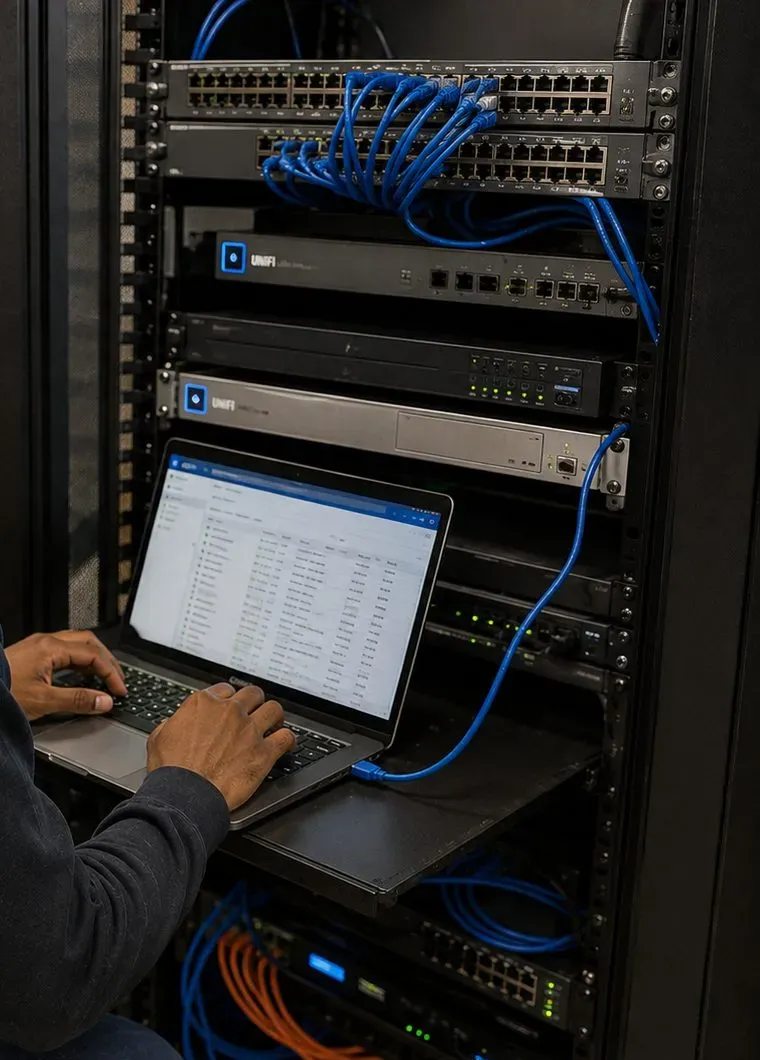
Router, switch, Amps and Ports moved off the cellar floor onto a shelf or a small rack, spaced from other electronics, labelled and ventilated, with cables dressed so the next repair is quick.
Sonos outdoor speakers on an indoor Amp, or a portable Move 2 for occasional use, aimed at your own seating rather than across a driveway or toward the shared wall of a semi-detached neighbour.
Extenders and powerline adapters removed, guest-network mistakes fixed, the router checked for a 2.4 GHz band and personal security mode, and access points cabled where the signal cannot cross the masonry.
Background music and TV sound on one system for the avenues, with separate zones for the bar, the dining room and the kitchen crew, and limits staff can trust.
Even, quiet music across a ground-floor shop under the el or a second-floor office on Crosby Avenue, run from a licensed business music service and separated from the owner's home network upstairs.

Every Sonos product talks to the router, and to the app on your phone, over the house network. Sonos's system requirements are specific about that network: a router that offers 2.4 GHz, because every Sonos product supports 802.11b/g on that band; all products and the phone on the same subnet; personal security such as WPA2 rather than the enterprise kind used in offices; and no guest networks, no portal log-ins, no wireless range extenders and no Ethernet over power. A house that breaks one of those rules can still play music for a while, which is why so many people blame the speakers.
In Pelham Bay the rule people break by accident is the one about extenders. When the back bedroom of a brick house gets weak Wi-Fi, the obvious fix is a plug-in extender in the hall. Sonos lists extenders as unsupported, and in our experience a speaker that clings to an extender is the one that drops first. The better fixes are a cable to the speaker, a cable to a proper access point, or a wired Sonos product near the router so the others have a strong neighbour to lean on. Sonos also notes that in a mesh system using its wired setup, the wired Sonos product must connect to the primary node.
| Material (Sonos rating) | Where it turns up in Pelham Bay | What it usually means for the plan |
|---|---|---|
| Wood, glass, synthetic (low) | Framed partitions in later additions, interior doors, the large windows of the walk-ups | Wireless usually fine one or two rooms from the router |
| Brick (medium) | Exterior walls, party walls of semi-detached pairs, some bearing walls, chimney breasts | Plan for a cable if the speaker is more than one brick wall away |
| Plaster (high) | Original interior walls and ceilings in prewar houses and walk-ups | Back rooms and upper floors often need a wired point |
| Concrete (high) | Cellar walls and floors, co-op high-rise slabs, new construction | Expect each floor or apartment to need its own access point or wired product |
| Metal (very high) | Steel studs in new buildings, ductwork, appliances, metal cabinets around a router | Never hide the router or a Sonos product in a metal box or behind a fridge |
The table explains a pattern we see over and over. The front room, with the router on the windowsill, is perfect. The kitchen, one plaster wall back, is fine most of the time. The rear bedroom, behind the kitchen and a brick bearing wall, is the one that drops during a family dinner, because the signal has been weakened twice and the house is full of phones. The attic bedroom is worse still, and the cellar den, under a floor and behind foundation walls, is often unreachable by Wi-Fi at all.
Sonos's interference guidance lists the devices that compete with its products: cordless and DECT phones, wireless video senders and cameras, other routers and access points, wireless audio, baby monitors, wireless set-top boxes, smart-home hubs, some monitors and a microwave in use. It asks for at least 18 inches between a Sonos product and other electronics. In a two-family house the list grows, because the other household's router is often directly above or below yours. Rebooting the router so it picks a fresh channel is Sonos's first suggestion; in a multi-router house we go further and plan the channels so the floors stop competing.
Not every Sonos product sees the same networks. According to Sonos's list of supported Wi-Fi modes, newer products such as the Arc Ultra, Era 100, Era 300, Sub 4 and Move 2 can use 5 GHz networks up to Wi-Fi 6, while older ones like the Port, Sub Mini and Five use earlier 5 GHz modes, and products still on the older S1 app are limited to 2.4 GHz and cannot use WPA3. A household that mixes a decade of Sonos purchases can therefore be fine on one router and unhappy on another. We check each product against the router before deciding what needs a cable.
The answer is rarely to wire everything. In most Pelham Bay houses we wire one product and perhaps one access point, and the rest of the system stays wireless. The skill is in picking which ones, and in finding a route for that cable through a house with brick walls. That route usually starts downstairs.

The Department of City Planning's 2006 rezoning study described a neighbourhood dominated by large one- and two-family detached homes on the inner blocks, with apartment buildings on the wider avenues, and moved most of it into a district that allows only detached one- and two-family houses. That is the housing we work in, and each type routes sound and signal differently.
Two houses sharing one masonry wall, often with a driveway on the open side. The shared wall stops some Wi-Fi from the neighbours and passes bass the other way, so the Sub stays off it and out of its corners. Router placement matters more here, because the open side is where the house leaks signal.
Brick or frame houses with Tudor or Colonial Revival touches, a cellar, often a finished attic. These suit a cellar Amp feeding ceiling speakers on the first floor, a wired soundbar in the front room and an access point near the stairs for the upper floor.
One household upstairs, one down, frequently related to each other, frequently not. Each gets its own network and its own Sonos system. The cellar usually belongs to the ground floor, so any cable to the upper unit is planned with both households.
Like the detached brick three-family on a 50-by-100 lot that Homes.com lists on Hobart Avenue: three stacked households, three routers, sometimes a shared hallway. Channel planning and labelled cable runs keep three systems from tripping over one another.
Apartments with hardwood floors and large windows, as Neighborhoods.com describes them. Renters get no-drill layouts: soundbars on consoles, speakers on stands, the Sub on a rug away from the walls, and volume limits that respect the floor below.
Apartments in the buildings StreetEasy lists along Pelham Parkway South and Middletown Road. Any cut into a wall or ceiling is a board matter, so we work from the alteration rules, supply a certificate of insurance, and favour wireless rooms with one wired anchor.
Two-storey buildings like 3211 Westchester Avenue, built in 1927 with four units, according to StreetEasy: a shop below, homes above. The shop's system and the family's system stay on separate networks.
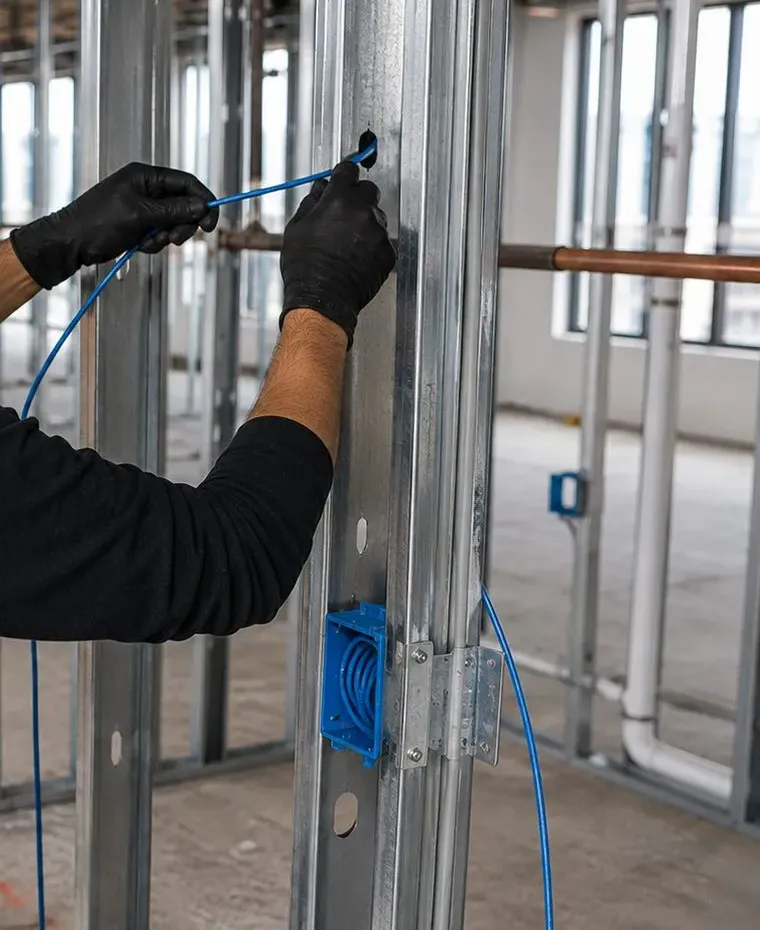
Steel studs, concrete slabs and builder-installed networks. Era 300 mounts need studs that can carry them, ceiling work depends on the floor assembly, and the building's own Wi-Fi rules decide whether Sonos can live on it.
A cellar den, often below a drop or drywall ceiling, where Wi-Fi from upstairs barely arrives. A cabled soundbar or access point down there turns it into a usable TV room, and the equipment stays off the floor.
| Building | Usual signal problem | What we do about it |
|---|---|---|
| Brick semi-detached | Back rooms behind brick bearing walls | Wire the soundbar or an access point from the cellar; Sub away from the party wall |
| Detached prewar house | Attic and cellar rooms out of range | Cellar Amp and switch; one cable up a closet to an upper-floor access point |
| Two-family | Two routers on two floors, cellar owned by one unit | One system per household, channels planned, cable route agreed in writing |
| Three-family | Three routers stacked, shared hall | Labelled runs per floor, channel plan, nothing shared unless all three agree |
| Prewar walk-up | Plaster partitions, hardwood floors carrying bass | No-drill placement, Sub on a rug, conservative limits |
| Co-op apartment | Concrete or plaster between rooms, board rules | Wireless rooms with one wired anchor; alteration paperwork before any cutting |
| New construction | Steel studs, building-managed Wi-Fi | Stud check for mounts, confirm network rules with management |
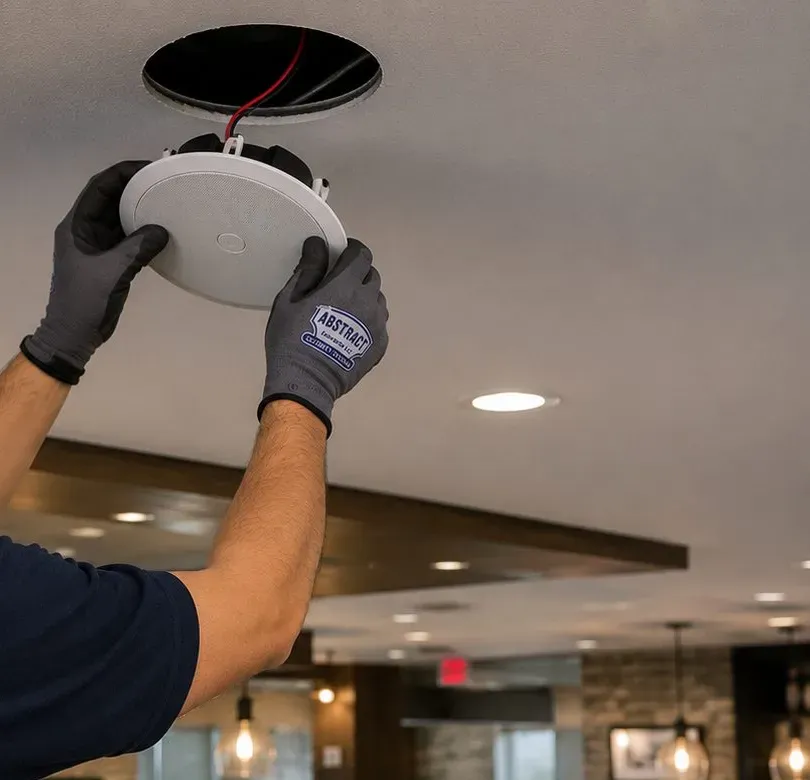
On ceilings in older houses: before any ceiling speaker goes in, Sonos's in-ceiling manual asks for an obstruction survey with a stud finder for joists, conduit, pipes, heating, ducts and air returns, and a small pilot hole probed with wire where there is doubt. The 6-inch speaker needs an opening of 8.25 inches and about 4.73 inches of depth; the 8-inch needs 10.125 inches and about 5.32 inches. The clamps grip ceilings up to 1-1/4 inches thick with the caps on, or 1-7/8 inches with them off. That last number matters in Pelham Bay kitchens where a newer layer of board was fixed over the original plaster, and we measure through the pilot hole rather than guess.
On wall mounts: Sonos describes the Era 300 wall mount as stud-mounting only and not for drywall, with about 2.5 inches of clearance from the wall and a joint that swivels 15 degrees. In a brick house, the interior walls that have studs are not always where the room needs the speaker, so we decide early whether the Era 300 goes on a framed wall, on a stand, or on a shelf. We do not improvise a fixing the maker does not describe.

Homes.com describes many of the neighbourhood's 1910s and 1920s houses as having basements suitable for renovation, and in practice that cellar is where a Sonos installation in Pelham Bay is won or lost. It is usually where the internet line enters, where an old stereo or a camera recorder already sits, and the one place in a brick house where cable can travel freely along exposed joists. A Bronx customer on Yelp put the typical starting point plainly when praising an installer for sorting out "a basement with a messy TV / Stereo / Sonos system / Routers."
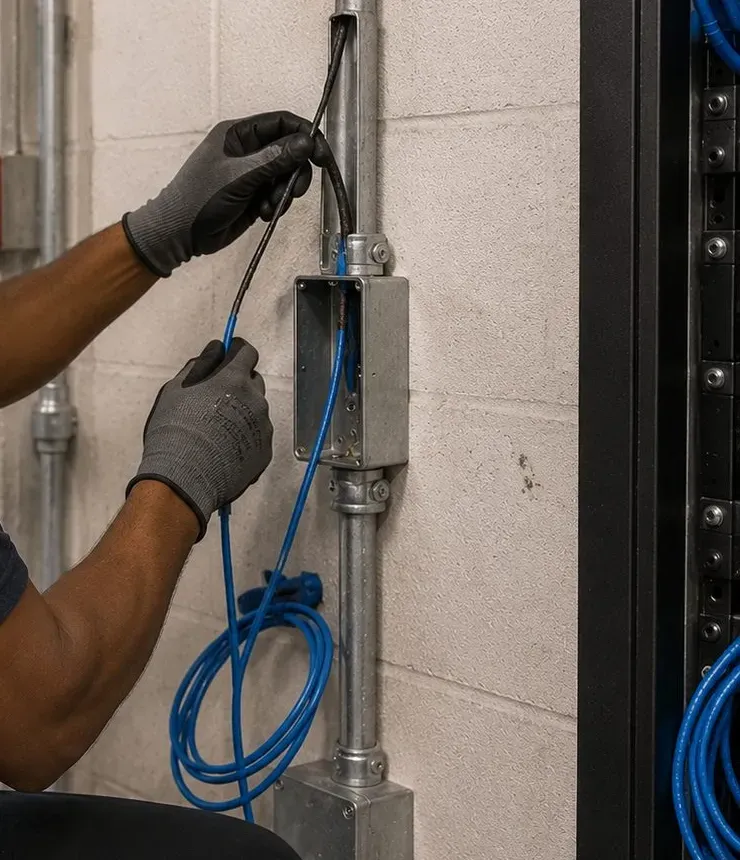
Exterior walls are brick and most interior walls are plaster, so fishing a cable horizontally across a finished floor means opening walls. Going down is easier. From the cellar ceiling we can usually come up into the front room behind the TV, into a kitchen wall, or into a closet that stacks above another closet, and from there reach an access point or a Sonos product upstairs. Where a closet route does not exist, a painted cord cover on a baseboard or along a corner is the honest fallback; it costs $59 on our list and keeps plaster intact.
We never leave a router, an Amp or a Port on a cellar floor. Sonos lists the Amp's operating range as 32 to 104 degrees Fahrenheit, and the Port guide asks for at least 2 inches of space on every side and distance from radiators and other heat. A cellar floor is the coldest, dampest and most knocked-about surface in the house, and Pelham Bay sits beside a park that NYC Parks is studying for flooding in eight vulnerable areas. We are not saying your block floods; we are saying a shelf at waist height costs nothing and protects equipment from the mop bucket, the storm and the boiler room together.
The typical cellar we walk into has a provider's gateway, a separate router somebody bought, a camera recorder, an alarm panel and a tangle of power strips. Sonos asks for 18 inches between its products and other electronics, which on a wireless product is about avoiding interference. Our usual layout puts the provider's equipment and the router at one end, a small switch beside them, wired Sonos gear like an Amp or Port a little apart, and wireless gear further still. A small wall rack is worth it in larger houses; a sturdy shelf is enough in most.
Every cable we pull is labelled at both ends, and the handover note lists where each one goes: "Front room soundbar," "Second floor access point," "Kitchen ceiling pair." In a two-family house the note also says which household each cable belongs to. When a new tenant moves in, or the provider swaps the router again, the next person in the cellar knows what they are looking at.

The brick two-family is one of the defining houses of the neighbourhood, and three-family houses turn up in the listings too. Sonos was designed around a single household: one network, one account, one set of rooms that can be grouped together. When two families share a building, the easiest mistakes are giving everyone one system because the house has one cellar, or letting each family set up alone and discovering their speakers have joined the wrong network. Both are fixable, but they are much simpler to avoid.
Our default is a separate Sonos system for each apartment, on that apartment's own network and registered to that household's own Sonos account. A Sonos product only sees other products and phones on the same network, so separate networks keep the downstairs music in the downstairs app. If the families want to share, for instance a parent and adult children who want one system across both floors, that is possible on a shared network, but it is a decision to make deliberately and write down, not something that happens because one router reached both floors.
In most two-family houses the cellar is reached from the ground-floor apartment, or from a rear entrance like the one in the semi-detached two-family Homes.com describes. The internet usually enters there for both units. If the upstairs owner wants a wired Sonos product or access point, the cable has to leave that cellar and climb past the ground floor. We plan that route with both households before the visit: a shared hallway, a stacked closet, the outside of the rear wall in a cord cover, or an existing opening. Nobody's apartment is drilled on the strength of the other household's permission.
A three-family house can have three routers within a few feet of each other vertically. Brick and plaster help separate the floors a little, but routers on the same channel still compete, and Sonos's guidance names other routers and access points among the sources of interference. With each household's consent we look at what channel each router uses and spread them out, keep each Sonos system on its own network, and avoid any extender bridging floors.
Many owners live in one unit and rent the other. Equipment the owner installs for the tenant's apartment should be clearly the owner's, documented in the handover note, and on a network the owner controls only if the tenant agrees to that. More often we recommend the tenant's Sonos stays the tenant's: bought by them, on their internet, registered to their account. That keeps the music, the account and the responsibility in the same hands, and it keeps the owner out of the tenant's listening habits.
A Sub on a hardwood floor sends vibration into the joists that the other household lives on top of, or below. In a two-family we keep the Sub off shared walls and out of corners, put it on a rug or isolation feet, set Sub level after Trueplay rather than at the factory default, and set Night Sound for late viewing. The household upstairs will not hear whether the soundbar is an Arc Ultra or a Ray. They will hear the bass.

Wikipedia names Pelham Bay's commercial streets as Westchester Avenue, Buhre Avenue, Middletown Road and Crosby Avenue, with the meeting of Crosby and Middletown as one of the main intersections. City Planning's rezoning trimmed the commercial overlays to keep shops on the avenues and off residential side streets, so nearly every business here sits below or beside homes. When the Bronx Times covered Pelham Bay's first Restaurant Week, October 12 to 18, it named places like Da Franco & Tony, Shamrock Inn and Addeo's among the participants. Music for businesses like these has to suit the room and leave the apartments upstairs alone.
Shops and restaurants beneath the elevated 6 between the stations, many in two-storey buildings with homes above. Music needs to cover the room evenly at a steady level; ceiling speakers spread across the space beat one loud pair behind the counter.
The main shopping street, with second-floor offices and apartments over ground-floor stores. Offices get soft, even music with low limits that do not reach a consulting room or the street.
Smaller storefronts near the Buhre Avenue station. Two to four speakers and a schedule that follows opening hours usually do the job, wired back to a shelf in the back room.
Shops and services near the library and the Middletown Road station, where many customers stop on the way to or from the train. A short playlist loop gets tiresome for staff, so we set up a licensed service with day-parts.
Dining rooms, bar areas and party rooms on one system, with TV sound for the game where wanted, separate zones and limits for each space, and a staff zone for the kitchen that never reaches the tables.
Owners who live over the shop often want one internet line for both. We keep the shop's Sonos and the family's Sonos on separate networks so customers' devices and staff tablets never see the family system.

Most avenue businesses need two settings rather than one. A weekday lunch wants music customers barely notice; a Saturday night with every table taken wants more. We save both as groupings with their own limits, so staff pick between agreed levels instead of dragging a slider to the top, and we check the busier setting from the sidewalk and, where a neighbour upstairs is willing, from their front room.
These questions come from the houses, apartments and shops we described above. Each is answered fully here; shorter practical questions are in the FAQ further down.
Because Sonos does not support wireless range extenders, and says so in its system requirements. An extender repeats the router's signal, but it adds a hop and can confuse which access point each speaker should talk to; Sonos products also rely on network traffic that extenders do not always pass cleanly. The result in a brick house is often a speaker that connects, then drops when the extender gets busy. Unplug it. The fixes Sonos supports are a cable from the router to one Sonos product, a cable to a proper access point on the same network, or a mesh system with the wired Sonos product connected to the primary node. In most Pelham Bay houses one cable run from the cellar does the job.
Not unless your speakers and their phones are on the same network. The Sonos app finds products on the network the phone is connected to, so their app sees their system and yours sees yours. The real risks are a shared or guessable Wi-Fi password, or a speaker that was once set up on their network during a friendly favour. We check that every product in your system is on your network, that the network uses personal WPA2 or WPA3 security with a password the neighbours do not know, and that your system is registered to your own Sonos account.
They can. Sonos lists other routers and access points among the devices that interfere with its products, and three routers stacked in one building, possibly on the same channel, compete for the same air. Brick and plaster separate the floors somewhat, but not completely. With each household's agreement we check which channel each router is using and spread them apart, keep each Sonos system on its own network, and make sure nobody is using an extender to reach across floors. Rebooting a router so it picks a new channel is Sonos's own first step; a planned channel layout is the lasting one.
There are usually three candidates, and we look at them in this order. A common stair hall, where a cable can climb in a corner under a painted cover or behind trim. A stack of closets or a chase that runs from the cellar ceiling to your floor without opening into the ground-floor rooms. Or the outside of the rear wall in an exterior-rated cover, entering your apartment through a sealed hole. If the only practical route does cross the ground-floor apartment, we explain that before booking and the downstairs household decides. The cable then lands at a wired Sonos product or an access point in your apartment, and is labelled in the cellar as yours.
Not as two separate systems. Sonos groups rooms within one household on one network; two systems on two networks cannot be grouped into a single synchronised stream. There are workable options. For an occasional party, one household's portable Move 2 or Roam 2 can be carried down and join that floor's music if it is on that floor's network. If the families often want the whole house playing together, the two floors can share one network and one system, with the trade-off that both households then see each other's rooms in the app. We set it up whichever way you choose and write down how to undo it.
Yes, with some care. A soundbar wants a clear line to the seats and space either side, and a corner TV on a stand or an angled mount usually gives that. A compact Ray or Beam suits a corner better than the 46-inch Arc Ultra, which needs a wide base and, by Sonos's guidance, at least 4 inches between bar and screen. The Sub should not go into the same corner if that corner is a wall shared with a semi-detached neighbour. Trueplay, run from a supported iPhone or, for some newer products, an Android phone, helps balance a room where the sound reflects unevenly off the nearby walls.
Close behind or beside the sofa, a little above ear height, angled toward the seats. Sonos rears such as the Era 100 or Era 300 can sit on stands at the sofa's ends, on side tables, or on wall mounts if the wall behind is framed with studs. On a brick or plaster back wall we usually prefer stands or a shelf, because the Era 300 mount is described by Sonos as stud-only and not every wall in a prewar house has studs where you want the speaker. After the rears are placed we run Trueplay so the system accounts for how close they are.
Sonos's own in-ceiling speakers are made with Sonance and are optimised for the Amp; Sonos says the Amp reliably powers up to three pairs of them in parallel and supports Trueplay with them from a supported iOS device. Other passive speakers can be driven by an Amp too, provided their impedance suits it; reviewers rate the Amp at 125 watts per channel into 8 ohms. What you may lose with a different model is Sonos's tuning for that speaker and the published cut-out templates. Before you buy, send us the model, and we will confirm it fits your joist bays and the ceiling thickness we measure.
Yes. The kitchen becomes its own Sonos room with its own speaker and its own volume limit, separate from the dining room and bar zones. Staff choose the kitchen station from a tablet without touching the front-of-house music, and the kitchen speaker is placed and aimed so it does not throw sound through the pass. We also check the network: commercial kitchens are full of stainless steel, which Sonos rates as a very high obstacle, so the kitchen speaker often needs a cable or an access point of its own.
We advise against it. The shop's network is used by staff devices and sometimes a point-of-sale system, and if the shop offers customer Wi-Fi, that should be a separate guest network that Sonos does not use anyway. Keeping the shop's Sonos on the shop's network and the family's Sonos on the family's network means staff never see your living room in their app, your teenagers never change the shop's music, and a problem in one does not take down the other. One internet line can feed both with a router that supports separate networks, or two routers on separate connections.

You buy Sonos products from whichever retailer you like; AESS is not presented here as a Sonos dealer. These are the products we install most in Pelham Bay, with the facts that matter in a brick house or a shared one.
The widest Sonos soundbar, about 46 inches, for large screens in detached houses. Sonos says it adjusts its own EQ when wall-mounted to temper bass resonance from the wall, and asks for at least 4 inches between bar and TV. It can use 5 GHz Wi-Fi up to Wi-Fi 6.
About 25.6 inches wide with HDMI ARC/eARC, the usual choice for prewar front rooms and corner TVs. Wired to the cellar switch, it makes a good anchor for the rest of the system.
The compact bar, connected to the TV by optical cable, for bedrooms and walk-up living rooms. On its own it is the easiest Sonos home theater to keep polite to the floor below.
Standalone speakers and rears, both able to use 5 GHz networks up to Wi-Fi 6. The Era 300 wall mount is stud-only, so in brick houses we often use stands or shelves instead.
Sonos lists corner, wall and under-furniture placements; Trueplay sets phase automatically. The Sub 4 has an optional Ethernet port. In semi-detached and two-family houses we keep either Sub off shared walls.
Powers passive ceiling, wall and outdoor speakers; reviewers measure 125 watts per channel into 8 ohms, and it has two Ethernet ports. It lives indoors on a shelf, never on a cellar floor.
Streams Sonos into an existing receiver or a restaurant's amplifier, with analog line out, digital coax out, a line in and a 12V trigger. Sonos asks for 2 inches of space around it and distance from radiators.
The 6-inch and 8-inch pairs made with Sonance, needing 8.25-inch and 10.125-inch openings, 8 ohms nominal and paintable grilles. Up to three pairs run from one Amp, according to Sonos.
Sonos's passive outdoor pair on an indoor Amp, mounted under an eave or a porch roof and aimed at your seating, with cable leaving the brick on a sealed, downward-sloping entry.
Portables for the yard, the porch, or carrying between floors of a family house. The Move 2 can use 5 GHz networks up to Wi-Fi 6; both join whichever household network they are set up on.
| Question | Retail Sonos, set up yourself | Alarm and doorbell brands (ADT, Ring, SimpliSafe) | AESS Sonos installation |
|---|---|---|---|
| Who plans cable through brick and plaster? | You | Not their product category | We do, from the cellar up |
| Separate systems in a two-family? | Possible if each household knows how | Not applicable | Planned and written down per household |
| Ceiling speakers and Amps? | Sonos says architectural speakers often need a professional | Not applicable | Surveyed, cut and wired by a licensed crew |
| Ongoing monthly fee? | None from Sonos for the speakers | Depends on the plan you choose | None for the installation |

Google's AI Overview could not be viewed from the system we built this page on, so nothing below is presented as its wording. These are seven statements about Sonos and installation that appear in cost guides, product marketing, forums and templated installer pages, the kind of thing an answer engine tends to repeat, each checked against a named source and against what Pelham Bay houses are actually like.
For a single speaker on a shelf near the router, this is close to true, and we say so to customers who ask. Sonos built its reputation on products that set themselves up from a phone, and many Pelham Bay households run a Beam or an Era 100 happily without ever calling anyone.
Sonos's own guides are more careful about the rest of the range. Its guide to ceiling speakers says that in-ceiling speakers require special installation and that architectural speakers often require a professional installer; its in-wall guide describes cutting holes, running speaker cable and installing an Amp.
In a brick house there is a third case the marketing does not mention: products that set up perfectly and then drop out because of the walls. Plug-and-play describes the setup screen, not the network the speaker has to live on afterwards.
It is the most common advice on the internet for weak Wi-Fi, and for a laptop in a back bedroom it may help. Extenders are cheap and they plug into any outlet.
Sonos lists wireless range extenders as unsupported, along with Ethernet over power. In practice we find extenders are behind a large share of the "speaker keeps disappearing" calls we take in houses with brick and plaster between rooms.
The supported answers are a cable to one Sonos product or a proper access point, or a mesh system with the wired Sonos connected to its primary node. In a house with a cellar, that cable is usually an afternoon's work.
Retail advice often treats the router as interchangeable. Most will work, and Sonos supports the usual home security standards, WPA and WPA2 Personal, with WPA3 on newer products.
The exceptions are specific. Sonos does not support routers that offer only 5 GHz, enterprise security, guest networks, captive-portal networks, or VPNs that block local traffic, and products on the older S1 app are limited to 2.4 GHz. Two-family houses add another wrinkle: a household that joins the other floor's router "temporarily" usually stays there.
So we check the router and every product against it before the install, not after. A household mixing ten years of Sonos purchases is the one most likely to find a gap.
Router packaging promises coverage measured in thousands of square feet, and it is tempting to think more power will push through masonry.
Sonos's interference table rates brick as a medium obstacle and plaster as a high one. A prewar house with both, plus a concrete cellar, weakens the signal at every wall, and a more powerful router at the front window does nothing for the phone in the back room that has to answer it. The speaker and the phone both have to be heard, not just the router.
Moving the router toward the middle of the house, adding a wired access point upstairs, and wiring the busiest Sonos product all work better than turning up the power.
Trueplay is one of Sonos's best features, and reviews describe it as automatic. It measures how sound reflects off walls and furnishings and adjusts each speaker to the room.
Sonos says most of its products need an iOS device for Trueplay. The Arc Ultra, Beam Ultra, Era 100, Era 100 Pro and Era 300 offer a quick tuning option on iOS or Android; the more thorough advanced tuning remains iOS-only. Each room takes about three minutes and needs quiet.
In an Android household we bring an iPhone for tuning. In a busy two-family house we time it for when the other floor is quiet, because footsteps and a TV upstairs make the measurement less reliable.
The app has had a rough patch, and nobody should pretend otherwise. CE Pro reported that the redesigned app launched on May 7, 2024 left out or broke features including volume control, saved stations and grouping, and that Sonos's chief executive apologised publicly.
The fixes Sonos has shipped since have restored most of what people missed, but app trouble has a way of showing up first on weak networks, where discovery and grouping fail silently. A system with a wired anchor and a clean network is much less likely to look broken.
An installer cannot change Sonos's software. We can make sure the network underneath it is one Sonos supports, which removes the most common reason the app cannot find a speaker.
Search for Sonos installers here and some results are templated pages that name the neighbourhood but no streets or building types; one we found carries a New Jersey phone number. Others mix the Bronx neighbourhood up with Pelham in Westchester.
They are different places. Wikipedia notes that Pelham Bay was never part of the old Town of Pelham; it is a Bronx neighbourhood in Community District 10, patrolled by the 45th Precinct, built around the 6 train. Its housing is brick two-family houses, semi-detached pairs, prewar walk-ups and co-ops, not the large suburban homes a Westchester page assumes.
This page was written for those Bronx houses, by a licensed crew dispatched from Fordham Road, with prices from the Bronx list rather than a regional estimate.
Send a photo of where the router sits, one of the TV wall and a line about which floor you live on. We'll tell you what should be wired, what can stay wireless, and what it costs on the Bronx list.
A Pelham Bay job can usually be priced from five details: the type of house or business, which floor or unit is yours, where the internet line enters, the rooms that want music, and the Sonos products you have or plan to buy. The written figure comes back the same business day, or call (646) 490-0629 to talk it through.
Thanks — expect a call or an emailed figure before the end of the business day. If a system has gone silent tonight, phone (646) 490-0629 instead of waiting.
The same seven steps cover a single Ray in a walk-up and a cellar Amp feeding three floors of a family house. The first three happen before anything is mounted, and in Pelham Bay they decide whether the system stays reliable.
We locate the provider's line and the router, then walk each room that wants music and note brick, plaster and framed walls, because Sonos rates brick and plaster as real obstacles.
We choose the Sonos product or access point to wire, and confirm the router offers 2.4 GHz, uses personal security and is not relying on an extender or a guest network.
In multi-family houses we agree which floor owns which network and system; in every home we name the rooms and zones before drilling.
Cable runs along cellar joists and up closets or a common hall, on a route each affected household has agreed, with equipment shelved off the floor.
Soundbars, speakers, Amps and Ports go in; ceiling openings follow an obstruction survey and Sonos's templates, and wall mounts follow each product's stud rules.
Trueplay where supported, Sub level and phase, per-room volume limits and Night Sound, then a listen from the next room, the floor below and the property line.
Each household gets a one-page note of its network, wired products, cable routes and room settings, and the owner is signed into their own Sonos account.

We work across the neighbourhood, which Wikipedia places between Pelham Parkway, the Hutchinson River Parkway, the Bruckner Expressway and the New England Thruway. These are the places customers use to tell us where they are.
The northern terminal of the 6, opened December 20, 1920, where Westchester Avenue meets the Bruckner. Wikipedia counts 1,136,845 riders in 2024. The new apartment buildings filed near it are where our steel-stud work happens.
One of the neighbourhood's main intersections, with the shopping streets running off it in both directions and the Middletown Road station a short walk away.
The northern edge, lined with co-op apartment buildings that StreetEasy lists at addresses like 1874 and 1910 Pelham Parkway South.
The NYPL branch at 3060 Middletown Road, a one-storey brick building that opened in 1976, according to Wikipedia.
Inside Pelham Bay Park, designated a New York City landmark in 1966, with its interior designated in 1975, according to the museum. The park's landmarks are where Pelham Bay's preservation rules live; we found no historic district in the residential streets.
The bathhouse and promenade became an LPC landmark on June 20, 2006, and the city reopened the pavilion on May 20, 2026 after a $114 million restoration, ending a closure that began in 2009.
We also install around Westchester Square, Buhre Avenue and Wilkinson Avenue, east of the Thruway in Country Club, south across the Bruckner in Throgs Neck, and over the bridge on City Island.
Pelham Bay is priced on our Bronx list, and the Bronx sits at the same level as Brooklyn in our area table: no premium for the neighbourhood. Every number below is already published on that list. Work that depends on what we find in a cellar, a wall or a ceiling is written up after a look, and nothing is added on the day without your agreement.
| Line | Bronx price | Where it comes up in Pelham Bay |
|---|---|---|
| Sonos setup | $125 | All products in one household joined, rooms named, music services signed in, Trueplay where supported, Sub and limits set |
| Soundbar wall-mounted under the TV | $129 | A Beam in a front room, an Arc Ultra in a detached house den |
| Soundbar placed on console or stand | $79 | Walk-up renters, co-op owners waiting on the board, corner TVs on stands |
| Sanus soundbar bracket | $84.99 | When the bar came without a mount you trust |
| In-wall concealment with in-wall power and cable kit | $169 | A framed TV wall where power and HDMI should disappear |
| Paintable cord cover | $59 | Plaster or brick that should not be opened; a cable along a baseboard or up a corner |
| Cable run up to 25 ft | $99 | A short network or HDMI run, such as cellar ceiling to the front-room soundbar |
| A/V receiver connection | $129 | Connecting a receiver or a restaurant's amplifier, including through a Port |
| Universal remote programming | $99 | One remote for TV, cable box and Sonos volume |
| Setup-only visit, first hour (Bronx) | $225 | Then half-hour blocks; a new router, a dropped speaker, a second household's system |
| Longer cable runs, access points, Amps, ceiling and outdoor speakers | Quoted at walkthrough | Depends on the cellar route, the walls, and how many households a cable passes |
Sonos products carry their manufacturer's warranty. For work and products we supply:
Full terms — including 50% deposit, one-year parts-only warranty on AESS-supplied products, and the late-fee schedule — are set out in the service agreement.Every line we charge is on the published Bronx list used by our Bronx Sonos installation page.
Three bundles cover most Pelham Bay requests. They are not discounts; each is ordinary price-list lines shown side by side so you can see exactly what you are paying for.
$79 + $125
A soundbar or speaker placed and connected ($79) and the whole Sonos household joined, tuned and given sensible limits ($125). Right for walk-up renters, co-op owners waiting for the board, and corner TVs on a stand.
$129 + $84.99 + $125
A Beam, Ray or Arc Ultra mounted under the TV ($129) on a Sanus bracket ($84.99), with system setup, Night Sound and Sub settings agreed ($125). Add a $99 cable run if the bar should be wired from the cellar.
$129 + $84.99 + $169 + $125
For a framed TV wall with no visible cords: soundbar fitting, Sanus bracket, in-wall power and cable kit, and system setup. A $99 cable run from the cellar and $99 universal remote programming can be added.
Already bought the official mount or a bracket rated for your bar? Then we charge only the work: $129 to fit the soundbar and $125 to set up the system. The bracket's warranty stays with its maker. If the wall looks wrong for it, we say so before drilling and offer the Sanus bracket at $84.99.
Separate systems for each household, wired access points, cellar Amps, ceiling and outdoor speakers are quoted after a walkthrough, because the cable route through a brick house varies so much. The written quote lists each household and each zone separately, so the downstairs apartment can be done this month and the upstairs next.
Three photos usually do it: the router, the TV wall and the cellar ceiling where the cable would start. The written figure tends to arrive before the end of the day.
For decades Pelham Bay changed slowly. That is changing at the edges, close to the 6 and the wider avenues. The Bronx Times has reported Department of Buildings permits for an eight-storey residential building with 36 units at 1609 Crosby Avenue and a four-storey building with 13 residences on a vacant lot at 1536 Gillespie Avenue. New York YIMBY has covered a 17-storey residential building at 3250 Westchester Avenue and an eight-storey mixed-use building at 2135 Colonial Avenue, and Marketproof logged a new-building permit for a five-storey building at 3251 Westchester Avenue, filed September 19, 2025. The Bronx Times also covered a housing lottery in January 2026 for 11 new units at 3217 Westchester Avenue, listing amenities that include intercommunication devices, security cameras, an elevator and covered parking.
Apartments in buildings like these are a different job from a 1920s brick house. Interior walls are usually steel studs and board, so the Era 300's stud-only mount needs a stud that can actually carry it, and we confirm what the wall is before anything is fixed. Floors and ceilings are concrete, which Sonos rates as a high obstacle, so a large apartment may need its own access point. Ceiling speakers depend on whether there is a dropped ceiling or a soffit at all, and on what the building's management will allow.
The most important question is the network. Some new buildings provide Wi-Fi to every apartment. Sonos does not support guest networks or networks that require a portal log-in, and building-managed systems sometimes block the device-to-device traffic Sonos relies on. Before you buy speakers, ask the management whether residents can connect their own router; if they can, Sonos runs on your router. If they cannot, we will tell you honestly what will and will not work.
Finally, ask for the rules in writing. New-building leases and condominium documents often restrict drilling, require a certificate of insurance, or limit work hours. We supply the certificate at no charge and keep to the building's schedule, and in a rental we favour no-drill setups that leave nothing behind when you move.
These are the Sonos services Pelham Bay customers combine most often, all priced from the Bronx list and all handled by the same licensed crew.
The borough page above this one, with the full Bronx price list and notes for co-ops, renters and boards.
A cable from the cellar to the soundbar, an Amp or an access point, so brick and plaster stop deciding which rooms play.
Front-room home theater for corner TVs, narrow rooms and wall-mounted screens, with the Sub kept off shared walls.
Kitchen, dining and cellar ceilings, surveyed and measured before any cut, with Amps on a shelf downstairs.
One system per household, routes agreed, channels planned, ownership written down.
Zones, limits and licensed music for businesses on Westchester, Crosby, Buhre and Middletown.
Our Throgs Neck page goes deep on outdoor speakers and bass for close-set houses; the same methods apply south of the Bruckner and here.
The city hub, with network requirements, product notes and pages for every borough.
This is the routine we follow at the start of a Pelham Bay job, written as a checklist rather than a story about any one customer.
We ask to see the cellar first. We find where the provider's line enters, what is plugged into what, and whether there is a second or third router from another household. We note what sits on the floor and what could move to a shelf. We look up at the joists for an easy path toward the front room and for any closet that stacks upward. Then we walk the house with a phone running a simple speed check, room by room, and note which walls the signal has crossed to reach each spot: brick, plaster, a chimney breast, a kitchen full of appliances. In a two- or three-family house we ask who lives where, who owns the cellar, and whether anyone has ever shared a router with another floor. We ask the household which rooms matter most and how late the TV usually runs. Only then do we decide which Sonos product gets the cable, where the Sub goes, and what the handover note will say.
For one speaker near the router you may not need us, and we will say so. Installation earns its cost when the house works against the system: brick and plaster between the router and the speakers, a cellar where the cable has to start, more than one household under the roof, ceiling speakers that need an obstruction survey and an Amp, or a business that needs zones and limits. Sonos itself says architectural speakers often require a professional installer. In Pelham Bay the most common payoff is simply a system that stops dropping out because one product is wired.
The redesigned app launched on May 7, 2024 caused real problems with volume, saved stations and grouping, and Sonos's chief executive apologised publicly, as CE Pro reported. Sonos has released many fixes since. What we see on site is that app trouble shows up first on weak or unsupported networks, where the app cannot find speakers reliably. A wired anchor product, no extenders, no guest network and a router Sonos supports remove most of the moments when the app appears broken.
Yes, as long as both households are available and each has its own internet and Sonos account ready. Each apartment is its own Sonos system, so each gets its own $125 setup line, plus whatever mounting each one needs from the Bronx list, such as $129 for a wall-mounted soundbar or $79 for one on a console. Any cable that serves one household is priced to that household, and the written quote shows the two apartments separately so each family knows what it is paying for.
Ask for a New York State low-voltage license number and check it, ask for a certificate of insurance, and ask for a written quote that lists every line before work begins. Ask what they will do if they find a wall they did not expect, and who installs any new outlet. AESS works under NYS license #12000287431, provides certificates of insurance free, quotes from a published Bronx price list, and names electrician work in the quote rather than doing it ourselves.
Usually, yes. We identify each box and cable, remove what is no longer used with your agreement, decide which router actually runs the house, and move the Sonos onto it. An older stereo can often join the system through a Port, connected for $129 on our list. Equipment goes onto a shelf with space around it, cables are labelled, and the handover note explains what stayed and why. It is normally billed as a setup-only visit at $225 for the first hour.
Nearby, but not touching. Sonos recommends keeping its products at least 18 inches from other electronic devices to reduce interference, and lists wireless cameras and other routers among the sources. A wired Amp or Port can share the shelf with some spacing, as long as it has ventilation; Sonos asks for 2 inches of space around the Port. Wireless Sonos products should sit further away. We lay out the shelf so everything has room and nothing rests on the floor.
We book within 2 hours of a request during working hours, by phone or text, and the written quote follows the same business day. Simple jobs such as a soundbar and a setup can often be scheduled for the next available slot. Co-op and new-building jobs are booked once the board or management has approved the work, and we send them the certificate of insurance and description they need.
It may be, which is why we measure first. Sonos's in-ceiling speakers clamp ceilings up to 1-1/4 inches thick with the caps on, or 1-7/8 inches with the caps removed, according to the manual. A layer of board over original plaster can approach those figures. We drill a small pilot hole during the obstruction survey, measure the actual thickness, and only then confirm the speaker. If the ceiling is too thick, we suggest a different location or a different kind of speaker rather than forcing it.
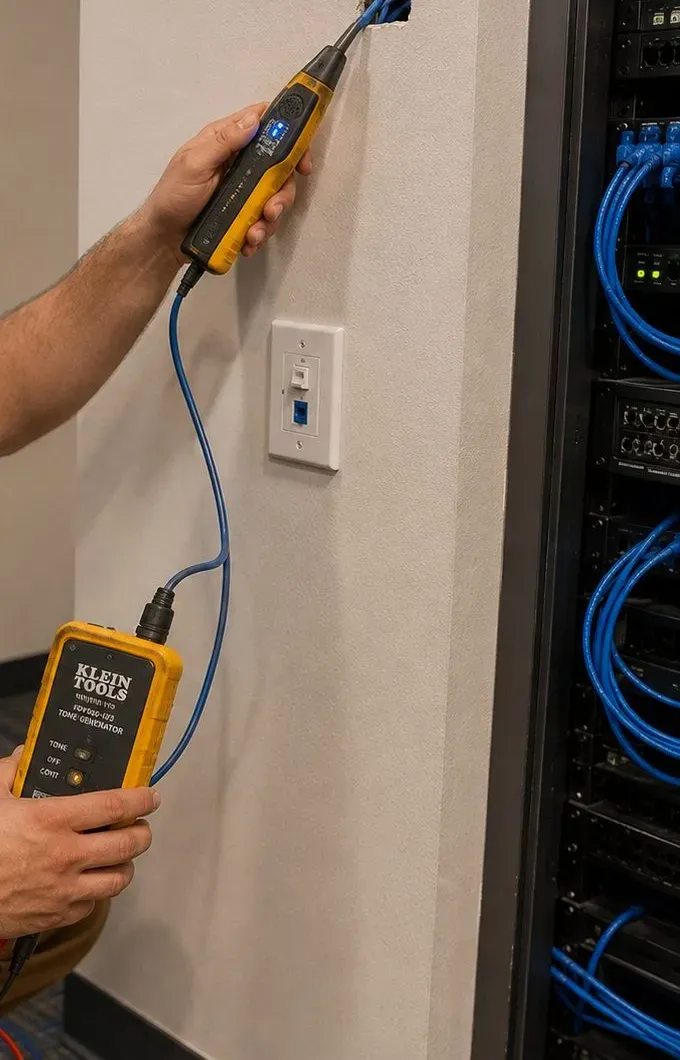
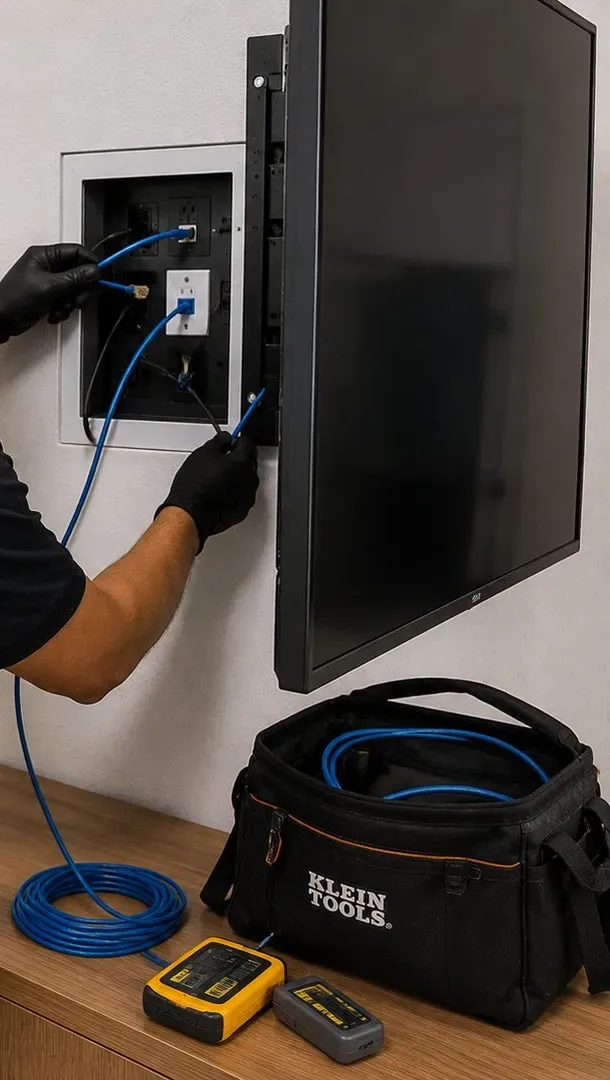
Yes. We use a tone generator and probe to find where each jack's cable ends, usually in the cellar or a closet, and a tester to see whether it is network cable in working order or old telephone wire. Working network cable can give a soundbar or access point the wired connection that brick walls would otherwise block. Old phone wire is not suitable for that, but it sometimes shows us a route a new cable can follow. Tracing is billed as setup-only time.
In a house with more than a few wired devices, often yes. A small wall rack keeps the provider's gateway, the router, a switch, Amps and Ports off the floor, spaced and ventilated, with every cable labelled. In a one-family house with a single Amp, a sturdy shelf does the same job. We recommend what the cellar and the system actually need, and quote the rack separately after the walkthrough so it is never a surprise.
Sonos Installation Bronx NY | Renters, Co-ops & Houses · Sonos Installation NYC | Ceiling Speakers & Setup · Sonos Installation Manhattan NY | Small-Space Audio · Sonos Installation Brooklyn | Rowhouse, Garden & Setup · Sonos Installation Queens NY | Speakers, Amp & Setup · Sonos Installation Staten Island NY | Deck & Indoor · Sonos Installation Long Island | Multiroom & Home Theater · Sonos Installation Hudson Valley | Barns & Old Houses · Sonos Installation Nassau County NY | Raised & Slab Homes · Sonos Installation Suffolk County | Ranches to Hamptons · Sonos Installation Westchester County NY | Pre-Wire & Co-ops · Sonos Installation Rockland County NY | Split-Levels · Sonos Installation Orange County NY | Speakers & Setup · Sonos Installation Putnam County NY | Lake & Deck Audio · Sonos Installation Dutchess County NY | Old-House Audio · Sonos Installation Ulster County NY | Stone & Hi-Fi Homes
Sonos Installation City Island Bronx NY | Waterfront · Sonos Installation Country Club Bronx NY | Wired Right · Sonos Installation Riverdale Bronx NY | Co-ops & Houses · Sonos Installation Throgs Neck Bronx NY | Bass Kept Home
Security Camera Installation Pelham Bay Bronx NY · TV Installation Pelham Bay Bronx NY · Soundbar Installation Pelham Bay, Bronx NY | House Setups · Fire Alarm Installation Pelham Bay Bronx NY · Intercom Installation Pelham Bay Bronx NY · Door Buzzer Repair Pelham Bay Bronx | 2-Family Brick Houses · Structured Cabling Pelham Bay Bronx NY · Smart Lock Installation Pelham Bay Bronx NY | Commuters · Alarm Installation Pelham Bay Bronx NY · Access Control Installation Pelham Bay Bronx NY