Router Checked First · One Wired Product Where It Counts · One System Per Household · Staten Island Price List
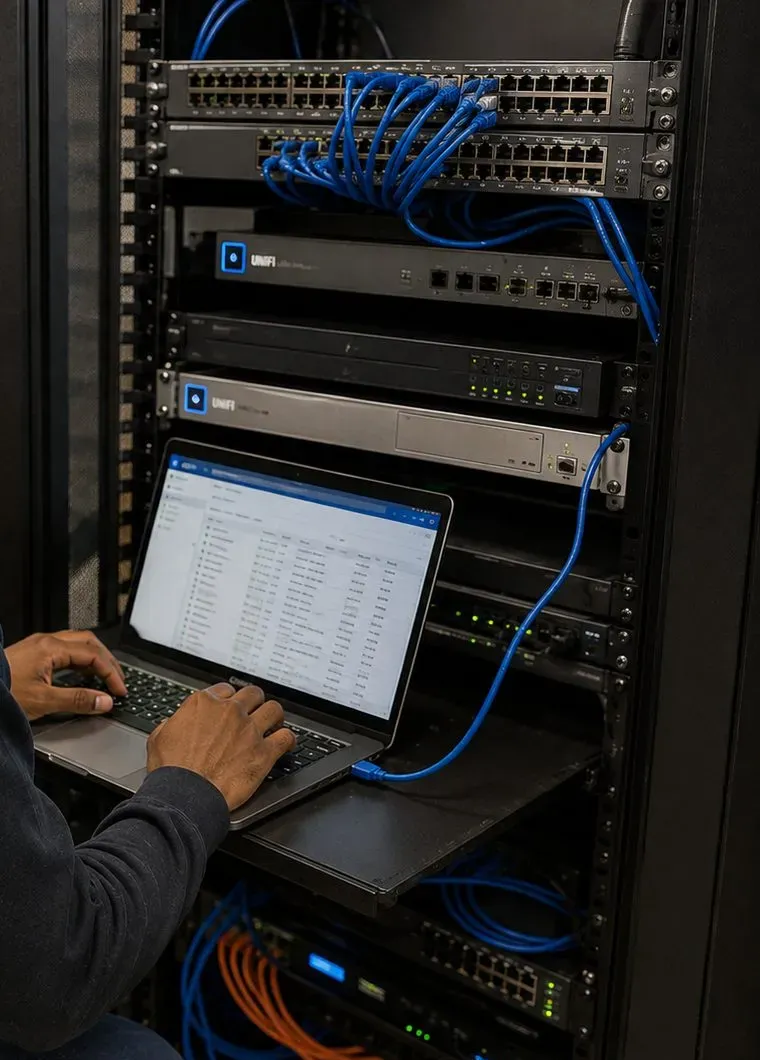
Sonos installation in West Brighton, Staten Island usually starts at the router, not the speaker. Nearly every address in ZIP 10310 can get Spectrum, and Sonos itself names three Spectrum router models that make speakers disappear from the app. Add plaster walls in houses from the 1800s, homes divided into two, three or four apartments, and storefronts with flats above them on Forest and Castleton Avenues, and the work that makes a Sonos system dependable here is mostly network and routing work done well. We read the router, test every room, wire one product where the house allows it, and price the job from the published Staten Island list.
Reviewed and updated November 12, 2026 by Abstract Enterprises Security Systems, licensed low-voltage installer (NYS #12000287431) · Sources: Sonos support and product pages, Sonos Community threads, BroadbandNow ZIP 10310 data, NeighborhoodScout, NYCHA PACT pages, NYC Small Business Services Neighborhood 360° study, NYC Parks, Wikipedia, Forgotten New York, HomeAdvisor cost pages · West Brighton jobs booked through our Brooklyn office at 1282 Troy Ave

Owner-operated since 2002 · Thousands of jobs completed · Booked within 2 hours
Sonos installation in West Brighton, Staten Island costs $125 to set up and tune the Sonos products you already own, $129 to fix a soundbar to the wall under the TV and $99 to cable one Sonos product to the router, which is the fix Sonos itself gives for the Spectrum routers it lists as problems. Ceiling and porch speakers on an Amp are quoted in writing after we have seen the house, every figure comes from the published Staten Island list, and requests are booked within two hours. Call (347) 934-8335 or use the form.
West Brighton is one of the places on Staten Island where a Sonos system is most likely to work perfectly on the day it is unboxed and then start losing speakers a week later. That is not a judgment on the neighbourhood. It is what happens when three things meet: an internet market dominated by one provider whose routers Sonos has written about by model number, a housing stock that was built long before anyone thought about wireless signal, and a high share of houses that hold more than one household. None of those is unusual on its own. Together, on the blocks between the Kill Van Kull and Clove Lakes Park, they explain most of the calls we get from this part of the North Shore.
Start with the internet. BroadbandNow's figures for ZIP 10310, the West Brighton ZIP, show Spectrum available to 94.6 percent of addresses, and Verizon Fios to just 9.9 percent. Most of the rest of the list is wireless: 5G home internet from AT&T and T-Mobile, fixed wireless and satellite. In practice that means that when a West Brighton household sets up Sonos, it is almost always doing it on a Spectrum line and, very often, on the router Spectrum supplied. Sonos keeps a support article for three of those routers, the SAX1V1S, SAX2V1R and SAX2V1S, and its description of the fault is blunt: "When your Sonos system is in a wireless setup, Sonos products disappear from the Sonos app." The article says Spectrum has fixed the problem in later firmware and lists the versions to ask for, and it says a wired Sonos setup resolves it as well. Most owners never find that article. They find a speaker that plays music but cannot be controlled, a soundbar that will not appear when the TV comes on, or a stereo pair that keeps splitting up.
The Sonos Community forum is full of the same story told from the owner's side. In one thread a Sonos One owner describes spending about 11 hours on the phone with support; Sonos asked for the 2.4 GHz and 5 GHz bands to be given separate names, and Spectrum said its routers could not do that. A moderator summed up the usual way out in one sentence: "The general resolution is to use Sonos in a wired setup." Other owners in the same threads kept Spectrum's modem and put their own router behind it, and reported the trouble stopped. None of that is complicated work, but it is work most people would rather not learn on a Saturday afternoon with the instructions open on the same phone that is supposed to be running the music.
Then the houses. West Brighton, long known as West New Brighton and before that as Factoryville, grew up around the factories, shipyards and tugboat companies of the North Shore. CityNeighborhoods describes avenues lined with Victorian homes, Queen Anne and Colonial Revival houses standing beside Italianate rowhouses and late Victorian cottages, with Castleton and Bement Avenues laid out in the 1830s and 1840s. NeighborhoodScout's housing summary says many homes here were built in 1939 or earlier. Those houses have plaster walls, often on wood lath, deep floor framing and chimney stacks through the middle. Sonos's own guide to wireless interference rates plaster and concrete as high obstructions and brick as medium, which is the polite way of saying that a router in the front hall of an 1890s house may not reach a speaker in the back kitchen two walls away.
And then the households. NeighborhoodScout counts 42.2 percent of West New Brighton's real estate as two-, three- or four-unit buildings, a share higher than in 97.6 percent of American neighbourhoods. Wikipedia's figures for the area, drawn from the 2020 census, put 47.4 percent of homes as renter-occupied. Many of the big frame houses were divided long ago, so a single building can hold an owner on the parlour floor, a tenant upstairs and another in the attic flat, each with a separate internet account, a separate router and, increasingly, separate Sonos speakers. Wireless networks do not stop at the floorboards. A house like that needs each household's Sonos kept firmly on its own network, the bass kept off the shared floors and the equipment kept where each household can reach its own and nobody else's.
Finally, there are the parts of West Brighton that are not old frame houses at all. West Brighton I and II, the NYCHA developments built in 1962 and 1965, hold more than 500 apartments in 16 buildings and are being renovated under the PACT programme, with Wi-Fi listed in the renovation scope reported by the NYCHA Journal. The Hart Boulevard complexes and the Markham Drive apartments add more households in masonry buildings. Along Forest and Castleton Avenues, the city's Neighborhood 360° study counted 293 storefronts, from delis and salons to restaurants, professional offices and religious organisations, many of them with flats above. Each of those places has its own version of the same question: where does the network come from, who controls it, and will a Sonos product stay on it?
Read together, the list describes the job. A West Brighton Sonos system has to be set up for the router it actually sits on, built for walls that block signal, and divided cleanly between the households that share a building. Get those three things right and the speakers themselves are the easy part.
Most West Brighton households who call about Sonos end up booking a network fix on the same visit. A $99 cable run from the router to the soundbar, or to one speaker in a room the cable can reach, is often the single change that ends the dropouts, and the same licensed crew can add a Staten Island Sonos zone in another room while the router is open on the laptop.

The most common West Brighton call is not a broken speaker. It is a speaker that still plays but has vanished from the Sonos app, a surround pair that dropped out of the home theatre, or a whole system that went quiet after Spectrum swapped the router or a power cut reset everything. Most of these come back the same day once the router is checked and one product is wired. Ring (347) 934-8335 and the request is booked within two hours; a setup-only visit on Staten Island is $225 for the first hour, and many recoveries are finished inside it.
These are the Sonos jobs West Brighton households and businesses book most often. Each card says what usually decides the work, because on these blocks the deciding factor is rarely the speaker and nearly always the network, the wall or the number of people sharing the building.
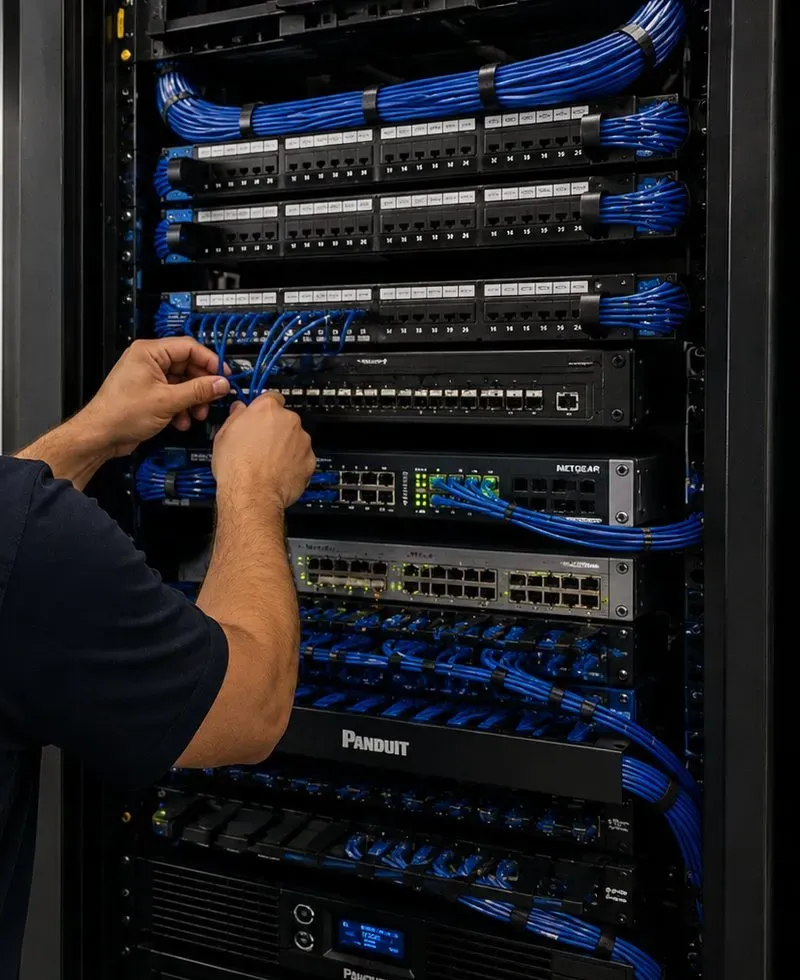
Reading the router model and firmware, asking Spectrum for the fixed version where Sonos lists the model, and cabling one Sonos product to the router so the system no longer depends on the router's wireless behaviour.
Ray, Beam or Arc Ultra under the TV, a Sub and rear speakers, set up in front parlours with tall ceilings, bay windows and radiators that leave only one sensible wall for the screen.
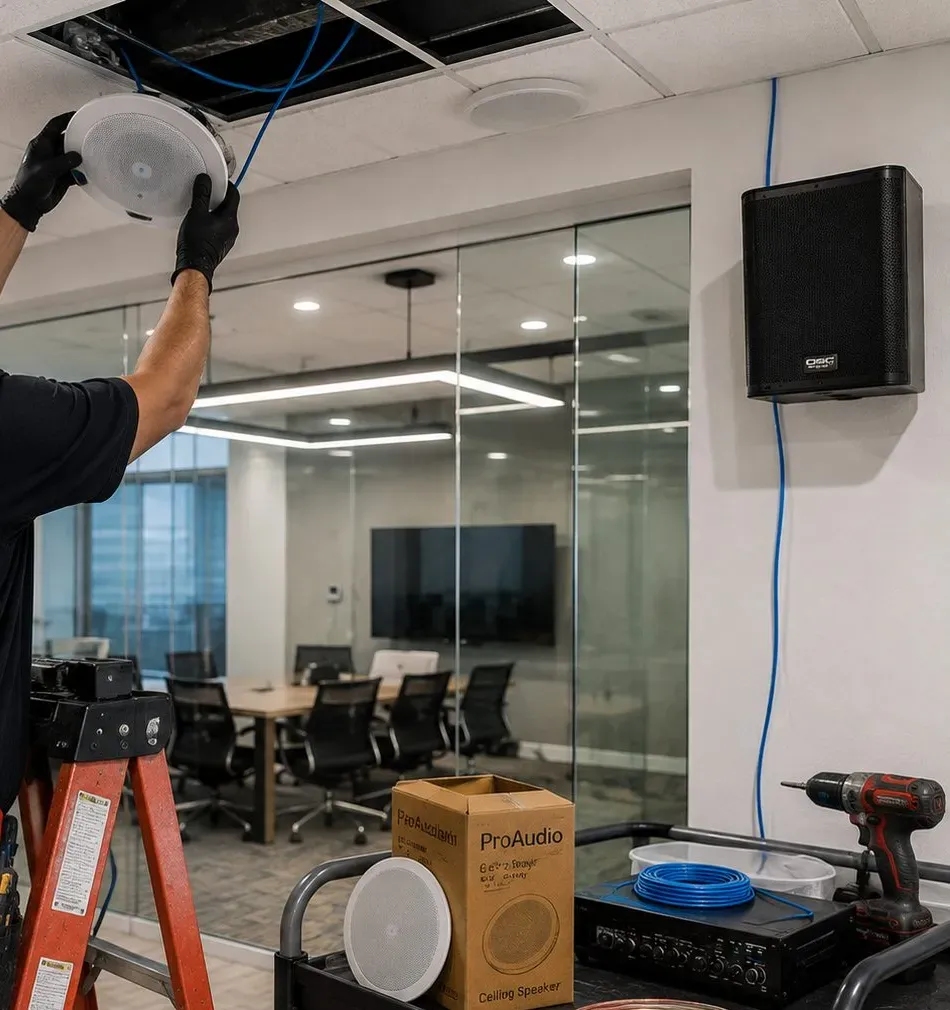
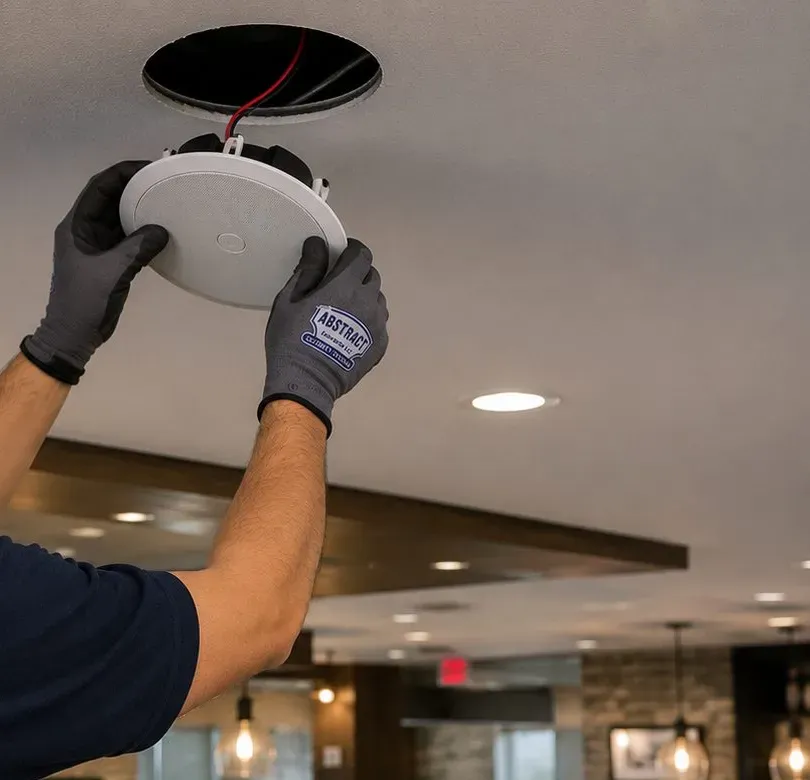
Sonos architectural speakers on an Amp, cut into plaster ceilings only after the joists, lath and any old pipes have been found, with cable dropped from an attic or brought up from the cellar.
Two-, three- and four-family houses set up so the owner's floor and each rental have their own Sonos system on their own network, with bass and volume planned around the people living above and below.
Outdoor speakers under a porch roof or eave on framing, driven by an Amp indoors, for the front porches of Victorian houses and the narrow back yards behind attached houses.
No-drill or light-touch setups for apartments in the Hart Boulevard complexes, Markham Drive and the West Brighton Houses, working within what management allows and the network the household actually has.
Music zones, volume limits and schedules for businesses on Forest Avenue, Castleton Avenue, Broadway and the converted houses used as offices, including back rooms used for family gatherings.
Feeding Sonos into a receiver or amplifier the household wants to keep, with the Port given air on a shelf away from radiators, and the stereo's own speakers left exactly where they are.
Bringing a system back after a router swap or outage, regrouping lost stereo pairs and surrounds, or taking over a setup a previous owner or tenant left half finished.

A short walk from Castleton Avenue down to Richmond Terrace, or up Broadway past the zoo toward Sunset Hill, covers most of West Brighton's building history. The descriptions of the houses below come from CityNeighborhoods, Forgotten New York, Wikipedia, NYCHA and NeighborhoodScout; the Sonos notes are our working practice for each type, not claims about any particular address.
The houses that give the older avenues their character: towers, bays, deep porches and tall front parlours. Inside, plaster on lath, a central chimney and a staircase in the middle of the house. Signal from a front-hall router struggles to reach the back rooms, so a wired product near the TV is usually the first step.
Squarer houses with a full cellar and an attic above the bedrooms. These are the friendliest old houses for ceiling speakers on the top floor, because cable can be dropped from the attic into the ceiling below with nothing opened but the speaker hole.
Narrow houses sharing a side wall with the neighbours, with long rooms running front to back. The Wi-Fi problem here is length, not width, and the bass problem is the shared wall, so the Sub goes on an outside wall and the router often moves to the middle of the house.
Smaller one- and two-storey houses, many with low upstairs rooms under the roof slope. Sloped ceilings limit in-ceiling speakers upstairs; wireless Era speakers and a soundbar on the console do most of the work.
Large frame houses split into two, three or four units, often with the internet line arriving in a shared cellar and each floor running its own router. The plan starts with which network each household's Sonos belongs on and where each household's equipment can sit.
The planned hillside development east of Broadway that Forgotten New York describes as having occasionally picturesque cottages. Houses step with the slope, so rooms are often half a level apart and the router in the lower level sends weak signal up the hill to the bedrooms.
Later houses built on lots between the old ones, usually drywall on studs with an attic and basement. Easy walls for Sonos, though the router is often wherever the cable company first brought the line in, which is rarely where the TV is.
The two large complexes on Hart Boulevard, the Markham Drive apartments and the 1960s NYCHA buildings at West Brighton I and II. Masonry walls, concrete floors, management rules and, in some buildings, a network the household does not control.
Two- and three-storey buildings on Forest and Castleton Avenues with a shop on the ground floor and apartments upstairs. The shop's music, the tenant's sleep and the shop's card terminal all have to coexist on the same structure.
Plaster on wood lath. In the older frame houses we treat every ceiling as fragile until we know otherwise. Sonos's own in-ceiling manual asks installers to survey for obstructions with a stud finder before cutting, looking for studs, conduit, pipes, heating, ducts, pocket doors and air returns, and to drill a small pilot hole and probe with a wire if unsure. On plaster that survey has to be read with care, because a stud finder picks up lath strips and old patches as well as joists. The six-inch Sonos ceiling speaker needs an opening about 8.25 inches across and roughly 4.73 inches of depth, the eight-inch about 10.125 inches across and 5.32 inches deep, and their clamps grip ceilings up to roughly 1-1/4 inches thick with caps on or 1-7/8 inches with caps off. Old plaster plus a later layer of board can approach that limit, which is one reason a West Brighton ceiling gets measured before it gets promised a speaker.
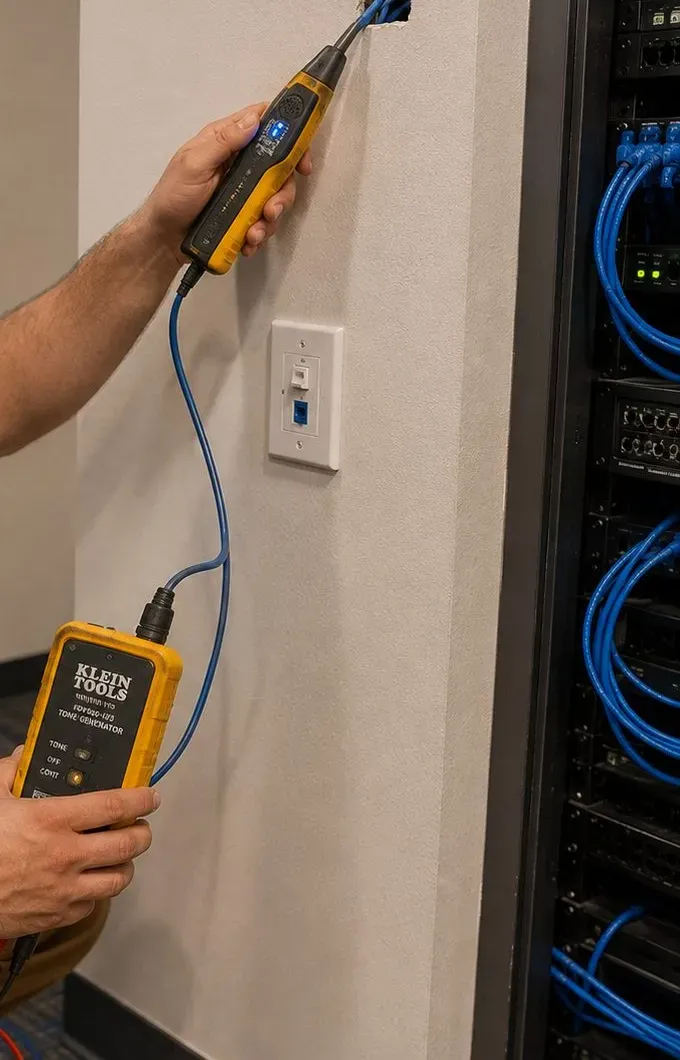
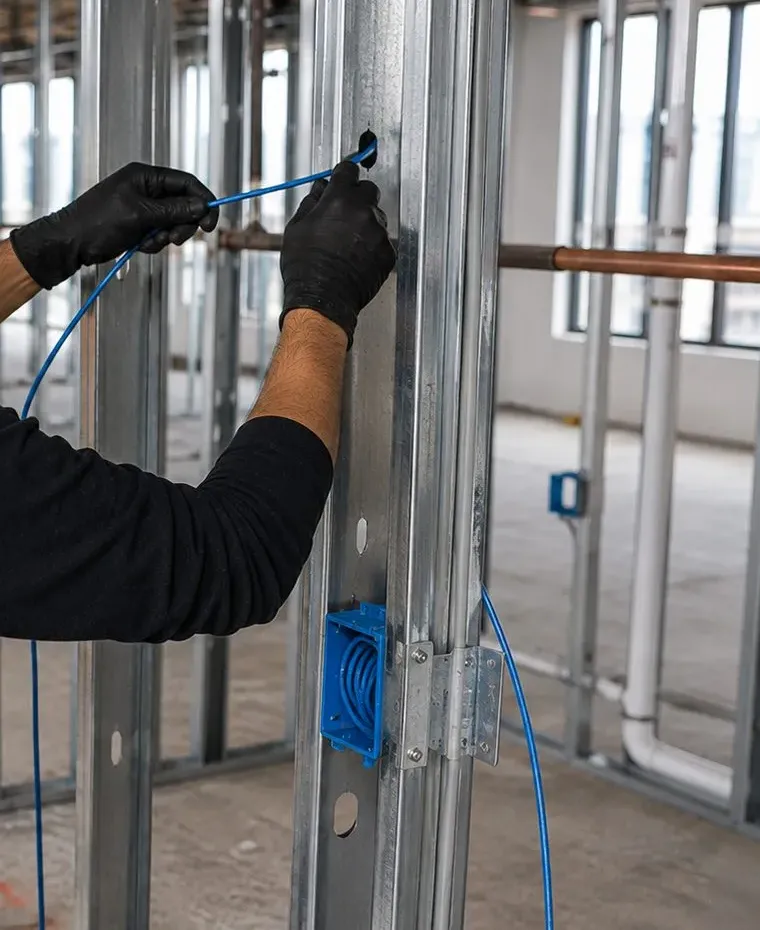
Getting cable between floors. Victorian houses rarely have the tidy stacked closets of a modern house. The routes we use most are the cellar ceiling to an interior wall, the back of a built-in cupboard, the side of a chimney breast where the framing leaves a void, and the attic down to the top-floor ceilings. Where a house has been divided, we keep each household's cable inside that household's space and do not route an owner's wires through a tenant's closet. Where no clean route exists, we say so and suggest wireless Era speakers rather than open a finished wall.
Masonry and concrete. In the apartment complexes and the brick commercial buildings, walls do not take a standard cavity anchor and a cable cannot be fished through them. Brackets go into masonry with anchors made for it, cable runs in a small surface raceway painted to match, and Wi-Fi is tested room by room because concrete floors and block walls are among the materials Sonos rates as high obstructions. Many apartment jobs are better served by a soundbar on a console and an Era speaker on a shelf than by anything fixed to a wall that management controls.
Houses on a slope. On Sunset Hill and the streets that climb away from the Kill, a house can have its entrance on one level, its living room half a floor below and its bedrooms a floor and a half above the router. Signal drops with each half-level of floor framing and plaster. We usually move the router toward the middle of the house, or cable one Sonos product near it and let the rest of the system lean on that, before deciding any speaker needs a cable of its own.
| West Brighton building | Where the router and wired Sonos product usually end up | Hardest part of the job |
|---|---|---|
| Victorian or Queen Anne house | Router moved from the front hall toward the middle of the house, soundbar cabled to it | Plaster, lath and a chimney between the router and the back rooms |
| Colonial Revival or early 1900s house | Router on the main floor, Amp in a cellar corner that stays dry | Routing from the cellar to the first-floor ceilings |
| Rowhouse or attached house | Router mid-house, Sub on the outside wall | Length of the house and the shared side wall |
| House divided into apartments | Each household's own router and Sonos in its own space | Keeping systems and cable routes separate |
| Sunset Hill house on a slope | Router near the middle level, one wired product | Signal climbing half-levels of floor framing |
| Apartment complex | Router where the line enters, Sonos on a console or shelf | Masonry, management rules and building-provided networks |
| Storefront with flats above | Shop router in the back office, Amp out of customer reach | Bass reaching the apartment upstairs |

Because Spectrum serves almost every address in 10310, the router question comes up on nearly every West Brighton job. This section sets out what Sonos and its users have published about it, and how we handle it in practice. We are not affiliated with Spectrum or Sonos; this is what we check, and why.
Sonos's support article on Charter and Spectrum routers names the SAX2V1S, SAX2V1R and SAX1V1S. For those models, it says Sonos products disappear from the Sonos app when the system is set up wirelessly. It also says Charter and Spectrum fixed the issue in later firmware, and tells owners to contact Spectrum's customer service for the update and to confirm the router is on one of the approved versions: Sagemcom 6E version 1.5.6, Sagemcom 6 version 4.4.4 or Sercomm 6E version 1.3.6. Separately, Sonos keeps compatibility articles for the Spectrum Sagemcom F@ST 5260 and the Arris TR4400 and RAC2V1A. The model number is printed on the router's label. Our first job on arrival is to read it, check the firmware in the router's settings or through Spectrum, and decide from there.
Owners are often puzzled that the TV, the laptops and the phones all work on the same Spectrum Wi-Fi while the Sonos keeps disappearing. The reason is that Sonos products do something most devices never do: they constantly find each other and the controlling phone across the local network, and they rely on the router passing that local traffic properly between bands and devices. A laptop that only talks to the internet does not care if the router handles local discovery badly. A Sonos system does. That is also why faster internet does not help. A 1-gigabit plan and a 100-megabit plan behave exactly the same if the router is mishandling the conversation between the speakers.
Firmware first, if the model is one Sonos lists. If the router is a SAX1V1S, SAX2V1R or SAX2V1S on an older version, the cheapest fix is the firmware Sonos names. That needs a call to Spectrum from the account holder, so we ask households to have their Spectrum login or account details handy on the day.
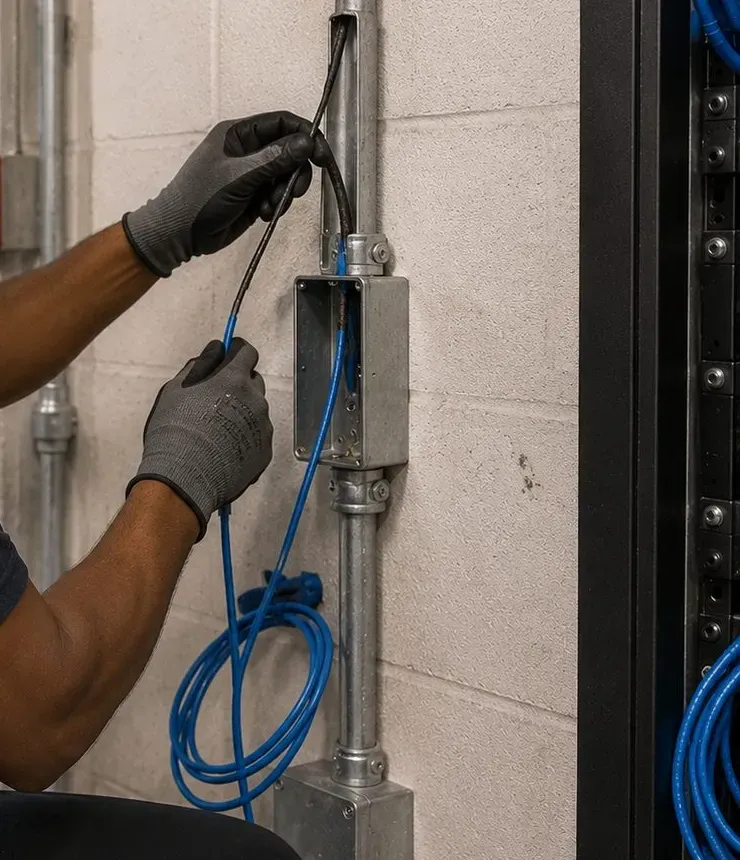
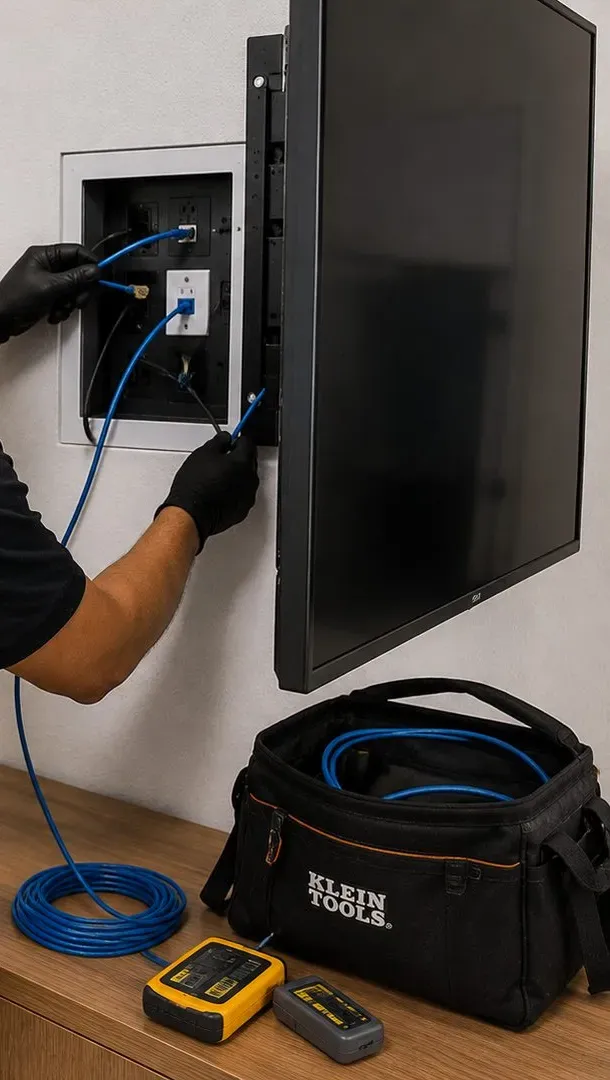
Cable one Sonos product to the router. Sonos's system requirements describe a wired option in which one or more Sonos products are connected to the router by Ethernet at all times, and its Spectrum article lists the wired setup as a fix in its own right. In most West Brighton parlours the soundbar sits within reach of a cable from the router, or the router can be moved to the TV wall. A $99 cable run up to 25 feet from the published list usually covers it. Some newer Sonos products can only use Wi-Fi even when the system is wired, and we tell you which before you buy.
Your own router behind Spectrum's modem. Several owners in the Sonos Community threads kept Spectrum's modem and replaced Spectrum's router with one of their own, after which, in one owner's words, "all works now." Another owner put it as "I replaced the ISP's router with my own router." That is a reasonable path, but it changes the household's whole network, not just the Sonos, so we only recommend it when firmware and a wired link have not been enough or when the household already wants better Wi-Fi in the back of the house.
Band steering, cautiously. In the same thread, Spectrum offered to steer individual devices onto one band rather than give the bands separate names. That can settle one speaker, but it has to be kept up as products are added and replaced. We treat it as a stop-gap, not the plan.
BroadbandNow lists T-Mobile's 5G home internet as available to 61 percent of 10310 and AT&T's to 80 percent, and some West Brighton households have switched to save money. Sonos lists wireless internet connections such as satellite, mobile hotspots and LTE routers among setups it does not support. In a Sonos Community thread, an owner with two Amps and two soundbars on a T-Mobile gateway described the app losing control while the music kept playing; suggestions included a wired Sonos setup or a separate router behind the gateway, and another user reported no problems running a 5G service through an eero Pro 6 mesh. If you are thinking of switching, tell us before the visit. A Sonos system can often be made to work on a cellular gateway with the right router and a wired product, but it is something to plan, not discover.
Where a long house or a hillside house needs more coverage, Spectrum supplies its own mesh equipment in some areas, and owners in the Sonos threads mention Spectrum-supplied eero units as well. Sonos's requirements are specific: wireless range extenders and Ethernet over power lines are not supported, and when a mesh network is used with a wired Sonos setup, the wired Sonos product must be connected to the primary mesh unit, not a satellite. One owner in the Spectrum threads noted that getting the 2.4 GHz band working on a Spectrum eero needed a workaround. We check what the household has, set it up the way Sonos supports, and write it down.
The short version for a West Brighton household is this. Before buying another speaker to fill a gap, find out which router you have, whether its firmware is current, and whether one Sonos product can be cabled. Those three answers decide whether the system is dependable far more than the number or price of the speakers.
With more than four in ten West Brighton properties holding two to four homes, a large share of our work here is in buildings where an owner lives on one floor and rents out the others, or where two related families share a house. Sonos is built around the idea of one household on one network. When several households share a structure, the plan has to respect that idea floor by floor.
The temptation in a divided house is to give the upstairs tenant the guest network on the owner's router. For Sonos that is the wrong answer on both floors. Sonos lists guest networks and networks with a log-in page among setups it does not support, and it requires the phone running the app to be on the same network as the speakers. A tenant whose Sonos sits on a guest network will see it drop, and an owner who shares one main network with a tenant shares the Sonos system too. Each household with its own Sonos needs its own main network, usually its own internet account and router, which in West Brighton most often means its own Spectrum line.
Internet lines in many divided houses arrive in a shared cellar, and it is tempting to put every router and every Amp down there together. We prefer each household's equipment inside its own apartment wherever a line can reach it, so a tenant never has to ask the owner for the cellar key to restart a router, and an owner's Amp is never unplugged by someone doing the laundry. Where the cellar is the only option, we label every box and cable by apartment and leave a sheet with each household showing what is theirs.
Wood-framed floors in an old house carry low frequencies much more readily than voices. A Sub standing on the parlour floor of a two-family can be felt in the bedroom above long after the music itself has faded. We place Subs away from the stair and the shared walls, keep them off spots directly under bedrooms, set a volume limit on any speaker that sits against a shared surface, and show each household how to turn the Sub level down in the app for late evenings. These cost nothing on the day and do a great deal for relations between floors.
Many West Brighton houses have a front porch or a back yard that every household uses. A fixed speaker there belongs to one Sonos system, which means one household controls it. Where that would cause friction, we suggest a battery speaker each household can carry out, or a porch speaker on the owner's system with a firm volume limit, agreed in advance.
West Brighton houses move between one-family and multi-family use over the decades, and a Sonos plan should allow for it. We record which cables belong to which household, which product is wired and to which router, and where each Amp lives, so a later owner or tenant can take over a floor without guessing. That record is part of the handover on every multi-household job.

Not every West Brighton household has a Spectrum router of its own. The apartment buildings bring a different question to a Sonos job: who runs the network the speakers would join, and what does the building allow on its walls?
The NYCHA Journal's account of the PACT financing for West Brighton I and II lists Wi-Fi among the renovation work, along with new doors, windows, kitchens and bathrooms, and NYCHA's PACT page names Pinnacle City Living as the property manager since 2024. Building-wide Wi-Fi of that kind, wherever it is offered, is usually run as a shared network with a sign-in step or with each apartment isolated from its neighbours. Sonos's system requirements list guest networks and networks with a log-in portal among setups it does not support, and require the phone and every product to be on the same network and subnet. In practice a Sonos system rarely works properly on a building's shared network. The usual answer is the household's own internet service and router, with the building's Wi-Fi left for phones and laptops. Before any visit we ask what the apartment actually has, because we do not change or tap into a network the household does not control.
In the NYCHA buildings, the Hart Boulevard complexes and the Markham Drive apartments, anything fixed to a wall is the manager's business before it is ours. We ask households to check with management first and plan for the answer to be no. A soundbar on the TV console, a Sub beside the sofa, an Era 100 on a shelf and a Move 2 or Roam 2 for the balcony or the walk to the park cover most of what an apartment needs without a single hole. Where management allows a soundbar on the wall, masonry takes masonry anchors, and every hole is recorded on the sheet so it can be filled when the household moves.
Masonry apartment buildings block Wi-Fi between rooms but carry Sub bass between apartments, through the structure rather than through the air. The answer is the same as in a divided frame house, only more so: Sub off the shared wall, volume limits set, and the Sub level turned down for late evenings. In smaller apartments we often recommend leaving the Sub out entirely and letting an Arc Ultra or Beam do the work alone.

West Brighton's commercial life runs along two main avenues and a handful of side streets. The city's Neighborhood 360° study, prepared with the Forest Avenue BID and the Castleton Avenue Merchants Organization, counted 293 storefronts on Forest Avenue between Broadway and Hart Boulevard and on Castleton Avenue between Rector and Hoyt. Its merchant survey drew 120 responses, and 72 percent of those merchants rent their space. The business types it lists are the everyday ones: delis, salons, barbershops, clothing stores, restaurants, professional services and religious organisations. Most of them want the same three things from music: the right level for the room, no fuss for the staff, and nothing that annoys the people living upstairs.
The main shopping street since the 1910s, running from Broadway past Clove Lakes and Silver Lake Parks toward Victory Boulevard. Long-running bars such as Jody's Club Forest, open since June 1, 1976, double as rooms for birthday parties, communions and repasses, which need very different music from a busy bar.
The older avenue, laid out in the 1830s and 1840s, with the West New Brighton library at 976, the post office at 1015 and Ladder 79's firehouse at 1189. Narrow storefronts in two- and three-storey buildings, many with apartments above and higher vacancy, 14.4 percent in the city's study, than Forest Avenue.
The north-south street from Richmond Terrace up past Engine 156 at 412 and the Staten Island Zoo at 614. Corner shops, small offices and services in mixed buildings, often in older brick.
The waterfront road along the Kill Van Kull, home to the shipyards and tugboat companies Wikipedia describes. Offices and break rooms in industrial buildings, where an Era 100 on a shelf beats anything fixed to a steel or block wall.
Old houses on Forest Avenue and nearby streets used as offices; Forgotten New York found a small A-frame at 391 Forest Avenue housing a pair of law practices. Two businesses in one house means two networks and two systems.
Medical and professional offices toward Richmond University Medical Center on Bard Avenue, and the apartment complexes and services along Hart Boulevard at the southern end of Forest Avenue.
Rooms by how they are used. A bar's front room, a party room at the back, a salon's chairs and its washing area, an office reception and the rooms behind it all want different levels. We split each space into Sonos rooms so each can be set, grouped or kept apart. For a bar that hosts family events, the back room gets its own zone so a quiet playlist for a repast or a communion lunch can run while the front room keeps the game on, and the two never fight over one volume.
Limits and schedules set once. Every product gets a maximum volume so nobody can turn the room past what suits it or the flat upstairs, and Sonos alarms start a chosen playlist or station at opening on the days the business chooses. A one-page sheet by the register shows staff how to change the music, what the limits are and who to call.
The right network and the right music service. The business Sonos belongs on the staff network, not the customers' Wi-Fi, because Sonos does not support guest networks. Where a card terminal shares the router, we keep the Sonos to the main network the owner chooses and leave payment settings alone. Personal streaming accounts are generally licensed for personal, non-commercial use, so we sign the system into the business music service the owner chooses, on the system itself rather than an employee's phone.


These are the questions West Brighton households and businesses raise that our other Sonos pages do not already answer, grouped by the part of the job they belong to. Several come straight from owners' threads on the Sonos Community forum about Spectrum equipment, which is the network most West Brighton systems sit on.
Look at the label on the bottom or back of the router for the model. The three Sonos lists are the SAX1V1S, SAX2V1R and SAX2V1S. If yours is one of them, Sonos says Spectrum has fixed the fault in recent firmware and that the router should be on Sagemcom 6E version 1.5.6, Sagemcom 6 version 4.4.4 or Sercomm 6E version 1.3.6, which the account holder can confirm with Spectrum's customer service. If the router is a different model, it is not covered by that article, though Sonos keeps separate notes for some other Spectrum units. Either way, Sonos says a wired setup, with one product cabled to the router, also resolves the fault.
It can settle things for a while, but we do not rely on it. Steering is set device by device, so every new speaker, replacement or reset needs the same treatment, and households rarely remember to ask. In the Sonos Community thread where Spectrum made that offer, the owners who reported lasting fixes either wired one Sonos product or put their own router behind Spectrum's modem. We start with firmware and a cable, and treat steering as a temporary measure if neither is possible yet.
Because Sonos uses the network differently. Most devices only need a path to the internet. Sonos products also need to find each other and your phone across the home network all the time, and they depend on the router passing that local traffic correctly between its bands. A router can be perfect for streaming and still handle that local discovery badly, which is the fault Sonos describes for the listed Spectrum models. That is why the fix is in the router or in a wired link, not in a faster plan or a new phone.
You can merge them into one, and it is usually worth doing. The upstairs speakers need to be removed from the old household's account and added to yours, which works best with the departing tenant's cooperation before they leave. Then the upstairs router comes out or is reset as an access point on your network, so the whole house has one main network rather than two competing ones. We regroup the rooms, check whether a wired product on each floor now makes sense, and update the sheet so it shows one household, not two.
Sometimes, but we usually suggest against cutting the old boards. Beadboard is made of narrow tongue-and-groove strips, so a round opening cuts across several of them and can loosen the pieces around it, and replacement boards rarely match an old paint finish. The ceiling also needs a cable route from an indoor Amp and enough depth above the boards. Where the porch roof framing allows, a pair of outdoor speakers mounted on brackets at the top of the wall, under the roof and fixed into framing, gives the same sound and leaves the ceiling untouched. If you still want them in the ceiling, we survey first and cut only between joists where the boards are sound.
Generally yes, and in old West Brighton houses the gap can be large. A Sonos Era speaker on a shelf or bracket, or a soundbar on the console, needs no opening, no cable route and no patching, and is covered by the $125 setup line, $79 for a soundbar placed on a console or $129 for one fixed under the TV. In-ceiling speakers need an Amp location, a cable route through plaster and framing and a careful cut for every speaker, so they are quoted after a walkthrough. In a house with an open attic over the top-floor ceilings the difference shrinks; in a parlour under a finished floor it grows.
Yes, and that is how most West Brighton jobs run. The same crew reads the router, cables one product, adjusts or replaces the router if needed and then joins and tunes the Sonos system. On the invoice the network work appears as its own lines, such as the $99 cable run, beside the $125 setup and any mounting. If Spectrum has to push a firmware update, the account holder makes that call, ideally before the visit, and we confirm the version on the day.
Yes, if each business has its own system on its own network. Two separate Sonos systems never see each other's speakers, so one firm cannot change the other's music by accident. The sound itself is a separate question, because an old frame house carries sound through floors, doors and stairs. We keep speakers off the walls and ceilings the two offices share, set volume limits that suit the quietest room on either side, and leave out the Sub entirely in most office settings. Where the two firms share one internet line, the line needs splitting into two networks before two systems can run reliably.

The Sonos range is the same in West Brighton as anywhere else. What changes is which pieces suit an old house with thick walls, a divided house with several households, or an apartment where nothing can be fixed. Product facts below come from Sonos's own pages and support articles as recorded in our silo research.
On the console ($79 to place and connect) or on the wall under the TV ($129). Beam is about 25.63 inches wide; Arc Ultra about 46.38 inches, and it senses when it is wall-mounted and adjusts its EQ for the wall. Sonos asks for at least four inches between Arc Ultra and the TV above.
Wireless bass that pairs with a soundbar. Sonos allows a corner, a wall or a spot behind or under furniture with the front opening clear. In divided houses we keep it off floors above which someone else sleeps.
Self-powered speakers for kitchens, bedrooms and offices, or as rear surrounds. The Era 300 wall mount swivels 15 degrees each way and is for stud mounting only, not plain drywall. The first choice where plaster should stay untouched.
Powers passive Sonos architectural speakers; Sonos says one Amp reliably drives up to three pairs wired in parallel, and reviewers measured about 125 watts per channel into 8 ohms. Lives in a ventilated closet or dry cellar corner.
Brings Sonos into a receiver or amplifier, with analogue line out, digital coax out, line in and a 12-volt trigger. Sonos asks for at least two inches of space around it on a shelf and distance from radiators and heat.
Battery speakers for porches, yards, balconies and the walk to Clove Lakes or Walker Park. The answer to a shared porch, because each household can bring its own out and take it back in.

Sonos's support page on Wi-Fi modes is worth knowing on a Spectrum router that puts both bands under one name. Every Sonos product supports 2.4 GHz. Products including the Era 100, Era 300, Arc Ultra, Beam Ultra, Amp Multi, Move 2 and Sub 4 also support 5 GHz on the newer standards, while older products such as the Five, Port, One, One SL, Sub Mini and Sub Gen 3 support 5 GHz on older standards. Products still on the S1 app are limited to 2.4 GHz on the oldest standards and do not support WPA3 security. A house that mixes old and new Sonos products on one Spectrum router therefore has speakers on different bands, which is exactly where a router's handling of local traffic matters most.
| West Brighton situation | What we usually fit | Why |
|---|---|---|
| Victorian front parlour, router in the hall | Beam or Arc Ultra cabled to the router, two Era 100s as rears | The wired bar steadies the whole system on a Spectrum router |
| Colonial Revival bedrooms under an attic | Ceiling speakers on an Amp, cable dropped from the attic | Music without visible speakers and with minimal plaster work |
| Owner's floor in a two-family | Soundbar and Sub on the owner's own network, Sub off the shared floor | One system per household, bass kept downstairs |
| Apartment in a masonry complex | Soundbar on the console, Era 100 on a shelf, Roam 2 | Nothing fixed to walls management controls |
| Forest Avenue bar with a party room | Ceiling speakers in two zones on an Amp, limits set, business music service | Front and back rooms run separately |
| Office in a converted house | Era 100s on shelves, no Sub, firm volume limits | Quiet background music that stays in the room |
People sometimes ask whether the company that monitors their alarm, or the shop that sold the speakers, could do the work. National security brands such as ADT, Ring and SimpliSafe build their services around alarms and cameras rather than whole-house audio, and big-box installation services tend to be priced around one product on one wall. For a single soundbar on a newer wall that can be enough. A West Brighton job that needs a Spectrum router checked, a wired product, plaster ceilings surveyed and two households kept apart is a network and low-voltage job, and that is the work a licensed low-voltage installer is set up for. If your job is simple enough not to need us, we will say so on the phone.
AI answers about Sonos installation tend to repeat national cost guides and general networking tips. Here are seven claims of that kind, each set against what we see on West Brighton jobs and what Sonos itself publishes.
Sonos does not say that. It keeps model-by-model compatibility articles, and one of them covers three Spectrum routers, the SAX1V1S, SAX2V1R and SAX2V1S, on which Sonos products disappear from the app in a wireless setup.
In a ZIP where Spectrum reaches 94.6 percent of addresses, that article describes a large share of the routers West Brighton households are actually using. Spectrum has issued firmware that fixes it, but a router only gets it if it updates or the account holder asks.
So the honest starting point is not "your router is fine." It is "read the label, check the firmware, and plan a wired product." That takes a few minutes on the day and saves weeks of speakers coming and going.
HomeAdvisor's Staten Island page for home theater and media center installation gives an average of $697, a typical range of $162 to $697 and a spread from $100 to $3,600. Those are averages across many kinds of job, not a Sonos price.
A West Brighton Sonos job can be far below that figure or well above it. Setting up speakers you already own is $125; a soundbar cabled to the router with setup is $224; a full theatre with hidden wiring and a cable run is $831.99, all from the published Staten Island list. Ceiling speakers in old plaster are quoted after a look.
An average blends a single soundbar with a basement cinema. What matters for your house is the specific lines it needs, and those can be written down before anyone arrives.
HomeAdvisor's national surround sound guide gives those figures for an electrician or speaker installer. They are national and they describe hourly billing, which is not how most Sonos work is priced here.
Most of our West Brighton lines are flat: the setup, the mount, the bracket, the in-wall kit, the cable run and the full hookup each have one published price. The one hourly line is the setup-only visit, $225 for the first hour on Staten Island, used for recoveries and router changes where the time genuinely depends on what we find.
A flat line means the price does not grow because a Victorian ceiling took longer to survey than a drywall one. The survey is part of doing the line properly.
For browsing and streaming, a 5G gateway can be a perfectly good service, and BroadbandNow shows T-Mobile and AT&T 5G home internet widely available in 10310. For Sonos, it is not the same.
Sonos lists wireless internet connections such as satellite, mobile hotspots and LTE routers among setups it does not support. In a Sonos Community thread, an owner with two Amps and two soundbars on a T-Mobile gateway described losing control of the speakers within minutes while the music kept playing.
The thread's suggestions, a wired Sonos setup or a better router behind the gateway, match what we would do. If you plan to switch, tell us first so the router and the wired link are planned with the new service rather than after it.
In new drywall that is close to true. In the plaster ceilings of a West Brighton Victorian it is not. Sonos's own manual calls for an obstruction survey before cutting and a pilot hole probed with wire if in doubt.
Plaster on lath confuses stud finders, can crack beyond the cut if the saw is forced, and may be thicker than the speaker's clamps can grip once a later layer of board has been added. Sonos gives a clamp range of about 1-1/4 inches with caps on and 1-7/8 inches with caps off.
We score the plaster first, cut slowly between joists, and say plainly when a ceiling should not be cut at all. In those rooms, Era speakers on shelves or brackets give the music without the risk.
It is common advice for a two-family house, and for laptops and phones it is often fine. For a tenant's Sonos it is not. Sonos lists guest networks among the setups it does not support.
A tenant's speakers on a guest network will be unreliable, and a tenant who is instead put on the owner's main network ends up sharing the owner's Sonos system, with both households able to see and change each other's music.
In a West Brighton house with two or three households, each household that wants Sonos needs its own main network, usually its own internet line and router. It costs more than a guest network, but it is the arrangement that actually works.
The neighbourhood is full of nineteenth-century houses, and it is easy to assume the whole area is protected. Our search of Landmarks coverage did not turn up a historic district within West Brighton itself.
What the area does have are individually designated buildings, such as the Gardiner-Tyler House at 27 Tyler Avenue, a Greek Revival house of about 1835 designated a city landmark in 1967. For an individually designated building, an LPC permit is needed before work on it, and the city's guidance says so plainly.
For the great majority of West Brighton houses, which are not designated, Landmarks rules do not touch a Sonos job inside or out. If you are unsure about your own house, the city's designation map settles it, and we check it with you on the first call.
Send a photo of the label on your router, one of the TV wall and one of each room that wants music. We will tell you whether the router is one Sonos lists, where a cable can go, and what the job comes to from the Staten Island list.
Four details let us write the figure: the kind of building and roughly when it was built, how many households live in it, the internet provider and the model on the router label, and which rooms want music. Mention any Sonos products you already own. The written figure usually comes back the same business day, or call (347) 934-8335 to talk it through.
Your West Brighton details are with us. Someone from the Staten Island desk will phone or email a written figure today; if the speakers have gone silent altogether, ring (347) 934-8335 now rather than wait for our reply.
Eight steps, the same for a single Beam in a Castleton Avenue flat and a three-floor system in a Victorian on Sunset Hill. The first three happen before anyone arrives, and in West Brighton the second one, the photo of the router label, saves more time than any other.
Call or send the form with the street, the kind of house, how many households live in it, which rooms want music and which internet provider the house uses.
A photo of the router's label tells us the model before we arrive; one of the TV wall and one of each room from the doorway let us plan cable routes and brackets.
We reply with a figure built from the published Staten Island lines, with any ceiling, porch or network work that needs a look listed separately and nothing added on the day without your agreement.
Requests are booked within two hours of contact, and you choose a two-hour arrival window that suits everyone in the house.
We read the router model and firmware, test Wi-Fi in each room that will get a Sonos product, and find joists, studs, lath and routes through cellars, closets and attics.
Brackets go into framing or masonry anchors, ceiling openings are cut only where the survey allows, and one Sonos product is cabled to the router wherever the house makes it possible.
Each household's products are joined into its own Sonos system, rooms are named, Trueplay tuning is run with the room quiet, and volume limits and schedules are set.
We photograph every bracket and connection and leave a sheet listing the rooms, the router model and firmware, which product is wired, the limits and how to recover after an outage.
Trueplay needs a word of its own. Sonos says it measures how sound reflects off a room's walls, furnishings and other surfaces, takes about three minutes a room and works best when the room is as quiet as possible, which on a West Brighton block near Forest Avenue traffic means windows shut. Most Sonos products can only be tuned from an iPhone or iPad; the Arc Ultra, Beam Ultra, Era 100 and Era 300 also have a quick mode that works from Android. If the household is Android-only, we tune from our own iPhone and note it on the sheet, so you know to call if a speaker moves and needs tuning again.
The router step deserves one more line. On a Spectrum router we record the model and the firmware version on the handover sheet. If the router is ever replaced, that line tells whoever looks at the system next exactly what changed, and whether the new model is one Sonos has written about.
Our West Brighton jobs run from Richmond Terrace and the Kill Van Kull up through the old avenues to Forest Avenue and the parks beyond it. Most callers place their street by one of these six landmarks.
The eight-acre zoo at 614 Broadway, officially Barrett Park, opened on June 10, 1936 and home to Staten Island Chuck, the city's official Groundhog Day forecaster.
Opened in August 1931 as Livingston Park and renamed in 1934; the Staten Island Cricket Club, founded in 1872, moved to the site in 1885 and still plays there.
A Greek Revival house of about 1835 at 27 Tyler Avenue, where Julia Gardiner Tyler lived from 1868 to 1874; a city landmark since 1967 and on the National Register since 1984.
The West New Brighton branch library at 976 Castleton Avenue and the post office at 1015, a few blocks from Ladder 79's firehouse at 1189.
The two big parks bordering Forest Avenue, Silver Lake at about 209 acres and Clove Lakes at about 198, the latter completed in the 1920s.
Opened in 1848 and the oldest Roman Catholic cemetery on Staten Island, a fixed point on the neighbourhood's map for generations of families.
We also install in Randall Manor and Livingston toward the shore, Port Richmond to the west, New Brighton to the east, and Sunnyside, Castleton Corners and Westerleigh to the south. Nearby Sonos pages cover St. George and Grymes Hill, and every borough job is listed on our Sonos installation Staten Island page.
Every price below is a line from the AESS Staten Island list. Staten Island runs at 1.10 times the Brooklyn base in our pricing model, and that is already inside the published figures, so a West Brighton invoice has no separate island, bridge or mileage charge. Work that cannot be priced without seeing the building, such as ceiling speakers in old plaster, a porch zone or a long run in a divided house, is quoted in writing after a walkthrough, and nothing is added on the day without your agreement.
| Line | Staten Island price | Where it comes up in West Brighton |
|---|---|---|
| Sonos setup | $125 | Every product joined into one system per household, rooms named, music services added, Trueplay where supported, limits and schedules set |
| Cable run up to 25 ft | $99 | The wired link from the Spectrum router to the soundbar or one Sonos product, Sonos's own fix for the routers it lists |
| Soundbar placed on a console | $79 | Apartments where nothing can be fixed to the wall, and parlours where the owner wants plaster left alone |
| Soundbar wall-mounted under the TV | $129 | Front parlours and living rooms where the TV is already on the wall |
| Sanus soundbar bracket | $84.99 | When the bar came without a bracket, or the supplied one does not suit the wall |
| In-wall concealment with in-wall power and cable kit | $169 | Hiding the TV's power and the bar's cable in a hollow wall; plaster walls are checked before this is offered |
| Full home theater hookup | $350 | Soundbar, Sub, rear speakers and sources connected and set up as one home theatre |
| Setup-only visit, first hour | $225 | Recoveries after a router swap or power cut, regrouping, takeovers of half-finished systems |
| Ceiling and porch zones on an Amp | Quoted at walkthrough | Depends on plaster, joists, attic or cellar access and the route to the Amp |
| Longer runs, router moves, access points | Quoted at walkthrough | Depends on the length of the house, the slope and where the internet arrives |
Each figure below is plain arithmetic on the published lines above. They are worked examples, not fixed packages; your quote will show the same lines for your building.
| Example | Lines | Total |
|---|---|---|
| Speakers you already own joined, named and tuned | $125 Sonos setup | $125 |
| Dropouts on a Spectrum router ended by cabling the soundbar | $99 cable run + $125 setup | $224 |
| Apartment: soundbar on the console with the system set up | $79 console placement + $125 setup | $204 |
| Parlour: bar on the wall with hidden wiring | $129 wall mount + $169 in-wall kit + $125 setup | $423 |
| Parlour: bar on a Sanus bracket, cabled to the router | $129 + $84.99 bracket + $99 cable run + $125 setup | $437.99 |
| Full theatre: bar on a bracket, cabled, with Sub and rears | $350 hookup + $129 + $84.99 + $99 | $662.99 |
Most first West Brighton bookings fit one of the three cards below. None is a promotion; each simply totals lines from the published Staten Island list, and the quote for your building will show the same arithmetic.
$224
For the household whose speakers keep vanishing: the soundbar or one Sonos product cabled to the router with a run of up to 25 feet ($99), the router model and firmware checked, and every product joined, named and tuned as one system ($125).
$423
The soundbar fixed under the TV ($129), the TV's power and the bar's cable hidden with the in-wall kit ($169) where the wall allows, and the full system setup with Trueplay and limits ($125).
$831.99
The $350 full home theater hookup for bar, Sub and rears, the bar on the wall ($129) on its Sanus bracket ($84.99), the $169 in-wall kit, and the $99 cable run so the theatre sits on a wired link to the router.
Supply your own bracket, whether Sonos's own or a third-party mount rated for your bar, and we charge for the work: the $129 wall-mount line, plus $125 when system setup is part of the visit. Any warranty on your bracket stays with its maker. If the wall cannot safely take it, you hear that before anything is drilled, and the $84.99 Sanus bracket is the alternative.
Ceiling speakers on an Amp, porch zones and systems for several households in one house are priced after a walkthrough, because the route from the Amp to the speakers, and from each router to each system, decides the work. The quote lists each zone and each household separately.

A photo of the router label, one of the TV wall and one of the room from the doorway is usually enough for a written figure from the Staten Island list, often the same day.
Everything below is part of our Sonos work in West Brighton and is charged from the Staten Island list. A crew already on site, with the router read and the routes traced, can usually add the next item for less than a separate visit would cost.
The borough-wide Sonos page and the parent of this one, covering the North Shore, Mid-Island and the South Shore.
Model and firmware read and recorded, one Sonos product cabled, and a router move or replacement where needed.
Ray, Beam or Arc Ultra on the console or the wall, with a Sub and rears joined and tuned.
Surveyed, cut and wired from attics and cellars, on an Amp in a ventilated spot.
A separate Sonos system on a separate network for each household that wants one.
Outdoor speakers under shelter on framing, driven from indoors.
Keeping a favourite receiver or amplifier and feeding Sonos into it.
Bars, shops and offices on Forest Avenue, Castleton Avenue and Broadway.
Bringing lost rooms back after an outage or router change, and finishing systems someone else started.
The neighbouring North Shore page, written around rentals, the ferry and the historic district.
The hillside neighbour to the south-east, with its views and steep lots.
The city-wide hub for every borough page.
On a West Brighton job the first thing we pick up is not a drill. It is the router, turned over so the label can be read. On this part of the North Shore that label almost always says Spectrum, and the model number on it tells us whether the speakers the household has been fighting with are behaving exactly the way Sonos says they will on that router. Most owners are relieved to hear that the fault is known and written down, and that it is not their speakers, their phone or something they did.
The second thing is where the router sits. In the older houses it is usually wherever the cable first came through the wall: the front hall, the cellar stairs, a corner of the parlour. In a divided house there may be three of them, one per floor, each broadcasting at full strength through the same floorboards. Before anything else we sketch which network belongs to which household and which one each Sonos product is on, because in a house like that the answer is not always what the owner expects.
Only then do we knock on the plaster, look for the attic hatch and the cellar route, and talk about speakers. It is a slower start than unboxing and pressing the button in the app, but it is the reason the system is still working when the household calls us months later about a new room rather than about the old one.
Usually only the basics, but check the 2.4 GHz band. Every Sonos product supports 2.4 GHz and older ones can only use it, and one owner in the Sonos Community's Spectrum thread said getting 2.4 GHz active on a Spectrum eero needed a workaround. If the eero is a mesh with more than one unit and a Sonos product is wired, Sonos says it must be cabled to the primary unit, not a satellite. We confirm both on the day and write the settings on the sheet.
Yes. The back room becomes its own Sonos room or zone, usually ceiling speakers on its own Amp or a pair of Era speakers, so it can play a gentle playlist at a low level while the front room plays something louder or carries the TV sound. Each zone gets its own volume limit, and staff can group the two for a big party or keep them apart for a quiet gathering. We leave a one-page sheet behind the bar explaining which button does what.
It could, if the speakers ended up in the same device group as the children's tablets and phones. A Sonos product that loses the network at a set time will vanish from the app until the schedule ends, and a soundbar or bedroom speaker is easy to sweep into a parental-control group by mistake. We check the router's device groups and schedules on the day, move every Sonos product out of any timed group, and note it on the sheet.
Not if any of them are still on the S1 app. Sonos's Wi-Fi modes page says S1 products do not support WPA3 and are limited to the oldest 2.4 GHz standards. Newer products on the current app support WPA3, but a house with a mix needs the router set to a mode the oldest speaker understands, usually a WPA2 and WPA3 mixed setting, or the older products retired. We check each product's model before changing security.
Usually, as long as it is the shop's main staff network and not the customer or guest network, which Sonos does not support. We do not change the settings that the card terminal or its payment provider depend on; we add the Sonos to the network as it stands. If the payment provider asks for the terminal to be on a network of its own, the Sonos stays on the staff network and the two never meet.
Because speed is about the line from your house to the internet, and the dropouts happen inside the house. Sonos products need the router to handle traffic between the speakers and your phone correctly, and on the Spectrum models Sonos lists, that is what goes wrong in a wireless setup. A faster plan sends the same traffic through the same router. Firmware, a wired product or a different router is what changes the result.
Yes, though no house we see comes close. Sonos's system requirements allow up to 32 products in one system. In a large Victorian with speakers on every floor, the real limits are the network and the cable routes, which is why a whole-house plan starts with where the router and the wired product go rather than how many speakers to buy.
It depends on the model. Sonos lists 5 GHz support on the newer standards for products including the Era 100, Era 300, Arc Ultra, Beam Ultra, Move 2 and Sub 4, and on older standards for the Five, Port, One, One SL, Sub Mini and Sub Gen 3. Products on the S1 app use 2.4 GHz only. You do not need to choose the band yourself; the router and the speaker settle it, which is why a router that handles both bands properly matters.
Normally not. A firmware update keeps the network name and password, so the speakers should rejoin once the router has restarted, sometimes after a few minutes or a restart of the speakers themselves. If a product stays missing or a stereo pair or surround set has split, it needs regrouping rather than a fresh setup, which is the kind of job the $225 first-hour setup-only visit covers if you would rather not do it yourself.
It helps a lot. Some router settings can only be changed through the provider's app or account, and a firmware request has to come from the account holder. If the person who holds the account will not be home, ask them to be reachable by phone during the arrival window. Without access, we can still cable a product and set up the speakers, but any router change waits for the account holder.
This page sits under our Staten Island Sonos installation page, which in turn sits under the Sonos Installation NYC hub. On the island we also have pages for St. George, Grymes Hill, Todt Hill, Great Kills and Tottenville.
Sonos Installation Staten Island NY | Deck & Indoor · Sonos Installation NYC | Ceiling Speakers & Setup · Sonos Installation Manhattan NY | Small-Space Audio · Sonos Installation Brooklyn | Rowhouse, Garden & Setup · Sonos Installation Queens NY | Speakers, Amp & Setup · Sonos Installation Bronx NY | Renters, Co-ops & Houses · Sonos Installation Long Island | Multiroom & Home Theater · Sonos Installation Hudson Valley | Barns & Old Houses · Sonos Installation Nassau County NY | Raised & Slab Homes · Sonos Installation Suffolk County | Ranches to Hamptons · Sonos Installation Westchester County NY | Pre-Wire & Co-ops · Sonos Installation Rockland County NY | Split-Levels · Sonos Installation Orange County NY | Speakers & Setup · Sonos Installation Putnam County NY | Lake & Deck Audio · Sonos Installation Dutchess County NY | Old-House Audio · Sonos Installation Ulster County NY | Stone & Hi-Fi Homes
Sonos Installation Great Kills Staten Island NY | Pre-Wire · Sonos Installation Grymes Hill Staten Island NY | Views · Sonos Installation St. George Staten Island NY | Permits · Sonos Installation Todt Hill Staten Island NY | Estates · Sonos Installation Tottenville Staten Island NY
Smart Lock Installation West Brighton Staten Island NY · Soundbar Installation West Brighton, Staten Island NY
Whether your speakers keep vanishing on a Spectrum router, your Victorian parlour needs a soundbar without wires showing, or your three-family needs each household's music kept apart, the first step is the same: the street, the kind of house, how many households live in it and a photo of the router label. Call or text (347) 934-8335, send photos on WhatsApp, or fill in the quote request. Work is performed under NYS license #12000287431, from our office at 1282 Troy Ave in Brooklyn.