Any Brand, Any Installer · The Clip You Need Saved First · Fault Named and Price Written Before Parts · Brooklyn Rate
Security camera repair in Marine Park starts with our $150 Brooklyn service call, which pays for the on-site diagnosis and is credited to the repair if you go ahead. On our published Brooklyn list, most single faults cost $150 to $700, and a recorder replacement or a rewire of several cameras runs $700 to $1,500. We fix systems that other people put in, from the driveway, carport and rear-garage cameras on a detached house off Avenue S to the recorder on a basement shelf in a two-family near Fillmore Avenue, a co-op lobby on the edge of the neighborhood or a deli counter on Quentin Road. Requests are booked within 2 hours, visits come in two-hour arrival windows, and you hear what failed and get a written price before any part is replaced.
Reviewed and updated November 12, 2026, against the Brooklyn Paper's November 2009 report on the Marine Park car-break-in arrest made from a resident's surveillance video near East 32nd Street and Avenue P; News 12 Brooklyn's March 2026 report on the February 23 house burglary near East 34th Street and Avenue N, its August 2026 report on the 4:40 a.m. carjacking on East 33rd Street, and its October 2026 report on catalytic converter thefts in Marine Park; Sheepshead Bites' February 2015 report on the transformer failure that cut power to about 825 Marine Park households; THE CITY's February 2024 report on sewer backup complaints in the Gerritsen Beach, Mill Basin and Marine Park area; Flood Form's parcel data for the Marine Park and Mill Basin storm-sewer area as of October 28, 2026; Con Edison's December 2025 statement on road salt and underground equipment; Brick Underground's July 2022 guide to Marine Park housing; Brownstoner's June 2020 listing of a 1920s house on Avenue R; the Wikipedia entry for Marine Park, Brooklyn; the NYPD's 63rd Precinct page; New York Labor Law §203-c; and the New York Department of State on security and CCTV installer licensing. · Abstract Enterprises Security Systems, NYS license #12000287431 · crews dispatched from our Troy Avenue office in Brooklyn

Owner-operated since 2002 · Thousands of jobs completed · Booked within 2 hours
Security camera repair in Marine Park is mostly about houses: getting the cameras on a detached or semi-detached house, and the recorder in its basement or garage, back to saving usable video every night. Marine Park has no subway station, so nearly every household drives, and the cameras that matter most here watch cars: the side driveway, the carport, the rear garage and the curb out front. The repair call usually comes the morning after something happened on the block. A car was opened in the dark, a converter was cut out from under a parked car, a package went missing from the stoop, or someone walked down the driveway at 3 a.m. The owner opens the app and finds the camera that mattered was black, smeared, aimed at the wrong spot or not recording at all. Our first job on every visit is to copy whatever video is still on the drive. Only then do we find out why the system failed. In Marine Park the usual causes are water and damp in a basement that takes on water in heavy rain, a power supply or switch that did not survive an outage, a cable chewed, crushed or cut on its way to the garage, a hard drive worn out by years of round-the-clock recording, and logins that left with a relative or an old installer. Send a photo of the recorder screen to (347) 934-8335 or on WhatsApp, and we will tell you the likely fault and what that kind of repair costs on our Brooklyn list before you book anything.
Marine Park is a neighborhood of one- and two-family houses on the south shore of Brooklyn, bounded roughly by Gerritsen Avenue, Flatbush Avenue, Avenue U and Kings Highway and named for the 530-acre park at its southern edge. Brick Underground's 2022 guide describes most of its housing as detached and semi-detached one- and two-family houses built from the 1910s to the 1940s, with a few co-ops on the south and west borders, a handful of small condos in the middle, and no rental apartment buildings; renters live in two-family houses or above the shops. Brownstoner's 2020 listing of a 1920s house on Avenue R describes the pattern on many blocks: a driveway beside the house, a garage behind it, a back yard paved over for more cars, and a basement reached by a stair off the kitchen or from the yard. That layout decides where the camera system lives and how it breaks. The recorder is in the basement or the garage, the cables run along the side of the house to the back, and the cameras that people actually check are the ones on the driveway and the car.
Video from those cameras has a track record here. In November 2009 the Brooklyn Paper reported that a man who had been going through parked cars in Marine Park at three in the morning was arrested after a resident's surveillance system near East 32nd Street and Avenue P recorded him breaking into a car. Officers at the 63rd Precinct printed a still from the footage and faxed it to every precinct in Brooklyn South. "In no time we got responses from two different officers in two different commands identifying the suspect," Deputy Inspector Frank Cangiarella told the paper. The civic association's president had his own advice for the neighborhood: "No matter how safe you feel in Marine Park, lock your car, even if it's in your carport." Seventeen years later the pattern holds. News 12 reported in March 2026 that police were looking for four people who entered a house near East 34th Street and Avenue N at about 4:30 on a February afternoon and carried out two smart televisions; in August 2026 it reported a man pulled from his car at 4:40 a.m. on East 33rd Street; and in October 2026 it reported a Marine Park mother who walked out to take her son to school and found the catalytic converter cut from her car.

The second pressure on camera systems here is water. Marine Park sits beside Gerritsen Creek and Jamaica Bay, and many houses keep the recorder, the modem and the camera power box in the basement. THE CITY reported in February 2024 that New Yorkers logged almost 5,400 sewer backup complaints to 311 from July through October 2023, and that over the previous four years the most complaints had come from the area of Brooklyn that includes Gerritsen Beach, Mill Basin and Marine Park. Flood Form's parcel data for the Marine Park and Mill Basin storm-sewer area counts 10,396 properties and rates 56 percent of them moderate or high for stormwater exposure and 28 percent for sewer backup. A recorder on the floor next to a basement drain, a power strip on the floor, or a set of camera cables that come through the foundation wall at ground level will not last long in those conditions, even in a house that has never had a foot of water.
The third pressure is power. In February 2015, Sheepshead Bites reported that a transformer blew at about 9:25 one morning and cut power to roughly 825 Marine Park households between Avenue R and Avenue U, from Nostrand Avenue to Stuart Street, for about two and a half hours. Storm outages across south Brooklyn have followed in most years since, and Con Edison explained one cause after the December 2025 storm: "When snow melts and mixes with road salt, that water can seep into underground electrical equipment and cause damage." Every outage is a test the camera system can fail quietly. Some recorders come back on their setup screen, some cameras never return, some drives come back with errors, and many houses have no battery backup at all, so the recording stops at exactly the moment the street goes dark.
So a camera repair in Marine Park means two things. First, find and fix what failed, whether it is a camera, a cable, a connector, a power supply, a switch, a drive or the recorder. Second, put the parts that fail first somewhere they will survive the next storm, and switch on the warnings that tell you when a camera or drive has stopped, so the next time you need a clip it is there.
Where this page applies. It covers Marine Park from Kings Highway south to the park and Avenue U, and from Gerritsen Avenue east to Flatbush Avenue, including the 11229 and 11234 blocks around Avenue P, Quentin Road, Avenue R, Fillmore Avenue, Avenue S and Avenue T. Blocks just across the borders are covered by our neighboring pages and by the main Brooklyn security camera repair page. The price follows the fault, not the address.
Urgent camera calls from Marine Park come in three kinds. The first is the morning-after call: a car on the driveway was opened, a converter was cut, a package went missing or someone was seen on the side path, and the camera that should have caught it shows nothing useful. The second is the water and power call: heavy rain backed up the basement drain, or the power went out and came back, and since then the recorder is beeping, restarting, stuck on a setup screen or showing half the cameras as "no video." The third is the store call: a deli, salon, pharmacy or restaurant on Flatbush Avenue, Avenue U or Kings Highway needs a clip for a detective, an insurer or a landlord, and the recorder in the back room will not play it back.
If you need footage from an incident, leave the recorder running. Do not restart it, unplug it, carry it upstairs or let anyone press "format" or "initialize" on the screen, because each of those can cost you the very video you need. If the recorder sits where water could reach it, lift it onto a dry shelf with the power still on only if that is safe to do; otherwise switch it off at the outlet and leave the drive inside. Call or text (347) 934-8335 with the date and the time window, and we book the visit with saving that video as the first task. If the recorder has already been restarted, tell us; recorders keep video in time order, and footage that has not been recorded over is usually still on the drive.
Every repair below is priced from our Brooklyn camera repair list. The service call pays for finding the fault, and the repair price is written down before any work starts. Most Marine Park systems need one or two of these, rarely all of them.
One camera or several with no picture, tested at the camera, along the cable to the garage or the side of the house, and at the recorder in the basement, so only the part that actually failed gets replaced.
Recorders, power boxes and switches that sat too close to a basement drain or floor during a backup. We save what is on the drive, check whether the unit is safe to keep, and move the equipment up and away from the water.
Systems that came back wrong after a transformer failure, a storm outage or a surge: cameras missing, a drive reporting errors, a recorder asking to be set up like new, or a phone app that never reconnected.
Cameras that show the roof of the car but not the person at the door, flip between day and night modes in your own headlights, or turn the street into grey grain after dark. We re-aim, refocus, change settings or swap the lens type.
The cable, wireless link or antenna that carries video from a detached garage at the back of the lot, often run along a fence, across a paved yard or under a carport roof, and often the first thing a storm or a contractor damages.
Runs chewed in the eaves, crushed by a garage door, cut by a roofer or a fence crew, or with connectors full of water at the camera end. We find the break and replace only the bad section where we can.
Apps that lost the recorder after a new modem or internet plan, accounts registered to a relative who moved away, and recorders nobody can log into. We recover access through the maker's own process where we can.
Clips and still images copied to USB with their original timestamps for the 63rd Precinct's detectives, an insurer or a neighbor, without giving anyone access to your cameras.
Every camera on the house, garage and yard checked by day and after dark in one visit, the drive's health read, battery backups tested, and a written list of what is fine and what is close to failing.

Six kinds of property account for almost every camera repair call we take from Marine Park. Each one fails in its own way, and knowing which one you have tells us where to look first.
Detached and semi-detached brick houses, many in the "English style" the period ads sold, with a basement under the whole house, a side driveway and a garage at the back. The recorder is usually in the basement and the cables leave through a basement window or a hole in the foundation.
Smaller wood-frame houses and duplexes, many around 1,100 square feet, with siding, wooden eaves and attics. Cameras are often screwed into soft trim, and cables run through the attic to the eaves, where squirrels and summer heat get at them.
Houses with an owner on one floor and a tenant or relatives on the other. Often two sets of cameras, one recorder in a basement both households use, a router that belongs to whoever pays for the internet, and questions about who sees what.
The garage at the end of the driveway, sometimes now a workshop, office or guest room. The camera on it reaches the house through a cable along the fence or overhead, or through a wireless link, and that connection is where most of these systems fail.
The co-op buildings on the south and west borders and the few small condo buildings in the middle of the neighborhood, with lobby, mailbox, laundry and parking cameras on one recorder in a basement room, and a board or managing agent who approves repairs.
Two- and three-story buildings on Flatbush Avenue, Avenue U, Kings Highway and Nostrand Avenue with a store on the ground floor and apartments above, where the store's recorder and the landlord's cameras may share a cellar and a power circuit.
The brick houses that fill so many Marine Park blocks are good for cameras in one way and hard in another. The walls are solid, so a camera screwed into a mortar joint stays put for years, and the basement gives the recorder a cool, dark room to work in. But brick also blocks Wi-Fi, so wireless cameras on the far side of the house or out at the garage often struggle to reach a router in the basement or the living room. And every camera cable on the house usually leaves the basement through the same opening, a drilled hole in the foundation or a gap at a basement window, which means one bad seal can let water run along every cable into the basement at once.
On these houses we start in the basement. We check where the recorder, the power box or PoE switch, the modem and the battery backup sit relative to the floor and the drain, and whether any of them has been wet. Then we look at the cable entry: whether the cables dip below the hole on the outside, so water drips off them instead of following them in, and whether the hole is sealed. On the outside, we look at how each camera is fixed to the brick and whether the cable is stapled along the wall, run in a channel or left hanging, because loose cable on a brick wall is what wind and ice pull apart first.
On the frame houses and duplexes, cameras are usually screwed into wooden eaves, fascia or trim, and the cables run up through the attic. Wood moves with the seasons and softens with age, so the screws work loose and the camera slowly tips toward the ground. The attic adds heat in summer, which shortens the life of plug-in power adapters left up there, and it gives squirrels and other animals a dry place to chew. Cables that run along the outside of the siding are exposed to sun and to anyone with a ladder.

Brick Underground notes that Marine Park renters live mostly in two-family houses. That makes the two-family the place where camera systems get complicated without anyone noticing. The owner put in cameras for the driveway and the yard; the tenant or a grown child upstairs added a doorbell camera; the recorder sits in a basement both households walk through; and the internet that carries the phone view belongs to whichever household pays the bill. When the tenant moves out or switches internet providers, the owner's cameras can disappear from every phone overnight, even though the recorder is still saving video.
The garage behind the house is where Marine Park cameras go to die. It is the farthest point from the recorder, so the cable is long; it is usually reached across a paved yard, along a fence or overhead from the back porch, so the cable is exposed; and the garage itself may have no heat, a leaky roof and an outlet that trips. Owners who have turned the garage into an office or workshop often add a camera inside as well, which doubles the load on whatever link carries the video back to the house.
We test the garage camera and its link separately. If the camera works on a short test cable, the problem is the run, and we find the break, replace the damaged length, or reroute it away from the gate, the fence posts and the overhead door. If the garage uses a wireless bridge or a Wi-Fi camera, we check its signal, its antenna and its line of sight, because a new extension or a grown tree between the house and the garage can cut a link that worked for years. Where the garage has its own outlet, we check whether the camera's power depends on a circuit that trips; a ground-fault outlet that cuts out in wet weather explains a lot of "it comes back on its own" complaints. If the circuit itself needs work, that goes to your electrician; we do not do electrical work.
These notes describe how our technicians work through a typical Marine Park house: a brick or frame house with a side driveway, cameras on the front, the driveway side and the back, a detached garage at the end of the lot, and the recorder somewhere below the kitchen. It is the order we follow, not a story about one job.
Save the night first. If anyone needs video from a recent night, the technician exports it before restarting, unplugging or moving anything, and checks the recorder's clock against the real time so the timestamps can be explained to a detective or an insurer.
Look at the floor before the screen. In the basement, the technician notes where the recorder, the power box or PoE switch, the modem and any battery backup sit, how far they are from the floor and the drain, whether there are water marks, rust or green crust on connectors, and whether everything is plugged into one power strip on the floor. Half of the long-term fixes on a Marine Park house are decided right here, before any camera is tested.

Follow the cables out of the house. The technician traces every camera cable from the recorder to the point where it leaves the basement, checks the seal at the foundation or window, and then follows the run along the side of the house to the driveway cameras, up to the eaves and out to the garage, looking for chewed, crushed, stapled-through or sun-cracked sections.
Test at the far end. At each dark or weak camera, power and signal are tested at the camera itself, then at the connector, the junction box and the recorder, so we know whether the camera, the cable or the recorder input has failed. A camera that works on a short test cable has a cable problem, not a camera problem.
Price before parts, then leave a record. You hear the cause and get a written price before anything is replaced. When the repair is done, the technician labels the cables at the recorder, turns on warnings for lost video and drive errors, writes down which camera is on which channel, and shows you how to export a clip yourself.
Five causes explain most of the camera failures we find on Marine Park houses, co-ops and storefronts. Knowing which one you are dealing with usually tells you what the repair will involve and roughly what it will cost.
Most of the water damage we see here is not dramatic. It is a recorder that has sat for years on a shelf a foot above a floor drain, a power strip lying on the basement floor, a plug-in power box for the cameras hung low on a damp wall, or cables that enter through a hole at ground level and carry rain inside along their jackets. A sewer backup that leaves an inch of water for an hour can ruin a power strip and every adapter plugged into it, and damp air in a basement corner slowly corrodes the metal ends of the camera cables until the picture flickers and then stops. The THE CITY and Flood Form figures for the Marine Park drainage area are why we treat every basement here as one that may take water, whether or not the owner has seen it happen.
The repair is in two parts. First, the damage: we test the recorder, the drive, the power supply and the switch, replace what failed, and cut back and re-terminate corroded cable ends. Second, the placement: the recorder, the switch, the modem and a battery backup go onto a wall shelf or into a cabinet well above the floor, with the power strip mounted rather than lying down, and the cable entry is resealed with a drip loop outside so water falls away instead of following the cable in. If your plumber has fitted or is fitting a backwater valve, we can plan the camera equipment around that work.
The 2015 transformer failure that cut about 825 Marine Park households for two and a half hours is typical of how power trouble arrives here: suddenly, on an ordinary day, for a few hours. During the outage, a system without battery backup records nothing. When the power returns, the inrush can finish off an old power supply, the recorder can come back with its clock wrong or its settings gone, a drive that was already weak can report errors, and some cameras can fail to reconnect until the switch is restarted. Owners often do not notice any of this until they look for a clip days later.
We test the power path from the outlet to every camera, replace a failed supply or switch, and check that the recorder kept its settings and its time. Then we look at what would make the next outage harmless: a battery backup sized to carry the recorder, the switch and the modem together for long enough to ride out a short cut and shut down cleanly in a long one, and warnings that tell your phone when a camera or the drive has stopped. A surge protector that has taken a hit stops protecting even if its lights stay on, so we check those too.
The incidents that send Marine Park owners to their recorders mostly involve cars, and they happen in the dark: the 2009 break-ins at three in the morning, the August 2026 carjacking at 4:40 a.m., the converter thefts discovered on the way to school. A camera that sees cars well at night has to do several things at once: stay in focus on the spot where a person would stand, not flip between color and black-and-white every time headlights sweep across it, not be blinded by a porch light or a carport fixture, record at a frame rate that keeps a moving person sharp, and keep enough days of video that a theft discovered later is still on the drive.
Many driveway cameras we find here were set up in daylight and never checked at night. The repair often needs no new parts: re-aim the camera to look along the driveway rather than down onto car roofs, tighten the zoom onto the side door or the gap between cars, adjust exposure and day-night switching, set motion detection so it reacts to a person crouching beside a car and not only to someone walking upright, and lengthen how long the recorder keeps video. Where the camera simply cannot do the job, we say so and quote a replacement that can.

Brick walls, foil-backed insulation, aluminum siding and the distance to a rear garage all weaken Wi-Fi. A battery or Wi-Fi camera that worked fine when it was tested beside the router may drop out for hours once it is mounted on the far side of a brick house or on the back of the garage, and its motion clips may arrive late or not at all. Microwaves, baby monitors and the neighbors' networks crowd the same radio band. Owners often read this as a broken camera, when the camera is fine and the signal is not.

We measure the signal at the camera's position, not at the router. Sometimes moving the router or adding an access point fixes it. Sometimes the camera can be switched to a less crowded band. Often the best repair is to replace the most troublesome wireless camera with a wired one on a single cable from the basement, which also takes care of charging batteries. We tell you which option will actually last, not only which costs least today.
Many Marine Park systems went up ten or fifteen years ago, often installed by a relative, a handyman or a contractor who has since retired or closed. The cameras may be analog on coax with a DVR that needs an old browser plug-in to view on a computer; the drive may have been recording around the clock for years; the passwords may be on a sticky note in a drawer or nowhere at all. These systems often still work, but they fail in small ways that add up: one camera dark, playback missing on another, the phone app unable to connect, the clock drifting.
For an older system we give you an honest choice. A drive replacement, a power supply and a few connectors can keep a sound analog system going for years at a modest cost. A hybrid recorder can keep the existing coax cameras and accept new network cameras later. When the cameras themselves are worn out, we quote replacements that fit the cables you already have, so the walls stay closed. You decide; we tell you what we would do if it were our own house.
Marine Park's businesses sit along its edges and a few side streets: delis, pizzerias and restaurants, pharmacies, salons and barbershops, dentists and doctors' offices, auto shops and car services, churches and schools. Most are small, owner-run and in mixed-use buildings with apartments above. Their camera systems are usually four to sixteen cameras on one recorder in a back room or cellar, watched on the owner's phone. These are the corridors where we take most commercial calls.
The neighborhood's main commercial street, with restaurants, shops, offices and car businesses, and heavy traffic toward Kings Plaza and the Belt Parkway. Typical camera problems: glare from headlights and storefront lights, recorders in hot back rooms, and a robbery in July 2026 of a man getting into his car that shows how much happens at the curb.
Shops, restaurants and services along the southern edge, facing the park, and the Salt Marsh Nature Center at East 33rd Street. Cameras here look out at dark parkland at night, so infrared range and exposure need care.
Storefronts and offices along the northern border toward Flatlands and Midwood, with apartments above many of them and shared cellars below, where store and landlord equipment often sit side by side.
Mixed-use buildings along the line the city draws with Madison, with stores, medical offices and apartments, and a mix of old analog systems and newer network cameras.
Corner delis, small groceries and service businesses inside the residential grid, such as the Quentin Road deli Brick Underground mentions. These are often one-person shops where the counter camera is the whole security system.
A busy traffic corridor with brick row houses, offices and businesses toward Gerritsen Beach, where cameras watch parking, side doors and the street.

In a small deli, pizzeria or salon, the camera system usually has one job above all: show the face of the person at the counter clearly enough that a detective can use it. Many counter cameras we find do not. They are mounted high in a corner, look down onto the tops of heads, sit behind a refrigerated case or a lottery display that went up after they were installed, or face the front window so every daytime face is a dark silhouette against the street. The recorder may be under the counter, sharing a power strip with the slicer, the coffee machine and the register, where heat and power spikes shorten its life.
State licensing. The New York Department of State licenses companies that install or service security systems, and its rules cover closed-circuit TV used to detect intrusion, theft or movement. An owner may work on a system on his or her own property, but a company servicing other people's systems needs the license. We work under NYS license #12000287431.
Cameras that watch staff. New York Labor Law §203-c requires employers who monitor employees electronically, including by video, to give written notice, get an acknowledgment, and post the notice where employees can see it. A repair that adds or moves a camera covering staff is a good moment to check that the notice is current.
These are situations Marine Park homeowners, two-family owners, co-op boards and shop owners describe when they call. Each answer explains what is usually wrong and what the repair involves.
No, it is reacting to your headlights. Most cameras decide between day and night mode by measuring light, so a car pulling in under a low roof floods the sensor, the camera switches to color, the car stops, the light drops and it switches back, sometimes several times. During those switches the picture is often blurred or blank, which is exactly the moment you would want it. The repair is in the settings: a longer delay before switching, a fixed night schedule, or a lower sensitivity, and sometimes a small change of angle so the headlights hit the camera less directly. We check it with a car pulling in before we leave.
Often a new antenna is enough. On many outdoor Wi-Fi cameras the antenna screws onto a standard connector, and a replacement of the right type and gain costs little. If the antenna was molded into the housing, or water got in where it broke off, the camera may need replacing. Either way, a garage at the back of a brick house is a hard place for Wi-Fi, so we measure the signal there before deciding. If it was marginal even before the storm, a single cable from the house, or a dedicated wireless link aimed at the garage, will be more reliable than a new antenna.
Plan it rather than let it happen. Before the work, export any clips you might need, note how the cables are connected or photograph the back of the recorder, and shut the recorder down from its own menu rather than pulling the plug, which protects the drive. Keep the drive in the recorder and move the unit, the power box and the switch somewhere dry and out of the work area. Once the plumber is done, it is a good time to remount the equipment higher on the wall with a battery backup, well above the drain. We can do the disconnect and the remount around the plumber's schedule, so the cameras are down only for the hours they have to be.
Probably not. Moving a recorder can shake loose the small data or power cable that connects the drive inside the case, especially in older units, and the recorder then reports no drive or an unformatted one. Do not choose "format" or "initialize" when it asks, because that erases the video. With the power off, the case can be opened and the drive cables reseated; in most cases the drive reappears with its recordings intact. If it does not, the drive may have been on its way out already, and the move only exposed it. Moving the recorder upstairs also means the camera cables now have to reach it, so we check that the longer runs still carry a clean picture.
Yes, that happens. Rain runs down a cable on the outside wall and follows it straight through the hole unless the cable dips below the hole first. Once inside, it drips onto whatever is beneath, often the power strip or the recorder. The fix is a drip loop on the outside so the cable goes down before it goes in, a proper seal in the hole, and, where needed, an outdoor entry fitting. We also check the connectors on the inside end, because cables that have been carrying water for a while usually have corroded ends that need to be cut back and redone. If water is also coming through the wall itself, that is a job for a waterproofing contractor.
Usually the drive is fine and the recorder has a limit. Many recorders, especially older ones, accept drives only up to a certain size, and some need a firmware update before they can use a larger drive. Desktop drives meant for computers also fail sooner in a recorder that writes around the clock. We check your recorder's maximum supported size and its firmware, and fit a surveillance-rated drive it can use. Swapping the drive means the old video is no longer playable on that recorder unless the old drive is kept, so we export anything you want first.
Usually because of a setting, not a fault. Recording is set camera by camera, and one channel may have been switched to motion-only with the motion zone drawn over a wall, or turned off entirely during an earlier repair, or set to record only during certain hours. Sometimes the camera's video settings exceed what the recorder will save, so it shows live but is refused for recording. We check the schedule, the motion settings and the stream settings for that channel, and confirm with a test that it records and plays back. Then we turn on a warning so a channel that stops recording tells you.
Very likely not. Many recorders output a fixed resolution that an older TV accepted but some newer sets do not, and some TVs need the right input selected or a setting changed before they show an older signal. The fix is usually to set the recorder's output to a resolution the TV supports, which sometimes means connecting a monitor briefly to reach the menu. A short HDMI cable or an adapter can also be the culprit. We test the recorder on our own monitor first, so you know whether the recorder or the connection is the problem.
Probably not. A central power box feeds several cameras, and when it ages or a fuse blows, every camera on that output goes dark together. Three cameras failing at once points to the box, a fuse or the shared wiring rather than three cameras. We test the box's output, replace a fuse or the whole supply if it is weak, and look for the reason a fuse blew, such as a short in one camera's cable from water or chewing. If one camera caused it, we fix that run so the new fuse does not blow again.
No. Many older recorders were built to be viewed through a browser plug-in that modern browsers no longer run. The recorder is still recording; only the viewing method has aged out. The options are the maker's own desktop software for your recorder, if it still runs on your computer, a phone app that supports the recorder, or a firmware update that adds plug-in-free viewing. If none of those work, a newer recorder that accepts your existing cameras restores computer viewing. We check what your model supports before suggesting a replacement.
Most likely the new switch does not supply power. Network cameras that run on a single cable get their power from a PoE switch, and many ordinary switches carry data only. Even a PoE switch may not have enough total power for every camera, especially ones with heaters or long-range infrared. We check the cameras' power needs, replace the switch with a PoE model that can carry them all, and put it on battery backup. If you still have the receipt, the store switch can usually go back.
Yes. Microwave ovens leak a little energy in the same 2.4 GHz band that many small Wi-Fi cameras use, and a camera close to one, or far from the router, loses its connection while the oven runs. Moving the camera a few feet away, moving the router closer, switching the camera to the 5 GHz band if it supports it, or using a wired camera all solve it. We test which fix works in your kitchen before changing anything.
We repair whatever is on the house or the store, whoever put it there. These are the kinds of equipment we find in Marine Park and the faults each one tends to develop.
Cameras with round BNC connectors, from old analog to HD models, still common on houses wired ten or fifteen years ago. Typical faults: corroded connectors in a damp basement, a failed central power box, and grainy night pictures.
Cameras powered and connected through one data cable from a PoE switch. Typical faults: a switch that lost power or a port, a cable damaged outside, and address conflicts after a new modem.
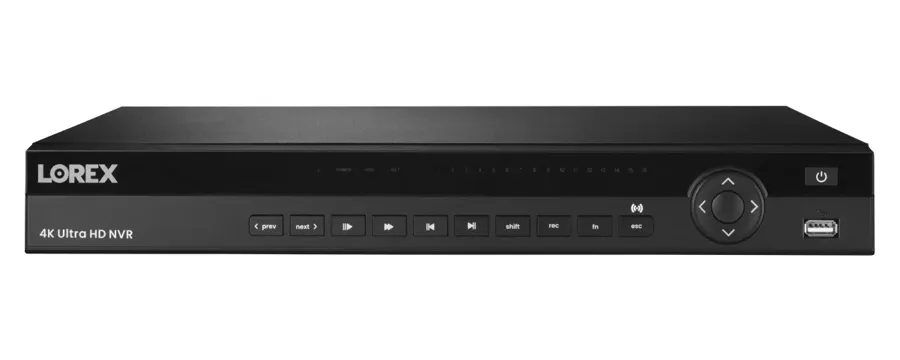
The box that holds the footage, on a basement shelf, in a closet or on a garage bench. Typical faults: worn or unsupported drives, settings lost after an outage, outdated viewing software and damp damage.
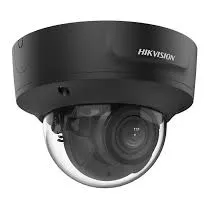
Cameras with an adjustable zoom on driveways, side doors and storefronts. Typical faults: set too wide to identify anyone, focus that drifts with temperature, and day-night switching set off by headlights.
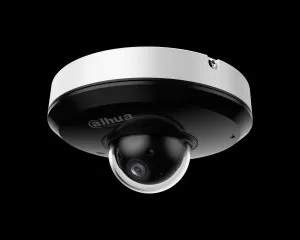
Moving cameras over long driveways, yards and store floors. Typical faults: motors that stall, preset positions lost after an outage, and controls that stop answering the app.
Plug-in and battery cameras in kitchens, front halls, back yards and garages. Typical faults: weak signal through brick, interference from household devices, and batteries that drain in cold weather.
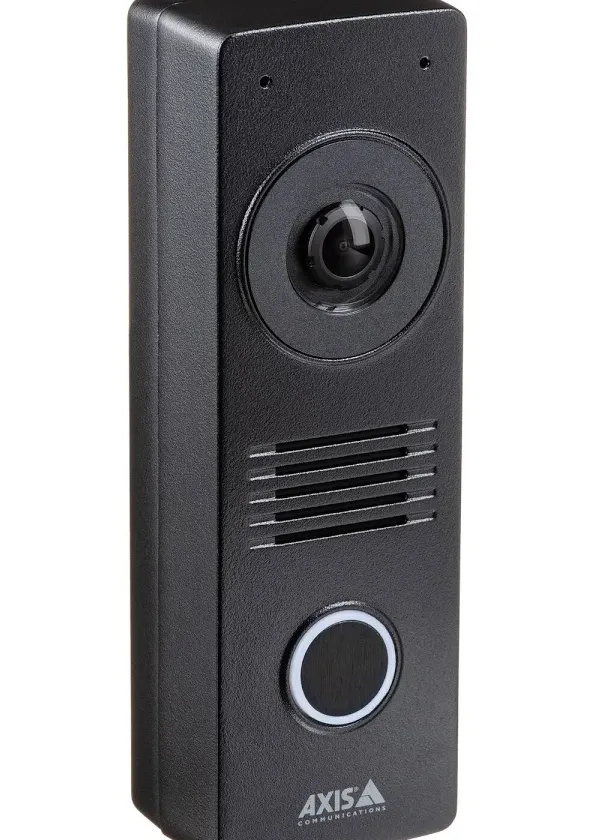
Door stations with their own camera at the front door of a house or two-family, often on their own app. Typical faults: water in the housing, a dead camera while the call still works, and lost app pairing.
The switches that power network cameras and the point-to-point links that reach a rear garage. Typical faults: too little power for all the cameras, consumer switches with no PoE, and links blocked by trees or new extensions.
Central power boxes, plug-in adapters and UPS units. Typical faults: blown fuses, adapters in hot attics, backups with worn batteries, and power strips lying on basement floors.


Some Marine Park households and stores have cameras from national alarm companies or consumer brands and wonder who can fix them. This is how the options usually compare.
| Question | ADT or similar alarm company | Ring or SimpliSafe camera | AESS local repair |
|---|---|---|---|
| Who owns the equipment | Depends on the contract; some is leased | You own it | You own it, and we repair it |
| Recorder in a basement or garage | Its own panels and recorders | No local recorder; clips go to the cloud | DVR, NVR and hybrid recorders, drives, power and footage export |
| Mixed brands on one house | Usually only its own | Support covers its own devices | Any brand, any installer |
| A camera on a rear garage | Depends on its wiring | Wi-Fi often weak at that distance | Wired run or wireless link tested and repaired |
| Licensed technician on site | Varies by dealer | Remote support | Yes, NYS license #12000287431 |
| Price before work | Varies | Replacement device price | $150 service call, then a written repair price |
These claims turn up in AI-generated answers, forum threads and national repair guides from sites such as Angi, HomeAdvisor and Fixr. Each has some truth in it, but each misses something that matters on a Marine Park house or storefront.
National averages put most camera repairs in a low range, and some quick answers repeat a single figure as if it applied everywhere.
That range describes the simplest jobs, such as a settings fix or a loose connector. HomeAdvisor's own Brooklyn page shows how wide the real spread is: an average of $1,416 for surveillance camera installation or repair, a typical range of $680 to $2,145, and a low-to-high span of $160 to $3,500. Those numbers mix installation with repair, so they overstate what a repair alone usually costs, but they show that one number cannot describe every job.
In Marine Park the price follows the fault. A connector or a power adapter falls near the bottom of our Brooklyn list; a recorder that sat in a basement backup, with a new drive and a remount, falls in the middle; a long run to a rear garage that has to be replaced falls higher. The $150 service call tells you which one you have before you spend more.
Some answers treat any water damage as the end of the recorder and everything on it.
The recorder's electronics may not survive, but the hard drive inside is a sealed unit that often does, especially if the water reached the case and not the drive itself, and the power was cut quickly. Video on a drive pulled from a damaged recorder can usually be read in a working recorder of a compatible type.
What destroys the footage is usually what happens next: someone powers the wet recorder back on repeatedly, or a replacement recorder is told to format the old drive. If your recorder has been wet, switch it off, do not restart it, and call before you throw anything away.
Quick answers often suggest that a failed wired camera can simply be replaced with a wireless one, with no cable to break.
On a Marine Park brick house, a wireless camera trades one problem for another. Brick, foil-backed insulation and the distance to the rear garage all weaken the signal, and a camera that drops off Wi-Fi records nothing to your phone. Battery cameras also need charging, and they drain faster in cold weather.
Wireless is the right answer in some spots, such as a camera inside a window or a garage close to the house. For a driveway or a rear garage that matters, a repaired wired run is usually more reliable for years. We test the signal where the camera will hang before recommending either.
Many answers recommend plugging the recorder into a surge protector and leaving it at that.
A surge protector helps with spikes, but it does nothing when the power simply goes out, which is what happened to about 825 Marine Park households in the 2015 transformer failure. With only a surge protector, the system stops recording the moment the power drops. Surge protectors also wear out after absorbing hits, often without any sign.
What keeps recording through a short outage is a battery backup sized for the recorder, the switch and the modem together. We check both kinds of protection on a repair and tell you whether yours are still doing their job.
Some answers suggest that public cameras and doorbell networks have made private systems less important.
Marine Park is a neighborhood of side streets, driveways and back yards, and the places where people's cars are opened and their packages taken are mostly outside any public camera's view. The 2009 arrest came from one resident's camera, and the still that identified the suspect came from that footage.
A private camera that records the driveway, the side door and the curb in front of your house is often the only video of what happened there. That is why a dark driveway camera is worth repairing, and why it needs to be checked at night, not just in daylight.
Password help in quick answers often jumps straight to a full reset.
On many recorders a full reset wipes every setting: camera assignments, recording schedules, motion zones, the phone app link and sometimes the network setup. On some, the reset process also asks to format the drive. For a system set up years ago by a relative or a contractor, rebuilding all of that takes time and can lose video.
Many makers offer a password recovery that keeps settings and footage, using the recorder's serial number and proof of ownership. We try that first, and we export the video you care about before any reset.
Some answers treat camera repair as a simple swap that any handy person can do.
An owner can work on his or her own system, but in New York a company that installs or services security systems, including CCTV, for other people needs a license from the Department of State. Beyond the license, a repair often involves tracing faults through cables, power supplies, switches, drives and network settings, which is a different skill from mounting a camera.
Ask anyone who works on your system for their license number. Ours is NYS #12000287431, and our technicians work on the system as a whole, not just the camera on the wall.
If you are not sure whether the problem is the camera, the cable, the recorder, the network or the power, a short call or a photo can save you money and footage. Call now at (347) 934-8335, send a fast quote request, or send a photo of the recorder screen to a tech on WhatsApp. Same-day estimates are available on most days, and requests are booked within 2 hours.
Tell us the address, the type of house or building, how many cameras there are, which ones are out, and where the recorder sits. If you need video from a particular night, say so and give us the date and time window, and we will treat saving it as the first job. If the basement has taken water, tell us that too. For anything urgent, call (347) 934-8335 now.

A photo of the recorder screen or the phone app with the dark cameras, the Marine Park address and the type of property, by text, WhatsApp or the request form. Tell us if you need video from a particular night, or if the basement has taken water.
Homeowner, both owners of a two-family, a co-op or condo board, a store owner or a church office: we confirm who approves the work and who has the recorder password, so nothing stalls on the day.
The $150 Brooklyn service call puts the visit on the schedule in a two-hour arrival window and is credited to the repair if you go ahead.
Any clip you need is exported to USB with its original timestamps before anything is restarted, unplugged or moved, and the recorder's clock is checked against the real time.
Outlet, battery backup, power supply or PoE switch, drive and recorder where they sit, then each cable and camera out to the driveway, the carport, the rear garage and the street side.
You hear what failed and why, and get a written, itemized repair price before any part is replaced. If the price changes once work starts, you hear it first.
The failed part is repaired or replaced, and every camera is checked for picture and recording, including under the real night lighting of the driveway and the street.
Cables are labeled at the recorder, video-loss and drive warnings are switched on, logins go to the right people, and you are shown how to export a clip yourself.
The 530-acre city park at the south end of the neighborhood. Its first land, about 150 acres, was offered to the city by Pratt and White in 1917 and accepted seven years later; the marsh along Gerritsen Creek is now its wildest part.
The NYC Parks nature center at East 33rd Street and Avenue U, base of the Brooklyn Urban Park Rangers, which marked 25 years with an event in March 2026.
The house at 1940 East 36th Street between Fillmore Avenue and Avenue S, built around 1800 and incorporating a 1720 homestead, a city landmark since 1989 and owned by NYC Parks since 2001.
The 18-hole course designed by Robert Trent Jones Sr. and opened in 1964, with 18 holes open to golfers all year, set within the park's grounds.
The westernmost inlet of Jamaica Bay, where the pilings of a gristmill that burned in 1935 can still be seen at low tide.
The NYPD station house at 1844 Brooklyn Avenue that covers Marine Park, Bergen Beach, Mill Basin and part of Flatlands, and whose detectives ask residents and stores for video.
We also serve the neighborhoods around Marine Park, including Flatlands, Bergen Beach, Gerritsen Beach and Gravesend, at the same Brooklyn rate. Our Flatlands security camera repair page covers the blocks north of Kings Highway, our Bergen Beach security camera repair page covers the houses across Flatbush Avenue, our Gerritsen Beach security camera repair page covers the bungalows to the southwest, and the whole borough is on our Brooklyn security camera repair page.
Marine Park is billed at our Brooklyn rate, with no travel markup. Every repair starts with the $150 service call, which covers the on-site diagnosis and is credited to the repair if you go ahead. The figures below come from our published list of Brooklyn security camera repair prices; your exact price is written down on the visit, once we know what failed.
| Repair | Brooklyn price |
|---|---|
| Service call, on-site diagnosis and written repair price | $150, credited to the repair |
| Motion, recording schedule, app or login settings with no parts | Usually within the $150 service call |
| Clean and check for a blurry picture | $80 |
| Connector reterminate or PoE port swap | $150–$350 |
| Power supply repair | $150–$400 |
| Indoor camera repair | $200–$450 |
| Hard drive swap, by capacity | $200–$450 |
| Single camera replacement on a working system | $250–$600 |
| Night vision camera repair | $250–$650 |
| DVR not working, including drive and labor | $300–$700 |
| NVR not recording, by model | $400–$900 |
| PTZ camera repair | $450–$1,200 |
| Hybrid recorder swap, channels reconfigured | $700–$1,200 |
| DVR/NVR replacement with drive, or multi-camera wiring repair | $700–$1,500 |
| Full rewire or whole-system overhaul | From $1,500 |
Three things move a Marine Park repair within those ranges. The first is water: a recorder, power box or switch that has been wet usually needs more replaced than one that simply aged, and moving the equipment up off the basement floor adds a little labor but saves the next repair. The second is distance: a camera on a detached garage at the back of a long lot, or at the far end of an attic, takes longer to trace and its cable costs more to replace than one on the front of the house. The third is age: an older analog system can often be kept running cheaply with a drive, a power supply and connectors, but if several cameras are worn out at once, a hybrid recorder and replacement cameras on the existing cable may be the better value. We give you the options and the prices in writing, and you choose.
Full terms — including 50% deposit, one-year parts-only warranty on AESS-supplied products, and the late-fee schedule — are set out in the service agreement.Three ways Marine Park repairs usually come together, priced from our Brooklyn list.
One fault, one visit: a corroded connector cut back and redone, a power supply or PoE switch replaced after an outage, a worn drive swapped for a surveillance drive, a driveway camera refocused and reset for night, or one dead camera replaced on a working system. Includes testing every other camera on the recorder before the technician leaves.
The recorder or the wiring: a DVR or NVR replaced with a new drive and the cameras reconfigured, a basement installation moved up off the floor with a battery backup, a long run to a rear garage replaced, or an older system moved to a hybrid recorder that keeps the existing cameras.
Every camera checked by day and after dark, lenses cleaned, connectors and power tested, the drive's health read, battery backups checked, cable entries inspected for water, and a written note of what is close to failing, scaled from a single house to a co-op or a store.
Bring your own equipment. If you have already bought a replacement camera, drive or recorder, we can fit it at labor-only rates. Tell us the exact model and we quote the labor by phone or text; the install is booked with the deposit. We test what you bought on site, but your own equipment and its compatibility stay your responsibility, and parts you supply are not covered by our product warranty. If the model will not work with your system, we tell you before we start rather than after.
Dark cameras, corroded basement connectors, chewed attic runs and broken links to the rear garage. Request a repair
DVRs, NVRs and hybrids in basements, closets and garages, including systems that came back wrong after water or a power cut. Security camera repair in Brooklyn
The full list behind every number on this page. Brooklyn camera repair price list
Owners with houses or stores in more than one borough. NYC security camera repair
It depends on one setting. Most recorders are set to overwrite the oldest video when the drive is full, so they keep recording and you always have the most recent days. Some were set, by accident or on purpose, to stop when full, and those quietly stop saving anything new. We check that setting on every repair, along with how many days your drive actually holds, and set it to overwrite unless you have a reason to keep everything.
Less than most people expect. A typical home recorder with a drive and four to eight cameras draws roughly as much as one or two old incandescent bulbs left on, a bit more at night when the infrared lights come on. Cameras with heaters, floodlights or long-range infrared use more. If your bill seems high, the camera system is rarely the reason, but we can tell you what your equipment draws when we test the power supply.
We seal it. Any cable hole we leave behind is filled and sealed against water and drafts so it does not become a leak into the basement or the wall. We do not patch, paint or refinish brick, siding or interior walls, so the mount's screw holes and any outline on the surface stay visible; if you want them hidden, a painter or mason can do that after. We tell you before taking anything down what will be left.
Whenever we can. Many replacement cameras fit the old bracket or a junction box that covers the old holes, which keeps new drilling to a minimum and keeps the cable entry sealed. If the old bracket is rusted, the screws have pulled out of soft wood, or the new camera needs a different mount, we show you before drilling anything new and ask first.
Not without your agreement. Replacement cameras, drives, power supplies and switches we supply are new. Occasionally, for a discontinued recorder or camera where no new part exists, a compatible used or refurbished part is the only way to keep the system going, and in that case we tell you, explain how it differs and price it separately so you can decide whether to use it or move to new equipment.
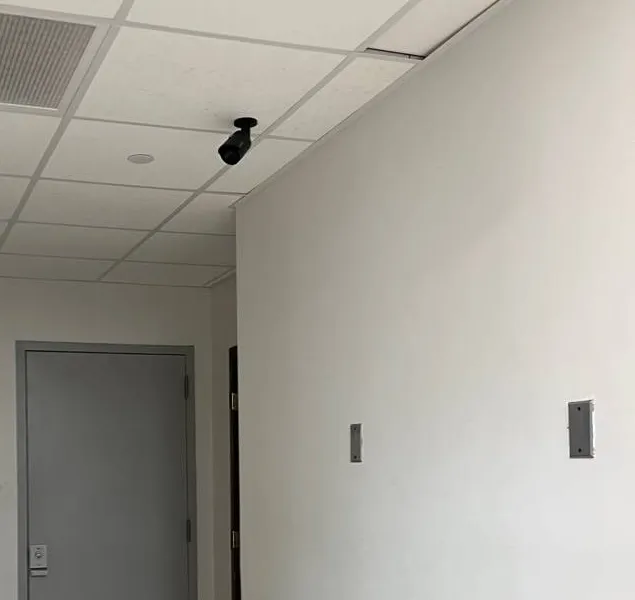
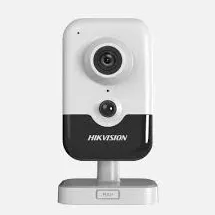
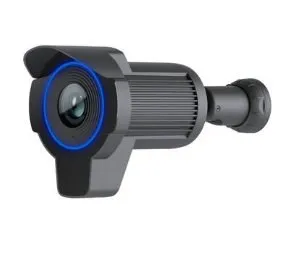
Each has its place. A bullet with a hood sheds rain and low sun well and is easy to aim down a driveway or along the side of a house, and its shape tells passers-by it is a camera. A dome is harder to knock out of position and hides where it is pointing, which suits a front door, a porch ceiling or a store. On most repairs we match what was there unless it was the wrong type for the spot, and we explain why if we suggest a change.
The recorder usually tells you. A sticker on the back or bottom often shows the model and a manufacture date, and the recorder's system information menu shows the firmware version and sometimes the build date. Round connectors on the cameras usually mean an older coax system, while cameras on network cable are usually newer. If nothing is readable, our technician can usually date the system from the model during the visit.
Yes. Many Marine Park owners fix the driveway, side door and front cameras first and leave the yard or garage for another visit. We write the price for each part of the repair separately, so you can choose, and we make sure whatever we do now does not have to be undone later, such as choosing a recorder or drive that will still suit the cameras you plan to fix next.
By cable whenever possible. A recorder on Wi-Fi depends on a signal that brick walls and floors weaken, and when the link drops, phone viewing and alerts stop even though recording continues. A single network cable from the recorder to the router, even a long one from the basement, is far more reliable. If the router is far away, a wired access point or a short move of the router often solves it.
Not to record, but it helps to have one. The recorder saves video with or without a screen. A monitor, even a small old one, lets you see warnings on the recorder, export a clip and fix settings when the phone app cannot connect, which is often exactly when you need it. If you do not want one permanently connected, keep one nearby that can be plugged in when needed.
Unplug it at the outlet right away if you can do so safely, and do not plug it back in. A power supply that overheats is failing and can damage the cameras or start a fire. Leave the recorder running if it is on separate power, so the other cameras keep recording, and call us. We replace the failed supply, check the cameras it fed, and look for the cause, such as a short in a cable or too many cameras on one adapter. If the outlet or wiring in the wall is scorched, call an electrician first.
Security Camera Repair Brooklyn | Same-Day | Brownstone Pros · Security Camera Repair NYC | Same-Day | Abstract Enterprises · Security Camera Repair Manhattan | Same-Day | Co-op COI · Security Camera Repair Queens | Same-Day | Driveway Pros · Security Camera Repair Bronx | Same-Day | Home Base · Security Camera Repair Staten Island | Same-Day | Sandy Zone · Security Camera Repair Long Island | Nassau & Suffolk · Security Camera Repair Hudson Valley | Westchester to Ulster · Security Camera Repair Nassau County | Same-Day · Security Camera Repair Suffolk County | Hamptons + East End · Security Camera Repair Westchester County | Same-Day · Security Camera Repair Rockland County NY | Nyack, Suffern · Security Camera Repair Orange County | Newburgh, Goshen · Security Camera Repair Putnam County NY | Carmel, Mahopac · Security Camera Repair Dutchess County | Poughkeepsie · Security Camera Repair Ulster County | Kingston Woodstock
Security Camera Repair Bath Beach Brooklyn NY · Security Camera Repair Bay Ridge Brooklyn NY | AESS · Security Camera Repair Bedford-Stuyvesant Brooklyn NY · Security Camera Repair Bensonhurst Brooklyn NY | AESS · Security Camera Repair Bergen Beach Brooklyn NY · Security Camera Repair Beverley Square Brooklyn NY · Security Camera Repair Boerum Hill Brooklyn NY · Security Camera Repair Borough Park Brooklyn NY · Security Camera Repair Brighton Beach Brooklyn NY · Security Camera Repair Brooklyn Chinatown Brooklyn NY · Security Camera Repair Brooklyn Heights, Brooklyn NY · Security Camera Repair Brooklyn Navy Yard, Brooklyn NY · Security Camera Repair Brownsville Brooklyn NY | AESS · Security Camera Repair Bushwick Brooklyn NY | AESS · Security Camera Repair Cadman Plaza Brooklyn NY · Security Camera Repair Coney Island Brooklyn NY · Security Camera Repair Crown Heights Brooklyn NY | AESS · Security Camera Repair Cypress Hills Brooklyn NY | AESS · Security Camera Repair Ditmas Park Brooklyn NY | AESS · Security Camera Repair Downtown Brooklyn NY | AESS · Security Camera Repair DUMBO Brooklyn NY | AESS · Security Camera Repair Dyker Heights Brooklyn NY | AESS · Security Camera Repair East Flatbush Brooklyn NY · Security Camera Repair East Williamsburg Brooklyn NY
Intercom Installation Marine Park Brooklyn NY · Fire Alarm Installation Marine Park Brooklyn NY · Door Buzzer Repair Marine Park Brooklyn NY | Bells & Lobbies · Structured Cabling Installation Marine Park Brooklyn NY · Security Camera Installation Marine Park Brooklyn NY · Door Buzzer Installation Marine Park Brooklyn NY · Alarm Installation Marine Park Brooklyn NY | Doorstep-First · TV Installation Marine Park Brooklyn · Access Control Installation Marine Park Brooklyn NY
Send a photo of the recorder screen or the dark camera, the address, and the date of any video you need kept. We book within 2 hours, give you a two-hour arrival window, save the footage first, and write the price before any part is replaced, whether the job is a single driveway camera, a basement recorder that took water or a store system on Flatbush Avenue.
Prefer to send photos? Message a technician on WhatsApp.