EZCloud Accounts in the Building’s Name · Landmarks-Aware Facades · Board-Ready Footage Policy · Honest Federal Paperwork
Hanging a UNV turret on a Manhattan ceiling takes twenty minutes. Everything around it takes the planning: which closet or cellar corner the recorder can live in, how a cable gets from the cellar to the roof bulkhead without a riser of its own, how many cameras the Landmarks rules allow on a street front, who on the board may look at footage and who may not, and — the part most past installers skipped — whose EZCloud account and admin password the recorder ends up tied to. We install Uniview so that the building, not the contractor, owns every login, and so that the paper trail a managing agent, insurer or corporate tenant asks for already exists on the day the job closes.
Reviewed and updated October 18, 2026: Uniview datasheets and support notices, the Commerce Department’s December 2024 Entity List rule, the FCC Covered List as updated October 16, 2026, the Landmarks Preservation Commission’s camera rule, HPD’s Tenant Data Privacy guidance and Census and Comptroller figures for the borough · Anwar Timothy, NYS license #12000287431 · Manhattan visits dispatched from our office on East Fordham Road in the Bronx
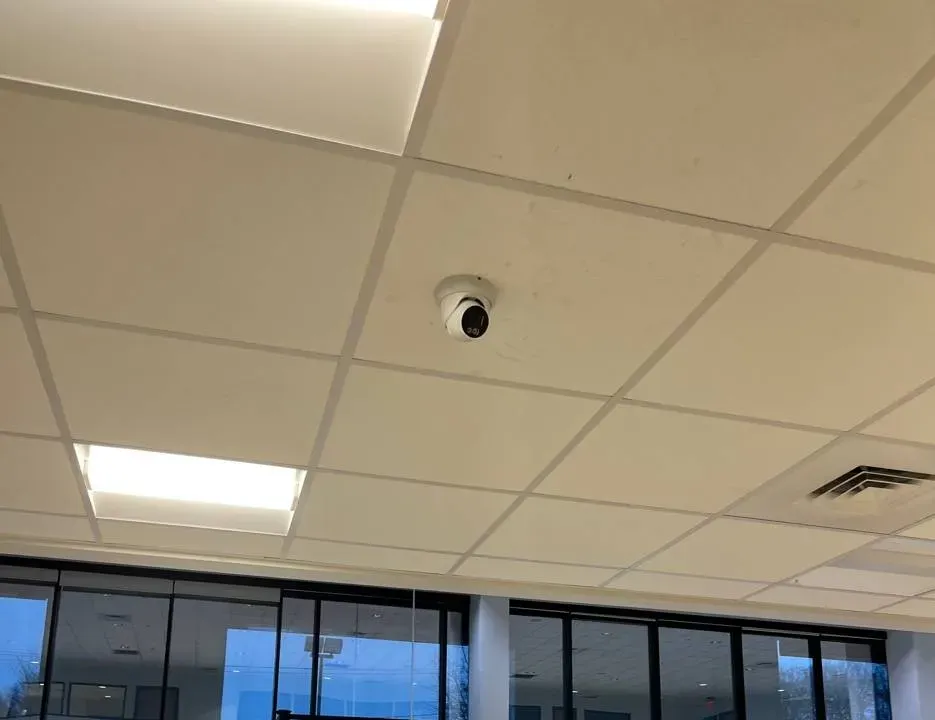
AESS job photo: a white turret camera mounted on a tile of a suspended ceiling, between lit light panels and an air vent, looking out over a wall of tall glass windows. Lobby and showroom ceilings in Manhattan towers are often exactly this — a hung grid that makes cabling easy and a glass front that makes exposure hard.
Manhattan Uniview Request
Building type, cross streets and what you need — we call back the same business day
✅
Request Sent!
A technician will call you back about the Manhattan building the same business day.
25+
Years Experience
✓
Same-Day Estimates
100%
Licensed & Insured
4.7★
201 Google Reviews
Not sure what you have? Photograph the label on the recorder and the screen of whatever app or PC you use to watch it, then text both to (929) 560-0737 with the building’s cross streets. From two pictures we can usually tell whether it is a Uniview NVR or a rebadged one, whether it is bound to someone’s cloud account, and whether the job is a repair, a rebuild or a new system — before anyone books a freight elevator.
Diagnosis from photos costs nothing; the clock starts only when a technician is in the building
Certificates of insurance issued to the managing agent and board in the form their alteration rules ask for, before the visit is scheduled
New York State licensed under the security and fire alarm installer law (General Business Law §69-m), license #12000287431, and insured for work in occupied buildings
The Neighborhood
Why Manhattan Properties Need Uniview Camera Installation
Manhattan is a borough of large shared buildings. Census figures for New York County count 918,806 homes, and 522,823 of them sit in buildings with fifty or more units; another 201,967 are in buildings of twenty to forty-nine. Three of every four occupied homes are rented. That changes who buys a camera system and why. The buyer is rarely the person who will watch it. It is a co-op board approving a capital line, a managing agent writing a scope for three bids, a landlord answering an insurer, or a tenant company told by its own IT department that nothing goes on the network without a review. Uniview fits those buyers well: the NVRs record locally, the cameras speak the ONVIF and RTSP standards most building software understands, and the price per channel leaves room in a board budget for the cabling that Manhattan actually requires.
Cameras are already everywhere on Manhattan streets, which raises expectations rather than lowering them. West Side Rag reported that eighteen NYPD cameras were switched on across the Upper West Side at the end of January 2024 — along Riverside Drive, Broadway and Amsterdam Avenue in the 90s and on Central Park West in the 60s — paid for with $320,000 steered through participatory budgeting. The same outlet later explained that the plate-reading cameras residents see near West 72nd Street, West 96th Street and West 110th Street belong to the NYPD, the Department of Transportation and the MTA, not to private companies. Street cameras end at the curb. What happens in a vestibule, a package room or a cellar corridor is recorded only if the building records it.
The incidents residents remember are small and specific. NBC New York described a man in a FreshDirect coat who rang his way into at least three Upper West Side lobbies in 2018 and wheeled packages out; police released building video to find him. CBS New York showed a suspect in Greenwich Village peering through a door, finding it unlocked and walking out with a wedding dress left in the lobby. In both stories the footage existed, and in both the useful frame was the face at the door, not a wide shot of the room. That is the design brief for most Manhattan Uniview jobs: identification at the threshold, a clean overview of the space, and an export someone at the building can produce without calling the installer.
The fourth reason is paperwork. On December 11, 2024 the Commerce Department added Zhejiang Uniview Technologies to the Entity List, which restricts exports of US-origin items to the company. Uniview is not one of the five manufacturers named in Section 889 of the 2019 defense authorization act, and as of the FCC’s October 16, 2026 update its name does not appear on the FCC Covered List. Boards, insurers and tenant security teams now ask about all three, and a Manhattan installer should be able to answer in writing, with the sources, instead of guessing. We do that on every Uniview proposal, and we tell a client plainly when their own procurement rules point to a different brand.
Manhattan facts behind a Uniview job
918,806 housing units in New York County, 522,823 of them in buildings of 50+ units (American Community Survey 2019–2023)
392,000 homes built in 1939 or earlier and a median year built of 1951 — plaster, brick and old conduit decide where cable can go
583,733 of 775,376 occupied homes are rented, so the person paying for cameras is usually a landlord, agent or board
About 594 million square feet of office space in Manhattan, of which roughly 173 million is Class B and 59 million Class C (NYC Comptroller, May 2024)
More than 37,900 landmark properties citywide, most of them in 150 historic districts, each subject to a numeric camera limit per 25 feet of street frontage
Uniview’s federal status: on the Commerce Entity List since December 11, 2024; not named in NDAA Section 889; not on the FCC Covered List as updated October 16, 2026
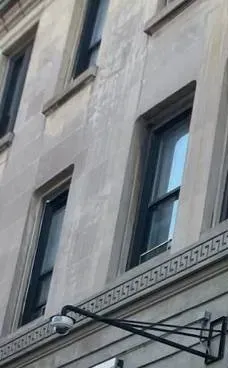
AESS job photo, cropped: a dome camera hangs from a long black steel arm fixed to a grey stone facade, just below a carved band with a repeating key pattern and upper-floor windows. On a landmarked Manhattan front, every camera like this counts toward the Commission’s per-25-foot limit.
Repair & Same-Day Help
Need Uniview Repair in Manhattan Today?
A dark tile on the lobby monitor the morning after a package goes missing is the most common first call we get about Uniview in Manhattan, and most of those calls end with a fix in one to two hours once a technician is standing at the recorder. Call (929) 560-0737; we give a two-hour arrival window and work evenings when the lobby is quiet. Before we arrive, the super can do three things that save time: note which channels are black, look at whether the recorder’s front lights are on, and find out who last had the admin password.
What the screen shows, and where the fault usually is
What you see
Most likely cause
What we check first
One tile black, the rest fine
A cable, connector or PoE port on that run
Port power on the NVR or switch, the jack behind the camera, water at an exterior penetration
Several tiles black at once
A PoE switch that lost power or hit its power budget
The switch’s outlet, its power total against what the cameras draw, any switch plugged into an NVR port
EZView says the device is already registered
The recorder is still bound to someone else’s EZCloud account
Unbinding from the recorder’s own menu with the admin password — a factory reset does not clear it
Live view works, playback spins forever
Recording disk failed, or the network blocks the video port
Disk status in the recorder log, the RTSP port (554) between the viewing PC and the NVR
Phone alerts stopped
Cloud binding, phone settings or old firmware
EZCloud status on the recorder, notification permissions on the phone, firmware against Uniview’s current release
Nobody knows the password
Installer kept it, or it is still the default
Proof of ownership, then Uniview’s password-reset route; a default password is changed the same visit
If the problem turns out to be the recorder itself, the replacement prices below apply. A repair visit is billed at our service rate, and we say on the phone which of the two it is likely to be.
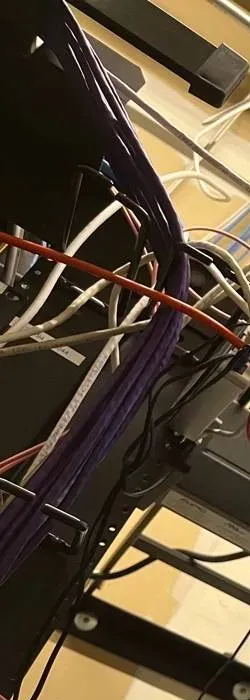
AESS job photo: a dense bundle of purple network cables runs down the side of a black equipment rack, with white and orange cables crossing it. Where a building has a rack, the recorder and its switch sit here; where it does not, they get a locked cellar cabinet.
What We Install
Uniview Camera Installation Services in Manhattan
Each service below is something Manhattan buildings and businesses ask for by name. Most jobs combine three or four of them; the proposal lists which.
🏢
Lobby and vestibule coverage
A face-height view of the inner door, an overview of the mailboxes and package shelf, and a camera on the street door that sees who was buzzed in. Usually a 4 MP turret pair plus one wider view.
📦
Package and mail rooms
Cameras placed so a person leaving with a box is filmed at the exit, not just from above. The recorder tags motion in that room for quick searching.
🔑
Account and password handover
Recorder, EZCloud and EZStation accounts created in the building’s name, operator logins for staff, and a sealed admin credential handed to the board or agent.
🚪
Cellar, service and boiler corridors
Bullet or turret cameras on the service entrance, refuse room and boiler room door, with alerts only after hours so the super is not buzzed all day.
🏬
Storefront and gate coverage
A camera that still sees the entrance with the roll-down gate closed, a register view, and a stock-room camera on its own schedule.
💻
Office suites on landlord networks
A recorder isolated from the tenant’s and landlord’s networks, with only the access the IT team approves, documented on one page.
🔄
Takeovers of existing Uniview systems
Firmware brought current, defaults removed, cloud binding transferred and drives tested on systems another company installed.
📱
Phone viewing on UNV-Link
Uniview introduced UNV-Link to replace EZView, which it expects to stop service in 2027. New phones are set up on the current app, tied to the building’s cloud account.
🖥
Desk and multi-building viewing
EZStation on the lobby or management-office PC with saved layouts, and several buildings grouped on one screen for an agent.
🚗
Garage ramps and plates
Uniview’s plate-capture cameras where a garage needs a record of who drove in, aimed and lit for the ramp rather than the street.
What a finished Manhattan Uniview job looks like
When we leave, the recorder sits on a shelf or wall board with its own outlet and, where the building agrees, a small battery backup. Every cable is labeled at both ends with the same camera number shown on the screen. The admin password is not in our files; it is in an envelope or password manager the board or owner controls, and the people who watch the cameras log in with operator accounts that can view and search but cannot delete. EZCloud, the account behind both EZView and its replacement UNV-Link, if the building wants phone access at all, is registered to an address the building controls — usually a shared mailbox at the managing agent — so the system survives staff turnover.
The closing packet is two pages. One lists each camera, what it looks at, its model number and firmware version. The other is the footage routine: who may review, how a request is logged, how a clip is exported and on what drive. Boards file it with their camera policy; agents attach it to the building’s records so the next superintendent inherits a system instead of a mystery.
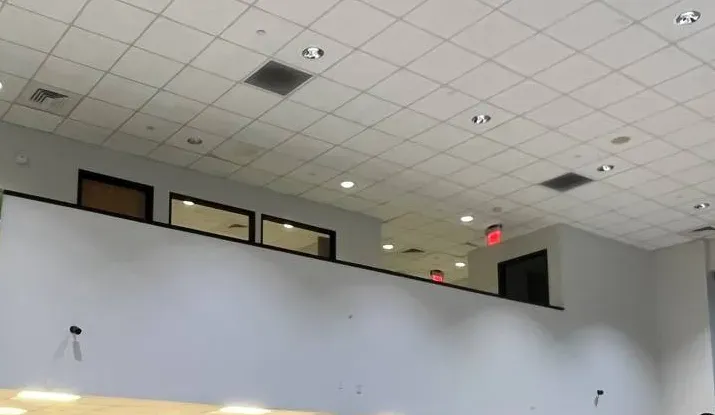
AESS job photo: two small cameras sit on a tall white wall, one near each end, below a row of dark mezzanine windows and a tiled ceiling with recessed lights and red exit signs. High walls like this give a camera a long, clean view across a large room.
Building Specialists
Uniview Camera Installation for Manhattan's Architecture
With 392,000 homes built before 1940 and a skyline that keeps adding glass towers, Manhattan has every kind of wall a camera can go on. The building decides the camera model less often than it decides the cable path.
Pre-war elevator co-ops
Plaster on terra-cotta block, no spare conduit and a lobby the board wants to look the same afterward. Cable follows existing paths behind moldings and through the cellar; small turrets go in corners rather than the middle of a ceiling.
Five- and six-story walk-ups
Often under the lower Landmarks camera limit if they sit in a historic district. A single recorder in the cellar reaches every floor’s stair landing with runs well under 100 metres.
Post-war white-brick rentals
Hung ceilings in corridors and a central laundry make cabling easier; the challenge is coverage of several entrances, the garage and the package room on one recorder.
Glass condominium towers
Reflections from floor-to-ceiling glass, lobby lighting that changes at dusk and a building engineer who must approve every penetration. Cameras with wide dynamic range and careful angles.
Converted lofts and storefront buildings
Cast-iron or masonry fronts, high ceilings and a ground-floor tenant with its own system. We keep the residential recorder and the shop’s separate.
Office floors in older towers
Class B and C space with a landlord base-building network and a tenant network. The recorder lives in the tenant’s suite on its own segment.
How the method changes, building by building
Plaster and brick. In pre-war buildings we fish cable inside existing chases, behind baseboards and along the cellar ceiling before we consider opening a wall. Where cable must run on the surface, it goes in paintable raceway matched to the trim. Exterior penetrations through brick are drilled in the mortar joint, not the face of the brick, sleeved and sealed so water does not follow the cable inside. Hidden wiring through hollow drywall is a published add-on; plaster and masonry are priced after we have looked.
Riser paths. Most Manhattan buildings have no spare riser for low-voltage cable. We use existing telecom sleeves where the building and the carriers allow it, a stair or dumbwaiter shaft where the board and Fire Department rules permit, or an exterior path in a rear yard or light well. If a roof camera is more than 100 metres of cable from the recorder, the run becomes fiber or a second switch, decided before the proposal.
Privacy inside the building. FirstService Residential’s guidance for New York co-ops and condos warns that hallway cameras must not show the inside of a unit and that audio raises eavesdropping risk; Brick Underground’s experts note that lobby and entrance cameras are common while hallway cameras are not, and must not point at particular doors. We aim corridor cameras along the corridor, mask any door that opens into view, and leave the built-in microphones on Uniview cameras switched off unless a lawyer has told the board otherwise.
Staff areas. New York Labor Law §203-c bars employers — which includes a co-op or condo employing a super and porters — from recording employees in restrooms, locker rooms or rooms set aside for changing. The porters’ locker room and the staff bathroom never get a camera, and the corridor camera outside them is angled away from their doors.
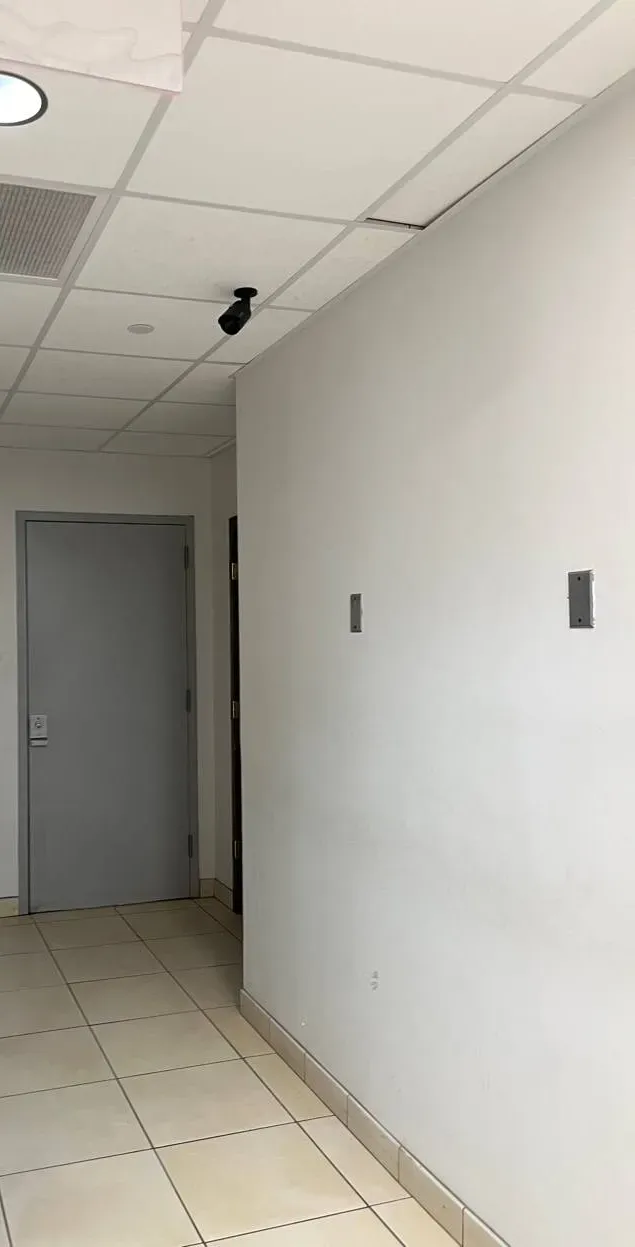
AESS job photo: a black bullet camera hangs from a suspended-ceiling grid at the corner of a white corridor, aimed along the beige floor tiles toward a grey steel door at the far end. This is the along-the-corridor angle we use in residential and service halls, so the camera watches the passage rather than any one door.
Commercial Uniview Camera Installation
Business Uniview Camera Installation in Manhattan
Commercial Manhattan is not one market. The camera plan for a Garment District showroom has little in common with a Water Street office floor or a Harlem restaurant, so we plan by corridor and by who controls the space.
Midtown office corridors
Sixth, Madison and Third Avenue towers with base-building security at the lobby desk. Tenants add Uniview inside their suite for reception, server closet and stock rooms, on a network their landlord does not see.
Garment District showrooms
Sample rooms and showrooms between Fifth and Ninth Avenues where stock walks out in bags. Ceiling-mounted mini cameras watch the door and the tables without cluttering the display.
Flatiron and Ladies’ Mile retail
Ground-floor stores in nineteenth-century buildings, many inside a historic district, where the street side is governed by Landmarks rules and the inside by the landlord’s lease.
Lower Manhattan and Water Street
Older office towers, some being converted to apartments, where a tenant camera system may have to move or be handed to a new owner partway through its life.
Upper West and Upper East Side storefronts
Pharmacies, dry cleaners and restaurants on Broadway, Amsterdam, Columbus, Lexington and Second Avenue, under residential floors whose boards care where the camera points.
Harlem and Washington Heights corridors
125th Street, Frederick Douglass Boulevard and upper Broadway businesses with late hours, roll-down gates and a need to see the sidewalk at the door after closing.
Rules Manhattan businesses and buildings should keep in view
Landmarks. Under the Landmarks Preservation Commission’s rule on health, safety and utility equipment (63 RCNY §2-20), cameras on a designated building must be “as small and as limited in number as feasible”: no more than two per 25 feet of street frontage on buildings of six stories or less with 40 feet of frontage or less, and no more than three per 25 feet on larger buildings, placed to minimize their visible impact. Staff-level permits are available for installations that meet the rule; camera applications also appear on the Commission’s public hearing agendas in the City Record.
Biometrics. NYC Administrative Code §22-1202 requires stores, restaurants and places of entertainment that collect, retain, convert, store or share customers’ biometric identifier information — a face scan counts — to post a clear sign at every customer entrance, and bars selling or trading that data. The city consumer protection department publishes the sign.
Smart access in apartment buildings. HPD’s guidance on Local Law 63 of 2021 requires owners of multiple dwellings that use key fobs, phone apps or biometric identifiers for entry to give tenants a data retention and privacy policy and to collect only the data the law lists.
Audio and private spaces. Recording conversations you are not part of can fall under New York’s eavesdropping law (Penal Law §250.05); imaging devices in restrooms, changing rooms and similar spaces are covered by Penal Law §250.45 and General Business Law §395-b. Uniview microphones stay off by default on our installs.
Licensing. General Business Law §69-m requires anyone in the business of installing or servicing security systems in New York to be licensed by the Department of State; owners installing on their own premises with their own employees are exempt.
Federal procurement. Buildings or tenants spending federal money should check their contract’s Section 889 clause and their own counsel’s view of the Entity List before choosing any camera brand, Uniview included.
None of this is legal advice; it is the checklist we work through with the board’s or tenant’s own counsel when they want one.
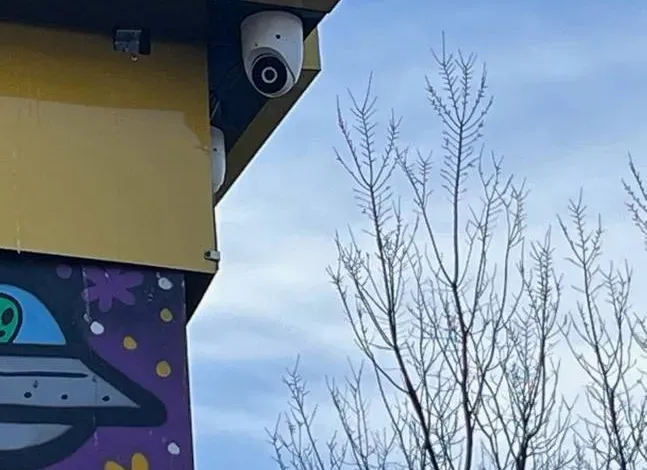
AESS job photo: a white dome camera is fixed under the corner of a yellow fascia board, with a second small device beside it and a brightly painted mural on the wall below, against blue sky and bare tree branches. A camera outside the sign band like this keeps seeing the doorway after a roll-down gate is closed.
Your Questions Answered
Uniview Camera Installation in Manhattan: Questions Answered
These are the questions boards, agents, supers and shop owners in Manhattan actually put to us about Uniview, grouped by what they are really about. Each answer comes first; the reasons follow.
Who Holds the Keys: Accounts, Cloud and Staff Rights
The last installer registered our recorder to his own EZCloud account — how does the building take it back?
Unbind it from the recorder itself, then register it again under an account the building controls. Uniview’s own troubleshooting note says the device can be unbound from the old account in the recorder’s web interface (Setup > Network > EZCloud) or on the recorder’s local menu. That step needs the recorder’s admin password, not the installer’s cloud password, which is why it usually works even when the old contractor stops answering. Installers who have tried the shortcut report that a factory reset does not remove a cloud binding, so we do not start there.
The symptom is unmistakable: someone tries to add the NVR to the phone app on a new phone and the app answers that the device is already registered. A Reddit user on r/uniview described exactly that message. Each Uniview device can sit in only one EZCloud account at a time, so whoever owns that account sees the building’s cameras and the board does not.
If nobody has the admin password either, we document ownership first — a letter on the managing agent’s or board’s letterhead and the purchase record if one exists — and then use Uniview’s password-reset route. Once the building is back in control, the new EZCloud account is opened on a shared mailbox at the agent or board, never on a technician’s personal address.
When the managing agent changes, what has to be handed over so the new agent can run the Uniview system?
Four things: the recorder’s admin password, the EZCloud account login (or a transfer of the device to the new agent’s account), the list of operator accounts with who holds each one, and the camera map. Without all four the new agent can watch but cannot change anything, or can change things without knowing what they are breaking.
The cleanest handover is a cloud share rather than a password swap during the transition month. Uniview’s EZView sharing lets the account owner give another account access with an expiry date and a role, so the outgoing agent can share the building to the incoming one for thirty days while the board confirms the switch, then the binding moves for good. Operator accounts tied to the old agent’s staff are deleted on the recorder the same day.
We write this into the closing packet on every Manhattan job precisely because management changes are common. A board should not have to call the original installer, or us, to let its new agent see the lobby.
How do we let the doorman watch live video without letting him export or delete recordings?
Give the lobby desk an operator account, not the admin login. Uniview’s EZStation software has three user levels — super administrator, administrator and operator — with permissions assignable camera by camera, and the recorder has its own matching user list. An operator account can show live view and search playback on the cameras you choose and nothing more.
In practice we build two operator profiles for a doorman building. The desk profile sees live video of the entrances, lobby, package room and garage, with playback of the last few days for answering “did my delivery come?”. The super’s profile adds the cellar and roof cameras. Neither can export clips, change recording schedules or delete anything. Export rights sit with the agent, the board’s designated officer and us, and every export is logged on paper as well as on the recorder.
Each person gets a separate login rather than one shared “lobby” password. When a doorman leaves, his account is removed in a minute without everyone else learning a new password.
Our board's camera policy says only named people may review footage — can the recorder show who played back or exported what?
Yes, as long as everyone uses their own login and views through EZStation. Uniview’s desktop client keeps operation and alarm logs, with a retention period the administrator sets, so a review or an export is tied to a named account and a time. Shared passwords defeat that, which is why the account plan comes before the cameras.
The policy itself is the board’s. FirstService Residential’s guidance for New York co-ops and condos recommends routing footage requests through the property manager with the reason, the time window and the cameras involved, and keeping a log of requests and of everyone who accessed footage. Brick Underground’s panel of a managing agent and a co-op attorney added that most buildings limit viewing to the security firm, the manager and the super, and do not hand footage out without a subpoena or court order.
We set the recorder to match whatever the board adopts: named accounts for the people on the list, a log retention period that covers the board’s review cycle, and a printed request form in the closing packet so the paper trail and the electronic one agree.
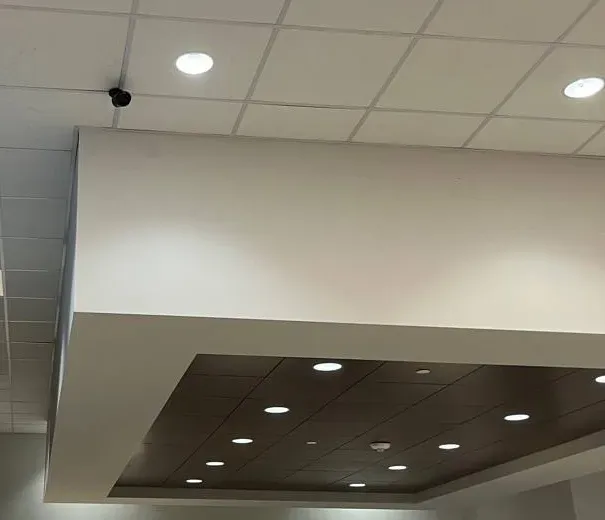
AESS job photo: a small black camera is mounted on a white tiled ceiling near round recessed lights, just above a large white soffit whose underside has dark wood-tone panels and rows of small lights. Small cameras like this suit showrooms and offices where the board or landlord wants the ceiling to stay uncluttered.
The Federal Paper Trail
A tenant's IT security questionnaire asks for the camera maker's federal status — what can truthfully go in the answer for Uniview?
Three facts, each with its source: Zhejiang Uniview Technologies was added to the Commerce Department’s Entity List by a rule published December 11, 2024; Uniview is not among the five companies Section 889 of the 2019 National Defense Authorization Act names (Huawei, ZTE, Hytera, Hikvision and Dahua); and the FCC Covered List, as updated October 16, 2026, does not list Uniview. We put those three lines, with links, in the proposal so the tenant’s security team can check them rather than take our word.
What we do not write is “NDAA compliant” as a blanket label. Compliance depends on the model and its components, and Uniview publishes its own list of models it describes as compliant; the questionnaire answer should name the exact model numbers installed so they can be checked against that list on the day.
If the questionnaire asks whether the vendor is on any US restricted-party list, the honest answer for Uniview is yes, the Entity List. Some corporate tenants accept a locally recording system on an isolated network anyway; others do not, and for them we quote another brand. Owners on Reddit ask the same underlying question — “is Uniview safe?” — and the right reply is the facts plus the network design, not reassurance.
Where should a Manhattan building buy its Uniview equipment so firmware updates and warranty stay available?
Through Uniview’s authorized distribution, with the serial numbers written into the building’s records. That is the part of the federal and support picture an owner actually controls.
The December 2024 Entity List rule is about exports to Uniview, not purchases from it. The Federal Register entry requires a license to export, reexport or transfer items subject to US export rules to Zhejiang Uniview, with a presumption of denial. It does not, on its face, stop a New York building from buying, using or updating a Uniview camera.
What does affect support is where the equipment came from. In a February 2026 notice, Uniview’s US site warned that for products bought from unauthorized resellers, “the warranty and other relative services including but not limited to software upgrade would be unavailable.” Grey-market recorders bought online at a discount can therefore end up without firmware support. We buy through authorized distribution and record the serial numbers on the closing sheet.
Firmware itself is downloaded from Uniview’s site and checked against its security notices before we install it. If the federal picture changes — a new FCC action, for example — it will be in the public record, and we tell clients with Uniview systems what it means for them rather than waiting to be asked.
Getting Cable and Cameras Through a Manhattan Building
Our building has no telecom closet — where should the recorder live: super's office, basement or roof bulkhead?
Usually a locked cabinet in the cellar near where the building’s internet service comes in, on its own outlet, away from the boiler and above any flood line. The super’s office is the second choice if it locks and stays dry; the roof bulkhead is the last, because summer heat shortens drive life and anyone fixing the elevator machine has access.
The recorder has to be reachable for two reasons: someone must be able to export a clip without climbing to the roof, and the internet connection for phone viewing must reach it. If the only internet in the building lives in the super’s apartment, we bring a dedicated line or a cable to a closet the board controls rather than hanging the system off a resident’s router.
A Uniview NVR is small — the 4-channel NVR301-04LS3-P4 is 205 millimetres square — so the cabinet can be modest. What matters is airflow, a battery backup if the board approves one, and a lock whose key is listed in the closing packet.
Will a PoE switch in the cellar reach a camera on the roof of a twelve-story building, or does that run need fiber?
It depends on the length of cable, not the number of floors. Power over Ethernet works to 100 metres of cable from the switch. A straight riser in a twelve-story building may be well under that; the same building reached by an exterior path around a light well and across the roof may not be. We measure the route before quoting.
When the route is too long, there are two clean answers. A small PoE switch can sit on a top-floor landing or in the bulkhead, fed by one cable from the cellar, and power the roof cameras from there. Or, for a long run or one shared with other buildings, fiber goes up and a media converter turns it back into Ethernet near the cameras. What we avoid is chaining several unmanaged switches off the recorder’s own camera ports; a Reddit thread on r/uniview describes the result — only one camera per switch showing video.
Power budgets matter too. Uniview’s datasheet for the NVR301-04LS3-P4 lists 30 watts per port but 54 watts across all four ports, so four cameras with heaters or bright white-light LEDs can exceed it. We total the cameras’ draw before deciding whether the recorder or a separate switch powers them.
How do we place a camera in the package room so the recording actually identifies who walked out with a box?
Put one camera at the package room door at roughly head height, looking at people as they leave, and a second one high in the corner for the overview. The overview shows what happened; the doorway camera shows who did it. A single ceiling camera in the middle of the room, the most common setup we find, records the tops of heads.
The two news stories residents remember make the point. In the Upper West Side lobby thefts NBC New York covered in 2018, and the Greenwich Village wedding dress theft CBS covered in 2021, the frames that helped were of a person at a door. We set the doorway camera to a higher resolution and frame rate than the overview and point it away from the street light behind the door so faces are not silhouettes.
If the room uses smart lockers or a key-fob door, the access log and the camera together are stronger than either alone. We match the recorder’s clock to the access system’s so the times line up when the agent compares them.
A sidewalk shed is going up for facade work — what happens to the cameras on the front of the building?
Plan for it before the shed goes up. A shed blocks the view down from the facade cameras and creates a covered, dim walkway right at the entrance, so the street door camera usually has to move under the shed, on its framing, for the length of the job.
We coordinate with the sidewalk-shed contractor and the facade engineer rather than drilling into their structure on our own. Typical arrangements are a temporary camera clamped to the shed frame at the entrance, fed by a cable taped along the frame back into the vestibule, and a temporary change to the recording schedule so motion from workers does not bury everything else. When the shed comes down, the original cameras are cleaned, re-aimed and checked, and the temporary one is removed.
Facade work is also the right moment to fix exterior cable entries that have been leaking. Scaffolding gives access to points that otherwise need a lift, so we ask the agent to let us know when the scaffold is up.
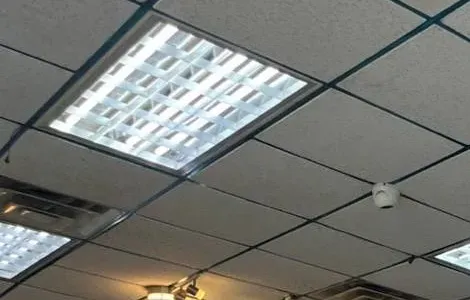
AESS job photo: a small white dome camera sits on a drop ceiling with a dark metal grid, next to a bright lay-in light fixture with a louvered grille, with a track light visible at the lower edge. Placing a camera beside a fixture rather than facing it keeps glare out of the picture.
Storefronts, Offices and Management Companies
Our storefront has a roll-down gate — where does the camera go so it still sees the entrance after the gate comes down?
Outside the gate, under the sign band or the cornice, looking down at the threshold and the sidewalk immediately in front of it. A camera inside the glass sees the back of the gate all night, which is exactly when the entrance matters most.
On a building in a historic district, that exterior camera counts toward the Landmarks limit for the street front, so we pick one small camera rather than two and run its cable inside the sign band. A second camera inside covers the register and the door from within during business hours. The recorder stays in the back room or the basement, not under the counter where it can be carried out.
Where the residential board upstairs has a say in what hangs on the facade, we send the board a drawing of the camera position and the view it will record, so nobody is surprised that the store’s camera sees the building’s door too.
Can a Midtown office suite's Uniview recorder sit on the landlord's building network, or do we need our own line?
It should sit on the tenant’s own network, on a separate segment that only the recorder and the viewing PCs share. The landlord’s base-building network belongs to someone else, changes without notice and is rarely set up to give a tenant’s device a reserved address.
For viewing inside the office, the PCs running EZStation need to reach the recorder on its web port and on the video port; a Reddit answer about EZStation playback failing points first to RTSP port 554 being blocked. For phone viewing from outside, Uniview’s P2P cloud service connects outward from the recorder — Uniview’s distributor Visiotech lists the TCP and UDP ports it uses — so no inbound port forwarding is needed. We give the tenant’s IT team that list on one page and let them write the firewall rules.
If the suite has no IT staff, we provide a small router that keeps the camera segment separate from the office computers. Manhattan’s large stock of older Class B and C office floors — about 232 million square feet between them, by the Comptroller’s count — is where this matters most, because many of those tenants share infrastructure with the landlord.
Our management company runs several buildings — can one screen in the office show all of them through EZStation?
Yes. EZStation is Uniview’s desktop client, and it manages many recorders at once: devices are added by IP address, domain name or EZDDNS, grouped, and shown in custom layouts of up to 64 tiles, with three auxiliary screens. A management office can have one layout per building and a tour that cycles through the entrances of every property.
Each building’s recorder keeps recording on its own; the office screen only views. That matters for a portfolio: if the office internet drops, nothing is lost at the buildings, and each building’s board keeps its own admin password. The office gets operator accounts on each recorder, created with the board’s approval.
Uniview lists the PC requirements on its site — for many simultaneous streams on Windows 11 it specifies recent Intel processors and 16 GB of memory — so we size the office PC to the number of tiles the staff actually want on screen at once.
Privacy Rules That Reach the Camera System
If the co-op adds face-recognition entry, does the Tenant Data Privacy Act apply to the camera system too?
The law applies to the entry system, and the cameras get pulled in when they are part of it. HPD’s guidance on Local Law 63 of 2021 covers owners of multiple dwellings that use smart access — key fobs, phone apps or biometric identifiers — to let people into the building, and requires a written data retention and privacy policy, express consent and collection of only the data the law lists.
A Uniview camera that simply records the lobby is not a smart access system. A face-recognition reader at the door is. If the board links the two — for example by having the door reader store snapshots that the recorder also keeps — the privacy policy should describe both, and the retention periods should agree.
There is also a pending City Council bill, Int 0428-2026, that would bar owners of multiple dwellings from using biometric recognition technology that identifies tenants or their guests. It is not law, but a board considering face entry in 2026 should ask its counsel about it before buying hardware. For a co-op that just wants better lobby video, we leave face recognition off.
Does turning on face search in a Uniview recorder put a Manhattan shop under the city's biometric sign rule?
It can. Some Uniview recorders list face search among their smart features, and NYC Administrative Code §22-1202 requires retail stores, food and drink establishments and places of entertainment that collect, retain, convert, store or share customers’ biometric identifier information to post a clear sign at every customer entrance. A scan of face geometry is biometric information under the law.
If a shop does not need face search, we leave it switched off and say so in the closing packet; ordinary video recording is not biometric collection. If the owner wants it, the city’s consumer protection department publishes a sign template, the sign goes up before the feature is enabled, and the shop must not sell or trade the data.
The law lets customers sue, with a 30-day notice-and-cure step for the sign requirement. Both the City Council and the State Assembly have bills pending in 2026 that would tighten rules on stores’ biometric collection; the state bill as drafted exempts cameras used solely for store security. We track both and update clients if either passes.
Police asked for a clip from the lobby — how do we export it from a Uniview recorder so it plays on their computer?
Export the exact time window to a clean USB drive in MP4, and include the original file alongside it. EZStation saves downloaded recordings in .ts or .mp4; MP4 plays on almost any computer without Uniview software, while the original preserves the recorder’s own format if a detective needs it.
Before exporting, check the recorder’s clock against a phone, because a recorder that drifted is the most common reason a clip “doesn’t show the incident”. Write down the camera names, the start and end times, who exported it and to whom it was handed. Brick Underground’s co-op attorney noted that buildings generally release footage to police when their own counsel agrees, so the board’s policy and the request log decide who hands it over.
We set the export permission so only the people named in that policy can do this, and we leave a one-page export routine taped inside the recorder cabinet. The routine is the same whether the request comes from the NYPD, an insurer or a resident’s lawyer.
Equipment
Types of Uniview Camera Installation We Install
These are the Uniview models we install most in Manhattan, all from the published Manhattan price list. Model numbers are the manufacturer’s; specifications are from Uniview’s datasheets or authorized distributors’ copies of them.
4 MP dual-light turrets (EC-T4F28DL)
A 1/3-inch sensor at 2560×1440, a built-in microphone we leave off, and infrared or warm light out to about 30 metres. The workhorse for lobbies, corridors and cellars.
8 MP turrets with corridor mode (IPC3618LB-ADF28K-DL)
3840×2160 from a 1/2.7-inch sensor and a 9:16 corridor mode that turns the picture upright for long hallways and stairs.
4 MP mini bullets (EC-B4F28DL)
Small enough for a sign band or a cornice ledge, which helps on buildings where the Landmarks limit counts every camera.
Fisheye domes (IPC86CEB-AF18KC-I0)
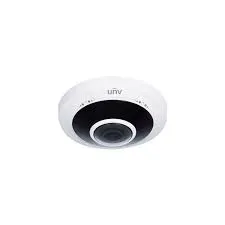
A 12 MP vandal-resistant fisheye that covers a whole mailroom or lobby from one ceiling point, useful where a board wants as few cameras as possible.
PTZ domes (IPC6424SR-X25-VF)
A 4 MP pan-tilt-zoom camera for plazas, loading docks and garages where staff need to follow activity across a wide area.
Plate-capture cameras (PKC2640 series)
Uniview’s LPR cameras for garage ramps, aimed at the entry lane with their own illumination rather than at the street.
Network video recorders
From the 4-channel NVR301-04LS3-P4 to the 16-channel NVR302-16B-P16-IQ and the 32-channel NVR302-32B-IQ, chosen by camera count, drive bays and PoE budget.
Hybrid recorders for old coax (XVR301 series)
For buildings with working coaxial cable from an older analog system, so cameras can be replaced in stages instead of re-cabling every floor at once.
Uniview PoE switches (NSW2020 series)
Extra powered ports near a cluster of cameras, such as the roof or a far wing of the cellar, so one cable can feed several cameras.
Uniview recorders we install in Manhattan, side by side
Recorder
Cameras
Built-in PoE
Drives
Manhattan price with setup
NVR301-04LS3-P4
4
4 ports, 30 W each, 54 W total
1 bay, up to 6 TB
$523
NVR301-08LS3-P8
8
8 ports, 30 W each, 75 W total
1 bay
$643
NVR302-16B-P16-IQ
16
16 ports
2 bays; 160 Mbps incoming
$1,243
NVR302-32B-IQ
32
None — separate switches
2 bays
$903
XVR301-04G3
4 analog
None — coax cameras
1 bay
$383
The 4-channel recorder’s datasheet also lists 128 remote users, HDMI output up to 4K and detection rules the cameras run themselves — intrusion, line crossing, entering and leaving an area — which is what lets a quiet cellar camera alert the super without false alarms from shadows.
National brands and a local Uniview install, compared
Question to ask
ADT
Ring
SimpliSafe
AESS Uniview install
Where is video kept?
Depends on the package sold
Cloud; saved video requires a Ring subscription plan
Cloud; recordings tied to a SimpliSafe plan
On the building’s own recorder; cloud only for phone viewing
Who holds the admin login?
Provider-managed account
The account holder
The account holder
The board or owner, sealed at handover
Fits a 16-camera lobby, cellar and roof?
Commercial packages vary
Built for homes and small sites
Built for homes
Yes, one recorder or several
Board-ready camera map and footage routine
Not standard
No
No
Included
Monthly fee to keep recording
Usually a monitoring contract
For video history
For recordings
$0
The national brands suit plenty of single apartments. A Manhattan building with shared spaces, several stakeholders and its own rules usually needs a system it owns outright.
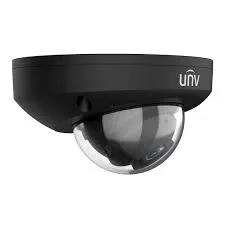
Manufacturer product photo: a white Uniview fisheye dome with the UNV logo and a single wide lens. One fisheye can cover a whole mailroom or small lobby from the center of the ceiling, which helps where a board wants as few cameras as possible.Manufacturer product photo: a black Uniview mini dome camera with the UNV logo and a clear protective bubble over the lens. A dark housing disappears against dark lobby ceilings and painted vestibule trim.
AI Overview Reality Check
What AI Gets Wrong About Uniview Camera Installation in Manhattan
We could not capture Google’s AI Overview for these searches from our research tools, so this section tests the claims that rank for them instead — the cost guides, dealer pages and forum answers an AI summary draws on. Each claim is quoted or paraphrased with its source, then checked against Manhattan buildings.
“Camera installation costs $80 to $200 per camera in NYC”
ButterflyMX’s guide to NYC installers gives that range, and Angi’s 2026 national figures put a typical whole job at $590 to $2,040 with an average of $1,289. Security.org quotes $100 to $300 for installation. Those are labor-only or suburban-home numbers.
A Manhattan Uniview job includes the camera, the recorder, the drive, cable pulled through occupied buildings and, often, the parking that our published Manhattan price list carries as a line item. On that list, a single installed Uniview IP turret starts at $481 and a complete four-camera system at $2,826.
The gap is not markup. It is a freight elevator booked for a two-hour window, a certificate of insurance written to the agent’s template, cable fished behind plaster, and a recorder set up so the board owns it. Ask any quote whether those are in it.
“Uniview is NDAA-banned” — or the opposite, “Uniview has no federal issues”
Both appear on ranking pages. One VMS comparison site lists Uniview alongside Hikvision and Dahua as “NDAA Section 889 banned”; dealer guides say Uniview is not named in Section 889 and leave it there.
The statute names five companies and Uniview is not one of them. The FCC Covered List, as updated October 16, 2026, does not list Uniview either. But on December 11, 2024 the Commerce Department did add Zhejiang Uniview Technologies to the Entity List, citing surveillance of the general population and of Uyghurs and other minorities, which restricts exports to the company.
So the accurate summary is narrower than either claim: legal to buy and install in New York, not an 889-named brand, but on a federal restricted-party list. Buyers with federal contracts or strict vendor policies should decide with that in hand.
“Without the cloud, Uniview cameras don’t work”
Owners on Reddit complain about EZView — slow motion notifications, patchy two-way talk, playback that stalls — and it is easy to conclude the system lives in the app.
It does not. The recorder records to its own drive whether the internet is up or not. A reply on r/uniview put it simply: running without Uniview’s cloud mostly costs you push notifications on the phone. Local viewing on the lobby monitor or an EZStation PC carries on.
The app is also changing: Uniview announced UNV-Link for owners and UNV-Link Pro for installers as replacements for EZView, and said it expects EZView to stop service in 2027. The recorder does not care which app is used to view it. In Manhattan the bigger point is that building internet is often the weakest link. We design so a dropped connection costs phone alerts for an hour, not the night’s recording.
“Just log in with admin and 123456”
Dealer tutorials repeat it, and Uniview’s own password guide says the default username and password of most Uniview products is admin and 123456.
That is exactly why a default left in place is dangerous. Uniview’s security notice page lists advisories for some of its recorders and cameras, and Akamai documented botnet attempts against CVE-2024-0778 in a Uniview ISC 2500-S camera that had reached end of service. Internet-exposed devices with known flaws and default logins are what botnets look for.
Every recorder and camera we touch gets a unique strong password, current firmware from Uniview’s site and no inbound port forwarding. If we take over an existing system and find a default, it is changed before we leave the building.
“Any PoE switch will power any camera, at any distance”
Forum advice treats PoE as unlimited. It is not. Ethernet and PoE are specified to 100 metres of cable, and each recorder or switch has a total power budget — 54 watts across the four ports of the NVR301-04LS3-P4.
Manhattan runs break both limits easily: a cellar-to-roof route that wanders around a light well, or four cameras with bright white-light LEDs on one small recorder. The symptom is cameras that reboot at night when their lights come on.
We measure the route and total the wattage before choosing hardware, and we put a switch near the cameras rather than chaining switches off the recorder.
“Buy the cheapest Uniview kit online and have anyone install it”
Price-comparison advice points to online listings well below dealer cost.
Uniview’s US site warned in February 2026 that products bought from unauthorized resellers lose warranty and other services “including but not limited to software upgrade.” A grey-market recorder can be stuck on old firmware with no support path.
If you already own Uniview equipment, we will install it at our labor-only rates and tell you if the serial numbers suggest a problem. If you are buying new, buy through an authorized channel, from us or anyone else.
“Put cameras wherever you need coverage”
General guides rarely mention who else gets a say. In Manhattan, several people do.
On a landmarked building, the Landmarks Preservation Commission caps cameras at two or three per 25 feet of street frontage depending on the building’s size. Boards set rules on hallway cameras and video doorbells; FirstService Residential notes board approval is required before a video doorbell goes outside an apartment door. State law bars recording employees in changing rooms and restrooms, and audio can raise eavesdropping problems.
We draw the camera plan with those limits first, then fill the coverage gaps they leave with better angles or a fisheye instead of more cameras.
Talk to a Technician Before the Board Votes
A ten-minute call before the proposal goes to the board saves a second round of questions. We will tell you whether Uniview fits the building’s rules and budget, or whether another brand would serve it better.
For a Manhattan Uniview quote, tell us the building type and cross streets, how many entrances, floors and cellar areas need coverage, and who approves the work. A written price comes back the same business day; to talk first, call (929) 560-0737.
✅
We Got Your Request!
Received. A technician is reading your Manhattan building details and will phone you today. If it cannot wait, the Manhattan line is (929) 560-0737.
How It Works
Our Installation Process
Seven steps, the same on a six-camera walk-up and a forty-camera tower. The order exists because Manhattan buildings run on approvals.
1. Photos and a call
Pictures of the entrances, the cellar and any existing recorder, plus a short call about the building’s rules: who approves, which hours, which elevator.
2. Walk-through with the super
We trace cable routes floor by floor, measure the longest runs, find a dry home for the recorder and note Landmarks or board limits on the facade.
3. Written proposal and paperwork
Price from the published Manhattan list, a camera map, the federal-status note on Uniview, and a certificate of insurance to the agent’s template.
4. Cable day
Cable pulled along cellar ceilings, existing chases and approved riser paths, with exterior entries sealed and every run labeled at both ends.
5. Cameras and recorder
Cameras mounted and aimed with the person the board names, the recorder racked with backup power, drives tested and firmware brought current.
6. Accounts and privacy settings
Admin, operator and EZCloud accounts in the building’s name; microphones off; masks over apartment doors; schedules for alerts.
7. Handover
The board’s representative changes the admin password, runs a test export and receives the two-page camera map and footage routine.
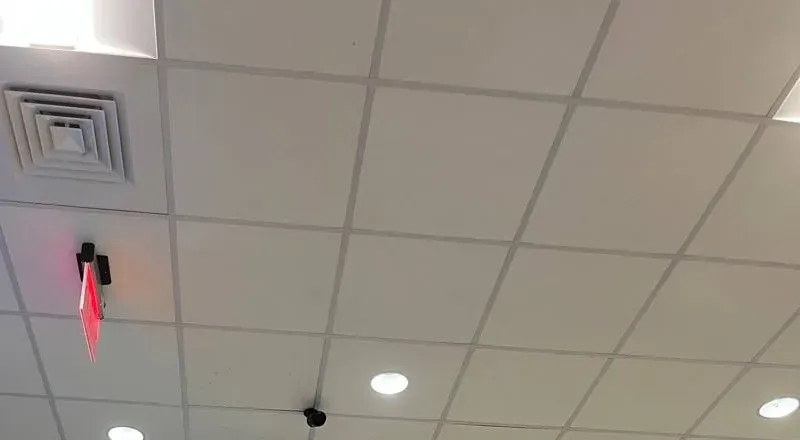
AESS job photo: a small black camera is mounted on a white tiled ceiling a short way from a lit red exit sign, with a square air diffuser and round recessed lights nearby. Camera positions near exits are planned with the building’s fire-safety devices in mind, never mounted on or blocking them.
Coverage Area
Uniview Camera Installation Near Manhattan's Landmarks
We work across the borough. These are places that came up in our research for this page — each one shows a different side of how cameras meet Manhattan buildings.
Riverside Drive and Broadway in the 90s
Where NYPD cameras went up in January 2024; pre-war co-ops and rentals whose boards now ask what their own lobby cameras cover.
West 72nd Street and Central Park West
One of the corners West Side Rag listed for public plate readers — a reminder that street cameras stop at the curb.
Greenwich Village
Low-rise historic-district streets where a lobby theft through an unlocked door made the news, and where Landmarks camera limits apply to most facades.
Ladies’ Mile on Sixth Avenue
Nineteenth-century department-store buildings, now retail and offices, inside a historic district that appears on LPC hearing agendas.
Garment District
Showrooms and sample rooms in loft buildings between Fifth and Ninth Avenues, where small ceiling cameras watch doors and tables.
Water Street, Lower Manhattan
Older office towers, some converting to apartments, where camera systems change hands with the building.
We also serve Harlem, Washington Heights, Inwood, the Upper East Side, Chelsea, Murray Hill, Midtown East, the Lower East Side, Tribeca, SoHo, Chinatown and the Financial District, and the neighboring Bronx and Queens.
Pricing
Uniview Camera Installation Cost in Manhattan
Every figure below comes from our published Manhattan Uniview price list, which applies the Manhattan labor rate and includes a $150 parking line on Manhattan jobs. Prices are installed, plus sales tax, with exposed or cellar wiring up to 100 feet per camera and phone setup included. The exact figure follows a look at the building.
System or part
Manhattan price
What moves it
4 cameras: 4 MP mini bullets, 4-channel NVR, 4 TB
$2,826
Camera model; the same system with 8 MP turrets is $3,266
About a month of recording instead of two weeks: $10,073
Single Uniview camera, installed
From $361 (analog) or $481 (IP turret)
Resolution, lens, light; PTZ $1,701, fisheye $2,151, plate camera $1,791
Recorder with setup
$383–$1,243
Channel count, PoE ports, drive bays
Hidden wiring in hollow drywall
$200 per camera
Plaster, brick and exterior walls priced after inspection
Service or repair visit
$195 an hour, 3-hour minimum ($585)
Number of faults, access, whether parts are needed
What raises a Manhattan price. Plaster or masonry where cable has to be concealed. A roof or far-wing camera beyond 100 metres of cable that needs a second switch or fiber. Freight elevators available only in short windows, so the job spreads over two days. Landmarks permits. A takeover where nobody has the admin password and ownership has to be documented first.
What lowers it. Existing conduit or a clean cellar ceiling to run along. A board that has already decided who may view footage. Cameras grouped near one another so a single switch feeds them. Access to the roof and cellar on the same day.
Send the building type, the cross streets and the number of entrances, and we send back a written figure from the published list with anything the building adds shown as its own line.
Four Uniview EC-B4F28DL 4 MP mini bullets, the NVR301-04LS3-P4 recorder with a 4 TB drive (at least two weeks of recording), wiring up to 100 feet per camera, phone and desk setup. Suits a walk-up’s street door, vestibule, mailboxes and cellar door, or a small shop.
Building Standard — $4,870
Eight EC-T4F28DL 4 MP dual-light turrets on the NVR301-08LS3-P8 with a 4 TB drive. Covers entrances, lobby, package room, cellar corridor, refuse room and roof door of a typical elevator building, with operator accounts for staff and the admin login handed to the board.
Full Building — $9,386
Sixteen EC-T4F28DL turrets on the 16-channel NVR301-16B-LP8-IQ with a Uniview NSW2020-10T-POE-IN switch and two 4 TB drives. For larger co-ops, rental buildings with a garage or several entrances, and office floors. About a month of recording is $10,073.
Already bought the equipment? Labor-only work
We install customer-supplied Uniview cameras and recorders at our per-line labor rates, listed on the install-your-own pricing page. Two cautions. Uniview says equipment from unauthorized resellers loses warranty and software-upgrade support, so check where it came from. And buildings often need more cable than an online kit includes; we tell you what is missing before the visit, not during it.
Complete Services
Every Uniview Camera Installation Service in Manhattan
Most Manhattan boards that add Uniview cameras pair them with the building’s intercom or a fob-controlled package room, so the video and the entry log tell the same story.
Field Notes
Field Notes: The Password Envelope Is Part of the Install
The most valuable thing we leave in a Manhattan building is not a camera. It is a sealed envelope, or an entry in the board’s password manager, holding the recorder’s admin password and the EZCloud login, plus a two-page sheet saying which camera is which and how footage is requested. When a building calls us about a Uniview system someone else installed, the cameras are rarely the problem. The problem is that the only person who could change anything was a contractor who has moved on, or a super who has retired.
So the last hour of every job is handover, done with the person the board names. They log in with the admin password while we watch, change it to one we never see, check that the operator accounts work, and run one export to a USB drive themselves. The envelope is signed across the seal. If they want us to keep a copy for emergencies, that is their decision and goes in writing; the default is that we do not hold it.
It sounds like ceremony. It is the difference between a system the building owns and one it rents from whoever installed it.
FAQ
Manhattan Uniview Camera Installation FAQ
Can the super get an alert only when someone enters the boiler room after hours?
+
Yes. The camera’s own detection rules — intrusion, line crossing, entering an area — can be drawn around the boiler-room door, and the recorder can send the alert only on a schedule, for example nights and weekends. During the day the camera still records but stays quiet. If alerts stop arriving on an older recorder, the first fix Uniview owners report is bringing the firmware up to date; the second is checking the phone’s notification settings for EZView. We test the alert with the super’s own phone before we leave.
Can a Uniview camera read plates at a garage ramp on a narrow Manhattan side street?
+
Usually, if it watches the ramp and not the street. Uniview’s plate-capture cameras, such as the PKC2640 series on our price list, need a fixed lane, a set distance and their own illumination. A Manhattan garage ramp gives exactly that, while a camera aimed across a busy one-way street does not. The plate readers residents notice on the Upper West Side belong to the NYPD, DOT and the MTA; a private garage’s camera records only who used its own entry, and the garage should say so in its customer terms.
Can a contractor or tenant be given camera access for a set number of days and then cut off?
+
Yes. Uniview’s cloud sharing, used through the EZCloud website or the phone app, lets the account owner share a device with another account, choose what that account may do, and set an expiry date. It suits a renovation contractor who needs to see the work area for six weeks, or a commercial tenant during a fit-out. When the date passes, the access ends without anyone changing a password. Uniview’s own guide also covers cancelling a share early, which we show the agent how to do at handover.
Does the lobby have to close while the cameras go in?
+
The lobby stays open; we work one area at a time and keep the floor clear. Most Manhattan buildings allow contractor work only on weekdays within set hours and want equipment carried in the freight or service elevator, booked in advance through the super or agent. We ask for those rules when we schedule, send the certificate of insurance ahead, and plan noisy drilling for the middle of the day. A sixteen-camera building usually takes one or two working days.
Can a camera go inside the elevator cab?
+
It can, but not by us alone. The cab’s wiring and the hoistway belong to the building’s elevator maintenance contractor, and any cable or wireless link to the cab has to be installed or approved by them. We supply and configure the Uniview camera, place it in a corner of the cab ceiling looking at the door, and connect it to the recorder in the machine room or cellar once the elevator company has provided the path. The board should expect two contractors on the schedule.
Can residents watch a lobby camera on a TV by the mailboxes?
+
Yes. A display in the lobby can show a live view of the entrance or vestibule, which many buildings use as a visible deterrent. We feed it from the recorder’s second output or a small viewing device, with live view only — no playback, no menus, nothing a passer-by can change. We do not put package-room or corridor views on a public screen, and the board decides which camera, if any, appears there.
Who owns the cameras and the footage if the building is sold or converts to a co-op or condo?
+
The equipment usually goes with the building, as fixtures, unless the sale contract says otherwise; footage is records of whoever controlled the building when it was recorded. In practice the useful step is the same either way: transfer the admin password, the EZCloud binding and the camera map to the new owner or board at closing, and agree how long the old footage is kept before the drives roll over. We can do that transfer on site so neither side has to trust the other with passwords.
What is corridor mode, and when is it worth using in a Manhattan hallway?
+
Corridor mode rotates the picture to a tall 9:16 frame. Uniview lists it on cameras such as the IPC3618LB-ADF28K-DL. A long, narrow hallway or stair fills a tall frame, so more of the useful image is the corridor and less is wall. It is worth it in long cellar corridors, service halls and stairwells. It is not right for wide lobbies, and on residential corridors we still aim along the hall so no apartment door opens into view.
Can the recorder email the managing agent when a hard drive fails or fills up?
+
Yes, and it should. Uniview recorders raise their own alerts for problems such as disk offline, disk abnormal and hard disk full, and EZStation can be configured with an outgoing mail server and the addresses that receive alerts. We send drive and network alerts to a shared mailbox at the managing agent rather than to one person, so the warning still arrives after staff changes. A failed drive caught the day it fails costs a replacement drive; one discovered after an incident costs the footage.
How do we stop someone from simply unplugging the recorder or covering a camera?
+
Lock the recorder away and let it complain. The recorder goes in a locked cabinet in the cellar or a closet the board controls, with its power on a dedicated outlet rather than a power strip anyone can switch off. Uniview recorders can alarm on camera tampering and video loss and alert when the network disconnects, so a camera that is covered, cut or unplugged shows up as an alert at the agent’s mailbox and on the desk screen. A camera aimed at the cabinet door records anyone who opens it.
All Areas Served
Uniview Camera Installation Across New York City, Long Island and the Hudson Valley
This page sits under the NYC Uniview camera installation hub. Each borough, Long Island and Hudson Valley page is written for its own housing, rules and prices.
Every number and rule on this page traces to one of these sources, checked in October 2026. Prices come from our own published Manhattan list.
U.S. Census Bureau, American Community Survey 2019–2023, New York County tables B25024, B25034, B25035 and B25003 (housing units by building size, year built, tenure)
Office of the New York City Comptroller, “Spotlight: New York City’s Office Market,” May 2024 (office square footage by class, CoStar data)
Federal Register, Bureau of Industry and Security, “Additions to the Entity List,” December 11, 2024 (document 2024-29136)
Federal Communications Commission, List of Equipment and Services Covered by Section 2 of the Secure Networks Act, page updated October 16, 2026
Uniview datasheets for the NVR301-04LS3-P4, NVR302-16B-P16-IQ and IPC3618LB-ADF28K-DL; distributor copies of the EC-T4F28DL and NVR301-08LS3-P8 datasheets
Uniview, EZStation 3.0 product and specification page; EZView app listing; news release introducing UNV-Link and UNV-Link Pro (March 2024); “How to Troubleshoot When It Shows the Device Has Already Been Registered”; “How to Share and Cancel Sharing on EZCloud Website and EZView” (April 2025); “How to Retrieve a Uniview Camera’s Password” (April 2025)
Uniview security notice page (advisories dated 2021–2024) and Uniview USA notice on unauthorized resellers, February 9, 2026
Akamai Security Intelligence Response Team, research on CVE-2024-0778 in the Uniview ISC 2500-S camera, 2024
Rules of the City of New York, Title 63 (Landmarks Preservation Commission), §2-20, security cameras; LPC Permit Guidebook, 2025 edition; City Record, November 6, 2025 (LPC hearing notice)
NYC Administrative Code §22-1202 and §22-1203 (Local Law 3 of 2021) and the DCWP biometric disclosure sign; NYC Council file Int 0428-2026 (pending)
NYC Department of Housing Preservation and Development, Tenant Data Privacy Law guidance (Local Law 63 of 2021)
New York Labor Law §203-c; Penal Law §250.05 and §250.45; General Business Law §395-b and §69-m; NYS Department of State, Security or Fire Alarm Installer licensing pages
FirstService Residential, “Security Camera Best Practices Guide for NYC Condos and Co-ops,” September 23, 2024; Brick Underground, “Who’s allowed to watch my building’s security camera footage?”
West Side Rag, “18 New NYPD Security Cameras Installed on UWS Thanks to Participatory Budgeting,” April 23, 2024, and “An Upper West Side Flock Camera Map Misunderstanding,” August 13, 2026
NBC New York, March 15, 2018 (Upper West Side lobby package thefts); CBS New York, February 16, 2021 (Greenwich Village lobby theft)
Reddit threads in r/uniview, r/homesecurity, r/videosurveillance and r/homelab (owner reports quoted as opinions); ButterflyMX, Angi and Security.org cost pages (claims tested in the reality check)
Google’s People Also Ask, related searches and AI Overview, Answer the Public, Bing and DuckDuckGo suggestions and Yelp reviews could not be retrieved from our research tools for this edition; nothing on the page is drawn from them.
Lobby Camera Down or Cloud Account Locked? Call the Manhattan Line
A dark package-room camera, a recorder still tied to an old contractor’s account, a drive that stopped recording, or a board meeting next week that needs answers — phone (929) 560-0737. We book the next open two-hour window, and most single faults are fixed within one to two hours of arrival.
Manhattan Uniview Installation From a Licensed, Insured Team
Abstract Enterprises Security Systems · Bronx office at 460 E Fordham Rd, NY 10458 · Manhattan Uniview line (929) 560-0737 for calls and texts · photos of your recorder welcome on WhatsApp
Rated 4.7★ across 201 Google reviews · NYS license #12000287431 · written estimates the day you ask · certificates of insurance sent to managing agents and boards before the visit
Full terms — including 50% deposit, one-year parts-only warranty on AESS-supplied products, and the late-fee schedule — are set out in the service agreement. See our warranty page.
Last full revision October 18, 2026. What changed: this Manhattan Uniview page was rewritten from new research on the borough’s housing and office stock, Uniview’s recorder, camera and EZCloud documentation, its Entity List and FCC Covered List status, Landmarks camera limits, NYC biometric and tenant-data rules, co-op footage practices and Upper West Side camera reporting, with prices taken from the published Manhattan Uniview list and the standard service rate.