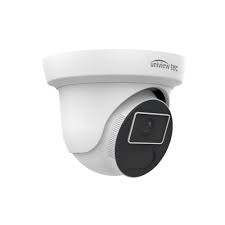
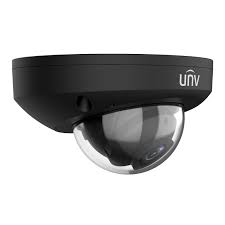
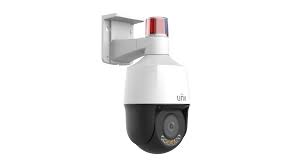
Brownstones · Lofts · Apartment Buildings · Retail · Uniview Prime · Uniview AI — Licensed & Insured
📱 App trouble? If you use the EZView app or EZStation to view these cameras and it’s offline or won’t connect, we fix that too.
Licensed installation of Uniview security camera systems across Brooklyn. We design, install, and configure Uniview Prime full-color night vision, Uniview AI detection, PTZ domes, and NVR recording for brownstones, converted warehouse lofts, apartment buildings, retail, and commercial properties — from Park Slope and Bed-Stuy to DUMBO, Williamsburg, and Bay Ridge. Brick-safe installs, hidden cabling, the Uniview NVR app on your phone, no monthly fees. Part of our Brooklyn security camera installation service.
Brooklyn is the most architecturally varied borough in New York — brownstone blocks in Park Slope, Bed-Stuy, and Fort Greene, converted warehouse lofts in DUMBO and Williamsburg, coastal row houses in Bay Ridge and Sheepshead Bay, and walk-up apartment buildings across Flatbush and Sunset Park. Uniview is one of the most requested brands we install across all of them, because it delivers professional 4K, full-color night vision, and AI detection at a price that works whether you’re covering a single brownstone or a whole apartment building.
Abstract Enterprises is a New York State licensed low-voltage contractor that designs, installs, secures, and configures complete Uniview systems across Brooklyn — cameras, NVR recording, PoE cabling run cleanly through brick, brownstone, and plaster, and the Uniview NVR app remote viewing. We install on brownstones without damaging the brick, follow Landmarks rules in historic districts, and provide board documentation for co-op and condo buildings. This page covers our Uniview work in Brooklyn; see our Uniview camera installation NYC hub for the full brand overview, or our main Brooklyn security camera installation service.
Brooklyn’s mix of brownstones, lofts, and apartment buildings makes Uniview’s blend of capability and value a natural fit — installed properly and securely.
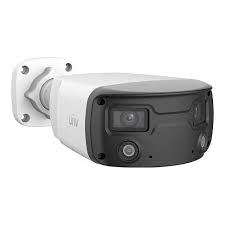
Compact Uniview Prime cameras at the stoop, parlor entrance, rear yard, and cellar door give a brownstone full coverage — mounted brick-safe with hidden cabling.
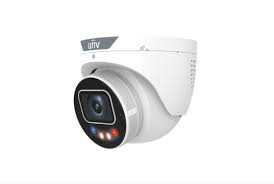
Many Brooklyn side streets and rear yards are poorly lit. Uniview Prime captures full color overnight, so footage of a package thief or break-in is usable, not a gray blur.
On a busy Brooklyn block, motion-only cameras alert all night. Uniview AI classifies people vs vehicles so you only get meaningful alerts.
High-channel NVRs cover a DUMBO loft building or a Flatbush walk-up — lobbies, halls, stairs, roofs — without the premium-brand price on a big camera count.
the Uniview NVR app gives an owner, co-op board, or managing agent secure phone access to live and recorded video — no monthly fee for local NVR recording.
Because Uniview is widely targeted, we change defaults, segment the network, and update firmware — the step careless installers skip.
Uniview Prime captures full-color video 24/7 — the same color at 3 a.m. as at noon. On a dim Brooklyn block, that’s the difference between identifying someone and an unusable infrared blur. Where we deploy it:

Full-color capture at the brownstone stoop and parlor door, plus the vestibule package shelf where most porch-piracy happens.
Dark back yards, gardens, and cellar entrances captured in color — the access points burglars actually use on Brooklyn row houses.
Ground-floor retail along Atlantic, Flatbush, and the avenue corridors monitored in color around the clock for theft and liability.
Uniview AI is Uniview’s on-camera AI — it classifies people and vehicles and only alerts on the targets that matter, essential on a busy Brooklyn street.
Tells a person from passing cars and street motion, so you get alerts that mean something — not hundreds of false pings a night.
Cars and trucks classified and labeled, making footage searchable — jump to a specific vehicle at the curb or driveway.
Filtering non-threats ends the alert fatigue that makes people ignore their cameras — critical on a high-traffic block.
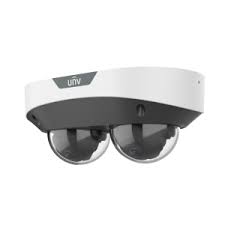
For larger Brooklyn properties — loft buildings, warehouses, and commercial lots — PTZ domes, license plate recognition, and a properly-sized NVR complete the system.
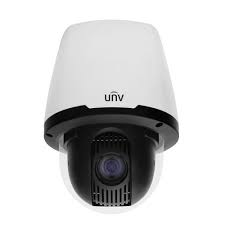
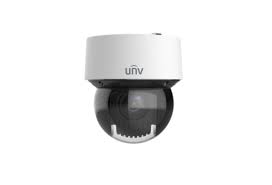
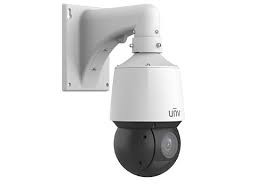
One pan-tilt-zoom dome covers a warehouse floor, loft lobby, or commercial yard and follows a moving subject — fewer cameras for wide spaces.
LPR at a loading dock or parking entrance logs every plate with a timestamp — an audit trail for vehicle access.
We size storage to camera count, resolution, and the retention you need — so footage is there weeks later when an incident surfaces.
Live view and playback on your phone from anywhere, no monthly fee for local NVR recording.
🔑 Pair cameras with access control. Many Brooklyn buildings installing Uniview cameras add fob or intercom entry on the same visit — one crew, one cabling run. Access control Brooklyn → · Video intercoms →
We’ve installed Uniview in every kind of Brooklyn building — each with its own wiring era, landmark rules, and aesthetic constraints.
Park Slope, Bed-Stuy, Fort Greene, Cobble Hill — stoop, parlor, rear yard, and cellar coverage, brick-safe and Landmarks-compliant.
DUMBO, Williamsburg, Bushwick, Industry City — converted loft buildings with shared entrances and high ceilings, wired for full coverage.
Flatbush, Sunset Park, Borough Park walk-ups and post-war buildings — directory of lobbies, halls, stairs, and roofs on one NVR.
Bay Ridge, Sheepshead Bay, Coney Island single-family and row houses — driveways, yards, and entries with weatherproof cameras.
Atlantic, Flatbush, Bedford, and the avenue corridors — POS coverage, entrances, and stockrooms with searchable Uniview AI footage.
Downtown Brooklyn and the industrial zones — reception, floors, docks, and perimeters integrated with access control.
Camera offline, not recording, can’t view remotely, forgot the password, NVR failed, or blurry night footage? We repair, secure, and upgrade existing Uniview systems across Brooklyn — including systems another company installed. Most issues fixed in one visit.
Cost
Quality / Trust
DIY vs Pro
Technical
Commercial / Compliance
Free on-site assessment. Brick-safe install. No monthly fees.
Search “Uniview camera installation Brooklyn” and Google’s AI Overview, plus Angi, HomeAdvisor, Thumbtack, and Fixr, will give you national averages and generic advice. Here’s how that holds up against a real Brooklyn install — a Park Slope brownstone, a DUMBO warehouse loft, a Downtown Brooklyn high-rise, or a storefront on Fulton or Atlantic Avenue.
Angi and HomeAdvisor put security-camera installation around $590–$2,040 nationally. In Brooklyn a residential 4–8 camera system runs roughly $1,500–$5,000, an apartment building with lobby, hallway, and entry coverage $5,000–$15,000, and commercial properties $10,000–$30,000+ with AI analytics.
For Uniview specifically, contractor-level hardware is reasonable: a 4MP IP bullet runs about $80–$150, a 16-channel NVR $400–$900, and PTZ or LPR units $300–$1,200+. The camera is affordable; the Brooklyn building is what moves the total.
A 10-camera job in a 1905 pre-war Brooklyn Heights building with original plaster and no structured cabling costs far more than the same count in a gut-renovated space with open ceilings. We price the building, not a national mean.
The internet often files Uniview under “budget brand.” That undersells it. Uniview (UNV) is a top global professional IP-camera maker, a full ONVIF member, with ColorHunter and LightHunter low-light technology that competes with far pricier lines.
ColorHunter delivers full color down to about 0.0003 Lux with a large F1.0 aperture, a BSI sensor, and warm-white LEDs; LightHunter holds color to roughly 0.002 Lux. On a dim Brooklyn side street, a brownstone stoop, or an unlit alley behind a storefront, that is the difference between a usable face or plate and a gray smear.
So “cheaper” is real on the invoice but misleading on the spec sheet — professional-grade hardware at a mid-market price, which is exactly why we install it across Brooklyn brownstones, lofts, towers, and shops.
National guides assume one kind of house. Brooklyn has more than 40 distinct neighborhoods and just as many building types — pre-war brownstones in Park Slope and Fort Greene, converted warehouse lofts in DUMBO, row houses in Cobble Hill, high-rise towers in Downtown Brooklyn, and walk-ups everywhere in between.
Each one routes cable differently. Discreet wiring in a landmarked brownstone on Bedford Avenue is a different job than a riser run in a Downtown tower or a surface raceway in a loft. That building-by-building variation, not the camera count, is the real cost driver.
Because we are a licensed low-voltage contractor, the structured cabling and the cameras come from one crew — no coordination gap, no second contractor for the network.
Generic guides talk about cameras in the abstract. Brooklyn has specifics: package theft from brownstone stoops and apartment lobbies, vehicle break-ins on residential side streets, retail shoplifting along Fulton Street, Atlantic Avenue, and Fifth Avenue, and vandalism to storefronts.
Visible cameras deter all of that, and footage supports police reports and insurance claims. A Uniview ColorHunter at the stoop and a Tri-Guard active-deterrence camera over a shop entrance do real work on a Brooklyn block.
For Brooklyn landlords and managers, multi-unit coverage — lobby, hallways, stairwells, and rear entries — is the difference between a tenant complaint and documented evidence.
This question dominates the results, and the honest answer is nuanced. The NDAA restricts certain Chinese-made surveillance gear from federal government and critical-infrastructure use, and Uniview is part of that conversation.
For a private Brooklyn homeowner, landlord, or business — a brownstone, an apartment building, a shop, a warehouse — Uniview is legal to buy, install, and operate. The restriction targets who is buying (federal agencies, critical infrastructure), not a blanket consumer ban.
We will tell you plainly: if you are a federal contractor or a regulated critical-infrastructure site, we will install a different line instead. For everyone else in Brooklyn, Uniview is a legitimate, widely deployed choice.
Uniview kits exist, and a handy brownstone owner can mount a two-camera Easy-series kit by a front door. The AI Overviews are right that DIY saves the labor half of the budget.
Where DIY breaks in Brooklyn is everything around the camera: fishing cable through plaster brownstone walls, terminating PoE, configuring the NVR and EZView remote access, and aiming for evidentiary coverage across a multi-floor or multi-unit property. That is where a weekend project becomes a re-do.
Our honest rule: a camera or two on your own house can be DIY; a whole brownstone, a multi-unit building, or a storefront is a pro job. We are glad to consult either way.
National sources can quote a range and list features. What they cannot do is walk your Brooklyn property, see the sightlines, and tell you whether you need a ColorHunter turret at the stoop or a Pro-series 45x PTZ over a commercial yard.
They also can’t tell you how to wire a landmarked brownstone without damaging the brick, or which corridor your block’s package thieves actually use. That is on-site, neighborhood-by-neighborhood knowledge across Park Slope, Fort Greene, DUMBO, Cobble Hill, Williamsburg, and the rest.
And no AI Overview puts a licensed Uniview installer at your Brooklyn door this week with the cameras, NVR, and cabling staged. That last mile — design, install, configure, support — is the whole job.
Uniview’s full-color night vision — a wide aperture and warm supplement light capture color 24/7 instead of black-and-white infrared.
On-camera AI that classifies people and vehicles versus other motion, cutting false alarms and labeling footage so it’s searchable.
Network Video Recorder — records all cameras, powers them over PoE, and serves footage to your phone. The heart of the system.
Power over Ethernet — one cable carries power and data to each camera, so no separate outlet is needed at the camera.
Pan-Tilt-Zoom — a motorized dome that moves and zooms, with auto-tracking to follow a subject across a large area.
Drilling into the mortar between bricks rather than the brick face — the brick-safe, Landmarks-friendly way to mount on a brownstone.
License Plate Recognition — reads and logs plates with timestamps for a searchable vehicle record.
The app for live view, playback, and alerts on your phone — no monthly fee for local NVR recording.

Illustrative scenario — a representative security camera job includes assessing the property, selecting equipment matched to the site, clean installation, and a walkthrough of the finished system and app. Hypothetical planning example — not a customer account, completed AESS project, verified review, or promised result.
Illustrative example — for security camera, a typical visit covers an on-site review, a written scope and fixed quote, and professional installation or repair completed to code. Hypothetical planning example — not a customer account, completed AESS project, verified review, or promised result.
— Field tech, Abstract Enterprises · 25+ years on Brooklyn buildings
— Anwar Jeffres, Abstract Enterprises — Licensed NYS Lic #12000287431
Tell us your building type and camera count, and we’ll call with a ballpark.
Illustrative example — for work like this, a typical security camera job involves reviewing the property, matching equipment to the space, running clean cabling, and walking through the finished system. Hypothetical planning example — not a customer account, completed AESS project, verified review, or promised result.
Hypothetical planning example — not a customer account, completed AESS project, verified review, or promised result.
Illustrative configuration — a representative security camera setup may cover the main entries and shared areas, with remote viewing or management from a phone and a clean handoff at completion. Hypothetical planning example — not a customer account, completed AESS project, verified review, or promised result.
Hypothetical planning example — not a customer account, completed AESS project, verified review, or promised result.
Illustrative planning scenario — a typical security camera project of this type begins with an on-site assessment, then a written scope and fixed quote, and finishes with professional installation completed to code. Hypothetical planning example — not a customer account, completed AESS project, verified review, or promised result.
Hypothetical planning example — not a customer account, completed AESS project, verified review, or promised result.
Illustrative example — for work like this, a typical security camera job involves reviewing the property, matching equipment to the space, running clean cabling, and walking through the finished system. Hypothetical planning example — not a customer account, completed AESS project, verified review, or promised result.
Hypothetical planning example — not a customer account, completed AESS project, verified review, or promised result.
Illustrative configuration — a representative security camera setup may cover the main entries and shared areas, with remote viewing or management from a phone and a clean handoff at completion. Hypothetical planning example — not a customer account, completed AESS project, verified review, or promised result.
Hypothetical planning example — not a customer account, completed AESS project, verified review, or promised result.
Illustrative planning scenario — a typical security camera project of this type begins with an on-site assessment, then a written scope and fixed quote, and finishes with professional installation completed to code. Hypothetical planning example — not a customer account, completed AESS project, verified review, or promised result.
Hypothetical planning example — not a customer account, completed AESS project, verified review, or promised result.
Real ranges for Brooklyn Uniview systems. Final pricing follows a free site visit — camera count, resolution, cable runs, and PTZ/LPR drive the number.
4–6 Uniview Prime/Uniview AI cameras · NVR · PoE cabling · brick-safe mounting · the Uniview NVR app setup.
8–16 cameras · higher-channel NVR · lobby/halls/stairs/roof · optional PTZ · apartment or loft building.
High-channel NVR · PTZ & LPR · warehouse or multi-building · access-control integration.
Roughly $400–$700 per camera installed depending on model and site. No monthly fees for local NVR recording — cloud backup optional.

Uniview Prime at the entrance and vestibule captures porch pirates in full color. Footage that actually identifies.
Usually a PoE/power fault or network conflict. We trace the run and restore the link, often same visit.
Usually a full or failed NVR drive. We diagnose, replace if needed, and set retention correctly.
A real exposure in a shared loft building. We change credentials, segment the network, update firmware.
IR glare, dirty lens, or an old non-Uniview Prime model. We re-aim, clean, or upgrade to Uniview Prime.
We add fob or intercom entry alongside the cameras on one visit. Access control →

NYS #12000287431, fully insured, with board-package documentation for any Brooklyn co-op or condo.
25+ years on Brooklyn brownstones — mortar-joint mounting, hidden cabling, no facade damage.
We change defaults, segment the network, and update firmware so your system isn’t a horror story.
We tell you when Uniview fits and when a government/federally-funded property needs a different brand.
Local NVR recording with the Uniview NVR app viewing — professional coverage, no subscription.
Part of our full Brooklyn camera service — we also install other brands when they fit better.
Tell us about your property. We’ll call you back within the hour — no obligation.
Uniview Prime night vision, Uniview AI, PTZ, and NVR recording — designed, installed brick-safe and Landmarks-compliant, and secured for your Brooklyn property, with the Uniview NVR app on your phone and no monthly fees. Licensed, insured, honest about brand fit.
Freshness: Updated May 2026 · NYS Lic #12000287431 · Changelog: May 2026 — published Uniview camera installation Brooklyn (Blueprint v2.1)
We install Uniview systems across all five boroughs and beyond. Explore the brand hub and related coverage:
Every current Uniview NVR camera — G6 and Uniview series, AI series, PTZ, doorbells — supplied, mounted, wired, and configured from Bay Ridge to Greenpoint:


Whatever you need on the Uniview side — from a single Uniview doorbell to an enterprise Uniview NVR deployment — we install, configure, repair, and maintain it:
Uniview camera installation · Uniview camera installation · Uniview NVR installation · Uniview security camera installation · Uniview security camera installation · Uniview camera system installation · Uniview NVR installation service · Uniview camera installation company · Uniview surveillance installation · Uniview surveillance camera installer · Uniview NVR setup · Uniview camera setup · Uniview NVR camera setup · Uniview NVR configuration · fast security camera installation · certified Uniview installer · professional Uniview installer · Uniview camera installer · Uniview camera installer · Uniview camera contractor · Uniview camera contractor · Uniview NVR integrator · trusted Uniview integrator · Uniview camera company · Uniview camera service company
Uniview camera repair · Uniview camera repair · Uniview camera repair service · Uniview camera maintenance · Uniview camera maintenance · Uniview camera maintenance service · Uniview camera maintenance company · Uniview camera troubleshooting service · Uniview camera troubleshooting · Uniview NVR troubleshooting · Uniview NVR support · same day camera repair · emergency camera service · rapid camera repair · Uniview NVR upgrade service · Uniview camera replacement service · immediate surveillance upgrade · Uniview NVR expert · Uniview surveillance specialist · experienced Uniview technicians · enterprise surveillance professionals · commercial security experts
Uniview Prime Bullet · Uniview Prime ColorHunter · Uniview Prime Dome · Uniview Prime Turret Ultra · Uniview Easy Flex · Uniview Easy Mini · Uniview Pro PTZ · Uniview Pro AI Bullet · Uniview Pro AI · Uniview Pro Multi-Sensor · Uniview Pro Fisheye · Uniview Pro PTZ · Uniview Video Intercom · Uniview Video Intercom · Uniview doorbell camera · Uniview Active Deterrence camera · Uniview decoder · Uniview camera sensor · Uniview NVR · Uniview network video recorder · Uniview NVR · Uniview NVR · Uniview NVR recording · Uniview NVR remote access · Uniview NVR mobile app · Uniview NVR cloud access · Uniview NVR camera management · Uniview NVR storage requirements · Uniview camera night vision settings · Uniview camera monitoring system · Uniview Access Control · Uniview Video Intercom · Uniview networking · PoE switch · PoE camera system · structured cabling · network infrastructure
Wondering what are Uniview cameras, how does Uniview NVR work, how to install Uniview cameras, how to configure Uniview NVR, or how to add cameras to Uniview NVR? Asking are Uniview cameras good, are Uniview cameras worth it, is Uniview NVR worth it, do Uniview cameras need a subscription, do Uniview cameras require a subscription, can Uniview cameras record without internet, can Uniview cameras work without internet, how much does Uniview NVR cost, how many cameras can Uniview NVR support, what NVR works with Uniview cameras, are Uniview cameras NDAA compliant, which Uniview camera is best, which Uniview camera is best for business, what is the best Uniview camera, or how do I access Uniview cameras remotely? Comparing Uniview vs Hikvision, Uniview vs Axis, Uniview vs Verkada, Uniview vs Hanwha, or Uniview vs Avigilon — or checking Uniview camera pricing, Uniview camera cost, and Uniview NVR pricing before you buy Uniview cameras or buy Uniview cameras? Who installs Uniview cameras and who repairs Uniview cameras in Brooklyn? We do — in NYC and across Long Island and the Hudson Valley. Call (347) 934-8335 — schedule installation today, priority installation available, and same-day repair across every Brooklyn neighborhood.