What are you looking for?
About Us Contact Us Careers Get a Free Quote (347) 934-8335
Pick a service
✅ Got Your Own System?
🎬 Home TheatreQuote 🎶 AV SoundQuote 🔑 Access ControlQuote
Now pick your area
Pick your area
Long Island
Hudson Valley
Services available
Pricing & Tools
Pick a service for pricing
🚪 Intercom Pricing 🔔 Buzzer Repair Pricing
Calculators
📹 Camera System Calculator 🚨 Alarm Calculator ⚡ Cabling Quote Builder ✅ Got Your Own System?
Select your area
All Uniview NYC · All Cameras Queens · NYS Lic #12000287431

Uniview Camera
Installation Queens

Homes · Apartment Buildings · Small Business · Retail · Uniview Prime · Uniview AI — Licensed & Insured
📱 App trouble? If you use the EZView app or EZStation to view these cameras and it’s offline or won’t connect, we fix that too.

Licensed installation of Uniview security camera systems across Queens. We design, install, and configure Uniview Prime full-color night vision, Uniview AI detection, PTZ domes, and NVR recording for single- and two-family homes, apartment buildings, small businesses, and retail — from Flushing and Astoria to Jamaica, Bayside, and Long Island City. Driveway and yard coverage, storefront loss prevention, the Uniview NVR app on your phone, no monthly fees. Part of our Queens security camera installation service.

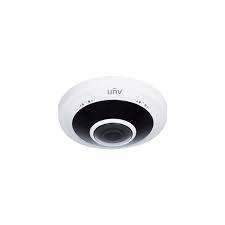
Uniview Fisheye 360 Panoramic camera installation Queens
Get a Free Uniview Quote
We'll call you back within the hour
Request Sent!
We'll call you back within the hour.
25+
Years Experience
60+
Queens Neighborhoods
4.7★
Google Rating
$0
Monthly Fees
✓ Licensed NYS #12000287431 ✓ Homes, buildings & storefronts ✓ No monthly fees
📞 Call Now ⚡ Quote in 60 sec
Uniview Camera Installation · Queens

Queens’ Uniview Camera Installation Specialists

Queens is the largest NYC borough by area and one of the most diverse places on earth — 2.3 million residents across 60+ neighborhoods. Its security needs are just as varied: single- and two-family homes in Bayside and Fresh Meadows wanting driveway and yard coverage, dense apartment buildings in Flushing needing building-wide systems, and the small businesses and storefronts along Jamaica Avenue, Roosevelt Avenue, and Steinway Street needing loss prevention. Uniview is one of the most requested brands we install across all of them, because its value scales from a four-camera home to a full commercial system.

Abstract Enterprises is a New York State licensed low-voltage contractor that designs, installs, secures, and configures complete Uniview systems across Queens — cameras, NVR recording, PoE cabling run cleanly through brick and frame construction, and the Uniview NVR app remote viewing. We cover homes, two-family houses, apartment buildings, co-ops with HOA rules in Forest Hills, and the borough’s huge base of immigrant-owned small businesses. This page covers our Uniview work in Queens; see our Uniview camera installation NYC hub for the full brand overview, or our main Queens security camera installation service.

✓ Uniview Prime & Uniview AI✓ Home driveway & yard coverage✓ Storefront loss prevention📞 (347) 934-8335
Why Uniview in Queens

Why Queens Properties Choose Uniview

Queens’ mix of homes, apartment buildings, and small businesses makes Uniview’s blend of capability and value a natural fit — installed properly and securely.

🏡

Right for Queens Homes

Single- and two-family homes in Bayside, Fresh Meadows, and Howard Beach get full driveway, yard, and entry coverage with compact Uniview Prime cameras at a price that makes sense.

🏪

Built for Small Business

Queens runs on small business. Uniview Prime and Uniview AI at the register, entrance, and stockroom give storefronts searchable footage that resolves theft and disputes — without a monthly fee.

🌝

Uniview Prime for Dim Streets

Residential side streets and commercial back lots are often poorly lit. Uniview Prime captures full color overnight, so footage is usable instead of a gray blur.

🤖

Uniview AI Cuts False Alerts

On busy corridors like Roosevelt and Jamaica Avenues, motion-only cameras alert constantly. Uniview AI classifies people vs vehicles for meaningful alerts only.

🏢

Scales for Buildings

High-channel NVRs cover a Flushing or Rego Park apartment building — lobby, halls, stairs, package room — without the premium-brand price on a big camera count.

🔒

Secured On Install

Because Uniview is widely targeted, we change defaults, segment the network, and update firmware — the step careless installers skip.

Full-Color Night Vision

Uniview Prime in Queens

Uniview Prime captures full-color video 24/7 — the same color at 3 a.m. as at noon. On a dim Queens street or back lot, that’s the difference between identifying someone and an unusable infrared blur. Where we deploy it:

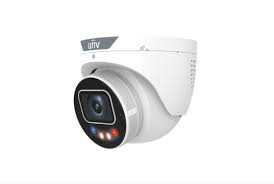
Uniview ColorHunter Tri-Guard Turret camera installation Queens
🚗

Driveways & Yards

Full-color capture of driveways, side yards, and backyards on Queens homes — the access points and parking areas where break-ins and vehicle theft happen.

🏪

Storefronts & Registers

Ground-floor retail along Jamaica, Roosevelt, and Steinway monitored in color around the clock for theft, fraud, and liability.

📦

Apartment Lobbies

Building entrances and package areas in full color overnight — the footage that resolves a Flushing or Astoria building’s package thefts.

AI Detection

Uniview AI Detection

Uniview AI is Uniview’s on-camera AI — it classifies people and vehicles and only alerts on the targets that matter, essential on a busy Queens corridor or a home near a main road.

🚶

Human Detection

Tells a person from passing traffic, so you get alerts that mean something — not hundreds of false pings a night from cars on the avenue.

🚗

Vehicle Detection

Cars and trucks classified and labeled, making footage searchable — jump to a specific vehicle in the driveway or at the loading curb.

🔕

Reduced False Alarms

Filtering non-threats ends the alert fatigue that makes people ignore their cameras — critical for a busy storefront or a home on a main road.

PTZ, LPR & NVR

PTZ, License Plate Recognition & NVR Recording

For larger Queens properties — LIC commercial buildings, warehouses, and parking lots — PTZ domes, license plate recognition, and a properly-sized NVR complete the system.

🎯

PTZ Auto-Tracking

One pan-tilt-zoom dome covers a warehouse floor, parking lot, or large commercial yard and follows a moving subject — fewer cameras for wide Queens spaces.

🚘

License Plate Recognition

LPR at a lot or loading entrance logs every plate with a timestamp — an audit trail for vehicle access, useful for fleet and commercial properties.

💾

NVR Sized Right

We size storage to camera count, resolution, and the retention you need — so footage is there weeks later when an incident surfaces.

📱

the Uniview NVR app Remote Access

Live view and playback on your phone from anywhere — check the store or the house from work, no monthly fee for local recording.

🔑 Pair cameras with access control. Many Queens businesses and buildings installing Uniview cameras add fob or intercom entry on the same visit — one crew, one cabling run. Access control Queens → · Video intercoms →

Every Queens Property Type

Uniview Systems for Queens Properties

We’ve installed Uniview in every kind of Queens property — from single-family homes to busy storefronts.

🏡

Single & Two-Family Homes

Bayside, Fresh Meadows, Howard Beach, Ozone Park — driveways, yards, side alleys, and entries covered with weatherproof Uniview Prime.

🏢

Apartment Buildings

Flushing, Rego Park, Jackson Heights — lobbies, halls, stairs, and package rooms on one NVR, with board/manager remote access.

🏙️

Co-ops with HOA Rules

Forest Hills and other co-op communities — board-approved installs with documentation and managing-agent coordination.

🛍️

Small Business & Retail

Delis, restaurants, salons, and shops along Jamaica, Roosevelt, and Steinway — register, entrance, and stockroom with searchable Uniview AI footage.

🌆

LIC Waterfront & Lofts

Long Island City high-rises, lofts, and arts spaces — modern coverage for waterfront residential and commercial buildings.

🏭

Warehouses & Commercial

Maspeth, Ridgewood, and the industrial zones — PTZ, LPR, and high-channel NVRs for docks, floors, and yards.

🔧 Uniview Repair & Upgrades in Queens

Camera offline, not recording, can’t view remotely, forgot the password, NVR failed, or blurry night footage? We repair, secure, and upgrade existing Uniview systems across Queens — including systems another company installed. Most issues fixed in one visit.

Get It Fixed →
Reddit / Answer the Public / AI Overview

Uniview Questions Queens Owners Ask

Cost

How much does Uniview camera installation cost in Queens?

Expect roughly $400–$700 per camera installed in Queens including the NVR, PoE cabling, configuration, and the Uniview NVR app setup, with per-camera cost dropping on larger jobs. A 4-camera home often lands around $1,800–$3,000; a storefront or apartment-building system runs higher. Final pricing follows a free site visit. Call (347) 934-8335.

Is Uniview a good value for a small business?

Yes — it’s one of the best value choices for a Queens deli, restaurant, or shop. You get 4K, AI detection, and full-color night video for noticeably less than premium brands, with no monthly fee for local recording. We size it to your space and budget.

Quality / Trust

Do you serve all Queens neighborhoods?

Yes — all 60+ Queens neighborhoods, from Astoria and LIC to Flushing, Jamaica, Bayside, Forest Hills, and the Rockaways. We’ve installed in two-family homes in Ridgewood, co-ops in Forest Hills, and commercial buildings in Long Island City.

Can you handle a Forest Hills co-op’s HOA requirements?

Yes — we provide license and insurance documentation for the board package, coordinate with the managing agent, and run the install within building rules. Forest Hills and other Queens co-ops with strict HOA rules are routine for us.

DIY vs Pro

Can I install Uniview myself on my Queens home?

For a small kit maybe, but the value of a pro install is in what goes wrong solo: running PoE cleanly through brick and frame walls, aiming cameras to cover the driveway and yard without glare, sizing NVR storage, and securing the system against the remote-access exploits Uniview gear is targeted for. For a storefront or building it’s a licensed job.

Which Uniview camera is best for a storefront?

Usually Uniview Prime cameras at the entrance and register with Uniview AI to filter alerts, plus coverage of the stockroom and any rear exit, all on a compact NVR. We design it around your floor plan on a free walk-through.

Technical

Why is my Uniview camera offline or not recording?

Usually a PoE/power fault on the run, a full or failed NVR drive, a network conflict, or firmware. “Offline” is often the camera losing its link to the NVR; “not recording” is usually storage. We diagnose and fix it — often in one visit, on systems we didn’t install.

Can I watch my Queens store from home on my phone?

Yes — the Uniview NVR app gives live view, playback, and alerts on your phone from anywhere, so you can check the store after hours or the house while at work. No monthly fee for local NVR recording.

Commercial / Compliance

Is Uniview legal to install in Queens?

Yes, for private use. US restrictions (the NDAA and related FCC rules) bar Uniview from federal government and certain federally-funded or critical-infrastructure projects — not from private homes, apartment buildings, offices, retail, or restaurants. If your property is government or federally-funded, tell us and we’ll spec a compliant brand instead.

Do I need to post that my store is recorded?

For a business and common areas, posted notice of surveillance is generally expected, and audio recording carries stricter consent rules than video. We help place signage and configure audio appropriately so your Queens system is correct from day one.

Ready for Uniview in your Queens property?

Free on-site assessment. Honest quote. No monthly fees.

AI Overview Reality Check

What the Internet Tells You About Uniview in Queens — and What’s Actually True

Search “Uniview camera installation Queens” and Google’s AI Overview, plus Angi, HomeAdvisor, Thumbtack, and Fixr, will give you national averages and generic advice. Here’s how that holds up against a real Queens install — a Bayside single-family, a Flushing apartment building, a Long Island City high-rise, or an auto body shop on Jamaica Avenue.

1. What Angi and HomeAdvisor quote vs. what a Uniview install costs in Queens

Angi and HomeAdvisor put security-camera installation around $590–$2,040 nationally. In Queens a residential 4-camera system runs roughly $1,500–$2,500, a commercial 8-camera install starts around $5,000, and larger warehouse or industrial systems reach $25,000+.

For Uniview specifically, contractor-level hardware is reasonable: a 4MP IP bullet runs about $80–$150, a 16-channel NVR $400–$900, and PTZ or LPR units $300–$1,200+. The camera is affordable; the Queens property is what moves the total.

An 8–32 camera NVR system with license plate recognition for an auto body shop or warehouse is a very different job than four cameras on a Bayside house. We price the property, not a national mean.

2. Why the “is Uniview cheap?” framing misleads

The internet often files Uniview under “budget brand.” That undersells it. Uniview (UNV) is a top global professional IP-camera maker, a full ONVIF member, with ColorHunter and LightHunter low-light technology that competes with far pricier lines.

ColorHunter delivers full color down to about 0.0003 Lux with a large F1.0 aperture, a BSI sensor, and warm-white LEDs; LightHunter holds color to roughly 0.002 Lux. On a dim Queens driveway, a parking lot behind a storefront, or an unlit industrial yard, that is the difference between a usable face or plate and a gray smear.

So “cheaper” is real on the invoice but misleading on the spec sheet — professional-grade hardware at a mid-market price, which is exactly why we install it across Queens homes, apartment buildings, and commercial properties.

3. The Queens cost factor no AI Overview mentions: 50 neighborhoods, every property type

National guides assume one kind of house. Queens is the largest borough by area with more than 50 distinct neighborhoods — LIC waterfront high-rises, Bayside single-families, Forest Hills Tudors, Flushing apartment blocks, Ridgewood two-family homes, and Jamaica commercial corridors.

Each routes cable differently: a driveway camera on a detached house, a building-wide riser system in a Flushing apartment block, an 8–32 camera NVR with LPR in an industrial yard. That property-by-property variation, not the camera count, is the real cost driver.

Because we are a licensed low-voltage contractor, the structured cabling and the cameras come from one crew — no coordination gap, no second contractor for the network.

4. The real Queens threat the AI under-weights: theft by setting

Generic guides talk about cameras in the abstract. Queens has specifics: package theft from apartment lobbies and vestibules, retail shoplifting and employee theft along commercial corridors, vehicle break-ins in parking areas, and loss at auto body shops and warehouses.

Visible cameras deter all of it, and footage supports police reports, insurance claims, and loss-prevention cases. A Uniview ColorHunter at the driveway and a Tri-Guard active-deterrence camera over a shop lot do real work in Queens.

For Queens businesses — restaurants, retail, auto shops, warehouses — LPR and wide-area coverage turn a vague incident into documented evidence.

5. “Is Uniview banned in the US?” — what’s actually true

This question dominates the results, and the honest answer is nuanced. The NDAA restricts certain Chinese-made surveillance gear from federal government and critical-infrastructure use, and Uniview is part of that conversation.

For a private Queens homeowner, landlord, or business — a house, an apartment building, a shop, a warehouse — Uniview is legal to buy, install, and operate. The restriction targets who is buying (federal agencies, critical infrastructure), not a blanket consumer ban.

We will tell you plainly: if you are a federal contractor or a regulated critical-infrastructure site, we will install a different line instead. For everyone else in Queens, Uniview is a legitimate, widely deployed choice.

6. DIY vs. pro for Uniview in Queens

Uniview kits exist, and a handy Bayside homeowner can mount a two-camera Easy-series kit by a garage. The AI Overviews are right that DIY saves the labor half of the budget.

Where DIY breaks in Queens is everything around the camera: fishing cable through finished walls in a prewar Astoria apartment, terminating PoE, configuring the NVR and EZView remote access, and aiming an 8–32 camera system for evidentiary coverage. That is where a weekend project becomes a re-do.

Our honest rule: a camera or two on your own house can be DIY; a whole building, a warehouse, or a commercial loss-prevention system is a pro job. We are glad to consult either way.

7. What the AI can’t tell you — the local last mile

National sources can quote a range and list features. What they cannot do is walk your Queens property, see the sightlines, and tell you whether you need a ColorHunter turret at the door or a Pro-series 45x PTZ with LPR over a shop yard.

They also can’t tell you how to wire a Forest Hills Tudor without touching the crown molding, or which corridor your block’s thieves actually use. That is on-site, neighborhood-by-neighborhood knowledge across Flushing, Astoria, Long Island City, Bayside, Jamaica, and the rest.

And no AI Overview puts a licensed Uniview installer at your Queens door this week with the cameras, NVR, and cabling staged. That last mile — design, install, configure, support — is the whole job.
Get a real Uniview quote for your Queens property

Plain-English Glossary

Uniview Terminology, Explained

Uniview Prime

Uniview’s full-color night vision — a wide aperture and warm supplement light capture color 24/7 instead of black-and-white infrared.

Uniview AI

On-camera AI that classifies people and vehicles versus other motion, cutting false alarms and labeling footage so it’s searchable.

NVR

Network Video Recorder — records all cameras, powers them over PoE, and serves footage to your phone. The heart of the system.

PoE

Power over Ethernet — one cable carries power and data to each camera, so no separate outlet is needed at the camera.

PTZ

Pan-Tilt-Zoom — a motorized dome that moves and zooms, with auto-tracking to follow a subject across a large area.

Turret vs Bullet

Camera shapes — turrets are compact and resist glare, bullets are visible deterrents with longer reach. We pick per spot.

LPR / ANPR

License Plate Recognition — reads and logs plates with timestamps for a searchable vehicle record.

the Uniview NVR app

The app for live view, playback, and alerts on your phone — no monthly fee for local NVR recording.

People Also Ask

Quick Answers: Uniview in Queens

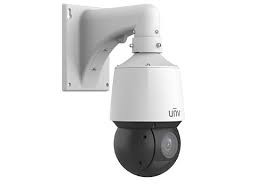
Uniview Outdoor PTZ Speed Dome camera installation Queens

How many cameras does a Queens home need?

Most Queens homes are well covered by 4–6 cameras: front door, driveway, backyard, side alley, and often a rear entry. We map coverage on a free walk-through and recommend the fewest cameras that leave no gap.

How long does Uniview footage stay recorded?

As long as the NVR storage allows — we size drives to your camera count and resolution, commonly 2–4 weeks and often more. Uniview AI labeling makes finding an event fast.

Can multiple people view the cameras?

Yes — the Uniview NVR app supports multiple users, so a family or a business’s owner and manager can all have access, with permission levels you control.

Do Uniview cameras work in the cold?

Yes — the outdoor models are rated for the full range of NYC weather, and because they’re wired PoE there’s no battery to die in a Queens winter.

From the Truck

Field Notes: Uniview Jobs in Queens

Illustrative field note — with security camera work, common calls involve diagnosing an existing setup, confirming whether a firmware, configuration, or component fix will resolve the issue before recommending replacement, and completing the work efficiently. Hypothetical planning example — not a customer account, completed AESS project, verified review, or promised result.

Illustrative scenario — a representative security camera job includes assessing the property, selecting equipment matched to the site, clean installation, and a walkthrough of the finished system and app. Hypothetical planning example — not a customer account, completed AESS project, verified review, or promised result.

— Field tech, Abstract Enterprises · 25+ years on Queens homes & businesses

— Anwar Jeffres, Abstract Enterprises — Licensed NYS Lic #12000287431

Get a 60-second estimate

Tell us your property type and camera count, and we’ll call with a ballpark.

From Queens Properties

What Queens Owners Say

★★★★★

Illustrative example — for work like this, a typical security camera job involves reviewing the property, matching equipment to the space, running clean cabling, and walking through the finished system. Hypothetical planning example — not a customer account, completed AESS project, verified review, or promised result.

Hypothetical planning example — not a customer account, completed AESS project, verified review, or promised result.

★★★★★

Illustrative configuration — a representative security camera setup may cover the main entries and shared areas, with remote viewing or management from a phone and a clean handoff at completion. Hypothetical planning example — not a customer account, completed AESS project, verified review, or promised result.

Hypothetical planning example — not a customer account, completed AESS project, verified review, or promised result.

★★★★★

Illustrative planning scenario — a typical security camera project of this type begins with an on-site assessment, then a written scope and fixed quote, and finishes with professional installation completed to code. Hypothetical planning example — not a customer account, completed AESS project, verified review, or promised result.

Hypothetical planning example — not a customer account, completed AESS project, verified review, or promised result.

★★★★★

Illustrative example — for work like this, a typical security camera job involves reviewing the property, matching equipment to the space, running clean cabling, and walking through the finished system. Hypothetical planning example — not a customer account, completed AESS project, verified review, or promised result.

Hypothetical planning example — not a customer account, completed AESS project, verified review, or promised result.

★★★★★

Illustrative configuration — a representative security camera setup may cover the main entries and shared areas, with remote viewing or management from a phone and a clean handoff at completion. Hypothetical planning example — not a customer account, completed AESS project, verified review, or promised result.

Hypothetical planning example — not a customer account, completed AESS project, verified review, or promised result.

★★★★★

Illustrative planning scenario — a typical security camera project of this type begins with an on-site assessment, then a written scope and fixed quote, and finishes with professional installation completed to code. Hypothetical planning example — not a customer account, completed AESS project, verified review, or promised result.

Hypothetical planning example — not a customer account, completed AESS project, verified review, or promised result.

FAQ

Uniview Camera Installation Queens — FAQ

What areas of Queens do you cover?

All 60+ neighborhoods — Astoria, LIC, Flushing, Jamaica, Bayside, Forest Hills, Jackson Heights, Ridgewood, Fresh Meadows, Howard Beach, the Rockaways, and beyond.

Are you licensed and insured?

Yes — NYS License #12000287431, fully insured, with documentation for any Queens building, board, or business.

Do you cover home driveways and yards?

Yes — driveway, yard, side alley, and entry coverage is the most common Queens home install. Uniview Prime captures these dark areas in full color overnight.

Do you install for small businesses and restaurants?

Yes — register, entrance, stockroom, and rear-exit coverage for delis, restaurants, salons, and shops, with searchable Uniview AI footage and no monthly fee.

Do you offer a warranty?

Yes — a three-year warranty on AESS-supplied products plus the Uniview manufacturer warranty on hardware. Workmanship guaranteed.

Do you service Uniview systems you didn’t install?

Yes — repair, password recovery, securing, and upgrades on existing Queens Uniview systems regardless of who installed them.

Wired or wireless for my Queens property?

We recommend wired PoE for permanent coverage — more reliable through brick and frame construction than Wi-Fi, with no battery to die.

Will it work without internet?

Yes — recording to the NVR is fully local. You only need a connection for remote viewing via the Uniview NVR app.

Can I add more cameras later?

Yes — we size the NVR with spare channels and plan cable paths so expanding later is straightforward and cheaper than starting over.

What resolution do you recommend?

4MP is a solid baseline; 8MP (4K) where you need to identify faces or plates — common at a register or driveway. We match resolution to each camera’s job.

Do you provide co-op board documentation?

Yes — license, insurance, and an install plan for Forest Hills and other Queens co-op board packages, with managing-agent coordination.

How do I get started?

Call (347) 934-8335 or submit the form for a free on-site assessment and an itemized quote.

Transparent Pricing

Uniview Installation Pricing in Queens

Real ranges for Queens Uniview systems. Final pricing follows a free site visit — camera count, resolution, cable runs, and PTZ/LPR drive the number.

Home / Small — $1,800–$3,500

4–6 Uniview Prime/Uniview AI cameras · NVR · PoE cabling · driveway & yard coverage · the Uniview NVR app setup.

Business / Mid — $3,500–$8,000

8–16 cameras · higher-channel NVR · storefront or apartment building · register/entrance/stockroom · optional PTZ.

Large / Commercial — $8,000+

High-channel NVR · PTZ & LPR · warehouse or multi-building · access-control integration.

Roughly $400–$700 per camera installed depending on model and site. No monthly fees for local NVR recording — cloud backup optional.

Problems We Solve Daily

Common Queens Uniview Problems — Fixed

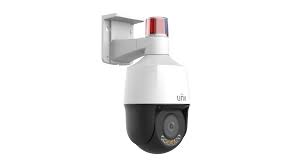
Uniview Mini PTZ Active-Deterrence camera installation Queens

Vehicle break-ins in the driveway

Uniview Prime on the driveway and street captures plates and people in full color overnight. Uniview AI alerts only on real activity.

Shoplifting & employee theft

Register and stockroom coverage with searchable footage resolves a Queens storefront’s losses fast.

Package theft in the lobby

Uniview Prime at the entrance and package area identifies porch pirates in full color for apartment buildings.

Paying a monthly fee for footage

We move you to a local NVR you own — the Uniview NVR app on the phone, no subscription.

Camera offline / not recording

Usually a PoE fault or full NVR drive. We diagnose and fix, often same visit.

No fob entry for the building

We add fob or intercom entry alongside the cameras on one visit. Access control →

How We Compare

Abstract Enterprises vs. The Alternatives

What mattersAbstract EnterprisesAngi / HomeAdvisor leadOnline kit / DIYUnlicensed installer
NYS licensed & insuredYes — #12000287431Varies by leadN/AUsually not
Home driveway/yard expertiseYesVariesYou plan itVaries
Small-business loss preventionYesVariesGenericVaries
Secures cameras (no default passwords)AlwaysVariesYou do itOften skipped
Honest on NDAA / brand fitYesNoNoNo
Monthly fee$0 (local NVR)Often pushed
Why Us

Why Queens Chooses Abstract Enterprises

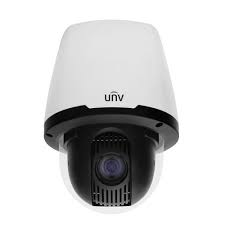
Uniview Indoor PTZ Dome camera installation Queens
📜

Licensed & Insured

NYS #12000287431, fully insured, with board-package documentation for any Queens co-op or HOA.

🏡

Homes & Storefronts

25+ years on Queens two-family homes and small businesses — we know the driveway and the register both.

🔒

Secured Installs

We change defaults, segment the network, and update firmware so your system isn’t a horror story.

⚖️

Honest Brand Advice

We tell you when Uniview fits and when a government/federally-funded property needs a different brand.

💰

No Monthly Fees

Local NVR recording with the Uniview NVR app viewing — you own the hardware and the footage.

🔗

One Brand, Done Right

Part of our full Queens camera service — we also install other brands when they fit better.

Free Quote

Get Your Free Queens Uniview Quote

Tell us about your property. We’ll call you back within the hour — no obligation.

Request Sent!
We'll call you back within the hour.

Uniview Camera Installation in Queens

Uniview Prime night vision, Uniview AI, PTZ, and NVR recording — designed, installed, and secured for your Queens home, building, or business, with the Uniview NVR app on your phone and no monthly fees. Licensed, insured, honest about brand fit.

Freshness: Updated May 2026 · NYS Lic #12000287431 · Changelog: May 2026 — published Uniview camera installation Queens (Blueprint v2.1)

Uniview Across NYC

Uniview Camera Installation By Borough

We install Uniview systems across all five boroughs and beyond. Explore the brand hub and related coverage:

The Full Uniview Lineup

Uniview cameras We Install in Queens

Every current Uniview NVR camera — G6 and Uniview series, AI series, PTZ, doorbells — supplied, mounted, wired, and configured from Astoria to the Rockaways:

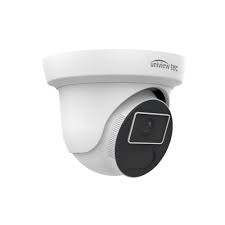
Uniview camera installation Queens — ColorHunter Tri-Guard Turret
Uniview camera installation Queens — Dual-Lens ColorHunter Bullet
Uniview camera installation Queens — Turret Network
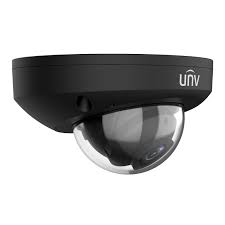
Uniview camera installation Queens — Vandal-Resistant Dome
Uniview camera installation Queens — Indoor PTZ Dome
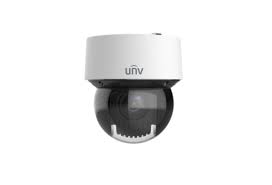
Uniview camera installation Queens — Outdoor PTZ Speed Dome
Uniview camera installation Queens — Mini PTZ Active-Deterrence
Uniview camera installation Queens — PTZ Positioning Dome
Uniview camera installation Queens — Fisheye 360 Panoramic
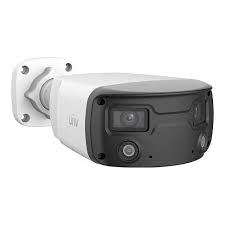
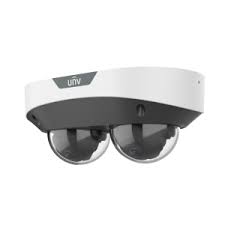
Uniview camera installation Queens — Dual-Lens Panoramic Dome
Every Uniview Service

Uniview Camera Services We Provide in Queens

Whatever you need on the Uniview side — from a single Uniview doorbell to an enterprise Uniview NVR deployment — we install, configure, repair, and maintain it:

Installation & Setup

Uniview camera installation · Uniview camera installation · Uniview NVR installation · Uniview security camera installation · Uniview security camera installation · Uniview camera system installation · Uniview NVR installation service · Uniview camera installation company · Uniview surveillance installation · Uniview surveillance camera installer · Uniview NVR setup · Uniview camera setup · Uniview NVR camera setup · Uniview NVR configuration · fast security camera installation · certified Uniview installer · professional Uniview installer · Uniview camera installer · Uniview camera installer · Uniview camera contractor · Uniview camera contractor · Uniview NVR integrator · trusted Uniview integrator · Uniview camera company · Uniview camera service company

Repair, Maintenance & Support

Uniview camera repair · Uniview camera repair · Uniview camera repair service · Uniview camera maintenance · Uniview camera maintenance · Uniview camera maintenance service · Uniview camera maintenance company · Uniview camera troubleshooting service · Uniview camera troubleshooting · Uniview NVR troubleshooting · Uniview NVR support · same day camera repair · emergency camera service · rapid camera repair · Uniview NVR upgrade service · Uniview camera replacement service · immediate surveillance upgrade · Uniview NVR expert · Uniview surveillance specialist · experienced Uniview technicians · enterprise surveillance professionals · commercial security experts

Cameras, NVR & Ecosystem

Uniview Prime Bullet · Uniview Prime ColorHunter · Uniview Prime Dome · Uniview Prime Turret Ultra · Uniview Easy Flex · Uniview Easy Mini · Uniview Pro PTZ · Uniview Pro AI Bullet · Uniview Pro AI · Uniview Pro Multi-Sensor · Uniview Pro Fisheye · Uniview Pro PTZ · Uniview Video Intercom · Uniview Video Intercom · Uniview doorbell camera · Uniview Active Deterrence camera · Uniview decoder · Uniview camera sensor · Uniview NVR · Uniview network video recorder · Uniview NVR · Uniview NVR · Uniview NVR recording · Uniview NVR remote access · Uniview NVR mobile app · Uniview NVR cloud access · Uniview NVR camera management · Uniview NVR storage requirements · Uniview camera night vision settings · Uniview camera monitoring system · Uniview Access Control · Uniview Video Intercom · Uniview networking · PoE switch · PoE camera system · structured cabling · network infrastructure

Wondering what are Uniview cameras, how does Uniview NVR work, how to install Uniview cameras, how to configure Uniview NVR, or how to add cameras to Uniview NVR? Asking are Uniview cameras good, are Uniview cameras worth it, is Uniview NVR worth it, do Uniview cameras need a subscription, do Uniview cameras require a subscription, can Uniview cameras record without internet, can Uniview cameras work without internet, how much does Uniview NVR cost, how many cameras can Uniview NVR support, what NVR works with Uniview cameras, are Uniview cameras NDAA compliant, which Uniview camera is best, which Uniview camera is best for business, what is the best Uniview camera, or how do I access Uniview cameras remotely? Comparing Uniview vs Hikvision, Uniview vs Axis, Uniview vs Verkada, Uniview vs Hanwha, or Uniview vs Avigilon — or checking Uniview camera pricing, Uniview camera cost, and Uniview NVR pricing before you buy Uniview cameras or buy Uniview cameras? Who installs Uniview cameras and who repairs Uniview cameras in Queens? We do — in NYC and in Manhattan and Brooklyn, across Long Island and the Hudson Valley. Call (347) 934-8335 — schedule installation today, priority installation available, and same-day repair across every Queens neighborhood.

Uniview Camera Installation Service Areas
NYCBrooklynManhattanQueensBronxStaten IslandLong IslandNassau CountySuffolk CountyHudson ValleyWestchesterRocklandOrange CountyPutnam CountyDutchess CountyUlster CountyNYC Pricing
Packages
UNIVIEW PACKAGES
STARTER 4 4 cams + doorbell + NVR PRO 8 8 cams + doorbell + NVR
☎ (347) 934-8335