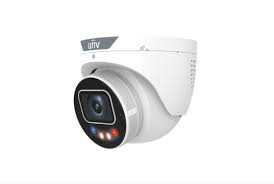
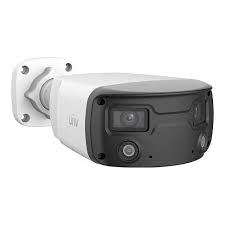
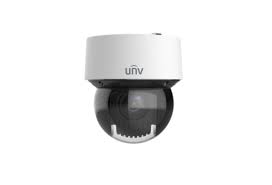
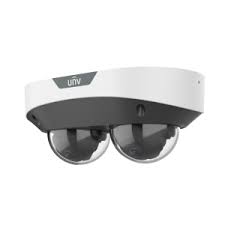
Uniview Prime · Uniview AI · PTZ · License Plate Recognition · NVR Setup — Licensed & Insured
📱 App trouble? If you use the EZView app or EZStation to view these cameras and it’s offline or won’t connect, we fix that too.
Licensed installation of Uniview security camera systems across New York City. We design, install, and configure Uniview Prime full-color night vision, Uniview AI human and vehicle detection, PTZ auto-tracking domes, license plate recognition, and Uniview NVR recording for apartment buildings, commercial properties, retail, and homes in all five boroughs. the Uniview NVR app remote viewing set up on your phone, no monthly fees. Part of our NYC security camera installation service.
Uniview is the largest video surveillance manufacturer in the world, and one of the most requested brands we install across New York City. Property owners choose it for a simple reason: it delivers professional-grade features — full-color night vision, AI human and vehicle detection, long-range PTZ tracking, and license plate recognition — at a price point well below the premium brands. For a Manhattan retail store, a Bronx apartment building, or a Queens warehouse, that combination of capability and value is hard to beat.
Abstract Enterprises is a New York State licensed low-voltage contractor that designs, installs, and configures complete Uniview systems — cameras, NVR recording, PoE cabling, and the Uniview NVR app remote viewing on your phone. We’re brand-agnostic: we recommend Uniview when it’s the right fit for your property and budget, and we’ll tell you honestly when a different brand serves you better. This page covers our Uniview work specifically; for the full picture, see our main NYC security camera installation service.
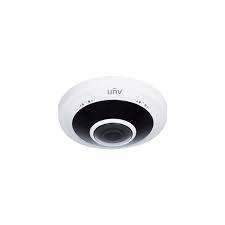
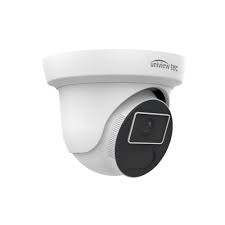
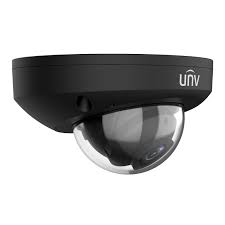
Uniview — also known as UNV — is one of the top global security camera brands, and as an authorized, certified Uniview (UNV) installer and licensed NYC security camera contractor, Abstract Enterprises handles complete Uniview camera installation end to end — Uniview IP camera installation, Uniview PoE camera installation, and Uniview network camera installation wired to code. We install Uniview dome, bullet, and turret cameras, PTZ and license-plate-recognition (LPR) cameras, and AI cameras for both indoor and outdoor coverage. Our turnkey, end-to-end service covers Uniview NVR installation and setup, full camera configuration, camera wiring and structured cabling, network setup, recording-system installation, and remote-viewing setup on the EZView mobile app and EZStation desktop software. Whether it's a new Uniview security system installation, a camera system upgrade, or a Uniview camera replacement on an aging system, we design, install, configure, and deploy it as one clean job.
We install Uniview systems for every NYC property type — commercial Uniview camera installation and residential alike: apartment and co-op buildings, retail stores, offices, warehouses, schools, and industrial and enterprise facilities. As a trusted Uniview security camera company and installation specialist, we handle Uniview video surveillance installation, video monitoring, security-monitoring systems, access-control-and-camera integration, and commercial surveillance deployment across all five boroughs. Customers searching for a reliable "Uniview camera installer near me," a same-day or emergency Uniview installation, or a straight Uniview camera installation quote and cost estimate get a licensed, insured local crew — no call centers, no monthly fees. From first consultation and system design through final deployment, we're the Uniview camera installation experts NYC owners call when they want it done right the first time.
Uniview earns its place on NYC properties through value, reliability, and an AI feature set that used to cost far more. Here’s what makes it worth specifying.
Uniview delivers up to 8MP/4K resolution, AI analytics, and true 24/7 full-color night vision — via ColorHunter (warm-white LED, F1.0 super-large aperture, color down to 0.0003 Lux) and LightHunter (large BSI sensor with U-ISP, color in ultra-low light without supplemental light) — at a price point well under the premium brands. That value scales from a small apartment system to a large commercial build.
As one of the top global surveillance manufacturers (the industry’s recognized number-three brand), Uniview has mature, field-proven hardware and firmware. Its Ultra 265 (H.265) compression keeps 24/7 recording stable while using far less bandwidth and storage than standard H.264.
Uniview AI classifies people and vehicles at the camera edge, cutting the false alarms that plague motion-only systems. Uniview Prime adds 24/7 color. Together they make footage searchable and alerts meaningful.
Scalable NVRs (up to 64 channels), PTZ domes, and license plate recognition make Uniview a workhorse for NYC warehouses, retail, offices, and parking facilities.
For apartment buildings, co-ops, and homes, compact Uniview Prime and Uniview AI cameras with the Uniview NVR app give owners professional coverage and phone access without a monthly subscription.
One app for live view, playback, and push alerts across every camera and NVR — set up on your phone at install, with no recurring cloud fee required for local recording.
Uniview Prime cameras capture sharp, full-color video 24/7 — the same vivid color at 3 a.m. as at noon. Traditional cameras switch to black-and-white infrared at night, losing the color of a car, clothing, or a sign. For evidence, color is what identifies a suspect or a vehicle. Where we install Uniview Prime across NYC:

Full-color capture of vehicles, plates, and people in lots that are dark after hours — far more useful than washed-out infrared.
Entrances, lobbies, courtyards, and package areas in color overnight — the footage co-op and condo boards actually want when an incident happens.
Storefronts, loading docks, and perimeters monitored in color around the clock, so a nighttime event isn’t a gray blur.
Uniview AI is Uniview’s on-camera AI. Instead of triggering on every shadow, leaf, or passing cat, it classifies what it sees as a person, a vehicle, or neither — and only alerts you for the targets that matter.
The camera distinguishes a person from environmental motion, so you get an alert when someone’s actually there — not 200 false pings a night from headlights and weather.
Cars and trucks are classified and labeled, which makes searching footage fast: jump straight to every vehicle event instead of scrubbing hours of recording.
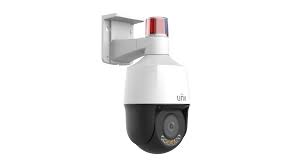
By filtering out non-threats, Uniview AI cuts the alert fatigue that makes people ignore their cameras — and makes strobe/audio deterrents fire only when they should.
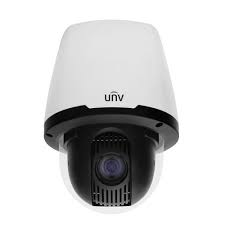
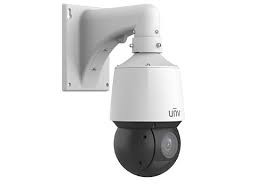
PTZ (pan-tilt-zoom) speed domes cover wide areas with one camera that physically moves and zooms — ideal for large NYC sites where fixed cameras would mean a dozen units.
The camera locks onto and follows a moving person or vehicle automatically, keeping the subject in frame across a large area without an operator.
Optical zoom brings distant detail close — reading a plate or a face across a yard or lot that a fixed lens couldn’t resolve.
One PTZ can patrol an entire floor or yard, covering aisles and dock doors that would otherwise need multiple fixed cameras.
Parking areas, perimeters, and open grounds covered from a single high vantage point with full directional control.
License plate recognition (LPR/ANPR) cameras read and log every plate that enters or leaves — building a searchable record of vehicles tied to timestamps.
Every plate captured, read, and logged with a timestamp — so you can search for a specific vehicle or pull every entry in a time window.
Automate entry logs, flag unauthorized vehicles, and resolve disputes with a definitive record of who came and went.
Gated lots, loading docks, and fleet yards get an audit trail of vehicle activity that pairs with the rest of the camera system.
The NVR (network video recorder) is the heart of the system — it powers the cameras over PoE, records everything, and serves footage to your phone. We size and configure it correctly so you actually have the footage when you need it. Live view and playback run on Uniview’s free EZView mobile app and EZStation desktop software, so you can check any camera from your phone or a back-office PC. And because Uniview NVRs are ONVIF-compliant, they integrate cleanly with mixed-brand cameras when you’re upgrading an existing system rather than starting fresh.
We size the drives to your camera count, resolution, and how many days of retention you need — so you’re not out of footage when an incident surfaces a week later.
Continuous, scheduled, or AI-event-triggered recording configured to your needs, with Uniview AI labels making playback searchable.
the Uniview NVR app set up on your phone for live view and playback from anywhere — no monthly fee for local NVR recording.
Optional redundant recording and offsite/cloud backup so a stolen or damaged NVR doesn’t mean lost evidence.
🔑 Pair your cameras with access control. Many NYC owners installing Uniview cameras also add fob or keypad entry on the same visit — one crew, one cabling run. See access control → or add a video intercom →
Uniview scales from a single-entrance system to a multi-building campus. The properties we equip across NYC:
Entrances, lobbies, hallways, package rooms, and courtyards with Uniview Prime and Uniview AI, recorded to an NVR with board/management access via the Uniview NVR app.
Entrance control, corridors, and grounds with AI detection and PTZ coverage, configured for the access and retention a school requires.
PTZ auto-tracking, LPR at the gates, and high-channel NVRs covering aisles, docks, and yards across large square footage.
POS-area coverage, entrances, and stockrooms with searchable AI footage that resolves theft and slip-and-fall claims fast.
Reception, server rooms, and perimeters with discreet domes, integrated with access control and remote viewing for facilities teams.
Waiting rooms, entrances, and parking for medical offices, plus storefront-with-residential mixed-use buildings across the boroughs.
Camera offline, not recording, can’t view remotely, forgot the password, NVR failed, or footage looks blurry at night? We repair and upgrade existing Uniview systems across NYC — including systems another company installed. Most issues diagnosed and fixed in one visit.
Cost
Quality / Trust
DIY vs Pro
Technical
Commercial / Compliance
Free on-site assessment. Honest quote. No monthly fees.
Search “Uniview camera installation NYC” and you’ll get aggregator estimates, brand spec sheets, and a lot of fear-mongering headlines. Here’s the honest read.
Angi, HomeAdvisor, and Fixr will hand you a national per-camera average that ignores the things that actually move an NYC quote: how far the PoE cable has to run through a finished pre-war building, how many channels the NVR needs, and whether you want PTZ or LPR. A 4-camera home and a 4-camera warehouse aren’t the same job.
Uniview’s hardware is genuinely cheaper than the premium brands, so the camera line item is lower — but the labor to install it properly in a NYC building is the same skilled work regardless of brand. An estimator that quotes only hardware undersells the real number; one that walks your property quotes accurately.
That’s why we quote after a free site visit, not over a form. The brand is the easy part; your building is the variable.
This is the headline that scares people, and the truth is more specific than the scare. US law — the NDAA and related FCC rules — restricts Uniview from federal government use and certain federally-funded and critical-infrastructure projects. It is not banned for private commercial or residential use, and millions of the cameras are installed legally across the country.
For a private NYC apartment building, store, office, or home, Uniview is legal to buy and install. The real question isn’t legality — it’s fit. If your property is a public school, a government facility, or anything federally funded, we won’t install Uniview; we’ll spec a compliant brand instead. A contractor who tells you that up front is more useful than a spec sheet that hides it.
We’d rather lose a Uniview sale than put you in a non-compliant position. That’s the difference between an installer and a box-mover.
Because Uniview is the most widely deployed brand, it’s also the most-targeted — the internet is full of stories of cameras left on default passwords getting accessed remotely. That’s not a reason to avoid the brand; it’s a reason not to install it carelessly.
A proper install changes the default credentials, isolates the cameras on their own network segment, disables unused remote ports, and keeps firmware current. Most of the horror stories trace back to a plug-and-play job that skipped all of that. We don’t.
The hardware is only as secure as the hands that configure it. That’s the part a DIY kit or a cheap installer skips and we don’t.
Uniview is excellent value with class-leading AI and night vision, legal and appropriate for the vast majority of private NYC properties, and a poor choice for the specific government and federally-funded jobs the law carves out. The headlines flatten all of that into “banned” or “spyware,” and neither is the useful answer.
The useful answer is a contractor who knows when Uniview is the right call, installs it securely, and tells you honestly when a different brand fits your property better. That’s the service we provide — the brand is just one tool in it.
“Half my Uniview calls aren’t installs — they’re cleanups. Someone bought a kit online, left the default password, and now the camera’s offline or worse. I change the credentials, put the cameras on their own network segment, kill the ports nobody needs, and update the firmware. Same hardware, completely different security posture. The brand isn’t the problem; the lazy install is.”
“Uniview Prime sells itself the moment a client sees a side-by-side. Old camera at night: gray blur, can’t tell you the color of the car. Uniview Prime: full color, you read the plate. For a parking lot or a building entrance in the city, that’s the whole ballgame. And I always tell government or school clients straight up — not this brand, here’s what you use instead.”
— Field tech, Abstract Enterprises · 25+ years on NYC camera systems
Tell us your property type and camera count, and we’ll call with a ballpark.
“Put Uniview Prime cameras across our apartment building in the Bronx. The night footage is full color — you can actually identify people and cars now. Board is thrilled. No monthly fee.”
— Property manager, Bronx
“Warehouse in Queens — they set up a PTZ that auto-tracks plus LPR at the gate. We log every truck now. Sized the NVR right so we have a month of footage. Professional crew.”
— Operations lead, Queens
“My existing Uniview system kept going offline and I’d lost the password. They recovered access, fixed the PoE issue, secured the whole thing, and got the Uniview NVR app working on my phone. Didn’t even install it originally.”
— Retail owner, Manhattan
“Uniview AI cut our false alarms to basically zero — we only get alerts for actual people now instead of every passing car. Huge difference for our storefront in Brooklyn.”
— Shop owner, Brooklyn
“Honest crew — we’re a school and they told us straight that Uniview wasn’t allowed for us and installed a different brand instead. Appreciated not being sold the wrong thing.”
— Facilities director, Staten Island
“Great value — got 4K AI cameras for our office for way less than the quotes we had for the premium brands, and the install was clean. Remote viewing works perfectly.”
— Office manager, Manhattan

NYS low-voltage contractor #12000287431, fully insured, with documentation for any building or managing agent.
We change defaults, segment the network, and update firmware — so your Uniview system isn’t one of the horror stories.
We tell you when Uniview fits and when it doesn’t — including the government/federally-funded cases where we’ll spec a different brand.
Local NVR recording with the Uniview NVR app viewing — professional coverage without a subscription.
One crew, one standard, across NYC — plus Long Island and the Hudson Valley.
New systems, plus repair and securing of existing Uniview gear we didn’t install.
Uniview’s full-color night vision — a wide aperture and warm supplement light capture color 24/7 instead of black-and-white infrared.
On-camera AI that classifies people and vehicles versus other motion, cutting false alarms and labeling footage so it’s searchable.
Network Video Recorder — records all cameras, powers them over PoE, and serves footage to your phone. The heart of the system.
Power over Ethernet — one cable carries both power and data to each camera, so no separate electrician or outlet is needed at the camera.
Pan-Tilt-Zoom — a motorized dome that moves and zooms, with auto-tracking to follow a subject across a large area.
Uniview’s higher-end lines — DeepinView for deep-learning analytics, AI 360 combining PTZ and panoramic in one unit.
License Plate / Automatic Number Plate Recognition — reads and logs plates with timestamps for a searchable vehicle record.
The app for live view, playback, and alerts on your phone — no monthly fee for local NVR recording.

Real ranges for Uniview systems. Final pricing follows a free site visit — camera count, resolution, cable runs, and PTZ/LPR drive the number.
4–6 Uniview Prime/Uniview AI cameras · NVR · PoE cabling · the Uniview NVR app setup · home or small business.
8–16 cameras · higher-channel NVR · mixed indoor/outdoor · optional PTZ · apartment building or commercial space.
High-channel NVR · PTZ & LPR · multi-floor or multi-building · access-control integration · warehouse, campus, or high-rise.
Roughly $400–$750 per camera installed depending on model and site. No monthly fees for local NVR recording — cloud backup optional.

Usually a PoE/power fault or network conflict. We trace the run and restore the link — often same visit.
Usually a full or failed NVR drive. We diagnose, replace if needed, and set retention correctly.
the Uniview NVR app or port/account issue. We reconfigure remote access and get your phone working.
We recover access through the secure reset procedure and set proper credentials.
IR glare, dirty lens, or an old non-Uniview Prime model. We re-aim, clean, or upgrade to Uniview Prime.
A real exposure. We change credentials, segment the network, and update firmware to secure it.
Tell us about your property. We’ll call you back within the hour — no obligation.
Uniview Prime night vision, Uniview AI, PTZ, license plate recognition, and NVR recording — designed, installed, and secured for your NYC property, with the Uniview NVR app on your phone and no monthly fees. Licensed, insured, honest about brand fit.
Freshness: Updated May 2026 · NYS Lic #12000287431 · Changelog: May 2026 — published Uniview camera installation NYC brand hub (Blueprint v2.1)
We install Uniview systems across all five boroughs. Borough pages coming online — meanwhile, see our main security camera coverage:
Every current Uniview NVR camera — G6 and Uniview series, AI series, PTZ, doorbells — supplied, mounted, wired, and configured:


Whatever you need on the Uniview side — from a single Uniview doorbell to an enterprise Uniview NVR deployment — we install, configure, repair, and maintain it:
Uniview camera installation · Uniview camera installation · Uniview NVR installation · Uniview security camera installation · Uniview security camera installation · Uniview camera system installation · Uniview NVR installation service · Uniview camera installation company · Uniview surveillance installation · Uniview surveillance camera installer · Uniview NVR setup · Uniview camera setup · Uniview NVR camera setup · Uniview NVR configuration · fast security camera installation · certified Uniview installer · professional Uniview installer · Uniview camera installer · Uniview camera installer · Uniview camera contractor · Uniview camera contractor · Uniview NVR integrator · trusted Uniview integrator · Uniview camera company · Uniview camera service company
Uniview camera repair · Uniview camera repair · Uniview camera repair service · Uniview camera maintenance · Uniview camera maintenance · Uniview camera maintenance service · Uniview camera maintenance company · Uniview camera troubleshooting service · Uniview camera troubleshooting · Uniview NVR troubleshooting · Uniview NVR support · same day camera repair · emergency camera service · rapid camera repair · Uniview NVR upgrade service · Uniview camera replacement service · immediate surveillance upgrade · Uniview NVR expert · Uniview surveillance specialist · experienced Uniview technicians · enterprise surveillance professionals · commercial security experts
Uniview Prime Bullet · Uniview Prime ColorHunter · Uniview Prime Dome · Uniview Prime Turret Ultra · Uniview Easy Flex · Uniview Easy Mini · Uniview Pro PTZ · Uniview Pro AI Bullet · Uniview Pro AI · Uniview Pro Multi-Sensor · Uniview Pro Fisheye · Uniview Pro PTZ · Uniview Video Intercom · Uniview Video Intercom · Uniview doorbell camera · Uniview Active Deterrence camera · Uniview decoder · Uniview camera sensor · Uniview NVR · Uniview network video recorder · Uniview NVR · Uniview NVR · Uniview NVR recording · Uniview NVR remote access · Uniview NVR mobile app · Uniview NVR cloud access · Uniview NVR camera management · Uniview NVR storage requirements · Uniview camera night vision settings · Uniview camera monitoring system · Uniview Access Control · Uniview Video Intercom · Uniview networking · PoE switch · PoE camera system · structured cabling · network infrastructure
Wondering what are Uniview cameras, how does Uniview NVR work, how to install Uniview cameras, how to configure Uniview NVR, or how to add cameras to Uniview NVR? Asking are Uniview cameras good, are Uniview cameras worth it, is Uniview NVR worth it, do Uniview cameras need a subscription, do Uniview cameras require a subscription, can Uniview cameras record without internet, can Uniview cameras work without internet, how much does Uniview NVR cost, how many cameras can Uniview NVR support, what NVR works with Uniview cameras, are Uniview cameras NDAA compliant, which Uniview camera is best, which Uniview camera is best for business, what is the best Uniview camera, or how do I access Uniview cameras remotely? Comparing Uniview vs Hikvision, Uniview vs Axis, Uniview vs Verkada, Uniview vs Hanwha, or Uniview vs Avigilon — or checking Uniview camera pricing, Uniview camera cost, and Uniview NVR pricing before you buy Uniview cameras or buy Uniview cameras? Who installs Uniview cameras and who repairs Uniview cameras in NYC? We do — in NYC and in Manhattan and Brooklyn, Queens, the Bronx, Staten Island, across Long Island and the Hudson Valley. Call (347) 934-8335 — schedule installation today, priority installation available, and same-day repair across all five boroughs.
A licensed, certified Uniview installer covering every install, setup, and service type across all five boroughs. If you don’t see exactly what you need, just ask — chances are we do it.