What are you looking for?
About Us Contact Us Careers Get a Free Quote (929) 560-0737
Pick a service
✅ Got Your Own System?
🎬 Home TheatreQuote 🎶 AV SoundQuote 🔑 Access ControlQuote
Now pick your area
Pick your area
Long Island
Hudson Valley
Services available
Pricing & Tools
Pick a service for pricing
🚪 Intercom Pricing 🔔 Buzzer Repair Pricing
Calculators
📹 Camera System Calculator 🚨 Alarm Calculator ⚡ Cabling Quote Builder ✅ Got Your Own System?
Select your area

NVR Installation
Manhattan

Network Video Recorders · PoE Switch Wiring · Hard Drive & RAID Storage · Remote Viewing Setup · IP Camera Integration · Upgrades & Migrations · No Monthly Fees

Professional NVR installation across Manhattan — from the Financial District to Washington Heights — where the network video recorder is the brain of an IP camera system: the box your cameras feed into, where footage is recorded, stored, and pulled up live or on playback from your phone. In Manhattan the recorder almost never sits out in the open. It lives in an IDF or telecom closet, a back office, a building’s riser room, or a locked rack, fed by cameras cabled down through riser closets, conduit, and drop ceilings in pre-war and high-rise buildings where there’s often no easy path to run a wire. That’s the Manhattan job: the recorder is the easy part, and routing the cabling cleanly through a steel-and-concrete building — with a co-op or condo board, a managing agent, and a certificate of insurance to satisfy — is the work. We install and configure the whole backbone — the recorder, the PoE switch that powers and connects every camera over a single Ethernet run, the drives sized for the 14-to-30-day retention boards and insurers ask for, RAID where footage loss isn’t an option, and secure remote viewing so a building super, owner, or manager can watch every camera from anywhere without a monthly cloud fee. Whether it’s a new 8-channel system for a SoHo retail store, a 16-channel build for a Midtown office or a Park Avenue co-op lobby, an upgrade off an aging recorder, or a migration off a dead unit, we plan the channels, the storage math, and the network so it holds up — and we provide the board documentation co-ops and condos want to see. This is our Manhattan NVR page — part of our security camera installation in Manhattan; it sits under our NVR installation hub, and pairs with a commercial camera system or the structured cabling that ties it together.
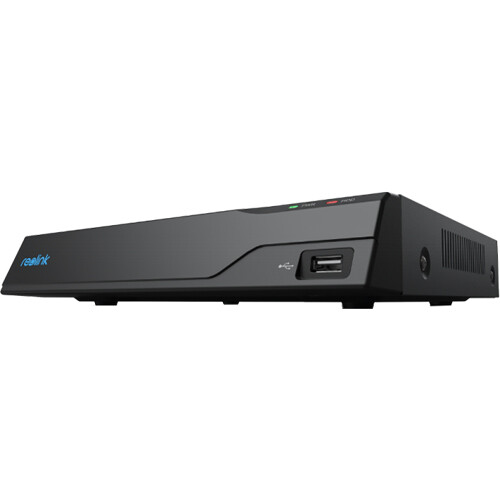
Reolink NVS8 network video recorder NVR installation in Manhattan
Get a Free Quote
We'll call you back within the hour
Request Sent!
We'll call you back within the hour.
25+
Years Experience
9
Service Areas
4.6★
Google Rating
$0
Monthly Fees
Last updated June 2026 · Reflects current Manhattan NVR installation pricing, channel and storage planning, PoE switch and network setup, RAID and hard-drive options, remote-access configuration, and the recorder brands we install and service across all five boroughs.
📞 Call (929) 560-0737 📱 Free Quote in 60 Seconds
✅ Licensed NYS #12000287431✅ PoE & Network Configured✅ No Monthly Fees
Why an NVR

Why an NVR Is the Core of a Manhattan Camera System

An NVR — network video recorder — is the device every IP camera in your system feeds into. It receives each camera’s digital stream over the network, records it, stores it on internal hard drives, and serves it back to you live or on playback through a monitor, a phone app, or a web browser. It separates a few cameras showing a live picture from a real surveillance system that banks the 14-to-30-day window a board or insurer wants — searchable footage you can export and hand to NYPD or a managing agent when an incident hits the lobby. In a Manhattan building — a brownstone, a walk-up, a storefront, a warehouse, a co-op — the NVR is usually tucked in a closet, a basement, a back office, or a locked rack, wired to a PoE switch that powers and connects every camera over a single Ethernet cable each. Size the recorder, the channels, the storage, and the network right — and place it where the board allows — and a Manhattan system runs for years. Get them wrong and you find out the footage was never saving on the one night a package vanished from the vestibule or a storefront got tagged.

Manhattan puts its own constraints on the recorder job. The NVR has to live somewhere a co-op or condo board will accept — an IDF or telecom closet, a building riser room, a back office, or a locked rack — not bolted to a lobby wall, and the cabling that feeds it has to be fished through pre-war plaster, steel-framed high-rise cores, drop ceilings, and existing riser closets where conduit is tight or non-existent. Board approval, a managing agent, and a certificate of insurance naming the co-op or condo are part of nearly every Manhattan job; we handle the documentation package boards from FirstService, Douglas Elliman, and AKAM expect, and we work within house rules, freight-elevator windows, and COI requirements. Retention is usually driven by what a board or insurer asks for — commonly 14 to 30 days — and for retail, restaurants, and offices we size storage for POS-integrated coverage of registers, dining rooms, and reception. Manhattan ISPs matter too: Spectrum and Optimum outages happen, and carrier-grade NAT can break naive remote access, so we configure remote viewing to actually connect and stay secure for an owner, super, or manager who’s rarely on-site. The recorder for a SoHo storefront isn’t the one for a Park Avenue co-op lobby — we size and place each to the building and the board.

That is exactly why Manhattan owners call a licensed installer for the recorder rather than just buying a boxed kit. The box does not tell you whether eight channels is enough when you will want twelve next year, how many terabytes 4K cameras burn through in thirty days, whether your footage survives a single drive failing, or how to get remote viewing working through a Manhattan ISP that hides you behind carrier-grade NAT. We plan channels with headroom, run the storage math for the retention your board or insurer wants, set RAID where footage loss isn’t acceptable, fish and configure the PoE switch and network through pre-war risers, harden remote access against hijacking, and label every channel and drive for the building’s super or the next vendor. We build new systems, upgrade tired recorders, migrate cameras off a dead or obsolete NVR, and rescue systems that quietly stopped recording — all to local storage, no monthly cloud bill, with board documentation when a co-op or condo needs it.

What We Do

NVR Services We Install & Configure in Manhattan

No two Manhattan buildings cable the same, so we start with your cameras, your retention, and the building network — not a boxed bundle. Whether it’s a clean 8-channel system for a SoHo storefront or a 16-channel build for a Midtown office, here’s what we handle.

🗄️

New NVR System Installs

A full recorder install — 4 to 64 channels — sized to your camera count with headroom, wired to a PoE switch, loaded with the right drives, and configured end to end for a Manhattan co-op, condo, storefront, or office, with board documentation when needed.

🔌

PoE Switch & Network Setup

We install the PoE switch or PoE-enabled recorder that powers every camera over a single Ethernet run, route it cleanly through riser closets and conduit, set VLANs, and use a managed switch so a camera can be rebooted without sending the super up six floors.

💽

Hard Drive & RAID Storage

Surveillance-rated drives sized to the 14-to-30-day retention a Manhattan board or insurer wants, multi-drive recorders, and RAID mirroring or parity where footage loss isn’t acceptable — one dead drive never erases the lobby history.

📱

Remote Viewing & App Setup

Secure remote viewing done right — P2P or hardened port forwarding that connects through Spectrum or Optimum and around carrier-grade NAT — so an owner, super, or managing agent watches every camera live and on playback from anywhere, no monthly fee.

⬆️

Upgrades, Migrations & Expansion

Aging recorder, dead unit, or out of channels as the building added cameras? We move you to a larger or newer recorder, carry your cameras across, add channels and storage, and bring an old Manhattan system up to current firmware and hardened security.

🔧

NVR Repair & Troubleshooting

Not recording, offline, cameras reading “network abnormal,” remote view dead, a drive failed, or stuck in a reboot loop — we diagnose and fix recorders across Manhattan co-ops, condos, retail, and offices, on most brands.

Where They Live

NVR Systems We Build Across Manhattan Properties

A network video recorder anchors the camera system in every kind of Manhattan property — what changes is the channel count, the storage, and the network around it. These are the builds we wire most across the five boroughs.

🏢

Storefronts & Retail

A back-office or stockroom recorder covering registers, entrances, and the floor of a Broadway, Fifth Avenue, or Madison Avenue store — sized for the retention insurers and chargebacks demand, with POS-aware placement.

🏠

Brownstones & Row Houses

A discreet recorder in a riser closet or basement covering the lobby, hallways, vestibule, laundry room, and service entrance of a co-op or condo — board-approved placement, pulled up from anywhere.

🏭

Warehouses & Industrial

16-to-64-channel recorders with RAID storage for larger Manhattan buildings and campuses — lobby-to-roof coverage, stairwells, garages, and service areas, with managed PoE and long riser runs.

🏢

Offices & Buildings

Rack-mounted recorders in an IDF or telecom closet on a dedicated camera VLAN, tied into access control and the building network — the standard for Midtown offices, law firms, and corporate floors.

🍽️

Restaurants & Bars

Recorders covering the entrance, bar, register, kitchen, and back door of a Manhattan restaurant, built for the retention liability demands and placed SLA-friendly.

🏫

Schools, Houses of Worship & Apartments

Multi-camera systems with deep storage and locked-down access for Manhattan multi-dwelling buildings, houses of worship, and schools — lobbies, hallways, elevators, and stairwells, board-compliant and secured.

Plain English

NVR Terms, Decoded

You don’t need the jargon to get a good install, but a few terms come up on every NVR quote. Here’s what they mean in plain English.

NVR vs. DVR

An NVR records digital IP cameras over a network and can power them over Ethernet (PoE). A DVR records older analog cameras over coax. Almost every new Manhattan system is NVR-based — higher resolution, single-cable runs, easier remote access. We install NVRs and can help migrate an old DVR system.

Channels

How many cameras the recorder accepts — 4, 8, 16, 32, or 64. We spec a channel count with 25–50% headroom so you can add cameras next year without replacing the whole recorder.

PoE & PoE Switch

Power over Ethernet sends power and video to each camera over a single cable, up to about 300 feet, with extenders beyond that. A PoE-enabled NVR or a separate PoE switch is what makes a clean IP system possible.

Retention & Storage

How many days of footage you keep. A single 4K camera recording continuously burns roughly 40–60GB a day, so an 8-camera 4K system at 30 days often needs 8–12TB. We do the math for your cameras and your retention before quoting drives.

RAID

Drive redundancy. RAID 1 mirrors footage across two drives; RAID 5/6 spreads it with parity so a failed drive doesn’t lose history. Essential where footage loss is unacceptable — a business, a building, an incident-prone site.

Remote Access (P2P / Port Forward)

How you view the system off-site. P2P uses the maker’s cloud relay; port forwarding opens a hardened path through your router. Manhattan ISPs and carrier-grade NAT often break the naive setup — we configure it so it actually connects and stays secure.

Hardware

The NVR Brands We Install & Service

We install the recorders that hold up and we’re honest about the trade-offs. For most Manhattan homes and small businesses, Reolink, Lorex, and Amcrest NVRs hit the sweet spot — PoE built in, 4K and 4K+ support, local recording with no subscription, and apps that work. For commercial and larger builds we lean on Dahua and Hikvision (and their OEM lines like Annke and LTS) for high channel counts, RAID-capable recorders, and deep smart-detection features. For enterprise and multi-site setups we work with Uniview, Axis, and managed-switch infrastructure. We’re brand-agnostic — we spec the recorder to your channel count, storage, and budget, not to a kickback — we change every default password and harden remote access so the recorder can’t be hijacked, and we’ll happily install and configure an NVR you already bought. If you’re mixing camera brands, we’ll confirm ONVIF compatibility before you’re stuck with a recorder that won’t talk to your cameras.

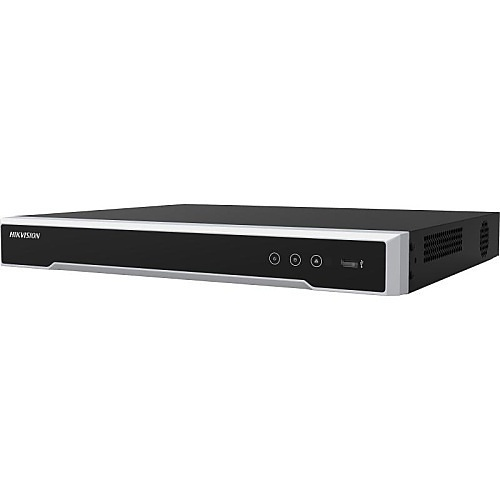
Hikvision DS-7616NI-Q2/16P 8MP PoE NVR installation in Manhattan
Hikvision DS-7616NI-Q2/16P 8MP PoE NVR
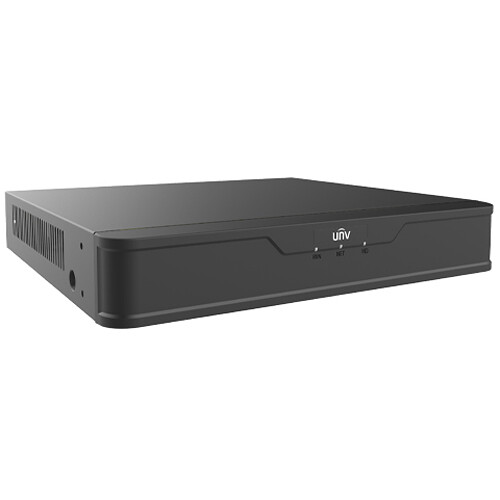
Uniview NVR501-08B-P8 8-channel 8MP NVR installation in Manhattan
Uniview NVR501-08B-P8 8-channel 8MP NVR
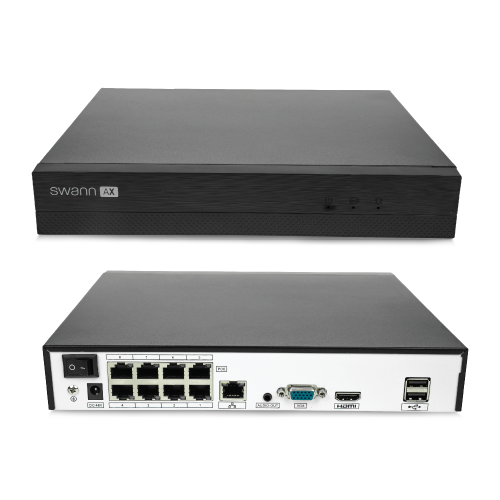
Swann AdvancedX 4K NVR installation in Manhattan
Swann AdvancedX 4K NVR
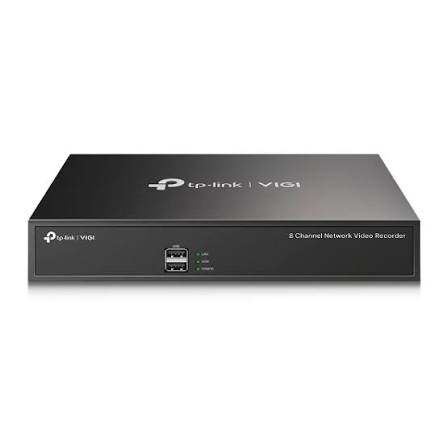
TP-Link VIGI NVR1008H 8-channel NVR installation in Manhattan
TP-Link VIGI NVR1008H 8-channel NVR
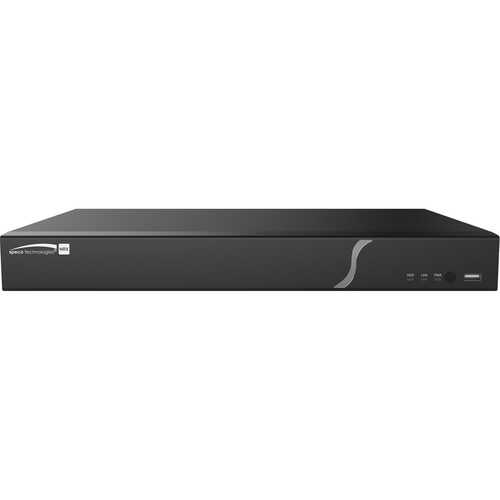
Speco Technologies N16NRX 16-channel 8K NVR installation in Manhattan
Speco Technologies N16NRX 16-channel 8K NVR
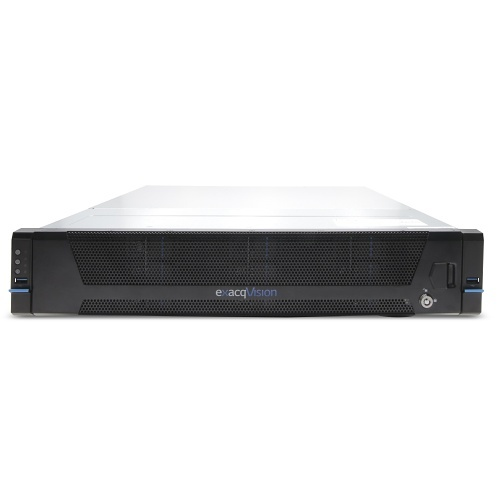
Exacq IP08-48T A-Series rackmount NVR installation in Manhattan
Exacq IP08-48T A-Series rackmount NVR
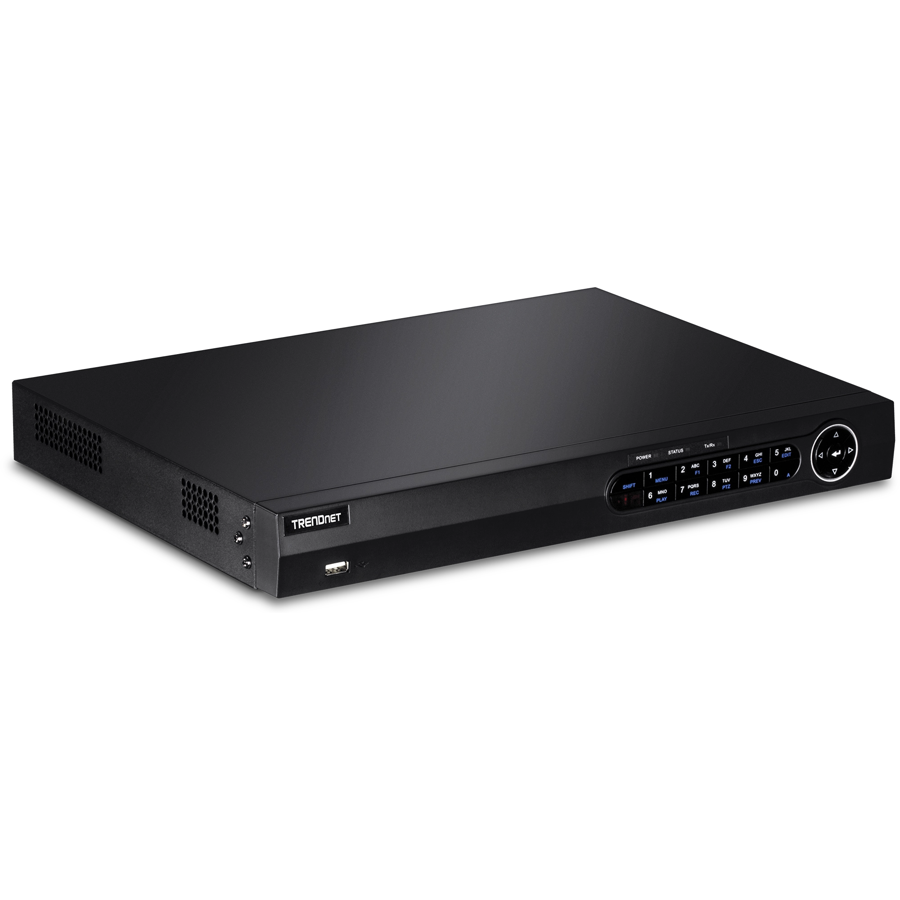
TRENDnet TV-NVR208 8-channel PoE+ NVR installation in Manhattan
TRENDnet TV-NVR208 8-channel PoE+ NVR
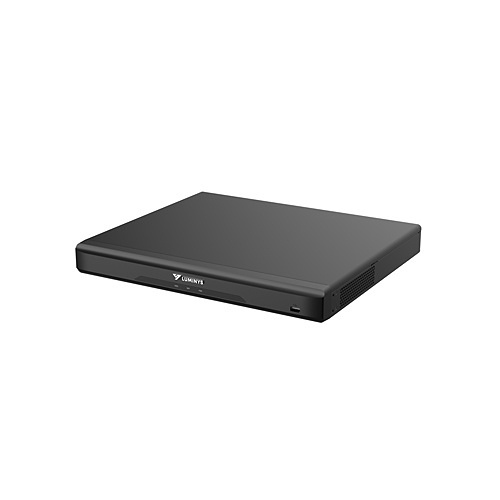
Luminys R52-16PA4 16-channel 8K NVR installation in Manhattan
Luminys R52-16PA4 16-channel 8K NVR
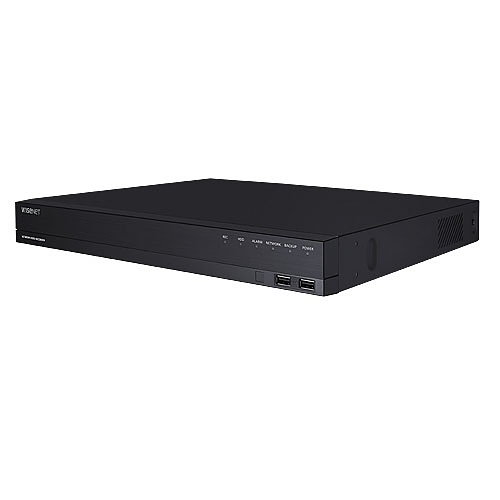
Hanwha Wisenet ARN-1610S 16-channel PoE NVR installation in Manhattan
Hanwha Wisenet ARN-1610S 16-channel PoE NVR
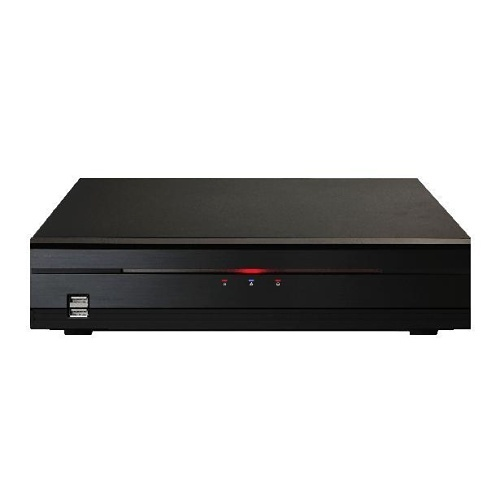
IDIS DR-2508P 8-channel 4K NVR installation in Manhattan
IDIS DR-2508P 8-channel 4K NVR
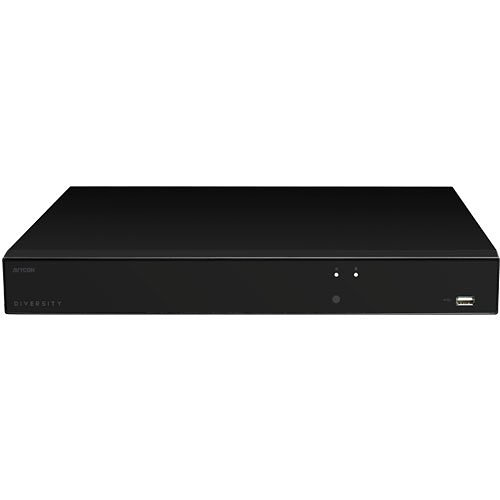
AVYCON AVR-NSV16P16 16-channel 4K UHD NVR installation in Manhattan
AVYCON AVR-NSV16P16 16-channel 4K UHD NVR
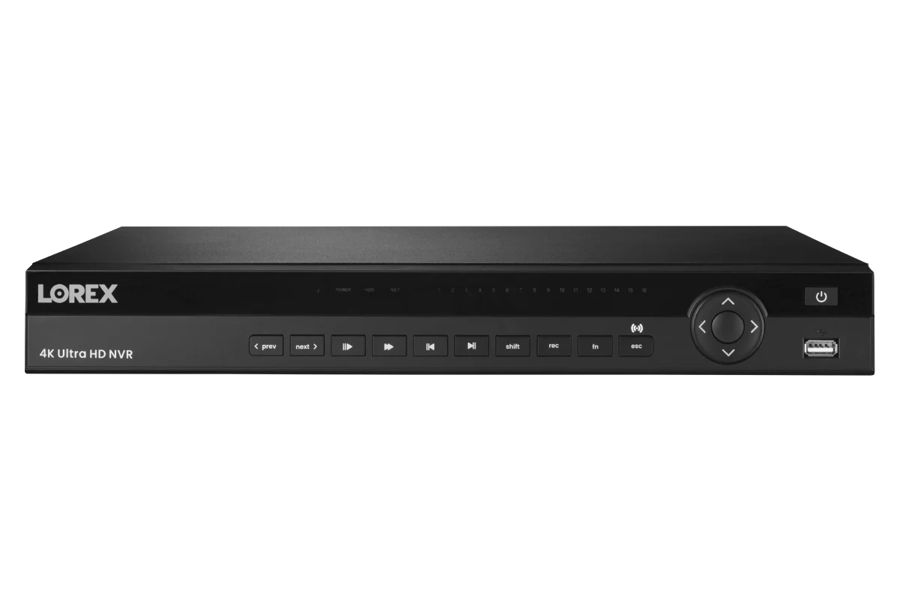
Lorex 4K Ultra HD 16-channel NVR installation in Manhattan
Lorex 4K Ultra HD 16-channel NVR
Reolink NVS8 8-channel 12MP PoE NVR installation in Manhattan
Reolink NVS8 8-channel 12MP PoE NVR
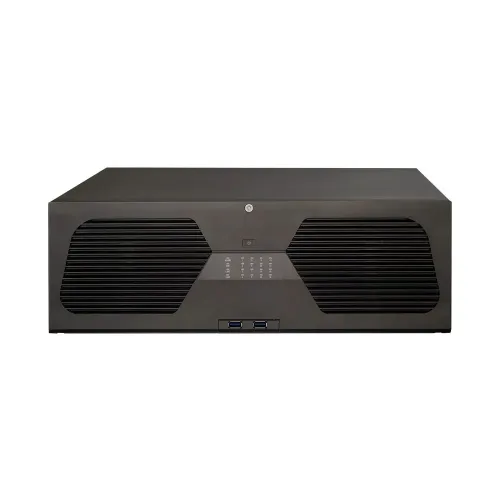
ENS Titanium NVR network video recorder installation in Manhattan
ENS Titanium NVR network video recorder
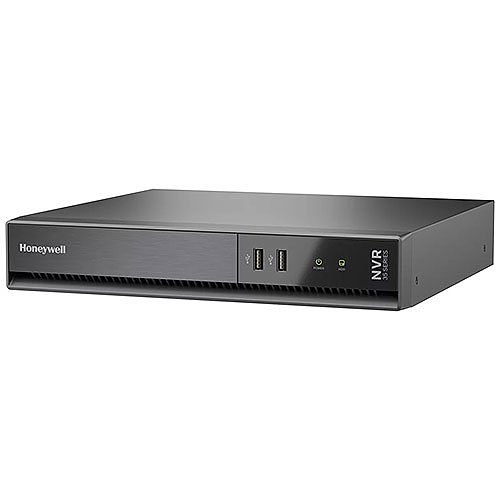
Honeywell HN35080204C 35 Series 4K NVR installation in Manhattan
Honeywell HN35080204C 35 Series 4K NVR
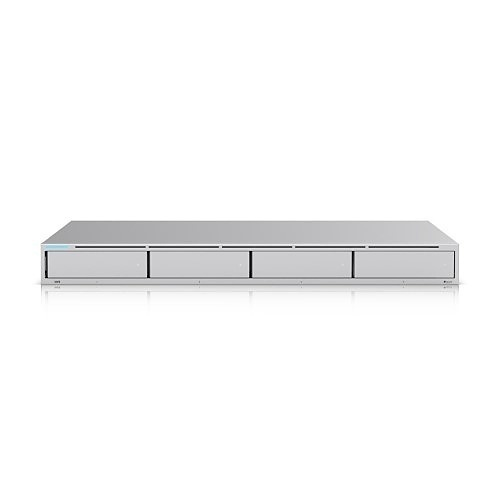
Ubiquiti UNVR 4K network video recorder installation in Manhattan
Ubiquiti UNVR 4K network video recorder
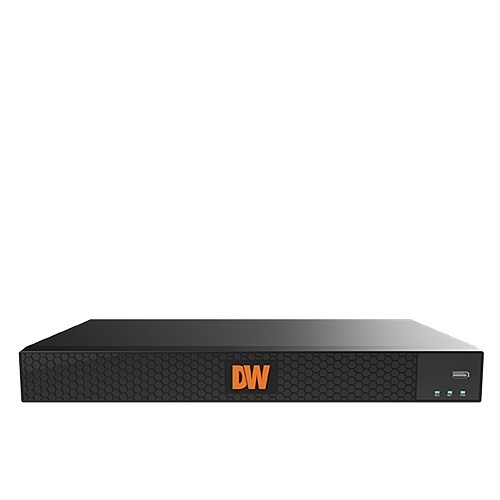
Digital Watchdog DW-COVA84T 8-channel 4K NVR installation in Manhattan
Digital Watchdog DW-COVA84T 8-channel 4K NVR

Network video recorders we install, configure, and service in Manhattan — Reolink, Lorex, Uniview, Hikvision, Ubiquiti UniFi, Hanwha Wisenet, Honeywell, Speco, AVYCON, Exacq, Digital Watchdog, IDIS, Luminys, Swann, TP-Link VIGI, TRENDnet, and ENS Titanium.

The recorder market runs far past the big three, and we install and service across all of it in Manhattan. On the prosumer and small-business side, the Reolink NVS8, TP-Link VIGI NVR1008H, TRENDnet TV-NVR208, and Swann AdvancedX 4K are clean plug-and-play PoE recorders with local storage and no monthly fee. For serious commercial builds we work with Hikvision (the DS-7616NI-Q series), Hanwha Wisenet ARN-1610S, Honeywell 35 Series MAXPRO, Speco N16NRX 8K, AVYCON AVR-NSV16P, Digital Watchdog COVA, IDIS DR-2508P, Luminys R52 8K, and ENS Titanium recorders — high channel counts, RAID, and deep analytics. For IT-managed and enterprise sites, Ubiquiti UniFi UNVR, Uniview NVR501, and Exacq A-Series rackmount systems integrate with managed switches, VLANs, and multi-site setups. We’re brand-agnostic, we confirm ONVIF compatibility before you commit, we change every default password, and we’ll install a recorder you already bought.

Honest Pricing

What NVR Installation Costs in Manhattan

Every quote is fixed-price after we see the system — here are honest ranges so you can budget first. The big variables are channel count, how much storage your retention needs, and whether you want RAID redundancy. Configuring a recorder you already own is the cheapest path; a full new multi-drive commercial system is the most involved. Storage is the line item people underestimate — 4K cameras and long retention add terabytes fast, and we’d rather size it right than have you run out in three weeks. Everything records to local drives with no monthly cloud fee.

NVR Setup & Config (Your Hardware)
existing cameras
$220 – $480

You have the NVR and cameras — we install the recorder, connect and assign every camera, set up storage, recording schedules, motion zones, and remote viewing, and hand you a working, labeled system.

New 8-Channel System
recorder + PoE + drive
$650 – $1,500

A complete 8-channel NVR build — recorder, PoE switch or PoE NVR, a surveillance-rated drive sized to your retention, full configuration and remote access. Cameras and cabling quoted separately.

16–32 Channel / Commercial
multi-drive + RAID
$1,600 – $5,500+

Larger channel counts with multi-drive or RAID storage for a store, restaurant, warehouse, or building — managed PoE, VLAN, and long retention. Priced after a site walk-through.

Upgrade / Migration / Repair
varies
$190 – $900

Move cameras to a new recorder, expand channels and storage, update firmware and security, or diagnose and fix a system that stopped recording. Repair starts with a flat diagnostic.

How It Works

From First Call to A System That Records

01
Assessment & System Plan

We look at your cameras (or planned cameras), your retention needs, and your building network, then spec the channel count, the storage and RAID, the PoE switch, and the recorder — with a written fixed-price quote.

02
Install, Wire & Configure

We mount or rack the NVR, install and connect the PoE switch, fit and initialize the drives, add and assign every camera, set recording schedules, motion zones, and overwrite rules, and put the system on its own network where it belongs.

03
Remote Access & Handover

We configure secure remote viewing on your phone and computer, test playback and export, harden passwords and access, label the channels and drives, and walk you through pulling and exporting footage.

Real Questions

NVR Questions Manhattan Actually Asks

Cost & Budget

How much does NVR installation cost in Manhattan?

If you already own the recorder and cameras, configuring and connecting the system runs $220 to $480. A complete new 8-channel system — recorder, PoE, and a drive sized to your retention — is typically $650 to $1,500 plus cameras and cabling. Larger 16-to-32-channel or RAID commercial builds run $1,600 to $5,500 and up, quoted after a walk-through. We set a firm price once we see the system.

What makes one NVR quote so much higher than another?

Three things: channel count, storage, and redundancy. A 4-channel recorder with one small drive is cheap; a 32-channel recorder with RAID and 24TB for ninety-day retention is not. A low quote often means too few channels, too little storage, or no redundancy — which costs you when you run out of space or a drive dies. We size it to what you actually need and tell you the trade-offs.

Storage & Retention

How much storage do I need and how many days will it hold?

It depends on camera count, resolution, and whether you record continuously or on motion. A rough rule: one 4K camera recording around the clock uses about 40–60GB a day, so an 8-camera 4K system at 30 days often needs 8–12TB. Motion-only recording and H.265+ compression stretch that further. We calculate it for your exact cameras before quoting drives, so you get the retention you asked for.

What happens when the drive fills up — do I lose footage?

By default an NVR overwrites the oldest footage first, so it records in a rolling window — once it’s full it keeps the most recent X days and drops the rest. If you need to keep more, we add storage or set a longer-retention drive. If losing any footage is a real risk, we set RAID so a failed drive doesn’t wipe your history.

DIY vs Pro

Can I just set up the NVR myself?

For a small PoE kit with a setup wizard, a handy owner can get a basic system running. Where people get stuck in Manhattan is the parts the box glosses over: sizing storage and channels, getting remote viewing through a carrier-grade-NAT ISP, putting cameras on their own network, RAID, and hardening the recorder so it isn’t exposed online. Most of our NVR calls are owners who got the picture working but couldn’t get remote access, retention, or security right.

My cameras and NVR are different brands — will they work together?

Sometimes — it depends on ONVIF support. Many IP cameras and NVRs speak the ONVIF standard and will talk to each other, but features like smart detection often only work fully within one brand. Before you’re stuck with a recorder that won’t see your cameras, we confirm compatibility, and where it matters we recommend keeping the cameras and recorder in the same ecosystem.

Technical

Why can’t I see my cameras remotely?

Almost always the remote-access path is broken. Common Manhattan causes: the recorder’s local IP changed, the router’s port forwarding rules reset, the ISP rotated your public IP, the firewall is blocking P2P, or your provider has you behind carrier-grade NAT so port forwarding can’t work at all. We set P2P or a hardened forwarding path, fix the DNS, and use a relay or VPN where the ISP blocks direct access — so it connects and stays connected.

Why does my NVR say a camera is “offline” or “network abnormal”?

That’s the recorder losing the camera on the network — a bad or too-long Ethernet run, a failing PoE port, a power budget exceeded on the switch, a duplicate IP, or a camera that dropped off after a firmware change. We trace it to the cable, the port, or the config rather than swapping parts at random, and fix the actual cause.

Quality & Trust

Are there any monthly fees with an NVR?

No — that’s the point of a local NVR. It records to its own hard drives, so there’s no monthly cloud-storage bill the way battery and doorbell cameras charge. You own the footage outright. We set it up so you can view, search, and export everything yourself, no subscription required.

Do I need a licensed contractor to install an NVR in Manhattan?

For a simple plug-in config, not strictly — but any system that involves running cable in walls or ceilings, tying into building infrastructure, or commercial work should be done by a licensed, insured low-voltage contractor and to code. We’re NYS licensed #12000287431 and insured, we wire and configure to code, secure the system, and stand behind the work.

Reality Check

NVR Installation in Manhattan: An Honest Reality Check

Search “NVR installation cost” and the AI Overview, Angi, HomeAdvisor, and Fixr hand you a flat number that has little to do with a real Manhattan system. Here’s what they leave out.

The “NVR cost” number ignores channels and storage

Angi, HomeAdvisor, Fixr, and the AI Overview quote a flat NVR price, but in a Manhattan building a recorder means nothing without channel count, storage, and a board-approved place to put it. A 4-channel box with one 2TB drive and a 32-channel RAID system with 24TB are both “an NVR” at wildly different prices. The number that matters is the one sized to your cameras and your retention — which a national average can’t give you.

The storage math nobody does up front

Most write-ups never make you do the terabyte math, so people buy a recorder with a 1TB drive, point eight 4K cameras at it, and discover they have four days of footage instead of thirty. 4K and long retention eat storage fast. We calculate days-of-coverage from your real camera bitrate before quoting drives — the single most common thing a boxed kit gets wrong.

The remote-access reality on Manhattan internet

Guides assume port forwarding just works. In Manhattan, plenty of ISPs put residential customers behind carrier-grade NAT, where traditional port forwarding can’t open a path at all, and others rotate your public IP so a one-time setup breaks. Getting remote viewing to actually connect — and stay connected securely — is a real configuration job, not a checkbox, and it’s where most DIY NVR setups stall.

The security risk generic content skips

An NVR exposed to the internet with default passwords is a genuine hazard — recorders get scanned and hijacked constantly, and a camera system is the last thing you want strangers inside. National content rarely leads with this. We change every default credential, disable risky exposed services, and use P2P or a VPN instead of blindly opening ports, so the recorder isn’t a door into your network.

The redundancy question nobody raises

A single hard drive is a single point of failure, and surveillance drives run hot 24/7, so they do fail. Generic guides treat one drive as the whole storage story. For a business or a building where footage loss isn’t acceptable, RAID mirroring or parity is the difference between a dead drive being a non-event and losing your entire history the week before an incident.

The channel-headroom mistake

National advice says “buy for your camera count.” The smarter move is buying for your camera count plus growth — almost everyone adds cameras, and an NVR with no free channels means replacing the whole recorder a year later. We spec 25–50% headroom so the next camera is a cable run, not a forklift upgrade.

The honest bottom line for a Manhattan NVR

The NVR is the part of a camera system that decides whether you actually have footage when it counts — not the cameras themselves. The value isn’t the box; it’s the right channel count, storage sized to your real retention, redundancy where loss isn’t an option, remote access that connects through a Manhattan ISP and stays secure, and a system locked down so it can’t be hijacked. The smart move isn’t the cheapest recorder — it’s a licensed installer who sizes and secures the whole backbone.

Need a recorder installed, upgraded, or fixed? Call Now Fast Quote Speak to a Tech
How We Compare

Licensed NVR Install vs. Kits, Cloud & Handymen

vs. a Boxed DIY Kit

A kit gets a picture on a screen, but you size the storage, the channels, and the remote access yourself — and that’s where they fail. We spec it right, configure it fully, and secure it, so you have searchable footage and working remote view, not four days of recording and a dead app.

vs. Cloud-Subscription Cameras

Battery and doorbell cams that charge monthly for cloud storage add up fast across a real system. An NVR records locally with no recurring fee — you own the footage. We build the local system so you stop renting your own video.

vs. a General Handyman

Mounting a box, maybe — but not sizing RAID, configuring a managed PoE switch, putting cameras on a VLAN, or hardening remote access against hijacking. We’re a licensed low-voltage contractor who builds and secures the whole recorder backbone.

vs. Leaving the Old DVR

An aging analog DVR caps you at low resolution and painful coax runs. We migrate you to an NVR — higher resolution, single-cable PoE, real remote access — and can reuse what’s worth keeping instead of starting from zero.

Our Model

Free assessment, fixed price, channel count with headroom, storage sized to your real retention, RAID where loss isn’t an option, PoE and network configured, remote access that connects and stays secure, every default password changed, labeled and documented, warrantied — licensed NYS #12000287431.

Coverage

NVR Installation Across Manhattan

We install and service NVRs across every Manhattan neighborhood — from the Financial District, SoHo, and TriBeCa to Midtown, the Upper East and West Sides, Harlem, and Washington Heights. This Manhattan page sits under our NVR installation NYC hub — see the hub for our recorder work across all five boroughs, Long Island, and the Hudson Valley. It’s part of our wider Manhattan camera work; see our full Manhattan security camera installation, our commercial systems, or the structured cabling that ties it together. Back to our home page for everything we do.
Security Cameras Manhattan

The cameras that feed the recorder — our full Manhattan camera installation.

Manhattan Cameras →

Commercial Cameras Manhattan

Storefront, office, and building camera systems built on a properly sized NVR.

Commercial Manhattan →

Residential Cameras Manhattan

Whole-home camera systems on a local NVR for a Manhattan co-op, condo, or apartment.

Residential Manhattan →

Structured Cabling Manhattan

The Ethernet backbone an NVR and its PoE cameras run on — cabling done to code.

Cabling Manhattan →
Problems We Solve

Manhattan NVR Problems We Fix Every Week

“My system stopped recording and I didn’t know until I needed it.”

We diagnose why — a failed drive, a full disk with overwrite off, a dropped camera, or a recorder stuck in a reboot loop — fix the cause, and set alerts so you know the moment it happens again.

“I can’t see my cameras when I’m away from the building.”

Classic Manhattan remote-access break. We fix the port forwarding or P2P, work around carrier-grade NAT with a relay or VPN, correct the DNS, and get live and playback working on your phone.

“My NVR only holds a few days — I need a month.”

Your storage is undersized or set to continuous when motion would do. We add drives or a larger recorder, tune recording and compression, and get you to the retention you actually need.

“A drive died and I lost everything.”

A single drive with no redundancy. We replace it, recover what we can, and set RAID so the next drive failure is a swap, not a catastrophe.

“My old DVR is failing and the picture is terrible.”

We migrate you off analog to an NVR — higher resolution, PoE, real remote access — reusing the cable runs where we can to keep the cost down.

“I bought cameras and an NVR online and can’t get them to connect.”

Often an ONVIF or channel-assignment issue, or a PoE power-budget problem. We get every camera onto the recorder, assigned and recording, and tell you up front if a brand mismatch is the real blocker.

Customer Reviews

What Manhattan NVR Customers Say

“Co-op on the Upper West Side — our board finally approved lobby cameras and we had a recorder nobody could get remote viewing working on. They sized a proper drive, set the schedule, handled the COI for the managing agent, and got the app connecting through Spectrum. The super checks it from his phone now. No monthly fee.”

— Marcus T., Brooklyn

“Restaurant in the West Village — needed 30 days for insurance and my old system held four. They put in a 16-channel recorder with RAID, did the storage math around the kitchen and POS cameras, and now I’ve got a searchable month I can export. Walked me through pulling a clip for a claim. Worth it.”

— Sofia R., Manhattan

“Warehouse in Queens — 24 cameras across docks and aisles. They racked a 32-channel recorder, set up a managed PoE switch so we can reboot a camera remotely, and put it all on its own network. Migrated the cameras off the dying old unit with no downtime. Professional crew.”

— David O., Queens

“Pre-war condo in Murray Hill — old analog DVR in the basement, terrible picture. They migrated me to an NVR, reused the existing riser cable where they could, and the difference is night and day. Remote view works, the board got its documentation, and there’s no subscription. Fair price.”

— Angela M., Bronx

From the Field

Field Notes from a Manhattan NVR Install

A Manhattan storefront that shows what the NVR job really is when you do it right. The owner had eight 4K cameras already mounted and a recorder bought from the same online listing, and two complaints: he could never see the cameras from home, and the system only held a few days when his insurer wanted thirty. Both came down to the recorder, not the cameras. The storage was the first fix — eight 4K cameras recording continuously were burning through the single small drive in days, so we did the actual bitrate math, switched the high-traffic cameras to motion-plus-continuous on a schedule, turned on H.265+ compression, and put in drives sized for a real thirty-day window with room to spare. The remote access was the Manhattan-specific part: the building’s ISP had it behind carrier-grade NAT, so the port forwarding he’d tried could never have worked — there was no public path to open. We set up the manufacturer’s P2P relay, hardened it, changed every default password (the recorder still had the factory login, wide open), disabled the exposed services it shipped with, and got live and playback connecting reliably on his phone and laptop. Then we put the cameras on their own network segment so the recorder wasn’t a soft target on the same network as the building Wi-Fi, labeled every channel and the drives, and showed him how to pull and export a clip for a chargeback dispute. The cameras never changed — the entire difference was sizing the storage to the real retention, getting remote access to work through a Manhattan ISP, and locking the recorder down so it couldn’t be hijacked. That’s the NVR job: the box is the easy part, the backbone is the work.

Need Repair?

NVR Down in Manhattan? Fast Repair

System not recording, NVR offline or stuck rebooting, cameras showing “network abnormal” or “offline,” remote viewing dead, hard drive failed or full, footage you can’t find or export, stuck on an encrypted-stream error, or a system you bought that won’t connect? We diagnose and fix network video recorders across all five boroughs — replace failed drives and add redundancy, restore remote access through any Manhattan ISP, re-point dropped cameras, recover and export footage, update firmware and security, or migrate you onto a recorder that actually works. Most NVR repairs are same-day or next-day.

Related Searches

NVR Services People Search For in Manhattan

Manhattan homeowners, business owners, and property managers find us under many of these searches. Every one points to the same licensed crew — from a single network video recorder setup to a full multi-channel RAID build, plus PoE and network configuration, storage planning, remote access, migration, and repair.

NVR InstallationNVR Installer ManhattanNVR Installation ServiceNVR SetupNVR Configuration ManhattanNVR ProgrammingNVR System InstallationNetwork Video Recorder Installation ManhattanNetwork Video Recorder SetupNetwork Video Recorder ConfigurationNetwork Video Recorder Programming ManhattanNVR RepairNVR MaintenanceNVR Upgrade ManhattanNVR ReplacementNVR TroubleshootingNVR Support ManhattanNVR ServiceNVR TechnicianNVR Specialist ManhattanNVR ContractorNVR Installation CompanyNVR Installation Contractor ManhattanProfessional NVR InstallationCertified NVR InstallerExpert NVR Installation ManhattanNVR Installation ExpertsNVR Installation ProfessionalsNVR Installation Near Me ManhattanNVR Installer Near MeNVR Repair Near MeNVR Consultation ManhattanNVR AssessmentNVR EstimateNVR Quote ManhattanNVR System SetupNVR Camera SetupNVR Camera Configuration ManhattanNVR Camera ProgrammingNVR IntegrationNVR Network Setup ManhattanNVR Remote Viewing SetupNVR Mobile App SetupNVR Recording Setup ManhattanNVR Storage SetupNVR Hard Drive InstallationNVR Hard Drive Upgrade ManhattanNVR Hard Drive ReplacementNVR Hard Drive RepairNVR Firmware Update ManhattanNVR Software UpdateNVR Firmware UpgradeNVR System Upgrade ManhattanNVR ExpansionNVR ModernizationNVR Migration ManhattanNVR Recording System InstallationNVR Video Recording SystemNVR Surveillance System Installation ManhattanNVR Security System InstallationNVR CCTV InstallationNVR IP Camera Installation ManhattanPoE NVR InstallationMulti Camera NVR InstallationHome NVR Installation ManhattanResidential NVR InstallationCommercial NVR InstallationBusiness NVR Installation ManhattanOffice NVR InstallationWarehouse NVR InstallationRetail NVR Installation ManhattanApartment NVR InstallationCondominium NVR InstallationIndustrial NVR Installation ManhattanSchool NVR InstallationRestaurant NVR InstallationHotel NVR Installation ManhattanChurch NVR InstallationParking Garage NVR InstallationNVR Remote Access Setup ManhattanNVR Live View SetupNVR Camera MonitoringNVR Motion Detection Setup ManhattanNVR Video Playback SetupNVR Storage ConfigurationNVR Backup Configuration ManhattanNVR Network ConfigurationNVR Recording ConfigurationNVR Recording Issues ManhattanNVR Not RecordingNVR Offline TroubleshootingNVR Connection Issues ManhattanNVR Camera ConnectionNVR Image Quality IssuesRAID NVR Installation ManhattanNVR VLAN ConfigurationNVR PoE Switch SetupNVR Retention Planning Manhattan4K NVR Installation16 Channel NVR Installation32 Channel NVR Installation ManhattanNVR Footage Export
Questions

Manhattan NVR Installation Questions Answered

How much does NVR installation cost in Manhattan?

+

Configuring an NVR and cameras you already own runs $220 to $480. A complete new 8-channel system — recorder, PoE, and a drive sized to your retention — is typically $650 to $1,500 plus cameras and cabling. Larger 16-to-32-channel or RAID commercial builds run $1,600 to $5,500 and up. Upgrades, migrations, and repairs run $190 to $900. No monthly fee on local recording.

What is an NVR and how is it different from a DVR?

+

An NVR (network video recorder) records digital IP cameras over a network and can power them over Ethernet with PoE. A DVR records older analog cameras over coax. NVRs give higher resolution, single-cable runs, and easier remote access — almost every new Manhattan system is NVR-based. We install NVRs and can migrate an old DVR system over.

How many channels do I need?

+

At least as many as your cameras, plus 25–50% headroom so you can add cameras later without replacing the recorder. NVRs come in 4, 8, 16, 32, and 64 channels — we spec the count with room to grow.

How much hard drive storage do I need?

+

It depends on camera count, resolution, and recording mode. One 4K camera recording continuously uses about 40–60GB a day, so an 8-camera 4K system at 30 days often needs 8–12TB. Motion recording and H.265+ stretch it further. We calculate it for your exact cameras before quoting drives.

Do NVRs have monthly fees?

+

No — an NVR records to its own local hard drives, so there’s no monthly cloud-storage bill. You own the footage and can view, search, and export it yourself with no subscription.

Can I view my NVR cameras remotely from my phone?

+

Yes — we configure secure remote viewing via P2P or hardened port forwarding so you watch live and playback from your phone or laptop. Manhattan ISPs and carrier-grade NAT often break the default setup; we work around it with a relay or VPN so it actually connects.

Why did my NVR stop recording?

+

Common causes are a failed or full hard drive with overwrite disabled, a dropped camera, a firmware glitch, or the recorder stuck in a reboot loop. We diagnose the actual cause, fix it, and can set alerts so you’re notified if recording stops again.

Can I add more cameras to my existing NVR later?

+

Yes, as long as the recorder has free channels — which is why we spec headroom up front. Adding a camera is then a cable run and an assignment in the NVR, not a recorder replacement.

Will cameras from one brand work with another brand’s NVR?

+

Often, via the ONVIF standard — but advanced features like smart detection usually only work fully within one brand. We confirm compatibility before you commit, and recommend keeping cameras and recorder in the same ecosystem where the features matter.

What is RAID and do I need it?

+

RAID stores footage across multiple drives so a single drive failing doesn’t lose your history — mirroring (RAID 1) or parity (RAID 5/6). For a business or building where footage loss isn’t acceptable, yes. For a small home system, often a single good surveillance drive is enough. We’ll tell you which fits.

Can you upgrade or migrate my old recorder?

+

Yes — we move your existing cameras to a larger or newer NVR, add channels and storage, update firmware and security, and reuse cabling where we can. We also migrate analog DVR systems to modern NVRs.

Do you install NVRs for businesses and warehouses, not just homes?

+

Yes — storefronts, restaurants, offices, warehouses, schools, houses of worship, and apartment buildings. Larger sites get higher channel counts, RAID storage, managed PoE switches, VLANs, and the long retention that liability and insurance require.

Build the backbone your cameras deserve. Call Now Fast Quote Speak to a Tech
Connect With Us

Find Us, Follow Us, Review Us

4.6★★★★★
190 reviews on Google
★★★★★

"Excellent work installing cameras at my building in Brooklyn. Clean wiring, professional team, everything works perfectly on my phone."

Marcus T. — Brooklyn, NY
★★★★★

"Best NVR company in Manhattan. Cameras on my brownstone without damaging the brick. Cables completely hidden. 4K picture quality is incredible."

James L. — Fort Greene, Brooklyn
Read All 190 Reviews on Google →

Follow Us

Abstract Enterprises
Security Systems · Licensed & Insured
1282 Troy Ave, Brooklyn, NY 11203📞 (929) 560-0737
NYS License #12000287431
Serving all five NYC boroughs, Long Island (Nassau & Suffolk), and Hudson Valley (Westchester, Rockland, Orange, Putnam, Dutchess, Ulster).
Packages