SmartPSS to SmartPSS Lite Moves · Locked-Down Desk PCs · Camera VLANs · Systems Past 64 Channels · Footage Requests Done Properly
In Manhattan, Dahua’s Smart PSS almost never runs on the camera owner’s own laptop. It runs on the lobby workstation a building’s IT contractor images, on the security-office PC a guard company shares across three shifts, on an office manager’s computer behind a tenant firewall, or on the back-office tower of a showroom whose network belongs to the landlord. That is where the trouble starts: Dahua has discontinued the original SmartPSS and points owners to SmartPSS Lite, IT departments block the ports the client uses, large buildings run past the 64 cameras one Lite install can carry, and nobody wrote down which account the desk logs in with. We set the desk client up so it works on the network it actually sits on, give each operator only the access they need, and leave a written procedure for the night a detective asks for the recording.
Checked line by line on October 18, 2026: Dahua’s SmartPSS Lite datasheet and manuals, the FCC Covered List, the city’s biometric signage code (§22-1202), HPD guidance on tenant data, and Census and Comptroller numbers for the borough · Anwar Timothy, NYS license #12000287431 · Manhattan visits are booked from East Fordham Road in the Bronx
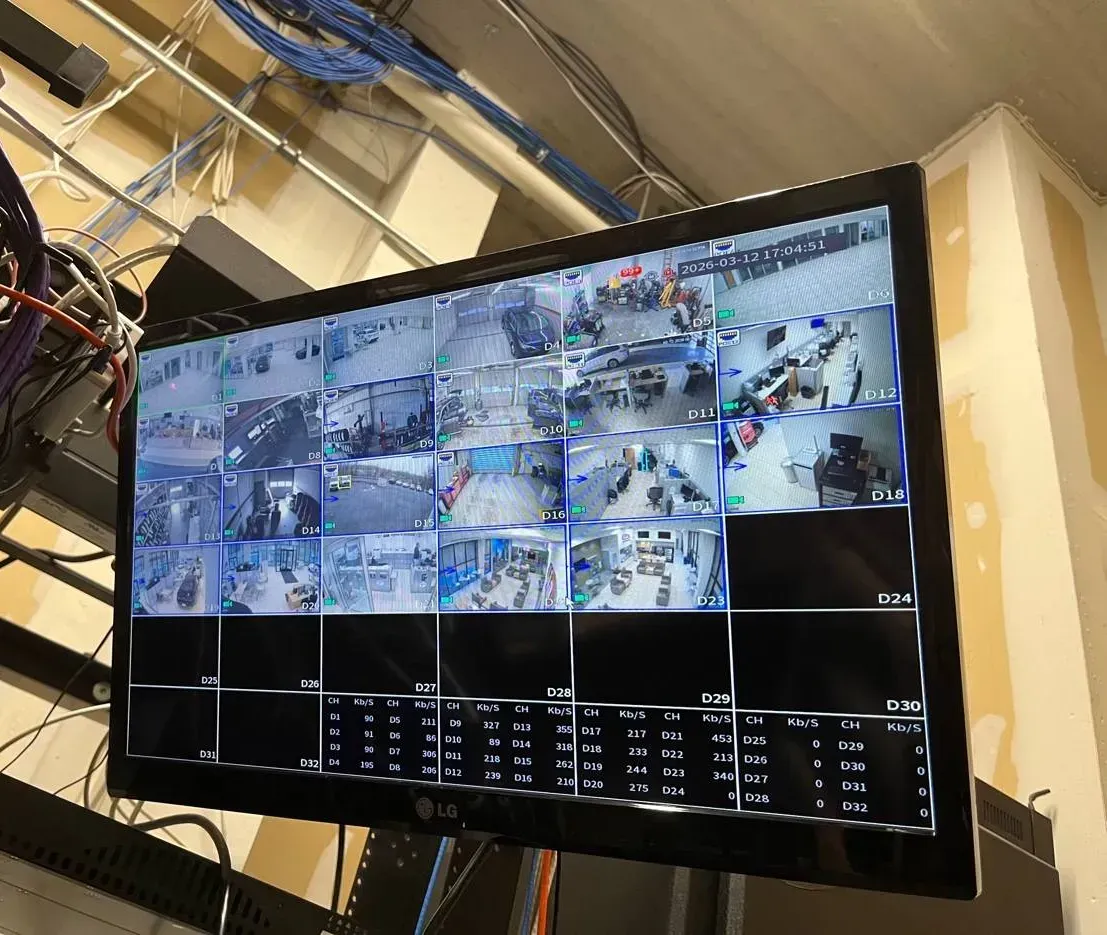
Real AESS job photo: a monitor hung near an equipment rack shows a recorder’s own 32-tile display, with live tiles of offices, a garage and a showroom, empty tiles below and a table of channel data rates; blue and white cable bundles run along the ceiling above. This is the recorder’s local screen, not Smart PSS — the same channels a SmartPSS Lite desk would pull over the network.
Manhattan Smart PSS Request
Tell us where the desk PC sits, who runs its IT and what the screen shows — we call back the same business day
✅
Request Sent!
A technician will call you back about the Manhattan desk the same business day.
25+
Years Experience
✓
Same-Day Estimates
100%
Licensed & Insured
4.7★
201 Google Reviews
Desk screen went black at shift change and the guard can’t log back in? Send us three things: a photo of what SmartPSS shows (the login box, the device list or the error), a photo of the label on the recorder, and the name of whoever runs the building or office network. With those, most Manhattan calls can be sorted into client, network or recorder before anyone takes an elevator. Call or text (929) 560-0737.
No charge to diagnose from pictures over the phone — the clock starts only when a technician is standing at your desk
We work beside your IT contractor or managing agent instead of around them — no surprise changes to a network we don’t own
Seven-day scheduling with a two-hour arrival promise and evening slots that start as late as 8 PM; licensed by New York State for low-voltage work, #12000287431
Smart PSS is Dahua’s Windows program for watching and managing recorders from a desk: live view across many cameras, playback, export, alarms, and on newer versions door control and staff attendance. In most of the country it lives on a homeowner’s or shop owner’s own computer. Manhattan is different because of who lives and works here. The Census Bureau’s 2023 five-year survey counts 918,806 homes in New York County, and 522,823 of them are in buildings with fifty or more apartments. Of 775,376 occupied homes, 583,733 are rented. Big shared buildings mean front desks, package rooms and security offices, and those desks are where a camera client is used all day, by people who neither own the system nor run the computer it sits on.
The office side of the borough pushes in the same direction. The City Comptroller’s May 2024 review of the office market counted roughly 172.96 million square feet of Class B office space in Manhattan, another 271.35 million of four-star space and 75.62 million of five-star. Tenants on those floors usually keep their recorder in a suite closet, but the computer that views it belongs to a corporate IT department or a managed-service provider. A New York IT firm describing a typical office layout in March 2026 put cameras and recorders on their own network segment, separate from staff computers, with the rule that traffic between segments is denied by default. That is good practice, and it is exactly why a desk client that worked on the installer’s laptop goes dark the day it is moved to the office PC.
Then there is the moment the desk is actually needed. Manhattan lobbies are where packages go missing: amNY reported in December 2020 that police released video of a man who took a $400 package from an apartment-building lobby near West 21st Street and Seventh Avenue, and The New York Times headlined a February 2021 East Village story with the figure of 90,000 packages stolen across the city every day. The other side of the same story shows up on Reddit, where one new tenant wrote that the landlord was “saying that the security camera systems are down and that there is nothing they can do about a stolen package.” A camera system that records but can’t be searched and exported from the desk, quickly and by the right person, is close to the same thing as one that is down.
The software itself has also moved under people’s feet. Dahua’s own support wiki now carries a notice that “SmartPSS has been discontinued and is no longer supported for Windows and M Series Macintosh Computers,” and tells owners to install SmartPSS Lite instead. Forum members reported in 2024 that Dahua’s cloud would stop accepting P2P connections from SmartPSS 2.0 releases dating from 2019 and 2020. Lite is lighter, but it also has a published ceiling of 64 devices and 64 video channels. For a Manhattan desk that is the practical agenda: move to a supported client without losing the layouts and accounts people rely on, connect it through a network someone else manages, and decide what to do when the building is bigger than the software.
Manhattan facts behind a Smart PSS job
918,806 homes in New York County, 522,823 of them in buildings of 50+ apartments and 201,967 in buildings of 20–49; median year built 1951 (Census ACS 2023, five-year).
583,733 of 775,376 occupied homes are rented, so the person at the desk client is rarely the person who owns the cameras.
About 173 million sq ft of Class B and 347 million sq ft of four- and five-star office space in Manhattan (NYC Comptroller, May 2024) — floors where the viewing PC belongs to someone’s IT department.
SmartPSS discontinued: Dahua’s wiki directs owners to SmartPSS Lite; the discontinuation notice page was last edited in October 2024.
64 devices / 64 video channels: the SmartPSS Lite limits in Dahua’s published datasheet.
March 12, 2021: the date Dahua video surveillance equipment was added to the FCC Covered List, for use in public safety, government facilities, critical infrastructure and national security.
A desk that watches the front door usually also buzzes it. When the lobby panel is failing too, the same trip can include Manhattan intercom repair, so the doorman isn’t left with a working screen and a dead buzzer.
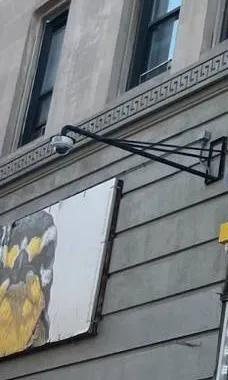
Real AESS job photo, cropped: a white dome camera hangs from a long black steel arm fixed to a grey stone facade, just under a carved band with a repeating key pattern and two upper-floor windows. Facade cameras like this feed a recorder indoors; the lobby desk sees them only if the client can reach that recorder.
Need Smart PSS Fixed in Manhattan Today? Same-Day Help
If the desk lost its cameras this morning, call (929) 560-0737. We book the next open two-hour window, and most desks are back on screen within one to two hours of arrival, because the usual causes — an old SmartPSS release Dahua’s cloud no longer answers, a Windows update or security tool that quarantined the client, a firewall rule that closed the recorder’s port, a password changed on the recorder but not in the client — are fixed at the PC and the network closet, not on a ladder.
Before the technician comes: a five-minute look from the desk. Whoever sits at the PC can do all of this with the logins they already use, and every answer shortens the visit.
Walk to the recorder’s screen. Pictures moving there but not at the desk means the hardware is fine and the break is somewhere on the path from the closet to the PC.
Read the version. The SmartPSS window shows whether it is SmartPSS or SmartPSS Lite, and the About box gives the version. An old SmartPSS 2.x is a likely culprit on its own.
Note what changed. New computer, Windows update, new antivirus or endpoint tool, new internet provider, new IT company, new guard company. Write down the date.
Check the recorder’s P2P status. On the recorder’s menu, Network > P2P shows whether its link to Dahua’s service is Online. One forum answer suggests the recorder’s own network detection page for a DNS or filtering problem.
Photograph the label. Model and serial number tell us the recorder generation and which client versions it supports. Send it to our Manhattan number privately, not to a group chat.
What the desk sees, and where the fault usually is
On the desk PC
Usually means
Who should be there
Old SmartPSS opens, every device offline, recorder fine on its own monitor
An outdated SmartPSS release; P2P support for 2019–2020 builds was reported withdrawn from August 2024
Whoever can install software on the PC
Client won’t start after a Windows or security update
Endpoint protection blocking the program or its service, or a corrupted install
The building or tenant IT contact
Devices added by IP show offline since the network was re-done
The recorder changed address, or the firewall now blocks TCP 37777 between segments
The person who controls the switches or firewall
Error about maximum channels when adding another recorder
SmartPSS Lite’s 64-channel ceiling has been reached
The owner or managing agent, for a sizing decision
Login box rejects the password nobody remembers setting
The client’s own administrator password, separate from the recorder’s; resettable through security questions if they were set
Whoever installed the client, if reachable
Black tiles on the recorder’s monitor too
Not a software problem: camera, cable, power or recorder hardware
A technician on site
Rows overlap in real life. The week IT rolls out a new security agent is often the week someone notices the client is five years old, and fixing one exposes the other. Photos plus a list of recent changes let us spot both from the office, which is the reason triage is free.
What We Install
Smart PSS Support Services in Manhattan
Everything below comes back to one idea: the desk client, the PC it runs on and the network between it and the recorder each have an owner, and the job isn’t done until those owners agree and it is written down. This is the work we do for Manhattan buildings, offices and stores.
Move from SmartPSS to SmartPSS Lite
We record the old client’s device list, layouts, tours and alarm settings, install SmartPSS Lite from Dahua’s own download, rebuild those settings, and keep the old version off the PC so nobody opens it by habit. Desks keep the screen layout they are used to, on a client Dahua still supports.
Desk PCs that IT controls
We give the building or tenant IT contact a one-page brief: the program, its install folder, the ports it uses and why, and the user account it should run under. Then we install it with them, so the endpoint tool learns the program instead of quarantining it the next morning.
Cross-VLAN connection
When the recorder lives on a camera segment and the PC on the office segment, we ask for one narrow rule from the desk PC to the recorder on the ports Dahua documents — TCP 37777 for the client, RTSP 554 if a stream is needed — instead of opening the camera network to every computer on the floor.
Operator accounts and permissions
Dahua’s own security appendix tells owners to add users and give each “a minimum set of permissions.” We create a recorder account for the desk that can watch and search but not change settings or delete, a separate one for the resident manager, and keep the admin login off the desk.
Multi-screen walls and tours
Security offices and large lobbies want several monitors: entrances on one, garage and loading dock on another, a rotating tour on a third. We configure view groups and tours in the client and check the PC can actually decode that many streams before anyone relies on it.
Export procedure for the desk
A short written routine: how to search a time range, which format to export, where the file goes, who signs the log. Done once with the staff who will actually do it, so the first real request is not the first time anyone tries.
Systems larger than SmartPSS Lite
Lite stops at 64 devices and 64 video channels. For complexes and towers past that, we plan either several desk clients divided by area or a move to Dahua’s DSS server platform, and say plainly which one the building’s size and budget point to.
Access control and attendance
SmartPSS Lite can manage Dahua door controllers, face-reader terminals and time clocks as well as cameras. We set door schedules and staff shifts, and for buildings and stores we flag the city rules that come with collecting face data before it is switched on.
Recorder health and firmware
While we are at the recorder: drive health, recording schedule, the firmware version against Dahua’s advisories, default or orphaned accounts, and any router port forwards left by a past installer. An exposed recorder is the risk; a desk client on the local network is not.
What a finished Manhattan desk looks like
It helps to know what “done” means before the visit, so the managing agent, the IT contact and the people at the desk can each check their part. When we leave a lobby desk, a security office or a reception PC, these things are true, and each one is written on the hand-over sheet.
One supported client. SmartPSS Lite from Dahua’s own download, at a recorded version, and no older SmartPSS left on the machine for someone to open by habit.
A known Windows account. The desk signs into a standard account made for the desk, so a shift change never means sharing someone’s personal login.
Recorders added by local address. Each recorder reached over the building network on a reserved address, so the desk keeps working when the internet line or a cloud service doesn’t.
Watch-and-search logins. The desk connects to every recorder with an operator account that can view, search and export where allowed, but cannot delete recordings or change settings.
Layouts that match the job. The opening screen shows the entrances staff must watch; a second view group holds garage, service door and package room; tours run where a room has more cameras than tiles.
An export routine people have practised. Staff have searched and exported a test clip themselves, in the formats the building has agreed to give investigators and insurers, and know where the log is kept.
Alarms someone will act on. Only the events that matter make a sound at the desk, and we have heard that sound through the desk’s own speakers.
Passwords with their owners. The recorder admin password sits with the managing agent or office manager, the IT rule is documented with its ticket number, and the desk has only what the desk needs.
None of that is exotic. It is simply the difference between a client that happens to work today and one that still works after the next PC refresh, the next guard company and the next request from a precinct detective.
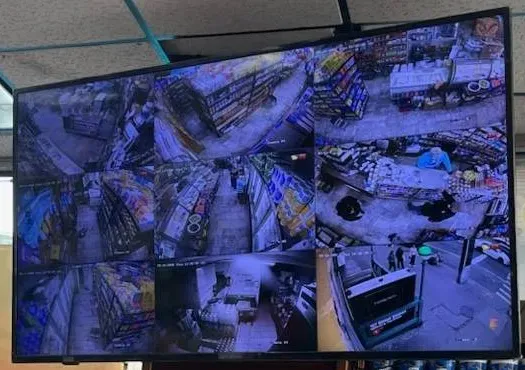
Real AESS job photo: a monitor suspended below a drop ceiling shows a split-screen layout of a store’s cameras — packed shelving aisles, the counter, a back room and the street entrance. A desk layout in SmartPSS Lite is built the same way: the views staff need in front of them, arranged once and saved.
Building Specialists
Smart PSS Support for Manhattan's Architecture
In this borough the building decides three things about a desk client: where the viewing PC sits, who is allowed to touch it, and how many cameras it has to carry. These are the building types where we set Smart PSS up most often, and what each one changes.
Doorman towers with a lobby desk
Post-war and new rental and condo towers from Yorkville to Battery Park City. The desk PC sits under the counter beside the package log, used around the clock by staff from more than one shift. The client has to survive restarts, show the right cameras without anyone hunting for them, and refuse to let a desk login change anything.
Large complexes with a security office
Developments on the scale of Stuyvesant Town–Peter Cooper Village, where 110 buildings hold 11,250 apartments between First Avenue and Avenue C. Campuses of that scale tend to mean several recorders, a control room and a guard contractor — and camera counts that pass SmartPSS Lite’s 64-channel ceiling long before the last building is added.
Pre-war co-ops with a super’s office
Upper West Side, Upper East Side, Morningside Heights and Washington Heights. The recorder and an old desktop sit in the super’s basement office; the PC is often the one the original installer left, still running the first SmartPSS it came with. The board decides who may watch, and the managing agent arranges the visit.
Class B office floors
Midtown, Midtown South and the Garment District, where a tenant leases one or two floors. The recorder is in a suite closet on the tenant’s switch; the viewing PC belongs to an IT provider who enforces a camera VLAN and an endpoint tool. Nothing gets installed without a ticket.
Loft showrooms and studios
Manufacturing lofts converted to showrooms and offices between Fifth and Ninth Avenues, and loft buildings in SoHo, NoHo and Tribeca. Long open floors with cameras high on the walls, a reception PC near the elevator, and a landlord who may run separate cameras in the lobby on the same brand.
Converted office towers
Lower Manhattan and Midtown East buildings being turned into apartments; the Comptroller notes that one city conversion incentive is limited to buildings below 59th Street of at least 250,000 square feet built before 2000. New lobby desks, new recorders, and a developer’s installer who set up the desk client and then moved on.
How the method changes, building by building
Lobby desks. We start with how the desk is used, not with the software. Which cameras does staff need in front of them all the time, which do they call up only when something happens, and who is allowed to export? The client then gets a fixed opening layout on the main monitor, a second view group for the garage, service door and package room, and a recorder login for the desk that can watch and search but not delete or reconfigure. The PC’s Windows account is a standard user, not an administrator, so a curious overnight hand can’t install anything over it. If the building wants the client to come back by itself after a power cut, we decide that with the resident manager, because convenience and lock-down pull in opposite directions.
Security offices on large complexes. The first conversation is about size. SmartPSS Lite’s datasheet lists 64 devices and 64 video channels; Reddit users who hit the limit describe an error the moment the 65th channel connects. A complex with several recorders and hundreds of cameras either divides the work — one Lite workstation per group of buildings, each under the ceiling — or moves to Dahua’s DSS server platform, which is built for central control rooms. We set out both options with what each needs in hardware and licensing before anyone buys anything.
Pre-war co-ops. The usual fault is age. An old desktop in the super’s office, an old SmartPSS release, a recorder password the installer chose and never handed over. We confirm with the managing agent who owns the system, recover or reset access on the recorder with documented proof of ownership, move the super’s PC to SmartPSS Lite, and leave the admin password with the agent rather than taped to the monitor.
Tenant office floors. Here the IT provider is the gatekeeper and should be. We send the brief before the visit: program name and source, install path, service account, the ports the client needs to the recorder’s address and nothing else. On the day we install it with them watching, test from a standard user account, and confirm the firewall rule is narrow — this one PC to this one recorder, not the whole office to the whole camera segment.
Showrooms, lofts and conversions. Where a landlord’s lobby cameras and a tenant’s floor cameras are both Dahua, it is easy to end up with one PC that shows both and a muddle about who controls what. We keep them as separate devices in separate groups, use a login on the landlord’s recorder that the landlord issued, and write down in the hand-over which recorder belongs to whom. In new conversions, we get the developer, the managing agent and the installer to agree on the recorder passwords before the installer’s contract ends.
Buildings that use a smart-card or face-reader entry alongside the cameras should read the Tenant Data Privacy rules below before turning on face features; our Manhattan access control installation team handles the door side.
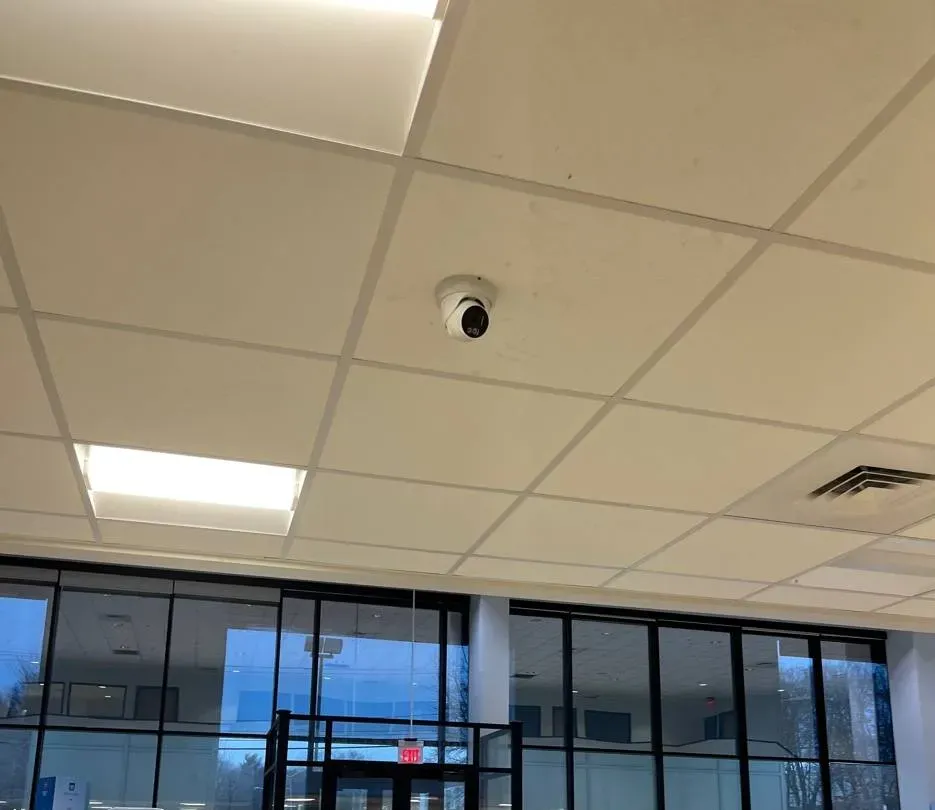
Real AESS job photo: a white turret camera set in a drop ceiling between two light panels and an air diffuser, above a dark-framed glass wall with a lit exit sign over the entrance doors. Glass entrances like this one are usually the first tile on a lobby or reception desk’s layout.
Commercial Smart PSS Support
Business Smart PSS Support in Manhattan
For a Manhattan business the desk client is the screen behind the reception counter, the PC in the back office that the manager checks at closing, and the tool that pulls a clip when a customer disputes a delivery. These are the corridors where we set it up, and what each kind of business needs from it.
Garment District showrooms
Between Fifth and Ninth Avenues from 34th to 42nd Street, former manufacturing lofts now hold showrooms and offices for accountants, lawyers, PR firms and tech companies. Samples on open racks, a reception desk by the elevator and a recorder in a closet — the client lives on the receptionist’s PC.
Flatiron and Silicon Alley offices
The district between 14th and 23rd Streets, Sixth Avenue and Park Avenue South, which gave New York’s tech sector the name Silicon Alley. Small offices with strict IT, laptops rather than desktops, and a preference for a client that runs only when someone is signed in.
Hudson Yards and Manhattan West
New towers on the Far West Side, rezoned in 2005, with the first phase of Hudson Yards opening in March 2019. Where a landlord runs lobby security on its own system, a tenant with Dahua cameras inside its suite needs a desk client that stays cleanly on the tenant side of that line.
Canal Street and Chinatown retail
From East Broadway to West Street, a street of open storefronts, banks and jewelry shops. Small stores where the counter PC often runs the register software and the camera client side by side, and owners who check the recorder after hours from home.
Midtown Class B floors
About 173 million square feet of Class B office space in Manhattan, by the Comptroller’s count, much of it in older buildings around Penn Station, Grand Central and Midtown South. Tenant recorders on tenant switches, viewed from PCs that a managed-service provider patches every month.
Lower Manhattan and Third Avenue conversions
Office towers below 59th Street moving to residential use, such as 175 Water Street, now 161 Water Street, which the Comptroller lists as 580,000 square feet and 97 percent vacant before conversion, and 850 Third Avenue. New residential lobbies inherit desk clients set up during construction.
Rules Manhattan businesses and buildings should keep in view
Face data and customer signs. NYC Administrative Code §22-1202 requires retail stores, food and drink establishments and places of entertainment that collect or store customers’ biometric identifier information — including “a scan of hand or face geometry” — to post a clear sign near every customer entrance, and bars selling or sharing that data for value.
Smart entry in apartment buildings. Under Local Law 63 of 2021, HPD says owners of multiple dwellings that use smart access systems such as key fobs, phone apps or biometric identifiers to grant entry must give tenants a data retention and privacy policy.
Changing rooms and staff toilets are off limits. Under Labor Law §203-c an employer may not video-record workers in restrooms, locker rooms or rooms set aside for changing. A co-op board is the employer of its porters and doormen, so the rule reaches the basement locker room as much as a restaurant’s.
Microphones change the legal picture. Penal Law §250.05 makes it eavesdropping to record a conversation that no participant agreed to. Plenty of Dahua cameras ship with a built-in mic, so at a desk we disable sound on every channel unless the owner, with legal advice and posted notice, chooses otherwise.
What Washington actually restricted. The FCC’s list names Dahua gear only where it guards public-safety sites, government buildings, critical infrastructure or national-security work. Its July 2026 order stops new imports and sales for those uses; it says in terms that systems people already own may keep running.
Known exploited flaws. CISA added a Dahua authentication-bypass flaw, CVE-2021-33044, to its Known Exploited Vulnerabilities catalog on August 21, 2024. Recorders reachable from the internet are the exposure; firmware and closed port forwards are the fix.
A desk can only show what the cameras cover. Where a showroom or shop has blind corners the client can’t fix, the page on commercial camera installation in Manhattan explains how we add coverage.
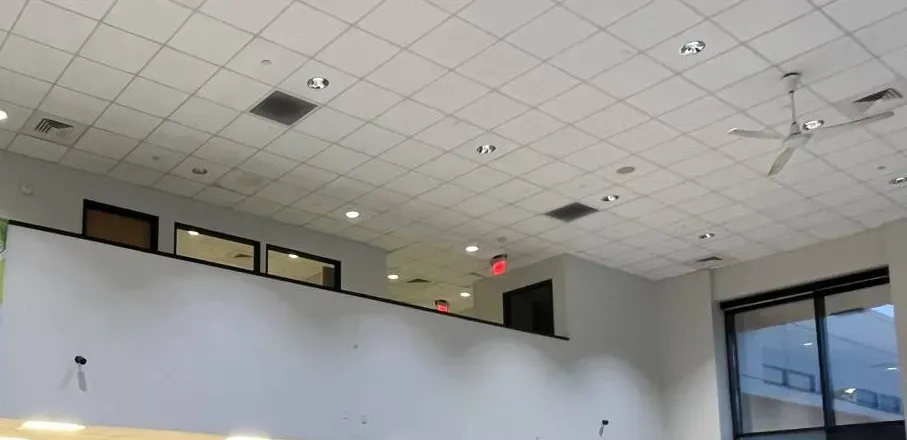
Real AESS job photo: a large open hall with a tall white wall, small cameras mounted high on it, a row of interior windows above, a grid ceiling of recessed lights and vents, a ceiling fan and two lit exit signs. Big open floors like showrooms and studios end up with more channels than one desk view can show at once.
Your Questions Answered
Smart PSS Support in Manhattan: Questions Answered
What follows comes from the people who actually sit at, manage or secure Manhattan desk PCs: resident managers, guard supervisors, office managers, IT contractors and shopkeepers. Grouped by stage of the job, each answer assumes a building here, a network someone else runs and the city rules that come with both.
The Desk PC and the People Who Control It
The building’s IT contractor locked down the lobby PC — what does SmartPSS Lite need permission to do?
Less than most people fear. It needs to be installed once by someone with administrator rights, to write to its own data folder (that is where local recordings, snapshots and settings go — Dahua’s monitor manual names the default record path under Data/User/Record), and to open network connections from the PC to the recorder’s address on the recorder’s client port, which is TCP 37777 by default on Dahua equipment. If devices are added by serial number instead, it also needs to reach Dahua’s P2P service on the internet. It doesn’t need inbound connections to the PC, and it doesn’t need the desk user to be a Windows administrator.
We write that down as a short brief for the IT contractor, with the installer file’s source and the install folder, and do the install with them. Endpoint tools that flag unfamiliar video software tend to quarantine it on the next scan unless IT has approved it by name; agreeing that up front is what stops the client disappearing two days after we leave.
Should the desk’s SmartPSS Lite sign itself back in after a power cut, or wait for a person?
It depends on what the desk is for. SmartPSS Lite has a “Remember Password” option at its login screen, and Windows can be set to start the program at sign-in, so a desk can come back on its own after a cut. That suits a lobby where the screen must be up before the next person arrives and nobody on the overnight shift has the client password. It doesn’t suit an office reception where anyone walking past could sit down and browse recordings.
Our usual compromise for staffed lobbies: the PC signs into a limited Windows account automatically, the client opens with a remembered login that belongs to a watch-only recorder account, and the screen lock is off during staffed hours. For offices, the client stays behind the person’s own Windows login. Either way the recorder’s admin password is never the one remembered.
Our lobby workstation still runs the SmartPSS release installed around 2020 — what changes if we leave it alone?
The cameras keep recording, because recording happens on the recorder, not the PC. What stops is the desk’s view. Dahua’s wiki says SmartPSS has been discontinued and is no longer supported, and members of the IP Cam Talk forum reported in 2024 that Dahua’s cloud would stop P2P connections from SmartPSS 2.0 builds from 2019 and 2020; one thread title from the period reads “old SmartPSS (v2.003) cannot connect to Dahua NVR starting today, but SmartPSS lite can.” An old client added by IP address on the local network may limp on, but it gets no fixes and sits on a PC that IT will eventually reimage.
We would rather move it on a quiet afternoon than on the morning it fails. Before uninstalling we photograph the device list, layouts and tours, then rebuild them in SmartPSS Lite so the desk sees the same screens it is used to.
How do we stop an overnight guard from changing recorder settings through the desk client?
By making sure the client logs into the recorder with an account that can’t. SmartPSS connects to each recorder with a username and password stored in its device list; whatever that recorder account is allowed to do, the desk can do. If the installer typed in the admin login, the desk has admin rights over the recorder, including deleting recordings and changing the schedule.
We create a separate operator account on the recorder with live view and playback only, put that into the desk’s device entry, and keep the admin login with the resident manager or managing agent. Dahua’s own security appendix to the SmartPSS Lite manual recommends exactly this: add users according to need and give each a minimum set of permissions, with account lock enabled.
Reaching the Recorder Across a Managed Network
The recorder sits on the camera VLAN and the desk PC on the office VLAN — which traffic has to cross between them?
One narrow path. Dahua documents its recorders’ default ports as TCP 37777 for client connections, UDP 37778, HTTP 80, HTTPS 443 and RTSP 554. For SmartPSS Lite added by IP address, the essential rule is from the desk PC’s address to the recorder’s address on TCP 37777. HTTP or HTTPS is useful if staff should also open the recorder’s web page, and RTSP only if another program will pull streams. Nothing else on the office segment needs to reach the camera segment.
That keeps the IT provider’s “deny by default between segments” approach intact, which is the point of having a camera VLAN. We give the IT contact the exact source, destination and port so the rule is written once and documented, rather than someone opening the whole camera network to the floor to make the problem go away.
When the PC and the recorder are in the same building, should the client reach the recorder by serial number or by local address?
By local address, almost always. Adding a device by serial number uses Dahua’s P2P service, which relays the connection through the internet even when the PC is twenty feet from the recorder. It is convenient for a laptop that travels, but it makes a lobby desk depend on the building’s internet line and on Dahua’s cloud being up. In March 2026 a Reddit user reported that Dahua called a P2P problem “a global issue” with no estimate for a fix, while the phone app still worked for him.
A device added by its reserved local address keeps working when the internet is down, which is exactly when the desk may need it. We reserve the recorder’s address on the building’s DHCP server or set it fixed, add it by IP, and leave P2P for the remote laptops that genuinely need it.
Our tenant firewall blocks unknown outbound traffic — can the desk client work with no cloud path at all?
Yes, for everything that happens inside the office. SmartPSS Lite talking to a recorder by IP on the same network needs no internet connection: live view, playback, export and local alarms all run between the PC and the recorder. What won’t work without a path out is P2P access by serial number, and any feature that depends on Dahua’s cloud.
For offices with a strict egress policy that is often the cleanest setup: the recorder has no route to the internet, the desk sees it locally, and anyone who must check from outside does it over the company’s VPN to the office network rather than through a vendor cloud. We set that up with the IT provider, not around them.
Big Buildings and the Limits of One Workstation
How should a security office with a few hundred cameras divide them between desk workstations and operators?
Start from the limit and from the people. Dahua’s datasheet caps a single SmartPSS Lite install at 64 devices and 64 video channels, and a Reddit user who hit it described the error appearing “as soon as more than 64 channels have connected to the software.” In a Manhattan complex with a garage, a courtyard, several lobbies and stairwells, three 32-channel recorders already pass it — and no single operator can watch that many tiles usefully anyway.
So we divide by duty, not by recorder. One workstation carries the entrances and package rooms the front post must see live; a second carries garages, loading docks and service corridors for the patrol supervisor; playback and export sit with the manager’s login. Each stays under the ceiling. Where the building wants one operator to call up any camera from one console, the answer is Dahua’s DSS server platform, built for central control rooms, with server hardware and licensing priced separately after a walk-through.
What does a security office need to run a four-screen camera wall from one workstation?
A PC with enough decoding power and enough video outputs, and a client set up with view groups. Dahua’s datasheet tests SmartPSS Lite on an Intel Core i5-6500 with 8 GB of memory, and quotes 64 channels of D1 — standard-definition — decoding on that machine. Modern cameras send far heavier streams than D1, so a wall of 4-megapixel or 4K cameras needs either a stronger PC or the sub-streams the recorder provides for multi-view.
Dahua’s wiki shows how to move a SmartPSS tab onto a second monitor. We build one view group per screen, set the walls to use sub-streams, check the CPU load with every screen running, and only then hand the room over. Where the load is too high, the answer is a better graphics card or fewer live tiles, not hoping.
How long does the client keep its own snapshots, alarm records and logs on the PC?
Dahua’s datasheet gives SmartPSS Lite a default storage time of 62 days for images and video saved by the platform and for its database, adjustable up to 365 days. That covers snapshots, clips recorded manually from the desk and the event records the client keeps. It does not change how long the recorder keeps its own footage, which depends on the recorder’s drive and recording settings.
For buildings with a footage-retention policy, the number that matters is the recorder’s. We set the client’s retention to match the policy so the PC doesn’t quietly hold copies longer than the building says it keeps them, and size the recorder drive for the days the policy names.
Footage Requests, Logs and Privacy
A detective asked for the lobby recording from one night — who at the building should handle it, and what goes in the hand-over?
One named person — usually the resident manager or the guard supervisor, not whoever is at the desk — should own the request, confirm it with the managing agent, and ask the detective what format they want. By default, give the original. SmartPSS Lite can clip and download recordings as .dav, .avi, .mp4 or .asf, according to Dahua’s monitor manual. The .dav file is Dahua’s native format and needs Dahua’s player, but it carries the recording as the recorder made it; .mp4 and .avi open anywhere but are converted copies. Many investigators accept either, and some want both: the native file with the player, and an .mp4 for quick viewing.
What we set up is the routine: search by time and camera, export a few minutes either side, save to a dated folder, copy to the medium the requester provides, and write the request in the log. We also check the PC and recorder clocks agree with each other, because a timestamp that is twenty minutes off is the first thing anyone questions.
Do face-detection alarms in SmartPSS Lite put our store under the city’s biometric signage rule?
Possibly, and it is worth getting right before switching anything on. Dahua lists face detection among SmartPSS Lite’s alarm types. NYC Administrative Code §22-1202 applies to retail stores, food and drink establishments and places of entertainment that collect, retain, convert, store or share customers’ biometric identifier information, defined to include a scan of face geometry, and requires a clear sign near all customer entrances.
Whether a given feature counts — detecting that a face is present versus recognising whose it is — is a question for the owner’s lawyer, not for an installer. Our practice is to leave face recognition off on retail floors unless the owner has made that decision in writing and posted the sign the city requires.
If the co-op adds face-reader entry managed from SmartPSS Lite, what does the Tenant Data Privacy Act ask of the board?
HPD’s guidance on Local Law 63 of 2021 says owners of multiple dwellings that use smart access systems — key fobs, RFID cards, phone apps, biometric identifiers or other digital technology — to grant entry to the building, its common areas or apartments must give tenants a data retention and privacy policy, and may not use the system to track people’s location outside the building. SmartPSS Lite can manage Dahua face-reader terminals and door controllers, so turning those on puts a building under that law.
The board should have its policy written and its counsel’s approval before enrollment starts. We set the terminals and SmartPSS Lite to keep no more than the policy allows and leave a note of where the data lives — on the controller, the PC, or both.
What should the desk write down each time someone views or exports footage?
Date and time of the request, who asked and on whose authority, which cameras and time range were viewed or exported, the file name and format, who received it and on what medium, and who at the desk did it. That is a one-line entry in a bound book or a shared sheet, and it is what lets a managing agent answer a shareholder or a lawyer months later.
Residents ask about this more than boards expect: one Reddit poster asked how to “force a landlord to show me the camera feed in the lobby,” and another wrote that “good management never gives security camera video to anyone except police.” A written log, alongside the building’s footage policy, is what keeps those conversations short.
Offices, Showrooms and Restaurants
Our office floor and the landlord’s lobby both run Dahua recorders — can one PC show both without blurring who controls what?
It can show both, as long as each recorder appears as its own device with its own login, issued by its own owner. The landlord gives the tenant a watch-only account on the lobby recorder, for the cameras it agrees to share; the tenant’s own recorder stays under the tenant’s admin. In SmartPSS Lite we put them in separate groups named for the owner, so nobody confuses a building camera with a suite camera when a request comes in.
What we won’t do is copy a landlord’s admin password into a tenant’s PC because it was the quickest way. When the lease ends, the landlord removes one account and the arrangement is over cleanly.
Will the attendance module work as a restaurant’s time clock?
For a single Dahua attendance terminal at the staff door, often yes. Dahua’s datasheet gives SmartPSS Lite’s attendance side capacity for 1,000 people, 32 shifts and 19 report types, and it handles schedules, leave and exception reports. It isn’t payroll software, so the hours still have to reach your payroll provider by export.
Two cautions for New York kitchens: a face-reading time clock collects employees’ biometric data, which deserves a written policy and legal advice before staff are enrolled; and the terminal should never sit where it can see a changing area. A card or PIN clock avoids the first issue entirely.
Arranging the Visit
What should be ready before the technician sits down at the desk PC?
Access to the PC with a Windows account that can install software, or an IT person who has one. Access to the room where the recorder is, and to the switch or firewall if the network has to change. The recorder’s admin password if anyone has it, and the name of the person who will own it at the end. A list of who uses the desk client and what each should be able to do.
Many Manhattan agents won’t let a vendor past the lobby without an insurance certificate naming them. Forward their wording when you book; the certificate goes to the agent a day or more before we arrive.
Does the building’s IT person have to be there for the visit?
Only if the network or the PC’s security settings have to change, and in Manhattan offices they usually do. A phone call at a set time is often enough: we tell them the one firewall rule and the one program approval we need, they make the change, we test. In residential buildings with no IT contractor, the managing agent’s office or the super with the router password fills that role.
What slows a visit is discovering on the day that nobody can approve the change. That is why we ask who controls the network when you book.
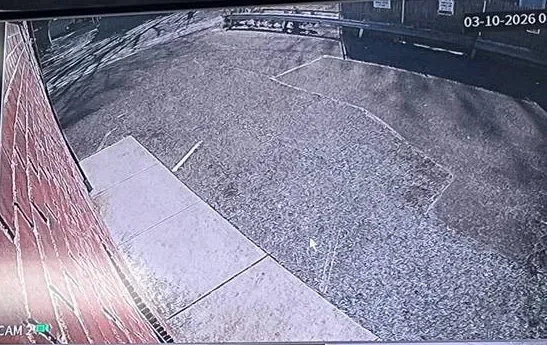
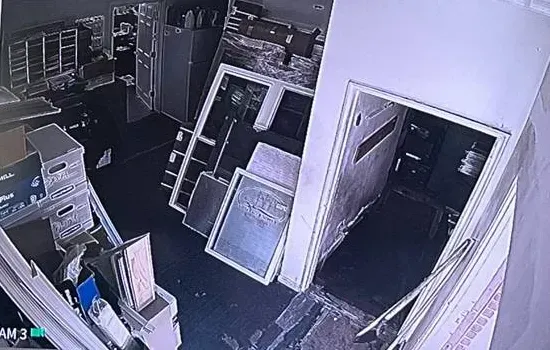
Real AESS job photo of a recorder screen: a wide camera view along a red brick wall, over a concrete strip and a paved lot, with the date 03-10-2026 printed at the top right. The on-screen date and time are what an investigator checks first, which is why we match the PC’s and the recorder’s clocks.Real AESS job photo of a recorder tile: a low-light camera view of a cluttered back storeroom — stacked boxes, large frames leaning on each other and an open doorway into a darker room. Night clips like this are the ones most often exported from a desk, and the export routine matters more than the picture.
Equipment
Types of Smart PSS Equipment We Install
Smart PSS is a program; what it is worth depends on the devices it talks to and the PC it runs on. Dahua’s datasheet lists the device types SmartPSS Lite supports. These are the ones we configure at Manhattan desks, and where the hardware itself has to change, we install it.
Network video recorders (NVRs)
The recorder behind most building and office systems, recording IP cameras over network cable. The desk client connects to it on its client port and sees every channel the account allows.
XVR and DVR recorders
Coax-based Dahua recorders survive in plenty of pre-war basements because rewiring a six-storey building is expensive. To the desk client they look like any other recorder — same device list, same channel count against the ceiling.
IP cameras added directly
Fixed, varifocal, pan-tilt and fisheye cameras can be added to the client on their own, useful for a single camera at a showroom door that isn’t on a recorder. Each one counts toward the 64-device ceiling.
Door controllers and face-reader terminals
Dahua access controllers and face-recognition terminals that SmartPSS Lite can manage, opening doors remotely and logging entries. In apartment buildings, these bring the Tenant Data Privacy Act into play.
Attendance terminals
Time clocks for restaurants, showrooms and small offices, with shifts and reports run from the same client. Card or PIN models avoid collecting biometric data at all.
Desk workstations and monitors
Where the existing PC is too old or too weak, a workstation sized for the number of live tiles, with enough video outputs for the wall. Dahua’s reference PC for Lite is a Core i5-6500 with 8 GB of memory and a 256 GB drive; we size up from there.
Ways a desk PC can reach the recorder
Method
How it connects
Where it suits Manhattan
Device added by local IP address
PC to recorder on the building network, TCP 37777 by default
Lobby desks, security offices and office floors where the PC is in the same building
Device added by serial number (P2P)
Relayed through Dahua’s P2P service over the internet
Laptops that travel; a weak choice for a desk that must work when the internet is down
VPN to the office or building network
Remote PC joins the network, then connects by local address
Owners and managers checking from home where IT already runs a VPN
Router port forward to the recorder
Recorder’s port opened to the internet
Not recommended; it is how recorders end up exposed to known exploited flaws
Dahua DSS server
Central server that the control-room clients connect to
Complexes and towers whose camera counts pass SmartPSS Lite’s 64-channel ceiling
Who supports an existing Dahua desk client: national brands compared
A fair question from boards and office managers: why not ring ADT, Ring or SimpliSafe? Each of them is in the business of its own hardware, its own app and, often, its own monitoring subscription. A Dahua recorder fitted by some earlier contractor and a Windows PC owned by your IT provider sit outside that model. Swapping the whole building onto one of their platforms is a real option with its own costs; keeping the Dahua system and making the desk behave is a different job, done by someone who works on Dahua.
Question
ADT / Ring / SimpliSafe
AESS
Sets up SmartPSS Lite on your existing Dahua recorder
Their offer is built around their own equipment
Yes — client, accounts, layouts and export routine
Works with your building or tenant IT on firewall rules
Not part of a typical consumer plan
Yes, with a written brief before the visit
Monthly fee to view your own recorder
Plans vary by product and may be optional or required
No monthly fee; footage stays on your recorder
Licensed NYS low-voltage contractor on site
Varies by dealer
Yes, license #12000287431
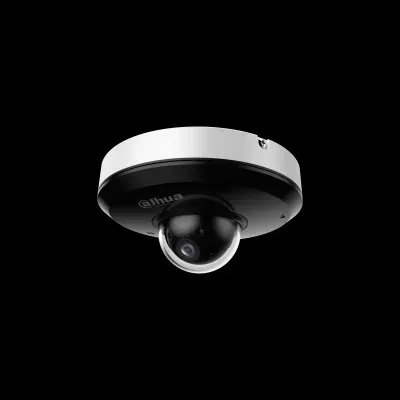
Manufacturer product photo, not an installed unit: a compact Dahua pan-tilt dome with a white base, a black body carrying the Dahua logo and a clear bubble over the lens. Pan-tilt cameras can be steered from SmartPSS Lite, so the desk account’s permissions decide who may move them.Real AESS job photo, cropped to the bottom of a recorder monitor: a table of channels D1 to D32 with their incoming data rates in kilobits per second, channels D24 to D32 reading 0. Reading this table tells us which cameras the recorder is really receiving before we blame the desk client.
AI Overview Reality Check
What AI Gets Wrong About Smart PSS Support in Manhattan
Google’s AI Overview didn’t load in the environment this page was researched from, so instead of quoting it we tested the advice that summary engines lean on — forum answers, download-site blurbs and how-to posts about Smart PSS. Angi and HomeAdvisor list camera installers and price camera jobs, but neither covers setting up a desk client, which leaves forums as the main source. Seven claims recur; here is how each holds up at a Manhattan desk.
“Download SmartPSS from Dahua and you’re set”
Plenty of how-to pages still describe the original SmartPSS as the free Dahua client to install. On IP Cam Talk, one owner asked what had happened because he couldn’t find it on Dahua’s site any more; the reply was blunt: “Its gone.” Dahua’s wiki now says SmartPSS has been discontinued and directs people to SmartPSS Lite.
The danger in a Manhattan office is the installer file someone found on a third-party download site and kept on a shared drive. An unsupported version, from an unknown copy, on a PC an IT department is responsible for, is exactly what endpoint tools are built to stop.
We install SmartPSS Lite from Dahua’s own download, record the version in the hand-over, and remove the old program so the desk can’t drift back to it.
“Forward port 37777 and you can see the cameras from anywhere”
It is true that 37777 is the port the client uses, and forwarding it through a router lets a PC outside the building reach the recorder. Older guides recommend it as the standard remote setup.
It also puts the recorder’s login on the open internet. CISA added a Dahua authentication-bypass flaw, CVE-2021-33044, to its catalog of actively exploited vulnerabilities in August 2024; NIST describes it as attackers bypassing “device identity authentication by constructing malicious data packets.” A recorder that is only reachable inside the building is not exposed to that kind of attack from outside.
For remote checking, we prefer the office’s VPN or, for a home owner, P2P with strong passwords and current firmware. We close forwards that a past installer left open.
“If the DMSS phone app works, the desk client will too”
The two share accounts and often the same P2P service, so it is a reasonable assumption. Reddit says otherwise often enough: one user wrote that he could reach his cameras on DMSS but not in SmartPSS Lite, and updated the post in March 2026 to say Dahua had called it “a global issue” with no fix date.
The phone and the PC also sit on different networks. A phone on cellular data isn’t subject to the office firewall; the desk PC is. A working app proves the recorder is online, not that the desk’s path to it is open.
This is one more reason we connect desks inside the building by local address. The desk then depends on the building network alone, which the building controls.
“SmartPSS Lite handles any size of system”
Lite is described everywhere as the free client for Dahua systems, and for a store or a small office it is. Summaries rarely mention that Dahua’s own datasheet caps it at 64 devices and 64 video channels.
Manhattan is where that cap bites. A complex of the size of Stuyvesant Town, with 110 buildings, or a tower with garage, amenity floors and several lobbies, reaches it quickly. Reddit users describe the error appearing the moment the 65th channel connects.
Above the cap, the choices are several Lite workstations divided by area or Dahua’s DSS server software. We count the channels and price both before anyone buys a bigger PC hoping it will help — it won’t, because the limit is in the software.
“Any old office computer will run it”
SmartPSS Lite is called lightweight, and it will open on most machines. Dahua’s datasheet, though, gives a reference PC with a Core i5-6500, 8 GB of memory and a 256 GB drive, and quotes 64 channels of standard-definition decoding on it.
Today’s cameras send 4-megapixel and 4K main streams, much heavier than standard definition. A twelve-year-old desktop under a lobby counter will stutter once a wall of high-resolution tiles is on screen, and staff will blame the cameras.
We set multi-view layouts to use the recorder’s sub-streams, check processor load with every screen running, and recommend a new workstation only when the numbers show the old one can’t keep up.
“Export it as MP4 and email it to the police”
MP4 is the format everyone can open, and SmartPSS Lite can export it alongside .dav, .avi and .asf. For a quick look, an MP4 is fine.
But an investigator or insurer may want the recording as the recorder made it, which for Dahua is the .dav file played in Dahua’s player. Email also caps attachment sizes far below what a few minutes of 4K video weighs, and a forwarded attachment carries no record of who handled it.
Ask what the requester wants. By default we teach the desk to export the native file plus an MP4 copy, hand them over on the requester’s medium or a link they specify, and log the hand-over.
“Dahua is banned, so the system has to come out”
There is a real federal story here. Dahua went onto the FCC’s Covered List on March 12, 2021, and in summer 2026 the Commission stopped further imports and sales of covered gear listed in 2024 or before. Shortened to a headline, that becomes “banned.”
The Covered List entry is limited to Dahua equipment used for public safety, government facilities, critical infrastructure and national security, and the FCC’s order says the prohibition “does not affect the continued use or operation of previously authorized covered equipment.” A Manhattan co-op lobby or a showroom is not ordered to remove anything.
What it can affect is buying replacement Dahua parts for covered uses, and some institutions’ own procurement rules. We plan replacements with that in mind and keep the existing system running in the meantime.
Find Out What the Desk Needs Before the Next Incident
Two pictures and one name settle most of it: the desk screen, the sticker on the recorder, and whoever runs the PC and network. From those we can say if your Manhattan job is moving the client, changing the network or rethinking size — and quote it — without a site visit.
For a Manhattan Smart PSS quote we need to know where the viewing PC sits, who manages that PC and the network, roughly how many cameras and recorders there are, and who should hold the admin password at the end. A written price comes back the same business day; to talk it through first, call (929) 560-0737.
✅
We Got Your Request!
Received. A technician is reading your Manhattan desk details now and will phone you today. For anything that can’t wait until then, the Manhattan line is (929) 560-0737.
How It Works
Our Installation Process
Seven steps, the same for a Midtown tenant floor as for a lobby desk on Riverside Drive. The first two happen before anyone travels, because in Manhattan most of the time on a desk-client job goes into agreeing who controls the PC and the network, not into the software.
1. Photos and the people
Two pictures reach us — the desk screen and the recorder sticker — with the names of the PC and network owners. From them we read the client version and recorder generation and decide which layer to start on.
2. Brief the IT contact
We send the building or tenant IT contact a one-page brief: program and source, install folder, Windows account, and the single network rule from the desk PC to the recorder. A time is booked when they can approve changes.
3. Check the recorder
Live picture on the recorder’s own monitor, drive health, recording schedule, firmware against Dahua’s advisories, existing user accounts and any router port forwards a past installer left.
4. Open the right path
The recorder gets a reserved address; IT creates the narrow rule between the desk PC and the recorder; we confirm the connection from a standard Windows account, not an administrator.
5. Install and rebuild the client
SmartPSS Lite from Dahua’s own download, devices added by local address, layouts, view groups and tours rebuilt from the old client, and the old version removed.
6. Accounts and permissions
Watch-and-search operator accounts on each recorder for the desk, separate logins for managers, the admin password handed to the owner, and the client’s own login and recovery questions set.
7. Test, teach and hand over
Staff search and export a test clip themselves, alarms are tested at the desk speakers, and we leave the one-page sheet of versions, accounts, rules and contacts for the building’s file.
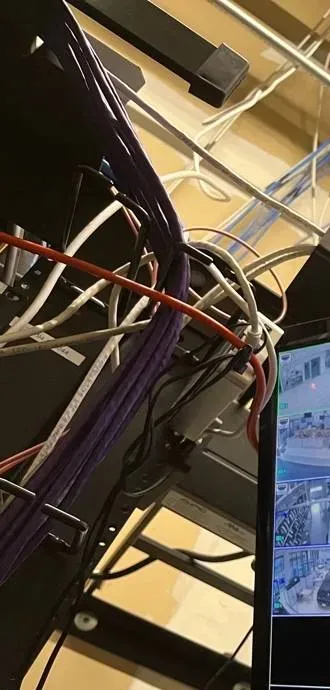
Real AESS job photo, cropped: a heavy bundle of purple network cable, with white, orange-red and black patch cords, drops down the side of an equipment rack; the edge of a lit camera monitor shows at the right. Step four happens in places like this: finding which switch port and which network segment the recorder really sits on.
Coverage Area
Smart PSS Support Near Manhattan's Landmarks
Six places that sum up where Manhattan desk clients live — showroom lofts, new towers, tech offices, a giant residential complex, a retail spine and an ordinary Chelsea lobby — and the buildings around them that call us.
Garment District
Fifth to Ninth Avenue, 34th to 42nd Street. Former manufacturing lofts now house showrooms, studios and professional offices; reception PCs by the elevator watch sample rooms and freight doors.
Hudson Yards and Manhattan West
The Far West Side between 30th and 41st Streets, rezoned in 2005, with Hudson Yards’ first phase opening on March 15, 2019. New towers, landlord-run lobby security, and tenant suites with their own recorders.
Flatiron District
Between 14th and 23rd Streets, Sixth Avenue and Park Avenue South, the birthplace of Silicon Alley. Small offices with tight IT policies and laptops rather than desktops at reception.
Stuyvesant Town–Peter Cooper Village
110 brick buildings and 11,250 apartments from First Avenue to Avenue C, 14th to 23rd Street, opened from 1947. A reminder of how quickly a single campus outgrows a 64-channel desk client.
Canal Street
From East Broadway to West Street, through Chinatown and along the edges of SoHo, Little Italy and Tribeca. Counter PCs in narrow stores running register software and the camera client side by side.
West 21st Street and Seventh Avenue
The Chelsea block where, amNY reported in December 2020, police released video of a man taking a package from an apartment lobby. An ordinary building, and an ordinary reason a desk needs to find and export a clip quickly.
Beyond those six, recent desk-client calls have come from Midtown East, NoMad, Murray Hill, Kips Bay and Gramercy; from Lincoln Square, Hell’s Kitchen and both sides of the park; from Harlem, East Harlem, Hamilton Heights, Washington Heights and Inwood up north; and from the Villages, the Lower East Side, NoHo, Tribeca, the Financial District and Battery Park City downtown. Neighboring boroughs have their own pages: the Bronx, Queens and Brooklyn.
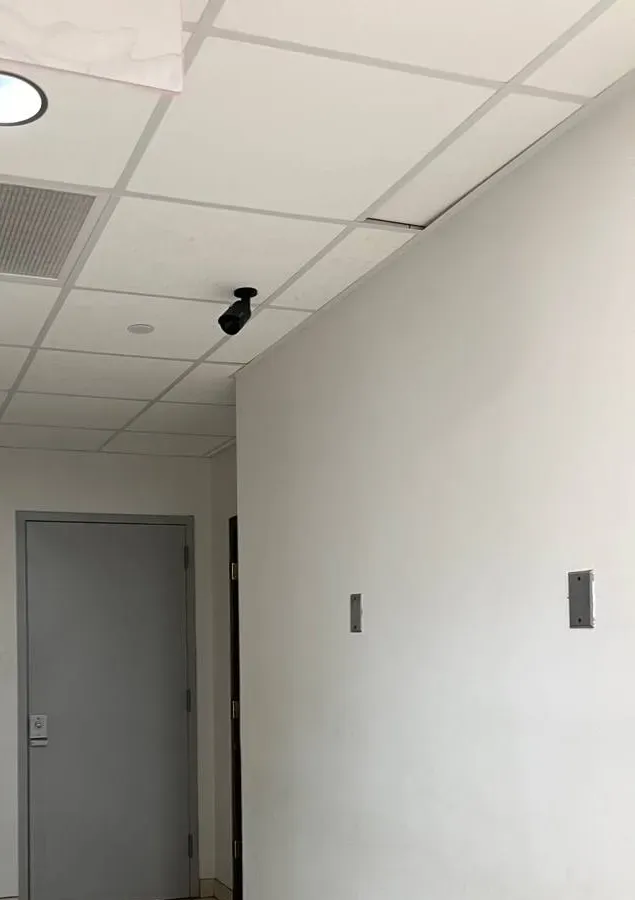
Real AESS job photo: a small black bullet camera hangs from a white drop-ceiling tile in a narrow corridor, pointed toward a grey door with a small reader panel beside the handle; a round light and an air grille sit above. Service corridors and back doors like this one are the views a desk most often keeps on its second screen.
Pricing
Smart PSS Support Cost in Manhattan
You are paying for time and for getting the right people to agree, not for software — so a typical Manhattan desk job is one service visit at the hourly rate. A failed recorder is different: those are priced from our published replacement ranges, multiplied by the Manhattan area factor of 1.25. Nothing here is a subscription.
Job
Manhattan price
What moves it
Triage by phone and photos
$0
Free: from your photos we can usually name the layer at fault and the people needed, ahead of any trip
On-site desk setup or repair
$195 an hour, 3-hour minimum ($585)
Number of desk PCs, how many recorders and accounts, whether IT must approve and make firewall changes during the visit
4-channel recorder replacement
$563–$875
Drive size for the days the building keeps footage, camera compatibility
8-channel recorder replacement
$813–$1,250
More channels to name, group and share with the desk
8-channel hybrid recorder
$1,000–$1,500
Takes both coax and network cameras, for buildings with old analog cameras left
16-channel building or office recorder
$1,500–$2,750
Lobby, package room, garage, service door and stairs on one recorder
32-channel recorder
$2,750 and up
Large buildings, quoted after a walk-through
Systems past 64 channels (several Lite desks or DSS)
Quoted after a walk-through
Channel count, number of control-room screens, server hardware and Dahua licensing
What raises a Manhattan price. IT approvals that can only happen on a later day, so the job needs two visits. Recorders whose admin password nobody has, where ownership must be documented before a reset. Security offices with several screens and several recorders to group. Freight-elevator bookings or escorts to reach the equipment room. Migrations from an old SmartPSS whose layouts have to be rebuilt by hand.
What lowers it. A photo of the screen and the recorder label sent ahead. The IT contact on the phone at a set time, with the brief already read. The recorder password ready. A written list of who uses the desk and what each person should be able to do.
Some boards use the desk project to fill gaps in coverage at the same time. For that, our camera cost calculator produces a ballpark per camera, and brand-by-brand Manhattan figures are on the Manhattan camera pricing page.
Get a Written Manhattan Price Before Anyone Visits
A screen photo, a label photo and five minutes on the phone are normally enough to price a desk. You get back a written Manhattan figure and a plain statement of which it is: one visit, a new recorder, or a control-room plan.
Most Manhattan desks fit one of these. Talking it through costs nothing; a single visit handles the bulk of migrations and repairs; and a new recorder is the answer only when the old box has actually failed.
Remote Triage
$0
Phone call plus two photos. You learn which layer is broken, whose approval the fix needs and the price of a visit. A surprising number of desks are back on screen before the call ends, talked through by phone with whoever is sitting there.
Desk Setup Visit
$195/hr · 3-hr min ($585)
Client, network path and accounts in one visit. SmartPSS Lite installed with IT, devices added by local address, operator accounts on the recorder, layouts and tours rebuilt, export routine taught, hand-over sheet left for the file.
Recorder Replacement
$563–$2,750
Four to sixteen channels, Manhattan pricing. A new box and drive wired to your existing cameras, the desk re-pointed with fresh operator accounts, and the old drive held readable until the retention period runs out. Thirty-two channels and up are priced on site.
Already bought the equipment? Labor-only work
Bought your own PC, screens or recorder? We fit and configure them at the hourly rate. Beforehand we compare the workstation against the number of live tiles you plan to run, confirm the current SmartPSS Lite supports the recorder model, and ask where newly bought Dahua hardware came from, because the 2026 FCC order limits its import and sale for covered uses.
Hardware you supply stays under its manufacturer’s warranty, not ours. What AESS itself guarantees is in the service agreement, with the key terms repeated at the foot of the page.
Complete Services
Every Smart PSS Support Service in Manhattan
Whatever the desk is plugged into — recorders, door panels, the office network — has its own Manhattan page below, and any of it can ride along on the same visit.
Field Notes: The Desk Client Belongs in the Building’s Paperwork
This is a method note rather than a story about one building. Across Manhattan desk-client calls, what decides whether a fix takes an hour or a week is not the software. It is whether anyone recorded, when the system went in, which version of the client was installed, which recorder account the desk logs in with, who controls the PC and the firewall, and who holds the recorder’s admin password. When those four facts are written down, a reimaged PC or a new guard company is a short visit. When they aren’t, we are waiting on a ticket queue, a former installer and a password reset while the lobby screen is blank — the situation that Reddit tenant described when the landlord said the cameras were “down.”
So every Manhattan desk we set up gets a single sheet: client name and version and where it was downloaded; the PC’s name and the Windows account it runs under; each recorder’s address, model and the operator account the desk uses; the firewall rule IT created and the ticket number; who holds the admin passwords; the export routine and where the log is kept. One copy goes to the managing agent or office manager, one stays at the desk. Desks that keep that sheet current rarely need us for the client again — which is the point.
FAQ
Manhattan Smart PSS Support FAQ
Does SmartPSS Lite record anything on the PC itself, or only display the recorder?
+
Mostly it displays. The recorder keeps recording to its own drive whatever the PC does. SmartPSS Lite can also save material on the PC: a manual recording started from a live tile, snapshots and its own event records, which Dahua’s monitor manual places under the program’s Data/User/Record folder by default and its datasheet keeps for 62 days unless changed. We tell the IT contact where that folder is so it can be included in, or excluded from, the PC’s backup policy on purpose.
Can the desk PC sound an alarm when a door is held or forced open?
+
Yes, if the recorder or door controller sends the event and the client is set to react. SmartPSS Lite lists tripwire, intrusion, motion and face-detection alarms, and access events from Dahua door controllers. The common failure is the PC itself: Reddit users report the message “Sound is not enabled on the local PC” and alarms that only play once SmartPSS Lite is unmuted in the Windows volume mixer. We test the sound at the desk with the speakers staff actually use before we leave.
Which Windows account should run SmartPSS Lite on a shared front-desk computer?
+
A standard, non-administrator Windows account created for the desk, not a staff member’s personal login and not the IT administrator’s. The client is installed once with admin rights, then runs fine as a standard user. That stops desk staff installing other software, keeps the client’s settings in one place when shifts change, and lets IT reset the account without touching anyone’s email. The client’s own password and the recorder logins sit on top of that.
If the desk computer dies, do the cameras stop recording?
+
No. Recording happens on the recorder, so a dead PC means the desk loses its view, not the footage. Staff can still watch on the recorder’s own monitor if one is connected, and the recorder keeps its usual schedule. Because the desk’s layouts, tours and device entries live on the PC, we keep a written copy on the hand-over sheet so a replacement PC can be set up the same afternoon.
Can the doorman release the lobby door from SmartPSS Lite?
+
If the door is controlled by a Dahua access controller or face terminal that SmartPSS Lite manages, yes: Dahua lists remotely opening and closing doors among its access-control functions. We give that right only to the desk accounts that should have it, log it, and keep it separate from camera playback rights. Buildings with another brand of intercom or door controller keep using that maker’s station for the door.
When the guard contract moves to a new company, what has to change at the desk before their first night?
+
Change the passwords first, then the people. The outgoing firm’s recorder accounts are disabled, the admin password is changed and given to the new agent, the desk’s operator password is changed, and the client’s own login is reset. Then walk the new staff through the layouts and the export routine using the hand-over sheet. If the old firm also had remote access by laptop or phone, those devices are removed from the recorder’s accounts in the same visit.
Should the desk PC connect over the building’s Wi-Fi?
+
Not if a cable can reach it. A desk that shows many live cameras pulls a steady stream of video, and Wi-Fi in a busy Manhattan lobby competes with residents’ phones, delivery tablets and every neighbour’s network. A wired connection on the right network segment is steadier and easier for IT to restrict to the one path the client needs. Where no cable exists, we run one or add a wired point near the desk.
What if company policy blocks USB drives on the desk PC?
+
Then exports need another route that IT approves, decided before the first request rather than during it. Common options are a dedicated, encrypted drive that IT whitelists for the desk, a shared network folder that the security or facilities manager can reach, or exporting directly at the recorder, which has its own USB port. We set up whichever the policy allows and write it into the export routine.
How much disk does the desk computer need for saved clips?
+
Dahua’s reference PC for SmartPSS Lite lists a 256 GB drive, which suits a desk that only views and occasionally exports. Exports from 4K cameras run large, so a desk that saves clips regularly needs room for them and a rule for clearing them once handed over. The recorder, not the PC, should hold the building’s retained footage; the PC only needs space for what is being worked on.
How do we keep busy-avenue alarms from flooding the desk all night?
+
By alarming on rules rather than raw motion. On a camera facing a busy sidewalk, plain motion detection fires every few seconds. Tripwire and intrusion rules on Dahua cameras that support them only trigger when something crosses a drawn line or enters a zone, such as the vestibule door or the gate to the service alley. We draw those zones with staff, set quiet hours for low-priority cameras, and leave the desk alarms for the few events someone must act on.
All Areas Served
Smart PSS Support Across New York City, Long Island and the Hudson Valley
This page sits under the NYC Smart PSS support and setup hub, alongside the other boroughs. Sister pages for the suburbs and the Hudson Valley treat their own housing, office parks and county rules separately.
Every number, rule, quotation and report on this page traces to one of the links below; where we saw only a search snippet rather than the full page, the link says “excerpt.” Prices are our own: the hourly service rate, and recorder replacement ranges after the 1.25× Manhattan factor.
Desk Screen Blank Before the Overnight Shift? Call the Manhattan Line
An old SmartPSS that stopped connecting, a client IT quarantined, a firewall change that cut off the recorder, a guard who can’t log in — phone (929) 560-0737. We book the next open two-hour window, and most desks are back on screen within one to two hours of arrival.
Manhattan Smart PSS Setup From a Licensed, Insured Crew
Abstract Enterprises Security Systems · Bronx office at 460 E Fordham Rd, NY 10458 · Manhattan desk-client line (929) 560-0737 for calls and texts · photos and screenshots welcome on WhatsApp
Rated 4.7★ across 201 Google reviews · NYS low-voltage license #12000287431 · written estimates the day you ask · insurance certificates sent to agents and IT vendors before the visit
Full terms — including 50% deposit, one-year parts-only warranty on AESS-supplied products, and the late-fee schedule — are set out in the service agreement. See our warranty page.
Last full revision October 18, 2026. What changed: the whole Manhattan Smart PSS page was rewritten using fresh sources on the borough’s apartment and office stock, the discontinuation of SmartPSS and the limits of SmartPSS Lite, Dahua’s documented ports and P2P setup, operator permissions and export formats, the FCC Covered List entry for Dahua and the 2026 import and marketing order, CVE-2021-33044, NYC’s biometric signage law and the Tenant Data Privacy Act, and local lobby package-theft reports, with prices at the standard service rate and the 1.25× Manhattan area rate.