Identify the White-Label Recorder · Close Forwarded Ports · One Login per Person · Footage Requests and Connect New York
Super Live Plus has no cloud account of its own. Whoever knows the recorder’s address or serial number and its password can watch every camera on it, from anywhere, for as long as that password stays the same. In Manhattan that one fact explains most of the calls we get about this app: a tenement storefront whose former manager still has the login, a four-family walk-up where the landlord, the handyman and a tenant share “admin”, a roommate who moved out of a Lower East Side apartment and kept the app, and old recorders that an installer opened to the internet with port forwards years ago. We work out what hardware really sits behind the dealer’s sticker, move remote viewing onto the recorder’s serial-number path, shut the inbound ports, and rebuild the users so each person can be added or removed without changing anyone else’s access.
Reviewed and updated October 18, 2026, against the SuperLive Plus store listings, TVT’s NVR manual, the national vulnerability record and New York City and State sources · Anwar Timothy, NYS license #12000287431 · Manhattan visits are booked from East Fordham Road in the Bronx
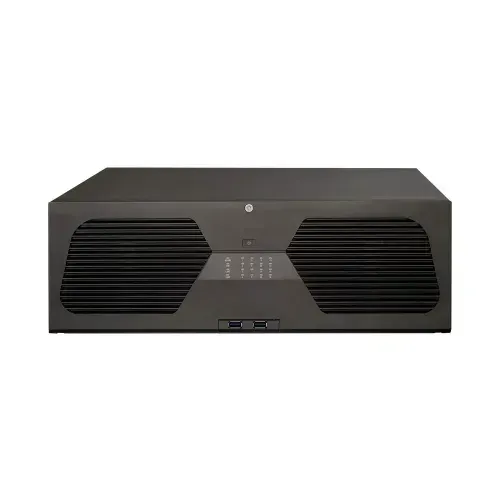
Product photo of an unbranded recorder, not a unit from a Manhattan job and not shown running Super Live Plus: a black rack-style box with two vented side panels and a column of small indicator lights. White-label recorders like this often carry only a dealer’s sticker, which is why we identify the hardware family before touching the app.
Manhattan Super Live Plus Request
Tell us the property, who uses the app today and what the screen shows — we call back the same business day
✅
Request Sent!
A technician will call you back about the Manhattan recorder the same business day.
25+
Years Experience
✓
Same-Day Estimates
100%
Licensed & Insured
4.7★
201 Google Reviews
Not sure who can see your cameras right now? Text us three things: a photo of the label on the recorder, a screenshot of the device entry in Super Live Plus (the line that shows an address, a domain or a serial number), and a list of the people you know have the app. From that we can usually tell you which hardware family you own, whether the recorder is reachable from the open internet, and how long a visit will take. Call or text (929) 560-0737.
Phone and photo review costs nothing; on-site work is billed at our standard service rate
Most Manhattan visits happen at the recorder — a back office, basement closet or hallway cabinet — not inside apartments
We arrive inside a booked two-hour slot, any day of the week, with the last slot ending at 8 PM; the work is done under NYS low-voltage license #12000287431
Why Manhattan Properties Need Super Live Plus App Support
Start with what the app is, because its store pages are not much help. On Google Play, SuperLive Plus is listed under the developer name Peng AnTai, with the package name com.tvt.superliveplus, more than five million downloads and a 3.3-star average across roughly 53,000 reviews; the “About the developer” box names TVT (HK) Limited, at an address in Tsuen Wan, Hong Kong. The description calls it “professional mobile phone client software for digital video recorders and IP cameras in CCTV surveillance (compatible models only)”. TVT itself — Shenzhen TVT Digital Technology, traded in Shenzhen under the code 002835 — makes HD analog, IP and speed-dome cameras, NVRs and hybrid DVRs, and was established in 2004 according to its trade-fair profile. Much of what it builds is sold under other people’s names. CCTV Camera Pros tells its Viewtron customers to use SuperLive Plus; a British installer hands it out with recorders it supplies; a resident in an apartment block on the Home Assistant forum found it was the app for the building’s Avision DVR. So in Manhattan the first job is rarely the phone. It is finding out what the box actually is.
The second fact is the one that shapes almost every repair: the login is the recorder’s own user name and password. The SuperLive Plus manual describes adding a device by scanning its QR code, by IP address and port on the local network, or by WAN address or domain name from outside, and then entering “user and password” — the defaults it gives are admin and 123456. TVT’s own NVR manual lists three built-in permission groups, Administrator, Advanced and Ordinary, and allows up to eight groups in all. Nothing in that design forgets a person on its own. If the super, the landlord, a cousin who set it up and the night manager of the ground-floor deli all type the same admin password, they all have full control, and the only way to remove one of them is to change something on the recorder. A thread on r/homesecurity puts it plainly: a user who had given a roommate access through SuperLive Plus asked how to take it back after a bad move-out.
Third is exposure. Older ways of reaching these recorders from outside relied on port forwarding — TVT’s manual lists HTTP on port 80, a server port of 6036 and RTSP on 554 — and the manual itself warns that UPnP “increases data leakage risk” by opening ports automatically. That matters because the TVT family has a published security record. The national vulnerability entry CVE-2018-25126 describes hard-coded API credentials and a command-injection flaw in NVMS-9000 firmware used in many white-labeled DVRs, NVRs and cameras, rated 9.3 out of 10 and fixed in firmware from mid-February 2018 onward. CVE-2024-7339 describes an information-disclosure flaw in several TVT-family DVRs, including models sold as Provision-ISR and Avision; CVE-2025-34036 an unauthenticated command injection in white-labeled TVT DVRs on ports 81 and 82; and CVE-2019-20085, a directory-traversal flaw in NVMS-1000, sits in CISA’s catalogue of vulnerabilities known to be exploited. A Manhattan recorder installed with a port forward in 2016 and never touched since is exactly the device those advisories describe.
Finally, Manhattan footage tends to leave the building. A Gothamist history published on September 10, 2026 traces how the Lower Manhattan Security Initiative, developed by 2008, gave police access to thousands of public and private cameras south of Canal Street, and how the city’s Domain Awareness System now draws on what former Mayor Eric Adams described as more than 80,000 cameras. The city’s Connect New York program lets businesses register or integrate their own cameras; on the day we checked, its site counted 3,595 registered and 1,453 integrated cameras. A shop on Canal Street or Orchard Street with a Super Live Plus recorder may be asked for a clip by a detective, by an insurer, by a landlord or by the program — and each of those requests goes better when the owner knows exactly who already has access and how to export from the recorder rather than from someone’s phone.
Manhattan facts that shape a Super Live Plus job
5M+ downloads, 3.3 stars, ~53,300 reviews on Google Play for SuperLive Plus (com.tvt.superliveplus), last updated October 8, 2026; the developer box names TVT (HK) Limited.
Port 6036 is the default server port on TVT NVRs, alongside HTTP 80 and RTSP 554 — the ports old installs forwarded through the router.
CVE-2018-25126, CVSS 9.3: hard-coded credentials in NVMS-9000 firmware “used in many white-labeled DVR/NVR/IPC products”; firmware from mid-February 2018 addresses it.
2008: the Lower Manhattan Security Initiative linked police to public and private cameras south of Canal Street (Gothamist, September 2026).
3,595 registered and 1,453 integrated cameras shown on the Connect New York site on October 18, 2026; integration uses a small fususCORE box plugged into the owner’s router and is free.
About 928,000 rent-stabilized apartments in about 43,000 buildings citywide in 2025 (Independent Budget Office), with Manhattan Community District 1 the only district whose pre-1974 stabilized median rent tops $2,500.
When we are already at the recorder, owners often ask us to look at the door too; if the lobby buzzer or entry panel is failing, our Manhattan door buzzer repair crew can be booked onto the same visit.
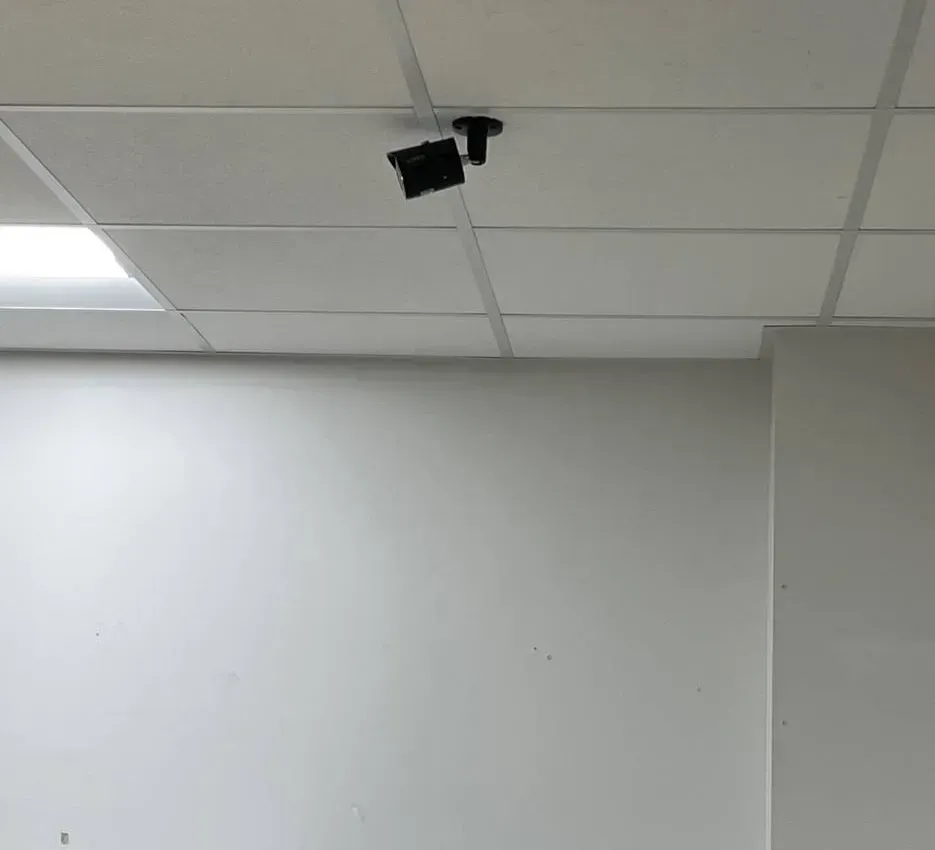
Real AESS job photo: a small black bullet camera hangs from a short pendant mount on a white drop ceiling above a plain wall. Every camera like this is a channel on the recorder, and on a Super Live Plus system each channel can be given to some users and hidden from others.
Need Super Live Plus Repair in Manhattan? Same-Day Help
If the app stopped showing your cameras today, or you have just realised a former employee or tenant can still see them, call (929) 560-0737. We book the next open two-hour window, and most Manhattan recorders are back on everyone’s phone — and off the phones that shouldn’t have them — within one to two hours of our arrival. The work happens at the recorder and the router: checking the box still records, finding which connection method each phone uses, and changing users and passwords in the right order so the people who should keep access don’t lose it.
Five things to check before we get there. None of them needs the admin password.
Check the screen wired to the recorder. If the counter or cellar monitor still shows moving pictures, cameras and cabling are fine, and what broke is somewhere on the way out to your phone.
Read the sticker. Most recorders carry a label with a model number, a serial number and often a QR code. Photograph it, but keep it private — on many of these systems the serial number is half of what a stranger needs.
Open the device entry in the app. In SuperLive Plus, the saved entry shows what you typed or scanned: an IP address and port, a domain name, or a serial number. Screenshot it. It tells us which path the app is trying to use.
List who has the app. Owner, super, handyman, managers, family, former tenants or staff. Guesses are fine; we confirm on site.
Note what changed. A new router from the internet provider, a power cut on the block, a new manager, someone “fixing” the password. A date narrows the search.
What the app shows, and where we look first
What you see
Most likely cause in a Manhattan property
Where we start
Entry saved as an IP address works only inside the shop
The recorder was added by its local address; from outside, that address means nothing
Re-add by serial number or QR code with the recorder’s NAT setting on, so no port forward is needed
Entry saved as a domain name stopped working after a new router
Old dynamic-DNS name and port forwards lived on the previous router
Retire the forward and domain; move to the serial-number path; check nothing else still points at the old ports
Login refused for everyone
Someone changed the admin password on the recorder
Find who changed it; use the recorder’s own reset options with the owner present; rebuild users
Login refused for one person
Their user was deleted or their permission group changed
Check the recorder’s user list before assuming a fault
Offline while abroad, fine at home
The phone is abroad and still pointed at the home region’s servers
Settings, Local, Domain — CCTV Camera Pros reports that Global fixed a customer travelling in Canada
Some channels black, others live
A camera, its cable or its power, not the app
Channel by channel at the recorder; repair only what failed
Recorder unreachable even on its own network
Address conflict after a router swap, unplugged cable, failed power supply
Reserve a fixed address on the router; trace the cable to the switch
Two warnings. Don’t reset the recorder to factory settings to “start fresh” before we have read its user list and network page: on many units that erases every user and setting, and you lose the record of who had access. And don’t post the label, the serial number or the QR code in a building group chat; send them to us directly.
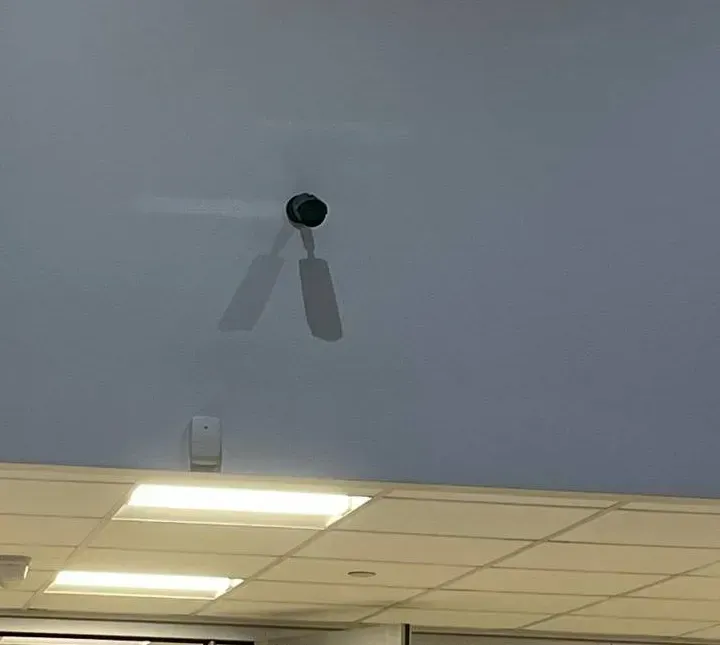
Real AESS job photo: a small black camera on a short arm high on a pale blue wall, a white motion sensor beneath it and a drop ceiling with light panels below. A camera that still shows live on the recorder’s own monitor tells us the fault is on the path to the phone.
What We Install
Super Live Plus App Support Services in Manhattan
Every service below starts at the recorder rather than the phone, because that is where the access lives.
Hardware identification
We read the board, firmware string and web interface to place a dealer-branded recorder in its family, then match it to firmware and manuals that actually apply. A Viewtron box, an Avision DVR in a residential block and a no-name unit from a Canal Street supplier can share the same insides.
Access audit and clean-up
A written list of every user on the recorder, every phone we can find with a saved entry, and what each can do. Then new users per person, a new administrator password held by the owner, and the old shared login retired.
Port-forward removal
We log in to the router, list every forward and UPnP mapping pointing at the recorder or its cameras, remove the ones the app no longer needs, and switch UPnP off where nothing else depends on it.
Serial-number remote viewing
With the recorder’s NAT option enabled, phones reach it by serial number or QR code instead of an open port. We re-add each person’s phone that way and confirm it works on cellular data, outside the building.
Firmware check
We compare the firmware date against the published TVT-family advisories. Where the maker or dealer offers a newer image for that exact model, we install it with a configuration backup first; where none exists, we say so and plan around it.
Footage export and hand-over
Clips exported from the recorder itself, with the time window, channel and who exported it written down, for a detective, an insurer or a landlord. Phone screen recordings are kept as a fallback, not the evidence.
Connect New York preparation
For a store that wants to share street-facing cameras with the city’s program, we list which channels face public areas, check the recorder’s compatibility, and leave the router ready for the program’s box.
Desk and laptop viewing
The iPhone app’s listing says it runs on Apple silicon Macs; for Windows desks we set up a viewer that suits the recorder. Each desk gets its own user, not the owner’s password.
Recorder replacement
When the drive, board or power supply has failed, or the firmware is too old to make safe, we replace the recorder on the cameras that still work and rebuild access from the start.
What changes on the recorder during a typical visit
Before
After
One “admin” login on six phones, including one belonging to someone who has left
Six named users, each in a permission group that fits the job; the departed person’s access gone
Ports 80, 6036 and 554 forwarded on the router, UPnP on
No inbound forwards to the recorder; UPnP off unless something else genuinely needs it
Phones added by a public IP address or an old dynamic-DNS name
Phones added by serial number with the recorder’s NAT option on, tested on cellular data
Firmware of unknown age from a dealer nobody can reach
Firmware date recorded and checked against the published advisories; update installed where one exists
Recorder address handed out by the router and liable to change
Address reserved on the router so a reboot or provider visit doesn’t move it
Nobody sure who owns the system
A one-page sheet with the administrator holder, every user, the router details and who to call
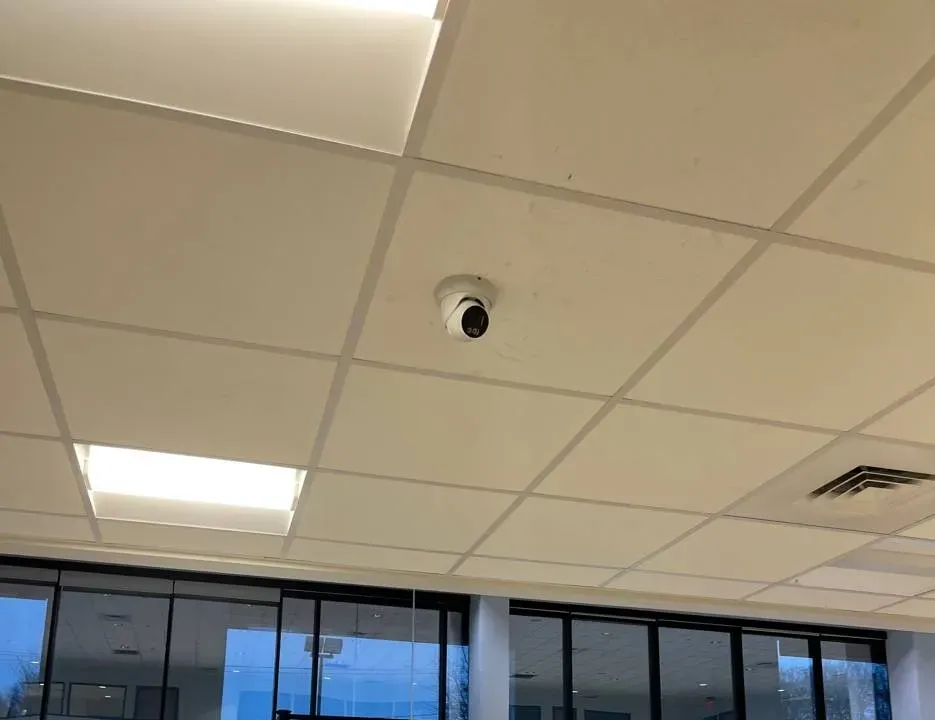
Real AESS job photo, small original: a white mini dome camera in a drop ceiling above a dark wood-slat wall, next to a fluorescent light panel and an interior window. Shop cameras like this are the ones owners most often check from home.
Building Specialists
Super Live Plus App Support for Manhattan's Architecture
The buildings that end up with Super Live Plus are mostly the ones with no IT department: older walk-ups, small mixed-use buildings, single stores and shared apartments. Each puts the recorder somewhere different, and each has its own idea of who should hold the password.
Old-law and new-law tenements
The Lower East Side and Chinatown, where some of the city’s first tenements went up and “new law” buildings later added air shafts. The recorder sits in a cellar closet or under the stairs, shares the landlord’s modem, and often feeds a monitor in the ground-floor store.
Pre-war apartment houses in Upper Manhattan
Washington Heights, between 155th Street and Dyckman Street, where pre-war apartment buildings and five- and six-storey New Law tenements line Broadway and St. Nicholas Avenue. A part-time super, an owner who lives elsewhere, and tenants asking to see the lobby.
Mixed-use buildings with a store at grade
A deli, salon or restaurant downstairs, apartments upstairs, and one camera system that watches both the shop and the stairwell. The shop owner and the landlord frequently share a login without having agreed who controls it.
Rent-stabilized buildings with an absentee owner
Small pre-1974 buildings run from an office in another borough. Cameras were added after a burglary or a package theft; the recorder’s password lives in one person’s phone, and the super only knows where the box is.
Shared apartments
Two or three roommates, one Wi-Fi camera system bought online, and an app on each phone. When someone leaves, the household needs that person’s access gone without re-pairing every camera.
Offices and studios in loft buildings
A small design studio, clinic or showroom on an upper floor with a recorder in a closet and a landlord-controlled network in the riser. Remote viewing has to work without asking the building to open ports.
Method, building by building
Tenement cellars. Damp and heat shorten recorder life, so we read the drive’s health before anything else and move the box off the floor if it sits there. Coax cables run up light wells and along fire escapes; a hybrid DVR may be watching both old analog cameras and newer network ones, which changes what the app can show on each channel.
Upper Manhattan apartment houses. The router is usually the landlord’s, in the same closet. We reserve the recorder’s address on that router so a provider swap doesn’t move it, and we give the super an Ordinary-level user that can view and play back but not change settings or delete footage.
Mixed-use buildings. We separate the shop’s cameras from the residential ones by user permissions on the recorder, or, where the landlord and the shop really need independence, recommend a second recorder. We write down who owns which channels before changing anyone’s access.
Absentee-owner buildings. The owner keeps the administrator password; the super gets a viewing user; the managing office gets its own user. If the owner wants us to hold nothing afterward, we hand over the sheet and change our working password in front of them.
Shared apartments and lofts. One user per person, and no saved administrator login on any phone that isn’t the account holder’s. In loft offices we test the serial-number path through the building’s firewall before we leave, and if outbound traffic is blocked we bring the building’s IT contact into the decision rather than open an inbound port.
Where the recorder should live. In every building type the same rule applies: the recorder belongs somewhere locked, dry and ventilated, close to the router, and away from the people whose access it controls. A box on a shelf behind the deli counter or in an unlocked cellar can be unplugged, reset or walked off with by anyone, and with it goes the footage. Where moving it isn’t practical, a locked cabinet with a small fan does most of the job.
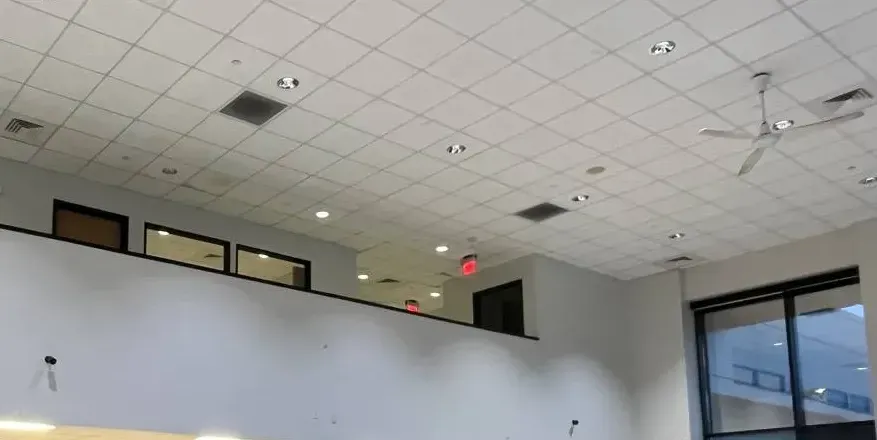
Real AESS job photo: two small cameras sit high on the white wall of a double-height room, below a row of upper windows, with a ceiling fan and a grid ceiling above. Tall spaces like this are where a long cable run back to the recorder is easiest to damage.
Commercial Super Live Plus
Business Super Live Plus App Support in Manhattan
Most commercial Super Live Plus calls come from single-location businesses with a recorder in the back and an owner who checks it from home. These are the corridors where we see them most, and what tends to go wrong there.
Canal Street
The street that runs from East Broadway to West Street and marks the southern edge of SoHo and the northern edge of Tribeca, lined with open storefronts, jewelers and banks toward the east. South of it is the area the Lower Manhattan Security Initiative was built around. Storefront owners here ask us most about exporting clean clips and about who else can see their counter.
Mott Street, Grand Street and East Broadway
The main streets of Chinatown, patrolled by the 5th Precinct: restaurants, grocers, fishmongers and small malls. Family businesses where three generations share one phone app, and the owner wants a manager’s access without handing over the recorder.
Orchard Street below Delancey
Once the bargain district, now boutiques, galleries, bars and restaurants, especially around Broome and Orchard. Shops that change staff often and need to remove a former employee’s phone the same day.
Essex and Delancey
The intersection at the center of the Essex Crossing redevelopment announced in 2013, with Essex Market nearby. New retail tenants arriving with recorders bought online and a landlord network they don’t control.
St. Nicholas Avenue and 181st Street
Washington Heights’ commercial streets, in the 33rd and 34th Precincts: bodegas, salons, phone and travel shops, many open late. Owners who installed a budget kit themselves and opened a port to make the app work.
Lower Manhattan offices and shops
Community District 1, from the Financial District to Tribeca, where small professional offices and street-level shops sit inside larger buildings whose networks belong to the landlord. Remote viewing has to work over outbound connections only.
How we set up a single-location business
The pattern is the same on Canal Street, Orchard Street or St. Nicholas Avenue. The owner holds the administrator password and nobody else. Each manager has a named user that can view and play back the channels the job needs. The counter monitor stays logged in as a viewing-only user. Motion alerts are limited to the door, the register and the stockroom after closing. The recorder is reached by serial number, with no inbound ports, and its clock is checked against real time so exported clips line up with the receipts and the street cameras an investigator may compare them with.
For restaurants and late-night shops we add one more step: a short written routine for exporting a clip, taped inside the recorder cabinet, so whoever is on shift when something happens can save the right ten minutes before the recorder overwrites them.
Rules Manhattan owners should keep in view
Sound. Many white-label cameras have microphones, and some recorders record audio by default. Recording a conversation without the consent of at least one party is eavesdropping under New York Penal Law §250.05. We switch audio off unless the owner’s lawyer has said otherwise.
Neighbors’ yards. New York Civil Rights Law §52-a gives a residential owner or tenant a right to sue someone who puts a camera on adjoining property to record their backyard without written consent. Rear and light-well cameras get aimed with that in mind.
Face detection at a store. Under NYC Administrative Code §22-1202, retail stores and food and drink establishments that collect customers’ biometric identifiers, including face geometry, must post a clear sign at every customer entrance. If a recorder’s face-detection feature is on, the sign question applies.
Connect New York. The program’s FAQ says registering a camera only tells the NYPD where cameras are and gives no remote access; integration uses a fususCORE box, sharing is voluntary, the owner picks which cameras are shared, and only public-area-facing cameras are meant to be included.
Rent-stabilized buildings. The state rent regulations’ schedule of major capital improvements includes a “new security monitoring system”, and DHCR’s January 4, 2023 update to its reasonable-cost schedule lists $2,556 per camera, $1,178 per monitor and $1,193 per receiver. Those are DHCR’s ceilings for rent-increase applications, not our prices.
The retail security tax credit. New York’s $3,000-per-location commercial security tax credit for small retailers, created in the 2024–25 budget, expired at the end of 2025 and had not been renewed as of early 2026, according to a guide from the camera maker Avigilon. Check with your accountant before counting on it.
Real AESS job photo: a white dome camera in a beige drop ceiling looks over a wall of tall glass windows and doors. An entrance camera is usually the first channel a business is asked to export when something happens outside.
Your Questions Answered
Super Live Plus App Support in Manhattan: Questions Answered
Grouped by what Manhattan owners, landlords and tenants actually ask us. Each answer comes first; the reasoning follows.
Logins, Roommates and People Who Left
A roommate moved out of our East Village apartment — how do we stop the cameras showing on their phone?
Change the password of whichever recorder user their phone logs in with, then give the people who remain their own users. Super Live Plus stores the login on each phone; there is no central account to close. If the roommate was using the shared admin login, changing it cuts them off and also cuts off everyone else until their phones are updated, so we do the remaining phones in the same sitting. This is the exact situation a poster on r/homesecurity described after a roommate left on bad terms.
If the system is a set of Wi-Fi cameras rather than a recorder, check each camera’s own user list too. And if the roommate ever had the router password, change that as well; otherwise they can still reach the recorder’s local interface whenever they visit.
The landlord, the handyman and two shopkeepers all use the same admin login — what does splitting that up involve?
About an hour at the recorder with the landlord present. We create a user for each person in the permission group that matches what they should do — the recorder’s Administrator, Advanced and Ordinary groups, or custom groups up to the eight TVT’s manual allows — limit each user to the channels they need, and then change the administrator password last, with only the landlord holding it.
The step people skip is writing it down. We leave a one-page list of users, groups and channels, so the next time a shop changes hands the landlord deletes one user instead of calling us.
Can a tenant be shown one hallway camera without seeing the rest of the building?
Yes, on recorders that allow per-channel permissions for a user, which most TVT-family units we see do. The tenant gets a user that can only view the hallway channel live, with playback and export off. The landlord decides whether that is a good idea; we make sure the recorder enforces the decision rather than trusting the tenant not to tap around.
Before agreeing, a landlord should think about what that camera sees. A hallway camera that shows a neighbor’s door is footage of the neighbor’s comings and goings; many owners decide to share recordings on request instead of live access.
The building changed managing agents — does the old agent’s phone keep working until someone acts?
Yes. Nothing expires. The old agent’s saved entry will go on working until the user it logs in with is deleted or its password changes. On the day management changes, the new agent should get a new user and the old agent’s user should be deleted, not just “not used”.
Open Ports and the Recorder’s Security Record
Our installer forwarded ports on the router years ago — are they still open, and do we still need them?
If nobody removed them, they are still open, and on most current recorders you don’t need them: turning on the recorder’s NAT option and adding phones by serial number or QR code gives remote viewing without any inbound port. We log in to the router, list every forward and UPnP mapping, test the serial-number path on a phone off the building’s Wi-Fi, and then delete the forwards.
Watch for the less obvious ones: a forward to port 554 for RTSP that a neighbor’s viewer or an old monitoring service used, or forwards to individual cameras rather than the recorder. Each one is a separate door.
How do we tell whether our white-label recorder carries one of the TVT flaws published since 2018?
Start with the firmware date on the recorder’s information page. For CVE-2018-25126, the record says firmware from mid-February 2018 onward addresses the hard-coded-credential flaw in NVMS-9000 builds. For later advisories, the affected model numbers are in the records — CVE-2024-7339, for example, names TD-2104TS-CL, TD-2108TS-HP, a Provision-ISR SH-4050A5-5L(MM) and an AVISION AV108T. We match the board and firmware to those lists rather than to the dealer’s name on the box.
If no fixed firmware exists for your exact model, the practical defense is the same one every advisory implies: keep the recorder unreachable from the internet, change default credentials, and plan its replacement.
Is switching UPnP on a reasonable shortcut for getting the app working?
No. TVT’s own NVR manual says UPnP is convenient but increases data-leakage risk because it forwards ports automatically, and recommends turning it off when not in use. A router with UPnP on will let the recorder, and anything else on the network, open holes nobody reviews. We use the NAT path instead and switch UPnP off unless a game console or another device genuinely depends on it.
What’s Really Behind the App
The recorder carries a sticker from a dealer we’ve never heard of — how do you work out who made it?
From the recorder, not the sticker. The local menu’s information page, the layout of the web interface, the default server port and the firmware version string usually place it in a family within minutes; on TVT-family units, port 6036 and the NVMS naming are strong hints. The Home Assistant forum shows how it goes in practice: a resident with an Avision DVR only got the camera streams working in another viewer after identifying the manufacturer behind the brand.
Knowing the family tells us which manuals, firmware and reset procedures apply, which advisories to check, and whether a replacement recorder will accept your existing cameras.
For a Manhattan shop, is it better to add the recorder to phones by serial number or by its address?
By serial number, in almost every case. An address starting with 192.168 or 10. only works inside the building, so for viewing from outside the recorder should be re-added by serial number or QR code. If it is a public address or a domain name, it depends on a port forward, which is the thing we would rather remove. A user on r/tinycam described viewing cameras through SuperLive Plus with a 12-character identifier, a username and a password — that serial-number path is what we set up.
Footage, Detectives and Connect New York
A detective asked for last night’s video from our storefront — can we send it from the phone app?
You can send a phone recording as a quick look, but the copy that matters should come from the recorder: exported at full quality, from the right channel and time window, with the recorder’s clock checked against real time. We write down who exported it, when, and what was handed over. If the clock is wrong, say so in writing rather than “fixing” it before the export.
Ask the detective what format they want before exporting. If the recorder’s native format needs its own player, include the player or a converted copy as well as the original.
Can a recorder our staff view in Super Live Plus be linked into Connect New York, and what do we keep control of?
The program says integration needs a small fususCORE device plugged into your router, costs nothing, and lets you choose which cameras are shared and when; its device-compatibility page is the place to check your recorder model. Super Live Plus keeps working as before — the program connects to the recorder or cameras, not to the app. We check which channels face public areas, give the program its own recorder user, and keep it separate from staff logins.
If we only register our cameras with Connect New York, can police log in to them?
No, according to the program’s own FAQ: registration only tells the NYPD where cameras may be located, and gives no remote access to the video. Real-time sharing requires the integration box and the owner’s written permission. Registration changes nothing on the recorder.
Small Landlords and Rent-Stabilized Buildings
If the landlord replaces the camera system in a rent-stabilized building, can that turn into a rent increase?
It can be claimed as one. The schedule of major capital improvements in the state rent regulations includes a new security monitoring system, and DHCR publishes reasonable-cost figures for cameras, monitors and receivers. Whether a particular job qualifies is DHCR’s decision, not ours. What we can do is give the owner an itemized invoice that separates repair of an existing system from new equipment, which is what an application or a tenant challenge will turn on.
Our four-family walk-up has no super on site — who should hold the recorder’s administrator password?
The owner, and only the owner. The person who visits weekly gets a viewing user; tenants who need a camera get their own limited users; and the administrator password lives in the owner’s password manager, not on a sticky note in the cellar. If the owner can’t be reached in an emergency, a second sealed copy with the managing office is reasonable.
Stores and Restaurants
Can a deli owner watch the register camera while the counter staff can’t change any settings?
Yes. Staff get Ordinary-level users that can view and play back the channels they need, with configuration, deletion and export switched off; the owner keeps an administrator user. On the shop’s monitor, the recorder should sit logged in as a viewing user, not as admin, so anyone at the counter can’t walk into the menus.
The small-business security tax credit — can we still claim it for a camera repair?
Probably not for work done in 2026. The $3,000-per-location credit created in New York’s 2024–25 budget expired at the end of 2025 and had not been renewed as of early 2026, according to Avigilon’s guide; its eligibility rules covered retailers with 50 or fewer employees and minimum spending thresholds. We give you an itemized invoice either way; your accountant decides what it qualifies for.
Several Phones, Several Properties
A counter worker used a personal phone to watch the shop — what should happen on their last day?
Delete their recorder user before they leave the building, not after. If they were on their own user, that one step ends their access and nobody else notices. If they were on a shared login, it is the same job as any shared-login clean-up: new users for everyone who stays, then the old password changed. Ask them to delete the saved entry from their phone too, but don’t rely on it.
For shops with regular turnover, we set up a short routine: each new hire gets a user named for them on day one, with the channels and rights the job needs, and the manager deletes it on their last shift. It takes a minute on the recorder and avoids the evening phone call when someone realises a former employee is still watching.
We own a walk-up in Harlem and a store on Orchard Street — how do we keep the store manager out of the building’s cameras?
Give the manager a user on the store’s recorder only, and nothing on the building’s. Super Live Plus keeps a server list in which each recorder is a separate entry with its own address or serial number and its own user and password. The owner’s phone holds both entries; the store manager’s phone only has the store; the super’s phone only has the building. Keeping them separate on the recorder side matters more than tidiness in the app, because each recorder enforces its own users.
Use different administrator passwords on the two recorders. If one is ever exposed, the other is not.
Family members abroad want to see the store — is that safe?
It can be, if each gets a viewing-only user rather than the owner’s login, and if the recorder is reached by serial number rather than through an open port. Their phones may also need the app’s region setting changed, which the FAQ below covers. We set each relative’s phone up while they are on a video call with us, test it over their own connection, and note on the hand-over sheet whose user is whose so a cousin’s access can be removed later without touching anyone else’s.
How many people can sensibly share one recorder?
More than most small properties need, but the limit that matters is management, not the box. TVT’s manual allows up to eight permission groups; what keeps a system safe is that every person has a named user someone can delete. For a walk-up we usually end with four to eight users: owner, super, managing office, and a few tenants or shop staff with single channels.
Apartments and Wi-Fi Cameras
Our apartment uses Wi-Fi cameras added straight to the app, with no recorder — does any of this apply?
Most of it, camera by camera. Each network camera has its own users, its own firmware and its own way of being reached from outside, so a household with four cameras has four lists to clean up. We check each camera’s users, switch off any port forward or UPnP mapping the router made for it, and re-add it to each phone by serial number or QR code where the camera supports that.
If the cameras record to memory cards inside them, the clips live in the camera, not in the app; if a camera is stolen or knocked off the wall, its footage goes with it. For entrances that matter, a small recorder in a closet is often the better long-term setup.
A Wi-Fi camera that worked on the kitchen counter keeps dropping once it’s mounted by the door of our pre-war apartment — why?
Usually the walls and the distance. In a long railroad or pre-war layout a camera by the front door can be several rooms and thick partitions away from the router — a thread on r/NYCapartments from a tenant in a pre-war railroad two-bedroom is one long list of people fighting exactly that. The app reports it as offline or loads slowly; the camera itself is fine. A mesh node or access point closer to the door, or a network cable to that spot, fixes it more reliably than moving the router around.
Should the cameras share the Wi-Fi network our laptops use?
Better not, if the router allows a separate network. Putting cameras and the recorder on a guest or isolated network means that if one of them is ever compromised, it can’t see the computers and phones the household uses for banking and work. Most provider routers in Manhattan apartments can do this; we set it up and re-add the cameras to the app afterwards.
Booking the Visit
What should the owner have on hand when the technician arrives?
The router’s admin login or the person who has it, the recorder’s administrator password if anyone knows it, the list of people who should keep access, and access to wherever the recorder physically sits. If the recorder is in a tenant’s store, the tenant needs to know we are coming.
Can the work be done while the store stays open?
Usually. User changes and router clean-up don’t interrupt recording. A firmware update or a recorder reboot takes the cameras off for a few minutes, so we schedule that part for a quiet hour and tell staff before it happens.
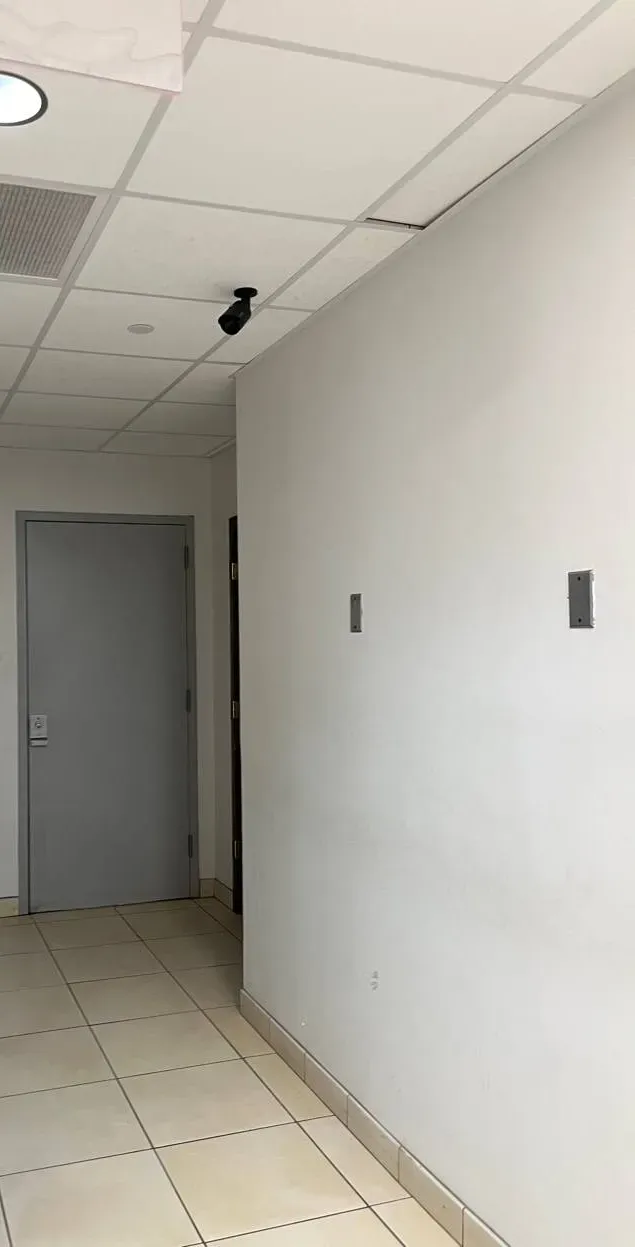
Real AESS job photo: a small black bullet camera on the drop ceiling of a narrow back corridor, with a grey door, white walls and a tiled floor. Service doors like this are the view a landlord might share with a single tenant or worker, and nothing else.
Equipment
Types of Super Live Plus Equipment We Install
Super Live Plus is only the viewer. What we install, configure or replace is the hardware it talks to, and in Manhattan that is usually one of these.
Hybrid DVRs on coax
The most common box in older walk-ups and storefronts: analog HD cameras on the original coaxial runs, sometimes mixed with a few network cameras. TVT lists hybrid DVRs among its core products; the app shows each channel the same way whatever the cable.
Network video recorders
For buildings and shops re-cabled with network cable. TVT’s NVR manual covers the NAT setting, user groups, DDNS and the default ports we audit on every visit.
Network cameras on their own
Single cameras added to the app directly, common in apartments. Each has its own users and its own firmware, so a recorder clean-up doesn’t automatically fix them.
PoE switches and routers
The switch that powers network cameras and the router that holds the port forwards. Half of a Super Live Plus security clean-up is done on the router, not the recorder.
Hard drives sized for retention
Surveillance-rated drives chosen for the number of days the owner wants to keep, checked for health on every visit because a failing drive shows up in the app as gaps in playback.
Video doorbells and door stations
Some TVT-family systems include a door station or doorbell camera that appears as another channel. It gets the same treatment: its own users, no open ports, and a check that the door camera isn’t shared with people who should only see the shop.
Monitors at the counter or desk
The screen in the shop or the super’s office runs straight from the recorder. We leave it logged in as a viewing-only user, so the box can’t be reconfigured by whoever happens to be standing next to it.
Replacement recorders and cameras
When the white-label box has to go, we install recorders from makers we support with current firmware, and keep the old drive readable so retained footage isn’t lost.
Brand names that lead back to Super Live Plus
The name on the front of the box is often not the maker’s. These are names we found pointing customers to SuperLive Plus or its sister app, with where we found them. The list is not exhaustive and doesn’t mean every product from these sellers uses the app.
Name on the equipment or seller
Where the link to the app shows up
Viewtron (sold by CCTV Camera Pros)
Its support forum calls SuperLive Plus the iPhone and Android app used with Viewtron DVRs, NVRs and IP cameras
Avision
A Home Assistant forum member viewed a building’s Avision DVR with SuperLive Plus; CVE-2024-7339 lists an Avision AV108T among affected TVT-family DVRs
Provision-ISR
Named in CVE-2024-7339 alongside TVT models
2MT (2M Technology)
Its knowledge base lists Super Live Plus as the app for the 2MT-7232
Installers’ own supply
A Midlands installer tells customers to install SuperLive Plus or SuperCam Plus for the recorders it fits
Unbranded boxes
Security Cam Center notes these apps are used with generic H.264 DVRs and H.265 NVRs often sold with no brand or a dealer’s label
Ways to reach a recorder from outside the property
Method
How it works
Our view for Manhattan properties
Serial number or QR code (NAT)
The recorder’s NAT option is on; phones add it by scanning or typing its serial, then a recorder user and password
Our default. No inbound ports, works behind most landlord and provider routers; protect the serial and the passwords
Public IP or domain plus port forward
Router forwards HTTP, server or RTSP ports to the recorder; phones connect to that address
Only where an owner has a documented reason; never on firmware older than the published fixes
UPnP
The recorder asks the router to open its own ports
Off. TVT’s manual itself flags the data-leakage risk
VPN to the property
The phone joins the property’s network first, then uses the local address
Strong option for offices with an IT contact; more for staff to manage
Local only
App used on the property’s Wi-Fi with the recorder’s 192.168 address
Fine for a shop that only checks cameras on site; zero remote exposure
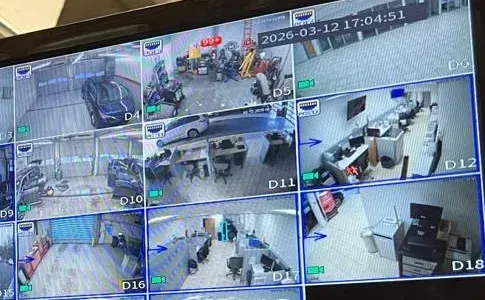
Real AESS job photo, cropped to part of a recorder monitor: camera tiles of a garage, office desks and a workshop, with a date and time stamp reading 2026-03-12 17:04:51 and channel labels D4 to D18. The recorder’s own clock in a stamp like this is what we check before exporting footage for anyone.
National camera brands compared with an on-site repair
People often ask whether they should give up on the white-label system and switch to a big-name subscription brand. The honest comparison:
ADT
Ring
SimpliSafe
AESS on your existing recorder
What happens to your current cameras
Usually replaced with the provider’s equipment
Replaced with Ring cameras
Replaced with SimpliSafe cameras
Kept if they work; only failed parts replaced
Who holds the access
Provider account
Ring account owner and shared users
SimpliSafe account owner
Recorder users you control, written down
Monthly cost
Typically a monitoring plan
Optional subscription for recordings
Optional subscription plans
None for viewing your own recorder
Good fit
Owners who want professional monitoring
Single doors and apartments
Apartments and small homes
Buildings and stores with coax or network cameras already in place
AI Overview Reality Check
What AI Gets Wrong About Super Live Plus App Support in Manhattan
We could not open Google’s AI Overview for these searches from our research environment, so the claims below are the ones repeated across app-help sites, forums and answer pages we could read, and that customers quote back to us. Each is followed by what we see on Manhattan jobs.
“Super Live Plus is Dahua’s app” or “it stands for Digital Mobile Surveillance System”
Both are mix-ups. DMSS is the name of Dahua’s viewer, a different product. SuperLive Plus on Google Play carries the package name com.tvt.superliveplus and names TVT (HK) Limited in its developer details, and its sister app SuperCam Plus uses com.tvt.supercamplus.
The confusion matters because people follow the wrong instructions. A Dahua reset procedure, port list or firmware file does nothing useful on a TVT-family recorder, and some of it can make things worse.
So our first step is always to identify the recorder family from the box itself. The app name is a clue; the sticker on the front is a dealer’s name; the firmware and interface tell the truth. On a Manhattan visit that takes a few minutes with the recorder’s local menu open, and it decides every step after it.
“Factory-reset the DVR and set it up again”
A reset is sometimes the end of the road, but as a first step it destroys evidence: the user list that shows who had access, the network settings that show which ports were forwarded, and sometimes the recording schedule. TVT’s manual describes gentler options, including security questions and recovery by a user with account-management permission.
In a building with several people on the system, a reset also cuts everyone off at once, and someone then has to re-add every phone.
We read and photograph the configuration first, try the recorder’s own recovery options with the owner present, and reset only when nothing else works, after confirming the drive’s footage isn’t at risk. If a reset is unavoidable, we export anything the owner may need first and photograph every setting we will have to rebuild.
“Forward ports 80 and 6036 and the app will connect”
It will, and that is the problem. Every forwarded port is reachable by anyone who scans the internet, and the TVT family’s advisories — from the hard-coded credentials in CVE-2018-25126 to the command injection in CVE-2025-34036 on ports 81 and 82 — are about exactly those exposed services. SecurityWeek’s June 2025 report on Bitsight’s research found more than 40,000 cameras worldwide streaming openly over HTTP or RTSP.
Most of the recorders we see can reach the app without any forward once NAT is enabled and phones are added by serial number.
Where a forward truly has to stay, it goes to a recorder with current firmware, a strong password and no default users — and it gets written on the hand-over sheet so the next person knows it exists. A forward nobody remembers is worse than one that is documented, because nobody checks it when the next advisory is published.
“Delete the app and reinstall it”
It is on nearly every generic checklist, including one app-help forum’s eight-step list for SuperLive Plus “device offline”. Reinstalling fixes a corrupted app. It does nothing for a recorder that has lost its network, a password someone changed, or a forward the new router doesn’t have.
It also deletes the phone’s saved device list, so the user then has to remember an address, serial number and password they may never have known.
Before reinstalling anything, screenshot the device entry. That screenshot usually tells us more than the reinstall would: whether the phone uses a local address, a domain name and port, or a serial number, and therefore where the break is.
“Any DVR or NVR works with Super Live Plus”
The Play Store listing itself says “compatible models only”. The app speaks to recorders and cameras from the TVT family and the brands built on it; a recorder from another maker needs that maker’s app.
We meet this when a shop replaces a failed recorder with whatever was cheapest and expects the old app to find it. It won’t, and the staff’s saved entries become useless at the same time.
If you are replacing a recorder, decide first which app everyone will use, and make the purchase fit that decision. A shop that buys a recorder from another maker should expect every phone to need a new app and a new login on the same day.
“Turn on alarms in the app and you’ll be notified of everything”
The SuperLive Plus manual describes local alarm options in the app — a sound or a shake when video loss, a sensor or motion triggers — and the recorder decides what counts as an event. On a Canal Street or Orchard Street storefront, a camera pointed at the sidewalk will trigger on every passer-by.
Owners who switch everything on stop looking within a week, which is worse than no alerts at all.
We set motion zones on the recorder to the door, the register or the stockroom, schedule alerts for closed hours, and leave the street-facing channels recording without notifying. Fewer, better alerts are the ones people still open after a month.
“Change the app’s Domain to Global to fix offline”
That fix is real but narrow. CCTV Camera Pros documented it for a customer whose app showed offline in Canada: Settings, Local, Domain, set to Global. It addresses a phone in the wrong region, not a recorder that has dropped off its network.
For a phone in Manhattan with a recorder in Manhattan, the Domain setting is rarely the cause. Changing it at random can make a working phone fail.
Remember the setting when you travel abroad, and otherwise leave it alone; if the recorder is offline at home, the problem is at the recorder or the router. That is where we start, not in the phone’s settings.
Find Out Who Can See Your Cameras Today
Send a photo of the recorder label, a screenshot of the device entry in the app and a list of the people you think have access. We will tell you what the recorder is, whether it is exposed, and what a Manhattan visit should cost.
For a Manhattan Super Live Plus quote, tell us the kind of property, the name on the recorder’s label, roughly how many cameras there are, and who should be able to watch them when we are done. A written price comes back the same business day; to talk first, call (929) 560-0737.
✅
We Got Your Request!
Thank you — it has arrived. A technician will look at what you sent about the Manhattan recorder and call you back today. If it can’t wait, ring (929) 560-0737.
How It Works
Our Installation Process
Seven steps, in the same order for a Chinatown restaurant as for a Washington Heights walk-up. The order matters: access is changed last, after we know who needs it and the new path works.
1. Label, screenshot and access list
You send a photo of the recorder label, a screenshot of the device entry in the app, and the people you know have access. We tell you what we expect to find and what the visit will cost.
2. Identify the recorder
On site we read the model, board and firmware from the recorder, place it in its hardware family and check it against the published TVT-family advisories.
3. Record who has access
We photograph the recorder’s user list and network page and the router’s forwards and UPnP table before changing anything, so nothing is lost.
4. Set up the new path
NAT turned on, a fixed address reserved on the router, and the recorder added by serial number on a test phone working over cellular data, not the property’s Wi-Fi.
5. Give each person a user
One user per person in the right permission group, limited to the channels they need, with the administrator password held by the owner.
6. Close the old doors
Shared logins retired, departed people’s users deleted, port forwards and UPnP removed, and each phone that stays re-added and tested.
7. Hand over the sheet
The owner gets one page: recorder model and firmware, administrator holder, every user and what it can see, router details and who to call.
What the property has when we leave
A recorder nobody outside can reach directly — no inbound forwards, UPnP off, remote viewing by serial number only.
One named user per person — so the next departure is one deletion, not a password change for everyone.
An administrator password only the owner holds — and ours changed in front of them.
A firmware record — the version installed and the date, set against the advisories we checked.
An export routine — how to save a clip from the recorder, written for whoever is on shift.
The one-page sheet — model, users, router, ports and contacts, kept by the owner.
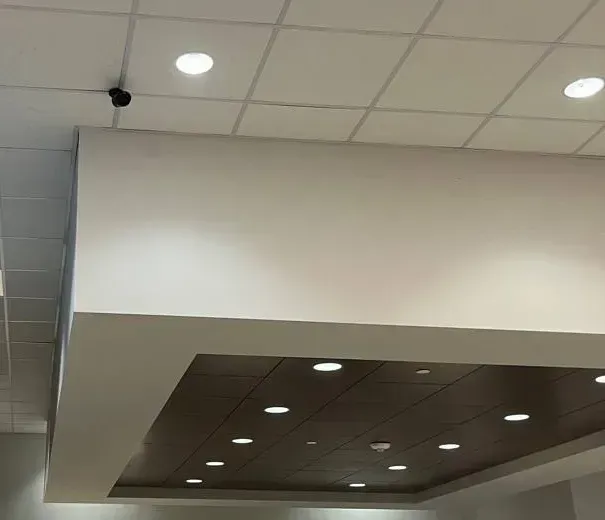
Real AESS job photo: a small black camera on a white drop ceiling at the edge of a boxed soffit, with recessed lights set in a dark panel below. In step six we confirm each person’s phone sees exactly the channels like this one that their user allows.
Coverage Area
Super Live Plus App Support Near Manhattan's Landmarks
Six places that frame where Super Live Plus systems turn up in the borough, and why each one matters to how we do the work.
Canal Street and the line south of it
Canal runs from East Broadway to West Street. The Lower Manhattan Security Initiative, developed by 2008, was built around public and private cameras below it — the reason storefront owners here are used to being asked for footage.
Chinatown: Mott, Grand and East Broadway
Part of Community District 3 and the 5th Precinct, with ZIP codes 10013 and 10002. Tenement buildings, family restaurants and grocers, and recorders shared across generations of one business.
Tenement Museum, 97 Orchard Street
A reminder of the Lower East Side’s building stock: some of the city’s first tenements went up at Corlear’s Hook in 1833. Cellar recorders, coax up the light wells, and a ground-floor shop sharing the landlord’s cameras.
Essex Crossing at Essex and Delancey
The redevelopment announced in 2013 around the Essex and Delancey intersection, in the 7th Precinct, beside Essex Market. New retail tenants with recorders bought online and networks owned by the building.
George Washington Bridge and 181st Street
Washington Heights runs from 155th Street to Dyckman Street, with the bridge at its west side and St. Nicholas Avenue and 181st Street as its shopping streets. Pre-war apartment houses, late-night bodegas and many self-installed kits.
Community District 1, Lower Manhattan
The only community district where the median rent of pre-1974 stabilized apartments is above $2,500, according to the Independent Budget Office. Offices and shops inside large buildings, where remote viewing must work without inbound ports.
Our Manhattan visits are dispatched from East Fordham Road in the Bronx, so Upper Manhattan is a short trip and Lower Manhattan a longer one; we book two-hour windows either way. In the dense blocks below Canal and around Essex Street, tell us whether the recorder is in a cellar reached from the sidewalk, behind a shop that opens late, or in a locked tenant space, because that decides when we can get to it more than the traffic does.
We also take Super Live Plus calls in Inwood, Hamilton Heights, Harlem, East Harlem, Morningside Heights, the Upper West and Upper East Sides, Yorkville, Hell’s Kitchen, Chelsea, the Garment District, Murray Hill, Kips Bay, Gramercy, the East Village, the West Village, Greenwich Village, Little Italy, NoLIta, SoHo, Tribeca, Two Bridges, the Financial District and Battery Park City. Neighboring boroughs have their own pages: the Bronx, Queens and Brooklyn.
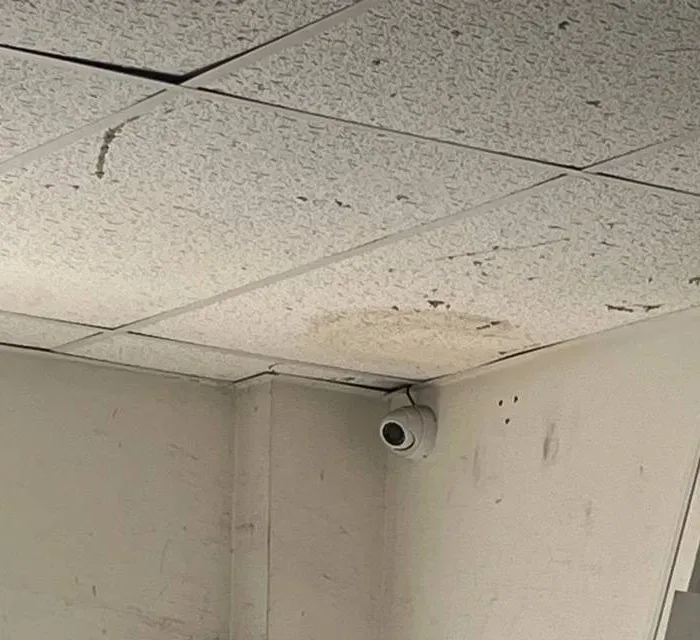
Real AESS job photo: a white dome camera in the corner where water-stained ceiling tiles meet a scuffed white wall. Damp ceilings like this are a reminder to check the recorder’s drive and power in the same space before blaming the app.
Pricing
Super Live Plus App Support Cost in Manhattan
A Super Live Plus job is mostly time spent at two boxes, the recorder and the router, so we charge it as a service visit at our standard rate. Where a recorder has to be replaced, we use our published recorder replacement figures with the Manhattan 1.25× area rate applied. There is no monthly plan for app support.
Job
Manhattan price
What moves it
Review of label photo, app screenshot and access list
$0
Nothing — we tell you what the recorder is likely to be and what the visit involves before anyone travels
On-site access audit, port clean-up and remote-viewing repair
$195 an hour, 3-hour minimum ($585)
Number of people to re-add, whether the router login is available, number of recorders and standalone cameras, firmware work
4-channel recorder replacement
$563–$875
How many weeks of footage you want on the drive; whether today’s cameras plug straight in
8-channel recorder replacement
$813–$1,250
More channels to set up and assign to users; larger drive
8-channel hybrid recorder
$1,000–$1,500
Accepts the old coax cameras and newer network cameras together
16-channel building or store recorder
$1,500–$2,750
Shop, stairwell, cellar and rear yard on one box with per-user channel limits
32-channel recorder
$2,750 and up
Larger buildings; quoted after a walk-through
Replacement cameras
Quoted per camera
Chosen to suit the recorder that stays
Where the three hours usually go
Part of the visit
Typical time on a small Manhattan system
Notes
Reading the recorder and router
20–40 minutes
Model, firmware, users, network page, forwards and UPnP table photographed before any change
New remote path
20–40 minutes
NAT on, address reserved, serial-number entry tested on cellular data
Users and permissions
30–60 minutes
Depends on how many people and how many channels each should see
Re-adding phones
5–10 minutes per phone
Faster when everyone is on site or on a call at an agreed time
Firmware, if available
20–45 minutes
Configuration backup, update, reboot and re-test; cameras briefly off
Hand-over
15 minutes
Sheet reviewed with the owner; our working password changed in front of them
These are planning figures from how the work is sequenced, not a promise; a recorder with a failing drive or a router nobody can log in to changes the picture, and we tell you as soon as we know.
What raises a Manhattan price. Nobody has the router password and the internet provider has to be involved. Several recorders, or a recorder plus standalone Wi-Fi cameras that each need their own users cleaned up. Firmware that needs a configuration backup, an update and a re-test. A recorder in a locked tenant space that needs a second trip to reach.
What lowers it. The label photo and app screenshot sent ahead. The owner on site or on the phone with the administrator password. A short written list of who should keep access. The router login in hand.
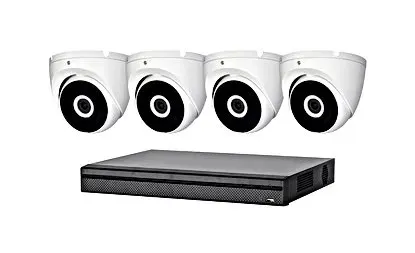
Product photo of a four-camera kit, not equipment from a Manhattan job and not shown running Super Live Plus: four white dome cameras above a slim black recorder. A 4-channel replacement like this is the smallest recorder job in the price table.
Get a Written Manhattan Price First
A picture of the recorder’s sticker and one screenshot from the app are usually enough for us to say, in writing, whether you need one service visit or a new recorder — and the Manhattan number for either — before anything is booked.
Three starting points at Manhattan rates: a free review, a visit that settles access and exposure, and a replacement when the recorder itself is the problem.
Photo & Screenshot Review
$0
Label photo, app screenshot, access list. We identify the likely hardware family, tell you whether the saved entries point at an open port, and say what a visit will take. Some problems end here, on the phone with you at the recorder.
Access & Exposure Visit
$195/hr · 3-hr min ($585)
Users, ports and remote viewing in one visit. Every login listed, one user per person, administrator password reset to the owner, port forwards and UPnP removed, phones re-added by serial number, firmware checked and a hand-over sheet left behind.
Recorder Replacement
$563–$2,750
Four to sixteen channels, Manhattan pricing. When the old box is beyond saving we fit a current recorder to the working cameras, set up every user again from a clean list, and keep the old drive so past recordings can still be read. Bigger systems are priced once we have walked them.
Bought the equipment yourself? Labor-only work
If you bought a recorder, cameras or a router online, we install and configure them at the service rate. Before the visit we check that the recorder is one Super Live Plus can actually see, that it has a NAT or serial-number option so no ports need opening, and that firmware newer than the published fixes is available for it. If it isn’t, we tell you before you open the box.
Each recorder, drive and camera also carries its maker’s or seller’s own warranty. Our own terms are set out in the service agreement, summarised at the bottom of this page.
Complete Services
Every Super Live Plus App Support Service in Manhattan
The recorder behind the app is usually wired into other things — a buzzer, a network switch, an alarm. If any of them needs work, these Manhattan pages explain it and we can book it alongside.
This is a method note, not a story about one property. The most common way a Super Live Plus clean-up goes wrong in Manhattan is doing it in the wrong order. Someone learns that a former manager or roommate still has the app, changes the admin password that evening, and the next morning the owner, the super and the shop downstairs are all locked out, with nobody sure which phones used which login or where the forward on the router came from.
So on every visit we change access last. First we read the recorder’s user list and network page and photograph them. Then we set up the new path — NAT on, phones re-added by serial number — and prove it works on cellular data. Then we create the new users, one per person, and only then retire the shared login, delete the departed person’s user and remove the forwards. The property ends up with a single sheet: recorder model and firmware, administrator holder, every user and what it can see, the router and its ports, and who to call. Owners who keep that sheet current rarely need us for this app again.
FAQ
Manhattan Super Live Plus App Support FAQ
Why does the app store show a person’s name, not a company, as the Super Live Plus developer?
+
On Google Play the seller line reads Peng AnTai, the same developer name used for related apps such as SuperLiveNVR and NVMS2 Plus, while the “About the developer” box names TVT (HK) Limited with an address in Hong Kong. The package name is com.tvt.superliveplus. In practice it means the app comes from the TVT side of the business, and support for a particular recorder still runs through the dealer who sold it or a technician who can work on the recorder itself.
Does Super Live Plus send our camera data to the app developer?
+
The Google Play data-safety section says the developer reports no data collected and none shared with third parties; Apple’s listing notes diagnostics such as crash and performance data, not linked to the user, and says the information has not been verified by Apple. Those are the developer’s own declarations. The bigger privacy question in a Manhattan property is who holds the recorder logins, because anyone with one can watch the cameras.
Where do clips recorded inside the app end up?
+
On the phone. The manual describes local recording and snapshots from live view, a local file manager, and a reserved-disk-space setting so the app doesn’t fill the phone. Those copies are not backed up by the recorder and vanish with the phone. For anything that might be evidence, export from the recorder instead and keep the phone clip only as a quick reference.
How many days of video can our recorder keep?
+
That depends on the drive size, the number of cameras, their resolution and whether they record all the time or only on motion. A small shop and a ten-camera walk-up can differ by weeks on the same drive. Tell us how many days you want; we check the recorder’s current drive and settings and either adjust the recording or size a larger surveillance drive to reach that number.
Should a New Yorker change the app’s Domain setting before travelling abroad?
+
Only if the app shows offline while you are away. CCTV Camera Pros documented a customer whose SuperLive Plus showed offline in Canada even though the recorder was online; setting Settings, Local, Domain to Global fixed it. At home in Manhattan, leave it where it was, because changing the region without a reason can make a working phone stop connecting.
Can the same recorder also feed VLC or a home-automation hub?
+
Often, yes, through the recorder’s RTSP stream. A Home Assistant forum member found a working address format for an Avision DVR that uses the user name, password, IP, port, channel ID and stream type. That works on the local network; we don’t open the RTSP port to the internet to make it work remotely. Each extra viewer should get its own limited recorder user.
How can we tell whether our recorder still has its factory password?
+
Ask whoever set it up, and look at how the phones log in. The SuperLive Plus manual gives admin and 123456 as defaults, and one British installer notes that older systems it supplied were left on 123456. Newer TVT firmware has no default password and makes you set one at first start-up. If any phone logs in with 123456, change it with us on site, because every saved entry will need updating at the same time.
Can Super Live Plus run on a Mac at the front desk?
+
The App Store listing says the iPhone app can run on a Mac with an Apple M1 chip or later on macOS 12 or newer, with the note that it is designed for iPad and not verified for macOS. A British installer also suggests SuperCam Plus from the Mac App Store for Apple silicon Macs. For Windows desks we use a desktop viewer suited to the recorder and give the desk its own user.
What happens to the cameras if the building’s internet goes down?
+
Recording carries on, because the recorder writes to its own drive; only remote viewing stops. Live view on the local monitor keeps working. When the internet comes back, phones reconnect on their own if nothing else changed. If the outage came with a new router or modem from the provider, the recorder may have a new address, and that is the point at which a fixed address reservation saves a visit.
Is there a subscription fee for Super Live Plus?
+
The app is listed as free on Google Play, and viewing your own recorder through it doesn’t need a plan. What costs money is the work around it: fixing access, cleaning up the router, updating firmware, or replacing a recorder that has failed. Our phone review is free, and on-site work is billed at our standard service rate.
All Areas Served
Super Live Plus App Support Across New York City, Long Island and the Hudson Valley
Manhattan is one of the five boroughs covered by the NYC Super Live Plus app support hub. Each borough, county and regional page below deals with its own properties, networks and local rules.
The app details, manuals, vulnerability records, city programs, laws and neighborhood facts on this page come from the publications below. Items marked “excerpt” were read only as a search-result snippet. AESS prices are our standard service rate and our published recorder replacement figures with the 1.25× Manhattan area rate applied.
Someone Who Left Still Watching? Call the Manhattan Line
A former roommate, manager or tenant with the app, a recorder nobody can log in to, an old port forward you only just heard about — phone (929) 560-0737. We book the next open two-hour window, and most recorders are sorted within one to two hours of arrival.
Manhattan Super Live Plus Support From a Licensed, Insured Crew
Manhattan line (929) 560-0737 · Abstract Enterprises Security Systems, 460 E Fordham Rd, Bronx, NY 10458 · messages by WhatsApp
4.7★ from 201 Google reviews · same-day written estimates · certificates of insurance on request · NYS low-voltage license #12000287431
Full terms — including 50% deposit, one-year parts-only warranty on AESS-supplied products, and the late-fee schedule — are set out in the service agreement. See our warranty page.
Page reviewed and updated October 18, 2026. Changelog: Manhattan Super Live Plus page rebuilt from new research on the app’s store listings and manual, TVT’s NVR manual and default ports, the TVT-family vulnerability records, Connect New York and the Lower Manhattan camera network, rent-stabilized building rules and the lapsed retail security tax credit, with prices at the standard service rate and the 1.25× Manhattan area rate.