TVT Recorders · Family Stores · Phones From Overseas · Cellar Recorders · NYS Licensed
Super Live Plus App Support & Repair in Queens
Every Phone in the Family Connected · Recorder Clocks Set to New York · Alerts Before the Basement Floods
In Queens, the person watching a Super Live Plus recorder is rarely the person who bought it. It may be a parent on a phone bought in China, a cousin who installed the app from a download site, a sibling checking the store from Guyana before breakfast, or a counter clerk who reads Bengali in an app that has no Bengali menu. And the recorder is usually downstairs, in a cellar or basement that the last flash flood came close to. We connect every phone that should see the cameras the safe way, set the recorder's clock and alarms for New York, and get the box up out of the water's reach.
Last fact-check of this page: October 18, 2026 · written under Anwar Timothy's NYS license #12000287431 · technicians leave for Queens from our Fordham Road office (460 E Fordham Rd, Bronx, NY 10458)
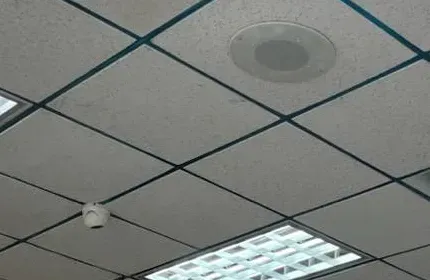
Example photo from another AESS job, not a Queens property: a mini dome camera next to a ceiling speaker in a store ceiling. In many Queens shops the recorder these cameras feed sits one floor down, in the cellar.
Queens Super Live Plus Help Request
Tell us which phones should see the cameras and where the recorder sits — a technician calls back the same business day
✅
Request Sent!
Thank you — a technician who covers Queens has your details and will call back today, during business hours.
25+
Years Experience
✓
Same-Day Estimates
100%
Licensed & Insured
4.7★
201 Google Reviews
One phone sees the cameras and the others do not? In a Queens family business that is the most common shape of a Super Live Plus problem, and the cause is often the phone, not the recorder: a handset sold without Google services, a copy of the app from a mirror site, a store account registered in another country. Do not reset the recorder to make room for everyone. Call (347) 434-6392 and tell us which phones work, which do not, and where each one was bought.
A first call costs you nothing — visits are billed at $195 an hour, three hours minimum, so $585 at the least
Recorder clocks moved off the factory Beijing setting, alarms wired to push to the right phones, recorders lifted off cellar floors
Written estimate the day you call · NYS license #12000287431 · fully insured
Why Queens Properties Need Super Live Plus Support and Repair
Super Live Plus is the free viewing app for recorders built on the platform of Shenzhen TVT Digital Technology, sold under TVT's name and under a long list of other labels. Its Google Play listing names the developer as Peng AnTai, with TVT (HK) Limited behind it, and counts more than five million installs; Apple's listing gives the same developer and a rating of 3.9 from 15,849 ratings in the United States. Nothing about the app is specific to Queens. What is specific to Queens is who holds the phones at the other end, and where the recorder that feeds them is sitting.
Start with the phones. Census figures for 2019–2023 count 1,108,398 Queens residents born outside the United States, out of 2,330,124 — about 47.6%. New York City Planning's language tables for the borough show 56.4% of residents aged five and older speaking a language other than English at home, led by Spanish, Chinese, Bengali, Korean, Russian, Tagalog, Greek, French Creole, Polish, Italian, Punjabi and Hindi. In a household or a family store, that means a Super Live Plus system is watched from phones bought in several countries, set to several languages, signed in to app stores in several regions, and carried by relatives who may be on the other side of the world when they open the app. Each of those differences changes how the app installs, whether its alerts arrive, and what the timeline shows.
The app does not cover all of that ground. Apple lists 33 interface languages for the current version, including Spanish, Simplified and Traditional Chinese, Korean, Russian, Greek, Polish, Italian, Vietnamese and Arabic. Bengali, Punjabi, Hindi, Urdu, Tagalog and Haitian Creole are not on the list, though City Planning counts 60,042 Bengali speakers, 29,976 Tagalog speakers, 23,334 Punjabi speakers and 19,443 Hindi speakers in Queens. On Android, the app's push messages depend on Google's messaging service; Google's own developer documentation says devices need the Google Play Store app installed for it to work. Phones sold for markets where Google services are missing install the app from somewhere else, and quietly never ring.
Then the recorder. The median Queens home was built in 1953, according to the 2023 five-year census estimates, and two-unit buildings alone hold 175,686 of the borough's 903,598 homes. In those houses, and in the stores along Main Street, Roosevelt Avenue and Jamaica Avenue, the recorder tends to live where the cable enters the building: the basement or the cellar. When Ida's remnants dropped 3.15 inches of rain on Central Park in one hour in September 2021, the Queens Daily Eagle reported that eleven of the city's twelve confirmed deaths were Queens residents, ten of them living in basement apartments. On a Saturday in July 2026, NY1 found Flushing residents pumping out basements and garages again, one telling the reporter that flooding "has become a routine." A recorder on a cellar floor is a recorder waiting for its turn.
So a Queens Super Live Plus call is usually two jobs. At the phone end: get the right copy of the app onto every handset that should have it, make alerts actually arrive, give each person their own login with only the rights they need, and leave instructions a person can follow whatever language they read. At the recorder end: correct the clock that many TVT recorders ship with — their manual sets the default to Beijing time — and move the box, its router and its battery above the water line, with a sensor that tells the family's phones when water starts to rise. Owners with a second building on another brand can have us look at a Hik-Connect system in Queens on the same trip.
Numbers that change a Queens Super Live Plus visit
A borough of phones from elsewhere. 47.6% of Queens residents were born outside the U.S. (ACS 2019–2023, 1,108,398 of 2,330,124), and 56.4% of residents five and older speak a language other than English at home (NYC Planning, ACS 2011–2015).
Six big languages the app skips. SuperLive Plus lists 33 languages on Apple's store; Bengali, Punjabi, Hindi, Urdu, Tagalog and Haitian Creole are not among them, though each is among the most-spoken home languages in Queens (NYC Planning).
One Queens household in seven online by phone only. 128,048 of 828,230 Queens households (15.5%) have a cellular data plan and no other internet subscription, and 62,238 (7.5%) have no internet access at all (ACS 2019–2023). In Jamaica, St. Albans and Hollis, 41% of households had no broadband subscription in the City Council's 2020 data.
One cable franchise. The city's cable franchise agreement for Queens is with Spectrum (NYC Office of Technology and Innovation), so most wired gateways our recorders plug into come from one company or from Verizon.
Old houses, low recorders. Median year built 1953; 273,370 Queens homes date from 1939 or earlier; renters occupy 456,452 homes against 371,778 owner-occupied (ACS 2019–2023).
Water below the recorder. Ida killed eleven Queens residents in September 2021, ten in basement apartments (Queens Daily Eagle); in southeast Queens, NY1 reported in 2024 that groundwater has risen since Jamaica Water Supply stopped pumping in 1996, leaving some basements flooding almost daily.
Queens home languages against the app's menu list
The left column is City Planning's count of Queens residents aged five and older who speak each language at home (ACS 2011–2015); the right column is whether that language appears in the list of 33 interface languages Apple shows for SuperLive Plus in October 2026. The point is not the exact numbers, which are a decade old, but how often a Queens household will run into the gap.
Language spoken at home
Queens speakers
In the app's menus?
Spanish
515,885
Yes
Chinese
192,448
Yes (Simplified and Traditional)
Bengali
60,042
No
Korean
49,438
Yes
Russian
36,817
Yes
Tagalog
29,976
No
Greek
28,341
Yes
French Creole
28,312
No
Polish
23,987
Yes
Punjabi
23,334
No
Hindi
19,443
No
City Planning's table of residents who speak English less than very well tells the same story from the other side: in Queens that group includes 32,522 Bengali speakers, 10,797 Punjabi speakers and 8,045 Urdu speakers, none of whom will find their language in the app's settings. For them, the screens a person actually uses have to be few, familiar and labelled with pictures.
Manufacturer product photo, not a Queens installation and not a TVT product: a four-camera kit with a recorder and monitor, the kind of over-the-counter set that often arrives with its factory time zone and password unchanged.
Need Super Live Plus Working in Queens Today
A store that needs last night's video for the precinct, a basement taking water this afternoon, a parent overseas who cannot see the house — ring (347) 434-6392. We take the earliest slot the schedule allows, and most Super Live Plus faults are back to a working picture within one to two hours of a technician reaching the recorder.
Five things to check while you wait
Make a list of who can see the cameras and who cannot. Write each person's phone make and where it was bought. If only the phones bought outside the U.S. are failing, the recorder is probably fine.
Look at the device icon in the app. The SuperLive Plus user manual describes green as connected, grey as a failed connection and a blinking icon as still trying.
Go downstairs and look at the recorder. Is there water, damp or a tide line on the floor or the shelf? If the box or its power strip has been wet, unplug it at the wall only if you can do so without standing in water, and do not turn it back on.
Read the time on the recorder's own screen or on a camera tile. If it is twelve or thirteen hours ahead of New York, the factory time zone was never changed. Write the difference down before anyone touches it.
Leave the device in the app. Deleting it throws away the serial number and user name the next person will need. Ask before anyone does a factory reset.
What the symptom usually means in Queens
What you see
Common Queens cause
Where we start
Live view works, alerts never come — on one Android phone only
Phone sold without Google Play services, so the app's push messages have no route
Check the phone's services; set an email or second-phone alert route
App installs but the device list will not save or crashes
An old or altered copy from a download site
Remove it, install from the official store, re-add by serial
Playback search finds nothing at the time of an incident
Recorder still on its factory GMT+8 time zone
Note the offset, export first, then set New York time and NTP
Every device grey after a storm
Cellar recorder, router or power strip took water or lost power
Safety first, no power to wet gear; recover the drive; rebuild above the water line
A relative abroad sees grey squares, everyone in Queens sees video
Region server setting or a network that blocks the app abroad
Check the app's region setting and test from a phone on that network
What We Install
Super Live Plus Support and Repair Services in Queens
Everything below stays inside what the SuperLive Plus manual, the store listings and TVT's recorder manual say the equipment can do. When a fault belongs to the phone maker, the internet company or a plumber, we say so before we bill an hour for it.
Phones From Any Market
We check each handset — Android or iPhone, bought here or overseas — for the official app, a working store account and a route for alerts. Phones without Google services get a different alert plan instead of a promise that never rings.
Clean Installs, Not Mirror Copies
Copies from download sites are removed and replaced with the store version, and the recorder is re-added by serial number or QR code so the phone's saved list is clean.
Recorder Clock and Time Zone
TVT's recorder manual sets Beijing time as the factory default. We record the offset, export anything that is needed, then set New York time, daylight saving and network time so the app's timeline means what it says.
One Login per Person
Owner, partner, shift manager, relative abroad: each gets a user name of their own with only the rights they need, so one person leaving the business never means changing everyone's password.
Water Alarms That Reach Phones
On recorders with alarm inputs, a floor water sensor can be wired in and set to push to the app, sound the recorder's buzzer and record the cellar camera — so the family hears about water before the recorder does.
Recorders Moved Up and Dried Out
Recorder, router and battery backup moved off the basement floor to a shelf or a floor above, cables re-run, and the app re-tested from every phone after the move.
Guides Without Long Sentences
We cannot translate into every Queens language, so the hand-over card we leave relies on screenshots, arrows and the app's own icons, with the few words that matter written large.
After-Flood Recovery
When a recorder has been under water we do not power it to "see if it works." The hard drive comes out first, the footage is recovered where possible, and the app is rebuilt on a replacement.
Manufacturer product photo, not a Queens installation and not a TVT product: four bullet cameras, a recorder and a monitor. Whatever the label says, the recorder’s own clock and users decide what every phone in the family sees.
Building Specialists
Super Live Plus Repair for Queens' Architecture
Where a recorder lives decides most of what goes wrong with it. These are the Queens building types we work in most, and what each one does to a Super Live Plus system.
Two-Family Houses
The borough's most common building for small systems: 175,686 Queens homes are in two-unit buildings. The recorder usually sits beside the boiler or the meters, the gateway is on the owner's floor, and the cable between them runs through the cellar ceiling.
Attached Rows
Brick and frame rows in Ridgewood, Middle Village, Woodhaven and Jackson Heights, 83,924 single attached homes borough-wide. Narrow cellars, no side yard, cameras front and back, and a recorder that often shares a shelf with the water meter.
Garden Co-ops
Queens holds the city's largest concentration of garden co-ops — Jackson Heights, Sunnyside, Forest Hills, Glen Oaks. A shareholder's recorder sits inside the unit, the cameras face out, and the board may have its own rules about where they point.
Southeast Queens Houses
Detached and semi-detached houses in St. Albans, Hollis, Springfield Gardens and Laurelton, where NY1 has reported groundwater rising into basements since the area's wells were shut. Cellar recorders here sit in damp air even on dry days.
Storefronts With Cellars
Shops on Main Street, Roosevelt Avenue, Steinway Street and Jamaica Avenue keep stock and the recorder below the sales floor. The monitor is upstairs by the register; the box is next to the stock, the meters and the floor drain.
Rockaway and Bay Houses
Bungalows and raised houses on the Rockaway peninsula, Broad Channel and Hamilton Beach, where tides and storm surge reach the street. Raised houses moved the living space up; the recorder sometimes stayed down with the utilities.
What a Queens visit looks like
We start upstairs, at the counter or the kitchen table, with every phone that should see the cameras laid out in a row. For each one we note where it came from, which store installed the app, whether Google services are present and whose user name is inside. That takes ten or fifteen minutes and usually explains why some phones work and others do not. Then we go down to the recorder. We read its clock and time zone, export anything someone needs, check its users, its disk and its alarm inputs, and look at the floor and the walls around it for signs of water. Only after that do we change settings, re-add phones and, where it makes sense, move the box upstairs.
Before we leave, each person opens their own cameras, finds a moment in playback and receives a test alert, or knows which other route their alerts take. The owner gets the administrator details, the hand-over card and a short written note of what changed. Nothing about that order is fixed by the app's makers; it is simply the order in which Queens jobs have made sense to us.
How we place a recorder in a Queens building
The rule we work to is simple: the recorder, the router or gateway it reports through, and the battery backup that carries both belong together, off the floor, away from the floor drain and the water heater, in a spot with air around it. In a two-family that is often a shelf on the first floor or a closet at the top of the cellar stairs. In a store it may be the office behind the register, with a lockable cabinet so a burglar who finds it cannot just pull it off the shelf. In a co-op unit it is wherever the internet comes in, which is rarely below grade.
Moving a recorder changes nothing in the app if it is done properly, because the phones reach it by serial number through TVT's relay service, not by its position in the house. What does change is the cabling: camera runs that ended in the cellar need extending, and a recorder moved away from the gateway needs its own network cable rather than Wi-Fi. We test every camera tile and every phone after the move, then take a photo of where everything now lives for the owner's records.
Co-ops and condos add a step. A shareholder's recorder lives inside the apartment, but the cameras may face a courtyard, a street or a parking area, and boards such as Glen Oaks Village ask shareholders to register outward-facing cameras and keep them out of common hallways. Moving or replacing a recorder does not usually change what the cameras see, so it rarely needs new approval, but adding a camera does. We check the house rules with you before anything new goes on a wall, and we leave the app setup — which cameras appear on which phones — written down in case the board asks.
Manufacturer product photo, not a Queens installation and not a TVT product: turret cameras with warning lights and a recorder. Features like these only reach a phone if the recorder is set to push its alerts.
Commercial Super Live Plus
Business Super Live Plus Repair in Queens
Many Queens businesses are family businesses with staff working long shifts and relatives helping from home or from abroad. That turns a camera app into a shared tool, and shared tools need rules. These are the corridors we know best; none of the businesses on them is named as a client.
Main Street and Roosevelt Avenue, Flushing
A Queens Chronicle report quoted a council member saying more than 100,000 people a day pass the corner of Main Street and Roosevelt Avenue. Shops there run on small staffs and many phones, often with menus set to Chinese or Korean.
82nd Street, Jackson Heights
The 82nd Street Partnership covers more than 200 businesses from 37th Avenue to Baxter Avenue. Owners and clerks read Spanish, Bengali, Nepali, Hindi and English, which is exactly where the app's missing languages show.
Steinway Street, Astoria
The Steinway Street BID counts about 300 businesses between 28th and 35th Avenues and has worked the strip since 1991. Recorders sit in narrow back rooms and basements under the stores.
Jamaica Avenue, Jamaica
More than 400 businesses along the avenue, in what Jamaica Center describes as the largest BID in Queens. A good share of the stores are run by owners whose relatives watch from the Caribbean, West Africa or South Asia.
Liberty Avenue, Richmond Hill
The commercial corridor between Richmond Hill and South Ozone Park, with bakeries, roti shops and stores whose families follow the cameras from Guyana and Trinidad as well as from Queens.
Kissena Boulevard and Parsons Boulevard
In January 2026 QNS reported a crew that broke into a medical business and pharmacies on these streets at dawn; the NYPD released surveillance images and video. Pharmacies and clinics here need footage that is easy to find by time.
In a family store the app is not just the owner's window. It is how a parent checks the register from home, how a sibling covering the night shift sees the back door, how a relative abroad keeps an eye on the business they helped pay for. The October 2026 Android release note describes sharing a recorder with up to 30 users and passing on permissions for device operations, which finally makes it practical to give each of those people their own access instead of the owner's password. We set it up so the owner keeps the administrator login, managers can play back and save clips, relatives can watch, and nobody but the owner can delete recordings or change settings.
Rules and programs that touch a Queens camera app
Licensed work. Installing and servicing camera systems is licensed work in New York State; ask any technician for a license number. Ours is #12000287431.
Police sharing is opt-in. The city's camera-integration program that began in the 109th Precinct (Flushing and College Point) in June 2023 lets businesses choose which cameras and hours to share; joining it does not hand anyone your Super Live Plus login.
Audio needs care. New York's eavesdropping law (Penal Law §250.05) makes recording a conversation you are not part of a felony, so leave the app's listen-in features off at counters unless a lawyer has said otherwise.
Co-op rules. Glen Oaks Village, for example, asks shareholders to register outward-facing cameras and does not allow them in common hallways. Read your house rules before adding cameras to the app.
Landmarks. The Jackson Heights Historic District was designated on October 19, 1993; new exterior cameras on its buildings may need Landmarks review, though app and recorder work inside does not.
Not on the FCC Covered List. TVT is not among the video-surveillance companies the FCC names on its Covered List, so a TVT-platform recorder is not affected by the rules aimed at those makers.
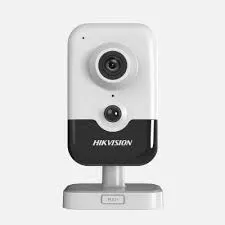
Manufacturer product photo of a Hikvision indoor cube camera, not a Queens installation and not a TVT product. Hikvision cameras use Hik-Connect; we show it because families often own one alongside a Super Live Plus recorder.
Your Questions Answered
Super Live Plus in Queens: Questions Answered
These are the situations behind Queens calls about Super Live Plus, grouped by what is really going on. App behaviour comes from the SuperLive Plus manual, the Apple and Android listings and TVT's recorder manual, all listed in the sources; where an answer is our own practice, it says so. Prices are further down, and quick booking questions are in the FAQ.
Two patterns run through almost every Queens call. The trouble is often at the phone end — a handset, an app copy or a store account that does not behave like the American phones the app's instructions assume — and the recorder is often below ground. The clusters below follow those two threads, with a third on clocks, because a recorder on the wrong time zone makes every other answer harder to use.
Phones Bought Overseas and Copies of the App
My mother's phone was bought in China and has no Google Play — can she still use Super Live Plus and get its alerts?
She can usually watch, but she should not rely on the alerts. Phones sold without Google's services can often install an Android app from another store or as a downloaded file, and once the recorder is added the live view and playback work over the ordinary internet. Alerts are the weak point. The Android version of SuperLive Plus declares Google's cloud-messaging permission, and Google's Firebase documentation says its messaging clients need devices running Android 7.0 or later "that also have the Google Play Store app installed." Without that, the recorder sends its alert and the phone simply never hears it. Reuters reported in May 2019 that Huawei would lose access to Google's proprietary apps and services, which is why many Huawei and some other China-market phones in Queens families fall into this group.
What we do: confirm the phone's services on the spot, install the app from the safest available source, add the recorder by serial number with her own user name, and then build a second alert route. That can be the recorder's own e-mail alarm, if the model supports it, or alerts sent to another family member's phone that does have Google services. We test by triggering a motion or sensor event while everyone watches their phone, and we write down which phones ring and which do not. Nobody leaves thinking a silent phone is a protected house.
A cousin installed Super Live Plus from an APK download site because the store would not show it — should that copy stay on a phone that holds our recorder password?
We would replace it. Download sites carry every version of the app that ever existed: in October 2026 one mirror was offering version 1.6.6 "for Huawei Nova," another a 2023 build, while the current Android release carried on the Aptoide store was 1.18.2, dated October 8, 2026. An old copy misses years of fixes; an altered one could do anything with the user name and password typed into it. Google's Play Protect page explains that it checks apps when they are installed and may ask to scan an app from outside Google Play that it has never seen before — that warning exists for a reason.
On a phone with Google Play, we delete the downloaded copy, install from the store and re-add the recorder. On a phone without it, we pick a source that publishes the package's signing details — Aptoide, for example, lists the current build's signer as "CN=supercam" with a country of China and marks it trusted — and compare it with the build we expect. Then we change the password the old copy had seen, because we cannot know where it went. It takes minutes, and it is cheaper than finding out later.
My iPhone is signed in to an App Store account from China and Super Live Plus does not appear — what are the options?
Apple's storefronts carry different catalogues, and an app is only visible in the countries where its developer offers it. When we looked up SuperLive Plus in Apple's catalogue in October 2026, it was listed in the U.S., India, Korea, Hong Kong, Guyana and Ecuador storefronts, but the lookup for the mainland China storefront returned no listing. An iPhone whose Apple account is registered there will not find it by search, even when the phone is sitting in a Queens living room.
The cleanest fix is a U.S. Apple account for the person who needs the app, or a family member's account on a shared iPad at the store. Changing the region of an existing Apple account has its own conditions — balances, subscriptions and family sharing all come into it — so we explain the choice and let the owner of the account make it. Once the app is installed, the recorder is added by serial number exactly as on any other phone. We do not use workarounds such as borrowed accounts or third-party "IPA" files on a phone that will hold the recorder password.
My father's phone is set to Traditional Chinese and parts of the app still came up in English — is his copy out of date?
Very possibly. Apple's version history for SuperLive Plus includes a release on October 9, 2023 whose only note is "Fixed issue with interface still displaying English in Traditional Chinese." A phone that has not updated since then, or a copy installed from a download site, can still show the mixed screens. The app follows the phone's language setting when that language is on its list, and Traditional Chinese is; so is Simplified Chinese.
We update the app through the proper store, then open each screen he actually uses — the device list, live view, playback, alerts — to check for leftovers. Some words that come from the recorder itself, such as camera names and the recorder's own alarm text, will appear however the recorder was set up, often in English. Where that confuses a user, we rename the cameras in the words he uses for the rooms — "front counter," "back door," "cellar" — in his language if the recorder accepts the characters, or in short English labels he already knows if it does not.
Our counter clerks read Bengali and Punjabi, and the app has no menu in either — how do we make it workable for them?
By making the job small. The current Super Live Plus language list on Apple's store has 33 entries; Bengali, Punjabi, Hindi, Urdu and Tagalog are not among them. So a clerk will meet English, or whichever listed language the phone falls back to. Rather than teach the whole app, we decide what each person needs to do — usually "see the counter and the door" and "show the police the moment it happened" — and set up their phone so that is all there is.
In practice: a user account with only live view and playback, two or three cameras marked as favourites, camera names that match what staff call each spot, and a one-page card made from screenshots of their own phone with arrows and numbers instead of paragraphs. The card shows which icon to press and what the screen should look like next. Staff who read English a little often prefer the app in English with that card; staff who read none get the same card with the owner's notes in their language. We cannot write those notes for every language ourselves, and we say so.
I added the store's recorder on my phone — why doesn't it show up on my wife's and my son's phones too?
Because each phone keeps its own device list. When you add a recorder by scanning its QR code or typing its serial number, the entry, the user name and the password are saved in the app on that phone. The SuperLive Plus manual describes an automatic sync of the device list, but that is about carrying the list forward into new versions of the app on the same phone, not about copying it to other people's phones. So the other phones in the family stay empty until someone adds the recorder there too.
There are two ways to do it properly. Each person can add the recorder with their own user name and password, which is what we prefer, because it lets you take one person's access away later without touching anyone else. Or the owner can use the app's share function, which newer versions have reworked several times — Apple's notes mention optimised device sharing in November 2024 and April 2025, and the October 2026 Android note describes sharing with up to 30 users with permissions. Either way, we set it up phone by phone while everyone is in the room, and we write down who has what so the list never becomes a mystery again.
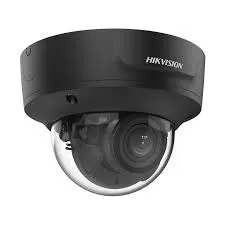
Manufacturer product photo of a black Hikvision dome camera, not a Queens installation and not a TVT product. Families often own cameras from more than one maker; the recorder they connect to decides which app shows them.
Clocks, Time Zones and Finding the Right Moment
Our recorder came from an electronics shop on Main Street and its clock runs twelve hours ahead — is something broken?
Probably not broken, just never set up. TVT's NVR user manual (version 1.4.11, July 2024) says plainly that "the default time zone is GMT+08 Beijing, Hong Kong, Shanghai, Taipei." A recorder taken out of the box and connected without anyone opening the date and time screen keeps that zone, which puts it twelve hours ahead of New York in summer and thirteen in winter. The cameras record perfectly well; every recording is simply stamped with the wrong day and hour.
That matters the moment someone needs footage. Search the app for 10 p.m. Tuesday and you land on what happened at 9 or 10 a.m. Tuesday; hand a clip to an insurer and its time stamp disagrees with the police report. So the order is important. First we write down the offset and export anything that may be needed, so nothing already recorded is lost to confusion. Then we set the time zone to New York with daylight saving switched on, point the recorder at a network time server as the manual describes, and check that the app's timeline now matches a clock on the wall. Old recordings keep their old stamps; we leave a note on the hand-over sheet saying from what date the times are right.
My brother checks our Jamaica Avenue store from Georgetown — does the playback timeline show his time or the store's time?
Treat the recorder's clock as the only clock that counts. Recordings are stamped by the recorder, and the time burned into the picture on each camera tile is the store's time as the recorder knows it. Which time a phone's calendar or search screen uses can depend on the app version, the phone's own settings and the recorder model, so we do not promise either way. What we do is make sure everyone looks at the same thing: the stamp in the picture.
For family members abroad we set the recorder's on-screen date and time display on every camera, make sure the recorder itself is right (see the Beijing-time problem above), and show them how to search by the store's hours rather than their own. A note on the inside of their phone case or in their phone's notes — "store time = my time minus …" — saves a lot of confusion when they are asked to find a moment from last night. If two or more family members abroad are in different countries, we suggest each keeps the same habit, so a call that starts "I saw something at eleven" always means eleven in Queens.
Does the newer Super Live Plus search for people and vehicles work with the older DVR in our Jackson Heights shop?
It depends on the recorder, not the app. The October 2026 Android release note carried on Aptoide lists an "intelligent search feature," and earlier Apple release notes describe identification of "all people, vehicles and non-event targets" and showing target boxes during playback. Those features read information the recorder or camera creates when it analyses the video. An older analog DVR that only records motion has nothing for the search to find, so the new search either does not appear or comes back empty.
On site we check what the recorder actually produces: whether it lists person and vehicle events in its own menus, whether its firmware is the version that supports them, and whether the cameras are analog or network models with their own analytics. If the shop would gain from people search — a pharmacy that is asked for "the man in the grey hood" — we price the camera or recorder change honestly. If the shop mainly needs to find a moment by time, a correctly set clock and good camera names do more than any search feature.
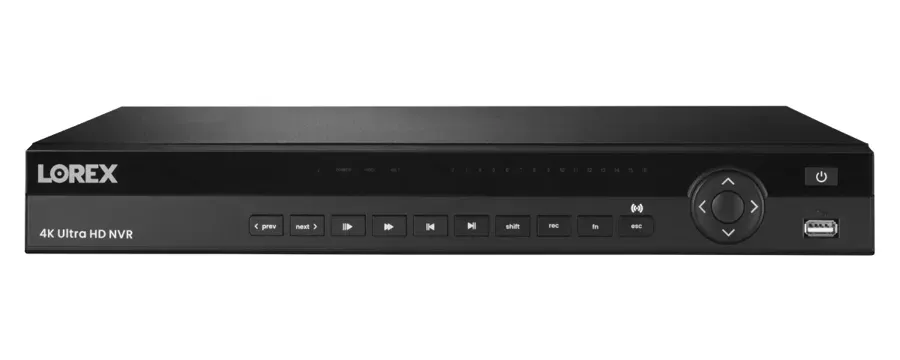
Manufacturer product photo of a Lorex recorder, not a Queens installation. Lorex systems use Lorex’s own app; if your label says Lorex, Super Live Plus is the wrong app.
Basements, Cellars and Water
The recorder sits on the cellar floor under our Flushing store and July's flash flood came within inches — where should it go, and will moving it break the app?
It should go up, with its router and battery backup, and moving it will not break the app if the phones reach it the right way. Phones added by serial number or QR code find the recorder through TVT's relay service wherever it sits in the building. Phones added by a local IP address only work on the store's own network and may need re-adding if the address changes during the move, which is one more reason we convert them to serial-number entries first.
Where it goes depends on the building: the office behind the register, a locked cabinet on the sales floor, a shelf near the top of the cellar stairs. The camera cables that end in the cellar get extended up; the recorder gets a wired link to the gateway rather than Wi-Fi; and the battery backup moves with it, because a recorder above the water line is no help if its power strip is still on the floor. Afterwards we test each camera tile from each phone and photograph the new layout for the owner. If the cellar is where stock and the meters live, we usually leave one camera looking at the floor drain, so the next storm is visible from the app.
Can a water sensor on the basement floor make Super Live Plus alert our phones before the water reaches the recorder?
Yes, on recorders that have alarm inputs, and it is one of the most useful things a Queens basement system can do. TVT's NVR manual describes alarm inputs that accept normally-open or normally-closed sensors, and for each sensor alarm lets you tick "Record," "Snapshot," "Push," "Alarm-out" and "Preset" and switch on the buzzer, pop-up and e-mail. A simple wired water sensor placed on the floor where water first appears — usually by the floor drain or the lowest corner — closes a contact when it gets wet, and the recorder does the rest.
We check the recorder has inputs and which type the sensor needs, mount the sensor where it will meet water before the recorder's shelf does, schedule the alarm for all hours, and set it to push to the phones of the people who can actually act — the owner, a neighbour with a key, the store manager. The SuperLive Plus manual also has local audio and vibration alarms on the phone for sensor events, which we switch on for those people only. Then we test it with a cup of water. Many cheaper recorders have no alarm inputs; on those we suggest a separate battery-powered water alarm and a camera aimed at the drain. This is our own practice built on the manual's features.
Our recorder sat in floodwater, and we need what it recorded for the insurance claim — should we plug it back in and look in the app?
No. A recorder that has been under water can short out, damage its hard drive or damage the drive's data when power returns. Leave it unplugged, let it dry where it is not in anyone's way, and do not open it unless you know what you are doing. The video lives on the hard drive inside, not in the app and not in any cloud unless you had paid cloud storage set up, so the drive is what needs protecting.
What we do: take the drive out of the dry recorder, check it in a working recorder or a reader that does not write to it, and copy the recordings off before anything else. If the drive will not read, we tell you plainly and point you to a data-recovery service rather than guess. Meanwhile a replacement recorder goes in above the water line and the family's phones are added to it, so the house is watched again the same day. Insurance adjusters usually ask for the date and time of the water's arrival; if the recorder was on Beijing time, the offset note we make goes with the footage. Our camera repair service in Queens picks up any cameras that drowned too.
Our St. Albans basement never floods outright but stays damp all year — will that wear out the recorder and make playback in the app fail?
Damp is slower than a flood but it works on the same parts. Hard drives, power supplies and the metal contacts in network and video connectors all dislike moist air, and recorders draw room air through their vents to keep cool. The first sign in the app is usually not a dead recorder; it is playback that stalls, jumps or returns "no record" for stretches of time, or a camera tile that drops out and comes back as a connector corrodes. NY1 has reported that groundwater in parts of southeast Queens has risen into basements since the old wells stopped pumping in 1996, so many houses here have damp cellars even in dry weather.
On a visit we check the recorder's own disk status and its recording calendar for gaps, look at the backs of the connectors for green or white deposits, and feel how warm the box runs on its shelf. The practical fix is the same as for flood risk: move the recorder, the router and the battery backup up to a dry floor, and leave only cameras and sealed connections in the basement. If the drive already reports errors, we replace it before it fails completely and copy off what you need first. This is our own practice; the recorder's menus tell us the drive's health, the room tells us why.
Which camera should watch the cellar so we can check for water from the app in the middle of the night?
One that sees the floor, not the doorway. Most cellar cameras were put up to watch the stairs or the stock, and they show the wall at head height; the water starts at the lowest corner or the floor drain and can be ankle-deep before it enters that picture. A wide-angle or fisheye camera on the ceiling, or a small fixed camera aimed down at the drain and the recorder's old spot, lets anyone open the app and see the floor at a glance.
At night the camera works by infrared, and standing water reflects infrared light strongly, so a wet floor often shows as bright patches; we set the angle so the camera's own reflection does not blind it. We name that tile plainly — "cellar floor" — and put it first in the favourites of the people who would act on it. Paired with a water sensor on the recorder's alarm input, the camera answers the question the alert raises: is it a puddle or is it coming in? If there is no spare channel, the cellar camera usually matters more in Queens than a second view of the sidewalk. Our own practice again, built around what the recorder and the app can show.
The insurance adjuster asked whether our cameras were actually recording on the night the water came in — how do we show that?
With the recorder's own records rather than with screenshots from a phone. A TVT-platform recorder keeps a recording calendar and timeline in its playback menus, and many keep an event or system log as well; together they show which channels recorded at which times, and whether the recorder restarted or lost a drive during the night. The SuperLive Plus manual describes remote playback straight from the recorder's hard drive, which is useful for finding the moments, but the export for an adjuster should come from the recorder itself.
On a visit we export the clips that show the water arriving, photograph the recording calendar for that date on the recorder's screen, note the recorder's time zone and any offset from real time, and write a short note of what we did and when. If the recorder drowned, the same work happens on its recovered drive in a working recorder. What the adjuster then accepts is between you and your insurer; our job is to give them material that shows dates and times clearly and has not been altered on the way.
Manufacturer product photo of a rack recorder with four drive bays, not a Queens installation and not a TVT product. After a flood, the drives inside a recorder are what hold the footage.
Equipment
Types of Super Live Plus Systems We Repair
The app shows whatever the hardware behind it provides. Here is what we find on the other end of Queens Super Live Plus connections, and a few recorders that look similar but belong to other apps.
TVT-Platform DVRs
Coax recorders in houses and stores wired in the 2000s and 2010s. One device in the app with four to sixteen channels. Many have alarm inputs on the back for a water or door sensor.
TVT-Platform NVRs
Network recorders with PoE cameras. The app talks to the NVR, which handles every camera, so a phone on mobile data opens the whole store as one device.
White-Label Boxes
Recorders sold under other names whose sellers point to SuperLive Plus — Viewtron, the QT series, Shield, HDSS's T-Series among them. A photo of the label settles which firmware it carries.
Kits From Neighbourhood Shops
Four- and eight-camera kits sold over the counter. These are the boxes most likely to arrive on Beijing time with the factory password still set.
Doorbells and Wi-Fi Cameras
Apple's release notes add doorbell support from late 2022 and doorbell time-zone settings in 2024. A doorbell added straight to the app has its own clock to set.
Alarm Sensors
Water, door and motion sensors wired to the recorder's alarm inputs, set to push to chosen phones. The cheapest effective flood warning a cellar system can have.
Phones and Tablets
Android 7.0 or later for the current Android build, iOS or iPadOS 12.1 or later on Apple devices, and Macs with Apple silicon. Counter tablets and old phones get checked against those floors.
Other Brands' Recorders
TP-Link VIGI, Lorex, Uniview and others use their own apps. If the label says one of those, Super Live Plus is the wrong app and we say so before anything else.
How each phone should reach the recorder
Phone
Install from
Alerts
Watch out for
Android with Google Play
Google Play
App push
Battery-saver settings that close the app
Android without Google services
A store that shows the signer
E-mail or another phone
Old or altered copies; silent push
iPhone, U.S. account
App Store
App push
Notification permission switched off
iPhone, overseas account
Depends on that country's store
App push once installed
App missing from some storefronts
Counter tablet
Store, owner's account
Usually off
Shared login; screen left unlocked
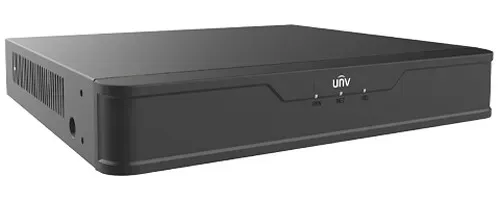
Manufacturer product photo of a Uniview recorder, not a Queens installation. Uniview recorders have their own apps; a look at the label tells us which app a box belongs to.
AI Overview Reality Check
What AI Gets Wrong About Super Live Plus in Queens
We could not view Google's AI Overview from our build tools, so we have not quoted it. Instead, these are seven claims that turn up again and again in help-desk answers, download sites and forum replies about Super Live Plus, checked against the documents and what we see in Queens buildings.
Claim 1: "If the store will not show it, just download Super Live Plus from any APK site."
Download sites are full of old and unofficial builds; in October 2026 one was still offering version 1.6.6, years behind the 1.18.2 build carried elsewhere. A camera app holds the password to your recorder, which makes it a poor place to experiment.
The right answer depends on the phone. With Google Play, use Google Play. Without it, use a source that shows the package's signer and current version, and compare them.
And whichever copy was on the phone before, change the recorder password it saw. That is the step people skip.
Claim 2: "Super Live Plus works the same on every Android phone."
Live view and playback mostly do. Alerts do not. Google's documentation for its cloud-messaging service requires the Google Play Store app on the device, and the Android app declares that service's permission.
Phones sold without Google services — common among handsets bought in China and among recent Huawei models — can show live video perfectly and never receive a single alert.
We test alerts on every phone during a visit and set a second route where one is needed.
Claim 3: "Set the phone to your language and the app follows."
Only if your language is one of the 33 on the app's list. Spanish, Chinese, Korean, Russian, Greek, Polish and Italian are there. Bengali, Punjabi, Hindi, Urdu, Tagalog and Haitian Creole — all major Queens languages — are not.
Even listed languages had gaps: an October 2023 update existed solely to fix English still appearing in Traditional Chinese.
The fix for missing languages is not translation software but a smaller job per person and a screenshot card they can follow.
Claim 4: "A wrong time on the recorder is only cosmetic."
TVT's own manual sets Beijing time as the factory default. A recorder never set for New York stamps everything twelve or thirteen hours off.
That breaks playback searches, confuses police and insurers and makes two cameras on two recorders disagree about the same event.
Setting the zone, daylight saving and network time takes minutes. Exporting anything already needed comes first.
Claim 5: "A recorder that switches on once the water drains has survived."
Powering a recorder that has been wet is exactly how a recoverable hard drive becomes an unrecoverable one. The footage you need for the claim is on that drive.
Leave it unplugged and dry, recover the drive first, then decide about the box.
A recorder that worked once after a flood can still fail weeks later from corrosion; we would not trust it with the next storm.
Claim 6: "The app will tell you when the basement floods."
Only if something tells the recorder. Motion detection does not notice slowly rising water, and a camera in a dark cellar may not see it at all.
A water sensor on the recorder's alarm input, set to push, does. TVT's manual lists Push among the actions a sensor alarm can trigger.
No alarm input? A battery water alarm and a camera on the drain are the fallback.
Claim 7: "Everyone you share the recorder with sees and can do the same things."
Sharing has changed. The October 2026 Android release note describes sharing a device with up to 30 users and "enabling permission sharing for device operations."
That means a relative can be given viewing without settings, and a manager playback without deletion — if someone sets it up that way.
Many families still pass one admin login around a group chat. We replace that with one user per person and the fewest rights that do the job.
List Every Phone That Should See the Cameras
Who, which phone, bought where, and which language they read. Send it to (347) 434-6392 or through WhatsApp, and we arrive with a plan for each person.
Describe the recorder, where it sits and who needs to use the app. A technician who covers Queens replies the same business day with a plan and, if a visit is needed, a written estimate.
✅
Request Sent!
Thank you — we will call you back today during business hours.
How It Works
Our Super Live Plus Repair Process
Seven steps, in this order, whether it is one recorder in a Bayside basement or three stores on Jamaica Avenue. If water is involved, safety and the hard drive come before everything.
1. Phone consultation
We ask who should see the cameras, which phones they carry and where each was bought, what the recorder's label says and where it sits. Some problems are solved on this call.
2. Safety and the drive first
If water reached the recorder, nothing gets power. The hard drive comes out dry and its footage is copied before any other work.
3. Read the recorder
We note the recorder's time zone and clock offset, export anything needed, then check its network and relay status, users and alarm inputs.
4. Set the clock and the users
New York time zone, daylight saving and network time; one user per person with only the rights they need; the factory password gone.
5. Each phone, one at a time
App installed from the right source, recorder added by serial number, alerts tested on the spot, and a second alert route for phones that cannot receive push.
6. Move and alarm the recorder
Recorder, router and battery backup moved above the water line where practical; a water sensor wired to an alarm input and set to push.
7. Hand-over
A picture card for each user, a note of the old clock offset, photos of where everything now lives, and the admin details in the owner's hands.
Coverage Area
Super Live Plus Repair Near Queens' Landmarks
We work across the whole borough. Each of the six places below says something about who watches Queens cameras or where Queens recorders sit; none of them is a client.
Main Street and Roosevelt Avenue
Flushing's busiest corner, the heart of a business district formed into a BID in September 2003. Phone menus here are as likely to be in Chinese or Korean as in English.
Jackson Heights Historic District
Designated October 19, 1993, with garden apartments such as The Chateau's twelve U-shaped buildings around a shared garden. Co-op recorders sit inside units; exterior changes may need Landmarks review.
Unisphere, Flushing Meadows Corona Park
The 140-foot stainless steel globe from the 1964 World's Fair. The neighbourhoods around the park — Corona, Elmhurst, Flushing — hold many of the multi-language family businesses this page is about.
Jamaica Avenue and Rufus King Park
Downtown Jamaica's shopping street, more than 400 businesses in the largest BID in Queens. Nearby blocks of Jamaica, St. Albans and Hollis had a 41% no-broadband rate in the Council's data.
Woodside, 64th Street
One of the places PIX11 named in its September 2021 report of people trapped in flooded basements during Ida. Woodside cellars flooded again in July 2026, when FDNY lifted a family over a rear fence.
Southeast Queens Basements
Where NY1 has described near-daily basement flooding from groundwater since the old Jamaica Water Supply wells stopped pumping in 1996, and the city's drainage build-out is still under way.
Beyond those six we are regularly in Astoria, Long Island City, Sunnyside, Woodside, Jackson Heights, East Elmhurst, Elmhurst, Corona, Flushing, College Point, Whitestone, Bayside, Douglaston, Little Neck, Fresh Meadows, Glen Oaks, Bellerose, Queens Village, Hollis, St. Albans, Cambria Heights, Laurelton, Rosedale, Springfield Gardens, Jamaica, Briarwood, Kew Gardens, Forest Hills, Rego Park, Middle Village, Maspeth, Ridgewood, Glendale, Woodhaven, Richmond Hill, South Richmond Hill, Ozone Park, South Ozone Park, Howard Beach, Broad Channel and the Rockaways. The Rockaway peninsula, Broad Channel and Hamilton Beach get the same service as the rest of the borough; there, more than anywhere, we ask on the phone where the recorder sits relative to the high-water mark before we arrive. Other areas have their own pages, linked from the New York City Super Live Plus hub.
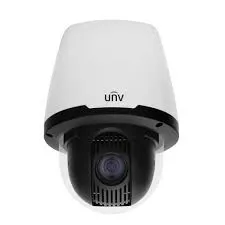
Manufacturer product photo of a Uniview pan-tilt dome, not a Queens installation and not a TVT product. Pan-tilt cameras are moved from the app only when the recorder passes those controls through.
Pricing
Super Live Plus Repair Cost in Queens
The app is free and a TVT-platform recorder needs no monthly plan to record or stream. What you pay for, when you pay at all, is a licensed technician's time and, now and then, a recorder that cannot be saved. Our service rate is the same everywhere; the Queens area factor of 1.05 applies only to the recorder-replacement figures below.
Queens Super Live Plus work
Price
What it covers
Phone consultation
$0
A call with whoever can reach the recorder and the phones, to decide whether a visit is needed at all
On-site Super Live Plus service
$195/hr, 3-hour minimum ($585)
Phones checked and set up, alerts tested, recorder clock and users set, sensor alarms configured, recorder moved where practical, hand-over card
4-channel recorder replacement
$473–$735
When the old box cannot be saved; phones re-added before we leave
8-channel recorder replacement
$683–$1,050
Same, for eight cameras
8-channel hybrid (coax + network)
$840–$1,260
For stores mixing old coax cameras with newer network ones
16-channel recorder replacement
$1,260–$2,310
Larger stores and houses with many cameras
32-channel recorder replacement
$2,310+
Multi-floor stores and small buildings
Two Queens examples, as arithmetic only. A two-family house in Woodhaven needing four family phones set up, the recorder clock corrected and the recorder moved off the cellar floor fits in one three-hour visit: $585. A Flushing store whose sixteen-channel recorder sat in floodwater pays for the visit plus a replacement in the $1,260–$2,310 range, depending on the model chosen; the drive recovery attempt happens in the same visit.
What is not on the bill: we do not charge for the phone consultation or for the hand-over card, and there is no separate fee per phone beyond the time the visit takes. Parts we did not supply are not marked up, because we did not supply them. The recorder-replacement figures are taken from our DVR upgrade price list at the Queens factor, and the written estimate names the exact model before anything is ordered.
How we compare with national alarm brands
ADT, Ring, SimpliSafe
AESS for a Super Live Plus system
Works with your existing TVT recorder
Generally no; their own cameras and apps
Yes — we keep what works
Monthly plan
Usually, for monitoring or cloud features
None needed for the recorder or app
Phones bought abroad, mixed languages
Their app's own rules
Checked phone by phone on site
Shop Our Systems
Super Live Plus Repair Packages & Pricing
Three outcomes cover most Queens calls. You see the hours and any parts in writing before work starts.
Phone Consultation
$0
We go through each phone that should see the cameras, check what the recorder's screen says, and tell you honestly whether a visit is worth it.
Family & Staff Setup
$585 · up to 3 hours
On site in Queens: every approved phone installed properly with its own user, alerts tested, recorder clock set to New York, sensor alarm configured where the recorder allows, recorder moved off the floor, picture card left behind.
Flood Replacement
from $473–$735
For a recorder that took water: drive recovery attempted, a new recorder installed above the water line at the Queens price for its size, and every phone connected to it before we leave.
Bought the recorder yourself? Labor-only is fine
Many Queens kits come from neighbourhood electronics shops or online sellers. If you already own the recorder, or bought a replacement yourself, we work on it at the service rate and charge nothing for parts we do not supply. We will tell you first if the box is the wrong one for Super Live Plus, so you can return it.
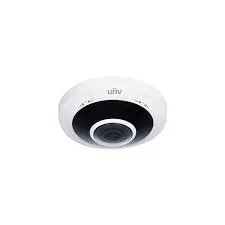
Manufacturer product photo of a Uniview fisheye camera, not a Queens installation and not a TVT product. One wide lens can cover a whole stockroom or cellar floor, including the drain.
Speak to a Queens Super Live Plus Technician
Water in the cellar, a phone that never rings, a clock half a day ahead — call (347) 434-6392 and a technician picks up.
An app repair often uncovers the next job: a drowned camera, a recorder at the end of its life, another building on a different brand. These Queens pages pick up from there.
Field Notes: Ask Which Phone Before You Ask Which Camera
When a Queens family tells me "the cameras don't work," the first question I ask is not about cameras. It is: whose phone? Because in a lot of houses and stores here the cameras work fine on two phones and fail on three, and the three have something in common — bought overseas, set up by a nephew from a download site, signed in to a store in another country.
So I line the phones up on the counter. One by one I check where the app came from, whether alerts can reach that phone at all, and whose user name is inside it. Only then do I go downstairs to the recorder, and there I look at two things before anything else: the clock, and the floor. A recorder on Beijing time and a recorder sitting next to a floor drain are both problems that wait patiently until the day you need the footage.
The job is done when every person can open their own cameras, the right phones ring when the sensor gets wet, and the time on the screen matches the clock on the wall.
— Anwar Timothy, owner, NYS license #12000287431
FAQ
Queens Super Live Plus Repair FAQ
Short, practical answers about visits, phones and paperwork that the longer sections do not cover.
Does the person who owns each phone have to be there, or is the phone and its unlock code enough?
+
For a phone that only needs the app and a viewing login, the phone and its unlock code are usually enough, and the owner can collect it afterwards. We prefer the person to be there for the last five minutes, because we want them to open their own cameras, play back a moment and see an alert arrive while we are still in the room. For the admin login, the owner of the system has to be present; we do not hand recorder administrator details to anyone else.
Can you set up Super Live Plus on a relative's phone overseas over a video call?
+
Usually, yes. Once the recorder is reachable and the relative has a user name of their own, we walk them through installing the app from their country's store and adding the recorder by serial number while we watch on a video call. If the app is not offered in their store, or their phone has no Google services, we explain the options and the limits on alerts before they spend time on it. That call is part of the on-site visit if it happens the same day.
The recorder's menus are in English but my app is in Chinese — will that make the setup confusing?
+
Not for us, and we try to make it simple for you. The app follows your phone's language when it is on the app's list, and Simplified and Traditional Chinese both are; the recorder's own menus and camera names stay whatever they were set to. We name cameras in words you use for each spot and show you on your own screen which button does what, so the two languages never need to match.
We rent our store — does the landlord have to agree before the recorder moves up from the cellar?
+
That depends on your lease, not on the camera system, so read it or ask the landlord before the visit. Moving a recorder usually means a new cable run up a wall or through a floor and sometimes a shelf or cabinet fixed to the wall, and many commercial leases ask for permission before tenants drill or run cable. We tell you in advance exactly what holes and runs the move needs, in writing, so you can show the landlord, and we can work around a landlord's preferred route if they have one.
Can you tell from the recorder which phones and users have logged in lately?
+
Many TVT-platform recorders keep a log of logins and setting changes in their own menus, and we read it on site when it exists; how much it shows depends on the model and firmware. It is one of the first things we check when a family suspects an old login is still being used. Whatever the log says, the cure is the same: one user per person and a changed admin password.
When the recorder moves upstairs, what happens to the old cables and boxes left in the cellar?
+
Cables that still carry a camera stay and are extended or rejoined to reach the new spot. Cables that no longer go anywhere, old power supplies and empty junction boxes can be taken out on the same visit if you want them gone, which also makes the next water check easier because you can see what is live. We label the cables that remain at both ends, so whoever works in the cellar next knows which one feeds which camera.
If water ruins the recorder, what happens to its hard drive and the video on it?
+
The drive is yours. We remove it, try to read it without writing anything to it, and copy off what can be recovered. If it cannot be read, we give it back to you so you can take it to a data-recovery service or keep it; we never throw away a drive that may hold footage. When the drive is no longer needed, you can ask us to wipe it before it is recycled.
Do you bring a replacement recorder in case ours will not start after a flood?
+
When you tell us on the phone that the recorder was under water, we bring a replacement of the right channel count so the cameras can record again the same day, with the price agreed before it is installed. If the old recorder turns out to be fine, the replacement goes back in the van and you pay only for the visit.
All Areas Served
Super Live Plus Support Across New York City, Long Island and the Hudson Valley
Family in another borough, or a second store out of town? Every area we cover has its own Super Live Plus page, and the New York City Super Live Plus support hub connects them.
If what you really need is a new system, a door intercom or alarm wiring, start from the Abstract Enterprises Security Systems home page; proof of our state license and insurance sits on the about us page.
Sources
Where the Queens Super Live Plus Facts Come From
This page rests on documents you can open: the SuperLive Plus manual, Apple's and Aptoide's listings and TVT's recorder manual for how the app and recorders behave; Google's developer and help pages for alerts and app installs; census and City Planning tables for Queens languages, households and housing; and local reporting for floods and corridors. Download-site listings were read as search excerpts. Routines such as one user per person, picture cards, sensor placement and moving recorders off the floor are our own practice. Prices are our base figures at the Queens factor of 1.05; the recorder figures are borrowed from our DVR upgrade price list.
Nothing here is legal advice; it is general guidance on camera apps, phones and recorders. For questions about recording audio, insurance claims, co-op rules or evidence, speak to a lawyer or your insurer.
Phones That Never Ring, Clocks on Beijing Time — Call the Queens Line
Tell us whose phones should see the cameras and where the recorder is. (347) 434-6392, or send the form and we call you back.
Queens Super Live Plus Repair From a Licensed, Insured Crew
Our office is at Abstract Enterprises Security Systems, 460 E Fordham Rd, Bronx, NY 10458, and our technicians cover every Queens neighbourhood from Astoria to the Rockaways. Call or text the Queens line at (347) 434-6392, or send photos of the recorder label and the phones' app screens through WhatsApp (718) 679-0359.
Every technician works under New York State license #12000287431, and the company carries full insurance. On Google we hold 4.7 / 201 reviews. A written estimate reaches you the same day you call.
Replacement drives, recorders and battery units carry whatever cover their manufacturer gives, and you see the brand on paper first. Full terms — including 50% deposit, one-year parts-only warranty on AESS-supplied products, and the late-fee schedule — are set out in the service agreement. Coverage details and the number to ring if our work stops working are on the warranty page.
Page reviewed and updated October 18, 2026. Changelog: Queens Super Live Plus page rebuilt from new research on the app's language list, store availability and Android builds, Google's alert requirements, TVT's recorder manual (default time zone and sensor alarms), Queens language, nativity, internet and housing data, Queens flood reporting and commercial corridors, with recorder prices at the Queens area factor.