Super Live Plus App Support and Repair on Long Island
Elmont to Orient Point · North Shore · South Shore · Both Forks · Recorders We Did Not Install Too
On Long Island the person checking Super Live Plus is rarely standing next to the recorder. The box is in a hall closet of a slab ranch, a raised house on the South Shore or a shingled house on the East End that is shut for the winter, and its owner is on the train, at a desk in Manhattan or a thousand miles south. When the app goes grey, the fix lives somewhere between that recorder and that phone: the provider’s gateway, the way the device was first added, the order things restarted after the last PSEG outage, or a login that too many people still know. This hub explains how we trace that path across both counties and sends you to the Nassau and Suffolk pages for the local detail.
App listings, outage records, police programs and housing figures last checked October 18, 2026 · Prepared by Anwar Timothy (NYS low-voltage license #12000287431) · Island crews are dispatched from our Brooklyn office, 1282 Troy Ave
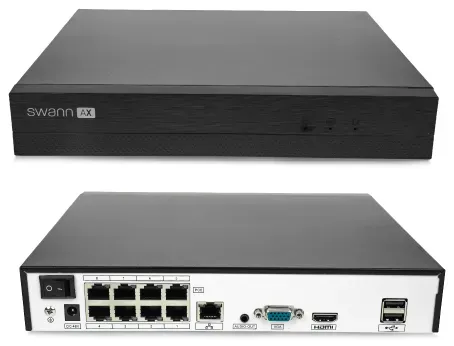
Manufacturer product photo of a Swann recorder, not a TVT unit and not an installed system. It is here for the rear panel: the single network port on the right is the only road between every camera and the Super Live Plus app, which is why most island repairs start at that socket and the router it plugs into.
Long Island Super Live Plus Help
Town, what the app shows, internet provider and who is at the house — a call back the same business day
✅
Request Sent!
An island scheduler will call you back about the recorder and the app the same business day.
25+
Years Experience
✓
Same-Day Estimates
100%
Licensed & Insured
4.7★
201 Google Reviews
Four answers make the first call useful: what the device icon in the app looks like right now (green, grey or blinking), whether the app still works when your phone is on the home Wi-Fi, who provides the internet at the house, and whether anyone can reach the recorder this week. Give those to (800) 486-0943 with the town and we can usually say on the phone whether this is an app setting, a router change, a recorder fault or an access question, and what it will cost to put right.
Phone and screenshot diagnosis costs nothing; on-site repair is $195 an hour with a three-hour minimum ($585)
Recorders we did not install, bought from a warehouse club, an online store or a closed-down installer
Two-hour arrival windows, 8 AM to 8 PM, seven days, with all low-voltage work under NYS license #12000287431
Why Long Island Properties Need Super Live Plus App Support
Super Live Plus is the phone app that ships with recorders built by Shenzhen TVT Digital Technology, a maker of IP and coaxial cameras, network video recorders and DVRs that many smaller brands sell under their own names. On Google Play the app is published under the package name com.tvt.superliveplus, its developer page names TVT (HK) Limited, and it describes itself as client software for video recorders and IP cameras, “compatible models only”. It has been downloaded more than five million times and was last updated on October 8, 2026, when the release notes added account switching. The same listing shows an average of 3.3 stars from over fifty thousand reviews, and the most-read complaints are not about picture quality. They are about connection: a camera system that connects one day and not the next until somebody turns the recorder off and on, an app that kept signing users out for several weeks in 2024, and a playback timeline that jumps rather than scrolls.
Those complaints land harder on Long Island than in the city, because of where island recorders live and where their owners are. Levitt and Sons built 17,447 houses in Levittown between 1947 and 1951, on concrete slabs and without cellars, and the post-war pattern spread across central Nassau. In a slab ranch the recorder goes into a bedroom or hall closet beside the router, or into the garage where the provider’s fibre box landed, and the owner leaves for work. When the “turn it off and on” fix that the reviews describe is needed, nobody is at home to do it. The manual itself spells out the trap that catches most commuters: a recorder added to the app by its local network address only works while “your phone network and device network are in the same network segment”. It shows green on the kitchen Wi-Fi and grey on the train.
Further east the problem becomes months, not hours. The Town of East Hampton’s 2026 housing market assessment counted 44,227 housing units, of which 47% are used for seasonal, recreational or occasional purposes and only 41% are lived in as primary homes. A recorder in one of those houses has to get through a winter of storms with nobody pressing its buttons. PSEG Long Island, which supplies about 1.2 million customers across the island and the Rockaways, reported more than 124,000 outages in 72 hours from the late-September 2026 wind and rain storm, with more than 1,150 trees down. Every one of those outages restarts the recorder, the provider’s modem and the router in whatever order the power returns. If the recorder wakes before the internet does, or if the router hands it a new address, the app can lose it even though the cameras are still recording to the disk.
The last island difference is the internet itself. Optimum has been rebuilding its network: in October 2024 the company said its fibre network had nearly 900,000 passings on Long Island — homes and businesses the fibre runs past — and every upgrade means a new gateway. Verizon Fios customers get new routers too. A gateway swap quietly removes the port-forwarding rules that older Super Live Plus set-ups depended on, and the app shows the recorder offline from that afternoon. Meanwhile police on both sides of the county line now ask camera owners to help: the Suffolk County Police Department runs a camera registry, and villages such as Garden City keep their own lists. When detectives ask for a clip, the owner needs a working app and a way to pull the exact minutes off the recorder — which is where this page starts, and why it exists separately from our city and Hudson Valley guides.
The island numbers we keep in mind on every call
A big app with a mixed record. Google Play lists Super Live Plus at more than five million downloads and 3.3 stars from about 53,300 reviews; Apple’s store shows 3.9 stars from 16,000 ratings. Connection drops, sign-outs and playback trouble dominate the low reviews.
Slab houses with no cellar. Levittown’s 17,447 post-war houses were built on concrete slabs; recorders on the island tend to sit in closets and garages beside the provider’s equipment, not in a basement utility room.
Half a town is seasonal. East Hampton’s 2026 housing assessment counts 47% of its 44,227 units as seasonal, recreational or occasional-use, so many East End recorders spend months with no one on site.
One utility, six-figure outages. PSEG Long Island serves about 1.2 million customers; one September 2026 storm caused more than 124,000 outages over 72 hours, each a restart for the recorder and router.
New gateways from fibre upgrades. Optimum counts nearly 900,000 fibre passings on Long Island; every gateway swap is a chance to lose the recorder’s old port-forwarding rules.
Two counties, two police programs. Suffolk police invite owners to register camera locations and can ask them to check a date and time; Garden City’s village registry states that it gives officers no access to private systems.
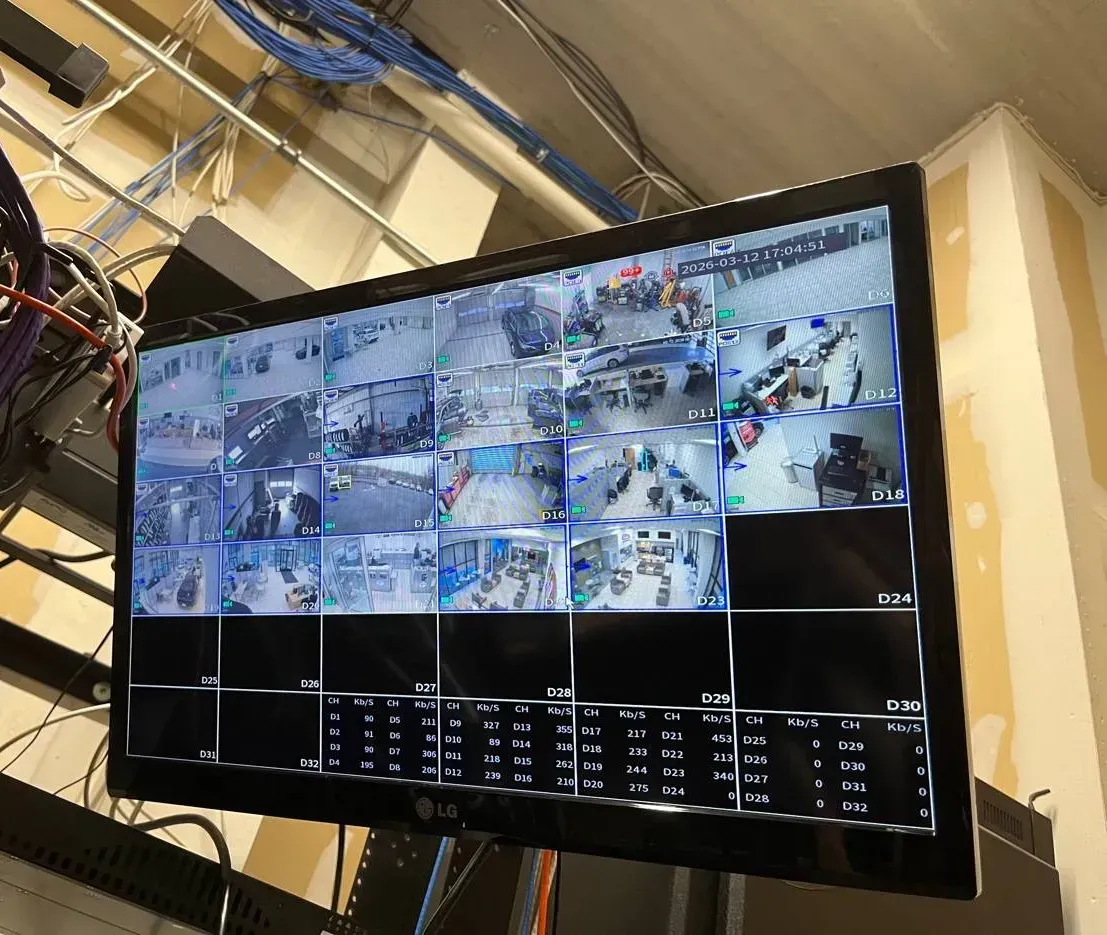
Example photo from an AESS job, not a Long Island property and not the Super Live Plus app: a recorder’s own monitor output, with the bitrate of each channel listed under the camera tiles. When the phone shows nothing, a screen like this on the recorder tells us at once whether the cameras are still recording.
Many island owners who call about the app also want a second look at the system behind it. Our Long Island camera repair team handles failed cameras and cable, and the island DVR upgrade page covers replacing a tired recorder; this page stays on the app, the network path and who has access.
App Gone Grey Overnight? Same-Day Super Live Plus Help on Long Island
The commonest island call comes from someone who is not at home: the device in the app’s list has a grey icon instead of green, the cameras worked last night, and there is no one at the house to look at the recorder. Ring (800) 486-0943 and we will book the next two-hour window in your county; on most visits the app shows the recorder again within one to two hours of the technician arriving. If the cause is a dead disk or a failing recorder, the lasting fix may be a second trip, but you leave the first visit knowing exactly what failed.
The app’s own device list tells you more than most people realise. The original user manual describes the icon beside each device: green when the connection succeeded, grey when it did not, and blinking while the app is still trying. A device that blinks for a long time and then turns grey is usually reachable in principle but blocked somewhere on the way; a device that goes grey at once is usually not reachable at all. Write down which it is before you call.
What the screen is telling you
What you see
Most likely cause on the island
First thing to try
Green at home on Wi-Fi, grey away from home
The recorder was added by its local address (a number starting 192.168 or 10.) rather than by its QR code or a public address
Nothing on the phone will fix this from outside; it needs the recorder’s NAT or remote address added correctly
Grey everywhere since the provider visited
A new Optimum or Fios gateway: old port-forwarding rules gone, or the recorder given a new local address
Check whether the recorder still shows a network connection on its own screen
Grey since the power came back after a storm
Recorder restarted before the modem had internet, or the router handed out new addresses
Restart the recorder once, after the router’s lights are steady
Grey only when travelling abroad
The app’s server region (the Domain setting) does not match where you are
Settings, Local, Domain set to Global
Connects, then plays black tiles
Upload speed at the house too low for the stream chosen, or a camera that has lost video
Switch the view to a lower definition and test one camera
Asks for a password that used to work
Someone changed it on the recorder, or the app was reinstalled and the saved list was lost
Do not guess repeatedly; many recorders lock after failed attempts
Five checks before we arrive
Look at the icon, not just the picture. In the device list, note whether it is green, grey or blinking, and take a screenshot of any error text.
Turn Wi-Fi off on your phone. If the cameras appear on the home Wi-Fi but not on cellular, tell us; that one answer narrows the repair to how the recorder is reached from outside.
Ask whoever is nearest to look at the router. A new box from Optimum or Verizon, new stickers, or a different Wi-Fi name all point to a gateway swap.
Plug a television into the recorder if you can. Live pictures on its HDMI output mean the cameras and disk are probably fine and the fault is in the network path.
Do not reset the recorder to factory settings. A reset can wipe user accounts, recording schedules and the network settings we would otherwise read, and some resets need the recorder’s serial number and the maker’s help to undo.
Two Counties
Nassau and Suffolk: Different Distances, Different App Problems
Nassau County covers 453 square miles with two cities, three towns, 64 incorporated villages and more than 60 unincorporated hamlets. It is dense, largely year-round and owner-occupied, and most Super Live Plus calls there come from commuters: the system works at home and fails on the phone in Penn Station, or it stopped after the provider changed the box. Distances are short, so a technician can usually reach a Nassau house the day you call, and many repairs finish in a single visit because the owner, the router and the recorder are all within reach.
Suffolk County is 2,373 square miles across ten towns — Babylon, Brookhaven, East Hampton, Huntington, Islip, Riverhead, Shelter Island, Smithtown, Southampton and Southold — with Riverhead as the county seat. West of the forks it looks a lot like Nassau, with more industrial buildings along the Route 110 and Hauppauge corridors. East of Riverhead the work changes: longer drives, houses closed for half the year, caretakers rather than owners holding the keys, and addresses where only one wired provider reaches the door. A Suffolk repair is more often planned ahead, with the caretaker meeting us and a second check from the owner’s phone wherever they are.
Short drives, commuter owners, villages with their own police departments and registries, and most faults traced to how the app reaches the recorder from outside.
Suffolk in one line
Long drives, a seasonal East End, caretakers with keys, single-provider addresses and recorders that must survive outages without anyone on site.
Both counties
One utility, the same two big providers, the same TVT-made recorders under many brand names, and one phone number, (800) 486-0943.
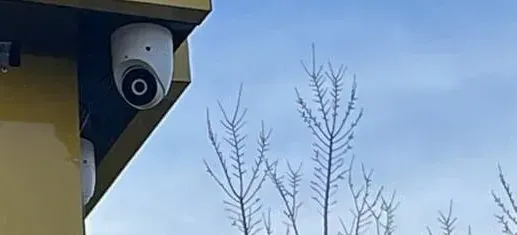
Example photo from an AESS job, not a specific island house: a dome camera under a painted fascia in winter. Outdoor cameras like this keep recording through an outage only if the recorder they report to has power; the app is the last link in the chain, not the first.
What We Fix
Super Live Plus App Support Services on Long Island
Nine kinds of work cover almost every island call. Most visits combine two or three of them, because an app that stopped connecting usually also has an access list nobody has looked at for years.
Remote access rebuilt the right way
If the recorder was added by its home-network address, we enable the recorder’s NAT service and add it again by QR code or serial, so it works from the train, the office and the airport. Old port-forwarding rules are closed unless there is a reason to keep them.
Provider gateway changes
After an Optimum or Fios swap we find the recorder on the new network, give it a reserved address so the router stops moving it, and confirm the app reaches it over cellular before we leave.
Outage recovery
We check that the recorder, modem and router come back on their own after a breaker test, correct the recorder’s clock if it drifted, and add a battery unit where the street loses power often.
Seasonal and second homes
A checklist for houses that close for the winter: what stays powered, how you will know from far away that the recorder is still writing, and who has the key and the password if something stops.
Access shared and taken back
We create a separate recorder user for each person who needs to see the cameras, with only the rights they need, and remove the logins of former tenants, roommates, staff or relatives without touching your own.
Passwords and lockouts
Factory passwords replaced, forgotten passwords recovered through the maker’s documented route where one exists, and the app’s gesture lock set so a borrowed phone does not open your cameras.
Clips for police and insurers
When Suffolk or Nassau detectives or a claims adjuster ask for video, we pull the exact minutes from the recorder’s disk, in its original format and a common one, with the time difference noted if the clock was off.
Phones, tablets and computers
Super Live Plus set up on every family phone and tablet, the device list synced, local recording storage limited so phones do not fill, and a computer client set up where a business wants a bigger screen.
Keep-or-replace advice
If the recorder is the problem — a dying disk, a box the maker no longer updates — we say so in writing and price a replacement that keeps your existing cameras where they are compatible.
Every visit ends with a one-page handover sheet: the recorder’s brand and model as printed on its label, its local address, how the app reaches it, which users exist and what each can do, the date the firmware was last checked, and who to call. Island owners keep it with the house papers; caretakers keep a copy without the passwords.
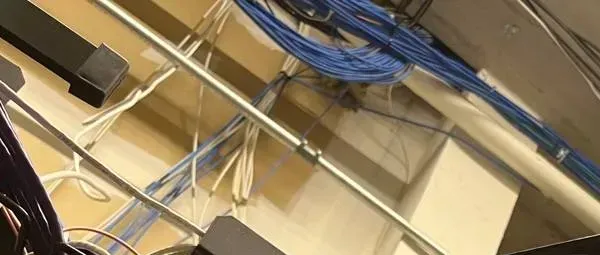
Example photo from an AESS job, not a Long Island house: blue and white network cables crossing a beam. In a slab ranch the run from the recorder closet to the router often goes through the attic like this; a cable that was stapled too tight or crushed at a beam is a classic cause of a recorder that drops off the network.
Building Specialists
Super Live Plus App Support for Long Island’s Architecture
The app is the same in every house. What changes is where the recorder sits, how far it is from the router, and who can reach it when it needs a hand. Six kinds of island property account for nearly all of our Super Live Plus calls.
Slab ranches and Cape Cods
The Levittown pattern: no cellar, a recorder in a hall or bedroom closet, cable through the attic. The recorder is often a long way from the router, joined by a cable that was run in a hurry, or by a Wi-Fi bridge the installer added and nobody remembers.
Raised South Shore houses
Houses lifted after Sandy put the living floor above an open, flood-vented enclosure. The provider’s box sometimes stayed low and the recorder moved up, so the link between them crosses the floor line. We check that link first when the app drops after a storm.
Seasonal East End houses
Shingled houses, barns and pool houses that close after the season. The recorder must report its own health; the app is the only window the owner has for months, so it is set up and tested from the owner’s phone before the house shuts.
Garden apartments and co-ops
Nassau has many low-rise garden complexes and co-ops. An owner’s recorder may share the building’s internet or sit in a storage cage; sharing views with a board or a neighbour has to be done with separate users, never a passed-around password.
Houses with an accessory apartment
A basement or over-garage unit with its own tenant. Cameras that look at shared driveways and doors are common; tenants come and go, and the app access that was given to one of them must leave with them.
Gold Coast and farm properties
Long driveways, gatehouses, barns and outbuildings far from the main house, linked by buried cable, fibre or a wireless bridge. When one camera group drops out of the app and the rest stay, the link to that building is the suspect.
How the method changes from one house to the next
In a slab ranch we start at the closet. We look at the recorder’s network port and lights, follow the cable to wherever it meets the router, and test it end to end; if it passes through the attic, the stretch over the hottest joists is where the jacket cracks. We confirm the recorder has a reserved address on the router so it cannot be moved after an outage. Then we turn on the recorder’s NAT service and add the device to every family phone by QR code, so nobody depends on the local address that only works at home.
In a raised house we start at the bottom. Where the provider’s equipment is still below the living floor, we check whether its power and the link to the recorder above would survive water in the enclosure, and we recommend moving what can be moved. The app cannot keep a recorder online if the modem it depends on is the first thing to get wet.
In a seasonal house we work to a closing-up date. We confirm the recorder restarts on its own after a breaker test, that its clock comes from the internet rather than its own battery, that motion alerts reach the owner’s phone wherever they are, and that the caretaker knows what to look at before calling. Then the owner checks the cameras from their phone in front of us, on cellular, with the house Wi-Fi switched off.
In shared buildings and houses with tenants we start with people, not equipment. We list everyone who has ever had the app pointed at this recorder, decide with the owner who keeps access, and give each remaining person their own recorder user. Then we change the password on any login that was ever shared. It is the only way to be sure a former tenant, roommate or employee can no longer look.
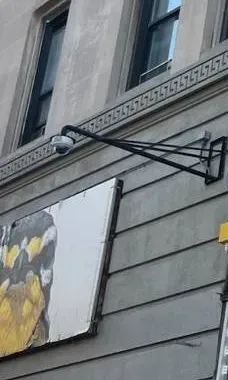
Example photo from an AESS job, not an island property: a dome camera held out from the wall on a long steel arm. Cameras placed far out on arms, poles or outbuildings are the ones most likely to drop out of the app after wind, because their cable is the most exposed.
Commercial Super Live Plus
Business Super Live Plus App Support on Long Island
Island businesses mostly rent units in strip centres, plazas and industrial parks, which means the recorder shares a back office with the card terminal and the landlord controls the roof. The owner usually checks the cameras from home or from a second location. These are the corridors where those calls come from; we name them as places, not as customers.
Old Country Road, East Garden City
Big stores and plazas around the Roosevelt Field area. In January 2026 Nassau County police released video of a man who entered a store’s rear delivery area on Old Country Road through an unlocked door and left with merchandise — the kind of back-door minute a business owner needs to find quickly on the recorder.
Hempstead Turnpike
A long run of strip centres from Elmont through Hempstead, Levittown and East Meadow. Small shops here often have one recorder in a back room on the same internet line as the payment terminal, which shapes how much video the app can safely pull at once.
Jericho Turnpike
Plazas, restaurants and medical offices across the North Shore towns. Owners with two or three sites want one app list that shows every recorder, with managers who can see their own store and nobody else’s.
Route 110, Melville and Farmingdale
Office parks and light industry where the recorder sits on a company network run by an outside IT firm. The app works only if that firm allows the recorder out to the internet, so we arrange the change with them rather than around them.
Hauppauge and Ronkonkoma
Warehouses and industrial buildings with long walls and loading docks. More cameras per recorder, larger disks and longer cable runs; app problems here are often bandwidth problems when several people watch at once.
Route 58, Riverhead
Shopping centres and services near the Suffolk county seat, serving the North Fork. Owners who live further east rely on the app for the hours they are not on site, so outage recovery and alerts matter as much as the picture.
Rules island businesses should keep in view
State licensing for the work. New York’s Department of State licenses security and fire alarm installers; the licence requires fingerprints, at least 81 hours of qualifying education and an examination. Our low-voltage work is done under NYS license #12000287431.
County consumer-affairs offices. Nassau and Suffolk each run their own consumer-affairs office that licenses home improvement contractors; ask any company working on your property which licences it holds and check them.
Registries are voluntary. Suffolk police invite businesses to register camera locations so detectives can ask them to check a date and time, and retrieval is arranged at the owner’s convenience. Garden City’s village program states it does not give officers access to private systems.
Emergency remote access is opt-in. Suffolk police describe a separate system that can reach previously authorized IP video systems only in a true emergency, such as an active shooter or hostage situation, and say partners can opt in or out at any time. Joining it is a decision for the owner, not something the app does on its own.
Audio needs care. Many TVT-made cameras and the app support audio and two-way talk. Recording conversations you are not part of can break New York’s eavesdropping law; we leave microphones off on business systems unless you have taken advice and posted notice.
Covered-list equipment. The FCC’s Covered List names Hikvision, Dahua and Hytera video surveillance equipment; TVT was not among the entries we read on October 18, 2026. If your recorder is a rebadged unit, we read its label before advising on replacement parts.
Leased premises. A landlord’s written consent is normally needed for cable on the roof or through shared ceilings; app and recorder settings inside your own unit are your business.
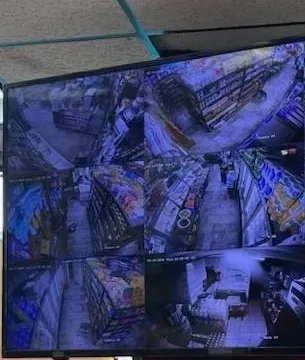
Example photo from an AESS job, not a Long Island store and not the Super Live Plus app: a shop’s monitor with nine camera tiles. The owner who sees this screen in the store often sees only grey icons at home; the recorder is fine, the path out of the building is not.
Your Questions Answered
Super Live Plus App Support on Long Island: Questions Answered
These are the questions island owners actually put to us, grouped by what is going wrong. Each is answered in full here; the short FAQ further down covers practical matters about the visit itself.
The Router, the Provider and the Commute
Optimum swapped our gateway during a fibre upgrade and the recorder dropped out of Super Live Plus — what did the new box change?
Usually two things. The old gateway may have carried port-forwarding rules that pointed the outside world at your recorder; a new gateway starts with none. And the new box may hand out a different range of local addresses, so the recorder either takes a new address or keeps an old one that no longer works on the new network. Optimum says its fibre now passes nearly 900,000 Long Island homes and businesses, and each upgrade is a new gateway.
The cure is not to copy the old rules across. We find the recorder on the new network, give it an address the router will always reserve for it, and switch the app connection to the recorder’s NAT service, which does not depend on rules in the gateway at all. Optimum lets customers manage router settings online and offers port configuration, so where a rule is genuinely needed we can still add one; we simply avoid building the system on it.
Our cameras play on the kitchen Wi-Fi but go grey as soon as the phone is on cellular — why only at home?
Because the recorder was added to the app by its local address. The Super Live Plus manual is explicit that adding a device by IP address on Wi-Fi requires the phone and the recorder to be on the same network segment; an address such as 192.168.1.20 means nothing to a phone on a cellular network or on a friend’s Wi-Fi. This is the single most common island fault we see, because the person who set the system up tested it from inside the house and went home.
The fix is to add the recorder a second way: by scanning the QR code on its NAT page, by its serial or MAC number, or by a public address. The manual notes that QR-code access from a different network needs the recorder to support QR and have NAT enabled. We do it on every phone in the family, then test each one with Wi-Fi switched off.
Fios installed a new router and our old port-forwarding rules are gone — should we rebuild them or switch the recorder to NAT?
For most homes, switch to NAT. Port forwarding opens a door in the router straight to the recorder, and older recorders were never designed to face the open internet; every gateway swap also wipes the door you opened. The manual offers port forwarding and UPnP as the older ways to reach a device over cellular, and NAT through a QR code as the newer one.
There are cases where a forwarded port still makes sense, such as a computer client at a business that cannot use NAT, or a recorder too old to support it. Then we forward only the one port the recorder needs, to a reserved address, change the default port where the recorder allows it, and write the rule on the handover sheet so the next technician from the provider knows it exists.
Out east our address has only one wired provider — can a cellular router keep Super Live Plus reachable?
Yes, within limits. A cellular router with a data plan can be the recorder’s only internet or a standby that takes over when the wired line fails. The app does not care which one it travels over, but the amount of video does: a cellular plan with a data cap will not like four cameras streamed in full definition for an hour, so we set the app to open in a lower definition and ask you to switch to the main stream only when you need detail.
We also check signal where the router will sit. A barn or pool house with one bar of signal will drop out more often than the house it is meant to back up. Where there is no usable cellular signal, a battery unit that keeps the wired provider’s box and the recorder running through short outages is often the better spend.
Storms, Outages and Houses Nobody Is In
After PSEG restored power the recorder came back, but its clock is wrong — does that matter for the app?
It matters more than it looks. When you search playback in Super Live Plus, you are searching by the recorder’s clock. If the recorder lost its time in the outage and restarted at a default date, the evening you want may be filed under another day, and a clip you hand to police will carry the wrong time stamp. PSEG reported more than 124,000 outages in three days during the September 2026 storm, and many streets lost power more than once.
We point the recorder’s clock at an internet time server, set the correct time zone and daylight-saving rule, and check whether its internal clock battery needs replacing. If footage was already recorded with the wrong time, we note the exact difference on the clip and in writing; we never change the time on video that may be evidence.
How can we tell from Florida or the city whether the recorder at our East End house is still recording?
Watching live video is not enough; a recorder can show live pictures while its disk has stopped writing. The reliable test is playback: open the app, go to remote playback and pick a camera for the last hour. If recent footage is there, the disk is writing. Set yourself a reminder to do this every week while the house is closed.
On top of that we set the recorder to raise its own alarms where the model supports them — disk error, disk full, video loss on a channel — and route them to your phone through the app and, where the recorder offers it, by email. The manual lists video loss, sensor and motion alarms that the app can turn into a sound or vibration on the phone; we test each one before the house closes.
When we close the house for the winter, what should stay powered for Super Live Plus to keep working?
Four things, all on the same battery unit if possible: the provider’s modem or fibre box, the router, any network switch that powers cameras, and the recorder itself. If any one of them is on a switched outlet or a circuit the caretaker turns off with the heat, the app goes dark. Leaving the recorder on and the router off is the most common mistake we find in March.
We also label the plugs, leave a one-page note for the caretaker with the order in which to restart things after an outage, and make sure the caretaker can check the app on their own phone with their own login, not yours.
Who Can See the Cameras
Taking the cameras back from a tenant who has moved out of the accessory apartment
Deleting the recorder from their phone is not in your power; changing what that phone can log into is. If they were given your own recorder username and password, the only certain way to stop them is to change that password on the recorder and then re-enter the new one on each family phone. People ask the same thing about roommates on the Reddit home-security forum, usually after a move-out that did not end well.
Better still, we create a separate recorder user for each person from then on, so the next time someone leaves you delete one user and nobody else is touched. We also check the recorder’s user list for accounts nobody recognises, and remove any that are not needed.
Sharing the driveway view with family in the city, without sharing your login
Give each of them their own recorder user with live view only, or live view and playback if they genuinely help with footage, but no rights to change settings, delete recordings or add users. Then add the recorder to their phones by QR code with their own username. The app’s sharing tools can pass a device’s details to another phone, but sharing your own login that way gives away everything you can do.
For parents watching over an elderly relative’s house, we usually also turn on the app’s gesture lock on the relative’s phone, so a grandchild playing with it cannot change anything.
Installation-day passwords that were never changed
Often, yes. The original Super Live Plus manual lists the default recorder login as admin with the password 123456; one large US seller of TVT-made recorders gives its own factory default as admin with a1111111. Defaults like these are published, and an installer who never changed them left the recorder open to anyone who can reach it — especially if a port was forwarded to it.
We change the admin password to a long one that you keep, create separate everyday users, and check whether the recorder can reach the internet by any route other than the app’s NAT service. If it can, we close that route unless there is a documented reason for it.
What the Suffolk and Garden City camera registries do, and do not, give police
Not through the registry. Suffolk’s Camera Registry Program records where cameras are, so detectives can ask registered owners to check a date and time; any retrieval is arranged at the owner’s convenience. Garden City’s village registry says plainly that it does not give police access to privately owned systems.
Suffolk also describes a separate, opt-in emergency system that can remotely reach previously authorized IP video systems in a true emergency, such as an active shooter or hostage situation. Signing up for that would mean giving the department authorized access; it is never switched on by joining the registry or by using the app.
Footage, Playback and Evidence
Find the moment on the phone, export it from the recorder
Use the phone to find the moment, and the recorder to export it. On the phone, the timeline moves in jumps, and the most-read Google Play reviews complain about exactly that and about the app crashing while recording a clip. That is fine for locating the event to within a few minutes; it is not how you should hand over evidence.
Instead, note the time, then export from the recorder itself to a USB stick or through a computer client, in the recorder’s original format and a common one such as MP4. We do this for owners whose cameras caught something on their street, and we write down the recorder’s clock offset so the detective knows how to read the time stamp.
When the app starts filling the phone
On the phone, not the recorder. Snapshots and clips you record from the live view are kept in the app’s own file area. The manual describes a Local Setting called Reserved disk space, which you can set at 50, 100, 200 or 500 megabytes, and a Record recycle switch that deletes the oldest local recordings when that space is used up.
If your phone is full, turn on Record recycle, lower the reserved space and move any clip you need to keep into your photo library or a computer. None of this touches the footage on the recorder’s disk.
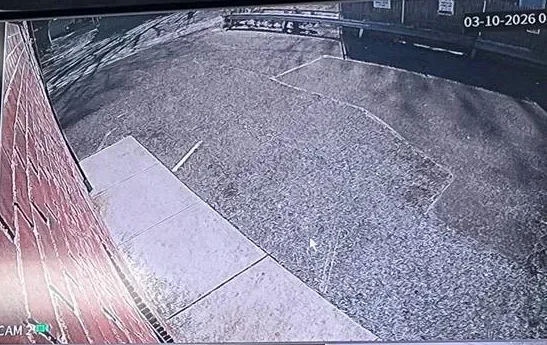
Example photo from an AESS job, not an island property and not the Super Live Plus app: a single night-time playback tile with its date stamp. The stamp is the recorder’s clock; if an outage reset it, the stamp is wrong, which is why we check the clock before exporting anything for police.
Which Recorder, Which App
Rebadged recorders: checking that Super Live Plus is the right app
Look at the recorder’s own menu or its quick-start card. TVT builds recorders that other companies sell under their own names; one US seller, CCTV Camera Pros, sells its Viewtron recorders and cameras with Super Live Plus as the phone app. If the recorder’s network menu has a NAT page with a QR code and the card names Super Live Plus, you are in the right place.
TVT also publishes other apps, such as SuperCam Plus for iPhone, and the developer behind the Google Play listing also lists SuperLiveNVR and NVMS2. A recorder from a different maker entirely will need its own app. Send us a photo of the label and we will tell you which one before anyone visits.
All-in-one camera apps and TVT-made recorders
Sometimes, but do not count on it. A widely read tinyCam forum post says plainly that cameras supported by the Super Live Plus app will not work in tinyCam, and people who have tried to import them report little luck. Owners with several systems, each with its own app, ask the same question on self-hosting forums.
If you need one screen for several brands, the dependable route is a recorder or software that speaks a common camera standard, set up on purpose. We can advise on that, but we will not promise that a third-party app will read your TVT-made recorder until we have tested it.
Offline only while you are abroad: the Domain setting
Yes. Super Live Plus connects through regional servers, and the app has a Domain setting under Settings, then Local. CCTV Camera Pros described a customer who travelled to Canada and saw the recorder offline until the domain was set to Global (autonatglb.com). Changing it on the phone fixed the problem without touching the recorder.
Change it back when you are home if the app asks you to, and if the setting does not help, check the basics first: is the phone on a hotel network that blocks unusual traffic, and does the recorder still show green when someone at home opens the app?
Stores, Offices and Several Locations
Our shop’s recorder shares the internet with the card terminal — can watching the app from home slow down payments?
It can, on a small business line. Every camera you open in full definition sends video up the shop’s connection. Card terminals use very little data, but a saturated upload can still make them slow to connect. The app lets you choose a lower definition for each view, and the recorder can send a lighter sub-stream for remote viewing.
On business visits we set the app to open in the lighter stream, limit how many cameras play at once from outside, and where the router supports it, give the payment equipment priority. If the line is simply too small for the number of cameras, we say so and show you the upload figures.
A Nassau store and a Suffolk store on one phone
Yes. Super Live Plus keeps a server list of devices, and the manual describes an automatic sync that keeps that list when the app is updated. We add both recorders to the owner’s phone with clear names, set up favourite groups so the back doors of both shops open together, and give each store manager their own user on their own store’s recorder only.
Each recorder is priced at its own county’s rate if a visit is needed, but the setup on your phone is done once.
Arranging the Visit
Three photos and two screenshots save most of a visit
Three photos and two screenshots. A photo of the label on the recorder (brand, model and serial), a photo of the provider’s box and router, and a photo of the area around the recorder. A screenshot of the app’s device list showing the icon, and one of any error message. With those, many island jobs are diagnosed before we leave, and some are fixed on the phone with whoever is at the house.
Tell us too who will let us in, and whether the router password is known. If the house is a seasonal one, give us the caretaker’s number; we will agree a time with them and call you from the house.
Example photo from an AESS job, not a Long Island building and not the app itself: one camera’s night view in infrared. If a channel like this shows in the recorder’s own screen but not in the app, the camera is fine and the fault is in the stream or the network.
Equipment
Types of Super Live Plus Equipment We Install
Super Live Plus is the window; these are the boxes behind it. TVT describes its product lines as HD IP cameras, HD coaxial cameras, HD network recorders and HD DVRs, and many of them reach island houses under other companies’ names. We install, configure and replace all six kinds below.
Network video recorders
Recorders for IP cameras, usually with built-in PoE ports on the back so each camera gets power and data through one cable. Most island Super Live Plus systems installed in the last few years are NVRs in a closet or office.
Coaxial DVRs and hybrids
Older and budget systems use HD cameras on coaxial cable, recorded by a DVR. Many hybrid models also accept a few IP cameras, which is useful when one camera is replaced at a time.
IP cameras on their own
Single TVT-made cameras can be added to the app directly, but a camera on its own has nowhere to store more than its memory card. For houses that close in winter, we prefer cameras recording to a recorder.
Network switches and links
PoE switches for extra cameras, and links to outbuildings by buried cable, fibre or a point-to-point wireless bridge. A failed link drops one group of cameras out of the app while the rest stay.
Battery units and surge protection
A battery unit keeps the recorder, router and modem running through short outages and lets them shut down tidily in long ones; surge protection on outdoor cable runs protects the recorder’s ports.
Cellular routers
A router with a data plan, either as the only internet at a remote building or as an automatic standby when the wired line fails, set so the app opens in a lighter stream to save data.
Four routes from an island phone to the recorder, compared
Method
How it is added in the app
Survives a gateway swap?
Our view for island homes
Local address on Wi-Fi
Recorder’s 192.168… address and port
Not relevant — works only at home
Fine as a second entry for the house; never the only one
NAT by QR code or serial
Scan the QR code on the recorder’s NAT page, enter password
Usually yes, because the recorder reaches out to the maker’s server
Our default for houses and small shops
Port forwarding to a public address
Public IP or dynamic domain name plus port
No — rules live in the old gateway
Only with a documented reason, one port, changed password
VPN back to the house or office
A VPN app on the phone tunnels into the house or office network, and the recorder is then opened by its inside address
Needs reconfiguring if the router changes
Good for businesses with an IT contractor
Who fixes an existing TVT system: national brands compared
Company
What they sell
Will they repair a Super Live Plus recorder?
ADT
Monitored alarm and camera systems on their own platform
Their service covers their own equipment; a third-party TVT recorder is outside it
Ring
Wi-Fi doorbells and cameras with a cloud subscription
No; Ring cameras use the Ring app only
SimpliSafe
Self-installed alarm kits with their own cameras
No; their cameras and app are a closed system
AESS
Licensed low-voltage installation and repair across NYC, Long Island and the Hudson Valley
Yes, including recorders bought elsewhere and systems from installers who have closed
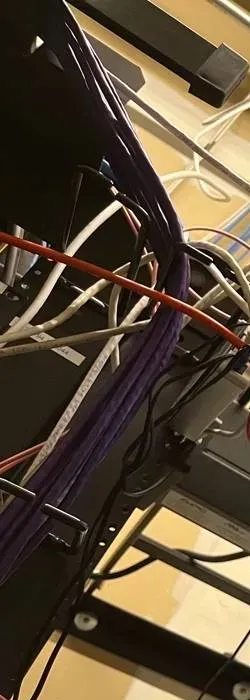
Example photo from an AESS job, not a Long Island office: patch cables running down a rack. In island office parks the recorder often sits in a rack like this on a network managed by an outside IT firm, and the app works only when that firm lets the recorder out to the internet.
AI Overview Reality Check
What AI Gets Wrong About Super Live Plus App Support on Long Island
Our research environment could not open Google’s AI Overview, so nothing here is quoted from it. Instead we test seven claims that appear again and again in generic troubleshooting lists, forum answers and app-help sites about Super Live Plus, and check each against the app’s own documentation, store listings and island conditions.
“Device offline means your internet is down”
It is the first thing most help pages say, and on the island it is often wrong. The app can show a recorder offline while the house internet works perfectly: because the recorder was added by its home address, because a new gateway moved it, because the app’s server region does not match where the phone is, or because the recorder itself has frozen while everything else carried on.
The app’s own list gives a better clue than the word offline. The original manual says green means connected, grey means the connection failed and blinking means it is still trying. CCTV Camera Pros documented a recorder that showed offline only because the owner was in Canada and the domain needed to be set to Global.
So before anyone blames the provider, we test from inside the house and from outside it, look at the recorder’s own network status, and only then decide whether Optimum or Verizon need to be involved.
“Just reboot the recorder and it will reconnect”
A restart does fix some things, and the Google Play reviews describe exactly that pattern: a system that will not connect until it is turned off and on, then fails again the next day. That repeating pattern is the clue. Something is making the recorder lose its connection, and rebooting only clears the symptom.
On the island the usual causes are an address that changes after each outage, a weak Wi-Fi bridge between the closet and the router, a cable crushed in an attic, or a disk fault that hangs the recorder. PSEG’s September 2026 storm caused more than 124,000 outages in three days; a system that needs a human to restart it after each one is not going to cope in a seasonal house.
We look for the reason, fix it, and then prove the fix with a breaker test: the power goes off at the panel, comes back, and the app must find the recorder again with nobody touching anything.
“Delete the app and reinstall it”
This is the most repeated tip and the riskiest. Reinstalling Super Live Plus can lose the device list on the phone, along with saved passwords, favourite groups and local clips, unless the list was synced. The manual describes an Auto syn setting that carries the device list into a new version, but many owners never knew it existed.
On a phone where the recorder was added by its local address, a reinstall changes nothing about the real fault: the phone still cannot reach the recorder from outside. And if the owner no longer remembers the recorder’s password because the app remembered it, reinstalling turns an app problem into a lockout.
Before any reinstall we write down every device on the phone, check whether sync is on, and confirm the recorder password works. Most of the time no reinstall is needed at all.
“Super Live Plus recorders are banned like Hikvision”
We hear this from owners who read about the FCC’s actions against Chinese camera makers. The FCC’s Covered List names Hikvision, Dahua and Hytera video surveillance equipment, along with Huawei and ZTE telecommunications equipment. TVT was not among the entries we read on October 18, 2026.
Even for the companies that are on the list, the FCC’s 2026 order dealt with importing and marketing covered equipment, not with owners continuing to use what they already have. TVT published an NDAA compliance statement on its news page in January 2025; it is posted as an image, and we have not relied on its contents for any advice.
What matters for an island owner is simpler: is the recorder still supported by its maker, does it accept firmware updates, and is it reachable only through the routes you choose? Those are the questions we answer on site.
“Forward the recorder’s ports on your router and the app will work”
Port forwarding was the standard method for years, and the Super Live Plus manual still describes it, along with UPnP. It works until the gateway changes, and on Long Island gateways change often: Optimum’s fibre rebuild alone passes nearly 900,000 homes and businesses. Each swap starts with no rules.
An open port also exposes the recorder’s login page to anyone who scans for it. If that recorder still has its factory password — the manual lists admin and 123456 as the default — an open port is an open door.
For homes and small shops we use the recorder’s NAT service instead, which needs no open ports. Where a port must be forwarded, we forward one, to a reserved address, with a changed password, and we write it down.
“The app stores your video in the cloud”
Not unless you set up something extra. In Super Live Plus, remote playback reads the recording on the recorder’s own hard disk, as the manual says. The app’s Google Play data-safety section states that no data is collected and none is shared with third parties.
That has two consequences. First, the video is only as safe as the recorder: if the recorder is stolen, flooded or its disk dies, the app has nothing to show. Second, the clips you save on the phone are kept on the phone, in the app’s own folder, and can fill it.
For island houses we therefore care about where the recorder sits and whether it is on a battery, and we teach owners how to export the clips they need to keep.
“Registering with the police lets them watch your cameras”
This worries owners in both counties, and it is not what the programs say. Suffolk’s Camera Registry Program records camera locations so detectives can ask owners to check a date and time; video retrieval is arranged at the owner’s convenience. Garden City’s village program states that it does not provide access to privately owned camera systems.
Suffolk does describe a separate emergency system that can remotely access previously authorized IP video systems in a true emergency, and says partners can opt in or out at any time. That is a deliberate, separate decision and it involves the department being authorized in advance.
The app plays no part in either program. We can help you export footage when you are asked for it and explain what joining either registry involves, but the choice stays with you.
Find Out How Your Phone Reaches the Recorder Before the Next Storm
Tell us whether the app works on cellular, who your provider is and who is at the house in winter, and we will tell you whether the next outage or gateway swap will knock Super Live Plus offline — before anyone drives out from Brooklyn.
A Super Live Plus repair is easier to price than most people expect. Tell us the town, the recorder brand or a photo of its label, your internet provider, what the app shows and whether anyone can meet us at the house. A screenshot of the device list is worth a paragraph of description. You get an answer the same business day, or call (800) 486-0943.
✅
We Got Your Request!
Received. An island scheduler will call you today about the recorder, the app and who needs to be at the house. If the cameras have gone dark and you need them tonight, ring (800) 486-0943 now.
How It Works
Our Installation Process
Every island Super Live Plus job runs through the same seven stages, whether it is a single phone that cannot connect in Massapequa or three recorders across two counties. Nothing on the recorder is changed until we have recorded how it was set up.
1. Screenshots, label photo and the provider
Before anyone travels we look at the app’s device list, any error text, the recorder’s label and the provider’s box, and ask who installed the system. Many faults are identified at this stage, and a few are fixed on the phone.
2. Line up the people and the keys
We agree who will let us in, who knows the router password and the recorder’s admin password, and, for seasonal houses, when the caretaker can meet us. Without the admin password some fixes need the maker’s reset route, which takes longer.
3. Read the recorder on site
At the recorder we check its screen, disk status, clock, network settings and user list, and note how the app was connecting before we change anything.
4. Fix the network path
We test the cable or bridge to the router, reserve the recorder’s address, enable its NAT service and close any port forwarding that is not needed, in agreement with you and any IT contractor.
5. Rebuild the phones and the users
Each family phone or staff member gets the recorder added by QR code with their own recorder user and only the rights they need; former users are removed and shared passwords are changed.
6. Prove it with the breaker and the cellular test
We switch the power off at the panel and back on; the recorder and router must return on their own and the app must find the recorder again. Then every phone is tested with Wi-Fi off.
7. Hand over in writing
You get the handover sheet with model, address, connection method, users, firmware date and alerts, and we note anything that should be replaced before it fails.
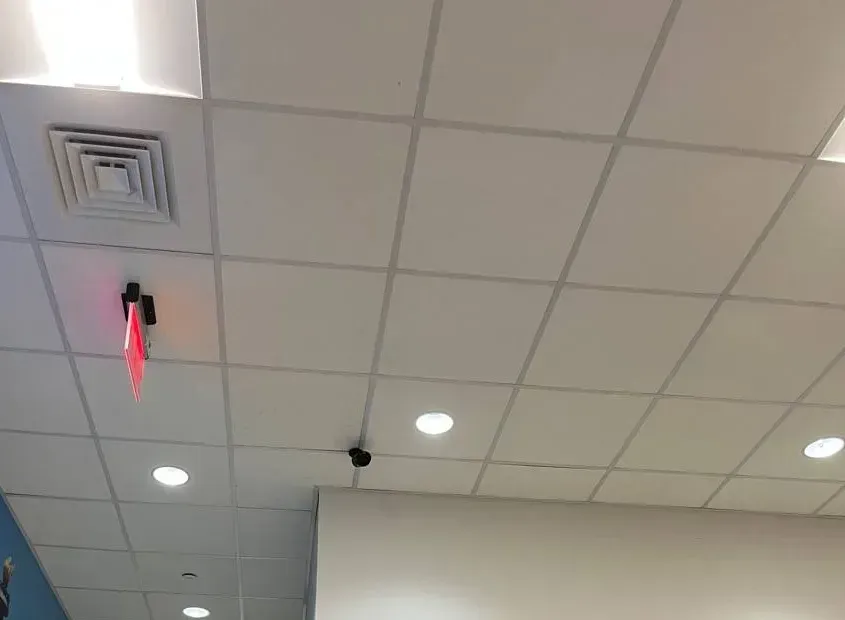
Example photo from an AESS job, not a Long Island office: a small ceiling camera near an exit sign. When we finish, every camera like this one has to appear in the app on a phone using cellular data, not just on the office Wi-Fi.
Coverage Area
Super Live Plus App Support Near Long Island’s Landmarks
Six places that explain, between them, why island app repairs are planned the way they are. They are reference points, not customers; we do not claim any job at any of them.
Levittown
17,447 houses built between 1947 and 1951 on concrete slabs. The model for the island’s recorder-in-a-closet, router-in-the-hall layout, and for the long attic cable runs that join them.
Garden City Police, 349 Stewart Avenue
Home of the village’s voluntary Private Camera Registration Program, which says it gives officers no access to private systems but lets detectives ask to inspect footage from a set period.
Old Country Road, East Garden City
A retail corridor where Nassau County police released video in January 2026 of a rear delivery-door burglary on the evening of January 14 — a reminder that owners need to find exact minutes fast.
Uniondale
The dateline of PSEG Long Island’s storm updates; on September 28, 2026 the utility reported more than 124,000 outages over 72 hours among its 1.2 million customers.
Riverhead
Suffolk’s county seat and the gateway to the North Fork, where houses grow further apart, drives get longer and more owners rely on the app for the days they are not there.
East Hampton
A town where the 2026 housing assessment counted 47% of 44,227 housing units as seasonal or occasional-use: recorders that must keep the app online with nobody on site.
We also serve Elmont, Valley Stream, Lynbrook, Rockville Centre, Oceanside, Long Beach, Baldwin, Freeport, Merrick, Bellmore, Wantagh, Seaford, Massapequa, Levittown, Hicksville, Bethpage, Plainview, Syosset, Westbury, Mineola, Garden City, Great Neck, Manhasset, Port Washington, Glen Cove, Oyster Bay, Huntington, Northport, Commack, Smithtown, Hauppauge, Babylon, Lindenhurst, Bay Shore, Islip, Sayville, Ronkonkoma, Patchogue, Medford, Shirley, Riverhead, Mattituck, Southold, Greenport, Westhampton, Southampton, Sag Harbor, East Hampton, Amagansett and Montauk.
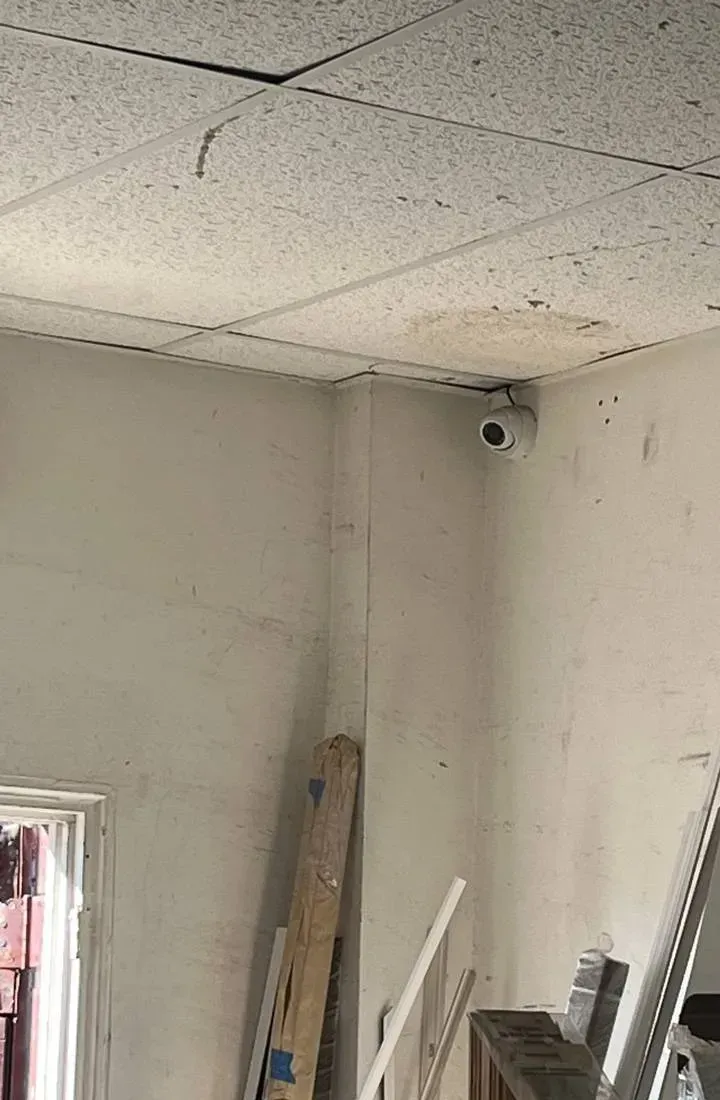
Example photo from an AESS job, not a specific island property: a turret camera high in a storeroom corner. In garages and storerooms the camera is often the closest thing to the recorder and the router, and the first one an owner notices missing from the app.
Pricing
Super Live Plus App Support Cost on Long Island
Super Live Plus repair is mostly labour and coordination, so most island jobs are priced by the visit. Diagnosis from the phone call, screenshots and a label photo costs nothing. On-site repair is billed at our standard service rate. When the recorder itself has to be replaced, we use our published recorder replacement figures with the county factor applied: 1.15 for Nassau and 1.20 for Suffolk, set against our Brooklyn base. We do not sell a monthly plan for app support.
Job
Nassau
Suffolk
What moves it
Diagnosis by phone, screenshots and label photo
$0
$0
Nothing — we tell you whether it looks like the app, the network or the recorder before anyone travels
On-site app, network and access repair
$195 an hour, 3-hour minimum ($585)
How many phones and users, whether the provider or an IT contractor must attend, whether the admin password is known
4-channel recorder replacement
$518–$805
$540–$840
Disk size for the days you keep, whether your cameras are compatible
8-channel recorder replacement
$748–$1,150
$780–$1,200
More channels to name and share, larger disk
8-channel hybrid recorder
$920–$1,380
$960–$1,440
Accepts coaxial and network cameras, for houses with older cameras still in place
16-channel recorder
$1,380–$2,530
$1,440–$2,640
Shops, offices and estates with many cameras, more users
32-channel recorder
$2,530 and up
$2,640 and up
Large properties, quoted after a walk-through
The service rate is the same in both counties and covers the technician’s time on site. Recorder figures include the box and disk installed and configured on your existing cameras where they are compatible; replacement cameras are quoted one by one.
What raises or lowers an island figure
The admin password. If nobody knows it, recovering access through the maker’s documented route can add time, and sometimes a second visit.
The provider or IT firm. If Optimum, Verizon or a business’s IT contractor has to make a change, their schedule sets ours.
Distance between buildings. Outbuildings linked by fibre or a wireless bridge add testing time when one group of cameras drops out.
Caretaker visits. Seasonal houses where the caretaker meets us are straightforward; a second trip because no one could open the house is billed at the same rate.
Several recorders. Two shops or a house and a business on one app list are set up in one visit where possible.
Preparation. Screenshots, a label photo and the router password sent ahead shorten most visits.
If replacement cameras are part of the plan, the camera calculator gives a first figure, and Long Island camera pricing compares brands; the written quote always applies the Nassau or Suffolk line.
Get a Written Island Price Before the Visit
Most Super Live Plus jobs can be priced from two screenshots and a label photo. Send them and we will tell you whether it is a single service visit or a recorder replacement, and which county line applies.
Three starting points at island rates. The first is free, the second covers most app, network and access repairs, and the third is for when the recorder itself has to go. Where two figures are shown, the first is Nassau’s and the second Suffolk’s.
Remote Triage
$0. Phone call, screenshots and label photo. We tell you whether the problem is the app, the network or the recorder, who needs to be at the house, and what the visit will cost. Some faults — a Domain setting, a phone added by its local address — are fixed on the call.
On-Site Repair Visit
$195/hr · 3-hr min ($585). App, network and access in one visit: remote access rebuilt through NAT, a reserved address on the router, clock and alarms set, users created and removed, the breaker and cellular tests, and a handover sheet for the house file.
Recorder Replacement
$518–$2,640. 4- to 16-channel, at Nassau or Suffolk rates. A new recorder and disk on the cameras you have, app access and users rebuilt, and the old disk kept readable for footage you need to retain. Larger systems are quoted after a walk-through.
Already bought the equipment? Labor-only work
If you bought a recorder, cameras or a cellular router yourself — from a warehouse club, an online seller or a store on the turnpike — we install and configure them at the service rate. Before the visit we check that the recorder accepts your cameras and supports the app connection you want, and we tell you if a model is one the maker no longer updates. Each recorder, disk and camera carries its maker’s own warranty where the maker honours it; our own terms are set out in the service agreement, summarised at the foot of this page.
Complete Services
Every Super Live Plus App Support Service on Long Island
The app is one part of an island security system. These Long Island pages cover the rest, so a single visit can deal with whatever is connected to it.
Field Notes: Test the App With the Wi-Fi Switched Off
“If I could ask every island homeowner to do one thing, it would be this: stand in your own kitchen, turn Wi-Fi off on your phone, and open Super Live Plus. Half the calls we take from Nassau commuters and East End owners would never happen, because they would find out on a quiet Sunday that their recorder was only ever added by its home address. The installer tested it from the living room, saw green and left. It works perfectly until the first morning on the train. The second thing is the breaker test. After a big storm the cameras are almost never the problem; it is the order in which the modem, the router and the recorder came back. If you have never switched the house off at the panel and watched the app find the recorder again by itself, you do not yet know whether your system will survive a winter with nobody there. Those two tests take ten minutes, and we do both before we leave every job.” — Anwar Timothy, NYS low-voltage license #12000287431
FAQ
Long Island Super Live Plus App Support FAQ
Can you set up the app for a caretaker who looks after several East End houses?
+
Yes, and it is one of the most useful things we do out east. Each house gets its own recorder user for the caretaker, with live view and playback but no rights to change settings, and each recorder is added to the caretaker’s phone under a clear name, such as the road and the house name, so there is no confusion at two in the morning. When the caretaker changes, you delete one user per house and everyone else is untouched. We also leave a one-page restart note at each house so the caretaker knows what to check before calling.
Will updating the app on our phones break the link to an older recorder?
+
Usually not, but it is worth checking before a big trip. The October 8, 2026 update added account switching and fixed known issues, and earlier updates have occasionally caused trouble: Google Play reviewers described the app signing them out repeatedly for several weeks in 2024 until a later version fixed it. Before updating, make sure the device list is synced and you know the recorder’s password, so that if anything changes you can add the recorder again in a minute.
Our house is already monitored by an alarm company — will your work on the cameras interfere with it?
+
Normally not. The alarm panel and the camera recorder are usually separate systems, and the Super Live Plus work happens on the recorder, the router and the phones. What can overlap is the router: some alarm communicators use the same internet connection, so before we change router settings we look at what else is plugged into it and, if needed, let the alarm company know. If you want the cameras and the alarm to work together, we can talk to them about what their equipment supports.
Does somebody need to be at the house, or can you fix it remotely?
+
Some faults can be fixed remotely, such as a phone added by its local address or a wrong Domain setting, because they live on the phone. Anything on the recorder or the router needs someone on site: either us, or a person at the house following our instructions on the phone. For seasonal houses we arrange a time with the caretaker and test from the owner’s phone wherever they are.
Our recorder is several years old — how do we know whether it still works with the current app?
+
Start with the recorder, not the phone. If its network menu has a NAT page with a QR code, the current Super Live Plus can almost always reach it, and the app’s About screen has a Detect new version button for the phone side. If the recorder has no NAT option, it can still be reached by an address and a forwarded port, which we only set up with a changed password and one port. If the maker no longer offers firmware for it, we say so in writing and price a replacement that keeps your cameras.
Is it safe to give your technician the recorder’s admin password?
+
You need to share it for the visit, and you should change it afterwards if you prefer; we will help you do that before we leave. We never keep customers’ passwords on our handover sheets or in our records. If you would rather not tell us the existing one, we can work with you on the phone while you type it in, and we create a new, separate admin login that only you know at the end.
What happens to our recorded footage if the recorder has to be replaced?
+
The video lives on the old recorder’s disk, not in the app. When we replace a recorder we keep the old disk readable, either by leaving the old recorder powered for as long as you need its footage or by exporting the clips you want to keep before it is removed. If footage may be needed for police or an insurance claim, tell us before the visit so we export it first.
Can a relative who prefers another language use Super Live Plus?
+
Very likely. Apple’s App Store lists the app in English and 32 more languages; during the visit we check that your relative’s language is among them and set their phone to use it. We can set up the relative’s phone during the visit and leave a short printed note of where live view and playback are, so they can find the cameras without calling you.
Can we move the recorder to our other house and keep the same app setup?
+
Yes, though the app entry may need changing. If the recorder was added by QR code through its NAT service, it should reappear once it is connected to the internet at the new house. If it was added by an address, that address will be wrong at the new house. The recorder also needs the right time zone and a reserved address on the new router, which we set when we install it there.
All Areas Served
Super Live Plus App Support Across Long Island, New York City and the Hudson Valley
You are on the island-wide overview. For town-level detail and a single county price, open the Nassau or Suffolk page; Super Live Plus repair in the five boroughs and north of the city is explained on the NYC and Hudson Valley hubs and their area pages.
Every fact and figure above comes from one of these, checked on October 18, 2026. Prices are our own: the protected service rate and our recorder replacement base figures multiplied by the published Nassau and Suffolk factors. Resident forum posts are anecdotes, not data.
Cameras Missing From the App Tonight? Get on Today’s Island Schedule
Grey icon since the provider came? Fine at home and blank on the train? A house out east that you cannot see from wherever you are? Dial (800) 486-0943; the scheduler offers the first free slot in Nassau or Suffolk, and on most visits the recorder is back in the app within the first hour or two.
Nassau to Montauk, One Licensed Low-Voltage Team
From Elmont to Orient Point it is the same number, (800) 486-0943. Screenshots of the app and photos of the recorder label can go by WhatsApp. Abstract Enterprises Security Systems · 1282 Troy Ave, Brooklyn, NY 11203
Our Google rating stands at 4.7★ across 201 reviews. The low-voltage work is licensed by New York State under #12000287431, insurance certificates are available on request, and a written answer reaches you the day you ask, whether the recorder is in a Levittown closet or a barn in Southold.
What you receive in writing: the handover sheet for your system and, for any recorder, disk or battery unit we supply, its maker’s warranty. Full terms — including 50% deposit, one-year parts-only warranty on AESS-supplied products, and the late-fee schedule — are set out in the service agreement. Ask and we will attach the agreement to your quote; the warranty page explains how a claim works.
Page reviewed and updated October 18, 2026. Changelog: Long Island Super Live Plus hub rebuilt from new research on the app’s store listings, release notes and manual, TVT-made recorders sold under other brands, NAT and port-forwarding behaviour, Optimum’s fibre rebuild, PSEG Long Island’s September 2026 storm, East End seasonal housing, and the Suffolk and Garden City camera registries; recorder prices now follow the published Nassau and Suffolk multipliers.