Super Live Plus App Support & Repair on Staten Island
Dark Tiles · Wet Coax Ends · Salt-Worn Cameras · Raised-House Rewiring · Outage Resets · Driveway Night View
On Staten Island a Super Live Plus complaint usually starts with one square, not the whole app. The driveway tile is fine, the backyard tile is black, the garage tile flickers when it rains. That is because most island systems are TVT-made hybrid recorders feeding long outdoor cable runs around a detached or two-family lot, and those runs live through salt air, wind that brings down overhead wires, and houses that were lifted and rewired after Sandy. We read the recorder’s channels first, fix what is outside, then make sure the phone shows every camera clearly at night, whether you open it in the kitchen, at the ferry terminal or at work across the bridge.
Reviewed and updated October 18, 2026, against the SuperLive Plus manual and store listings, Con Edison and Staten Island Advance outage reports, the city’s Sandy recovery and flood-construction records and the 2013 overhead power-line study · Anwar Timothy, NYS license #12000287431 · island visits are booked from Troy Avenue in Brooklyn
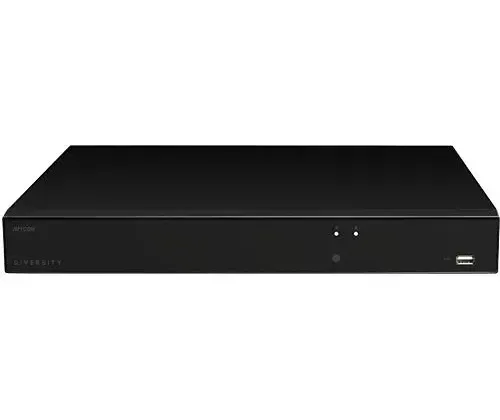
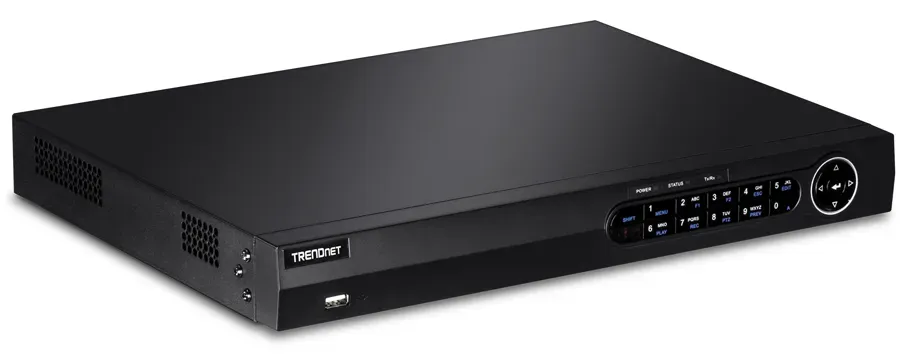
Manufacturer product photo, not an installed unit and not identified as a TVT model: a low black desktop recorder with two status lights and a front USB port. Boxes like this sit in Staten Island basements, garages and hall closets, and every camera tile in the Super Live Plus app is one input on the back of one of them.
Staten Island Super Live Plus Repair Request
Tell us the neighborhood, which tiles are dark and what changed — we call back the same business day
✅
Request Sent!
A technician will call you back about the cameras the same business day.
25+
Years Experience
✓
Same-Day Estimates
100%
Licensed & Insured
4.7★
201 Google Reviews
One tile black, the rest working? Take a photo of the recorder’s own monitor showing every channel, a screenshot of the same view in Super Live Plus, and a picture of the camera that went dark from the ground. Those three images tell us whether the fault is outside on the cable, at the camera’s power supply or inside the recorder, before a truck crosses the Verrazzano. Call (347) 934-8335.
We look at what you send for free; only the time spent at your house is charged
Connectors, camera power supplies and coax ends are carried on the truck, so most single-channel faults are fixed in the same visit
Mornings, evenings and weekends on the island, with the arrival window given to you two hours wide; licensed under NYS #12000287431
Why Staten Island Properties Need Super Live Plus App Support
Super Live Plus is the free phone viewer for recorders made by Shenzhen TVT Digital Technology and sold under many other labels; Google Play lists TVT (HK) Limited behind it and more than five million installs. The app itself is the same in Tottenville as in Times Square. What differs is the system it is looking at. The Citizens Housing & Planning Council, working from the 2023 housing survey, found that 83 percent of Staten Island’s homes are in one- or two-family buildings, and Census tables count more than sixty thousand detached single-family houses in Richmond County, with a median year built of 1974. A camera system on a lot like that is a ring: a camera over the front steps, one down each side yard, one on the driveway, one on the back fence or the detached garage. Each of them is a cable run of its own, often thirty to eighty feet, and most of each run is outdoors.
That shape changes what “Super Live Plus isn’t working” means. In an apartment the usual failure is the internet path, and the whole recorder goes grey in the device list. On an island house the internet is often fine and the recorder is online, but one or two of its tiles are black. The SuperLive Plus manual shows a small set of status marks on each channel in live view, video loss among them, and even lets the phone sound an alarm when a channel loses video. When a tile says video loss, no app setting will bring it back. The fault is between the recorder’s back panel and the camera: a connector that took on water, a power supply that died in the garage, or a cable that was cut, crushed or pulled during work on the house.
The island’s weather and wiring make those faults common. A 2013 city study of power lines found that 72 percent of Staten Island’s installed electric wire ran overhead, about 7,140 miles, far more than any other borough. When Tropical Storm Isaias hit in August 2020, Con Edison reported 29,000 Staten Island customers out. A short, violent storm on July 25, 2025, cut power to about 21,000 island customers, most along the eastern shore, and a nor’easter on September 25 and 26 of this year knocked out 1,663 more, according to Con Edison figures reported by the Staten Island Advance. Every one of those events reboots recorders, kills cheap camera power supplies and leaves some coax ends wet. The calls that follow are rarely about the app. They are about what the storm did to the wires the app depends on.
Then there is the shore itself. The city’s Sandy recovery office counted more than 11,700 buildings on the island in areas that flooded, about nine in ten of them one- and two-family homes, and Build It Back served 1,982 Staten Island homeowners. Many of those houses were lifted, and the city’s flood-construction rules in Appendix G of the Building Code require utilities and their equipment to sit at or above the design flood elevation. A recorder that once lived in the basement next to the cable modem now sits two floors up; the camera cables were cut, extended or left hanging; and the phone that used to show eight cameras shows five. Add salt air on the cameras that face the bay, and a car-theft wave that, the Advance reported in July 2026, has owners checking their driveways at night, and you have the Staten Island version of Super Live Plus support: start outside, prove every channel, then make the phone view worth opening.
The internet side matters too, just less often than on the other side of the bridge. Verizon said years ago that its fiber already passed virtually all Staten Island premises, and Spectrum advertises service across the island, so most houses have a wired line rather than a phone hotspot. That is good news for remote viewing, with one catch that is very island-specific: the modem or fiber box usually lives where the line enters the house, which on a raised or renovated house may now be a utility closet one floor away from the recorder. Whenever the provider swaps that box, or moves it during work on the house, the recorder’s cable has to follow.
What island records say about camera systems here
83% of Staten Island homes are in one- or two-family buildings (CHPC, 2023 housing survey data), so most systems are outdoor camera rings around a single lot.
72% overhead: about 7,140 miles of Staten Island electric wire ran above ground in the city’s 2013 power-line study, against 12 percent in Brooklyn.
29,000 island customers lost power in Tropical Storm Isaias (Con Edison, August 2020); about 21,000, mostly on the eastern shore, on July 25, 2025.
1,663 island customers reported outages in the September 2026 nor’easter, 111 still without power the next morning (Con Edison via SILive).
11,700+ island buildings sat in Sandy’s flooded areas, about 90 percent of them one- and two-family homes (NYC Sandy recovery office).
Free Wi-Fi is offered in both Staten Island Ferry terminals, St. George and Whitehall, a network many commuters try the app on.
When a dark tile turns out to be a camera that cannot be saved, our Staten Island camera repair crew swaps it on the same visit, and when the recorder itself is the problem, the Staten Island DVR upgrade team keeps the coax you already have.
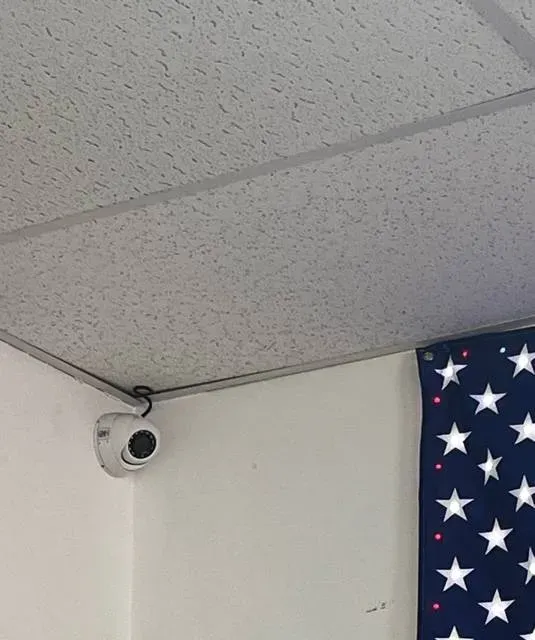
Real AESS job photo from another site, not a Staten Island property: a small white dome camera held on a black bracket in a ceiling corner, its cable running along the wall edge, with part of a flag hanging beside it. Every camera like this is one channel; when its cable or power fails, only its own tile in the app goes dark.
Cameras Dark After a Storm on Staten Island: Same-Day Super Live Plus Repair
If the cameras went dark after last night’s wind, call (347) 934-8335. We book the next open two-hour window on the island. Most systems are showing every tile again within one to two hours of arrival, because the usual causes — a wet or corroded connector at the camera, a dead plug-in power supply in the garage, a recorder that came back from an outage with the wrong network settings, a cable cut during siding or deck work — are fixed with parts we carry.
A two-minute look before you call. You do not need any password for these, and each answer tells us which part to bring.
Count the dark tiles. All of them dark in the app means the recorder or its internet. One or two dark means those cameras, their cables or their power.
Check the recorder’s monitor. If the same tiles are black on the recorder’s own screen, the phone is innocent. If they show there but not on the phone, the problem is the stream the phone is asking for or the connection.
Look at the camera after dark. A ring of faint red lights around the lens means the camera has power. Then the fault is almost always the video side of the cable or the connector.
Find the camera power supply. Many island systems run every camera from one box or power strip in the basement, garage or utility room. If its light is off, or it sits on a tripped outlet, that is the whole story.
Think about the last week. A storm, a power cut, a new roof, siding, gutters, a fence, a deck, a new Fios or Spectrum box — write down what happened and when.
After a storm: the order we check things
Storm calls come in waves on the island, so we work them the same way every time. First the recorder: is it running, is its clock right, did it come back on the network by itself after the power returned. Second the power for the cameras: the box or strip in the garage or basement, its outlet, its fuse or reset button. Third the outdoor ends of every dark channel, starting with the ones on the windward side of the house and any that run beside a gutter. Fourth the long runs to the back of the lot, which are the most exposed. Only then the phones. Working in that order means we never spend an hour on the app for a camera that lost power in the garage.
If a storm left the basement or the area under a raised house wet, we treat any equipment that sat in water as suspect. A recorder that was submerged should not be switched on to “see if it works”; its drive may still hold footage that a powered-up short would destroy. We take it out, copy what can be copied on a bench, and replace it.
What the app and recorder show
What it usually means on the island
Where we start
One outdoor tile black, video loss on both screens
Water or corrosion at the outdoor connector, a crushed or cut run, or that camera’s power
The camera end of the cable, then the power supply
Several tiles black at once, all on one side of the house
A shared power supply or power strip failed, or the cables share a damaged route
The power box and the common route along the wall
Tile rolls, flickers or goes black when it rains
Moisture getting into a splice or connector that dries out again
Re-make the connection, seal it, add a drip loop
All tiles grey in the app, fine on the recorder’s monitor
The recorder lost its route out after an outage or a router change
Recorder network screen, cable to the router, NAT status
Tiles fine but the night view is a smear on the phone
The phone is showing the low-resolution stream, or the camera’s infrared is reflecting off something close
Stream settings in the app, then the camera’s aim and housing
Cameras missing since the house was raised or renovated
Runs were cut or rerouted and never rejoined, or plugged back into different inputs
Trace each run, re-terminate, rename the channels
What We Install
Super Live Plus App Support Services on Staten Island
The work we do on island Super Live Plus systems, roughly in the order the jobs arrive. Most visits after a storm combine the first three.
🔌
Dark-channel tracing
Every dark tile is followed from its input on the recorder to the camera on the wall: connector, splice, cable route, camera power. We mark each fault on a sketch of the lot so the owner sees where the cable actually goes.
💧
Outdoor connector rebuilds
Wet or green connectors cut back and re-made, splices moved indoors or into sealed boxes, drip loops added under each camera, and the runs that hug a gutter or downspout moved off the water path.
⚡
Camera power after outages
Failed plug-in adapters and multi-camera power boxes replaced, outlets checked, and the recorder, router and camera power put on a small battery backup so a short Con Edison blip does not take every tile with it.
🏠
Raised-house reconnection
When a house was lifted or gutted, we find the cables that were cut or left coiled, extend or replace them along a protected route, bring the recorder up with the living floor, and get every camera back into the app.
🌙
Night view tuned for the phone
Main and sub-stream set so the driveway and side yards are readable on cellular data, infrared glare from eaves and gutters removed by re-aiming, and a test from the curb after dark before we leave.
🔔
Alarms when a camera dies
The app can sound an alarm when a channel loses video. We set that on the phones that need it, so the owner learns the backyard camera is dead the night it fails, not the morning they need its footage.
📋
Channel names that match the house
After rewiring, tiles often point at the wrong place. We put each camera on a sensible input, name it in the recorder and the app (Driveway, Left Side, Garage), and keep the same order on every family phone.
🔄
Camera or recorder replacement
A camera that salt or water has finished is replaced with one that suits the recorder input it uses. A recorder that is failing is replaced through our DVR upgrade team, keeping the coax runs that test good.
What we do not do is sell an app subscription or a monitoring contract with any of this. The work is done once, written down, and the system is yours; if it needs us again after the next big storm, the sketch we left tells whoever comes exactly where each cable runs.
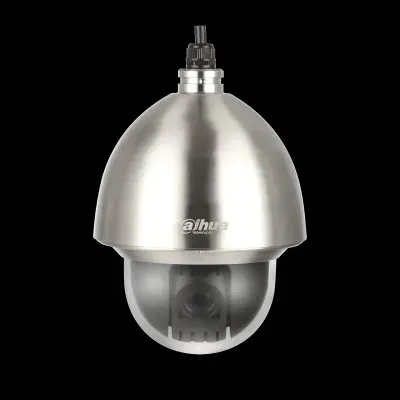
Manufacturer product photo of a stainless steel camera housing on a stainless bracket, not an installed unit. Housings and fixings of this kind are what makers sell for salt spray; on the island we suggest them only for cameras that face the water directly, such as bulkheads, docks and bay-front yards.
Building Specialists
Super Live Plus Support for Staten Island’s Architecture
The house decides where the cables run, and the cables decide which tiles fail. These are the island property types behind most of our Super Live Plus calls.
Detached houses with side yards
Mid-Island and South Shore houses with a camera on each corner and a run down each side yard. The side-yard runs are the long ones, and they are the ones that get stepped on, mowed over or pinched by a gate.
Two-family high-ranches
One family upstairs, one down, a shared driveway camera and a recorder that sits on one family’s floor. When the recorder is downstairs and the router upstairs, the cable between them matters as much as the cameras.
Semi-attached rows
New Dorp, Dongan Hills and newer South Shore blocks of attached pairs, with tight side passages and a common wall. Cameras often sit on the neighbor’s side of a shared drive, and some runs cross a property line.
Raised shore houses
East and South Shore homes lifted after Sandy, with parking or storage underneath and the living floor a full storey up. Recorders moved, cameras climbed, and many cables were never rejoined.
North Shore older houses
Victorian and early twentieth-century houses near St. George and New Brighton, with porches, deep eaves and plaster walls. Cable runs go outside more often here, because fishing them inside is hard.
Houses with a detached garage or shed
A camera on a garage at the back of the lot is the longest run on the property and often the only one that crosses open ground. It is the tile most likely to fail, and the one owners care about when cars are being tried at night.
How island construction changes the repair
Eaves, gutters and siding. Most outdoor cameras on island houses hang under an eave or on vinyl siding, with the cable dropping straight behind a gutter or a downspout. Water follows the cable. If there is no loop below the camera, every rainstorm sends a little water to the connector, and after a few seasons the copper turns green and the tile starts to flicker. We cut back to clean conductor, re-make the end, seal it and give the cable a loop so water drips off before it reaches the joint.
Raised houses. On a house that was lifted, the space underneath is for parking, access and storage, and Appendix G of the city’s Building Code expects utilities and their equipment to be at or above the design flood elevation. We treat the recorder the same way: on the living floor, beside or near the router, on a battery backup, with every camera run coming up to it through one protected route instead of a tangle of extensions under the house.
Two families on one recorder. In a two-family, the recorder belongs to the owner but often sits on the tenant’s floor or uses the tenant’s internet. We prefer to move it to the owner’s side with a wired connection to the owner’s router, so a tenant changing providers does not take the cameras offline. Where that is impossible, we document which router it depends on.
Long runs to the back of the lot. A coax run to a detached garage passes through soil, along fences or overhead from the house. Buried runs not in conduit fail at the joints; overhead runs fail where they rub. We test each long run end to end before deciding between a repair and a new cable, and we tell the owner which one is cheaper over five years, not just this week.
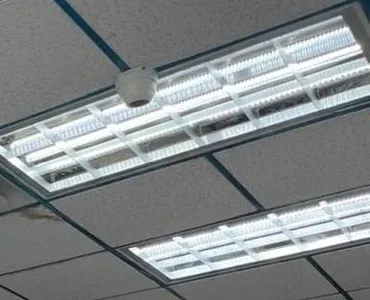
Real AESS job photo from another site, not a Staten Island home: a white dome camera fixed to a grid ceiling right beside a long light panel. Inside a raised or renovated house, the cameras that stay indoors rarely fail; it is the cable that used to pass through the old basement that we check first.
Commercial Super Live Plus Support
Business Super Live Plus Support on Staten Island
Island businesses sit on long boulevards rather than dense blocks, so their cameras watch parking, yards and loading as much as aisles. These are the corridors and trades we see most.
Hylan Boulevard storefronts
The longest street in the city runs from Rosebank down the East and South Shores to Tottenville. Strip stores along it have a few indoor cameras and longer runs to the front lot, and the lot runs are the ones that fail after storms.
Richmond Avenue strips
Pad sites, restaurants and service shops along the West Shore and Mid-Island stretch near the Staten Island Mall, where the landlord may own the lot cameras and the tenant owns the inside ones.
Forest Avenue shops
The North Shore corridor through West Brighton and Mariners Harbor, with its own business improvement district. Delis, salons and small offices with a recorder under a counter or in a back room.
Auto shops and contractor yards
Yards with cars and equipment overnight, cameras on poles or the far side of a lot, and owners who check from home after closing. The farthest camera is always the one with the weakest picture.
Marinas and bay-front businesses
Cameras that face the water directly, on bulkheads and docks. These are the only island cameras where we suggest stainless or marine-rated housings, because salt spray reaches them every windy day.
Small offices and medical suites
Recorders on business internet with an IT contractor or a landlord’s network. These jobs are about getting the recorder onto the right network segment and agreeing who may view which cameras.
Rules and practical points for island businesses
Plate readers. The Staten Island Advance reported in September 2026 that several island businesses run their own Flock plate-reading cameras, and that the data from privately owned cameras belongs to the owner. A plate reader is a separate system from a Super Live Plus recorder; we do not mix them on one login.
Sound at the counter. Plenty of island shop systems have a microphone channel switched on that nobody remembers. Penal Law 250.05, the state’s eavesdropping statute, treats taping a conversation that no participant agreed to as a crime, so our default is to turn those channels off unless a lawyer tells the owner otherwise.
Neighbors. Civil Rights Law 52-a gives a neighbor a private right of action against someone who sets up a camera to record their backyard with intent to harass or alarm. We aim lot and yard cameras at the business’s own ground and use privacy masks where a view crosses a fence.
Precincts. Island footage goes to one of four precincts — the 120th on the North Shore, the 121st on Richmond Avenue, the 122nd on Hylan Boulevard in New Dorp and the 123rd on Main Street in Tottenville. We leave a note of which one covers the address with the hand-over sheet.
Exposure. TVT’s NVMS-9000 firmware before version 1.3.4 had a flaw, CVE-2024-14007, that disclosed admin credentials to anyone who could reach its control port, and a 2025 scanning wave went looking for such recorders. Port forwards left from an old setup are closed once the app works another way.
Licensing. Camera and recorder work is done under our NYS low-voltage license #12000287431, with certificates of insurance for landlords and strip-center managers on request.
Who watches, and from where. Island business owners rarely live above the shop. The owner of a Hylan Boulevard store may live in Annadale; the yard owner on the West Shore may live in New Jersey. That makes the app the main way anyone sees the cameras after closing, so we set each business system up for the person who will actually open it at night: a readable lot view on cellular, a video-loss alarm on the owner’s phone, and a separate, limited login for any manager, so the owner’s admin password never ends up on a shared counter phone.
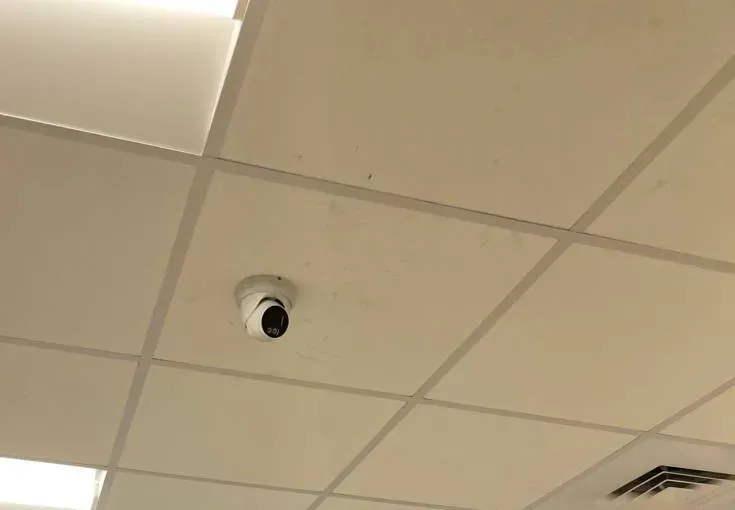
Real AESS job photo from another site, not a Staten Island store: a small white turret camera on a beige drop-ceiling tile, with a light panel at the edge of the frame. Shops on the boulevards usually have a few cameras like this inside and longer runs outside to the lot, and the outside runs are where their tiles go dark.
Your Questions Answered
Super Live Plus on Staten Island: Questions Answered
These are the questions island owners ask us most, grouped by where the fault really sits. Account, password and network-security questions that are the same everywhere are answered on the NYC Super Live Plus hub; this page keeps to what Staten Island houses and shops do to a camera system.
Dark tiles and the cable outside
On a house with a ring of outdoor cameras, the first job is to tell a channel fault from an app fault. These three questions cover nearly every call that starts with a black square.
One tile in Super Live Plus shows the driveway and the one next to it has been black since the nor’easter — is the app broken or is it the camera?
If the other tiles from the same recorder are live, the app and the internet are working; the app is showing you exactly what the recorder receives on that input, which is nothing. Open the recorder’s own monitor. If that channel is black there too, or labelled video loss, the fault is on the camera side: the connector at the camera, a joint along the run, the cable itself, or the camera’s power. The September 2026 nor’easter, which Con Edison said cut power to 1,663 island customers, is a typical trigger, because wind lashes a cable against a gutter and power blips finish off weak plug-in adapters.
We start at the camera end with a meter and a test monitor, then work back toward the recorder. If the camera shows a picture on the test monitor at the wall, the run is the fault; if it shows nothing with power confirmed, the camera is. Either way, the app needs no change at all. Reinstalling it, or deleting and re-adding the recorder, only adds work.
Our backyard camera in Great Kills goes black whenever it rains hard and comes back the next afternoon — what is getting wet?
That pattern almost always means a connection that lets water in and then dries out. On island houses the usual places are the connector right behind the camera, a twist-on joint taped up by a previous installer, or a splice tucked behind a downspout. Repair guides for coax camera systems describe the same thing: water in an outdoor BNC or power connector shorts the signal and shows video loss, often after rain. Each wet spell also corrodes the copper a little more, so the gaps between failures shrink until the tile stays dark.
The repair is not more tape. We cut the cable back to clean conductor, put on a new compression connector, move the joint indoors or into a sealed box, and give the cable a drip loop below the camera so water runs off before it reaches the joint. Then we spray the camera with a hose while someone watches the tile on a phone, because a wet-weather fault has to be tested wet.
After the storm the app says video loss on a camera we can see is still glowing red on the wall at night — what does that tell you?
Those faint red lights are the camera’s infrared illuminators, and they only come on when the camera has power. So the camera is alive, and the problem is the video leg of the cable: the centre conductor or its connector between camera and recorder. On the common siamese cable used for coax cameras, power and video run side by side in one jacket, so it is possible for the power pair to survive a kink or a staple that has cut through the video side.
This is the most useful clue an owner can give us, because it rules out half the parts on the truck. We test the video leg alone, find the break or the bad connector, and repair or replace that section. If the cable has been chewed or crushed along a fence line, we replace the run rather than patching it twice.
Raised houses and recorders that moved
Sandy rebuilt a lot of the East and South Shore. The cameras on those houses often came through it; the cables between them and the recorder often did not.
Our house near New Dorp Beach was lifted after Sandy and the recorder came upstairs with us — why did three of the eight cameras never come back in the app?
When a house is raised, the camera cables that ran through the old basement or crawl space are cut, coiled or left hanging so the structure can be lifted and the new foundation built. Some get extended back to the recorder; some are forgotten because nobody on the job owned them. The app simply shows the three inputs with nothing plugged into them, or plugged into the wrong place.
We follow each of the eight camera cables from the camera down to wherever it now ends, which on a lifted house is often a bundle under the stairs or behind the storage area underneath. Runs that test good are extended up to the living floor through one protected route; runs that were soaked in the flood or spliced in the open are replaced. Then every camera goes back on a sensible input and gets its name, so the tiles in the app match the house again.
Since the renovation the recorder sits on a second-floor shelf on Wi-Fi instead of a cable to the router — is that why Super Live Plus keeps dropping it?
Very likely. Many island recorders were wired straight to the cable modem or the Fios router in the basement or the garage. After a renovation they end up upstairs with no cable, joined to the network by a wireless extender or a Wi-Fi adapter. A recorder streams several cameras at once, and when the app asks for more than one tile or for playback, that wireless hop is the first thing to choke. The device goes grey for a minute, comes back, and drops again.
The fix is a cable between the recorder and the router, even a long one along a baseboard, or moving the recorder to where the router is. Where that is truly impossible, a wired bridge over the house’s existing coax or power wiring is the fallback. We test by opening every tile and a playback at the same time on a phone on cellular data, because that is the moment the old setup failed.
Half the tiles show the right picture under the wrong name — the garage is labelled Front Door — can that be fixed from the phone?
The names in Super Live Plus come from the recorder’s channel names, and each name belongs to an input on the recorder, not to a camera. When an electrician or a contractor unplugs the cables during work and puts them back in a different order, the pictures move and the names stay put. The app is showing exactly what the recorder says.
With the admin login, names can be changed in the recorder’s settings from the app, but the better fix is at the recorder: put each camera on an input that makes sense (front to back, or left to right around the house), then name them, then re-check motion areas and recording schedules, which also belong to the input and may now be drawing boxes on the wrong picture. We do that on site so every family phone shows the same order afterwards.
The cable to the camera on our detached garage hangs across the yard from the house, and the wind keeps working it loose — should it go underground?
Often, yes, but not always. An overhead span between a house and a garage takes every gust, rubs where it meets the gutter or the fascia, and pulls on the connector at each end. With so much of the island’s own power wiring overhead, many owners copied what they saw on the poles. A buried run avoids the wind but brings its own risk: cable laid straight in the soil without a conduit is cut by the next fence post, shovel or tree root, and its joints sit in wet ground.
Our usual answer is cable in conduit, buried or fixed along a fence, entering each building through a sealed opening with a loop before the connector. Where digging is not practical, an overhead run can work if it is supported by a proper messenger wire and strain reliefs instead of hanging by its own jacket. We test the existing run first; if it is sound, we may only need to secure it.
We are having the house re-sided next month — what should we ask the siding crew about the camera cables?
Ask them to treat every camera and its cable as something to put back, not something in the way. Siding and gutter work is one of the most common reasons island cameras go dark: cables are cut flush with the old siding, connectors are pushed back into the wall without a loop, mounting blocks are skipped and cameras are refitted crooked or loose. The app then shows a picture pointing at the sky, or no picture at all.
Before work starts, photograph each camera and where its cable enters the wall, and send us the photos. We can label the cables, take the cameras down ourselves before the crew arrives and refit them on proper mounting blocks afterwards, with fresh connectors and drip loops. It costs less than tracing cut cables after the dumpster has gone.
Power, outages and overhead wires
With about seven of every ten miles of island electric wire overhead, branches and wind are part of camera ownership here.
Only the cameras on the garage side go dark during a brownout, while the recorder and the other tiles stay up — why that side?
Because they are probably fed from a different place. On many island houses the recorder sits inside on one circuit, and the outdoor cameras get power from a separate box of adapters or a multi-camera power supply plugged into a garage or basement outlet. That outlet may be on a GFCI that trips, on a circuit shared with a freezer or a pump, or simply on an old supply whose output sags when the voltage does. When Con Edison reduced voltage by eight percent on the east side of the island during the July 2025 storm, systems like that were the first to lose pictures.
We find out where each camera’s power actually comes from, replace weak or failing supplies with one properly sized unit, and put that unit and the recorder on the same battery backup where it makes sense. Then a short dip leaves the whole system running, and a long outage at least ends with every camera coming back together.
Can Super Live Plus warn us the night a camera goes dark, not just when something moves?
Yes, in two ways. The SuperLive Plus manual describes local alarm settings that can sound an audio alarm or vibrate the phone when a channel loses video, as well as on motion or a sensor. And many TVT-based recorders can push an alert of their own when a channel loses its signal, depending on the model and how its alarm settings are configured. Either way, the owner hears about the dead backyard camera the night it fails.
We set that up only on the phones that should get it, usually the owner’s, because a video-loss alarm on six family phones at three in the morning helps nobody. We also test it by unplugging a camera at the recorder before we leave, so nobody has to wait for the next storm to find out whether it works.
Night views, driveways and the car-theft wave
The Staten Island Advance reported in July 2026 that car thefts on the island had climbed in 2026 and that crews wear masks, gloves and hooded clothing. That is when owners open the driveway tile.
With so many cars being stolen on the island this year, can the app show the driveway clearly enough at night to be worth checking?
It can show a lot, as long as expectations are honest. The same Advance report quoted investigators saying video surveillance is typically of limited value and rarely identifies individuals, because crews cover their faces. What a well-set driveway camera does give you is the time, the number of people, the direction they came from and what they did, which is what the precinct asks for first. A 2022 Advance story about cars tried in Mariners Harbor was built around exactly that kind of 4:30 a.m. footage from Simonson Avenue.
On the phone side, live view usually shows a low-resolution second stream to save data, so a night picture can look like a smear in the app and still be sharp in the recording. We set the stream the app uses so the driveway tile is readable on cellular, aim the camera where cars slow and doors open, and remove anything close to the lens that bounces infrared back into it, such as a gutter edge, a wall corner or a spider web. Then we check the result from the curb after dark.
Our semi-attached neighbor shares the driveway — how do we keep their half out of the picture our family watches?
Most recorders let you draw privacy masks, blacked-out areas that the camera never records or shows, over part of the image. On a shared driveway we mask the neighbor’s door, windows and side of the drive, and keep the picture on your car, your door and the street end. That keeps family members’ phones from showing a neighbor’s comings and goings and keeps you on the right side of New York’s rules about aiming cameras into someone else’s private space.
If the neighbor wants the same view, the better answer is a separate camera on their side or a second, limited user for them on your recorder, never your own login. Where the only good mounting point is on the neighbor’s wall, we ask for written permission before anyone drills.
I check the house from the ferry terminal’s free Wi-Fi at St. George and the app never loads, yet it works on my phone’s data — why?
Public Wi-Fi networks like the one offered at both ferry terminals usually sit behind a sign-in page and filter what devices on them can reach. A phone that has joined such a network but not finished the sign-in, or a network that blocks the kind of connection the app makes to the recorder’s relay service, shows the recorder as offline even though nothing is wrong at home. Your phone’s own data connection does not have that filter, so it works.
There is nothing to fix on the recorder for this one. Either finish the network’s sign-in page in a browser first, or turn Wi-Fi off and let the phone use its data while you check the cameras. If the app fails on cellular too, then it is worth a look at home, starting with whether the recorder is reaching the internet at all.
Salt air, the bay and the boulevards
We live a few blocks from the water in Midland Beach — why do the cameras facing the bay give out years before the one under the porch roof?
Salt in the air settles on everything that faces the wind, and it is drawn into any gap where moisture collects: the connector behind the camera, the screws of the bracket, the seam of a cheap housing. Cameras under a porch roof stay drier and are washed by rain less often, so they last far longer. Makers sell anti-corrosion ranges for exactly this; one maker’s line is described as fully corrosion resistant and certified to the C5-M marine standard and NEMA 4X.
For a house a few blocks back, marine-grade cameras are usually overkill. What helps is sealed connectors, stainless fixings, a drip loop, joints moved indoors, and a camera mounted where the eave protects it. For cameras on a bulkhead, a dock or a yard that takes spray, a stainless or anti-corrosion camera is worth the extra cost, and we say which of your cameras fall into that group.
Our deli on Forest Avenue keeps the recorder under the counter next to the slicer — could that be why the app drops the cameras in the afternoon?
It can be. Recorders have fans and a hard drive, and both struggle in a hot, greasy space with no airflow. A recorder that overheats may restart itself, and each restart drops it out of Super Live Plus for a few minutes and may cut a gap in the recording. Afternoon drops in a busy kitchen fit that pattern, especially if the fan is caked with grease and dust.
We check the recorder’s logs for restarts, clean or replace the fan, and move the box to a shelf with air around it and away from steam and heat, keeping it out of customers’ reach. If the drive has been running hot for years, we check its health and copy anything important off it before it fails outright.
The landlord of our Richmond Avenue strip owns the parking-lot cameras and we own the store’s — can both show up in our app?
Technically yes: Super Live Plus can hold more than one recorder, and the landlord could create a limited user on the lot recorder for you. Whether it should happen is the landlord’s decision, because their recorder, their footage and their liability are involved, and some leases say who may see what. We will not add anyone to a recorder without its owner’s say-so.
Where the landlord agrees, we set up a viewing user on the lot recorder limited to the cameras that cover your storefront and spaces, add it to your app under a clear name, and keep your store’s recorder entirely separate. If they say no, the alternative is one camera of your own covering your door and the nearest spaces, on your recorder.
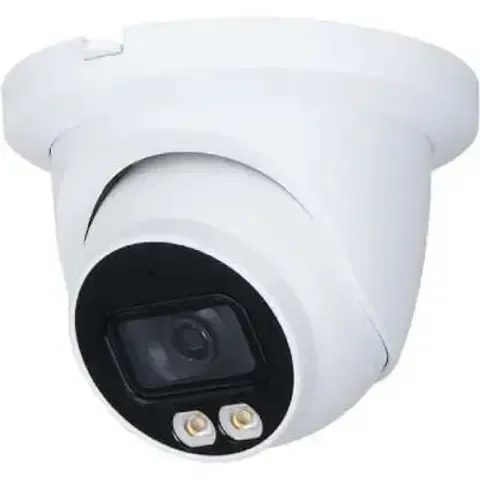
Manufacturer product photo, not an installed unit and not a TVT model: a flat dark recorder with a small maker badge on the front. Before anyone touches a phone, we read the channel list on a box like this: which inputs show video, which show video loss, and which were never connected.Manufacturer product photo of a white turret camera with two small light lenses under the main lens, not an installed unit. A driveway camera of this type is the tile Staten Island owners open at four in the morning, and how its night picture looks in the app depends on the stream the phone is asking for.
Equipment
Types of Super Live Plus Systems We Install
Behind each Super Live Plus tile there is a camera, a cable and an input on a recorder. These are the parts we install and replace on Staten Island systems, and what each one usually does wrong.
Hybrid coax recorders
The most common island box: a TVT-made or rebadged DVR that takes analog HD cameras over coax, often with a few network cameras as well. Long outdoor runs suit it; wet connectors are its weakness.
Network recorders with camera ports
Newer kits power each camera over one network cable. The ports on the back are for cameras; the router goes in its own port. Outdoors, the network plugs need the same weather protection as coax ends.
Outdoor turrets and bullets
The workhorses on eaves and garage corners. We match replacements to the recorder input they will use, so a single failed camera does not force a new system.
Anti-corrosion and stainless cameras
For bulkheads, docks and bay-front yards only. Heavier, dearer and rarely needed a few blocks inland, where sealed connectors and good mounting do the job.
Camera power supplies
A single regulated supply with a fuse per camera, in a box, instead of a power strip of plug-in adapters. The cheapest part of the system, and the one that fails most after outages.
Battery backup and surge protection
A small battery unit for the recorder, the router and the camera supply, and surge protection on the cable entering the house. Not a fix for a long outage, but it rides out the blips and brownouts that reset systems.
The cable most island systems run on
Most coax camera systems on the island were wired with siamese cable: a video coax and a thin pair of power wires in one jacket. It is cheap and easy to pull, which is why installers like it, and it explains a lot of the faults on this page. The power pair and the video coax fail separately, so a camera can glow at night with no picture; the outer jacket cracks in sunlight on south-facing walls; and the thin power pair loses voltage on long runs to a garage, which shows as a camera that works by day and drops when its infrared lights switch on at dusk. When a run is replaced, we decide between new siamese, a heavier power pair, or a network cable that carries both, depending on what the recorder input needs.
Channel fault or recorder fault: reading the system
Symptom
Likely part
Typical fix on the island
Single outdoor channel, video loss, camera lights on at night
Video leg of the cable or its connector
Re-terminate or replace the section
Single channel, video loss, no lights
Camera power, adapter or the camera itself
Replace adapter or move to a central supply; replace camera if dead
Every channel dead on recorder and app
Recorder, its power or its drive
Check the recorder; replace if failing
Every channel live on recorder, grey in app
Recorder’s network settings, cable to router, router
Reconnect, reserve the address, confirm NAT
Picture fine indoors, poor on cellular
Stream settings or upload speed
Set the second stream for remote viewing
How big-name camera services differ from a wired island recorder
ADT
Ring
SimpliSafe
Super Live Plus recorder serviced by AESS
Outdoor cabling
Depends on the package installed
Mostly battery or plug-in Wi-Fi cameras
Mostly battery or plug-in Wi-Fi cameras
Wired cameras on runs we can test and repair
When a camera goes dark
Their service process
Owner charges or replaces it
Owner charges or replaces it
Local technician traces the channel and fixes it
Where footage lives
Depends on the plan
Mainly the maker’s cloud plan
Mainly the maker’s cloud plan
Kept on the recorder inside the house
Best fit
Owners who want monitoring bundled
A few cameras near good Wi-Fi
Self-installed home kits
Houses and shops with existing wired cameras
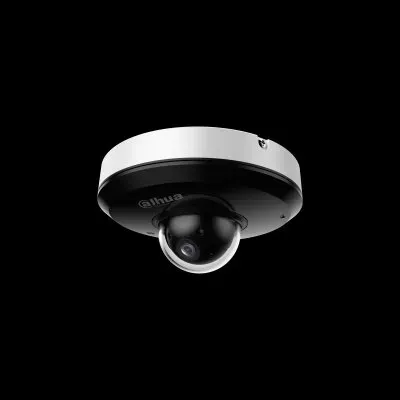
Manufacturer product photo of a compact pan-tilt dome camera, not an installed unit. Whether a camera like this can be steered from the app depends on the recorder and the camera supporting control over the same cable, which is one of the first things we test on a mixed system.
AI Overview Reality Check
What AI Gets Wrong About Super Live Plus on Staten Island
Our research tools could not read Google’s AI Overview, so this section tests the claims those answers are built from: help-desk replies, troubleshooting sites, maker pages and forum threads. Each claim below turns up often, and each one needs a correction for a camera system on an island house.
1. “If a camera shows black in the app, reinstall the app or re-add the device.”
Generic help answers for Super Live Plus start with the phone: restart the app, reinstall it, check permissions, re-add the device. On a Staten Island system that advice fixes almost nothing, because a black tile among working ones is the recorder telling the app it has no picture on that input.
Reinstalling can make things worse. Depending on whether the app’s device-list sync was on, a reinstall may mean re-adding every recorder by hand, and families who do that often end up adding it with the wrong user or an old address. Meanwhile the wet connector on the garage camera is still wet.
The order that works is the other way round: check the channel on the recorder’s own screen, trace the camera side, fix the part that failed, and only then look at the phone, which in most cases needs nothing at all.
2. “Outdoor cameras are weatherproof, so the cable joints don’t need anything special.”
Camera bodies carry weather ratings; the joints behind them usually do not. Troubleshooting guides for coax systems name water in an outdoor connector as a common cause of video loss after rain, and that matches what we find on island eaves.
The weak points are the connector pushed onto the end of the cable, the barrel joining two lengths, and the power plug, often left hanging in open air behind the camera or taped to the siding. Tape holds water against the copper rather than keeping it out.
What lasts is a compression connector, a sealed joint or one moved inside, a drip loop and a cable that does not run down the same line as the gutter. None of that shows in a product listing, which is why the claim persists.
3. “Any camera rated for outdoor use will hold up near the beach.”
Outdoor ratings are about rain and dust, not salt. Makers sell separate anti-corrosion ranges for coastal and marine use, described in trade coverage as certified to standards such as C5-M and NEMA 4X, precisely because ordinary outdoor housings and fixings corrode in salt spray.
On the island the difference shows on cameras that face the bay along the East and South Shores, where the Army Corps of Engineers is building a seawall of nearly five miles from Fort Wadsworth to Oakwood Beach. Cameras on the sheltered side of the same house can last for years.
The practical answer is selective: sealed connectors and stainless screws everywhere near the water, true anti-corrosion cameras only where spray reaches, and a check of the outdoor ends whenever we are at the house.
4. “A 4K camera will capture the face of anyone who tries your car door.”
Resolution helps, but faces need light, angle and an uncovered face. The Staten Island Advance’s July 2026 report on island car thefts quoted investigators saying video is typically of limited value and rarely identifies individuals, because crews wear masks, gloves and hoods.
There is a second gap that answers rarely mention: the app. Live view in Super Live Plus usually shows the recorder’s lower-resolution second stream, so a 4K driveway camera can look poor on a phone at night even when the recording is sharp. Owners judge the camera by the app and conclude it is useless.
So we promise what cameras deliver: time, numbers, direction and actions, recorded at full quality, with a driveway tile that is readable on the phone and a clip exported properly when the precinct asks.
5. “Put the recorder on Wi-Fi and you can keep it anywhere in the house.”
Some recorders have Wi-Fi or can be joined to the network with an adapter, and after a renovation that is a tempting shortcut. But a recorder sends several camera streams at once whenever the app asks for them, and a wireless hop between floors of a house is the first link to fail.
On raised houses the recorder often ends up a floor or two away from the router that the internet provider installed near where the line enters. The app then works for one tile and drops when someone opens four, or when playback starts.
A cable from recorder to router fixes it; if the route is hard, we find one. Wireless stays for the phone, which is what it is good at.
6. “A surge protector will keep the cameras running through a storm.”
A surge protector limits spikes; it does not supply power. When island outages come, and Con Edison counted 29,000 Staten Island customers out in Tropical Storm Isaias, a surge protector does nothing to keep a recorder or a camera supply alive.
Most damage we see after storms is quieter than a surge: cheap adapters that fail after repeated blips, recorders that restart with settings lost, drives that develop errors after hard power cuts, and routers that come back slower than the recorder so the recorder never re-registers.
A small battery backup for the recorder, the router and the camera supply rides out the short dips, and a check after each long outage catches what did not come back. A surge protector is still worth having; it just is not the answer to outages.
7. “Turn on the app’s cloud storage and you won’t need to worry about the recorder.”
Recent versions of the iPhone app added support for a DVR cloud storage function. That is useful for some systems, but it depends on the recorder model and whoever sells the service, and it depends on the house’s upload speed being able to send video continuously.
More to the point on the island, cloud storage does nothing for a channel that has video loss. If the backyard camera’s connector is full of water, there is nothing to upload. And when power and internet go down together in a storm, the recorder’s own drive is the only place anything is saved.
The recorder and its drive remain the record. We make sure every channel feeds it, that the drive is healthy and that it holds enough days, and treat any cloud option as a second copy, not a substitute.
The common thread. Every one of these claims treats Super Live Plus as the thing to fix. On a Staten Island house it is usually the last link in a chain that runs from a connector under an eave, along a side yard, through a power supply in the garage, into a recorder that may have moved floors since Sandy, and only then out through the internet to a phone. Answers that start at the phone skip five links. We start at the other end.
Manufacturer product photo of a stainless pendant pan-tilt-zoom dome, not an installed unit. Marine-grade domes like this are built for piers and waterfront yards; most Staten Island homes and shops never need one, but a few bay-front sites do.
Send Us a Photo of Every Tile Before the Next Storm
A picture of the recorder’s screen and a screenshot from Super Live Plus tell us which channels are failing and why. We will say whether it is a connector, a power supply, a cable or the recorder, and what the visit will cost on the island, before anyone comes over the bridge.
For a Staten Island Super Live Plus quote, tell us the neighborhood, how many cameras the recorder has, which tiles are dark or poor, and what happened before they failed — a storm, an outage, work on the house. A written price comes back the same business day; to talk it through first, call (347) 934-8335.
✅
We Got Your Request!
Received. One of our technicians is reading your details about the dark tiles now and will phone you today. For anything urgent, call (347) 934-8335.
How It Works
Our Installation Process
Seven steps, whether the house is a Tottenville cape or a Port Richmond two-family. The first two happen before we cross the bridge, because the right part on the truck is what makes a same-visit fix possible.
1. Photos of every channel
You send a photo of the recorder’s monitor with all channels showing, a Super Live Plus screenshot and a picture of each dark camera from the ground. We decide whether to bring connectors, a power supply, cable or a replacement camera.
2. Confirm the house and access
We confirm the address, who owns the recorder, where it now sits, whether we need a ladder for a raised house or second-storey eave, and whether a neighbor’s yard or a shared drive is involved.
3. Read the recorder first
On site we check every channel on the recorder’s own screen, its drive and recording days, its clock, its network connection and its alarm settings, and note which inputs show video loss.
4. Trace and repair outside
Each failed channel is followed from camera to recorder: connector, joint, route and power. Bad ends are re-made and sealed, drip loops added, weak supplies replaced, damaged runs repaired or replaced.
5. Put the system on steady power
Recorder, router and camera supply on a battery backup where it fits, outlets and GFCIs checked, and the recorder confirmed to rejoin the internet on its own after we pull the plug.
6. Set the phones up for the island
Channel names and order fixed, the remote stream set for readable night views on cellular, video-loss alerts on the owner’s phone, and a test from the curb and on mobile data.
7. Leave a map of the lot
A one-page sketch of the property showing each camera, its input, its cable route and its power, plus which precinct covers the address, so the next fault takes minutes to find.
What you keep at the end: the lot sketch with every camera, input, cable route and power source; the recorder’s model, firmware and admin holder written down; a note of which phones get video-loss alerts; and the date the outdoor ends were last re-made. On the island those four lines save the next visit most of its first hour, whoever makes it.
Manufacturer product photo, not a TVT model and not an installed unit: a black recorder with front panel buttons and a navigation dial. After a house is raised, the recorder often moves upstairs with it, and the new shelf decides whether it gets a cable to the router or an unreliable wireless hop.
Coverage Area
Super Live Plus App Support Near Staten Island’s Landmarks
Six island places tied to the facts on this page — where people check their cameras from, where the storms hit hardest, and the corridors whose shops call us most. None of them is a customer site; they are reference points for where the island’s houses, storms and shopping strips meet.
St. George Ferry Terminal
Free Wi-Fi in both terminals and a ferry that runs around the clock make this the place many island owners first open Super Live Plus each morning, and the place they first notice a tile has gone dark.
Verrazzano-Narrows Bridge
Opened on November 21, 1964, joining Staten Island to Brooklyn. Our island visits are booked from Troy Avenue and come over it, which is why we ask for photos first and load the truck for the job.
Midland Beach and the East Shore seawall
Where the Army Corps’ seawall of nearly five miles runs from Fort Wadsworth to Oakwood Beach. Houses here were among those lifted after Sandy, and cameras facing the bay meet salt air every windy day.
Hylan Boulevard
The longest street in the city, from Rosebank to Tottenville. In July 2025 a flash flood turned stretches of it into a river past New Dorp Lane, and the 122nd Precinct sits on it in New Dorp.
Staten Island Mall and Richmond Avenue
The mall opened in August 1973 at Richmond Avenue and Richmond Hill Road. The strips and pad sites along the avenue, and the 121st Precinct further north on it, shape many West Shore and Mid-Island calls.
Forest Avenue, Mariners Harbor
North Shore shopping corridor with its own business improvement district. The Advance pictured a privately owned plate-reading camera outside a business here in September 2026, a reminder that shops now run several camera systems at once.
Which precinct covers the address
Precinct
Where it sits
Parts of the island it covers (from the NYPD’s own pages)
120th
North Shore
St. George, Tompkinsville, Stapleton, Clifton, Rosebank, New Brighton, West Brighton, Grymes Hill and neighboring areas
121st
Richmond Avenue
Willowbrook, Westerleigh, Port Richmond, Mariners Harbor, Elm Park, Chelsea and Bloomfield
122nd
2320 Hylan Boulevard, New Dorp
New Dorp, Grant City, Midland Beach, South Beach, Todt Hill, Great Kills, Eltingville, Oakwood Heights and Bay Terrace
123rd
116 Main Street, Tottenville
Tottenville, Huguenot, Rossville, Annadale and part of Eltingville
We note the right precinct on the hand-over sheet because, when footage is needed, the first call is usually to the precinct detective who caught the case, and knowing which one saves a round of phone tag.
We also serve St. George, Tompkinsville, Stapleton, Clifton, Rosebank, New Brighton, West Brighton, Port Richmond, Mariners Harbor, Westerleigh, Willowbrook, Bulls Head, New Springville, Todt Hill, Grasmere, Dongan Hills, South Beach, Midland Beach, Grant City, New Dorp, Oakwood, Bay Terrace, Great Kills, Eltingville, Annadale, Huguenot, Prince’s Bay, Rossville, Charleston and Tottenville — and, through the hub, every other borough.
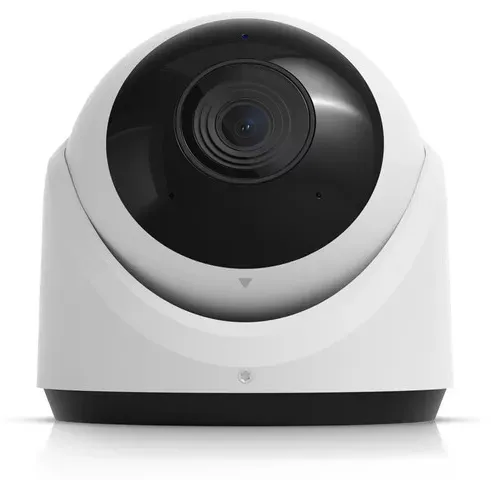
Manufacturer product photo of a white turret camera, not an installed unit and not a TVT model. When a single outdoor camera has failed, a replacement is chosen to match the recorder input it plugs into, so the rest of the system and its tiles in the app stay as they are.
Pricing
Super Live Plus App Support Cost on Staten Island
Most island Super Live Plus jobs are service work: finding dark channels, re-making outdoor ends, replacing power supplies and setting the phones up properly. That is billed at our standard service rate. When a recorder has to be replaced, we use our published DVR replacement figures with the Staten Island area rate of 1.10 applied. There is no monthly plan for app support.
Job
Staten Island price
What moves it
Review of your photos and screenshots
$0
Nothing — we tell you which channels are failing, the likely cause and what the visit should cost
On-site channel, power and app repair
$195 an hour, 3-hour minimum ($585)
How many channels are dark, ladder height on raised houses, whether runs must be replaced rather than re-terminated
4-channel recorder replacement
$495–$770
Small houses with four cameras; cost turns on storage and on whether old cameras match
8-channel recorder replacement
$715–$1,100
Typical ring of cameras around a detached house
8-channel hybrid recorder
$880–$1,320
Keeps existing coax cameras and adds network ones
16-channel recorder
$1,320–$2,420
Two-family houses with both floors covered, stores with lot cameras
32-channel recorder
$2,420 and up
Contractor yards, marinas and bigger shops; we walk the site before pricing
Replacement cameras, cable and supplies
Quoted per item
Chosen to match the recorder input and the location, including anti-corrosion models near the water
What raises a price. Several channels failing on different sides of the house, each needing its own trace. Runs buried without conduit that have to be replaced rather than repaired. Cameras two storeys up on a raised house, under a deep eave or over a neighbor’s yard. A recorder that keeps restarting and has to have footage copied off before anything else. A shared driveway where both owners must agree where a camera goes.
What keeps it down. Photos of every channel and every dark camera sent ahead. The recorder’s admin password, or the person who knows it, at the house. Clear access to the recorder, the router and the camera power box. And the phones that need setting up in the house at the end of the visit, so the app is configured once.
Two worked examples, arithmetic only. A Great Kills house with two dark backyard channels, one wet connector and one dead adapter, is usually a single visit at the three-hour minimum of $585, plus the cost of a replacement power supply if the old one has failed. A raised house near Midland Beach where three runs were never rejoined after the lift may take longer than three hours at $195 an hour, plus cable for the runs that have to be replaced; and if its recorder was in the flooded space, an 8-channel replacement adds $715–$1,100 at the island rate. We give the figure in writing before work starts.
Most single-channel repairs can be priced from three photos. Send them and we will tell you whether it is a short service visit, a cable replacement or a recorder that has reached the end, with the Staten Island figure.
Three ways in, at Staten Island prices. Most island owners need the first two; the third is for a recorder that has given out.
Photo Diagnosis
$0
Recorder screen, app screenshot, camera photos. We read which channels show video loss, which have power, and whether the recorder itself is online, then tell you the likely parts and the cost. Some power-supply and connection faults are solved on the call.
Channel Recovery Visit
$195/hr · 3-hr min ($585)
Every dark tile traced and fixed. Outdoor ends re-made and sealed, power supplies replaced, the recorder checked and set to rejoin after outages, channel names fixed, night stream tuned and a sketch of the lot left behind. Parts are quoted before they are fitted.
Recorder Replacement
$495–$2,420
4- to 16-channel at the island rate. A new recorder and drive on the coax runs that test good, cameras moved onto sensible inputs, and every family phone set up again. Thirty-two channels and yards are quoted after a walk-through.
Bought your own cameras or recorder? Labor-only work
If you bought replacement cameras, a recorder or a kit yourself, we fit and configure it at the service rate. Before the visit we check that the recorder works with Super Live Plus, that its inputs accept your cameras, and that outdoor cameras bought online are suitable for where they will hang; a camera meant for a sheltered porch will not last on a bay-facing wall, and we would rather tell you before than after.
For owners who would rather keep a system healthy than wait for the next dark tile, the same visit can be booked once a year before storm season: outdoor ends inspected and re-sealed where needed, power supplies and battery backup tested, the drive checked, and every phone confirmed to receive video-loss alarms.
Cameras, recorders and drives carry their makers’ warranties where the maker honours them. Our own terms are in the service agreement, summarised at the foot of this page.
Complete Services
Every Super Live Plus App Support Service on Staten Island
The app shows what the rest of the system gives it. These island pages cover the other parts, so one visit can deal with whatever sits behind a dark tile.
Field Notes: The Recorder’s Screen Settles the Argument
This is a method note, not the story of one job. On island calls the most common mistake, by owners and by technicians, is to treat a dark tile as an app problem. People delete the app, re-add the recorder, change passwords, call the internet company. Meanwhile the answer is sitting on the recorder’s own screen, where that channel says video loss and the others are fine.
So the first five minutes of every Staten Island visit are the same. We stand at the recorder and go channel by channel: picture or no picture, video loss or blank, camera lights on or off after dark, and where that camera’s power comes from. On a ring of outdoor cameras around a house, that list sorts the job into connectors, power, cable or recorder before we climb anything. Only after every channel shows a picture on the recorder do we pick up a phone, and then the questions are different ones: is the night stream readable on cellular, are the names right, will the owner hear about the next dead camera the night it happens. Most of the time the app was never the problem.
The same habit protects owners after we leave. We show whoever lives with the system how to open the recorder’s own channel view and what video loss looks like there, so the next time a tile goes black they can tell us in one sentence whether it is one camera or all of them, and whether its lights are on. That one sentence is usually the difference between a short visit with the right part and a long one spent finding out.
FAQ
Staten Island Super Live Plus App Support FAQ
Do you carry connectors, camera power supplies and cable on the truck, so a dark tile can be fixed on the first visit?
+
Yes. Compression connectors, sealed joint boxes, siamese and network cable, single-camera adapters and multi-camera power supplies come on every island visit, along with a test monitor and a meter. That is why we ask for photos first: if your pictures show a camera with no infrared lights, we also bring a matching replacement camera. A whole new recorder is the one thing we normally order once we have seen the old one.
Can you re-make the cable end at a second-storey camera without taking the camera down?
+
Usually. On most island houses the connector sits a foot or two behind the camera, under the eave or behind a mounting box, and it can be cut back and re-made from a ladder with the camera left in place. We take a camera down only when its own pigtail has corroded into the body, when the mount has rusted, or when the camera needs re-aiming anyway because a tree, a gutter or a new fence now blocks its view.
If you replace one outdoor camera, will its tile keep the same name and place in the app?
+
It will if the new camera goes back on the same recorder input, because the name, motion area and recording schedule belong to the input, not the camera. We still check those settings afterwards, since a new camera may have a different picture shape or angle and the motion box drawn for the old one may no longer cover the driveway or the gate.
Is a stainless or anti-corrosion camera worth it on a bulkhead or dock in Great Kills Harbor?
+
For a camera that takes spray, yes. Marine and anti-corrosion ranges use stainless steel or treated housings and fixings designed for salt, and on a dock or bulkhead an ordinary outdoor camera’s bracket screws and connector are usually what fail first. A few blocks inland the extra cost rarely pays back; sealed connectors and a sheltered mounting spot do most of the work there.
A tree in the yard has grown across the backyard camera’s view — do you fix that or does a landscaper?
+
Both are options. We can move or re-aim the camera so it sees past the branches, or lower it under the canopy, and we can also tell you exactly which limbs block it if you would rather have them trimmed. Branches in front of a camera cause more than a blocked view: at night they reflect infrared light and trigger motion alerts every time the wind blows.
Can you reach cameras on a raised house where the eave is three storeys above the ground?
+
Yes. We bring ladders sized for lifted shore houses and plan the visit around the highest camera you send us a photo of. Where a camera is over a slope, a deck or stairs that a ladder cannot stand on safely, we tell you before the visit and suggest moving that camera to a point that can be maintained, because a camera nobody can reach is a camera that will stay dark.
Our cameras are all coax, but we want one network camera on the shed — can the existing recorder take it and show it in the app?
+
Many hybrid recorders that use Super Live Plus accept a small number of network cameras alongside coax ones, and the network camera then appears as just another tile in the app. Whether yours does depends on the model and its firmware, so we check before we quote. If the shed is far from the house, the bigger question is how to get a network cable or link to it, and we price that separately.
Does the recorder stop recording while you work on the cameras outside?
+
Only the channel we are working on, and only for the minutes it is unplugged. The recorder keeps recording every other camera throughout. If we have to restart or replace the recorder itself, we tell you before we do it, copy off any footage you need, and keep the gap as short as possible, usually a few minutes for a restart.
Is there a good time of year to have the outdoor camera connections redone on the island?
+
Late summer and early autumn work well, before the nor’easter and winter storm season, when connectors are dry and ladders are safe. That said, a connector that is already failing should be fixed when it fails; every wet spell after that corrodes it further. We can also check the outdoor ends on a system that is working, which is cheaper than finding them after a storm.
Do you need to go into a neighbor’s yard to reach a camera on the property line?
+
Sometimes, on semi-attached houses and tight side passages where the ladder has to stand on the other side of a fence. We ask you to get the neighbor’s permission first, and we will not enter or drill on their property without it. If permission is not likely, we can usually move the camera to a point reachable from your side and aim it back along your own path.
All Areas Served
Other Super Live Plus Pages: Boroughs, Long Island, Hudson Valley
This page covers Staten Island. The New York City Super Live Plus hub handles questions that are the same in every borough, and each page below deals with its own houses, networks and area rates.
Every number, date and quotation above can be traced to one of these publications; where we saw only a search snippet, the entry says “excerpt”. The dollar figures are ours: the standard hourly service rate, and the DVR replacement ranges we already publish, multiplied by the island’s area rate.
Backyard or Driveway Tile Gone Black? Call the Island Line
A camera dark since the storm, a garage tile that flickers in the rain, cameras missing since the house was raised, a driveway view too blurry to use at night — phone (347) 934-8335. We book the next open two-hour window on Staten Island, and most systems show every camera again within one to two hours of arrival.
Licensed, Insured Super Live Plus Repair for Staten Island
Booked out of Abstract Enterprises Security Systems at 1282 Troy Ave, Brooklyn, NY 11203 · Staten Island direct line (347) 934-8335 · or write to us on WhatsApp
NYS low-voltage license #12000287431 · 4.7 / 201 on Google · written prices the day you ask · insurance certificates sent to strip-center managers and landlords before we arrive
Full terms — including 50% deposit, one-year parts-only warranty on AESS-supplied products, and the late-fee schedule — are set out in the service agreement. See our warranty page.
Page reviewed and updated October 18, 2026. Changelog: Staten Island Super Live Plus page rebuilt from new research on channel-level faults on outdoor camera runs, the SuperLive Plus manual’s video-loss marks and alarms, island housing and Sandy recovery records, Appendix G flood rules, overhead power lines and recent Con Edison outages, salt-air camera ranges, island car-theft reporting, ferry-terminal Wi-Fi and the four island precincts, with prices at the standard service rate and DVR replacement figures at the Staten Island rate.