Recorders That Survive a Router Swap · Viewing That Works on Mobile Data · Accounts Back in the Owner's Hands
Super Live Plus is the free phone app for recorders built on TVT's platform — sold under TVT's own name and under other labels. In the Bronx it usually runs on the shakiest link in the chain: an internet plan that changed when the federal discount ended, an Optimum gateway that got swapped, a phone on cellular data, and a recorder whose password left with the person who installed it. We get the recorder reachable again by its serial number, close the ports that botnets hunt, set the app up for mobile data, and hand the keys to the person who owns the house or the store.
Reviewed and updated October 18, 2026 · Anwar Timothy, owner, NYS license #12000287431 · Bronx office: 460 E Fordham Rd, Bronx, NY 10458
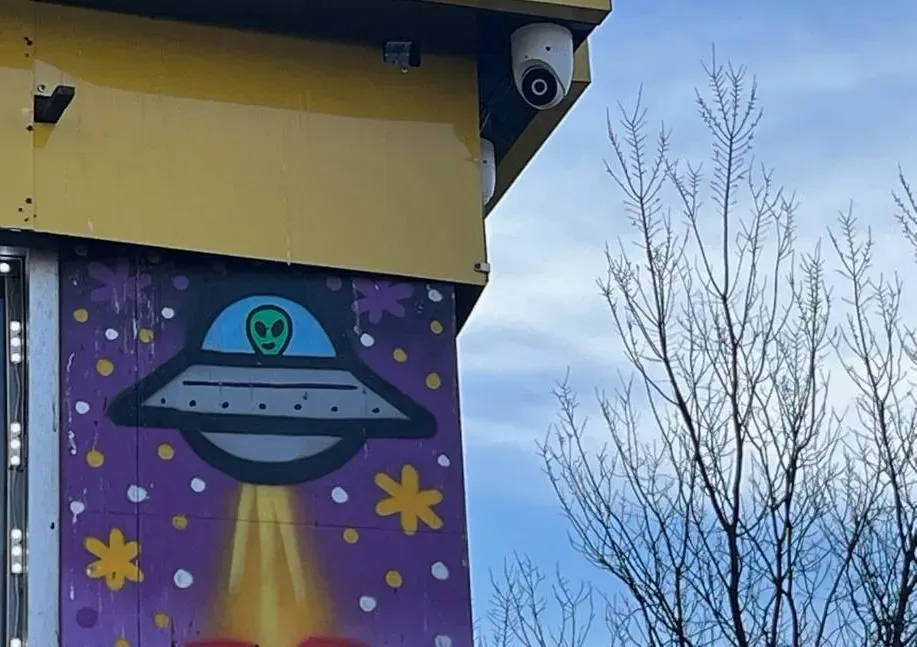
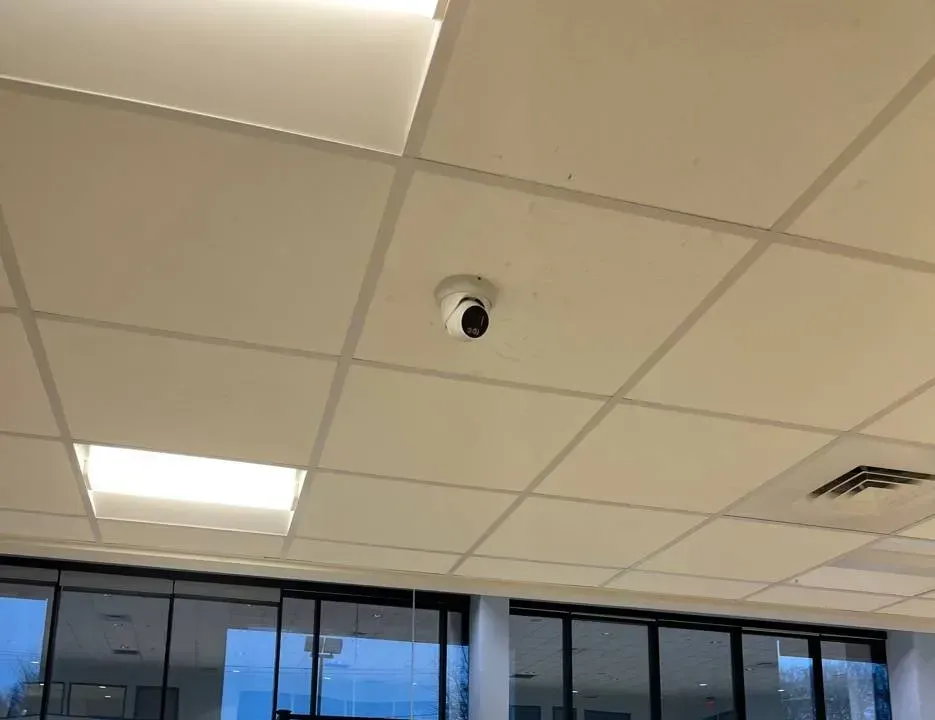
Example photo from another AESS job (not a Bronx property): a dome camera tucked under a painted storefront fascia. Outdoor cameras like this feed the recorder that Super Live Plus reaches over the internet.
Bronx Super Live Plus Help Request
Tell us what the app shows and what changed recently — a technician calls back the same business day
✅
Request Sent!
Thanks — a Bronx technician has your details and will ring you back today, during business hours.
25+
Years Experience
✓
Same-Day Estimates
100%
Licensed & Insured
4.7★
201 Google Reviews
Cameras gone grey in the app since the internet changed? Before anyone factory-resets the recorder or deletes it from the phone, stop. The recorder is almost always still recording to its own hard drive; what broke is the path from the house or store to the TVT cloud service the app uses to find it. Resetting can wipe the network settings, the users and, on some boxes, the only password anyone knew. Call (646) 490-0629 and tell us what changed: provider, gateway, plan, or the person who set it up.
On-site work is $195 an hour with a 3-hour minimum ($585); working out on the phone whether you need a visit costs nothing
Exposed ports from the 2025 TVT botnet wave closed, default passwords replaced, accounts written down for the owner
Same-day written estimates under NYS license #12000287431
Why Bronx Properties Need Super Live Plus Support and Repair
Super Live Plus is not a camera brand and not a security company. It is a mobile client for digital video recorders and network video recorders built on the platform of Shenzhen TVT Digital Technology. On Google Play the app is listed under the developer name Peng AnTai with TVT (HK) Limited as the company behind it; it has more than five million downloads, a 3.3-star average from over 53,000 reviews, and its most recent update, dated October 8, 2026, added account switching. TVT also publishes a branded twin, SuperCam Plus; TVT's Italian distributor told installers in January 2022 that SuperLive Plus is "the same identical app" without the TVT name. Recorders that use it are sold under many labels — Viewtron systems from CCTV Camera Pros, the QT series from CCTV Camera World, Shield Technology, HDSS's T-Series and TVT's own — which is why owners so often do not know what they have.
What makes the Bronx different is not the app. It is the connection the app depends on. The New York State Comptroller's December 2024 broadband report found that, as of 2023, the Bronx had the highest share of households in the city with no broadband at all, 36.7%, and the highest share reaching the internet only through a cellular data plan, 20.3% — alongside the highest poverty rate and, with Brooklyn, the highest average monthly price for broadband. The Bronx Community Foundation reported in July 2025 that 44% of Bronx households were enrolled in the federal Affordable Connectivity Program when it ended in 2024, by far the highest share in the city. When a discount like that disappears, plans get cancelled, downgraded or moved to a cheaper provider, and a recorder that worked for years suddenly cannot be reached from anybody's phone.
The people watching are on phones. One in three Bronx households — more than 184,000 homes — has no computer, according to the same Bronx Community Foundation brief. So for most owners of a Super Live Plus system, the app is the only window into the recorder. There is no back-office PC to fall back on, no desktop program, often no monitor plugged into the recorder at all. When the app shows grey squares, the owner of a two-family house in Williamsbridge or a grocery on White Plains Road is blind until somebody fixes the path between the recorder and TVT's cloud service.
And the people who set these systems up are frequently gone. Budget TVT-platform kits are sold online and installed by relatives, handymen and small crews whose numbers stop working. We arrive to recorders still running the factory login the manual prints — user admin, password 123456 — or with ports forwarded straight to the internet years ago and never revisited. In the spring of 2025, the threat-monitoring firm GreyNoise recorded a threefold surge in attempts to break into TVT NVMS9000 recorders, tied to the Mirai botnet. A Bronx Super Live Plus job is therefore three jobs at once: make the recorder findable by its serial number on whatever internet the building has today, shut whatever doors were left open, and put the account, the password and a written record in the owner's hands. Owners who use a Dahua system on another property can have us look at the DMSS app in the Bronx on the same trip.
Bronx facts that shape a Super Live Plus repair
Cellular before cable. As of 2023, one Bronx household in five (20.3%) got online only through a mobile data plan and 36.7% had no broadband subscription, both the highest rates of the five boroughs (NYS Comptroller, Dec 2024).
A subsidy that vanished. 44% of Bronx households were on the Affordable Connectivity Program when it ended in 2024, the highest share of any borough (Bronx Community Foundation, Jul 2025).
One cable franchise. The city's cable franchise for the Bronx is held by Altice USA, which sells as Optimum (NYC Office of Technology and Innovation); every Bronx development in the city's Big Apple Connect free-internet program is served by Optimum.
Small houses, owner-run systems. About a quarter of Bronx housing units, 26.4%, are in buildings with one to four units (NYS Comptroller, South Bronx snapshot, 2021 data), and far more common outside the South Bronx, where only 11.6% of units are in such small buildings — places where the owner is also the system administrator.
Renters are the norm. The Bronx homeownership rate was 19.7% in 2024 (NYU Furman Center), so many recorders sit in buildings where the person paying for the internet is not the person who owns the cameras.
TVT recorders were a 2025 botnet target. GreyNoise saw exploitation attempts against TVT NVMS9000 recorders peak on April 3, 2025 from over 2,500 unique IP addresses; the flaw, CVE-2024-14007, affects NVMS-9000 firmware before 1.3.4 "used by many white-labeled" recorders (VulnCheck).
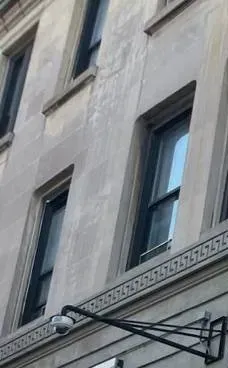
Example photo from another AESS job (not a Bronx property): a camera on a steel arm under the windows of a stone building. In small buildings the recorder for a camera like this often shares the internet of whichever apartment it was plugged into.
Need Super Live Plus Fixed in the Bronx Today
Grey squares since breakfast, a smashed side window found this morning, an adjuster asking for video by Friday — none of those should wait for next week. Ring (646) 490-0629. We book the earliest slot we can, and most Super Live Plus faults are back to a live picture within one to two hours of a technician standing at the recorder.
A two-minute look you can take while you wait
Write down the date it went grey. Then think about that week: an Optimum or Verizon visit, a switch to 5G home internet, a bill that was not paid, a tenant who left, work in the basement. Nine times out of ten the cause is in that list.
Read the colour of the device icon. The SuperLive Plus manual is plain about it: green is connected, grey is a failed connection, and a blinking icon is still trying.
Find the recorder and its blinking disk light. A powered box with a flickering drive light is still writing video. Leave its power alone.
Trace where its network cable goes, if you can. To the gateway, to a second router, up through a closet to another floor — tell us what you find.
Keep the device in the app. Deleting it throws away the serial, user name and password the phone remembered, sometimes the only copy left, and a factory reset can wipe the recorder's side too.
Reading the grey squares
The symptom
Usual Bronx cause
Where we start
Grey icon on every device, since a set date
The recorder lost its route to the internet: new gateway, plan cancelled, cable unplugged during work
Check the recorder's own network and NAT status screens before touching the phone
Grey only away from home
The device was added by local IP address, which only works on the same network
Re-add by serial number (QR or manual add), keep the old entry until the new one is green
Green, but the picture spins on cellular
Main-stream video over a weak data connection
Lower the live resolution in the app, use sub stream, try the speed-up option on 720p+ cameras
Asks for a password that no longer works
The recorder's login was changed by a relative or an old installer, and this phone still stores the previous one
Confirm the current recorder password on site before editing the app entry
Recorder sluggish, rebooting, settings changed by themselves
Possible compromise through an exposed port
Unplug it from the internet first; plan a clean reset and firmware update
Some calls turn out not to be the app at all. A drive the box has stopped recognising, one camera black on every phone, or a line chewed through behind the boiler goes to our Bronx security camera repair crew. When the recorder itself is past saving, our Bronx DVR upgrade page lists replacement prices by channel count.
What We Install
Super Live Plus Support and Repair Services in the Bronx
Nothing below promises more than the SuperLive Plus manual and the TVT-platform recorder documentation say the equipment can do. When a job really belongs to the cabling, the recorder hardware or the internet provider, we say so and price it that way. These are the calls we get most across the borough, from a single doorbell-height camera on a Throgs Neck porch to sixteen channels watching a Jerome Avenue body shop.
Reconnect After a Gateway Swap
When the internet company replaces the gateway, the recorder may keep an address that no longer exists. We set the recorder's network to match the new gateway — or to obtain its address automatically — check DNS, confirm the NAT service shows connected, and watch every phone turn green.
Re-add by Serial, Not by IP
Devices added by a local IP address only work inside the building. We add the recorder by its serial number or QR code instead, which lets the app reach it from a bus, a job site or another country, and remove the stale entries only once the new one is working.
Close Forwarded Ports
The 2024 NVMS-9000 advisory names ports such as 6036, 17000, 17001 and 8000. We look at the router for any forwarding rules to the recorder, remove what the app does not need, and switch off UPnP where it opened doors on its own.
Replace Default Logins
Recorders still on admin / 123456 get a strong password, a security question the owner can answer, and a separate, lower-permission user for everyone who only needs to watch.
Mobile-Data Tuning
Live view set to a lower resolution or the sub stream for phones on cellular, the speed-up option on supported cameras, and favourite groups so the app opens on the two cameras you actually check instead of loading sixteen.
Ownership Handover
New owner, new manager, a relative who no longer helps out: we list every recorder account and every phone that can see the system, change what needs changing with the owner present, and leave a one-page record.
Firmware and Clean Reset
For a recorder that is sluggish, rebooting or showing changed settings, we disconnect it, reset it the right way, load the current firmware the manufacturer provides for that model, and rebuild the settings before it goes back online.
Retention and Time Settings
How many days the drive actually holds, whether old video is recycled when the disk is full, and whether the recorder clock and daylight saving match real time, so playback in the app lands on the right minute.
Alarm Pop-ups That Mean Something
Motion and alarm settings on the recorder tuned so the app's sound or vibration alarm fires for the gate and the side door, not for every passing bus on Boston Road.
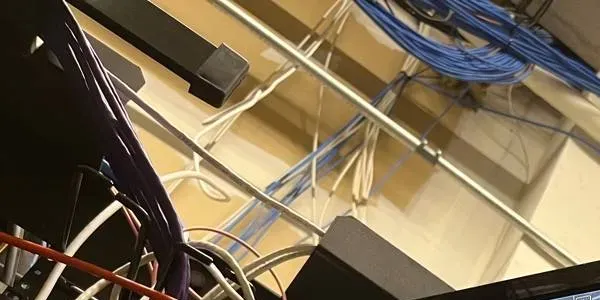
Example photo from another AESS job (not a Bronx property): network cable bundles running above an equipment rack. The cable from the recorder to the router is the first thing we trace when an app goes grey.
Building Specialists
Super Live Plus Repair for the Bronx's Architecture
The app is identical everywhere. What changes from block to block is where the recorder sits, whose internet it is plugged into, and how many people need to watch. Those three things decide almost every Super Live Plus repair in the borough.
Two- and Three-Family Houses
In Williamsbridge, two- and three-family houses, often with their own driveways and garages, are the everyday housing type. The recorder is in a basement or a closet, the owner lives on one floor and rents the others, and the gateway may be in a tenant's apartment.
Detached Houses by the Water
Country Club, the peninsula between Pelham Bay and Throgs Neck, is blocks of detached homes, bungalows and split-levels, mostly owner-occupied. Wi-Fi stretched to the back of the lot and long cable runs to a detached garage are the weak points.
Pre-War Walk-Ups
The five- and six-storey apartment houses along the Grand Concourse usually keep the recorder near the boiler room. A super, an owner and sometimes a managing agent all want the app, which is where shared passwords cause trouble.
Store With Apartments Above
Mixed-use buildings along commercial strips like White Plains Road put the store's cameras and the building's cameras on one recorder, on one internet connection that may belong to either.
Storefronts Under the El
Shops under the 2, 5 and 6 lines run long hours with a recorder under the counter and an owner watching from home. Vibration, heat behind the counter and crowded routers shared with card machines are the usual suspects.
Garages and Auto Shops
Jerome Avenue still has around 150 auto businesses, almost all in rented spaces, according to the United Auto Merchants Association. Big open bays, roll-down gates and a recorder in a small office; owners watch the lot at night from home.
How the repair changes with the building
The gateway is in someone else's apartment. In a two- or three-family house the recorder is often cabled to whichever unit had internet the day it was installed. When that tenant leaves, their gateway leaves with them. The fix is not in the app at all: the recorder needs a connection the owner controls — the owner's own plan, a dedicated line, or a small cellular router — and then it needs to be told about it. We trace the cable, confirm where it lands, and move it if the owner agrees.
The house is long and the garage is far. Wi-Fi from a kitchen gateway rarely reaches a garage at the back of a Country Club lot. A recorder or camera that drops on and off is usually fighting a weak wireless link, not an app problem. A proper cable run or a point-to-point wireless bridge settles it; our Bronx network cable repair team handles runs that have been crushed or chewed.
Several people need to watch. The owner, a spouse, the super and the store manager do not all need the admin password. The recorder supports separate users; the app stores a user name and password per device on each phone. We create one viewing user per person or per role, so taking one person's access away never means changing the password on everyone else's phone.
The recorder lives where thieves look. A recorder on a shelf beside the front door, or under the counter in plain sight, can leave with the burglar. Moving it to a locked closet, a ceiling space or a lockbox is often a better use of an hour than any app setting. Our Bronx NVR installation crew relocates recorders when the room has to change.
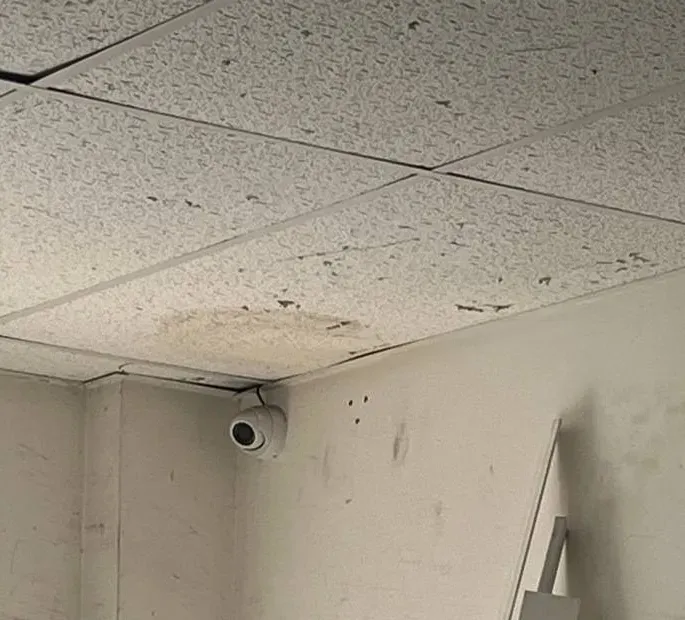
Example photo from another AESS job (not a Bronx property): a turret camera in a storage room corner under stained ceiling tiles. Basements and back rooms like this are where recorders — and the cables that feed the app — usually live.
Commercial Super Live Plus Repair
Business Super Live Plus Repair in the Bronx
Owner-run shops buy budget TVT-platform kits because there is no monthly bill and the owner can check the till from the sofa. We name these strips for the type of shop and recorder you tend to find on them; none of the businesses there is presented as a client.
White Plains Road
Community Board 12 describes White Plains Road as Wakefield's main shopping district, known for fresh produce markets and Spanish, West Indian and East Indian food shops — small owner-run stores under the elevated 2 and 5 lines.
Dyre Avenue and Eastchester Road
Dyre Avenue is Eastchester's main commercial strip and Eastchester Road the main thoroughfare of Baychester. Small storefront businesses that typically run one recorder and one owner's phone.
Fordham Road
Our own office sits on this strip at 460 E Fordham Rd. The business improvement district counts 333 street-level shops on 35 block faces; the chains have head-office systems, while the family shops in between tend to have a box under the register and an owner watching on a phone.
The Hub at 149th Street
The Third Avenue BID announced 18 street cameras at 10 locations in October 2026. Shop cameras around the Hub fill the angles street cameras miss, which is why the owner's app has to work when police ask.
Westchester Square
Shops packed beneath the 6 train's elevated tracks. In October 2024 police circulated a bodega's camera video after a worker there was stabbed while trying to stop a theft — the kind of day an owner needs the recorder, not just the phone, to cooperate.
Katonah Avenue
Woodlawn's main commercial street, lined with restaurants and specialty shops at the city line — small storefronts of the kind that run a single recorder and check it from a phone.
Example photo from another AESS job (not a Bronx property): a ceiling dome watching a glass shop entrance. The door camera is the one owners open first in the app after closing time.
What the law, the advisories and the DA mean for a Bronx shop's recorder
A license, not a favour. New York State treats CCTV installation and service as licensed work. Ours is NYS license #12000287431; a nephew with a laptop does not have one.
TVT is not on the FCC Covered List. The list names Hikvision and Dahua among video-surveillance makers (both added March 12, 2021); when we checked in October 2026, TVT was not named. That does not make an old, unpatched TVT recorder safe.
Patch status matters. The SSD Secure Disclosure advisory of May 2024 says NVMS9000 versions before 1.3.4 are affected and that owners can ask TVT whether a patch exists for their model; white-label recorders get firmware from the brand that sold them.
BronxCAMS is voluntary. The Bronx District Attorney's office keeps a confidential map of registered cameras and contacts owners to request copies when a crime happens nearby; it has no access to your recorder.
Microphones change the rules. Under Penal Law §250.05, capturing a conversation that no participant agreed to record is a felony in New York. The app's audio and two-way talk buttons work on recorders that support them; get advice before switching recording of sound on.
Recordings recycle. TVT-platform recorders can overwrite the oldest video when the disk is full and can delete video after a set expiration date. Know your number of days before you need it.
Your Questions Answered
Super Live Plus in the Bronx: Questions Answered
Below are the real situations behind Bronx calls about an existing Super Live Plus setup — from owners of two-family houses, small landlords, shopkeepers and garage operators — sorted by the problem underneath rather than the symptom on the phone. App and recorder behaviour comes from the SuperLive Plus user manual, TVT-platform recorder manuals and the security advisories linked in the sources; where an answer is our own practice, we say so. Prices are in the pricing section and short visit questions are in the FAQ near the end.
The Internet Under the Recorder
Our two-family house still has two routers chained together from two old plans — could that be why the recorder keeps dropping out of the app?
Quite possibly. In houses where each floor once had its own service, we often find the provider's gateway on one floor feeding a second, older router somebody kept "for the Wi-Fi," with the recorder plugged into the second one. Each box hands out its own range of local addresses. The recorder lives two layers deep, and anything that changes on the outer box — a firmware update, a swap by the internet company, a power cut that brings the boxes back in the wrong order — can leave it with an address, gateway or DNS setting that no longer leads anywhere.
The relay that Super Live Plus uses when a recorder is added by serial number is tolerant of an extra router, because the recorder only has to reach out to TVT's service. What it does not tolerate is a recorder with a hand-typed fixed address that was correct for the old arrangement. That is the pattern we see after Optimum swaps a gateway in a house like this: the new box uses a different range, the inner router renumbers, and the recorder is stranded on a number nobody routes.
The cure is to simplify. One router for the house, the recorder on it by cable, its address either reserved on that router or set to obtain automatically, a working DNS server, and the NAT page on the recorder showing connected. If a second box is needed for Wi-Fi coverage, it gets set up as an access point, not as another router. Our Bronx network installation crew handles the cases that need new equipment.
We moved to the cheapest internet plan after the federal discount ended — is a low-speed plan enough for the recorder?
For recording, yes, because recording uses no internet at all; the recorder writes to its own drive. For watching remotely, it depends on the plan's upload speed, not its headline download number. When you open a camera in Super Live Plus away from home, the video travels up from the recorder over your home connection first. Budget plans often have small uploads, and that is the number that decides whether the picture loads or spins.
Within those limits, settings make a big difference. A sensible sub stream on each camera, lower live resolution in the app, and opening two cameras instead of sixteen will usually make a modest plan workable. If the plan was cancelled altogether, a 5G home internet box or a small cellular router that stays plugged in beside the recorder can carry the relay connection. Fixed-wireless services such as T-Mobile Home Internet put customers behind carrier-grade NAT, which rules out port forwarding but does not stop the serial-number method. A phone hotspot is the weak version, because it leaves the house with its owner every morning.
This is a very Bronx question. When the Affordable Connectivity Program ended in 2024, 44% of Bronx households had been enrolled, the highest share in the city, according to the Bronx Community Foundation. Plenty of camera systems changed plans that year without anyone thinking about the recorder.
The recorder is cabled to the tenant's router on the second floor — what happens when that tenant moves out?
The cameras keep recording and the app goes grey the day the tenant's service is disconnected or their gateway leaves in a box. In two- and three-family houses this is one of the most common reasons an owner calls us, and it can happen in reverse: a tenant who is unhappy with the arrangement simply unplugs the cable.
Leaving it that way is also unfair to both sides. Your recorder's traffic rides on somebody else's account, and their network can see your recorder. We recommend the recorder sit on a connection the owner pays for and controls — the owner's own plan, a separate line for the cameras, or a small cellular router dedicated to them. Moving the cable from one gateway to another is usually short work if the cable already reaches the owner's floor; if it does not, a new run is quoted separately.
After the move, the recorder's network settings have to match the new gateway, and we confirm the NAT status shows connected before leaving. Phones that added the recorder by serial number come back on their own; anyone who added it by its old local address needs the device re-added.
Where on the recorder itself do we look to know whether it can reach TVT's cloud at all?
On recorders built on TVT's platform, the network menu has a NAT page. Recorder manuals that use this interface describe the path as Start, then Settings, then Network, then NAT: tick Enable and choose the NAT server. The same area shows the QR code the app scans. When that page reports the NAT service as connected, the recorder is reachable through the relay, and any grey icon in the app is a phone-side problem — an old password saved in the app, a region setting, or the phone's own connection.
If the NAT page does not show connected, work backwards through three settings: is the address right for the current router, or set to obtain automatically; is a DNS server filled in; and is the gateway address the router's real address? Those three explain most of the failures we find in the borough. Menus differ by model and by the label on the front, so photograph the screen and send it to us if the words do not match.
The app also has a regional Domain setting under its local settings. CCTV Camera Pros, which sells Viewtron systems that use SuperLive Plus, wrote in June 2025 about a customer whose recorder showed offline only after travelling to Canada, fixed by setting that Domain to Global. If the recorder's NAT page is green but one phone stays grey, that setting is on our list.
The internet company's installer is coming to put in a new gateway — what should we let them change, and what should we ask them to leave alone?
Let them do their job on the gateway: activate it, set the Wi-Fi name and password you choose, and test the line. Ask them not to touch the recorder, not to factory-reset anything with a camera plugged into it, and not to "reconnect the cameras" by opening ports on the new box. A provider installer is there for the internet service; the recorder's settings, users and NAT status are not part of that visit, and well-meaning shortcuts are how forwarding rules end up on the new gateway.
Before they arrive, photograph the old gateway's label and, if you can log in, its list of connected devices and any port-forwarding page. That tells us later what the recorder used to look like on the network. If the old gateway is being taken away, ask whether you can keep it for a day — sometimes the fastest way to learn the old address range is to look at the old box.
After they leave, check one thing yourself: is the recorder's cable plugged into the new gateway, or into a port that no longer goes anywhere? Then call us if the app has not turned green within a few minutes. Most of the time, matching the recorder's network page to the new gateway is all it needs.
My son set up the app on his account years ago — does Super Live Plus have accounts that need to move to us, separate from the recorder's password?
There can be two layers, and it helps to know which you have. The recorder has its own users and passwords; those are what actually unlock the video. The app, separately, keeps a device list on the phone, and the manual describes an automatic sync of that list so it carries over when the app is upgraded. TVT's Italian distributor also referred in 2022 to accounts created on TVT's cloud through SuperCam Plus working in SuperLive Plus, and the app's October 2026 update added account switching.
In practice, a device list sitting under your son's phone or app account is not something you need to transfer. You add the recorder to your own phone by serial number or QR code, with your own recorder user, and it works independently of his. What does need to move is control of the recorder itself: the admin password, and whether his user should stay.
So on the visit we look at both. If he wants to keep watching, he gets a named viewing user; if not, his user is removed and his phone turns grey. Either way, your access no longer depends on anyone else's phone, account or memory.
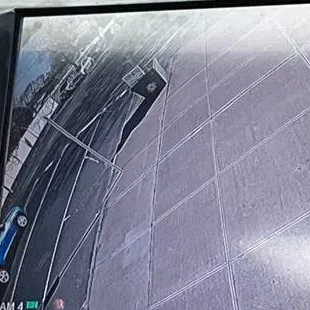
Example photo from another AESS job (not a Bronx property): a recorder screen showing one wide-angle channel of a sidewalk and curb. This is the recorder's own output — the same picture the app should pull when its NAT connection is healthy.
Living With the App on a Phone
I only watch on my phone's data plan — how much data does checking the cameras use, and how do I keep it down?
It depends on what you open and at what quality, and the app lets you control both. The SuperLive Plus manual shows a resolution choice in single-channel view — low definition, middle definition, super definition and a custom option where you set the bitrate and frame rate yourself. Lower settings use far less data and load faster on a weak signal. The manual also describes a speed-up option for cameras at 720p and above, meant to give smoother video.
The bigger saving is not opening sixteen cameras when you want two. The app's favourites let you save a group — the front gate and the side door, say — and the launch setting can open that group, or the last channels you watched, instead of every device. On a phone that is the main window into the system, that small change cuts both data and waiting.
On the recorder side, we check that each camera has a sensible sub stream set, because that lighter stream is what makes remote viewing usable on a cellular connection. The main stream stays at full quality for recording. In a borough where one household in five reaches the internet only through a cellular plan, according to the state Comptroller, this tuning is not a luxury.
The phone buzzes all night for buses and headlights on our block — how do we make the app alarm only for the gate and the side door?
Start on the recorder, not the phone. The app's own alarm settings, as the manual describes them, are a sound alarm and a shake (vibration) alarm that fire when the recorder reports video loss, a sensor alarm or motion. The app does not decide what counts as motion; the recorder does. If every camera is set to detect motion across its whole picture, a street-facing camera on Boston Road or White Plains Road will report every bus, every set of headlights and every shadow.
So we narrow it down on the recorder: motion detection switched off on cameras that only look at the street, the detection area drawn around the gate or the side path on the ones that matter, sensitivity lowered on cameras that see trees, and a schedule so the driveway camera only alarms overnight. Where a door contact or a sensor is wired into the recorder, its alarm is far more reliable than camera motion, and the live view marks sensor alarms separately.
Then on the phone, sound and vibration alarms go on only for the people who need to be woken. The rest of the household can still open the cameras without the buzzing. Owners who want alerts tied to a doorbell rather than motion often add a front-door camera next; our Bronx doorbell camera page covers that.
The app keeps closing or the screen goes dark while we are watching the register — can it stay on?
Usually, but the cause decides the fix. One long-time user wrote on the app's Google Play page that from May 10, 2024 the app "keeps signing off" on their phone and tablet, with no setting to keep the display always on, and that by June 2, 2024 it was staying on again. So some of this comes and goes with app versions; the listing's most recent update, dated October 8, 2026, mentions fixing "known issues" alongside account switching.
Much of it is the phone. Screen timeout, battery saving and background limits on Android and iPhone will dim the screen or close an app that is streaming video. On a phone or tablet used as a counter display, we set the screen timeout and battery optimisation for that one device, plug it in, and set the app's launch setting to open the register group automatically so a restart brings the right cameras straight back.
If the app closes by itself in the middle of playback, as another Play reviewer described when trying to record a clip, that is worth reporting with the app version and phone model. We note both on the visit, update the app, and test the same action again before we leave.
Example photo from another AESS job (not a Bronx property): a camera covering a corridor to a service door. A tightly drawn detection area on a view like this is what keeps app alarms meaningful.
Stickers, Serials and Stolen Boxes
We bought a two-family house in Williamsbridge and the cameras came with it — what has to change the week we close?
Treat it like changing the locks. The seller, and anyone the seller shared the system with, may still have the recorder on their phone. As long as they hold a working user name and password, they can watch your driveway. Taking over means three things: getting administrator access, changing every password on the recorder, and making sure only the phones you approve can connect.
If the seller handed over the admin password, the work is quick. If not, recovery depends on the recorder. TVT-platform recorder manuals describe resetting the administrator password through security questions set when the recorder was first configured; if nobody knows the answers, the manual tells the owner to contact the dealer. That is why we always ask for a photo of the recorder's label before the visit, so we know which brand to contact and what proof of ownership they will want.
Once you have admin, we set your own admin password, a viewing user for each person in your household and — if you rent out the other floor — no access for the tenant unless you choose to give it. Then we add the recorder to your phones by serial number and leave a written record of what exists and who holds what.
The QR sticker on the recorder shows its serial number — can someone who photographs it watch our cameras?
Not on the serial alone. In the SuperLive Plus manual, scanning a recorder's QR code fills in the device, which is its MAC address or serial number, and the user; the viewer still has to supply the password before the app will play anything. Think of the serial as the address of the house and the password as the key.
That is exactly why the factory password matters. The manual gives the default user name as admin and the default password as 123456, and plenty of recorders we open still use them, because the installer used the defaults to add the owner's phone and moved on. On a recorder like that, the sticker plus the default password really is enough. Change the password and the sticker becomes harmless.
Two other habits help. The manual describes sharing a device by pressing and holding its QR code in the app's server list; whoever receives that share may get more than just the address, so share only with people you would give a key to. And if the recorder sits where visitors or workers can photograph it, a locked cabinet removes the question entirely.
The recorder sits on a shelf by the front door — if a burglar takes it, what do we lose and what should we change afterward?
You lose the recordings, because they live on that box's hard drive and nowhere else unless you saved clips to a phone. The app on your phone will simply show the device as grey; a thief with the recorder cannot reach into your phone or your phone's other apps. What the thief does have is the box, its drive and, if the password was never changed, everything on it.
Afterward, delete the stolen device from every phone, and change any password that was reused on the recorder — the Wi-Fi password if the recorder knew it, and any email account the recorder used to send alerts. TVT-platform recorders can store email settings, and the 2024 NVMS9000 advisory lists email and network configuration among the details a vulnerable recorder could leak.
Before it happens, the answer is placement. Most of the clips that help after a break-in exist only if the recorder survives the break-in. We cover moving it in the FAQ below; if the room needs new cable, our Bronx NVR installation crew plans the relocation.
Example photo from another AESS job (not a Bronx property): a small camera high on a plain wall. The cameras rarely get stolen; the recorder they feed is the box worth hiding.
Infections, Updates and Blackouts
Our recorder has been slow and rebooting on its own — could it be infected, and what is the safe order to clean it up?
It could be, though a failing drive or power supply causes the same symptoms. The flaw behind the 2025 attacks on TVT recorders was published by SSD Secure Disclosure in May 2024: a single crafted message to an exposed NVMS9000 control port — 6036, 17000, 17001 or 8000, depending on configuration — could return the administrator's credentials in plain text on firmware before 1.3.4. VulnCheck later catalogued it as CVE-2024-14007, rated 8.7, noting it affects many white-labelled recorders. GreyNoise saw attempts to exploit it triple in April 2025, and BleepingComputer listed the signs of a Mirai infection on a recorder: outbound traffic spikes, sluggish performance, frequent crashes or reboots, high processor use when idle, and changed settings.
Order matters. Unplug the recorder from the internet first — not from power, so it keeps recording locally. Copy any footage you need, because a reset removes settings and some models clear more than that. Only then reset, load the current firmware the recorder's brand provides, and rebuild users, passwords, network, NAT, motion and recording schedule.
Last, close whatever let it in — usually a port-forwarding rule or UPnP on the router — before the recorder goes back online. The serial-number method needs neither. If the drive itself turns out to be failing, that becomes a repair or replacement, which our Bronx camera maintenance visits are designed to catch early.
Is it safe to update the recorder's firmware from the phone, or should that happen on site?
On site, by preference. Firmware for a white-label recorder comes from the brand that sold it, and loading the wrong file can leave a recorder that will not start. The SSD advisory says affected TVT customers can contact TVT's technical support to ask whether a patch exists for their model; for a Viewtron, QT, Shield or other label, the seller is the first stop.
An update also changes things the app depends on. Afterward we confirm the NAT service reconnects, the users and passwords survived, the recording schedule is intact and every phone turns green. If the recorder is old enough that no update exists, we say so and keep it off the open internet rather than pretending a newer file is coming.
Before any update we copy the configuration where the recorder allows it and note the settings by hand where it does not, so a failed update costs an hour, not a weekend.
Con Edison outages hit our block most summers — what keeps the recorder and the app working through a blackout?
Only a battery. When the power goes, the recorder, the cameras it powers and the internet gateway all go with it, and the app shows grey until power returns. News 12 reported about 5,000 Con Edison customers without power in the Bronx during the July 2026 heat wave, along with an 8% voltage reduction in parts of the northwest Bronx — the kind of brown-out that can make a recorder reboot even when the lights stay on.
A small uninterruptible power supply under the recorder, sized for the recorder and the PoE cameras it feeds, rides through short drops and gives a clean shutdown on long ones. Putting the gateway on the same battery keeps remote viewing alive for as long as the battery lasts. A separate surge protector does not do this; it only absorbs spikes.
After any outage, check two things in the app: that the recorder comes back green on its own, and that the time on the picture is right. A recorder without a time server set can come back with the wrong clock, which shows up later as playback stamped at the wrong hour. We set the time server and daylight saving when we fit the battery.
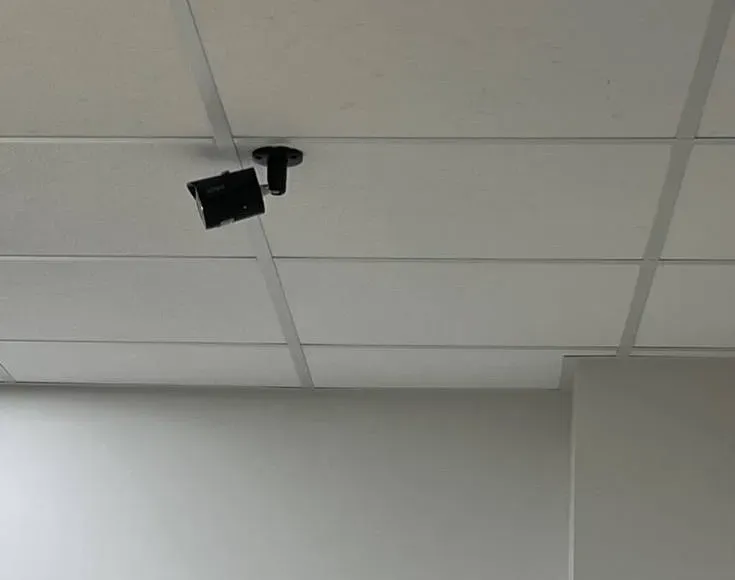
Example photo from another AESS job (not a Bronx property): a bullet camera hanging from a drop ceiling. Cameras powered from the recorder go dark with it in a blackout unless the recorder is on a battery.
Equipment
Types of Super Live Plus Systems We Repair
The app can only show what the hardware behind it offers. Here is the equipment we usually find on the other end of a Bronx Super Live Plus connection, and what each piece changes on your phone.
TVT-Platform DVRs on Coax
Analog and HD-over-coax recorders, still common in older houses and walk-ups with cable runs from the 2000s. The app reads the recorder's channel list, so an eight-channel DVR shows as one device with eight cameras.
NVRs With Network Cameras
Newer installs with PoE cameras on network cable. The NVR records; the app connects to the NVR, not to each camera, which keeps the phone side simple even with sixteen cameras.
White-Label Recorders
Viewtron, the QT series, Shield Technology and HDSS's T-Series are among the labels whose sellers point owners to SuperLive Plus. Menus and firmware sources differ by label; a photo of the recorder's sticker settles which.
IP Cameras Added Directly
The manual's server list shows single IP cameras as devices in their own right. Without a recorder there is no playback unless the camera has its own storage.
Pan-Tilt-Zoom Cameras
The app's PTZ mode lets you steer by sliding on the picture and, on cameras that support it, zoom to a point by tapping — handy for a driveway or a lot.
Cameras With Audio
The manual lists audio and two-way talk buttons in live view. Useful at a gate or a back door, subject to New York's consent rules for recording conversations.
Alarm Inputs and Sensors
Live-view indicator lights distinguish sensor alarms, motion alarms, schedule and manual recording and video loss. Door contacts wired to the recorder show up as sensor events.
Android TV and Tablets
SuperLive Plus also runs on Android TV boxes and tablets, which suits a front-desk screen in a store or a monitor in a kitchen for a two-family house.
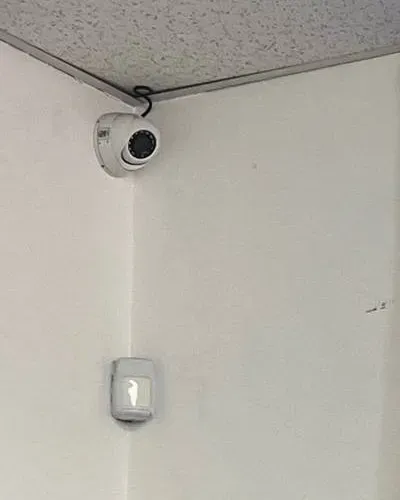
Example photo from another AESS job (not a Bronx property): a dome camera above a wall motion sensor. Where a sensor is wired into a recorder, its events show in the app as sensor alarms rather than camera motion.
Four routes to the same TVT recorder, compared
Option
Best for
Limits in a Bronx house or shop
Super Live Plus by serial number (NAT relay)
Watching from anywhere with no ports opened; easiest for families
Needs the recorder's NAT service connected and a steady outbound internet connection
Super Live Plus by IP address
Viewing on the same Wi-Fi as the recorder
Stops working away from home unless ports are forwarded — the method the 2025 botnet exploited
Recorder's own monitor
Searching and backing up on site to a USB stick
You have to be standing at the box — and so does anyone who wants to fiddle with it
Recorder's web page
Configuration from a computer on the same network
One household in three in the Bronx has no computer; not designed for a phone
National alarm brands versus a TVT-platform system you own
ADT, Ring or SimpliSafe-style cloud cameras
TVT-platform recorder with Super Live Plus
Where video lives
Largely on the company's servers, tied to one paying login
On a hard drive inside your house or shop; the phone only borrows a live stream
When the internet drops
Cloud recording usually stops with it
Recording continues locally; only remote viewing pauses
Monthly cost
Plans usually billed monthly for cloud features
No subscription for local recording or the app
Who controls access
Whoever holds the subscription login
The person with the recorder's admin login, so a house sale or a family falling-out changes who can watch
What AI Gets Wrong About Super Live Plus in the Bronx
Summaries of Super Live Plus problems — whether written by a search engine's AI, a help-desk bot or a download site — recycle the same handful of tips. Since Google's AI Overview did not appear for these searches where we researched, we tested the seven tips that come up most often in forums, store reviews and support answers against the app manual, the advisories and what we find in Bronx basements.
Claim 1: "Super Live Plus is the company watching your cameras"
It is an app, and nobody on the other end is watching. Its Google Play listing calls it "a professional mobile phone client software for digital video recorders and IP cameras" for "compatible models only," and the developer details point to TVT (HK) Limited. It has no monitoring centre, no dispatcher and no contract; the listing's data-safety section says the developer declares no data collected and none shared with third parties.
We meet Bronx owners who assumed the app came with a service — that "Super Live Plus" would call them or the police if someone climbed the gate. It will not. It shows what the recorder sees and sounds an alarm on the phone if the recorder reports one. Everything else is up to the person holding the phone.
The brand on the recorder can be TVT, Viewtron, QT, Shield, HDSS or something else. That is why we ask for a photo of the label: it tells us whose firmware to use and whose support line to call if the password has to be recovered.
Claim 2: "If the app says offline, the cameras stopped recording"
Grey in the app means the phone could not connect. It says nothing about whether the recorder is recording. In nearly every Bronx call where the cameras "stopped working" after an internet change, the recorder had been writing video the whole time and the owner simply could not see it from outside.
That distinction matters on the day something happens. A grey app is not a reason to give up on footage. Go to the recorder: if its disk light is flickering, the hours you need are probably on the drive, and they can be searched and backed up there even with no internet at all.
The opposite also happens. One owner on r/SecurityCamera, using SuperLive Plus, reported a "DHCP failure" after more than a year of normal use — the recorder failing to get an address from the router. Recording carried on; remote viewing did not. The fix was on the recorder and the router, not in the app.
Claim 3: "Give the recorder a fixed IP address so it never drops off"
Forum answers and installer videos often recommend typing a fixed address into the recorder. Inside one unchanging network that is harmless. In a Bronx house where Optimum swaps the gateway, a tenant replaces a router or a second box sits in the chain, a hand-typed address is the single most common reason a recorder vanishes from every phone at once.
The new gateway uses a different range, and the recorder keeps announcing an address and gateway that no longer exist. It cannot reach TVT's NAT service, so the serial-number connection fails along with everything else.
The sturdier setup is a reservation on the router — the router always gives the recorder the same address — or plain automatic addressing, plus a DNS server that works. If the router is replaced, the recorder simply asks the new one for an address and carries on.
Claim 4: "Just log in with admin and 123456"
The defaults are real; the manual prints them. Using them as the permanent password is what turns a camera system into somebody else's camera system.
The advice also skips the step that matters to Bronx families: changing the password on the recorder means updating every phone that uses it. If nobody plans that, the owner changes the password, the whole family's app goes grey, and the default comes back "until we figure it out."
Our routine is a strong admin password for the owner, named viewing users for everyone else, phones updated on the same visit and a written list of who has what.
Claim 5: "It only needs a little internet"
The manual has a whole section headed "Access Device via 2G/3G/4G Network," and download pages repeat it as if any signal will do. Recording needs no internet at all. Remote viewing needs it at both ends — upload from the recorder, download to the phone — at whatever quality you open.
In a borough where 20.3% of households reach the internet only by cellular plan, the difference shows up as cameras that spin. Lower live resolution, sub stream, the speed-up option on supported cameras and a favourites group that opens two cameras instead of sixteen fix more "slow app" calls than anything else.
And if the recorder itself is on a hotspot that leaves the house with its owner every morning, no app setting will help. The recorder needs a connection that stays.
Claim 6: "Any computer tech or handyman can fix it"
Book through Angi, HomeAdvisor or Thumbtack and someone will turn up. Reinstalling an app takes them a minute. Knowing why a recorder lost its NAT connection after a gateway swap, how to recover an admin password without wiping the recordings, and which firmware belongs on a white-label box is camera-system work.
The app's remote setting screen opens the recorder's own menus. Changing network, users or recording settings from a phone changes the system that holds your evidence.
There is also the paperwork question: camera installation and service are licensed trades in New York State. Before anyone opens your recorder's menus, ask to see a number — ours, #12000287431, is printed on every invoice.
Claim 7: "Super Live Plus is abandoned, so the system is a lost cause"
Owners read the one-star reviews and assume nobody maintains the app. The Google Play listing tells a different story: an update dated October 8, 2026, adding account switching and fixing known issues, on an app with more than five million downloads. The iPhone version lists support from iOS 12.1 upward.
The weak point in an old system is rarely the app. It is a recorder whose brand stopped issuing firmware years ago, sitting behind a forwarded port, still on its factory password. That is the box the 2025 botnet activity went looking for, and it can be fixed or replaced without throwing out the cameras.
So before anyone tells you to rip everything out, ask three questions: does the recorder's NAT page connect, is its firmware the latest its brand offers, and is the drive healthy? If all three are yes, the system has years left. If the recorder fails, our pricing section lists replacements that keep the existing cameras.
Text Us the Recorder Label Before Anything Else
Text a photo of the recorder's label and the app's device list to (646) 490-0629. We will tell you whose platform it is, whether it was added by serial or by IP, and whether a visit is likely to be needed.
Write it the way you would explain it to a neighbour — the cameras went grey after the Optimum visit, the recorder is behind the boiler, my cousin still watches from Yonkers. A licensed technician reads it and rings back the same business day with what we think is wrong, a written Bronx price, or a time to come and look. You are not committed to anything by sending it.
Got It — We're On It
Your request is with the Bronx team, and a technician will phone you today during business hours. Police or an insurer waiting on video? Call (646) 490-0629 now instead.
How It Works
Our Super Live Plus Repair Process
Seven steps, whether it is one recorder in a Wakefield basement or three on Jerome Avenue. If footage is needed for an investigation, step 3 comes first and everything else waits.
1. Phone check
We ask what the app shows, what changed and when, the name on the recorder's label, who provides the internet and who has the system on their phone. Some problems are found on this call.
2. Trace the connection
On site we follow the cable from the recorder to the gateway it actually lands on, note every router in between, and read the recorder's network and NAT status before changing anything.
3. Save the evidence first
If police, the DA or an insurer need video, we copy it off the recorder to USB before touching a single setting, and note how far its clock is from real time.
4. Restore the route
Recorder network settings matched to the current gateway or set to automatic, DNS set, NAT confirmed connected, forwarded ports and UPnP reviewed and closed where not needed.
5. Secure the accounts
Default logins replaced, an admin password for the owner, named viewing users for family or staff, and old users removed with the owner's agreement.
6. Set up every phone
Each approved phone added by serial number or QR code, live view tuned for mobile data, favourites and launch settings saved, gesture lock where phones are shared.
7. Leave a sheet behind
On one page: the recorder's brand and serial, the gateway it plugs into, every user and its owner, the oldest recording on the drive, and each change made that day.
Coverage Area
Super Live Plus Repair Near the Bronx's Landmarks
Our crews work in every corner of the borough. The six spots below earned a card because each says something about Bronx internet, Bronx houses or Bronx footage requests; none of them is a client.
Optimum Store, 2912 Third Avenue
The Bronx store Optimum lists for Big Apple Connect enrollment, near the Hub. Altice USA, trading as Optimum, holds the city's cable franchise for the Bronx, so a large share of the gateways our recorders plug into come from this one company.
White Plains Road, Wakefield
Wakefield's main shopping district under the 2 and 5 lines, with produce markets and West Indian, East Indian and Spanish food shops — and the two- and three-family streets around it.
Clarence and Randall Avenues, Throgs Neck
Where a doorbell camera caught a mailbox theft in October 2025, reported by News 12 Bronx. Residential blocks like these are where owner-run camera systems are the norm.
Jerome Avenue Auto Corridor
Around 150 auto businesses along Jerome Avenue, by the United Auto Merchants Association's count, most in rented bays — recorders in small offices and owners watching lots after dark.
District Attorney, 198 E. 161st Street
Home of BronxCAMS. Owners who choose to list their cameras go on a confidential map, and prosecutors phone them for a copy when something happens nearby — they never log into anyone's system.
Katonah Avenue, Woodlawn
Woodlawn's main commercial street, a few blocks from the Westchester County line at McLean Avenue, with restaurants and specialty shops — a short, walkable strip of small storefronts at the top of the borough.
Beyond those six, we are regularly on calls in Wakefield, Woodlawn, Williamsbridge, Olinville, Edenwald, Eastchester, Baychester, Co-op City, Pelham Gardens, Allerton, Pelham Parkway, Morris Park, Van Nest, Parkchester, Unionport, Castle Hill, Soundview, Clason Point, Throgs Neck, Schuylerville, Edgewater Park, Country Club, Pelham Bay, City Island, Hunts Point, Longwood, Port Morris, Mott Haven, Melrose, Morrisania, West Farms, Tremont, Belmont, Fordham, Bedford Park, Norwood, University Heights, Morris Heights, Mount Eden, Concourse, Highbridge, Kingsbridge, Marble Hill, Spuyten Duyvil and Riverdale. Other boroughs and counties are covered from our NYC Super Live Plus support hub.
Pricing
Super Live Plus Repair Cost in the Bronx
Nobody charges you for the app, and a TVT-platform recorder records and streams without a monthly plan. The bill, when there is one, is for a licensed technician's hours and, occasionally, for a recorder that has reached the end. The Bronx carries a 1.00 area factor in our pricing, so these are our New York City base figures with nothing added for the borough.
Bronx Super Live Plus work
Price
What it covers
Phone check
No charge
Ten minutes with whoever can reach the recorder, to decide whether anyone needs to come out
On-site Super Live Plus service
$195/hr, 3-hour minimum ($585)
Tracing the connection, restoring the recorder's network and NAT, closing exposed ports, replacing default logins, setting up every approved phone, and the written record
Time beyond three hours
$195/hr
Extra recorders, password recovery through the label's support line, clean resets and firmware rebuilds, long evidence backups
4-channel recorder replacement
$450–$700
Bronx DVR upgrade rate for a small house system: cameras stay on the cable already in the walls, a 2TB drive goes in, phones are re-added
8-channel recorder replacement
$650–$1,000
The usual two-family house or corner shop: current cabling kept, 4TB drive, motion zones and app access rebuilt
8-channel hybrid (XVR) replacement
$800–$1,200
A hybrid box that takes today's coax cameras and tomorrow's network ones
16-channel recorder replacement
$1,200–$2,200
Auto shops, bigger stores and buildings with cameras on several floors
32-channel recorder replacement
$2,200+
Yards, warehouses and large sites — priced only after we walk them
What moves the price is almost always time. A recorder with a known admin password that only needs its network settings matched to a new gateway fits easily inside the minimum. A recorder nobody can log into, cabled to a tenant's router, with ports forwarded and four family phones to update, takes longer. A replacement recorder is quoted in writing before it is ordered, and a new cable run to move the recorder onto the owner's own connection is quoted separately.
Two worked examples on the published prices
A two-family house in Wakefield with one eight-camera DVR. Optimum replaced the gateway, every phone went grey, and the owner still has the admin password. One visit: read the recorder's network page, set it to match the new gateway, confirm NAT connected, remove an old port-forwarding rule, create users for the owner, spouse and adult son, update three phones. That fits the 3-hour minimum: $585.
An auto shop on Jerome Avenue with a sixteen-channel recorder. The installer is unreachable, the password is unknown, and the recorder has been rebooting on its own. Disconnect from the internet, back up any needed footage, recover access through the label's support process, clean reset, firmware, rebuild users and settings, set up two phones. That runs past the minimum at $195 an hour. If the recorder turns out to be failing, its replacement is priced from the table — for sixteen channels, $1,200–$2,200 — before anything is installed.
Nothing is booked until you accept the written quote, and that quote spells out how payment works for a Bronx visit, hour by hour and part by part. Full terms — including 50% deposit, one-year parts-only warranty on AESS-supplied products, and the late-fee schedule — are set out in the service agreement. Cameras, drives or routers you buy yourself are covered by their own makers, and we tell you on the quote which parts are ours.
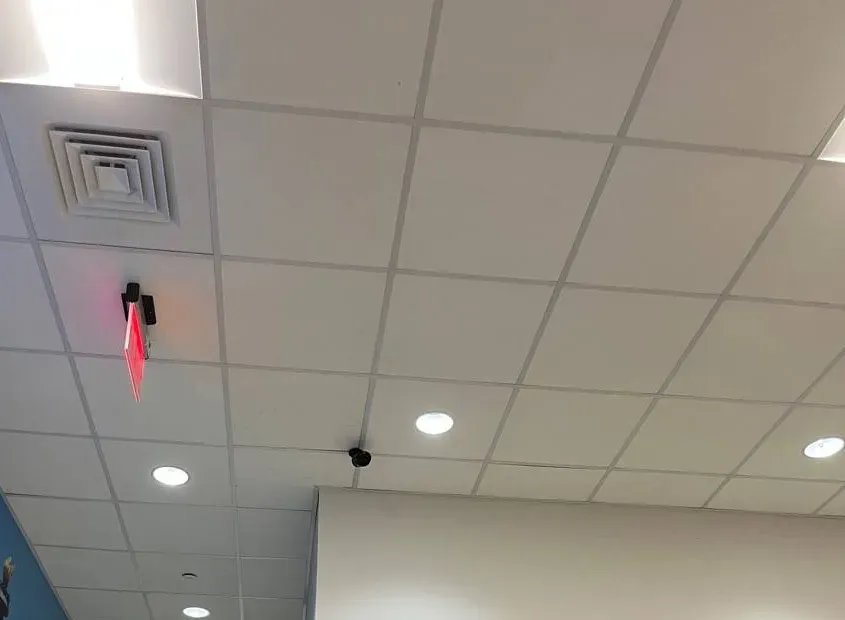
Example photo from another AESS job (not a Bronx property): a small ceiling camera beside a lit exit sign. Exit doors are among the cameras owners ask to have in their app's favourites group.
Shop Our Systems
Super Live Plus Repair Packages & Pricing
Three outcomes cover nearly every Bronx Super Live Plus call. Whichever fits, you see the expected hours and the parts on paper first.
Phone Check
$0
We talk the person standing at the recorder through its NAT screen and the phone's device list, piece together what changed, and tell you honestly whether a visit is worth paying for.
Reconnect & Lock Down
$585 · up to 3 hours
On site in the Bronx: connection traced, recorder network and NAT restored, exposed ports closed, default logins replaced, named users created, every approved phone set up for mobile data, written record.
Recorder Swap + Phones Rebuilt
from $450–$700
For a box that cannot be saved: the Bronx DVR upgrade table sets the price by camera count, from $450–$700 at four channels to $2,200+ at thirty-two, and each family phone is connected to the new recorder before we go.
Bought the kit online or inherited it? You do not have to buy ours
Plenty of Bronx systems arrived with the house, the lease or a cousin's help, and plenty more came in a box from a marketplace. That is fine with us: getting the app, the router and the logins straight needs no new equipment, and the first visit ends with a plain verdict on which pieces deserve to stay. If you later buy extra cameras yourself, the labor-only prices are in our bring-your-own-equipment calculator.
Speak to a Bronx Super Live Plus Technician
Describe the grey squares, the gateway, the tenant or the forgotten password to a technician, not a call centre, and get a plan before anyone drives over.
Fixing the app sometimes exposes the next job: a dying drive, a crushed run under the stairs, a second building on another brand's app. These Bronx pages pick up from there.
Front-door cameras for houses and small buildings.
Field Notes
Field Notes: Follow the Cable Before You Touch the Phone
When a Super Live Plus system goes grey, the owner has usually already done what the internet told them: deleted the app, reinstalled it, rebooted the recorder twice. None of that touches the actual problem, because the actual problem is almost never on the phone.
So the first thing I do in a house is not open the app. I find the recorder and follow its network cable with my hand to wherever it ends. In a two-family house it surprises the owner more often than not — the cable goes up through a closet to the tenant's floor, or into a little second router somebody added years ago, or to a gateway the internet company swapped and left in a different spot. Once I know where it lands, the recorder's network page and its NAT status make sense, and the fix is usually a few settings.
Then, before I leave, every phone that should see the cameras gets set up in front of me, and every phone that should not gets locked out. The app is the part people see. The cable and the passwords are the part that keeps it working.
— Anwar Timothy, owner, NYS license #12000287431
FAQ
Bronx Super Live Plus Repair FAQ
Quick practical answers — booking, getting in, what you are left with — that the longer sections skip.
Who answers when we call the Bronx line — a dispatcher or a technician?
+
A technician. The person who picks up asks what the app shows, what changed and when, and what the recorder's label says, and is the same person who plans the visit. If you can, stand next to the recorder during the call; sometimes one setting can be changed while we talk, and when it cannot, we arrive knowing what to bring.
Will you show us how to back up a clip from the recorder itself before you leave?
+
Yes, and we would rather you do it while we watch. Using the recorder's own search and backup screens, you find a moment from earlier that day, copy it to a USB stick and play it on another device. A copy made that way carries the recorder's time stamp and quality, which is what police and insurers ask for, and it works even when the internet is down.
Do you need to get into the tenant's apartment if the router is up there?
+
Only if the recorder's cable lands there and you want it moved or checked. We can often confirm from the basement where the cable goes. If the fix is to put the recorder on the owner's own connection, we may need a few minutes upstairs to disconnect it; we always arrange that with the owner, never directly with the tenant.
Will our Wi-Fi password or internet account need to change?
+
Usually not. We may need the gateway's admin login to check for port-forwarding rules and UPnP, and you can type it in yourself. We change the Wi-Fi password only if you ask, or if the recorder or a stolen device knew it. Moving the recorder onto the owner's own plan is a cable change, not an account change.
Can you come on a Saturday, when everyone whose phone needs setting up is home?
+
Yes. The Bronx office schedules Monday to Saturday, 8 a.m. to 7 p.m. Saturdays suit houses, because every phone that needs the cameras can be set up and tested on the spot; stores often prefer a morning before opening.
Can you tell whether the recorder's hard drive is healthy while you are there?
+
We check it on every visit. The recorder's disk screen shows whether the drive is recognised and its status, and the oldest recording in playback shows how many days it is really keeping. If the drive is failing or far too small, we quote a replacement in writing before doing anything.
If our recorder cannot be saved, does the replacement have to be another TVT-based box?
+
No. If you want to keep using Super Live Plus, a TVT-platform recorder keeps the app the same for everyone in the house. If you would rather switch, we quote another brand and set up its app instead. Either way the replacement is priced from our Bronx DVR upgrade table and quoted in writing first.
What paperwork do we get when the job is finished?
+
You keep two things. The first is a one-page sheet for the recorder: its brand, serial and location, the gateway it plugs into, every user name and whose it is, the oldest recording on the drive, and each change made that day — tape it inside the cabinet. The second is the invoice. Full terms — including 50% deposit, one-year parts-only warranty on AESS-supplied products, and the late-fee schedule — are set out in the service agreement.
While you are here, can you move the recorder somewhere a burglar will not find it?
+
Usually, yes. A recorder beside the front door or under a counter in plain sight can be carried out with the rest. Moving it to a locked closet, a ceiling space or a lockbox is often an hour well spent; if it needs new cable, we quote that separately before starting.
All Areas Served
Super Live Plus Support Across New York City, Long Island and the Hudson Valley
Looking for new cameras, an intercom or an alarm rather than an app repair? The Abstract Enterprises Security Systems home page lists every service, and the about us page has our license and insurance details.
Sources
Where the Bronx Super Live Plus Facts Come From
We built this page from documents you can open yourself: the SuperLive Plus manual and store listings and TVT-platform recorder documentation for how the app behaves, the published advisories for security, and the public reports below for Bronx numbers and news. Store reviews, forum and Reddit posts were read as excerpts and are quoted as owners' reports, not as TVT policy. Routines such as following the cable first, one user per person and written handover records are our own practice. Prices are our city base figures at the Bronx area factor of 1.00.
Nothing here is legal advice; it is general guidance on camera apps, recorders and home networks. For a question about evidence, recording audio, a lease or a tenant's internet service, speak to a lawyer.
Cameras Grey Since the Internet Changed — Call the Bronx Line
A new gateway, a cancelled plan, a tenant who moved out, a recorder rebooting itself, a password that left with the installer — ring (646) 490-0629. Needed footage is backed up before any setting changes, and in most cases every approved phone is showing live video again within one to two hours of the technician reaching the recorder.
Bronx Super Live Plus Repair From a Licensed, Insured Crew
Our Bronx office is a few blocks from the Fordham Road shopping strip: Abstract Enterprises Security Systems, 460 E Fordham Rd, Bronx, NY 10458. Call or text the Bronx line at (646) 490-0629, or send photos of the recorder label through WhatsApp (718) 679-0359.
Licensed by New York State under #12000287431 and fully insured; 201 Google reviewers give us 4.7★ on average, and written estimates go out the day you call.
If a recorder, drive or battery has to be replaced, the maker's own warranty comes with it, and our written quote names the brand before anything is ordered. Full terms — including 50% deposit, one-year parts-only warranty on AESS-supplied products, and the late-fee schedule — are set out in the service agreement. Our warranty page describes the workmanship and manufacturer coverage in more detail, with the number to call if something we installed stops working after the visit.
Page reviewed and updated October 18, 2026. Changelog: Bronx Super Live Plus page rebuilt from new research on the SuperLive Plus manual and store listings, TVT white-label recorders and NAT relay setup, the 2024 NVMS9000 advisory and 2025 botnet activity, Bronx broadband, ACP and cable-franchise data, Bronx housing stock and local news, with prices from our NYC base and Bronx DVR upgrade table at the Bronx area factor.