The Right Client on the Right PC · Clean Clips for Detectives and Adjusters · Clocks You Can Trust
In the Bronx, the computer running Dahua's SmartPSS Lite is usually the only place footage ever leaves the building. It sits behind a deli counter, on the super's desk next to the boiler-room door, or in a managing agent's office — and the day it matters is the day a detective, an investigator from the District Attorney's office or an insurance adjuster asks for a copy. We install the current client, connect it to your Dahua recorder, set the users and the clock, and teach whoever is on shift to export a clip that plays on any computer.
Reviewed and updated October 18, 2026 · Anwar Timothy, owner, NYS license #12000287431 · Bronx office: 460 E Fordham Rd, Bronx, NY 10458
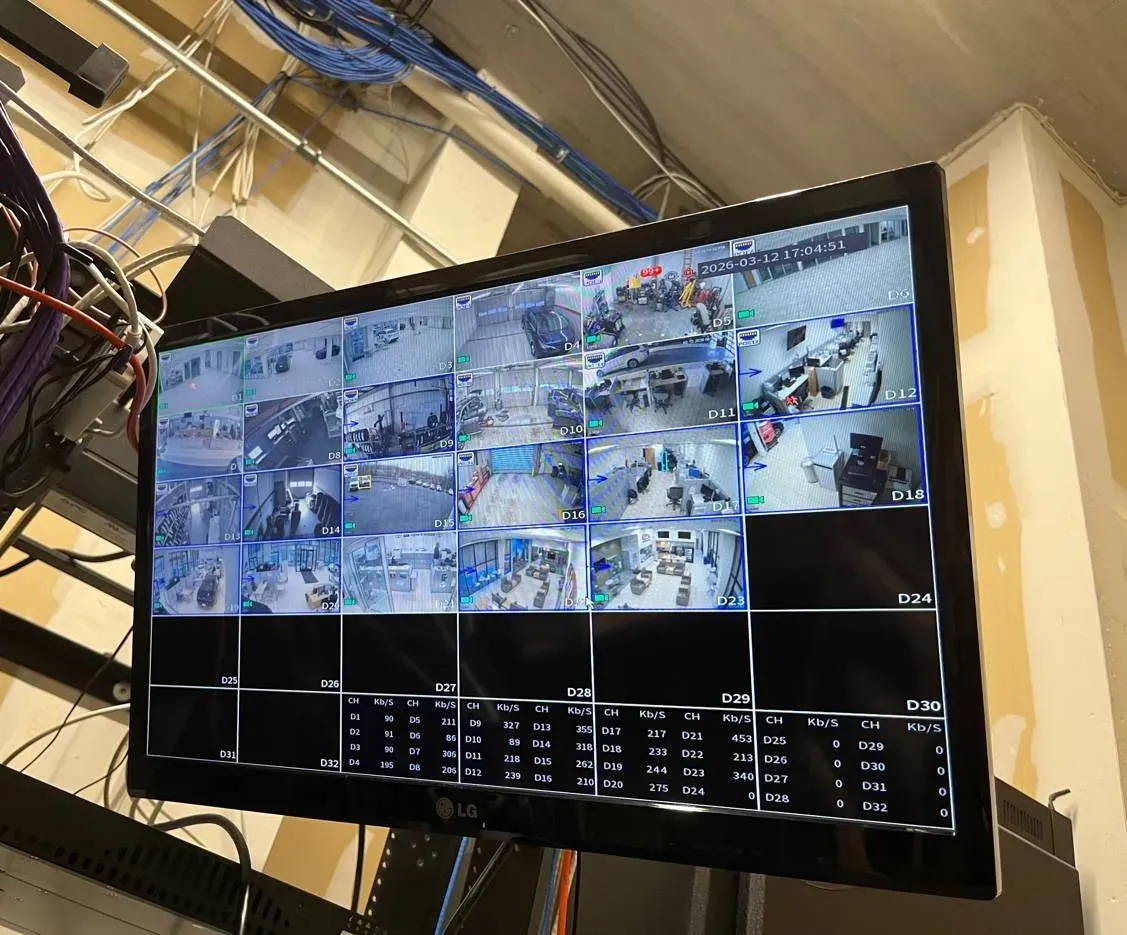
Example photo from another AESS job (not a Bronx property): a recorder's monitor output showing a 16-camera grid and a per-channel bitrate table. This is the recorder's own screen, not SmartPSS — but it is the picture a properly set-up back-office PC should be able to pull up too.
Bronx SmartPSS Help Request
Tell us what the screen shows and where the PC lives — a technician calls back the same business day
✅
Request Sent!
Keep your phone close — a Bronx technician will call about your SmartPSS computer before the business day ends.
25+
Years Experience
✓
Same-Day Estimates
100%
Licensed & Insured
4.7★
201 Google Reviews
Someone waiting on a clip right now? Do not restart the recorder, do not reinstall anything and do not let anyone "reset it to fix it." Footage on a Dahua recorder is overwritten on a loop, and some systems keep far less than owners assume. Call (646) 490-0629, tell us the date, the time window and which cameras, and we will walk the person at the PC through a safe export or come out to do it.
On-site SmartPSS work is billed at $195 an hour with a 3-hour minimum ($585); a phone call to work out what is wrong costs nothing
Clips exported in the recorder's original format with Dahua's free SmartPlayer, plus an MP4 copy for sharing
Same-day written estimates, under NYS license #12000287431
Why Bronx Properties Need Smart PSS Support and Setup
SmartPSS Lite is Dahua's free Windows program for watching and searching the cameras on a Dahua recorder from a computer. Dahua's own support wiki now tells owners that the older SmartPSS "has been discontinued and is no longer supported" and to install SmartPSS Lite instead. On paper that is a simple swap. In the Bronx it rarely is, because of where these computers live and what they are asked to do.
Start with who has a computer at all. The New York State Comptroller's December 2024 broadband report found the Bronx had the city's highest share of households with no broadband access, 36.7%, and the highest share reaching the internet only through a cellular data plan, 20.3%. The Bronx Community Foundation's 2025 digital-divide brief counts one in three Bronx households — over 184,000 homes — without a computer, rising to 35% in Melrose, Mott Haven and Hunts Point. So most Bronx residents who look at a camera do it on a phone, through Dahua's DMSS app. The PC with SmartPSS on it is a business tool: the back office of a bodega on Westchester Avenue, a super's office in a Grand Concourse walk-up, the desk of a managing agent who handles twenty buildings, the dispatcher's window at a Hunts Point warehouse.
Then look at what that PC is for. The Bronx District Attorney's Crime Strategies Bureau has run BronxCAMS since 2018: business owners and residents voluntarily list their cameras in a confidential map, and when a crime happens nearby, the DA's office contacts the owner "to view footage and request a copy." The office says plainly that it has no access to the cameras themselves. When the Riverdale Press covered the program's launch, it reported that store systems often record over existing footage after "as short as 24 hours," and quoted a prosecutor saying more and more of the cases the office handles each day have some type of video. Police release store video to the public too — in October 2024 the NYPD put out surveillance footage of a man who stabbed a bodega worker at Westchester Square, and in August 2026 video from a West Concourse deli was part of the search for a gunman. Every one of those clips started on a recorder and left through someone's computer.
That is the Bronx job. Getting SmartPSS Lite to "show the cameras" is the easy half. The hard half is making sure the person on shift at 11 p.m. can find the right minute, export it in a form a detective's laptop will open, with a time stamp that matches the real time, without wiping anything — and that the PC itself is a 64-bit, supported Windows machine that starts the program on its own after a Con Edison outage. Owners who get SmartPSS set up properly often have us check the DMSS phone app in the Bronx on the same visit, since the same recorder feeds both.
Bronx facts that shape a SmartPSS setup
The borough watches on phones, and works on PCs. 36.7% of Bronx households had no broadband access in 2023 and 20.3% relied on cellular plans only (NYS Comptroller, Dec 2024); one in three households has no computer (Bronx Community Foundation, Jul 2025).
The DA keeps a camera map. BronxCAMS, launched in 2018, lists private camera locations and "information on how to retrieve footage" alongside NYPD and NYCHA cameras; registration is voluntary and the map is never made public.
Footage can vanish fast. Systems "often loop, or tape over, existing footage after a period of time that can be as short as 24 hours" (Riverdale Press, May 2019); a Bronx law firm's evidence guide puts private systems at 7 to 30 days.
The old client lost its cloud link. IP Cam Talk users reported in July 2024 that Dahua would stop P2P connections from old SmartPSS 2.0 and gDMSS/iDMSS apps from August 1; in October 2024 U.S. owners described old SmartPSS showing their recorders offline while SmartPSS Lite connected.
Windows 10 is out of support. Microsoft ended Windows 10 support on October 14, 2025 — no more security fixes without the paid Extended Security Updates program — and SmartPSS Lite's release notes list 64-bit Windows 7, 8, 10 and 11 only.
Buildings are old and rented. The median Bronx multifamily building is 87 years old (UNHP) and the 2024 homeownership rate was 19.7% (NYU Furman Center), so the camera PC usually belongs to a landlord, an agent or a store, not a resident.
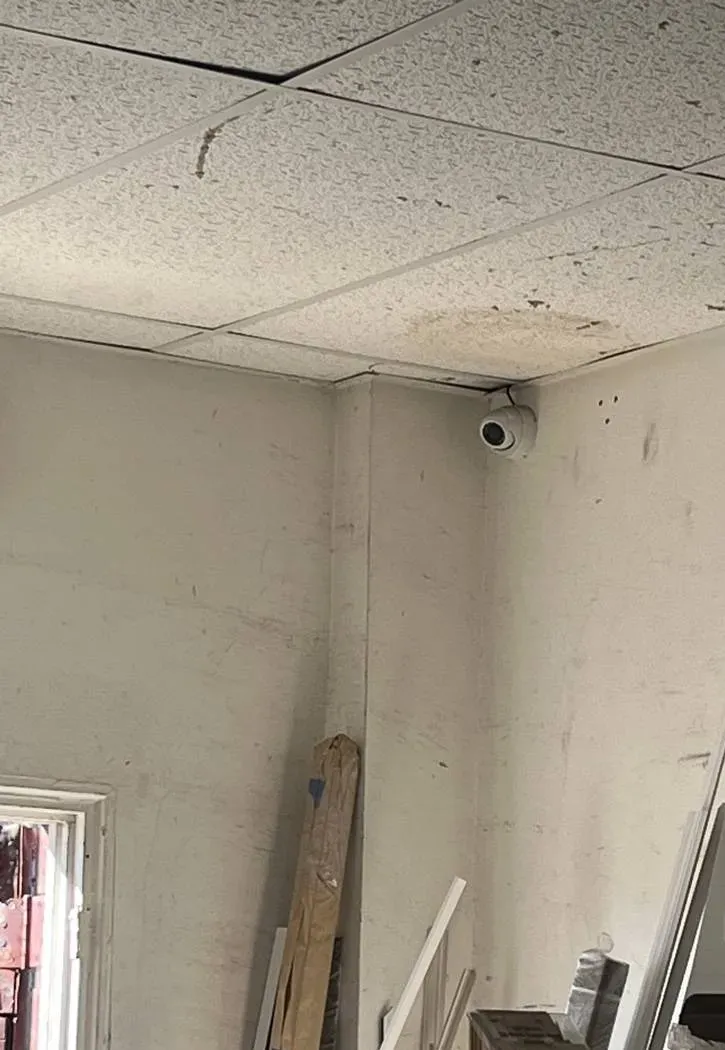
Example photo from another AESS job (not a Bronx property): a turret camera tucked into the corner of a stockroom under stained ceiling tiles. Back rooms like this are often where the camera PC lives too.
Need SmartPSS Fixed in the Bronx Today
If the PC shows every camera offline, the playback search comes back empty, or a clip has to be in someone's hands by tomorrow, that is a same-day call, not a project. Ring (646) 490-0629. We book the earliest slot we can, and most SmartPSS faults are back to a working picture within one to two hours of a technician sitting down at the machine.
Five checks to do before we arrive
Look at the recorder's own monitor. If the cameras show there, the recorder and cameras are alive and the problem is between the recorder and the PC. If the recorder screen is dark too, it is a hardware call.
Read the device status in SmartPSS Lite. In Device Manager, each recorder shows an online status with a green dot when it is connected. Write down exactly what the status column says — "offline" with a reason is a clue.
Note how the recorder was added. The same screen shows whether it was added by IP address or by serial number (SN). That decides whether the PC needs to be on the same network.
Check the clock on the recorder. If the time on the live picture is wrong, tell us before anyone exports — a clip with the wrong time is harder to use.
Do not factory-reset anything. A reset can remove the users, the network settings and, on some recorders, the way back in. Recordings you need are safest left alone until they are copied.
A recorder that is beeping, a hard drive the recorder no longer sees, or a camera that is dark on every screen goes to our Bronx security camera repair crew; when the recorder itself is too old to keep, our Bronx DVR upgrade page lists replacement prices.
What We Install
Smart PSS Setup and Support Services in the Bronx
Every item below is built on what Dahua's own SmartPSS Lite manuals describe the software doing. We do not promise features the client does not have, and when a job really belongs on the recorder, the network or the cameras, we say so and price it that way. These are the jobs we are called for most often across the borough, from a two-camera deli on Tremont Avenue to a sixty-camera complex in Co-op City.
Clean SmartPSS Lite Install
The current SmartPSS Lite build installed on a 64-bit Windows PC, initialized with a strong admin password (Dahua requires 8 to 32 characters with at least two character types) and the three security questions it uses for password resets — written down for the owner, not left on a sticky note.
Recorder and Camera Connection
Your Dahua NVR, DVR or XVR added in Device Manager the way that suits the building: by IP address and port on the local network, or by serial number through Dahua's P2P service when the PC sits somewhere else. We confirm the green "online" status before we leave.
Export Station Setup
A tested routine for pulling clips: playback search by channel and time, the time-clip tool, an export path the staff can find, the right format, and the box ticked to bundle Dahua's SmartPlayer so the clip opens on a computer that has never seen your system.
Clock and Time Zone Correction
Recorder date, time zone, daylight saving and network time (NTP) checked through SmartPSS's device configuration screen, so a clip stamped 9:14 p.m. really happened at 9:14 p.m. — the first thing a defense lawyer or adjuster will question.
Users, Roles and the Lock Screen
Separate SmartPSS logins for owner, manager and night staff through User Manager, with only the permissions each one needs, plus the Lock Screen and Switch User options for a PC that is shared with payroll or rent ledgers.
Unattended Restart
Auto Start with Windows, Auto Login and Resume Last Preview configured so that after a power cut or a Windows update, the camera wall comes back on its own instead of waiting for someone who knows the password.
Live Wall, Views and Tours
Saved views for the register, the entrance and the stockroom; tour plans that rotate channels on a schedule; sub-stream on busy walls so an ordinary office PC can keep sixteen tiles moving.
Alarm Pop-Ups and Email
Event Config linkages so a motion or intrusion event can sound an alarm on the PC, pop up the linked camera and, where the recorder supports it, send an email through your mail server's SMTP settings.
Handover and Clean-Up
When a super leaves, a store changes hands or an installer disappears, we document every recorder and PC login, change them with the new person present, back up the SmartPSS configuration and remove accounts nobody can vouch for.
The phone half of the same system — remote viewing and push alerts on DMSS — is covered on our Bronx DMSS support page; people who also need the doors controlled from that PC usually pair this with access control installation in the Bronx, since SmartPSS Lite has its own access control and attendance modules.
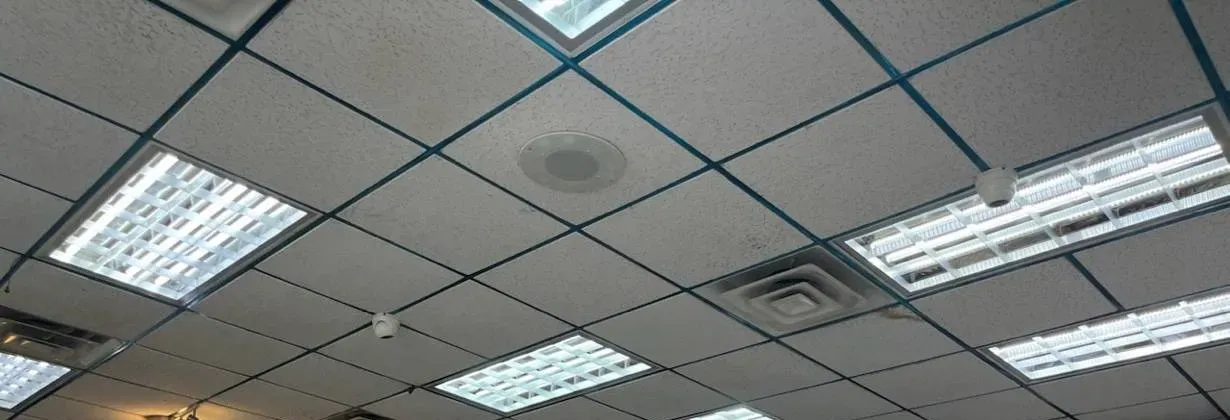
Example photo from another AESS job (not a Bronx property): small dome cameras in a shop's drop ceiling between light panels. Several domes like these on one recorder become a single device with many channels in SmartPSS.
Building Specialists
Smart PSS Setup for the Bronx's Architecture
SmartPSS itself does not care what the building looks like. Where the computer sits, who else uses it, how the internet gets in and how far it is from the recorder all depend on the building — and in the Bronx those answers change block by block.
Pre-War Walk-Ups
Five- and six-storey walk-ups along the Grand Concourse, in Morrisania, Highbridge and Mott Haven usually keep the recorder in the cellar and the "camera computer" wherever the super has a desk. The PC and the recorder are often on different floors and sometimes on different internet connections, which decides how SmartPSS reaches the recorder.
Elevator Buildings and Co-ops
Larger buildings in Riverdale, Parkchester and along the Concourse often have a lobby desk, a super's office and a managing agent off site — three places that want three different levels of access. We set them up as separate SmartPSS users or separate PCs so nobody shares the admin password.
Large Complexes
Co-op City alone has 15,372 apartments in 35 high-rise buildings and seven townhouse clusters. Complexes like that run several recorders, so SmartPSS Lite's organization tree, saved views and tour plans matter more than in a single building.
Bodegas and Delis
The PC is in a back room the size of a closet, shared with the POS back end or a lottery terminal, often on the same cheap router as the card machine. Space, heat and a crowded network are the constraints; a dedicated, password-locked user for the clerk is the fix.
Storefront Strips
Fordham Road, East Tremont, Southern Boulevard and White Plains Road stores often have an owner who manages two or three shops. Each store's recorder is added to one SmartPSS install, with each location in its own folder of the device tree.
Warehouses and Market Units
At Hunts Point and in Port Morris, the recorder may be in an office mezzanine while the PC is at a dispatcher's window. Long cable runs and shift changes mean the export routine has to work for whoever is on that night.
How the setup changes with the building
Same network, same building. When the PC and the recorder share a router — the usual case in a store — we add the recorder by IP address and its TCP port. Dahua's manual gives 37777 as the default port "and the actual port number shall prevail," so we read the port from the recorder rather than assume it. A local connection like this keeps working even if the internet goes down, which is exactly when a store needs to look back at what happened.
Different networks. A managing agent's office in another neighborhood, or a super whose apartment has its own internet, is on a different network from the recorder. There, the recorder is added by its serial number through Dahua's P2P service; Dahua's P2P setup guide first checks that P2P is enabled and "Online" on the recorder itself, under Network › P2P. We also explain the trade-off honestly: P2P depends on Dahua's servers and on both internet connections, and when Dahua changed its P2P protocol in 2024, older clients were the ones that lost the link.
Shared PCs. Where the camera PC also handles rent ledgers, payroll or the store's ordering, we give SmartPSS its own Windows account where possible, turn off "Remember Password" for staff, and show the owner the Lock Screen option. A clerk should be able to export a clip; a clerk should not be able to delete a recorder from the device list.
Old wiring, old recorders. Many Bronx buildings still run analog coax cameras into a Dahua DVR or XVR. SmartPSS Lite handles those recorders the same way it handles a network recorder, so a building does not need new cameras to get a working desktop client. If the recorder itself is failing, we would rather tell you than tune software on top of it — our Bronx NVR installation team takes over from there.
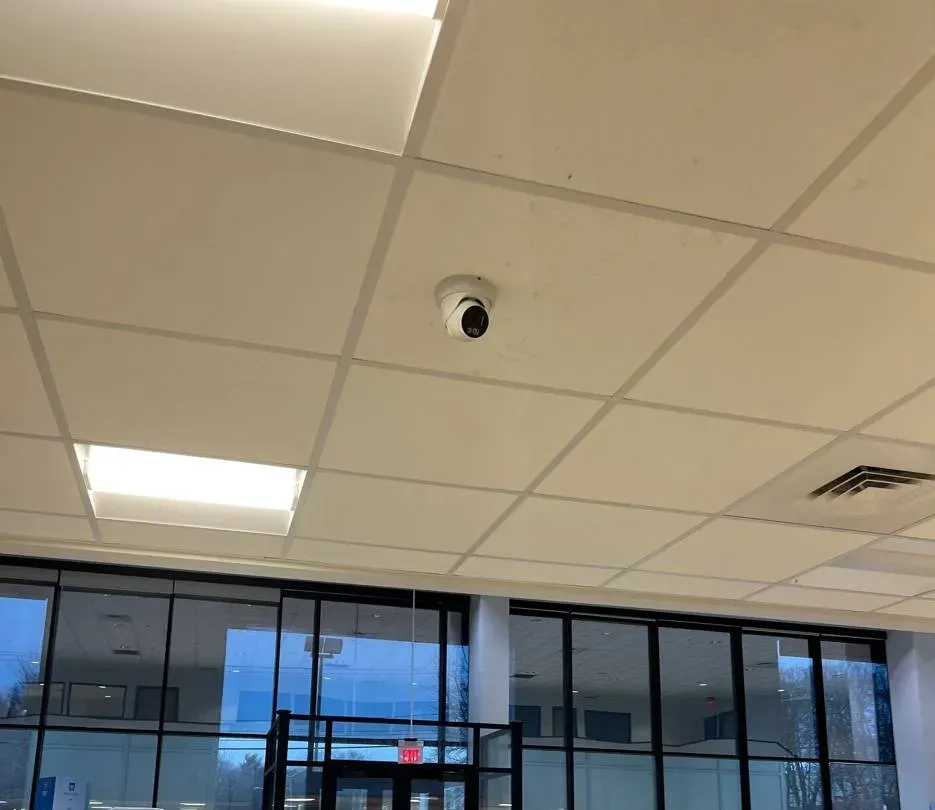
Example photo from another AESS job (not a Bronx property): a turret camera in a drop ceiling watching a glass entrance. A door camera like this is usually the first one anyone asks to see when footage is requested.
Commercial Smart PSS Support
Business Smart PSS Support in the Bronx
Most of the SmartPSS computers we touch in the borough belong to a business. The corridors below are where those businesses cluster; we list them because of the kind of camera desk each one tends to have, not because any business there is a customer.
Fordham Road
The Fordham Road BID covers 35 block faces and 333 ground-floor retail businesses. Chains bring their own IT; the independents bring a PC under the counter and a recorder in the basement — the classic SmartPSS desk.
The Hub and Third Avenue
Around 149th Street and Third Avenue, the Third Avenue BID announced 18 security cameras at 10 locations in October 2026. Busy storefronts here often watch their own cameras from a back office and are the first called when the street cameras miss an angle.
Westchester Square
A Westchester Square bodega was in the news in October 2024 when police released its surveillance footage after an employee was stabbed trying to stop a theft. Stores in the square sit under the elevated 6 line, with small back offices and long hours.
White Plains Road and Jerome Avenue
Long commercial strips under elevated lines, with auto shops, groceries and take-out counters. Owners often run more than one location and want one PC that can search all of them.
Hunts Point
The Hunts Point Food Distribution Center covers about 329 acres with more than 155 wholesalers, and its cooperative market runs around the clock. Night shifts and multiple recorders make a written export routine essential.
Bronx Terminal Market and Arthur Avenue
Big-box tenants south of Yankee Stadium have corporate systems; the specialty shops and restaurants of Arthur Avenue and Belmont are far more likely to have a Dahua recorder with one PC upstairs.
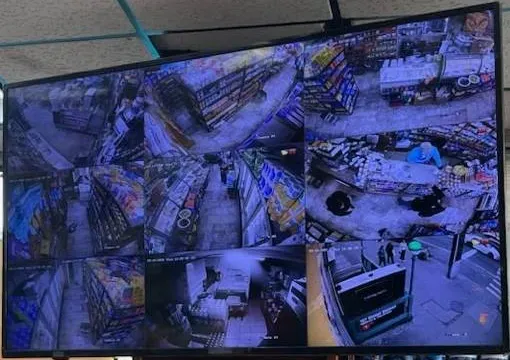
Example photo from another AESS job (not a Bronx property): a monitor hung from a store ceiling showing aisles, the counter and the street door. Stores like this usually also have a back-office PC where clips are searched and exported.
Rules and facts a Bronx business should know about its camera PC
Licensing. Installing and servicing CCTV systems in New York State is licensed work; AESS works under NYS license #12000287431.
BronxCAMS is voluntary. Listing your cameras with the District Attorney is optional, the map is confidential, and the DA's office has no access to your cameras — it asks you for footage. Registration forms are online or by mail to 198 E. 161st Street.
Audio is different from video. New York's eavesdropping law (Penal Law §250.05) makes recording a conversation without the consent of at least one party a felony. If your cameras have microphones, ask before turning audio on in SmartPSS or on the recorder.
Privacy notices. Dahua's own SmartPSS Lite manual tells users to comply with local privacy law and to provide "clear and visible identification" that an area is under surveillance.
Federal rules on Dahua gear. Dahua is on the FCC's Covered List. The FCC's June 2026 order bars continued importation and marketing of covered equipment but says it "does not affect the continued use or operation of previously authorized covered equipment."
The operating system matters. Windows 10 stopped receiving free security updates on October 14, 2025. A camera PC that also opens email and browses the web should be on a supported version of Windows.
Your Questions Answered
Smart PSS in the Bronx: Questions Answered
These are the problems Bronx store owners, supers, managing agents and warehouse managers bring to us about the SmartPSS computer they already have, grouped by what they are trying to get done. Every software step described here comes from Dahua's published SmartPSS Lite manuals and support wiki; where the answer is our own practice, we say so. Prices are in the pricing section; short questions about visit days and paperwork are in the FAQ near the end.
Getting a Clip Out the Door
A detective is at the counter asking for last night's video — what should we export from SmartPSS Lite, and in which format?
Export the exact window they ask for, from the camera they ask for, and give them two versions if you can. Dahua's export guide walks through it: open Playback, choose the device and channel, set the record type, stream and time, click Search, play to the start point, click the Time Clip icon, drag the clip window to the end, and click the icon again. The Export Setup box then asks for a path and a format — ASF, AVI, MP4 or "Original Format" — and has a checkbox to "Export SmartPlayer Player" with the clip.
Our practice is to give investigators the original-format file with SmartPlayer bundled, because that is the file as the recorder wrote it and SmartPlayer opens it on any Windows computer, and a second MP4 copy that will play in an ordinary media player or attach to an email. A Bronx law firm's guide to preserving surveillance evidence makes the same point from the legal side: keep original files whenever possible, avoid editing or clipping beyond what is needed, and note who handled the copy and when.
Use the main stream, not the sub stream, when you search for an export — the sub stream is the lower-quality copy meant for live walls and slow connections. Write down the camera name, date, start and end times and who made the copy, on paper or in an email to yourself. If the detective brings their own USB stick, it is fine to use it; if not, a new stick from the drugstore is better than one that has been floating around the office.
Should we list our cameras with BronxCAMS, and what will the DA's office actually ask us for later?
That is your call — the program is voluntary. What the Bronx District Attorney's office describes is a confidential map of private, NYPD and NYCHA camera locations with "information on how to retrieve footage." When a crime happens near you and your camera might have caught it, members of the office contact you or your designee "to view footage and request a copy." They do not log into your recorder; you or someone you trust does the export.
So the practical question is not whether to register, but whether anyone at your business could produce a clean copy at short notice. When the Riverdale Press covered the program in 2019, a prosecutor described the old routine — finding the camera, finding the owner, getting their name and their attorney's name, working out how to start a subpoena — and the paper noted that some systems "loop, or tape over, existing footage" after as little as 24 hours. Registering only helps if the footage is still there and someone can get it out.
If you do register, the online form asks how many cameras you have, interior and exterior. We suggest listing a designee who is actually on site most days — the manager or super rather than an owner who lives in Westchester — and making sure that person has a SmartPSS login with export permission and has done at least one practice export with us.
The time on our clip is an hour off from when it really happened — will that cause problems, and how does it get fixed?
It can. A wrong time stamp does not make video useless, but it creates questions you do not want: was this the right night, was the clip edited, can the owner vouch for the rest of the system? The most common cause we see is a recorder that never switched for daylight saving, followed by a recorder whose clock drifted after power cuts with no time server set.
SmartPSS Lite can fix both from the PC. In Device Manager, the device configuration screen for a recorder has time settings: date and time format, time zone, system time with a "Sync PC" button, a DST section for daylight saving start and end, and an NTP option so the recorder sets its own clock from an internet time server on a schedule. The platform's Basic Setting page also has an "Auto check time" option to have devices checked every day at a set time.
Do not change the recorder's clock in the middle of an incident you need to export — export first, note the offset (for example, "recorder reads 10:14 p.m., real time 9:14 p.m."), and then correct the clock. Changing the time on a recorder that already has footage can leave overlapping or missing stretches in the timeline, which is exactly the kind of oddity that gets questioned later.
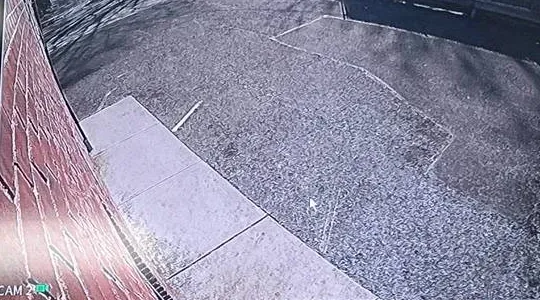
Example photo from another AESS job (not a Bronx property): one camera's view along a brick wall to a paved lot, with the recorder's date stamp visible. That stamp is what an investigator reads first, which is why we check the recorder clock before any export.
We need four hours from three cameras and the export bar barely moves — what is the faster way to pull a long stretch?
Long exports are slow for good reasons: the PC is copying full-quality video from the recorder over the network, often while the recorder is still recording sixteen cameras. Owners on the Dahua subreddit describe the same thing — one person trying to save 24 hours of footage said the only way they found was to export through SmartPSS and "it really takes ages."
Three things help. First, cut the request down: export only the minutes that matter from each camera, as separate clips, rather than one huge file. Dahua's Monitor manual shows a Sync control that plays several channels together, which makes it easier to find the right minutes before exporting. Second, export over a wired connection to a drive inside the PC, then copy to the USB stick afterward — a Reddit troubleshooting answer suggests "saving to a different storage drive (e.g. internal computer drive, not a usb stick)" when downloads fail. Third, watch the Export Progress window, which can pause, restart or delete exports, rather than starting the same export twice.
For a full day of footage from many cameras, it is sometimes quicker and safer to copy straight from the recorder's own USB backup menu on site. That is a recorder job rather than a SmartPSS job, and we do it when the deadline is tight.
Our exported MP4 plays sideways or squashed on the adjuster's laptop — what went wrong?
This is a known annoyance. A Dahua owner on r/cctv described it exactly: downloads from some cameras worked fine as MP4, but from others the video came out "flipped 90 degrees" with the wrong aspect ratio. Cameras installed in a tall, narrow orientation to watch a hallway — and some fisheye and multi-lens cameras — record a picture shape that ordinary players do not always handle after conversion.
The reliable workaround is the one Dahua builds in: export the clip in "Original Format" with SmartPlayer bundled. Dahua's SmartPlayer opens DAV, AVI, MOV, MP4, ASF and FLV files and plays them the way the recorder wrote them, with forward and reverse playback, speed control and frame-by-frame stepping. Send the MP4 as a convenience copy and the original as the evidence copy.
If one camera always exports badly, we look at that camera's image settings on its own web page — rotation and orientation are set on the camera, not in SmartPSS — and fix it for future recordings. We do not change it while footage from the incident still needs to be exported.
A package went missing from the lobby table sometime over three days — is there a faster way to find it than scrubbing the timeline?
Often, yes. SmartPSS Lite's Playback page has a Smart Search tool that Dahua's Monitor manual describes as "dynamic detection analysis of a certain area on the monitoring screen." You draw a box over the part of the picture you care about — the table, the mailbox, the door — and the client marks only the stretches where something moved in that area, shown in purple on the timeline.
There are two catches. The recorder has to support the feature; if it does not, Dahua says, "the result will be empty." And motion in that box includes everything — a porter mopping, a tenant leaning on the table — so you still have to watch the hits. On a three-day search in a busy lobby that usually cuts hours of scrubbing down to a list of a few dozen short moments.
Instant Replay is a different, smaller tool: from the live view, it plays back the last few minutes of a camera without leaving the wall, and the default length is set under the monitor settings. It is the right button for "what just happened at the door," not for a three-day search.
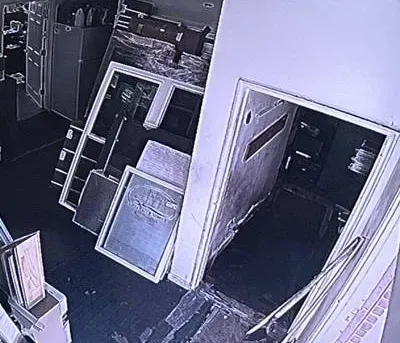
Example photo from another AESS job (not a Bronx property): a night-mode camera tile of a back room and an open doorway. Searching a view like this for the moment a door opened is where SmartPSS's Smart Search earns its keep.
The Computer in the Back Office
The only computer in the store is an old 32-bit laptop — can SmartPSS Lite run on it at all?
Probably not, and it is worth knowing before anyone spends an afternoon trying. The SmartPSS Lite release notes we reviewed list the same operating systems for every version from V1.003.0000000.0 to V1.003.0000008.4: Windows 7, Windows 8, Windows 10 and Windows 11, all "64 bit." A 32-bit edition of Windows is not on that list.
The installer itself is modest — the manual's installation screen shows about 243 MB of space needed — but the client decodes every camera you open, and a weak laptop will struggle long before it runs out of disk. If the store already owns a reasonably recent 64-bit Windows 10 or 11 desktop, we would rather use it than sell you anything. If it does not, any business-grade desktop with a supported version of Windows will do; there is nothing Dahua-specific about the PC.
There is also a Mac download for Apple's M-series computers on Dahua's wiki. We support it, but in Bronx back offices we almost always find Windows, and the Windows release notes are the ones we can point you to.
Our camera PC is still on Windows 10 — is it all right to keep it as the SmartPSS machine?
It will keep working; that is not the same as being safe. Microsoft ended support for Windows 10 on October 14, 2025. Since then, a Windows 10 PC "will still function," in Microsoft's words, but gets no technical support, no software updates and no security fixes unless it is enrolled in the paid Extended Security Updates program. SmartPSS Lite's release notes still list Windows 10, so the client itself is not the problem.
The risk depends on what else the PC does. A computer that only runs SmartPSS, is not used for email or web browsing, and sits on a network segment with the recorder is a much smaller target than the store's everything-PC. Dahua's own security recommendations in the SmartPSS Lite manual go further and suggest separating the video network from the office network on different VLANs.
Our advice for most Bronx stores: if the PC can be upgraded to Windows 11, do it before we set up SmartPSS so the setup is done once; if it cannot, enroll it in ESU and keep it single-purpose; if neither, plan to replace it. We will set up SmartPSS on whichever you choose and write the choice down.
After a blackout the PC comes back to the Windows login and the camera wall stays dark until the owner arrives — can it restart on its own?
Yes, mostly within SmartPSS Lite's own settings. Under the platform's Basic Setting there is an Auto Start option — "the platform is automatically started after the computer is turned on." On the login screen there is Auto Login, which logs the same user in next time. And under Monitor Setting there is Resume Last Preview, which "automatically open[s] the last preview after restarting the platform." Together they bring the wall back without anyone typing a password.
Windows has to cooperate too: the PC must be set to power back on after an outage (a BIOS setting on most desktops) and Windows has to reach the desktop without a login prompt, or SmartPSS never gets the chance to start. Those are trade-offs. Auto login on a PC in a locked office is reasonable; on a PC beside the register it means anyone can sit down and use it, so we pair it with a low-permission SmartPSS user.
A small battery backup under the desk helps both ways. During the July 2026 heat wave about 5,000 Bronx Con Edison customers lost power and Con Edison cut voltage in parts of the northwest Bronx; a battery that rides through a brief dip saves the PC — and the recorder, if it is on the same unit — from an unclean shutdown.
With sixteen cameras open, the little CPU icon turns red and the picture stutters — which settings actually help?
The red icon is SmartPSS telling you something useful. The manual describes a System Status icon on the home page that shows CPU and RAM use and "turns red" when CPU use is high. Sixteen full-resolution streams is a lot of video to decode on an office PC, and a stuttering wall is the result.
The biggest lever is the stream. Under Monitor Setting, Default Stream Type can be set to Sub Stream or "Self adaptive" instead of Main Stream; the Monitor manual describes the main stream as "higher quality and larger traffic consumption" and the sub stream as "lower quality and smaller traffic consumption." For a sixteen-tile wall, sub stream is usually right; you switch a single camera to main stream with a right-click when you need detail. Decode type is the second setting — the platform lets you choose between soft and hardware decoding, and on some PCs one is clearly smoother than the other.
On r/Dahua, owners have posted that SmartPSS crashed on Windows 11 whenever they streamed more than one or two cameras at once. Those threads were about the older client; when we see that behavior today, the first fix is to move to the current SmartPSS Lite build, then lower the stream, then look at the PC's graphics drivers. If none of that helps, the PC is the bottleneck, not the software.
Where does SmartPSS put the snapshots and recordings it saves on the PC, and how do we stop the drive from filling up?
By default, clips you record from the live wall go to a folder under the program's data path — the manual gives "\Data\User\Record" for recordings and ".../Data/User/Picture/Capture" for snapshots — and you can change both under System Config › Local Path. Exports from Playback go wherever you pointed the export path. In a store, those three different folders are why "I saved it, but I can't find it" is such a common call.
We set one obvious folder on the desktop for exports, named so the staff can find it, and leave the live-recording and snapshot folders in place. Under Data Management, the platform can clear stored pictures and videos older than a set number of days and has an overwrite ratio so that when the disk is full, older images and videos are overwritten. That is useful on a small PC — and dangerous if someone saved evidence in one of those folders and nobody moved it.
Our rule: anything exported for police, the DA or an insurer is copied off the PC the same day, to a USB stick that goes to the person who asked for it and a second copy the owner keeps, and is never left only in a folder that the software is set to clean up.
If thieves take the recorder, is there any way the PC could have kept its own copy of the cameras?
A limited one. SmartPSS Lite has a Local Record function: from the live view you can start and stop recording a camera to the PC, and the Monitor Setting page has a Local Record Time — the manual's example is 30 minutes, after which "the system records a video for 30 minutes and then automatically saves the video to the default path on the computer." That is a manual, per-window tool, meant for capturing something you are watching live.
It is not a substitute for the recorder. The PC records only what is open on its screen, only while the program is running, and only to the PC's own disk — which, in a burglary, may leave with the recorder. Stores worried about the recorder being taken are better served by putting the recorder in a locked cabinet or a different room from the register, which is a hardware question our Bronx camera maintenance crew can look at.
What the PC copy is good for is the moment something is happening: a clerk who sees a fight start outside can hit record on that tile and have a separate copy on the PC whatever happens to the recorder afterward.
Supers, Agents and Shared Desks
Our super is leaving next week and a new one starts Monday — what should change in SmartPSS and on the recorder that day?
Everything the old super could log into. In SmartPSS Lite, that means the platform login on the office PC (and the security questions behind "Forgot password?", which the old super may have set), any SmartPSS users created for them in User Manager, and the recorder account they used to add the device. On the recorder itself it means the admin password and any users the old super created there.
Do it with both people in the room if you can. We list every account, decide which stay, change the passwords with the owner or managing agent present, set new security questions that the owner — not the super — controls, and then use the platform's Backup and Restore to save the configuration so the next handover is faster. Dahua's security recommendations in the manual say to "assign accounts and permissions reasonably" with "a minimum set of permissions" and to keep password-reset information up to date; a super changeover is when that actually happens.
If no one knows the recorder's admin password at all, that is a recovery job, and it should be done before the old super's last day, not after. We never solve it by wiping the recorder.
The camera PC in the super's office is the same computer that holds rent records — can the camera program be locked when he steps out?
Yes. SmartPSS Lite's user menu has a Lock Screen option: the window locks and the login password is needed to unlock it. There is also Switch User, which returns to the login page so a different account can sign in. Combined with separate users from User Manager, that lets the super, a porter covering the desk and a visiting agent each see what they are supposed to see.
On the Windows side, we would still prefer a separate Windows account for anything to do with tenants' personal information, so that someone sitting at the camera program cannot open the rent files. SmartPSS's lock only protects SmartPSS.
We also turn off "Remember Password" on a shared PC. The manual is clear that it saves the password for the next login — handy on the owner's own laptop, a gap on a desk that the whole building walks past.
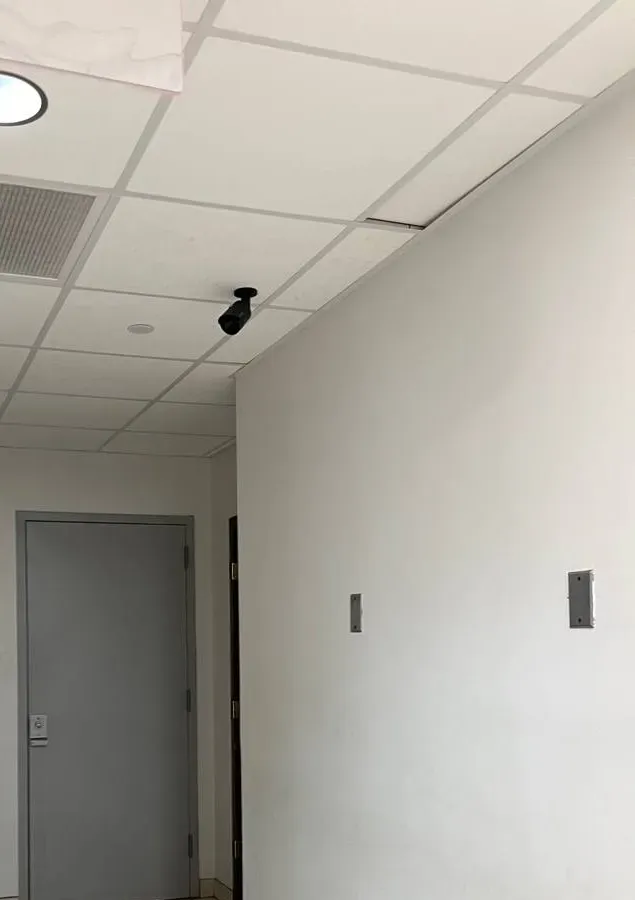
Example photo from another AESS job (not a Bronx property): a bullet camera mounted at the ceiling and aimed down a hallway toward a door — the kind of hallway view a super watches from the office PC.
Can the front-door camera pop up on the super's screen when someone forces the courtyard gate at night?
If the recorder or camera can detect the event, SmartPSS Lite can react to it. The platform's Event Config page sets linkage actions for alarm events — the manual's example is an intrusion event — including an alarm sound on the PC, an alarm email through your mail server, and "Link Video," which pops the chosen camera up on screen "once intrusion alarm is triggered." Arming periods can be set by day and time, so the courtyard only alarms overnight.
An Event Center keeps a running list of events with statistics and a seven-day trend, and the Event setting page lets you choose the alarm sound and loop it. Emails need SMTP details — server, port, account and up to five receivers, with SSL or TLS — and a test button that we always use before leaving.
The detection itself lives on the camera or recorder: a line-crossing or intrusion rule on a capable camera, or an alarm input from a door contact. If the gate camera is an older model without those rules, the PC has nothing to react to, and we will say so rather than wire up alerts that never fire.
Internet, Ports and Dahua's Cloud
The managing agent watches from an office in another neighborhood and the picture keeps freezing — is it their internet or ours?
Usually ours — the building's. Remote viewing sends video up from the building's connection, so the building's upload speed is the limit, not the agent's download. An answer on r/Dahua puts it simply: when cameras keep stalling remotely, the internet connection at the camera end may have "an upload speed that is too low to support the video bitrate you have selected." Many cheap residential plans have a fraction of the upload they advertise for download.
Fix it in the order that costs nothing first. Set the agent's SmartPSS to open the sub stream by default; set the Network Ability option in Basic Setting to match the connection (the manual recommends High when the network is fluent); and open fewer cameras at once. If that is still not enough, the recorder's sub-stream settings can be lowered for remote users without touching what it records.
In some Bronx buildings the honest answer is that the connection is the problem. The Comptroller found the Bronx had the city's highest average price for broadband near the 100 Mbps standard in 2024, and some buildings run their cameras on whatever plan the super could get. If remote viewing matters to the agent, a business plan with real upload is cheaper than a weekly service call.
The recorder shows online in the DMSS app but offline in SmartPSS Lite on the same desk — where do we look first?
Look at how the PC is trying to reach the recorder, then at the account it is using. Owners post this exact puzzle on r/Dahua: one could reach both recorders in DMSS "but not with SmartPSS Lite," even on the latest build; another saw the opposite, the recorder online in SmartPSS Lite and offline in DMSS during a service problem. Two apps, two connection paths, two sets of saved credentials.
Start on the recorder: under Network › P2P, Dahua's setup guide says to verify P2P is enabled and the status is "Online." Then in SmartPSS Lite's Device Manager, check the method — SN for P2P, or IP and port for local — and the status text. A status like the one posted on r/cctv, "Offline (invalid username or password)," means the PC reached the recorder and was turned away, which is a credential problem, not a network one. Recorders lock accounts after repeated wrong passwords, so stop retrying and get the right password first.
If the phone and the PC are on the same Wi-Fi as the recorder, adding the recorder to the PC by IP address is often the quickest way to a stable picture on that desk, with P2P kept for off-site users.
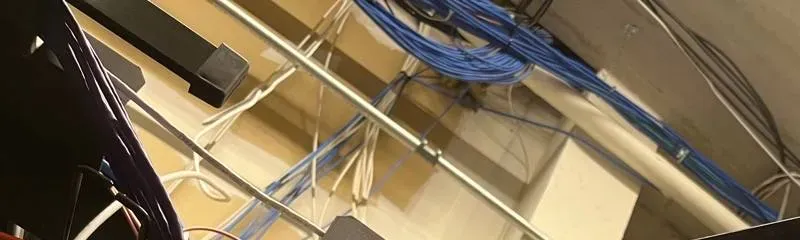
Example photo from another AESS job (not a Bronx property): blue and white network cable bundles running above the shelf where a recorder sits. Whether the PC reaches the recorder through cables like these or over the internet decides how it is added in SmartPSS.
Someone told the owner to open port 37777 on the router so the PC can see the recorder from home — is that a good idea?
Not as a first choice. Port 37777 is Dahua's default TCP port for SmartPSS connections — the manual's Add Device screen pre-fills it — and forwarding it through the router does let SmartPSS reach the recorder by IP from outside. The same forum thread that explains how warns that "open port + DDNS solution opens Your NVR to external attacks."
That warning is not theoretical for Dahua recorders. CVE-2021-33044, an authentication bypass in some Dahua products rated 9.8 out of 10, was added to the U.S. Cybersecurity and Infrastructure Security Agency's Known Exploited Vulnerabilities list in August 2024, with CISA telling users to apply the vendor's fix or stop using the product. A recorder with old firmware and an open port is exactly what that list is about.
Our order of preference for off-site viewing is P2P on a current client, then a VPN into the building network (which many business routers can provide), and only then a forwarded port — on a recorder with current firmware, a strong unique password and a non-default port. Whatever is chosen, it gets written down so the next person knows the recorder is reachable from outside.
Old Clients and Dahua's Changes
Our night manager still keeps the old SmartPSS 2.0 next to Lite because saving clips felt quicker — can the store keep both?
It can, for local use, but it should not be the tool you rely on. Dahua's wiki says SmartPSS "has been discontinued and is no longer supported" and directs owners to SmartPSS Lite. In July 2024 an IP Cam Talk member relayed word from Dahua's Polish organisation that from August 1, Dahua's cloud would stop accepting P2P connections from old SmartPSS 2.0 and gDMSS/iDMSS apps because the old protocol "contained poor password/key encoding," and that direct IP connections were not affected. In October 2024 a U.S. owner reported old SmartPSS showing both recorders offline while SmartPSS Lite connected.
The same thread is honest about why people hang on: users complained that Lite removed conveniences, such as remembering the last export file type, and one called it slower for saving clips. We understand that, but a discontinued program gets no fixes, and the moment it stops connecting is the moment you need it.
What we do is make Lite fast for your routine — a saved view, a fixed export path, a default format — and remove the old client once the night manager has done a few exports without it. If a specific old recorder genuinely needs the old client for local access, we document why.
With all the FCC news about Dahua, will SmartPSS stop working on the cameras we already own?
Nothing in the federal rules switches off cameras you own. The FCC's June 2026 order, effective July 16, 2026, prohibits the continued importation and marketing of covered equipment added to the Covered List in 2024 or earlier — Dahua is a named producer on that list — and states that it "does not affect the continued use or operation of previously authorized covered equipment; consumers may continue to use any device or equipment that they currently possess."
SmartPSS Lite is software, and its continued availability is Dahua's decision rather than the FCC's. What the order does change is the supply of new and replacement Dahua hardware in the U.S. — the FCC rejected an exemption for spare parts and replacements — so a failing Dahua recorder may eventually be replaced with another brand, which would mean a different desktop program.
For now, our advice to Bronx owners is to keep the system you have running well: current SmartPSS Lite, current firmware where Dahua still provides it, no open ports. When it is time to replace the recorder, we plan the software change with you so the export routine survives the switch.
Equipment
Types of Smart PSS Systems We Set Up
SmartPSS Lite is the desktop end of a Dahua system. What we can make it do depends on what is plugged into it. These are the device types we connect to it in Bronx buildings and stores, and what each adds on the PC.
Dahua Network Recorders (NVR)
The most common setup in newer stores and buildings. SmartPSS reads the recorder's channel list, so a sixteen-channel NVR appears as one device with sixteen cameras in the organization tree, each renameable from the PC.
Dahua DVR and XVR Recorders
Analog and hybrid recorders on coax cabling, still everywhere in pre-war buildings. They connect to SmartPSS exactly like an NVR; the camera picture quality is set by the cameras, not the client.
IP Cameras Added Directly
A single camera with no recorder — a one-door store, a stairwell added later — can be added straight into SmartPSS. Without a recorder there is nothing to play back unless the camera has its own card or the PC records it.
Pan-Tilt-Zoom Cameras
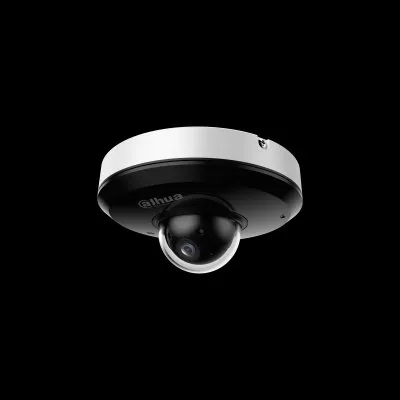
SmartPSS Lite's PTZ panel handles presets, tours of presets, pan, scan, pattern and, on cameras that have one, a lens wiper — useful for a parking lot or a long block face watched from one PC.
Deterrence Cameras
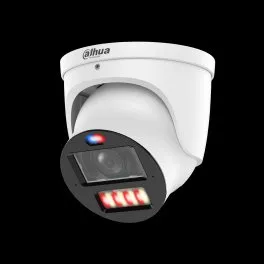
Dahua turrets and pan-tilt cameras with warning lights and sirens. The PC can show their AI rules over the live picture (the "Smart OSD" and "Show IVS Rule" options) so staff understand what tripped an alert.
Access Control and Attendance Devices
SmartPSS Lite includes access control and attendance modules; Dahua's wiki lists guides for anti-passback, first-card unlock and holiday schedules. We set these up when the same PC is meant to run the doors.
Video Intercom Door Stations
Dahua publishes a separate SmartPSS Lite manual for its video intercom solution, and the live view supports audio talk on devices that allow it — handy for a lobby desk, subject to the audio rules above.
Dahua-Built Systems Under Other Names
Some recorders sold under other labels run Dahua firmware and connect to SmartPSS Lite. Send us a photo of the recorder's label and we will tell you before anyone books a visit.
Manufacturer product photo: a white Dahua turret camera with red and blue warning lights under the lens. Deterrence cameras like this can show their detection rules over the live picture in SmartPSS Lite.
SmartPSS Lite next to the other ways of watching the same recorder
Option
Best for
Limits in a Bronx store or building
SmartPSS Lite on a Windows PC
A live wall, playback search, Smart Search, exports with SmartPlayer, user roles, alarms on screen
Needs a 64-bit Windows PC that someone looks after; remote use depends on the building's upload speed
DMSS phone app
Checking in from anywhere, push alerts, quick playback
Small screen; awkward for long searches and for handing a clip to an investigator
The recorder's own monitor
Watching on site with no PC; USB backup from the recorder menu
Only in the room with the recorder; one person at a time; easy for anyone nearby to change settings
The recorder's web page
Configuration from a browser on the same network
Not built for a live wall or for staff exports; browser plug-in quirks vary by recorder
National alarm brands versus a Dahua system you own
ADT, Ring or SimpliSafe-style cloud cameras
Dahua recorder with SmartPSS Lite
Where video lives
Mostly in the provider's cloud, under the account holder's subscription
On the recorder's hard drive in your building; the PC pulls copies
Getting a clip to investigators
Download from the provider's app or website
Export from SmartPSS in original format plus SmartPlayer, or MP4
Monthly cost
Plans usually charged monthly for cloud storage
No subscription for local recording and SmartPSS Lite
Who controls the accounts
Whoever holds the subscription
Whoever holds the recorder admin password — which is why handovers matter
If you are thinking about replacing a Dahua system rather than fixing its software, our Dahua camera installation page for the Bronx covers what the newer hardware does and the federal rules around buying it.
AI Overview Reality Check
What AI Gets Wrong About Smart PSS in the Bronx
We could not capture Google's AI Overview for SmartPSS searches from our research environment, so we do not quote it. Instead, these are seven claims that keep turning up in download sites, how-to videos and forum answers — the material such summaries are built from — checked against Dahua's own documents and what Bronx systems actually run into.
Claim 1: "Download SmartPSS and add your recorder"
Plenty of third-party download pages still offer "SmartPSS" without saying which one. Dahua's wiki is unambiguous: the original SmartPSS "has been discontinued and is no longer supported for Windows and M Series Macintosh Computers," and owners should install SmartPSS Lite. A different reseller's wiki still hosts an old SmartPSS V2.002 build for access control — with the warning "NO P2P connection."
The name matters because the two programs behave differently with Dahua's cloud. Reports from 2024 describe old SmartPSS 2.0 losing P2P while Lite connected to the same recorders. Someone following an old video can end up with a client that installs, opens and shows every device offline.
In the Bronx we also meet PCs where both clients are installed, each with a different saved password for the same recorder. Part of every setup visit is deciding which client stays and removing the other so the staff only ever open one icon.
Claim 2: "Device offline? Check the internet and reboot the recorder"
Rebooting is the first step in almost every generic answer, and it is the step we most want Bronx owners to skip when footage is needed. A reboot interrupts recording, and on a recorder with a failing drive it can be the moment the drive does not come back. If live view works on the recorder's own monitor, the recorder is not the problem.
The useful checks are specific: is P2P "Online" on the recorder; was the device added by SN or by IP; does the status say anything after "offline," such as invalid username or password; and has anyone changed the router, the internet provider or the recorder's IP address. A new router handed out by the internet company changes local addresses, which breaks every IP-added device at once.
In multi-family buildings, the "internet" may also not be the building's at all — it may be a tenant's or the super's personal plan that the recorder was plugged into years ago. When that plan is cancelled, every remote viewer goes dark on the same day, and no reboot fixes it.
Claim 3: "Export the clip to MP4 and send it"
MP4 is convenient, and Dahua offers it, but it is not always faithful. Owners report converted clips coming out rotated or with the wrong aspect ratio for some cameras. Dahua's export dialog also offers "Original Format" with an option to bundle SmartPlayer, which plays DAV and other formats as recorded.
For anything that may end up with the NYPD, the District Attorney or an insurer, a Bronx law firm's evidence guide advises keeping original files, avoiding edits and recording who handled the footage. An MP4 alone, with no original behind it, is the weaker copy.
Our routine is both: original plus SmartPlayer as the evidence copy, MP4 for convenience, and a short written note of camera, date, times and who exported it.
Claim 4: "SmartPSS runs on any Windows computer"
SmartPSS Lite's release notes say 64-bit Windows 7, 8, 10 and 11. A 32-bit machine is out, and Windows 7 and Windows 10 are both past Microsoft's end of support — Windows 10 since October 14, 2025.
"Runs" is also not the same as "runs a sixteen-camera wall." The client decodes every stream you open, and the manual's own System Status icon turns red when the CPU is overloaded. A tired laptop on the counter will open the program and then stutter, freeze or crash once the wall fills up.
In Bronx back offices, the PC is often the oldest computer the business owns, inherited from the previous owner along with the store. We check it before we promise anything, and we tell you if it needs replacing.
Claim 5: "Open port 37777 for remote access"
It works, which is why it keeps getting repeated. It also exposes the recorder to the internet, and forum users who explain how to do it warn in the same breath that it "opens Your NVR to external attacks."
Dahua recorders have had serious, actively exploited vulnerabilities. CISA added CVE-2021-33044, an authentication bypass, to its Known Exploited Vulnerabilities catalog in August 2024. Dahua's own SmartPSS Lite manual recommends firewall allowlists and separating the video network from the office network.
For a Bronx store whose recorder may be years behind on firmware, P2P on a current client or a VPN is the safer path. If a port is opened at all, it should be on a patched recorder with a strong password, and someone should know it is open.
Claim 6: "Hire anyone — it's just software"
Directory sites such as Angi, HomeAdvisor and Thumbtack will happily send a general computer technician. Installing SmartPSS Lite is not hard. Knowing why a recorder refuses one PC and accepts another, how to fix a recorder clock without damaging the timeline, or how to export for an investigator without overwriting anything is camera-system work.
The software also touches the recorder: changing time, IP addresses, users and firmware through SmartPSS changes the evidence system itself. Dahua's manual includes firmware upgrade and IP change tools inside the client — powerful buttons in the wrong hands.
In New York State, installing and servicing CCTV systems is licensed work. Ask whoever comes for their license number; ours is #12000287431, and it is on every page and every invoice.
Claim 7: "The phone app does everything SmartPSS does"
DMSS is excellent for checking in and for push alerts, and in a borough where many households reach the internet only through a phone, it is how most residents see their cameras. But it is a phone. Searching three days of lobby video with Smart Search, watching a sixteen-camera wall, managing users and exporting a clip with SmartPlayer for a detective are desktop jobs.
The two also fail differently. Bronx owners have seen a recorder online in one and offline in the other on the same day, because each stores its own connection and its own password. Fixing one does not fix the other.
Most Bronx businesses we work with want both: SmartPSS on the back-office PC for searching and exporting, DMSS on the owner's phone for checking in. We set them up so they use separate, named recorder accounts, so a password change on one does not quietly break the other.
Not Sure Which SmartPSS Is on Your PC?
Text a photo of the program's About screen and the recorder's label to (646) 490-0629. We will tell you whether it is the discontinued client or Lite, and whether the PC can run the current build.
Tell us about the computer and the recorder as they are today: where the PC sits, what Windows it runs, whether it is shared, and what you need it to do. A licensed technician calls back the same business day with a likely cause, a written Bronx price, or a time to come and look. Nothing is booked until you agree.
Got It — We're On It
A Bronx technician will call about your SmartPSS computer before the end of the business day. If footage is due sooner, ring (646) 490-0629.
How It Works
Our Smart PSS Setup Process
Seven steps, whether it is one deli PC on Southern Boulevard or a management office watching a dozen buildings. Urgent exports jump the queue: step 3 happens first and the rest follows.
1. Phone triage
We ask what the screen shows, which client is installed, the Windows version, where the recorder is and whether footage is due anywhere. Many problems are identified on this call.
2. Inventory before changes
On site we list every recorder and camera, how each is added (IP or SN), every SmartPSS and recorder account, the recorder clock and firmware, and the PC's Windows edition.
3. Protect needed footage
If any incident is under investigation, we export it first, in original format with SmartPlayer plus an MP4, and note the recorder's clock offset before touching any setting.
4. Install or repair the client
Current SmartPSS Lite installed, old clients removed with your agreement, admin password and security questions set and handed to the owner.
5. Connect, sync and secure
Recorders added by the right method, time zone, daylight saving and NTP set, user roles created, Auto Start and Resume Last Preview configured, open ports reviewed.
6. Train the people on shift
The manager, super or night clerk does a full export themselves while we watch, from Playback search to a clip that opens on another computer.
7. Write it down
You get a one-page record: devices, how they connect, which accounts exist and who holds them, where exports go, and the configuration backup's location.
Coverage Area
Smart PSS Support Near the Bronx's Landmarks
We set up and repair SmartPSS computers in every Bronx neighborhood. These six places are listed because of how camera footage moves around them — to investigators, between stores, across large complexes — and none is presented as a customer.
Bronx DA's Office, East 161st Street
The Office of the Bronx County District Attorney at 198 E. 161st Street runs BronxCAMS and takes mailed registration forms. Its staff are the people who call camera owners when footage might help a case.
Fordham Road
Thirty-five block faces and 333 ground-floor businesses in the Fordham Road BID, a few blocks from our office at 460 E Fordham Rd — the densest cluster of back-office camera PCs in the borough.
The Hub at 149th Street and Third Avenue
The Third Avenue BID's new street cameras, announced in October 2026, sit among storefronts that already watch their own doors. When the public cameras miss an angle, the store PC is the next stop.
Westchester Square
Under the elevated 6 line, a square of small shops and bodegas where police released store surveillance video in 2024. Tight back offices and long hours make a simple export routine essential.
Hunts Point Food Distribution Center
About 329 acres and more than 155 wholesalers, with round-the-clock operations at the cooperative market. Several recorders, several shifts and dispatch desks that need the same export routine at 3 a.m. as at 3 p.m.
Co-op City
15,372 apartments in 35 high-rise buildings and seven townhouse clusters by Bay Plaza — the borough's clearest example of many recorders and many desks needing one consistent setup.
We also serve Riverdale, Spuyten Duyvil, Kingsbridge, Kingsbridge Heights, Marble Hill, Norwood, Bedford Park, Belmont and Arthur Avenue, Fordham Manor, University Heights, Morris Heights, Highbridge, Concourse, Mount Eden, Mount Hope, Tremont, West Farms, Crotona Park East, Morrisania, Melrose, Mott Haven, Port Morris, Longwood, Soundview, Castle Hill, Clason Point, Parkchester, Unionport, Van Nest, Morris Park, Pelham Parkway, Allerton, Williamsbridge, Wakefield, Eastchester, Baychester, Throgs Neck, Pelham Bay, Country Club and City Island. Other boroughs are covered from our NYC Smart PSS support hub.
Pricing
Smart PSS Support Cost in the Bronx
SmartPSS Lite itself is a free download from Dahua, and there is no monthly fee for using it with your own recorder. What you pay for is a licensed technician's time and, if the recorder has to go, the replacement. The Bronx carries a 1.00 area factor in our pricing, so these are our New York City base figures with nothing added for the borough.
Bronx SmartPSS work
Price
What it covers
Phone triage
No charge
A call to work out which client you have, what the status screen says and whether it needs a visit at all
On-site SmartPSS service
$195/hr, 3-hour minimum ($585)
Install or repair of SmartPSS Lite, recorder connection, clock and time-zone correction, users and roles, unattended restart, an urgent export, and training the person on shift
Time beyond three hours
$195/hr
Extra recorders or locations, multi-building organization trees, long evidence exports
Existing coax, 4TB drive, motion and remote viewing set up
8-channel hybrid (XVR) replacement
$800–$1,200
IP-ready recorder so network cameras can be added later
16-channel recorder replacement
$1,200–$2,200
Larger recorder swap for storefronts and multi-unit buildings
32-channel recorder replacement
$2,200+
Warehouses and large commercial sites, quoted after an assessment
What moves the price is mostly time: how many recorders, whether the old client and old passwords have to be untangled first, whether evidence has to be exported before anything is changed, and how many people need training. A clean install on one PC with one recorder and a known password fits comfortably inside the minimum. A building where nobody knows the recorder's admin password, three PCs have three different clients and the clock is an hour off takes longer.
Two worked examples on the published prices
A deli on East Tremont Avenue with one eight-camera recorder. The old SmartPSS shows the recorder offline, the clock is an hour behind, and the owner wants the night clerk able to export a clip. One visit: protect any needed footage, install SmartPSS Lite, add the recorder by IP, fix daylight saving and set NTP, create a clerk user with export rights, train. That fits the 3-hour minimum: $585.
A managing agent with four Concourse walk-ups. Each building has its own DVR; the agent wants all four on one office PC and each super on his own PC with access to his building only. If the recorders are healthy, that is SmartPSS time at $195 an hour, typically more than the minimum because of the four connections and five users. If one of the four DVRs is failing, its replacement is priced from the table — for an eight-channel recorder, $650–$1,000 — before it is installed.
Every quote also states the payment terms. Full terms — including 50% deposit, one-year parts-only warranty on AESS-supplied products, and the late-fee schedule — are set out in the service agreement.
Manufacturer product photo: a small Dahua pan-tilt dome camera. Pan-tilt cameras can be steered and given presets from SmartPSS Lite's PTZ panel.
Shop Our Systems
Smart PSS Support Packages & Pricing
Most Bronx calls end up as one of these three. The written quote states exactly what is included and how many hours are expected before anything is booked.
Phone Triage
$0
A technician on the phone with whoever is at the PC: which client, what the device status says, how the recorder was added, whether the clock is right, and whether a visit is needed. Some problems end here.
SmartPSS Desk Setup
$585 · up to 3 hours
On site in the Bronx: footage protected, SmartPSS Lite installed or repaired, recorder connected, time fixed, users created, auto start set, one practice export by your staff, and a written one-page record.
Recorder Swap + Desk Rebuild
from $450–$700
When the recorder is the problem: a replacement priced by channel count from our Bronx DVR upgrade table ($450–$700 for four channels up to $2,200+ for thirty-two), then the PC rebuilt around it.
Already have the PC and the recorder? We work with what you own
Most SmartPSS calls involve equipment someone else bought or installed — a previous owner, a nephew, an installer who stopped answering. We do not need to sell you a computer or cameras to set up SmartPSS Lite. On the first visit we tell you plainly which parts are worth keeping. If you later want us to add cameras or replace equipment you buy yourself, our bring-your-own-equipment calculator lists the labor-only line items.
Speak to a Bronx SmartPSS Technician
A clip for a detective, a super changeover, a PC that freezes at sixteen cameras — the person who answers is the person who plans the visit.
A SmartPSS visit often uncovers a job for another crew — a recorder on its last drive, a camera line cut in the cellar, a phone app nobody can log into. Each has its own Bronx page.
Door readers and entry systems that can share the camera PC.
Field Notes
Field Notes: Make the Night Clerk Do the Export
The most useful twenty minutes of a SmartPSS visit are not the install. They are the part where I hand the mouse to whoever will actually be there when someone asks for video — the night clerk, the porter covering the desk, the super's assistant — and ask them to find a moment from yesterday afternoon and export it.
Almost every time, something small gets in the way that I would never have noticed doing it myself. They search the sub stream by habit. They cannot find where the file went. They click the time clip icon once and wonder why nothing happened. They save to a USB stick that turns out to be full of someone's music. Each of those takes a minute to fix while I am standing there, and an hour of panic at midnight when I am not.
So the visit ends when that person has done it twice, and the second clip opens on a different computer. Then I write the steps on one sheet in their words, not mine, and tape it inside the cabinet door. The software is the same in every Bronx back office; the person in front of it is not.
— Anwar Timothy, owner, NYS license #12000287431
FAQ
Bronx Smart PSS Support FAQ
Short answers on visits, passwords, training and paperwork that the sections above leave out.
What should we have ready before the technician comes to set up SmartPSS?
+
Three things save the most time: the recorder's admin password (or the name of whoever installed it), access to the Windows login on the PC you want to use, and someone who can open the room where the recorder lives. If you can, also photograph the label on the recorder and the router. If none of the passwords are known, tell us on the phone so we plan a recovery rather than a quick install.
Can you set SmartPSS up on the computer we already have instead of selling us a new one?
+
Yes, if it can run it. We check the Windows edition and version first — SmartPSS Lite's release notes list 64-bit Windows 7, 8, 10 and 11 — and how it copes with the number of cameras you want on screen. If the PC is too old or is on an unsupported Windows, we tell you before we start and you decide whether to upgrade it, replace it yourself or have us supply one.
Will the cameras keep recording while you work on the SmartPSS computer?
+
Yes. Installing and configuring SmartPSS on the PC does not stop the recorder from recording. The only steps that briefly affect the recorder are ones we agree with you first, such as correcting its clock, updating its firmware or restarting it — and we never do those until any footage you need has been exported.
Can you come before the gates go up or after the store closes?
+
Usually, yes. Many Bronx stores prefer an early start, before customers arrive and while the back office is quiet, and some prefer after closing. Tell us your hours and when the person who will run the exports is on shift, because we want them there for the training part of the visit.
Who ends up holding the passwords after the visit?
+
The owner, or whoever the owner names in writing. We set the SmartPSS admin password and security questions with the owner present, create lower-permission users for staff, and give the owner a one-page sheet listing every account. We do not keep a copy of your passwords afterward; if you want us to hold a sealed copy for emergencies, ask and we will agree that in writing.
Can you teach our night clerk to export a clip without calling anyone?
+
That is the point of the visit. The clerk does a complete export while we watch — searching playback, setting the time clip, choosing the format and saving to a USB stick — and then plays it on a different computer. We leave the steps written on one page in their own words, kept beside the PC.
Will you fill out the BronxCAMS registration for us?
+
We can sit with you while you fill it in, and tell you how many interior and exterior cameras you have and how footage would be retrieved, but the registration is yours to make. The program is voluntary, the Bronx District Attorney's office keeps the map confidential, and the contact listed should be someone at your business who can actually do an export.
What happens if the problem turns out to be the recorder and not SmartPSS?
+
We stop and tell you before spending your money on software. If the recorder's own monitor is dark, the drive has failed, or it is too old to keep, we quote the repair or replacement in writing — recorder replacements are priced from our Bronx DVR upgrade table — and set SmartPSS up around the repaired or new recorder afterward.
How is payment handled for a SmartPSS visit in the Bronx?
+
Your written quote states the hours expected at $195 an hour with the 3-hour minimum, plus any parts, before anything is booked. Full terms — including 50% deposit, one-year parts-only warranty on AESS-supplied products, and the late-fee schedule — are set out in the service agreement. Equipment you buy yourself carries its own manufacturer warranty.
All Areas Served
Smart PSS Support Across New York City, Long Island and the Hudson Valley
Every software step on this page is taken from Dahua's published SmartPSS Lite manuals, release notes and support wiki; statistics and news come from the links below. Forum and Reddit posts were read as excerpts and are quoted as owners' reports, not as Dahua policy. Routines such as two-copy exports, written handover sheets and a single export folder are our own practice. Prices are our city base figures at the Bronx area factor of 1.00.
This page is general information about setting up and using camera software, not legal advice. For a question about evidence, subpoenas, recording audio or a lease, speak to a lawyer.
Recorder Offline or a Clip Due Tomorrow — Call the Bronx Line
Every camera grey on the office PC since the internet company swapped the router, a detective's card on the counter, a new super who cannot log in — ring (646) 490-0629. Needed footage is exported before any setting changes, and in most cases the PC is showing and exporting video again within one to two hours of the technician sitting down.
Bronx SmartPSS Setup From a Licensed, Insured Crew
Bronx line (646) 490-0629 · Abstract Enterprises Security Systems, 460 E Fordham Rd, Bronx, NY 10458 · messages by WhatsApp (718) 679-0359
Licensed in New York State (#12000287431) · fully insured · same-day estimates · rated 4.7★ from 201 Google reviews
Replacement recorders and drives carry their manufacturers' warranties. Full terms — including 50% deposit, one-year parts-only warranty on AESS-supplied products, and the late-fee schedule — are set out in the service agreement. See our warranty page.
Page reviewed and updated October 18, 2026. Changelog: Bronx Smart PSS page rebuilt from new research on Dahua's SmartPSS discontinuation and SmartPSS Lite manuals and release notes, the 2024 P2P change for old clients, Bronx broadband and computer access, the Bronx DA's BronxCAMS program, Windows 10 end of support, Dahua security advisories and the FCC's 2026 order, with prices from our NYC base and Bronx DVR upgrade table at the Bronx area factor.