Farm Offices · Second Homes · Shops & Studios · Dispensaries · Campus Suites
Smart PSS Support & Setup in Ulster County
SmartPSS to SmartPSS Lite · P2P, IP or VPN Matched to Each Link · Restart After Outages · Clean Exports for Troopers and Insurers
In Ulster County the computer running SmartPSS and the recorders it watches are rarely in the same building. A farm office in Stone Ridge keeps an eye on a barn across the road, a family in Brooklyn checks a camp above Phoenicia, a Kingston shop owner watches a second store on Route 28 — and every one of those links rides a different kind of internet, from new fiber in the Kingston–Saugerties corridor to satellite dishes in the hollows. We set up SmartPSS Lite (Dahua discontinued the original SmartPSS), pick the connection method that actually works over each link, make the viewing PC come back by itself after a Central Hudson outage, and show you how to pull a clip a deputy or an adjuster can open.
Reviewed and updated October 18, 2026 · checked against Dahua’s SmartPSS Lite manual and wiki, forum reports of Lite’s limits, Starlink’s support notes, county broadband and Central Hudson outage reports · Anwar Timothy, NYS license #12000287431
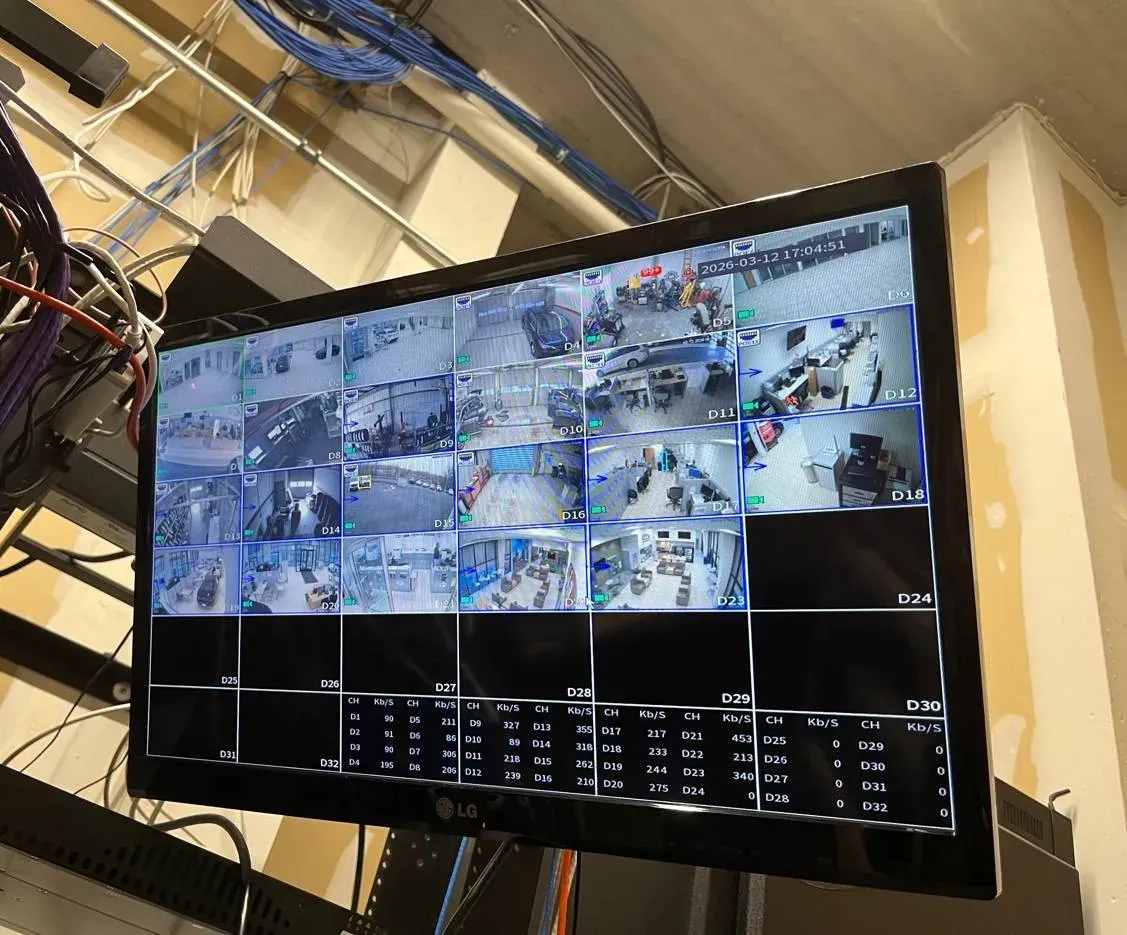
Real AESS job photo from another site: a monitor hung beside an equipment rack shows a recorder's 32-tile layout, about two dozen live camera views, with a table of each channel's incoming data rate in kilobits per second along the bottom. That per-channel rate is the number that has to fit through a rural upload before SmartPSS can show it remotely.
Ulster County SmartPSS Help Request
Tell us the town, what kind of internet the recorder sits on and what SmartPSS shows — we call back the same business day
✅
Request Sent!
A technician will call you back about the Ulster County system the same business day.
25+
Years Experience
✓
Same-Day Estimates
100%
Licensed & Insured
4.7★
201 Google Reviews
Watching a barn, a camp or a second store from a desk twenty miles away? Send us a screenshot of the SmartPSS device list with the status dots showing, the model and channel count from the recorder’s label, and one line about the internet at the recorder’s end — fiber, cable, DSL, a satellite dish or a cellular hotspot. That is usually enough to tell whether the trouble is the software version, the connection method, the login or the hardware before anyone drives up Route 28. Call or text (845) 640-3835.
Sorting out what’s wrong from your screenshots is free; time on site is billed at our ordinary hourly service rate
We work on the PC end and the recorder end, and we can do both in one trip when they’re in the same part of the county
Visits any day of the week, booked in two-hour windows up to 8 PM, by a crew working under NYS low-voltage license #12000287431
Why Ulster County Properties Need Smart PSS Support & Setup
Ulster is a big county with a lot of distance between things. The County Comptroller’s office describes it as the geographically largest of the seven Mid-Hudson counties, 1,124 square miles holding one city, twenty towns and three villages. The Census Bureau’s 2023 five-year survey counts 86,178 housing units here, and 6,545 of them are held for seasonal, recreational or occasional use — about one home in thirteen. That share climbs sharply as you head west: roughly a third of the houses in Shandaken, more than half in Denning and seven in ten in Hardenburgh are second homes or camps. The County Comptroller’s 2025 report on short-term rentals adds 2,827 more listings, a third of them owned by people with mailing addresses outside the county. All of that means a lot of camera systems whose owners are not standing in front of the recorder. They are looking at it on a screen somewhere else, and for anyone who wants a full desktop view of every camera, an event list and a playback timeline, that screen is very often Dahua’s SmartPSS.
SmartPSS itself has changed under people’s feet. DahuaWiki, the support wiki Dahua’s U.S. arm links to, now carries a banner saying SmartPSS has been discontinued and is no longer supported for Windows and M-series Macs, and tells users to install SmartPSS Lite instead. On the IPCamTalk forum, a thread that opened in April 2024 with the question “what happened to SmartPSS?” got the blunt reply “Its gone,” with Dahua steering larger users toward its paid DSS platform. A second thread records the practical fallout: an installer whose new Dahua recorder would not connect to his old copy of SmartPSS, a DahuaWiki note that new devices on the latest firmware will not work on older SmartPSS versions over P2P, and, after a September 30, 2024 update, a reported limit of 32 online channels in SmartPSS Lite. Ulster offices that installed SmartPSS years ago and never touched it are now discovering these changes one recorder at a time.
Then there is the internet under the recorder, which in this county changes from one road to the next. Kingston, Saugerties and the Route 9W corridor have cable and, increasingly, fiber: Archtop Fiber is headquartered in the Town of Ulster, and in April 2026 the state Public Service Commission approved a $125 million investment plan that lets it keep building. Up the hollows it is different. Hudson Valley One mapped cellphone dead zones along Routes 212 and 28 years ago, and the county’s own broadband program is still working through the last 1,293 unserved homes, businesses and community buildings, some of which wait on a Margaretville Telephone fiber build in Phoenicia or a USDA-backed plan for Denning. Many camps and barns in the meantime run on DSL or on Starlink, whose own support pages say its Wi-Fi routers do not support port forwarding. SmartPSS can reach a recorder by its address, by its serial number through Dahua’s P2P service, or through a VPN, and which of those works — and how well — depends entirely on what kind of line is on the other end.
The last Ulster fact is the weather. The slow-moving nor’easter of late September 2026 left more than 19,000 Central Hudson customers being restored at one point, and the utility named Woodstock, Shawangunk, Plattekill and Hurley in Ulster as the hardest-hit areas. When the power comes back, the recorder usually restarts on its own. The office PC that runs SmartPSS often doesn’t — it sits at a Windows sign-in screen, or SmartPSS opens and waits for someone to type a password, and the person who checks the cameras from the city sees nothing until the next time somebody walks into the office. A great deal of what we do in Ulster is making that viewing end as self-sufficient as the recorder.
Ulster County facts that shape a SmartPSS setup
1,124 square miles, one city, twenty towns and three villages — the largest Mid-Hudson county by area (Ulster County Comptroller).
6,545 of 86,178 homes are seasonal or occasional-use, and 21,829 were built in 1939 or earlier (Census ACS 2023, five-year).
September 30, 2024: SmartPSS Lite update after which forum users report a 32-online-channel limit; DahuaWiki’s SmartPSS discontinuation notice page was last edited October 2, 2024.
1,293 unserved locations are slated for fiber under the county’s ConnectALL and federal broadband funding, announced in 2025 and 2026.
April 30, 2026: the NY Public Service Commission approved a $125 million investment plan for Town of Ulster-based Archtop Fiber.
486 farms averaging 150 acres (USDA 2022 Census of Agriculture) — many with a barn, a stand or an equipment yard far from the farmhouse PC.
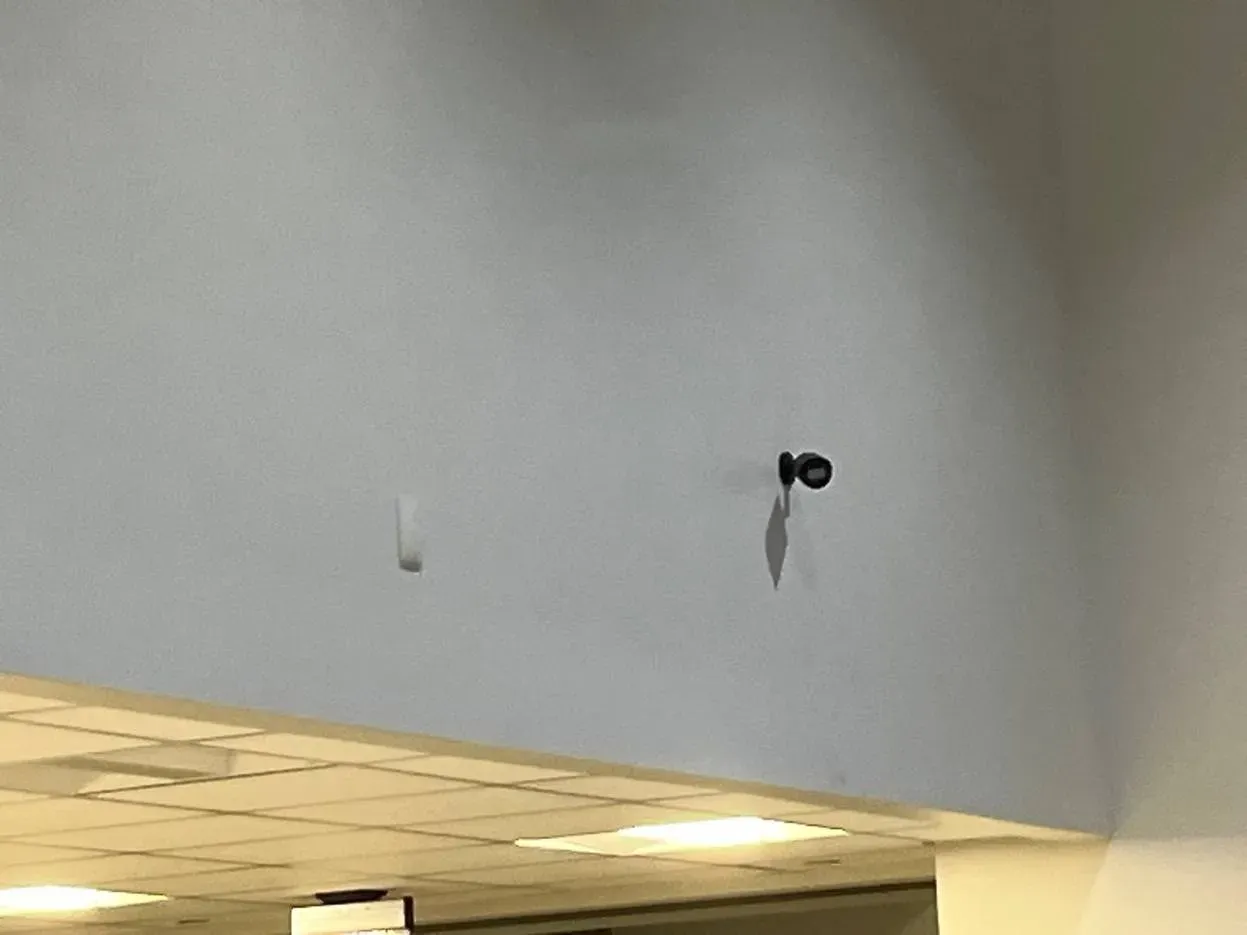
Real AESS job photo from another site: a small black bullet camera on a short bracket, mounted high on a pale blue wall above the edge of a drop ceiling, with a small white device to its left. A camera like this is one channel on the recorder; SmartPSS is where someone miles away sees it.
Need SmartPSS Help in Ulster County? Same-Day Help
If the cameras vanished from SmartPSS this morning, call (845) 640-3835. We book the next open two-hour window, and most systems are back on screen within one to two hours of our arrival, because the usual causes — an old SmartPSS that no longer talks to new firmware, an account locked by a forgotten saved password, a P2P link that fell back to Dahua’s relay, a PC that didn’t restart after the power cut — are fixed at a keyboard rather than on a ladder.
Five things worth checking while you wait. You won’t need any login beyond the ones you already use, and every answer saves time at the visit.
Ask whoever is nearest the recorder what its local screen shows. If a neighbour or farmhand sees moving pictures on it, the cameras and wiring are working and the trouble lies somewhere on the path to your PC.
Read the recorder’s P2P status. On a Dahua recorder it is under Network > P2P; DahuaWiki’s setup guide says it should be enabled and read “Online.” Offline there points at the internet at the recorder’s end.
Note the SmartPSS version. Help > About on the PC. If the program is titled SmartPSS rather than SmartPSS Lite, write that down; it changes what we bring.
Plug the PC in by cable, if it’s on Wi-Fi. A forum answer about slow Dahua viewing suggests exactly that test, and it rules out the office Wi-Fi as the bottleneck.
Write down what changed. A new router, a satellite dish, a Windows update, a storm, a new employee who typed the wrong password a few times. The date matters.
Reading the SmartPSS device list: symptom, likely cause, who to call
What you see
Where the fault usually is
Who needs to be reachable
Red dot or “offline” for a device added by address
The recorder’s public address changed, the router lost a forward, or the line is satellite or cellular that never allowed inbound connections
Whoever controls the router at the recorder’s end
Offline for a device added by serial number
P2P off or offline on the recorder, no internet at the site, or an old SmartPSS that new firmware won’t talk to over P2P
Someone who can read the recorder’s P2P screen
“Max channel” or a recorder that drops when another logs in
SmartPSS Lite’s reported online-channel ceiling, usually with auto-login set on every device
Just the PC user
Live view closes after several minutes
A P2P session running through Dahua’s relay rather than directly, according to forum users
The PC user and, for a fix, the person with the router
Offline in SmartPSS, “account locked” on the recorder
A PC or phone repeatedly trying an old password
Everyone who has the system saved on a device
The recorder’s local screen is dark or blank as well
The software is fine; look at the cameras, their cabling, the power supply or the recorder itself
A technician at the recorder
The table is a starting point. A farm can have two faults at once — an old SmartPSS and a dish that blocks inbound connections — and fixing the first only reveals the second. That is why we ask for the screenshot, the label and the line type together, and why the first conversation is free.
What We Install
Smart PSS Support & Setup Services in Ulster County
Every service below starts at the same place: the PC that shows the cameras, the recorder that stores them, and the internet in between all have to be planned together. Here is the work we do for Ulster homes, farms, shops and offices.
Move from SmartPSS to SmartPSS Lite
We install SmartPSS Lite from Dahua’s own support site, carry over the device list, groups and layouts by hand where the export doesn’t, and retire the old program so nobody opens it by habit. Recorders on new firmware that refused the old SmartPSS over P2P come back on line.
Connection method chosen per site
Fiber or cable with a router you control: add by address, ideally through a VPN. Starlink, satellite or a cellular hotspot: add by serial number through P2P, or build a VPN that dials out from the site. We set each recorder the way its own line allows rather than one way for everything.
Streams fitted to thin uplinks
On DSL and satellite the upload at the recorder is the bottleneck. We set live view to the sub-stream, trim frame rate and bitrate on the channels you watch from afar, and keep full-quality main stream for recording and export so evidence isn’t degraded.
Viewing PC that survives outages
SmartPSS Lite’s Auto Start, Auto Login and Resume Last Preview settings, Windows set to sign in the viewing account, the PC’s power-on-after-outage setting, and a small battery backup on PC, modem and recorder — tested by pulling the plug while we’re there.
Logins by role
A separate recorder account for each person or job: owner, manager, caretaker, family member. Playback without settings for the caretaker, live view only for a front counter, full rights kept with one owner. A forgotten password on one phone no longer locks everyone out.
Alarm and offline alerts
The SmartPSS Lite manual lists alarm sound, alarm email, linked video and alarm I/O among its event settings. We set which events reach whom, so a motion alarm at a closed shop or a camera going dark at a camp sends an email to a mailbox someone actually reads.
Export set-up for police and insurers
We show the person who will do it how to search, clip and export — MP4 for whoever needs to watch it, the original format with Dahua’s player for whoever needs the full file — and where on the PC the exports land, before the day someone asks.
Firmware and login security
We read the recorder’s build date and model, compare them with Dahua’s security advisories, load the correct firmware from Dahua, close router forwards that aren’t needed and remove default or orphaned accounts. SmartPSS gets the new credentials last, so it doesn’t lock the account.
Lite or DSS: an honest call
Lite covers most homes, farms and small shops. Where a property has more channels online at once than Lite will hold, several sites, or needs features Lite lacks, we explain what Dahua’s DSS adds and costs before anyone buys a license.
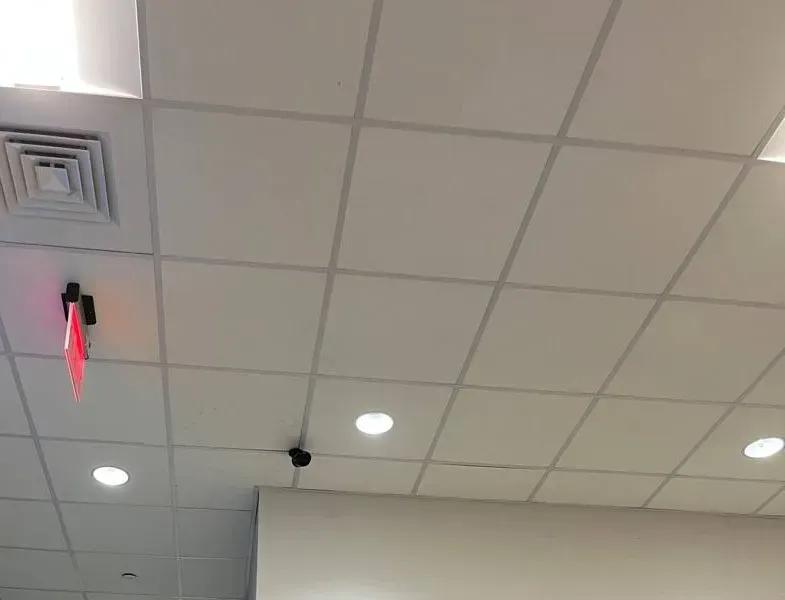
Real AESS job photo from another site: a small dark camera sits on a white drop-ceiling grid among round recessed lights, with a lit red exit sign and a square air vent to the left. Inside cameras like this are the views a shop owner most often opens in SmartPSS after closing.
Building Specialists
Smart PSS Support & Setup for Ulster County's Architecture
SmartPSS is software, but where the PC and the recorder live inside a building decides how they connect, how they lose power and who can reach them. These are the Ulster building types we see most, and what each one means for the setup.
Stone houses and old village centers
Kingston’s Stockade, Hurley’s Main Street and New Paltz’s Historic Huguenot Street, where the Senate House dates to 1676 and Huguenot Street’s stone houses to the 1700s. Thick walls stop Wi-Fi, so the PC running SmartPSS belongs on a cable to the router, not on a wireless adapter two rooms away.
Farmhouses with barns and stands
The recorder sits in the farmhouse, the cameras on a barn, a farm stand or an equipment yard, and the owner checks from the kitchen PC or from town. SmartPSS on a farm is mostly about long links: a wireless bridge or buried cable to the outbuilding, and a recorder that keeps recording when the farmhouse internet doesn’t.
Camps and second homes in the Catskill towns
Shandaken, Denning, Hardenburgh, Olive and Woodstock, where a third to seven in ten houses are second homes. The recorder has the cameras; the owner has SmartPSS in Brooklyn or Westchester. The camp’s internet is whatever reached the road — DSL, satellite, a fiber drop or nothing — and that decides everything else.
Mill and factory buildings
Ellenville grew along the Delaware & Hudson Canal and was home to the Ulster Knife Company; Kingston’s Rondout grew as the same canal’s tidewater terminus. Several tenants share one building and one network, so each tenant’s SmartPSS has to reach its own recorder without seeing the neighbor’s.
Office suites on a big campus
iPark 87, the 200-plus-acre former IBM campus in the Town of Ulster, now houses Ulster BOCES and Archtop Fiber among others. A tenant’s recorder and PC sit on a landlord-managed network where outbound traffic may be filtered, so P2P and remote access have to be agreed with whoever runs the building’s IT.
Village storefronts and studios
Saugerties’ village blocks, Woodstock’s village center and New Paltz’s Main Street: a shop or studio in front, an office or apartment above, a recorder in a back closet. The owner’s SmartPSS is often at home, so the shop’s business internet is the link, and a provider’s router swap is the most common reason it goes dark.
Method, building by building
Stone houses. We put the SmartPSS PC on a cable to the router and leave the recorder on the same switch, so the local view never depends on Wi-Fi through a two-foot wall. Where the owner watches from outside the house, we treat the house like any remote site and choose P2P or VPN by the line type. If a new cable has to cross the stone, it goes through one sleeve, once, and that decision belongs to the camera side of the job rather than the software side.
Farms. We add the barn and stand cameras to the farmhouse recorder, not to separate small recorders that each need their own SmartPSS entry, so the owner has one device to log in to. Where a second recorder is unavoidable — a distant equipment yard on its own power — we group both under one SmartPSS view and label them by place, not by IP address, so a farmhand reading the screen knows which barn he’s looking at.
Camps and second homes. The work is mostly at the far end: the camp’s recorder set to restart and re-register after an outage, P2P enabled and confirmed “Online,” and a VPN that dials out from the camp if the line permits. At the owner’s end in the city, SmartPSS Lite is set to log in only when asked, so a dead camp doesn’t keep generating errors or hammering the recorder with retries.
Mills and shared buildings. We ask for the building network plan first. Each tenant’s recorder gets its own reserved address and, where the landlord’s switch allows, its own network segment, and SmartPSS on the tenant’s PC is pointed at that address only. If the landlord’s firewall blocks the outbound connection P2P needs, we document the request for the landlord rather than asking for the recorder to be exposed to the internet.
Campus suites. Same idea, more formal: the IT contact, a written list of what the recorder needs to reach, and SmartPSS installed under the tenant’s own Windows account so it leaves with the tenant. We test from outside the campus before we leave, because the campus network is exactly where a working local view hides a failed remote one.
Owners rewiring an outbuilding while the software is being sorted can also look at network installation in Ulster County for the cable and bridge side of the job.
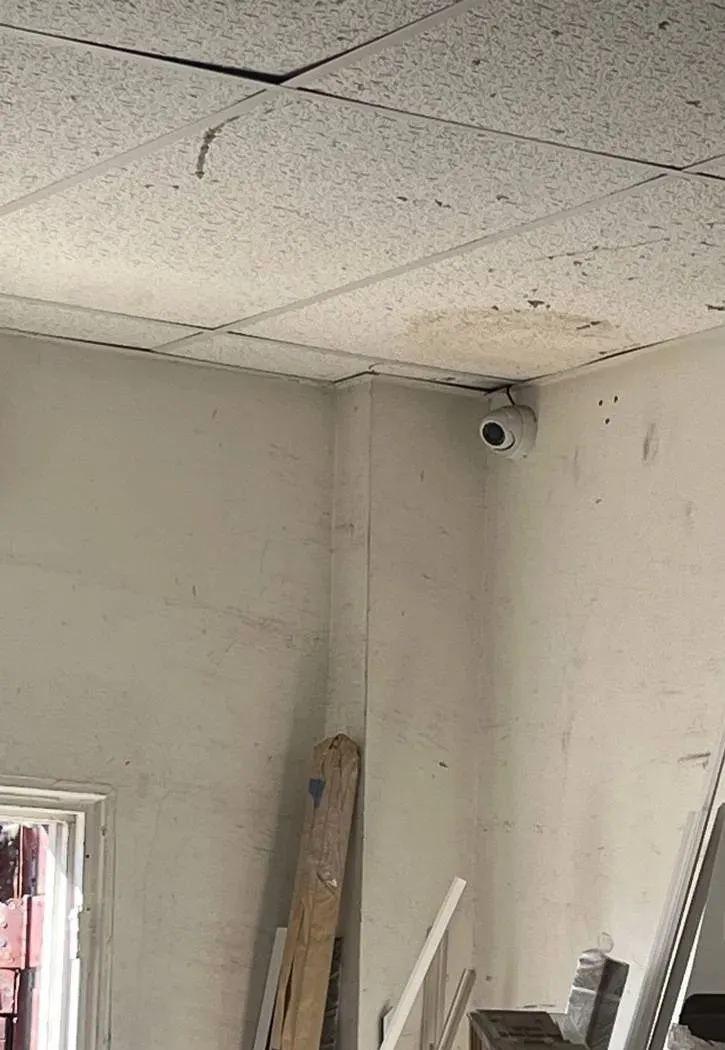
Real AESS job photo from another site: a white turret camera fixed in the top corner of an unfinished room, under stained drop-ceiling tiles, with boards and trim leaning against scuffed walls. Back rooms and outbuildings like this are where a remote owner relies on the playback timeline in SmartPSS.
Town by Town: What the Line Under an Ulster Recorder Tends to Be
Because the connection method in SmartPSS has to follow the internet at the recorder, the first thing we ask on any Ulster call is the town. The table below is not a coverage map — every road is different, and fiber is still arriving — but it shows why a setup that works in Kingston can fail in Denning, using the county and press figures cited on this page.
Town or area
What the sources say
What it usually means in SmartPSS
City of Kingston
About 1% of homes are seasonal; Archtop Fiber, headquartered next door in the Town of Ulster, has been installing in the area
Owners mostly live on site; wired lines with routers they control make address or VPN connections practical
Town of Ulster and Route 9W
Archtop’s home base and the iPark 87 campus, where the East Campus hosts Archtop and Ulster BOCES
Good lines, but campus and shared buildings may filter outbound traffic; agree P2P or VPN with building IT
Saugerties
Archtop installations reported in the town; the 12477 ZIP was among the worst for cell service in Hudson Valley One’s dead-zone survey
Wired fiber or cable in and near the village; don’t count on a cellular backup at the edges
Woodstock
Archtop began fiber construction under an agreement with the town in 2024; among the areas Central Hudson named hardest-hit in the September 2026 nor’easter
A line that may be changing soon, so re-check SmartPSS entries after the switch; outage restart settings matter
Hurley and West Hurley
Hurley was on Central Hudson’s hardest-hit list in September 2026; 12458 West Hurley appeared in the dead-zone survey
Battery backup and automatic restart at both ends; P2P or VPN rather than a cellular-dependent plan
Shandaken and Phoenicia
About a third of homes seasonal and 261 short-term rentals; 12464 Phoenicia among the worst cell ZIPs; a Margaretville Telephone fiber build under way
Absentee owners watching from elsewhere; P2P for quick checks until fiber arrives, then move to VPN
Denning and Hardenburgh
More than half of Denning’s and seven in ten of Hardenburgh’s homes are seasonal; a USDA-backed fiber plan for Denning
Satellite or slow lines today; sub-stream viewing and drive-up exports for anything long
Rochester, Marbletown and Stone Ridge
Town of Rochester 238 short-term rentals (5.61% of housing), Marbletown 151 (4.67%); a dispensary on Route 213 in Stone Ridge
Rental hosts and businesses who need logins by role and clean exports more than raw bandwidth
New Paltz
About 2% of homes seasonal; a SUNY campus of more than 7,000 students; village shops on Main Street and Route 299
Staff and tenant turnover, so per-person accounts and quick revocation matter most
If your town isn’t listed, tell us the road and the provider. We have usually seen the same line type nearby, and we can say from that whether SmartPSS should reach the recorder by address, by serial number or through a VPN before we drive out.
Commercial Smart PSS Support & Setup
Business Smart PSS Support & Setup in Ulster County
For an Ulster business, SmartPSS is the screen in the back office or at the owner’s house where the cameras are watched, searched and exported. These are the corridors where we do that work and what the businesses there tend to need.
Uptown Kingston: Wall Street and North Front
Shops and restaurants in the Stockade blocks, near the city’s own street cameras that Hudson Valley One reported are concentrated in Uptown and Midtown. Owners here want their own SmartPSS view and their own clips, independent of the city’s system.
Route 9W and the Town of Ulster
Big-box and service businesses along 9W, the former Hudson Valley Mall site and the iPark 87 campus. Several cameras per site, a manager’s PC and an owner who watches from elsewhere — the classic case for logins by role.
New Paltz Main Street and Route 299
Village shops and restaurants off Thruway Exit 18, busy with a SUNY campus of more than 7,000 students. Turnover in staff means turnover in who knows the SmartPSS password, so per-person accounts matter more here than almost anywhere.
Dispensaries on Route 28, Route 32 and Route 213
Hudson Valley One’s guide listed adult-use dispensaries on Route 28 in the Town of Ulster, on Plaza Road and Route 32 in Kingston, on North Chestnut Street in New Paltz and on Route 213 in Stone Ridge. State rules require 60 days of recordings and remote access for the cannabis regulator; SmartPSS is often the screen the owner uses to check both.
Ellenville and Route 209
The village at the junction of Route 209 and Route 52, below the Shawangunk Ridge. Small manufacturers, shops and the hospital district, many in older buildings with shared networks, where the owner’s PC and the recorder sit on different floors.
Shawangunk Wine Trail wineries and farm stores
Tasting rooms and farm stores on the west side of the Hudson, often with the recorder in the farmhouse and the cameras on a tasting barn or a parking field. SmartPSS gives the owner one screen for the house, the barn and the lot.
Rules Ulster businesses should keep in view
Dispensary recordings. New York’s adult-use dispensary rules (9 NYCRR 125.3) require recordings to be kept at least 60 days, an unaltered copy on request, remote access for the Office of Cannabis Management, notice within five minutes of a system failure and at least eight hours of operation during a power outage. SmartPSS doesn’t satisfy those rules by itself; the recorder, its drive and its power do. The software is how the owner checks and exports.
Sound on the cameras. New York treats capturing a conversation that no participant agreed to as eavesdropping (Penal Law § 250.05). Many Dahua cameras have microphones, and SmartPSS will happily play whatever the recorder captured; we switch audio recording off unless the owner has a lawful reason and posts notice.
Kingston’s historic districts. The Historic Landmarks Preservation Commission reviews material changes visible from a public street or alley in the Stockade, Rondout–West Strand, Chestnut Street and Fair Street districts. Software, firmware and settings changes are not visible from the street.
Electrical work. Ulster County’s Chapter 185 treats wiring for signaling, communication, alarm and data transmission as electrical work under its licensing law. Where a job needs a new outlet or circuit for a PC or battery backup, a county-licensed electrician does that part.
A state credit for small shops. Retailers with no more than 50 employees can claim New York’s Commercial Security Tax Credit, worth as much as $3,000 per location, against qualifying security purchases such as cameras.
Federal equipment rules. Dahua is on the FCC’s Covered List for specified uses. The FCC’s June 26, 2026 public notice prohibits continued importation and marketing of covered equipment for those uses, while stating that it does not affect continued use of equipment people already own.
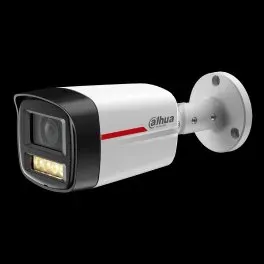
Manufacturer product photo, not an installed unit: a white Dahua bullet camera on a round wall bracket, with a red stripe along the body and a small warm-white LED lamp under the lens. Cameras like this record to a Dahua recorder, and SmartPSS Lite is one way to watch them.
Your Questions Answered
Smart PSS Support & Setup in Ulster County: Questions Answered
Below are the SmartPSS questions we hear on the phone from Ulster farmers, store owners, office staff and people with a house upstate. We’ve sorted them by topic — software versions, internet links, outages, exports, logins and local rules — and answered each one for the lines and buildings found here.
SmartPSS, SmartPSS Lite and DSS
We replaced a storm-damaged recorder and the old SmartPSS on the office PC won’t connect to the new one — why?
Because the new recorder arrived with current firmware and the PC is running a program Dahua no longer updates. DahuaWiki now states that SmartPSS has been discontinued and is no longer supported on Windows or M-series Macs, and points users to SmartPSS Lite. An installer on IPCamTalk hit exactly this: a brand-new Dahua recorder would not connect to his older SmartPSS, and he quoted DahuaWiki’s own note that new devices on the latest firmware will not work on older SmartPSS versions over P2P. The old recorder you replaced was simply old enough to still match.
The fix is on the PC, not the recorder: install SmartPSS Lite, add the new recorder to it, re-add the other sites, and retire the old program so nobody opens it out of habit. If more hardware is due to change — a second recorder after the same storm, a firmware update for a security advisory — we do the PC first so each recorder can be confirmed in Lite as it’s replaced.
After moving to SmartPSS Lite, two recorders dropped off with a “max channel” message — why?
Forum users have documented a channel ceiling in SmartPSS Lite. In the IPCamTalk thread about the “max channel” error, one user reported that after a September 30, 2024 update the limit became 32 channels, counted as channels online at the same time; anything above that is disconnected. Another user had earlier found that larger recorders, 24 and 32 channels and up, triggered the error. Dahua hasn’t published a table we could cite, so we treat these as field reports rather than specifications.
The common Ulster trigger is a multi-site owner with Auto Login ticked for every device: the farmhouse recorder, the shop recorder and the warehouse recorder all log in at once and add up past the ceiling. The fix the forum describes, and that we use, is to leave automatic device login off for the sites you don’t watch continuously and log in when you need them. If you genuinely need more than that many channels live together, that is the point at which DSS is worth pricing.
We have stores in Kingston, New Paltz and Saugerties — is Dahua’s paid DSS worth it over SmartPSS Lite?
Sometimes. DahuaWiki describes SmartPSS Lite as a lightweight platform for small and medium-sized businesses, with live view, playback, an event center, access control and attendance. Forum users report that Dahua is steering heavier commercial users toward DSS, its paid platform; one IPCamTalk regular wrote that Lite is “ok (for now) for residential use but as soon as you go commercial they want to ding you.” Three small shops, each with one recorder and one owner watching, run happily on Lite.
DSS starts to pay for itself when several managers in several towns need to watch at the same time, when the owner wants one central server rather than a copy of Lite on every laptop, or when the channel count online at once runs into Lite’s reported ceiling. We lay the two side by side for your actual stores and staff before anyone buys a license, and we don’t sell the license ourselves at a markup.
The Internet Between the PC and the Recorder
Our barn recorder sits behind Starlink — why will SmartPSS reach it by serial number but not by address?
Adding a recorder by address means SmartPSS connects inward to that address, by default on port 37777 according to the SmartPSS Lite manual. That only works if the internet at the barn gives the router a public address and the router forwards the port. Starlink’s own support article says its Wi-Fi routers do not support port forwarding for IPv4 or IPv6, and residential Starlink service shares public addresses among customers, so there is nothing for SmartPSS to connect inward to. The same is true of most cellular hotspots.
Adding by serial number uses Dahua’s P2P service instead: the recorder connects outward to Dahua, and SmartPSS meets it there. DahuaWiki’s setup guide has you confirm P2P is enabled and “Online” on the recorder, then choose “SN (For Device Support P2P)” in SmartPSS Lite. That is why the serial number works where the address doesn’t. The alternatives are a VPN that the barn’s equipment dials out to, or a public-address option with your own router; we compare those when P2P alone isn’t reliable enough.
Live view over P2P cuts out after about ten minutes — is that the software or our connection?
Possibly both. In the same IPCamTalk thread, a user found a ten-minute limit on continuous live view in SmartPSS Lite, then tested P2P and IP connections side by side and concluded that only P2P was limited. Another user explained it as P2P falling back to Dahua’s cloud relay when a firewall or internet provider blocks a direct peer-to-peer path, with the time limit applying to relayed streams. That is a forum explanation, not a Dahua statement, but it matches what we see.
On Ulster lines behind shared addresses — satellite, some fixed wireless, cellular — a direct path is harder to establish, so relays are more common. Where the cut-off matters, for example a dispensary owner or a farm manager who wants a screen left on all day, we replace the P2P link with a VPN or, where the line allows, a direct address connection. For a quick look at the camp on a Sunday night, the ten minutes may be fine.
Fiber is finally coming down our road — what should change in SmartPSS the day it’s connected?
Several things, in order. The recorder will be on a new router with a new local address range, so its network settings need checking and, if it was set to a fixed address, changing. If you used P2P only because the old line left no choice, the new line may give you a public address and a router you control, and a VPN becomes practical. SmartPSS entries that point at the old address need updating, or they will sit there red.
This is happening across the county now. Ulster’s broadband program has committed to fiber for all 1,293 unserved locations it identified, Archtop Fiber has been building in Kingston, Saugerties and Woodstock, and the Public Service Commission approved Archtop’s $125 million investment plan in April 2026. Tell us your install date and we can be there the same week, or walk you through it on the phone if the recorder is simple.
How far can the stream settings drop before the picture is useless over a rural DSL line?
The limiting number is the upload speed at the recorder’s end, not your download in town. A Reddit answer about Dahua cameras that kept freezing put it plainly: the connection where the camera is had “an upload speed that is too low to support the video bitrate you have selected.” DSL and satellite lines in the hollows often have little upload to spare, and four main-stream cameras can use all of it.
So we don’t lower the recording quality. We set SmartPSS to open the sub-stream for live view, adjust each camera’s sub-stream so the faces and plates you care about remain readable at the size you view them, and leave the main stream at full quality for recording and export. When you need detail, you play back from the recorder or export the main stream, and the line only carries it once. We check the result on your actual connection, not on ours.
Outages, Alerts and the Viewing PC
How long should a battery backup keep the modem, recorder and SmartPSS PC running through a Central Hudson outage?
Long enough to ride through the short blips without anything rebooting, and long enough for the recorder and modem to keep working while you find out what happened. After the late-September 2026 nor’easter, which Central Hudson said hit Woodstock, Shawangunk, Plattekill and Hurley hardest, some Ulster customers were out for days, and no small battery covers that. For most homes and shops the realistic goal is minutes to an hour for all three, with the recorder and modem prioritised over the PC. Dispensaries are different: state rules require the camera system to keep operating at least eight hours in an outage, which means sizing the backup to the recorder’s actual draw.
Whatever the size, the PC must come back by itself when the battery runs out and power returns. That means the PC’s power-on-after-outage setting, Windows signing in the viewing account, and SmartPSS Lite’s Auto Start, Auto Login and Resume Last Preview, all described in its manual. We set and test all of it by pulling the plug while we’re there.
Can SmartPSS Lite email us when something trips at an unattended camp or barn?
Yes, within limits. The SmartPSS Lite manual lists alarm sound, “send alarm email,” linked video and alarm input and output among its event settings, so a motion rule, a tripwire or an alarm input at the recorder can produce an email from the PC. The catch is that the PC has to be running and online for SmartPSS to send it, which is one more reason the outage set-up above matters.
For a camp where nobody is at the PC either, we usually set the recorder itself to send its own alerts as well, so the warning doesn’t depend on a computer forty miles away. We route both to a mailbox someone actually reads, and we keep the rules narrow — a person in the driveway after dark, not every deer in the field — because an inbox that fills with alerts gets ignored.
Can we watch the farm in SmartPSS from the Kingston office and the farmhouse PC at the same time?
Yes, but every remote viewer takes its own share of the farm’s upload. Two copies of SmartPSS pulling the same four cameras over the internet send roughly twice the video out of the farm, and on a DSL or satellite line that is often the difference between smooth and frozen. A viewer on the farm’s own network doesn’t touch the upload at all; only the off-site ones do.
We set the off-site copy to open sub-streams and log in only when needed, keep the farmhouse copy on the local network at full quality, and, where a single office has several people watching, put one PC there as the viewer rather than three laptops each pulling their own stream. If two remote viewers really need constant live video, that’s a reason to look hard at the farm’s line before blaming the software.
Getting Video Out for a Deputy, a Trooper or an Adjuster
The clip we need is on a camp recorder that sits on satellite internet — export it over the link, or drive up and pull it off the box?
It depends on the length of the clip and the line. An export in SmartPSS pulls the video across the internet from the recorder, so a few minutes of main-stream footage over a thin satellite or DSL upload can take a long time, and a P2P session that has fallen back to Dahua’s relay may drop before it finishes. DahuaWiki’s export guide lets you choose main or sub-stream and the time range; for an incident you want the main stream, which is the heavy one. Users on the Dahua subreddit also report SmartPSS Lite exports that simply fail.
For a short clip, we try the remote export first, overnight if necessary, with the time range kept tight. For anything long, or anything that matters to a claim or a case, someone at the camp exports straight from the recorder’s front USB port. That is faster, it doesn’t depend on the line, and it leaves you holding the file the recorder itself wrote.
The insurance adjuster can’t open the files we exported — what went wrong?
Almost always the format. A file exported in the recorder’s original format won’t open in a standard video player, and if the SmartPlayer box wasn’t ticked, the adjuster has no way to play it. The second most common cause is a sub-stream export, which plays but is too small to show what the adjuster needs.
Re-export the same time range as MP4 from the main stream, and send it with a short note of the camera, date and times. If the adjuster wants the original as well, export it again with SmartPlayer included. We show the person who handles claims how to do this before the day it’s needed, and leave a printed card by the PC with the steps.
Logins, Lockouts and Old Firmware
SmartPSS lists the recorder as offline and the recorder’s own screen says the account is locked — how did that happen?
Something kept trying an old password. Dahua recorders lock an account after a few failed logins in a short time; a CCTV Forum answer puts it at three attempts and a wait of about thirty minutes, though the exact numbers vary by model and settings. An IPVM discussion describes SmartPSS reporting a recorder offline precisely because the account was locked, and an IPCamTalk reply warns that outdated SmartPSS clients “will hammer the account with wrong password and lock you out.”
The usual culprit in Ulster is a second PC or an old phone that still has the system saved with the password from before someone changed it — a former employee’s laptop, a family member’s tablet at the camp. We find every device that has the recorder saved, update or remove it, then give each person their own account so one stale password locks out only that person.
A seasonal farmhand has left — how do we cut off their SmartPSS access without redoing everyone else’s?
If everyone shares one recorder login, you can’t; you have to change the password and re-enter it on every PC and phone that uses it, which is exactly how accounts end up locked. The recorder’s user management lets the owner create a separate account for each person, with only the rights that person needs, and SmartPSS simply logs in as whichever account it is given.
So we set Ulster farms and shops up with one account per person or role — owner, manager, each seasonal worker, the caretaker — and keep the administrator account with the owner. When someone leaves, the owner deletes or disables that one account on the recorder. Nobody else notices, and nothing else needs re-entering.
Our recorder’s firmware dates from 2021 — does the Dahua login flaw CISA lists change how we should use SmartPSS?
It changes how the recorder should be reached. CVE-2021-33044 is an identity authentication bypass in the login of some Dahua products, rated 9.8 out of 10, and CISA added it to its Known Exploited Vulnerabilities catalog in August 2024 with the instruction to apply vendor mitigations or stop using the product. More recently, Dahua’s July 2025 advisory covered two flaws in some camera lines and said builds dated after April 16, 2025 were not affected.
Whether yours is affected depends on the exact model and firmware, which we read from the device. In practice: load the correct current firmware from Dahua, close any router forward of port 37777 or the web port to the open internet, and reach the recorder through P2P or a VPN instead. SmartPSS works the same either way; what changes is that the recorder stops answering strangers.
Ulster Rules
Does changing only the software on a Stockade District storefront’s camera system involve Kingston’s preservation commission?
No. Kingston’s Historic Landmarks Preservation Commission reviews material changes to the appearance of buildings in its districts — the Stockade, Rondout–West Strand, Chestnut Street and Fair Street — that are visible from a public street or alley, and ordinary maintenance that doesn’t change appearance is exempt. Installing SmartPSS Lite, updating firmware or changing settings changes nothing anyone can see.
It becomes a commission question only if the job grows to include new exterior cameras, conduit or boxes on the front of the building. If that’s on the list, we plan it separately and in time for the review.
Our Route 28 dispensary already gives the state remote access — can the owner also watch through SmartPSS without getting in the way?
Yes, as long as each party has its own login. New York’s dispensary rules, 9 NYCRR 125.3, require remote access for the Office of Cannabis Management, at least 60 days of recordings, an unaltered copy on request and an alert within five minutes if the system fails. The regulator’s access and the owner’s SmartPSS view are two separate accounts on the same recorder, and neither needs the other’s password.
What we check is load and permissions. The owner’s SmartPSS should log in to the store only when watching, so it doesn’t use upload the regulator’s session or the alert path depends on. The owner keeps administrator rights; any login created for outside viewers gets view and playback only. And because exports for the Office have to be unaltered, the person who handles them practises an original-format export with the player included before an inspector ever asks.
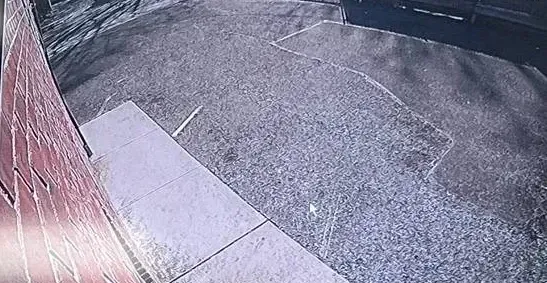
Real AESS job photo from another site, a single recorded frame: a wide-angle view along a red brick wall to a concrete sidewalk and a paved lot with faint painted lines. A clip like this is what gets searched, cut and exported from the SmartPSS playback window.
Equipment
Types of Smart PSS Equipment We Install
SmartPSS Lite is the software; it works with the recorders, cameras and door hardware below. We configure all of them in SmartPSS, and where hardware has to change, we install it.
Dahua network video recorders
The box most Ulster businesses and newer homes have, recording IP cameras over network cable. SmartPSS logs in to it, not to each camera, and its P2P setting is what lets SmartPSS reach it over satellite or cellular lines.
Dahua HDCVI and hybrid recorders
These take the coax-cable cameras still found in many farmhouses and village shops whose old wiring was never pulled out. SmartPSS lists and logs in to them exactly as it does an NVR.
Dahua-made recorders under other names
Securitycamcenter’s SmartPSS guide notes that its steps also apply to Dahua OEM brands, naming Amcrest, Lorex, Honeywell and Speco. Many of those recorders show up in SmartPSS; we confirm model by model.
Standalone IP cameras
Single cameras without a recorder, added straight to SmartPSS. Fine for one or two views; past that, a recorder is more reliable than a PC as the thing that stores video.
Access control and time clocks
DahuaWiki lists access control and attendance among SmartPSS Lite’s functions, with guides for card readers, first-card unlock, anti-passback and holiday schedules. Small offices and farm stores use one screen for doors, staff hours and cameras.
The viewing PC and its power
A small Windows PC dedicated to SmartPSS, wired to the router, with a battery backup alongside the modem and recorder. Not glamorous, but it is the part of an Ulster system that most often fails after a storm.
Ways SmartPSS can reach a recorder
Method
How it connects
Where it suits Ulster
IP or domain, port 37777
SmartPSS connects inward to the recorder’s address; needs a public address and a forwarded port, or a local network
On the same network as the recorder, or fiber and cable sites with a router you control — better through a VPN than an open port
Serial number (P2P)
The recorder connects outward to Dahua’s service; SmartPSS meets it there
Starlink, other satellite and cellular sites where inbound connections are impossible; forum users report a time limit on relayed live view
VPN to the site
The PC joins the recorder’s network through an encrypted tunnel, then connects as if local
Owners who want no open ports and no relay; needs suitable equipment at the site and someone to keep it up
Cellular backup at the site
A second internet path for the recorder when the main line fails
Only where there is signal; Hudson Valley One mapped dead zones along Routes 212 and 28
ADT, Ring or SimpliSafe instead? How the offers differ
Every so often an owner wonders whether a national alarm or camera brand could look after an existing Dahua system. Those firms design their service around the cameras, hubs and apps they sell, so what they offer is usually a replacement, not support for someone else’s recorder. Swapping to their ecosystem is a fair option if you want it. Keeping the Dahua equipment you own and seeing it on your office PC takes a technician who works on Dahua recorders and SmartPSS itself.
Question
ADT / Ring / SimpliSafe
AESS
Services the Dahua recorder and SmartPSS you already have
Generally sells and supports its own hardware
Yes — set-up, migration, connection, logins
Chooses P2P, IP or VPN per site
Not their platform
Yes, matched to each Ulster line
Monthly fee required
Depends on their product and plan
None — you pay for the visit, and the video lives on your own recorder
Licensed NYS low-voltage contractor on site
Varies by dealer
Yes, license #12000287431
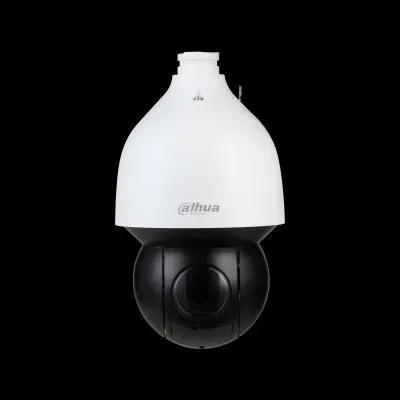
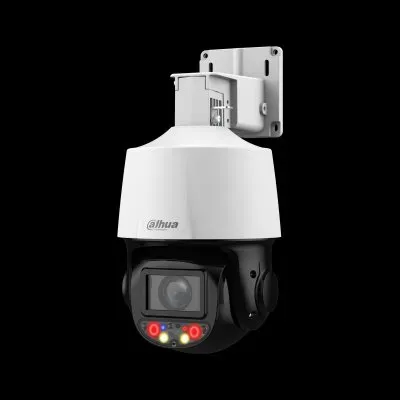
Manufacturer product photo, not an installed unit: a white Dahua pan-tilt-zoom dome with a dark lower bubble. A camera that moves is steered from the SmartPSS live view, which needs a steady connection to respond in time.Manufacturer product photo, not an installed unit: a white and black Dahua pan-tilt camera hanging from a wall bracket, with red and blue warning lights and white lamps around the lens. Alarm events from cameras like this can be routed through the SmartPSS Lite event settings.
AI Overview Reality Check
What AI Gets Wrong About Smart PSS Support & Setup in Ulster County
Google’s AI Overview for SmartPSS searches wasn’t something we could record from the environment this page was built in. Instead, here are seven pieces of advice that recur in tutorials, forum replies and AI-written summaries. There is a kernel of truth in every one, and every one needs a correction once you apply it to a system in Ulster County.
“SmartPSS and SmartPSS Lite are the same program with a different name”
Tutorials written a few years ago use the names interchangeably, and the two look similar on screen. They share a lot: device lists, live view, playback, export.
But DahuaWiki now marks SmartPSS as discontinued and unsupported, and forum users have documented differences that matter in practice — a reported online-channel ceiling in Lite after the September 2024 update, and new firmware that won’t pair with old SmartPSS over P2P. Lite also includes access control and attendance features the old program’s users may not expect.
For an Ulster office that installed SmartPSS once and forgot about it, the difference shows up as a recorder that suddenly won’t connect. Treat the move to Lite as a small project, not a rename.
“P2P is unlimited and free, so you never need anything else”
P2P is free to use and is the easiest way to reach a recorder you can’t port-forward to. DahuaWiki’s setup guide makes it a few clicks once the recorder shows “Online.”
Forum users, though, report that live view over P2P can stop after about ten minutes, and explain it as the session going through Dahua’s relay when a direct path can’t be made. On satellite and cellular lines, which are common at Ulster camps and barns, that is the likely case rather than the exception.
P2P is the right default for those lines. It is not the right tool for a screen that has to stay on all day; that needs a VPN or a direct connection, planned around the line.
“Just forward port 37777 and SmartPSS will work from anywhere”
It is true that 37777 is the default port, as the SmartPSS Lite manual says, and that forwarding it lets SmartPSS connect by address. Old forum threads give exactly that advice.
The same forums call port forwarding “not advised,” and with good reason: CISA lists a Dahua login bypass among actively exploited vulnerabilities. An open port puts the recorder’s login in front of the whole internet. And on Starlink, whose routers don’t support port forwarding at all, the advice simply can’t be followed.
Where a site has a router you control, a VPN gives SmartPSS the same direct connection without the open port. Where it doesn’t, P2P is the safer route.
“Starlink users just need to ask for a static IP”
Some summaries suggest asking the provider for a static address so SmartPSS can connect directly. On many wired lines that is a real option.
For Starlink, its own support pages say its routers don’t support port forwarding, and VPN guides note that Starlink does not currently offer static addresses; a public-address option, where available on a plan, still needs your own router to forward anything. That is a lot of cost and equipment for a camp you check on weekends.
For most Ulster satellite sites, P2P for quick checks plus a VPN dialing out from the site, if continuous viewing is needed, is simpler and cheaper than chasing a static address.
“Lower the bitrate and the freezing goes away”
The direction is right: a Reddit answer traced freezing Dahua video to an upload speed too low for the bitrate chosen. Reducing what goes over the line helps.
The mistake is lowering the main stream. That is what the recorder saves, and it is what a deputy or an insurer will see. Drop it far enough to suit a DSL upload and the plate or face you needed is gone from the recording, not just from the live view.
Use the sub-stream for remote live view, size it for your line, and leave recording quality alone. Then export only the clips you need, at full quality, once.
“Always export in original format to keep it forensic”
The original format does preserve the recorder’s own file, and some investigators prefer it. DahuaWiki’s export guide lists it alongside ASF, AVI and MP4.
But a file in original format needs Dahua’s player to open, and if the SmartPlayer box isn’t ticked, the person receiving it may not be able to watch it at all. We hear this most from adjusters.
Ask what the requester wants. When in doubt, send both: an MP4 that anyone can play and the original with SmartPlayer included.
“Dahua is banned, so SmartPSS will stop working”
The FCC has acted against Dahua equipment: no new equipment authorizations since its 2022 rules, and a June 26, 2026 public notice prohibiting continued importation and marketing of covered equipment added to the Covered List in 2024 or earlier. Headlines often shorten that to “banned.”
The FCC’s own notice says the prohibition does not affect the continued use or operation of equipment people already have, and Dahua’s entry on the list is use-based, tied to public safety, government facilities, critical infrastructure and national security uses. Nothing in the notice switches off SmartPSS Lite or a recorder in a Saugerties shop.
What the rules may affect is supply and support over time. Plan replacements as recorders age, keep the software current while Dahua provides it, and don’t tear out a working system on the strength of a headline.
Match the Connection to the Line Before Anything Else
Before anyone touches a setting, it pays to know what each site’s line can carry. Text us the device-list screenshot, the recorder model and the internet type at every location, and you’ll hear back which kind of fix the Ulster system needs and roughly what it costs — ahead of any visit.
For an Ulster County SmartPSS quote we need the town for each site, the kind of internet at each recorder, which version of SmartPSS is on the PC, and who should have which login when we finish. A written price comes back the same business day; to talk it through first, call (845) 640-3835.
✅
We Got Your Request!
Your message is with us. A technician will read the details of the Ulster County system and phone you before the end of the business day; for anything urgent, call (845) 640-3835.
How It Works
Our Installation Process
Seven steps, the same for a Hardenburgh camp as for a shop on Wall Street in Kingston. The first two happen before anyone drives, because in Ulster the line at each end decides most of the plan.
1. Screenshots, label and line type
You send a screenshot of the SmartPSS device list, the recorder’s model and channel count, and the kind of internet at each site. We sort the fault into software, connection, login or hardware.
2. Confirm the far end
Someone at the recorder, or our technician, reads the P2P status, firmware build date and network settings, and tests the login we plan to use, before anything changes at the PC.
3. Install or move to SmartPSS Lite
SmartPSS Lite from Dahua’s own support site on a wired PC; device list, groups and layouts rebuilt; the old SmartPSS retired.
4. Connect each site its own way
Address or VPN where the line allows, serial number through P2P where it doesn’t; sub-stream for live view on thin uplinks; router forwards that aren’t needed closed.
5. Logins and alerts
One recorder account per person or role, with only the rights each needs; alarm and offline emails routed to a mailbox someone reads.
6. Outage restart and export drill
PC power-on, Windows sign-in, SmartPSS Auto Start, Auto Login and Resume Last Preview set and tested by pulling the plug; one practice export in MP4 and in original format with SmartPlayer.
7. Hand over both ends
A one-page sheet covering recorder, firmware, connection method, logins, export location and internet contacts for each site, left with the owner and at the PC.
Coverage Area
Smart PSS Support & Setup Near Ulster County's Landmarks
Six places that frame the county, from the Thruway exits to the reservoir, and the homes, farms and businesses around them that call us about SmartPSS. Thruway Exits 18, 19 and 20 — New Paltz, Kingston and Saugerties — are how most of our visits arrive.
Senate House and the Stockade, Kingston
The 1676 stone house where New York’s first Senate met in 1777, at the heart of the Stockade District. Around it: Uptown shops on Wall Street and North Front, offices above, and stone-walled buildings where the SmartPSS PC belongs on a cable.
iPark 87, Town of Ulster
The 200-plus-acre former IBM campus off Route 9W, home now to Ulster BOCES and Archtop Fiber. Tenant suites on managed networks, where remote access to a recorder is agreed with building IT.
Historic Huguenot Street, New Paltz
A ten-acre National Historic Landmark district of stone houses near the village center and SUNY New Paltz. Around it: Main Street shops on Route 299, student rentals and small offices off Thruway Exit 18.
Ashokan Reservoir and the Route 28 corridor
The reservoir created in 1915 west of Kingston, with Olive, Shokan and the road to Phoenicia beyond it. Camps and second homes on DSL, satellite or new fiber, watched from SmartPSS in the city.
Opus 40, Saugerties
Harvey Fite’s bluestone sculpture in an abandoned quarry, a reminder of the county’s quarrying past. Around it: Saugerties village, Route 32 off Exit 20, and the road to Woodstock where Archtop began building fiber in 2024.
Walkway Over the Hudson, Highland
The west end of the pedestrian bridge lands in Highland in the Town of Lloyd. Around it: Route 9W and Route 299 businesses, orchards and farm stores where a barn camera and a farmhouse PC are often a field apart.
We also take SmartPSS calls in Esopus, Rosendale, Marbletown, Stone Ridge, Accord, Kerhonkson, Ellenville, Napanoch, Wawarsing, Gardiner, Shawangunk, Wallkill, Plattekill, Marlboro, Milton, Lloyd, Hurley, West Hurley, Woodstock, Bearsville, Phoenicia, Mount Tremper, Shandaken, Pine Hill, Denning, Hardenburgh, Olive, Boiceville and Port Ewen. Neighboring counties are covered on their own pages: Dutchess, Orange and the Hudson Valley SmartPSS hub.
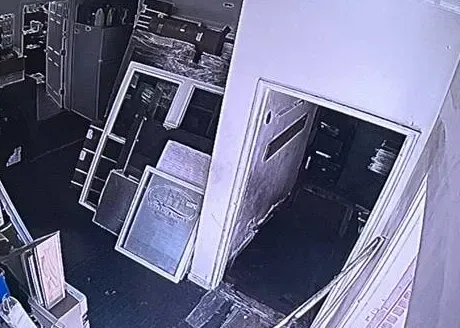
Real AESS job photo from another site, a single camera frame: an overhead greyscale view of a cluttered storeroom with frames and panels stacked against the wall beside an open doorway. Night views like this are what an owner checks remotely before deciding whether to drive over.
Pricing
Smart PSS Support & Setup Cost in Ulster County
Almost all SmartPSS work is a technician’s time — at the PC, at the recorder and on the phone with whoever runs the internet — so we charge for the visit, not by the camera. A replacement recorder is priced from our published recorder figures multiplied by the 1.53 Ulster area rate. There is no subscription and no monthly support plan.
Job
Ulster County price
What moves it
Diagnosis by phone or from screenshots
$0
Free — screenshots and a call usually show which of the four it is: software, connection, login or hardware
On-site SmartPSS set-up, migration and connection work
$195 an hour, 3-hour minimum ($585)
How many PCs and recorders, how many sites, whether a VPN has to be built, how many logins to set up
4-channel recorder replacement
$689–$1,071
How many days of video the drive must hold, and whether the cameras you have will pair with it
8-channel recorder replacement
$995–$1,530
Twice the channels to label and group in SmartPSS, and a bigger drive
8-channel hybrid recorder
$1,224–$1,836
Runs old coax cameras and newer network cameras side by side during a gradual changeover
16-channel recorder
$1,836–$3,366
House, barn, stand and yard on one recorder; logins by role
32-channel recorder
$3,366 and up
Big farms, campuses and several-building properties; we walk the site before pricing
DSS licensing, if needed
Quoted from Dahua’s current pricing
Number of channels and sites; we price it only after confirming Lite won’t do
What raises an Ulster price. Two ends far apart — the PC in Kingston, the recorder in Denning — when both need a visit. Sites where a VPN must be built because P2P alone isn’t enough. Campus or shared buildings where IT has to attend. Recorders on old firmware that must be updated carefully before SmartPSS Lite will pair with them.
What lowers it. Screenshots, the recorder label and the line type sent ahead. The recorder’s admin password known. Someone at the far site who can read the P2P screen while we work at the PC end. A decision already made about who gets which login.
Manufacturer product photo, not an installed unit: a Dahua camera inside a cylindrical stainless steel housing on a matching bracket. Whatever the housing, the camera appears in SmartPSS as one more channel on its recorder.
Get a Written Ulster Price Before the Visit
A picture of the SmartPSS device list plus a note of each site’s internet is normally all we need for a firm number. We’ll say whether you’re looking at a single visit, a trip to both ends, or a new recorder, and quote it in Ulster terms.
Most Ulster SmartPSS jobs land in one of three places: a free conversation that solves or scopes it, a single on-site visit for software, links and logins, or a new recorder when the old one is beyond saving.
Remote Triage
$0
Phone call, screenshots and the line type. We tell you whether it’s the SmartPSS version, the connection method, a locked login or the hardware, who needs to be reachable, and what the visit will cost. Some fixes happen on the call.
On-Site SmartPSS Visit
$195/hr · 3-hr min ($585)
Software, connection and logins in one visit. SmartPSS Lite installed and configured, each site connected by the right method, outage restart set and tested, logins by role, alerts and export practised, and a hand-over sheet.
Recorder Replacement
$689–$3,366
Four to sixteen channels, Ulster pricing. A fresh recorder and drive wired to your existing cameras, entered in SmartPSS Lite under the old camera names and logins, with the previous drive left playable for anything you must keep. Bigger systems are priced on site.
Already bought the equipment? Labor-only work
If you bought a recorder, cameras, a small PC or a router yourself, we install and configure them at the service rate. Before the visit we check that the recorder is one SmartPSS Lite supports and that the router can do what the site needs — P2P only, or a VPN. For Dahua equipment bought after the FCC’s June 2026 notice, we ask where it came from and what it’s for, because the notice restricts importation and marketing of covered equipment for specified uses.
Manufacturer warranties on recorders, drives and cameras stay with the manufacturer, for as long as it honours them. What AESS itself commits to is in our service agreement; the key points are in the contact block at the foot of the page.
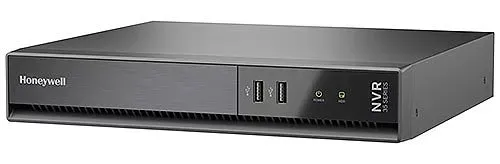
Manufacturer product photo, not an installed unit: a dark grey Honeywell 35 Series network video recorder with two USB ports and two status lights on the front. A guide to adding recorders to SmartPSS lists Honeywell among Dahua OEM brands; a front USB port is the fallback for exporting straight from the recorder.
Complete Services
Every Smart PSS Support & Setup Service in Ulster County
The software is only the window onto a system of cameras, recorders, cable and internet. The Ulster County pages below cover those other parts, so the same trip can fix whatever SmartPSS turns out to be pointing at.
This is a method note rather than a story about one property. On Ulster SmartPSS calls, the visit that goes wrong is the one that starts at the comfortable end — the office PC in town, with coffee and a working internet line — and assumes the recorder at the barn or the camp will cooperate. It often doesn’t: P2P was never switched on, the recorder has an address from a router that was replaced, the dish blocks inbound connections, or the firmware is too new for the old SmartPSS or too old for the advisory. Every one of those is decided at the far end.
So we confirm the far end first, either in person or with someone standing at the recorder on the phone: the P2P status, the firmware build date, the line type, a test login with the account we intend to use. Only then do we set up SmartPSS Lite at the PC. Then we leave a single sheet with both ends on it — recorder model and serial, firmware, connection method and why, each login and its rights, where exports land, and who to call about each internet line. Owners who keep that sheet current rarely need us for SmartPSS again.
There is a second habit worth borrowing. Before we leave any Ulster property, we drive or walk to somewhere off its network — the end of the driveway on a phone hotspot, the office in town, a laptop on a different line — and open SmartPSS from there, exactly as the owner will. A system tested only from inside the building tells you the cameras work; it tells you nothing about whether the P2P registration, the VPN or the stream settings survive the trip across a satellite dish or a DSL line. That last test takes ten minutes and has saved more return trips up Route 28 than anything else we do. If it fails, we fix it on the spot, while the person who knows the router password is still standing next to it.
FAQ
Ulster County Smart PSS Support & Setup FAQ
Is a PC that already runs our point-of-sale or farm bookkeeping software powerful enough for SmartPSS Lite?
+
Often not comfortably, and we don’t recommend sharing it. Forum users report SmartPSS using a lot of processor time even with few devices, and one Windows 11 user described the program crashing when streaming more than one camera. When the camera software competes with the till or the accounts, both suffer, and a crash or restart takes the cameras off screen. A small dedicated PC, wired to the router and on a battery backup, costs little next to the time lost when the shared one misbehaves.
Do the Kingston police or the sheriff have a way to log in to our SmartPSS or recorder?
+
Not that we could find. Hudson Valley One’s September 2026 report on Kingston’s own street cameras describes the city’s cameras and plate readers, but we found no program by Kingston police, Saugerties police or the Ulster County Sheriff for connecting to private systems. If an officer asks for video, you export the clip and hand it over; nobody needs your login. We recommend you never give out the recorder’s administrator password, and if someone outside the business truly needs ongoing access, create a separate, limited account you can delete later.
What password rules does SmartPSS Lite apply to its own login?
+
The manual says the SmartPSS Lite password must be 8 to 32 non-blank characters and contain at least two types among uppercase, lowercase, numbers and special characters. That password protects the program on the PC; each recorder has its own accounts and passwords as well. We keep the two separate, write both into the owner’s records rather than on a sticky note at the desk, and make sure Auto Login doesn’t leave an unattended office PC open to anyone who sits down.
Can the cameras in SmartPSS be named by barn, field or building instead of by channel number?
+
Yes, and we always do it. A list that reads Channel 1 to Channel 16 means nothing to a farmhand or a relief manager looking at the screen in a hurry. We name each camera for what it sees — north barn door, stand cash table, lower lot — on the recorder itself, so the names show the same way in SmartPSS on every PC and in the phone app, and we group sites separately so the farmhouse and the equipment yard never get mixed up.
Do Honeywell, Lorex, Amcrest or Speco recorders work in SmartPSS?
+
Many do. A SmartPSS guide from Security Cam Center says its P2P steps also apply to Dahua OEM brands, naming Amcrest, Lorex, Honeywell and Speco. Not every model from those brands was made by Dahua, and newer models may use the brand’s own app instead, so we check the exact model before promising anything. If yours isn’t compatible, the brand’s own desktop software is usually the better route.
Why does a SmartPSS visit in Ulster County cost more than the same visit in the Bronx?
+
Hardware and recorder replacement prices on this page carry our Ulster area rate of 1.53 times the Brooklyn base, which covers the travel time and distance of reaching a 1,124-square-mile county from our Bronx office. The hourly service rate itself, $195 an hour with a three-hour minimum, is the same everywhere. We don’t add a separate trip charge on top of the Ulster figures.
Can the clocks changing for daylight saving time throw off a playback search?
+
They can. Users on the Dahua subreddit describe daylight-saving issues causing synchronisation problems in the mobile app and SmartPSS Lite, with playback stuck on loading or showing errors. The hour that repeats in November and the hour that disappears in March are where it shows. We set the recorder’s time zone and daylight-saving rule correctly, sync its clock to a time server, and when you search around a clock change, widen the search window by an hour either side.
Is SmartPSS Lite still free, or has Dahua moved everything to a subscription?
+
SmartPSS Lite is still offered as a download on DahuaWiki and Dahua’s support site, for Windows and Apple-silicon Macs. Forum regulars describe Dahua pushing larger users toward DSS, its paid platform, and one wholesaler price list posted on IPCamTalk shows DSS licensing. For a home, farm or small shop, Lite remains the no-cost option; DSS is worth pricing only when Lite’s limits get in the way.
How long does an Ulster SmartPSS visit usually take?
+
Most fit inside the three-hour minimum when the PC and the recorder are in the same building. Moving to SmartPSS Lite, connecting the sites, setting logins and testing the outage restart often takes an hour or two. What stretches a visit is distance and people: a second stop at a recorder twenty miles from the PC, waiting for a building’s IT contact, or old firmware that has to be updated carefully first. We tell you before booking if it looks like two stops.
All Areas Served
Smart PSS Support & Setup Across New York City, Long Island and the Hudson Valley
This page sits under the Hudson Valley SmartPSS support hub, alongside five other counties. Our other SmartPSS pages, for the city boroughs, Long Island and the rest of the valley, are written for the property types and connections found in each of those places.
Every software detail, county number, rule and news item above traces to one of the sources listed here. Where we saw only a search snippet, the link says “excerpt”; forum and Reddit posts are individual users’ experiences, not statements from Dahua. Prices are our hourly service rate and our recorder replacement figures at the 1.53× Ulster rate.
Cameras Missing From the Office Screen Since the Storm? Call the Hudson Valley Line
A recorder red in SmartPSS, a “max channel” message, a locked account, a PC that never came back after the outage — phone (845) 640-3835. We book the next open two-hour window, and most systems are back on screen within one to two hours of arrival.
Ulster County SmartPSS Support From a Licensed, Insured Crew
Call or text our Hudson Valley number, (845) 640-3835, or send a WhatsApp message. Ulster visits are dispatched by Abstract Enterprises Security Systems from 460 E Fordham Rd, Bronx, NY 10458.
Rated 4.7★ across 201 Google reviews. Written estimates the day you ask, insurance certificates for landlords and campus managers, and every job done under NYS low-voltage license #12000287431.
Full terms — including 50% deposit, one-year parts-only warranty on AESS-supplied products, and the late-fee schedule — are set out in the service agreement. See our warranty page.
Page reviewed and updated October 18, 2026. Changelog: Ulster County SmartPSS support page rebuilt from new research on SmartPSS’s discontinuation and SmartPSS Lite’s P2P, export, start-up and alarm settings, forum reports of channel and P2P limits and account lockouts, Starlink’s port-forwarding limits, the county’s broadband build and Archtop Fiber’s 2026 expansion, Central Hudson’s September 2026 outage, Ulster housing and farm figures, local rules and the FCC’s June 2026 notice, with prices at the standard service rate and the 1.53× Ulster area rate.