Any Brand, Any Installer · Repairs Kept Inside the Landmarks Rules · Footage Saved Before Anything Is Touched · Written Price First
Security camera repair in Stuyvesant Heights starts with our $150 Brooklyn service call, which pays for the on-site diagnosis and is credited to the repair if you go ahead. On our published Brooklyn list most single faults cost $150 to $700, and replacing a recorder or rewiring several cameras runs $700 to $1,500. We fix systems that other people put in: the camera over the parlor door of a brownstone on Decatur Street, the cellar recorder of a two-family on Macon Street, the stair-hall cameras of an 1890s walk-up near Chauncey Street, the lobby system of a newer condo on Halsey Street, and the counter cameras of a shop on Fulton Street. Requests are booked within 2 hours, technicians arrive inside a two-hour window, and you hear the cause and see a written price before any part is replaced.
Reviewed and updated November 12, 2026, against the Landmarks Preservation Commission's Permit Guidebook (Health and Safety chapter), its permit-types page and designation report LP-2496 for the Bedford-Stuyvesant/Expanded Stuyvesant Heights Historic District; CityLand and Brownstoner on the 1971 and 2013 historic districts and on 406–410 MacDonough Street; CityRealty on Chauncey + Lewis and 524 Halsey Street; News 12 Brooklyn on the June 2026 Fulton Street manhole fires, the Fulton Street pawnshop break-in and the Bainbridge Street package theft; the Brooklyn Eagle on outages after Winter Storm Fern; Brick Underground on landlords, tenants and footage; BK Magazine on the Stuyvesant Mansion; HomeAdvisor's Brooklyn cost page; Brooklyn Community Board 3's precinct list; the NYC Mayor's Office on the Connect New York camera program; and the New York Department of State on installer licensing. · Abstract Enterprises Security Systems, NYS license #12000287431 · crews dispatched from our Troy Avenue office in Brooklyn

Owner-operated since 2002 · Thousands of jobs completed · Booked within 2 hours
Security camera repair in Stuyvesant Heights is mostly repair on landmarked houses, and the rules for that are friendlier than most owners expect. Nearly every block between Tompkins Avenue and Malcolm X Boulevard, from Halsey and Macon Streets down to Fulton Street, sits inside one of two historic districts. The Landmarks Preservation Commission's own guidebook says ordinary maintenance and repair of safety equipment needs no permit, so a dead camera can be replaced in the same spot, on the same anchors, at about the same size, without a filing. What takes care is everything around that: cameras an earlier owner drilled into carved stone or ran down the front in plain sight, recorders in damp raised basements, outages that come up through the street on Fulton, and systems whose passwords left with a developer or a previous owner. Send a photo of the recorder screen and the camera to (347) 934-8335 or on WhatsApp, and we will tell you what the fault looks like and what that repair costs on our Brooklyn list before you book.
Stuyvesant Heights is the southeastern part of Bedford-Stuyvesant that took its name, early in the twentieth century, from Stuyvesant Avenue, its main street. Most of it was built between about 1870 and 1920, much of it in a rush: as late as 1886 more than half the land in today's expanded historic district was still empty. The result is block after block of speculatively built rowhouses in Queen Anne, neo-Grec, Romanesque Revival and Renaissance Revival dress, a scattering of older wood-frame houses, and a run of four- and five-story apartment houses from the 1890s. That is the short history. For a camera repair the useful part is what those buildings are made of and how a camera was fixed to them, because that decides what a repair can and cannot do.
The landmark map comes first. The original Stuyvesant Heights Historic District, designated in 1971, is an L-shaped area north of Fulton Street with more than 430 buildings on 13 blocks, roughly between Stuyvesant and Tompkins Avenues and Macon and Chauncey Streets. On April 16, 2013, the Commission wrapped a much larger district around it, the Bedford-Stuyvesant/Expanded Stuyvesant Heights Historic District, with about 825 buildings running from Halsey and Macon Streets down to Fulton Street and from Tompkins Avenue across to Malcolm X Boulevard. Between them they cover most of the neighborhood. So when a camera on a Stuyvesant Heights facade dies, the first thing worth knowing is not the brand but whether the repair can stay a repair: same place, same size, same anchors. If it can, the Commission's guidebook treats it as ordinary maintenance. If the honest fix is to move the camera, add one, or change its look, it becomes a different kind of job, and we say so before anything is drilled.

The buildings themselves come second. The Commission's designation report for the expanded district describes rowhouses with shared first-floor entrances through a vestibule into a hallway, round-headed double-leaf doors, areaways and raised basements, and the 1890s French flats of four to five stories. Each of those features shows up in our repair calls. The vestibule is where the door camera usually lives, boxed in between the outer doors and the inner one. The raised basement and the areaway are where the recorder, the power supply and the garden-door camera sit, closest to the street and to everything that runs off it in winter. The double-leaf doors mean visitors stand on the stoop well above the sidewalk, which changes the angle a camera needs. And the French flats are small buildings with building-sized systems: a recorder in the cellar, cameras in the stair hall and at the street door, and a landlord who is not always the person living closest to the problem.
Third is time. Many of these houses have been converted more than once, from one family to several and sometimes back again, and the cameras tend to record the history. We open cellars where an earlier owner's system still runs beside a newer one, where cameras are powered from a tenant's outlet, or where a hallway camera watches a door that no longer leads to a separate apartment. Newer buildings bring a different version of the same problem. Chauncey + Lewis, a group of new rowhouses at 39 Chauncey Street and 437–441 Lewis Avenue, and 524 Halsey Street, a former carriage house and auto repair shop turned into a 33-unit condominium with an attended lobby, came with modern network systems, and the people who set those systems up are not always the people who now need to log in to them.
Fourth is the street. The neighborhood's southern edge is Fulton Street, and in June 2026 manhole fires on Fulton Street in Bed-Stuy left around 50 Con Edison customers in the dark and cut power to what News 12 called "multiple rows of businesses," some of them still without power the next morning. After Winter Storm Fern, the Brooklyn Eagle reported more than 990 Bed-Stuy customers out at the peak and road salt damaging several manholes. Neither report lists every block affected, so we do not claim which Stuyvesant Heights streets lost power. But every one of those events sends a hard stop and a surge through recorders, PoE switches and camera supplies, and a share of what goes down does not come back right. Those systems reach us weeks later, usually the first time someone tries to play back a day that matters. Many owners pair the camera repair with a look at the door buzzer or intercom at the same doorway, since on these stoops the two systems share a wall, a cellar and often a power supply.
Where this page applies. It covers Stuyvesant Heights from Tompkins Avenue east to Malcolm X Boulevard and from Halsey and Macon Streets south to Fulton Street, taking in Lewis Avenue, Stuyvesant Avenue, MacDonough, Decatur, Bainbridge and Chauncey Streets and the storefronts on both sides of Fulton. The rest of Bed-Stuy, west of Tompkins Avenue, north of Halsey Street and east of Malcolm X Boulevard, is on our Bedford-Stuyvesant security camera repair page, neighboring Ocean Hill has its own Ocean Hill camera repair page, and the rest of the borough starts at our main Brooklyn security camera repair page. Stuyvesant Heights is billed at the standard Brooklyn rate.
Urgent calls from this neighborhood tend to come in three forms. The first is the house call after something went missing: a package from the vestibule, a bicycle from under the stoop, a planter from the areaway. Someone asks what the camera saw, and the answer is a black square, a picture of the inside of the outer doors, or a clip that ends ten seconds too early. The second is the building call: a tenant in a French flat reports a stranger in the stair hall, the landlord opens the app from another borough, and the hallway camera has not saved anything since spring. The third is the storefront call after a power event on Fulton Street, when the lights came back and the register camera did too, but the recorder now beeps, the clock reads a date from years ago, or two channels show "no video."
If footage from a particular time matters, leave the recorder alone. Do not unplug it, restart it or press "format" if the screen asks. Recorders write over their oldest video once the drive is full, so the clock is already running, and a restart can wipe the very log that shows when a camera dropped or the drive stopped writing. Text us the date and hour you need, which camera it should be on and a photo of the recorder's front or screen. The visit is planned so that clip is copied before anything is changed.
For everything else the path is short. The $150 Brooklyn service call books a two-hour arrival window. The technician tests the system in order, tells you what failed and why, and writes the price from our Brooklyn list before any part is replaced. Most single-fault repairs are finished on the same visit, and each repaired camera is checked in daylight and in low light, with recorded video played back, not just the live view, before we leave.
Each repair below is priced from our Brooklyn camera repair list. The service call pays for finding the fault; the repair itself is priced by what failed, how many cameras it reaches and how hard each cable is to get at, whether that is a cornice camera on a three-story brownstone or a dome in a Fulton Street shop ceiling.
A dead facade camera swapped in kind, in the same position and on the same anchors or mortar joints, so the repair stays ordinary maintenance under the Landmarks guidebook. Cut sheets for the new model supplied if you or the Commission want them.
Cable taped or stapled down the face of a brownstone, looped over a cornice or strung across a lintel, re-routed through a mortar joint or the areaway so very little shows, while the camera on the end of it is repaired.
Door cameras boxed in between the outer double-leaf doors and the inner door, cameras that see only the closed doors at night, and stoop cameras that catch the tops of heads instead of faces. Re-aimed, moved inside the opening or replaced with a model that suits the space.
Cameras under the stoop and beside the raised-basement door, where meltwater, salt from the steps and trash cans all crowd the same few square feet. Connectors rebuilt, housings sealed, and the camera lifted out of the splash zone.
DVRs and NVRs that show live video but save nothing, beep, restart, or report a disk error, and drives worn out by years of recording in a damp cellar. Footage copied first, then the drive or recorder replaced and playback proven.
Recorders that came back after a Fulton Street outage with a factory clock or lost settings, PoE ports that no longer power their camera, and plug-in supplies that failed when the power returned. Every link in the chain checked, not just the one that is obviously dark.
Cameras on plaster ceilings and stair landings of 1890s walk-ups, street-door cameras, and the cellar recorder behind them, repaired for the landlord or managing agent with a written record of what was changed.
Systems still tied to a developer, a previous owner, a former tenant or a volunteer who moved away. Admin access recovered or reset, old users removed, and new logins issued to the people who now own or manage the building.
Clips for the 79th or 81st Precinct, an insurer, a landlord or a court, exported in the recorder's original format with its own timestamps, plus a short lesson so you can pull the next one yourself.
The same dead camera is a different job on each kind of Stuyvesant Heights building. The surface it is fixed to changes, the cable route changes, the recorder's hiding place changes, and so does the person who has to say yes. These are the buildings we are called to most.
A rowhouse back to one household: stoop and double-leaf doors, a vestibule, a parlor floor above a raised basement, and a recorder somewhere in the cellar. Facade cameras are almost always inside a historic district.
An owner's duplex with rentals above or below, sharing one stoop, one vestibule and often one recorder that grew a camera at a time as the house was divided.
Four- and five-story apartment houses with a street door, a narrow stair hall and a cellar. Building-sized systems owned by a landlord who may live elsewhere.
The older frame houses that outlasted the brick and brownstone rows, with cameras fixed through clapboard or siding and cable running behind wood trim.
Recent buildings such as Chauncey + Lewis and 524 Halsey Street: network cameras, video entry, a rack or an attended lobby, and logins that began with the developer.
Congregations, schools and community groups in freestanding and rowhouse buildings, sometimes several organizations behind one door, each wanting to see different cameras.
On a brownstone that has gone back to one family, the cameras usually cover three places: the stoop and the parlor doors, the areaway and garden door below them, and the back garden. The front camera is often mounted high, under the cornice or on the lintel over the doors, because that was the only spot the original installer could reach with a straight ladder. Its cable then has a long way to go, down three stories of facade or through the house, to a recorder in the cellar. Most of the repair calls we get from houses like this are about that path rather than the camera. A connector that was wrapped in tape instead of sealed lets water in at the top; a cable pinched by a storm window has worn through; a run stapled to the facade has pulled loose and swings in the wind. When the camera itself is dead, the repair is usually simple: a same-size replacement on the same bracket. When the path is the problem, we re-terminate or replace the cable along its existing route where we can, and where it runs in plain sight we move it into a mortar joint or around through the areaway so the house looks the way the district expects.
Inside, the cellar is the hazard. Recorders end up on shelves next to the boiler, under the parlor stair, or on the floor of the raised basement where the house takes in water during heavy storms. Heat, dust and damp all shorten a recorder's life. If yours sits low or close to the boiler, part of the repair price may be moving it a few feet onto a shelf or a wall board, with its power on a small backup so the next outage does not hit it cold.
Many Stuyvesant Heights houses were divided into two or three apartments decades ago, and some have been combined and divided again since. The cameras reflect every stage. A typical system started with one camera at the stoop for the owner, gained a camera in the shared hallway when a tenant moved in, then a yard camera when the garden apartment was rented separately, each added by whoever was around at the time. The recorder is in the cellar, often reached through the garden apartment. Half the cameras may be powered from the owner's circuit and half from a tenant's.
That arrangement causes faults that look like broken equipment. A tenant moves out and their electric account closes, and the hallway camera goes dark. Someone flips a breaker in the wrong apartment. A tenant's Wi-Fi router is replaced and the yard camera, which was quietly using it, drops off. The repair here is part electrical bookkeeping and part camera work: we trace which outlet powers each camera, move the system's power onto the owner's side using a single supply or a PoE switch where that is possible, and leave a written map of what is where. Anything that needs a new electrical circuit is a job for an electrician, and we tell you that rather than doing it. We also sort out who can see which cameras, so that the owner and the tenants each see the doors they share and nobody sees into someone else's home.
The four- and five-story apartment houses that went up in the 1890s are small by city standards but large for a camera system run by one person. A typical one has a camera at the street door, one in the vestibule, one or two in the stair hall, perhaps one in the cellar or at the back yard, and a recorder in a locked cellar room. The landlord or managing agent owns it, the super has the key, and the tenants are the ones who notice when it stops. Brick Underground has pointed out that New York buildings are not required to have working cameras at all, and that landlords are not obliged to show tenants footage outside a legal process. That is the legal picture. The practical one is that a hall camera everyone assumes is recording, and is not, causes more trouble than no camera.
Stair halls bring their own repair problems. Cameras are screwed into plaster ceilings that have been patched many times, and over the years the anchors loosen and the camera droops until it watches the floor. Stair skylights and landing windows throw a strip of daylight across the frame. The cable rises through the stair hall in surface raceway that tenants knock loose with furniture on moving day. We repair these with mounts anchored into the structure behind the plaster, cameras chosen for mixed light, and raceway put back where it will survive the next move. Because the building is a rental, we work through the owner or the agent, and we leave a written note of what was found and changed that the owner can show tenants or an inspector if a question comes up.

The mid-nineteenth-century frame houses that still stand among the brick and brownstone rows are the exception on most blocks, but they generate more than their share of camera repairs. A camera on a frame house is screwed through siding or clapboard into wood, and wood moves. Over a few winters the mount loosens, the camera tilts, and the hole its cable passes through opens up enough to let water follow the cable inside. The failure often shows up first as a picture that fogs on humid mornings, then as a connector inside the wall that has turned green. When we repair one we check the wall around the hole as well as the camera, fit a weatherproof connector rather than taping the old one, add a drip loop so water falls away instead of running in, and seal what we opened. Painting and siding repair are for your painter or carpenter; we leave the opening sealed and tell you if the trim around it needs attention.
The newest buildings in the neighborhood have the newest systems: network cameras on a PoE switch, a recorder in a cellar rack or a lobby back office, a video entry station at the door, and in a building like 524 Halsey Street an attended lobby where staff watch the cameras on a monitor. The hardware is rarely the problem in the first few years. The problem is that the system was commissioned by a developer's installer, the admin password and the cloud account are in that installer's name, and the closing paperwork listed model numbers but not credentials. When something does fail, nobody on site can log in to see why. A repair in these buildings usually starts by recovering admin access with the board's or owner's authorization, setting up named accounts for the people who need them, and documenting the system so the next problem does not start from zero. In a condo with a managing agent and building rules, we follow those rules: insurance certificate, scheduled access, sign-in at the desk.
Stuyvesant Heights has congregations and community organizations in buildings of every size, from churches on the avenues to rowhouses used as offices and classrooms. In some, several groups share one building. The Stuyvesant Mansion at Stuyvesant Avenue and Decatur Street, for example, has been used as community space by Gumbo Workshop, Freebrook Academy and GrowHouse, and BK Magazine reported in November 2025 that a court had ordered the building sold. Situations like that raise questions a camera repair has to answer before it starts: which organization owns the cameras, who can authorize work, who should be able to watch which entrance, and what happens to the equipment if a group moves out or the building changes hands. We get those answers in writing first, keep each organization's logins separate where the recorder allows it, and schedule around services, classes and programs.
This is the working method our technicians use on a Stuyvesant Heights repair call, written as a method rather than a story about one house. Before the ladder comes off the van, the technician stands across the street and looks at the front of the building. How many cameras are on it, and how wide is the house? Where is each one fixed: in a mortar joint, on plain brick, on the lintel, on carved stone, on a cast-iron railing? How much cable shows, and where does it go? Is there a camera in the vestibule behind the outer doors, and can it see past them? That two-minute look tells us whether the repair can be a straight swap on the same anchors or whether the honest answer involves moving something, and it lets us tell the owner which it is before any money is spent.
Then we go to the other end of the cable. In most brownstones that means the cellar or the raised basement, and the first things we look at are not the recorder's menus but its surroundings: how close it is to the boiler or the floor, whether it is plugged into a backup or a power strip, whether the PoE switch beside it feels hot, and whether there is a second, older recorder still running on the same shelf. Only after that do we log in, read the recorder's event log, and check what it has actually saved. Working from both ends inward, facade first and cellar second, is how we avoid replacing a camera that was fine while the real fault sat in a damp power supply three floors below it.
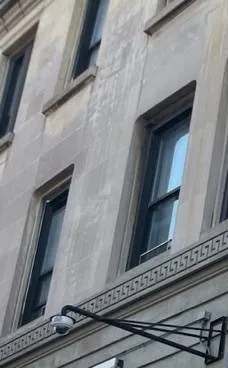
Plenty of the cameras on Stuyvesant Heights facades went up before their current owners arrived, and some went up in ways the Landmarks guidebook would not approve today: drilled into a carved lintel or a decorative band, clamped to a cast-iron railing, three or four of them across a 20-foot front, or fed by a cable taped down the face of the house. The guidebook's limits for new equipment are specific. On a small residential or commercial building, no more than two security cameras for every 25 feet of street frontage. Equipment attached "at mortar joints, plain masonry, wood, or metalwork," and "not attached through cast iron or on any decorative surfaces." Conduit concealed through plain masonry, with staff able to approve "a maximum of approximately ten inches of visible conduit."
Those rules describe new installations; repairing what is already there is ordinary maintenance. But a repair is the cheapest moment to put a badly placed camera right, because the ladder is already up and the old camera is already coming down. When we find one of these, we give you the choice in writing. One option is the straight swap, same place and same size, which keeps the job a repair. The other is moving the camera to a mortar joint or plain masonry nearby, dropping a camera the frontage does not need, or hiding a run of exposed cable, and we tell you plainly when a change like that is new work that may call for a staff-level Landmarks permit. The Commission says 95 percent of its approvals are issued by staff, and for an in-kind replacement it asks for the manufacturer's cut sheet rather than drawings. We supply cut sheets for anything we install.
The areaway in front of a raised basement is the lowest outdoor spot on the lot, and everything from the stoop and the sidewalk ends up there: rain, meltwater, leaves, and the rock salt shoveled off the steps all winter. The camera that watches the garden door is usually mounted low under the stoop, and its connector and power supply are often within splash distance of the ground. After Winter Storm Fern the Brooklyn Eagle reported road salt damaging several manholes in Bed-Stuy; what salt does to Con Edison's equipment underground it also does, on a small scale, to an unsealed camera connector in a front areaway. The symptoms come in spring: a picture that flickers on wet days, a camera that drops out after a thaw and comes back when it dries, and green crust inside the connector when we open it.
The repair is rarely just a new camera. We cut back to clean cable, fit sealed connectors, move the junction above the splash line, and where the camera itself sits in standing water's reach, raise it or turn it so it looks down at the garden door from higher under the stoop. A hooded camera keeps the slush off the lens. If the power supply for that camera lives in the areaway too, we move it inside.

When power on a block fails and returns, the parts of a camera system fail in a predictable order. Small plug-in supplies die outright. A PoE switch loses a port, so one camera stays dark while its neighbors work. The recorder comes back with its drive unmounted, its settings partly reset or its clock at the factory date. Battery backups, if there were any, drain in the first hour of a long outage and then let everything crash anyway. Con Edison said heat was "almost certainly the cause" of the June 2026 manhole fires on Fulton Street, which cut power to rows of businesses; the winter events were blamed on salt. Either way, the damage looks the same in the cellar or behind the counter.
Most of it does not show on the live view, which is why the first sign is so often a playback gap found weeks later. After any outage we check every link: the supply's output under load, each switch port with a known-good camera, the drive's health and the recorder's log, and the time. Then we set the clock to sync automatically, turn on the recorder's own alerts for video loss and disk errors, and, where it is worth it, size a backup to what it really has to carry and set it to shut the recorder down cleanly before the battery runs out.
The last pattern is not a hardware fault at all. A brownstone sold twice since the cameras went in; a walk-up whose managing agent changed; a condo whose developer's installer has moved on; a congregation whose volunteer set up the cameras and moved away. In each case the system is still running, but the admin password, the phone app account or the recorder's cloud link belongs to someone who is gone. When a camera fails, nobody can log in to see why, and resetting the recorder to get in would erase the video and the settings. We recover access the safest way the make of recorder allows, with proof that the person asking owns or manages the property, then set up named accounts for the people who now need them, remove old users and devices, and write the credentials down for the owner, not for us.
Most of Stuyvesant Heights is residential, so its businesses sit along a handful of streets: Fulton Street on the southern edge, the avenues that cross the neighborhood, and the corners where the brownstone blocks meet them. Many of these shops are in buildings with apartments above, which shapes every repair. News 12 reported that a man broke into the Fulton Pawnbroker on Fulton Street in Bed-Stuy through the ceiling just after midnight on October 14, 2025, taking about $20,000 in merchandise, and that "video shows the man scaling the wall and breaking in." Footage like that is why store owners call us when a camera goes dark, and why we check the cameras that watch the back and the roof line, not just the register.
The neighborhood's southern edge and its main shopping street, with storefronts under apartments on both sides. Register, aisle and sidewalk cameras, back-door cameras in narrow rear yards, and the most exposure to outages from the street.
The eastern edge, once called Reid Avenue, one of the older roads the first buildings clustered along. Corner shops and services with cameras behind front windows and roll-down gates.
Small businesses on the avenue that runs through the middle of the neighborhood past the Macon Library. Cameras often share a building with apartments and a separate residential system.
The western edge, with storefronts and services facing the rest of Bed-Stuy. Mixed-use buildings where the shop tenant and the landlord may each own part of the system.
The street that gave the neighborhood its name, with community buildings such as the Stuyvesant Mansion and corner businesses among the rowhouses.
Practices, nonprofits and small offices on parlor floors and garden levels, usually a few indoor cameras on a small recorder or a cloud service.

On Fulton Street and the avenues, the typical commercial building is a store at street level with two or three floors of apartments above, reached by a separate street door. The shop usually has its own cameras and recorder in the back. The landlord may have cameras on the residential door and stair hall, recorded on a different box in the cellar. Sometimes the residential cameras are powered from the store's meter because that was the nearest outlet; then a store closing early, a breaker tripping behind the counter, or a commercial power cut takes the building's hallway cameras down with it. Before we fix anything in a building like this we sort out which cameras belong to which recorder, who owns each, and which meter feeds them, and we label it all. Moving cameras onto the right power is often a camera job; a new circuit is an electrician's job, and we say which.
Kitchen and back-door cameras gather grease and steam on their domes within weeks, softening the picture until a clean is overdue. Dining-room cameras face bright windows by day and dim rooms at night. Recorders end up in basements reached by sidewalk hatches, next to compressors and mop sinks. Repairs usually combine a clean, a better position, a housing rated for the room, and moving the recorder off the floor. We schedule outside service hours so the line and the dining room keep working.
Companies that install or service security and CCTV systems for others in New York need a Department of State license; we work under NYS license #12000287431. Employers who record staff should know that New York Labor Law Section 203-c restricts video recording in restrooms, locker rooms and changing areas. Storefronts inside the historic districts follow the same Landmarks guidebook as houses: a facade camera replaced in place is ordinary repair, a new or moved one is not. The city's Connect New York program lets a business register its cameras so the NYPD knows where they are, at no cost; registering is your decision, and a repaired or replaced recorder does not change where the cameras are. We are not your lawyer, but we tell you when a repair touches one of these rules so you can decide before work begins.
Usually, yes, and the replacement visit is the best time to do it. The Landmarks guidebook wants conduit concealed through plain masonry, with only about ten inches visible, so we look for a route that follows a mortar joint or the edge of a pier, enters the wall near the camera and drops inside, or runs down beside the stoop into the areaway. On a three-story front the route is set by what is inside the wall behind the camera, which we check before drilling. If no clean route exists, we tell you before starting, and a wireless bridge to a nearby window is sometimes the fallback.
Yes. Most current cameras and recorders support privacy masks: blacked-out zones that are never shown or recorded, drawn over windows, doorways or a neighbor's stoop. We set the masks with you watching, then tilt or zoom the camera so the sidewalk and your own stoop fill more of the picture. On a narrow Stuyvesant Heights street a slightly lower aim often does most of the work before any mask is needed, and it puts more pixels on the faces at your door.
One camera in that spot cannot see through closed wooden doors, so the honest answer is a second, small camera outside, or moving the one you have. The usual fix keeps the vestibule camera for packages and the inner door and adds a compact camera outside, under the door hood or tucked against the frame, looking down the stoop. Inside a historic district that outside camera is new equipment, so it should be small, in a plain joint or on wood, and within the two-per-25-feet limit; we check your frontage first. If you would rather not add anything outside, a doorbell station at the outer doors does the same job.

Usually neither is broken: it is the route the audio takes. Many camera apps send your voice from your phone to the manufacturer's cloud and back down to the camera, and on a busy home connection that can add a few seconds. Brownstone owners have long used a camera's two-way speaker this way, and Brownstoner wrote up one couple doing exactly that during a 2019 renovation. We check the camera's firmware and your home network, move the camera onto a wired connection if it is on weak Wi-Fi, and if the delay is built into the app, we suggest a door station designed for talk, which answers far faster.
Yes. Plaster over old lath does not hold small anchors for long, especially with a camera's cable tugging on it. We remount the camera on a plate fixed through the plaster into a joist or the lath behind it, or move it onto the wall where the masonry gives a solid hold, and secure the cable so it no longer pulls on the camera. If the camera has been pointing at the floor for months, we also check whether the recorder flagged anything, because a drooping camera often hides a second fault.
Moving the camera is usually enough if it can see the radiator and the door together; a second camera is better if the hall is long. News 12 reported a package worth about $1,500 taken from in front of an apartment door on Bainbridge Street in Bed-Stuy in February 2025, and the report does not say how the courier got in. For a walk-up, the camera worth having shows the street door opening and the spot where packages sit in one frame. A slightly wider lens or a position a few feet further along the ceiling often does it.
Yes, in most buildings. The residential cameras can be moved onto a supply or PoE switch plugged into an outlet on the landlord's own meter, usually in the cellar beside the building's recorder, with a small battery backup so short drops do not reboot them. If no landlord outlet exists where it is needed, adding one is an electrician's job, and we tell you exactly what to ask for. We then label which recorder and which meter each camera belongs to.
Usually, by changing height and angle rather than adding cameras. A camera mounted at eye level behind the window sees the side of the truck. Mounted higher, under the sign band or inside at the top of the glass, and aimed down along the storefront rather than out at the street, it watches your door and the stretch of sidewalk in front of it no matter what parks at the curb. If the building is inside the historic district, an inside-the-glass position also avoids new equipment on the facade.
Ask the builder for the credentials first, in writing; sometimes they turn up. If not, most recorders can be reset to a new admin account without touching the recorded settings, using the manufacturer's recovery process with the device's serial number and proof that you own the house. We do that with you present, set up accounts in your household's names, update the firmware, and write down what is on the rack, including the switch and any cloud link, so you are not depending on anyone else again.

Yes. That is a recorder or display setting, not a camera fault. We can pin the front door and the package area as large tiles that never rotate, put the rest of the cameras in a smaller grid or a slower sequence, and give the desk a simple way to call up any camera full-screen. We agree the layout with the board or the managing agent, and set the desk login so staff can watch and export clips without being able to change recording settings.
Usually, if the group can show the equipment is theirs and the owner agrees. We document what is installed and where before anything comes down, remove the cameras and the recorder, cap and seal the cable openings, and factory-reset or wipe the recorder's drive so no footage leaves with it by accident. Whether the same equipment suits the new space depends on its age and type; we tell you that before you pay to move it.
Yes. Each house keeps its own recorder and logins, and we keep a separate repair record for each address, so nobody's footage or passwords are shared. Because the equipment is the same model, we can carry common spare parts and know its faults, which usually makes each repair quicker. Each household books, approves and pays for its own work.
We repair what is already on the building, whoever made it and whoever put it up. On Stuyvesant Heights houses that usually means a mix: a coax system from the 2000s in a cellar, a newer network camera or two added by a later owner, a video doorbell bought online, and sometimes a building system in a French flat that nobody has looked at since the last sale. These are the kinds of equipment we meet most on these blocks, and what tends to fail on each.
The older systems in many brownstones and two-families, wired with coaxial cable down the facade or through the areaway to a DVR in the cellar. Twist-on connectors at the camera end corrode first, and a shared power box in the cellar feeds every camera. These systems can often be brought up to higher resolution without pulling new cable through plaster.
Standard in the new rowhouses and condos and in most shop systems installed in the last few years: one cable carries picture and power to a switch or recorder. Faults are usually a switch port, a crimped end, an address that changed after a router swap, or a firmware update that broke phone viewing.
The box that keeps the video, usually on a cellar shelf, in a parlor-floor closet or under a shop counter. Drives wear out, clocks drift, settings vanish after hard power returns. A hybrid recorder lets a house keep its coax cameras on the facade while adding a network camera at the garden door.
Cameras whose lens can be zoomed after mounting. The answer when a stoop camera on a deep brownstone sees the whole sidewalk but no faces, or when a stair-hall camera in a French flat has to read someone at the far landing.
Intercom stations with built-in cameras at condo lobbies and walk-up street doors, and battery or wired doorbells on brownstone double doors. Some are recorded by the main system and some only by their own app; we find out which before anyone counts on footage from them.
Motorized and fisheye cameras on shop floors along Fulton Street, on church halls and in rear yards that run deep. Motors, saved positions and dome condensation are what we fix most often, along with cameras left parked facing the wrong way.
Consumer cameras in apartments, in parlor windows and over rear yards. Signal through two or three brick bearing walls, batteries in winter, and app accounts in the name of someone who has moved out are the usual problems.
Cameras built for an entrance that faces a bright street. The usual replacement for vestibule and areaway cameras on the sunny side of the block, where the face under the stoop is in shade and the sidewalk behind it is not.
The parts that fail when Fulton Street's power misbehaves. Checked on every outage call, replaced with the right capacity, and set so the recorder shuts down cleanly instead of crashing when the backup runs out.

Most of the houses in the two historic districts were built between 1880 and 1920, and most of their camera systems were added much later by whoever owned them at the time. That leaves a pattern we can almost predict from the front door. Houses that have stayed in one family for decades often have a coax system from a single installation, with cameras at the cornice, the stoop and the areaway, and a DVR on a shelf near the boiler. Houses that changed hands in the last ten years tend to have a newer network system, or a few Wi-Fi cameras that a buyer put up in the first week. The new rowhouses on Chauncey Street and Lewis Avenue and the condo at 524 Halsey Street came with network cameras wired to a rack.
The repair depends on which one you have. A coax system with a failing DVR can usually keep its cameras and cable and get a hybrid recorder, which saves opening the walls. A network system usually needs a switch port, a crimp or a settings repair, not new cameras. Wi-Fi cameras usually need a better signal path, not replacement. We tell you which applies after testing, and we do not push a system change when the one you have can be put right.

People with Ring, Nest, Arlo, Wyze or SimpliSafe cameras often ask whether to call the brand or call us. If a sealed consumer camera has died outright and is under warranty, the brand is the cheaper route; there is nothing inside it to repair. What a brand's support line cannot do is stand on your stoop and see that the camera is mounted where the vestibule door blocks it half the day, that the Wi-Fi from the parlor floor does not reach the garden door through the bearing wall, or that the battery drains because the camera wakes every time a bus passes on the avenue. That is where a visit earns its fee. Wired cameras with a recorder are another matter: their makers sell through installers and do not send technicians, so a licensed local repair is the normal route. ADT and similar monitoring companies fix their own equipment under their contracts, so if your cameras came with a monitoring plan, read the contract before you call anyone else.
| What you have | Who usually fixes it best |
|---|---|
| Sealed consumer camera that died, still under warranty | The brand, under its warranty |
| Consumer camera that works, but placement, signal or battery is the problem | A local visit |
| Wired cameras with a DVR or NVR, any brand | A licensed local repair |
| Cameras on a monitoring company's contract | That company first, under its contract |
| French flat, condo or church system with several people involved | A licensed repair approved by whoever owns the system |

Search summaries and listing sites such as Angi, HomeAdvisor and Fixr give camera advice written for any house in any city. Some of it holds everywhere. Some of it leads Stuyvesant Heights owners to spend money on the wrong part, or to put off a repair because they think the landmark rules forbid it. These are the claims we hear repeated most often, and what we see on repairs in the two historic districts and along Fulton Street.
The live picture and the recording are two different jobs, and a recorder can do the first while failing the second for weeks. Repair companies list the same causes again and again: a failed hard drive, a recording schedule that was changed or never set, storage settings that stop when the drive fills, or a drive too small for the cameras on it. One New York repair firm puts it bluntly: "Running out of storage is the most common reason" cameras stop recording.
In a brownstone, the recorder is often in the cellar and nobody looks at it until something happens on the stoop. That is when the owner discovers the last saved hour was in the spring. We see this more after power events, when a recorder restarts into a state where it shows cameras but has quietly stopped writing to the drive.
So every repair ends with playback, not live view: we pick a time from the past day, play it back on each camera, and turn on the recorder's own alerts for drive errors and recording stopped, sent to a phone you actually check.
Not for a repair. The Landmarks Preservation Commission's permit guidebook says no permit is needed for "ordinary maintenance, repair, and retrofitting of health, safety, and utility equipment." A dead camera replaced with a similar one in the same position falls under that, and so does fixing a cable or a connector where it already runs.
The rules start to apply when a camera is new or moves. Then the guidebook asks for cameras that are well spaced, no more than two per 25 feet of street frontage on a small building, fixed at mortar joints, plain masonry, wood or metalwork, never through cast iron or decorative surfaces, and with very little visible conduit. If a change needs approval, the LPC says 95% of its approvals are issued at staff level, not at a public hearing.
The practical result: most repairs on Macon, Decatur or MacDonough Street go ahead like any other. If what you want is a different position, we tell you before anything is drilled, and we can provide the manufacturer cut sheet that staff ask for on a replacement.
Many do. But Stuyvesant Heights sits next to a commercial corridor with a history of underground electrical trouble. In June 2026, manhole fires near 1242 Fulton Street cut power to rows of businesses, and some stores were still dark the next morning. After Winter Storm Fern, hundreds of Bed-Stuy customers were without power for days in single-digit cold, with snow and road salt damaging manholes.
When power returns hard after an event like that, the parts that fail are the small ones: a PoE switch port, a cheap power box, a recorder drive that was writing when the power died, a clock that reset to a year in the past. The live view can look normal while one of those is broken.
If your system came back after an outage, check three things: that every camera is on screen, that yesterday's video plays back, and that the time on the recorder is right. If any of the three is wrong, that is the repair, and it is usually smaller than a new system.
Not through your doorbell app anymore. Ring ended its "Request for Assistance" tool in January 2024, and as News 12 reported, "law enforcement agencies can still access videos using a search warrant." Owners of wired systems were never in such a program in the first place.
What this means for repair is simple: if your footage might help the 79th or 81st Precinct, it is your job to keep it and export it properly. That only works if the recorder was saving, the clock was right and you know how to copy a clip without overwriting it.
Our part is the first two plus a lesson in the third. Before any work, we copy the footage that matters with the recorder's own timestamps, and after the repair we show you how to do it yourself, so you are not waiting on us when a detective calls.
Tenants in the walk-ups and multi-family houses here often assume so, especially after a package goes missing. Brick Underground put the question to New York attorneys: landlords are generally not obligated to show tenants footage outside a legal process, and buildings are not required to have working cameras at all. Attorney Catherine Grad's view of reviewing footage when thefts keep happening: "I don't think that it's such an arduous duty to impose on the landlord."
For an owner, that is a policy choice rather than a technical one. But the technical side decides whether the choice is even possible: a recorder with no clear owner, no working login and a full drive cannot show anybody anything.
When we repair a system in a two- or three-family house, we set it up so the owner can find and export one clip without handing out the master password, which makes it easier to help a tenant without giving away the whole system.
An electrician can fix the outlet the recorder plugs into, and a handy owner can re-aim a camera. But in New York, companies that install, service or maintain security systems for others, including CCTV used to detect or watch for intrusion or theft, are licensed by the Department of State. Owners working on their own property are exempt; people working on someone else's are not. We work under NYS license #12000287431.
The tools are different too. Most camera faults in an old row house are found with a cable tester, a PoE tester, the recorder's logs and a look at the picture at the right time of day, not with a voltage meter on the house wiring.
If someone has already tried to fix your system, tell us what they changed. It saves time, and it is common to find that a well-meant fix moved the problem rather than solved it.
That range describes one consumer camera on a suburban house. HomeAdvisor's Brooklyn figures for surveillance camera installation or repair show an average of $1,416, a typical range of $680 to $2,145 and a low-to-high spread of $160 to $3,500, because the jobs range from one camera to whole buildings.
On our Brooklyn list, a connector or PoE port repair runs $150 to $350, a single camera replacement $250 to $600, and a recorder replacement with drive $700 to $1,500. The $150 service call covers the diagnosis and is credited to the repair if you go ahead. On a brownstone, the cost is driven more by height, access and how many parts failed together than by the camera itself.
The expensive repair is the one done twice: a camera replaced when the drive was the fault, or a drive replaced when a failing power box was killing it. Testing in order, from the outlet to the phone, is how we avoid both.
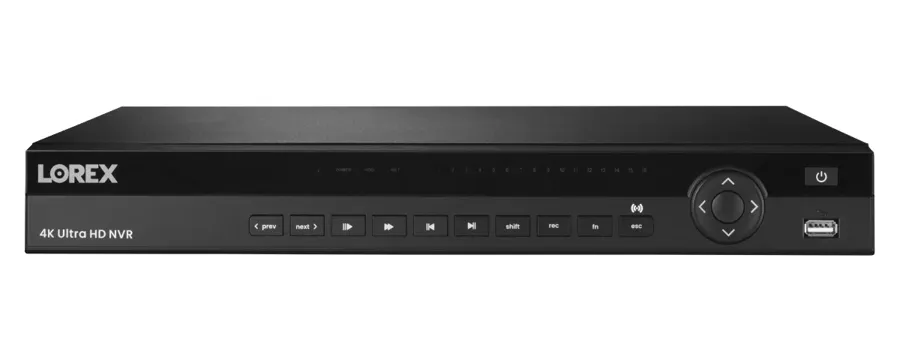
Send a photo of the recorder screen, a screenshot from the phone app and, if you can, the time of a clip that should be there and is not. Many Stuyvesant Heights calls turn out to be a full drive, a clock reset by an outage or a single power box, and we would rather tell you that before you order a new camera.
Rather send pictures than talk? Message a technician on WhatsApp.
Tell us the address and the kind of building, how many cameras there are, which ones are out and where the recorder sits: cellar shelf, parlor closet, telecom rack or under a shop counter. Say whether the trouble began after an outage, after work on the facade or stoop, or after a change of internet provider, and whether the house is inside one of the historic districts if you know. If you need footage from a particular day, put the date and time in the message, and we will plan the visit around copying it before anything else is touched. For anything urgent, call (347) 934-8335.

Send the address, the kind of building, how many cameras there are, which ones misbehave and a photo of the recorder screen or the phone app, by text, WhatsApp or the request form. Mention any date whose footage must be kept, and anything that happened just before the trouble began: an outage, stoop work, a new router, a tenant moving out.
We confirm whether the house sits in the 1971 district or the 2013 expansion, where each outdoor camera is fixed and what it is fixed to, and who owns, approves and can log in to the system: owner, tenant, condo board, church, community group or shop.
The $150 Brooklyn service call books a two-hour arrival window and is credited to the repair if you go ahead. Requests are booked within 2 hours. A job goes on the schedule once the service call is paid.
Any clip that matters is exported to USB with the recorder's own timestamps before a cable, drive or setting is touched. If the drive sounds or reads as failing, we copy first and test second.
Power and backup, power box or PoE switch, recorder and drive, then each cable and connector, each camera, then the network and the phone app, in that order, so the part that failed is the part that gets replaced.
You are told what failed and why, and get a written price from the Brooklyn list before any part is replaced. If more than one thing failed, each fault is priced on its own line, so you can decide what to do now and what can wait.
Parts go back into the existing positions and anchors where possible, outdoor connections are sealed against salt and rain, and any cable we touch is kept tight to mortar joints and plain surfaces rather than across stone or ironwork.
Each camera is checked in daylight and low light, recorded video is played back, alerts are set and tested, old users are removed, and the logins are handed to the owner along with a quick lesson in finding and exporting a clip.
The 1971 district, an L-shaped area north of Fulton Street with more than 430 buildings on 13 blocks, roughly between Stuyvesant and Tompkins Avenues and Macon and Chauncey Streets.
Designated April 16, 2013: about 825 row houses, two-families, small apartment houses and institutions between Halsey and Macon Streets, Fulton Street, Malcolm X Boulevard and Tompkins Avenue.
The park on Chauncey Street named for Robert Fulton, which the city acquired in 1904, surrounded by some of the neighborhood's most intact rows of houses.
The freestanding house at Stuyvesant Avenue and Decatur Street that has served as community space for Gumbo Workshop, Freebrook Academy and GrowHouse, and that a court ordered sold in 2025.
A former carriage house and auto repair shop converted into a 33-unit condominium with an attended lobby, one of the neighborhood's newer camera-equipped buildings.
The 1975 school at 1700 Fulton Street, filling the block between Schenectady and Utica Avenues just east of the district on the Fulton Street corridor.
We also serve the neighborhoods around Stuyvesant Heights, including the rest of Bedford-Stuyvesant, Ocean Hill, Crown Heights and Bushwick, at the same Brooklyn rate. Our Bedford-Stuyvesant camera repair page covers the blocks west of Tompkins Avenue, the Ocean Hill page covers the blocks beyond Ralph Avenue, our Crown Heights security camera repair page covers the houses south of Atlantic Avenue, and owners anywhere in the borough can start from Abstract Enterprises' Brooklyn security camera repair page.
Stuyvesant Heights is billed at our standard Brooklyn rate. Every repair starts with the $150 service call, which pays for the on-site diagnosis and is credited to the repair if you go ahead. The figures below come from our published Brooklyn security camera repair prices. Your own price is written down on the visit, once the fault has been found, and nothing is replaced until you agree to it.
| Repair | Brooklyn price |
|---|---|
| Service call: on-site diagnosis and written repair price | $150, credited to the repair |
| Clean and check for a hazy or dirty picture | $80 |
| Connector reterminate or PoE port swap | $150–$350 |
| Power supply repair | $150–$400 |
| Hard drive swap | $200–$450 |
| Indoor camera repair | $200–$450 |
| Single camera replacement on a working system | $250–$600 |
| Outdoor camera body replacement with weatherproofing | $250–$600 |
| DVR not working, including drive and labor | $300–$700 |
| NVR not recording | $400–$900 |
| Vandalized camera, per camera, plus cable repair | $400–$900 |
| Pan-tilt (PTZ) camera repair | $450–$1,200 |
| Hybrid recorder swap, coax and IP | $700–$1,200 |
| DVR or NVR replacement with drive and setup | $700–$1,500 |
| Full rewire or brownstone system overhaul | From $1,500 |
| Annual maintenance visit | $250–$400 |
Three things move a Stuyvesant Heights price inside those ranges. The first is height and surface: a camera under the cornice of a four-story brownstone or a five-story French flat takes more ladder time than one beside the vestibule door, and a camera on a landmarked facade takes more care to put back into the same joint without marking the stone. The second is how many parts failed in the same event, which is why repairs after a Fulton Street outage often cost more than a single dead camera: the drive, a switch port and a power box can all go at once. The third is access: a recorder in a locked cellar, a tenant's apartment or a condo's telecom room adds time to arrange. Whatever the case, you see the number before work starts, with each fault on its own line, and NYC sales tax is added to the bill.
Full terms — including 50% deposit, one-year parts-only warranty on AESS-supplied products, and the late-fee schedule — are set out in the service agreement.Most Stuyvesant Heights repairs fall into one of three shapes, priced from our Brooklyn list.
One fault, one visit: an areaway camera with a corroded connector, a stair-hall camera re-anchored and re-aimed, a PoE port or power box replaced after an outage, a worn drive swapped, or a recorder login recovered and put in the owner's name. Typical for a single-family brownstone, a wood-frame house or a small shop on Lewis Avenue.
The recorder or several runs at once: a DVR or NVR replaced after the drive or the power gave out, coax cameras moved onto a hybrid recorder so the facade cable can stay, or the residential cameras in a storefront building separated from the store's power. Typical for a two- or three-family, a French flat, or a Fulton Street building with apartments above.
Every camera checked in bright and low light, domes and lenses cleaned of winter grime, connectors and power boxes tested, drive health read, the backup tested, alerts confirmed and a test clip exported. A good fit for houses with several households on one recorder, and for churches and community spaces where nobody owns the system day to day.
Bring your own equipment. If you have already bought a replacement camera or recorder, we can fit it at labor-only rates. Send us the exact model and we quote the labor by phone or text, and the visit is booked once it is paid. Equipment you supply is installed as supplied: we cannot vouch for parts we did not provide, and if a model will not work with your recorder or app, we tell you before we start rather than after. On a landmarked facade, tell us the size of what you bought, because a much larger body than the one it replaces can turn a repair into a change that Landmarks staff want to see.
Dark cameras, hazy domes, poor night pictures, corroded areaway connectors and cable cut during stoop or facade work. Request a repair
DVRs, NVRs, switches, power boxes and backups on cellar shelves, in parlor closets and under shop counters. Security camera repair in Brooklyn
The full list behind every number on this page. Brooklyn camera repair price list
The blocks west of Tompkins Avenue and along Marcus Garvey Boulevard. Bedford-Stuyvesant security camera repair
Owners and managing agents with buildings in more than one borough. NYC security camera repair
It can almost always be done without replacing anything. First, decide whether anything on the recorder needs to be kept, such as years of family video or a recent incident, because the usual way back in is a factory reset that clears settings and sometimes footage. If it matters, we copy it off first. Then we reset the recorder and cameras, create new logins in the name of whoever now owns or manages the house, connect the phone app to that person's account, and check every camera and the drive while we are there. If the estate is still being settled, tell us who has authority over the house, and we take instructions from that person only.
Change the administrator password and remove every user and phone you do not recognize, which on most recorders keeps the cameras, schedules and motion zones exactly as they are. We also check the remote-access side: many systems were added to an installer's or contractor's own app account, and that link survives a password change unless it is removed separately. Then we make one owner login and, if someone else needs to watch, a separate view-only login for them, so the next time a crew or a helper needs to see the stoop camera, nobody has to be given the keys to the whole system.
Ask before you drill. The Landmarks guidebook treats repair of existing equipment as work that needs no permit, but it names doorbells and intercom panels installed within or next to a door opening as items that need one. If the doorbell was never there with approval, screwing it into the original frame is the kind of change staff want to see. Often the better answer is a small plate or mount on plain masonry or the inner vestibule door, or a wired door camera in a spot the rules allow, and we can lay out those options before anything is fixed in place.
Yes. We remove the dead cameras, brackets and loose cable, confirm on the recorder that nothing we take down was still in use, and cap and seal the openings so water cannot get behind them. We do not patch or repoint masonry ourselves; if the old anchors leave holes in the stone or mortar that should be filled to match, that is a mason's job, and we will tell you exactly where they are. Taking old equipment down also helps if you later want to add a camera, because the Landmarks guidebook counts the cameras on a front.
Probably not. When the lights go off, the camera switches to infrared, refocuses and sees the whole change as motion, and in a narrow plaster stair hall its own infrared can bounce off the walls and wash the picture out. The usual repair is to set the camera's day and night switch to a schedule or a slower response, tune its infrared for a short distance, and use person detection instead of plain motion for alerts. If the picture is still poor in the dark, a camera that sees well in low light without infrared, or a small light on the landing, solves it for good.
Yes, and it takes minutes. The on-screen date, time and camera name are an overlay set in the camera or the recorder, and each piece can be moved to a corner, made smaller or turned off for that camera. We keep the date and time visible somewhere in the frame on cameras whose clips might go to the police or an insurer, because a clip with a readable time is easier to use. While we are at it, we check that the clock behind that text is actually right.
On many recorders, yes. Most have alarm inputs on the back that accept a simple contact on a door. Wired to the under-stoop door, the contact tells the recorder the door opened, and the recorder can mark that moment, record the cameras nearby at full quality and push an alert to your phone. It works even when a person slips through at the edge of a camera's view. We check whether your recorder has free inputs and quote the contact and wiring before installing anything.
Very possibly, but we test before anyone thinks about breaking concrete. A cable tester tells us whether the run is open or shorted and roughly how far along it the break is. If the break is inside the new work, the usual repair is a new run along a route that avoids the sidewalk, such as along the areaway wall or up from the cellar, rather than digging. If the cable is fine, the fault is at the gate camera or its connector, which masons and concrete crews often knock or soak during the job.
Yes. A wired system with a recorder works without the internet: it records to its own drive and plays back on a monitor or on a phone connected to your home network. We can turn off the maker's cloud connection and remote-access features, block the recorder from reaching the internet at the router, and still leave you able to watch on your own Wi-Fi. The trade-off is that you will not see the cameras or get alerts when you are away, and you will not get automatic firmware updates, so we note the firmware version and check it on future visits.
Usually, with a change of angle and settings rather than a new camera. A camera aimed down into the areaway shows the bins and the tops of heads; one aimed across the gate toward the sidewalk at about head height shows faces and whatever is being carried. At night, the areaway is often darker than the street, so we check the camera's low-light picture at the hour the dumping happens and add a motion alert limited to the bin area. Clips of someone dumping can help if the Sanitation Department tickets you for the mess, but that is between you and the city.
It depends on the intercom. Many newer video door stations can send their picture to a recorder as a camera stream, so the street door is saved with the rest of the building's video. Older intercoms, and some sold as closed systems, cannot. Then the answer is a small camera of its own near the door, placed where the Landmarks rules allow on a historic building. We check the intercom's model and settings before promising anything, and test that the saved picture is actually usable, because a door station's camera is built for a face at arm's length, not for the sidewalk.
The organization, not a person. We set the owner login on an email address the church controls, such as an office or trustees account, and give named people their own logins with only the access they need, view-only for most of them. Groups that use the hall get no login unless the church decides otherwise. We leave a short written record of the recorder's location, model and how to reach the owner account, kept with the building's other papers, so the next volunteer does not inherit a locked system.
Security Camera Repair Brooklyn | Same-Day | Brownstone Pros · Security Camera Repair NYC | Same-Day | Abstract Enterprises · Security Camera Repair Manhattan | Same-Day | Co-op COI · Security Camera Repair Queens | Same-Day | Driveway Pros · Security Camera Repair Bronx | Same-Day | Home Base · Security Camera Repair Staten Island | Same-Day | Sandy Zone · Security Camera Repair Long Island | Nassau & Suffolk · Security Camera Repair Hudson Valley | Westchester to Ulster · Security Camera Repair Nassau County | Same-Day · Security Camera Repair Suffolk County | Hamptons + East End · Security Camera Repair Westchester County | Same-Day · Security Camera Repair Rockland County NY | Nyack, Suffern · Security Camera Repair Orange County | Newburgh, Goshen · Security Camera Repair Putnam County NY | Carmel, Mahopac · Security Camera Repair Dutchess County | Poughkeepsie · Security Camera Repair Ulster County | Kingston Woodstock
Security Camera Repair Bath Beach Brooklyn NY · Security Camera Repair Bay Ridge Brooklyn NY | AESS · Security Camera Repair Bedford-Stuyvesant Brooklyn NY · Security Camera Repair Bensonhurst Brooklyn NY | AESS · Security Camera Repair Bergen Beach Brooklyn NY · Security Camera Repair Beverley Square Brooklyn NY · Security Camera Repair Boerum Hill Brooklyn NY · Security Camera Repair Borough Park Brooklyn NY · Security Camera Repair Brighton Beach Brooklyn NY · Security Camera Repair Brooklyn Chinatown Brooklyn NY · Security Camera Repair Brooklyn Heights, Brooklyn NY · Security Camera Repair Brooklyn Navy Yard, Brooklyn NY · Security Camera Repair Brownsville Brooklyn NY | AESS · Security Camera Repair Bushwick Brooklyn NY | AESS · Security Camera Repair Cadman Plaza Brooklyn NY · Security Camera Repair Canarsie Brooklyn NY | AESS · Security Camera Repair Carroll Gardens Brooklyn NY · Security Camera Repair City Line, Brooklyn NY | Any Brand · Security Camera Repair Clinton Hill Brooklyn NY | AESS · Security Camera Repair Cobble Hill Brooklyn NY | AESS · Security Camera Repair Columbia Street Waterfront Brooklyn · Security Camera Repair Coney Island Brooklyn NY · Security Camera Repair Crown Heights Brooklyn NY | AESS · Security Camera Repair Cypress Hills Brooklyn NY | AESS
Structured Cabling Stuyvesant Heights Brooklyn NY · Door Buzzer Repair Stuyvesant Heights Brooklyn NY · Door Buzzer Installation Stuyvesant Heights Brooklyn NY · Fire Alarm Installation Stuyvesant Heights Brooklyn NY · Intercom Installation Stuyvesant Heights Brooklyn NY · Access Control Installation Stuyvesant Heights Brooklyn NY · Security Camera Installation Stuyvesant Heights Brooklyn NY · Alarm Installation Stuyvesant Heights Brooklyn NY · TV Installation Stuyvesant Heights Brooklyn
Send the address, a photo of the recorder screen and the date of any footage you need. We book within 2 hours, give you a two-hour arrival window, copy the footage that matters first, and put the repair price in writing before any part is replaced.
Prefer to send photos? Message a technician on WhatsApp.