What are you looking for?
About Us Contact Us Careers Get a Free Quote (800) 486-0943
Pick a service
✅ Got Your Own System?
🎬 Home TheatreQuote 🎶 AV SoundQuote 🔑 Access ControlQuote
Now pick your area
Pick your area
Long Island
Hudson Valley
Services available
Pricing & Tools
Pick a service for pricing
🚪 Intercom Pricing 🔔 Buzzer Repair Pricing
Calculators
📹 Camera System Calculator 🚨 Alarm Calculator ⚡ Cabling Quote Builder ✅ Got Your Own System?
Select your area
Car break-ins in the lot, a mailroom forced open, a recorder in one building and nothing in the rest? Queens co-op boards and managing agents reach us at (347) 434-6392
Home › Co-op Security Camera Installation NYC › Co-op Security Camera Installation Queens
For Queens Co-op Boards, Managing Agents & Resident Managers

Co-op Security
Camera Installation
Queens

Garden Campuses · Parking Fields · Mailrooms · Laundry Rooms · Lobbies · Elevators

Co op security camera installation in Queens starts at $950 for four house-brand cameras and a recorder, installed, which is the starting system on our Queens camera price list, and every camera a cooperative adds beyond those four is priced once the survey fixes its position and cable route. Abstract Enterprises Security Systems is a licensed New York State low-voltage contractor that plans, installs, links and takes over camera systems for Queens co-ops, from twelve-unit walk-ups in Astoria to garden campuses with more than a hundred buildings near the Nassau line.

Quick answer: A Queens co-op board gets a free survey and a numbered camera plan: what each camera watches, how each building connects to the recorder, how many days of video are kept and who holds each login. Four cameras with a recorder start at $950; campuses add cameras priced per camera and links between buildings. Video only, no cameras into apartments, every password to the board. Requests are booked within 2 hours, seven days a week, with early-day visits.

Last updated November 27, 2026 · Written by the Abstract Enterprises Security Systems team, NYS license #12000287431 · Sources relied on: Glen Oaks Village history and house rules; Habitat (May 2018); Urban Omnibus (Dec 2013); Rochdale Village and North Shore Towers records; Jackson Heights Beautification Group; Brick Underground (2019); NYC Comptroller; Queens Chronicle; QNS (2022, 2025); Fox 5 (2022); PIX11 (2026); The Cooperator (2016, 2025); FirstService Residential (2024); Levandusky v. One Fifth Ave. Apt. Corp. (1990); NY Penal Law §§250.05, 250.45; NY Labor Law §203-c; LPC Permit Guidebook; 19 NYCRR Part 195; NYC Admin. Code §28-105.4.7; Local Law 63 of 2021; Babbel

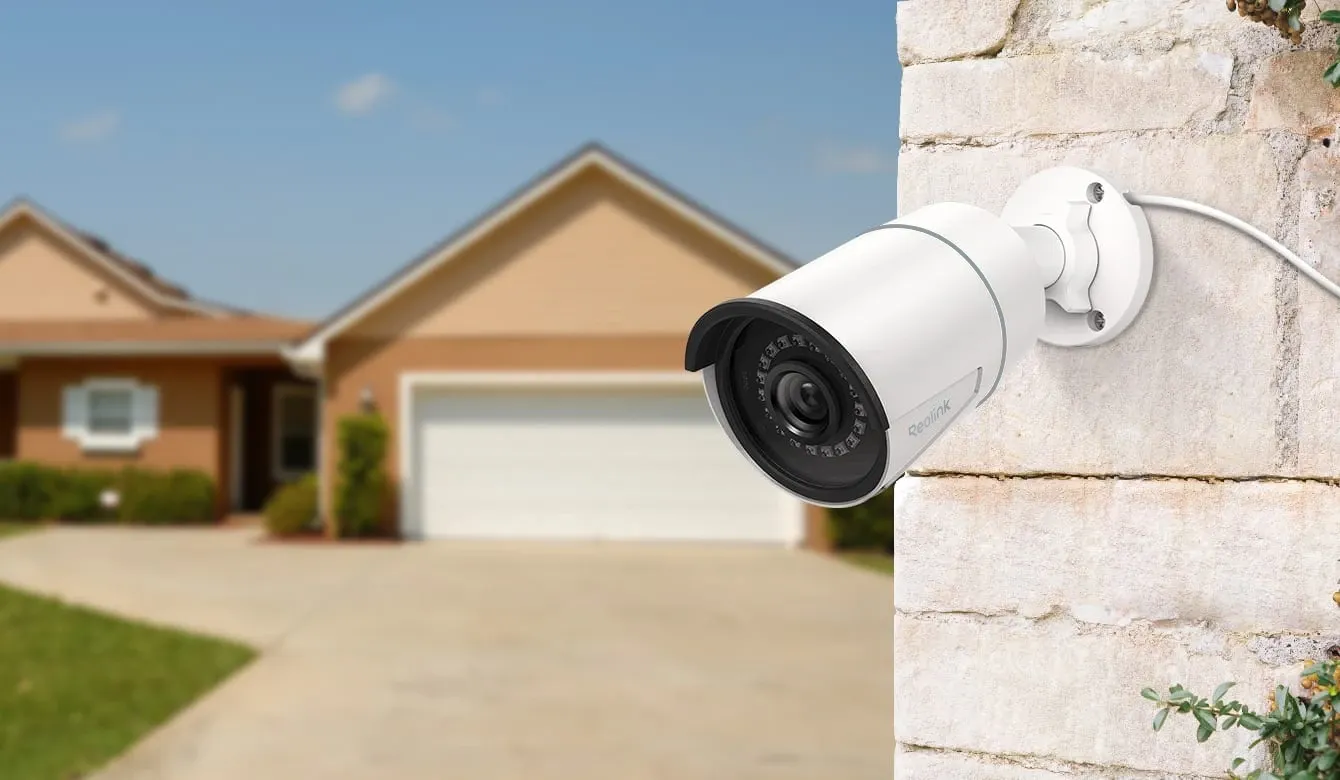
Co-op security camera installation Queens: white bullet camera on a stone wall aimed across a driveway toward a house with a garage
Product photo (Reolink, one of our partner brands): a bullet camera on a stone wall looking down a driveway. On Queens garden campuses this is the kind of wall position that covers a path or a parking entrance.
Queens Co-op Camera Request
Board members, managing agents, resident managers and shareholders

✅
Request Sent!
Got it. We will call or text to book the survey of your co-op.
25+
Years Experience
2 Hr
Booking
$950
4 Cameras Installed
4.7★
201 Google Reviews

Owner-operated since 2002 · Thousands of jobs completed · Booked within 2 hours · Call or text (347) 434-6392

Queens Co-ops

Queens Co-ops Are Often Campuses, Not Single Buildings

Ask a Manhattan board where its co-op is and you get one street address. Ask a Queens board and you may get a section number, a block of garden buildings, or a list of addresses that share one corporation, one parking field and one maintenance crew. That is the first thing we plan around. Queens holds the city's biggest concentration of garden-apartment and campus-style cooperatives, and a camera system for a campus is a network problem as much as a camera problem: video has to travel between buildings, every building needs a sensible place for equipment, and the people who look at the footage often sit in a management office that is a short walk, or a short drive, from the camera that caught the event.

Glen Oaks Village is the clearest example. The cooperative's own history describes it as built in 1947, with 134 buildings and 2,904 garden-style apartments on 110 acres, converted to a co-op in 1981. Bay Terrace in Bayside is split differently: Habitat reported in May 2018 that the complex is made up of nine separate Bay Terrace co-ops, eight of which together hold 1,800 garden apartments, built in the 1950s on land the sections were then working to buy out from their ground lease. Further west, the electrical workers' union built Electchester in Pomonok in 1949; Urban Omnibus described it in December 2013 as a complex of 38 six-story buildings, planned for about 2,500 dwelling units on 103 acres, with parking lots and sheds for residents.

Southeast Queens has the tower version of the same idea. Rochdale Village, a Mitchell-Lama cooperative about a mile north of JFK, is laid out as 20 thirteen-story buildings in five circular groups on roughly 120 acres, and was the largest private cooperative housing complex in the world until Co-op City opened in the Bronx in 1971. At the Nassau line, North Shore Towers is three 34-floor buildings with 1,844 apartments on a 110-acre property that converted from rentals to a cooperative in 1987. Each of these places needs cameras planned building by building and then tied together, not a lobby kit repeated twenty times.

Garden courts, elevator buildings and small walk-ups

Not every Queens co-op is a campus. Jackson Heights is where the Queensboro Corporation coined the phrase "garden apartment" for buildings set around private interior gardens, and the Jackson Heights Beautification Group's history notes that Linden Court was first offered under a cooperative ownership plan in 1919 and that at least 60 buildings converted to co-ops or condos in the 1980s. Along Queens Boulevard, Forest Hills, Rego Park and Kew Gardens are lined with six-story and twelve-story elevator co-ops; the Queens Chronicle described one 1952 Rego Park complex of three 12-story buildings where about 70 percent of the site was lawns, gardens and playgrounds. Astoria, Sunnyside and Woodside add small walk-up and courtyard co-ops with a dozen or two dozen apartments and no staff at all.

Brick Underground put the garden-apartment picture plainly in 2019: most of them sit in the more suburban parts of Queens closest to Nassau County, in complexes such as Glen Oaks Village, Parkwood Estates and the large Bayside developments, with more in Fresh Meadows, and many were built for returning GIs after the Second World War. One broker quoted in that piece summed up the layout: "There are never long hallways or attended lobbies like more urban-style living." For cameras that sentence matters more than any other. With no lobby and no doorman, the camera at each entrance and on each path is the only record the board has.

Affordable and supervised co-ops

The New York City Comptroller's office has noted that the city still has a number of affordable cooperatives developed through federal programs such as HUD Sections 213, 221(d) and 236, predominantly in Queens. Add Mitchell-Lama complexes like Rochdale and limited-equity buildings, and a meaningful share of Queens co-op boards answer to a supervising agency or a regulatory agreement as well as to their shareholders. That affects how they buy a camera system, which we cover in the approval section below, but it does not change what the cameras need to see.

What the board is buying

Strip away the size differences and a Queens co-op board is buying the same thing everywhere: a record of who came through each door, what happened in the shared rooms, and what moved in the parking areas at night, held for long enough to be useful and seen only by the people the board trusts. Good co-op security camera installation in Queens starts by listing the incidents the board actually had, one line each, then placing a camera where it answers that line. A camera that answers nothing on the list is just another thing to maintain across dozens of buildings.

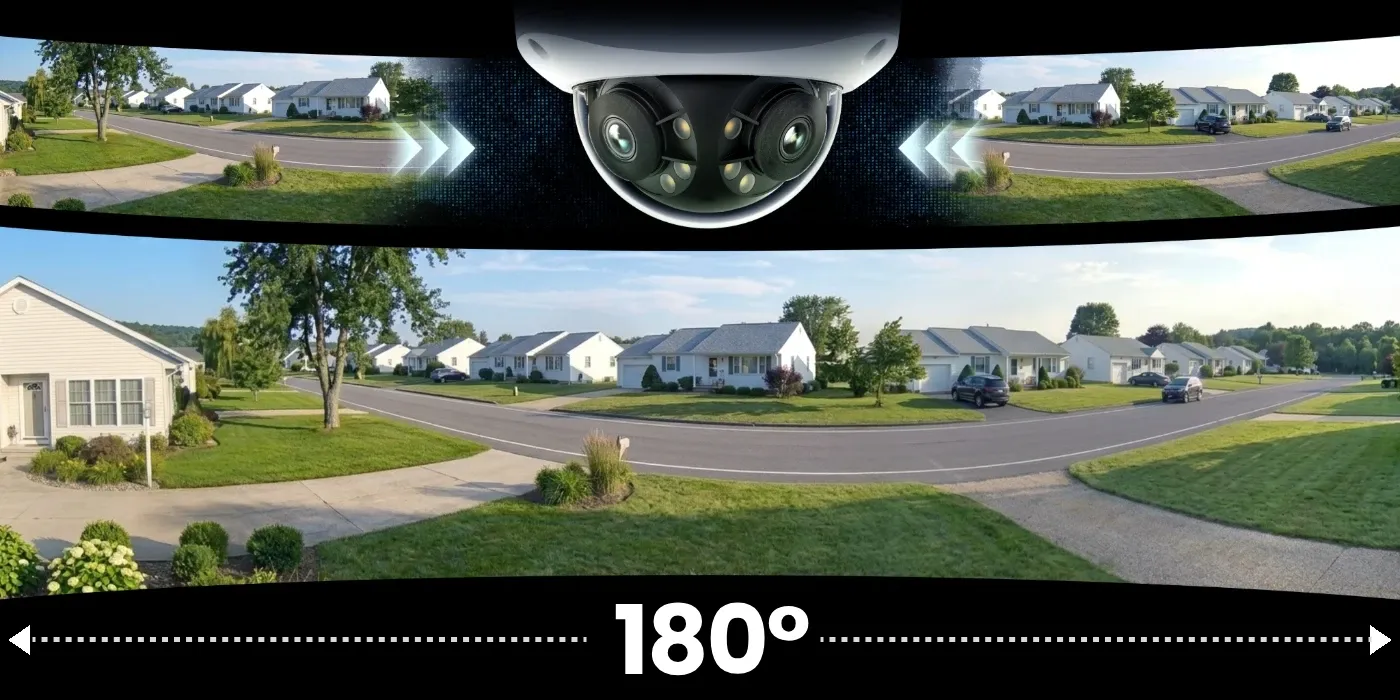
Queens co-op surveillance cameras: dual-lens dome camera above a 180-degree view of a residential street with lawns and parked cars
Product image (Reolink): a dual-lens dome and the single wide picture it produces. A camera like this can cover a courtyard or a path junction on a Queens garden campus from one wall position.
Building Types

Camera Plans for the Kinds of Co-op Queens Actually Has

The type of building tells us more about the camera plan than the neighborhood does. Below is how we approach each of the common Queens co-op layouts, from the largest campus to the smallest walk-up.

Large garden campuses: Glen Oaks, Bay Terrace, Fresh Meadows, Bellerose, Floral Park

Two- and three-story buildings, each with one or two stair halls, spread along walkways and lawns with parking fields at the edges. There is rarely a single front door to watch. Instead, the first cameras watch the paths that lead to clusters of buildings, the entry to each laundry room, the parking fields and the dumpster or recycling areas. Inside each building the stair halls are short, often with four apartments per landing, so one camera near the ground-floor door usually shows everyone who goes up. Equipment goes in a locked utility room in a central building, with each other building feeding it over a link we describe in the next section.

On a campus this size the board rarely buys everything at once. We number every building on the site plan, mark the three or four places where trouble actually happens, and build the first phase around those, with the recorder, switch and building links sized for the full plan so later phases simply plug in.

Tower complexes: Rochdale Village, North Shore Towers and the Queens Boulevard high-rises

Here each tower has a staffed or semi-staffed lobby, several elevators, a mailroom, a laundry floor or laundry rooms, and a garage or surface lot. Every lobby should get the same cameras in the same positions so staff learn one layout. Outdoor cameras sit high on the building walls looking across the grounds, and a central viewing station goes wherever the board's staff or security work. The elevator cabs are planned with the elevator contractor, who owns anything inside the car's controls.

Interwar garden blocks and multi-entrance courtyards in Jackson Heights and Kew Gardens

Five- and six-story buildings around a garden, entered through several separate doors so each stair serves only a couple of apartments per landing, a layout Kew Gardens developers favored through the 1920s. That means many entrances and few lobbies. We usually propose one camera inside each entrance looking at the door, one or two views of the garden from high on an inner wall, and cameras at the service doors to the cellar. Many of these buildings sit inside a designated historic district, which affects the street side of the building, so we lean on the garden side and the entrances.

Postwar elevator co-ops: Forest Hills, Rego Park, Kew Gardens Hills, Briarwood, Jamaica Estates

One building, one lobby, one or two elevators, a rear entrance or ramp, a cellar laundry and storage, and often a small parking area or garage court behind. These are the closest thing Queens has to a classic city co-op, and the camera plan is compact: vestibule, lobby and mailroom, elevator landing, rear door, laundry, storage corridor, and the parking area if the board has had car trouble.

Small walk-up and courtyard co-ops: Astoria, Sunnyside, Woodside, Ridgewood

A dozen to thirty apartments, no super on site, a volunteer board that does everything. We start small: the front door, the hallway or stair landing that everyone passes, the back door or yard, and the cellar door. The recorder goes in a locked cabinet in the cellar with a battery backup, and at least two board members get their own logins.

Co-op typeFirst-phase cameras (typical)Usually covered first
Garden campus, 50+ buildings12–30, in phasesPaths into building clusters, laundry rooms, parking fields, refuse areas
Garden section, 10–20 buildings8–16Section entrances, laundry, parking, the management or maintenance office door
Tower complexPlanned per towerEach lobby the same way, mailrooms, garages, grounds
Prewar garden court6–12Each entrance door, the garden, cellar service doors
Postwar elevator building6–10Front vestibule, mailboxes, elevator lobby, back door to the lot, laundry room
Walk-up or small courtyard co-op3–6Street door, shared stair hall, yard exit, door down to the cellar

Those counts are where boards usually start, not a ceiling. The survey decides the real number, and each camera beyond the starting system is priced individually once its position is fixed.

Between Buildings

Getting Video From Building to Building on a Queens Co-op Campus

The single biggest design question on a Queens garden campus is how video from one building reaches the recorder in another. Get it right and the board has one system it can watch from one office. Get it wrong and the co-op ends up with a pile of separate recorders, each with its own password and its own failing hard drive.

The options we use

  • Fiber between buildings where a conduit, an old phone or intercom duct, or a cellar connection already runs between them. Fiber does not carry lightning or ground differences from one building to the next, and it runs far further than copper.
  • Outdoor-rated network cable in conduit for short hops between buildings that share a cellar wall or a covered walkway, within the distance a network cable can carry.
  • Point-to-point wireless bridges mounted high on two buildings that can see each other, for courtyards and lawns where nobody wants a trench. A bridge carries the video of a whole building over one link.
  • A local recorder per building cluster, networked back to the office, where the distances or the board's budget make a single central recorder impractical. Each cluster records on its own, so a broken link never stops recording.

We do not dig trenches, cut sidewalks or do electrical work. Where the only path between two buildings is underground and no duct exists, the board's own contractor opens the ground and we pull and terminate the cable.

Wireless cameras are a different thing

A wireless bridge carrying wired cameras is solid engineering. Battery or Wi-Fi cameras stuck to each building are not, at least not for a co-op that wants dependable recordings: batteries die in a Queens January, Wi-Fi fades through brick, and each camera usually wants its own cloud app. On a campus we wire every camera to a switch inside its building and only bridge the building to the rest of the network.

Power stays inside each building

Every camera gets its power through its network cable from a PoE switch in its own building, and each switch sits on a battery backup. That keeps us inside low-voltage work: we plug into an existing outlet the co-op provides near each equipment location, and if a building has no outlet in a sensible spot, the co-op's electrician adds one before install day.

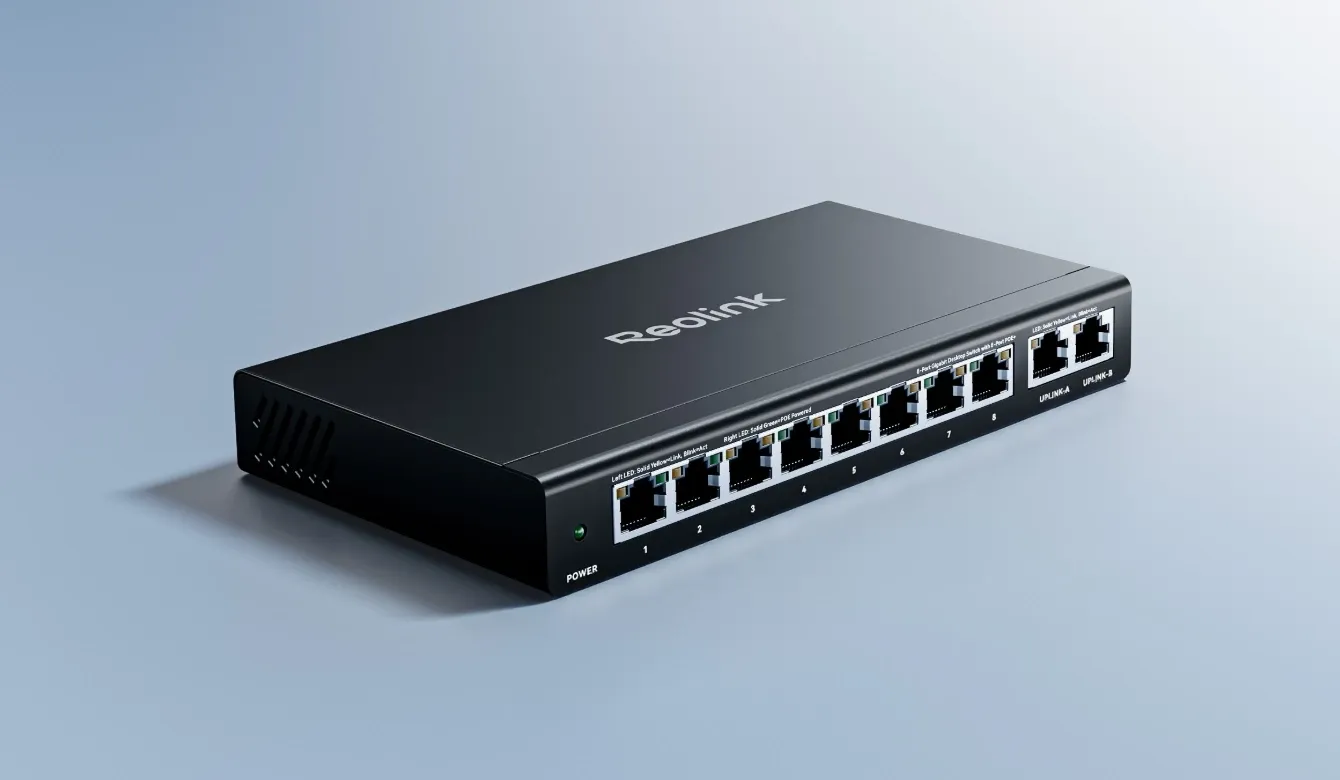
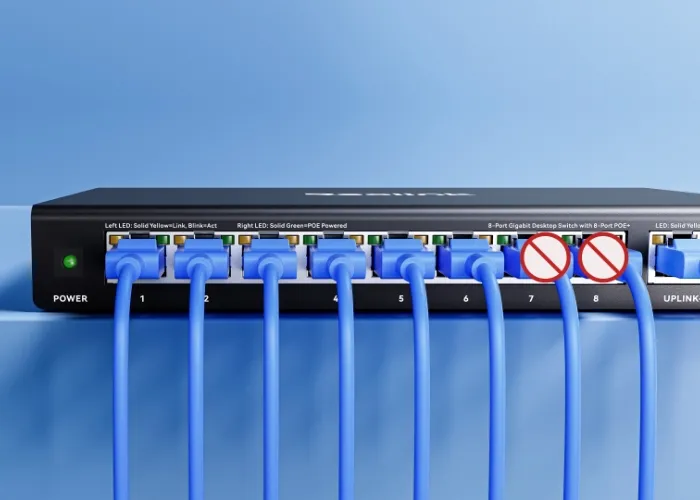
Co-op security camera systems Queens: black eight-port PoE network switch on a pale blue surface
Product photo (Reolink): an eight-port PoE switch. Each building on a Queens co-op campus gets a switch like this, which powers its cameras over the network cable and passes their video on toward the recorder.
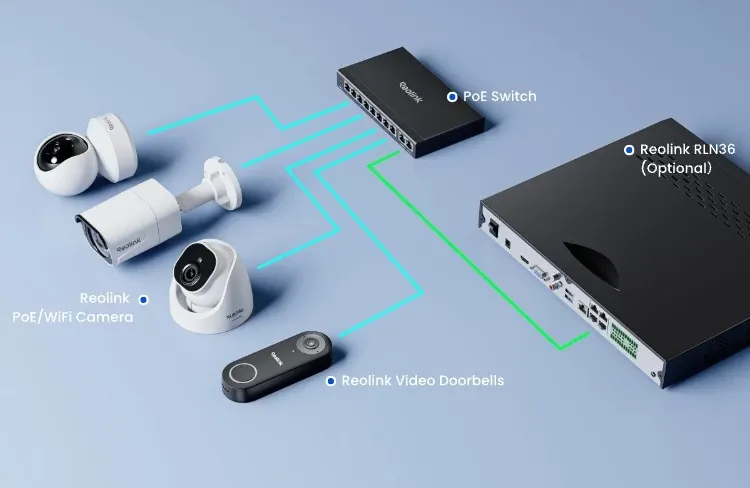
Cooperative security camera installation Queens: diagram linking cameras and a video doorbell to a PoE switch and a recorder
Product diagram (Reolink): cameras feed a PoE switch, which feeds the recorder. A Queens co-op campus repeats the switch in each building and links the buildings back to one recorder.
Parking

Parking Fields, Garage Courts and Carports

Parking is where Queens co-ops differ most from Manhattan ones. Garden campuses ring their buildings with surface lots, Electchester was built with parking lots and sheds, towers have garages or decks, and many elevator buildings along Queens Boulevard have a garage court behind them. Shareholders care about their cars, and parking areas are where many Queens boards first decide they want cameras at all. PIX11 reported in September 2026 on a string of car break-ins along 62nd Drive in Rego Park that residents caught on their own surveillance video, with one resident saying, "They come multiple times, it's unbelievable."

What a parking camera can and cannot do

A camera covering a whole parking field from a building wall shows activity: someone walking between cars, a vehicle circling, a door opened at 3 a.m. It will not show a face or a plate at a hundred feet in the dark. For identification we place a second, narrower camera where everyone has to pass close by, usually the lot entrance, the path from the lot to the buildings, or the gate. Plate capture needs a dedicated camera aimed at the lane at a shallow angle with its own lighting settings, and even then it works on vehicles moving slowly through a defined spot, not across an open lot.

Light matters more than resolution

Most Queens parking fields are lit by a few pole lights with dark patches between them. Before quoting, our tech looks at the lot after dark if the visit timing allows, or asks the board for night photos. Color night cameras help where there is some light; infrared cameras work where there is none but give black-and-white images. Where a lot is simply too dark, we tell the board that a lighting improvement by its electrician will do more than an expensive camera.

Assigned spaces, visitors and neighbors

Cameras watch the lot as a whole, not one shareholder's space. Where the parking field borders another section of the complex or a public street, we aim along the co-op's own property and mask what is not the co-op's. Glen Oaks Village's published house rules, for example, tell residents to park at their own risk and that the co-op assumes no liability for damage to parked vehicles; a camera plan does not change rules like that, and the board's notice to shareholders should say so plainly.

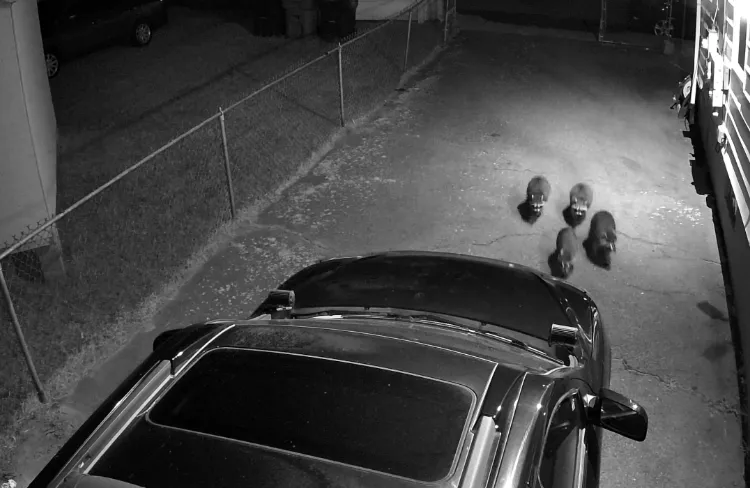
Co-op CCTV cameras Queens: manufacturer black-and-white night sample looking down on a parked car and four raccoons on pavement
Manufacturer sample image (Reolink), not footage from a Queens property: an infrared night view looking down on a parked car with four raccoons beside it. Animals like these are why we turn on person and vehicle detection for parking alerts.
Shared Rooms

Laundry Rooms, Storage and Cellars Spread Across Many Buildings

On a campus the laundry is rarely in one place. Some Queens garden co-ops have a laundry room in every building's cellar, others a laundry building per section, and towers usually have a laundry room per floor group or one large room on the ground or cellar level. Whatever the arrangement, the camera's job in a laundry room is the same: show the door so the board knows who came in, and show the machines so damage and theft can be tied to a time. We use impact-rated domes in these rooms because a camera within reach of a folding table gets hit, covered or turned.

Storage cages, bike rooms and stroller rooms

Storage in Queens co-ops ranges from wire cages in a tower cellar to a single locked room per garden building. A camera inside a cage room rarely helps; the aisles block the view and nobody can tell which cage is which in the footage. A camera at the door of the room, aimed so it catches a face on the way in and a carried object on the way out, answers the question the board will actually be asked: who went in, and when.

Cellars, boiler rooms and service doors

The doors that lead from the grounds into a cellar are the ones most often propped open on a campus, by staff, contractors and residents carrying laundry. A small turret inside each such door, looking at the door, shows who opened it and who walked through while it stood open. Boiler rooms and meter rooms usually need only a camera at the door; the board wants to know who went in, not what the boiler looked like.

Rooms that stay off the plan

Restrooms, locker or changing rooms for staff, any space where people undress, and the inside of any apartment are never part of our plans. New York's unlawful surveillance law names bathrooms, changing rooms and similar places, and the state's Labor Law section 203-c bars employers from video recording employees in restrooms, locker rooms and changing areas. Many Queens co-ops have a staff locker room off the maintenance shop, and we keep the cameras outside its door.

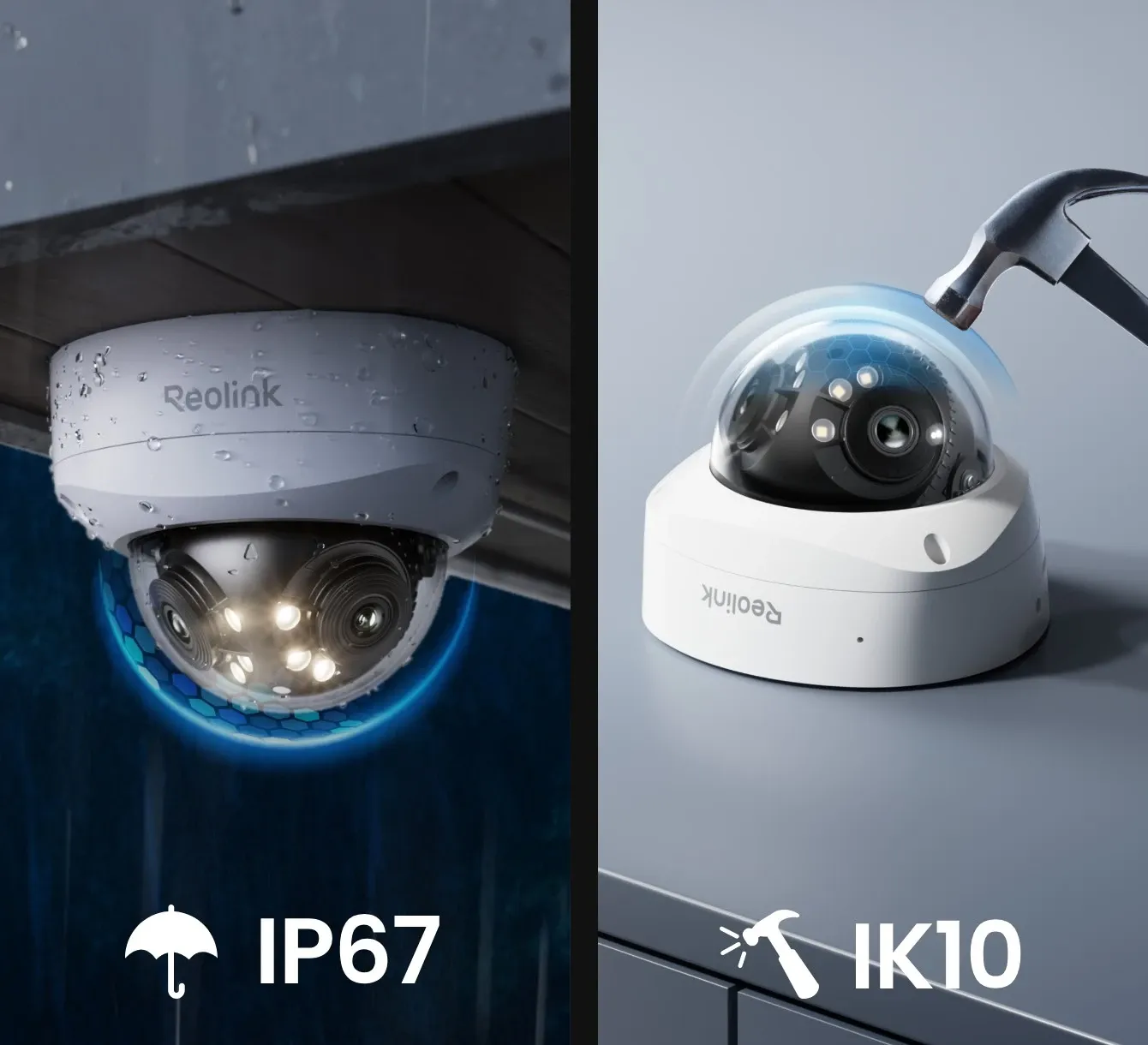
Coop security camera Queens: impact-rated dome camera shown in rain and under a hammer with IP67 and IK10 labels
Product image (Reolink): an impact-rated dome shown in rain and under a hammer. Laundry rooms and storage corridors in Queens co-ops get this kind of dome because a camera within reach gets knocked.
Mailrooms

Mailrooms and Package Areas in Queens Co-ops

Mailrooms are where Queens buildings have been hit hardest, and the reporting is specific. QNS reported in April 2025 that a serial burglar had broken into mail rooms in five Queens neighborhoods, Jackson Heights, Elmhurst, Flushing, Woodside and Long Island City, striking one Jackson Heights building three times in March; the NYPD released a surveillance image taken inside that building. In Forest Hills in late 2022, QNS reported that a suspect picked the lock of a building's outer door, then the lock of a large mailbox, and walked off with a package. In Elmhurst in April 2022, Fox 5 reported a man forcing a lobby door with a screwdriver before taking mail and packages.

Those cases are not specific to co-ops, but the buildings they describe look a lot like Queens elevator co-ops. Three placements matter in a co-op mailroom. The first faces the entry door from inside, at head height, so anyone who forces or picks the door is seen face-on. The second covers the mailbox bank and the package shelves from a high corner, so the footage shows which box or parcel was touched. The third covers the vestibule from the street side of the inner door, because the outer door is usually where the attempt starts.

Package rooms and courier drop points

Many co-ops have added a package room or locker bank since parcel volume grew. A camera there should see the courier set the package down and see the resident pick it up; that is what settles most disputes. In a garden campus without a lobby, couriers leave parcels at each building's stair hall, so the hall camera covers the package spot too. Our camera placement is only part of the answer; the door hardware and the intercom matter just as much, and the board's co-op security systems plan for Queens covers the door, intercom and fob side.

Grounds

Walkways, Courtyards, Playgrounds and Refuse Areas

The grounds of a Queens garden co-op are its front door. Paths run between buildings, lawns open onto streets, and playgrounds, benches and refuse enclosures sit in the middle of it all. Covering grounds well depends on three choices: where the camera hangs, how wide its view is, and what gets masked.

High and looking along, not across

We mount grounds cameras on building walls, under eaves or soffits, looking along paths rather than across lawns toward other buildings. A camera looking along a path catches everyone walking it and sees few windows. A camera looking across a courtyard sees a wall of apartment windows, which shareholders will rightly object to.

Wide views and detail views

A panoramic or dual-lens camera can cover a broad courtyard or the junction of several paths from one position, which suits a campus where wall positions are limited. It shows what happened and roughly who was there. Where the board needs faces, a fixed camera with a narrower view goes at the pinch point: the gap in a hedge line everyone uses, the gate from the street, the path to the laundry building.

Playgrounds

Playground cameras are common requests and a sensitive one. We place them to show who enters and leaves the play area and keep the view wide rather than zoomed on the equipment. The board's footage policy should say who may view that camera, and we suggest the notice to shareholders mention it by name.

Refuse and recycling areas

Dumping by outsiders and contractors is a recurring complaint on campuses with open refuse enclosures near a street. One camera aimed at the enclosure gate, with enough light for night images, normally shows the vehicle and the person. Bulk pickup days make the footage busy, so the recorder's search tools matter here more than resolution.

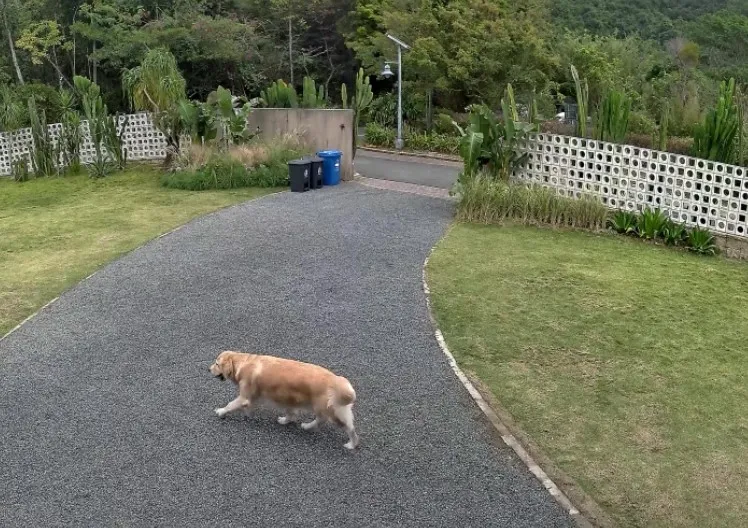
Queens co-op video surveillance: manufacturer daytime sample of a curved paved drive between lawns with a dog walking across it
Manufacturer sample image (Reolink), not a Queens property: a wide daytime view of a curved drive between lawns, with bins at the far end. Garden-co-op paths and refuse areas look much like this from a wall camera.
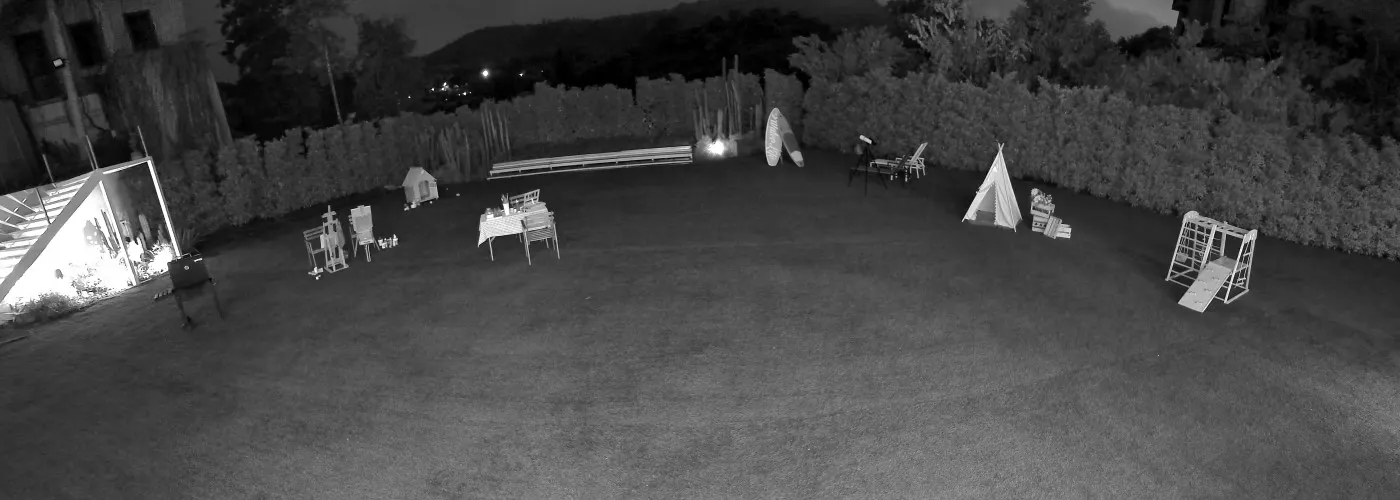
Queens housing cooperative security cameras: manufacturer infrared night sample of a lawn with a climbing frame, a small tent and a hedge
Manufacturer sample image (Reolink), not a Queens property: an infrared night view of a lawn with play equipment. Playground cameras on Queens garden campuses are set wide like this, showing who is in the area rather than close views of children.
Equipment

Co-op Security Camera Systems: What We Install in Queens

Our default is our own house-brand system: commercial cameras and a network video recorder that we stock, support and know inside out. It is what our Queens starting price buys. If the board asks for a specific brand, we name every brand we carry and price it; among them, Lorex, Luminys and Reolink are brands we work with as a partner. The product photos on this page come from Reolink, one of those partner brands; the camera shapes they show are the same across every good brand.

Camera shapes and where each goes

  • Turret cameras wherever a door is the subject: building entries, the bottom of a stair hall, a cellar or shop door. They are small, they re-aim in seconds, and their recessed lens shrugs off a wet day.
  • Impact-rated domes for laundry rooms, storage corridors, mailrooms and any spot within reach.
  • Bullet cameras on building walls looking down paths or across parking, where a long view matters and the camera is out of reach.
  • Panoramic and dual-lens cameras for wide courtyards and path junctions on garden campuses.
  • Pan-tilt-zoom cameras only where staff will actually steer one, such as a tower complex's security desk; a moving camera that nobody steers misses what happens behind it.
  • Compact cab cameras for elevators, carried on a wireless link the elevator contractor approves.

Resolution, lenses and night images

Four-megapixel cameras are the sensible default for most co-op spaces; eight-megapixel (4K) cameras earn their extra storage at wide grounds views and parking fields. Lens choice matters more than pixel count: a wide lens shows a whole room, a narrower lens identifies a face at a door twenty feet away. Wide dynamic range handles the bright doorway problem at glass vestibules. At night, color night cameras use whatever light the grounds have, and infrared cameras see in darkness in black and white.

Recorders, drives and retention

The recorder sits in a locked, ventilated space in the main building or the management building, sized for the full plan. Drives are sized for the number of days the board chooses. Property managers quoted by FirstService Residential in 2024 described footage as generally kept for 30 to 90 days; we size to the board's figure and then show the board, on handover day, how many days the drives actually hold.

Viewing on site and from the office

Staff view through the recorder's local screen, a workstation in the management office, or a phone app with personal logins. On a campus, the management office usually gets a workstation on the co-op's private camera network, so viewing live video across the complex never depends on the internet. Remote viewing from outside the property uses the recorder's own secure app with named accounts, never a shared password taped to the recorder.

Smart detection, used with restraint

Modern cameras can sort people and vehicles from everything else, which cuts false alerts from animals, leaves and headlights. We turn on person and vehicle detection where the board wants alerts, usually only after hours at a few doors and gates. We do not install face recognition for co-ops; it raises legal and privacy questions that a board should take to its own counsel first.

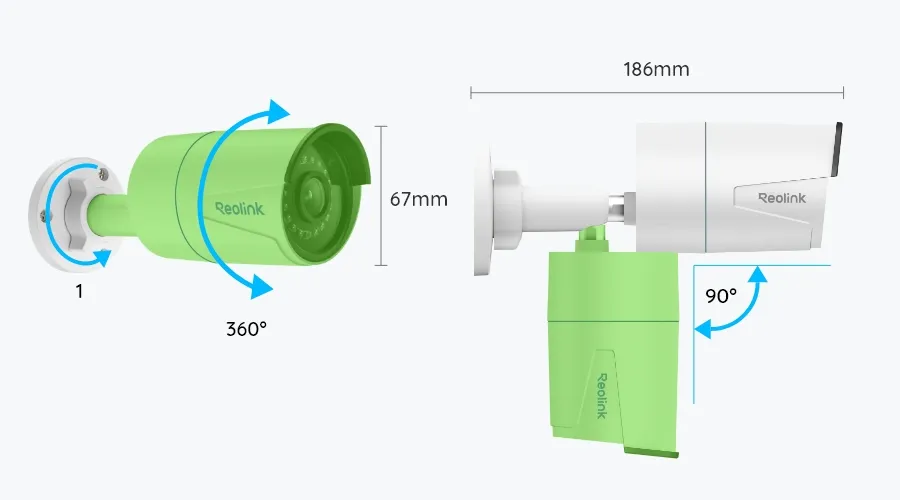
Co-op security camera installer Queens: bullet camera drawing showing its rotation angles and size measurements
Manufacturer drawing (Reolink) giving the housing size and how far it swivels. On Queens garden buildings we measure the soffit or brick pier first, because a camera that will not fit cleanly under a low eave ends up on an ugly extension arm.
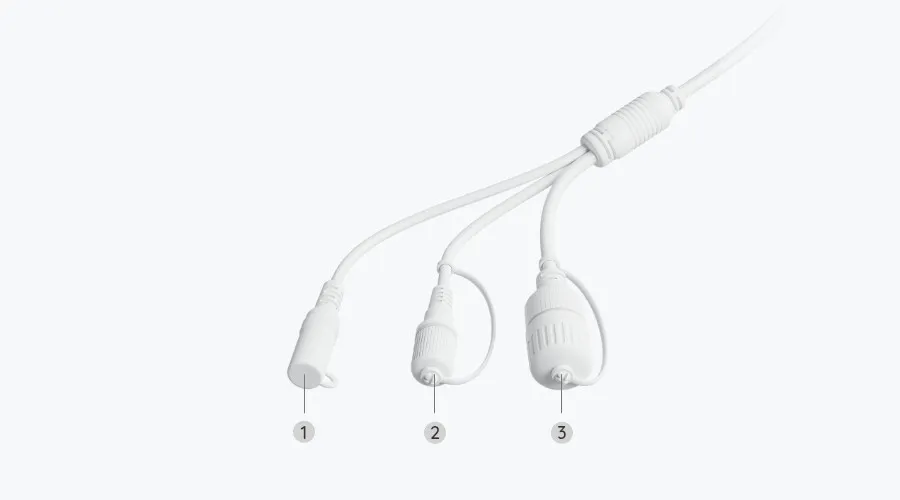
Co op security cameras Queens: camera cable pigtail with numbered connectors for power, network and reset
Product drawing (Reolink): the short cable on the back of a camera. On outdoor Queens co-op cameras we seal this connection inside a junction box or the wall so weather never reaches it.
Sample Plan

What a First-Phase Camera Plan Looks Like for a Queens Garden Section

Below is the kind of plan a board receives after a survey of a typical Queens garden-co-op section: twelve two-story buildings around two courtyards, a laundry room in four of the cellars, a parking field along one side and a refuse enclosure near the street. It is an illustration of the format, not a description of any client's property.

#LocationCameraWhat it should show
1Main path from the street, wall of building 1Fixed turret, narrow lensFaces of everyone entering the section on foot
2North courtyard, high on building 4Dual-lens panoramicPaths, benches and playground entrance in one view
3South courtyard, high on building 9Dual-lens panoramicPaths and the laundry building approach
4–7Inside the four laundry room doorsImpact-rated domeThe door and the machines
8Parking field, wall of building 12Bullet, wideActivity across the field
9Parking entranceBullet, narrow, set for vehiclesVehicles at slow speed through the entrance
10Refuse enclosure gateTurret with color nightWho dumps and what vehicle they arrive in
11Maintenance shop doorTurretWho opens the shop after hours

With the table, the plan names the equipment room (here, a locked cellar room in building 6 with an outlet and battery backup), how each building connects to it (fiber through an old intercom duct to five buildings, wireless bridges to the rest), the retention days, which staff and board members get logins, and the second phase the board can add later, such as cameras at the stair-hall doors of the busiest buildings. Each line can be approved, swapped or dropped on its own.

Why the list is numbered

A numbered plan gives the board something to vote on line by line and gives the managing agent a way to report problems later: "camera 9 is dark" is a work order, "the parking camera is out" is a guessing game on a campus with several parking cameras. We label every camera, cable and switch port to match the plan.

Services

Co-op Security Camera Installation Services in Queens

Every job below starts with a survey and a written plan, and every job ends with the board holding every login.

Survey and written camera plan

A tech walks every space the board names, checks where cable can run and where equipment can live, opens the old recorder if there is one, and notes lighting at the parking and grounds positions. The board gets a numbered plan with a price per line, ready for its packet. The survey costs the co-op nothing.

New systems for co-ops with no cameras

From a three-camera walk-up in Astoria to a phased campus program, we supply, mount, cable, aim and program the cameras, the recorder and the network, then train whoever will use them.

Expanding and linking existing systems

Many Queens campuses already have a recorder in one building and nothing in the others. We add cameras, link more buildings back to the existing recorder where it has capacity, or replace it with one sized for the full campus when it does not. For adding to an existing recorder, see also our page on NVR installation in Queens.

Upgrading old analog systems

Co-ops that put in analog cameras fifteen or twenty years ago often have coax that can carry newer high-definition analog cameras on a modern recorder, which saves opening walls. Where the coax is damaged or the board wants network cameras, we replace it. Any cable that might fail its test is priced before the board orders. Boards weighing that choice can read our page on DVR upgrades in Queens.

Taking over a system nobody can open

A departed super, a dissolved vendor or a board member who moved away can leave a co-op locked out of its own recorder. We recover access where the equipment allows it, document every account, and hand the logins to the board.

Elevator cab cameras

Tower co-ops and elevator buildings often want a view inside each car. Our part is the small cab camera and the wireless hop that carries its picture out of the shaft; the elevator company the co-op already uses decides where it may sit and does any work on the car's controls or hoistway wiring, so we book the visit together.

Cameras the co-op already bought

If the board or a committee already purchased cameras, we install them for a labor price quoted by phone or text and book the work with the deposit. We do not survey or troubleshoot equipment we did not supply, and its performance stays with its manufacturer.

Repairs and yearly check-ups

Cameras on a campus face weather, ladders, lawnmowers and curious hands. For repairs, see security camera repair in Queens; for scheduled cleaning, drive checks and firmware updates, see security camera maintenance in Queens.

Related camera pages for Queens

Boards comparing approaches can read about general security camera installation in Queens, CCTV installation in Queens for older closed-circuit systems, apartment building security camera installation in Queens for rental buildings, and condo security camera installation in Queens for condominium boards. A campus with a big lot may also want our page on parking lot camera installation in Queens.

System Fit

How Co-op Cameras Work With Intercoms, Fobs and Elevators

Cameras are one part of a co-op's security, and on a campus they share closets, cable routes and power with the intercom and the door access system. Planning them together saves the board money and saves the super from learning three unrelated systems.

Intercoms and video entry

A video intercom at each building entrance already gives a face at the door. A camera inside the entrance adds the part the intercom cannot: who walked in behind the resident who was buzzed through, and who propped the door. When an intercom upgrade is on the table, boards can read our co-op board intercom upgrade guide before deciding the order of the two projects.

Fobs and access control

Fob readers record which credential opened a door; cameras record who actually walked through. Together they settle most "it wasn't me" disputes. For the door side, see access control installation in Queens, and for elevator floor control in tower co-ops, elevator access control in Queens.

Shared equipment rooms

Where a building already has an intercom or fob panel in a locked closet, we put the camera switch and battery backup alongside it and label everything so the next contractor knows what belongs to which system.

Upkeep

Keeping a Campus Camera System Useful Year After Year

A camera system for a Queens co-op campus is only as good as the attention it gets after installation. The routine is short.

A monthly look

Someone at the management office opens the recorder, scrolls through each camera's view and checks that the date and time are right and the oldest footage is roughly as old as the board's retention setting. Ten minutes. A camera that has gone dark, slipped, or filled with spider webs is caught before anyone needs it.

A yearly check

Lenses cleaned, mounts tightened, hard drive health checked, firmware updated, and views compared with the original plan. Trees grow, a new fence goes up, a shed moves, and a view that was right three summers ago is half blocked now.

When the board turns over

Board elections and staff changes are where camera access goes wrong. The handover sheet we give the board lists every login; when a director leaves, the board removes that account and creates one for the new officer. When the managing agent changes, the new agent gets new accounts and the old ones are deleted that day.

When buildings are renovated

Facade work, roof replacement and window programs often mean cameras come down for a few weeks. We remove and remount them, and adjust the plan if the work changes what each camera should see.

Queens co-op building cameras: PoE switch front with blue network cables plugged into its ports
Product image (Reolink): a PoE switch with a cable in each port. We label every port to match the numbered camera plan, so the Queens co-op office can report "camera 9" rather than "the parking camera".
The Law

What New York Law Says About Cameras in a Queens Co-op

We are a licensed low-voltage contractor, not a law firm, and this section is not legal advice. It summarizes published sources so a board knows what questions to put to its own attorney.

The board's authority over common areas

In Levandusky v. One Fifth Avenue Apartment Corp., decided April 5, 1990, New York's Court of Appeals held that courts defer to a co-op board's decisions made for the cooperative's purposes, within its authority and in good faith, under the business judgment rule. A camera decision made at a board meeting, recorded in the minutes, with a written plan and a footage policy, sits comfortably inside that rule. Attorney Ricardo M. Vera, answering a camera-placement question in The Cooperator in 2025, put the related privacy point this way: New York does not recognize a common-law right of privacy in public or common areas.

Video, not sound

Many cameras ship with a built-in microphone. Under New York's eavesdropping statute, capturing a conversation by mechanical means when no participant has agreed is a felony, so on every co-op job we disable the microphones during setup and the board receives a picture-only system.

Shareholders' own cameras

Doorbell cameras and hallway cameras put up by shareholders are a house-rules question for the board. Glen Oaks Village's published house rules, as one example of how a large Queens co-op handles it, allow security cameras on the outside of an individual's immediate apartment but say they may not be pointed directly into another resident's window or apartment entrance. Attorney David L. Berkey, quoted by The Cooperator in 2016 on residents' cameras, put one limit bluntly: "it can't be in the apartment facing out." Whatever the board decides, the co-op's own cameras should never be the reason a shareholder feels watched at their own door.

Historic districts

Jackson Heights was designated a historic district on October 19, 1993, and Sunnyside Gardens on June 26, 2007. In a designated district, work on the outside of a building generally goes through the Landmarks Preservation Commission, whose permit guidebook asks that cameras stay off the primary facade where possible, be small and painted to match, and be "well spaced to avoid a cluttered, haphazard appearance." On garden-court buildings the garden side and the entrance interiors usually carry the cameras instead.

Who may install, and permits

New York State licenses security and fire alarm installers, and the Department of State's guidance includes closed-circuit and video systems used to detect or monitor intrusion. Our license is NYS #12000287431. In New York City, the Administrative Code exempts signaling and data wiring under 50 volts, outside life-safety systems, from electrical permits, which covers ordinary camera cabling; the board's managing agent will know if the building's own alteration rules require anything more.

Face recognition and smart access

New York City's Local Law 63 of 2021 set rules for smart access systems in class A multiple dwellings, including limits on collecting and keeping residents' data. Whether and how it applies to a particular co-op is a question for counsel. We do not install face recognition in co-op camera systems.

Footage Policy

A Footage Policy Written for a Multi-Building Co-op

A written policy protects the board more than any camera does. Attorney Leni Morrison Cummins told The Cooperator in 2016 to "adopt a written, very detailed policy on security measures," and FirstService Residential's 2024 guidance for New York co-ops and condos recommended that residents not get footage without approval from the board and legal counsel, and that every request and every look at the footage be logged. On a campus, where the management office, the maintenance staff and several section boards may all want access, a clear policy matters even more.

What the policy should cover

  • Purpose. Keeping people and corporation property safe and looking into specific incidents, stated so nobody mistakes the system for a way to track who visits whom.
  • Who may view live video. Named roles, such as the managing agent, the resident manager and the security desk, each with a personal login.
  • Who may review recordings. A shorter list, usually the managing agent plus one named board officer.
  • How requests work. In writing, with the date, time, place and reason, approved as the policy says and recorded in a log.
  • Retention. A fixed figure in days; older video is written over by the recorder without anyone having to delete it.
  • Exports. Who may copy a clip, in what format, and where the copies go.
  • Police requests. Handled by the managing agent alone, with the co-op attorney's advice, never by whichever staff member answers the phone.

Reviewing an incident efficiently

Cummins made a practical point in the same article: with digital footage "you can just narrow down digital footage to show you what was happening 10 minutes before and after." We set up the recorder so staff can search by camera and time, and show them how on handover day. A good search habit saves the management office hours on a campus with forty cameras.

Exporting a clip properly

An export should include the camera name, the date and time stamp, and the recorder's own player or a standard video file, saved to a drive the managing agent controls. Phone videos of a recorder screen lose the time stamp and the detail, and they are the first thing an insurer or a court questions.

Notices in more than one language

Few places anywhere have as many languages as Queens: a Babbel overview citing the Nonstop Metropolis atlas counts at least 138 languages spoken in the borough, and Census figures it cites show more than half of residents over five speaking a language other than English at home. A camera notice that only some shareholders can read invites the complaint that nobody was told. Boards in Flushing, Elmhurst, Jackson Heights and Rego Park often post the notice in English plus the two or three languages most used in the building, and we can supply the plain-English text of what the system does for the board's translators to work from.

Board Approval

Getting a Camera Plan Through a Queens Co-op Board

The board packet

The packet that wins a vote is short: the numbered camera plan, a one-page summary of what the cameras will and will not cover, the price with any optional lines separated, the draft footage policy, and the proposed notice to shareholders. Directors who were not at the survey should be able to understand the proposal in five minutes.

Committees, sections and master boards

Large Queens campuses often run on committees, and some complexes are made of several separate corporations that share grounds or services. Where parking fields, paths or a laundry building are shared between sections, the plan should say which corporation owns each camera and who may view it, before anything is ordered.

Supervised and affordable co-ops

Mitchell-Lama, HUD-assisted and HDFC co-ops can have purchasing rules set by their supervising agency or regulatory agreement, such as competitive bids above a dollar threshold or agency sign-off on contracts. The managing agent knows which rules apply. We respond to a bid package in the format it requires, and our written plan doubles as a scope for other bidders.

Telling shareholders

A notice before installation answers most questions before they are asked: which common areas get cameras, that there is no audio, that no camera looks into an apartment, who may view video, how long it is kept, and whom to contact with questions. Post it at each building entrance and in each laundry room, and include it in the next mailing. Where many shareholders do not use email or apps, paper in the halls is still the notice that gets read.

Scheduling around a campus

We work building by building, keep at least one entrance to every building free of work, and avoid laundry rooms at their busiest hours where the board tells us when those are. Visits are booked early in the day. Ladders and open ceiling panels are closed up and the area cleaned before the crew leaves each building.

Phasing

Phasing a Camera Program Across a Large Queens Campus

Most garden campuses and tower complexes in Queens spread their camera work over more than one budget year. Done well, phasing costs very little extra; done badly, the co-op ends up rebuilding the first phase to make room for the second.

Phase one: the backbone and the hot spots

The first phase buys the things every later phase depends on: the recorder sized for the finished system, the equipment room, the battery backups, and the links from the central building to the others. On top of that backbone go the cameras for the places where incidents actually cluster, usually the parking entrances, the busiest laundry rooms and the main paths. Buying the backbone first means later cameras are simply added, with no new recorder and no second network.

Later phases: building by building

After the first phase, the board can add buildings in whatever order its incident log suggests, a few each year. Because every building follows the same pattern (a switch on a battery backup, a camera inside each entrance, a camera at the laundry or cellar door), each later phase is quick to price and quick to install, and the staff already know how to use what arrives.

Keeping phases comparable

We keep one numbered plan for the whole campus and mark each line with its phase. When the board reviews the next budget, it sees exactly which cameras are installed, which are planned, and what each remaining line costs at the prices then current. A new board inherits the plan instead of starting over.

Incidents

What Happens After Something Goes Wrong on a Queens Co-op Campus

Cameras earn their cost in the hours after an incident, so the board should decide in advance how those hours go.

The first call

A shareholder reports a damaged car, a missing package or a broken laundry machine to the management office. The office notes the place, the date and the approximate time, and checks the request against the footage policy before anyone opens the recorder.

The review

The person the policy names searches the relevant cameras by time, starting a few minutes before the reported event, and follows the people or vehicles involved from camera to camera. Matching clocks across buildings make this a short job. The review and its result go into the log.

The export and the report

If the clip matters, it is exported with its camera name and time stamp and saved where the managing agent controls it. Where the police or an insurer asks for it, the managing agent handles the request as counsel advises. Shareholders are told the outcome; they do not receive raw footage unless the policy allows it.

Fixing the cause

Many incidents point to a door that does not close, a light that is out or a camera that needs a narrower view. The office passes those to the superintendent, the board's door or intercom contractor, or to us, so the same thing does not happen twice.

Bids

How a Queens Co-op Board Can Compare Camera Bids

Camera bids are easy to compare on price and hard to compare on anything else unless the board asks every bidder for the same things. We suggest asking each bidder for:

  • A numbered camera list with location, camera type and purpose for each line.
  • The recorder model, drive size and the retention days it will actually deliver at the proposed settings.
  • How video gets from each building to the recorder, in writing, with the link type for each building.
  • What is excluded: trenching, electrical outlets, patching and painting, elevator contractor work.
  • Who holds the passwords at the end of the job, and what the handover includes.
  • Warranty terms on labor and on equipment, separately.
  • The contractor's state license number.

Insurance and paperwork

Managing agents usually require a certificate of insurance naming the co-op and the agent. We issue it once the board awards the work, together with any other vendor paperwork the agent's office needs.

Budget without surprises

The surest way to avoid change orders is to price everything that might change before the order. If a cable run might fail its test, or a building might need a link the survey could not confirm, the plan shows it as a priced option the board can accept up front. Once equipment is ordered it is the co-op's, so we want every possible extra known on paper first.

Cost

What Co-op Security Camera Installation Costs in Queens

Our Queens starting system is four house-brand cameras with a recorder, installed, for $950, the same entry point listed on our Queens security camera price page. A co-op pays the same Queens prices any customer pays. Very few co-ops stop at four cameras, so each additional camera is priced per camera after we confirm its position and cable route on the survey, and concealed cabling inside finished walls is priced separately from exposed runs. We do not publish campus totals because no two campuses link their buildings the same way.

What moves a co-op quote

  • How many cameras, and how many are outdoors on high walls.
  • How many buildings must be linked, and whether fiber ducts or line of sight already exist.
  • Concealed cable in plaster or finished ceilings versus neat surface raceway.
  • Recorder size and retention days, especially with 4K grounds cameras.
  • Any elevator cars that get a camera, since each needs its own wireless hop and a joint visit with the elevator company.
  • Whether existing coax or network cable can be reused after testing.

Deposit, financing and warranty

Work is scheduled on a first come, first served basis once the 50% deposit is paid; equipment is ordered after the deposit. Financing is available through Wisetack, subject to approval. Each installation carries the 30-day warranty set out on our warranty page; a co-op can add one or more years of coverage as a paid plan, the cameras and recorder keep their own manufacturer's warranty, and phone help with using the system is free. Full terms — including 50% deposit, one-year parts-only warranty on Abstract Enterprises Security Systems-supplied products, and the late-fee schedule — are set out in the service agreement.

Bring Your Queens Co-op Board a Plan It Can Vote On

Send the section name or address and the incidents the board keeps hearing about. We book the walk-through within 2 hours on any day, and the numbered plan costs the co-op nothing.

Get In Touch

Request a Co-op Camera Plan in Queens

Send the address or section name, how many buildings and apartments, whether a managing agent runs the co-op, and which places worry the board most. A photo of the current recorder helps. Calls and texts go to (347) 434-6392.

✅

Request Sent!

Your note is in. Our scheduler will reach out by phone or text with survey times for the buildings.

How It Works

From First Call to Handover in a Queens Co-op

The same seven steps apply to a twelve-unit walk-up and a hundred-building campus; the campus simply repeats step six building by building.

1

Request and booking

A director, the agent's office or the resident manager reaches us with the section name and the board's worries; inside 2 hours the walk-through is on our calendar, set for an early two-hour window.

2

Campus or building survey

Our tech walks every space on the board's list, maps cable routes and links between buildings, checks lighting at outdoor positions and opens any existing recorder.

3

Numbered camera plan

A written proposal follows: one numbered line per camera with its spot and job, the link that serves each building, where recording happens and for how many days, and what each line costs.

4

Vote and deposit

Once the directors vote the plan through under their bylaws, half the price is paid up front, the gear is ordered, and our insurance certificate goes to the managing agent on award.

5

Shareholder notice

Before the crew arrives, residents get a plain page in the hallways and the mail: which shared spaces will be on camera, that nothing is recorded as sound, who may look at video, and the retention period, translated where the building needs it.

6

Installation building by building

The crew finishes one building at a time: cable pulled, cameras hung and aimed, the link to the equipment room tested, windows masked out, ports labeled, and recording days set to the board's figure.

7

Handover to the board

On the last day the board's representative walks the system with us camera by camera; each named person gets an account, the office practices finding and saving a clip, and the corporation keeps a printed record of every password and setting.

How long the work takes

A walk-up or single elevator building with up to eight cameras is usually one to two days. A garden section of a dozen buildings with links between them takes about a week of working days. Large campuses and tower complexes are scheduled as phases over several weeks, one building group at a time, so each part of the complex is disturbed briefly.

What residents notice

A crew of two or three, a ladder at an entrance or on a lawn for an hour, a ceiling panel open in a cellar, and a bridge or camera appearing high on a wall. We do not need to enter apartments for a common-area system. Each building is cleaned up and closed before the crew moves on.

Queens Conditions

Queens Conditions That Shape Where Co-op Cameras Go

Open grounds and wind

Garden campuses in eastern Queens are open to the wind in a way Manhattan side streets are not. A camera on a long arm vibrates in a gust and blurs the image. We use short, solid mounts close to the wall, and on the open edges of a campus we prefer a wall or soffit position over a pole wherever one exists.

Winter on the paths

Snow and ice change a campus. Plows push banks against low cameras and light poles, salt spray coats lenses at parking entrances, and ice dams drip over eave-mounted domes. We keep cameras above plow and snowbank height, out of the drip line of gutters, and away from the spot where the plow turns.

Trees and plantings

The lawns and courtyards that make Queens garden co-ops pleasant also block cameras every summer. We place cameras with next June's leaves in mind, note on the plan which views depend on pruning, and suggest the grounds crew keep a sight line clear around each camera.

Brick, block and stucco

Most Queens co-op buildings are brick, with some block and stucco on later buildings. We mount into mortar joints or solid masonry with stainless anchors and seal every penetration, and we route exterior cable inside painted conduit or through the wall to the inside, so the building's face stays neat.

Cellars that take water

Low-lying parts of Queens and cellars near the water can take water in heavy storms. Recorders and switches go on a shelf or wall bracket above the floor, never on the floor of a cellar room, and where a building has a history of flooding we put its equipment in a higher room even if the cable run is longer.

Glare at glass entrances

Many postwar Queens co-ops have glass vestibules facing the street. A camera looking out through bright glass from a dark lobby sees silhouettes. We place entrance cameras looking in, toward the lobby, so faces are lit, or use wide dynamic range cameras where the only position faces the light.

Neighborhoods

Queens Co-op Neighborhoods and What Their Cameras Need

We work in co-ops across the borough. These are the areas where co-op boards call us most, and what each tends to ask of a camera plan.

Jackson Heights

Block-long garden complexes and prewar elevator buildings, many inside the historic district. Camera plans lean on the garden side and the entrance interiors; mailroom coverage is a priority after the 2025 mailroom break-ins QNS reported in the neighborhood.

Forest Hills, Rego Park and Kew Gardens

Six- and twelve-story elevator co-ops along Queens Boulevard, Austin Street, Yellowstone Boulevard and the streets around Lefferts Boulevard, plus 1920s Kew Gardens courtyard buildings. Lobbies, mailrooms, rear ramps and garage courts are the usual first phase, with the parking area added where cars have been hit.

Bayside, Bay Terrace, Douglaston and Little Neck

Garden sections and mid-rise co-ops with large parking fields and lots of lawn. Plans center on links between buildings, parking entrances and the paths to laundry buildings.

Glen Oaks, Floral Park, Bellerose and New Hyde Park borders

The big garden campuses and the tower complex at the Nassau line. Phased, building-by-building programs with a central recorder in the management or maintenance building.

Flushing, Pomonok, Fresh Meadows and Kew Gardens Hills

Union-built and postwar co-ops, garden sections and elevator buildings. Multilingual notices, laundry rooms in every building, and parking lots shape these plans.

Jamaica, Rochdale and Southeast Queens

Tower co-ops and large Mitchell-Lama complexes, where supervision rules, bids and a security desk are often part of the picture.

Astoria, Sunnyside, Woodside and Long Island City

Smaller walk-up and courtyard co-ops near the East River and in Sunnyside Gardens' historic district. Compact systems with three to eight cameras, run by volunteer boards.

Questions

Queens Co-op Camera Questions, Answered

Our maintenance shop keeps mowers, snow blowers and tools worth thousands. Is a camera at the shop worth it?

Yes, and it is one of the cheapest cameras on a campus plan. One turret inside the shop door, aimed at the door and the bay where the expensive equipment sits, shows who came in after hours and what left with them. Garden campuses keep a surprising amount of equipment in one building, and the shop is often unlocked during the working day. Pair the camera with a simple sign-out habit for keys and the board will rarely need to search footage at all.

The board wants dummy cameras in the quieter buildings to save money. Is that a good idea?

We advise against it. A fake camera records nothing, so the first time a shareholder asks for footage from that building the board has nothing to give, and residents who believed they were covered feel misled. It is better to install fewer real cameras where incidents actually happen, tell shareholders exactly which areas are covered, and add the quieter buildings in a later phase.

Raccoons, cats and headlights set off alerts all night on our grounds. Can that be fixed?

Yes. Most false alerts come from basic motion detection, which triggers on anything that changes in the picture. We switch alerting cameras to person and vehicle detection, limit alerts to the hours and cameras the board actually cares about, and draw detection zones that exclude roads and swaying trees. Recording continues all the time either way; only the notifications get quieter.

Delivery vans drive onto our walkways to reach the buildings. Can cameras help the board deal with it?

They can show which companies do it and when, which is what the managing agent needs to complain to the carrier or the shipper. A camera at the point where vans leave the road, set to detect vehicles on the path during the day, captures the van and its markings. The fix itself is usually a bollard, a sign or a clearly marked drop point; the footage makes the case for it.

Our security guards patrol the grounds at night. Should their booth get a live camera screen?

A screen helps guards respond, but it should show the cameras they act on: entrances, gates, parking and the paths they walk. Laundry rooms, playgrounds and stair halls are better left to the recorded review the policy allows. Guards get their own login with live view only, so playback and exports stay with the managing agent.

One side of our campus faces a busy avenue. Will the traffic make those cameras useless?

No, if they are aimed and set up for it. We point those cameras along the co-op's own paths and lawn edge rather than out at the avenue, mask the roadway so passing cars never trigger alerts, and turn on person detection only inside the co-op's grounds. Headlights at night are handled by choosing cameras with good wide dynamic range and keeping them angled away from the oncoming lanes.

The board wants cameras at the playground. Do parents need to be told first?

Telling them is the right move even when no rule requires it. The shareholder notice should name the playground camera, say it records the play area entrance for safety, and say who may view it. We aim it wide, keep it off apartment windows, and avoid close views of children on equipment.

Many of our shareholders are older and do not use apps. How do they learn what the cameras showed?

Through the managing agent, the same way they raise any other building issue. Shareholders do not need app access for the cameras to serve them. A shareholder who reports a problem asks the office, the office reviews the footage under the policy, and the answer comes back by phone or letter. App logins are for the staff and officers the board names.

Each of our garden buildings has two stair halls with four apartments per landing. Is one camera per hall enough?

Usually, if it is placed right. A turret just inside the ground-floor door, aimed at the door and the bottom of the stairs, shows everyone who enters the hall. Upper landings rarely need their own cameras in a two- or three-story building, and leaving them off keeps cameras away from apartment doors.

Can the management office watch every building's cameras without sending video over the internet?

Yes. On a campus we build a private camera network that links every building to the recorder and to a workstation in the office. Live viewing and playback inside the complex never touch the internet. Remote access from outside the property is a separate, optional setting with named accounts.
Reality Check

Camera Claims Queens Co-op Boards Hear That Don't Hold Up

"Battery cameras are good enough for a garden co-op"

They work on a single house. On a campus they leave the board with dozens of batteries to change, Wi-Fi that struggles through brick, and recordings spread across cloud accounts nobody owns. Wired cameras on a switch inside each building, with buildings linked by fiber or a bridge, are the dependable answer.

"One high-resolution camera up top covers the entire parking field"

It can show activity across the lot. It will not identify faces or plates across a dark field. Identification comes from a second camera at the place everyone passes close by, which is why our plans pair wide views with narrow ones.

"Every building needs its own recorder"

Not on a well-planned campus. Linking buildings to one recorder, or to a few cluster recorders, gives the office one place to search. Separate recorders per building multiply passwords, drives and clocks.

"If a camera records sound, the board gets better evidence"

In New York, recording conversations without at least one party's consent is a crime under the eavesdropping law. Video-only is the safe setting for building cameras, and it is how we install every co-op system.

"Footage belongs to whoever is in it"

Footage from co-op cameras is the corporation's record, handled under the board's policy. Managers quoted by FirstService Residential in 2024 advised that residents not receive footage without approval from the board and counsel, which is why requests go through the managing agent and a log.

"Any handyman can hang the cameras"

New York State licenses installers of security systems, and the Department of State's guidance covers video systems used to detect or monitor intrusion. A board should ask any bidder for its license number. Ours is #12000287431.

Field Notes

Notes From Co-op Camera Work in Queens

A few things we see again and again on Queens co-op jobs, written down so boards can skip the mistakes.

The old recorder is often in the wrong building. On campuses that grew their system one building at a time, the first recorder sits wherever the first camera job happened to be, sometimes in a building with no good path to the others. Moving it to the most central building with a ventilated, locked room usually shortens every future link.

Night is when parking cameras earn their keep, and night is when most surveys do not happen. When a board's main worry is the parking field, we ask for night photos from a board member or the maintenance crew before we finalize lens choices.

The maintenance crew knows where the problems are. On self-managed campuses the grounds supervisor can usually point to the propped door, the gap in the fence and the dumping spot faster than any incident log. Ten minutes with them during the survey saves cameras in the wrong places.

Labels outlive memories. Every camera, cable, port and bridge we install is labeled to the plan. Years later, when a board member asks which camera covers the laundry in building 7, the answer is on the switch.

A checklist before the board signs

  • Nothing on the list is there to fill a wall; each line points to a real complaint or incident.
  • The plan says how each building connects and what happens if a link fails.
  • The plan states how many days of video the board wants kept, and the drive size that delivers it.
  • Audio is off, and no camera looks into an apartment or a window.
  • The footage policy and shareholder notice are drafted.
  • Logins go to named roles, with at least two board officers able to manage accounts.
  • Possible extras, such as cable that might fail its test, are priced up front.

Where other camera questions belong

Questions about a single camera that stopped working belong on our repair page; questions about a rental building's cameras belong on the apartment-building page; and questions about doors, intercoms and fobs belong on the co-op security systems page for Queens. All are linked above, so the board can go straight to the right one.

FAQ

Queens Co-op Security Camera FAQ

Is the $950 Queens starting system enough for a co-op with several buildings?
+

Rarely on its own. The $950 system is four house-brand cameras with a recorder, installed, and it suits a small walk-up co-op or a first phase. Multi-building co-ops add cameras priced per camera after the survey, plus the links between buildings, and the recorder is sized for the full plan from day one.

Can cameras be mounted on our existing parking lot light poles?
+

Sometimes. A pole needs a safe mounting point, a way to bring network cable to the camera and a power source the co-op's electrician has made available, because we do not do electrical work. Where a building wall can see the same area, we usually prefer the wall.

Can a Queens co-op survey be scheduled on a Saturday or Sunday?
+

Yes. We book seven days a week, usually within 2 hours of the request, with visits early in the day and a two-hour arrival window. Installation is scheduled first come, first served once the deposit is paid.

Do you work on camera systems another company installed at our co-op?
+

Yes. We can take over a system, recover access where the equipment allows it, add cameras once we confirm the recorder has room, or repair what is there through our camera repair service. Any part we did not supply keeps whatever warranty it came with.

Can the board ask for a name-brand camera instead of the house brand?
+

Yes. Our proposal is built on our house-brand system by default, and if the board asks we name every brand we carry and price the same plan in that brand. Lorex, Luminys and Reolink are among the brands we work with as a partner.

Will you install cameras our co-op already bought?
+

Yes, for a labor price we quote by phone or text, booked with the deposit. We do not survey or troubleshoot equipment we did not supply, and its performance and warranty stay with its maker.

Does the co-op's footage get stored in the cloud?
+

Not by default. Recordings stay on the recorder's drives inside the building, which keeps them under the board's control and avoids monthly fees. Remote viewing through the recorder's app is optional and uses named accounts.

What do you need from the board before installation is scheduled?
+

The signed camera plan, any access instructions for the buildings and equipment rooms, the outlets we listed if any are missing, and the 50% deposit. Equipment is ordered after the deposit, and the install is booked once it arrives.

Can the board see sample images before choosing cameras?
+

Yes. With the written plan we include product sheets for each camera type, and during the survey our tech can show the board's representative what different lenses and night modes look like on manufacturer sample footage.

Does someone from the co-op need to walk the survey with our tech?
+

It helps a great deal. The resident manager or a maintenance supervisor with keys can open equipment rooms, cellars and laundry rooms and point out the trouble spots, which makes the plan more accurate. A board member is welcome but not required.

If the link to one building fails, do its cameras stop recording?
+

Not when the campus is planned with cluster recorders or local storage at the far buildings. Where everything records centrally, the recorder flags the lost cameras right away so staff know to call us, and we design links with that risk in mind.

Will you train the management office staff to use the system?
+

Yes. Handover includes a walk-through for the staff and officers the board names: live view, searching by camera and time, exporting a clip with its time stamp, and checking that every camera is recording.

All Areas Served

Co-op Security Camera Installation Across New York City

Cameras That Cover the Whole Co-op, Controlled by Your Board

One walk of the grounds and buildings, at no charge, produces a line-by-line proposal, sample policy wording and a promise that the corporation, not the installer, keeps the keys. In Queens the four-camera starting system with its recorder is $950 installed.