What are you looking for?
About Us Contact Us Careers Get a Free Quote (800) 486-0943
Pick a service
✅ Got Your Own System?
🎬 Home TheatreQuote 🎶 AV SoundQuote 🔑 Access ControlQuote
Now pick your area
Pick your area
Long Island
Hudson Valley
Services available
Pricing & Tools
Pick a service for pricing
🚪 Intercom Pricing 🔔 Buzzer Repair Pricing
Calculators
📹 Camera System Calculator 🚨 Alarm Calculator ⚡ Cabling Quote Builder ✅ Got Your Own System?
Select your area
Choosing between a 2GIG and a Qolsys alarm panel? A licensed New York installer that puts in both will tell you which one fits your building: (800) 486-0943
Home › Best Security Camera Brands › 2GIG vs Qolsys
Alarm Panel Comparison · Sensors, Screen, Cellular, Z-Wave and Takeovers · Specs From 2gig.com and Johnson Controls · NYS Licensed Installer

2GIG vs Qolsys:
Which Alarm Panel Is Better?

2GIG Edge and GC Touch Against Qolsys IQ Panel 5 and IQ Panel 4 · Also Searched as Qolsys vs 2GIG · Updated November 2026

2GIG vs Qolsys is close, but for most new alarm installs in New York we would pick Qolsys, now sold by Johnson Controls under the IQ name, because the IQ Panel 5 pairs a sharper 1280 × 800 screen and a 13-megapixel panel camera with encrypted, long-range PowerG+ sensors built into the panel; 2GIG is the better choice when your walls already carry 345 MHz 2GIG or Honeywell wireless sensors you want to keep, when you like the idea of disarming by face, or when budget points you to its GC Touch panel.

Quick answer: Starting fresh, in a house, brownstone or store? Pick a Qolsys IQ Panel 5 with PowerG+ sensors. Keeping working 345 MHz sensors from an older 2GIG or Honeywell system? A 2GIG Edge reads them natively, and 2GIG's GC Touch is its value-priced panel. Both run on Alarm.com, both report over LTE and Wi-Fi, and both keep running about 24 hours on battery. We install both: a basic NYC alarm starts at $600 installed with a panel, 4 to 6 sensors, a motion detector, keypad and cellular communicator, no long-term contract, and we book requests within 2 hours.

These are the two names you meet most often when a professional installer quotes a wireless alarm, and they are much closer to each other than to anything sold in a box at a big-box store. Both are touchscreen panels sold through dealers rather than to the public, both talk to Alarm.com for the app and video, both carry a cellular radio so the alarm still reports when the internet is out, and both control Z-Wave locks, lights and thermostats. The real differences are in the sensors each panel speaks to, the camera and screen on the front, how each one disarms, and what happens when you want to reuse an older system. This page lays those out from the side of a licensed New York installer that puts in both, with every specification taken from the makers' own pages and data sheets on November 14, 2026.

Reviewed and updated November 14, 2026, against the 2GIG EDGE data sheet, the 2GIG EDGE and GC Touch product pages, the GC Touch data sheet, 2GIG's product catalog page and E+ sensor page (2gig.com, Nice North America); the IQ Panel 5 and IQ Panel 4 product pages, the IQ Panel 5 specification sheet, the IQ5 family comparison chart, the PowerG+ sensor pages, the IQ Hardwire PG and IQ Pro pages (iqsecurityproducts.com, Johnson Controls, where qolsys.com now redirects); and a live search of what ranks for "2GIG vs Qolsys" and "IQ Panel 4 vs 2GIG Edge" (dealer blogs in Missouri, Arkansas and Los Angeles, Alarm Grid, Surety, Reddit, CocoonTech, installer groups and YouTube comparisons among them). Where a maker's page did not state something, this page says so instead of guessing. Our installed prices come from our NYC alarm installation page and sit in their own section. · Checked by the Abstract Enterprises Security Systems team (NYS license #12000287431), Troy Avenue, Brooklyn
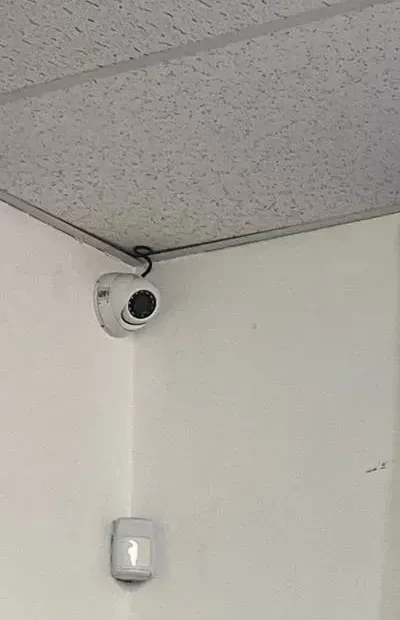
White motion sensor low on a pale wall below a white dome camera in a ceiling corner, 2GIG vs Qolsys NYC comparison
A photo from our own job files, not tied to a specific New York address: a small white motion sensor on a pale wall, with a white dome camera tucked into the ceiling corner above it and its cable running along the edge of a speckled ceiling. Whichever panel you choose, 2GIG or Qolsys, the sensors are what actually protect the room; the panel is the brain they report to. This is not 2GIG or Qolsys equipment.
2GIG or Qolsys for Your Place?
Tell us about the building and what is on the wall now, and an installer calls back with a straight answer and an installed price

✅
Request Sent!
Thanks. A licensed alarm technician will call you inside 2 hours on business days.
25+
Years Experience
Both
2GIG and Qolsys Installed
100%
Licensed & Insured
4.7★
201 Google Reviews

Owner-operated since 2002 · Thousands of jobs completed · Booked within 2 hours
The short version. A 2GIG panel and a Qolsys panel do the same basic job. Each one sits on a wall by the door you use most, listens for the sensors on your doors, windows and rooms, sounds the siren, and sends the alarm to a monitoring station and to your phone. Each one is a seven-inch touchscreen, each one carries an LTE cellular radio and Wi-Fi, each one has a backup battery its maker rates at about 24 hours, and each one is built to run on Alarm.com, the service most professional installers use for the phone app, cameras and automations. If you put either one in properly and connect it to a central station, you have a real alarm system, and either is a big step up from a kit that relies on your home Wi-Fi alone.

The difference lies in the details that decide how the system behaves over the next ten years. The first is the wireless language the sensors speak. Current Qolsys panels, sold today as IQ panels by Johnson Controls, are built around PowerG, an encrypted, two-way, long-range radio that Johnson Controls says has been in real-world use for more than a decade. 2GIG panels, made by Nice North America, are built around the 345 MHz band that 2GIG and Honeywell sensors have used for years, with encrypted eSeries sensors and, on the Edge, a newer 900 MHz extended-range line called E+. The second difference is the hardware on the front of the panel: the IQ Panel 5 has a higher-resolution screen and a 13-megapixel camera, while the 2GIG Edge offers something the IQ panels do not list, which is disarming by recognising your face. The third is what each panel can reuse when it replaces an older system, which matters a great deal in New York, where many brownstones, walk-ups and shops already have sensors and wiring in the walls.

We are a licensed New York State alarm installer (license #12000287431) on Troy Avenue in Brooklyn, and we install, take over and service both brands. Neither maker pays us to favour it, and we will say plainly where each one is the better fit. Everything on this page about the panels comes from 2gig.com and from Johnson Controls' IQ site and spec sheets, read on November 14, 2026; where a page was silent or contradicted itself, we say so. Our own installed prices are in one separate section further down, kept away from the makers' specifications, because a panel's spec sheet and an installed price for your particular building are different things.

Side by Side

2GIG vs Qolsys in One Table

Each maker sells more than one panel, so we compared the two flagships most people mean when they ask this question: the 2GIG EDGE and the Qolsys IQ Panel 5. Where the older IQ Panel 4, still listed by Johnson Controls, or 2GIG's lower-priced GC Touch differs in a way that matters, the cell says so. Every entry comes from the maker's own product page or data sheet; anything the maker did not publish is marked "not stated." There are no prices in this table, because neither maker publishes one and the installed cost depends on the building, the sensors and the labour, which we cover in our own section below.

What we compared2GIG (EDGE; GC Touch noted)Qolsys / IQ (IQ Panel 5; IQ Panel 4 noted)
Who makes itNice North America; sold through security dealers and installersJohnson Controls, under the IQ name (qolsys.com now redirects to the IQ site); sold through IQ dealers
Sensor radios345 MHz 2GIG sensors, including encrypted eSeries and the 345S line with switchable encryption; E+ 900 MHz extended-range sensors on EDGE firmware 1.3 or later; data sheet says it is backward compatible with older 2GIG and Honeywell sensors. GC Touch: 345S, 345 MHz and eSeries sensorsPowerG+ built in (915 MHz, encrypted two-way, up to 128 devices); legacy 319.5 MHz (S-Line encrypted), 345 MHz or 433 MHz sensors through add-on cards. IQ Panel 4: PowerG plus one legacy frequency set by its radio card, per its installation manual
EncryptioneSeries encrypted sensors; E+ sensors use two-way encrypted communication; 345S sensors encrypt when switched onPowerG+ uses encryption, frequency hopping and secure enrollment; S-Line 319.5 MHz sensors are encrypted
Stated sensor rangeE+ door and window sensor: "up to 1.2 miles" on 900 MHz, which 2GIG notes can vary with building materialsPowerG+ door and window sensor (PGPx945E): up to 2,500 ft (762 m); Johnson Controls describes PowerG range as "measured in miles, not feet"
Screen7-inch LCD, 16.7 million colors; resolution not stated. GC Touch: 7-inch capacitive, with a dark mode7-inch capacitive glass multi-touch, 1280 × 800 pixels (same size and resolution on IQ Panel 4)
Panel camera and disarmingOn-board camera with face recognition disarm, processed on the panel; Bluetooth disarm; 6-digit codes; camera resolution not stated. GC Touch: Bluetooth disarm, 4- or 6-digit codes13 MP, 120° fixed-focus PortraitView camera for disarm photos; Bluetooth 5.0 LE touchless disarming. IQ Panel 4: 8 MP, 120° camera with FlexTILT; Bluetooth disarming
Cellular and Wi-Fi4G LTE (Verizon or AT&T versions); Wi-Fi 2.4 GHz 802.11 b/g/n; dual communication paths; Wi-Fi access pointLTE CAT4 (Verizon or AT&T versions in the US); dual-band Wi-Fi 802.11 a/b/g/n/ac on 2.4 and 5 GHz; access point built in
Z-Wave and smart homeZ-Wave Plus V2, 700 series, with S2; scenes and schedules; Google Assistant, Amazon Echo and Siri Shortcuts. GC Touch: Z-Wave 800 seriesZ-Wave 800 series with Z-Wave Long Range, up to 167 devices; PowerG automation devices, up to 100. IQ Panel 4: Z-Wave 700 series
Cameras on the panelUp to 8 camera feeds viewable on the panel, 4 at a time; Alarm.com cameras; doorbell with 2-way audio and door unlock; ONVIF camera supportLive View and Live Answer for cameras and doorbells (IQ Panel 5, IQ5 Hub and IQ Panel 4); number of feeds not stated
Alarm.com fitSold as Verizon or AT&T "Alarm.com Panel" versions; Alarm.com cameras on the panel; Z-Wave backup and restore through Alarm.com. GC Touch is "optimized for Alarm.com Scenes""Full Alarm.com Integration" across the IQ5 family
Zones, users, areas100 wireless zones, 2 wired zones, 100 users, up to 4 Smart Areas (partitions), 8 keypads, 32 keyfobs. GC Touch: 128 wireless zones, 64 users128 zones, up to 242 user codes, up to 4 partitions; hardwired zones through the IQ Hardwire PG module
Battery backupLithium-polymer backup battery, 24 hours (EDGE and GC Touch)Rechargeable lithium battery rated for over 24 hours (spec sheet: 18650 lithium-ion, 3,000 mAh)
Sound and voiceTwo front-firing speakers, dual digital microphones with noise and echo cancellation, 2-way voice, built-in glass-break detectionTwo front 4 W speakers, 85 dB piezo siren, two microphones, 2-way voice calling, built-in glass-break and motion detection. IQ Panel 4: four 4 W speakers, three microphones
ListingsUL 985, UL 1023, UL 2017, SIA CP-01, CSFMUL 985, UL 1023, UL 2610 (commercial burglary), ULC-S545, ULC-S304
Maker's warranty"Limited 3 years" on the EDGE and GC Touch data sheetsNot stated on the current IQ Panel 5 or IQ Panel 4 pages; the last Qolsys warranty we found (2017) was one year
Installer-only or DIYSold through dealers and installers; 2GIG markets it to the professional-install marketSold through IQ dealers; some online dealers also sell IQ panels to do-it-yourselfers
Best forTakeovers of systems with working 345 MHz sensors; owners who want face-recognition disarm; budget installs on GC TouchNew installs in larger or multi-floor buildings; owners who want the newer screen, camera and dual-band Wi-Fi; mixed sites that need several legacy frequencies

Two rows matter more than the rest. The sensor row decides what you will buy for the next decade, because once a panel is in, every new door contact, motion detector and smoke sensor has to speak its language. And the Alarm.com row explains why the phone experience feels so similar on both: the app you use day to day is Alarm.com's, not 2GIG's or Johnson Controls', so the choice between the panels is mostly about what happens on the wall and in the walls, not on your phone. The camera, screen and disarming rows are where the two panels feel different to live with, and the warranty row is the one place where 2GIG publishes a clearer promise than Johnson Controls does today.

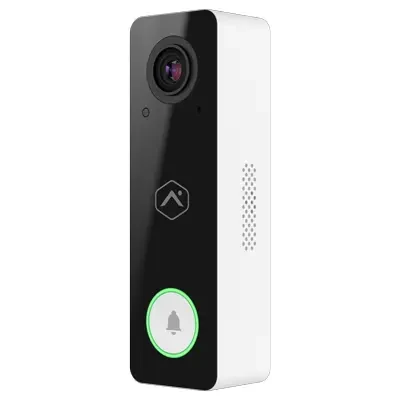
Slim Alarm.com video doorbell with a glossy black face, white sides and a green-ringed button, 2GIG vs Qolsys NYC
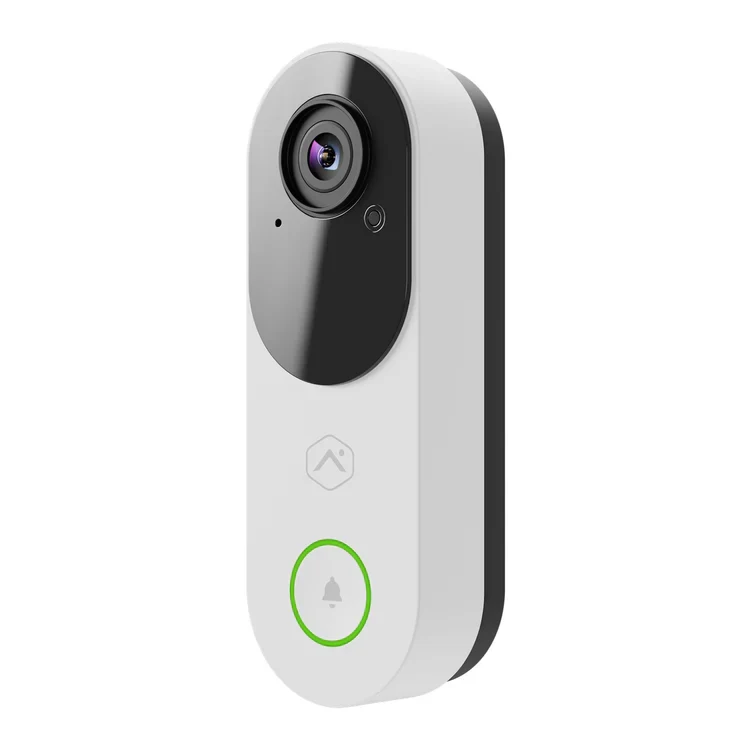
An Alarm.com product photo of a narrow video doorbell: a glossy black face with the camera at the top and the house-shaped Alarm.com logo in the middle, white sides with speaker slots, and a round button ringed in green. Both the 2GIG EDGE and the Qolsys IQ panels can show an Alarm.com doorbell on the panel's screen, which is why the doorbell you pick does not have to decide the panel. This is an Alarm.com device, not 2GIG or Qolsys hardware.
Our Call

Who Should Pick 2GIG, and Who Should Pick Qolsys

Most people asking this question are in one of a handful of situations, and the answer follows the situation more than the logo. Here is how we decide when we are standing in the hallway with the owner.

Pick Qolsys (IQ Panel 5) if…

  • You are starting from nothing. With no sensors to reuse, the panel's own radio is the one you will live with, and PowerG+ is encrypted, two-way and long-range on every device, with no add-on card needed.
  • The building is big, tall or full of masonry. A three-story brownstone with a cellar, a two-family house with a detached garage, or a store with a basement stockroom is where long-range two-way sensors earn their keep, because the sensor and the panel talk in both directions instead of the sensor sending a signal and hoping it arrives.
  • You care about the screen and the camera. The IQ Panel 5's 1280 × 800 display and 13-megapixel camera are the sharper hardware of the two flagships, and it has dual-band Wi-Fi where the EDGE lists 2.4 GHz only.
  • The site mixes old sensors from different makers. Johnson Controls lets an installer add legacy cards for 319.5, 345 or 433 MHz sensors, which helps when a takeover inherits more than one kind.
  • It is a business that may grow. The IQ family runs from the Panel 5 up to the IQ Pro, a commercial hybrid panel with eight hardwired zones on board, up to 1,000 user codes and eight partitions, all on the same sensor radio.

Pick 2GIG (EDGE or GC Touch) if…

  • Your walls already hold working 345 MHz sensors. An older 2GIG system, or a Honeywell wireless system, may have a dozen door contacts and motion detectors that still work. The EDGE reads those natively, according to its data sheet, which can save the cost and mess of replacing every sensor.
  • You want hands-free disarming by face. The EDGE recognises enrolled faces on the panel itself, which 2GIG calls an industry first. Bluetooth disarming from your phone is offered on both brands, but face recognition is listed only on the EDGE.
  • The budget is tight and the home is simple. The GC Touch is 2GIG's value-priced touchscreen with 128 wireless zones, Bluetooth disarm, 2-way voice and Z-Wave 800, and it is a sensible panel for an apartment or a small house.
  • You want the maker's warranty term in writing. 2GIG's data sheets for both the EDGE and the GC Touch read "Warranty: Limited 3 years"; Johnson Controls' current IQ panel pages did not state one.

If you rent, or you are covering one small apartment for a year or two, the honest answer may be neither: a professional panel is an investment in a property you plan to stay in, and our ADT vs SimpliSafe vs local installer comparison covers the no-drill options. For owners, landlords and businesses, either panel is a sound choice when it is installed and supervised properly; the sections below show where the differences actually bite.

The Companies

Who Makes Them in 2026, and Why Qolsys Is Now Called IQ

Part of the confusion around this comparison is the names. 2GIG is a brand of Nice North America; the copyright line on 2gig.com reads "Nice North America LLC," and the site's news section includes a press release in which Nice North America and Alarm.com launched a "2GIG New Home Program Powered by Alarm.com." Older forum threads and installation guides call the same company Nortek or Nortek Control, which is why you will still see those names on older 2GIG paperwork. The current 2GIG panel line on 2gig.com is the EDGE, the GC Touch, the EDGE Remote Keypad, the older GC2e, and two keypads, the TS2 and the PAD1. If you have a GC2 or GC3 on your wall, it is an earlier generation of the same family.

Qolsys was the company behind the IQ Panel, and it is now part of Johnson Controls, the same group that owns DSC and Visonic. When we typed qolsys.com on November 14, 2026, it took us straight to iqsecurityproducts.com, a Johnson Controls site with an "IQ" logo, and the panels are now listed simply as IQ Panel 5, IQ5 Hub, IQ5 NS, IQ Panel 4, IQ4 Hub, IQ4 NS, IQ Pro and IQ Hub. The company's Instagram link on that site still points to a "qolsys" account, and installers, dealers and homeowners still say "Qolsys" out of habit. On this page we use both names, because that is how people search; when you see "Qolsys IQ Panel 5" and "IQ Panel 5" in a quote, they are the same panel.

Two things follow from this for a buyer. First, both brands are backed by large, long-established security groups, so neither is a small start-up that might vanish and leave your panel without updates. Second, both makers sell almost entirely through dealers. 2gig.com's "Where to Buy" button leads to a page for finding security dealers and installers, and the IQ site points visitors to "Find a dealer" and invites companies to become IQ dealers. In practice, the company that installs your panel, and the Alarm.com account it sets up, will shape your experience at least as much as the brand on the front.

Which panels this page compares

The flagship of each line is the fair comparison: 2GIG's EDGE against the IQ Panel 5. The IQ Panel 4 is still listed by Johnson Controls and is still on thousands of walls, so we note it wherever it differs, and many of the comparison articles that rank for this search were written about the IQ Panel 4 before the Panel 5 arrived. On the 2GIG side, the GC Touch is the newer, lower-priced touchscreen, built, as 2GIG puts it, on the legacy of the GC2e, and 2GIG says it won two 2025 awards, one from Commercial Integrator and CE Pro, the other from Builder Innovator. We note the GC Touch where it changes the answer. The IQ5 Hub (a cheaper Panel 5 without the camera) and the IQ5 NS (no screen at all, for a hidden install with keypads) also exist, and Johnson Controls' own chart shows them sharing the Panel 5's radios and Alarm.com integration.

Sensors

Sensor Radios and Encryption: eSeries and E+ Against PowerG

This is the section that matters most, and the one the glossy brochures skip. An alarm panel is only as good as the sensors that report to it, and wireless sensors are tied to the panel's radio. Pick the panel and you have picked the sensor family you will be buying for years.

2GIG: the 345 MHz family, plus E+ on the EDGE

2GIG panels speak 345 MHz, the band that 2GIG's own sensors have always used and the same band as Honeywell's older wireless sensors. The EDGE data sheet lists "eSeries encrypted sensors" and says the panel is "backwards compatible with older 2GIG and Honeywell sensors." 2GIG's catalog splits its sensors into several groups. The eSeries line covers encrypted door and window contacts, motion detectors, glass-break detectors, smoke, heat and freeze sensors, carbon monoxide detectors, water sensors, key fobs and a takeover module; 2GIG says encrypted sensors "cannot be disabled or taken over." The newer 345S line, designed for both the GC Touch and the EDGE, carries an on-board switch that turns encryption on or off, which 2GIG says lets dealers stock fewer parts. And on the EDGE alone, after its 1.3 software update, there is the E+ Extended Range line on 900 MHz: indoor and outdoor contacts, a motion detector, a glass-break detector and a smoke, heat and freeze detector, with two-way encrypted communication and a door sensor battery that 2GIG projects at up to eight years.

Qolsys / IQ: PowerG+ built in, legacy radios by card

The IQ Panel 5 has PowerG+ built into the panel. Johnson Controls' specification sheet describes it as "915MHz, long range, secure encrypted two-way wireless," with up to 128 security devices and up to 100 PowerG automation devices. The PowerG pages add frequency hopping and secure enrollment, battery life of up to eight years on many devices, and a range the company describes as "measured in miles, not feet." For older sensors, the Panel 5 takes add-on radio cards: the spec page says to "add legacy 319, 345, 433 or Ethernet cards à la carte," and the spec sheet lists S-Line encrypted 319.5 MHz, 345 MHz or 433 MHz sensors, depending on the model, up to 128 devices. The IQ Panel 4 also has PowerG, along with one legacy frequency set by the radio card fitted at the factory, according to its installation manual (a manufacturer document we read through a dealer's copy, because Johnson Controls' own link did not load).

What that means on a real job

If you are buying all new sensors, both makers now offer encrypted, two-way, long-range options, and the question becomes which ecosystem you prefer. PowerG has the longer track record, more than a decade by Johnson Controls' account, and a wide range of devices behind it, from water tiles and smoke detectors to repeaters and input-output modules. E+ is newer and works only on the EDGE, not on the GC Touch. If you are keeping sensors, the answer depends on what they are: 345 MHz 2GIG and Honeywell sensors are native to 2GIG, and the IQ panels need the right legacy card to read them. One honest caveat applies to every older sensor, whatever the panel: a non-encrypted, one-way sensor from fifteen years ago is still a non-encrypted, one-way sensor after the new panel goes in. We test each one and replace the ones that guard the doors that matter most.

Small white wall sensor below a black camera on a blue-grey wall above a drop ceiling with lights, 2GIG vs Qolsys NYC
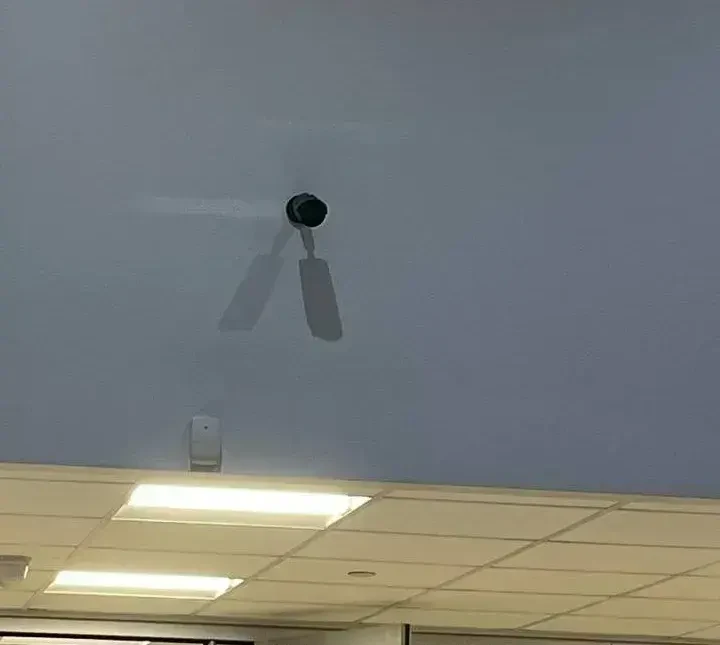
From our job photo library, not a specific New York building: a small white sensor mounted on a blue-grey wall below a black camera on a short arm, with a drop ceiling and bright light panels underneath. A wireless sensor like this one talks to the panel on that panel's own radio, which is why choosing 2GIG or Qolsys also chooses the sensors you will buy afterwards. The brand of the devices in this photo is not identified.
Range

Wireless Range in New York Buildings: Brick, Plaster and Floors

Both makers publish big range numbers. 2GIG says its E+ door and window sensor reaches "up to 1.2 miles with 900MHz spectrum," and adds in small print that range "can vary depending on building materials." Johnson Controls lists its PowerG+ door and window sensor, the PGPx945E, at up to 2,500 feet, and says PowerG range is measured "in miles, not feet." Figures like these describe ideal conditions, and 2GIG's own footnote admits that building materials change them. Nobody in New York lives in ideal conditions.

What actually limits wireless sensors in this city is the building. A rowhouse party wall of solid brick, a prewar apartment with plaster on metal lath, a basement under a concrete slab, a steel-framed storefront, or a mechanical room full of ductwork will all swallow far more signal than any spec sheet allows for. Distance matters less than what is between the sensor and the panel. In practice, the long-range radios on both brands are not about reaching a mile; they are about having enough headroom that a sensor in the cellar of a three-story brownstone still reports reliably to a panel by the parlor-floor door after the batteries have aged.

How we handle range on both brands

  • Put the panel where the signals meet, not just where the door is. On a tall house we sometimes set the main panel mid-building and put a remote keypad by the entrance. 2GIG offers the EDGE Remote Keypad, a second seven-inch screen with its own camera; Johnson Controls offers the IQ Remote-PG and IQ Keypad PG.
  • Read the signal, do not guess it. 2GIG's EDGE 1.3 update shows sensor signal strength on the panel, which 2GIG says helps dealers troubleshoot without extra visits. PowerG devices also report back to the panel. We record the reading for every sensor on the day we finish.
  • Add a repeater where the building fights back. Both families include repeaters, such as 2GIG's 345S wireless repeater and the PowerG+ PGPx920. One well-placed repeater beats a dozen sensors that report most of the time.
  • Use wire where wire already is. Where a wired alarm left cable in the walls, a takeover module can bring those zones onto either panel, which we cover further down.

On range alone, a building that would struggle with one brand's long-range sensors will usually struggle with the other's too. Where we see a real difference is with the older, standard 345 MHz sensors, which have far less headroom than either E+ or PowerG. If a 2GIG system is going into a large or awkward building, we would budget for E+ sensors on the EDGE rather than standard 345 MHz devices; if a Qolsys system is going in, PowerG+ is the default and needs no special choice.

Close view of a small white sensor below a black wall camera on a blue-grey wall, 2GIG vs Qolsys NYC
A closer frame from one of our jobs, not linked to an address: a black camera on a short wall arm, its shadow falling across a blue-grey wall, and a small white sensor mounted lower down near the ceiling line. Mounting height, the wall it sits on and what lies between it and the panel decide how well any wireless sensor reports, far more than the range figure printed on the box.
On the Wall

The Screen and What You Touch Every Day

You will look at the panel more than any other part of the system, so its screen is not a trivial point. All three panels we compare here use a seven-inch touchscreen. The IQ Panel 5 lists a capacitive glass multi-touch screen at 1280 × 800 pixels, with a brightness of 300 candela per square meter; the IQ Panel 4 lists the same size and resolution. The 2GIG EDGE data sheet lists a seven-inch LCD with 16.7 million colors and says the screen is "double in size" and brighter than earlier 2GIG panels, but it does not give a pixel count. The GC Touch has a seven-inch capacitive touchscreen and adds a dark mode.

In daily use, both flagships feel like a tablet on the wall: tap to arm, tap to see which door is open, swipe to the lights or the thermostat. The EDGE's interface puts smart-home controls one button away and shows each of its four Smart Areas on screen; the IQ Panel 5 runs Android 14, and Johnson Controls says its updated software makes features easier to find and customize. One online dealer's forum answer in the search results calls the Qolsys panel "easier to use," but that is opinion, and the best test is to try a demonstration unit. 2GIG even publishes a free "Security Dealer Toolkit" app that simulates the EDGE's interface for sales demonstrations.

Size, mounting and the hallway test

The EDGE measures 7.5 × 5.625 × 1 inch and weighs 1.39 pounds; 2GIG markets it as about half as thick as other panels. The IQ Panel 5 measures 6.1 × 7.5 × 1 inch, mounts on Johnson Controls' SmartMount wall plate, and can stand on an optional table stand; the EDGE has a desktop stand as an accessory too. In a narrow New York hallway, both fit beside a door frame, but the panel needs power from a nearby outlet or a low-voltage run, and on a plaster wall the cable route can take longer than mounting the panel itself. We plan that route before the day of the install, whichever brand goes up. One installer comment in the search results said the IQ Panel 4 "can be a pain to mount"; Johnson Controls says the Panel 5's refined backplate, tamper and power supply design was made to make installation smoother.

Disarming

Disarming: Face Recognition, Bluetooth and Codes

The moment you walk in carrying groceries is where these two panels differ most visibly. The 2GIG EDGE has a camera on the front that can recognise the faces of people enrolled on the panel and disarm the system for them. 2GIG calls this an "industry-first face recognition disarm," and stresses that the analysis happens on the panel itself rather than in the cloud, "so private data stays private." The EDGE also offers Bluetooth disarming, so the panel can disarm when an enrolled phone comes within range, and the usual keypad codes, which 2GIG lists as six-digit.

The IQ Panel 5 takes a different approach. It offers Bluetooth touchless disarming over Bluetooth 5.0 LE, and its 13-megapixel PortraitView camera takes disarm photos, so you can see who came in. Johnson Controls does not list face recognition among the Panel 5's features. The IQ Panel 4 also offers Bluetooth disarming and disarm photos with its 8-megapixel camera. Both IQ panels allow up to 242 user codes, which matters for a business with many staff or a building with many tenants; the EDGE allows 100 users and the GC Touch 64.

Which one is safer?

Convenience features should never be the only way into a monitored system. On both brands we set them up as an extra, with the code always available, and we explain to the household what the entry delay is and how to cancel a false alarm. Face recognition is convenient for a family with one entrance and good lighting at the door; it is less useful at a side door in a dim vestibule, or for a household where a lot of different people come and go. Bluetooth disarming depends on everyone's phone settings and battery. A disarm photo, which both IQ panels take, is a quieter feature, but many owners end up valuing it most: it answers the question of who came in at 2 a.m. without anyone needing to be recognised. If hands-free disarming is what you want, the EDGE has the feature the IQ panels lack. If you want a record of every disarm, both offer camera photos, and the IQ Panel 5's camera is the higher-resolution one on paper.

Communication

Cellular and Wi-Fi: How Each Panel Reports an Alarm

An alarm is only useful if the signal leaves the building. Both brands treat cellular as the main path and Wi-Fi as a second one. The EDGE data sheet lists "dual communication paths" that use "both cellular LTE and Wi-Fi. If one service goes down, the other is always available," and says the Wi-Fi connection also allows faster updates. The EDGE is sold in two versions, one on Verizon and one on AT&T, both labelled as Alarm.com panels. Its Wi-Fi is 2.4 GHz, 802.11 b/g/n, with WPA2 security, and it can also act as a Wi-Fi access point. The GC Touch carries the same LTE and 2.4 GHz Wi-Fi.

The IQ Panel 5 lists LTE CAT4 and comes in a Verizon version and an AT&T version for the United States, plus a Telus version for Canada. Its Wi-Fi is dual-band, 802.11 a/b/g/n/ac on 2.4 and 5 GHz, with a built-in access point, and Johnson Controls' chart describes the whole IQ5 family as having "LTE & WiFi Dual-Path Communication Built In." The spec sheet lists the LTE bands, and notes band 14 as "non-First Net." The IQ Panel 4 also offers dual LTE and Wi-Fi paths.

What decides signal in New York

In our experience the brand of panel matters less to cellular reliability than the carrier chosen and where the panel hangs. A basement-level store, a back room behind a steel gate or a ground-floor apartment in a courtyard can sit in a weak spot for one carrier and be fine on the other, which is why both makers sell a Verizon and an AT&T version. We check signal on site before ordering. 2GIG also sells an LTE attic antenna, which its catalog lists for the GC3 and EDGE, for panels that need an external antenna. The 5 GHz Wi-Fi on the IQ Panel 5 is a small advantage in crowded apartment buildings, where the 2.4 GHz band is packed with neighbours' routers, but it is a backup path, not the one the central station relies on.

One practical point for landlords and business owners: because both panels report over cellular, neither needs a landline, and neither stops reporting when the internet provider has an outage. That is one of the main reasons a professional panel beats a system that depends on your router.

Smart Home

Z-Wave and Smart-Home Control

Both panels double as a smart-home hub through Z-Wave, the wireless standard used by many door locks, light switches, plug modules, thermostats and garage door controllers. This is where the newer hardware shows. The IQ Panel 5 has an 800-series Z-Wave module with Z-Wave Long Range and supports up to 167 Z-Wave devices, according to its spec sheet. The 2GIG EDGE has Z-Wave Plus V2 on the 700 series, with S2 security, and lets you create scenes and schedules. The GC Touch, though it is the cheaper 2GIG panel, has the newer 800-series Z-Wave. The IQ Panel 4 has the 700 series.

For most homes the difference between 700 and 800 series is invisible: both control a front-door lock, a few lights and a thermostat well. It starts to matter on bigger properties, which Z-Wave Long Range is designed for, and on systems with a lot of devices. Johnson Controls also offers PowerG automation devices, such as smart sockets, on the same encrypted radio as the alarm sensors, which gives an installer another way to control a device where Z-Wave struggles.

Voice assistants and automations

The EDGE and the GC Touch data sheets list Google Assistant, Amazon Echo and Siri Shortcuts for voice control. Most of the day-to-day automation on both brands, such as "lock the door and turn off the lights when the alarm is armed away," is set up in Alarm.com, which runs the app on both. 2GIG's EDGE 1.3 update added Z-Wave backup and restore through Alarm.com, which 2GIG says saves installers time when a panel is serviced or replaced; in plain terms, the list of your Z-Wave devices can be put back without pairing every lock and switch again. We have not found a matching statement on Johnson Controls' pages, so we leave that comparison open.

A warning we give every owner: a smart lock on the alarm is a convenience, not a substitute for a door sensor. If the lock is opened by force, the door contact and the motion detector are what raise the alarm. We wire or pair the lock to the panel so you can see its status, but we never remove a door sensor because there is a smart lock on the door.

White Alarm.com floodlight camera with one tilted lamp, a round glowing base and a cylinder camera, 2GIG vs Qolsys NYC
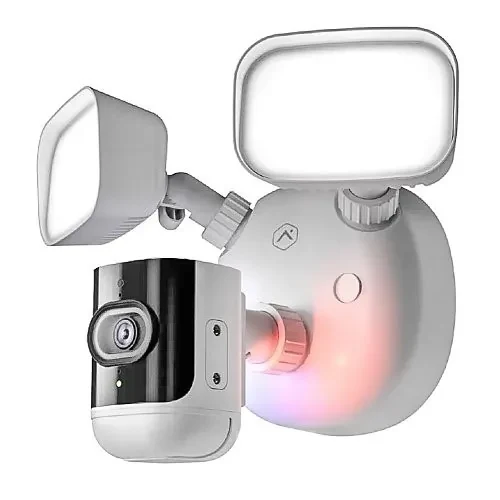
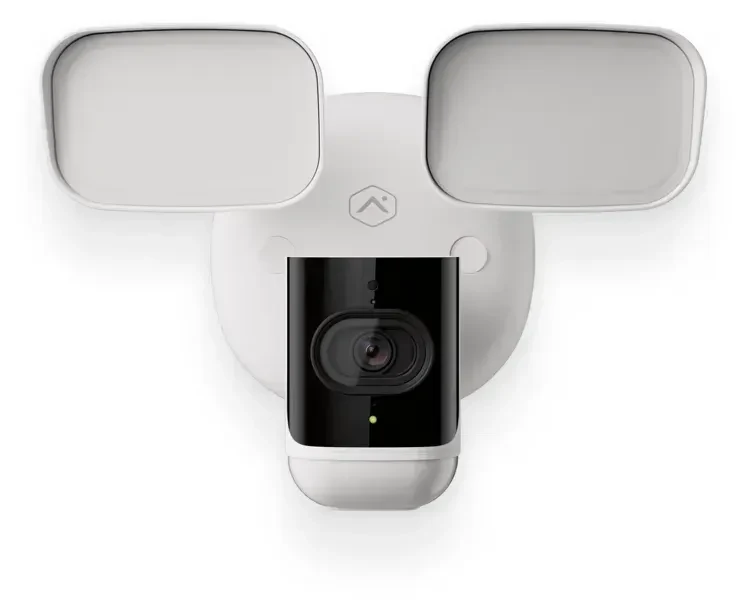
An Alarm.com product photo of a white floodlight camera: one square lamp tilted on its arm, a second lamp above, a round white base with the Alarm.com logo and a pink glow, and a black-faced cylinder camera underneath. A light and camera like this one can be tied into automations in the Alarm.com app on either a 2GIG or a Qolsys system, for example switching on when the alarm trips at night. It is an Alarm.com device, not part of either panel.
Video

Cameras and Doorbells on the Panel

Both panels can show live video from cameras and video doorbells on their screens, so you can see who is at the door without reaching for your phone. On the EDGE, 2GIG says you can view "up to 8 different camera feeds" directly from the panel, four at a time, and lists Alarm.com cameras on the panel, a doorbell on the panel with two-way audio and door unlock, ONVIF camera support, and the SkyBell Wi-Fi video doorbell. The EDGE Remote Keypad also has its own camera, which can stream to the main panel and to other remote keypads.

On the IQ side, Johnson Controls lists Live View and Live Answer on the IQ Panel 5 and the IQ5 Hub (not the screenless IQ5 NS), and LiveView and LiveAnswer on the IQ Panel 4, meaning you can watch a camera and answer a doorbell from the panel. The IQ pages we read did not state how many feeds the panel can show at once, so we do not claim a number. The panels' own front cameras, the EDGE's onboard camera and the IQ Panel 5's 13-megapixel camera, are for disarm photos and, on the EDGE, face recognition; they are not a replacement for a camera covering the room.

How we pair cameras with either panel

For most homes, the simplest arrangement is Alarm.com cameras and an Alarm.com doorbell, because they appear in the same app as the alarm on both brands and show on the panel. For buildings that need more cameras, longer recording or a dedicated recorder, we often install a separate camera system alongside the alarm and link them where it makes sense. Our Alarm.com camera installation in NYC page covers the first approach, and our best security camera brands comparison covers the second. The EDGE's ONVIF support is worth noting for owners who already have standard IP cameras, but how well a given third-party camera works on the panel depends on the camera, and we test before promising it.

White Alarm.com video doorbell with a black camera face at the top and a green-ringed button, 2GIG vs Qolsys NYC
An Alarm.com product photo of a white video doorbell with a rounded body, a black panel around the camera lens at the top, the house-shaped Alarm.com logo below it, and a round button ringed in green light. A doorbell like this can be answered from the screen of a 2GIG EDGE or a Qolsys IQ panel as well as from the phone app. It is an Alarm.com product, not made by 2GIG or Qolsys.
The Platform

Alarm.com: The Service Behind Both Panels

If there is one thing that makes 2GIG and Qolsys more alike than different, it is Alarm.com. Both panels are built to work with it. The EDGE is sold in versions that 2GIG labels "Verizon Alarm.com Panel" and "AT&T Alarm.com Panel," its product page says "Alarm.com compatible," and the GC Touch data sheet says it is "optimized for Alarm.com Scenes." Johnson Controls' chart lists "Full Alarm.com Integration" on the IQ Panel 5, IQ5 Hub and IQ5 NS, and its IQ Pro commercial panel "integrates seamlessly with Alarm.com."

For you, that means the phone app, the notifications, the camera clips, the automation rules and the remote arming and disarming will look much the same whichever panel is on the wall. The differences you will notice in the app come mostly from the sensors and devices each panel supports, not from the app itself. It also means the Alarm.com account matters as much as the panel. When comparing quotes for either brand, ask each company who sets up the Alarm.com account, which app features its plan includes, such as video recording or automations, and what happens to the account if you later change monitoring companies.

Monitoring is a separate choice

Neither 2GIG nor Johnson Controls monitors your alarm. The panel sends its signals to a central station chosen by whoever sells you monitoring, and that station calls you and dispatches police or fire. That is why the monitoring company and its terms matter more than the panel when something actually happens. Our own monitoring runs through a UL-listed central station, and we cover the price in our own section below. If you are being offered either panel with a long monitoring contract, read the contract before you compare the panels.

White Alarm.com floodlight camera with two square lamps above a round base and camera, 2GIG vs Qolsys NYC
An Alarm.com product photo of a white floodlight camera with two square lamp heads on short arms, a round base marked with the Alarm.com logo, and a camera with a black face mounted below. Devices like this live in the same Alarm.com app as the alarm on both 2GIG and Qolsys panels, which is why the phone side of the two systems feels so similar. It is not 2GIG or Qolsys equipment.
Power

Battery Backup and Power Cuts

When the power goes out, the panel switches to its own battery and keeps reporting over cellular. The EDGE and GC Touch data sheets both list a lithium-polymer backup battery rated at 24 hours. Johnson Controls' IQ Panel 5 specification sheet lists an "18650 rechargeable lithium-ion 3,000mAh" battery "rated for over 24 hours," while its family comparison chart describes a "24-Hour Lithium Polymer Backup Battery Preinstalled"; the two documents disagree on the battery chemistry, but agree on the 24-hour rating, so that is the figure we use. For the IQ Panel 4, Johnson Controls' product page did not state a battery rating; dealer documents describe a 3,000 mAh lithium-ion battery with up to 24 hours of standby.

On paper, then, the two brands are level: about a day on battery. In practice the hours depend on how much the panel is doing. A bright screen, a cellular radio in a weak spot, Z-Wave traffic and camera streaming all draw power, so a panel that is quiet in a closet will outlast one that is busy in a hallway. Wireless sensors have their own batteries and keep working through a power cut; hardwired sensors draw power from the panel or from a takeover module, which is one more reason to check battery health on an older system.

The UL fire listing footnote

Both makers list their panels under UL 985, the standard for household fire warning equipment. For older 2GIG panels such as the GC2e, 2GIG's own installation guide noted that the standard battery did not support UL 985 installations and that a heavier console battery pack was required to meet the secondary power requirement. We have not seen the same note for the EDGE or the IQ panels, but it is a reminder that a panel used for smoke and heat detection should be installed to the listing, with the right battery and the right sensors, and not just switched on. Where a building needs a code-required fire alarm system, that is a different system altogether; our fire alarm installation in NYC page covers it.

Takeovers

Taking Over an Old Wired Alarm: Brownstones, Walk-Ups and Stores

A large share of the alarm work in New York is not a brand-new system in an empty house. It is a brownstone with a Honeywell or DSC keypad from the 1990s, contacts wired into every parlor-floor window and a motion detector in the cellar; a walk-up with an old panel in the basement that no longer reports to anyone; or a store with wired door contacts and a rolling-gate switch that the last owner stopped paying to monitor. The cable in those walls is often the most valuable part of the system, because pulling new cable through plaster and brick is slow, messy work. Both 2GIG and Johnson Controls make it possible to keep that wiring and put a modern touchscreen panel on top.

The 2GIG way: a takeover module

2GIG's 345S Wireless Hardwire Takeover Module (2GIG-TAKE100-345) sits beside the old wiring and, in 2GIG's words, "converts 8 zones per module (additional modules may be added)." It can be powered by the existing alarm panel and use that panel's backup battery, supports up to 500 mA for wired motion and glass-break detectors, and supports encryption through an on-board switch. 2GIG's product description adds two limits worth knowing before anyone promises you a takeover: the module "cannot be used to monitor Carbon Monoxide (CO) or Fire detection zones" and is "intended for indoor use only." The EDGE itself also has two wired zones and a wired bell output on the panel.

The Qolsys / IQ way: IQ Hardwire PG or IQ Pro

Johnson Controls offers the IQ Hardwire PG, which it describes as a wired-to-wireless upgrade and expansion module that can "add eight hardwired zones to IQ Pro and IQ Panels" over encrypted PowerG. It supports normally open, normally closed, single and double end-of-line wiring, has a supervised 12-volt, 700 mA siren output, and, unlike the 2GIG module, "supports CO and four-wire smoke detectors." For bigger jobs, the IQ Pro is a commercial hybrid panel with eight hardwired zones on board, addressable two-wire loops, up to 16 hardwired keypads, and room for 128 zones, available in a metal or plastic cabinet. The IQ5 family chart also lists "Hardwired Support" across the Panel 5, Hub and NS through IQ hardware on PowerG.

How we choose for an old wired system

If the old wired loops include smoke or carbon monoxide detectors that the owner wants to keep, the IQ route has the edge on paper, because 2GIG's takeover module excludes those zones and the IQ Hardwire PG lists them. For a store or office with many wired zones, keypads at several doors or a need for many user codes, the IQ Pro is the natural fit. For a house or brownstone with burglary-only wired loops and a set of 345 MHz wireless sensors added over the years, a 2GIG EDGE with one or two takeover modules can reuse almost everything. On any takeover, we first test every wired zone for faults, check the old panel's power supply and battery, and confirm what the old devices actually are. A takeover is only as good as the oldest sensor in it, and some old smoke detectors and contacts are due for replacement whatever panel goes on the wall.

Our alarm installation in NYC page notes that if an existing panel still works, we can often take over monitoring by reprogramming it rather than replacing it at all. That is the cheapest path, and on some systems it is the right one; a new 2GIG or Qolsys touchscreen makes sense when the owner wants the app, cameras, smart-home control and a cellular path that the old panel cannot give.

Grey door with a lever handle at the end of a white hallway with two small wall plates, 2GIG vs Qolsys NYC
From our job photo files, not tied to a specific New York building: a grey door with a lever handle at the end of a short white hallway, a tiled floor, a drop ceiling, and two small dark plates on the wall to the right. Back and side doors like this one, often wired years ago, are what a takeover module keeps on the new panel, whether it is a 2GIG or a Qolsys system. No alarm panel brand is identified in this photo.
Buying

Installer-Only or Do It Yourself? How You Can Buy Each Panel

Neither 2GIG nor Johnson Controls sells its panels directly to homeowners on its own site. 2gig.com sends buyers to a dealer and installer finder and markets the EDGE as "revolutionizing the pro-install security market." The IQ site offers "Find a dealer," invites security companies to become IQ dealers, and lists its panels' features in terms aimed at installers, such as the "IQ Installer Interface" and SmartMount. Both lines are designed to be installed and supported by a security company.

That said, some online dealers sell these panels to do-it-yourselfers along with monitoring. One dealer we found in the search results, Surety, calls the IQ Panel 4 and IQ Panel 5 "the most capable DIY Alarm.com security panels." If you go that route, you will be programming zones, enrolling sensors and setting up the Alarm.com account through that dealer's tools, and you will be the one on the ladder. For an apartment with a handful of wireless sensors, a capable owner can do it. For a takeover of an old wired system, a multi-floor house, or anything involving smoke and carbon monoxide detection, we would not recommend it; the mistakes that matter, a zone programmed with the wrong response or a sensor that only reports from one side of the house, do not show up until the night you need them.

The licence question in New York

New York State requires anyone in the business of installing, servicing or maintaining security or fire alarm systems to hold a licence from the Department of State. That rule is about who you hire, not about what you do in your own home, but it is the first thing to check on any company quoting you a 2GIG or Qolsys panel. Our licence number is 12000287431, and you can look up any installer on the Department of State's licensee search. Our ADT vs SimpliSafe vs local installer page covers the licensing law in more detail.

After the Sale

Warranty, Updates and Who Fixes It Later

This is the one area where 2GIG publishes a clearer promise. The 2GIG EDGE data sheet and the GC Touch data sheet both state "Warranty: Limited 3 years," and 2gig.com links to Nice North America's warranty and returns page from its footer. On the Johnson Controls side, the current IQ Panel 5 and IQ Panel 4 product pages and the IQ Panel 5 specification sheet we read did not state a warranty term. The most recent Qolsys warranty document we could find, dated April 24, 2017 and still hosted on a Qolsys dealer site, warranted panels and sensors for "one year from date of purchase or two years from the product's manufacturing date code, whichever occurs earlier." Johnson Controls' IQ Pro reference manual, for its commercial panel, gives twelve months from the date of purchase. Because the 2017 document predates the IQ Panel 5, we treat the current IQ panel warranty as not confirmed, and we would ask the dealer to put it in writing.

A maker's warranty is about defects in the product; who pays for the visit to diagnose a fault and swap a part is a separate question. That makes the installer's own terms important for either brand. Ours are set out in our service agreement, and we install and service both brands.

Software updates

Both panels update their firmware. The EDGE and GC Touch data sheets list over-the-air and USB updates, and 2GIG's EDGE 1.3 release added E+ sensor support, sensor signal-strength readings, normally-open programming for select sensors, and Z-Wave backup and restore through Alarm.com. The IQ Panel 5 runs Android 14 on a Qualcomm DragonWing processor with 32 GB of storage, which Johnson Controls presents as a platform for "new AI features and smart device integrations"; the IQ Panel 4 runs Android 9. We do not treat promised future features as a reason to buy either panel. What we look at is whether a panel is still listed and supported today, and on November 14, 2026, both the EDGE and the IQ Panel 5, as well as the GC Touch and the IQ Panel 4, were all listed on their makers' sites.

Bronze-sided Alarm.com video doorbell with a black face and a long green-lit button, 2GIG vs Qolsys NYC
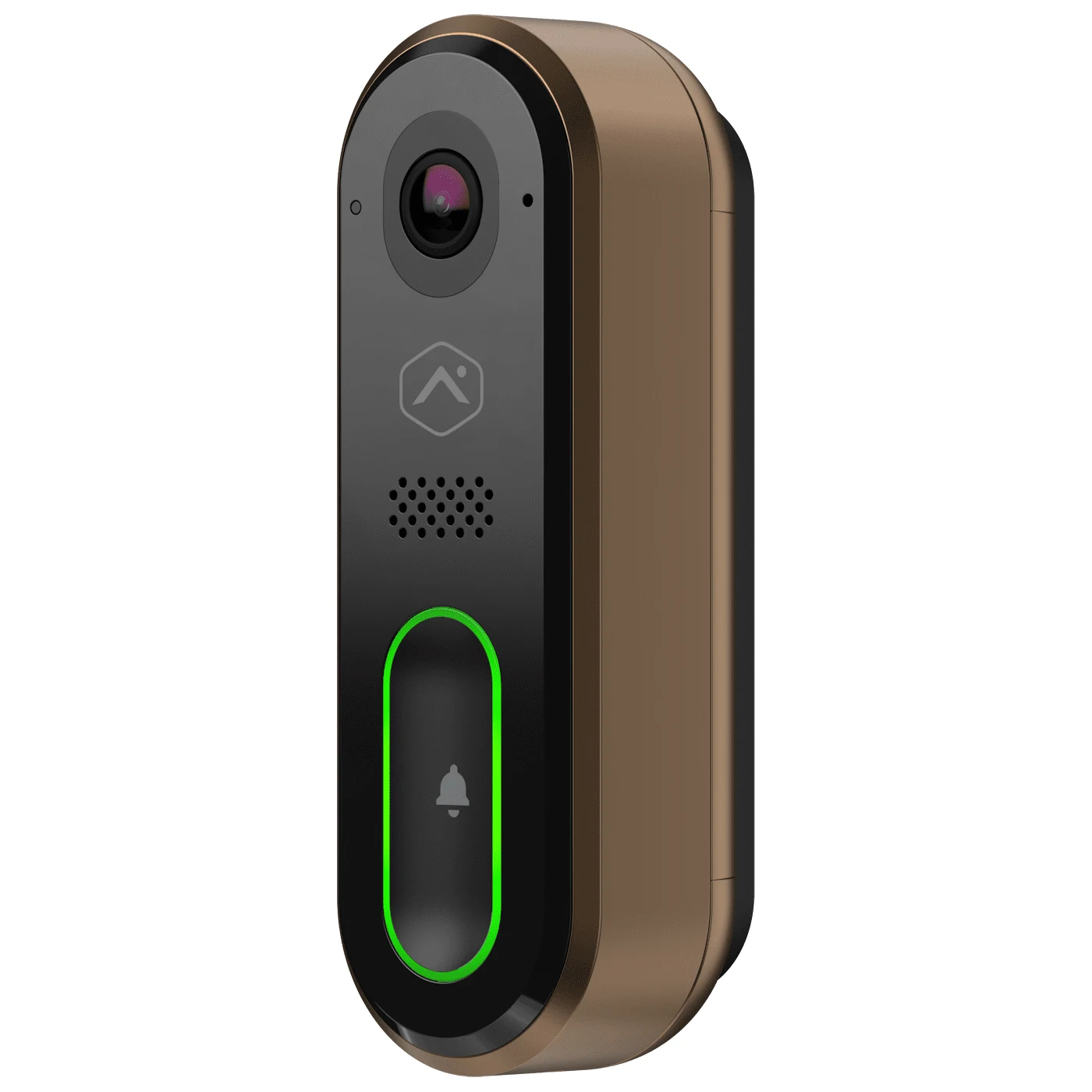
An Alarm.com product photo of a slim video doorbell with a black face, bronze-colored sides, a camera and speaker grille at the top and a long button outlined in green light. Accessories like this carry their own warranty from their own maker, separate from the 2GIG or Qolsys panel they connect to, which is worth remembering when a system has parts from several companies. It is not a 2GIG or Qolsys product.
By Property

2GIG or Qolsys for Each Kind of New York Property

New York buildings are not generic, and the right panel depends on the building as much as the owner. Here is how we usually call it, with the reason, for the properties we see most. Every one of these is a starting point that the walk-through can change.

  • Co-op or condo apartment, owner-occupied: either panel works. With a few doors and windows on one floor, range is rarely an issue. We lean to the IQ Panel 5 for a new install because of the screen and dual-band Wi-Fi in a crowded building, or a GC Touch where the budget matters more than the extras. Check your building's rules before drilling.
  • Brownstone or townhouse with an old wired alarm: start with what is in the walls. Burglary-only wired loops and existing 345 MHz sensors point to a 2GIG EDGE with takeover modules. Wired smoke or carbon monoxide detectors that must stay on the system point to the IQ route with the IQ Hardwire PG.
  • Brownstone or townhouse starting fresh: IQ Panel 5 with PowerG+ sensors, often with a remote keypad on another floor. Long-range two-way sensors handle the cellar, the garden door and the top floor better than standard sensors, and the encrypted radio is built in.
  • One- or two-family house in Queens, Staten Island or the outer Bronx: either panel. A detached garage, a side yard or a basement apartment is where the long-range options earn their place, either PowerG+ on the IQ or E+ on the EDGE. If each unit needs its own arming, both flagships offer up to four areas.
  • Walk-up or small apartment building: for common doors, the basement and the roof hatch, either panel can be partitioned into areas. For a building with many residents or staff needing codes, the IQ panels' 242 user codes go further than the EDGE's 100.
  • Store, deli or restaurant: an IQ Panel 5 or 2GIG EDGE covers a small shop well. A shop with a basement, several wired zones and staff codes is often better on the IQ Pro, a commercial hybrid panel; the IQ Panel 5 lists a UL commercial burglary listing (UL 2610) too.
  • Office or medical suite: both work. User codes, partitions for a separate records room, and integration with door access usually decide it; the IQ family scales further for commercial needs.
  • A system someone else already installed: keep the brand unless there is a reason to change. A working 2GIG system can often be upgraded to an EDGE and keep its sensors; a working Qolsys system can move to an IQ Panel 5 and keep its PowerG devices.

For neighborhood-level detail on how we approach different streets and building types, our borough pages cover alarm installation in Brooklyn, Queens, the Bronx, Manhattan and Staten Island. Two of our neighborhood pages describe the panels we install there by name: alarm installation in Midwood, where most new systems we put in use 2GIG panels with built-in cellular, and alarm installation in Allerton, which lists both Qolsys IQ Panel 4 and 2GIG among our preferred wireless panels.

Existing Systems

Already Have a 2GIG or Qolsys Panel? Keep, Upgrade or Replace

Many people searching this comparison already own one of these panels, often a 2GIG GC2 or GC3 or a Qolsys IQ Panel 2 or IQ Panel 4, and want to know whether to stay, upgrade or switch. Here is what we tell them.

If you have an older 2GIG panel

Your sensors are almost certainly 345 MHz. 2GIG's EDGE and GC Touch both read 345 MHz 2GIG sensors, and the EDGE data sheet says it reads older 2GIG and Honeywell sensors too, so upgrading the panel can keep most of the sensors on the walls. That is usually the cheapest path to a new touchscreen, current cellular and newer Z-Wave. Switching to an IQ Panel 5 is possible with a 345 MHz legacy card, but you would be paying for PowerG+ and using it only for new devices. We recommend switching brands mainly if you plan to replace most sensors anyway, or if your building needs the long-range two-way sensors that standard 345 MHz devices cannot match.

If you have a Qolsys IQ Panel 2 or IQ Panel 4

If your panel already uses PowerG sensors, staying in the IQ family keeps them; the IQ Panel 5 has PowerG+ built in. If your IQ panel runs on a legacy frequency card, the Panel 5's add-on cards can keep those sensors too, according to Johnson Controls. An IQ Panel 4 in good working order is still a capable panel, and still listed by Johnson Controls; there is no urgency to replace it simply because a newer one exists. The reasons to move to a Panel 5 are the newer Z-Wave 800 radio, Bluetooth 5.0, dual-band Wi-Fi, a 13-megapixel camera and Android 14.

If your panel is locked or tied to another company

Panels installed by large national companies are sometimes locked to that company's programming or account. Before we promise to take over any panel, 2GIG or Qolsys, we confirm whether we can get into its installer programming and whether its Alarm.com account can be moved. If not, a new panel that reuses the sensors is often still possible, but we tell you that before you cancel your old service, not after.

Small motion sensor low on a blue-grey wall below a wall camera, green leaves at the edge, 2GIG vs Qolsys NYC
A photo from our job library, not tied to a specific New York address: a black camera on a short arm high on a blue-grey wall, a small white sensor mounted lower down above a drop ceiling with light panels, and green plant leaves at the left edge of the frame. Sensors already on the walls are what decide whether an owner upgrades within the same panel brand or switches between 2GIG and Qolsys. The brand of the devices here is not identified.
Reality Check

What Reviews and Forums Get Wrong About 2GIG vs Qolsys

When we searched "2GIG vs Qolsys" on November 14, 2026, the results were dealer blogs from Missouri, Arkansas and Los Angeles, online dealers such as Alarm Grid and Surety, Reddit threads, a CocoonTech forum thread, an Aqara forum post, installer groups on Facebook and several YouTube comparisons, some going back to the IQ Panel 2 and the 2GIG GC3. Plenty of it is useful. A few points come up again and again that we would correct or add to.

  • "IQ Panel 4 vs EDGE" is no longer the flagship comparison. Many of the top results compare the IQ Panel 4 with the EDGE. Johnson Controls now lists the IQ Panel 5 as its flagship, with a higher-resolution camera, Z-Wave 800 Long Range, Bluetooth 5.0, dual-band Wi-Fi and Android 14. The IQ Panel 4 is still sold, but a comparison that stops there is out of date.
  • "Qolsys" is now "IQ." The ranking pages we looked at do not mention that qolsys.com now redirects to Johnson Controls' IQ site, or that the panels are listed without the Qolsys name. It matters when you search for manuals, firmware notes or a dealer, and it is the same product.
  • Range figures are best-case numbers. "Miles" of range for PowerG or E+ is the makers' headline, and 2GIG itself prints that range "can vary depending on building materials." In a New York rowhouse, plan for the building, not the brochure.
  • "2GIG is cheaper" is about the panel, not the job. 2GIG describes the GC Touch as value-priced and two of the dealer blogs in the results call 2GIG the more affordable choice up front. On a real install, sensors, labour and the condition of the building usually cost more than the difference between panels, and reusing existing sensors can swing the total either way.
  • "Qolsys is easier to use" is opinion. An online dealer's forum answer says the Qolsys panel is easier to use, with more frequent updates, and an installer in a Facebook group said the IQ Panel 4 "isn't as robust for hardwired zones and can be a pain to mount." Both are fair opinions from people who install them; neither is a specification. Johnson Controls' answer on hardwired zones is the IQ Hardwire PG and the IQ Pro.
  • Nobody mentions old wiring. National articles assume an empty house. In New York, the old wired alarm already in the walls is often the deciding factor, and the two makers handle it differently, as covered above.

We also read the reversed search, "Qolsys vs 2GIG," and found the same pages in a different order, so this one page answers both. If you have read a claim elsewhere that is not covered here, send it to us and we will tell you whether it matches the makers' current pages.

Our Installed Prices

We Install Both: Here's What We'd Put on Your Property

We install and service both 2GIG and Qolsys panels, along with Honeywell, DSC, Napco, Bosch and DMP, so we do not need to steer you toward one. On a typical new house or brownstone install we would put in an IQ Panel 5 with PowerG+ sensors. On a takeover of a system with good 345 MHz sensors, or for a household that wants face-recognition disarm, we would put in a 2GIG EDGE. For a simple apartment on a tight budget, a GC Touch. For a store with several wired zones and staff codes, an IQ Pro or a hybrid system. The final choice comes after we have seen the building.

These are our own installed prices for New York City, taken from our alarm installation in NYC page. They are starting points for real installs, cover equipment and labour for the scope described, and are not comparable line by line with a panel's spec sheet or any retail listing, which is why they sit here on their own. Exact prices follow a look at the property.

  • Basic residential, from $600: alarm panel installation, 4 to 6 door and window sensors, one motion sensor, a keypad, a cellular communicator, central station monitoring setup, app configuration, and full testing and training. A basic wireless system like this typically runs $600 to $1,200 all-in.
  • Complete home protection, from $2,500: as listed on our NYC page, a premium Honeywell or DSC panel, 10 to 15 door and window sensors, 3 to 4 motion sensors, two glass-break detectors, smoke and carbon monoxide detection, indoor and outdoor sirens, app control and 24/7 central station monitoring, ready for cameras. If you want the same scope on a 2GIG or Qolsys panel, your written quote will show the price for that panel.
  • Commercial or business, from $1,500: a commercial-grade panel, 8 to 12 door and window sensors, motion and glass-break detectors, keypads at the entries, access control and camera integration, and central station monitoring with police dispatch.
  • Hardwired systems with full coverage: $2,000 to $6,000, depending on the number of sensors, the panel and whether cameras are integrated. A typical three-story brownstone runs $2,500 to $5,000 installed, and a hybrid brownstone system with hardwired perimeter and wireless interior sensors is budgeted at $2,500 to $6,000.
  • Panel replacement on an existing system: $800 to $1,500 for a modern Honeywell or DSC panel, cellular communicator, new keypad and reprogramming, as our NYC page lists it. A 2GIG or Qolsys touchscreen in place of the old panel is quoted in writing after we see what is there.
  • Multi-unit buildings: a basic per-unit setup with door sensors, a motion detector and monitoring runs $400 to $800 per unit installed.
  • Adding cameras to an alarm: $1,000 to $2,500 for cameras, as our NYC page lists for camera and alarm integration.
  • Our monitoring: $30 a month keypad-only or $45 a month with the phone app, with no long-term contract.

NYC sales tax (8.875%) applies. Jobs under $500 are paid in full up front, and larger jobs take a 50% deposit, as set out in our service agreement. To rough out a system before calling, try our alarm cost calculator.

Why there are no panel prices on this page

Neither 2GIG nor Johnson Controls publishes a price for its panels, and dealer prices move with promotions and stock. More to the point, the panel is a minority of what an installed alarm costs. The sensors, the labour to place and test them, cable runs in old buildings, and the monitoring over the years you stay are what set the total. The honest comparison is the installed cost of a system that covers your building, on each panel, and that is what our written quote shows.

Small white wall sensor to the left of a small black camera on a pale grey wall, 2GIG vs Qolsys NYC
From our own job files, not a specific New York address: a small white sensor on a pale grey wall, with a small black camera on a short mount to its right casting a long shadow down the wall. On an installed system, sensors like this one, and the labour to place and test each of them, make up more of the price than the panel does, whichever brand the panel is. The brand of these devices is not identified.

Have a Panel Already? Start Here

The fastest way to get a useful answer from us is three photos: the front of the keypad or touchscreen, the label on the back or inside the panel door if you can see it safely, and any sticker with an alarm company's name or a model number on it. Add a rough count of the doors, windows and rooms you want covered, and anything unusual, such as a roof hatch, a basement entrance, a rolling gate or a detached garage. Send them by text or WhatsApp and we will tell you whether you are looking at a reprogram, an upgrade within the same brand, a takeover onto a new 2GIG or Qolsys panel, or a new system. If you are also choosing cameras, start with our security camera brands comparison.

Get In Touch

Request a Free Quote

Tell us the address or nearest cross streets, the kind of building, what alarm you have now (if any), which doors and windows matter most, and whether you lean toward 2GIG or Qolsys or have no preference. An installer will phone you back with a recommendation and an installed price for your building. Or call us directly at (800) 486-0943.

✅
Request Sent!
Received. One of our licensed installers will phone you inside 2 hours on business days.

Full terms — including 50% deposit, one-year parts-only warranty on Abstract Enterprises Security Systems-supplied products, and the late-fee schedule — are set out in the service agreement.

Our Process

How We Choose and Install a 2GIG or Qolsys Panel

1. Walk the building

We walk every door, window, stair, cellar, roof hatch and yard to be protected, and note what can be reached from the street, a fire escape or a neighbor's roof.

2. Identify what is there

Any existing panel, keypad and sensor is identified by its label, its radio frequency is noted, and old wiring is tested before anything is reused.

3. Check signal

We check cellular signal at the planned panel spot on both carriers and look at what lies between each sensor location and the panel.

4. Choose the panel

We recommend a 2GIG or Qolsys panel, or another brand, based on the sensors worth keeping, the building, the codes and areas needed and the budget.

5. Quote in writing

The written quote lists the panel, every sensor and where it goes, the monitoring options and our installed price, with no long-term contract required.

6. Install and test

The panel, takeover modules and sensors go in, each sensor's signal is recorded, and every zone is tested against the central station.

7. Set up the app and codes

We set up Alarm.com, user codes, areas, Bluetooth or face disarm where wanted, and walk the household or staff through arming and cancelling a false alarm.

8. Hand over in writing

The owner gets the codes, the zone list, the monitoring details and our service agreement, so the system stays theirs whoever monitors it later.

FAQ

2GIG vs Qolsys FAQ

Which is better, 2GIG or Qolsys?
+

For most new installs we prefer Qolsys, now sold as the IQ Panel 5 by Johnson Controls, because it has encrypted long-range PowerG+ sensors built in, a 1280 × 800 screen, a 13 MP camera and dual-band Wi-Fi. 2GIG is the better pick when you are keeping working 345 MHz sensors, want face-recognition disarm on the EDGE, or want the value-priced GC Touch.

Is Qolsys vs 2GIG the same comparison as 2GIG vs Qolsys?
+

Yes. People search the two names in both orders and mean the same thing, so we cover both on this one page, including the older IQ Panel 4 and the 2GIG GC Touch.

What is the difference between the 2GIG EDGE and the Qolsys IQ Panel 5?
+

Both are 7-inch touchscreen panels with LTE, Wi-Fi, Z-Wave, Bluetooth disarm, 2-way voice and Alarm.com. The EDGE adds face-recognition disarm and reads 345 MHz 2GIG and Honeywell sensors natively. The IQ Panel 5 adds built-in PowerG+, a 13 MP camera, 5 GHz Wi-Fi, Z-Wave 800 Long Range and up to 242 user codes.

Is Qolsys still a brand, or is it called IQ now?
+

Qolsys is part of Johnson Controls. On November 14, 2026, qolsys.com redirected to iqsecurityproducts.com, where the panels are listed as IQ Panel 5, IQ Panel 4 and so on. A Qolsys IQ Panel 5 and an IQ Panel 5 are the same product.

Can a Qolsys panel use my old 2GIG or Honeywell sensors?
+

Often, yes. The IQ Panel 5 takes add-on radio cards for legacy 319.5, 345 or 433 MHz sensors, and 2GIG and Honeywell wireless sensors are 345 MHz. Each old sensor still needs testing, and older sensors keep their old, unencrypted one-way radio.

Can a 2GIG EDGE use PowerG sensors?
+

2GIG does not list PowerG among the EDGE's sensor families. Its data sheet and catalog list eSeries encrypted sensors, 345S sensors, E+ 900 MHz extended-range sensors (firmware 1.3 or later) and older 2GIG and Honeywell sensors.

Do 2GIG and Qolsys panels work with Alarm.com?
+

Yes. The EDGE is sold as a Verizon or AT&T Alarm.com panel and the GC Touch is optimized for Alarm.com Scenes. Johnson Controls lists full Alarm.com integration on the IQ Panel 5, IQ5 Hub and IQ5 NS.

Which panel has the better wireless range?
+

Both makers publish long ranges for their newest sensors: up to 1.2 miles for 2GIG's E+ door sensor and up to 2,500 ft for a PowerG+ door sensor. Those are best-case figures; 2GIG notes range varies with building materials. In brick and plaster buildings, panel placement and repeaters matter more than the headline number.

How long does the backup battery last on each panel?
+

About a day on both. 2GIG lists a 24-hour lithium-polymer battery on the EDGE and GC Touch. Johnson Controls rates the IQ Panel 5's 3,000 mAh lithium battery for over 24 hours. Actual hours depend on screen use, cellular signal and connected devices.

Can I install a 2GIG or Qolsys panel myself?
+

Both makers sell through dealers and installers, and some online dealers sell IQ panels to do-it-yourselfers. It is workable for a small apartment. For takeovers of wired systems, multi-floor houses, or smoke and carbon monoxide detection, we recommend a licensed installer.

What warranty do 2GIG and Qolsys panels have?
+

2GIG's EDGE and GC Touch data sheets state a limited 3-year warranty. Johnson Controls' current IQ Panel 5 and IQ Panel 4 pages did not state a term; the last Qolsys warranty we found, from 2017, was one year from purchase or two years from the manufacturing date code, whichever came first.

Can either panel take over a wired alarm in a brownstone?
+

Yes. 2GIG's takeover module converts 8 wired zones per module but cannot be used for carbon monoxide or fire zones. Johnson Controls' IQ Hardwire PG adds 8 hardwired zones to IQ panels and supports CO and four-wire smoke detectors; the IQ Pro is a hybrid panel for larger jobs.

What does Abstract Enterprises Security Systems charge to install an alarm in NYC?
+

Our basic residential alarm starts at $600 installed, with a panel, 4 to 6 door and window sensors, a motion sensor, keypad and cellular communicator. Complete home protection starts at $2,500, business systems at $1,500, and our monitoring is $30 a month keypad-only or $45 with the app, with no long-term contract.

Do you install both 2GIG and Qolsys panels?
+

Yes. We install, take over and service both, along with Honeywell, DSC, Napco, Bosch and DMP. We recommend the panel after seeing the building and what is already on the walls, and the written quote shows the installed price for that panel.

Ready to Choose Between 2GIG and Qolsys?

Tell us what the building is like and what is on the wall now, and we will give you a straight answer: keep and reprogram, upgrade within the same brand, take over the old wiring onto a new 2GIG or Qolsys panel, or start fresh. Call or text (800) 486-0943, send a WhatsApp photo of your panel or keypad, or fill in the request form. We are a licensed New York State alarm installer (NYS #12000287431), owner-operated since 2002, rated 4.7★ across 201 Google Reviews, and every request is booked within 2 hours.