What are you looking for?
About Us Contact Us Careers Get a Free Quote (800) 486-0943
Pick a service
โœ… Got Your Own System?
๐ŸŽฌ Home TheatreQuote ๐ŸŽถ AV SoundQuote ๐Ÿ”‘ Access ControlQuote
Now pick your area
Pick your area
Long Island
Hudson Valley
Services available
Pricing & Tools
Pick a service for pricing
๐Ÿšช Intercom Pricing ๐Ÿ”” Buzzer Repair Pricing
Calculators
๐Ÿ“น Camera System Calculator ๐Ÿšจ Alarm Calculator โšก Cabling Quote Builder โœ… Got Your Own System?
Select your area
Torn between a Ring doorbell and an Arlo camera kit? Ask the crew that installs both: (800) 486-0943
Home โ€บ Best Security Camera Brands โ€บ Ring vs Arlo
Installer Head-to-Head ยท Doorbells, Floodlights and Wi-Fi Cameras ยท Specs From Ring.com and Arlo.com ยท NYC Installed Prices

Ring vs Arlo:
Which Security Camera System Is Better?

Doorbells, Outdoor Cameras, Floodlights, Plans, Local Storage and Smart-Home Fit Compared ยท Also Searched as Arlo vs Ring ยท Updated for 2026

Ring vs Arlo has a clear winner for most New York homes, and it is Ring: its plans keep video for up to 180 days against Arlo's 60, its whole-home plan costs less per month, and it sells hardwired and Power over Ethernet doorbells and cameras that never need a battery swap on a cold January morning. Arlo wins in Google and Apple homes, on the widest doorbell view, and in spots where no wire can reach. Neither brand forces a plan on you, but both keep recorded video behind one.

Quick answer: Choose Ring for an Alexa household, a wired or PoE front door, and the longest cloud video history for the money; choose Arlo for Google Home or Apple Home, a 180-degree doorbell view, or cameras that must run on batteries. Installed in NYC by us, four Ring cameras start from $1,350 and four Arlo cameras start from $1,110 on our current price lists, with mounting, a wire run up to 100 ft per camera and app setup included; recording is on the brand's own plan. Requests are booked within 2 hours.

These two brands rarely meet on a review site the way they meet on our jobs. A Ring doorbell goes on the stoop of a Bed-Stuy brownstone and the owner asks whether Arlo cameras can watch the backyard. An Arlo battery camera in a Queens driveway dies every few weeks in winter and the owner wants to know if Ring would have been different. A co-op shareholder in Riverdale wants a doorbell that rings on their phone but cannot drill the building's door frame. This page compares the two the way those jobs force us to: power, Wi-Fi, cold, storage, plans, smart-home fit, and what holds up after the second winter. Facts come from Ring's and Arlo's own product, spec and plan pages. Opinions come from installing both.

Reviewed and updated November 6, 2026, against Ring's product and tech-spec pages for the Battery Doorbell 4K Pro and the rest of its current doorbell line, the Outdoor Cam 4K Pro, the Outdoor Cam 2K and the Floodlight Cam Plus; Ring's Ring Protect plans page and its support article on Ring Edge local storage with Ring Alarm Pro; Arlo's spec sheets for the Video Doorbell 2K (2nd Gen, AVD4001), the Pro Security Camera 2K (6th Gen, VMC4070), the Ultra Wireless Security Camera 4K (3rd Gen, VMC5050), the Essential Security Camera Plug-in (VMC3081) and the Wired Floodlight Camera (FLW2001); Arlo's Secure plans page, its support article on SmartHub and Base Station local storage, and its product warranty page; and a live check of what ranks for "ring vs arlo" (security.org, SafeHome.org, U.S. News, Modern Castle, Tom's Guide, IP Cam Talk, Buffalo Alarm, YouTube, the Arlo Community and Reddit's r/arlo, r/Ring, r/homesecurity and r/homeowners). Installed prices come from our own NYC Ring and Arlo price pages. We could not capture Google's People Also Ask panel in our build environment, and where a manufacturer page did not confirm a detail, this page says so instead of guessing. ยท Anwar Timothy, NYS license #12000287431 ยท crews dispatched from our Troy Avenue office in Brooklyn
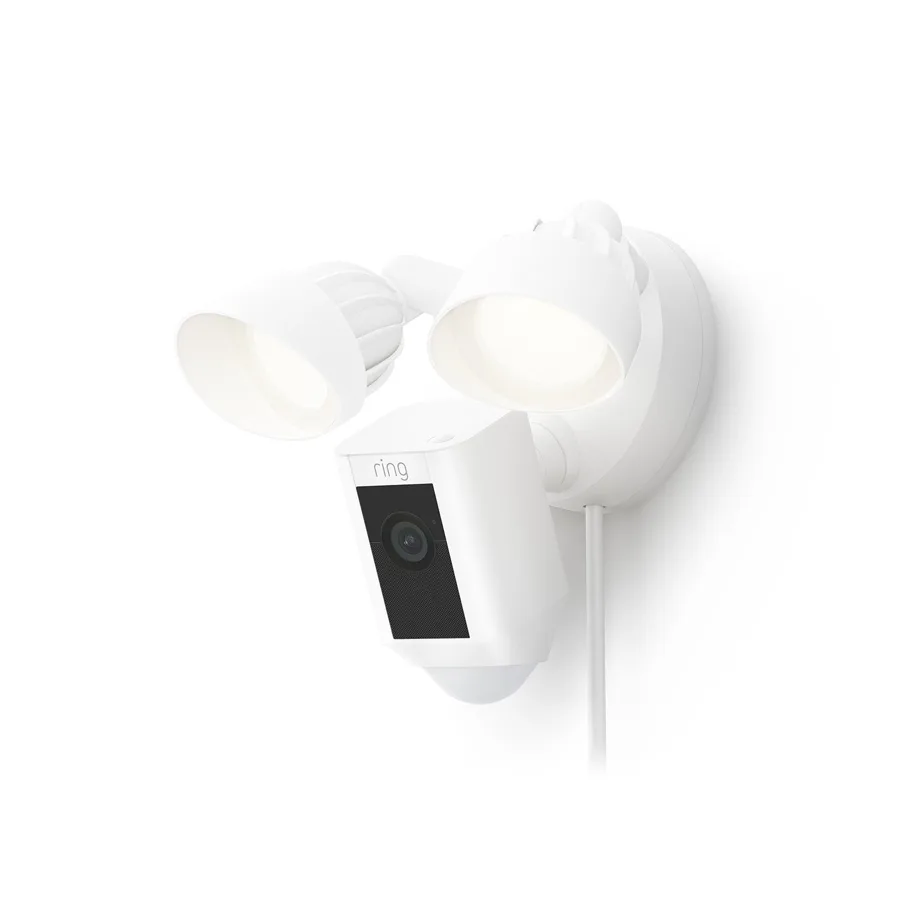
White Ring floodlight camera with two lamps and a power cord, Ring vs Arlo NYC comparison
A Ring product photo of a white floodlight camera: two round lamps on adjustable arms, the camera body with the Ring logo below them, a motion sensor at the bottom and a power cord running down from the mount.
Ring or Arlo for My Door?
Tell us the property and what you want covered, and a technician calls back with an honest pick between the two, or a wired option if neither fits

โœ…
Request Sent!
Thank you. A technician will call you back within 2 hours during business hours with a Ring or Arlo recommendation for your property.
25+
Years Experience
2
Brands Installed Side by Side
100%
Licensed & Insured
4.7โ˜…
201 Google Reviews

Owner-operated since 2002 ยท Thousands of jobs completed ยท Booked within 2 hours

The short version, for people comparing two boxes on a phone screen. Ring and Arlo are both cloud-first camera brands. Both sell video doorbells, outdoor cameras and floodlights; both run everything through their own app; both give you live view and motion alerts without paying; and both put saved video history, smart detection and most of the clever features behind a monthly plan. The differences that matter fall into five places. First, how long the plan keeps your video: Ring's plans page says up to 180 days, and every Arlo Secure plan lists 60-day video history. Second, what the plan costs for a whole house: Ring Multi covers every device at one address for $9.99 a month, while Arlo's cheapest plan for more than one camera, Smart Aware Unlimited, is $19.99 a month. Third, power: Ring sells the same camera in battery, plug-in, hardwired and Power over Ethernet versions, and the Arlo models we compared are battery, plug-in or mains-wired, with none on PoE. Fourth, smart-home fit: Ring's pages list Alexa, while Arlo's spec sheets list Alexa, Google, and on some models Apple Home and SmartThings. Fifth, the doorbell itself: Arlo's 2K doorbell shows a square, 180-degree diagonal picture, and Ring's current doorbells show 140 degrees by 140 degrees.

Put plainly: if your home already talks to Alexa, if the front door has a doorbell wire or you can bring a network cable to it, and you want the longest video history for the least money, we lean Ring. If your phone and speakers are Google or Apple, if the cameras must go where no power exists, or if you are a renter who will take the whole system to the next apartment, Arlo is the sensible pick and costs a little less to install with us. The rest of this page shows where each of those statements comes from and how it plays out on real New York doors, yards and storefronts.

Side by Side

Ring vs Arlo Compared in One Table

Neither brand sells one "system," so we matched like with like: each brand's current flagship doorbell, its top outdoor camera, its plug-in camera, its wired floodlight, and the plans and storage behind them. Ring models: Battery Doorbell 4K Pro and the wider Ring doorbell line, Outdoor Cam 4K Pro, Outdoor Cam 2K and Floodlight Cam Plus. Arlo models: Video Doorbell 2K (2nd Gen), Pro Security Camera 2K (6th Gen), Ultra Wireless Security Camera 4K (3rd Gen), Essential Security Camera Plug-in and Wired Floodlight Camera. Every cell comes from the manufacturer's own product page, spec sheet, plan page or support article, checked on November 6, 2026. Where a page did not state something, the cell says "not stated." Plan prices are the manufacturers' own. Our installed prices sit in their own section further down and are never set beside a store price.

What we comparedRingArlo
Top doorbell resolution and viewBattery Doorbell 4K Pro and Wired Doorbell 4K Pro: "Retinal 4K" HDR video, 140ยฐ horizontal by 140ยฐ vertical, up to 10x Enhanced Zoom on the battery modelVideo Doorbell 2K (2nd Gen): 1944 ร— 1944 square video with HDR, 180ยฐ diagonal, 12x digital zoom
Top outdoor cameraOutdoor Cam 4K Pro: 3840 ร— 2160, 140ยฐ horizontal by 85ยฐ vertical, 85 dB siren, radar-based 3D Motion DetectionUltra 4K (3rd Gen): 3840 ร— 2160 with HDR, 180ยฐ diagonal, auto-zoom and tracking, spotlight and siren; Pro 2K (6th Gen): 2560 ร— 1440, 160ยฐ diagonal
Power optionsBattery, plug-in, hardwired and Power over Ethernet versions across the line; Outdoor Cam 4K Pro comes hardwired, plug-in or PoE+; Wired Doorbell 4K Elite runs on native PoEPro 6th Gen and Ultra 3rd Gen: removable rechargeable battery (solar panel or outdoor USB-C cable optional); Essential: plug-in only; Wired Floodlight: mains only; PoE not listed on any model we compared
Wi-FiBattery Doorbell 4K Pro: Wi-Fi 6, 2.4 and 5 GHz; Outdoor Cam 4K Pro: 2.4 and 5 GHz; Floodlight Cam Plus and Outdoor Cam 2K: 2.4 GHz only. Ring recommends 15 Mbps upload for its 4K devicesPro 6th Gen and Essential Plug-in: 2.4 and 5 GHz; Video Doorbell 2K and Wired Floodlight: 2.4 GHz only; Ultra 3rd Gen connects through an Arlo SmartHub. Arlo lists a 2 Mbps minimum per camera
Cold-weather ratingDoorbell 4K Pro and Outdoor Cam 2K: down to โˆ’4 ยฐF; Outdoor Cam 4K Pro and Floodlight Cam Plus: down to โˆ’5 ยฐF; Outdoor Cam 4K Pro rated IP65Doorbell, Pro, Ultra and Wired Floodlight: down to โˆ’4 ยฐF; Essential Plug-in: down to 32 ยฐF only
Cloud video historyUp to 180 days on Ring Solo, Multi, Pro and Virtual Security Guard plans60 days on Smart Aware, Smart Secure and Ultra Secure plans
Local storageRing Edge: microSD card in a Ring Alarm Pro base station, with a compatible Ring plan and the cameras on the Alarm Pro's eero networkUSB drive or microSD card in an Arlo SmartHub or Base Station, as a second copy only; Arlo says it cannot replace cloud recording
Monthly plansRing Solo $4.99 (one device), Ring Multi $9.99 (all devices, one address), Ring Pro $19.99, Virtual Security Guard $99; free 30-day trialSmart Aware $9.99 (one camera) or $19.99 (unlimited), Smart Secure $29.99, Ultra Secure $49.99; free 1-month trial
Plan required to use it?No. Ring says its products "provide certain features without a plan"; saved video history needs oneNo. Arlo says you can "still use your Arlo product with certain features"; video history and smart detection need a plan
Continuous recordingAdd-on for eligible cameras at $3 a month per camera on any plan; recordings kept up to 14 daysUp to 3 cameras on plug-in power, kept 30 days, listed with the Ultra Secure plan; Arlo says these recordings cannot be downloaded
Smart homeWorks with Alexa (Echo Show, Fire TV); Google Home and Apple Home not stated on the Ring pages we checkedAlexa and Google on every model we checked; Apple Home on the Pro 6th Gen and Wired Floodlight; SmartThings on the Pro 6th Gen; IFTTT throughout
AppRing app (Ring Alarm, cameras and doorbells in one place)Arlo Secure app
Standard warrantyOne-year limited warranty; Ring Multi and higher plans add extended coverage on eligible devices (a service contract administered by Allstate Protection Plans in the U.S.)"Generally one year from the date of purchase," and only for the first buyer from Arlo or an authorized reseller; paid plans add Theft Replacement
Best forAlexa households, wired or PoE front doors, whole-home coverage on one cheap plan, and owners who want months of historyGoogle and Apple households, renters, wire-free spots, and owners who want the widest doorbell picture

Two rows deserve a second look before you decide. The cold-weather row hides the biggest surprise on this page: Arlo's own spec sheet rates the Essential Plug-in camera, the model behind Arlo's cheapest wired package, for 32 ยฐF and up. In a New York winter that number is reached most nights from December to February, so for an outdoor camera that has to work all year we point Arlo buyers to the Pro or Ultra, which Arlo rates down to โˆ’4 ยฐF. And the plan row is where the long-run cost lives. A household with one doorbell and two cameras pays Ring $9.99 a month for all three, or Arlo $19.99 a month for the same coverage, and Ring keeps the clips three times as long.

The Verdict by Owner

Who Should Choose Ring and Who Should Choose Arlo

Specification tables make both brands look complete. What decides the right pick is the property, the people using the app and the speakers already on the kitchen counter. Here is how we split it after installing both on stoops, co-op doors, driveways and storefronts across the five boroughs, Long Island and the Hudson Valley.

Ring is the better fit if

  • Your household runs on Alexa. Ring's floodlight and outdoor camera pages list "Works with Alexa," and seeing the front door on an Echo Show or a Fire TV is the feature Ring owners use most after the doorbell itself.
  • You want months of history, not weeks. Ring's plans keep motion events for up to 180 days; Arlo's keep 60. If you ever need to find when a package thief first walked past, the extra months matter.
  • You want everything at one address on one cheap plan. Ring Multi covers every Ring doorbell and camera at a location for $9.99 a month, with extended warranty coverage on eligible devices included.
  • You can bring a wire to the camera. Ring sells hardwired, plug-in and Power over Ethernet versions of its better cameras, and a native PoE doorbell. A camera on a cable never waits for a recharge.
  • You might add a Ring Alarm later. Ring's alarm, cameras and doorbells live in one app, and Ring's Pro plan adds round-the-clock professional monitoring for the alarm.

Arlo is the better fit if

  • Your home runs on Google or Apple. Arlo's spec sheets list Google on every model we checked, and Apple Home on the Pro 6th Gen camera and the Wired Floodlight. Ring's pages we checked list Alexa only.
  • You need the widest picture at the door. Arlo's doorbell records a square 1944 ร— 1944 image across a 180-degree diagonal, which shows a visitor's feet and a package on the mat in the same frame.
  • The camera has to go where there is no power. Arlo's Pro and Ultra cameras run on removable batteries with optional solar panels, and Arlo built its range around that idea.
  • You rent and the cameras leave with you. Battery cameras on screw mounts come down in minutes and leave two small holes.
  • You want a local copy without buying an alarm. An Arlo SmartHub takes a USB drive or microSD card for a second copy of clips. Ring's local storage requires a Ring Alarm Pro base station.

When we would install neither

If you manage a walk-up, a mixed-use building or a store that needs weeks of continuous recording from eight or more cameras, neither cloud brand is the right backbone. A wired system with a recorder in the building records everything without a monthly plan per address, and a Ring or Arlo doorbell can still answer the front door. Our best security camera brands hub compares the recorder-based brands we install, and our non-branded systems are on the security camera installation NYC page.

At the Front Door

Ring vs Arlo Doorbells: the Part Most People Buy First

In New York the doorbell comes first. It replaces a button that has been there for decades, it hooks into a bell wire and a transformer of uncertain age, and in many buildings it has to share the door with an intercom. So we compare the doorbells first and most closely.

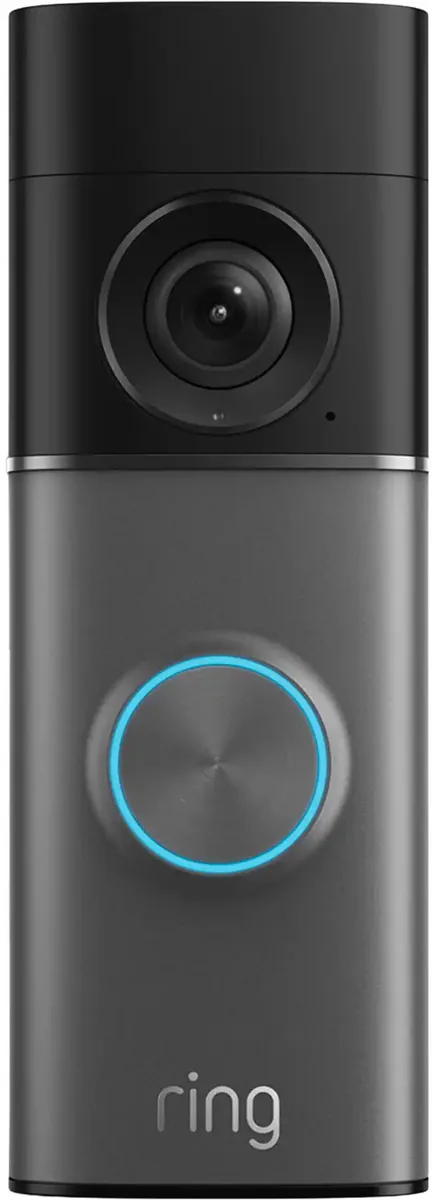
Ring video doorbell with a black top, grey faceplate and blue-lit button, Ring vs Arlo NYC comparison
A Ring product photo of a video doorbell: a black top section with the round camera lens, a grey faceplate, a button circled by a blue light and the Ring logo at the bottom.

Ring's line: eight current models, three ways to power them

Ring's doorbell comparison chart lists eight current models. Four run on a battery (the Battery Doorbell 4K Pro, the Battery Doorbell 2K Plus, the Battery Doorbell 2K and the Peephole Cam 2K), three are hardwired to an existing doorbell circuit (the Wired Doorbell 4K Pro, 2K Plus and 2K) and one, the Wired Doorbell 4K Elite, runs on native Power over Ethernet and adds remote gate access. Every one of them lists a 140-degree horizontal by 140-degree vertical field of view. The 4K Pro models list "Retinal 4K" HDR video and Ring's Audio+ two-way talk, and the battery 4K Pro lists up to 10x Enhanced Zoom. Three of the battery models can also be wired to an existing doorbell system so they trickle-charge, and Ring's spec sheet for the Battery Doorbell 4K Pro names the requirement: a standard doorbell transformer of 8 to 24 volts AC, 40 VA maximum.

Two features on Ring's chart are worth knowing about. 3D Motion Detection, listed on the two 4K Pro doorbells and the 4K Elite, uses radar to tell how far away someone is, so you can set an alert for the walkway but not the sidewalk. And the battery 4K Pro uses Ring's Quick Release Ultra Battery Pack, which comes out and charges by USB-C while the doorbell stays on the wall.

Arlo's doorbell: one model, square picture

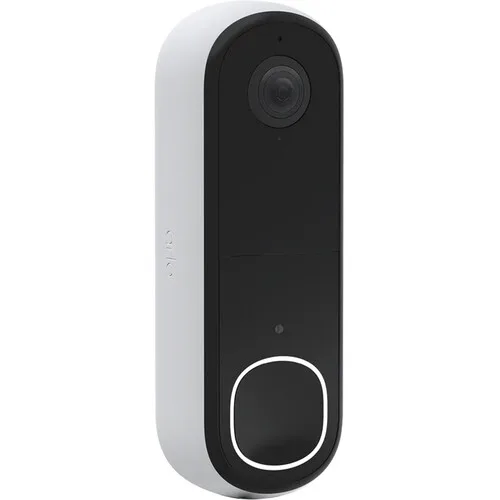
Arlo's current wired-or-wireless doorbell is the Video Doorbell 2K (2nd Generation), model AVD4001. Its spec sheet lists 1944 ร— 1944 video with HDR, a 180-degree diagonal field of view, 12x digital zoom, night vision up to 25 feet from two infrared LEDs, full-duplex two-way audio with voicemail, and an integrated siren you can set off from the app or automatically. It has a non-removable rechargeable battery, so it runs wire-free, or it can be wired to a doorbell transformer of 8 to 24 volts AC to ring the chime and keep the battery topped up. It connects to 2.4 GHz Wi-Fi directly or through an optional Arlo SmartHub.

White Arlo video doorbell with a black face and white-lit button, Ring vs Arlo NYC comparison
A product photo of a white Arlo video doorbell seen at an angle: a black face with the lens near the top and a rounded-square button outlined in white light near the bottom.

What those numbers mean on a New York stoop

The square Arlo picture is a genuine advantage on brownstone stoops and apartment doors, where the visitor stands close and the package lands at their feet. Ring's 140-by-140 view also shows head to toe, which Ring advertises, so the gap is smaller than the "180 versus 140" headline suggests; the two numbers are measured differently, diagonal against horizontal and vertical. The bigger differences are elsewhere. Ring's battery 4K Pro has a battery you can pull and charge indoors, while Arlo's doorbell battery stays inside the unit, so a dead Arlo doorbell comes off the wall to charge unless it is wired. Ring's 4K models connect over 5 GHz Wi-Fi as well as 2.4 GHz; Arlo's doorbell is 2.4 GHz only, which travels through brick a little better but shares the crowded band every neighbor's router uses. And only Ring offers a doorbell that runs on a network cable, which is the most reliable way we know to power a doorbell at a building entrance.

Bell wire, chimes and transformers

Both brands want 8 to 24 volts AC from the existing doorbell transformer when wired. In older New York houses we regularly find transformers that are weaker than the label says, chimes that buzz once a video doorbell draws power, and bell wire that was spliced in the basement decades ago. Ring's Battery Doorbell 4K Pro sets a 40 VA ceiling on the transformer; Arlo's guide mentions a bypass setting for chimes that misbehave even at 16 to 24 volts. Those are symptoms we test for before mounting either brand, and they are the most common reason a doorbell that "should just work" keeps dropping offline.

Apartment doors and building intercoms

Neither brand's doorbell is a building intercom. In walk-ups and co-ops the street door is usually handled by the building's buzzer system, and a Ring or Arlo doorbell belongs on the apartment door, where it needs no wiring at all if it runs on its battery. Ring's chart also lists a Peephole Cam 2K that it describes as renter friendly with no-drill installation. If the goal is to answer the street door from your phone, that is an intercom job, and we cover it separately.

Outdoor Cameras

Ring vs Arlo Outdoor Cameras: Picture, Power and Cold

Beyond the doorbell, both brands sell a ladder of outdoor cameras. We compared the top of each ladder and the plug-in model at the bottom, because that is the camera our cheapest four-camera packages use for each brand.

Resolution: 4K at the top of both lines

Ring's Outdoor Cam 4K Pro records 3840 ร— 2160, and so does Arlo's Ultra Wireless Security Camera 4K (3rd Gen). Below that, Arlo's Pro Security Camera 2K (6th Gen) records 2560 ร— 1440 with HDR, Arlo's Essential Plug-in 2K records 2304 ร— 1296, and Ring's Outdoor Cam 2K lists 2K video with up to 6x Enhanced Zoom. On paper the flagships are even. In practice, 4K on a Wi-Fi camera is only as good as the upload speed behind it: Ring says its 4K devices need a 15 Mbps upload for best results, and Arlo lists a 2 Mbps minimum per camera. Four 4K cameras and a 4K doorbell on one cable-company connection can quietly fall back to lower quality when everyone in the house is streaming.

Field of view: wide on both, measured differently

Ring lists the Outdoor Cam 4K Pro and the Outdoor Cam 2K at 140 degrees horizontal by 85 degrees vertical. Arlo lists its cameras by the diagonal: 180 degrees on the Ultra 3rd Gen, 160 degrees on the Pro 6th Gen and 130 degrees on the Essential Plug-in. A diagonal figure is always the biggest number you can quote for a lens, so the honest comparison is that both brands' top cameras see a whole backyard from a corner, and Arlo's Ultra adds auto-zoom and tracking that follows a moving person across the frame.

Night video, lights and sirens

Arlo's Pro, Ultra and doorbell all list night vision up to 25 feet from dual 850 nm infrared LEDs, plus an integrated spotlight for color night video on the Pro and Ultra. Ring lists night vision on the Outdoor Cam 4K Pro without a range on the spec page we used. Both brands build sirens into their outdoor cameras: Ring rates the Outdoor Cam 4K Pro's siren at 85 decibels measured at one meter, Arlo's Pro 6th Gen and Ultra 3rd Gen list a built-in siren without a decibel figure on their current spec sheets. For deterrence at a driveway, we care more about where the light points than about which logo is on it.

Power: where Ring and Arlo really part ways

This is the row that decides most of our jobs. Ring sells the Outdoor Cam 4K Pro as a hardwired, plug-in or PoE+ camera, and the support page lists all three in the box options. Arlo's Pro 6th Gen and Ultra 3rd Gen run on removable rechargeable batteries, with a solar panel or an outdoor USB-C charging cable sold separately. Arlo's Essential Plug-in runs from an outlet through a USB-C cable and has no battery. None of the Arlo spec sheets we read lists Power over Ethernet. If your plan is a camera that never needs a ladder visit, Ring gives you more ways to get there.

Cold: the line on the spec sheet New Yorkers should read

Ring rates the Outdoor Cam 4K Pro from โˆ’5 ยฐF to 120 ยฐF and the Outdoor Cam 2K from โˆ’4 ยฐF to 122 ยฐF. Arlo rates the Pro 6th Gen and Ultra 3rd Gen from โˆ’4 ยฐF to 113 ยฐF, which is effectively the same in winter. The outlier is Arlo's Essential Plug-in, rated 32 ยฐF to 113 ยฐF. That does not mean it shatters at 31 degrees, but it does mean Arlo does not promise it will work then, and a New York winter spends weeks below freezing. Battery cameras on both brands also lose capacity in the cold, so a camera that lasts months in October can need charging much sooner in January.

Wi-Fi bands and brick walls

Ring's 4K models and Arlo's Pro 6th Gen and Essential Plug-in connect on both 2.4 and 5 GHz. Ring's Floodlight Cam Plus and Outdoor Cam 2K, and Arlo's doorbell and Wired Floodlight, are 2.4 GHz only. In a brick row house the 5 GHz band often cannot make it from a router in the front parlor to a camera on the back wall, and the 2.4 GHz band is crowded by every neighbor's network. Arlo's answer is the SmartHub, a separate box that plugs into your router by Ethernet and gives compatible cameras their own network; the Ultra 3rd Gen requires one. Ring's answer is to sell the camera on a cable. Either way, we measure the signal at the mounting spot before anything goes on the wall.

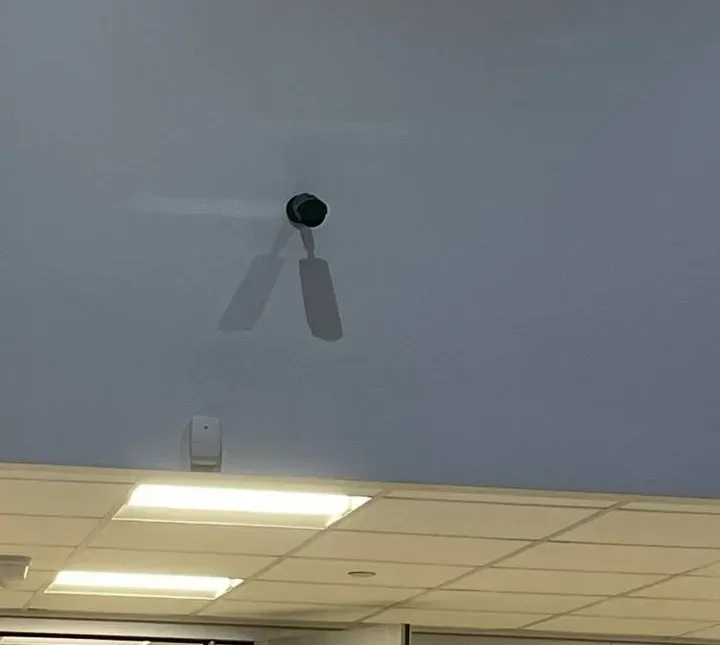
Small black camera high on a pale wall casting two shadows above a motion sensor, Ring vs Arlo NYC
A small black camera mounted high on a pale blue wall on an AESS job, casting two shadows from the ceiling lights, with a white motion sensor lower on the wall and a drop ceiling below. A camera this high is easy to forget about, which is why we would rather wire it than give it a battery.
Floodlights

Ring Floodlight Cam Plus vs Arlo Wired Floodlight

A floodlight camera replaces the light over a garage, a back door or a driveway, and it is the camera most likely to need an electrician. We compared Ring's Floodlight Cam Plus with Arlo's Wired Floodlight Camera, because those are the two floodlights on our NYC price lists that sit closest together.

Picture and light

Ring's spec sheet lists the Floodlight Cam Plus at 1080p HD with color night vision and a 140-degree horizontal by 80-degree vertical view, with two 2,000-lumen floodlights at 3000 K. Arlo's spec sheet lists the Wired Floodlight at 2K QHD, 2560 ร— 1440, with HDR and 12x digital zoom, color night vision under the floodlight and black-and-white infrared otherwise, and 2,000 lumens from two articulating lights. Arlo's sheet gives its view as 160 degrees in the summary and 180 degrees diagonal in the video section, so we quote both. On resolution, Arlo's floodlight is the newer design; Ring's spec sheet lists a 2021 release for the Floodlight Cam Plus, and Ring now sells 2K and 4K floodlights above it.

Siren, power and Wi-Fi

Ring lists a 105-decibel siren on the Floodlight Cam Plus, measured at 4 inches. Arlo lists an integrated siren on its floodlight without a decibel figure, and Arlo's plans page names the Wired Floodlight among the models that can listen for a gunshot, a scream, glass breaking or a dog barking. Ring's floodlight is hardwired on 110 to 240 volts; there is also a plug-in version. Arlo's is hardwired to mains only, mounted to a 4-inch round, UL-listed weatherproof junction box, and Arlo notes it "may require professional installation in some countries." Both connect on 2.4 GHz Wi-Fi only. Ring's floodlight ships with Amazon Sidewalk turned on unless you have turned it off, which you can do in the Ring app's Control Center.

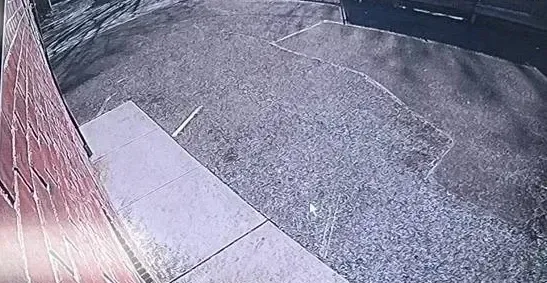
Camera view along a red brick wall to a paved lot in bright sun, Ring vs Arlo NYC
A camera's view from an AESS job looking along a red brick wall and a concrete walk to a sunlit paved lot. Watching a side of a building like this from a corner is a job for a wide lens and a camera that stays powered.

Our call on floodlights

For an Alexa home that wants a bright light and a loud siren over the driveway, Ring's floodlight does the job. For a sharper picture of a face under the light, Arlo's floodlight records more pixels. Either way, the hard part is not the camera: it is a sound junction box, a weatherproof seal and line voltage handled properly. Our price lists mark both brands' hardwired floodlights as needing 120V power from your electrician; we mount, connect and set them up once the circuit is ready.

Storage

Where Ring and Arlo Keep Your Video

This is the part of the comparison most buyers skip and most owners regret. Ring and Arlo are both built to store video in the company's cloud. Each offers a local option, and the two local options are very different.

Cloud history: 180 days against 60

Ring's plans page says motion event videos are stored in the cloud for up to 180 days from recording, on every paid plan from Solo to Virtual Security Guard, and that changing the storage length only affects recordings made after the change. Arlo's plans page lists 60-day video history on all three current plans, Smart Aware, Smart Secure and Ultra Secure. Both keep clips of events, not a continuous recording, unless you pay for continuous recording on top.

Continuous recording costs extra on both

Ring sells continuous recording as an add-on for eligible cameras at $3 a month per camera on any plan, and says those recordings are kept in the cloud for up to 14 days. Arlo lists continuous recording for up to three cameras on its Ultra Secure plan, kept for 30 days, on cameras plugged into AC power, and Arlo's footnote says those recordings cannot be downloaded. Neither is a substitute for a recorder in the building if you need to keep weeks of footage from many cameras.

Ring's local option: Ring Edge on Ring Alarm Pro

Ring Edge stores and processes video on a microSD card inside a Ring Alarm Pro base station instead of in the cloud. Ring's support article lists what it takes: a Ring Alarm Pro base station, a microSD card, a compatible Ring subscription at the location, your Ring and Amazon accounts linked, and the cameras on the same eero network as the Alarm Pro. Ring adds that the card can be encrypted so it is unreadable if stolen, and that an encrypted card cannot be read on another device. Ring's own 64 GB Ring Edge card is listed as discontinued on Ring's store.

Arlo's local option: a second copy on a SmartHub

Arlo SmartHubs and Base Stations (models VMB5000, VMB4540, VMB4500 and VMB4000) take a USB drive or a microSD card and save a second copy of automatically triggered recordings. Arlo's support article is direct about the limits: all Arlo recordings are stored to the cloud, local storage is a second location, it "cannot be used on its own as a substitute for cloud recording," and manual recordings are saved only to the cloud. Arlo also says its Go, Go 2 and Q Plus cameras can record to a microSD card in the camera.

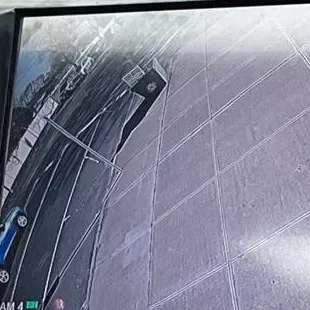
Monitor showing a camera view down a sidewalk beside a curb and the edge of a blue car, Ring vs Arlo NYC
A monitor on an AESS job showing one camera's view straight down a paved sidewalk beside the curb, with the edge of a parked blue car at one side. A clip like this is only useful if it is still stored when someone asks for it.

What this means if something happens

When a neighbor asks for last month's clip of a car that hit their stoop, a Ring owner on a plan can usually still find it; an Arlo owner may have lost it after 60 days. When the internet goes down during a break-in, a Ring Alarm Pro owner with Ring Edge keeps recording locally, and Ring's Pro plan adds backup internet for Alarm Pro; an Arlo owner with a SmartHub keeps a local copy of triggered clips. And when an owner stops paying, Ring's support pages say recorded videos are lost when the plan ends unless they are downloaded first. Download what matters, whichever brand you choose.

Plans and Fees

Ring Protect vs Arlo Secure: What Each Plan Buys

Both brands renamed their plans in 2026. Ring's Ring Home plans became Ring Protect, and Arlo's support center notes plan name changes in September 2026. The names change; the structure has not. Here is what each tier includes, from the brands' own plan pages, with the brands' own prices.

Ring Protect plans

  • Ring Solo, $4.99 a month or $49.99 a year: one doorbell or camera; up to 180 days of video, person, package and vehicle alerts, extended live view and device modes.
  • Ring Multi, $9.99 a month or $99.99 a year: every Ring device at one address, with the same features plus extended warranty coverage on eligible devices.
  • Ring Pro, $19.99 a month or $199.99 a year: everything in Multi, plus Video Descriptions, Familiar Faces (beta), Active Warnings, Video Search, round-the-clock professional monitoring for Ring Alarm, SOS response and backup internet for Alarm Pro.
  • Virtual Security Guard, $99 a month: everything in Pro plus live video monitoring by agents and real-time intruder deterrence on eligible devices.
  • Add-ons: Pro Intelligence for one camera at $5 a month on Solo or Multi, smoke and CO monitoring at $5 a month, and continuous recording at $3 a month per eligible camera.

Arlo Secure plans

  • Smart Aware, $9.99 a month (one camera) or $19.99 a month (unlimited cameras): 60-day video history, smart activity zones, person, animal, vehicle and package detection, person and vehicle recognition, custom detection (beta), fire detection (beta), Event Captions, Video Search, Arlo Summary, Priority Care and Theft Replacement.
  • Smart Secure, $29.99 a month: everything in Smart Aware plus Threat Assessment, round-the-clock emergency response, round-the-clock professional monitoring for owners of the Arlo Home Security System, the Arlo Safe family app and a home insurance discount certificate.
  • Ultra Secure, $49.99 a month: everything in Smart Secure plus continuous recording on up to three cameras.

Reading the two lists side by side

For a typical New York house, a doorbell and two or three cameras, the plans to compare are Ring Multi and Arlo Smart Aware Unlimited. Ring's is half the monthly price and keeps video three times as long. Arlo's includes more of its AI features at that tier, such as Event Captions, Video Search and person recognition, which on Ring sit in the Pro plan or the $5 Pro Intelligence add-on. A one-camera owner compares Ring Solo at $4.99 with Arlo Smart Aware single-camera at $9.99. Ring's annual prices, $49.99 for Solo and $99.99 for Multi, are the cheapest way to pay for either brand.

What works with no plan at all

Both brands say a plan is not required. Ring's plans FAQ says its products "provide certain features without a plan," and a Ring guide lists live view, real-time motion alerts and two-way talk as included. Arlo's FAQ says you "can still use your Arlo product with certain features," and its floodlight sheet says a paid plan is required after the trial to keep video cloud storage and people, package and vehicle detection. In plain terms: without a plan, either brand is a live camera and a doorbell that rings your phone, not a recorder. Both brands start a free trial when you set up the first device, 30 days on Ring and one month on Arlo.

Rules that catch people out

Each plan covers one address on both brands, so a house and a rental property need two plans. Ring's AI features and Familiar Faces are not available to customers in Illinois, and Familiar Faces is also unavailable in Texas and Portland, Oregon, according to Ring's footnotes. Arlo says Person Recognition is unavailable in some regions and that you are responsible for any notice or consent local law requires for people your camera recognizes. Ring's smoke and CO monitoring is not available for business or commercially zoned addresses, and Ring notes it does not own its monitoring center.

Apps and Alerts

Ring App vs Arlo Secure App

You will open the app far more often than you will look at the camera, so the app decides whether the system feels helpful or annoying. Both apps are polished. They differ in what they put behind which plan and in how much they lean on AI.

Ring: one app for doorbells, cameras and alarm

The Ring app runs Ring's doorbells, cameras and Ring Alarm together, with device modes that arm the alarm and change what the cameras record. Ring's newest features are AI-driven and mostly sit in the Ring Pro plan: Video Descriptions that put a sentence about the event in the alert, Familiar Faces that names people you have tagged, Unusual Event Alert that learns what is normal for a camera, Single Event Alert that bundles similar motion into one notification, Video Search across recorded events, and Active Warnings, which Ring describes as automatic spoken warnings that call out what a trespasser is wearing. Ring's FAQ says every device can be managed from an unlimited number of phones and tablets.

Arlo: one app, AI features on every paid plan

The Arlo Secure app runs Arlo cameras, doorbells and the Arlo Home Security System. Arlo lists its AI features on all three paid plans, with some unavailable in certain regions: Event Captions that describe footage in a sentence, Video Search, Arlo Summary that recaps the last 24 hours, person and vehicle recognition for people and cars you have named, custom detection taught with two snapshots (for example, "garage open"), and video-based fire detection, which Arlo says is supplementary and not a replacement for smoke detectors. Arlo also lists audio detection for gunshots, screams, breaking glass and barking dogs on select models, including the Wired Floodlight. Arlo lets you grant camera access to family or friends.

Alerts you will not learn to ignore

Both brands let you draw zones so a passing bus or a swaying tree does not set off an alert, and both separate people, vehicles and packages from other motion on paid plans. Ring adds radar distance on its 3D Motion Detection models; Arlo's Smart Activity Zones let you exclude busy areas. On a New York block, where the sidewalk is three feet from the stoop, the first week after installation is spent tuning these zones. We set them with you on the day, walking the path a visitor takes, so the phone buzzes for the person on the stoop and not for everyone walking to the subway.

Getting a clip to the police, a landlord or an insurer

Both apps save and share clips from the cloud. Ring describes saving, sharing and replaying every doorbell ring, motion event and live-view session; Arlo describes viewing, saving and sharing important moments with friends, family and neighbors. The practical advice is the same for both: download the clip to your phone or computer the day it happens, because a cloud clip disappears when its 180 or 60 days are up, and an Arlo continuous recording cannot be downloaded at all.

Smart Home

Alexa, Google, Apple: Which Brand Fits Your Speakers

For many households this one row settles the whole comparison, because nobody wants a doorbell that cannot show up on the screen in the kitchen.

Ring is an Alexa product

Ring's floodlight spec sheet says it "illuminates and sends announcements to Echo devices whenever motion is detected, and lets you see, hear and speak to people on camera with select Echo and Fire TV devices." The Outdoor Cam 4K Pro lists "Works with Alexa." Ring's plans page also lists Alexa+ Greetings as a plan feature, which lets Alexa+ greet guests, screen visitors and manage deliveries on select doorbells. Ring's local storage requires linking your Ring and Amazon accounts, and Ring devices use Amazon Sidewalk unless you turn it off. The Ring pages we checked did not list Google Home or Apple Home support, so we treat Ring as Alexa-only.

Arlo spreads wider

Arlo's spec sheets list Amazon Alexa and Google (Google Assistant or Google Home) on every model we checked. The Pro Security Camera 2K (6th Gen) adds Apple Home and Samsung SmartThings, and the Wired Floodlight adds Apple Home. The Video Doorbell 2K, the Ultra 3rd Gen and the Essential Plug-in list Alexa, Google Assistant and IFTTT. If your household mixes an iPhone, a Nest Hub and an Echo Dot, Arlo is the brand that will talk to more of them.

A practical test before you buy

Before choosing on this row alone, ask what you actually want the speaker to do. If it is "show me the front door on the kitchen display," Ring does that with an Echo Show, and Arlo does it with an Echo Show or a Google display. If it is "add the camera to an Apple Home automation," only Arlo's listed models qualify. If nobody in the house talks to a speaker, ignore this row and decide on power, storage and plans.

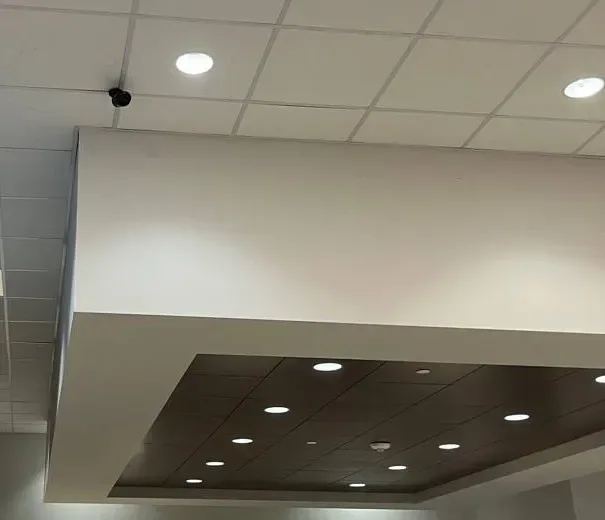
Small black camera on a drop ceiling grid above a white soffit with recessed lights, Ring vs Arlo NYC
A small black camera fixed to a drop-ceiling grid above a deep white soffit with recessed lights, on an AESS job. Indoors, near power and close to the network, a camera like this is the easy case for any brand.
Alarm and Monitoring

Ring Alarm vs Arlo Home Security System

Both brands sell a full alarm, not just cameras, and both tie professional monitoring to their top plans. If you think you will want sensors on the doors and windows later, this section matters now, because it is much easier to grow inside one brand than to mix two.

Ring

Ring Alarm and Ring Alarm Pro run in the same Ring app as the cameras. Ring's Pro plan adds round-the-clock professional monitoring, which Ring says will request emergency responders when break-ins or other emergencies are detected, available in all 50 states. Ring Alarm Pro adds backup internet with 3 GB of data a month on the Pro plan, cellular backup, and the Ring Edge local storage described above. Ring also sells Virtual Security Guard, where agents watch live video and can deter intruders in real time. Ring notes it does not own its monitoring center and that permits or false-alarm fees may apply depending on your jurisdiction.

Arlo

Arlo's Smart Secure and Ultra Secure plans add Threat Assessment, which Arlo describes as detecting serious threats, triggering sirens and spotlights if you do not respond, and escalating to professional agents, plus round-the-clock emergency response with one tap from the app. Arlo's round-the-clock professional monitoring, with live safety agents dispatching police, fire or medical help, requires the Arlo Home Security System. Arlo says owners can download a monitoring certificate for a home insurance discount.

Our honest view on DIY monitoring

Both are real monitoring services with agents on the other end, and both are a reasonable fit for a house. For a business, a building with tenants, or a property where the fire department needs a listed system, a monitored alarm installed and registered locally is a different category of product. We install alarms too, and we will tell you which side of that line your property falls on.

Warranty and Support

Ring and Arlo Warranties, Read Closely

Both brands start from the same place, one year, and both use their plans to add protection on top.

Ring

Ring's spec sheets list a one-year limited warranty on the Battery Doorbell 4K Pro and the Floodlight Cam Plus. Ring Multi and the higher plans add extended warranty coverage on eligible devices still inside that first year. Ring's footnote explains that in the United States this coverage is a service contract administered by Allstate Protection Plans, included in the plan's cost, rather than an extension of Ring's own warranty. Plan subscribers also get 10 percent off select products on Ring's store.

Arlo

Arlo's warranty page says the limited hardware warranty is "generally one year from the date of purchase but may vary depending upon the Arlo product purchased," and that the original purchaser is the first buyer from Arlo or an Arlo authorized reseller. A camera bought second-hand or from an unauthorized seller may not be covered. Arlo's paid plans add Theft Replacement for eligible devices that are stolen, Priority Care support routing, and 15 percent off purchases on Arlo's store.

Who you call when something breaks

With either brand, a defective camera goes back to the manufacturer under its warranty. What an installer adds is everything around the camera: the transformer that was too weak, the Wi-Fi that faded after a neighbor's new router, the mount that loosened in the wind. Full terms โ€” including 50% deposit, the 30-day warranty and optional paid extended warranty, and the late-fee schedule โ€” are set out in the service agreement.

Before You Choose

Six Things to Settle Before Picking Ring or Arlo

Most bad Ring and Arlo purchases we see were not bad products. They were good products bought before these six questions were answered.

1. Where the power will come from at every spot

Walk the property and write down, for each camera, whether there is an outlet, a light fixture, a doorbell wire, a route for a network cable, or nothing. If most spots have nothing, Arlo's battery range is built for you. If most spots can be wired, Ring's wired and PoE versions will save you years of ladder trips.

2. Which speakers and phones are already in the house

Alexa points to Ring. Google or Apple points to Arlo. A mix points to Arlo. Nobody talking to a speaker makes this irrelevant.

3. How far back you need to look

If 60 days of clips is plenty, either brand works. If you want to be able to look back three or six months, only Ring's plans offer that from the cloud.

4. Whether the camera must work below freezing

An outdoor camera on a New York house will see single digits most winters. Check the operating temperature on the exact model, and skip any outdoor camera rated only to 32 ยฐF if it is meant to watch the yard in January.

5. What the Wi-Fi does at the mounting spot

Stand where the camera will go with your phone on the home network and run a speed test. Ring's 4K devices want 15 Mbps of upload; Arlo wants at least 2 Mbps per camera. If the number is poor, plan for a wired camera, a mesh point or an Arlo SmartHub before you plan for the camera.

6. Whether you own the walls

Owners can drill, wire and run cable. Renters and co-op shareholders often cannot, or need permission first. A battery doorbell and battery cameras that leave with you are often the right answer for a rental, and that points toward Arlo or Ring's battery models.

Living With It

Owning Ring or Arlo After the First Winter

The first month with either brand is the honeymoon. Here is what the next few years look like, based on the service calls we take.

Batteries become a chore

Every battery camera needs charging, and how often depends on how much it records. A camera facing a busy sidewalk records all day and drains fast; one facing a quiet backyard can go much longer. Ring's Quick Release battery packs come out and charge indoors while a spare goes in. Arlo's Pro and Ultra batteries are removable too, but Arlo's doorbell battery is not, so an unwired Arlo doorbell comes down to charge. Solar panels help on both brands if the camera gets a few hours of direct sun, which a north-facing wall or a camera under a deep cornice rarely does.

Wi-Fi changes under you

New router from the cable company, new neighbor's network on the same channel, a mesh point unplugged by a visitor: any of these can knock a Wi-Fi camera offline. Wired and PoE cameras do not care. Arlo SmartHubs give cameras their own network, which helps. We always leave the network name and password on the camera list we hand over, so the next router change is a ten-minute fix.

Plan prices move

Both brands have changed plan names and prices more than once. Owners on r/arlo complain that Arlo raised its subscription sharply, and Ring renamed its plans in 2026. Budget the plan as a running cost, check the annual price, and remember that a plan covers one address.

Models age out

Arlo's support pages mark each model's sales status and firmware support; the Arlo Pro 5 sheet, for example, still says firmware is actively supported but lists the camera as not available for purchase. Ring publishes software security update information for each device in its Control Center. Check those pages before buying a discounted older model.

Adding more cameras

Both brands make it easy to add cameras inside the same app. Ring Multi already covers new devices at the same address; Arlo's single-camera plan has to move up to Unlimited once you add a second camera. Mixing brands means two apps and two plans, which is the main reason we advise picking one brand for the whole house.

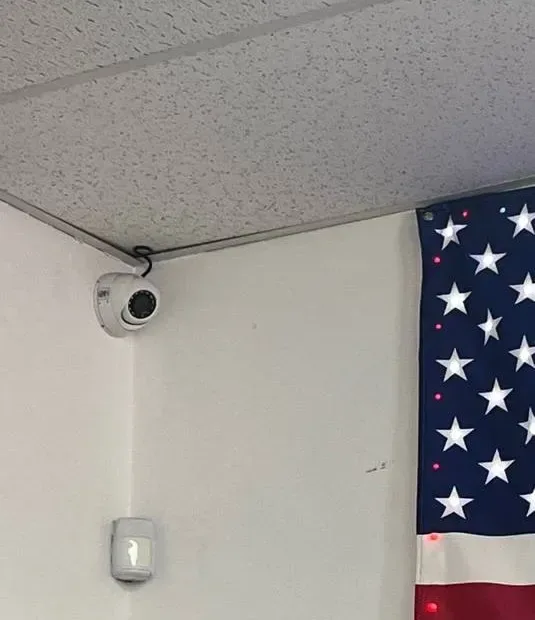
White dome camera in a ceiling corner with its cable looped above, beside an American flag, Ring vs Arlo NYC
A white dome camera mounted in the corner where two walls meet a textured ceiling, its cable looped above it, with a motion sensor lower on the wall and an American flag hanging beside it, on an AESS job.
What Owners Say

What Owners on Reddit and Review Sites Report

We read the threads and reviews that rank for "ring vs arlo" and "arlo vs ring." These are owners' opinions, paraphrased or quoted briefly, not facts we have verified, but they line up with what we see on jobs.

"Ring is faster and more stable, Arlo does more"

A widely read r/arlo thread sums it up as Ring being faster and more stable and Arlo slower and less stable but superior in functionality. Buffalo Alarm's comparison puts it as Arlo having the better cameras and app and Ring the better ecosystem and value. That matches the specs: Arlo leads on the doorbell picture and AI features per dollar of plan, Ring on plan value and wired options.

"The subscription went up"

Posts on r/arlo complain that Arlo raised its monthly fee, one saying it tripled. Another long-time Arlo user asked r/arlo whether there was any downside to switching to Ring and was told Ring seemed a better value. On the Ring side, a five-year Arlo owner on r/Ring described Arlo hardware as reliable with decent battery life, which is a reminder that the hardware is rarely the problem.

"No subscription was a hard no"

On r/homesecurity, buyers who refused a monthly plan skipped both brands for cameras that record locally. That is a fair choice, and it is the same advice we give building managers: if you will not pay a plan, you want a recorder, not a cloud camera.

"Wi-Fi doorbells miss things"

A hands-on doorbell test on LinkdHome scored Ring's Battery Doorbell Plus slightly ahead of Arlo's 2K doorbell on detection accuracy, with both missing a share of events. An Arlo Community thread reports motion detection problems on the second-generation Arlo doorbell compared with the first. IP Cam Talk members keep a long thread of side-by-side captures that sets Ring, Arlo and Nest footage against what its title calls better cameras, mostly wired IP models.

"Ring wins on value, Arlo on picture"

Security.org's comparison says Ring stands out for affordable plans and whole-home security while Arlo excels on camera quality; SafeHome.org gives Ring the edge on value and full home protection. Some of the plan figures in older reviews are out of date after both brands' 2026 changes, so check the current plan pages before relying on a review's numbers.

By Property

Ring or Arlo for Each Kind of New York Property

The same two brands play out very differently on a limestone stoop, a co-op hallway and a driveway in Suffolk. Here is how we would split them by property type.

Brownstones and row houses

The stoop doorbell is the first job, usually on old bell wire. A wired Ring 4K Pro doorbell or a wired Arlo doorbell both work if the transformer is sound. The back of the house is where it gets harder: a parlor-floor router rarely reaches the garden wall through two layers of brick. We usually run one cable to the back and put a wired or PoE Ring camera there, or add an Arlo SmartHub near the back of the house for battery cameras.

Apartments, co-ops and condos

The apartment door is a battery job on either brand, and the building's rules come first. A battery doorbell or Ring's Peephole Cam 2K needs no wiring. For the street door, the building intercom is the system; a Ring or Arlo doorbell does not replace it.

Frame and brick one- and two-family houses

These are Ring's best case: a doorbell on bell wire, a floodlight over the driveway, and wired cameras on the corners, all on one Ring Multi plan for every device at the address. If the household is on Google or Apple, the same layout works with Arlo's wired doorbell, wired floodlight and Pro cameras with SmartHub storage.

Rentals and short stays

Battery cameras that leave with you, on screw mounts with no new wiring: Arlo's Pro and Ultra, or Ring's battery cameras and battery doorbell. Choose by speaker ecosystem and plan cost.

Detached garages, sheds and back lots

No power and no conduit across the yard is exactly what Arlo's battery and solar options were made for. A Ring battery camera with a solar panel does the same. If the garage has power, a plug-in or PoE camera is the better long-term answer.

Small shops and storefronts

A doorbell at a side door and a camera at the register are fine on either brand, but a shop that needs every aisle recorded continuously needs a recorder. Ring's continuous-recording add-on keeps 14 days per camera and Arlo's keeps 30 days on up to three cameras; a store usually needs more than either.

Houses on Long Island and in the Hudson Valley

Longer driveways, detached garages and outbuildings make range and power the deciding factors. Arlo's SmartHub and battery cameras cover outbuildings well; Ring's floodlights and PoE cameras cover the main house. Many of these owners end up with a Ring doorbell and floodlights on the house and a different plan for anything far from the router.

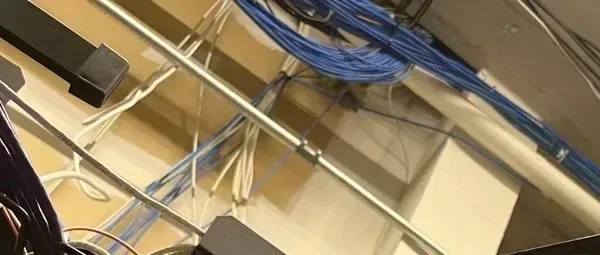
Blue and white network cables crossing a ceiling beam on an AESS job, Ring vs Arlo NYC
Bundles of blue and white network cable crossing a ceiling beam above a rack on an AESS job. A network cable is how a Power over Ethernet camera or doorbell gets both its power and its connection.
The Installer's View

DIY or Installed? Where Ring and Arlo Hold Up

Ring and Arlo are designed to be installed by owners. Ring lists ten to fifteen minutes for its doorbell and floodlight on its spec pages, and Arlo builds most of its range around wire-free mounting. Plenty of owners do it well. The question is whether the power, the signal and the aim will still be right after a winter.

Fine to do yourself

  • A battery doorbell on an apartment door or a wood door frame, where the doorbell only needs two screws.
  • Battery or plug-in cameras indoors, or under a porch roof within easy reach of the router.
  • Replacing an existing wired doorbell with a Ring or Arlo doorbell when the transformer is known to be good and the chime is a standard mechanical one.
  • Arlo battery cameras in a rental, mounted where a ladder reaches comfortably.

Holds up better wired or installed

  • Brick, stone and limestone. Drilling masonry for a mount or a cable without cracking face brick, then sealing it, is most of the labor on a New York facade.
  • Cameras on the back of a row house. Wi-Fi rarely makes it reliably; a cable to a wired or PoE Ring camera, or an Arlo SmartHub placed nearer the back, fixes what a stronger router will not.
  • Floodlights. Line voltage, a proper junction box and a weatherproof seal. Our price lists mark hardwired floodlights as needing 120V power from your electrician before we mount and set them up.
  • Doorbells on weak or old transformers. A doorbell that reboots every time someone presses it, or a chime that hums, is a transformer or wiring problem.
  • Second- and third-story corners. Battery cameras up there are the ones nobody charges. Wire them, or do not put them there.
  • Anything a landlord, board or managing agent must approve. We send the plan and insurance paperwork ahead so the install day is not spent waiting for permission.

The most common rescue job we get on both brands is the same: a battery camera mounted high on the back wall in the fall, dead by January, and an owner who no longer wants to climb a ladder in the cold. Replacing it with a wired camera on a short cable run, or moving it somewhere it can reach power, usually costs less than a second winter of trips.

Purple, white and red patch cables running down an equipment rack, Ring vs Arlo NYC
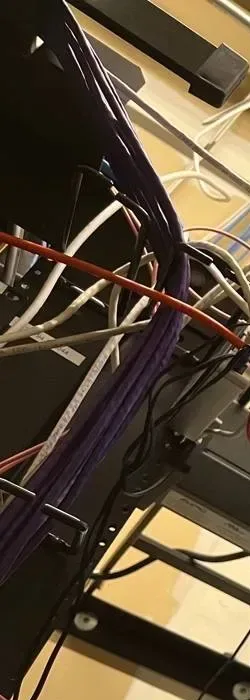
Purple, white and red patch cables running down the side of an equipment rack on an AESS job. Wired cameras end up somewhere like this, which is what keeps them recording when the Wi-Fi does not.
Installed Price

We Install Both: Ring and Arlo Installed Prices in NYC

These are our own installed prices at the NYC rate, taken from our Ring and Arlo price pages at the time of writing. They include the device, mounting, a wire run up to 100 ft per camera (or plug-in power where the model uses it), connection, testing and setup in the brand's app. Recording is on the brand's own plan, which you pay Ring or Arlo directly. Prices are plus sales tax, and equipment prices move, so the live price pages are always the current word.

  • Ring: four Ring cameras installed from $1,350; individual Ring cameras and doorbells $260 to $1,200 each installed. On the current list: the Wired Doorbell 4K Pro and Battery Doorbell 4K Pro at $425 each, the Wired Doorbell 4K Elite at $675, the Floodlight Cam Plus (wired) at $380 and the Outdoor Cam 4K Pro (PoE) at $480. See every Ring camera and doorbell price and build your own.
  • Arlo: four Arlo cameras installed from $1,110; individual Arlo cameras and doorbells $230 to $300 each installed. On the current list: the Video Doorbell (2nd Gen) at $225, the Essential Outdoor Camera Plug-In at $240 and the Wired Floodlight Camera at $300. See every Arlo camera and doorbell price and build your own.
  • Hidden wiring: in-wall wiring in hollow drywall is $200 more per camera, up to 100 ft, on either brand. Spray foam, plaster, brick and exterior walls are checked on site.
  • Hardwired floodlights and spotlights: on both brands these need 120V power from your electrician; we mount, connect and set them up.

Read those numbers the right way. The Arlo four-camera package starts lower, but it is built on the Essential Plug-in camera, which Arlo rates to 32 ยฐF; for outdoor cameras that must work all winter we would price the Arlo wired floodlight or a Ring wired or PoE camera instead. And remember the plan: Ring Multi at $9.99 a month covers every Ring device at the address, while Arlo's cheapest plan for more than one camera is $19.99 a month.

What we would put on a typical NYC house

For a brick two-family in East Flatbush with a stoop, a driveway and a backyard, in an Alexa household: a wired Ring 4K Pro doorbell on the existing bell wire, a Ring floodlight over the driveway once the electrician has the box ready, and a PoE Ring camera on the back wall, all on one Ring Multi plan. For the same house in a Google or Apple household: Arlo's wired doorbell, Arlo's wired floodlight and Arlo cameras on the back with a SmartHub for local copies, on Arlo Smart Aware Unlimited. Either way, the written quote names the exact models, the power for each one and the plan you will be paying the brand, before any work starts.

And if you would rather not pay a plan at all

Ask us to price our own non-branded system as well. It records to a recorder in your building with no monthly fee, and our quotes default to it. You can see it on our security camera installation NYC page, and the best security camera brands hub compares every brand we install side by side. Brand-specific jobs are on our Ring camera installation NYC and Arlo camera installation NYC pages.

Switching

Moving From Ring to Arlo, or Arlo to Ring

A good share of our Ring vs Arlo calls come from owners who already have one brand and are unhappy with something: a plan price, a battery routine, a smart speaker that will not show the doorbell. Here is what switching actually involves.

From Arlo to Ring

Usually driven by plan cost or video history. Arlo cameras do not join the Ring app, so the cameras and the plan change together. What carries over is the work around them: a doorbell wire and transformer that already powers an Arlo doorbell will power a Ring doorbell within the same 8 to 24 volt range, and any outlet or cable added for plug-in Arlo cameras can feed plug-in or wired Ring cameras. Download the Arlo clips you want to keep before the plan ends.

From Ring to Arlo

Usually driven by a move to Google or Apple at home, or by wanting a local copy without buying Ring Alarm Pro. Again the cameras change with the app. A Ring PoE camera's network cable is still useful, though not for an Arlo camera, since the Arlo models we compared do not run on PoE; it can feed a SmartHub location or a plug-in camera's power, or be kept for a wired system later.

Keeping both

It works, but you pay two plans and use two apps. The arrangement we see most is a Ring doorbell kept for its Alexa integration and Arlo battery cameras added for a detached garage. If that is where you are, it is fine; if you are starting fresh, pick one.

What we do with the old equipment

Working devices you no longer need come down and go back to you, packed for resale or a second property. We never leave dead hardware on a facade, and we patch and seal every hole we stop using.

Reality Check

What Reviews and AI Answers Get Wrong About Ring vs Arlo

"Ring keeps 60 days, Arlo keeps 30"

Older reviews say this. Ring's plans page now says up to 180 days, and Arlo's lists 60-day video history on every current plan. Arlo's floodlight spec sheet still mentions 30-day cloud storage in its description, which shows how fast these numbers change.

"Arlo is the wire-free brand, Ring is the wired one"

Both sell battery cameras and both sell wired ones. The real difference is that Ring offers PoE versions and Arlo's wired options are plug-in or mains. Ring has four battery doorbells; Arlo's doorbell runs on its battery or on bell wire.

"You can use either one without a subscription"

True for live view, alerts and two-way talk. Not true for recorded video history, which needs a plan on both brands. Arlo's SmartHub local copy does not replace the cloud, and Ring's local storage needs a plan too.

"Arlo's 180-degree doorbell sees more than Ring's 140"

Arlo measures its doorbell's view diagonally; Ring measures 140 degrees horizontally and 140 vertically. Both show a visitor head to toe. Arlo's square picture is a real advantage for packages on the mat, but the gap is smaller than the headline numbers.

"4K means a sharper picture of the street"

Only if the upload speed keeps up. Ring asks for 15 Mbps of upload for its 4K devices. On a slow connection, a 4K Wi-Fi camera streams at lower quality, and a well-placed 2K camera on a cable can show more.

"Ring works with Google"

The Ring pages we checked list Alexa. If Google Home or Apple Home support is a requirement, Arlo's spec sheets are the ones that list it.

Already Bought a Ring or Arlo Doorbell?

Good. We install customer-supplied Ring and Arlo devices all the time, priced per device for your area, and we will tell you honestly if a spot you had in mind is wrong for it. Before the visit, send us the model name on the box, a photo of the doorbell transformer if you can find it, and a photo of where each camera will go. If the transformer is too weak, the chime needs a bypass, or the Wi-Fi at a camera spot is poor, we fix that first so the device you bought works the way the box promised. See our Ring camera installation prices NYC and Arlo camera installation prices NYC pages, which link to install-your-own pricing.

Low-light camera view of a cluttered back room with frames and boxes by an open doorway, Ring vs Arlo NYC
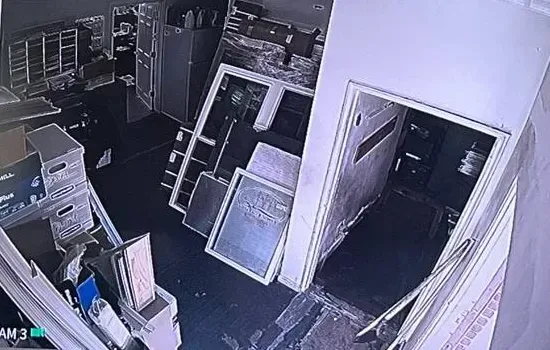
A low-light camera view on an AESS job of a crowded back room with stacked boxes and framed panels leaning by an open doorway. Night and low-light detail is where a camera's sensor, lens and connection show their limits.
Get In Touch

Request a Free Quote

Tell us the address or cross streets, the type of property, the doors and areas you want covered, whether you are leaning Ring or Arlo (or neither), and whether you already own any devices. A technician will call back with a recommendation and next steps, or you can call (800) 486-0943 now.

โœ…
Request Sent!
Thank you. A technician will call you back within 2 hours during business hours with a Ring or Arlo recommendation for your property.
How It Works

How We Install a Ring or Arlo System

1. The doors, the spots and the speakers

Which doors and areas need a device, who uses the app, and whether the home runs on Alexa, Google or Apple.

2. Power at every spot

Doorbell transformer and chime tested, outlets and light boxes checked, and a cable route found wherever a wired or PoE device makes more sense than a battery.

3. Signal check

Wi-Fi measured at each mounting spot on both bands, with a mesh point, an Arlo SmartHub or a cable planned where the signal is weak.

4. Written quote

Exact Ring or Arlo models, the power for each one, any electrician work for hardwired floodlights, and the plan you will pay the brand, priced from our installed price lists.

5. Mounting

Doorbells and cameras mounted on wood, siding, brick or stone with the right anchors, holes sealed, and every view checked from the spot it will watch.

6. App and plan setup

Devices added to one Ring or Arlo account, the free trial started, and the plan chosen with you rather than left to lapse.

7. Zones and alerts

Motion zones, person and package alerts and schedules tuned while someone walks the path a visitor takes.

8. Test and hand over

A doorbell press, a clip saved and downloaded, two-way talk tested, and a login set up for each person in the household.

FAQ

Ring vs Arlo FAQ

Is Ring or Arlo better for a New York City home?
+

For most homes we lean Ring: its plans keep video for up to 180 days against Arlo's 60, Ring Multi covers every device at one address for $9.99 a month against $19.99 for Arlo's cheapest multi-camera plan, and Ring sells hardwired and Power over Ethernet versions that never need charging. Arlo is the better pick for Google Home or Apple Home households, for the widest doorbell picture, and for spots with no power.

Is Arlo vs Ring the same comparison as Ring vs Arlo?
+

Yes. It is the same pair searched in the other order, and everything on this page applies either way. We keep one page for the pair so the answer stays in one place and stays current.

Which brand keeps recorded video longer, Ring or Arlo?
+

Ring. Its plans page says motion events are stored in the cloud for up to 180 days on every paid plan. Arlo lists 60-day video history on its Smart Aware, Smart Secure and Ultra Secure plans. Continuous recording is extra on both and kept for a shorter time: up to 14 days on Ring's add-on and 30 days on Arlo's Ultra Secure plan.

Can Ring or Arlo record to a memory card instead of the cloud?
+

Only partly. Ring Edge stores video on a microSD card in a Ring Alarm Pro base station, and it still needs a compatible Ring plan and the cameras on the Alarm Pro's eero network. Arlo SmartHubs and Base Stations take a USB drive or microSD card, but Arlo says that copy is a second location that cannot replace cloud recording.

Will an outdoor Ring or Arlo camera keep working through a New York winter?
+

Most will. Ring rates the Outdoor Cam 4K Pro and Floodlight Cam Plus down to minus 5 degrees Fahrenheit, and Arlo rates its doorbell, Pro, Ultra and Wired Floodlight down to minus 4. The exception is Arlo's Essential Plug-in camera, rated only from 32 degrees. Batteries on both brands drain faster in the cold.

Does Ring work with Google Home or Apple Home the way Arlo does?
+

Not according to the Ring pages we checked, which list Alexa, Echo Show and Fire TV. Arlo's spec sheets list Alexa and Google on every model we checked, Apple Home on the Pro 6th Gen camera and the Wired Floodlight, and SmartThings on the Pro 6th Gen.

Which doorbell shows more of the porch, Ring or Arlo?
+

Arlo's Video Doorbell 2K records a square 1944 by 1944 picture across a 180 degree diagonal. Ring's current doorbells list 140 degrees horizontal by 140 degrees vertical. Both show a visitor head to toe; Arlo's square frame is slightly better for a package on the mat.

Can Ring or Arlo cameras run on a network cable instead of a battery?
+

Ring can. The Outdoor Cam 4K Pro comes in a PoE+ version and the Wired Doorbell 4K Elite runs on native Power over Ethernet. None of the Arlo spec sheets we read lists PoE; Arlo's wired options are plug-in cameras and a mains-wired floodlight.

What happens to my clips if I cancel a Ring or Arlo plan?
+

Ring says you lose access to recorded videos when the plan ends, so download anything you want to keep first. Arlo's plan pages we checked did not spell out the timing, and Arlo says its continuous recordings cannot be downloaded at all, so save important clips to your phone or computer as soon as they happen.

What does a Ring or Arlo camera cost installed in NYC?
+

On our current NYC price lists, four Ring cameras installed start from $1,350 and four Arlo cameras start from $1,110, with mounting, a wire run up to 100 ft per camera and app setup included. Single devices run $260 to $1,200 for Ring and $230 to $300 for Arlo. Hidden in-wall wiring in hollow drywall is $200 more per camera, prices are plus sales tax, and the brand's plan is paid to the brand.

Can a Ring or Arlo doorbell run on my old doorbell wiring?
+

Usually. Both want 8 to 24 volts AC from the existing doorbell transformer, and Ring's Battery Doorbell 4K Pro sets a 40 VA maximum. Older New York transformers and chimes are often the weak point, so we test the voltage and the chime before mounting either brand.

I already have a Ring doorbell. Should my new cameras be Ring or Arlo?
+

Usually Ring, so everything sits in one app and one Ring Multi plan covers every device at the address. Adding Arlo cameras means a second app and a second plan. The exception is a household that wants Google or Apple Home support, where switching the whole system to Arlo can make sense.

Still Deciding Between Ring and Arlo? Ask the Crew That Installs Both

Tell us about the doors and spots you want covered, the speakers in your home and how you feel about batteries and monthly plans, and we will tell you which of the two we would put on your property, or whether a wired system fits better. Call or text (800) 486-0943, message us on WhatsApp, or use the request form. Licensed under NYS license #12000287431, rated 4.7โ˜… across 201 Google Reviews, owner-operated since 2002, and booked within 2 hours of your request.