What are you looking for?
About Us Contact Us Careers Get a Free Quote (800) 486-0943
Pick a service
βœ… Got Your Own System?
🎬 Home TheatreQuote 🎢 AV SoundQuote πŸ”‘ Access ControlQuote
Now pick your area
Pick your area
Long Island
Hudson Valley
Services available
Pricing & Tools
Pick a service for pricing
πŸšͺ Intercom Pricing πŸ”” Buzzer Repair Pricing
Calculators
πŸ“Ή Camera System Calculator 🚨 Alarm Calculator ⚑ Cabling Quote Builder βœ… Got Your Own System?
Select your area
Choosing between Hikvision, UniFi, Lorex, Ring or another camera brand? Ask the people who install all of them: (800) 486-0943
Home β€Ί Security Camera Installation NYC β€Ί Best Security Camera Brands
14 Brands Compared by the Installer Who Wires Them Β· Professional NVR Systems Β· DIY and Cloud Cameras Β· NYC Installed Prices

Best Security
Camera Brands:
Which One Should You Buy?

Compared on Recording, Subscriptions, Apps and Smart-Home Fit Β· Specs From Each Manufacturer's Own Pages Β· Updated for 2026

The best security camera brands for most New York City homes and small buildings are UniFi Protect, Hikvision, Dahua and Uniview when the cameras are wired to a recorder, and Lorex, Reolink or eufy when you want a do-it-yourself system with no monthly fee. Ring, Arlo and Google Nest are easy to live with, but they lean on paid cloud plans.

Quick answer: For a wired system that records locally with no subscription, pick UniFi Protect, Hikvision, Dahua, Uniview, Hanwha or Axis; for a self-install kit with no required fee, Lorex, Reolink, Swann or eufy; for app-first cameras, Ring, Arlo or Google Nest with a monthly plan. Installed in NYC by us, a 4-camera system on our brand price lists starts from $1,110 (Arlo) to $3,461 (Axis), with Hikvision and Dahua usually $1,800 to $3,000 and our own non-branded systems from $950. We book a call back within 2 hours of your request.

Best security camera brands lists are usually written by reviewers who unbox a camera, mount it on one house and send it back. We are the crew that runs the cable through a Bed-Stuy brownstone, mounts the recorder in a Bronx super's closet and answers the call two years later when an app stops logging in. This page compares the fourteen brands we are asked about most, using each manufacturer's own specification pages for the facts and our own job history for the opinions, and it tells you which one we would actually put on your property.

Reviewed and updated November 2, 2026, against the manufacturers' own product, plan and support pages for Hikvision, Dahua, Uniview, Ubiquiti UniFi, Luminys, Axis, Hanwha Vision, Lorex, Reolink, Swann, Ring, Arlo, Google and eufy; the FCC Covered List (page dated October 23, 2026); and a live check of what ranks for "best security camera brands" (security.org, SafeHome.org, Consumer Reports, Wirecutter, CNET, JVSG, Digitalholics and Reddit's r/homesecurity). Our installed prices come from our own NYC brand price pages. We could not capture Google's People Also Ask panel in our build environment, and where a manufacturer page did not confirm a detail, the page leaves it out. Β· Anwar Timothy, NYS license #12000287431 Β· crews dispatched from our Troy Avenue office in Brooklyn

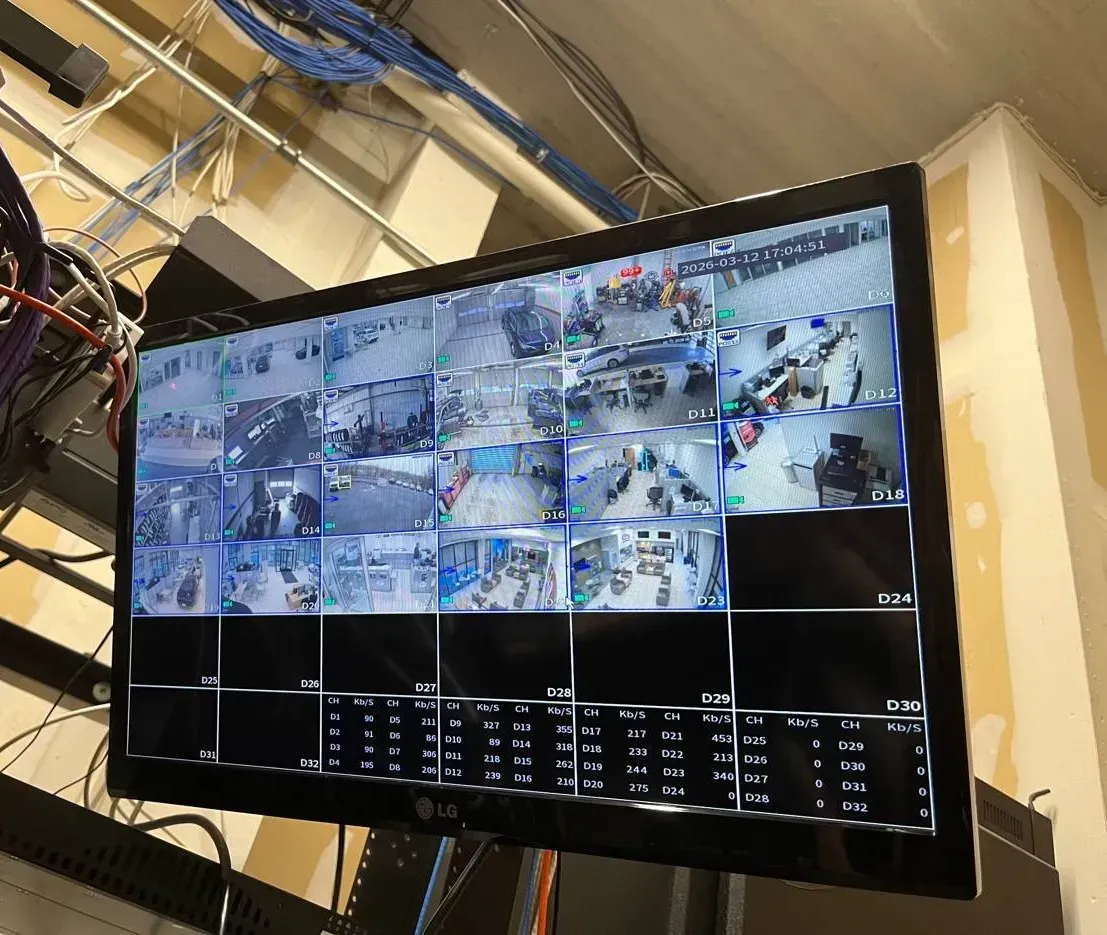
NYC security camera brands in use: recorder monitor showing a grid of camera views under bundled network cable runs
A photo from the AESS job library: a monitor showing a full grid of camera views, with bundled network cable running overhead. Whatever brand ends up on the walls, this is the part the owner lives with every day, so the comparison below spends as much time on recorders, apps and fees as on the cameras themselves.
Which Brand Fits My Property?
Tell us the building, how many doors and areas you want covered, and any brand you already own or like, and a technician calls back with an honest pick

βœ…
Request Sent!
Thank you. A technician will call you back within 2 hours during business hours with a brand recommendation for your property.
25+
Years Experience
14
Brands Compared
100%
Licensed & Insured
4.7β˜…
201 Google Reviews

Owner-operated since 2002 Β· Thousands of jobs completed Β· Booked within 2 hours

The fastest way to get a straight answer is to send us four things. First, a sentence about the building: a one-family house in Queens, a six-unit walk-up in the Bronx, a storefront with apartments above in Brooklyn, a warehouse on Long Island. Second, the list of places you want to see: the front door, the stoop, the alley, the backyard, the lobby, the register, the loading door. Third, how you want to watch it: on your phone, on a monitor in the office, or both, and whether anyone else such as a super, a manager or a family member needs access. Fourth, whether you already own cameras or a recorder, with a photo of the label if you do. With that, we can usually tell you on the first call which two or three brands make sense, which ones we would steer you away from for that building, and roughly where the installed price will land. Send it to (800) 486-0943 or on WhatsApp.

  • Advice by phone or message costs nothing, and nobody is paid more for steering you to one brand over another. A written quote follows a visit.
  • Work is done under New York State license #12000287431, with insurance a landlord, co-op board or managing agent can ask to see.
  • If you are comparing two specific brands, the dedicated head-to-head pages we are building will go deeper; the table below already covers the basics for all fourteen.
Side by Side

The 14 Security Camera Brands Compared in One Table

Every row below comes from the manufacturer's own product, plan or support page, checked on November 2, 2026. Where a brand's site did not confirm a detail, the cell says so instead of guessing. The resolution column names one representative current model, not every camera the brand sells, and the subscription column answers one narrow question: can the system record and let you watch it remotely without a monthly plan? Monthly prices are the manufacturer's own published plan prices; we never compare our installed prices to a store's camera price.

BrandTypeRepresentative model and resolutionRecording and storageAppSubscription to record?Smart-home fitBest for
UniFi ProtectProfessional, PoEG6 line, all 4K; G6 Dome uses a 1/1.8" 8MP sensorLocal UniFi NVR, Cloud Gateway or CloudKey+UniFi ProtectNo: "Are there any fees? Absolutely not."Its own ecosystem; ONVIF for third-party camerasHomes and offices that want one clean app and no fees
HikvisionProfessional, PoEDS-2CD2187G2-LSU ColorVu dome, 8MP (3840Γ—2160)NVR, plus microSD up to 512 GB in cameraHik-Connect, iVMS-4200Not confirmed on Hikvision's siteONVIF Profile S, G, TPrivate homes and businesses wanting color night video
DahuaProfessional, PoEIPC-HFW3849T1-AS-PV-PRO WizColor TiOC PRO bullet, 8MPNVR, SD up to 512 GB, DoLynk CloudDMSS, SmartPSS Lite, DSSNot confirmed on Dahua's siteONVIF Profile S, G, TStorefronts that want active deterrence lights and sirens
Uniview (UNV)Professional, PoEIPC3528LE-ADF28K-WP2 ColorHunter dome, 8MPNVR, microSD up to 512 GB, EZCloudEZView, EZStationNot confirmed on Uniview's siteONVIF Profile S, G, TBuildings that want a pro NVR not on the FCC Covered List
Hanwha Vision (Wisenet)Professional, PoEXNO-A9014R AI IR bullet, 8MP (3840Γ—2160)NVR or Wisenet WAVE VMS, microSD up to 1 TBWisenet MobileRecorder: not confirmed; WAVE software uses recording licensesONVIF Profile S, G, T, M; NDAA badgeBusinesses with compliance or insurance requirements
AxisProfessional, PoE, sold only through partnersAXIS Q1808-LE bullet, 10MPAXIS Camera Station Pro recorders, card slot in cameraAXIS Camera Station Pro MobileNo monthly plan; recorder licenses last the recorder's lifetimeEnterprise video softwareLarger sites, schools and offices that plan for a decade
LuminysProfessional, PoELumiColor, LumiNightKing lines; R3 4K and R5 8K NVR seriesNVR, LumiCloudLumiCenter VMS (mobile app not confirmed)Not confirmed on Luminys's siteONVIF G, M, S, T in LumiCenterOwners who want a US-based company with an NDAA statement
LorexDIY kit, PoE NVRFusion 4K+ 12MP 16-channel NVR (N910A62), 2 TB to 16 TBNVR or DVRLorex HomeNo; optional Connect Cloud+ from $5.99/moAlexa, Google AssistantHouses that want 4K wired cameras and no fees
ReolinkDIY, PoE and Wi-FiDuo 3 PoE, 16MP dual-lens, 180Β°microSD up to 512 GB, Reolink NVR, optional cloudReolink AppNoGoogle Assistant (on the Duo 3 PoE page)Wide yards, driveways and lots on a budget
SwannDIY kit, PoE NVREliteX 6K/12MP NVR system, 2 TB to 8 TBNVRSwann SecurityNo; Secure+ from $4.99/mo optionalGoogle Home dropped in August 2025A packaged NVR kit with no ongoing fees
eufyDIY, HomeBase or PoE NVRPoE NVR Security System S4 Max, 2 TB to 16 TBNVR, HomeBase, on-device storageeufy Security appNo; cloud from $3.99/mo optionalHomeKit (via HomeBase S380), Alexa, Google on some modelsApple households that want local storage
RingDIY, cloud-firstWired Doorbell 4K Pro; Outdoor Cam 4K ProCloud; local storage only through Ring Alarm ProRing appYes for video history; plans from $4.99/moAlexa, Echo Show, Fire TVDoorbells and Alexa homes
ArloDIY, battery and plug-inUltra 3, 4K (battery); Essential Plug-In, 2KCloud; SmartHub or base station with microSDArlo SecureNot confirmed on Arlo's site; plans from $9.99/moAlexa, Google Home, SmartThingsSpots where running a cable is impossible
Google NestDIY, cloud-firstNest Cam Outdoor (wired, 2nd gen), 2K HDRCloud; 6 hours of event previews without a planGoogle HomeYes for history; Google Home Premium from $10/moGoogle and Gemini native; Alexa via skillGoogle homes with Nest speakers and displays

Read the table from right to left and it becomes a decision tree. If you want one app, local recording and nothing to pay monthly, the shortlist is the professional half of the table plus Lorex, Reolink, Swann and eufy. If you want the camera to ring a smart speaker, show up on a TV and be managed by the same account as your thermostat, the shortlist is Ring, Arlo and Google Nest, and you should budget for the plan. If you manage a building where an insurer, a lender, a government contract or a corporate tenant asks about the equipment's origin, the shortlist narrows again, and the section on the FCC Covered List below matters more than any resolution number.

How We Judged

How an Installer Ranks Camera Brands Differently From a Reviewer

The pages that rank for this search today, from security.org and SafeHome.org to Wirecutter, CNET and Consumer Reports, mostly test consumer cameras one at a time. That is useful for picking a doorbell. It is less useful for a co-op lobby, a bodega with three aisles and a basement stockroom, or a two-family house where the owner upstairs and the tenant downstairs both want to see the front door. Our ranking leans on five questions that only show up after the cameras are on the wall.

1. Where does the video live?

A recorder in the building keeps working when the internet is down, keeps weeks of footage without a monthly bill, and can hand a clip to a detective on a USB drive. Cloud storage survives a stolen recorder but stops recording useful history the day a payment lapses. Most of the professional brands and the four big DIY kit brands put the video on a local box first. Ring, Arlo and Google Nest put it in the cloud first.

2. How does the camera get power and network?

Power over Ethernet sends power and data down one cable, which is why every professional brand in the table, and the Lorex, Reolink, Swann and eufy NVR lines, are built around it. A single cable per camera is also what lets us run a camera to the third floor of a walk-up through an existing riser rather than hanging a battery camera that someone has to charge on a ladder. Battery and Wi-Fi cameras earn their place where a cable genuinely cannot go.

3. What happens when the app changes?

Every brand eventually changes its app. Swann's Google Home integration ended in August 2025, according to Swann's own support page, and anyone who built a routine around it lost it. Google now sells its camera history under Google Home Premium rather than the older Nest Aware name. We weigh how much of the system depends on one company's cloud, because a recorder that speaks ONVIF can usually be moved to another brand's software, and a cloud-only camera cannot.

4. Who can service it in five years?

Axis says on its own site that it never sells directly to customers, and Hikvision, Dahua, Uniview and Hanwha recorders are the ones we find most often when we answer service calls in older installations. Firmware, replacement parts and technicians who know the menus are easy to find. That is less true of a one-off kit brand bought online, and it matters most for landlords and managing agents who change contractors.

5. What does the whole system cost to own?

Installed price plus any monthly plan over the life of the system. A cheaper camera with a required plan can cost more over several years than a professional camera with none. We publish installed prices for each brand on our own NYC price pages, and the section near the end of this page lists them together.

Professional Brands

Professional Camera Brands: Wired to a Recorder, No Required Plan

These are the brands we install when the job calls for cable, a recorder in a closet and cameras that stay put for years. They are rarely sold in a box at a big-box store, they expect a person who knows how to configure a recorder, and in return they give you more control over where the video lives, who can see it and what it costs to keep.

UniFi Protect (Ubiquiti): the easiest professional system to live with

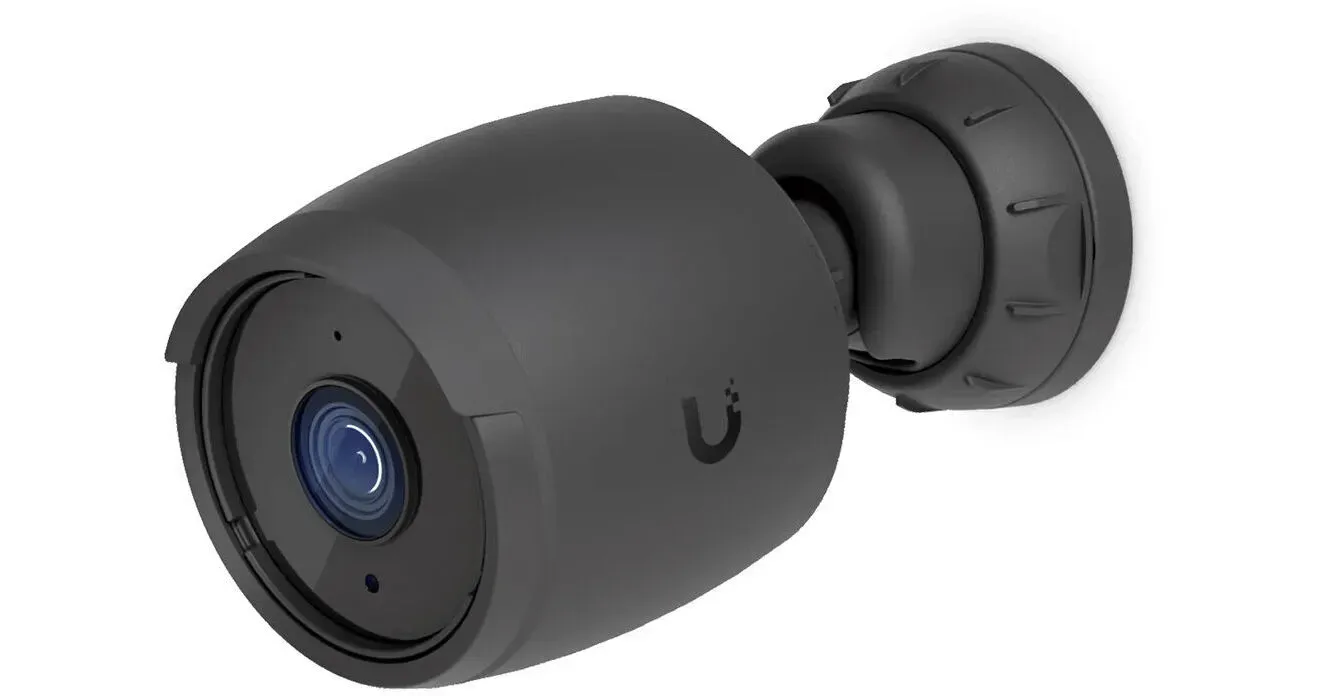
UniFi G6 black bullet camera product photo, a professional camera brand we install in NYC
Product photo of a black UniFi G6 bullet camera with the round Ubiquiti logo on its body. Ubiquiti lists every camera in the G6 line as 4K, and on New York jobs the black housing is often the deciding detail for owners who do not want a white camera on a dark brick facade.

UniFi Protect is the brand we recommend most often to homeowners and small offices who want professional cameras without professional complexity. Ubiquiti's physical security page is unusually direct about money: it says UniFi Protect "handles all AI and recording on your local UNVR or Enterprise NVR, eliminating cloud fees, subscriptions, and paid AI add-ons," and in its own question-and-answer section, to the question of whether there are fees, it answers "Absolutely not." The recording host can be a dedicated UniFi NVR, one of Ubiquiti's Cloud Gateways or a CloudKey+, which matters because many of our customers already have a UniFi router or Wi-Fi in the building and can add cameras to the same console.

On the camera side, Ubiquiti lists the whole G6 line, including the Dome, Turret, Pro Bullet, Instant and PTZ, as 4K, and it gives the G6 Dome a 1/1.8-inch 8MP sensor. The G6 Pro Bullet reaches up to 60 meters (197 feet) of infrared with what Ubiquiti calls Vision Enhancer, which is more reach than a typical Brooklyn backyard needs but useful along a long Staten Island driveway or the fence line of a Queens yard. Wired cameras need Power over Ethernet, and Ubiquiti says ONVIF compatibility lets an owner add some third-party cameras to the same system.

The honest drawbacks: UniFi is a whole ecosystem, so the recorder, the switch and the app all come from the same company, and if you leave you leave all of it. The app is the best-designed one in the professional half of this table, which is why owners who have never touched a recorder menu like it, but it is still a network product, and a building with a messy internet setup will feel it. We also see owners buy UniFi cameras online and then discover they need a console to record anything, which is exactly the kind of mismatch a short call before purchase avoids.

Our call: the default pick for a one- or two-family house, a professional office or a small retail shop where the owner wants to watch on a phone, pay nothing monthly and never think about the recorder. See our UniFi camera installation in NYC page for how we install it, and the UniFi installed price list, where a 4-camera system starts from $2,111.

Hikvision: the color-night-video workhorse, with a federal footnote

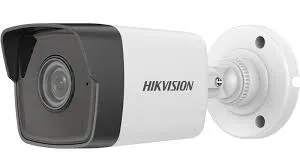
Hikvision white bullet camera product photo for a NYC camera brand comparison
Product photo of a white Hikvision bullet camera with the Hikvision name printed on the side and a short wall mount. Bullet cameras like this one make their purpose obvious from the sidewalk, which some storefront owners want and some townhouse owners do not.

Hikvision says it was founded in 2001, and its cameras and recorders are among the most common professional equipment we find in New York houses, shops and apartment buildings. Its ColorVu line is built around showing color at night: the DS-2CD2187G2-LSU, which Hikvision calls a 4K ColorVu fixed dome network camera, records at 8MP, 3840 by 2160, and Hikvision describes ColorVu as 24/7 color imaging using white light. The same product page lists microSD storage up to 512 GB in the camera, ONVIF Profile S, G and T, and Power over Ethernet, and names the Hik-Connect app along with the iVMS-4200 and iVMS-5200 software.

In practice, Hikvision earns its place on a lot of residential jobs because the color image after dark is easy for a family to understand, the recorders are mature, and almost every technician in the city knows the menus. Hik-Connect is not the slickest app in the table, and we spend real time on service calls helping owners who lost their login or changed phones, which is why we run a separate Hik-Connect app support service. Hikvision's own product page did not confirm whether any subscription is needed, so we leave that out of the table; the systems we install record to a local recorder.

The footnote every buyer should know: the FCC added video surveillance and telecommunications equipment produced by Hangzhou Hikvision Digital Technology Company to its Covered List on March 12, 2021, "to the extent it is used for the purpose of public safety, security of government facilities, physical security surveillance of critical infrastructure, and other national security purposes." For a private house or most private businesses, that language describes uses that do not apply. For a building with a government tenant, a contractor bound by federal procurement rules, or an owner whose insurer asks, it is a reason to choose another brand. We explain this in plain terms in the FCC section below rather than in a scare headline.

Our call: a strong value for private homes and businesses that want bright color night video and a recorder any technician can service; not our pick for government-linked buildings. See Hikvision camera installation in NYC, where a small 4-camera residential system usually lands between $1,800 and $3,000 installed.

Dahua: deterrence features and a deep product range

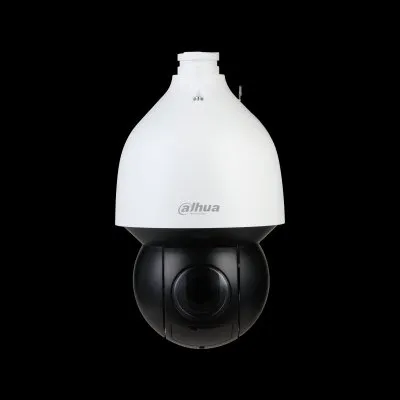
Dahua white PTZ dome camera product photo, compared among NYC security camera brands
Product photo of a white Dahua pan-tilt-zoom dome camera with a dark lower dome, shown against a black background. A camera like this is a different tool from a fixed dome: it moves and zooms, which suits a parking lot or a large yard more than a stoop.

Dahua's own site gives its legal name as Zhejiang Dahua Technology Co., Ltd. and calls the company a "video-centric AIoT solution and service provider." Its range is wide, from small fixed cameras to the kind of pan-tilt-zoom dome in the photo, and its WizColor and TiOC lines are where most of our Dahua work happens. The IPC-HFW3849T1-AS-PV-PRO, which Dahua names an 8MP WizColor TiOC PRO bullet, records 8MP at 3840 by 2160, takes an SD card up to 512 GB, supports ONVIF Profile S, G and T, runs on PoE+, and is managed through the DMSS app, SmartPSS Lite or DSS, with DoLynk Cloud also listed. Dahua's TiOC 2.0 page describes "smooth 4K real-time images at 30 fps even when AI is enabled" with an F1.0 lens.

The TiOC idea, short for three-in-one camera, combines a color image with active deterrence: a flashing light and a speaker that can sound when the camera sees a person where nobody should be. Store owners on commercial strips like that, because a lit, beeping camera at the back door of a closed shop is often enough to move someone along before anything happens. Homeowners are more mixed, because the same feature has to be tuned carefully so it does not go off for every delivery person.

Dahua shares Hikvision's federal footnote: the FCC Covered List has included equipment produced by Dahua Technology Company since March 12, 2021, with the same scoping language. The same advice applies. For most private owners it is background; for government-linked work it rules the brand out. Dahua's site did not confirm whether a subscription is ever required, and our installations record to a local recorder.

Our call: pick Dahua when a storefront, a yard or a parking area benefits from lights-and-siren deterrence, or when a PTZ is needed on a budget. See Dahua camera installation in NYC; a small 4-camera system usually lands between $1,800 and $3,000 installed, and our SmartPSS support page covers the desktop software.

Uniview (UNV): professional features without the Covered List question

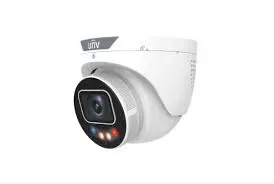
Uniview UNV white turret camera with red and blue deterrence lights, product photo for NYC brand comparison
Product photo of a white Uniview turret camera with the UNV logo on top and small red and blue deterrence lights beside the lens. A turret like this sits close to a ceiling or soffit, which suits vestibules and building entrances where a bullet camera would stick out.

Uniview says it was founded in 2011 and calls itself a "global provider of AIoT products," and its contact page lists its headquarters in Hangzhou, Zhejiang Province, China. It is not on the FCC Covered List, which names Hikvision and Dahua among video surveillance makers but not Uniview. That combination, a professional camera line from the same region and price tier, without the Covered List entry, is why Uniview has become a common answer when a building owner asks for something like Hikvision but is worried about that list.

The IPC3528LE-ADF28K-WP2, which Uniview calls an 8MP ColorHunter dome, records at 3840 by 2160, takes microSD up to 512 GB, supports ONVIF Profile S, G and T and runs on PoE. Uniview's ColorHunter uses warm light for color at night. The mobile app is EZView, which Uniview says lets you "view live or recorded video, receive alarms and manage cloud devices," with EZStation on the PC and EZCloud for remote access. Uniview's site did not confirm anything about subscriptions, and on our installations the recorder does the recording.

The trade-off is familiarity. Fewer owners have heard of Uniview, and fewer technicians know its menus by heart than know Hikvision's. In our experience the hardware holds up, and the EZView app is straightforward once it is set up properly, but if you change installers later, ask whether they work with UNV before you sign.

Our call: our usual pick for co-ops, condos and mixed-use buildings that want a professional NVR system, color night video and no Covered List conversation with the board. See Uniview camera installation in NYC and the Uniview installed price list, where a 4-camera system starts from $2,334.

Compliance-Minded Brands

Hanwha, Axis and Luminys: When the Paperwork Matters as Much as the Picture

Some customers do not start with resolution at all. A managing agent wants a brand the building's insurer will not question. A school or nonprofit applying for a security grant needs equipment that fits the grant's rules. A contractor wants a system that will not have to be ripped out if the tenant changes. For those buyers, the three brands in this section come up first, each for a different reason.

Hanwha Vision (Wisenet): strong analytics with an NDAA badge on the product page

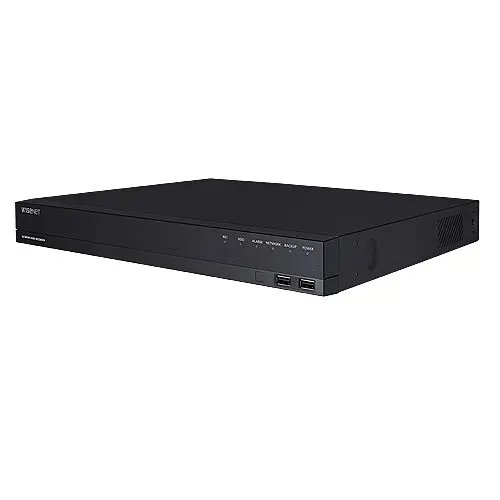
Hanwha Wisenet network video recorder product photo, part of a NYC security camera brand comparison
Product photo of a flat black Wisenet network video recorder with front-panel ports and status lights. The recorder is the piece that decides how long video is kept and who can reach it, so for compliance-minded buildings we often choose it before the cameras.

Hanwha Vision sells its cameras and recorders under the Wisenet name. Its XNO-A9014R, which Hanwha calls an 8MP AI IR bullet camera, records at 3840 by 2160, is built on the Wisenet 9 chip with what Hanwha describes as a dual NPU for on-camera analytics, reaches 25 meters (82 feet) of infrared, takes a microSD card up to 1 TB, runs on standard PoE and supports ONVIF Profile S, G, T and M. Hanwha's product page displays an NDAA certification badge for that model, which is exactly the kind of document a building's compliance person asks to see.

Recording runs either on a Wisenet recorder like the one in the photo or on Hanwha's Wisenet WAVE software, which Hanwha says comes with a 30-day free trial recording license for up to four channels. That trial language tells you WAVE recording is licensed, so on a WAVE build the license cost belongs in the quote from day one. The Wisenet Mobile app handles viewing on phones. Hanwha's pages did not confirm whether a plain recorder setup ever carries a subscription, and the ones we install do not.

Wisenet's strength in our work is the analytics: person and vehicle detection that cuts down false alerts at a loading dock or a parking lot gate, and image quality that holds up in mixed lighting like a lobby with glass doors facing a bright avenue. The trade-off is price and setup time, both somewhat above the Hikvision and Dahua tier.

Our call: pick Hanwha when an insurer, a lender, a grant or a corporate tenant asks about equipment origin, or when analytics need to be accurate enough to act on. Our Hanwha installed price list shows 4-camera systems from $1,688, and the NVR installation page covers the recorder side.

Axis Communications: the long-life enterprise choice

Axis says it is based in Lund, Sweden, was founded in 1984 and has been part of the Canon Group since 2015. It also says plainly, "We never sell directly to customers," which means every Axis system goes in through a partner like us. Its AXIS Q1808-LE bullet is a 10MP camera with what Axis calls Lightfinder 2.0 for low light and OptimizedIR for darkness, a memory card slot, PoE Class 4 power, and an Axis 5-year warranty listed on the product page. Axis's datasheets also describe a 41MP model in the same family for very wide scenes.

Recording runs on AXIS Camera Station Pro. Axis says its own recorders come preloaded with licenses valid for the lifetime of the recorder, while running the software on your own hardware needs one- or five-year licenses, and the AXIS Camera Station Pro Mobile app handles phones. The software also supports third-party cameras, which helps when a building has a few older cameras worth keeping.

Axis costs more, and it should. What you buy is a camera line designed to be maintained by professionals for a long time, with careful documentation and firmware support. For a brownstone, that is usually more camera than the job needs. For a school, a medical office, a multi-floor commercial building or a property that will keep the same system for a decade, it is often the cheapest choice over the system's life.

Our call: pick Axis for larger commercial sites, schools and institutions that value long warranty terms and enterprise software. Our Axis installed price list shows 4-camera systems from $3,461, and the school camera installation page explains how we plan those buildings.

Luminys: a California company with a Section 889 statement

Luminys Systems Corporation lists its address in Irvine, California, and its compliance page says it is "fully committed to compliance with Section 889" of the National Defense Authorization Act, the federal rule behind most NDAA questions about cameras. The same page says its products are made in the supply chain of its parent company, Foxlink. For owners who want a professional camera line from a US-based company with that statement on record, Luminys has become a frequent request.

Luminys sells several camera lines, which it names LumiColor, LumiNightKing, LumiLuxSmart, LumiDeterrent and LumiSearch PTZ, with recorders in its R3 4K PoE NVR series and R5 8K LumiSearch NVR series and a remote service called LumiCloud. Its LumiNightKing page describes "full color images… in near total darkness without using IR or white-light LEDs," which, if it performs as described on a given site, solves a common complaint about color cameras: the bright light that neighbors dislike. Its LumiCenter software supports ONVIF G, M, S and T.

What Luminys's site did not confirm for us is a single flagship model with its resolution, the name of its mobile app, or whether any feature needs a subscription, so those cells are blank in the table rather than filled in from a reseller listing. We would rather tell you we checked and could not confirm than print a number we cannot source.

Our call: a good fit for owners who specifically want a US-headquartered professional brand with a published NDAA Section 889 commitment. Our Luminys installed price list shows 4-camera systems from $2,591.

Plain Answers

The FCC Covered List and NDAA, Explained Without the Scare Headlines

Almost every comparison of camera brands now touches on whether some brands are "banned." The honest answer is narrower than most headlines. The Federal Communications Commission keeps a list of equipment it has found poses a national security risk, called the Covered List, and its page was last updated on October 23, 2026 when we checked it. On March 12, 2021, the FCC added video surveillance and telecommunications equipment produced by Hangzhou Hikvision Digital Technology Company and by Dahua Technology Company, and it scoped both entries to equipment used "for the purpose of public safety, security of government facilities, physical security surveillance of critical infrastructure, and other national security purposes."

Uniview, UniFi, Hanwha, Axis, Luminys and the consumer brands in this comparison do not appear on that list. Separately, Section 889 of the National Defense Authorization Act restricts federal agencies, and companies that contract with them, from using certain equipment. That is why Hanwha shows an NDAA badge on its product page and Luminys publishes a Section 889 compliance statement.

What this means for a New York property owner

  • A private house or apartment: the Covered List language describes uses that do not apply to you. The choice of brand comes down to picture, app, fees and service.
  • A private business: usually the same, unless a lease, a corporate parent, an insurer or a customer contract asks about equipment origin. Ask before you buy, not after.
  • A building with a government tenant, a federal contractor, a school or nonprofit using a security grant, or anything near critical infrastructure: choose a brand that is not on the Covered List, and keep the manufacturer's compliance documentation with the system records.
  • An existing Hikvision or Dahua system: nothing on the FCC page tells a private owner to rip out working cameras. If your situation changes, we can plan a staged replacement, often reusing the cable.

We are installers, not lawyers, and rules change. If a contract or grant depends on this, ask the person who wrote the requirement which list or rule it refers to, and we will match the equipment to it.

DIY Kit Brands

Lorex, Reolink, Swann and eufy: Local Recording Without a Required Fee

These four brands sit in the middle of the market. They are sold as kits a handy owner can install, they all offer wired PoE recorders, and each of them says on its own site that you can record locally without paying monthly. Most of the time when one of them reaches us, it is because someone bought the kit, opened the box and realized the hard part is not the cameras. It is getting cable from the basement to the front of a 1920s brick house without leaving a mess on the facade.

Lorex: the strongest no-fee kit for houses

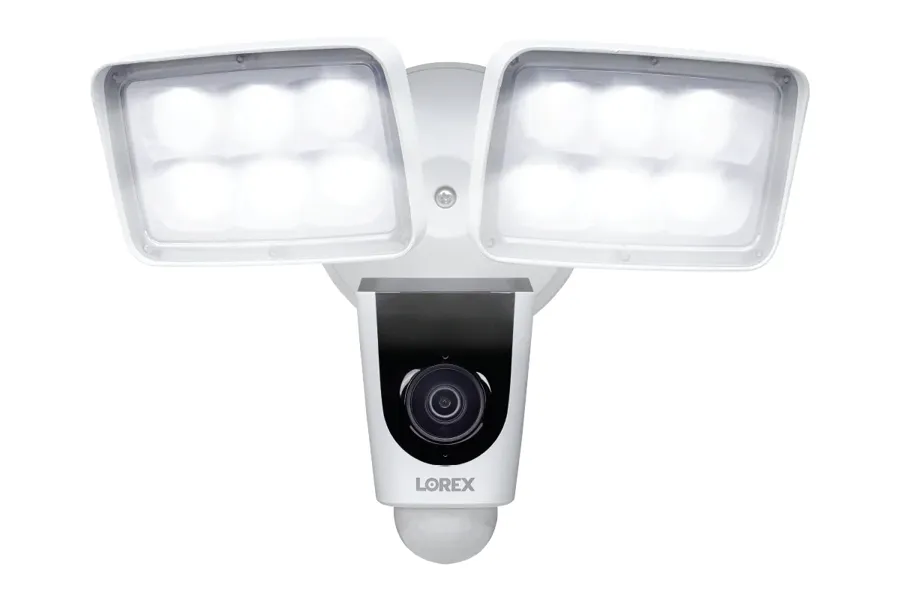
Lorex floodlight security camera product photo with two light panels, NYC camera brand comparison
Product photo of a white Lorex floodlight camera: two square LED light panels above a camera body with the Lorex name printed on the front. A floodlight camera replaces an existing outdoor light fixture, which on a New York backyard or driveway is often the simplest way to add a camera where power already exists.

Lorex says in so many words that its "security cameras and systems do not require a subscription," and its recorders back that up. The Fusion 4K+ 12MP 16-channel NVR, model N910A62, supports both 12MP and 4K+ cameras, ships with a 2 TB drive and takes up to 16 TB, and lists 72 watts of total PoE power for the cameras plugged into it. The Lorex Home app handles viewing, and Lorex lists Amazon Alexa and Google Assistant voice control, including showing cameras on an Echo Show or a Google display. If you want cloud backup anyway, Lorex's Connect Cloud+ plan is listed at $5.99 a month for a single camera and $16.99 a month for multiple cameras.

Lorex is a common choice among homeowners who arrive already knowing they want 4K wired cameras and no monthly bill. The recorder interface is friendlier than most professional brands, the floodlight and smart-light cameras suit backyards and alleys, and the kits are complete enough that we often install what the customer already bought rather than selling them new equipment.

The limits are about scale and service. A Lorex recorder is built for a house or a small shop, not a 40-unit building with a super and a managing agent who all need separate access. And because the brand is sold direct, a few owners end up mixing camera generations that the recorder does not fully support. We check model numbers before the visit for exactly that reason.

Our call: the best do-it-yourself-brand system for a one- or two-family house, especially when the owner already has the kit. See Lorex camera installation in NYC and the Lorex installed price list, where 4 cameras start from $1,939.

Reolink: wide views and flexible storage

Reolink's headline products are about field of view. The Reolink Duo 3 PoE is a 16MP dual-lens camera that Reolink lists at 7680 by 2160 with a 180-degree view, and Reolink's RLN16-410 16-channel recorder supports cameras up to 16MP. Storage is flexible: a microSD card up to 512 GB in the camera, a Reolink recorder, or Reolink's optional cloud, and Reolink's own blog says no subscription is required. The Duo 3 PoE page lists Google Assistant support, and everything runs through the Reolink App.

A 180-degree camera is genuinely useful in New York in a few specific places: the back of a house where a yard spreads left and right, a driveway shared by two houses, a parking area behind a store, or the front of a corner building where one camera has to see two sidewalks. It is less useful in a narrow vestibule, where a wide lens just shows more wall. Reolink also sells Wi-Fi and battery models, and we install fewer of those because they bring the same Wi-Fi limits as any other brand in brick and stone buildings.

We did not print a Reolink cloud price in the table because Reolink's official plan page showed only its LTE plans when we checked, and we would rather leave a cell out than copy a number from an older blog post. If you plan to rely on the cloud, check the current plan page before you buy.

Our call: a smart budget choice for wide yards, shared driveways and small lots, with PoE models wired properly. See the Reolink installed price list, where 4 cameras start from $1,579.

Swann: a complete kit, with one integration gone

Swann's EliteX 6K/12MP NVR security system, model SWNVK-8EX412MPB with four bullet cameras, comes with a 2 TB drive that expands to 8 TB, and Swann describes it as having "zero ongoing fees" with cloud backup optional. Swann's Secure+ plans start with a free tier that needs no subscription, then an Extra plan at $4.99 a month for one device and an Unlimited plan at $12.99 a month. Viewing runs through the Swann Security app.

One change matters for anyone choosing Swann for smart-home reasons. Swann's own support page says its Google Home integration was discontinued in August 2025 and that existing links were disabled. If your plan was to say "show me the front door" to a Google display, Swann no longer does that. We did not find current confirmation of Alexa or HomeKit support on Swann's pages either, so we treat Swann as a standalone recorder-and-app system.

As a standalone system, it is perfectly capable for a house, and Swann kits are common enough that we are regularly asked to install ones owners bought themselves. The advice is the same as for Lorex: send model numbers first, because a kit's cameras and recorder must match, and an extra camera bought later from a different series may not.

Our call: fine for a house that wants a packaged no-fee NVR kit and does not care about voice assistants. See the Swann installed price list, where 4 cameras start from $1,779.

eufy: the Apple-friendly local-storage pick

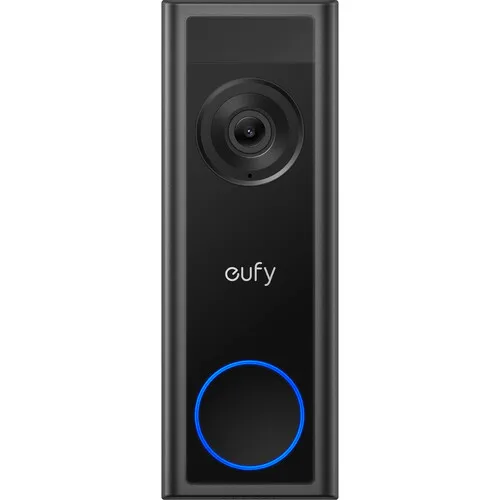
eufy black video doorbell product photo with a blue ring button, NYC camera brand comparison
Product photo of a black eufy video doorbell with the eufy name under the lens and a blue-lit ring around the button. On a New York stoop, a doorbell camera is usually the first camera a household buys, and the brand of the doorbell often decides the brand of everything else.

eufy, Anker's security brand, built its reputation on local storage, and its site still leads with it: eufy says its local security systems carry no monthly fee. Its top PoE system, the eufy PoE NVR Security System S4 Max, ships with 2 TB of storage expandable to 16 TB, and eufy also stores video on a HomeBase or on the device itself depending on the product. Cloud storage is optional, starting at $3.99 a month for one device on eufy's Basic plan, and eufy also sells a separate Plus membership. Viewing runs through the eufy Security app, and eufy's PoE NVR line includes the S4, S4 Max, E40 and E41.

eufy's distinctive strength is Apple HomeKit. eufy says the eufyCam S3 Pro and Indoor Cam E30 work with HomeKit, Alexa and Google Assistant, with HomeKit requiring the HomeBase S380. For a household that runs on iPhones and Apple TV, that is the shortest route to cameras that appear in the Apple Home app without a cloud camera plan. eufy did not confirm the same for the S4 Max specifically, so if HomeKit matters, pick the model before the brand.

The practical limit is mixed families of products. eufy sells battery cameras, Wi-Fi cameras, HomeBase cameras and PoE NVR cameras, and they do not all work together the same way. We sort that out on the first call so nobody buys a camera that cannot talk to the recorder they already own.

Our call: the pick for Apple households that want local storage and a doorbell that matches the cameras. See the eufy installed price list, where 4 cameras start from $1,919.

Cloud-First Brands

Ring, Arlo and Google Nest: Easy Apps, Monthly Plans

These are the brands most people already know, and for good reason. Their apps are polished, their doorbells are everywhere, and they connect to the voice assistants and displays already sitting in many New York kitchens. The catch is that the video history, the part you need after something happens, usually lives in the company's cloud and needs a paid plan. That is not a reason to avoid them. It is a cost to put in the comparison alongside the installed price.

Ring: the doorbell standard for Alexa homes

Ring's current top wired models carry 4K labels: the Wired Doorbell 4K Pro, which Ring describes with a "Retinal 4K" image, and the Outdoor Cam 4K Pro. For a building that wants a doorbell on the network cable rather than on old bell wire, the Wired Doorbell Elite uses Power over Ethernet. Ring's product pages say the doorbell works without a subscription, but saved video history needs a plan, and Ring's plans page listed plans starting at $4.99 a month when we checked. Local video storage exists only through the Ring Alarm Pro base station. Ring is built around Alexa: live view on an Echo Show or a Fire TV is one of its biggest selling points.

In New York, Ring's real advantage is the doorbell. Most households buy one before any other camera, and it has to work with the bell wire, the chime and sometimes the old intercom already in the building. A common call starts with a Ring doorbell that will not stay powered on a weak transformer, or a tenant who wants one on an apartment door where the building's rules or the door itself make it tricky. The installation is where those problems get solved, not the brand.

Where we steer people away from Ring is as a whole-property recording system for a building. A super who needs to pull last Tuesday's hallway footage should not depend on whose credit card is on a cloud plan, and four cloud cameras on Wi-Fi in a brick walk-up are a support headache. For those jobs, a recorder-based brand from the tables above does the recording, and a Ring doorbell can still answer the door.

Our call: the pick for an Alexa household's front door and a few exterior cameras, with a plan budgeted. See the Ring installed price list, where 4 cameras start from $1,350, and our doorbell camera installation page.

Arlo: the brand for places a cable cannot reach

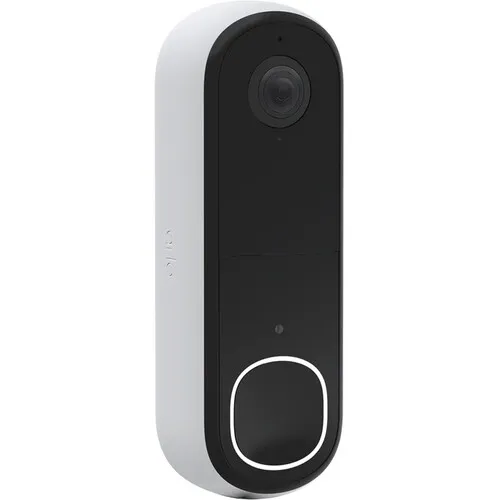
Arlo white video doorbell product photo with a lit ring button, compared among NYC security camera brands
Product photo of a white Arlo video doorbell with a black face, the lens at the top and a white-lit ring around the button. Arlo's doorbells and cameras are built to be installed without opening walls, which is both their appeal and their limit.

Arlo's flagship, the Arlo Ultra 3, is a 4K camera, and it runs on a battery. Arlo's wired option, the Essential Plug-In, is a 2K camera that runs from an outlet. Storage is in the cloud, with local storage available through an Arlo SmartHub or base station with a microSD card. Arlo's Secure plans start at $9.99 a month for a single camera on its Smart Aware tier and climb to $49.99 a month for Ultra Secure, according to Arlo's own plans page. Arlo lists Alexa, Google Home and SmartThings support, and the Arlo Secure app runs everything. Arlo does not sell a native PoE camera line; it sells a PoE adapter accessory instead.

That profile makes Arlo the right tool for a specific set of New York problems: a landmarked facade where the owner is not allowed or does not want to drill, a rental where the tenant will take the cameras when they move, a detached garage across a yard with no conduit, or a temporary job such as a renovation or a storefront that is between tenants. In those spots, a camera that needs nothing but a mounting screw is worth the battery changes and the plan.

For a permanent system on a building we own or manage, we lean away from battery cameras as the backbone. Batteries in a January wind on a Bronx rooftop do not last the way a box says, and someone has to climb up and swap them. Arlo's own pages did not settle for us whether a camera records anything useful without a plan, so we did not claim either way in the table; plan on the subscription if you choose Arlo.

Our call: pick Arlo for spots where cable is impossible or the system has to leave with you. See the Arlo installed price list, where 4 cameras start from $1,110, and our wireless camera installation page.

Google Nest: the natural fit for a Google home

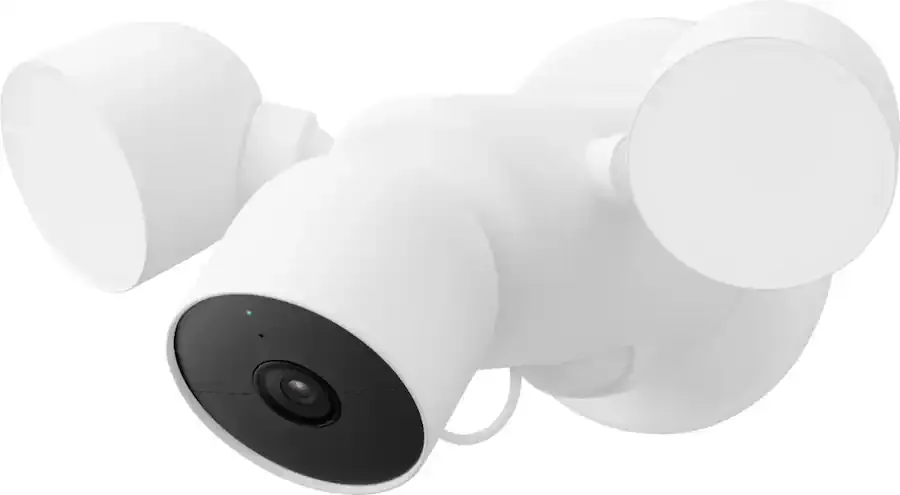
Google Nest white floodlight camera product photo with two round lights, NYC security camera brand comparison
Product photo of a white Google Nest camera mounted between two rounded floodlights. Like other floodlight cameras, it takes the place of an existing outdoor light, which in New York usually means a licensed electrician's question first: is the fixture box sound and is the circuit switched?

Google's current wired outdoor camera is the Nest Cam Outdoor (wired, 2nd gen), which Google lists at 2K with HDR, alongside a 2K wired indoor camera. Without a plan, Google says the cameras keep 6 hours of event video previews. Longer history now comes from Google Home Premium, which replaced Nest Aware, at $10 a month for Standard and $20 a month for Advanced on Google's store page. Everything runs in the Google Home app, works natively with Google Assistant and Gemini, and, according to Google's support page, can be added to Alexa through Google's smart home skill.

The reason to pick Nest is the rest of the house. If your family already uses Nest speakers, a Nest Hub display, a Nest thermostat and Google accounts, the cameras simply appear where you expect them, and the person at the door shows up on the kitchen display. That integration is worth a lot to some households and nothing to others.

The reasons to look elsewhere: Google did not confirm a 4K model or local recording for us, and we found no PoE model, so a Nest system depends on Wi-Fi and the cloud plan. In a narrow house with good Wi-Fi that is fine. In a four-story brownstone with thick masonry walls between the router and the backyard, it needs proper Wi-Fi planning first, which we cover on our network installation page.

Our call: the pick for households already living in Google's ecosystem. See the Google Nest installed price list, where 4 cameras start from $1,750.

Feature by Feature

Night Video, Apps and Storage: Where the Brands Really Differ

Once you get past the logos, three features decide whether owners are happy with a camera system a year later: what the picture looks like at two in the morning, how the app behaves when you are in a hurry, and how much video is still there when you finally need it. Each brand handles these differently, and each brand's own names for its features make comparing them harder than it should be. Here is a plain translation.

Color at night: four names for a similar goal

Hikvision calls its approach ColorVu and describes it as 24/7 color imaging with white light. Dahua's WizColor and TiOC lines aim at the same result and add active deterrence on some models. Uniview's ColorHunter uses warm light. Luminys says its LumiNightKing line produces full color images in near total darkness without using infrared or white-light LEDs at all. The traditional alternative is infrared, which Hanwha's XNO-A9014R uses out to 25 meters and Ubiquiti's G6 Pro Bullet out to 60 meters with its Vision Enhancer, giving a sharp black-and-white picture without any visible light.

Which is better depends on the block. On a quiet residential side street in Queens, a camera that switches on a white or warm light when someone walks up can annoy the neighbors across the street and the people sleeping in the front bedroom. On a commercial strip, the same light is a deterrent and makes clothing colors readable for a police report. In a backyard bounded by other people's windows, infrared is often the considerate choice. We usually mix: color-at-night cameras where the light is welcome, infrared where it is not.

Apps: the part you touch every day

The professional brands each have their own app: Hik-Connect for Hikvision, DMSS for Dahua, EZView for Uniview, UniFi Protect for Ubiquiti, Wisenet Mobile for Hanwha and AXIS Camera Station Pro Mobile for Axis. The kit brands use the Lorex Home app, the Reolink App, the Swann Security app and the eufy Security app. The cloud brands use the Ring app, the Arlo Secure app and the Google Home app. In our experience, the consumer apps and UniFi Protect are the easiest for a family to learn, and the professional apps reward a proper setup: separate user accounts, saved views for each floor or area, and notifications limited to the cameras that matter at night.

Two app questions to ask before you choose any brand. First, can each person get their own login with only the cameras they should see? In a two-family house or a building with a super, that matters more than any image setting. Second, what happens when someone changes phones or forgets the password? A surprising share of service calls on every brand are login problems, not camera problems, and a system set up with the owner's own account and recovery details avoids most of them.

Storage: how many days are actually there

Recording time depends on the number of cameras, their resolution, the frame rate, whether they record all the time or only on motion, and the size of the drive. That is why we never promise "30 days" from a brand name alone. The capacities the manufacturers publish give a sense of the ceiling: Lorex's Fusion recorder ships with 2 TB and takes up to 16 TB, Swann's EliteX kit goes from 2 TB to 8 TB, eufy's S4 Max goes from 2 TB to 16 TB, and many professional cameras add a memory card slot of up to 512 GB, or up to 1 TB on Hanwha's XNO-A9014R, as a backup if the recorder goes offline.

For cloud-first brands, storage is set by the plan rather than the drive. Google says its cameras keep 6 hours of event video previews without a plan, and longer history comes with Google Home Premium. Ring and Arlo tie saved video to their plans in the same way. When we set up any system, we write down the retention it actually achieves at the settings chosen, so a landlord or manager knows how far back they can look before an incident report is due.

Doorbells and intercoms: where camera brands meet the front door

In New York the front door is rarely just a door. A house may have a gate at the sidewalk, a stoop, a vestibule and an inner door; an apartment building has a lobby panel wired to every unit. The doorbell camera brands in this comparison, Ring, eufy, Arlo and the Lorex doorbell many kit owners add, are designed for a single household at a single door. They work well on a one-family house or the private entrance of a garden apartment. On a shared entrance, they create a problem: only the person whose account owns the doorbell sees the visitor.

For buildings with more than one household, the right answer is usually a video intercom at the shared door and cameras from the recorder-based system covering the lobby and the street, with each household answering its own calls. That keeps the recording on the building's system, where the owner or super controls it, and keeps each tenant's door answering in their own hands. If a tenant wants a doorbell camera on their own apartment door as well, we check the lease and the door first, then pick a model that matches the existing chime wiring or the door's construction.

The brand question also runs the other way. Many owners pick their whole camera system to match the doorbell they already love. That is a reasonable instinct for a single-family house, and it is part of why Ring and eufy owners often stay with those brands. For anything larger, we suggest choosing the recording system on its merits and letting the doorbell be the one piece that matches the family's phones and speakers.

Power and wiring: the quiet deciding factor

Every professional brand here, and the PoE lines from Lorex, Reolink, Swann and eufy, runs on Power over Ethernet: one cable from the recorder or a PoE switch carries power and video to each camera. Ring offers PoE on its Wired Doorbell Elite. Arlo sells a PoE adapter rather than native PoE cameras, and we found no PoE model from Google. In practice, the brands built for PoE are the ones that keep recording through a Wi-Fi outage, a power blink that resets the router, or a January cold snap that drains a battery. That is the single biggest reason our recommendations lean toward recorder-based brands for anything permanent.
Who Should Pick Which

The Right Camera Brand for Each Kind of New York Property

Brand rankings mean little without the building. Here is how we match brands to the properties we see most, from the first conversation through the install.

Brownstones and row houses

A recorder in the cellar, cable up through the existing chases, and three or four cameras on stoop, areaway and garden. UniFi Protect or Lorex for owners who want a simple app; Uniview or Hikvision for color at night on a dark side street.

Two- and three-family houses

One recorder, separate app access for owner and tenants, and a doorbell at each entrance. Lorex, UniFi or Hikvision for the recording, with a Ring or eufy doorbell if a household insists on one.

Walk-up apartment buildings

Lobby, mailboxes, stairs, roof door, cellar and rear yard on one recorder the super and owner can both reach. Uniview, Hikvision or Dahua for value; UniFi when the building already runs UniFi networking.

Co-ops and condos

A board needs documentation, access controls and a brand that will not raise questions at the next meeting. Uniview, Hanwha or Axis, with written retention settings the managing agent can show.

Storefronts and restaurants

Register, door, aisles, stockroom and the back alley, with deterrence at night. Dahua TiOC or Uniview deterrence turrets out back, fixed domes inside, recorder in the office.

Offices and medical suites

Reception, entrances and records rooms, often with an IT person who wants clean networking. UniFi for smaller offices, Hanwha or Axis where compliance or long life matters.

Warehouses, yards and lots

Long distances, wide views and vehicle detection. Hanwha analytics, a Dahua or Uniview PTZ, Reolink's wide dual-lens cameras on a budget, and PoE extenders or fiber for the far fence.

Schools, nonprofits and grant-funded sites

Equipment that fits the grant or contract rules. Brands not on the FCC Covered List, such as Hanwha, Axis, Uniview or Luminys, with the compliance paperwork kept on file.

Rentals and temporary sites

Nothing drilled that the landlord will object to, and cameras that leave with the tenant. Arlo battery cameras or plug-in Nest and Ring cameras, with a plan budgeted.

Three questions that settle most brand decisions in one phone call

Will you pay monthly? If the answer is no, the cloud-first brands drop off and the rest of the table stays. Who else needs to see the video? If the answer includes a super, a manager, a tenant or a board, a recorder-based brand with proper user accounts is easier to run than a shared consumer login. Does anyone ever ask where the equipment comes from? If yes, start with brands outside the FCC Covered List and keep the documentation.

Two answers that surprise people. First, the camera brand often matters less than the cable route and the recorder settings; a good mid-priced camera on a properly planned PoE run beats a premium camera on weak Wi-Fi every time. Second, you do not have to pick one brand forever. A recorder that supports ONVIF can often take cameras from more than one maker, which is how an owner can add a better camera at the busiest door without replacing the whole system.

Installed Prices

We Install Every Brand Here: Our NYC Installed Prices

Because we install all fourteen brands, we can show you what each one costs installed, not just what the box costs. The figures below come from our own NYC price pages, each one a starting price for a 4-camera system at the New York City rate, including the cameras, cabling, mounting and setup the price page describes. Your quote follows a site visit, and when a customer has no brand preference, our quotes default to our own non-branded systems, which start from $950 for 4 to 8 cameras on a residential job.

BrandInstalled in NYC, 4 camerasFull price list or service page
Arlofrom $1,110Arlo prices
Ringfrom $1,350Ring prices
Reolinkfrom $1,579Reolink prices
Hanwha Visionfrom $1,688Hanwha prices
Google Nestfrom $1,750Google Nest prices
Swannfrom $1,779Swann prices
Hikvisionusually $1,800 to $3,000Hikvision installation
Dahuausually $1,800 to $3,000Dahua installation
eufyfrom $1,919eufy prices
Lorexfrom $1,939Lorex prices
UniFi Protectfrom $2,111UniFi prices
Univiewfrom $2,334Uniview prices
Luminysfrom $2,591Luminys prices
Axisfrom $3,461Axis prices

A few honest notes on reading those numbers. The cheapest installed system is not always the cheapest to own: the cloud-first brands at the top of the list carry monthly plans, published by the manufacturers at $4.99 a month and up for Ring, $9.99 and up for Arlo and $10 and up for Google Home Premium, while the recorder-based brands further down do not require one. Prices outside the five boroughs follow our area rates, so the same system on Long Island or in the Hudson Valley is quoted from that area's list, and our NYC security camera pricing page explains what moves a quote up or down.

Bring your own equipment. If you already bought cameras or a kit from any brand on this page, we install it as labor-only work, provided the parts suit the job. We check model numbers before the visit and tell you if something is missing, such as a PoE switch, a hard drive, an outdoor-rated junction box or a camera that the recorder will not accept.

Full terms β€” including 50% deposit, one-year parts-only warranty on AESS-supplied products, and the late-fee schedule β€” are set out in the service agreement.

Head to Head

Brand-Versus-Brand Comparisons We Are Building Next

This page is the hub for a series of head-to-head comparisons, each one built around a pair that people actually search, with the same rules: specifications from the manufacturers, real product photos, the honest installer's call, and our installed price. Each comparison will link back here, and each will appear in this list as it goes live. The reversed order of a pair, such as Reolink versus Lorex, is covered on the same page.

  • Lorex vs Reolink: two no-fee wired kits, one built around a big recorder, the other around wide dual-lens cameras.
  • Lorex vs Swann: two packaged NVR kits, and what Swann's August 2025 Google Home change means.
  • Ring vs Arlo: an Alexa doorbell ecosystem against battery cameras that go anywhere.
  • Ring vs Nest: Amazon's home against Google's, decided mostly by the speakers you already own.
  • Eufy vs Ring: local storage and HomeKit against a cloud plan and Alexa.
  • Hikvision vs Dahua: two professional workhorses with the same federal footnote.
  • UniFi Protect vs Hikvision: a no-fee all-in-one ecosystem against the city's most common recorder.
  • ADT vs SimpliSafe vs a local licensed installer: monitored alarm companies against a system you own.
  • 2GIG vs Qolsys: the two alarm panels we see most, for owners adding cameras to an alarm.
  • DoorBird vs 2N and Akuvox vs ButterflyMX: video intercoms for houses and apartment buildings.
Reality Check

What AI Answers Get Wrong About Security Camera Brands

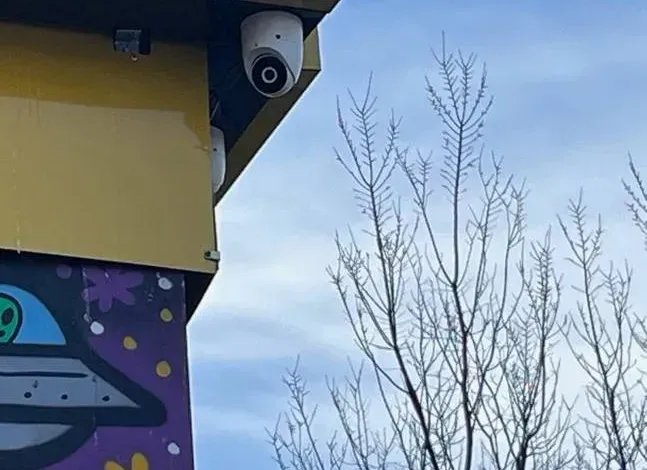
Dome camera mounted under a storefront fascia beside a painted mural, from a NYC security camera installation
A photo from the AESS job library: a white dome camera mounted under the edge of a storefront fascia, above a painted mural, with bare winter branches behind it. The brand matters less here than the height, the angle and the cable route, which are the things an AI summary cannot see.

"The best brand is the one with the highest resolution"

Resolution is one line in a spec sheet. A 16MP camera pointed into the glare of an avenue at sunset, or recording to a drive set to keep three days, is worth less than an 8MP camera aimed well and recording for a month. The useful questions are where the video is stored, for how long, and whether you can get a clip off it quickly when the precinct asks.

"Hikvision and Dahua are banned, so you have to remove them"

The FCC Covered List entries for both companies are scoped to public safety, government facilities, critical infrastructure and national security uses. That is a serious matter for those buyers, and it is why we steer government-linked buildings elsewhere, but it is not an instruction to private homeowners to tear out working systems.

"No-subscription means no remote viewing"

Every recorder-based brand on this page offers a phone app that views live and recorded video from the local recorder. Ubiquiti, Lorex, Reolink, Swann and eufy all say on their own sites that you can run their systems without a monthly fee. What you give up without a cloud plan is an off-site copy, which a well-hidden recorder or a second drive can partly replace.

"Wireless cameras are easier, so they are better"

Easier to install, yes. In New York's brick, stone and plaster buildings, Wi-Fi signal drops fast between floors and through party walls, and battery cameras need charging. For anything permanent we run PoE cable, which carries power and video together and does not care how thick the walls are.

"All professional brands are the same hardware with different logos"

The professional brands share standards like ONVIF and PoE, which is a good thing for owners, but their apps, analytics, firmware support, licensing and supply-chain status differ in ways that matter. The comparison table above exists precisely because those differences decide which one fits your building.

Already Own Cameras From One Brand and Want to Add Another?

Send us a photo of the label on your recorder and the model numbers of the cameras you have. We will tell you whether the recorder can accept cameras from another maker over ONVIF, whether a firmware update is needed first, and whether it makes more sense to add to what you have or replace the recorder and keep the cable. Many systems that look outdated are a recorder swap away from working with a newer camera line, and the cable in the walls, which is the expensive part, can usually stay. Call (800) 486-0943 or send the photos on WhatsApp.

Get In Touch

Request a Free Quote

Tell us the address or cross streets, the type of building, the places you want covered, whether you want to avoid a monthly plan, and any brand you already own or prefer. If a board, landlord, insurer or contract has equipment requirements, mention them. A technician will call back with a brand recommendation and next steps, or you can call (800) 486-0943 now.

βœ…
Request Sent!
Thank you. A technician will call you back within 2 hours during business hours with a brand recommendation for your property.
How It Works

How We Choose and Install the Right Brand

1. The building and the wish list

What kind of property, which places need a camera, who watches the video, and whether a monthly plan is acceptable.

2. Requirements check

Any board, landlord, insurer, grant or contract rules about equipment origin, retention or access, written down before a brand is chosen.

3. Two or three brands, not fourteen

A short list that fits the building and the rules, with the honest trade-offs of each, and a check of any equipment you already own.

4. Site visit

Cable routes, recorder location, power, network and mounting surfaces, with each camera's view checked from the spot it will hang.

5. Written quote

Brand, models, cable, recorder storage and any monthly plan written out, priced from our area list.

6. Cable and mounting

PoE runs through existing chases, risers and ceilings where possible, cameras mounted and sealed, recorder placed out of reach.

7. Recorder and app setup

Recording schedules, retention, motion zones, user accounts for each person who needs access, and firmware brought current.

8. Test and hand over

Every view checked day and night, a clip exported as a test, and a walkthrough of the app with whoever will use it.

FAQ

Best Security Camera Brands FAQ

What is the best security camera brand for a house or small building in New York City?
+

For most houses and small buildings we recommend a wired system that records to a recorder in the building: UniFi Protect for the simplest app and no fees, Uniview or Hikvision for color video at night, or Lorex if you want a do-it-yourself brand with no required subscription. Ring, Arlo and Google Nest make sense when smart-home integration matters more than local recording and you are comfortable paying for a plan.

Which security camera brands work without a monthly subscription?
+

Ubiquiti says UniFi Protect has no fees, Lorex says its systems do not require a subscription, Reolink says no subscription is required, Swann describes its EliteX kit as having zero ongoing fees, and eufy says its local systems carry no monthly fee. Professional recorder brands such as Hikvision, Dahua, Uniview and Hanwha record to a local recorder in the systems we install. Ring and Google Nest need a plan for saved video history.

Are Hikvision and Dahua cameras banned in the United States?
+

The FCC added both companies' video surveillance equipment to its Covered List on March 12, 2021, scoped to equipment used for public safety, government facilities, critical infrastructure and other national security purposes. For a private home or most private businesses, those uses do not apply. For government-linked buildings, federal contractors and some grant-funded sites, choose a different brand.

Which camera brands should I look at if a contract or grant asks for NDAA compliance?
+

Start with brands outside the FCC Covered List that publish compliance documentation. Hanwha Vision shows an NDAA certification badge on its XNO-A9014R product page, and Luminys publishes a statement of commitment to Section 889 of the NDAA. Axis, Uniview and UniFi are also outside the Covered List. Always confirm the exact model against the rule your contract or grant names.

What camera brands do professional installers actually use?
+

Most of our professional work uses recorder-based brands sold through installers and distributors: UniFi Protect, Hikvision, Dahua, Uniview, Hanwha Vision and Axis, with Luminys on request. Axis states that it never sells directly to customers. We also install Lorex, Reolink, Swann, eufy, Ring, Arlo and Google Nest, often equipment the customer already bought.

Can I mix camera brands on one recorder?
+

Often, yes. Hikvision, Dahua, Uniview and Hanwha cameras list ONVIF support, Ubiquiti says UniFi Protect can add third-party ONVIF cameras, and Axis Camera Station Pro supports third-party cameras. Features such as smart detection may only work fully with the recorder's own brand, so we check the exact models before promising a mixed system.

Which camera brands work with Alexa, Google Assistant or Apple HomeKit?
+

Ring is built around Alexa. Google Nest works natively with Google Assistant and can be added to Alexa through Google's skill. Arlo lists Alexa, Google Home and SmartThings. Lorex lists Alexa and Google Assistant. eufy lists HomeKit, Alexa and Google Assistant on models such as the eufyCam S3 Pro, with HomeKit needing the HomeBase S380. Swann ended its Google Home integration in August 2025.

Is a wired PoE camera system better than Wi-Fi cameras in a brick or brownstone building?
+

For anything permanent, yes. A PoE cable carries power and video together, so the camera keeps recording when Wi-Fi is weak and never needs a battery change. Thick masonry and plaster walls cut Wi-Fi signal between floors and to the backyard. Wi-Fi and battery cameras still have a place where cable truly cannot go, such as a rental or a landmarked facade.

Does a 4K or 12MP camera need a matching recorder?
+

Yes. The recorder has to accept the camera's resolution and the brand's video format. Lorex lists its Fusion 4K+ 12MP NVR as supporting 12MP and 4K+ cameras, and Reolink lists its RLN16-410 recorder as supporting cameras up to 16MP. An older recorder may show a newer camera at reduced quality or not at all, so send us the recorder model before you buy cameras.

Is it worth paying an installer for a brand I could install myself?
+

The cameras are the easy part. The work is running cable through an occupied house or building without damage, placing the recorder where it is safe, aiming each camera so faces and plates are usable, and setting retention and user access correctly. If you are comfortable doing that, a kit is a fine choice. If not, we install the kit you bought as labor-only work.

How much does it cost to have a brand-name camera system installed in NYC?
+

On our NYC price pages, a 4-camera system starts from $1,110 for Arlo, $1,350 for Ring, $1,579 for Reolink, $1,939 for Lorex, $2,111 for UniFi, $2,334 for Uniview and $3,461 for Axis, with Hikvision and Dahua usually between $1,800 and $3,000. Our own non-branded residential systems start from $950. Cloud-first brands add the manufacturer's monthly plan.

Who are the largest security camera manufacturers?
+

Hikvision and Dahua are among the most widely installed professional brands we encounter, and Axis, Hanwha Vision and Uniview are major professional manufacturers as well. On the consumer side, Ring, Arlo, Google Nest, Lorex, Reolink, Swann and eufy dominate the search results for this topic. Size matters less than whether the brand fits your building, your budget and any rules you have to meet.

Not Sure Which Brand Fits? Ask the Crew That Installs All of Them

Tell us about the building, the places you want covered and whether you want to avoid a monthly bill, and we will narrow fourteen brands down to the two or three that fit. Call or text (800) 486-0943, message us on WhatsApp, or use the request form. Licensed under NYS license #12000287431, rated 4.7β˜… across 201 Google Reviews, owner-operated since 2002, and booked within 2 hours of your request.