Crowded Air · Thick Walls · Power Still Needed · Boards and Landmarks
In New York City a wireless camera is less a product than a radio link and a power plan. The signal has to get through brick, plaster and steel and past dozens of neighbouring routers stacked above and below you; the camera still needs electricity from a cable, an outlet, a battery or a panel; and the wall it hangs on usually belongs to a landlord, a co-op board, a condo association or, on a landmarked block, answers to the Landmarks Preservation Commission. We plan all three before anything is mounted, then install, test and hand you the logins.
Reviewed and updated October 18, 2026 · Anwar Timothy, owner, NYS license #12000287431 · City crews dispatched from our Brooklyn office, 1282 Troy Ave, Brooklyn, NY 11203
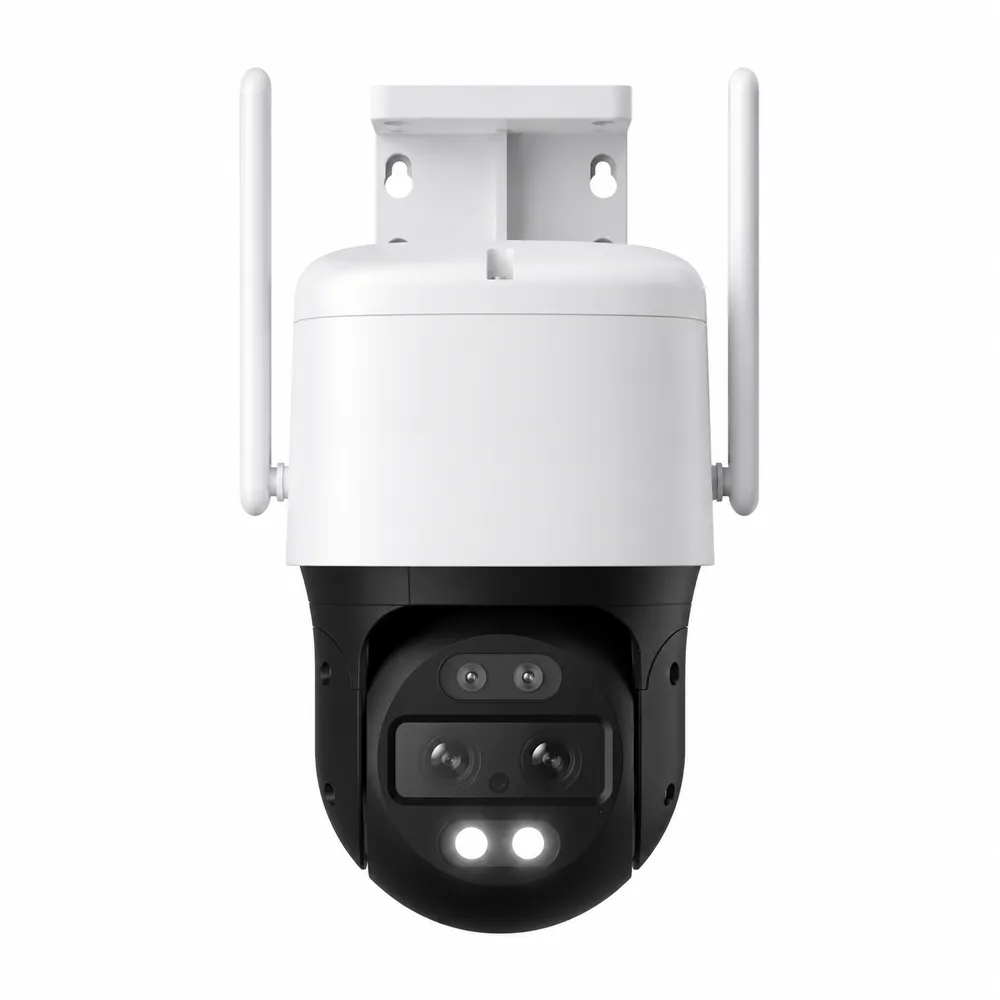
Reference product photo, not an installed New York City job: a pan-tilt Wi-Fi camera with two external antennas. Antennas like these help a camera hear a router through one masonry wall; they do not make a crowded 2.4 GHz channel any less crowded.
NYC Wireless Camera Quote
Borough, building type and where the router sits — a written figure comes back the same day
✅
Request Sent!
A licensed technician will call about your wireless cameras before the business day is out.
25+
Years Experience
✓
Same-Day Estimates
100%
Licensed & Insured
4.7★
201 Google Reviews
Two answers decide most city wireless jobs before anyone opens a box: how many walls sit between the camera spot and the router, and where the nearest power is. Call (800) 486-0943 with those two answers and your borough, and a licensed technician will tell you whether Wi-Fi, a cable, a battery or a panel is the honest choice for each camera.
Radio checked at every camera spot before the quote is final
Power planned per camera — cable, outlet, battery or solar — not assumed
Same-day written estimates under NYS license #12000287431
Why New York City Properties Need Wireless Camera Installation Done Properly
The box says “wireless,” and in a suburban driveway that word mostly holds. In New York City it hides three separate problems, and every one of them is a reason cameras bought online end up blinking offline on a shelf. The first is air. A camera talks to a router over radio, and most budget cameras use the 2.4 GHz band, which in the United States offers channels 1 through 11 but only three of them — 1, 6 and 11 — that do not overlap when they are 20 MHz wide. In a six-storey walk-up with two apartments per floor, every household’s router, every neighbour’s extender, every smart speaker and baby monitor is trying to use those same three lanes. Cameras are among the weakest radios in that crowd: small antennas, small housings, often mounted outside a wall from the router.
The second problem is material. New York’s housing is old and heavy. The Citizens Housing and Planning Council counts about 3.7 million homes in the five boroughs, and about 54 percent of them — roughly two million — were built before 1947. That means brick bearing walls, plaster on wire or wood lath, terracotta block, cast-iron storefronts and, in postwar and newer towers, concrete slabs full of steel reinforcing. The National Institute of Standards and Technology measured how radio signals weaken passing through brick, masonry block, eight concrete mixes, reinforced concrete and steel reinforcing grids, from 0.5 to 8 GHz, because those losses are real enough to plan around. A router in the front room of a pre-war apartment and a camera on the rear fire-escape wall can be fifteen feet apart and still effectively be in different buildings.
The third problem is power, and it is the one the packaging is quietest about. Every camera needs electricity. It arrives through a network cable carrying power over Ethernet, through a plug and a transformer, through a rechargeable battery, or through a small solar panel feeding that battery. Each of those has a New York catch. A new outdoor outlet in the city is electrical work, and the Department of Buildings states that no installation or modification of an electrical system can be performed without a permit and a Licensed Master Electrician. Batteries slow down in the cold, and Ring’s own support pages say its battery devices are designed to stop charging when the temperature is below freezing. Solar panels need sky, and a north-facing rear yard between five-storey rows does not get much.
Layered over all three is the question of whose wall it is. About 62 percent of city homes sit in buildings with six or more units, and in Manhattan the figure is 97 percent, so most New Yorkers who want a camera are asking a landlord, a managing agent, a co-op board or a condo board first. On roughly 38,000 buildings and sites the Landmarks Preservation Commission also has a say about what goes on the street face. Wireless camera installation in this city, done properly, is a survey of air, walls, power and permission — and only then a ladder. Tenants feel this most sharply. On r/AskNYC and r/newyorkcity, renters ask again and again whether they may put a camera on their apartment door at all, and neighbours ask what a door camera facing their own door can see; property-management guidance for city co-ops and condos confirms that many buildings have written door-camera policies. Those conversations shape the hardware: a renter often ends up with a battery camera inside the door or a peephole-style unit, because the alternative is drilling a door the tenant does not own. Owners who plan cameras this carefully usually plan the door entry and access control at the same time, since both depend on the same building network and the same board approval.
City facts that shape a wireless camera plan
Old buildings are the norm. About 54% of the city’s roughly 3.7 million homes predate 1947 (Citizens Housing and Planning Council). Masonry and plaster are the starting assumption, not the exception.
Shared walls are the norm too. 62% of homes are in buildings of six or more units citywide and 97% in Manhattan (CHPC) — which means shared radio space and shared approval.
Staten Island is different. 83% of the island’s homes are one- or two-family houses (CHPC), so the questions there are about eaves, yards and outlets rather than boards.
The 2.4 GHz band is narrow. Channels 1–11 are legal in North America and only 1, 6 and 11 avoid overlap at 20 MHz width (Acrylic Wi-Fi channel guide). The 5 GHz band has about 23 channels (Arris consumer guide) but carries less well through walls.
A newer band opened in 2020. The FCC made 1,200 MHz in the 6 GHz band available for unlicensed use on April 23, 2020, with low-power indoor use allowed across all of it (TelecomTV report on the FCC order).
Landmarks cover a lot of street frontage. The Commission has designated 38,113 buildings and sites, including 1,464 individual landmarks and 157 historic districts and extensions, and received 11,748 work permit applications in fiscal 2025 (Mayor’s Management Report 2025).
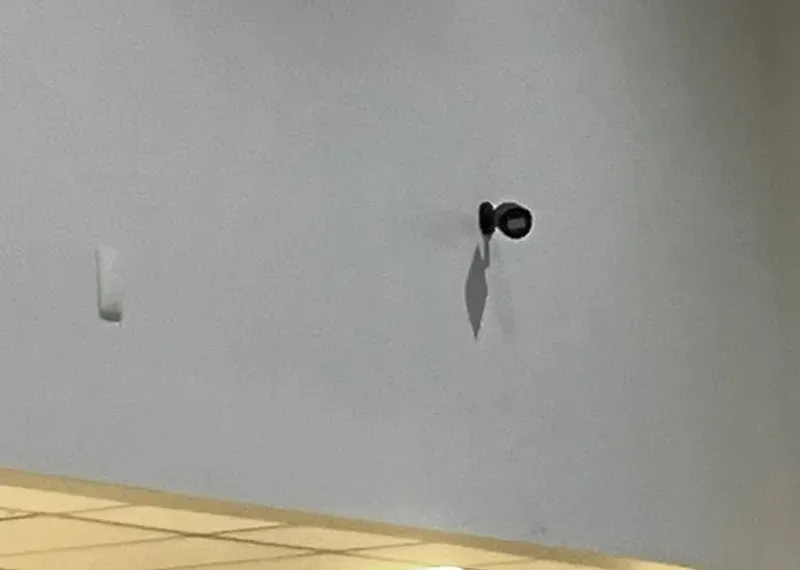
Reference photo from another AESS job, not a New York City property we name: a small camera mounted high on a plain wall. What the photo cannot show is the part that decides whether a camera like this works on Wi-Fi — what is on the other side of that wall, and how far away the router is.
Wireless Camera Down Somewhere in the Five Boroughs?
A camera that streamed fine in the store and now drops every evening, a battery doorbell that died in January, a solar unit that never charges in a shaded yard — call (800) 486-0943. Same-day visits are often available, and most wireless faults are traced to signal, power or a router change and fixed within one to two hours of the technician arriving. Larger faults are quoted in writing before any part is replaced.
This is the citywide page. Each borough has its own wireless page with local streets and building detail; what follows is the short version of how the same technology behaves differently in each one, based on the housing figures above and on how we plan jobs.
Manhattan: vertical air and managed walls
With 97 percent of homes in buildings of six or more units, the Manhattan wireless problem is vertical. A router on the eleventh floor is surrounded above, below and beside by other routers, all of them visible to a camera through the floor slab and the corridor wall. Steel-framed and concrete towers add their own losses. Most of the cameras we put up in Manhattan are indoor units inside an apartment or office suite, or door cameras governed by building policy, and the deciding conversations are with managing agents and boards. Outdoor work is usually commercial — storefronts, lobbies, loading doors — and much of it sits in historic districts where the Landmarks Preservation Commission limits how many cameras go on the street face and how they are fixed. The Manhattan wireless camera page covers the borough in detail.
Brooklyn: rowhouses, brownstones and long, narrow lots
Brooklyn holds, with Queens, half of the city’s housing, and in its brownstone neighbourhoods the typical camera job is an attached house: a brick or brownstone row with a parlor floor, a garden level and a rear yard. The radio challenge in a row house is distance through masonry. The router usually lives at the front, near where the cable company brought the line in; the camera everyone wants is on the back of the house, over the yard, two or three brick and plaster walls away. Party walls carry signals from both neighbours. Many owners also want a camera at the stoop or the areaway gate, which in a historic district may need Landmarks approval. Our Brooklyn wireless camera page and the Brooklyn neighbourhood wireless guide go further.
Queens: every building type at once
Queens has detached and semi-detached houses, attached rows, garden-apartment complexes, prewar elevator buildings and new towers in Long Island City, often within a mile of each other. That variety is why we never quote a Queens job from a photograph of the camera spot alone: a frame house in one neighbourhood carries Wi-Fi to the yard easily, while a brick garden apartment a few stops away may need a cable to the courtyard. The Queens wireless camera page breaks the borough down by building type.
The Bronx: big apartment buildings and their rules
Much of the Bronx is large apartment buildings, which means tenants who want a camera at the door, owners who want cameras in halls and courtyards, and the rules about who may do what in a common area. Radio planning in a large brick building is about corridors and courtyards: signals travel along hallways and across open air better than through several bearing walls. Houses in the north and east of the borough behave more like Queens. See the Bronx wireless camera page.
Staten Island: houses, yards and outlets
With 83 percent of homes in one- and two-family houses, Staten Island is the borough where wireless cameras most resemble the suburban picture on the box. The questions become reach and power: can a camera on the far side of a detached garage hear the router, is there an outdoor outlet under the eave, and will a battery unit get enough winter sun on a north-facing wall? On exposed shoreline houses we also use heavier mounts and sealed cable entries as a matter of our own practice. The Staten Island wireless camera page has the detail.
The Survey
Three Readings We Take at Every Camera Spot
Most failed city wireless installations were decided before the camera came out of the box, by a choice nobody measured. Our survey is short, and it is the part of the job that saves the most money later. These are our own working rules, not an industry standard; they come from installing cameras in the kinds of buildings described above.
1. How loud the router is where the camera will hang
We stand where the camera will be mounted — outside the rear wall, at the top of the stoop, at the far end of the courtyard — and read the signal from the router or access point the camera will use. A phone held in the kitchen tells you nothing about a camera bolted to the brick outside it. If the reading is weak at the spot, no camera brand fixes it; the choices become a closer access point, a cable or a different spot.
2. How many neighbours share the channel
Next we count the other networks the camera will hear on each channel and how strong they are. In a detached Staten Island house there may be a handful. In a walk-up in Manhattan or a garden apartment in Queens there are often dozens, many of them on the same three 2.4 GHz channels. That count, more than raw signal strength, predicts the evening slowdown, and it tells us whether moving to 5 GHz or a quieter channel is worth trying before anything else.
3. Where the power will come from
Finally we note the nearest outlet, whether a cable can reach the spot without crossing a fire-escape opening or a decorative surface, how much open sky a panel would see and which way the wall faces. A camera that hears the router perfectly is still useless if the only way to power it is a new outdoor outlet nobody has budgeted for. Writing this down at the survey is what lets the quote list power per camera instead of discovering it on install day.
When the three readings agree, Wi-Fi is the right choice and we say so. When they do not, we show you the numbers and the alternatives side by side, so the decision to run a cable or move a camera is yours and is made before anything is drilled.
What We Install
Wireless Camera Installation Services in New York City
“Wireless” covers several different ways of connecting and powering a camera. These are the ones we install across the five boroughs, and the reason each exists in a city setting.
📶
Wi-Fi cameras on a planned network
Indoor and outdoor Wi-Fi cameras joined to a network we have checked at each mounting spot — channel, signal strength and the neighbouring routers in range — rather than to whatever the router happened to pick.
🔌
“Wireless” cameras with one cable
Where the air is too crowded or the wall too thick, one network cable carrying power and data (PoE) solves both problems. The camera may be sold as Wi-Fi; we simply stop asking the radio to do a job it cannot.
🔋
Battery cameras where no cable can go
For rentals, landmarked fronts and spots with no outlet, battery cameras mounted without opening the wall — with honest expectations about recharging, cold weather and how many motion events a charge allows.
☀️
Solar-assisted cameras
Small panels that top up a battery camera, placed after we have looked at how much open sky the spot actually gets. In a narrow rear yard or under a deep cornice, we will tell you when a panel is not worth buying.
📡
Access points and short wireless bridges
A dedicated camera access point, or a point-to-point link across a courtyard or from a house to a detached garage, so cameras are not competing with the household’s streaming and video calls.
🚪
Door and peephole cameras
Battery and wired video doorbells for houses, and door-mounted units for apartments where building policy allows them. See our doorbell camera installation in NYC for the full range.
💾
Local recording without a monthly fee
Base stations, microSD cards and network video recorders that keep footage in the building, so a cloud subscription is a choice rather than a requirement — and recording survives an internet outage.
🔧
Rescue of existing Wi-Fi systems
Cameras you or a previous installer put up that drop, lag or drain batteries: we find whether the cause is channel crowding, distance, a router replacement, power or placement, and fix the cause rather than resetting the camera again.
🏢
Board, agent and landmark paperwork
Certificates of insurance naming the building, product cut sheets, mounting details and photographs of each proposed location, prepared in the form boards, managing agents and Landmarks staff ask for.
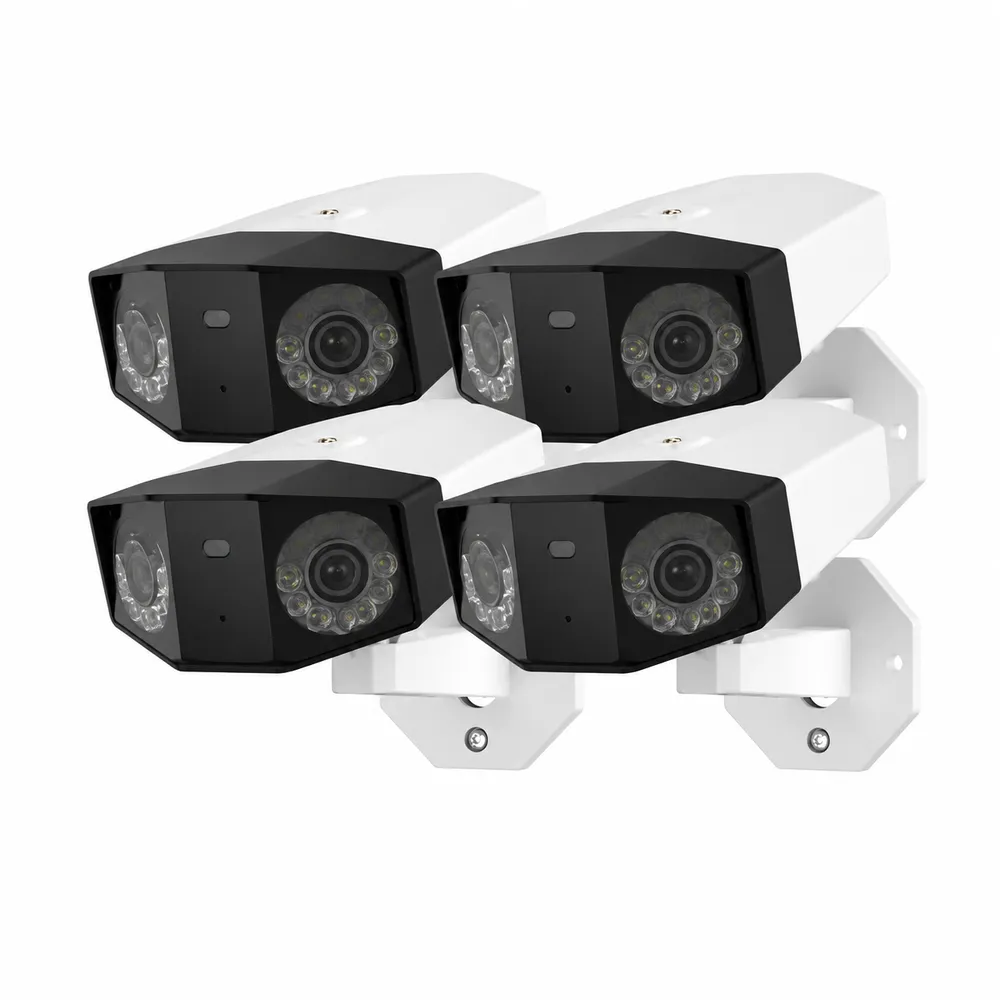
Reference product photo, not an installed New York City job: a four-camera kit of dual-lens bullet cameras. Four cameras on one home router is a very different load from one, especially when all four stream at the same evening hour as everyone else in the building.
Building Specialists
Wireless Cameras for New York City's Architecture
The same camera behaves differently on each of these buildings. What changes is what the signal has to cross, where power can come from and who has to approve the mount. These descriptions are how we plan, not a promise about any one address — every job starts with a walk-through.
🧱
Pre-war walk-up
Five or six storeys of brick with plaster interiors, a narrow stair and, often, a rear fire escape. Signals pass reasonably along the stair and badly through the bearing walls between front and rear rooms. Tenants need the owner’s written consent for anything fixed to the structure.
🏛️
Brownstone and brick row house
Deep, narrow floors with masonry party walls on both sides and the router usually at the front. The rear-yard camera is the hard one; a cable down from the parlor floor or an access point at the back of the house is often the answer. Many rows sit in historic districts.
🏢
Pre-war elevator co-op
Heavier walls, a doorman, an alteration agreement and a board that reviews contractors. Door cameras and in-unit cameras are common requests; anything on a common wall or the façade is a board decision first.
🏙️
Postwar and new concrete towers
Concrete floor slabs with steel reinforcing, metal-stud partitions and, in newer buildings, coated glass. Inside one apartment Wi-Fi is usually fine; reaching a terrace or a storage cage from the unit router often is not.
🏡
Detached and semi-detached houses
Frame houses in Staten Island, Queens and the outer Bronx carry Wi-Fi to the yard far more easily than masonry. The question there is power — eave outlets, garage feeds and battery life on north walls.
🏪
Mixed-use storefront with apartments above
A shop on the ground floor and two or three floors of apartments above, each with its own router. The shop’s cameras compete with every one of them, and the roll-down gate and sign band limit where a camera can go.
What each building material does to a camera signal
Brick and stone. NIST’s tests covered brick and brick-faced masonry because they are the walls radio planners most often need to get through. In practice a single interior brick wall between router and camera is usually workable on 2.4 GHz; two or three, with plaster on both faces, often is not. We test with the actual camera, or a meter at the same height, before choosing Wi-Fi for a masonry wall.
Plaster and lath. Old wood-lath plaster is mostly a thickness problem. Expanded-metal lath, used in many twentieth-century renovations, behaves more like a screen. You cannot tell which you have by looking at a painted wall, which is one more reason the survey is done with a signal reading rather than a guess.
Concrete and steel. Reinforced concrete and steel grids were part of NIST’s study for the same reason. In towers we treat the floor slab as a barrier and keep each camera on the same floor as the access point it uses, or wire it.
Glass. Ordinary window glass is easy for radio but bad for night vision: infrared from a camera behind a window reflects straight back into its own lens. Many modern windows also carry low-emissivity coatings. Cameras that must see the street from inside are set with infrared off and placed tight to the glass, or moved outside with approval.
Cast iron and metal cladding. Cast-iron fronts, metal awnings and roll-down gate boxes block radio and, on landmarked buildings, are off limits for fixings: the Landmarks guidebook says equipment must not be attached through cast iron or on decorative surfaces.
Rentals: what a tenant can do without touching the structure
A large share of the city’s wireless camera requests come from tenants, and the honest answer for most of them is that the wall is not theirs. In our experience most residential leases require the owner’s consent for alterations, and the apartment entrance door belongs to the owner, not the tenant. So we start with what needs no consent: cameras inside the apartment, on a shelf, a windowsill or a tension mount, looking at the apartment’s own rooms and its own door from inside.
Next come removable fixings — adhesive or clamp brackets that come off without marking paint — for cameras that still sit inside the unit. Only after that do we talk about anything on the door, the hallway wall or the window frame, and then only with the owner’s or managing agent’s written agreement and the building’s door-camera policy in hand. A battery camera is often the tenant’s best friend for exactly this reason: nothing is wired into the structure, and it leaves with them at the end of the lease.
Where a tenant’s real worry is the lobby, the mailroom or the street door, the effective route is usually a written request to the owner for a common-area camera, which the owner installs and controls. We are happy to quote that work to the owner directly.
Most building owners pair cameras with the door
In walk-ups and co-ops the door is where cameras earn their keep, and it is also where the entry system lives. Most owners who bring us in for cameras ask about the intercom or access control at the front door on the same visit, and planning both together avoids two separate trips through the board.
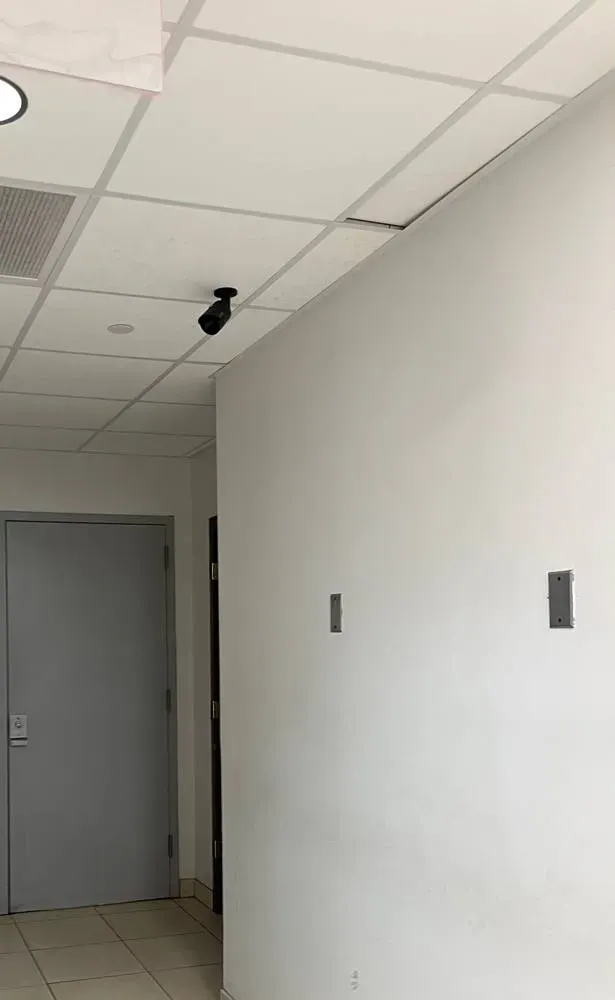
Reference photo from another AESS job, not a New York City property we name: a bullet camera at ceiling height over a corridor door. In a long apartment-building hallway, radio carries along the corridor far better than through the apartment walls on either side.
Commercial Wireless Camera Installation
Business Wireless Cameras in New York City
Businesses ask for wireless cameras for three reasons: the lease forbids opening walls, the space is temporary, or the cable route is genuinely impossible. Each is valid; each changes the plan. These are the commercial settings we see most, described by their conditions rather than by any client.
Shops under elevated train lines
Storefronts along elevated lines such as Roosevelt Avenue under the 7 or Jamaica Avenue under the J sit beneath steel structures and above-store apartments full of routers. Wired cameras at the door and register, with Wi-Fi only for the stockroom, is the usual result.
Leased office suites in towers
A suite on one floor of a Midtown or Downtown tower usually has its own office network managed by an IT company. Cameras go on a separate network segment agreed with them, and anything above the ceiling follows the building’s contractor rules.
Restaurants and bars
Kitchens are full of steel, heat and grease, dining rooms full of guest Wi-Fi. Cameras over the pass and the back door are wired where possible; dining-room cameras can be Wi-Fi on a dedicated access point.
Pop-ups and short leases
Battery and plug-in Wi-Fi cameras that leave with the tenant, mounted on brackets that come off cleanly, with recording on a base station the tenant owns.
Small warehouses and yards
Industrial buildings in the outer boroughs with a yard, a gate and a long run to the office. A short wireless bridge from the office to the yard pole avoids trenching; power at the pole still has to come from somewhere.
Houses of worship and community spaces
Large open rooms, old masonry and volunteers who need a simple app. We plan for few access points with clear coverage, and footage kept locally.
Rules businesses run into
Staff privacy. New York Labor Law §203-c bars employers from video recording employees in restrooms, locker rooms or rooms designated for changing clothes, except under a court order. Wireless makes it easy to put a camera anywhere; the law decides where it may not go.
Audio. New York’s eavesdropping law requires the consent of at least one party to a conversation; recording a conversation you are not part of, by a device, without any party’s consent, is “mechanical overhearing” under Penal Law §250.00, and eavesdropping is a class E felony under §250.05. Most business cameras we install have microphones switched off.
Electrical work. If a camera needs a new outlet or circuit, that is permitted work for a Licensed Master Electrician under DOB rules. We arrange it or work alongside the client’s electrician; we do not run line voltage ourselves.
Landmarked storefronts. Street-facing cameras on a designated building need Landmarks Preservation Commission approval, with limits on number and attachment.
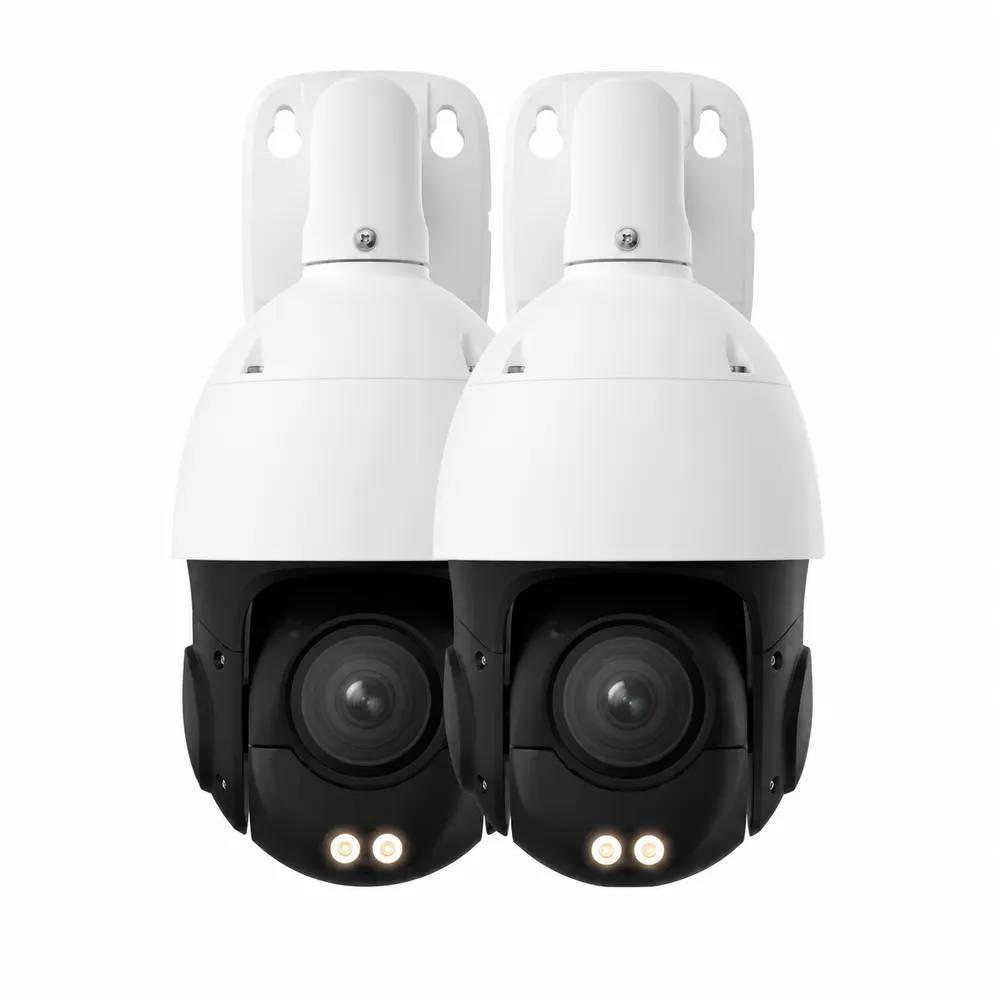
Reference product photo, not an installed New York City job: two pan-tilt dome cameras with built-in white lights. Moving, zooming cameras send more data than fixed ones, which matters when they share a crowded channel with a whole block of apartments.
Your Questions Answered
Wireless Camera Installation in New York City: Questions Answered
These are the questions about wireless cameras that come from living in this city in particular — its air, its walls, its power, its boards and its laws. Questions about one borough’s streets are answered on the borough pages.
Radio, Routers and the Neighbours’ Networks
Why does my camera stream perfectly at noon and stutter or freeze most evenings?
Because at noon most of your building is at work and at eight o’clock it is streaming. Wi-Fi networks on the same channel take turns to transmit, so when the twenty or thirty routers your camera can hear all get busy, your camera gets a smaller share of air time. On the crowded 2.4 GHz band, with only three non-overlapping channels, that evening slowdown is the single most common city complaint we are called about.
The fixes, in the order we try them: move the camera network to the least-used channel at that spot (measured at the camera, not at the router); move capable cameras to 5 GHz, which has far more channels and fewer neighbours; lower the camera’s bitrate or resolution so it needs less air time; add an access point close to the camera so it transmits at a higher, faster rate; and, where none of that is enough, run a cable.
One thing we do not do is turn the router’s power up to “win” the channel. Louder transmitters raise everyone’s noise, including yours, and a camera’s small radio still has to answer back at its own low power.
Can a camera on the back of a brownstone reach a router at the front of the parlor floor?
Sometimes, and you will not know until it is measured. Between the front room and the rear wall of a typical row house there may be a masonry bearing wall, a stair enclosure, a kitchen full of appliances and finally the rear wall itself — and the camera sits outside that. Each layer takes signal away.
We measure signal strength and quality at the exact mounting height outside the rear wall. If it is marginal, the usual answers are an access point at the back of the house fed by one cable along the inside of the house, a mesh node with a wired backhaul, or a PoE camera with its cable brought out through a single small hole at the back. A mesh node that relays wirelessly through the same walls often halves the throughput instead of solving the problem.
If the house is in a historic district, the rear façade is usually less restricted than the street face, but that depends on visibility; we check before drilling anything.
Can a neighbour on the same channel see our camera video, or only slow it down?
Only slow it down, provided the network is set up properly. Sharing a channel means sharing air time: your camera waits its turn while the neighbour’s router transmits. It does not mean sharing data. Traffic on a network protected with WPA2 or WPA3 encryption and a strong password is unreadable to the routers around it, however close they are.
The real exposure in crowded buildings is weak settings rather than radio overlap: a camera left on its default password, an old router still using outdated security, or remote-access features switched on that nobody uses. Those are what we change at installation, and why every camera gets its own password rather than a shared one.
We also put cameras on their own network segment where the router allows it, so that if a smart plug or a guest’s laptop on the main network is ever compromised, it cannot reach the cameras. The camera network’s details go on the handover sheet, so an internet provider’s technician does not wipe them when replacing the router.
Will a new 6 GHz Wi-Fi 6E or Wi-Fi 7 router fix our camera problems?
It will help your phones and laptops, and only indirectly help the cameras. The FCC opened 1,200 MHz at 6 GHz in 2020, and in a crowded building that band is gloriously empty — for now. But very few security cameras have 6 GHz radios, and 6 GHz carries through walls even less well than 5 GHz.
The indirect benefit is real: when your laptops and TVs move to 6 GHz, they stop using air time on 2.4 and 5 GHz, leaving more for the cameras that remain there. For that reason we sometimes recommend a newer router as part of a camera job, but never as the whole answer.
Before you buy one, tell us which cameras you have; some older cameras struggle with the security settings newer routers use by default, and we set compatibility for the camera network rather than weakening the whole home network.
Power: Cables, Outlets, Batteries and Panels
If the camera is “wireless,” why does the quote include running a cable?
Because wireless describes how the picture travels, not how the camera is powered, and sometimes it is not even the best way for the picture to travel. A plug-in Wi-Fi camera still needs a cord to an outlet. A battery camera needs someone to recharge it. And where a camera must cross three masonry walls or sit in a crowded courtyard, one Ethernet cable carrying both power and video ends both problems.
Power over Ethernet sends up to 15.4 watts under the 802.3af standard and up to 30 watts under 802.3at, over runs of up to 328 feet (100 metres), which covers almost any house and most apartment layouts. One cable, one small hole, no outlet and no battery to climb up to.
When we quote a cable, we also quote the all-wireless alternative and tell you plainly what we expect each to do at that spot. You choose; we just do not want you paying twice.
Is a battery camera realistic over a courtyard or façade that gets almost no direct sun?
A battery camera with no panel is realistic almost anywhere — you just recharge it. How often depends on how many motion events it records, how long each clip is and how cold it gets. A camera facing a busy sidewalk records far more often than one over a quiet rear yard and will need charging accordingly.
A solar panel is a different question. Panels need open sky, and many city spots — the bottom of an air shaft, a rear yard between tall rows, a wall facing north under a deep cornice — get little or none. We look at the spot, the compass direction and what blocks it, and if a panel will not keep up we say so before you buy one.
Cold matters too. Ring’s support documentation says its battery devices stop charging below freezing and that battery life shortens around freezing, with a normal operating range of −4°F to 122°F. On a January rooftop, a solar-fed battery can sit there not charging even in full sun.
What does a Con Edison voltage reduction or a short block outage do to Wi-Fi cameras?
If the router and the cameras’ power both go, the cameras stop — battery cameras may keep recording to their own card or base station, but they cannot reach your phone without the router. In the June 2025 heat wave Con Edison had more than 12,000 customers out at the peak, mostly in Brooklyn and Queens, and reduced voltage by 8% in parts of southeast Queens, Staten Island and southwest Brooklyn. A single Con Ed customer account can be a whole apartment building.
For a few hours of resilience we put the router, the modem, the PoE switch and any base station on a small battery backup unit, and choose cameras that record locally. A voltage reduction is usually harmless to low-voltage camera gear, but cheap plug-in adapters do sometimes fail after repeated dips, and we note them on the handover sheet.
After an outage, check that cameras rejoined the network. Some reconnect only to the first router name they knew, and if the router came back on a different channel or with a factory reset, they will sit offline until someone notices.
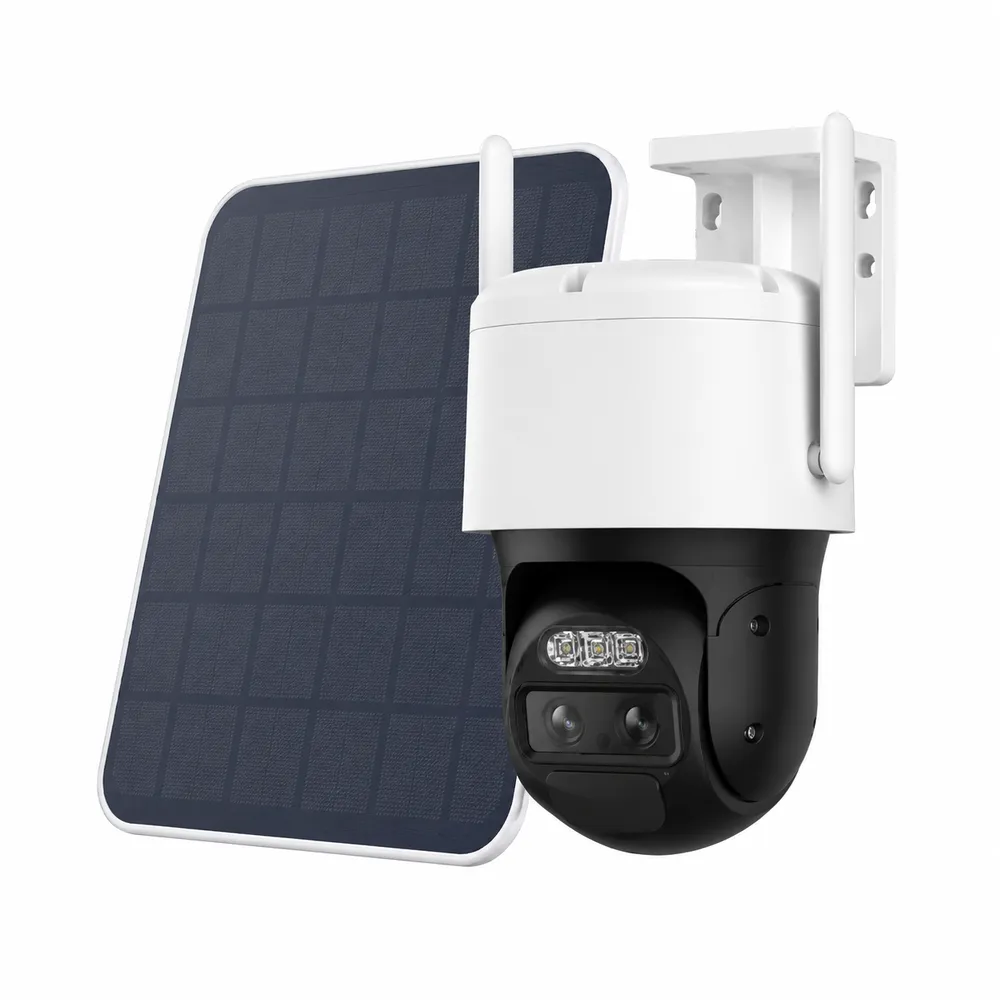
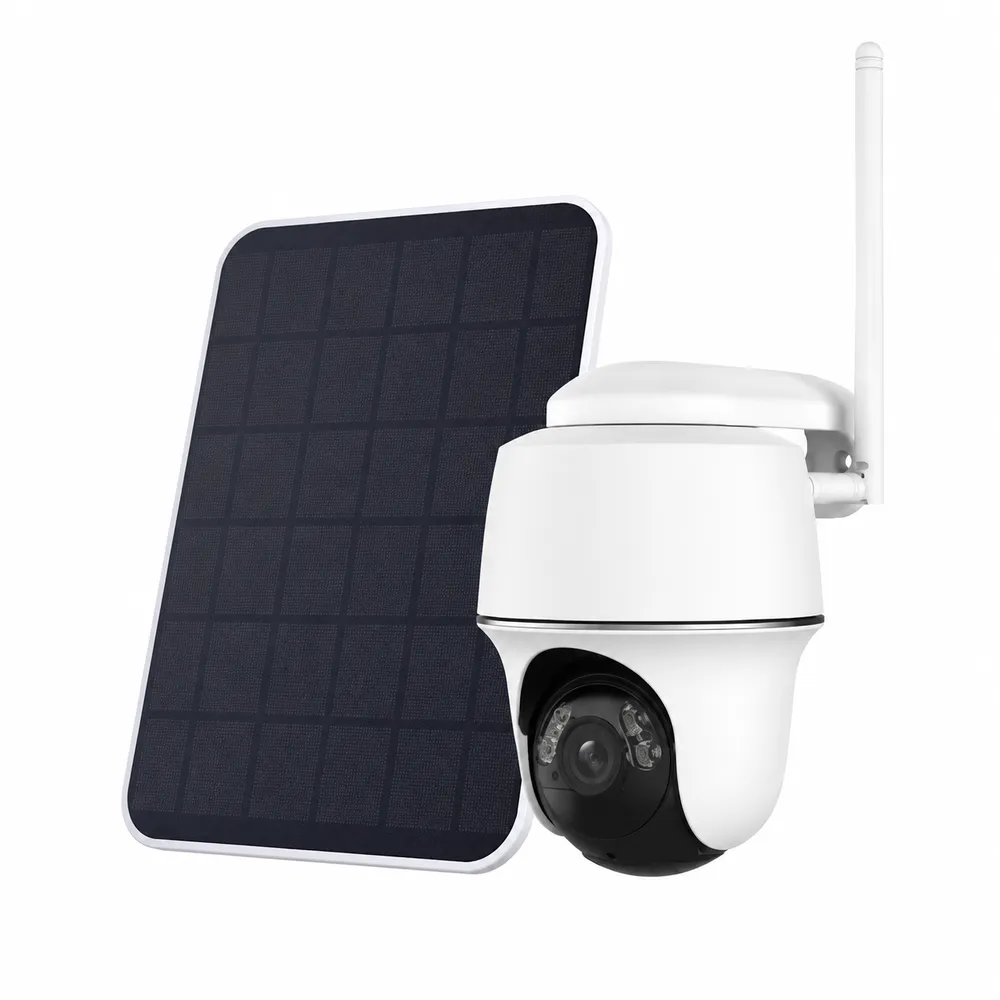
Reference product photo, not an installed New York City job: a panel-fed pan-tilt camera. In a rear yard between tall rows or at the bottom of an air shaft, the panel’s size matters far less than how much sky it can actually see.
Can a camera be mounted on the fire escape outside my window?
We do not mount on fire escapes, and we advise against it. HPD’s fire safety guidance says exits must be clear of obstacles on fire escapes, in hallways and at building entrance doors. A camera, its bracket, a battery pack or a cable across the window opening is exactly the kind of obstruction that guidance is about, and it is the landlord’s structure in any case.
The view people want from the fire escape — the rear yard, the alley, the back door — can usually be had from inside the window with infrared turned off, from the building wall beside the window with the owner’s written consent, or from a common-area camera the owner installs.
The same thinking applies in hallways: a camera or cable must never narrow a corridor, block a door closer or hang where people walk.
Boards, Landlords, Electricians and Landmarks
Our building is in a historic district — do we need Landmarks approval for a camera on the front?
For work on the exterior of a designated building, generally yes, and the good news is that cameras are a staff-level permit when they meet the Commission’s criteria. The LPC Permit Guidebook asks for manufacturer cut sheets and sets limits: no more than two cameras per 25 feet of street frontage on small residential or commercial buildings, three on large ones; equipment kept off the primary façade unless no other option exists; and devices as small as possible and painted to blend in.
Attachment matters as much as placement. The guidebook says equipment must be fixed at mortar joints, plain masonry, wood or metalwork, never through cast iron or on decorative surfaces, and that conduit should be concealed, with staff able to approve roughly ten inches of visible conduit where concealment is impossible. Battery and Wi-Fi cameras help here because they need no conduit at all.
We prepare the photos, cut sheets and mounting details the application needs and wait for the permit before mounting. Interior cameras and cameras on rear walls not visible from the street are a different conversation; check with the Commission before assuming.
What does a co-op or condo board usually want to see before a camera goes on a common wall?
Usually three things: proof of insurance naming the corporation and managing agent, a description of exactly what will be fixed where, and an assurance that nothing touches building-wide systems. Alteration agreements are written so that building-wide services and structures are not affected by work in one apartment, and many require general liability coverage of a stated amount — Brick Underground cites $1 million as a typical example.
Many boards also have a policy on personal door cameras that view the hallway. There is no New York statute banning a door camera that sees a corridor, but boards commonly regulate them, and a New York Times report in 2023 covered exactly these disputes in city buildings. We ask for the building’s written policy before quoting a door camera.
For in-unit cameras that only see inside the apartment, most boards need nothing. For anything on a common wall, the façade, the roof or a shared courtyard, the request goes to the board or the agent in writing first, and we supply what they ask for.
Can a camera take its power from the existing light fixture over our door instead of a new outlet?
Often, yes — that is exactly what floodlight cameras and many wired doorbells are designed to do. Replacing an existing exterior fixture with a camera-and-light unit reuses the wiring already in the wall and avoids cutting a new box into the façade, which on brick or a landmarked front is a real advantage.
It is still electrical work. The Department of Buildings states that no installation or modification of an electrical system can be performed without a permit and a Licensed Master Electrician, and swapping a line-voltage fixture is a modification. Our NYS license covers the low-voltage side — cameras, network cable, PoE and recorders — so for fixture swaps we coordinate a licensed electrician and then set up the camera.
Where there is no fixture, PoE is usually the simpler route: one low-voltage cable from inside, no new line-voltage work on the outside wall, and no electrician needed for the camera itself. A plug-in indoor camera on an existing outlet needs nothing more than a tidy cord run that never crosses a window used as an exit.
Recording, Audio and Privacy
My door camera picks up voices in the shared hallway — is that a problem under New York law?
It can be. New York is a one-party consent state for conversations: Penal Law §250.00 defines mechanical overhearing as recording a conversation without the consent of at least one party, by a person not present, using a device, and §250.05 makes eavesdropping a class E felony. A camera that records neighbours talking in a corridor, with none of them aware and you not part of the conversation, is the situation that law describes.
Video of a common hallway is treated differently from audio, and building policies — not just law — often govern it. FirstService Residential’s guidance for New York co-ops and condos notes that audio recording in common areas raises eavesdropping concerns and that personal door-camera policies are common.
Our default on any camera that sees a shared space is microphone off for recording, with two-way talk available only when you press the button to speak to someone at your door. This is information, not legal advice; for a specific dispute, ask a lawyer.
Can a wireless camera go inside our building’s elevator cab?
It can, but not the way a camera goes on a hallway wall, and not by us alone. An elevator cab is a moving steel box in a shaft, and an ordinary Wi-Fi camera inside it will usually lose the building network as soon as the car leaves the floor nearest the access point. Cameras in elevators are normally connected through a dedicated wireless link in the hoistway, or a travelling cable, so the picture follows the car up and down.
As a matter of our own practice, we do not work in the hoistway or on the car itself: anything there is arranged with the building’s elevator maintenance company, which is responsible for the equipment, and with the owner or managing agent. Our part is the camera, the network it lands on and the recorder or app at the other end.
For a co-op, condo or rental building, an elevator camera is a common-area camera, so it goes through the board or the owner like any other, with the same rule we apply everywhere: video only, microphones off.
Living With the System
Can one app show cameras from three different apartments or buildings we own?
Yes, if the cameras are chosen with that in mind. Most consumer apps support multiple locations under one account, and network video recorders can be reached from one app across several sites. The catch is mixing brands: a Ring doorbell, a Wyze indoor camera and a Reolink yard camera need three apps.
For owners of several small buildings we standardise on one platform per owner, label each site clearly and give the owner — not the super, not us — the master account. Supers and managing agents get their own logins with only the access they need.
Each building still needs its own working network and power, so a three-building plan is quoted per address on that borough’s price line.
Our storage cage or bike room in the cellar has no Wi-Fi — can a camera still watch it?
Usually, with the right expectations. Cellars sit below the ground-floor slab and behind foundation walls, so the apartment router upstairs rarely reaches them, and cellular signal is often weak down there too, which rules out a 4G camera without testing first. The first question is therefore whose network, if any, exists in the cellar: many managed buildings have a network for their own cameras or laundry machines, and the managing agent decides whether a resident’s camera may use it.
Where there is no network, a battery camera that records to its own memory card will still capture motion in the cage; you simply review it in person, or when you bring the camera upstairs, rather than getting live alerts. That is often enough for a storage unit that is visited once a week.
Anything mounted in a common cellar — and any cable run to it — is the owner’s or board’s decision, and the camera should see only your cage, not a neighbour’s. This is general guidance from our own installations, not a building rule; ask management for the building’s policy before buying equipment.
Equipment
Types of Wireless Cameras We Install
We install the major consumer and professional lines — Lorex, Reolink, Ring, Arlo, Eufy, Ubiquiti UniFi and others — and we will install equipment you have already bought. These are the categories, and where each one earns its place in the city.
Plug-in Wi-Fi indoor cameras
Small cameras on a shelf or a wall plate for inside an apartment, a shop or an office suite. No board approval for in-unit use in most buildings, and the router is usually in the same room or the next one.
Outdoor Wi-Fi cameras with a power cord
Weatherproof cameras that send video over Wi-Fi but take power from an outlet or a low-voltage adapter. The cord is the hidden work: through a window frame, a sleeve in the wall or to an outdoor outlet an electrician has installed.
Battery cameras
Fully cable-free units for rentals, landmarked fronts and spots with no outlet. Expect to recharge, plan for slower charging in winter, and set motion zones carefully so a busy sidewalk does not drain the battery in a week.
Solar-assisted battery cameras
A battery camera with a small panel, useful on detached houses, garages and open rear yards with real sky. We place panels by the sun, not by where the camera is.
PoE network cameras
Cameras on one Ethernet cable for power and video — the reliable answer when walls or neighbours defeat Wi-Fi. Often what we recommend for a brownstone’s rear yard or a store’s register.
Pan-tilt and dual-lens Wi-Fi cameras
Cameras that turn, zoom or combine a wide and a close lens. Useful in courtyards and yards; heavier on bandwidth, so they need a strong link.
Wi-Fi floodlight cameras
Camera and light in one housing for driveways, alleys and rear doors on houses. They need line-voltage power, so in the city they usually replace an existing outdoor light fixture or wait for an electrician. See floodlight camera installation in NYC.
4G LTE cameras
Cameras with a cellular SIM for places with no internet at all — a construction fence, a lot, an unoccupied building. They carry a data plan and still need power, usually solar.
Base stations, cards and recorders
Where footage lives. Local storage keeps recording through an internet outage and avoids a monthly fee; cloud adds an off-site copy. We set retention to what you actually need.
Reference product photo, not an installed New York City job: a Wi-Fi dome camera with two antennas. New models from this maker are no longer receiving FCC equipment authorizations; existing units remain in service.Reference product photo, not an installed New York City job: a Wi-Fi floodlight camera. Video goes over Wi-Fi; the lights need line-voltage power, which in the city means an existing fixture or a licensed electrician.Reference product photo, not an installed New York City job: a compact panel-and-camera set. Small panels like this suit open yards and garage roofs far better than north walls or air shafts.
Where the footage lives, and why it matters in the city
A wireless camera is only as useful as the place its video ends up. There are three common homes for it. A microSD card inside the camera is simple and survives an internet outage, but it is stolen with the camera and holds a limited number of days. A base station or network video recorder inside the apartment or building keeps weeks of footage from many cameras in one place, keeps recording when the internet drops, and can sit on the same battery backup as the router. Cloud storage keeps an off-site copy and makes sharing a clip easy, usually for a monthly fee per camera or per home.
In city buildings we usually recommend local recording as the backbone, with cloud as an optional extra. The reasons are practical: in our experience internet service in older buildings is interrupted by riser work, provider router swaps and power outages more often than people expect, and a local recorder keeps working through all of them. Upload capacity matters too — several cameras sending high-resolution video to the cloud around the clock can take a real share of a home connection’s upload, which shows up as choppy video calls in the evening.
Whatever the storage, we set how many days it holds to what you actually need, test that an export works, and write the steps on the handover sheet, so that when a neighbour, an insurer or the police ask for a clip, the person in the building can produce it without calling us.
Choosing between the categories
Situation
Usually works
Usually disappoints
Inside one apartment, router nearby
Plug-in Wi-Fi indoor camera
Battery camera (needless recharging)
Brownstone rear yard, router at the front
PoE camera or access point at the rear
Battery camera relying on the front router
Rental with no permission to drill masonry
Battery camera inside or on a removable bracket
Anything needing a new hole or outlet
Landmarked street face
Small battery or PoE camera at a mortar joint, after LPC approval
Large housings, visible conduit, cast-iron fixings
Detached house, open yard
Wi-Fi or solar-assisted camera, outlet under the eave
Panel on a north wall
Storefront under a busy apartment block
Wired cameras at door and register
2.4 GHz Wi-Fi at the evening peak
Site with no internet
4G LTE camera with solar
Wi-Fi camera with no network to join
AI Overview Reality Check
What AI Gets Wrong About Wireless Camera Installation in New York City
Search summaries and cost sites answer wireless camera questions with national averages and suburban assumptions. Here is where those answers part company with a city installation. The claims below are paraphrased from the kind of answers Angi, HomeAdvisor and AI summaries give; the corrections are from the sources listed at the foot of this page and from our own field practice.
“Wireless cameras need no wiring at all”
The claim treats “wireless” as a description of the whole camera. It is a description of the video link. Power still arrives by cord, cable, battery or panel, and each has a city catch: outlets outside are permitted electrical work, batteries charge slowly or not at all below freezing, and panels need sky.
In a typical brownstone or walk-up job, the deciding question is not which camera but where its power comes from. When the answer is “an outdoor outlet that does not exist yet,” the job includes a licensed electrician and a DOB permit, or a PoE cable that avoids both.
So when a summary says a wireless camera takes ten minutes to install, read it as ten minutes after the power and the network have already been solved.
“Professional installation costs about $50 to $100 per camera”
Cost sites quote national figures: Angi’s 2026 guide puts DIY installation at $50 to $100 per camera and says you could save up to $150 per camera doing it yourself; HomeAdvisor gives $593 to $2,040 for a complete professional home setup. Those numbers describe a camera screwed to a vinyl soffit with an outlet nearby.
They do not include a radio survey, a board’s insurance certificate, a Landmarks application, a PoE run through masonry or a second trip because the freight elevator was booked. Our city prices start from a published Brooklyn base with borough factors, shown below.
Use national numbers to sanity-check equipment cost. Do not use them to judge a city labour quote.
“Just buy a mesh system and Wi-Fi reaches everywhere”
Mesh helps when nodes can hear each other well. In a masonry row house a wireless mesh node relaying through the same walls that defeated the router often delivers a weaker, slower link to the camera, because the relay spends air time both receiving and re-sending.
Mesh works well in city homes when the nodes are joined by cable (wired backhaul), or when each node has a clear path to the next — along a stair, across an open-plan floor.
We place nodes after measuring, and we tell you if one cable would do more than three nodes.
“5 GHz is always better”
5 GHz has far more channels and fewer neighbours, which in a crowded building is a big advantage. It also penetrates walls less well than 2.4 GHz, as router makers’ own consumer guides say. A camera on the far side of two brick walls may be better on a clean 2.4 GHz channel than a weak 5 GHz one.
Many cheaper cameras support only 2.4 GHz anyway, so the choice is often made for you by the box.
The right band is the one that measures best at the camera’s mounting spot, at the time of day you most need it.
“Solar cameras never need charging”
That holds on an open, south-facing suburban wall in summer. In the city, panels are shaded by neighbouring buildings, cornices, trees and fire escapes, and winter days are short. Below freezing, some batteries will not accept a charge however bright the sun.
We use solar where the spot has real sky and the camera’s motion load is modest, and plan a recharging routine where it does not.
If a summary promises zero maintenance from a panel, ask which way your wall faces and what is across the yard.
“You can record audio anywhere on your own property”
New York’s rule turns on consent to a conversation, not ownership of the camera: recording a conversation without the consent of at least one party is mechanical overhearing under Penal Law §250.00. A camera that records neighbours or customers talking among themselves is not covered by your owning the wall.
Video and audio are treated differently, and employers also face Labor Law §203-c limits on video in restrooms, locker rooms and changing areas.
We switch recording microphones off by default wherever a camera sees a shared or public space.
“Any handyman can put a camera on the front of the building”
On one of the 38,113 buildings and sites the Landmarks Preservation Commission has designated, street-face cameras need a permit, with limits on number per 25 feet of frontage, fixing points and visible conduit. In a co-op or condo, the board decides before the contractor does. In a rental, the owner does.
None of that is about the camera’s quality. It is about whose wall it is and what the city protects.
We ask whose wall, then which camera — in that order.
Find Out Whether Wi-Fi Will Actually Reach
Call (800) 486-0943 from any borough. Tell us where the router is and where you want the camera, and we will tell you what the walls between them are likely to do — then book a survey to measure it.
Tell us the borough, the kind of building, where the router sits and whether there is power near each camera spot. A licensed technician calls back the same business day with a written figure on the right borough line, or a time to survey the signal first. Nothing is scheduled until you say yes.
Received — Thank You
We will phone about your New York City wireless cameras before the end of the business day. Need us sooner? Call (800) 486-0943.
How It Works
Our Installation Process
Seven steps in every borough. What changes from a Tottenville house to a Midtown suite is how much of step two is paperwork.
1. Call and building intake
We ask the borough, the building type, who owns the wall, where the router is and whether there is power near each camera spot. For managed buildings we collect the board’s or agent’s contractor rules and insurance wording at the same time.
2. Signal and power survey
At each proposed spot we measure signal strength, channel crowding and the neighbouring networks in range, at mounting height and, where possible, at the busy evening hour, and note where power can come from.
3. Written plan and approvals
The quote lists each camera with its connection (Wi-Fi, PoE or cellular) and power (outlet, cable, battery or panel). Board certificates, Landmarks applications and any electrician’s work are arranged before install day.
4. Network preparation
We set up the camera network — separate name or segment, chosen channel, access points or bridges if needed — and put the router, switch and base station on battery backup where the client agrees.
5. Mounting and connection
Cameras are fixed at mortar joints, plain masonry, wood or brackets as the building allows, cables concealed, and each camera joined to the network and the recorder or cloud account.
6. Testing at the busy hour
Every camera is checked for picture, night view, motion alerts and recording, and Wi-Fi cameras are re-checked under load so we know they hold up when the building is home.
7. Handover and accounts
The owner gets the master account, extra users are added with limited access, and the handover sheet records every camera, signal reading, network detail and battery routine.
What the handover sheet records
Every camera by location. Make, model, firmware, mounting spot and how it is powered — cable, outlet, battery or panel.
Signal at handover. The band, channel and signal reading for each Wi-Fi camera on the day it was installed, so a later problem can be compared with a known good state.
Network details. Camera network name and password, access points, PoE switch ports and any router settings we changed.
Accounts. The owner’s master account, every additional user and what each can see.
Recording. Where footage is stored, how many days it holds and how to export a clip.
Battery routine. For battery cameras, the expected recharge interval and the winter caveat.
Coverage Area
Wireless Camera Installation Near New York City's Landmarks
We work in every neighbourhood of the five boroughs. These places are listed for the building and radio conditions around them; none is presented as a customer or a completed project.
Brooklyn Heights
Brownstone and brick rows in a designated historic district, where rear-yard cameras are a masonry problem and front cameras are a Landmarks question.
The Grand Concourse
The Bronx boulevard lined with large pre-war apartment buildings — long corridors, courtyards and the rules of big managed buildings.
Jackson Heights
A Queens historic district of garden apartment complexes with shared interior gardens, where courtyard coverage means crossing open air and brick.
Roosevelt Avenue under the 7
Storefronts beneath the elevated line with apartments above, where shop cameras share the air with every household overhead.
Hudson Yards and Midtown West
New glass and concrete towers where in-unit Wi-Fi is easy and reaching a terrace or storage area through the slab is not.
St. George, Staten Island
Hillside houses and older buildings near the ferry terminal, where outlets under eaves and coastal weather shape the plan.
We cover Manhattan from the Battery to Inwood; Brooklyn from Greenpoint to Coney Island and Canarsie; Queens from Long Island City and Astoria to Flushing, Jamaica and the Rockaways; the Bronx from Mott Haven to Riverdale and Co-op City; and Staten Island from St. George to Tottenville. The borough pages listed below carry the local detail.
Pricing
Wireless Camera Installation Cost in New York City
Our city prices start from one base — the Brooklyn figures we publish for camera packages and cabling — and each borough applies a published factor: 1.00 for Brooklyn and the Bronx, 1.05 for Queens, 1.10 for Staten Island and 1.25 for Manhattan. Where a factor produces a fraction of a dollar it is rounded half up to the nearest dollar. Every package below is a starting figure for four cameras with recording; wireless and battery models, extra cameras, access points, solar panels and any electrician’s work are listed separately on the written quote.
Borough
Factor
4-camera 2MP package
4-camera 5MP 2K
4-camera 4–5MP IP
4-camera 8MP 4K IP
Name-brand package
Cat6 / PoE drop
Brooklyn
1.00
from $950
from $998
from $1,157
from $1,392
from $1,659
from $175
Bronx
1.00
from $950
from $998
from $1,157
from $1,392
from $1,659
from $175
Queens
1.05
from $998
from $1,048
from $1,215
from $1,462
from $1,742
from $184
Staten Island
1.10
from $1,045
from $1,098
from $1,273
from $1,531
from $1,825
from $193
Manhattan
1.25
from $1,188
from $1,248
from $1,446
from $1,740
from $2,074
from $219
The name-brand line covers Lorex, UniFi, Uniview and Luminys systems. A Cat6A drop starts at $250 at the base ($263 Queens, $275 Staten Island, $313 Manhattan), and small cabling jobs carry a $500 minimum at the base ($525, $550 and $625 on the same lines). Bundling cameras with an intercom saves $200–$400.
Changes or additions to a system we installed are charged by the hour: $195/hr, 3-hr minimum ($585), with no borough factor applied. That rate never applies to the original installation. Full terms — including 50% deposit, one-year parts-only warranty on AESS-supplied products, and the late-fee schedule — are set out in the service agreement.
What moves a wireless figure within its borough line
How power arrives. A camera next to an outlet costs least to install. A PoE drop is a line item. An outdoor outlet means an electrician and a permit, quoted separately.
How many walls the signal crosses. One access point near the cameras is often cheaper than repeated visits to reset cameras that were always too far from the router.
Approvals. Board insurance certificates, Landmarks applications and building contractor rules add time before the first camera goes up.
Height and access. A second-floor rear wall from a ladder in a yard is quick; a façade over a sidewalk may need a taller ladder, a spotter or a lift.
Equipment choice. Battery and solar models cost more per camera than plug-in ones and save labour only when no power is available.
Two citywide examples on the published figures
A Brooklyn row-house owner. Four cameras: front stoop, rear yard, garden-level door and parlor hallway. The rear camera cannot hear the front router, so the plan uses one PoE drop to the rear and Wi-Fi for the rest. Priced on the Brooklyn line — a four-camera package from the table above plus one Cat6 drop from $175 — with a Landmarks application added if the stoop camera is on a designated street face.
A Manhattan co-op apartment. Two plug-in indoor cameras and a door camera permitted under the building’s written policy. Priced on the Manhattan line, with the board’s insurance certificate prepared before the visit and the visit booked inside the building’s contractor hours.
If you are pricing a full wired system rather than wireless, the NYC camera pricing page and the camera calculator list equipment line by line.
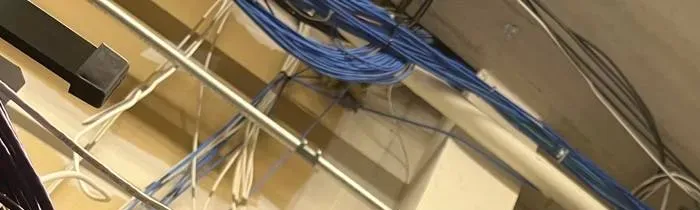
Reference photo from another AESS job, not a New York City property we name: network cable bundles running along a ceiling pipe. One of these cables can power a camera and carry its video at the same time — often cheaper over a camera’s life than fighting a crowded Wi-Fi channel.
Shop Our Systems
Wireless Camera Installation Packages & Pricing
Three common starting points for city wireless jobs. Each shows the Brooklyn and Bronx base first and the Manhattan figure second; Queens and Staten Island fall between them as in the table above.
Apartment Starter
From $950
Four cameras with recording on the 2MP package line: in-unit Wi-Fi cameras set on a separate camera network, channel chosen from a reading at each spot, handover sheet and app set-up. Base from $950 · Manhattan from $1,188.
House and Row-House Plan
From $1,392
Four 4K cameras on the 8MP IP line, mixing Wi-Fi with PoE wherever walls or neighbours defeat the radio, local recording, battery backup advice for the router and switch. Base from $1,392 · Manhattan from $1,740. PoE drops from $175 at the base.
Name-Brand Building Plan
From $1,659
Lorex, UniFi, Uniview or Luminys cameras with dedicated access points or bridges for courtyards and yards, board and Landmarks paperwork, owner-held master account. Base from $1,659 · Manhattan from $2,074.
Labour-only installs for cameras you already own
Bring your own equipment — a kit from a big-box store, cameras from a website or a system the last owner left behind. We install, configure and survey the signal the same way, and our bring-your-own-equipment calculator lists the labour-only lines. The first thing we check is whether the models you have will work at the spots you want, so you are not paying to mount a camera that cannot hear the router.
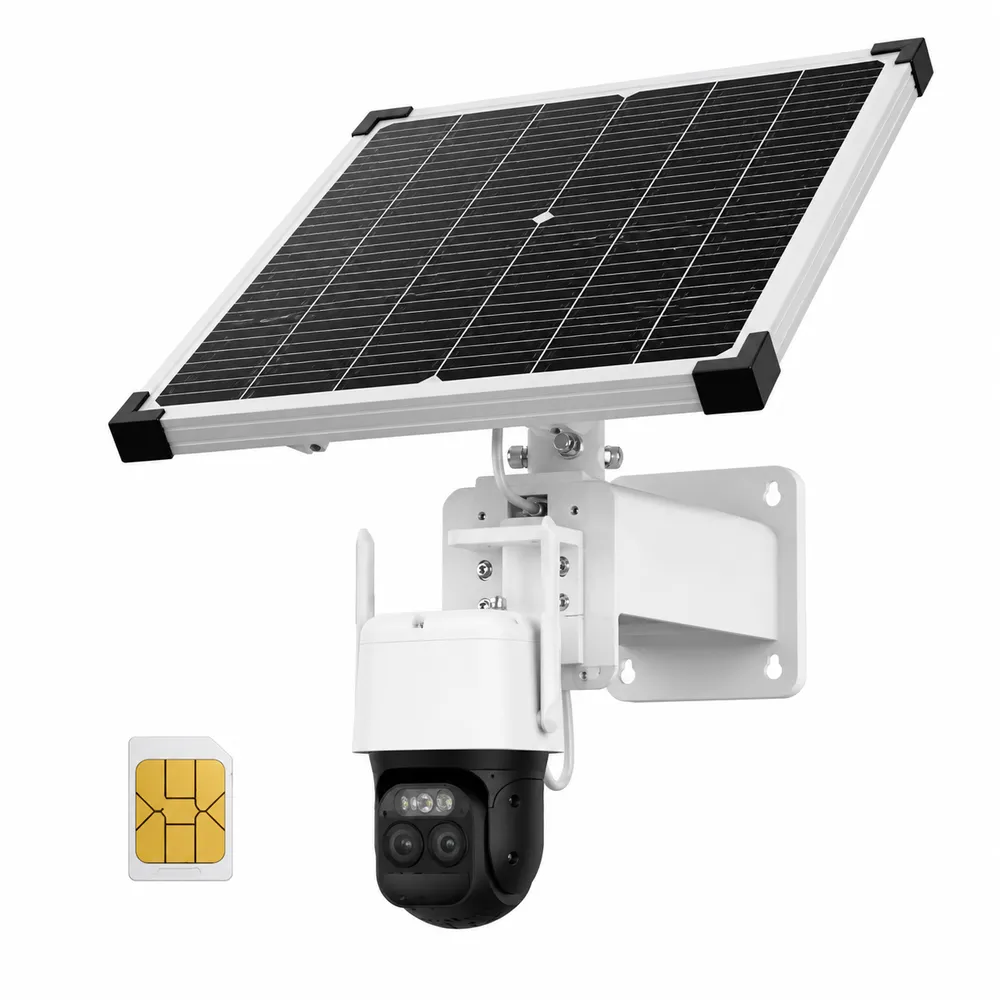
Reference product photo, not an installed New York City job: a solar-fed 4G LTE camera and its SIM card. Cellular cameras suit lots, fences and empty buildings with no internet; they still need sky for the panel and a data plan.
One Number for All Five Boroughs
A rear-yard camera behind a Park Slope row house, a door camera in an Upper West Side co-op or battery cameras for a Staten Island garage — the person who answers (800) 486-0943 plans the signal, the power and the paperwork, and quotes the borough line.
Field Notes: Measure at the Camera, Not at the Router
The most useful habit I have on city wireless jobs is simple: I do not believe the router. A router screen will tell you the signal is excellent, because the router is listening to the phone in your hand in the same room. The camera is the one that has to hear it, from outside a brick wall, at the height of a second-floor window, at eight in the evening when the building is home.
So before I promise anything, I hold a phone or a meter where the camera will hang and look at three things: how strong the router is there, how many other networks share that channel, and how the reading changes when someone in the house starts a video call. If the answer is marginal at noon, it will be worse at night, and I would rather run one cable today than come back four times to reboot a camera that was never going to make it.
The second habit is asking where the power is before asking which camera. The camera is the easy part.
— Anwar Timothy, owner, NYS license #12000287431
FAQ
New York City Wireless Camera Installation FAQ
Practical points people ask before booking.
Why does the hub quote in Brooklyn dollars when I live in Manhattan or Queens?
+
All our city prices start from one Brooklyn base and apply a published borough factor: 1.00 for Brooklyn and the Bronx, 1.05 for Queens, 1.10 for Staten Island and 1.25 for Manhattan. Your written quote is always on your own borough line; the factor covers travel, parking and the extra access time managed buildings need.
Do you survey the signal before quoting, or quote from photos?
+
Simple jobs — one or two indoor cameras next to the router — can be quoted from photos and a phone call. Anything outdoors, through masonry or across a courtyard gets a signal survey at the camera spot first, because the walls decide whether Wi-Fi, a cable or an access point is the honest answer.
Can you work inside a doorman building’s contractor hours?
+
Yes. Tell us the building’s permitted hours, freight elevator rules and check-in procedure when you ask for a quote. We book inside those windows, send the insurance certificate in advance and plan the visit so we are not still drilling when the building’s hours end.
Will you use our existing router or bring new network equipment?
+
We use your router whenever it can do the job, and set up a separate camera network on it. If the router cannot reach the cameras or is too old for their security settings, we recommend an access point or a newer router and quote it as a separate line you can accept or decline.
Do you keep the admin login, or do we get it?
+
You get it. The owner holds the master account and every password, written on the handover sheet. If you want us to help with future service, you can add us as a limited user and remove us at any time.
Can we start with two cameras and add more later?
+
Yes, and we plan for it. We choose a platform and recorder with room for more cameras, leave the camera network with capacity to spare and note on the handover sheet where the next cameras would go and how they would be powered.
How quickly can you send a certificate of insurance naming our building?
+
Usually within one business day of receiving the exact wording your managing agent or board requires. Send us their sample certificate or the names and addresses to be listed as additional insured, and we have it issued before the visit is booked.
Will you install cameras we bought online ourselves?
+
Yes. We install and configure customer-supplied cameras and survey the signal the same way. We tell you up front if a model will not work at the spot you want, and parts you supply carry their own manufacturer warranty rather than ours.
Can a camera see the street through our window glass at night?
+
Usually not with infrared on: the camera’s own infrared light reflects off the glass straight back into the lens. We turn infrared off, set the camera tight to the glass and rely on street lighting, or recommend an exterior position where the building allows it.
How is payment handled for a wireless camera job?
+
Payment terms are on every written quote. Full terms — including 50% deposit, one-year parts-only warranty on AESS-supplied products, and the late-fee schedule — are set out in the service agreement. Changes after the install are billed at $195/hr with a 3-hour minimum ($585).
All Areas Served
Wireless Camera Installation Across New York City, Long Island and the Hudson Valley
This is the New York City hub for our wireless camera service. Each borough, county and regional hub below has its own page with its own research and price line.
Every figure, rule and news event on this page comes from one of these sources; Reddit threads were read as search excerpts only. Installation practices — measuring at the camera, separate camera networks, microphones off by default, handover sheets, when we recommend a cable — are our own way of working, not something these sources prescribe. Prices are our published Brooklyn base with the borough factors applied.
Nothing here is legal advice. Leases, board rules, landmark permits, audio recording and workplace privacy are questions for a lawyer or the relevant agency; this page explains how the equipment is planned and installed.
Cameras Offline or Batteries Dead — Call the City Line
Cameras that vanished after the internet provider swapped the router, a doorbell that will not charge in the cold, a yard camera that only works at lunchtime — call (800) 486-0943 from any of the five boroughs. Most wireless faults are signal, power or settings, and in most cases the cameras are recording again within one to two hours of the technician arriving.
Citywide Wireless Cameras From a Licensed, Insured Crew
All five boroughs, one number: (800) 486-0943 · Abstract Enterprises Security Systems, 1282 Troy Ave, Brooklyn, NY 11203 · photos of a camera spot or a router by WhatsApp (718) 679-0359
Licensed in New York State (#12000287431) · fully insured · same-day estimates · rated 4.7★ from 201 Google reviews
Equipment we supply also carries its manufacturer’s own cover. Full terms — including 50% deposit, one-year parts-only warranty on AESS-supplied products, and the late-fee schedule — are set out in the service agreement. See our warranty page.
Page reviewed and updated October 18, 2026. Changelog: New York City wireless camera hub rebuilt from new citywide research around radio, walls, power and permission — 2.4/5/6 GHz channel limits, NIST building-material attenuation testing, PoE standards, DOB electrical permit rules, cold-weather battery charging, the June 2025 Con Edison outages, LPC camera permit criteria, co-op alteration agreements, HPD fire-escape guidance, New York’s one-party consent eavesdropping law, Labor Law §203-c — with per-borough prices on the Brooklyn base and the §9 borough factors.