Home › Wireless Camera Installation, Hudson Valley
WESTCHESTER TO ULSTER · WI-FI, BRIDGES, LTE & SOLAR
Wireless Camera Installation in the Hudson Valley
Long driveways · Barns and outbuildings · Weekend houses · Village storefronts
North of the city, “wireless” stops being a convenience and becomes an engineering problem. The camera you want is three hundred feet from the router, behind a fieldstone wall and a stand of maples. The barn has power but no internet. The house is empty from Sunday night to Friday. The battery that worked all summer stops charging the first week the nights go below freezing. We plan each camera’s link, power and recording around those facts — Wi-Fi where the router really reaches, a point-to-point bridge to the outbuilding, a cellular camera where there is no internet at all, and solar sized for December rather than June.
Manufacturer specifications, state and federal rules, utility figures and local facts on this page were checked against the sources listed at the bottom. Reviewed and updated October 18, 2026.
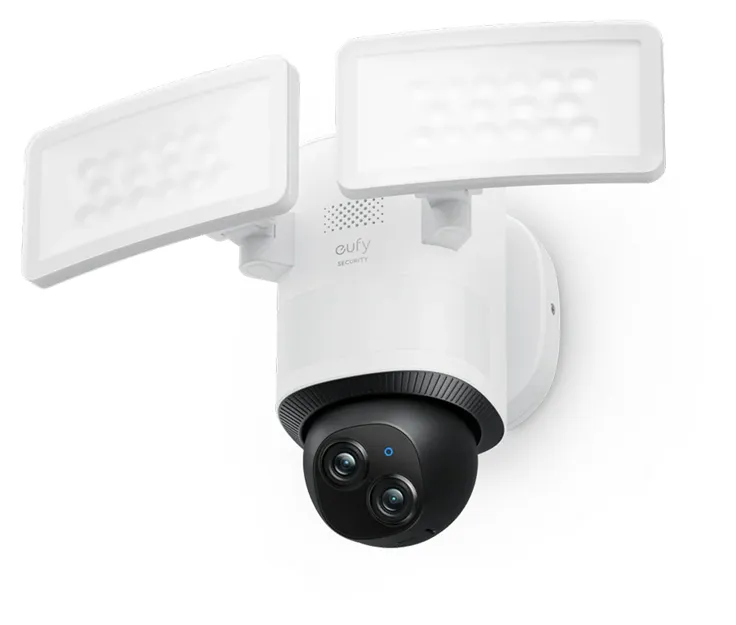
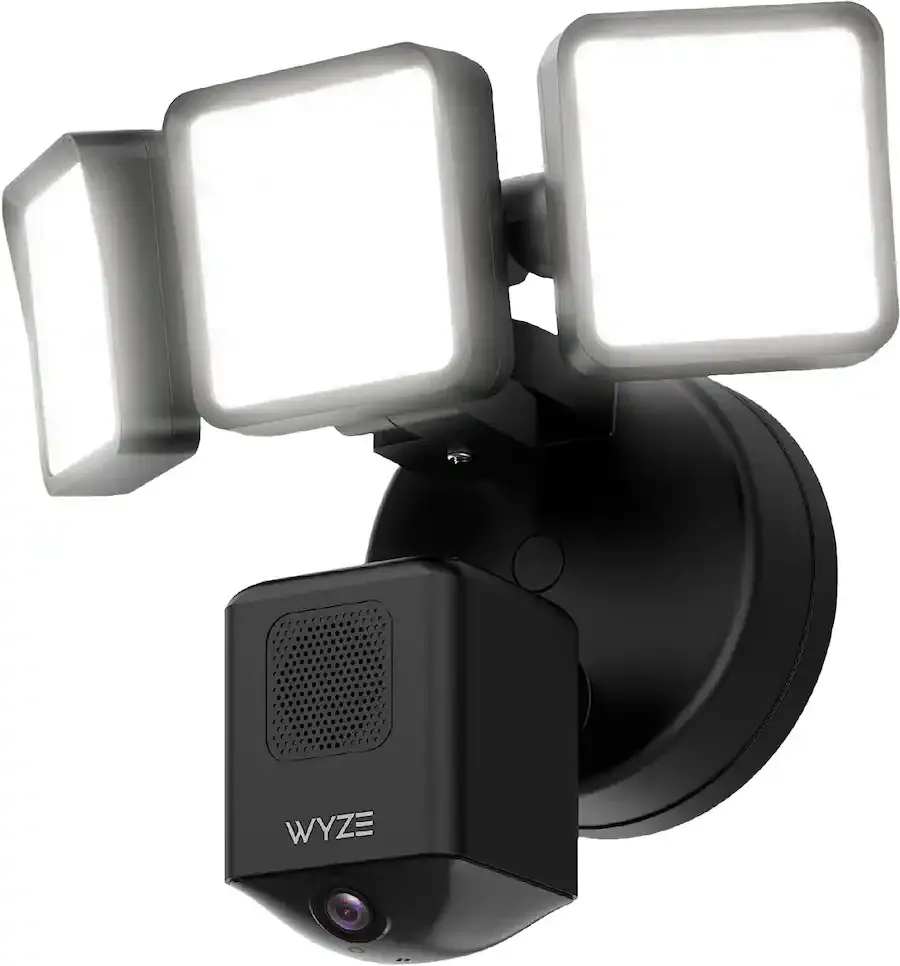
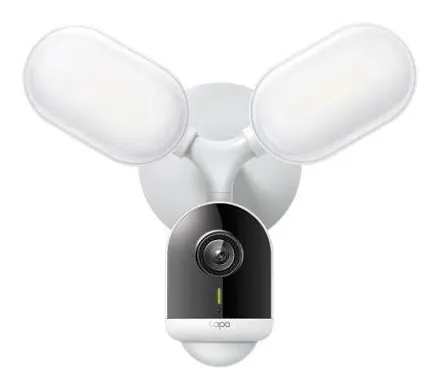
Manufacturer product photo, not an AESS job photo: a Wi-Fi floodlight camera with a pan-and-tilt head. Lights, camera and radio share one housing, so the only cable it needs is power.
Hudson Valley Wireless Camera Request
Town, how far the cameras sit from the router, and what is out there
✅
Request Sent!
A scheduler will call to ask about distances, power and the internet you have on site.
25+
Years Experience
✓
Same-Day Estimates
100%
Licensed & Insured
4.7★
201 Google Reviews
Three answers make the first call useful: how far the farthest camera will be from the house or the router, whether there is electricity at that spot, and what internet service the property has — cable, fiber, DSL, satellite, a cellular hotspot or none. Call (800) 486-0943 with those and the town, and we can usually tell you on the call which kind of camera fits each spot and roughly what the job will cost.
Estimates are free; a written quote follows the walk-through.
Cameras you bought yourself, systems another company installed and kits still in the box are all fine to call about.
NYS licensed low-voltage contractor, license #12000287431; any new outlet or circuit is coordinated with your licensed electrician.
Why Hudson Valley Properties Need Wireless Camera Installation
A wireless camera is one that sends its video over radio instead of a network cable. Most use the property’s Wi-Fi; some use a dedicated base station; some carry a SIM card and use the cellular network; a growing number use long-range Wi-Fi HaLow. Power is a separate question. A “wireless” camera may still plug into an outlet or be wired to a light fixture, or it may run on a rechargeable battery topped up by a small solar panel. In a Brooklyn row house all of that is a short story: the router is twenty feet away, the outlet is on the porch, and the battery is never colder than the city. In the Hudson Valley every one of those assumptions can fail on the same property.
Start with distance. Valley properties are measured in acres as often as in feet. The camera that matters most is frequently the one at the bottom of the driveway, the one on the detached garage, the one on the barn where the tractor and the side-by-side are kept, or the one looking at the dock on the lake. Home Wi-Fi was never designed for those distances. Lorex, describing its own long-range HaLow cameras, puts the average Wi-Fi range at about 100 feet against roughly 500 feet for HaLow. Put a fieldstone wall, a hillside or a stand of trees between the router and the camera and the usable figure falls further. Trees matter more than most people expect: a study summarised in the journal Arboriculture & Urban Forestry reports that a wet tree attenuated a Wi-Fi signal by about 18 dB, which is the difference between a picture and a spinning wheel. A link that tested fine in March, before the leaves came out, can stall in July after a rainstorm.
Then there is the question of whether the internet reaches the property at all. Broadband in the valley ends partway up some roads. Ulster County’s own announcement of a $20.8 million ConnectALL award in September 2025 counted nearly 1,300 unserved households, businesses and community facilities in remote parts of the county. New York City’s Department of Environmental Protection, announcing plans in November 2024 to expand wireless service across its upstate watershed — which takes in parts of Ulster, Orange, Putnam, Westchester and Dutchess counties — described much of that region as “a broadband and cellular black hole.” A camera that depends on the internet is only as good as the line coming up the road. Where the line does not come, we design around cellular data, or around local recording that you check when you visit.
Then the weather. Battery cameras are the easiest thing in the world to mount and the most disappointing thing in the world in a valley January. Ring states plainly that its devices are designed to stop charging below freezing; Arlo says its batteries cannot charge safely below 32°F. The camera keeps running on what it has, but the solar panel that was supposed to keep it topped up cannot put a charge back in until the battery warms. Add short December days, snow on the panel and a north-facing gable, and the camera that never needed attention in summer goes dark in February. We size and place solar for winter, and we tell you honestly which spots should have a wire instead.
And finally, power. Storms here are not abstract. In July 2026 Central Hudson reported nearly 50,000 customers without power after storms crossed the region, and Orange & Rockland reported more than 47,000 customers affected in the same week. A Wi-Fi camera is only as reliable as the router, the modem and the outlet it depends on. Where a camera matters during an outage — a weekend house, a farm stand, a business that stores stock on site — we plan battery backup for the network equipment, or choose cameras that record locally and upload when the power returns.
The valley facts we plan around
Four electric utilities, not one. Central Hudson serves about 315,000 electric customers in a territory running from the northern suburbs of New York City to near Albany; Orange & Rockland serves about 300,000 electric customers in Orange, Rockland and Sullivan counties and northern New Jersey; NYSEG serves much of Putnam; and Con Edison serves Westchester alongside the city. Each has its own outage map and its own restoration pace.
Outages measured in days, not minutes. When Tropical Storm Isaias hit in 2020, 34,150 of NYSEG’s 38,693 Putnam customers lost power. When Hurricane Sandy struck in 2012, Orange & Rockland called it the worst storm in its history, with 230,000 outages.
Remote corners without broadband. Ulster’s 2025 ConnectALL award targets nearly 1,300 unserved locations; the $61.8 million total includes a $40.9 million Verizon match.
Big counties, big lots. The Census Bureau counts 1,015,743 people in Westchester, 357,397 in Rockland and 300,708 in Dutchess as of July 2025; Dutchess’s owner-occupancy rate is 69.2% and Rockland’s 67.9%. Most valley homes are owned, which means most valley camera decisions are made by the person who will live with them for years.
Deer everywhere. A deer study prepared for the City of Rye estimated about 50.1 deer per square mile in that part of Westchester — nearly three times the density the report gives for a healthy forest. Every one of them is a motion alert on a badly tuned camera.
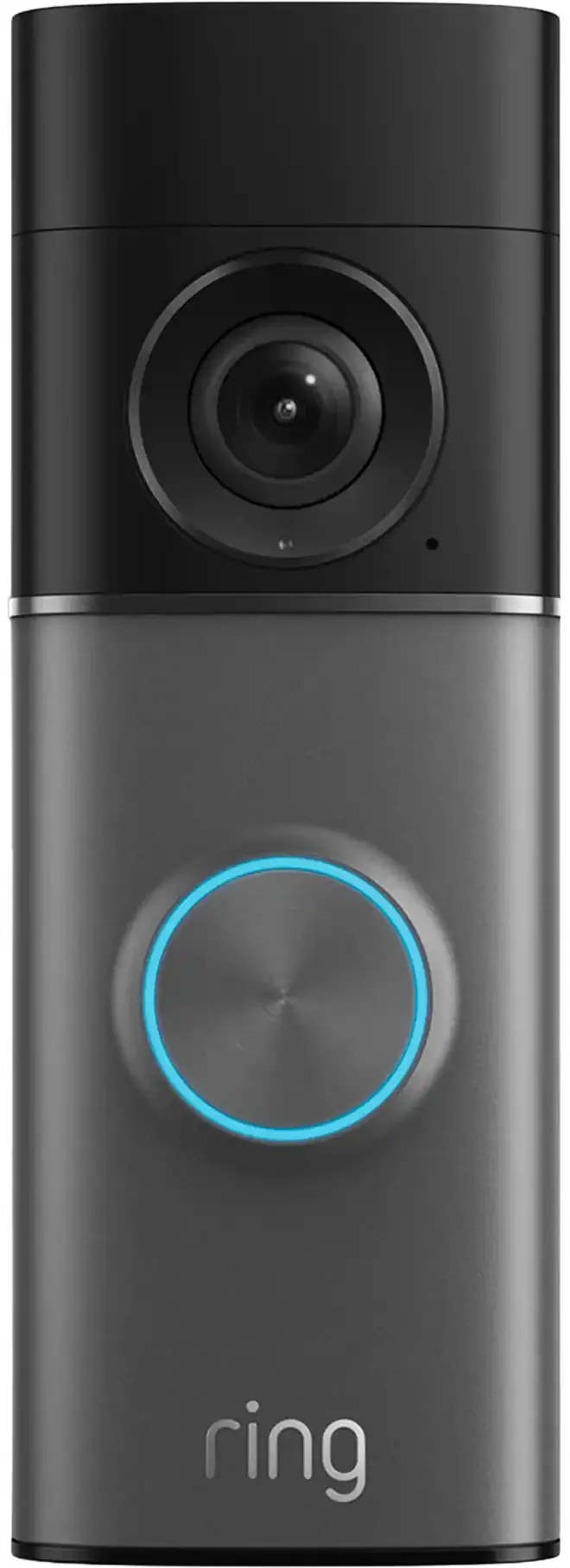
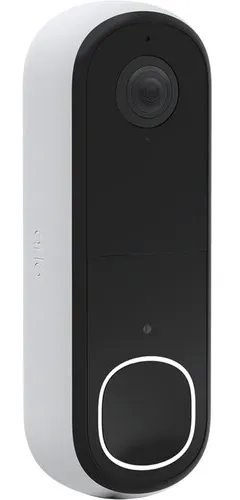
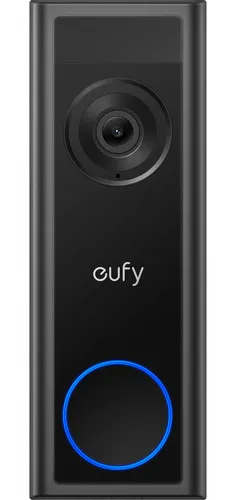
Manufacturer product photo, not an AESS job photo: a battery video doorbell. On a valley porch the question is not whether it records but whether its battery still charges in January.
Many valley owners asking about wireless cameras are also deciding whether some cameras should be wired. Our Hudson Valley security camera installation page covers cabled systems with a recorder, the floodlight camera team handles light-and-camera fixtures on garages and barns, and the Hudson Valley network installation crews build the Wi-Fi and the bridges that many wireless cameras depend on. This page stays on cameras that send their video through the air.
Camera Offline Since the Storm? Same-Day Wireless Camera Repair Across the Valley
Most of the calls we get about existing wireless cameras in the valley start the same way: “It was working, and then it wasn’t.” The power blinked, the router restarted with a new address, the internet provider swapped the modem, the battery froze, or the app updated and logged everyone out. Very few of these need new cameras. They need someone to work out which link in the chain broke.
We work down that chain in order. Is the camera powered and charging? Is the radio connected to anything, and at what signal level? Is the router or bridge it talks to up, and has it changed channel, password or band? Is the internet itself up, or is it the modem? Is the cloud service or recorder reachable? Most faults show themselves within the first three questions, and the fix is often a better position for the router, a dedicated access point on the side of the house that faces the camera, a bridge in place of a struggling Wi-Fi link, or simply resetting a camera onto a 2.4 GHz network it can actually hear.
Battery won’t charge in winter. Usually a cold battery, not a dead one. We move the panel to the sun it actually gets in December, or swap the camera for a wired-power model on that wall.
Camera drops off Wi-Fi every evening. Often a neighbour’s network or the household’s own streaming crowding the same channel. A survey with an analyser shows it in minutes.
Everything went offline after a new modem. The provider changed the network name or password. Every camera needs re-joining; we do it and record the details for you.
Constant alerts from deer and branches. Detection zones, person and vehicle filters and a better aiming angle cut most of it.
Cellular camera stopped uploading. Data plan, SIM or signal. We check all three on site with the carrier’s own coverage in mind.
Repair visits, reconnections and work on systems we did not install are billed at our service rate of $195 an hour with a three-hour minimum ($585). That rate does not apply to a new installation. If the honest answer is that a camera is in the wrong place for wireless, we say so and price the alternative.
Six Counties
Six Counties, Four Utilities and Very Different Lots
“The Hudson Valley” on this page means the six counties we serve north of the city: Westchester, Rockland, Orange, Putnam, Dutchess and Ulster. They share a river and a commute, and not much else that matters to a camera. A quarter-acre lot in Yonkers and a forty-acre horse farm outside Millbrook need different links, different power and different expectations. Each county has its own page with its own direct line; this hub explains what changes as you go north and west, and how we decide.
Westchester: dense, wired, and close to the router
Southern Westchester behaves like the city’s inner suburbs. Lots are small, houses are close, cable and fiber internet are the norm, and Con Edison supplies the power. Most wireless cameras here are Wi-Fi models on outlets or light fixtures, and the main design questions are neighbours’ windows, shared driveways and the Wi-Fi congestion that comes with dozens of networks on one block. Northern Westchester — Bedford, Pound Ridge, North Salem, Lewisboro — is different: long private roads, stone walls, deep woods and houses set far back. There the distance and tree questions take over. See the Westchester County wireless camera page for the county detail.
Rockland: tight villages, then the mountains
Rockland is the smallest of the six by area, and its eastern villages along the river are compact. Its households are large — the Census Bureau puts the average at 3.22 people — which often means busy home networks with many devices competing with cameras for airtime. Orange & Rockland supplies power, and its July 2026 storm update named towns such as Clarkstown and Ramapo among those still waiting for restoration days later. West of the Palisades Parkway the land climbs toward Harriman and Bear Mountain, and properties there start to look like the rest of the valley. The Rockland County wireless camera page has the detail.
Orange: commuter towns, farms and warehouses
Orange runs from the Hudson at Newburgh and Cornwall to the black-dirt farms around Pine Island and the Shawangunk ridge. It mixes new subdivisions near the Thruway and I-84 with old farmsteads where the barn is a hundred yards from the house. Broadband subscription stands at 89.3% of households according to the Census Bureau, which leaves a real minority relying on something else. The Orange County wireless camera page goes town by town.
Putnam: lakes, hills and the NYSEG question
Putnam is small in population and big in terrain: lake communities around Mahopac and Lake Carmel, steep wooded lots, private roads and the reservoirs of the city’s water supply. A house below a ridge from the nearest cell tower can have weak signal, which affects both cellular cameras and the cellular backup on internet routers. Isaias showed how long NYSEG restoration can take in hilly, wooded territory. The Putnam County wireless camera page covers lake houses and hillside lots.
Dutchess: estates, horse country and the river towns
Dutchess has the river cities — Poughkeepsie and Beacon — the Route 9 corridor, and then a great deal of open country: horse farms around Millbrook, orchards near Red Hook, estates along the river at Rhinebeck and Hyde Park. Outbuildings are the rule rather than the exception, and the camera on the stable or the equipment barn is often the one the owner cares most about. Census figures show a 93.5% broadband subscription rate — high, but not universal, and a camera plan has to know which side of that line the property is on. See the Dutchess County wireless camera page.
Ulster: the Catskills edge, second homes and no-signal hollows
Ulster runs from Kingston and New Paltz into the Catskills, and it is where “no internet” and “no signal” most often appear on our survey notes. Central Hudson serves 93,209 customers in the county, according to a September 2026 Daily Freeman report on a nor’easter that left more than 14,000 of them without service at its peak. Many properties are weekend or seasonal houses watched from the city. For them we usually combine cellular or satellite internet, local recording and cameras that keep working through an outage. The Ulster County wireless camera page has the local detail.
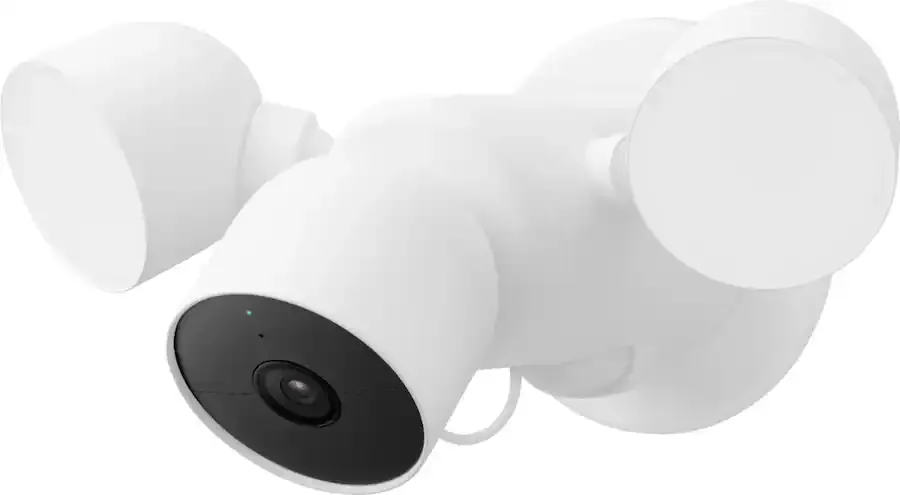
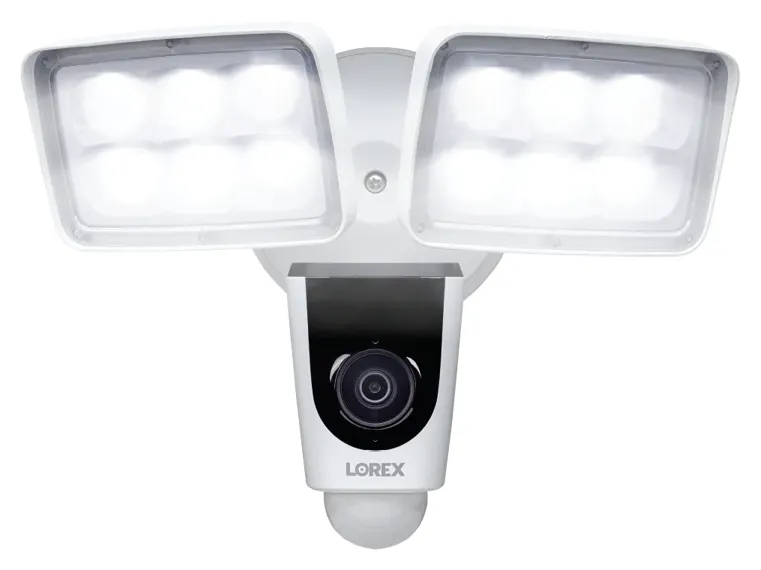
Manufacturer product photo, not an AESS job photo: a Wi-Fi camera paired with a floodlight. Wired for power, wireless for video — the most common “wireless” camera on valley garages.
Services
Wireless Camera Installation Services in the Hudson Valley
Every job starts with the same question — how will this camera’s video get back to you? — and the answer decides which of these services is involved. Many properties end up with two or three of them.
Wi-Fi cameras on the house
Cameras on the walls, eaves and porch of the main house, joined to your existing Wi-Fi or to a new access point placed for them. We check signal at each mount with an analyser before drilling, not after.
Access points for camera coverage
An outdoor or attic access point on the side of the house that faces the cameras, wired back to the router, so the cameras are not shouting through two walls and a kitchen. Usually the single biggest improvement on an existing system.
Point-to-point bridges
A pair of radios that link the house to a barn, garage, pool house or second building with a clear line of sight, carrying the cameras and often internet for the outbuilding too. Ubiquiti, for example, rates its Building-to-Building Bridge at a 500 m link range.
Long-range HaLow cameras
Wi-Fi HaLow uses a lower frequency that travels farther and copes better with obstacles than ordinary Wi-Fi. For gates, fields and long driveways it can avoid a bridge altogether, where the brand and the terrain suit it.
Cellular (4G LTE) cameras
Cameras with their own SIM card and data plan for spots with power or sun but no internet: a remote gate, a hunting camp, an equipment yard, a construction site. Reolink, for instance, requires one SIM per camera.
Solar and battery cameras
Battery cameras with a separately mounted solar panel, positioned and angled for winter sun. Ring asks for three to four hours of direct sunlight a day for its doorbell panels and four to six for its camera panel; in December that decides where a panel can go.
Video doorbells
Battery or wired doorbells on front doors, side doors and gates, joined to the chime where one exists, with motion zones set to the walkway rather than the road.
Local recording and backup power
A base station, hub or recorder that keeps video on site, and a battery backup for the modem, router and access points so cameras keep recording through the short outages and the first hours of the long ones.
We install the major consumer brands — Ring, Arlo, eufy, Reolink, Google Nest, Blink, Wyze, Lorex, TP-Link Tapo and others — and professional systems where the property needs them. If you already own the cameras, we install those; if you have not chosen, we recommend from what will work on your property rather than from a single catalogue.
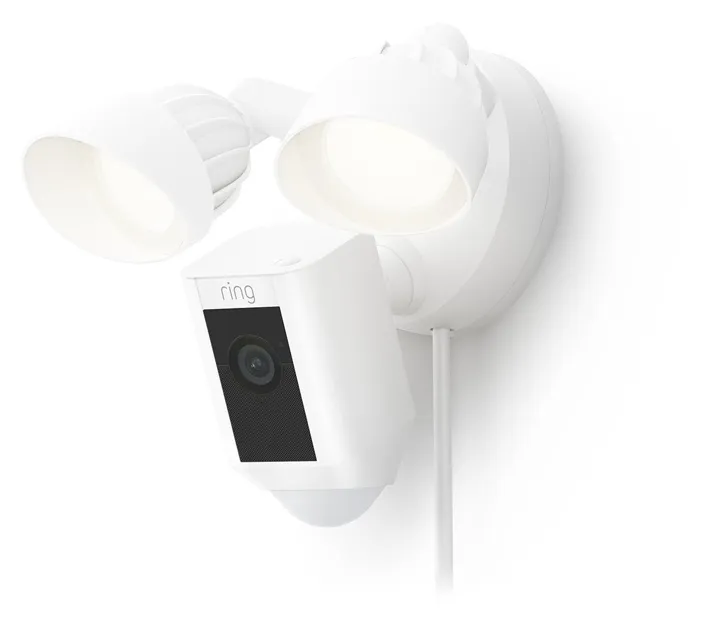
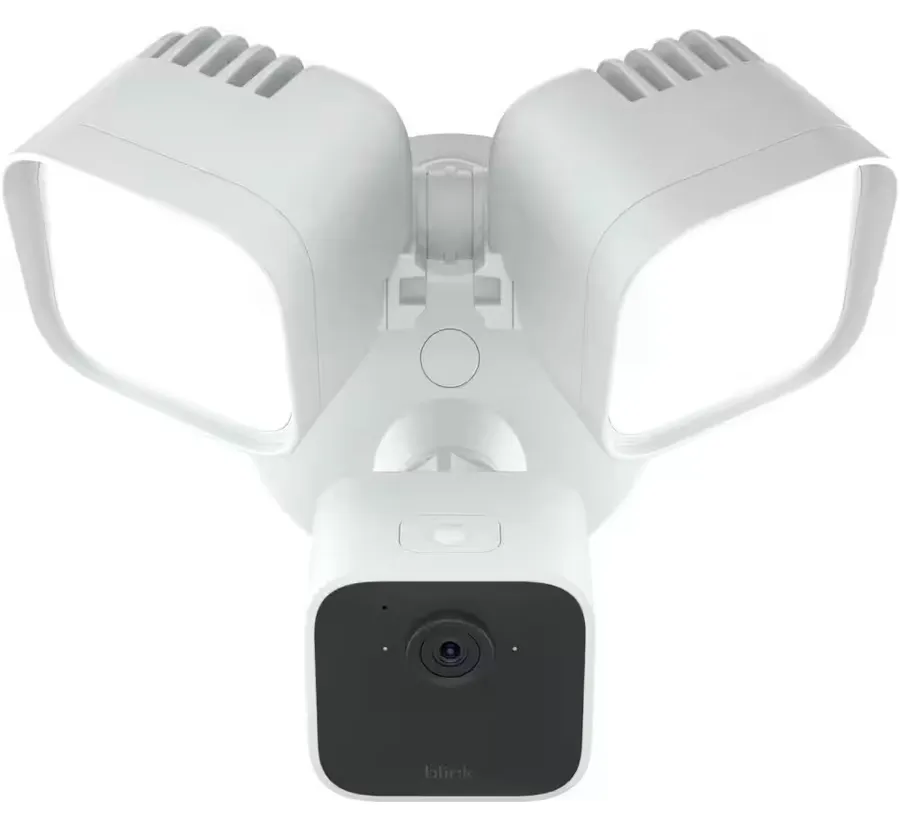
Manufacturer product photo, not an AESS job photo: a plug-in floodlight camera. The cord shows the point: many “wireless” cameras still need an outdoor outlet within reach.
The Buildings
Wireless Camera Installation for Hudson Valley Houses, Barns and Outbuildings
The valley’s building stock is one of the reasons wireless cameras are popular here, and one of the reasons they fail. Running cable through a 1790s stone house or a post-and-beam barn is slow and sometimes impossible without damage; sending video through the air avoids that. But the same thick walls that make cabling hard also stop radio.
Stone and brick houses
Fieldstone, brick and plaster-on-lath walls absorb Wi-Fi far more than wood framing. A router in the middle of a stone farmhouse may give strong coverage indoors and almost nothing outside the far wall. The answer is rarely a more powerful router. It is an access point that sits on the outside of the problem: in the attic under the eaves, in a window, or on the exterior wall, wired back through a path that already exists — a basement chase, a chimney cavity that is no longer used, or along a soffit.
Barns, stables and equipment sheds
Barns are where valley owners most want cameras and where Wi-Fi most often gives up. Metal roofing and siding reflect radio; dust and birds find their way into everything; and the barn may be a long way from the house. Where there is line of sight, a bridge from the house to the barn carries the cameras reliably and leaves room for a second access point inside the barn. Where there is not, a cellular camera or a HaLow camera with its own receiver can be the better answer. We mount cameras where they see the doors and the equipment, not the inside of the roof.
Detached garages and pool houses
The detached garage is the classic “almost in range” problem: forty to eighty feet from the house, with the router on the far side. Often a well-placed access point on the near wall of the house solves it. If the garage has power and you want internet there too, a short bridge or, where trenching is reasonable, a buried cable is the long-term answer.
Lake and river houses
Docks, boathouses and shorelines are open, which helps radio, and wet, which does not help electronics. Cameras need proper weather ratings and mounts that will not rust; links over water can travel a long way but are affected by reflection off the surface. For a dock camera we usually prefer a mount on a building or pole above the dock rather than on the dock itself.
Village storefronts and mixed-use buildings
In Beacon, Cold Spring, Rhinebeck, New Paltz, Nyack and Warwick, many businesses occupy old buildings with apartments upstairs. Landlords often refuse new holes in brick facades, and the building’s wiring may be shared. A wireless camera that sits inside the window, or a battery doorbell on the door frame, can give coverage without touching the facade — as long as the glass does not reflect the camera’s own infrared light back at it at night, which is a placement question we test after dark.
New construction
If you are building, the best wireless camera system is one that was partly wired during construction: a network cable to each eave and to the garage, and conduit to where a gate or barn camera will go. It costs little while the walls are open. Even if you choose battery or Wi-Fi cameras now, those runs give you an access point anywhere you need one later.
Manufacturer product photo, not an AESS job photo: a three-panel floodlight camera. On barns and detached garages, the light often does as much good as the camera.
Businesses
Business Wireless Camera Installation in the Hudson Valley
Valley businesses often have the same distance and power problems as valley homes, plus customers, staff and stock. Wireless cameras suit businesses that cannot easily run cable — seasonal operations, leased spaces, outdoor sites — and those that need a few cameras quickly while a larger cabled system is planned.
Farm stands, orchards and wineries
A farm stand by the road, a tasting room in a barn, a pick-your-own field and a parking area on grass: none of them are near a network closet. We typically bridge from the main building to the stand or tasting room and use cellular or HaLow cameras for the gate and the far parking area. For businesses that are open only part of the year, cameras that can be taken down for winter, or that sleep and wake on a schedule, save data and battery.
Contractors’ yards and equipment storage
An equipment yard on a back road may have power at a pole and nothing else. Cellular cameras with external antennas, mounted high on that pole, are the usual starting point; where the yard is near an office with internet, a bridge is cheaper over time than paying for several data plans. We set alerts for after-hours vehicle and person detection rather than every movement, so the phone only buzzes when it should.
Construction sites
Sites change every week. Wireless cameras on temporary poles or on the building as it rises, powered by temporary service or solar and connected by cellular, can be moved as the work moves. For larger sites we also offer solar surveillance trailers; see our Hudson Valley construction site camera page.
Village shops, offices and studios
In a leased shop or office, wireless cameras inside the space, on the business’s own network or a separate camera network, avoid alterations the landlord would have to approve. We separate cameras from the network that runs the card reader and the guest Wi-Fi, so one cannot be used to reach the other.
Houses of worship, camps and community buildings
Churches, synagogues, summer camps and community halls often have several buildings spread across a large site and volunteers who will look after the system. We keep those systems simple: one app, clear names for every camera, and a written sheet that tells the next volunteer how it works.
Short-term rentals
Many valley houses are rented by the night or the weekend. Airbnb’s rules, updated in 2024, prohibit hosts from having security cameras that monitor any part of a home’s interior, even if they are turned off, and bar outdoor cameras from areas where guests expect more privacy, such as an enclosed outdoor shower or a sauna. We design rental systems that cover the driveway, the doors and the road in a way that is visible and disclosed, and never point into the house.
Manufacturer product photo, not an AESS job photo: a floodlight camera of the kind used over yard gates and back doors of small valley businesses.
Your Questions Answered
Wireless Camera Installation in the Hudson Valley: Questions Answered
These are the questions valley owners raise once they have walked their own property with a camera box in hand. They are grouped by the decision they belong to. Prices are answered in the cost section further down, and the county pages answer the county-specific questions.
Distance and Links
How far from the house can a camera go before ordinary Wi-Fi stops being the right way to connect it?
There is no single number, because the walls and trees between the router and the camera matter more than the distance. As a starting point, Lorex puts the average range of ordinary Wi-Fi at about 100 feet, in open conditions. In practice, on a valley property, a camera on the same house as the router almost always works; a camera on the far side of a stone or brick house often needs an access point on that side; and a camera on a separate building more than about a hundred feet away, or behind trees, is where we stop relying on the house Wi-Fi and look at a bridge, a HaLow camera or a cellular camera.
What decides it is the signal measured at the mounting spot, not the bars shown on a phone standing in the driveway. We measure with an analyser at the height and position the camera will actually sit, on both the 2.4 GHz and 5 GHz bands, and we note which channels the neighbours are using. If the reading is weak, we fix the link before mounting the camera, because a camera that connects on a good day and drops on a wet one will cost you more in frustration than the extra equipment would have cost.
The barn is in plain sight of the house but about 600 feet away. What actually carries the video?
A point-to-point wireless bridge. Two small directional radios, one on the house and one on the barn, aimed at each other, create a private link that behaves much like a long network cable. Ubiquiti rates its UniFi Building-to-Building Bridge at a link range of 500 metres, roughly 1,640 feet, which comfortably covers most valley house-to-barn distances where there is a clear line of sight. At the barn end, the bridge feeds a small switch or access point, and the barn cameras plug into that or join its Wi-Fi.
The two conditions are line of sight and power at both ends. Line of sight means a clear path between the radios — not just between the buildings — so we check it from the actual mounting heights, and we look at what the trees will do in summer. If a tree is in the way, mounting higher on the gable or on a short mast usually solves it. A bridge also brings internet to the barn, which owners often find as useful as the cameras: a Wi-Fi signal for a phone in the stable, or a connection for a gate controller.
Will the leaves coming out in May change how a camera link behaves?
They can. Leaves are mostly water, and water absorbs radio energy. Research summarised in the journal Arboriculture & Urban Forestry reports that a wet tree attenuated a signal by about 18 dB — for a Wi-Fi link, that is a large loss. A link surveyed through bare branches in March may be strong in April and marginal in June, and worse after rain, when the leaves are wet.
So in winter and early spring we design with a margin for summer foliage, and in summer we design around what we can see. Where a path goes through trees, we look for a higher mounting point that clears the canopy, choose a lower frequency that copes better with obstacles, or route the link around the trees through another building. We also tell you which links are close to the edge, so if a camera starts dropping in midsummer you know it is the trees, not the camera.
Is Wi-Fi HaLow worth considering for a gate at the end of a long driveway?
Often, yes. Wi-Fi HaLow (the 802.11ah standard) works at a lower frequency than ordinary Wi-Fi, which lets it travel farther and handle walls and foliage better, at lower data rates. Lorex advertises its HaLow cameras at up to about 500 feet against roughly 100 feet for average Wi-Fi; other makers quote longer figures for open terrain. For a gate or driveway camera that needs a clear picture and quick alerts rather than a high-bit-rate feed, that trade is usually a good one.
The limitations are practical. HaLow cameras usually need their maker’s own receiver or hub at the house end, so you are choosing a brand ecosystem. The range figures assume reasonable conditions, and a hill between the house and the gate is still a hill. We test the actual path before recommending it, and if a bridge to a small pole at the gate would be more reliable, we will say so.
No Internet, Weak Signal
Our weekend house has no cable or fiber. Can cameras run over satellite internet instead?
Yes. Cameras do not care what kind of internet carries their video, as long as it is reliable enough and there is enough upload capacity. Satellite internet with a dish on the roof or a pole, fixed wireless from a local provider, or a cellular router with an outdoor antenna can all serve a camera system. What matters is upload speed, the monthly data allowance, and whether the router comes back on its own after a power cut.
For a weekend house we plan around those three. We set cameras to record locally — on a card or a base station — and upload clips rather than streaming continuously, so the data allowance is not eaten by video of an empty driveway. We put the satellite or cellular router, the camera hub and the Wi-Fi on a battery backup. And we test what happens when the power is cut and restored: the router must reconnect and the cameras must find it again without anyone driving up from the city to press a button.
The phone gets one bar at the house. Will a cellular camera work there?
Possibly, but one bar on a phone in a pocket is not a measurement. Cellular cameras such as Reolink’s 4G models take a nano SIM card and need an active data plan, and each camera needs its own SIM. Coverage varies by carrier, by height and by which side of a hill you are on. A spot that is useless at ground level can be workable on a pole or a gable twenty feet up, and a carrier that is weak at the house can be strong at the barn.
So we test before buying: signal readings from more than one carrier at the actual mounting height. Where signal is marginal, a camera that accepts an external antenna, or a single cellular router with a high-gain outdoor antenna feeding several Wi-Fi cameras, is often better than several cellular cameras each struggling on its own. Where there is no usable signal at all, we design a system that records locally and is checked on visits, and we say plainly that it will not send live alerts.
How do cellular cameras avoid running up a large data bill?
By sending less video. A cellular camera that streams around the clock uses a great deal of data; one that records clips only when it detects a person or a vehicle, and lets you view live only when you choose, uses a small fraction of that. We set detection zones that exclude the road and the trees, choose person and vehicle detection rather than any motion, set clip length to what you actually need, and keep continuous recording on the camera’s own card where the model allows it.
We also match the data plan to the camera’s real behaviour. After the first couple of weeks we check usage with you and adjust: if deer at dusk are generating most of the clips, a tighter zone or a different angle usually fixes it. The aim is a plan you can predict, with the full-quality footage still on site if you need it later.
Power, Sun and Storms
Which way should a camera’s solar panel face, and what do we do about the trees?
South, tilted fairly steeply, with nothing between it and the low winter sun. In the Hudson Valley the sun sits low in December, so a panel that gets full sun in June under a high summer sun may be in the shadow of the house, the barn or a line of pines for most of a winter day. Ring asks for three to four hours of direct sunlight a day for its doorbell solar panels and four to six for its camera solar panel; we treat those as winter requirements, not summer ones.
The panel does not have to sit next to the camera. Most solar panels come with a cable, and extension cables are available for many models, so the camera can sit under a north eave while the panel goes on the south roof edge or a short pole. Where no position gets enough winter sun, the honest answer is a wired power supply for that camera, or a different camera location. Snow also matters: a panel mounted steeply sheds snow better than a flat one, and a panel under a roof edge may be buried by snow sliding off the roof.
After a power cut that lasts two days, will the cameras come back on by themselves?
They should, and we test that they do before we leave. When power returns, the modem, router, access points, bridges and cameras all restart, and the order matters: if the cameras start before the network is ready, some models wait a long time before trying again. Battery cameras ride through the outage on their own batteries, but they can only send video if the Wi-Fi they rely on is running.
During handover we pull the power to the network equipment and restore it, and watch every camera reconnect. Where a device does not recover on its own, we change its settings, replace it, or add a small timer that restarts it after the network is up. We also make sure the router keeps its settings after a restart, and we write down the network name and password the cameras use, so that a replacement modem from the internet provider does not knock everything offline.
What should go on battery backup so the cameras keep recording when the power goes?
Everything the cameras depend on to send or store video: the modem or satellite or cellular router, the main router, any access points and bridges, and the camera hub or recorder if there is one. Plug-in and wired-power cameras need their outlets on backup too; battery cameras do not. A small uninterruptible power supply in the network closet keeps most systems running for a few hours, which covers the common short outages and the first part of a long one.
For longer outages, the choices are a larger battery system or a standby generator. With a generator, the network equipment should still be on a small battery so it does not reboot when the generator takes over. Valley storms make this worth planning: in July 2026 Central Hudson and Orange & Rockland each reported tens of thousands of customers affected, and restoration in rural areas can take days. If your internet provider’s own equipment on the pole loses power, no backup at the house will keep the internet up, which is why local recording matters as much as backup power.
Does lightning put outdoor cameras and bridges at risk?
Any equipment on the outside of a building, and especially anything on a mast or a pole in the open, is exposed to surges from nearby strikes. Wireless cameras have an advantage here: with no data cable running into the house, there is one fewer path for a surge to follow inside. But the power supply, the bridge radios and any cable that does run between buildings still need protection.
We use surge protection on the power feeding outdoor equipment, ground masts and bridge radios according to the manufacturer’s instructions, and avoid running cable between buildings where a wireless link will do. We are a low-voltage contractor, so grounding that touches the building’s electrical system is coordinated with your licensed electrician. None of this makes a direct strike survivable, but it greatly reduces the damage from the much more common nearby strike.
Weather, Wildlife and the View
Where should cameras go so snow, ice and driving rain don’t blind them?
Under something. A camera tucked beneath an eave, a porch roof or a deep soffit stays clearer in snow and rain than one on an open wall, and much clearer than one on a pole with no hood. On the downhill side of a roof, snow and ice slide off in sheets, so we keep cameras away from the line where the roof drops its load. Cameras facing into the prevailing weather collect raindrops on the lens; a few degrees of angle or a small hood often helps.
Night is the other weather. Infrared light from the camera can bounce off falling snow, rain or a nearby gutter and fill the picture with glare. Mounting the camera a little away from the wall, keeping spiderwebs and gutters out of the frame, and using a nearby floodlight instead of the camera’s own infrared can all improve night pictures. We check every camera after dark before we finish.
Can one of the cameras watch the bird feeder or the wildlife without counting as a security camera?
Yes, and many valley owners want exactly that. A camera aimed at a feeder, a pond or a game trail can sit on the same app as the security cameras but with its alerts switched off, or set to a separate notification so it does not interrupt the ones that matter. Some apps let you schedule it to record only at dawn and dusk, when wildlife is most active.
The trick is keeping the two jobs apart. A security camera aimed at a driveway should have tight detection zones and person and vehicle filters so that deer do not trigger it. A wildlife camera wants the opposite. Mixing them on one camera produces a feed that is too busy to be useful for security and too restricted for watching wildlife, so we usually recommend a separate, inexpensive camera for the feeder.
Neighbours, Visitors and Who Sees the Video
The house is rented out on weekends. Where can the cameras go?
Outside only, and visibly. Airbnb’s policy, updated in 2024, prohibits hosts from having security cameras or recording devices that monitor any part of a home’s interior — including hallways and living rooms — even if they are switched off, and also prohibits outdoor cameras in places where guests expect more privacy, such as an enclosed outdoor shower or a sauna. Other platforms have their own rules, and you should check yours.
Within those limits, a rental house can be well covered: the driveway and parking area, the front and back doors, the road entrance and any outbuildings guests do not use. We aim the cameras so they see arrivals and departures rather than the hot tub or the deck where guests relax, set them to record clips rather than live-stream, and give you a written list of every camera and what it sees, so your listing can disclose them accurately.
A camera at our gate would also see the neighbour’s driveway across the road. What should we do?
Aim it and mask it. Most current wireless cameras allow privacy zones, which black out part of the picture so it is never recorded, and detection zones, which decide where motion triggers an alert. We aim gate cameras to see your entrance and the plates of vehicles turning in, then mask the neighbour’s driveway, windows and yard.
It is also a matter of being a good neighbour. On rural roads, where houses face each other across a quiet lane, a camera pointed squarely at someone’s front door causes more trouble than it prevents. A few minutes’ conversation before the install, and a camera aimed so that it obviously points at your own gate, usually settles it. We will not aim a camera into a neighbour’s windows or yard.
If the police ask for footage, do they get it automatically?
Not with the major consumer systems; sharing is voluntary. Ring discontinued its Request for Assistance tool in 2024 and, according to Consumer Reports in September 2025, has since introduced Community Requests, through which verified public safety agencies that use Axon’s evidence system can ask Ring users in an area for video after a reported crime. Ring states that footage is never automatically shared when an agency makes such a request, and users can opt out of seeing the requests in the Neighbors app settings.
Police can still obtain footage with a warrant or other legal process, as with any record. Practically, most valley owners who share footage do so because they want to help after a break-in on their road. We show you where the sharing settings are in your app, how to export a clip to give to an officer, and how to keep a copy of anything important before the system records over it.
Are any camera brands restricted by the federal government?
Yes, in specific ways. The Federal Communications Commission’s Covered List names video surveillance equipment made by Hikvision and Dahua, among others, and the FCC’s rules effective in February 2023 bar new equipment authorizations for covered equipment from those companies. The restrictions are tied to purposes such as public safety, security of government facilities and critical infrastructure, and they matter most for government buyers and some businesses.
For homeowners, a more useful signal is the FCC’s U.S. Cyber Trust Mark, a voluntary label for connected devices, including home security cameras, that meet a set of cybersecurity criteria. Whatever brand you choose, the basics apply: change default passwords, turn on two-factor sign-in, keep firmware updated and put cameras on a network separate from your computers where possible. We set all of that up and write it down for you.
Manufacturer product photo, not an AESS job photo: a Wi-Fi floodlight camera. Whatever the brand, the account password, two-factor sign-in and firmware updates are set at handover.
Equipment
Types of Wireless Camera Equipment We Install
“Wireless camera” covers several quite different kinds of equipment. The right choice for each spot on a property depends on how its video travels and how it gets power.
Type
How video travels
How it is powered
Where it fits in the valley
Plug-in Wi-Fi camera
Home Wi-Fi
Outlet or light-fixture wiring
Porches, garages and eaves within reach of the router or an access point
Battery Wi-Fi camera
Home Wi-Fi or a base station
Rechargeable battery
Spots with no power; best where someone can recharge it in winter
Solar battery camera
Wi-Fi or base station
Battery plus separate solar panel
South-facing spots with winter sun; driveways, gates, sheds
Cellular (4G LTE) camera
Mobile network, own SIM
Battery, solar or outlet
No internet on site; remote gates, yards, camps, construction
Wi-Fi HaLow camera
Long-range Wi-Fi to the maker’s receiver
Battery, solar or outlet
Long driveways, fields and outbuildings without a clear bridge path
Floodlight camera
Wi-Fi
Wired to a fixture box or plug-in
Garages, barn doors, back yards — light and camera together
Video doorbell
Wi-Fi
Battery or existing doorbell wiring
Front and side doors, gate posts
Point-to-point bridge
Directional radio link
Power at both ends
Carrying cameras and internet to barns, garages, second houses
Outdoor access point
Wi-Fi from a wired point
Usually powered over its network cable
Extending strong Wi-Fi to the side of the house that faces the cameras
Base station, hub or recorder
Receives camera video locally
Outlet, on battery backup
Local recording that survives an internet outage
How we choose for each spot
We start at the camera and work back toward the house. Is there power at the spot, or a reasonable way to get it there? If yes, a plug-in or wired-power camera is almost always more reliable than a battery. Can the spot see the house or an access point with a decent signal? If yes, Wi-Fi. If no, can it see a building that could hold a bridge radio? If yes, a bridge. If no, is there cellular signal at the mounting height? If yes, a cellular camera. If none of those, HaLow or local recording with no live alerts.
Brand matters less than the link. A premium camera on a weak signal is worse than a modest camera on a strong one. Where a property already has cameras of one brand and the family knows the app, we usually stay with that brand for new cameras, so everything is in one place. Where you are starting fresh, we recommend from what has worked on similar valley properties and from what each brand actually supports, such as local storage, external antennas, HaLow or solar.
Storage choices
Wireless cameras store video in one or more of three places: a memory card in the camera, a base station or hub in the house, or the maker’s cloud service. Cloud storage is convenient and off site, so a thief who takes a camera does not take its video, but it depends on the internet and usually needs a subscription for more than a short history. Local storage keeps working when the internet is down and has no monthly cost, but a camera card can be stolen with the camera. On most valley properties we combine the two: local recording as the baseline, with cloud clips for the cameras that matter most.
Manufacturer product photo, not an AESS job photo: a video doorbell. Doorbells are the camera most valley owners already have; they are usually the first thing we connect to a new system.
Getting It Right
What AI Gets Wrong About Wireless Camera Installation in the Hudson Valley
We could not capture the exact text of the AI-generated answers that appear above search results for these searches; that source is marked as not accessible in our research notes. What we can do is test the claims that turn up again and again in AI answers, cost guides and product marketing against what manufacturers and public sources actually say, and against what happens on valley properties.
1. “Wireless cameras need no wires.”
Wireless describes how the video travels, not how the camera gets power. Many popular models, including most floodlight cameras, need an outlet or fixture wiring. Battery models avoid the wire but trade it for recharging, and in a valley winter that trade can be poor: Ring’s devices are designed to stop charging below freezing, and Arlo says its batteries cannot charge safely below 32°F. The right question for each camera is where its power will come from in January.
2. “A solar panel keeps a battery camera charged indefinitely.”
Only if it gets enough direct sun, at a temperature at which the battery can accept a charge. Ring asks for three to four hours of direct sunlight a day for its doorbell panels and four to six for its camera panel. A valley panel under trees, on a north wall or covered with snow will not meet that in December. Solar works very well when the panel is placed for winter; it disappoints when it is placed for convenience.
3. “Professional installation costs $100 to $200 per camera.”
That is Angi’s 2026 national figure for labour on a standard installation, on top of cameras that it prices from about $25 to $35 for basic wireless models. It is a reasonable figure for mounting a camera on a wall within easy reach of a good router. It does not include an access point for a stone house, a bridge to a barn, a pole at a gate, a cellular data plan, solar panels or battery backup — which, on a valley property, are often where most of the work is. Our Hudson Valley price table below shows complete systems rather than per-camera labour.
4. “Cellular cameras work anywhere.”
They work anywhere with usable cellular signal from a carrier whose SIM they accept. Large parts of the valley have good coverage, but the hollows, the far sides of ridges and parts of the watershed region do not; New York City’s own Department of Environmental Protection called much of its upstate watershed region a broadband and cellular black hole in 2024. We test signal from more than one carrier at the mounting height before recommending a cellular camera.
5. “The police can see your camera video.”
Not automatically. Ring, the system most often mentioned, states that footage is never automatically shared when public safety agencies make Community Requests, and that sharing is up to the user. Police can obtain footage through legal process, as they can other records. The bigger privacy risk for most owners is weak passwords and old firmware, which is why we set up two-factor sign-in and updates as part of every installation.
6. “Any camera will work with any Wi-Fi.”
Many wireless cameras connect only on the 2.4 GHz band, and some routers combine bands under one network name in a way that confuses camera setup. Mesh systems sometimes move cameras to a weaker node. Older routers struggle with a dozen cameras uploading at once. None of this is unusual or expensive to fix, but it is why a camera that worked on the kitchen counter during setup sometimes fails on the barn wall.
Walk the Property Before You Buy the Cameras
Tell us where each camera should go, how far it is from the router and what stands in between, and we will tell you which spots suit Wi-Fi, which need a bridge, and which need a cellular or solar camera.
Fill in what you know; distances and photos help most. A scheduler will call to book the walk-through. Prefer to talk? Call (800) 486-0943.
✅
We Got Your Request!
Received. A scheduler will call you to arrange the walk-through. Need us sooner? Call (800) 486-0943 now.
How It Works
Our Installation Process
Every valley job follows the same seven steps. The order matters: each camera’s link and power are proven before anything is mounted, and nothing is handed over until the system has survived a power cut.
1. Photos, a map and a call
You send photos of each spot and the house, and we look at an aerial view of the property together on the phone to mark distances, trees and outbuildings.
2. Walk the property with an analyser
We measure Wi-Fi and cellular signal at each mounting height, check line of sight for bridges, note sun and shade for panels, and find the nearest power.
3. A written plan per camera
Each camera gets its link, power source, storage and model on paper, with the reason, so you can see why the gate is cellular and the porch is Wi-Fi.
4. Build the network first
Access points, bridges, the cellular router and battery backup go in and are tested before a single camera is mounted.
5. Mount, aim and seal
Cameras and panels are mounted, aimed in daylight, and every hole through the building is sealed against rain and insects.
6. Tune detection after dark
We return to each camera after dusk to check night images, set detection and privacy zones, and filter out the road, trees and wildlife.
7. Cut the power, then hand over
We switch off the network equipment and restore it; every camera must reconnect on its own. Then you get the app set up for every family member and a written sheet of the system.
What helps before the walk-through
A rough map. A screenshot of an aerial view with each camera spot marked saves a lot of walking and often shows the trees and buildings in the way.
Your internet details. The provider, the type of service and where the modem or router sits. A photo of the router label helps.
Where the power is. Outdoor outlets, light fixtures on the garage and barn, and whether the barn or shed has power at all.
Cameras you already own. The brand and model of any cameras, doorbells or floodlights, and which app the family already uses.
How the property is used. Lived in full time, a weekend house, a rental, a farm or a business. It changes what alerts you want and when.
Who should have access. Family members, a caretaker, a neighbour who checks the house. We set up each one at handover.
None of this is required for a price, but each item answered in advance usually removes a question from the walk-through and a line of contingency from the quote. Owners who send an aerial screenshot with the camera spots marked often get a firm figure after a single visit.
Manufacturer product photo, not an AESS job photo: a battery video doorbell. Joining it to the right network band and checking signal at the door are part of step 4.
Coverage Area
Wireless Camera Installation Near Hudson Valley Landmarks
We cover the six counties from our Bronx office on East Fordham Road, which puts lower Westchester a short drive away and the far side of Ulster a long one. For the northern and western counties we schedule visits by area, and we set up every system so that most problems can be checked remotely before anyone drives up.
Westchester
From Yonkers, Mount Vernon and New Rochelle through White Plains and Scarsdale, up the Saw Mill and Taconic corridors to Ossining, Peekskill and Yorktown, and east to the estate country of Bedford, Katonah, Pound Ridge, Lewisboro and North Salem, where houses sit far back from long private roads near the Kensico and Cross River reservoirs.
Rockland
The river villages of Nyack, Piermont and Haverstraw, the Route 59 corridor through Nanuet and Spring Valley, New City, Pearl River and Suffern, and the wooded lots near Stony Point and the Palisades Interstate Parkway on the way to Bear Mountain.
Orange
Newburgh and Cornwall on the river below Storm King, Goshen and Middletown in the middle of the county, Monroe and Chester along Route 17, the farms around Warwick and Pine Island, and west to Port Jervis on the Delaware.
Putnam
Cold Spring and Garrison in the Highlands, Carmel and Mahopac around the lakes, Brewster and Patterson near the Connecticut line, and the steep wooded roads of Putnam Valley and Kent.
Dutchess
Beacon and Fishkill, Poughkeepsie and the Walkway Over the Hudson to Highland, Wappingers Falls and the Route 9 corridor, the river estates of Hyde Park and Rhinebeck, Red Hook, the horse country around Millbrook, and the eastern towns of Pawling, Dover and Amenia along Route 22.
Ulster
Kingston and Saugerties on the river, New Paltz below the Shawangunk Ridge, Woodstock, the Route 28 corridor past the Ashokan Reservoir into the Catskills, and the Route 209 towns down to Ellenville.
Manufacturer product photo, not an AESS job photo: a compact floodlight camera, the size that suits a garage corner or a shed door.
Pricing
Wireless Camera Installation Cost in the Hudson Valley
These are our published Hudson Valley installed price ranges for wireless camera systems. They include cameras, the base station or hub where the system uses one, mounting, sealing, configuration, app setup on your phones and a walkthrough. The county pages show the figures for each county; your written quote always states the price for your property and applies over any table.
System or item
Typical valley use
Installed price
Video doorbell only
One entrance, front porch or gate post
$450–$850
2-camera wireless
Front and back door of a smaller house or cottage
$850–$1,600
4-camera wireless
A typical single-family house, or a small shop
$1,600–$3,200
6-camera wireless
A larger house with a detached garage, or a village storefront
$2,400–$4,500
8-camera wireless
An estate, a farm house with outbuildings, or a landlord with several units
$3,200–$6,400
16-camera hybrid (wireless + PoE)
Large estates and commercial buildings, mixing wireless and cabled cameras
$6,500–$13,500
32-camera commercial wireless/PoE
Several buildings, a large estate, or a farm or orchard with outbuildings
$13,000–$27,000
Add: solar panel, per camera
For battery cameras, sized for winter sun
+$150–$300 each
Add: cellular LTE module
For spots with no internet
+$200, plus a monthly data plan
Add: base station or hub
Local storage without a subscription
+$99–$299
Service rate (after installation)
Repairs, reconnections, additions, systems we did not install
$195/hr, 3-hr minimum ($585)
The service rate is not charged on top of a new installation. Electrical work, such as a new outdoor outlet or a circuit to a barn, is done and billed by your licensed electrician; we give them the specification so their quote is accurate first time.
What moves a valley price up or down
Distance and obstacles. Cameras on the house near the router are simple. Every camera that needs an access point, a bridge or a pole adds equipment and time.
Power at each spot. An outlet or fixture within reach keeps costs down. Solar panels, extension cables and battery cameras add to the parts list; a new circuit adds the electrician.
Internet on site. Good cable or fiber internet needs nothing extra. Satellite, fixed wireless or cellular routers, and per-camera data plans, add equipment and monthly costs.
Backup power. A small battery backup in the network closet is inexpensive; a system designed to run for a long outage costs more.
Mounting height and surface. Two-storey gables, stone walls and metal barn siding need different fixings and sometimes a lift or a tall ladder.
Travel and scheduling. Properties in the northern and western counties are scheduled by area; a job that can be combined with others nearby is easier to fit in quickly.
If you are also considering cabled cameras, the camera calculator gives a first figure for a wired system, and our bring-your-own-camera page explains how we work with equipment you already bought.
Get a Written Valley Price Before Anything Is Bought
Most properties can be priced after one walk-through: we measure the signal at every spot, check power and sun, and send a quote that lists every camera, link and panel.
Three starting points from the table above. Each is a complete installed system; your quote adjusts it for the links, power and storage your property actually needs.
Starter Property
$1,600–$3,200. Four wireless cameras for a typical house: front door, driveway, back door and one side, joined to your Wi-Fi with an access point where the signal needs it, local storage and app setup for the household.
Standard Property
$3,200–$6,400. Eight wireless cameras for a larger house with a detached garage or barn, typically including a link to the outbuilding, battery backup for the network and detection zones tuned for wildlife.
Estate or Farm
$6,500–$13,500. Sixteen cameras mixing wireless and cabled models across several buildings, with bridges, a recorder that keeps video on site, and cellular or solar cameras at the gate and the far corners.
Add-ons are priced from the table: solar panels at $150–$300 each, a cellular module at $200 plus its data plan, and a base station or hub at $99–$299. Repairs and later additions are at the service rate.
Manufacturer product photo, not an AESS job photo: a video doorbell of the kind included with most of our starter systems.
Complete Services
Every Wireless Camera Installation Service in the Hudson Valley
Wireless cameras depend on the network, power and other systems around them. These are the valley services that most often go with them.
Field Notes: Test the Link Where the Camera Will Live
The habit we push on every valley walk-through is simple: measure the signal at the exact spot and height where the camera will be mounted, not where it is convenient to stand. A phone in the driveway showing three bars of Wi-Fi tells you almost nothing about a camera under the barn eave twenty feet up and around the corner. So we carry the analyser up the ladder. We hold it where the camera will sit, on both bands, and we look at which neighbouring networks share the channel. Then we think about the season. If it is March, we ask what the maples between the house and the barn will do in June. If it is August, we ask whether the panel spot will still see the sun when it is low in December. And before we leave, we cut the power to the network and wait for every camera to come back on its own. Most of the wireless cameras that fail in the valley fail for reasons that a ten-minute test at the right spot would have shown. The test is cheap; the second trip up from the city is not.
FAQ
Hudson Valley Wireless Camera Installation FAQ
Can you take cameras down for the winter and put them back up in spring for a seasonal business?
+
Yes. Farm stands, pick-your-own fields, marinas and summer camps often want cameras only while they are open. We mount seasonal cameras on brackets that leave the fixings in place, so taking a camera down is a matter of minutes, and we label each bracket so it goes back in the same position and keeps the same view. Battery and cellular cameras can also be left up and set to a winter schedule that wakes them only for people or vehicles, which saves battery and data. In spring we check every camera, update firmware and re-tune detection for the season.
Can a camera at the mailbox tell us when the mail or a delivery arrives?
+
Often, yes. On long driveways the mailbox and the parcel drop are frequently at the road, out of sight of the house. A camera aimed at the mailbox with a tight detection zone around it can send an alert when a vehicle stops there, and many apps can tell a delivery van from a passing car well enough to be useful. Because the road is usually beyond Wi-Fi range, this camera is often a cellular, HaLow or bridged model with solar power. We aim it so it sees your mailbox and not the neighbours’.
Can a caretaker or a neighbour who checks the house get access to some cameras but not others?
+
Most current camera apps let the owner invite other people and choose what they can see and do. A caretaker can be given the driveway and outbuilding cameras without the cameras near the house, or live view without access to recorded history. We set up these shared accounts at handover with each person’s own login, so nobody shares the owner’s password, and access can be removed with a few taps when the arrangement ends.
We are closing on a valley house next month. Can you plan the cameras before we move in?
+
Yes, and it often saves a second visit. With the seller’s or agent’s permission, we can walk the property during an inspection or a final walk-through, measure distances and check where power and internet service enter the house. We then give you a plan and price that can be installed the week you get the keys. If internet service has not yet been connected, we schedule the camera install for after the provider’s visit, because the cameras’ links depend on where the router ends up.
Can the cameras warn us if a pipe freezes or the basement floods in an empty house?
+
Cameras cannot sense temperature or water, but several camera brands sell water-leak and temperature sensors that work in the same app as the cameras, and alarm systems can do the same. In an empty weekend house those sensors are often more valuable in winter than another camera. We can install them alongside the cameras and set alerts so that a low temperature in the basement reaches your phone with the same urgency as a person in the driveway.
What happens to the cameras and the accounts if we sell the house?
+
The cameras usually stay with the house, but the accounts do not. Before closing, the cameras should be removed from your app and reset, and any subscription cancelled or transferred, so the new owners can set them up under their own accounts and you no longer receive their video. We can do that handover for you, and leave the new owners the written sheet of the system so they know what each camera and link is.
How do you keep a camera on a remote gate or pole from being stolen?
+
Height and hardware. Cameras on remote poles go high enough that they cannot be reached from the ground or a vehicle roof without a ladder, on mounts with security screws, and cables are run inside the pole or in conduit. Solar panels get theft-resistant brackets. A camera that keeps its footage in the cloud or sends clips as it records also means that a thief who takes it does not take the evidence. Where a second camera can see the first, we aim one to cover the other.
Can the driveway camera work with our electric gate?
+
Usually it can sit alongside the gate and watch it, and sometimes it can do more. A camera at the gate shows who is there before the gate is opened from a phone or a remote, and many gate operators accept a separate controller or keypad that can be opened from an app. Whether the camera and the gate share one app depends on the brands involved. We look at the gate operator’s model and the camera options together and tell you what can be linked and what will stay separate.
Can you look at the property remotely before driving up?
+
Yes, and for the northern and western counties we prefer to. A video call where you walk us round the property with your phone, plus photos of each spot, the router and the electrical panel, and an aerial view of the property, lets us draw a first plan and price range before anyone travels. The site visit then confirms signal and sun at each spot rather than starting from nothing. For simple jobs, the remote look is sometimes enough to price the work firmly.
What should we do with the cameras when a big storm is forecast?
+
A few simple things help. Charge any battery cameras that are low, check that the battery backup for the router is plugged in and switched on, and save any clips you want to keep, because a long outage can mean recording gaps. If the forecast is for high winds, make sure any solar panels and poles are secure. After the storm, check the app for cameras that did not come back. If several are offline once the power returns, the router or bridge is usually the cause, and that is often fixed with one restart or one visit.
All Areas Served
Wireless Camera Installation Across the Hudson Valley, New York City and Long Island
You are on the valley-wide overview. For county-level detail and each county’s direct line, go to the county pages; for properties elsewhere, the city and Long Island hubs lead to every borough and county page.
Camera Dark at the Weekend House? Get on This Week’s Valley Schedule
A camera that stopped uploading after a storm, a doorbell that will not charge, a barn camera that drops off every evening: send a screenshot of the app and a photo of the router and call (800) 486-0943. Many faults can be narrowed down remotely, and the scheduler offers the first free visit in your county.
Yonkers to the Catskills, One Licensed Low-Voltage Team
Across all six counties it is the same number, (800) 486-0943. Photos of the property, the router and any cameras you already have can go by WhatsApp. Abstract Enterprises Security Systems · 460 E Fordham Rd, Bronx, NY 10458 · NYS licensed low-voltage contractor #12000287431.
Our Google rating stands at 4.7★ across 201 Google Reviews. Full terms — including 50% deposit, one-year parts-only warranty on AESS-supplied products, and the late-fee schedule — are set out in the service agreement.
What you receive in writing: the quote listing every camera, link and panel; a sheet of every camera with its location, link, power source and storage; the network names and passwords the cameras use; and the app accounts set up for each person you name. The warranty page explains how a claim works; manufacturers’ own warranties are passed to you with the serial numbers.
Page reviewed and updated October 18, 2026. Changes in this version: rebuilt from scratch around valley distances, internet availability, winter power and storms; prices restated from the Hudson Valley rate table; manufacturer, utility, county and policy sources added.