What are you looking for?
About Us Contact Us Careers Get a Free Quote (800) 486-0943
Pick a service
✅ Got Your Own System?
🎬 Home TheatreQuote 🎶 AV SoundQuote 🔑 Access ControlQuote
Now pick your area
Pick your area
Long Island
Hudson Valley
Services available
Pricing & Tools
Pick a service for pricing
🚪 Intercom Pricing 🔔 Buzzer Repair Pricing
Calculators
📹 Camera System Calculator 🚨 Alarm Calculator ⚡ Cabling Quote Builder ✅ Got Your Own System?
Select your area
Stuck between a Lorex kit and a Reolink kit? Ask the crew that installs both: (800) 486-0943
Home › Best Security Camera Brands › Lorex vs Reolink
Installer Head-to-Head · Wired PoE Recorder Kits · Specs From Lorex.com and Reolink.com · NYC Installed Prices

Lorex vs Reolink:
Which Security Camera System Is Better?

Cameras, Recorders, Apps, Fees, Warranty and Openness Compared · Also Searched as Reolink vs Lorex · Updated for 2026

Lorex vs Reolink comes down to this: Lorex is the better all-in-one system for most New York houses, with stronger deterrence features and wider smart-home support, while Reolink is the better value and the more open system, with a longer standard warranty and cameras that work with other recorders. Both record locally with no required monthly fee.

Quick answer: Pick Lorex if you want lights, siren and voice warnings built into the camera and Alexa or Google screens on the kitchen counter; pick Reolink if you want the lower installed price, a two-year manufacturer warranty and the freedom to add other brands later. Installed in NYC by us, a 4-camera wired system starts from $1,827 for Lorex and $1,579 for Reolink on our current price lists, cable, recorder and app setup included. We call back within 2 hours of your request.

Most Lorex vs Reolink reviews are written by someone who screws one camera to one house, watches a week of footage and sends the box back. We are the crew that pulls the Cat6 through a Crown Heights brownstone, finds a dry shelf for the recorder in a Bronx basement and gets the phone call two winters later when the app stops sending alerts. This page compares the two brands on the things that decide whether you are still happy in year three: the recorder, the app, the fees, the warranty and what happens when you want to add a camera from someone else. The facts come from Lorex's and Reolink's own product and support pages; the opinions come from our jobs.

Reviewed and updated November 3, 2026, against Lorex's product pages for the N910A62 Fusion recorder and E910AB 12MP bullet, Lorex's warranty, ONVIF and Connect Cloud+ pages; Reolink's product pages for the RLN16-410 recorder, Duo 3 PoE and RLC-810A, Reolink's ONVIF and third-party compatibility pages and its About page; Dahua's press release on the sale of Lorex; the FCC Covered List (page dated October 23, 2026); and a live check of what ranks for "lorex vs reolink" (security.org, SafeHome.org, Lorex's own comparison page, VueVille, IP Cam Talk and Reddit's r/reolinkcam and r/homeowners). Installed prices come from our own NYC brand price pages. We could not capture Google's People Also Ask panel in our build environment, and where a manufacturer page did not confirm a detail, this page leaves it out. · Anwar Timothy, NYS license #12000287431 · crews dispatched from our Troy Avenue office in Brooklyn
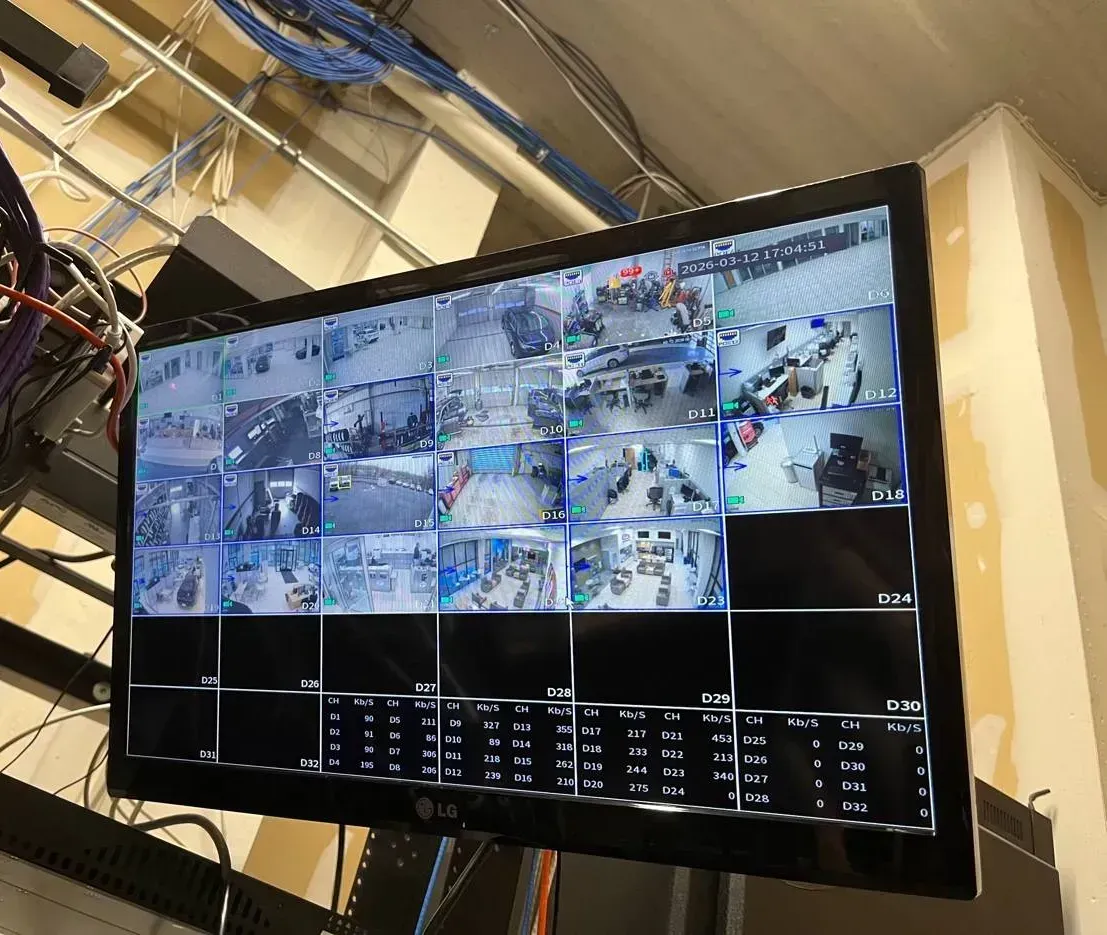
Lorex vs Reolink in NYC: recorder monitor showing a grid of camera views under bundled network cable
A photo from the AESS job library: a wall monitor showing a full grid of live camera views, with bundled network cable running overhead. Whether the cameras outside say Lorex or Reolink, this screen and the app on your phone are what you live with every day, so this comparison spends as much time on recorders and software as on the cameras.
Lorex or Reolink for My Property?
Tell us the building and what you want to see, and a technician calls back with an honest pick between the two, or a third option if neither fits

✅
Request Sent!
Thank you. A technician will call you back within 2 hours during business hours with a Lorex or Reolink recommendation for your property.
25+
Years Experience
2
Brands, One Honest Pick
100%
Licensed & Insured
4.7★
201 Google Reviews

Owner-operated since 2002 · Thousands of jobs completed · Booked within 2 hours
If you only read one paragraph, read this one. Lorex and Reolink are both do-it-yourself friendly camera brands that grew up selling boxed kits: a recorder with a hard drive inside, a handful of cameras, and network cables to connect them. Both record around the clock to that recorder, both let you watch from a phone app, and neither forces a monthly plan on you. Where they split is philosophy. Lorex builds a closed, polished household system: its cameras flash lights, sound a siren and play a recorded warning when they see a person, and its recorder talks to Alexa, Google Assistant and Chromecast screens. Reolink builds an open, value-first system: its wired cameras speak the ONVIF and RTSP standards out of the box, its recorders accept other brands' ONVIF cameras, and its products carry a two-year manufacturer warranty against Lorex's one year. For a family house where the owner wants the cameras to scare someone off the stoop and show up on the Echo Show, we usually land on Lorex. For a landlord, a tinkerer, a small shop or anyone who expects to mix brands later, we usually land on Reolink.

  • Advice by phone or WhatsApp costs nothing. A written quote follows a visit, priced from our area list.
  • Work is done under New York State license #12000287431, with insurance certificates a landlord, co-op board or managing agent can request.
  • Comparing more than these two? Our best security camera brands comparison covers fourteen brands in one table, from UniFi and Hikvision to Ring and Arlo.
Side by Side

Lorex vs Reolink Compared in One Table

Every cell below comes from a Lorex or Reolink product, warranty or support page, checked on November 3, 2026. To keep the comparison fair we matched like with like: each brand's 16-channel PoE recorder, a high-resolution wired bullet or dual-lens camera, and a standard 4K wired camera. Where a manufacturer page did not state something, the cell says so rather than filling the gap from a reseller or a forum. Monthly plan prices are the manufacturer's own; we never put our installed prices next to a store's camera price.

What we comparedLorexReolink
Resolution (representative cameras)E910AB bullet: 12MP sensor, 4640×2624, 15 frames per second at full resolutionDuo 3 PoE dual-lens: 16MP, 7680×2160 at 20 fps; RLC-810A bullet: 8MP (3840×2160) at 25 fps
Field of view139° on the E910AB (2.8 mm, F1.6)180° horizontal on the Duo 3 PoE; 101°, 87° or 53° on the RLC-810A depending on lens
Night videoInfrared to 98 ft (30 m) plus Color Night Vision and Smart Security LightingInfrared to 30 m on both models; Duo 3 PoE adds a 560-lumen spotlight for color at night
Active deterrenceWarning light, siren and pre-recorded message on the E910ABSpotlight on the Duo 3 PoE; siren and voice warnings not confirmed on the two Reolink pages we used
Recorder (NVR)N910A62 Fusion: 16 cameras (8 wired + 8 Fusion Wi-Fi), supports 12MPRLN16-410: up to 24 cameras (max 16 wired), supports up to 16MP
Storage1 drive bay; 2 TB included, up to 16 TB2 drive bays; 3 TB included, up to 16 TB (8 TB per drive)
PoE power25.5 W per port, 72 W total25 W per port, 802.3af/at; total budget not stated on the product page
AppLorex Home (Lorex Classic app and Lorex Cloud client also referenced)Reolink App and Reolink Client for computers
Subscription to record?No: "No subscriptions required." Optional Connect Cloud+ from $5.99 a month for one camera, $16.99 multi-cameraNo subscription required; Reolink's cloud plan price could not be confirmed on its site, so we do not state one
Smart-home fitAlexa, Google Assistant, Chromecast, Echo Show and Google Home Hub listed on the recorder pageGoogle Assistant listed on the Duo 3 PoE page
Works with other brands (ONVIF)Cameras are ONVIF Profile G, S and T; Lorex says its recorders "work best with Lorex cameras"PoE and plug-in Wi-Fi cameras support ONVIF and RTSP on their own; Reolink recorders "can also pull in third-party ONVIF cameras"
Weather ratingIP67; rated −22 °F to 140 °F (E910AB)IP67; RLC-810A rated 14 °F to 131 °F
Manufacturer warrantyOne year from purchase (three years when bought through the Lorex for Business Partner Program)2-year limited warranty on all three products we checked
CompanyOwned by Dahua for years; Dahua announced its sale to Skywatch, a Taiwan-based cloud company, for about $72 millionFounded in 2009; US office in City of Industry, California
Best forFamily houses that want deterrence, polished app and smart-display viewingValue buyers, landlords, small shops and anyone who wants open standards and room to grow

Two cautions about reading any comparison table, including this one. First, both brands sell dozens of models, and a cheaper camera from either line will lose to a flagship from the other, so compare the models you are actually being quoted, not the brand logo. Second, a spec sheet tells you what a camera can do on a test bench, not what it will do mounted twelve feet up a brick wall facing a streetlight. Placement, cable quality and recorder settings move the picture more than the brand does, which is why the rest of this page keeps coming back to installation.

The Verdict

Who Should Pick Lorex and Who Should Pick Reolink

There is no single winner for every building, so here is the honest split we give on the phone. It is written for the person paying for the system and living with it, not for someone ranking cameras on a test bench.

Pick Lorex if any of these sound like you

  • You want the camera to react, not just record. The Lorex E910AB we compared flashes a warning light, sounds a siren and plays a pre-recorded message when it detects a person. On a stoop or a driveway that has had package thefts, that reaction is the feature owners talk about most after the install. A recording helps you after something happens; a light and a voice can stop it from happening.
  • You live in an Alexa or Google household. Lorex lists Amazon Alexa, Google Assistant, Chromecast, Echo Show and Google Home Hub on its Fusion recorder page. If the family already asks the kitchen display to show the front door, Lorex slots into that habit with less fuss.
  • You want a few wireless cameras on the same recorder. The Fusion recorder takes eight wired cameras and eight Fusion Wi-Fi devices, such as Lorex doorbells and floodlights. That is useful on a house where one corner, a detached garage or a back fence cannot get a cable without opening a finished wall.
  • You value a polished, single-brand experience. Lorex's own support page says its recorders are designed to work best with Lorex cameras. If you never plan to add another brand, that closed design is a feature: one app, one set of menus, one company to call.
  • Your cameras face real cold. The E910AB is rated down to −22 °F. In the five boroughs that margin rarely matters, but on an exposed Hudson Valley barn or a north-facing Long Island garage it is a point in Lorex's favor.

Pick Reolink if any of these sound like you

  • You want the most cameras for the money. On our current NYC price lists, a 4-camera Reolink system installed starts lower than the Lorex equivalent, and the 12MP Reolink package comes in below the 12MP Lorex package. Over eight or twelve cameras on a walk-up or a yard, that gap adds up.
  • You want a longer manufacturer warranty. Reolink lists a 2-year limited warranty on the recorder and cameras we checked. Lorex's standard warranty is one year from purchase.
  • You might add other brands later. Reolink's PoE and plug-in Wi-Fi cameras support ONVIF and RTSP on their own, and Reolink says its recorders can pull in third-party ONVIF cameras. If you already own a Hikvision dome over the back door or expect to move to Synology, Blue Iris or a professional recorder one day, Reolink keeps those doors open.
  • You want two hard drives in the recorder. The RLN16-410 has two drive bays and up to 16 TB; the Lorex N910A62 has one bay, also up to 16 TB. Two bays let you add storage later without replacing the first drive.
  • You want a very wide view from one mount point. The Duo 3 PoE stitches two lenses into a 180° picture. On a wide backyard, a parking lot or a long storefront, one dual-lens camera can replace two ordinary ones, which also means one cable run instead of two.
  • You want smoother motion. The RLC-810A records 4K at up to 25 frames per second and the Duo 3 PoE runs 16MP at 20 fps, while the Lorex E910AB runs its 12MP picture at 15 fps. For a register, a door that people walk through quickly or a driveway with moving cars, the extra frames make a clip easier to read.

When we recommend neither

Sometimes the honest answer is a third option. A co-op board that wants an enterprise-grade recorder with user accounts for a managing agent, a government-funded site with equipment-origin rules, or a twenty-camera commercial building is usually better served by a professional line such as UniFi Protect, Uniview or Hanwha. A renter who cannot drill and only needs a doorbell may be happier with a battery doorbell and nothing else. And for many homeowners our own non-branded recorder systems, which start from $950 installed in NYC, are the best value of all; that is still our default quote unless you ask for a brand. We will say so on the call if that is where your building points.

Behind the Logo

Who Makes Lorex and Reolink, and Why Owners Ask

We get asked who makes these cameras on almost every Lorex or Reolink call, usually because someone read a Reddit thread or a news story about Chinese camera brands. Here is what the primary sources say, without the scare headlines.

Lorex

Lorex is a long-running camera brand that, for years, was owned by Dahua Technology, the Chinese surveillance maker. Dahua then announced it was selling Lorex to Skywatch, which its press release describes as a privately held cloud services company headquartered in Taiwan, for about $72 million. That is why older forum posts describe Lorex as a Dahua brand and newer ones say it is not. If the question matters to you because of a contract or a grant, the safer move is to ask for documentation on the exact model being installed rather than relying on the brand's history either way.

Reolink

Reolink says on its own About page that it was founded in 2009, and its US contact page lists an office in City of Industry, California. Reddit threads debate where the company's roots are; we do not repeat claims we cannot source from the company or a regulator.

The FCC Covered List

The list owners actually need to check is the Federal Communications Commission's Covered List, the official record of equipment the FCC considers a national security risk. On the version dated October 23, 2026, the camera makers named are Dahua Technology and Hangzhou Hikvision; neither Lorex nor Reolink is named. The listing for Hikvision and Dahua is scoped to equipment used for public safety, government facilities, critical infrastructure and other national security purposes, so for a private house the list is background reading rather than a rule. For a government-linked building or a federally funded project, the contract's own wording is what decides, and we check the exact models against it before anything is ordered. Our brand comparison hub explains the Covered List and NDAA in more detail.

What we tell owners who are worried about privacy

Whatever the brand, the practical privacy steps are the same and they matter more than the logo. Keep the recorder's firmware current, change the default password the day it is installed, give each person who needs the app their own login instead of sharing one, and decide deliberately whether you want remote viewing through the manufacturer's servers at all. Both brands record to a hard drive inside your building, so footage stays on your property unless you choose a cloud plan. On the systems we install, we walk through each of those settings with you before we leave.

Cameras

Lorex vs Reolink Cameras: Picture, Night Video and Deterrence

Both brands sell bullets, turrets, domes, dual-lens panoramas, pan-tilt-zoom cameras, floodlight cameras and doorbells. To keep the comparison honest we picked models from each manufacturer's current wired PoE line that we are quoted and asked to install most often, and we quote their specifications exactly as the product pages state them.

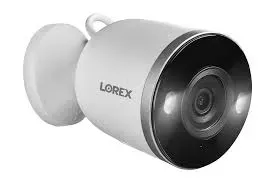
Lorex white bullet camera with twin lights, compared with Reolink for NYC installs
Product photo of a white Lorex bullet camera with the Lorex name on the body and two small lights beside the lens. Built-in lights are the heart of the Lorex approach: the camera lights up the scene for color video and doubles as a warning to whoever walked into it.
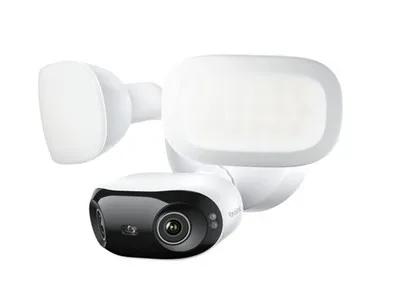
Reolink white floodlight camera product photo for a Lorex vs Reolink comparison in NYC
Product photo of a white Reolink floodlight camera: a wide light panel above a round camera head with the Reolink name on its side. Reolink leans on spotlights like this for color night video, and on its Duo 3 PoE the light is rated at 560 lumens.

Resolution: bigger numbers, different trade-offs

The Lorex E910AB uses a 12MP sensor at 4640×2624 and records at 15 frames per second at every resolution, from full 12MP down to 720p. Reolink's Duo 3 PoE records 7680×2160, which Reolink calls 16MP, at 20 frames per second, but that figure is two lenses side by side making one very wide image; per degree of view, the detail is closer to two 8MP cameras than to one 16MP camera. Reolink's RLC-810A is a conventional 8MP (3840×2160) bullet that records at up to 25 frames per second. In practice, the question is not which number is bigger but what you need to read on the footage. A face at the door, a license plate in a driveway and a hand at a register each need a certain number of pixels across the target, and that depends as much on how far away and how wide the camera is as on its megapixels.

Frame rate: why it matters more than the box admits

Frame rate is the number of still pictures the camera captures each second. At 15 frames per second, a person walking briskly past a door moves a noticeable distance between frames; at 25, the motion is smoother and you are more likely to catch a clean frame of a face turning toward the lens. For a stoop where people stop and ring the bell, 15 is fine. For a store entrance, a hallway or a gate where people pass quickly, we lean toward the higher frame rates Reolink offers on these models, or toward a Lorex model rated for 30 frames per second; Lorex sells several, and they appear on our Lorex price list.

Field of view: one wide camera or two narrow ones

The Lorex E910AB covers 139° through a fixed 2.8 mm lens. The Reolink Duo 3 PoE covers 180° horizontally. The RLC-810A comes in three lens versions: 101° with the 2.8 mm lens, 87° with the 4 mm lens and 53° with the 6 mm lens. The narrower lenses see less of the yard but more detail at a distance, which is why we often mix lens sizes on one property: a wide camera to show the whole backyard, a narrower one aimed down the side alley where someone would actually walk. Neither brand has an advantage across the board here; it is about choosing the right lens for each spot, and the cable for a camera costs the same whichever lens is at the end of it.

Night video: infrared, color and spotlights

Both brands rate their infrared range at 30 meters on the models we compared, which Lorex lists as 98 feet. Infrared gives you a black-and-white picture in the dark without lighting up the neighbors' bedrooms. For color at night, Lorex advertises Color Night Vision and Smart Security Lighting on the E910AB, and Reolink's Duo 3 PoE uses a 560-lumen spotlight. Reviewers on the ranking sites tend to give Lorex the edge on night video, and a Reddit homeowner thread we read had a relative recommending Lorex for exactly that reason. In our experience the bigger factor is the scene: a streetlight shining into the lens, a white wall bouncing infrared back, or a spider web across the dome will ruin night footage from any brand. Placement and a test at night before we leave fix more night-video complaints than switching brands does.

Deterrence: Lorex's clearest advantage

The Lorex E910AB lists active deterrence with a warning light, a siren and a pre-recorded message. The Reolink pages we used for this comparison confirm a spotlight on the Duo 3 PoE and two-way audio, but they did not confirm a siren or a voice warning on those two models, so we do not claim one. If scaring someone off the property is the main goal, Lorex currently makes that easier to buy as a standard feature. If recording clearly is the main goal and you plan to rely on a separate alarm system for noise, the difference matters less.

Audio: listen, talk, or neither

The Lorex E910AB has a microphone and a speaker, so you can listen and talk through it. The Reolink Duo 3 PoE also offers two-way audio, while the RLC-810A has a built-in microphone for audio recording but no speaker. Before you turn audio recording on, think about who is being recorded. A camera that records strangers talking on the sidewalk or tenants talking in a hallway raises legal questions that a lawyer, not an installer, should answer for your situation. On many apartment and commercial jobs we leave microphones switched off unless the owner asks otherwise.

Weather and cold

Every camera in this comparison is rated IP67, which means dust-tight and able to survive temporary immersion; rain and snow are not a problem for either. The temperature ranges differ: the Lorex E910AB is rated from −22 °F to 140 °F, the Reolink RLC-810A from 14 °F to 131 °F. New York City winters rarely sit below 14 °F for long, but upstate in Ulster, Orange or Dutchess, or on an exposed waterfront, a cold snap can go lower. On those sites we check each model's rating against where it will hang, and we keep cameras out of the direct path of roof runoff that freezes into icicles across the lens.

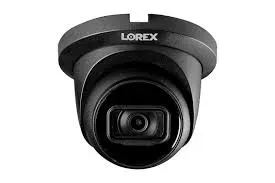
Lorex black turret camera product photo, an option we install in NYC instead of a Reolink turret
Product photo of a black Lorex turret camera with the Lorex name above the lens ball. Turrets like this sit flush under a soffit or ceiling, and the black finish disappears against dark brick, painted cornices and storefront canopies.
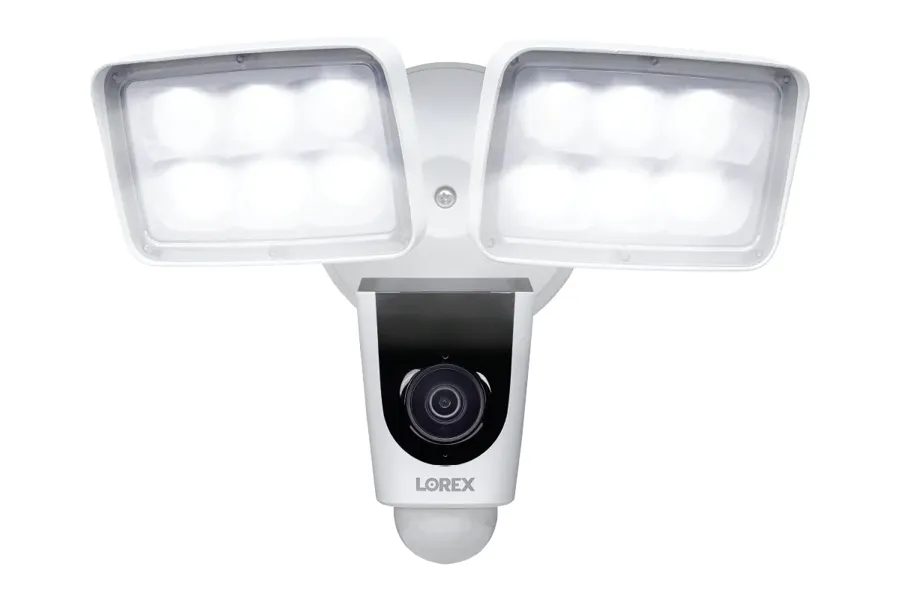
Lorex two-panel floodlight camera product photo for NYC backyards and driveways, compared with Reolink
Product photo of a white Lorex floodlight camera with two LED panels above a small camera head marked Lorex. A floodlight camera replaces an existing outdoor light fixture, so it is often the easiest Lorex Fusion Wi-Fi device to add over a back door or garage where no network cable reaches.
Recorders

Lorex vs Reolink Recorders: the Box That Decides Everything

Owners compare cameras; installers compare recorders. The network video recorder, or NVR, is the box that powers the cameras, stores every hour of video, runs the person and vehicle detection, and connects to the app. It decides how many cameras you can add, how long footage is kept, and whether you can mix brands. Here are the two 16-channel recorders we compared.

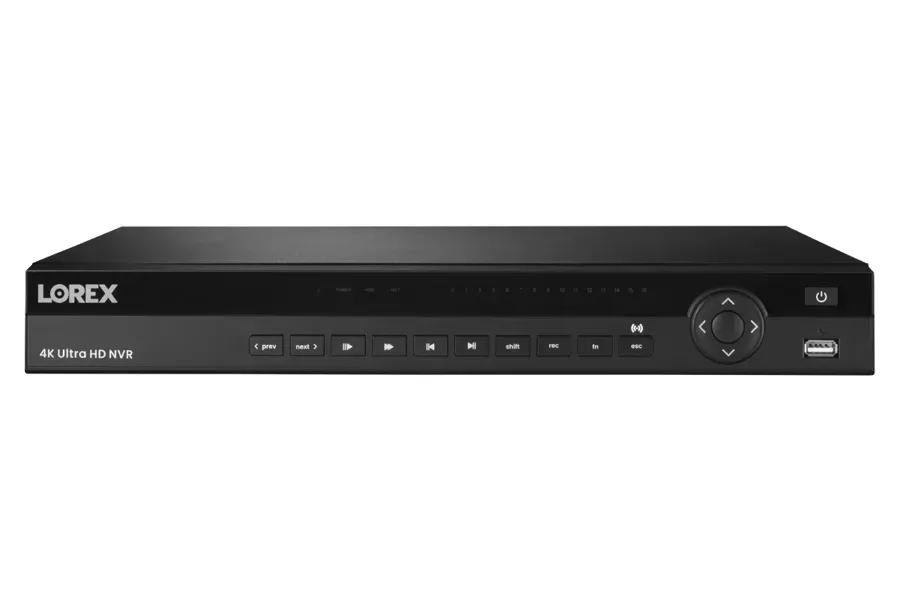
Lorex 4K NVR front panel product photo, the recorder side of Lorex vs Reolink in NYC
Product photo of a black Lorex recorder front panel with the Lorex logo, a row of playback buttons and a direction pad. A recorder like this sits in a closet, basement or office and holds every hour of video, so where it goes in the building matters as much as which brand it is.
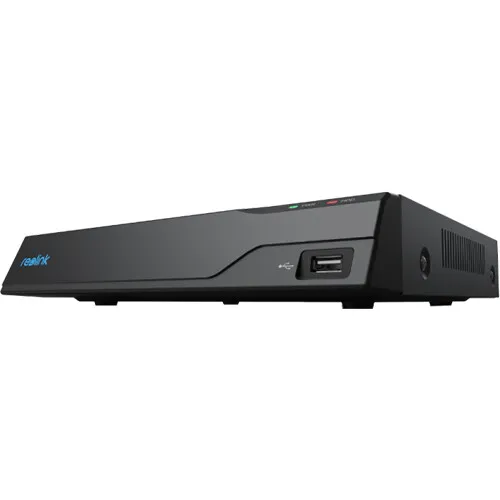
Reolink NVR in a black case, product photo for a Lorex vs Reolink recorder comparison in NYC
Product photo of a slim black Reolink recorder with the blue Reolink logo on the front edge and a USB port on the side. Reolink recorders run the Reolink App and the Reolink Client for computers, and the RLN16-410 we compared adds a second drive bay.

Camera count: 16 and 16, counted differently

The Lorex N910A62 Fusion recorder is sold as 16-camera capable: eight wired cameras plugged into its built-in PoE ports, plus eight Lorex Fusion Wi-Fi devices such as doorbells, floodlights and Wi-Fi cameras. The Reolink RLN16-410 has sixteen PoE ports for wired cameras and supports up to 24 IP cameras in total, with a maximum of sixteen wired. In plain terms, if you want more than eight wired cameras on one Lorex Fusion recorder, you need a different Lorex recorder; the Reolink box takes sixteen wired cameras on its own ports. For a house with five or six cameras, both are plenty. For a walk-up with cameras on every floor landing, the wired port count is the number to watch.

Storage: one drive or two

The Lorex recorder ships with a 2 TB drive and supports up to 16 TB in one bay. The Reolink recorder ships with a 3 TB drive and has two bays, up to 8 TB each, for 16 TB total. The maximums are the same; the difference is how you get there. With one bay, adding storage means replacing the drive and moving or losing the footage on it. With two bays, you can add a second drive and keep the first. For owners who are told by an insurer, a landlord association or a lawyer to keep footage longer after an incident, that flexibility is worth having.

Power over Ethernet: how many watts reach each camera

Power over Ethernet lets one network cable carry both video and power, so each camera needs only one cable and no outlet. Lorex lists 25.5 watts per port and 72 watts total on the N910A62. Reolink lists 25 watts per port on the RLN16-410 and supports both 802.3af and 802.3at, but the product page we checked did not state a total budget, so we do not invent one. The total matters because cameras with spotlights, sirens and heaters draw more power, especially on a cold night when everything lights up at once. For reference, Lorex rates the E910AB at 9.5 watts maximum and Reolink rates the RLC-810A at under 12 watts. When a design gets close to a recorder's total, we add a separate PoE switch rather than run the recorder at its limit.

Resolution support

The Lorex recorder supports 12MP and 4K+ cameras; the Reolink recorder supports cameras up to 16MP and lists playback resolutions up to 7680×2160 for the dual-lens models. If you plan to add Reolink's 16MP dual-lens cameras, buy the recorder that supports them. This sounds obvious, but we regularly meet owners who bought a newer camera only to find their older recorder shows it at a lower resolution or not at all.

Detection on the recorder

The Lorex recorder page lists person, vehicle, face, mask, package (missing and left behind) and animal detection. The Reolink recorder page lists person, vehicle and animal detection, noting that the exact set depends on the hardware version. Detection is what turns hundreds of motion alerts from swaying branches and passing headlights into a handful of useful ones, and it is also what makes searching a week of footage fast. Package detection is a Lorex extra that delivery-heavy households appreciate. Whichever brand you choose, detection only works as well as the zones it is given, which is why we draw motion zones and test them with someone walking the property before we hand the system over.

Where the recorder lives

Neither brand's recorder likes heat, dust or damp. In New York buildings we put them in a ventilated closet, a dry basement shelf away from the boiler, an office cabinet or a small wall rack, ideally on a battery backup so a short power blip does not reboot the whole system. We also keep the recorder out of plain sight; a burglar who can see the box can take it, and the footage with it. Remote viewing and, if you want it, a cloud copy of important clips are the backup for that.

Storage

How Many Days of Video You Actually Get

"How many days does it keep?" is the second question owners ask, right after price, and the honest answer for both brands is "it depends on settings you control." A recorder's hard drive fills up and then overwrites the oldest footage. How fast it fills depends on four things: how many cameras, their resolution, their frame rate and bitrate, and whether they record around the clock or only on motion. A 12MP camera recording continuously at a high bitrate uses far more space than a 4MP camera recording only when someone walks by.

That is why we do not print a single "days of recording" number for either brand: anyone who does is guessing about your settings. What we do is set the recorder to meet a target. The packages on our Lorex and Reolink price lists are sized for at least two weeks of recording, and if you need more, because a lease, an insurer or plain peace of mind calls for it, we size the drive to reach it and show you the retention on the recorder screen before we leave. Reolink's second drive bay makes adding capacity later simpler; with Lorex's single bay, we size the drive generously up front.

Two settings change retention more than the brand does. The first is the substream: both brands record a smaller second stream alongside the full-resolution one, and the app uses it for quick viewing on a phone. The second is motion recording with a short pre-record buffer, which keeps a few seconds before each event so you see the person arrive, not just leave. A sensible mix, continuous on the front door and motion-based on a quiet side yard, can double the days you keep without losing anything you would ever look for.

Apps

Lorex Home App vs Reolink App: the Part You Touch Every Day

Once the ladders are gone, the app is the system. It is where alerts arrive, where you scrub back through last night, where you export a clip for the police or the landlord, and where your teenager, your tenant or your store manager gets access. The app is also where most complaints about both brands live, so it deserves a section of its own.

Lorex: one household app, deep smart-home hooks

Lorex's current app for the Fusion recorder is Lorex Home, and the product page also refers to the older Lorex Classic app and the Lorex Cloud client. That naming history is worth knowing: if you are buying a used or older Lorex recorder, check which app it uses before you assume it works with the newest one. The upside of Lorex's approach is integration: the recorder page lists Amazon Alexa, Google Assistant, Chromecast, Amazon Echo Show and Google Home Hub. In a household that already lives on smart displays, "show me the front door" on the kitchen screen is the feature that gets used every day. In the r/homedefense thread we read while researching this page, the poster had heard more complaints about the Lorex app than the Reolink app; app reviews swing with every update, so we treat that as one data point, not a verdict.

Reolink: one app on the phone, a real client on the computer

Reolink pairs the Reolink App on phones with the Reolink Client on Windows and Mac computers. For a store owner or a building super who reviews footage at a desk, a proper computer client is a bigger deal than it sounds: scrubbing a day of video on a 27-inch monitor is faster and less error-prone than on a phone. Reolink's smart-home support is narrower in what we could confirm: the Duo 3 PoE page lists Google Assistant. If Alexa on an Echo Show is a must, check the specific Reolink model before buying, or lean Lorex.

Sharing access without sharing your password

Both apps let the owner add other users. Do it. Shared logins are how a former tenant, an ex-employee or a contractor ends up with access to your cameras months later. On the systems we install, the owner gets the administrator account, and everyone else gets their own login with only the cameras and permissions they need: the super sees the lobby and the boiler room, the tenants' association sees nothing, and the owner can remove anyone in two taps.

Exporting a clip that someone else can actually play

The moment that tests every camera system is the morning after something happens, when you need to hand a clip to a police officer, an insurer or a landlord. Both brands can export video from the app and from the recorder to a USB stick. Before we leave a job, we export one test clip with you and play it on a different device, so you know the steps and know the file opens. It takes five minutes and saves an hour of panic later.

Alerts that you do not learn to ignore

An app that buzzes forty times a day trains you to ignore it, and then it is useless. Both brands let you limit alerts to people or vehicles and set schedules, for example people at the back door only between midnight and six. We set those up with you based on how the property is used, and we suggest one rule that almost everyone ends up loving: an alert only when a person is detected at the front door while the household is away.

Monthly Fees

Lorex vs Reolink Subscriptions: What Is Free and What Costs Extra

This is where both brands beat the app-first camera companies. Lorex says plainly that its security cameras and systems do not require a subscription, and its recorder page repeats it: "No subscriptions required." Reolink says no subscription is required either. With both, the recorder in your building stores the video, the detection runs locally, and the app shows live and recorded footage without a monthly bill.

Both offer optional cloud storage on top. Lorex Connect Cloud+ is published at $5.99 a month for a single camera and $16.99 a month for multiple cameras, and Lorex says it can keep up to 60 days of supported smart motion events in the cloud. Reolink's cloud plans exist, but when we checked, the plan page we could reach showed only its LTE camera plans, so we do not state a Reolink cloud price here. If a cloud copy matters to you, the reason is usually theft of the recorder itself; in that case, a hidden recorder location and a battery backup do much of the same job for free, and the cloud plan is a second layer rather than the first.

Compare that with brands built around a monthly plan, such as Ring and Google Nest, where saved video history depends on a subscription. Over five years on a four-camera house, a required plan adds up to real money. That is the main reason owners shopping Lorex vs Reolink are shopping these two in the first place, and on this point the two brands are effectively tied.

Openness

ONVIF, RTSP and Mixing Brands: Reolink's Clearest Advantage

ONVIF is an industry standard that lets a camera from one maker talk to a recorder or software from another. RTSP is a simpler video-streaming standard that many programs can read. Together they decide whether your system can grow beyond one brand, and here the two companies really do take different paths.

Reolink: open by default

Reolink says its PoE and plug-in Wi-Fi cameras, including the RLC series, the E1 Outdoor series and the Duo series, support ONVIF on their own, and the RLC-810A page advertises "Universal RTSP & ONVIF Support." Battery models such as the Argus and Altas lines need a Reolink Home Hub for ONVIF, and cameras sold inside an NVR kit need the Reolink NVR. Reolink also says its recorders can pull in third-party ONVIF cameras, and it publishes setup guides for Blue Iris and Synology Surveillance Station, with QNAP, Milestone, iSpy and Digital WatchDog listed on its compatibility page. In practice that means a Reolink camera you buy today could end up on a professional recorder or a network storage box in five years, and a Reolink recorder can adopt a camera from another brand you already own.

Lorex: ONVIF cameras, recorders built for Lorex

Lorex says its cameras are ONVIF Profile G, S and T compliant, and the E910AB page lists "ONVIF Conformant Products (Profiles G, S, T)" among its compatible recorders. On the recorder side, Lorex's own PRO site answers the question directly: Lorex NVRs are designed to work best with Lorex cameras. Lorex does publish an article on connecting ONVIF-conformant cameras to its X Series recorders, and the E910AB lists the Lorex Connect XC recorder as having limited compatibility via ONVIF. Our reading: a Lorex camera can usually go onto another brand's recorder, but a Lorex recorder is not the box we would choose if you plan to fill it with other brands' cameras.

What "works with ONVIF" really means on a job

ONVIF gets you live video and recording across brands. It does not always get you the fancy parts: smart person and vehicle detection, the siren, the spotlight trigger, two-way talk and some app features often work only when the camera and recorder are the same brand. So when an owner asks us to mix brands, we check the exact camera and recorder models against each other first, and we tell you in writing which features will and will not carry over. That conversation is the difference between a mixed system that works and a mixed system that technically records but annoys you every day.

Warranty

Warranty and Support: Two Years vs One

Reolink lists a 2-year limited warranty on the RLN16-410 recorder, the Duo 3 PoE and the RLC-810A. Lorex's warranty page says its warranty covers the product for one year from the documented date of purchase, with some exceptions. Lorex's PRO site adds that products bought through the Lorex for Business Partner Program are covered for three years. On the standard retail warranty, Reolink wins by a year.

A manufacturer's warranty covers the equipment, not the labor to diagnose it, take it down, ship it and put it back up. That is where an installer's own terms matter. On systems we install, our terms are written into the service agreement. Full terms — including 50% deposit, one-year parts-only warranty on AESS-supplied products, and the late-fee schedule — are set out in the service agreement. Equipment you supply yourself keeps whatever warranty the manufacturer gave you, and we are happy to help you file a claim.

One practical tip regardless of brand: keep the receipt and register the product. Both warranties start from the documented purchase date, and the most common reason a claim stalls is that nobody can find proof of when the kit was bought. We leave a one-page system record with every install listing the models, serial numbers and purchase dates we know of, so that paperwork is already done.

Your Building

Lorex or Reolink for Each Kind of New York Property

Specifications only get you so far. Here is how the choice usually plays out on the kinds of buildings we wire every week across the five boroughs, Long Island and the Hudson Valley.

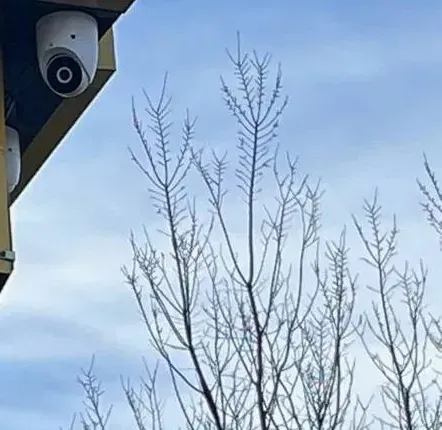
Dome camera mounted under an eave against bare winter trees, an exterior view from an AESS install near NYC
A photo from the AESS job library: a white dome camera mounted under a roof eave, with bare winter branches against a pale sky behind it. Mounting under an overhang keeps snow and rain off the dome, which matters more for clear winter footage than the brand name on the camera.
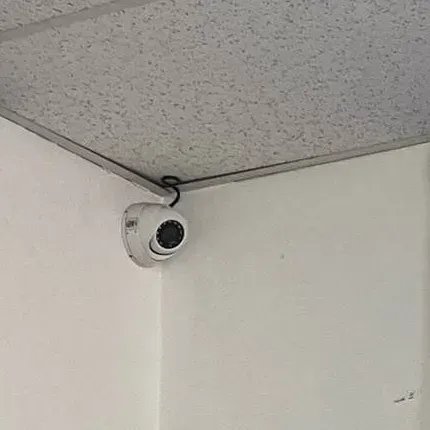
White dome camera in a drop-ceiling corner, the indoor side of a Lorex vs Reolink NYC install
A photo from the AESS job library: a small white dome camera fixed into the corner where a drop ceiling meets two plain walls. Indoor corners like this give the widest view of a room or hallway, and a drop ceiling lets the network cable reach the camera without opening a wall.

Brownstones and row houses

A brownstone usually needs four to six cameras: the stoop and front door, the garden-level entrance under the stoop, the backyard, and sometimes a rear fire-escape window or roof hatch. The front facade is often landmarked or simply beautiful, so owners want small, dark cameras tucked under the cornice or the stoop. Both brands sell compact black turrets that suit this. The tiebreaker is usually deterrence: if the stoop has had package theft, the Lorex warning light and voice message earn their keep. If the owner mostly wants a clear record and the best price, Reolink's lower installed price wins. Cable routing, not brand, is the real cost driver on a brownstone; we follow the existing paths up through the stair hall or the rear wall rather than drilling the front.

Two- and three-family houses in Queens, Brooklyn and the Bronx

Multi-family houses add the question of who watches. An owner who lives on the first floor and rents the upper floors may want the tenants to see the front door and nothing else. Both apps support separate users, but Reolink's desktop client makes it easier for an owner who reviews footage at a desk, and Reolink's lower cost per camera helps when the driveway, side yard, mailboxes and rear stairs all need coverage. Where the owner wants a doorbell camera on the same recorder as the wired cameras, Lorex's Fusion recorder, which accepts Lorex Wi-Fi doorbells alongside wired cameras, is a neat solution.

Walk-up apartment buildings

A six- or eight-unit walk-up often wants cameras on the entrance, the vestibule, the mailboxes, each landing, the roof door, the cellar door and the backyard: ten or more cameras before you know it. That points to Reolink for two reasons: the RLN16-410 takes sixteen wired cameras on its own ports where the Lorex Fusion recorder takes eight wired, and the lower installed price per camera matters at that count. Landlords also value Reolink's openness; if the building is sold or a managing agent later wants a professional recorder, the cameras can usually stay. For larger buildings with a board, a managing agent and a written retention policy, we often recommend a professional brand instead; see our apartment building camera installation page.

Storefronts, delis and restaurants

A store needs cameras on the register, the door, the aisles, the stockroom and the back exit, and the owner needs to pull a clip quickly when something walks out. Frame rate and a good computer client matter here, which is why we usually lean Reolink: 25 frames per second on the RLC-810A and the Reolink Client on the office PC. If the store wants a visible deterrent at the back door after closing, a Lorex camera with a siren and voice warning there can be the right choice, and in some cases we install a Lorex camera on a Reolink recorder over ONVIF for exactly that spot, after checking which features carry over.

Garages, yards, lots and driveways

Wide open spaces reward wide cameras. Reolink's 180° Duo 3 PoE can cover a whole yard or a row of parked cars from one mounting point and one cable. For a driveway where plates matter, a narrower lens aimed at the spot where cars slow down beats any wide-angle camera, and both brands sell those. Long cable runs across a yard or a lot need outdoor-rated cable and sometimes conduit, which costs the same whichever logo is on the camera.

Houses on Long Island and in the Hudson Valley

Detached houses with garages, long driveways and back acreage often have one or two spots where a cable is impractical. Lorex's Fusion recorder, which takes Lorex Wi-Fi cameras and floodlights alongside wired ones, handles that mix well. Upstate, the colder temperature rating of the Lorex E910AB is a small advantage on exposed walls. On the other hand, a big property may need more wired cameras than one Lorex Fusion recorder's eight wired ports, which nudges toward Reolink or a second recorder. We have Lorex camera installation on Long Island and in the Hudson Valley, with Reolink installs priced on our area price pages.

Offices and small medical or professional suites

An office usually wants the entrance, the reception desk, the server or supply closet and the back door, with footage reviewed rarely but required to be there when it is needed. Both brands work. If the office's IT person wants the cameras on a separate network segment or recorded by an existing network storage box, Reolink's ONVIF and RTSP support makes that easier. If a professional suite has rules about who can see what, a professional brand with finer user permissions may serve better, and we will say so.

Beyond Bullets

Doorbells, Floodlights and Zoom Cameras: the Rest of Each Lineup

Most systems are not just four bullet cameras. The front door wants a doorbell, the back door wants a light, and a lot or a long block face sometimes wants a camera that can zoom. Here is how the two lineups compare on the extras, using the models on our own Lorex and Reolink price lists.

Video doorbells

Our Lorex list includes the Lorex 2K Wi-Fi Video Doorbell (wired, with 32 GB of storage), and the Lorex Fusion recorder can take Lorex Wi-Fi devices such as doorbells alongside its wired cameras, so the doorbell's clips sit in the same app and on the same recorder as the rest of the house. Our Reolink list includes two doorbells: a PoE version, which runs on a single network cable, and a Wi-Fi version. For brick row houses where Wi-Fi at the front door is weak, the Reolink PoE doorbell is the one we reach for first from either brand, because it never depends on the router. If the front door already has doorbell wiring and a strong signal, the Lorex Wi-Fi doorbell is the neater fit in a Lorex household.

Floodlight cameras

Both brands sell floodlight cameras that replace an outdoor light fixture, and both are shown in the product photos on this page. A floodlight camera is often the simplest way to cover a back door, a garage or a side alley where a light already exists, because the power is already there. On a Lorex Fusion recorder, a Lorex Wi-Fi floodlight joins the wired cameras in one system. With Reolink, check whether the floodlight model you are looking at is PoE or Wi-Fi, because that decides whether it needs a network cable or a good signal.

Pan-tilt-zoom and long-range cameras

For a parking lot, a yard with a long fence line or a corner storefront, a pan-tilt-zoom camera can follow a person or swing to a preset view. Our Lorex list includes 4MP and 4K PTZ cameras with 25× optical zoom and a Connect X series dual-lens PTZ with 30× optical zoom; our Reolink list includes the E1 Pro, E1 Zoom and E1 Outdoor and the RLC-823S2 PTZ. On a residential job a PTZ is rarely the first camera we suggest, because a fixed camera records its whole view all the time while a PTZ only records where it happens to be pointing. On a lot or a commercial frontage, one well-placed PTZ alongside fixed cameras can be the right call from either brand, and the Lorex zoom models are the most expensive cameras on either list.

Panoramic and dual-lens cameras

Reolink leans into wide cameras: the Duo 3 PoE we compared, plus the Duo 2 WiFi, the Elite WiFi panoramic and the OMVI 3i WiFi dual-lens on our list. Lorex offers its own dual-lens models, including the H20 4K dual-lens bullet and a Connect X3 dual-lens turret with 190° coverage. A dual-lens camera replaces two cameras and two cable runs with one, which is a real saving on a wide backyard or a shop floor, but it is not a substitute for a narrow lens where you need to read a face or a plate at a distance.

Before You Buy

Seven Questions to Answer Before You Buy Either Kit

These are the questions we ask on the first call. Answer them honestly and the Lorex vs Reolink decision usually makes itself.

  1. What exactly do you need to see? "The backyard" is a start; "a face at the back gate at night" is a specification. Write down each spot and what you need to recognize there: a person, a face, a car, a plate, a package.
  2. How many cameras will you want in two years, not today? Owners almost always add cameras once they see the first ones working. If the honest answer is more than eight wired cameras, that rules in the 16-wired-port Reolink recorder or a larger Lorex recorder from the start.
  3. Do you want the camera to react? If a light, siren and spoken warning are the point, Lorex's deterrence models make that simple. If recording is the point, both brands do it well.
  4. Which smart home do you live in? Alexa and Echo Show households fit Lorex more easily; Google households fit either.
  5. Will you ever add a different brand? If you already own another brand's camera, or expect a landlord, buyer or IT person to want a different recorder later, Reolink's open standards protect that future.
  6. Who else needs access? Tenants, a super, a store manager or family members each need their own login. Both apps support that; plan it before installation day.
  7. Where can cable actually go? This one is for us to answer on the site visit. It often decides whether a spot gets a wired camera, a Wi-Fi camera or a floodlight on existing power, and it drives the installed price more than the brand does.

Send us your answers by text, WhatsApp or the form below, with a few photos of the building, and we can usually give you a brand recommendation and a price range before anyone climbs a ladder.

Year Two and Beyond

Living With Either System After Year One

The differences between Lorex and Reolink shrink once a system is installed well; the habits of the owner start to matter more. These are the small jobs that keep either brand working.

  • Update firmware a few times a year. Both brands push updates for the recorder, the cameras and the app. Updates fix security holes and app bugs. Do the recorder first, then the cameras, and check that every camera comes back online afterward.
  • Look at the footage, not just the live view. Once a month, scrub back a week on one camera. If footage stops short of what you expect, the drive may be full, failing or set to the wrong recording mode, and it is far better to find out on a quiet Tuesday than the morning after a break-in.
  • Clean the domes and lenses. Spider webs, pollen and city grime blur the picture and set off false motion alerts at night when infrared lights them up. A soft cloth twice a year fixes most of it.
  • Replace the hard drive before it fails. Surveillance drives work around the clock. If the recorder shows drive errors or the retention drops, replace the drive; with Reolink's second bay you can add one, with Lorex's single bay you swap it.
  • Review who has access. When a tenant moves out, an employee leaves or a contractor finishes, remove their login the same day.

Customers on our installs can call us for any of this. Many prefer a yearly visit where we update firmware, clean cameras, check the drive and re-aim anything that has been knocked by a ladder, a storm or a delivery truck.

The Installer's Call

Do It Yourself or Have It Wired? Our Honest Call

Both brands are sold to do-it-yourselfers, and plenty of people install them successfully. Here is where we think DIY is fine and where a wired, professionally run system holds up better, regardless of which of the two brands you choose.

Fine for DIY

  • A one-family house with an unfinished basement or attic, where cables can run in open joists to two or three cameras.
  • A battery or Wi-Fi camera on a porch or a back fence, close enough to the router for a strong signal, that you are happy to recharge or check now and then. Reolink's battery Argus line and Lorex's Wi-Fi cameras are built for exactly this.
  • A floodlight camera that replaces an existing outdoor light, where the wiring is already there and the person doing the swap is comfortable with a light fixture.
  • A kit that sits on a shelf with the cameras indoors, watching a front hall or a stockroom, where no holes go through an exterior wall.

Holds up better wired by an installer

  • Brick, stone and concrete. New York walls are thick, and Wi-Fi signals fade fast through masonry. A camera that worked on the setup bench in the living room often drops out once it is outside the back wall of a brick row house. A PoE cable does not care about the wall.
  • More than a few cameras. Each Wi-Fi camera shares your home network with every phone, laptop and television. Six or eight wired cameras on the recorder's own ports take that load off your Wi-Fi entirely.
  • Anything above a first-floor ladder. Second-story eaves, cornices and fire-escape landings are where most DIY installs stall. A pro install is also insured if something or someone falls.
  • Exterior penetrations. Every cable that passes through an outside wall needs to be sealed and dripped so water runs away from the hole. Leaks into a party wall or a ceiling below are the costliest DIY mistake we fix.
  • Buildings with other people in them. Landlords, condo boards and commercial tenants often need a licensed, insured contractor on paper, and someone accountable for where cameras point.

That is the whole reason we install both brands: the logo matters less than the cable, the mounting and the settings. A Lorex kit run cleanly with sealed penetrations and tuned detection will outperform a Reolink kit thrown up in an afternoon, and the other way round.

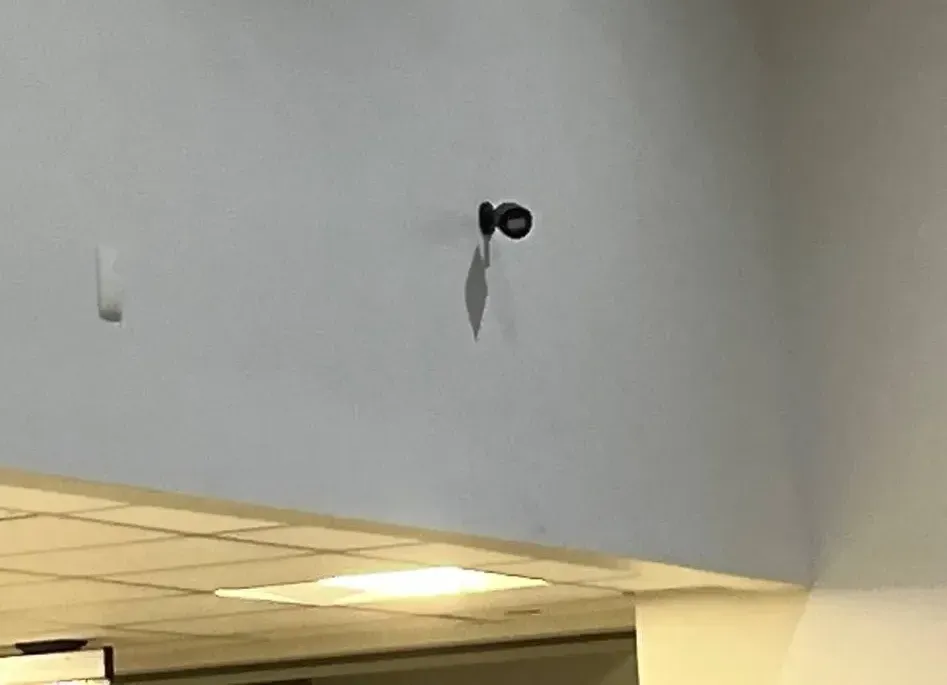
Small black camera mounted high on a pale wall above a ceiling bulkhead, from an AESS install in the NYC area
A photo from the AESS job library: a small black camera mounted high on a plain pale wall, above a ceiling bulkhead with recessed lights. Height keeps a camera out of reach and widens its view, but every foot of height is another foot of ladder and cable, which is where a DIY install usually stops and an installer starts.
We Install Both

We Install Both: Lorex and Reolink Installed Prices in NYC

Here is what we would put on your property, and what it costs installed. These are our own installed prices from our NYC brand price pages at the time of writing, November 2026. They include the cameras, the recorder, standard cable runs, mounting and phone app setup. They are not store prices, and we do not compare them to store prices; a boxed kit on a shelf and a finished, wired, tested system are not the same product. Equipment costs change, so the live numbers are always on the price pages linked below.

Installed in NYC (our price lists)LorexReolink
4-camera wired system, starting pricefrom $1,827from $1,579
4 × 4K (8MP) bullet cameras with recorder$1,903 (H12 bullet, E863SB)$1,719 (RLC-810A)
4 × 12MP cameras with recorder$2,243 (E910AB bullet)$1,839 (RLC-1212A bullet or RLC-1224A turret)
Each added camera, installedfrom $272from $266
Recorder with setupfrom $510from $290
Hidden in-wall wiring, hollow drywall$200 more per camera, up to 100 ft (spray foam, plaster, brick and exterior walls checked on site)

Each package on those lists includes at least two weeks of recording, wire runs up to 100 feet per camera and phone app setup, plus sales tax. Long Island and Hudson Valley prices follow each area's own price page. Live prices and every model we carry: Lorex camera installation prices in NYC and Reolink camera installation prices in NYC. For the full Lorex service, including repairs and add-ons, see Lorex camera installation NYC.

What we would put on a typical NYC house

For a brick two-family with a front stoop, a driveway and a backyard, and an owner who wants a deterrent at the door and Alexa in the kitchen, we would typically quote four Lorex 4K cameras on a Lorex recorder, with the light-and-siren model at the front. For the same house with an owner who mainly wants a clear record, the lowest price and room to add cameras over time, we would quote four Reolink 4K cameras on a Reolink recorder, with a wide dual-lens camera over the backyard if one mounting point can see it all. Either way, the quote names the exact models, the cable route, the recorder location and the storage, so you can compare it line by line.

And if you just want the best value

If you have no attachment to either brand, ask us to price our own non-branded system as well; it is our default quote and starts from $950 installed in NYC for a residential system. Plenty of owners take the brand they came in asking about; plenty switch when they see the two quotes side by side. Either is fine with us.

Switching

Moving From Lorex to Reolink, or Reolink to Lorex

A common Reddit question is whether a Reolink recorder is a good upgrade for an existing Lorex system, and we get the reverse too. The short answer: the cable in your walls is the valuable part, and it almost always stays. Both brands use standard network cable for their PoE cameras, so swapping brands is mostly a matter of the recorder and the cameras.

Going from Lorex to Reolink, the question is whether your Lorex cameras will work on the Reolink recorder over ONVIF. Lorex says its cameras are ONVIF Profile G, S and T compliant and Reolink says its recorders accept third-party ONVIF cameras, so live video and recording usually carry over; Lorex's smart detection, lights and siren usually do not. Many owners keep the Lorex cameras that still work and add Reolink cameras alongside them, then replace the old ones as they fail.

Going from Reolink to Lorex, the question runs the other way: Lorex says its recorders are designed to work best with Lorex cameras, so we usually plan to replace the cameras along with the recorder, while keeping every cable run. Older analog systems with coaxial cable are a different job altogether; both brands' current PoE lines need network cable, and our NVR installation team can tell you whether the old coax can be reused with adapters or should be replaced.

Before you buy anything, send us a photo of your current recorder's label and the model numbers on two or three cameras. We will tell you what carries over, what does not, and whether the upgrade is a recorder swap or a full replacement.

Reality Check

What Reviews and AI Answers Get Wrong About Lorex vs Reolink

"Lorex is a Dahua brand, so avoid it"

Dahua owned Lorex for years and then announced its sale to Skywatch, a Taiwan-based cloud company. Lorex is not named on the FCC Covered List as of the October 23, 2026 version. Whether that history matters to you is a personal or contractual judgment, but the blanket statement is out of date.

"Reolink has 16MP, so it has the sharpest picture"

The 16MP figure on the Duo 3 PoE is two lenses combined into one 180° image. It is a superb way to cover a wide area with one camera, but per degree of view it is not sharper than a good single-lens 8MP or 12MP camera. Compare detail on the spot you care about, not the headline number.

"No subscription means no remote viewing"

With both brands, live and recorded video are available in the app without a plan. The optional cloud plans add an off-site copy of clips, not basic access.

"Wi-Fi cameras are easier, so they are better"

Easier to put up, yes. In New York's brick and stone, wired PoE cameras are more reliable, need no charging, and keep your home Wi-Fi free for everything else. Both brands sell both kinds; the building should pick, not the box.

"Any camera works on any recorder"

ONVIF gets you basic video across brands, and Reolink is more open than Lorex here. But detection, deterrence and some app features usually only work brand-to-brand, and an older recorder may not support a newer camera's resolution. Check the models together before you buy.

"The review site picked Lorex, so Lorex is better for me"

Security.org and SafeHome.org both rate Lorex above Reolink, and Lorex quotes those ratings on its own comparison page. Those rankings weigh things like build quality and app polish that are real. They do not weigh your building's walls, your camera count, your budget or whether you will ever add another brand, which is where Reolink often wins on our jobs.

Already Bought a Lorex or Reolink Kit?

Good; we install customer-supplied kits all the time, priced per camera for your area. Before we come out, send a photo of the box or the recorder label and tell us where you want each camera. We will check that the recorder supports the cameras you have, that the cable lengths in the box will actually reach (boxed cables are often too short for a three-story house), and that the cameras are the right type for each spot. If something in the box is wrong for your building, we will tell you before installation day, while you can still return it. Call (800) 486-0943 or send the photos on WhatsApp.

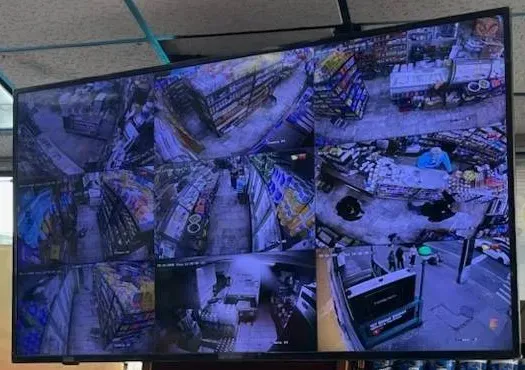
Hanging monitor showing a grid of store aisle camera views, from an AESS retail install in the NYC area
A photo from the AESS job library: a monitor hung from a store ceiling showing a grid of camera views down the aisles and across shelving. A shop that reviews footage at the counter or in the office benefits from a recorder with a good monitor output and a proper computer client, one reason we often suggest Reolink for retail.
Get In Touch

Request a Free Quote

Tell us the address or cross streets, the type of building, the places you want covered, whether you are leaning Lorex or Reolink (or neither), and whether you already own any cameras. A technician will call back with a recommendation and next steps, or you can call (800) 486-0943 now.

✅
Request Sent!
Thank you. A technician will call you back within 2 hours during business hours with a Lorex or Reolink recommendation for your property.
How It Works

How We Install a Lorex or Reolink System

1. The property and the wish list

What kind of building, which spots need a camera, who will use the app, and whether deterrence, price or openness matters most.

2. Brand check

Lorex, Reolink or a third option, matched to the building, plus a check of any cameras, doorbells or recorder you already own.

3. Site visit

Cable routes, recorder location, power, Wi-Fi strength for any wireless cameras, and each camera's view checked from where it will hang.

4. Written quote

Exact models, lens sizes, cable runs, recorder storage and any optional cloud plan written out, priced from our area list.

5. Cable and mounting

PoE cable run through existing paths where possible, exterior holes sealed and dripped, cameras mounted and aimed.

6. Recorder and network

Recorder placed in a dry, hidden spot, ideally on battery backup, firmware brought current and default passwords changed.

7. Detection and alerts

Motion zones, person and vehicle detection, alert schedules and deterrence settings tuned with someone walking the property.

8. Test and hand over

Every view checked by day and at night, a test clip exported and played on another device, and the app set up for each user.

FAQ

Lorex vs Reolink FAQ

Is Lorex or Reolink better for a house in New York City?
+

For most family houses we lean Lorex, because its cameras add a warning light, siren and voice message and its recorder works with Alexa, Google Assistant and Chromecast displays. For owners who want the lowest installed price, a two-year manufacturer warranty or the option to mix brands later, we lean Reolink. Both record locally with no required monthly fee.

Is a Reolink vs Lorex comparison any different from Lorex vs Reolink?
+

No. It is the same comparison searched in the other order, and everything on this page applies either way. We keep one page for the pair so the answer stays in one place and stays current.

Do Lorex or Reolink cameras need a monthly subscription?
+

No. Lorex says its cameras and systems do not require a subscription, and Reolink says no subscription is required. Both record to a recorder in your building and show live and recorded video in the app without a plan. Lorex sells optional Connect Cloud+ storage from $5.99 a month for one camera; Reolink also offers cloud plans, but we could not confirm a price on its site.

Can a Reolink recorder record Lorex cameras, or a Lorex recorder record Reolink cameras?
+

A Reolink recorder can usually record Lorex cameras, because Lorex cameras are ONVIF Profile G, S and T compliant and Reolink says its recorders accept third-party ONVIF cameras. Lorex says its recorders are designed to work best with Lorex cameras, so the reverse is less dependable. Either way, smart detection, lights and sirens usually only work brand-to-brand, so we check the exact models first.

Which has better night video, Lorex or Reolink?
+

Both rate their infrared at 30 meters on the models we compared, and both offer color night video, Lorex with Color Night Vision and Smart Security Lighting and Reolink with a 560-lumen spotlight on the Duo 3 PoE. Review sites tend to give Lorex the edge. On real jobs, camera placement, streetlight glare and a clean dome change night footage more than the brand does.

Which brand has the longer manufacturer warranty?
+

Reolink lists a 2-year limited warranty on the recorder and cameras we checked. Lorex's standard warranty covers products for one year from the documented purchase date, or longer when bought through its business partner program. Systems we install also carry our own written terms in the service agreement.

Is Lorex still owned by Dahua?
+

Dahua owned Lorex for years and then announced it was selling Lorex to Skywatch, which Dahua describes as a privately held cloud services company headquartered in Taiwan, for about $72 million. That is why older articles call Lorex a Dahua brand. If a contract or grant has equipment-origin rules, ask for documentation on the exact model.

Are Lorex or Reolink on the FCC Covered List?
+

No. On the FCC Covered List dated October 23, 2026, the camera makers named are Dahua and Hikvision; neither Lorex nor Reolink is named. For government-linked buildings and federally funded projects, the contract's own equipment rules still decide, and we check models against them before ordering.

Which works better with Alexa or Google Home?
+

Lorex lists Amazon Alexa, Google Assistant, Chromecast, Echo Show and Google Home Hub on its Fusion recorder page, so it is the easier fit for a smart-display household. Reolink lists Google Assistant on the Duo 3 PoE page. If Alexa on an Echo Show is a must, Lorex is the safer choice.

Can I install Lorex or Reolink myself instead of hiring an installer?
+

Yes, both are sold for do-it-yourself installation, and a few indoor or near-router cameras are a reasonable weekend project. Brick and stone walls, second-story mounting, sealed exterior holes and more than four or five cameras are where a wired professional install holds up better. Landlords and boards may also require a licensed, insured contractor.

How much does it cost to have a 4-camera Lorex or Reolink system installed in NYC?
+

On our current NYC price lists, a 4-camera wired system installed starts from $1,827 for Lorex and $1,579 for Reolink, including the recorder, standard cable runs up to 100 feet per camera, mounting and app setup, plus tax. 12MP packages are $2,243 for Lorex and $1,839 for Reolink. Live prices are on our Lorex and Reolink price pages.

Will you install a Lorex or Reolink kit I already bought?
+

Yes. We install customer-supplied kits priced per camera for your area. Send a photo of the box or recorder label first, and we will confirm the recorder supports your cameras, that the included cables will reach, and that each camera suits its spot, before installation day while you can still return anything.

Still Torn Between Lorex and Reolink? Ask the Crew That Installs Both

Tell us about the building, the spots you want covered and what matters most, deterrence, price, warranty or room to grow, and we will tell you which of the two we would put on your property, or whether a third option fits better. Call or text (800) 486-0943, message us on WhatsApp, or use the request form. Licensed under NYS license #12000287431, rated 4.7★ across 201 Google Reviews, owner-operated since 2002, and booked within 2 hours of your request.