What are you looking for?
About Us Contact Us Careers Get a Free Quote (800) 486-0943
Pick a service
✅ Got Your Own System?
🎬 Home TheatreQuote 🎶 AV SoundQuote 🔑 Access ControlQuote
Now pick your area
Pick your area
Long Island
Hudson Valley
Services available
Pricing & Tools
Pick a service for pricing
🚪 Intercom Pricing 🔔 Buzzer Repair Pricing
Calculators
📹 Camera System Calculator 🚨 Alarm Calculator ⚡ Cabling Quote Builder ✅ Got Your Own System?
Select your area
Torn between UniFi Protect and Hikvision, or thinking of moving from one to the other? Ask the crew that installs UniFi and services Hikvision every week: (800) 486-0943
Home › Best Security Camera Brands › UniFi Protect vs Hikvision
Installer Comparison · No-Fee Ecosystem vs Open Recorder · FCC Covered List · Specs From ui.com and hikvision.com · NYC Installed Prices

UniFi Protect vs Hikvision:
Which Security Camera System Is Better?

Fees, Night Video, AI Alerts, Recorders, PoE, Mixing Brands, Warranty and Federal Status · Also Searched as Hikvision vs UniFi Protect · Updated November 2026

UniFi Protect vs Hikvision has a clear winner for most new systems in New York: UniFi Protect, because Ubiquiti charges nothing for its recording software at any camera count, keeps the video on a recorder in your building, and is not on the FCC Covered List, while Hikvision is the better choice mainly for owners who already have a working Hikvision recorder in a private building and want the stronger color picture at night that its ColorVu cameras are built for.

Quick answer: Pick UniFi Protect for a new home, office or shop system: one app, no licensing fees, person and vehicle alerts on the UniFi cameras we install, and face and plate recognition on its G6 and AI cameras. Keep Hikvision if a working Hikvision recorder is already in a private building with no government link; its ColorVu turrets lead on color video after dark, and UniFi Protect can even adopt those cameras over ONVIF during a staged move. Our UniFi price list starts a 4-camera system at $2,111 installed in NYC, and our Hikvision page puts a small 4-camera system at about $1,800 to $3,000. We book requests within 2 hours.

Nearly everyone who searches this pair in New York is standing at a fork. A Bay Ridge homeowner has a Hikvision recorder that a contractor put in eight years ago, the app keeps logging out, and a cousin who works in IT keeps saying "just go UniFi." A dentist in Midtown has an office manager who already runs UniFi Wi-Fi and wants the cameras on the same dashboard. A Bronx landlord with three walk-ups has Hikvision in two buildings and is pricing the third, and has heard that Hikvision is "banned." Those are three different questions with three different answers. This page gives them one at a time, from the point of view of a licensed crew that installs UniFi Protect as a regular product line and spends a large share of its service calls on Hikvision systems other people installed. Specifications come from Ubiquiti's own tech-spec, product and help pages and from Hikvision's product and US warranty pages. The federal status comes from the FCC's Covered List page and its June 2026 public notice. The prices are our own installed prices for New York City, never a store's shelf price.

Reviewed and updated November 12, 2026, against Ubiquiti's tech-spec pages for the UniFi G6 Bullet, G5 Turret Ultra and Network Video Recorder (UNVR), its UniFi physical security page (G6 Pro Bullet and G6 Edge Bullet details, the licensing and fees statements, console capacities and the Protect feature list), its Help Center article on third-party cameras in UniFi Protect and its limited warranty page; Hikvision's product pages for the DS-2CD2387G2-LSU/SL ColorVu turret and the DS-7608NXI-K2/8P recorder, its ColorVu and Pro Series pages and its US RMA warranty policy; the FCC's Covered List page (list updated November 6, 2026) and its prohibition table; the FCC's Public Notice DA 26-635 of June 26, 2026; FAR clause 52.204-25; the National Vulnerability Database entry for CVE-2021-36260; and a live search of what ranks for "unifi protect vs hikvision" (a Reddit r/homesecurity thread, a YouTube field test, the use-ip and IPCamTalk forums, Ubiquiti's community forum and installer blogs from Melbourne and the UK among them). Installed prices come from our own NYC UniFi price list and our NYC UniFi and Hikvision service pages. Where a manufacturer or government page stayed silent, this page says so instead of guessing. · Checked by the Abstract Enterprises Security Systems team (NYS license #12000287431), Troy Avenue, Brooklyn
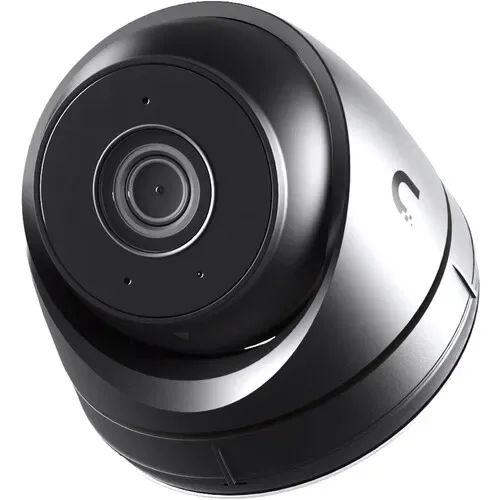
Black and silver UniFi turret camera with round U logo, UniFi Protect vs Hikvision NYC comparison
A Ubiquiti product photo of a compact UniFi turret: a black lens face inside a silver ring, a black body and the round U logo on the side, on a plain white background. This is the G5 Turret Ultra, the camera in our four-camera UniFi package, and the size of camera we mount under most New York porch ceilings and soffits.
UniFi, Hikvision or Both?
Tell us what you have now and what you want to see, and a technician calls back with a straight recommendation and an installed price

✅
Request Sent!
Thanks. A technician who installs UniFi and services Hikvision will call you inside 2 hours on business days.
25+
Years Experience
$0
UniFi Protect Licensing, per Ubiquiti
100%
Licensed & Insured
4.7★
201 Google Reviews

Owner-operated since 2002 · Thousands of jobs completed · Booked within 2 hours
The short version. These two names are not really the same kind of thing, and that is the first thing to understand. UniFi Protect is a complete system from one company, Ubiquiti: the cameras, the recorder (which Ubiquiti calls a console), the switch that powers the cameras and the app are all designed to work together, and the software that ties them together costs nothing. Ubiquiti puts it bluntly on its physical security page: "Run 4 or 4,000 cameras - licensing is still $0." Hikvision is a hardware maker. It builds an enormous range of cameras and recorders that follow open video standards, and an installer assembles them into a system. Its cameras are some of the best on the market at showing color after dark, and almost every technician in the city knows its menus.

So when a New York owner asks which is better, the honest answer depends on two facts about the property. The first is whether there is already a working Hikvision recorder on site. If there is, and the building is private, keeping it can be the cheapest sensible decision, and we are happy to repair and extend it. The second is whether the building has any link to government, public safety or federal contracts. Since March 12, 2021, the FCC's Covered List has named Hikvision equipment when it is put to public safety, government-building, critical-infrastructure or national-security use, and in June 2026 the FCC stopped the continued import and marketing of already-authorized covered equipment for those purposes. Ubiquiti's name does not appear on that list, and Ubiquiti marks each of the UniFi cameras and recorders we checked as "NDAA Compliant" on its own spec pages.

For a brand-new system with no existing equipment, we recommend UniFi Protect in most houses, brownstones, offices and small shops, and we say so even though we also sell the alternatives. The case for it is not that every UniFi camera beats every Hikvision camera. It does not. The case is that the whole system is simpler to own: one app that a family or an office manager can learn in an afternoon, no recording licenses or cloud bills, smart alerts that run on the cameras and the console in your building, and a company that is not tangled up in federal restrictions. The rest of this page goes through each of those claims, and each place where Hikvision is the stronger pick, with the manufacturer's own numbers.

Side by Side

UniFi Protect vs Hikvision in One Table

Both catalogs are large, so we compared one current 4K bullet or turret from each brand that matches what owners ask us to install or service most, one recorder from each, the apps each company lists, each maker's warranty terms and where each stands with the FCC. On the UniFi side that is the G6 Bullet and the UNVR four-bay recorder. On the Hikvision side it is the DS-2CD2387G2-LSU/SL ColorVu turret and the DS-7608NXI-K2/8P eight-port recorder. Each cell is taken from Ubiquiti's, Hikvision's or the federal government's own pages. Our own installed prices are kept in a separate section lower on the page, away from any manufacturer figure.

What we comparedUniFi Protect (Ubiquiti)Hikvision
What you are buyingA closed ecosystem: UniFi cameras, a UniFi console running Protect, UniFi PoE switching and the UniFi Protect appOpen-standard cameras and recorders that an installer assembles, with Hikvision's own apps and software on top
Camera comparedG6 Bullet (UVC-G6-Bullet), 4K, 8MP 3840 × 2160, 1/1.8-inch sensor, up to 30 fpsDS-2CD2387G2-LSU/SL ColorVu turret, 3840 × 2160 on a 1/1.2-inch sensor, 24 fps at full resolution on 60 Hz power
Field of view109.9° horizontal, fixed lens102° horizontal on the 2.8 mm lens
Night pictureInfrared to 30 m (98 ft); the G6 Pro Bullet steps up to a 1/1.2-inch sensor, 40 m of infrared and up to 60 m with Vision EnhancerColorVu: F1.0 lens, color at 0.0005 lux, white light up to 30 m for color video in the dark
Smart detectionPeople, vehicles and animals; face recognition and license plate recognition listed on the G6 BulletLine crossing, intrusion, region entrance and exit, filtered to human and vehicle targets
Audio and deterrenceMicrophone on the G6 Bullet; two-way audio on the G6 Pro Bullet; Alarm Manager can play a recorded message on a speakerBuilt-in microphone, 1.5 W speaker (95 dB at 10 cm), strobe light and audible warning on the camera itself
Recorder comparedUNVR: 1U, four 2.5/3.5-inch drive bays, manages up to 18 4K or 60 HD cameras, 10G SFP+ and gigabit ports, no PoE portsDS-7608NXI-K2/8P: 1U, 8 channels with 8 built-in PoE ports, 80 Mbps incoming, records up to 12MP; listed as discontinued on one Hikvision regional page
Storage in the cameraNot on the G6 Bullet; the new G6 Edge Bullet adds built-in storage and runs without a recorder (Ubiquiti lists it as available Q4 2026)microSD up to 512 GB
Software feesUbiquiti: "licensing is still $0" from 4 to 4,000 cameras; no cloud fees, subscriptions or paid AI add-onsHikvision's product pages we read did not state Hik-Connect subscription terms, so we do not claim either way
Other brands' camerasAdopts ONVIF cameras, including Hikvision, for live view, playback, motion, PTZ and audio; other advanced features not supportedONVIF Profile S, G and T, plus ISAPI and an SDK
Smart-home and building fitTies into the rest of UniFi: Alarm Manager automations, UniFi Access door control and intercoms, an Apple TV app and video walls, all under one Site Manager loginIntegrates outward through ONVIF, ISAPI and Hikvision's SDK, so third-party video software and alarm panels can work with it
AppsUniFi Protect app and UniFi Site Manager on the web; remote access is free and optionalHik-Connect on the phone; iVMS-4200 and HikCentral on a computer
Power and housingPoE, 9.9 W max; IP66; IK04; −4°F to 122°F12 VDC or 802.3af PoE, 8.5 W max; metal body; IP67; −22°F to 140°F
Manufacturer warrantyTwo years from delivery when bought from Ubiquiti's own store; one year from shipment to the dealer when bought through a reseller; replacement unit new or refurbishedUS table: 60 months on professional IP cameras and 9 Series recorders, 36 months on value cameras and 7 Series recorders; claims run through authorized distributors
Federal statusNot on the FCC Covered List; Ubiquiti marks the G6 Bullet, G5 Turret Ultra and UNVR "NDAA Compliant"On the FCC Covered List since March 12, 2021, for public safety, government facility, critical infrastructure and national security uses; June 2026 import and marketing prohibition for those uses
Best forNew systems in homes, offices and shops; owners who want one simple app and no recurring cost; buildings already on UniFi networking; anyone who needs to stay clear of the Covered ListOwners keeping a working Hikvision recorder in a private building; dark yards and driveways where color video at night is the priority

A few cells need context before anyone draws a conclusion. The sensor row favors Hikvision on this pairing, because Hikvision's turret uses a larger 1/1.2-inch sensor than the G6 Bullet's 1/1.8-inch one. Ubiquiti puts a 1/1.2-inch sensor in its G6 Pro Bullet instead, so the fairer camera-to-camera fight on low light is the Pro against the ColorVu, and we come back to it in the night section. The recorder row is not even either: the Hikvision recorder has PoE ports built in and the UniFi one does not, which changes what else has to go in the closet. And the warranty row is about who you deal with as much as how long it lasts. Every one of those differences shows up in a New York install, which is why the sections below take them one at a time.

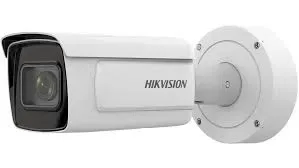
White Hikvision bullet camera with long hood mounted on a round junction box, UniFi Protect vs Hikvision NYC
A Hikvision product photo of a long white bullet camera with a dark lens window under its hood, the Hikvision name printed on the side, fixed to a round white junction box. A junction box like this one hides the cable connection, which matters more on a wet New York wall than any spec in the table above.
The Decision

Who Should Pick UniFi Protect, Who Should Stay With Hikvision

Most comparison articles stop at "it depends." Here is what it depends on, written as the calls we actually make on site visits in the five boroughs.

Pick UniFi Protect if you are starting from nothing

A house, a brownstone, a small office or a shop with no cameras, or with an old analog system that has to go anyway, is the easiest case. UniFi gives you a clean, current system with no recording license to buy and no subscription to keep paying, and the app is the one we hear the fewest complaints about. The cable we pull is ordinary Cat6, so the building is not locked into Ubiquiti forever even though the cameras and console are.

Pick UniFi Protect if your network is already UniFi

Offices, medical suites and tech-minded households increasingly run UniFi gateways, switches and Wi-Fi. Ubiquiti's Cloud Gateways can run Protect themselves, and Ubiquiti says they handle up to 20 HD cameras or 7 4K cameras, so a small office may not need a separate recorder at all, just storage and cameras. The person who manages the Wi-Fi then manages the cameras from the same Site Manager login. That is a real saving in time, and it is the strongest single reason we see owners choose UniFi.

Pick UniFi Protect if the Covered List matters to anyone you answer to

Contractors with federal work, nonprofits with federal grants, buildings with a government office as a tenant, and owners whose lender, insurer or board has asked about "banned" equipment should not be adding Hikvision. UniFi is the most common way we solve that problem for small and mid-size properties, because it is affordable, Ubiquiti is not on the list, and Ubiquiti states NDAA compliance on its own spec pages.

Stay with Hikvision if a sound Hikvision recorder is already doing its job

If the recorder powers on, the drive is healthy, the firmware can be brought current and the building is private, replacing a working system just to change logos is money spent for little gain. We update it, lock it down, fix the dead cameras and extend it. Hikvision's ColorVu cameras in particular give a color picture at night that owners notice and like.

Stay with Hikvision for dark spaces where color at night is the whole point

A long unlit driveway in Staten Island, a rear yard behind a Queens two-family, a loading area behind a shop: in places like these, a ColorVu camera with its own white light shows the color of a jacket or a car after midnight, which infrared cameras in black and white cannot. If that detail is what you care about most and the property is private, Hikvision earns its place.

Use both, for a while, if you are moving from one to the other

This is the option most people do not know exists. UniFi Protect can adopt ONVIF cameras from other makers, and Ubiquiti's own help article includes a specific setting to change on Hikvision cameras so they connect. That means a building can put in a UniFi console, move the working Hikvision cameras onto it, and replace them with UniFi cameras one or two at a time as budgets allow. We explain exactly what does and does not carry over further down.

Pick neither, and ask us, if the job is unusual

Very large sites, buildings with strict video management requirements, or places that need cameras from several specialist makers on one platform can be better served by an enterprise video management system. We will tell you when a job is outside what either UniFi Protect or a Hikvision recorder does well, and quote accordingly.

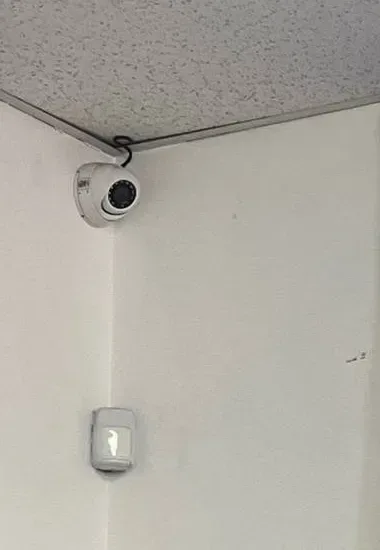
Small white dome camera in a ceiling corner above a white wall sensor, UniFi Protect vs Hikvision NYC
A photo from our own job files, not linked to a specific New York address: a small white dome camera sits tight in the corner where a speckled ceiling meets two white walls, its cable tucked along the edge, with a small white sensor mounted on the wall below it. A corner like this one is where a simple app matters, because nobody climbs up to check a camera that looks fine from the floor.
How the Systems Are Built

Closed Ecosystem vs Open Recorder: What That Means in Your Building

"Closed" sounds like a criticism, and the forums use it that way. In practice it describes a trade. Ubiquiti designs the cameras, the console and the software together, so a UniFi camera plugged into a UniFi switch shows up in the Protect app ready to adopt, smart detections arrive already working, and firmware for every part comes from one place. You give up the freedom to put any brand of camera on the recorder with every feature intact. You gain a system where the parts are designed to work together.

Hikvision's approach is the opposite. Its cameras speak ONVIF Profile S, G and T, so they can record to many other recorders and software platforms, and its recorders accept other makers' ONVIF cameras. An installer can mix a Hikvision recorder with cameras chosen for each spot. That flexibility is real, and it is one reason Hikvision became so common in New York: almost any technician can add to a Hikvision system. The cost is that each part has its own settings, firmware and quirks, and the owner usually depends on whoever set it up to remember how.

What a UniFi Protect system needs

Ubiquiti lists four things: a UniFi console running Protect, at least one Protect camera, compatible storage to keep recordings, and Power over Ethernet for wired cameras, from a UniFi PoE switch or PoE adapter. The console can be one of three kinds. A Cloud Gateway is the router and firewall for the whole building and also runs Protect, handling up to 20 HD cameras or 7 4K cameras by Ubiquiti's count. A CloudKey+ is a small dedicated controller with the same stated capacity. A UniFi Network Video Recorder is the dedicated recorder for larger camera counts. At the top, Ubiquiti says its Enterprise NVR Core handles up to 500 HD or 300 4K cameras on one device and can grow to 48 drives with two expansion units.

What a Hikvision system needs

A Hikvision recorder with enough channels, cameras that speak ONVIF or Hikvision's own protocols, drives for the recorder, and power for the cameras, which on many Hikvision recorders comes from PoE ports on the back of the recorder itself. Viewing happens on a monitor plugged into the recorder, in the Hik-Connect app, or in Hikvision's desktop software, iVMS-4200 or HikCentral, both of which Hikvision names on its camera pages.

Which design ages better

Both age well when someone looks after them and badly when nobody does. The difference we see on service calls is who that someone has to be. In our experience a UniFi system tends to stay more current, because updates are handled from the same console and app the owner already uses every day. A Hikvision system tends to stay exactly as it was on install day, because updating it means logging into the recorder and each camera, and most owners do not. That gap is not a flaw in the hardware. It is a difference in how much the system expects from the person who owns it.

Monthly Costs

Fees, Licenses and Subscriptions: What Each One Really Costs to Keep

The question we hear second most often, after "which is better," is "what will I pay every month?" On UniFi the answer is written by the manufacturer. Ubiquiti's physical security page says UniFi Protect "handles all AI and recording on your local UNVR or Enterprise NVR, eliminating cloud fees, subscriptions, and paid AI add-ons," and its own FAQ answers the question "Are there any fees?" with "Absolutely not." Remote viewing through UniFi Site Manager or the Protect app is described as "a free, optional feature." Face recognition and license plate recognition are features of the G6 and AI cameras and the Protect software, not a paid add-on.

On Hikvision, recording to the recorder in your building carries no monthly fee in the systems we service, because the recorder simply writes to its own drives. What we could not confirm from the Hikvision pages we read is the full set of terms for Hik-Connect's cloud features, so we do not state whether any of them cost money. If a Hikvision owner is paying a monthly bill for their cameras, it is usually a monitoring contract or a dealer's service plan, not something Hikvision requires, and we can tell you which it is when we see the paperwork.

Where money is actually spent on each system

On both brands, the real lifetime costs are the same three things: hard drives, which wear out and eventually need replacing; labor, whenever a camera fails, a cable is cut by another trade or a password is lost; and electricity for the recorder and switch, which is small. UniFi adds one line Hikvision often does not: a separate PoE switch, because Ubiquiti's four-bay UNVR does not power cameras itself (the small UNVR Instant on our price list has three PoE ports). Hikvision adds one line UniFi rarely does: time spent on app logins and firmware, which we see on a steady stream of service calls.

Cloud backup without a subscription

One feature changes the math for UniFi owners worried about a thief taking the recorder. Ubiquiti says Protect can archive video to Google Drive, Dropbox, OneDrive or a local network drive, and that Continuous Archiving sends event copies offsite as they happen. You pay the storage provider for space if you need more than a free tier, not Ubiquiti. For a small shop, pointing event archiving at an existing business cloud account is a sensible extra layer we set up on request.

After Dark

Night Video: Hikvision ColorVu vs UniFi's Infrared and Larger Sensors

This is the part of the comparison where Hikvision has the clearest edge, and we would be doing readers a disservice to blur it. Hikvision built its ColorVu line around one idea: show color at night. The DS-2CD2387G2-LSU/SL turret we compared pairs a 1/1.2-inch sensor with an F1.0 lens, which Hikvision rates for color at 0.0005 lux, and adds a white light that reaches up to 30 meters. Hikvision's ColorVu 3.0 page describes a "Smart Hybrid Light" approach and says the newest cameras rely less on supplemental light in darkness. The result in a dark yard is a color picture, not the grey infrared image most security cameras fall back to.

The UniFi G6 Bullet takes the traditional route: built-in infrared with an IR-cut filter, reaching 30 meters by Ubiquiti's spec, on a 1/1.8-inch 8MP sensor. At night it switches to black and white, as nearly every infrared camera does. Ubiquiti's answer for owners who care most about low light is the G6 Pro Bullet, which moves up to a 1/1.2-inch sensor, the same size as the Hikvision turret, reaches 40 meters with infrared and up to 60 meters with what Ubiquiti calls Vision Enhancer, and adds a 2.36x optical zoom. That closes much of the gap on detail at distance. It does not turn infrared into color. We could not find a full-color night specification on the UniFi tech-spec pages we read, so we do not claim one.

When color at night matters, and when it does not

Color after dark is genuinely useful where people and cars are identified by color: a parked car's paint, a delivery jacket, a bicycle. It matters less in a hallway or lobby with lights on all night, where both brands record in color anyway because there is enough light. It can be a nuisance in a dense block, because a white light pointed into a shared rear yard lights up a neighbor's bedroom window. On attached houses in Park Slope or Astoria we usually aim and schedule white lights carefully or skip them, and infrared is the quieter choice.

Placement beats the spec sheet

Whichever brand you pick, the biggest improvement to night video is where the camera goes. A camera aimed into a streetlight or a headlight path will wash out on any brand. A camera mounted under a soffit, angled down across a gate rather than straight at the street, gets a usable face. We spend more time on angle and height than on model selection, and on a dark side yard we will often add a motion-activated light on its own circuit rather than rely on the camera's light alone.

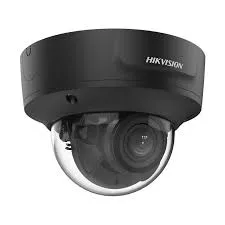
Black Hikvision dome camera with clear bubble and Hikvision name on the side, UniFi Protect vs Hikvision NYC
A Hikvision product photo of a black dome camera: a dark base with the Hikvision name in white on its side and a clear bubble over the lens, on a white background. A black housing like this blends into dark soffits and storefront awnings, and owners often ask for it on brownstone entrances.
Smart Alerts

AI Detection: UniFi Smart Detections vs Hikvision AcuSense

Both brands moved past plain motion detection years ago, and both now try to tell you only about people and vehicles instead of every moving shadow. They go about it differently.

UniFi Protect

Ubiquiti lists motion detection, person detection and vehicle detection across its cameras, and the G6 Bullet's spec page adds animals to the smart detection list and ticks both face recognition and license plate recognition. Ubiquiti's own footnote says face and plate recognition require an AI or G6 series camera. Beyond that, the Protect software can search for vehicles by type and color and filter events by sound, and Ubiquiti names glass breaking, speaking and car alarms as audio events it can classify. All of this, Ubiquiti says, is processed on the camera and the console in your building, not in a cloud. For a shop owner, being able to type "white van" into the search and get the right ten seconds of video from last Tuesday is the feature that sells the system.

Hikvision

Hikvision's AcuSense cameras, including the turret we compared, offer line crossing, intrusion detection and region entrance and exit, each filtered to human and vehicle targets so the alert fires for a person crossing the gate line and not for a cat. Hikvision claims its AcuSense 3.0 generation "reduces typical false alarms—such as lights reflecting on stationary vehicles—by up to 90%." The recorder adds its own analysis: the eight-port recorder in our table runs perimeter protection on two channels and Motion Detection 2.0 on all of them. Rules like these are powerful but must be drawn per camera, and on most Hikvision systems we inherit, nobody ever drew them.

Our take

Hikvision gives you more precise rules, such as a virtual tripwire across one doorway, if someone takes the time to configure them. UniFi gives you good alerts with almost no configuration, plus face, plate and sound search on the newer cameras. For a family or a small business without an IT person, UniFi's approach produces better results day to day. For a site with a technician who will tune rules camera by camera, Hikvision's toolbox is deeper. Either way, we set up detection zones and notification schedules before we leave, because untuned alerts are the fastest way to make an owner ignore their own cameras.

Lights, Sirens and Talk-Back

Deterrence and Audio on Each System

Some owners want a camera that does something when a person walks in after hours, not just records it. Hikvision builds that into the camera. The DS-2CD2387G2-LSU/SL has a built-in microphone, a 1.5-watt speaker that Hikvision rates at 95 dB at 10 centimeters, and what Hikvision calls an active strobe light and audio alarm "to warn intruders off." A shop owner can have the camera flash and play a warning when someone crosses a line in the rear lot at 2 a.m.

UniFi splits the job differently. The G6 Bullet has a microphone. The G6 Pro Bullet lists two-way audio. Deterrence in Protect is handled mainly through Alarm Manager, which Ubiquiti describes as if-this-then-that automations, with the example of "playing a prerecorded message on a loud-speaker when a camera detects motion." In other words, the camera detects and the system reacts through other UniFi devices. That is more flexible across a whole site and less self-contained than a Hikvision camera with its own strobe.

A word of caution that applies to both brands: recording sound raises questions that recording video does not, and the rules depend on where the microphone is and who is talking. We leave microphones off by default in offices and shops, turn them on only where the owner has a clear reason and has checked with their own attorney, and recommend posted notice wherever audio is recorded. Sirens and strobes need the same judgment, because a warning that goes off every time a neighbor takes out the trash will be switched off within a week.

Where the Video Lives

Recorders and Storage: UniFi Consoles vs Hikvision NVRs

On both systems the video lives on hard drives in your building, and that is one of the main reasons owners choose either brand over a cloud camera. How the recorders manage those drives is where they part ways.

The UniFi Network Video Recorder

The UNVR in our table is a one-rack-unit box with four drive bays that take 2.5- or 3.5-inch drives. Ubiquiti rates it to manage 18 cameras at 4K, 30 at 2K or 60 at HD, and its own description says it can support up to 30 days of storage for 18 4K cameras or 60 Full HD cameras. It has a 10-gigabit SFP+ port and a gigabit port, an internal power supply and an input for Ubiquiti's redundant power supply, which keeps it recording if one power source fails. Ubiquiti marks it "NDAA Compliant."

Two Protect features matter for New York owners who want long retention without buying a rack of drives. Ubiquiti calls the first Enhanced Retention: Protect lowers the quality of older footage to save space, keeping recent recordings in full clarity "while preserving months—or even years—of critical video." The second is Storage Manager, which Ubiquiti says uses Btrfs so drives can be added one at a time without rebuilding the recorder, with drive health monitoring and instant failure alerts. For a landlord who wants a full month of lobby footage for an insurance claim, those two features do more than any camera spec.

The Hikvision NVR

Hikvision's recorders come in many sizes. The DS-7608NXI-K2/8P we compared is an eight-channel, one-rack-unit recorder with eight PoE ports, 80 Mbps of incoming bandwidth, a 4K HDMI output for a local monitor and support for recording cameras up to 12MP. It runs perimeter protection on two channels and Motion Detection 2.0 on all channels using the recorder's own processing. One Hikvision regional page lists that exact model as discontinued, which is normal in a catalog that turns over quickly and is one reason we always read the label before quoting parts for an existing Hikvision system.

The practical strength of a Hikvision recorder is the monitor output. Plenty of New York delis, laundromats and building lobbies want a screen behind the counter or at the super's desk showing every camera all the time, without anyone logging into an app. A Hikvision recorder does that out of the box. With UniFi we plan that screen separately, usually a small computer or display showing the Protect web view, so it is an extra piece to budget for.

How many days will you actually keep?

The honest answer on both brands is: whatever the drive size, camera count, resolution and motion in the scene allow. A camera watching a busy avenue fills a drive much faster than one watching a quiet basement. On our UniFi price list we always include enough drive for at least two weeks of continuous recording, and longer retention means a bigger drive. On Hikvision systems we inherit, we check the recorder's own figures to see how many days it is really keeping, because it is often far fewer than the owner believes.

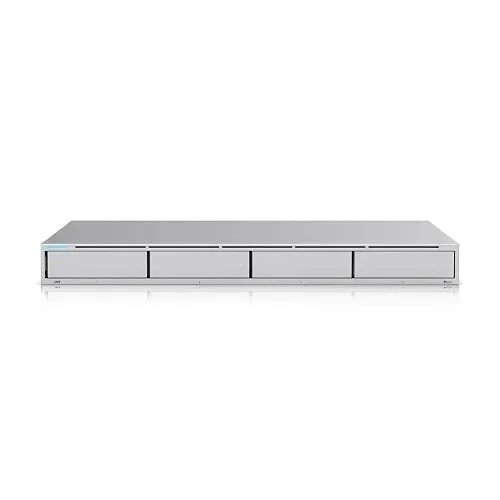
Silver UniFi one-rack-unit recorder with four drive-bay doors on the front, UniFi Protect vs Hikvision NYC
A Ubiquiti product photo of a slim silver rack recorder seen from the front, with four equal drive-bay doors across its face and a small light at the left. This is the class of UniFi recorder we compared; note that it has no camera ports on the front, because UniFi cameras get their power from a separate PoE switch.
Power and Cabling

PoE, Switches and Your Network: The Detail That Changes the Quote

Every camera in this comparison runs on Power over Ethernet, meaning one network cable carries both power and video. Where that power comes from is the most overlooked difference between the two systems, and it changes what we install in the closet.

A typical Hikvision system for a house or shop uses a recorder with PoE ports built in, like the eight-port model in our table. The cameras plug straight into the back of the recorder. That makes the Hikvision recorder a self-contained island: it powers the cameras, records them and sends video out to the internet through one connection to the building's router.

The UniFi Network Video Recorder in our table has no PoE ports at all. Ubiquiti's own setup list says wired cameras need power from a UniFi PoE switch or PoE adapter. So a UniFi system usually means a UniFi console plus a UniFi PoE switch, and the cameras live on the building's network like any other device. The exception on our price list is the UNVR Instant, which we list as having three PoE ports for small six-camera jobs. Power draw is modest either way: Ubiquiti lists the G6 Bullet at 9.9 watts maximum and the G5 Turret Ultra at 4 watts, while Hikvision lists its ColorVu turret at 8.5 watts with everything running. The G6 Pro Bullet needs PoE+, the higher-power version of the standard, which matters when choosing a switch.

Why the network matters more on UniFi

Because UniFi cameras sit on the building network, a messy network shows up in the cameras. A consumer router from the cable company, a daisy chain of cheap switches or a closet full of unlabeled patch cords will make any system unreliable, and UniFi is less tolerant of it than a Hikvision recorder that keeps its cameras on a private island. When we install UniFi Protect we either put the cameras on their own UniFi switch and network segment, or, if the building is already on UniFi networking, place them on a separate camera network inside it. That planning is part of every quote.

Reusing old cable

If the building has Cat5e or Cat6 runs from an existing IP camera system, either brand can usually reuse them after we test each run. If the old system is analog with coaxial cable, the coax cannot carry UniFi cameras, and new network cable has to be pulled. Hidden in-wall wiring in hollow drywall is a line item on our UniFi price list, and brick, plaster and spray foam are checked on site before we price them.

Living With It

The UniFi Protect App vs Hik-Connect, and Who Gets Access

Most owners judge a camera system by the app, not the camera, because the app is the part they touch every day. Here the difference between the two brands is sharp.

Ubiquiti says remote access works through UniFi Site Manager on the web or the UniFi Protect app on iOS and Android, with the footage staying on the console in your building and the cloud connection only providing an encrypted path to it. Adding a family member or an employee is an email invitation, and Ubiquiti describes owner control over each user's role and which cameras they can see. Exporting a clip for a police report or an insurer is built in, and Ubiquiti's Case Manager goes further, letting an owner preserve footage, organize an incident timeline, lock a completed case and export video and PDF reports.

Hikvision's phone app is Hik-Connect, and its desktop software is iVMS-4200 for a single site or HikCentral for larger ones. The camera we compared allows up to 32 user accounts. Hik-Connect works, and many owners use it daily without trouble. It is also the app behind a large share of our Hikvision service calls: a lost login after a phone upgrade, a device that was registered to a former super's account, a recorder that dropped off the app after the router was replaced. We run a dedicated Hik-Connect app support service in NYC because those problems are so common.

Multiple buildings

Owners and managing agents with several properties should look closely at UniFi's Site Manager. Ubiquiti describes multi-site Video Walls in Site Manager that show camera streams from different locations together. A Hikvision owner with several buildings can do something similar with HikCentral or by adding every recorder to one Hik-Connect account, but that takes more setup and more care with accounts.

Handing over the keys

Whichever system you choose, the most important day is not install day. It is the day the person who installed it is no longer around. We make sure the owner holds the main account, not us and not a tenant; that a second owner-controlled login exists; and that a written record of every username, recorder location and network setting is left in the building. On UniFi that means the owner's own Ubiquiti account owns the console. On Hikvision it means the recorder is bound to the owner's Hik-Connect account and the administrator password is written down somewhere safe.

Mixing Brands

Can You Put Hikvision Cameras on UniFi Protect?

Yes, with limits, and Ubiquiti documents both. Its Help Center article on third-party cameras says UniFi Protect can adopt ONVIF-compatible cameras from other makers "making it easy to incorporate your existing security infrastructure into the UniFi ecosystem," and describes it as a way to "gradually transition to a UniFi-only setup at your own pace." Hikvision lists ONVIF Profile S, G and T on its cameras, so a current Hikvision IP camera is a candidate.

What carries over

According to Ubiquiti, Protect pulls the camera's highest and lowest quality streams and shows them as HQ and LQ, and "Motion detections, PTZ control, and Audio are supported on third party cameras." Live view and playback work in the same Protect app as UniFi cameras, so an owner sees one timeline during the move.

What does not

Ubiquiti is equally direct that "Other advanced features are not supported." In plain terms, the UniFi smart detections, face recognition, plate recognition and search filters are for UniFi cameras. Motion detection on a Hikvision camera has to be set up on the camera itself and sent to Protect. Audio from a third-party camera needs transcoding, which Ubiquiti warns uses extra console resources. If the camera's streams are changed after adoption, it has to be removed and re-added. On multi-sensor cameras, Protect pulls one stream. And Hikvision's own strobe, siren and line-crossing rules are not controlled from Protect.

The Hikvision setting that trips people up

Ubiquiti's troubleshooting section names Hikvision specifically: if authentication fails, change the camera's "Open Network Video Interface Authentication" setting to "Digest & ws-username" and try again. The same article says to set each camera's date and time correctly first, because some cameras fail to authenticate when the clock is wrong, and to bring the camera's firmware up to date before adoption. In our experience those three steps fix most of the failed adoptions people post about on Ubiquiti's community forum.

The other direction

Putting UniFi cameras on a Hikvision recorder is a different story. Ubiquiti does not document it, and we do not plan systems around it. If you want to keep a Hikvision recorder, the cameras you add to it should be Hikvision or another maker that documents ONVIF support for that recorder.

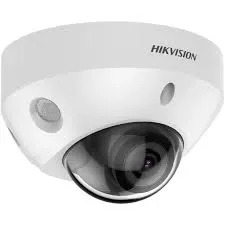
White Hikvision mini dome camera with Hikvision name on the top edge, UniFi Protect vs Hikvision NYC
A Hikvision product photo of a small white dome camera with a clear lower bubble over the lens, a small round opening on the housing and the Hikvision name printed near the top. A current Hikvision camera like this one can be adopted into UniFi Protect over ONVIF for live view and recording during a staged move.
Switching Over

Moving From Hikvision to UniFi Protect Without Losing Coverage

Owners who decide to switch rarely want a weekend with no cameras, and they rarely want to throw away cameras that still work. The staged move we use most often has four steps.

  1. Test what you have. We check every existing Hikvision camera and every cable run, read the firmware versions and note which cameras are worth keeping for a while and which are failing.
  2. Install the UniFi backbone. A UniFi console with drives and a UniFi PoE switch go in first, on their own camera network. Where the old recorder powered the cameras, the new switch takes over that job.
  3. Adopt the keepers, replace the rest. Working Hikvision cameras are updated, their ONVIF authentication set the way Ubiquiti specifies, and adopted into Protect. Failed or very old cameras are replaced with UniFi cameras on day one, usually at the entrances where smart detection and face recognition matter most.
  4. Retire the old recorder last. We keep the Hikvision recorder powered, unplugged from the internet, until its stored footage ages past anything the owner might need, then remove it.

Over the following months or years the remaining Hikvision cameras are swapped for UniFi as they fail or as budget allows, reusing the same cable. For a building with a government tenant or contract, we do not recommend a slow transition: the Hikvision cameras should come off the network as part of the first visit.

When switching is not worth it

A four-camera Hikvision system that works, sits in a private house, has a healthy drive and can be brought up to date is usually not worth replacing just for the app. We will tell you that, fix what is broken, secure it and leave it running. Switching makes sense when the recorder is failing, when the system needs to grow substantially, when nobody can log in, or when the federal status matters to someone you answer to.

Federal Status

The FCC Covered List and NDAA: Why They Tilt This Comparison

No other difference between these two brands is as lopsided, and none is misunderstood more often. This is what the FCC and the federal acquisition rules actually say, taken straight from those sources.

Hikvision is on the FCC Covered List, for specific uses

The FCC's Covered List, updated November 6, 2026, includes "Video surveillance and telecommunications equipment produced by Hangzhou Hikvision Digital Technology Company, to the extent it is used for the purpose of public safety, security of government facilities, physical security surveillance of critical infrastructure, and other national security purposes." The entry dates from March 12, 2021, and a footnote says listed producers include their subsidiaries and affiliates. Ubiquiti does not appear anywhere on that page.

What changed in 2026

The FCC's prohibition table on the same page lists equipment added to the Covered List in 2024 or earlier, a Public Notice dated June 26, 2026, and an effective date of generally ten days after Federal Register publication. The notice itself prohibits the continued importation and marketing of previously authorized covered equipment, and for a use-based entry like Hikvision's it applies to import and marketing for the listed purposes. The FCC was explicit that the prohibition "will not affect the continued use or operation of already-purchased communications equipment." Separately, new equipment authorizations from use-based listed companies remain generally blocked until the FCC approves a compliance plan, and the notice said none had been approved.

What that means for a private owner

If you own a Hikvision system in a private home, store or apartment building with no government tenant, nothing in those sources requires you to remove it. Repairing and extending it is a judgment call about cost and future flexibility, not a legal mandate. What you should expect is that new Hikvision equipment is harder to source and quote reliably than it was a few years ago, and that some buyers, lenders, insurers and co-op boards now ask about it.

Section 889 and federal contractors

The federal acquisition clause that carries Section 889, FAR 52.204-25, names Hikvision video surveillance equipment for the same listed purposes, bars contractors from providing the government systems that use covered equipment as a substantial or essential component, and reaches a contractor's own use of covered equipment regardless of whether that use is part of the contract. A business with any federal contract or subcontract should check its agreements before adding Hikvision anywhere.

UniFi and "NDAA Compliant"

Ubiquiti's tech-spec pages for the G6 Bullet, the G5 Turret Ultra and the UNVR each carry a line reading "NDAA Compliant" with a check mark. That is Ubiquiti's own statement about its products. We pass it on as Ubiquiti's claim; if a contract requires documentation, ask us and we will request the manufacturer's compliance letter for the exact models on your quote.

The security record in one paragraph

CISA's catalog of known exploited vulnerabilities includes a Hikvision command injection flaw, CVE-2021-36260, added January 10, 2022, with the instruction to apply updates per vendor instructions. It is fixed by firmware, and it is a good reason never to leave an old Hikvision recorder exposed to the internet with factory firmware. Any networked camera, UniFi included, needs current firmware and sensible passwords. We update firmware and close internet exposure on every system we work on, whichever logo is on it.

Warranty

Who Stands Behind the Hardware

The two companies take very different approaches, and the length is not the only thing that matters.

Ubiquiti's limited warranty page, last updated October 9, 2020, offers warranties to end users only on products bought from an authorized Ubiquiti distributor or reseller or from an official Ubiquiti webstore. The warranty period is two years after delivery for products bought directly from Ubiquiti's webstores, and one year after the date of shipment to the authorized distributor or reseller for products bought through one. Ubiquiti's remedy is to replace the product with a new or refurbished unit, and every claim needs an RMA number with proof of purchase and the device's MAC address.

Hikvision's US RMA policy publishes a longer table: 60 months on professional IP cameras, professional PTZ cameras and 9 Series professional recorders; 36 months on value IP cameras, 7 Series value recorders, DVRs and hard drives. Hikvision accepts returns only from direct purchasers and authorized distributors, so an end user's claim goes back through the dealer and distributor chain rather than straight to Hikvision. For a system bought years ago from an installer who has since closed, that chain can be hard to follow.

A manufacturer warranty replaces a failed device; it does not pay for a technician to swap it on a ladder, and it never covers the cable behind your walls. Our own work is covered by our written service agreement. Full terms — including 50% deposit, one-year parts-only warranty on AESS-supplied products, and the late-fee schedule — are set out in the service agreement. In practice, the length of a manufacturer's warranty matters less in New York than whether the parts are still sold when you need one, and how quickly someone can get to the building.

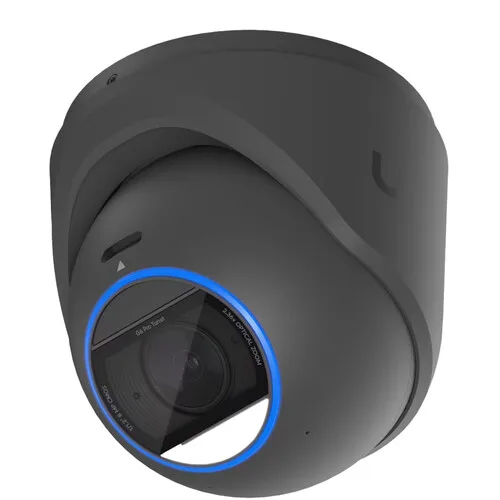
Black UniFi turret camera with a blue ring around the lens, UniFi Protect vs Hikvision NYC
A Ubiquiti product photo of a black UniFi turret camera tilted toward the viewer, with a glowing blue ring around the dark lens face and a small U logo on the body. Whatever the brand, the manufacturer replaces a failed camera like this one; the ladder, the labor and the cable are covered separately.
Outdoors in New York

Winters, Summers and Salt Air: Housing and Temperature Ratings

New York cameras live through humid August afternoons on a south-facing brick wall, January nights on an exposed Staten Island pole and salt air along the Rockaways and City Island. The manufacturer ratings tell you how much margin each camera has.

Ubiquiti rates the G6 Bullet at IP66 for water and dust and IK04 for impact, with an operating range of −20 to 50 °C, which is −4 to 122 °F. The smaller G5 Turret Ultra carries the same IP66 and IK04 ratings and a slightly colder floor of −30 °C, or −22 °F. Both housings combine aluminum alloy with polycarbonate. Hikvision rates its ColorVu turret at IP67, one step higher on water ingress, with a metal body and an operating range of −30 to 60 °C, or −22 to 140 °F.

For most New York walls, every one of those ratings is enough. The cases where we pay attention are the extremes. A camera on an unheated rooftop bulkhead or a pier faces the coldest nights, so the −22 °F floor of the Hikvision turret and the G5 Turret Ultra gives more margin than the G6 Bullet's −4 °F. A camera in direct sun on a dark wall in July can run hotter than the air, which favors Hikvision's higher top rating. And neither IK04 rating is a vandal rating: where a camera is within reach of the sidewalk, we mount it higher, use a vandal-resistant dome model, or both. Ubiquiti's own lineup includes a G6 Pro Dome it describes as an IK10-rated vandal-resistant design.

Mounting details that outlast the camera

The part of an outdoor install that fails first in this city is rarely the camera. It is the cable entry. Water follows the cable into a junction box or a hole in the brick, and a few winters later the connector corrodes. We use proper junction boxes, drip loops and sealed penetrations on both brands, and we never leave a bare connector hanging in a soffit. That work is the same price whichever logo goes on the bracket.

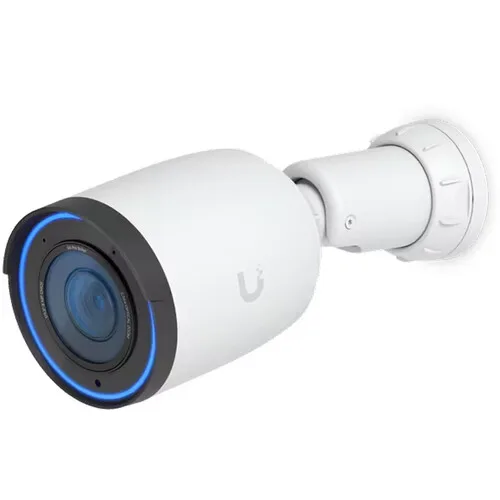
White UniFi bullet camera with a blue ring around the lens on a white bracket, UniFi Protect vs Hikvision NYC
A Ubiquiti product photo of a white UniFi bullet camera on a short white wall bracket, with a blue ring around the lens and a U logo on its side. A bullet camera with a long reach suits a deep rear yard or a driveway in Staten Island or southeast Queens, where the gate is far from the wall.
By Property

UniFi Protect or Hikvision for Each Kind of New York Property

One- and two-family houses

For a new system on a detached or semi-detached house in Queens, Staten Island or southern Brooklyn, our default is UniFi Protect: four to six cameras covering the front door, driveway, side yard and rear, a small console in the basement and the Protect app on everyone's phone. If the house already has a Hikvision system that works, we secure it and keep it. UniFi doorbells are on our UniFi price list as well, for owners who want the front door in the same system.

Brownstones and row houses

Attached houses in Park Slope, Harlem, Bed-Stuy and Astoria usually get a camera watching the front steps, another on the lower entrance under the stoop and one or two looking over the back garden, with the console or recorder down in the cellar. Cable paths are the hard part, not the brand. We lean toward UniFi for new installs and toward infrared rather than white light on rear yards that face a row of neighbors' windows.

Walk-ups and small apartment buildings

This is Hikvision's home ground in New York. Thousands of walk-ups have a Hikvision recorder in the cellar from a previous owner or super. When the system works, we recover access, update it and extend it. When it does not, or when the owner wants the managing agent, the super and the owner on one app with different permissions, we move the building to UniFi Protect, often adopting the working Hikvision cameras first.

Co-ops and condominiums

Boards ask about the Covered List more than anyone else. For a privately owned building, nothing the FCC has published orders working Hikvision equipment taken down. Many boards still choose UniFi for new work to take the question off the table at future sales and refinancings. UniFi's user roles also make it simple to give the managing agent full access and the super limited access.

Stores, delis and restaurants

Retail owners care about three things: catching what happened at the register, a screen behind the counter, and deterrence in the back lot after closing. A Hikvision recorder with a monitor and a strobe-and-siren camera on the rear door fits that list neatly. UniFi wins when the owner wants to search video by person or vehicle from a phone, or runs more than one location from one account.

Offices and medical suites

This is UniFi Protect's strongest market. Offices often already run UniFi networking, value clean user management, and frequently have a federal contract, grant or insurer that makes the Covered List relevant. We recommend UniFi in almost every office and do not add Hikvision equipment where any federal tie exists.

Warehouses, garages and parking areas

Large spaces need cameras with long reach and good optics. UniFi's G6 Pro Bullet, with its optical zoom and long infrared range, and its AI LPR camera, which Ubiquiti says is optimized for reading plates on vehicles moving up to 90 km/h, suit gates and driveways. Hikvision's ColorVu cameras are strong on a lot where color matters. For sites that serve a utility, transit agency or other critical-infrastructure function, Hikvision does not belong there.

Buildings with a government tenant or contract

A storefront leased to a city agency, a publicly funded program upstairs, a federally funded clinic or a contractor's office doing federal work: here we recommend UniFi or another brand off the Covered List, and we plan to remove existing Hikvision equipment rather than extend it.

For Owners and Agents

Landlords, Managing Agents and Multi-Building Owners

A portfolio changes the comparison. One building's camera system is a purchase; ten buildings' camera systems are an operating problem. The questions that matter become: can one person see every building, can access be given and taken away without visiting the site, can footage be pulled for a claim without driving to the cellar, and will the next super be able to use it?

UniFi Protect answers most of those well. Ubiquiti describes multi-site viewing in Site Manager, user invitations with per-camera permissions, clip export from the app and Case Manager for organizing and exporting evidence. Because Ubiquiti says there are no licensing fees at any scale, adding a building does not add a software bill. The trade-off is that each building needs a sound network for the cameras, which we design as part of the install.

A Hikvision portfolio can be run well, and we look after several. It takes more discipline: every recorder bound to an account the owner controls, firmware kept current on each one, passwords recorded centrally, and remote access set up through Hik-Connect rather than by forwarding ports on the building router. Where those habits are already in place, we keep the system. Where they are not, a move to UniFi building by building, starting with the property whose recorder is in the worst shape, is usually the most practical plan.

Owners with buildings across the city also ask about rent-stabilized and regulated buildings, tenant privacy and where cameras may point. Those questions depend on the building, the lease and current law, not on the camera brand, and we recommend checking them with your attorney or managing agent before cameras go into hallways or common areas. We keep cameras away from apartment doors and windows by default.

Installed Prices

We Install Both: Installed Prices in NYC

Every figure in this section comes from our own NYC pages, as published on the day this page was reviewed. These are installed prices for New York City, including our labor. They are not manufacturer or store prices, and we do not compare them with any.

UniFi Protect installed in NYC

Our UniFi installed price list for NYC starts a complete 4-camera UniFi system at $2,111 installed, including the recorder, a hard drive with at least 2 weeks of recording, mounting, wiring up to 100 feet per camera and phone setup, plus sales tax. The package behind that price uses four UniFi G5 Turret Ultra cameras. Individual UniFi cameras run $351 to $2,311 each installed; the G5 Turret Ultra is $351, and the 4K G6 Turret and G6 Bullet are $433 each. Recorders with setup start at $369 for the UNVR Instant, $479 for the UNVR and $699 for the UNVR Pro. Hidden in-wall wiring in hollow drywall is $200 more per camera, up to 100 feet. Those figures are an estimate to plan around; the exact quote comes after we see the property.

Our UniFi camera installation page for NYC describes the broader range for full jobs: a typical installed Ubiquiti system runs about $400 to $700 per camera including the recorder, PoE cabling, configuration and the UniFi Protect app setup, and a small 4-camera residential system often lands around $1,800 to $3,000, with larger commercial builds higher.

Hikvision installed in NYC

Our Hikvision camera installation page for NYC puts a typical installed Hikvision system at about $400 to $700 per camera, including the recorder, PoE cabling, configuration and Hik-Connect setup, with the per-camera cost dropping on larger jobs. A small 4-camera residential system often lands around $1,800 to $3,000. That page groups jobs into a small tier of $1,800 to $3,500 for four to six cameras, a mid tier of $3,500 to $8,000 for eight to sixteen cameras, and large commercial jobs from $8,000. We do not publish a separate Hikvision price list, because which Hikvision models are available changes, and the final price follows a free site visit.

How to read those numbers side by side

For a small system the two brands land in the same band once labor and cable are counted, and the deciding factors are the ones earlier on this page, not a few hundred dollars. Two things move a quote more than the logo: how hard the cable runs are, and whether existing cable and cameras can be reused. Extending a working Hikvision system with two cameras will almost always cost less than replacing it. A new system on a building with clean cable paths will usually cost about the same on either brand, and that is when we recommend UniFi Protect. If you already have a Hikvision recorder, we can quote a repair, an extension and a UniFi replacement on the same visit so you can compare them directly.

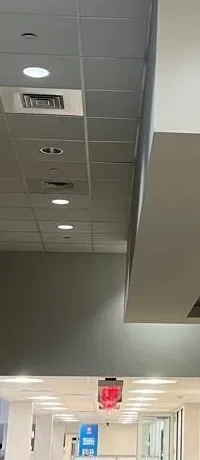
Long drop ceiling with downlights and vents beside a bulkhead, leading to a lit exit sign, UniFi Protect vs Hikvision NYC
One of our job photos, not from any single New York building: a long white drop ceiling with round downlights and air vents runs beside a grey bulkhead toward a lit red exit sign at the far end of a bright hallway. A run like this is where the cable cost, not the camera brand, decides most of the installed price.
Reality Check

What Forums and AI Answers Get Wrong About UniFi Protect and Hikvision

"A UniFi recorder will not recognize Hikvision cameras"

One of the installer blogs that ranks for this comparison says exactly that. Ubiquiti's own Help Center says the opposite, explains how to adopt ONVIF cameras, and even names the Hikvision authentication setting to change. What is true is that UniFi's smart features do not carry over to other brands' cameras.

"Hikvision is illegal to own"

The FCC says its 2026 prohibition on import and marketing "will not affect the continued use or operation of already-purchased communications equipment," and Hikvision's Covered List entry is tied to public safety, government facilities, critical infrastructure and national security uses. A private owner may keep using a Hikvision system. Federal contractors and buildings with government links are a different case.

"UniFi has no subscription, so it has no costs"

There are no Ubiquiti licensing or cloud fees, by Ubiquiti's own statement. There are still drives that wear out, a PoE switch that a Hikvision recorder would have built in, and the occasional service visit. Those are real costs on every system.

"Hikvision cameras are always better"

Hikvision's ColorVu cameras lead on color video at night, and its catalog is far larger. But the G6 Pro Bullet matches the ColorVu turret's sensor size and adds optical zoom, and UniFi's face, plate and sound search goes beyond what most Hikvision systems we see are configured to do. "Better" depends on what you need the camera to do.

"UniFi is only for tech people"

UniFi's reputation started with network engineers, and its networking side still assumes some knowledge. The Protect app itself is the one we find easiest to hand to a family or a front desk. Someone does need to set up the network properly once, which is the part we do.

"You have to choose one brand forever"

Not with these two. UniFi Protect can carry working Hikvision cameras while a building moves over, and both systems run on ordinary network cable that any future system can reuse.

Already Have a Hikvision or UniFi System? Start Here

The quickest way to get a useful answer from us is three pictures: the label on the recorder or console, a photo of one camera from the ground, and a screenshot of the app if it still opens. Count the cameras and note which ones show a picture, and send the pictures by text or WhatsApp. One look at that label usually tells us the model, its age and whether it can be updated, and on the phone we can tell you whether you are looking at a fix, an extension, a staged move to UniFi Protect or a fresh start. Locked out? Please skip the factory-reset tricks posted online; on either system a reset can erase settings and recordings you still need, and there is usually a safer way back in. Still comparing? See our best security camera brands comparison, our Hikvision vs Dahua comparison and our Lorex vs Reolink comparison.

Get In Touch

Request a Free Quote

Tell us the address or nearest cross streets, the kind of building, what you have now, how many cameras you want and where, and whether the building has any government tenant or federal contract. An installer phones you back with a recommendation and an installed price for UniFi Protect, Hikvision or both, or call us directly at (800) 486-0943.

✅
Request Sent!
Received. One of our installers will phone you inside 2 hours on business days to talk through UniFi Protect, Hikvision or both.
Our Process

How We Plan a UniFi Protect or Hikvision Install

1. Walk the property

We walk every door, yard, hallway and lot the owner wants covered and note mounting heights, light at night and where cable can run.

2. Read what is there

Any existing recorder, console and camera is identified by its label, firmware is checked, and each cable run is tested before anything is reused.

3. Ask about the building

We ask who occupies the building, whether a government or public-safety tenant is involved, and whether a federal contract, grant, lender or insurer has raised the Covered List.

4. Plan the network

For UniFi we design the PoE switch and a separate camera network; for Hikvision we size the recorder's PoE ports and keep it off the open internet.

5. Quote the options

The written quote lays out a UniFi Protect system, a Hikvision repair or extension, and a staged move where it fits, using our published installed prices.

6. Install and adopt

Cameras are mounted, cable is sealed at every outdoor entry, and each camera is adopted into Protect or added to the Hikvision recorder and named clearly.

7. Tune alerts and retention

Detection zones, notification schedules, privacy masks and recording settings are tuned so the system keeps at least the days the owner needs.

8. Hand over in writing

The owner gets the main account, a second owner-controlled login, a test clip export and a written record of every setting we changed.

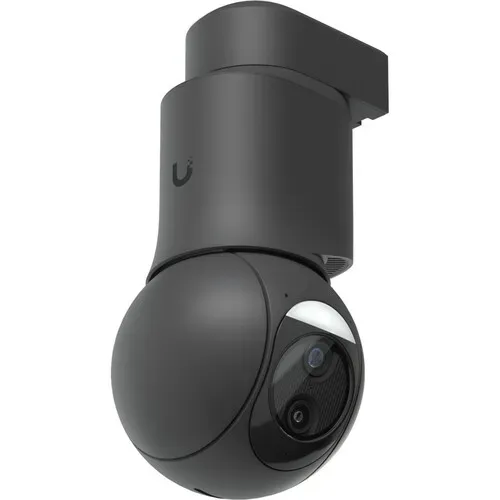
Black UniFi pan-tilt-zoom camera hanging from a black pendant mount, UniFi Protect vs Hikvision NYC
A Ubiquiti product photo of a black UniFi pan-tilt-zoom camera: a round black head with a light bar and two lenses hangs below a black pendant arm with the U logo near the top. A camera like this covers a whole parking area or loading dock, and planning its mount and cable is step one of our process.
FAQ

UniFi Protect vs Hikvision FAQ

Which is better for a New York home or business, UniFi Protect or Hikvision?
+

For a new system, UniFi Protect, because the recording software has no licensing fees, the app is simple, and Ubiquiti is not on the FCC Covered List. Hikvision is the better choice when a working Hikvision recorder is already in a private building, or when color video at night is the top priority.

Is Hikvision vs UniFi Protect the same comparison as UniFi Protect vs Hikvision?
+

Yes. People search the two names in both orders, and they mean the same thing. Rather than split the answer across two pages, we keep every spec, federal note and installed price for this pair here.

Does UniFi Protect charge a monthly fee?
+

No. Ubiquiti says licensing is $0 whether you run 4 or 4,000 cameras, with no cloud fees, subscriptions or paid AI add-ons, and calls remote access a free, optional feature. You still buy the hard drives, and cloud archiving uses your own Google Drive, Dropbox or OneDrive space.

Do I need a UniFi recorder to use UniFi cameras?
+

You need a UniFi console running Protect: a Cloud Gateway or CloudKey+, which Ubiquiti rates for up to 20 HD or 7 4K cameras, or a UniFi Network Video Recorder for more. You also need storage and PoE power. Ubiquiti's new G6 Edge cameras add built-in storage and can run without a recorder.

Can I add my existing Hikvision cameras to UniFi Protect?
+

Usually yes. Ubiquiti's Help Center explains how Protect adopts ONVIF cameras and names a Hikvision setting to change, Open Network Video Interface Authentication set to Digest and ws-username. Live view, playback, motion, PTZ control and audio work; UniFi's smart detections and other advanced features do not.

Can UniFi cameras record to a Hikvision recorder?
+

Ubiquiti does not document that, and we do not plan systems around it. If you are keeping a Hikvision recorder, add Hikvision cameras or another maker that documents ONVIF support for that recorder. If you want UniFi cameras, put in a UniFi console.

Is Hikvision banned in the United States?
+

Not for private owners using equipment they already have. Hikvision is on the FCC Covered List for public safety, government facility, critical infrastructure and national security uses, and a June 2026 FCC notice prohibits continued import and marketing for those uses, but the FCC says it does not affect continued use of equipment already purchased.

Is UniFi on the FCC Covered List?
+

No. Ubiquiti does not appear on the FCC's Covered List as updated November 6, 2026. Ubiquiti also marks the G6 Bullet, G5 Turret Ultra and UNVR as NDAA Compliant on its own spec pages; if a contract needs documentation, we request the manufacturer's letter for your exact models.

Which gives a better picture at night, UniFi or Hikvision?
+

For color after dark, Hikvision's ColorVu turret leads, with an F1.0 lens, color rated at 0.0005 lux and white light to 30 meters. UniFi uses infrared, 30 meters on the G6 Bullet and up to 60 meters with Vision Enhancer on the G6 Pro Bullet, whose 1/1.2-inch sensor matches the Hikvision turret's.

How long is the warranty on UniFi and Hikvision?
+

Ubiquiti gives two years from delivery on products bought from its own webstore and one year from shipment to the dealer on products bought through a reseller, replacing with new or refurbished units. Hikvision's US table lists 60 months on professional cameras and 9 Series recorders and 36 months on value lines, claimed through distributors.

Does a UniFi recorder power the cameras the way a Hikvision PoE recorder does?
+

Not the four-bay UNVR, which has no PoE ports, so UniFi systems normally add a UniFi PoE switch. Many Hikvision recorders, like the eight-port model we compared, power cameras directly. The small UNVR Instant on our price list has three PoE ports.

What does each system cost installed in NYC?
+

Our UniFi price list starts a complete 4-camera system at $2,111 installed in NYC, plus sales tax, with cameras from $351 each. Our Hikvision page puts a typical system at about $400 to $700 per camera installed and a small 4-camera system around $1,800 to $3,000. Exact prices follow a look at the property.

Should our co-op or building replace a working Hikvision system with UniFi?
+

The FCC does not require a private building with no government tenant to remove working Hikvision equipment. Many boards still move to UniFi for new work to avoid the question at sales and refinancings, often adopting the good Hikvision cameras first. With a government tenant or contract, plan the replacement.

White mini dome camera at a ceiling edge above a brown slatwall with cables running down, UniFi Protect vs Hikvision NYC
From our job photo files, not a specific New York shop: a white mini dome camera sits at the edge of a dark drop ceiling above a brown slatwall, with cables running down the wall to a box and a bright light panel overhead. Inside a shop like this, a clear view of the counter matters more than any brand feature.

Ready to Choose Between UniFi Protect and Hikvision?

Tell us what is on the wall now, what the building is used for and what you want to see, and we will give you a straight answer: keep and secure what you have, extend it, move it to UniFi Protect in stages, or start fresh. Call or text (800) 486-0943, send a WhatsApp photo of your recorder or console label, or fill in the request form. We are a licensed low-voltage contractor (NYS #12000287431), owner-operated since 2002, rated 4.7★ across 201 Google Reviews, and every request is booked within 2 hours.