Night Color, Smart Detection, Deterrence, Recorders, Apps, Warranty and Federal Rules · Also Searched as Dahua vs Hikvision · Updated November 2026
Hikvision vs Dahua is a near tie on the camera itself, so the deciding question in 2026 is support: Hikvision is the better pick when you already own a Hikvision recorder and want to keep it running, because its US warranty table and dealer channel are still published, while Dahua is the better pick only for owners keeping an existing Dahua system alive, since Dahua's American operations now run as Luminys.
Quick answer: Both brands make 8MP color-at-night cameras with an F1.0 lens, human and vehicle detection, microSD slots up to 512 GB, ONVIF Profile S, G and T, PoE power and IP67 housings, and both sit on the FCC Covered List for government, public safety and critical-infrastructure uses. For a private home or shop in New York, keeping or expanding what you already own is usually the cheapest sound decision. For a new system on a building with any government link, we fit a brand that is not on the list. Our NYC brand pages put a small four-camera Hikvision or Dahua system at roughly $1,800 to $3,000 installed, and a four-camera Luminys system starts from $2,591 on our price list. We book requests within 2 hours.
Most people who type this comparison into a search bar are not shopping from zero. A Flatbush landlord has a Hikvision recorder in the basement that a previous super installed and wants to know if adding four cameras is still allowed. A deli owner on a Bronx avenue has a Dahua kit with the red and blue flashing lights and has read online that Dahua is "gone" from America. A co-op board in Forest Hills has been told by a shareholder that both brands are "banned" and that the whole lobby system has to come down. Each of those people needs a different answer, and the forum threads that rank for this pair rarely give it, because most were written for buyers in Australia, Spain or the United Kingdom. This page lines the two brands up the way those New York conversations actually go: what each camera does after dark, how the detection and deterrence features compare, what the recorders and apps are like to live with, how each company's equipment has fared on security, who stands behind the warranty in the United States, and what the FCC changed in June 2026. Specifications come from Hikvision's and Dahua's own product pages and Hikvision's US warranty page, read in November 2026. The federal material comes from the FCC's Covered List page, the FCC's June 26, 2026 Public Notice, the Federal Register and the federal acquisition clause that carries Section 889. The opinions come from installing and servicing both brands in the five boroughs.
Reviewed and updated November 11, 2026, against Hikvision's product pages for the DS-2CD2387G2-LSU/SL and DS-2CD2387G2-LU ColorVu turrets, its ColorVu 3.0 and Pro Series pages, its DS-7608NXI-K2/8P recorder page and its US RMA warranty policy; Dahua's product pages for the IPC-HDW3849H-AS-PV-PRO WizColor TiOC PRO eyeball, its network camera range and TiOC 2.0 pages, and its NVR4108HS-8P-EI recorder page; the FCC's Covered List page (list dated November 6, 2026) and its importation and marketing prohibition table; the FCC's Public Notice DA 26-635 of June 26, 2026 and its Federal Register summary of July 6, 2026; FAR clause 52.204-25 on acquisition.gov; the National Vulnerability Database entries for CVE-2021-36260 and CVE-2021-33044 with their CISA Known Exploited Vulnerabilities listings; the Luminys letter announcing the transition of Dahua Technology USA's operations; and a live search of what ranks for "hikvision vs dahua" (a Reddit r/Dahua thread, VueVille, CCTV Camera World, IP camera forums and installer blogs among them). Installed prices come from our own NYC Hikvision, Dahua and Luminys pages. Anything a manufacturer or government page would not confirm is marked as unconfirmed rather than filled in. · Reviewed by Abstract Enterprises Security Systems, NYS license #12000287431, for installs run out of 1282 Troy Avenue, Brooklyn
Owner-operated since 2002 · Thousands of jobs completed · Booked within 2 hours
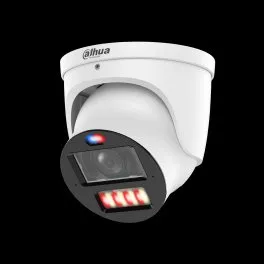
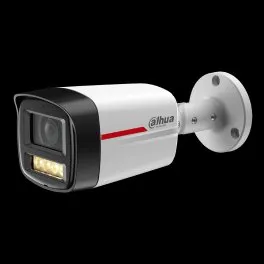
The two-minute version. Hikvision and Dahua are the two large Hangzhou camera makers whose equipment fills a remarkable share of New York's basements, lobbies and storefront ceilings. Their professional cameras are close cousins on paper. Hikvision's DS-2CD2387G2-LSU/SL is an 8MP turret with an F1.0 lens, white light out to 30 meters, a strobe and a speaker, a microSD slot up to 512 GB and an IP67 metal housing. Dahua's IPC-HDW3849H-AS-PV-PRO is an 8MP eyeball with an F1.0 lens, infrared and warm light out to 30 meters on the 2.8 mm lens, red and blue warning lights and a speaker, a microSD slot up to 512 GB and an IP67 housing. Put one of each on the same alley wall and most owners would struggle to say which picture came from which brand. That is why the honest comparison in 2026 is not really about pixels.
It is about three things that sit outside the camera. The first is federal status. Both companies have been on the FCC's Covered List since March 12, 2021, for equipment used for public safety, government facilities, critical infrastructure and other national security purposes. In June 2026 the FCC went further and prohibited the continued importation and marketing of already-authorized covered equipment for those purposes, while saying plainly that people may keep using equipment they already own. The second is the company behind the box in the United States. Hikvision still publishes a US warranty table with up to 60 months on its professional cameras and recorders. Dahua's American operations were transferred to Luminys Systems Corporation, which says it honors Dahua Technology USA's existing warranties and service agreements. The third is the security history of the equipment on your wall, because each brand has a flaw in the federal catalog of vulnerabilities known to be exploited, and an unpatched recorder is a real risk whatever logo is on it.
So the rule we give New York owners is short. If you have a working Hikvision or Dahua system in a private home, shop or apartment building with no government tenant, you can keep using it, and repairing or extending it is often the cheapest sound choice, as long as the firmware is current and the recorder is not exposed to the internet. If you are starting from nothing, we would rather quote a brand that is not on the Covered List, and we will show you that price next to what a Hikvision or Dahua extension would cost. If the building has any federal, state or city tie, a public safety function, or a lender or insurer asking about the Covered List, we do not install either brand there. Between the two, Hikvision is the easier one to support for the long haul in the United States today, and Dahua remains a sound camera for owners who already have it. The rest of this page explains each edge of that rule.
Neither company sells one fixed "system," and both catalogs run to hundreds of models, so we compared one current 8MP color-at-night camera from each that matches what we are asked to service most, one eight-port PoE recorder from each, the software each names on its own pages, the published warranty and the federal status. On the Hikvision side that is the DS-2CD2387G2-LSU/SL turret and the DS-7608NXI-K2/8P recorder. On the Dahua side it is the IPC-HDW3849H-AS-PV-PRO eyeball and the NVR4108HS-8P-EI recorder. Every cell comes from Hikvision's, Dahua's or the federal government's own pages. Our installed prices sit in their own section further down.
| What we compared | Hikvision | Dahua |
|---|---|---|
| Camera compared | DS-2CD2387G2-LSU/SL, "8 MP ColorVu Strobe Light and Audible Warning Fixed Turret Network Camera" | IPC-HDW3849H-AS-PV-PRO, "8MP WizColor TiOC PRO Fixed-focal Eyeball WizSense Network Camera" |
| Resolution and sensor | 3840 × 2160 on a 1/1.2-inch sensor; 24 fps at full resolution on 60 Hz power | 3840 × 2160 on a 1/1.8-inch sensor; up to 30 fps on the main stream |
| Night picture | ColorVu: F1.0 lens, color at 0.0005 lux, white light up to 30 m, 24/7 color imaging | WizColor: F1.0 lens, color at 0.0004 lux, two illuminators mixing infrared and warm light, each up to 30 m on the 2.8 mm lens |
| Field of view (2.8 mm) | 102° horizontal | 109° horizontal |
| Active deterrence | Strobe light and audible warning; built-in 1.5 W speaker, 95 dB at 10 cm | Red and blue warning lights and alarm sounds; built-in speaker, up to 110 dB at 10 cm in Dahua's lab test |
| Smart detection | Line crossing, intrusion, region entrance and exit, filtered to human and vehicle targets | Tripwire, intrusion, loitering and stay detection, face detection, smart motion detection |
| Storage in the camera | microSD up to 512 GB; NAS | microSD up to 512 GB; NAS, FTP, SFTP |
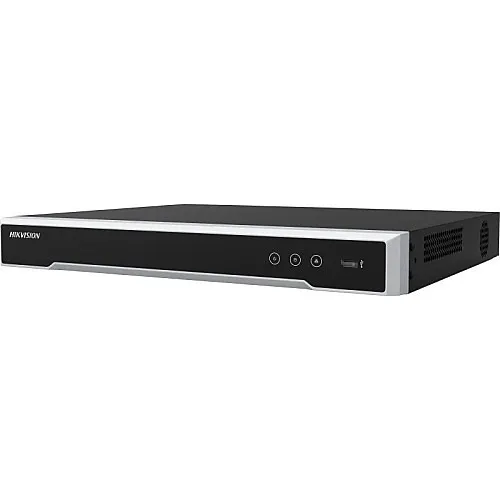
| Eight-port PoE recorder | DS-7608NXI-K2/8P: 8 channels, 80 Mbps incoming, 4K HDMI, records up to 12MP; listed as discontinued on one Hikvision regional page | NVR4108HS-8P-EI: 8 channels, 256 Mbps, cameras up to 16MP, one drive bay up to 20 TB |
| Open standards | ONVIF Profile S, G and T, plus ISAPI and an SDK | ONVIF Profile S, G and T, plus CGI and an SDK |
| Power and housing | 12 VDC or 802.3af PoE, 8.5 W max; metal body; IP67; −22°F to 140°F | 12 VDC or 802.3af PoE, 10 W max with everything on; IP67; −40°F to 140°F |
| Apps and software | Hik-Connect on the phone; iVMS-4200 and HikCentral on a computer | DMSS on the phone; SmartPSS Lite and DSS on a computer; DoLynk Care listed |
| US warranty | Published US table: 60 months on professional IP cameras and 9 Series recorders, 36 months on value cameras and 7 Series recorders; claims run through authorized distributors | Dahua Technology USA's operations moved to Luminys, which says it honors existing Dahua USA warranties and service agreements |
| Known exploited flaw (CISA list) | CVE-2021-36260, command injection, added January 10, 2022; fix is a firmware update | CVE-2021-33044, login authentication bypass, added August 21, 2024; apply mitigations or stop using the device |
| FCC Covered List | Listed March 12, 2021, for public safety, government facilities, critical infrastructure and national security uses | Listed March 12, 2021, with identical scoping language |
| 2026 import and marketing rule | Prohibited for the listed purposes since the FCC's June 26, 2026 notice took effect; existing equipment may still be used | Same |
| Best for | Owners keeping a working Hikvision recorder in a private building, and anyone who wants a published US warranty term on what they already have | Owners keeping a working Dahua system, especially storefronts that rely on the red and blue deterrence lights |
Two cells in that table deserve a second look before anyone draws a conclusion from them. The frame rates are not a like-for-like contest: Hikvision lists 24 frames per second at full 4K resolution on the 60 Hz power used in the United States, and Dahua lists up to 30 frames per second on its main stream while noting that several streams together are limited by the camera's total encoding capacity. For a front door or a stairwell, both are far more than a person walking needs. The recorder row is also not an even match, because the Hikvision recorder we picked is the eight-port model we find most often in buildings, and one Hikvision regional page now lists that exact model as discontinued. The Dahua recorder is a newer design with a bigger single drive. What the table does show clearly is how alike the two catalogs are in the parts that matter on a New York wall: the lens, the light, the housing, the open video standards and the power.
No part of the Hikvision vs Dahua question causes more confusion in New York than the federal rules, and no part is more often explained badly. Forum posts swing between "nothing has changed" and "both brands are illegal now." Neither is right. There are three separate federal layers, each with its own reach, and the brands are treated identically under all three. Here they are in the order they arrived.
Section 889 of the John S. McCain National Defense Authorization Act for Fiscal Year 2019 is carried into federal contracts by clause 52.204-25 of the Federal Acquisition Regulation. That clause defines covered equipment to include, "for the purpose of public safety, security of Government facilities, physical security surveillance of critical infrastructure, and other national security purposes, video surveillance and telecommunications equipment produced by Hytera Communications Corporation, Hangzhou Hikvision Digital Technology Company, or Dahua Technology Company (or any subsidiary or affiliate of such entities)." Two prohibitions follow. A contractor may not provide the government any equipment, system or service that uses covered equipment as a substantial or essential component. And under the second part, the prohibition "applies to the use of covered telecommunications equipment or services, regardless of whether that use is in performance of work under a Federal contract." The clause also flows down into subcontracts.
In everyday terms, Section 889 is aimed at the federal government's own buying and at the companies that sell to it. A private homeowner in Bay Ridge is not a federal contractor. A medical practice in Midtown that bills federal programs, a construction company with a federal job in the pipeline, or a nonprofit with a federal grant may well be bound by contract terms that reach the cameras in their own offices, and those owners should read their agreements or ask their contracting officer before buying either brand.
The FCC keeps a list of communications equipment and services that a national security agency or Congress has found to pose an unacceptable risk. On March 12, 2021, it added "video surveillance and telecommunications equipment produced by Dahua Technology Company, to the extent it is used for the purpose of public safety, security of government facilities, physical security surveillance of critical infrastructure, and other national security purposes, including telecommunications or video surveillance services provided by such entity or using such equipment." The Hikvision entry, for Hangzhou Hikvision Digital Technology Company, has the same date and the same words. A footnote on the FCC page adds that the listing should be read to include subsidiaries and affiliates. The list we read was dated November 6, 2026, and both entries were unchanged.
The phrase that matters is "to the extent it is used for the purpose of." These are use-based entries. Other entries on the same list, such as the ones for Huawei and ZTE telecommunications equipment, are not limited that way. For Hikvision and Dahua, the FCC tied the listing to what the equipment is used for. That is why we keep telling private owners that the list is not, by itself, an instruction to rip out a working system.
Almost every electronic device sold in the United States needs an FCC equipment authorization. In its 2022 rules, the FCC stopped new authorizations for covered equipment. For the use-based entries, the FCC's June 2026 notice explains how that played out: new authorization applications from those manufacturers "are generally prohibited until those manufacturers have submitted, and received Commission approval for, compliance plans," and "the Commission has yet to approve any such compliance plans," partly because a federal appeals court in 2024 upheld the FCC's order but sent back its definition of "critical infrastructure" to be rewritten.
That left a gap: equipment authorized before the 2022 rules could still be imported and marketed. On June 26, 2026, the FCC's Public Safety and Homeland Security Bureau and Office of Engineering and Technology closed most of it in Public Notice DA 26-635. The notice prohibits "the continued importation and marketing of certain previously authorized covered equipment added to the Covered List in 2024 or earlier," effective ten days after Federal Register publication. The summary appeared in the Federal Register on July 6, 2026, so the rule took effect in mid-July. For use-based listings like Hikvision's and Dahua's, the FCC wrote that importation and marketing "will only be prohibited if imported or marketed for the purpose of" public safety, government facilities, "other national security purposes," and physical surveillance of critical infrastructure, with that last purpose suspended until the FCC adopts a new definition of critical infrastructure.
The same notice is equally plain about people who already own the equipment: the prohibition "will not affect the continued use or operation of already-purchased communications equipment." The Federal Register summary puts it in consumer terms: people "may continue to use any device or equipment that they currently possess, if the equipment was legally purchased and maintains an existing equipment authorization." It also explains why replacements are caught: "Allowing imports and marketing replacements for existing covered equipment would defeat the entire purpose of this prohibition." Hikvision argued in the proceeding that the FCC lacked authority to do this; the FCC noted its "continued disagreement" and went ahead.
For a family in a semi-detached house in Marine Park with a Hikvision recorder in the den, nothing in the three layers stops them from using it, and nothing requires them to remove it. For a deli in Jackson Heights with a Dahua kit over the register, the same is true. For a building that houses a city agency office, a public school program, a police-related tenant, a utility facility or a federal contractor, the picture changes quickly, because those are exactly the uses the listings name. Those owners should plan to move to a brand that is not on the list, and we will not install new Hikvision or Dahua equipment there.
The part that does affect ordinary owners is supply. When the authorization door closed in 2022 and the import and marketing door narrowed in 2026, the practical availability of new Hikvision and Dahua cameras and recorders through ordinary US channels became less predictable. We do not claim to know which individual models any distributor still stocks on a given day, and we will not guess on this page. What we can say is that when a camera on a Hikvision or Dahua system fails, we check what is available legally and in stock for that purpose before quoting a like-for-like swap, and if the answer is unclear, we quote an ONVIF camera from another maker that the existing recorder can still record.

For most of the last decade, a New York installer buying Dahua equipment was buying through Dahua Technology USA, the company's American arm, with its own sales, support and warranty desk. That arm no longer operates under the Dahua name. In a letter that installers shared online, Luminys Systems Corporation announced that it had "completed the transition of Dahua Technology USA's operations to Luminys Systems Corporation," and promised that it "will honor all existing Dahua Technology USA commitments, including warranties and service agreements." Trade press reported Luminys as a subsidiary of Foxlink, a company based in Taiwan, and later reported that Luminys was cleared to market its equipment in the United States again once Dahua USA had been dissolved, after an FCC review. Our own Luminys camera installation page covers that history in more detail.
This is not the first time Dahua has stepped back from an American brand. Dahua previously owned Lorex, the home camera brand sold in big-box stores, and announced its sale to Skywatch, a privately held cloud company headquartered in Taiwan, for around 72 million US dollars. We cover what that means for Lorex owners on our Lorex vs Reolink comparison.
Put together, the practical result for a New York owner is this. If you have a Dahua-branded recorder and cameras, the equipment keeps working, the DMSS app and SmartPSS software still exist on Dahua's site, and the company that took over the American business says it is honoring the warranties and service agreements it inherited. What you no longer have is a Dahua-branded US company growing the Dahua line for American buyers. Hikvision, by contrast, still publishes a US-specific warranty and return policy on its US site, with terms by product category and a named returns process through its authorized distributors. That difference in who stands behind the product is the main reason we lean toward Hikvision when an owner asks us which of the two is easier to keep supported, even though neither is our first choice for a brand-new system.
Owners ask this constantly, and it deserves a careful answer rather than a slogan. Luminys took over the people and operations of Dahua's American business and honors its warranties, so the history is shared. Luminys also sells its own camera and recorder lines, with names like LumiLuxSmart, LumiNightKing and LumiColor on our Luminys price list for NYC, and it is under Taiwanese rather than Chinese ownership. Whether that is enough for a particular board, lender or insurer is their call, not ours. What we can tell you is that a Luminys system does not carry the Covered List entry that Dahua Technology Company's equipment carries, which is why it is one of the brands we quote when a Dahua owner wants to replace rather than repair.
If you are buying a brand-new system from nothing, we start with brands that are not on the FCC Covered List: our own non-branded recorder systems, Luminys, Uniview, Hanwha or UniFi, depending on the building. The cameras are comparable for most New York jobs, the prices on our lists are in the same range as a Hikvision or Dahua build, and you avoid every future conversation with a board, a buyer's lawyer or an insurer about the list. If your building has any government, public safety or critical-infrastructure connection, the answer is neither, full stop. And if your Hikvision or Dahua recorder is old enough that its firmware can no longer be updated against the flaws in the federal catalog of exploited vulnerabilities, we will recommend replacing the recorder even if the cameras stay.

Both companies built their reputations in the last few years on one promise: color video in the dark, instead of the gray infrared picture older cameras gave you. In New York that promise matters more than the spec sheets suggest, because a police detective, an insurance adjuster or a landlord's lawyer wants to know the color of a jacket, a car or a bag, and a black-and-white clip cannot tell them. Each brand gets there with a very wide lens opening, a sensitive sensor and a light of its own, but they light the scene differently.
Hikvision calls its approach ColorVu, and the current generation ColorVu 3.0. Its technology page lists an F1.0 "super large aperture," what it calls active alignment, AI wide dynamic range that switches itself on according to the brightness of the scene, 3D LUT color correction for accurate color, and what it calls Super Confocal Technology, so the same lens stays sharp under visible and infrared light. Hikvision says that with ColorVu 3.0, cameras rely "less on supplemental light in darkness." On the DS-2CD2387G2-LSU/SL we compared, that adds up to a color sensitivity of 0.0005 lux at F1.0, zero lux with its white light on, and a white light that reaches up to 30 meters. The sensor is a large 1/1.2-inch chip, which helps it gather light. Hikvision describes the result simply as "24/7 colorful imaging."
The cost of that approach is the light itself. A camera that leans on white light glows when it fires, and on a narrow Brooklyn side yard or a Queens driveway that faces a neighbor's bedroom window, a white light that comes on every time a cat walks past is a fast way to start a feud. Hikvision's Smart Hybrid Light technology, listed in its ColorVu family, lets a camera run infrared until something worth seeing happens and then switch to white light for color. On the models that offer it, we set exactly that, and we aim the light so it covers your property and not the neighbor's.
Dahua calls its color-at-night approach WizColor, and its three-in-one cameras TiOC. The IPC-HDW3849H-AS-PV-PRO we compared also uses an F1.0 lens, with a color sensitivity of 0.0004 lux and zero lux with its illuminator on. Instead of one white light, it carries two multi-core illuminators that combine infrared and warm light, each reaching up to 30 meters on the 2.8 mm lens and up to 40 meters on the 3.6 mm version. The sensor is a 1/1.8-inch chip, smaller than the Hikvision turret's. On its camera range page, Dahua also promotes a newer WizColor 2.0 generation with an F0.8 aperture that, in Dahua's words, "captures 1.6 times more light than F1.0." We have not tested that generation on a New York job, so we pass it on as Dahua's claim rather than ours.
The warm light is the part neighbors notice. A warmer tone is less harsh than a cold white floodlight, which can make Dahua's approach easier to live with on a residential block. The trade is that warm light changes how colors read on camera, so we spend a few minutes at handover walking a family member through the yard so they can see how a red jacket and a blue jacket actually look on the recorder at midnight.
On paper the Hikvision turret has the larger sensor and the Dahua eyeball has the slightly better listed sensitivity and the wider field of view, 109 degrees against 102 degrees on the 2.8 mm lens. On the wall, the bigger differences come from things neither spec sheet controls: a streetlamp shining straight into the lens, a dirty dome, a camera mounted too high to see faces, or a recorder set to a low bit rate to save drive space. We have pulled clear, usable color footage at night from both brands, and we have pulled useless footage from both brands where the camera was badly placed. If color at night is your main concern, the most important decision is where the camera goes and how the light is aimed, not which logo is on it.

The single biggest complaint we hear from owners of older camera systems of any brand is the phone that buzzes forty times a night because a tree moved, headlights swept across the wall or rain hit the lens. Both companies answered that complaint the same way, by putting a person-and-vehicle classifier in the camera. Hikvision brands it AcuSense; Dahua brands it WizSense. The names are different, the goal is the same.
The Hikvision turret we compared lists line crossing, intrusion, region entrance and region exit as smart events, each of which can be set to trigger only on "specified target types (human and vehicle)," along with ordinary motion detection with the same filter and face capture. On its Pro Series page, Hikvision says its newest version, AcuSense 3.0, "reduces typical false alarms—such as lights reflecting on stationary vehicles—by up to 90%," and pairs with back-end tools it calls AcuSeek and AcuSearch for faster searches by text and image. That 90 percent figure is Hikvision's claim, not a measurement of ours. The recorder we compared, the DS-7608NXI-K2/8P, adds its own analysis: perimeter protection with human and vehicle recognition on two channels at 4MP, and what Hikvision calls Motion Detection 2.0 on all channels.
The Dahua eyeball we compared lists tripwire, intrusion, stay detection, loitering detection, face detection, audio detection, scene changing and what it calls SMD, Dahua's smart motion detection, among its alarm events. Loitering and stay detection are useful extras in New York, where the problem at a store gate or a building vestibule is often not someone passing through but someone who settles in for an hour. Dahua's WizSense recorders, like the NVR4108HS-8P-EI, add face recognition at the recorder level.
The classifier only helps if the zones are drawn well. On a typical brownstone stoop we draw the line across the top step, not the sidewalk, so a passing dog walker never triggers an alert but a person climbing to the door always does. On a storefront we set the intrusion zone to the space between the gate and the glass after closing hours only, so customers do not set it off during the day. In a lobby we use line crossing on the inner door so the camera alerts on people entering, not people leaving. On either brand, the tuning takes longer than the mounting, and it is the part most do-it-yourself installs skip. It is also the part that decides whether you keep checking the alerts or switch them off in the first month.

The newest selling point for both brands is a camera that does something when it sees a person: flashes a light, plays a warning or lets you speak through it. For shop owners on commercial strips, it is often the feature they ask about first.
The DS-2CD2387G2-LSU/SL carries the words "Strobe Light and Audible Warning" in its name. Hikvision lists an "active strobe light and audio alarm to warn intruders off," built-in two-way audio, a 1.5-watt speaker rated at 95 decibels at 10 centimeters, a microphone, and one alarm input and one alarm output for wiring to a separate siren, a door contact or an alarm panel. Hikvision's ColorVu page pairs ColorVu with a feature it calls Live Guard, where cameras "deter trespassers with visual and auditory warnings while sending notifications to users remotely."
The IPC-HDW3849H-AS-PV-PRO advertises "Red & Blue Warning Lights and Alarm Sounds for Active Deterrence" and a "Built-in Dual Mic & Speaker" for real-time talk. Dahua lists its speaker at up to 110 decibels at 10 centimeters, noting that this is a laboratory figure. Its TiOC 2.0 page describes customized sounds and a light alarm to warn a target in the area, and names fire exits and emergency exits among the typical places for it. The red and blue flash is the feature that gives Dahua's TiOC cameras their recognizable look, and on a dark gate it reads to a passer-by as "this place is watched" in a way a plain dome does not.
Deterrence is the easiest feature to get wrong in New York. A siren or a recorded warning that fires at 2 a.m. on a block of attached houses is a noise complaint waiting to happen, and a red and blue light can look uncomfortably like a police car to a neighbor across the street. Our rule on either brand is to schedule it: lights and sound only during closed hours for a store, only on a zone that is clearly private property, and at a volume that a person standing at the gate hears but the apartment upstairs does not. We leave sound off entirely on cameras that face a shared yard or a neighbor's door. And we test it with the owner standing at the curb, so they know exactly what a passer-by experiences before we leave.

Both brands are built around the same idea: cameras on network cable, powered over that cable, recording to a network video recorder with a hard drive in a closet, a basement or a locked cabinet. There is no monthly fee in that design. Video stays on the property, and you watch it on a phone through the brand's app or on a monitor plugged into the recorder.
The DS-7608NXI-K2/8P is described by Hikvision as an "8-ch PoE 1U K Series AcuSense 4K NVR." It accepts eight IP cameras, has 80 megabits per second of incoming bandwidth, a 4K HDMI output and a VGA output, two-way audio, and records cameras up to 12MP. Its decoding capacity with AI turned on is listed as one camera at 12MP, two at 8MP, four at 4MP or eight at 1080p, all at 30 frames per second. On Hikvision's Saudi regional page that exact model is now marked "Discontinued," which tells you something about how quickly these product lines turn over; it is still the model we find most often in eight-camera buildings.
The NVR4108HS-8P-EI is Dahua's eight-channel compact recorder with eight PoE ports and one drive bay that takes a drive up to 20 terabytes. Dahua lists 256 megabits per second of bandwidth, support for cameras up to 16MP, and decoding of sixteen 1080p streams or four 8MP streams at 30 frames per second, along with face recognition.
The number that matters more than either spec sheet is how many days of video the drive holds before it starts writing over the oldest footage. That depends on the number of cameras, their resolution, the compression, whether they record all the time or only on events, and the size of the drive. Both brands support H.265 and their own smarter compression modes, which Hikvision calls H.265+ and Dahua calls Smart H.265+, and both cut drive use a great deal compared with older H.264 recording. When we take over a building's existing system, the first thing we do is open the recording settings and work out the real number of days, because we regularly find recorders set up to keep three or four days when the owner believed it was a month. On our new installs we size the drive so the system keeps at least two weeks.
Each camera we compared also takes a microSD card up to 512 GB. Hikvision calls the feature that uses it auto network replenishment: if the cable to the recorder is cut, the camera keeps recording to its card and fills the gap on the recorder later. It is a small extra cost per camera, and on a building where someone might pull the recorder's network switch, it is worth it on either brand.

For most owners, the app is the system. It is what you open when the doorbell rings at the store, when a tenant reports a broken mailbox or when a precinct detective asks for a clip. Both brands offer a free phone app and free desktop software, and both work with the recorder in the closet without a cloud subscription for basic viewing.
Hikvision's camera pages list Hik-Connect as the client for phones, iVMS-4200 for a Windows computer, and HikCentral for larger sites. The turret we compared supports up to 32 users in three levels, administrator, operator and user, which is exactly the structure a building needs: the owner as administrator, the managing agent and super as operators, and tenants, if any, as users limited to their own entrance camera. Hik-Connect is the app we are asked about most on service calls, usually after an owner changes phones or forgets the account password, which is why we run a separate Hik-Connect app support service.
Dahua's camera page lists DMSS as the phone app, SmartPSS Lite and DSS as computer software, and DoLynk Care. The eyeball we compared supports up to 20 users. In our experience DMSS is quick to learn and the playback timeline is easy for a store owner to scrub through, and SmartPSS on a back-office computer is a common setup in delis and small offices. We support that software through our SmartPSS setup and support service.
Every few weeks we get a call from an owner whose building has had a break-in or a package theft and who cannot work out how to export the right ten minutes of video. On both brands the steps are similar: find the camera, set the time window in playback, export to a USB stick at the recorder or to the phone through the app, and keep the original on the recorder until the case is closed. The harder part is usually the clock. If the recorder's time has drifted, the clip's timestamp will not match the incident report, so we set every recorder we touch to sync its time automatically and show the owner where to check it.

Every network device has security flaws discovered over its life. What matters is whether the maker fixes them and whether owners install the fixes. The federal Cybersecurity and Infrastructure Security Agency keeps a catalog of flaws it knows are being exploited in the real world, and each of these two brands has at least one well-known entry in it. We name them here because they are the reason an unmaintained recorder in a basement is a genuine risk, not because either brand is uniquely careless.
The National Vulnerability Database describes CVE-2021-36260 as a command injection flaw in the web server of some Hikvision products. CISA added it to its catalog on January 10, 2022, under the name "Hikvision Improper Input Validation," with the required action "Apply updates per vendor instructions." In plain terms, Hikvision released firmware that fixes it, and a camera or recorder that has never been updated may still be open to it.
The National Vulnerability Database describes CVE-2021-33044 as "the identity authentication bypass vulnerability found in some Dahua products during the login process," where attackers "can bypass device identity authentication by constructing malicious data packets." CISA added it to its catalog on August 21, 2024, as the "Dahua IP Camera Authentication Bypass Vulnerability," with the required action "Apply mitigations per vendor instructions or discontinue use of the product if mitigations are unavailable." That wording, discontinue use if no fix is available, is stronger than the Hikvision entry's, and it matters for owners of older Dahua equipment whose firmware may no longer be updated.
If a recorder is too old to receive a fix for the flaw that affects it, we say so in writing and quote a replacement recorder. On a Dahua unit affected by CVE-2021-33044 with no available mitigation, CISA's own wording is the reason we will not leave it running on a network as-is.

Warranty is the quiet part of this comparison that ends up deciding a lot of repair calls. A dead camera two years into a five-year warranty is a free replacement if the paperwork works, and a full-price purchase if it does not.
Hikvision's US return and repair policy lists the parts-and-labor repair warranty by product category. Professional IP cameras, professional PTZ cameras, 9 Series professional recorders and thermal cameras get 60 months. Value IP cameras, value PTZ cameras, 7 Series value recorders, DVRs, TurboHD cameras, hard drives, switches, access control and intercoms get 36 months. Value Express products get 24 months, microSD cards 24 months, and Hikvision's cables 10 years. Batteries in solar-powered camera setups are limited to two years. The policy also sets the route: Hikvision "only accepts returns from direct purchasers and/or authorized distributors," the warranty starts on the date the distributor ships to the dealer or end user, and the dealer or end user sends defective items back to the distributor. In practice that means the store or installer you bought from matters, because a camera bought outside the authorized channel may have no one to send it back through.
For Dahua equipment bought through Dahua Technology USA, the warranty now runs through Luminys, which says it "will honor all existing Dahua Technology USA commitments, including warranties and service agreements." We did not find a current Dahua-branded US warranty table to compare term by term with Hikvision's, so we are not going to state a number of years here. If you have a Dahua product under warranty, keep the invoice, note the serial number on the label, and ask your installer or distributor to start the claim through Luminys.
Manufacturer warranties cover the device, not the labor to take it down and put a new one up, and not the cable inside your walls. What we cover on our own work is set out in our service agreement. Full terms — including 50% deposit, one-year parts-only warranty on AESS-supplied products, and the late-fee schedule — are set out in the service agreement. When a customer supplies their own Hikvision or Dahua equipment, the manufacturer's warranty on that equipment stays between the customer and the maker's channel, and we help with the paperwork.
Yes, within limits, and this is one of the most useful facts on the page for owners with a working recorder. Both cameras we compared list ONVIF Profile S, Profile G and Profile T. ONVIF is an industry standard that lets a camera from one maker send video to a recorder from another, Profile S covers live video, Profile G covers recording and playback on the device, and Profile T covers newer video formats and features. In practice, an ONVIF camera from almost any professional maker can be added to a Hikvision or Dahua recorder, and a Hikvision or Dahua camera can be added to most other recorders.
The limits are the smart features. Basic live video and recording cross over cleanly. Person-and-vehicle alerts, deterrence lights, two-way talk and some of the newer search features often work fully only when the camera and recorder come from the same maker, because each company uses its own protocols for them, Hikvision's ISAPI and Dahua's own interfaces, alongside the open standard. When we add a third-party camera to an existing Hikvision or Dahua recorder, we test each feature the owner cares about before calling the job done, and we tell them in advance which ones may not carry over.
This is why we can often save an owner money. If a building has a sound eight-channel Hikvision recorder and three failed cameras, we can replace those cameras with ONVIF cameras from a maker that is not on the Covered List, keep the recorder and the cable, and push the bigger replacement decision a few years down the road. The same works for a Dahua recorder. When the recorder itself eventually needs replacing, the newer cameras move to the new recorder with it.

Because almost nobody in New York is shopping for a brand-new Hikvision or Dahua system in late 2026, the real decision most owners face is what to do with the one they have. Here is how we decide on site, for either brand.
If the recorder powers up, records the number of days you need, its firmware can be updated, every camera gives a usable picture day and night, and the building has no government link, we usually recommend keeping it. We update the firmware, secure the accounts, fix the clock and the retention, clean and re-aim the cameras, and leave it running. That is often a single visit.
If the recorder is sound but some cameras have failed, or you need two more cameras on a new rear door, we repair or extend. A failed camera on either brand is most often a bad cable end, a water-damaged connector or a dead PoE port, not a dead camera, and we test those first. Where a camera really needs replacing, we quote the cleanest legal option for that building, which may be a camera from the same brand if one is properly available for a private building, or an ONVIF camera from another maker. We explain on the quote which features will and will not carry over. Our security camera repair service covers this work for every brand.
If the recorder can no longer be updated against the flaw that affects it, keeps losing its drive, or simply cannot record the cameras you want to add, we replace the recorder and keep the cable runs and the good cameras. The cable is usually the most expensive part of any camera system to put in, especially in old plaster-and-lath walls, so keeping it is where most of the savings are. Our NVR installation page and DVR upgrade page cover that work.
If the building has a government tenant, a public safety use or a federal contract, if a lender, insurer or board requires equipment that is not on the Covered List, or if the system is so old that every camera and the recorder need replacing anyway, we replace the whole system with a brand that is not on the list. We reuse the cable where it tests good. For most owners that is the end of the federal question for good.
We will not install new Hikvision or Dahua equipment for any of the purposes the FCC names: public safety, government facilities, critical infrastructure or national security. We will not leave a recorder with a known exploited flaw exposed to the internet. And we will not tell an owner they must remove a working system from a private home or shop, because the FCC does not say that either.

The typical setup is a camera over the stoop, one at the garden-level door, one or two at the back yard and a recorder in the cellar. Either brand handles that well. If you already own one, keep it and extend it. On attached homes we are careful with lights and sound on both brands: Hikvision's white light and Dahua's red and blue flash both reach the neighbor's windows on a row of attached houses, so we schedule and aim them tightly.
Houses in Staten Island, southeast Queens and the outer parts of Brooklyn often have long driveways and dark side yards, which is where color at night earns its place. Hikvision's turret with its white light is strong on a driveway; Dahua's warm light is gentler on a side yard. For a new system on a house with no existing equipment, we would still start with a brand that is not on the Covered List, but if the house already has either brand working, keeping it is reasonable.
Many walk-ups in Bushwick, Washington Heights, Sunset Park and the Bronx have a Hikvision or Dahua recorder installed years ago by a previous super or contractor, often with no record of the password. Our first visit there is usually recovery: regain access, update firmware, fix retention and document everything for the owner. After that, extending the system is cheaper than replacing it in most cases.
Boards ask the Covered List question more than anyone. For a private co-op with no government tenant, the honest answer is that the FCC does not require removal. Some boards decide to replace anyway, to remove the question from future sales, refinancings and shareholder meetings, and that is a legitimate choice we will quote. When a board asks, we give them the FCC's own wording in writing so the decision rests on the source rather than on a rumor.
This is where Dahua's TiOC deterrence cameras show up most often, and where store owners are most attached to them. If yours works, keep it, secure it and schedule the lights and sound for closed hours. Hikvision's strobe-and-siren turrets do the same job. For a new store system, we quote a brand off the Covered List with similar deterrence features.
Offices are where Section 889 most often reaches a private business without the owner realizing it, through a federal contract, a subcontract or a grant. Before we touch the cameras in an office, we ask whether the business sells to or takes money from the federal government. If it does, we recommend replacing Hikvision or Dahua equipment and we do not add to it.
Large open spaces favor cameras with wide views and long light reach, and both brands have strong options. Dahua's eyeball is rated to a colder −40°F, which is a small point in its favor on an unheated loading dock. If a lot or facility serves a utility, transit, a city agency or another critical-infrastructure function, neither brand belongs there.
A city agency office on the ground floor, a public school program, a police or fire department tenant, a federally funded clinic, a contractor's office doing federal work: in all of these, we do not install new Hikvision or Dahua equipment, and we recommend planning a replacement for any that is there. This is the one case where we do not offer a choice.
The most common problem we find in apartment buildings with either brand is not the brand at all. It is that nobody currently employed by the owner knows the administrator password. The recorder was set up by a contractor who left, the account was in a super's personal email, and now the building cannot export a clip when a tenant reports a theft. On both Hikvision and Dahua recorders we reset access through the maker's official recovery process, set the owner as administrator, give the managing agent and super their own operator accounts, and record everything in a sealed handover sheet.
Landlords are often asked for video weeks after an incident, by the police, an insurer or a tenant's lawyer. A recorder that keeps four days is no use for any of them. We check and set retention on every building system and tell the owner the real number of days in writing.
Both brands support privacy masks: Hikvision's turret lists eight programmable polygon masks. We use them to black out the inside of any apartment door that a hallway camera can see and any window across the yard. That keeps the building's cameras on the common areas, where they belong.
When a building keeps a Hikvision or Dahua system, we recommend the owner keep a short note in the building file: what equipment is installed, that the building has no government tenant, that the FCC's 2026 notice says existing equipment may continue to be used, and the date the firmware was last updated. When the building is sold or refinanced and someone asks, the answer is already written down. If the building takes on a government tenant later, that same note is the trigger to plan a replacement.
We install, repair and extend Hikvision and Dahua systems for private New York owners, and we install brands that are not on the Covered List for everyone else. These are the numbers from our own NYC pages. We never set them beside a store or manufacturer price, because an installed price includes the cable, the mounting, the recorder setup, the app and the visit, and a box price includes none of that.
Our Hikvision camera installation page for NYC and our Dahua camera installation page for NYC both give the same range: an installed system runs about $400 to $700 per camera including the recorder, PoE cabling, configuration and app setup, with the per-camera cost dropping on larger jobs, and a small four-camera residential system often lands around $1,800 to $3,000. Larger commercial builds run higher with PTZ cameras, plate-reading cameras or high-channel recorders. Final pricing follows a free site visit. For extending an existing system, we quote per camera at the same rates, and we always check what equipment is legally available for that building before we quote a like-for-like brand swap.
Our Luminys installed price list for NYC starts a four-camera Luminys system at $2,591 installed, with Luminys cameras from $465 each installed and recorders with setup from $502, and two weeks of recording always included. Prices there are plus sales tax and the page updates as our costs change, so check it on the day you are deciding.
For owners who want to leave both brands behind, our Uniview price list starts a four-camera system from $2,334, and our UniFi price list starts one from $2,111. We also install Hanwha Wisenet systems and our own non-branded recorder systems, which are often the lowest-cost option for a straightforward house or store. Those numbers sit close to the Hikvision and Dahua range, which is one more reason we steer new systems away from the listed brands: the saving that once came with them has mostly gone.
Whichever brand you choose, our written quote lists every camera and its mounting spot, the recorder and drive size with the number of days it will keep, the cable route and whether wiring is hidden or surface-run, the app setup for each person who needs access, and the price. If the existing system can be kept or extended, the quote says so and shows that option first. Our own workmanship and parts terms are covered in the warranty section above.
They are not. Hangzhou Hikvision Digital Technology Company and Dahua Technology Company are separate businesses that happen to be based in the same Chinese city and compete in the same market. Their cameras look alike because the whole industry has converged on the same shapes and the same features, not because one makes the other's products.
The FCC says the opposite about equipment people already have: its June 2026 notice says the import and marketing prohibition "will not affect the continued use or operation of already-purchased communications equipment." The Covered List entries are tied to public safety, government facilities, critical infrastructure and national security uses. What is restricted is new authorization, and import and marketing for those purposes.
A great deal has. The FCC's 2022 rules stopped new equipment authorizations for covered equipment, a 2024 appeals court ruling sent the FCC back to redefine critical infrastructure, and the June 2026 notice prohibited continued import and marketing of previously authorized covered equipment for the listed purposes. Dahua's American operations moved to Luminys. Anyone repeating a 2021 summary is out of date.
Several installer blogs say Dahua runs cheaper than Hikvision on equivalent models. That may have been true in some markets at some times, but in New York in 2026 the installed cost is dominated by labor, cable and the recorder, and our own NYC pages give the same installed range for both brands. Availability, not list price, is now what moves a quote.
You keep live video and recording. You may lose some brand-specific smart alerts, deterrence controls and two-way talk if the camera and recorder come from different makers. For a building with a sound recorder and a few dead cameras, that trade is often well worth it.
Night performance depends far more on the lens opening, the sensor size and the light than on pixel count. The two 8MP cameras we compared have the same F1.0 lens opening and both reach about 30 meters with their own light. A well-aimed 4MP camera with a good light will often beat a badly placed 8MP one.
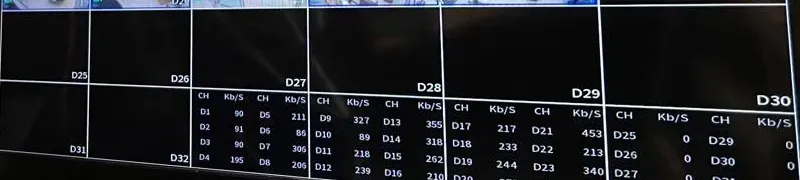
Before you call anyone, including us, take three photos: the label on the back or bottom of the recorder, the screen of the recorder if a monitor is attached, and one camera from the ground. Note roughly how many cameras there are, whether the picture on each one works, and whether anyone has the password. Then text or WhatsApp those photos to us. From the recorder label alone we can usually tell the brand, the model, how many channels it has and whether its firmware line is still supported, and from that we can tell you on the phone whether you are looking at a keep, a repair, a recorder swap or a full replacement. If you have lost the password, do not try factory resets you found online: on both brands that can wipe the recordings and the camera settings at once. We recover access through each maker's official process. Still comparing other brands? See our best security camera brands comparison, our Eufy vs Ring comparison and our Lorex vs Swann comparison.
Tell us the street address or the nearest corner, what kind of building it is, what brand and model of recorder you have now if any, how many cameras work, whether the building has any government tenant or contract, and what you want covered. An installer phones you back with a keep, repair or replace recommendation and a price, or call us directly at (800) 486-0943.
We confirm who uses the building, whether any tenant is a government office or public safety body, and whether the owner has a federal contract or grant.
We record the brand, model and serial number of the recorder and every camera, and note the firmware each one is running.
If the password is lost, we restore administrator access through the maker's official recovery process without wiping the recordings.
Each camera is checked for picture by day and at night, and each cable and PoE port is tested before any camera is condemned.
We read the recording settings and the drive to find out how many days the system really keeps, and compare that with what the owner needs.
The quote lays out keep, repair, recorder swap and full replacement, with prices, so the owner can choose with the facts in front of them.
Firmware is updated, port forwarding closed, passwords and user accounts reset, privacy masks drawn and detection zones tuned.
We export a test clip, set the clock to sync, show each user the app and leave a written record of every setting we changed.
For an owner who already has one, the better brand is usually the one already on the wall, kept updated and secured. Between the two, Hikvision is easier to support in the United States because it still publishes a US warranty table. For a brand-new system, we recommend a brand that is not on the FCC Covered List.
Yes. It is the same pair of brands typed in the other order, so this page answers both. We keep one page for the pair so the specifications, federal rules and prices stay current in a single place.
Yes. The FCC's June 26, 2026 notice says its prohibition on importing and marketing previously authorized covered equipment will not affect the continued use or operation of equipment already purchased. Keep the firmware current and do not expose the recorder to the internet.
It prohibited the continued importation and marketing of covered equipment added to its Covered List in 2024 or earlier that had been authorized before its 2022 rules. For use-based listings like Hikvision and Dahua, the prohibition applies to import and marketing for public safety, government facilities and other national security purposes, with critical infrastructure suspended until the FCC redefines it.
Only if your business sells to the federal government or works under a federal contract, subcontract or similar agreement. The federal acquisition clause bars contractors from providing systems that use covered Hikvision or Dahua equipment and reaches their use of it even outside the contract work. Check your agreements before adding to either brand.
Dahua's American operations were transferred to Luminys Systems Corporation, which says it honors existing Dahua Technology USA warranties and service agreements and now sells its own Luminys lines. We do not state which individual Dahua models any US distributor still stocks, because that changes and the 2026 FCC rule restricts marketing for the listed purposes.
Hikvision's US policy lists 60 months parts and labor for professional IP cameras, professional PTZ cameras and 9 Series professional recorders, and 36 months for value cameras, 7 Series recorders, DVRs and hard drives. Claims go back through the authorized distributor or direct purchaser, not straight to Hikvision.
On paper they are very close. The Hikvision turret we compared has a larger 1/1.2-inch sensor and white light to 30 meters; the Dahua eyeball lists slightly better color sensitivity, a wider 109-degree view and mixed infrared and warm light to 30 meters. Placement and light aim matter more than the brand.
Usually yes for live video and recording, because both brands list ONVIF Profile S, G and T. Smart person and vehicle alerts, deterrence lights, sirens and two-way talk often work fully only when the camera and recorder come from the same maker, so we test each feature before finishing.
They can be if they are not updated. CISA lists a Hikvision command injection flaw, CVE-2021-36260, fixed by firmware updates, and a Dahua login bypass, CVE-2021-33044, where CISA says to apply mitigations or stop using the device. We update firmware, close internet exposure and reset passwords on every system we touch.
The FCC does not require a private co-op with no government tenant to remove working equipment. Some boards replace anyway to avoid the question at future sales and refinancings, which is a reasonable choice. If any tenant is a government office or public safety body, plan a replacement.
Our NYC Hikvision and Dahua pages put an installed system at about $400 to $700 per camera, including the recorder, PoE cabling, configuration and app setup, with a small four-camera system often around $1,800 to $3,000. A four-camera Luminys system starts from $2,591 installed on our price list, plus sales tax.
If the recorder is sound, replace only the failed cameras with ONVIF cameras from a maker off the Covered List. If the recorder is the problem, a Luminys, Uniview, Hanwha, UniFi or our own non-branded recorder system can reuse the existing cable. We quote the options side by side.
Best Security Camera Brands (2026): Brands Compared by a NYC Installer · Lorex vs Reolink: Which Security Camera System Is Better? · Lorex vs Swann: Which Security Camera System Is Better? · Ring vs Arlo: Which Security Camera System Is Better? · Ring vs Nest: Which Security Camera System Is Better? · Eufy vs Ring: Which Security Camera System Is Better? · Hikvision Camera Installation NYC · Dahua Camera Installation NYC · Dahua Camera Installation Brooklyn · Luminys Camera Installation NYC · Luminys Camera Installation Prices NYC · Uniview Camera Installation NYC · Hanwha Camera Installation NYC · UniFi Camera Installation NYC · Hik-Connect App Support NYC · SmartPSS Support NYC · NVR Installation NYC · Security Camera Repair NYC · Apartment Building Camera Installation NYC · Commercial Security Camera Installation NYC · Security Camera Installation NYC · Abstract Enterprises Security Systems Home
Send us a photo of the recorder label, tell us what the building is used for and how many cameras still work, and we will tell you straight whether to keep it, repair it, swap the recorder or move to a brand off the Covered List. Call or text (800) 486-0943, send a WhatsApp picture of the recorder label, or fill in the request form. Abstract Enterprises Security Systems holds NYS license #12000287431, has been run by its owner since 2002, carries a 4.7★ rating from 201 Google Reviews, and books every request within 2 hours.