Keep Your Cameras · More Storage · Remote Viewing · H.265 · No Monthly Fees
Old recorder rebooting, footage missing, or no phone access? We replace outdated and failing CCTV DVRs across all five NYC boroughs — keeping your existing coax cameras while adding remote viewing, weeks of storage, and modern recording. Licensed, insured New York low-voltage contractor. Same-day service on many jobs.
This is the citywide hub for DVR upgrades — the page that explains the recorder swap once and then points you to the borough where your building actually sits. A DVR upgrade replaces the recorder at the center of your camera system with a current unit, without disturbing the cameras or the coax already in your walls. Across all five boroughs that one move does the same work: it brings back phone viewing, adds weeks of storage, and lets your existing cameras record at full resolution again. What changes borough to borough isn't the fix — it's the building it happens in.
Abstract Enterprises Security Systems is a licensed New York low-voltage contractor (NYS Lic #12000287431) covering all five boroughs. We replace analog HD recorders (TVI, CVI, AHD, CVBS), fit hybrid XVRs that leave room for IP cameras, and run full NVR migrations when the cameras warrant it — and every recorder we install records locally, with no monthly fee, no cloud subscription, and no contract. Because the building stock differs so sharply across the city, we keep a dedicated page for each borough: use this hub to understand the upgrade, then jump to Manhattan, Brooklyn, Queens, the Bronx, or Staten Island for the local specifics.
The reason a borough matters is that it decides the whole shape of the job. A Manhattan co-op puts its recorder in a locked telecom closet and gates the work behind a board and an alteration agreement. A Brooklyn brownstone or a Queens two-family hides the box in a cellar, where a past renovation may have nicked a run. A Queens detached home spreads cameras across a big lot on hundred-foot runs. The Bronx leans heavily on multi-family walk-ups and busy commercial strips; Staten Island looks almost suburban, with driveways and detached garages. Same recorder swap — five very different buildings around it.
What holds true everywhere in the city is the underlying logic of the swap. Almost all of this older wiring is solid-copper RG59, which carries a modern HD analog signal without complaint, so there is rarely a reason to re-cable a building. And in every borough the pressure on these systems is the same: a landlord, an insurer, or the NYPD asks for footage after an incident, and a decade-old recorder that overwrites in two days can't produce it. Replacing the recorder is the highest-leverage fix in Manhattan, Brooklyn, Queens, the Bronx, and Staten Island alike — one box, one afternoon, whole system back.
The other constant is that nobody is watching the recorder until they need it. Whether it's a shared basement in a Bronx walk-up, a telecom room in a Midtown building, or a back office in a Staten Island shop, the box runs unattended for months. A fan seizes, a drive wears out, or a summer brownout drops the power supply — and nothing looks wrong until an incident forces someone to pull footage that was never saved. The single most common call we get, in every borough, is an owner discovering after a theft or a dispute that the DVR quit weeks earlier.
And in a dense city the cost logic is decisive. Re-cabling a multi-tenant building means pulling wire through occupied units, coordinating supers, and often clearing a board — expensive and disruptive in a way it simply isn't in the suburbs. A recorder swap sidesteps all of it. For the overwhelming majority of pre-IP systems anywhere in the five boroughs, replacing the recorder rather than the whole system is the correct, proportionate fix — and the borough pages below spell out exactly how that plays out where you are.
Black screens, "no HDD" errors, or a recorder stuck in a reboot loop leave your property unrecorded right now. We diagnose and replace failing DVRs across the five boroughs — many jobs fixed the same day.
The right recorder is set by your existing cameras and cabling, not by geography — the three paths below apply in every borough. What differs locally is the building around the box, which is why the borough pages carry the specifics. Here's the plain-English version of the three options.
Records analog cameras over coax and converts the signal internally. The direct like-for-like replacement when your cameras and RG59 are healthy and you want the cheapest reliable fix. Modern DVRs add H.265, mobile apps, and larger drives your old unit never had.
Accepts your existing analog cameras on BNC and new IP cameras over the network on the same box. The smart middle path: keep every camera today, add a 4K IP camera at the front door tomorrow — no second recorder needed.
Records IP cameras over Cat6 with PoE. The right move when you want 4K on every channel, color night vision, and license-plate detail, and you're ready to run Ethernet. We migrate you here in stages when it fits.
Across every borough we recommend the same default recorder: a hybrid XVR. It accepts your existing analog cameras on BNC and new IP cameras over the network on one chassis, and it costs only $20 to $80 more than a plain DVR. That small premium buys the same flexibility whether the building is a Manhattan co-op, a Brooklyn brownstone, or a Staten Island single-family — you keep every analog camera today and gain the option to drop in a 4K IP camera at the one door that matters, without a second recorder or a re-wire. It's the one recommendation that travels cleanly across all five boroughs.
When a borough's conditions call for full IP instead: the trigger is the same everywhere — you need detail analog can't give. A dim Manhattan lobby where you must recognize a face, a Queens or Staten Island driveway where you need a readable plate, a Bronx entrance where the old cameras have failed outright. In those cases you're buying cameras regardless, so IP on an NVR is the honest call. Which scenario applies depends on your specific property, and the borough page will walk through the version we see most in your area.
The staged migration, citywide: the pattern is identical in every borough because it's driven by budgets, not geography. Swap the dead DVR for a hybrid so all analog cameras record again the same day. Then replace cameras one at a time as they age or as budget allows, each new IP unit landing on the recorder's network side. Eventually the system is majority-IP and a dedicated NVR can take over. A co-op ties each step to its budget calendar; a shop does it in slow months — but the hybrid-first sequence is the same from the Bronx to the Rockaways.
That path avoids the two outcomes owners everywhere dislike: one large re-wire bill, and being stranded on obsolete analog. It spreads cost across budget cycles for landlords and small businesses citywide, and it keeps every future option open. The hybrid recorder is the hinge that makes that possible — which is why it's our default in all five boroughs, even when a building arrives with nothing but analog on the walls.
The job follows the same sequence almost every time. First we assess: confirm your camera signal type per channel (TVI, CVI, AHD, or older CVBS), check the condition of the coax and BNC ends, and inspect the health of the existing power supply and drive. This step is what separates a clean swap from a call-back — a tired power supply that isn't caught can damage the new recorder the same way it stressed the old one. Then we match a recorder to what we found, almost always a hybrid so you keep an IP upgrade path. Next we swap: pull the dead unit, install a surveillance-rated drive sized to your retention goal, and re-terminate any BNC runs that need it. Finally we configure: motion recording where it saves storage, continuous where risk is highest, secure view-only user accounts instead of a single shared admin, audio disabled where it shouldn't record, and the mobile app set up and tested on your phone before we leave.
On a straightforward system with healthy cabling, that's a same-day job and your cameras are back online in an afternoon. Where there's BNC repair, added channels, or the start of an IP migration, the timeline stretches — but you know that up front, because we tested before we quoted.
Why we start with the recorder, not the whole system: when an NYC owner calls with "my cameras aren't working," our first move is almost never to quote a new system. It's to figure out whether the cameras actually failed or whether the recorder took the whole system down with it. In the great majority of cases it's the latter — the cameras are fine, the coax is fine, and the box is dead or dying. Replacing just the recorder is faster, far cheaper, and less disruptive than pulling wire through an occupied building, and it keeps the equipment you already paid for doing its job. We only recommend going further — new cameras, an IP migration, fresh cabling — when the assessment actually shows you need it. That test-first, quote-second approach is the whole reason owners call us back for the next building.
These are the tells a recorder is failing, and they read the same whether the box is in a Manhattan telecom closet or a Staten Island utility room. Catch any of them early, before the footage you need turns out to be the footage that already stopped saving.
The recorder restarts on its own, often overnight, and you find gaps in the timeline right when incidents happen. Classic failing-drive or dying-power-supply symptom.
The unit boots but reports no hard drive, or footage only goes back a day or two when it used to hold weeks. The 24/7 write load has worn the drive out.
Remote viewing that worked years ago now fails. Manufacturers retire the cloud servers old DVRs depend on — there's no fix on the old box, only a current recorder.
Cameras that clearly still have power show nothing on the recorder. Sometimes a cable or BNC fault, sometimes the decoder in an aging box giving up channel by channel.
A recorder that runs hot or whose cooling fan has stopped is on borrowed time. Heat is what kills the drive and the board.
The model is no longer made, firmware updates stopped, and you can't find compatible cameras. Even if it still runs, you're one failure from a scramble.
The twist-lock connector on the end of your coax cameras. If your cameras use BNC, you're on a DVR/coax system.
Three HD-over-coax signal standards. A pentabrid recorder auto-detects all of them, so mixed-generation cameras record on one box.
Old standard-definition analog (480p). Still supported by modern recorders, so ancient cameras keep working during a phased upgrade.
Newer compression. Cuts storage use ~40–50% vs. H.264, turning days of retention into weeks on the same drive.
A hybrid recorder that takes analog on coax and IP over the network at the same time.
WD Purple / Seagate SkyHawk — built for 24/7 writing. Desktop drives fail fast in a recorder.
We're brand-agnostic — we match the recorder to your existing cameras, not the other way around.
A recorder swap is the natural moment to also review your access control — many buildings pair a new recorder with door entry so entry events and footage line up on one timeline.
From a single brownstone to a multi-unit building or storefront — whether your recorder sits in a basement closet near Atlantic Avenue or a back office off Fordham Road, we come to it.
Harlem walk-ups off 125th Street, Washington Heights and Inwood pre-war buildings, Chelsea and Financial District storefronts, Lower East Side mixed-use, and Upper West Side co-ops along Broadway and Amsterdam.
Park Slope and Cobble Hill brownstones, Bay Ridge and Sunset Park multi-family along Fifth Avenue, Bushwick and Bed-Stuy row houses, Flatbush and Canarsie storefronts, and Coney Island Avenue retail.
Astoria and Long Island City buildings, Jackson Heights and Elmhurst along Roosevelt Avenue, Flushing's commercial density on Main Street, Jamaica retail, and Forest Hills co-ops.
Fordham Road commercial strip, Riverdale apartment buildings, Throggs Neck and Pelham Bay homes, Grand Concourse pre-war stock, and the retail spine along White Plains Road.
St. George and Tompkinsville near the ferry, New Dorp and Great Kills along Hylan Boulevard, Tottenville homes, and West Shore commercial units.
From a two-family in Marine Park to a 40-unit elevator building in Riverdale to a deli on Steinway Street, the recorder is the common failure point — and the common fix.
The buildings that need reliable recorders sit in the shadow of the city's best-known places. We service DVR and hybrid recorder upgrades for the homes, storefronts, and multi-tenant buildings throughout these areas.
Storefronts and offices near Times Square and the Grand Central Terminal district, the Financial District, and residential blocks from Central Park to Washington Heights and the Lower East Side.
Buildings around Barclays Center and Downtown Brooklyn, the Brooklyn Navy Yard, Coney Island, Prospect Park's edges, and the Atlantic Avenue corridor.
Properties near Flushing Meadows–Corona Park and Citi Field, Queens Center, the Long Island City waterfront, Jamaica Center, and Main Street in Flushing.
Homes and storefronts near Yankee Stadium, Fordham University, the Bronx Zoo, the Grand Concourse, Fordham Road, and the New York Botanical Garden.
Buildings near the St. George Ferry Terminal, the Staten Island Mall, Historic Richmond Town, and along Hylan Boulevard through New Dorp and Great Kills.
Landmarks anchor the map, but most of our recorder work is the ordinary building next door — the walk-up, the bodega, the office — wherever an aging DVR finally quit.
Landmarks are referenced for location context only. Links point to official sites and do not imply any affiliation or endorsement.
The busier the block, the harder your recorder works — more motion events, more footage to retain, more reason for reliable remote viewing. How much storage and what retention window a building actually needs often comes down to the activity pattern right outside its door.
High pedestrian and retail traffic near Times Square. Storefronts in Midtown see constant foot traffic, which means near-continuous motion recording. Those systems need larger drives and H.265+ so a busy day doesn't overwrite the footage a claim depends on.
Restaurants and storefronts around Downtown Brooklyn. Dense dining and retail near Atlantic Avenue and the Barclays area generate after-hours incidents and liability claims — the reason owners here prioritize retention and clean USB export over anything fancy.
Commercial traffic near Fordham Road. One of the busiest retail corridors in the Bronx runs recorders hard. Aging DVRs here are the classic "stopped saving weeks ago" case — a swap restores both retention and phone access for owners who aren't on site.
Apartment and retail density around Roosevelt Avenue. Mixed residential-and-commercial buildings in Queens mean hallway, entrance, and storefront cameras all feeding one recorder — exactly the multi-channel load that benefits from a hybrid box and a properly sized drive.
Visitor traffic near the Staten Island Ferry. Businesses around the St. George terminal see peaks tied to the ferry schedule. Motion-based recording plus reliable remote viewing lets owners keep an eye on things without staffing every hour.
Mixed residential and commercial near Atlantic Avenue. The corridor's blend of walk-ups, shops, and offices is the archetype for a recorder upgrade: existing coax cameras across several unit types, one aging DVR, and a landlord who needs footage that's actually there.
Not sure what retention and storage your building's traffic calls for? For NYC building and permit context, property owners can consult the NYC Department of Buildings; incidents that need footage are reported to the NYPD. We size every recorder to the property's real activity, not a generic default.
Honest take: if your cameras are one clean signal type and your coax is solid, a careful DIY recorder swap can work. The moment there's a mismatch, a multi-unit building, or a recorder that already fried once, a pro saves you the second purchase. Here's where the two paths actually diverge.
DIY: you guess whether your cameras are TVI, CVI, or AHD and hope the box matches. Pro: verified per channel on site, recorder set to auto-detect so every camera shows video.
DIY: usually skipped — until half the channels read "no signal." Pro: runs tested, connectors re-terminated where they fault, before the new box goes in.
DIY: a tired supply can fry the brand-new recorder the same way it stressed the old one. Pro: supply checked and replaced if needed before anything new connects to it.
DIY: whatever drive shipped in the box, if any. Pro: surveillance-rated drive sized to your camera count, resolution, and retention goal.
DIY: port-forwarding headaches and exposed endpoints. Pro: secure app setup with view-only user accounts, tested on your phone before we leave.
DIY: a simple, matched, healthy single-signal system. Pro: anything mixed-generation, aging, multi-tenant, or already showing failure symptoms.
A recorder upgrade is the natural moment to close the other gaps in a building's security — the technician is already on site, in the closet, with the system open. None of these are required, and none are pushed; they're simply the legitimate related upgrades that make sense to handle in the same visit when the assessment turns them up.
Replacing only the cameras that failed. If the assessment finds one or two dead or degraded cameras — fogged lens, dead night vision, water intrusion — we swap just those while we're there, and leave the working cameras alone. No reason to replace a camera that's fine.
Adding one or more IP cameras to a hybrid recorder. On a hybrid/XVR box, a new camera can be a 4K IP unit at the door that matters most, recording alongside your existing analog cameras on the same recorder — the first step of a staged migration without touching the rest.
Increasing storage. If your goal is 30, 60, or 90 days of retention, we size a larger surveillance drive (or a dual-bay recorder) to hit it. This is often the single most valuable add-on for landlords and businesses who need to look back further than a few days.
Repairing damaged coax or BNC connectors. Where a run faults or a connector has corroded, we re-terminate or repair just that run — restoring the channels that were dropping out without re-cabling the building.
Adding structured cabling for a staged IP migration. If you're planning to move toward IP over time, running Cat6 to a few key locations now lays the groundwork, so future IP cameras drop straight onto a hybrid recorder or a later NVR.
Connecting cameras with access control where appropriate. Pairing a new recorder with door entry lines up entry events and footage on one timeline — so a lobby badge-in and its matching clip are one search away. For apartment buildings and offices, that integration is often where the real value is. An aging buzzer is worth reviewing at the same time; a modern video intercom ties into the same visit-and-verify workflow and, in multi-family buildings, meets the working-intercom obligation landlords already carry.
Lobby, entrance, and hallway coverage landlords must produce on demand — restored on existing coax.
Register and entrance recorders that dropped remote view years ago, brought back with app access.
More retention for liability and after-hours incidents without re-cabling the dining room.
16 and 32-channel recorder swaps covering loading docks and lots on legacy runs.
Clear footage for shrink and slip-and-fall claims, with USB export for insurers.
4 and 8-channel upgrades that reunite older cameras with a phone app.
Across the five boroughs, the recorder is the component that quietly governs your retention and privacy posture — how long footage lasts, who can access it, and whether a clip holds up. The rules below apply citywide; how they play out depends on whether you're a co-op board, a multi-family landlord, or a shop owner. General guidance, not legal advice — confirm specifics with your attorney, insurer, or board.
New York sets no blanket retention requirement for most private residential buildings, so citywide the number comes down to policy — and then to the recorder that has to honor it. Buildings commonly aim for 30 to 90 days, but that target is only real if the drive can hold it, and a decade-old DVR that overwrites in two days can't. Sizing a current recorder's surveillance drive with H.265+ is what turns a stated retention policy into something the hardware actually delivers, in any borough.
On the commercial side — storefronts and mixed-use ground floors in every borough — the recorder frequently sits inside an insurance condition. Property policies often require working cameras and a defined retention window for theft and vandalism coverage, and some regulated operators, such as licensed cannabis retailers under the state Office of Cannabis Management, carry explicit footage mandates. If the policy assumes 30 days on the entrance and register and the box holds two, the gap surfaces as a denied claim — the same risk citywide.
Audio is a citywide consideration: New York is a one-party-consent state, and recording conversation in a shared lobby or hallway raises questions video doesn't. Current recorders let you disable audio per channel where it shouldn't run. They also support layered accounts, so a super or managing agent gets view-only playback while admin rights — deleting footage, changing settings — stay with the owner. That separation keeps a clean chain of custody when a clip is exported for the NYPD or an insurer.
When a clip becomes evidence — a tenant dispute, an insurance claim, an NYPD investigation — the question becomes how it was stored and who could have altered it. A DVR on a single shared login can't answer that cleanly. A recorder with separate accounts and a straight MP4 export produces a clip with a clear access trail, which for any building or business that might face an insurer or a court is the line between usable and useless video — and it's true in every borough.
Approval is the piece that varies most by borough and building. A Manhattan or Bronx co-op or condo often needs board sign-off and an alteration agreement naming a licensed, insured contractor; a single-family in Staten Island typically needs none of that. A recorder swap is the version of the job easiest to approve everywhere, because it's contained to the recorder. As a licensed NY low-voltage contractor (NYS Lic #12000287431) carrying insurance, we provide the COI and documentation boards ask for and work around building access so the job clears and finishes — and the borough page notes what's typically required where you are.
Does a DVR upgrade cost more in one borough than another?
It can. The recorder and drive are the same price citywide, but labor and access differ — a doorman co-op with a COI and freight-elevator booking runs more than a Staten Island single-family. The borough page gives the honest local range.
Whole new system or just the recorder — how do I decide?
If the cameras and coax test good, the recorder alone wins in every borough. A full IP system only makes sense when cameras are failing or you need 4K detail. We test before quoting so you're not sold a rebuild you don't need.
Any monthly fees on a new recorder anywhere in the city?
No. Every recorder we install records locally with a free app — no per-camera cloud billing. That's true in all five boroughs and is a core reason owners choose a local recorder over a cloud-camera subscription.
Do you actually cover all five boroughs, or just one?
All five — Manhattan, Brooklyn, Queens, the Bronx, and Staten Island — with a dedicated page and local routing for each. Pick your borough from the coverage grid and you'll reach the right technician and the right details.
How do I know I'm getting the right advice for my building type?
Because the recommendation is driven by your building, not a script. A co-op, a brownstone, a detached home, and a storefront each get a different answer — which is why we keep separate borough pages instead of one generic citywide pitch.
Is a DIY swap realistic anywhere in NYC?
Occasionally — if the recorder matches your signal type and the coax is sound. But city buildings add traps: board rules, tricky basement access, renovation-damaged runs, tired power supplies. The borough page flags what tends to bite locally.
New recorder shows "no signal" on some channels — universal fix?
Yes: it's a signal-type mismatch or a cable fault regardless of borough. A pentabrid on auto-detect clears the mismatch; a faulted run needs re-terminating. The cause is the same citywide even if the wiring's age varies.
Is the recorder technology different borough to borough?
No — TVI/CVI/AHD, hybrid XVRs, H.265, surveillance drives all work the same everywhere. What differs is the building the recorder lives in. That's why the tech explanation is here on the hub and the local specifics are on each borough page.
Can one recorder handle cameras added over many years?
Yes. A pentabrid auto-detects each channel, so mixed camera generations record together on one box — common on older systems in every borough that grew a camera at a time.
How much storage do I need, roughly?
Depends on camera count and resolution, not borough. As a guide, 2TB holds about 30 days of motion-only H.265+ for four 4MP cameras. We size the drive to your system on the local visit.
My multi-family recorder stopped saving — is that a liability?
Potentially, if an incident happens and you can't produce footage. It's among the most common reasons landlords call across the city. We restore reliable retention on the existing cameras — borough page has the local details.
Can I give a super or manager access without full control?
Yes, in any borough. New recorders support view-only accounts so staff can watch and play back specific cameras while admin rights stay with you — useful for chain of custody on an exported clip.
My DVR reboots overnight and I lose footage — same cause everywhere?
Yes — a failing drive or dying power supply, regardless of borough. Overnight is when many incidents happen, so the loss stings. Sometimes a drive fixes it; often the box is done.
The installer's old app won't connect anymore.
The manufacturer retired the cloud server it relied on — no patch, citywide. A current recorder with a supported app restores remote viewing and keeps your existing cameras, whichever borough you're in.
Natural-language searches we see around DVR upgrades across the five boroughs — short answers, with the local specifics on each borough page.
Check the recorder's camera plugs — round BNC coax means a DVR, RJ45 network jacks mean an NVR. Most pre-2016 NYC systems are DVR on coax, in every borough.
Whichever borough your building is in — Manhattan, Brooklyn, Queens, the Bronx, or Staten Island. Each has local pricing, access notes, and routing. The coverage grid links all five.
Yes — a hybrid runs your analog cameras and a new IP camera together, anywhere in the city. It's the usual first upgrade regardless of borough.
If cameras and coax test good, the swap wins in every borough. Starting over only makes sense when the cameras are failing or you're opening walls anyway.
Only partly, and the same everywhere — the recorder stops down-recording, but low light is the camera's job. Dead night vision means that camera needs replacing.
We test it on the local visit. Solid-copper RG59 almost always passes citywide; thin aluminum kit cable is the type that sometimes needs re-termination.
On a hybrid, yes — new IP cameras go on the network side up to the channel count, in any borough. No re-cabling for the next add.
Worn drive plus old H.264 compression — a citywide pattern on aging systems. A fresh surveillance drive with H.265+ restores weeks on the same cameras.
Depends on camera count and resolution, not borough. Roughly 2TB per four 4MP cameras on motion H.265+. We size it on the visit.
If it's in one of the five boroughs, yes. Use the borough page for your area — it lists the neighborhoods and landmarks we cover locally.
Yes, for the better, everywhere — the new recorder's current app restores reliable live view and playback, replacing an app that likely stopped connecting.
No — the app shows analog and IP cameras in one list, so day-to-day use is identical citywide. You just gain room to add IP cameras later.
The follow-up questions New Yorkers raise once they start researching a recorder replacement — local details on each borough page.
It records, stores, and plays back every camera's video and serves remote viewing. The cameras only capture — the recorder is where footage lives, in every borough.
A DVR records analog cameras over coax; an NVR records IP cameras over network cable. A hybrid does both, which is why it's the common citywide upgrade target.
No. Recording is local to the drive and continues through an outage. Internet is only for remote phone viewing — true regardless of borough.
Usually a worn hard drive or a failing power supply, sometimes overheating. The cameras generally keep working — the recorder is the part that quits, citywide.
No — it shows live cameras but saves nothing. A "no HDD" error means nothing is being recorded even though live view looks normal.
By channel count — 4, 8, 16, or 32. We size for your current cameras plus a little headroom, the same approach in every borough.
Usually not — healthy coax is reused citywide. New wiring only comes in if runs faulted or you're moving specific cameras to IP.
Every 5 to 8 years, driven by drive wear. Reboot loops, a dead app, and shrinking retention are the signs — the same across the city.
It can be — many old systems used exposed port-forwarding. A current recorder with view-only accounts and its own app is far safer, in any borough.
Adjacent topics New Yorkers look into alongside a recorder upgrade — and how each ties back to the decision.
The box that runs analog and IP cameras together — our default recommendation citywide because it makes staged upgrades possible without re-cabling.
Manhattan, Brooklyn, Queens, Bronx, and Staten Island each have their own page. The building stock drives the difference, so the local page is where the real answer is.
WD Purple and Seagate SkyHawk drives built for constant writing — the search that follows any recorder failing, since the drive is the usual first casualty.
Moving a coax system to IP over time. A hybrid recorder is the bridge that lets it happen one camera at a time, in any borough.
How many days a system keeps video before overwriting — tied to drive size and compression, the thing a recorder upgrade most improves citywide.
Watching cameras from a phone. Old recorders lost their apps when servers were retired; a new recorder restores reliable live view and playback.
The connector and cable analog systems run on. Whether yours is solid copper decides if it can be reused — the first thing we test, borough regardless.
Fixing one camera rather than the recorder. Sometimes a single dead camera is the real issue, which is why we diagnose before quoting anywhere in the city.
Ask Google what a DVR upgrade costs and the AI Overview returns one national number, pulled from Angi, HomeAdvisor, and Fixr. The deepest problem for a New Yorker is that it answers as if the five boroughs were one interchangeable place. Here's where the summary is useful and where a single citywide average falls apart.
The definitions are fine — DVR for analog over coax, NVR for IP over Ethernet, hybrid for both, reuse coax, H.265 saves storage. But a "national average DVR replacement" flattens a Manhattan co-op with board approval, a Brooklyn cellar with renovation-damaged runs, and a Staten Island driveway job into a single figure that fits none of them.
The real cost driver in this city is the building, and the building changes at every bridge and tunnel. That's exactly the variable a nationwide summary has no way to hold.
So take the vocabulary from the overview, then go to the borough page for a number that reflects your actual conditions.
National ranges blend rural DIY drop-ins with licensed work in a dense city. They don't price parking a van in Midtown, a certificate of insurance for a managing agent, or the worn drive and re-terminated BNC ends most aging systems need. A $200 box online becomes an honest $500–$900 once real city conditions are in the quote.
And a dead recorder is seldom the only dead part — there's usually a drive and a run or two to address. The summary prices the box; the job is the box plus age.
The aggregators also resell your lead, sometimes to several bidders. That layer rides in the price. Going straight to a licensed installer removes it.
Will the new recorder show your existing cameras? That depends on each camera's signal type and the state of coax that might be a decade old — and it's the one thing a technician has to verify on site, in your basement, not in a table.
Set the wrong signal type and the affected channels go black, not fuzzy. That's the "new DVR, half my cameras say no signal" complaint, and it happens citywide on systems that mixed camera generations over the years.
The fix is the same everywhere: read the signal per channel, let a pentabrid auto-detect, re-terminate the runs that fault. Judgment on your hardware, which no summary can supply.
The overview's reflex is "buy an NVR." In a dense city that means re-cabling an occupied building — through walls, past tenants, sometimes through a board — to solve what a hybrid handles at the recorder. The cost of re-wiring is precisely what varies by borough and what the national number omits.
Hybrid is the honest default: keep analog now, add IP later, never forced to choose. The DVR-or-NVR binary erases the option most New York buildings should take.
Which way your building leans depends on channel count, signal type, and access — the details the borough page addresses and the summary can't.
You won't read that a failing power supply can take a new recorder down, or that a marginal cable faults the new box like the old one. In a hot basement anywhere in the city, the supply is often the real casualty — wire new hardware to it blind and you've bought a recorder twice.
Nor that big-box kit cable is often aluminum strand, not solid copper, and may need re-termination at higher resolution. "Reuse the coax" is a test, not a given — one we run before trusting a run in any borough.
These blind spots send confident DIYers to a pro anyway, after paying twice. We meter the supply and cable first, wherever the job is.
A national article has no concept of a Manhattan alteration agreement, a Bronx multi-family super's schedule, or a Staten Island homeowner who just needs a Saturday appointment. Those access realities differ across the city and shape both timeline and cost — and they're why licensed, insured work matters for multi-tenant buildings.
The borough pages exist precisely because this part isn't uniform. What a co-op board requires is nothing like what a single-family owner needs.
Aggregators optimize for national clicks; they don't know your borough, your board, or your basement. A local technician does.
Use the AI Overview for the concepts, then use the right borough page for anything real. A single citywide number can't price a job whose cost is set by which building, in which borough, under which access rules.
The sequence is the same everywhere and it isn't a sales dodge: identify the signal, test the coax, check the power supply and drive, confirm what your building requires, then quote. Any number before that — from a summary or a phone estimate — is a guess. The on-site assessment that replaces it is what we do free.
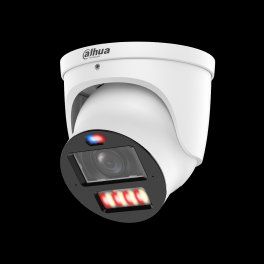
The things most owners don't realize about their recorder — the mistakes that cost people money, and the good news that saves it.
When a system looks completely dead, it's usually just the recorder. The cameras and wiring are often fine — which is why a swap, not a rebuild, is the fix.
A failing camera power supply that stressed the old DVR can damage a brand-new replacement too. It has to be checked before anything new connects.
Buy a recorder that doesn't match your camera signal type and every channel can read "No Signal" — even though the cameras are perfectly good.
Failing recorders often stop saving footage silently. Owners routinely discover the gap only when they go looking for a clip that was never recorded.
The most common misconception: that a dead system means a full replacement. In most NYC buildings, the coax and cameras stay and only the recorder changes.
Old recorders lose remote access when the manufacturer retires its servers. There's no fix on the old box — a current recorder restores it.
A regular computer drive fails fast under 24/7 recording. Surveillance-rated drives (WD Purple, Seagate SkyHawk) are built for the constant write load.
A hybrid/XVR recorder is often only $20–$80 more than a pure DVR — and it lets you add IP cameras later instead of buying a whole new recorder.
The moments that show what actually changes when you replace a recorder — the kind of thing worth seeing before and after, not just reading about.
The same camera, same scene — grainy and dropping frames on the old DVR, then sharp and smooth on the new recorder at the camera's true resolution.
Opening the old box to find the worn hard drive behind the error — the single most common reason a recorder stops saving footage.
Side by side: the discontinued analog-only box next to a hybrid that takes the same cameras today and IP cameras tomorrow.
The phone app that hadn't connected in years coming back to life — live view and playback on the customer's own phone before we leave.
Metering the existing RG59 runs to confirm they're solid copper and good to keep — the step that saves a whole re-wire.
Adding a single 4K IP camera at the front door of an otherwise-analog system, recording alongside the old cameras on the same hybrid box.
The storage timeline going from two or three days on the old drive to weeks on a properly sized surveillance drive with H.265+.
Pulling a clip off the new recorder to a flash drive — exactly what an insurer or the NYPD asks for after an incident.
All three national brands want you on their cameras and their monthly cloud. Every one of them ignores the wired cameras already on your walls. A recorder upgrade is the only option that treats your existing equipment as an asset instead of something to replace.
ADT is a monitoring company first — a contract and a monthly bill, usually paired with their own equipment. Older BNC coax cameras generally don't fit that ecosystem, so the ADT answer tends to be a new proprietary system rather than a recorder that keeps what you have. Our recorder upgrade reuses your cameras and coax, records locally, and carries no monthly fee. Where ADT can make sense is if you actually want 24/7 professional monitoring bundled in; we don't provide central-station monitoring, so if that's the priority, that's a real difference to weigh.
Ring is built around Wi-Fi cameras and cloud video, billed monthly. Good for a renter or a single doorway; a poor fit for a wired multi-camera building. Ring won't record your existing BNC cameras at all, it leans on your Wi-Fi staying up, and footage lives in Ring's cloud on a subscription rather than on a drive you own. For an NYC landlord with eight hallway and entrance cameras on coax, that's a downgrade in reliability and a new recurring bill.
SimpliSafe is a DIY alarm and camera kit, again subscription-driven for meaningful camera features. Like Ring, it doesn't record your existing analog cameras. If you're starting from nothing in a small apartment, it's reasonable. If you already have a wired system and only the recorder failed, buying a whole new DIY ecosystem to replace working cameras is money spent to go backwards. The recorder swap is the proportionate fix.
These are honest citywide planning ranges; the final figure depends on channel count, drive size, and BNC/cable repair — plus borough-specific labor and access, which the local page details. We quote only after testing your cameras and coax on site.
Three variables move the number more than anything else. Channel count: a 4-channel box is cheaper than a 16- or 32-channel unit, and you want to size for your current cameras plus a little headroom. Drive size: 2TB is entry-level, while 30-plus days across eight higher-resolution cameras may call for 4TB, 6TB, or dual-bay. Cable and connector condition: if your coax and BNC ends test clean, it's a straight swap; if runs fault or big-box cable needs re-termination, that's added labor quoted per run after we test.
A useful rule of thumb: about 2TB holds roughly 30 days of motion-only recording for four 4MP cameras under H.265+, or closer to a week on continuous. Double the cameras or the resolution and you roughly double the storage needed for the same retention. We size the drive to how many cameras you run, at what resolution, and how far back you need to see — then round up. We only use surveillance-rated drives (WD Purple, Seagate SkyHawk) because desktop drives fail fast under constant writing.
Ranges are estimates for planning, not a quote. Service and callback labor billed at the specialty rate with a 3-hour minimum where applicable.
Yes. Most analog HD cameras (TVI, CVI, AHD) work with a new hybrid recorder over your existing coax. We confirm the signal type first, then match a recorder that keeps every camera you already have.
Most residential DVR upgrades in NYC run roughly $450 to $1,200 installed, depending on channel count, hard drive size, and how much BNC re-termination is needed. Commercial 16 and 32-channel jobs run higher.
If your coax and analog cameras are healthy, a hybrid DVR/XVR is the cheaper path and reuses your wiring. If you want 4K on every channel, color night vision, and license-plate detail, moving to an NVR with IP cameras is the better long-term choice.
A new recorder lets older cameras record at their full native resolution and frame rate, and adds H.265 compression for longer storage. It can't turn a 1080p camera into 4K, but many aging DVRs down-record cameras below their real capability.
Yes. Every recorder we install supports a free mobile app for live view and playback with no monthly fee. Older DVRs often lost app support years ago; a new unit restores reliable remote access.
Almost always, as long as we match the signal type. Modern pentabrid recorders auto-detect TVI, CVI, AHD, and CVBS per channel, so a mix of camera generations records on one box.
A DVR typically lasts 5 to 8 years. The hard drive is usually the first part to fail because it writes 24/7. Rebooting loops, missing footage, and app dropouts are the common end-of-life signs.
A DVR records analog cameras over coax and processes video at the recorder. An NVR records IP cameras over Ethernet, where each camera encodes its own video. DVRs reuse coax; NVRs need Cat6 and PoE.
Yes. Newer recorders support larger surveillance drives (up to 10TB+ per bay) and H.265+ compression, which can multiply your retention from days to weeks or months without adding cameras.
Reboot loops and gaps in footage usually mean a failing hard drive or a dying power supply inside the DVR. Sometimes a drive swap fixes it; often the recorder itself is at end of life and a replacement is more reliable.
In most NYC buildings, yes. Solid-copper RG59 coax carries HD analog fine. We test the runs first. Thin pre-made cable from big-box kits sometimes needs re-termination or replacement.
Yes. We supply and install a surveillance-rated drive (WD Purple or Seagate SkyHawk) sized to your retention goal. Desktop drives are never used because they fail under 24/7 recording.
Multi-unit buildings where the DVR quietly stopped saving footage months ago — discovered only after an incident forces someone to pull video that was never there.
Costco and Best Buy systems whose remote viewing died when the manufacturer retired its cloud servers. No fix on the old box — a current recorder restores it and keeps the cameras.
A failing power supply that takes the DVR — and sometimes a DIY replacement bought online — down with it. We check the supply before connecting anything new.
Old drives plus H.264 leaving almost no retention. A larger surveillance drive and H.265+ take the same cameras from days back to weeks.
A DIY box set to the wrong signal type, or coax runs that faulted over the years. A pentabrid recorder plus targeted run repair brings them all back.
Models no longer made, firmware frozen, no compatible cameras left. Still running — but one failure from a scramble. We replace it before it strands you.
More recorder swaps and CCTV walkthroughs on our channel, @openeye0007.
I run these jobs in all five boroughs, and the pattern barely changes: someone says the whole system is dead, and it's the recorder — cameras fine, coax fine, box gave up. What changes is the building around it. In Manhattan I'm clearing a board and finding the box in a telecom closet; in Brooklyn or Queens it's a cellar where a renovation may have nicked a run; on Staten Island it's a driveway job that looks suburban. The technical work is the same everywhere: read the signal per channel, meter the power supply, reuse the solid-copper coax, size the drive to the retention. The mistake I get called to fix is also universal — a DVR bought online that didn't match the cameras, hung off a cooked supply. Match the signal, test the supply, and the recorder outlasts the cameras it watches.
This NYC hub links to every DVR upgrade page across the boroughs, Long Island, and the Hudson Valley. Each area has its own recorder-upgrade specifics — building stock, access, and routing.
All five boroughs from one hub — the recorder-swap starting point for any NYC building.
Pre-war walk-ups and FiDi storefronts where basement recorders age out quietly.
Brownstones and Fifth Avenue multi-family — classic solid-copper RG59 reuse.
Roosevelt Avenue retail density and Astoria buildings overdue for a recorder.
Fordham Road commercial strip and Grand Concourse stock — the "no one checked it" basement DVR.
Single-family and small-commercial swaps along Hylan Boulevard and the North Shore.
Nassau and Suffolk coverage for suburban homes and commercial recorders.
Recorder upgrades for Nassau homes and storefronts on existing coax runs.
Longer-run analog systems across Suffolk that benefit from a hybrid swap.
Six-county HV hub for homes and businesses north of the city.
Recorder replacement for Westchester residential and commercial systems.
Hybrid XVR upgrades across Rockland that keep existing camera runs.
Orange County recorder swaps with staged IP migration where it fits.
Putnam County upgrades restoring remote viewing and retention.
Dutchess County recorder replacement for homes and small commercial sites.
Ulster County coverage for analog systems ready for a modern recorder.
Each area page covers the recorder-upgrade specifics for that market — local building stock, the GBP and phone routing for that borough or county, and the labor factors that shift pricing outside the city. If you're outside NYC, jump to your Long Island or Hudson Valley hub, or call (347) 934-8335 and we'll route you to the right technician.
One recorder swap, footage you can actually pull — and the right borough page for your building. We upgrade recorders across all five boroughs, keeping every camera already on your walls.
Last updated July 2026 · DVR upgrade NYC hub · Reviewed by a licensed NY low-voltage technician