What are you looking for?
About Us Contact Us Careers Get a Free Quote (347) 934-8335
Pick a service
✅ Got Your Own System?
🎬 Home TheatreQuote 🎶 AV SoundQuote 🔑 Access ControlQuote
Now pick your area
Pick your area
Long Island
Hudson Valley
Services available
Pricing & Tools
Pick a service for pricing
🚪 Intercom Pricing 🔔 Buzzer Repair Pricing
Calculators
📹 Camera System Calculator 🚨 Alarm Calculator ⚡ Cabling Quote Builder ✅ Got Your Own System?
Select your area

DVR Upgrade &
Replacement in
Brooklyn

Keep Your Cameras · More Storage · Remote Viewing · H.265 · No Monthly Fees

Old recorder rebooting, footage missing, or no phone access? We replace outdated and failing CCTV DVRs across Brooklyn — from Park Slope to Bay Ridge to East New York — keeping your existing coax cameras while adding remote viewing, weeks of storage, and modern recording. Licensed, insured New York low-voltage contractor. Same-day service on many jobs.

DVR upgrade and CCTV recorder replacement Brooklyn NYC
DVR Upgrade Quote
We'll call you back within the hour
Request Sent!
We'll call you back within the hour.
25+
Years Experience
Same‑Day
On Many Jobs
4.7★
Google Rating
$0
Monthly Fees
What A DVR Upgrade Is

Replace the Recorder, Keep Your Cameras

In a Brooklyn brownstone or a Nostrand Avenue storefront, a DVR upgrade means one thing: the recorder in the basement gets replaced, and the cameras and coax stay put. The video recorder is the part that ages out and fails; the cameras bolted to the cornice and the coax fished through the parlor floor are usually fine. Swapping just the box restores the whole system — phone viewing, weeks of storage, full-resolution recording — without anyone chopping into original plaster or a tin ceiling to chase new wire.

Abstract Enterprises Security Systems is a licensed New York low-voltage contractor (NYS Lic #12000287431) working across Brooklyn — the brownstone belt of Park Slope, Fort Greene, and Bed-Stuy; the two- and three-family blocks of Flatbush, Midwood, and Bay Ridge; and the retail strips along Atlantic, Flatbush, Nostrand, Fulton, and Fifth Avenue. On all of them we replace analog HD recorders (TVI, CVI, AHD, CVBS), fit hybrid XVRs that leave room for IP cameras, and migrate to NVR when the cameras themselves are due. Whatever we install records locally — no monthly fee, no cloud lock-in, no contract. We handle DVR replacement for analog HD systems (TVI, CVI, AHD, CVBS), hybrid XVR upgrades that add IP cameras later, and full migrations to NVR when it makes sense. Every recorder we install records locally with zero monthly fees, zero cloud subscriptions, and zero contracts — you own your equipment outright.

Brooklyn's camera systems tend to cluster around two setups. There's the owner-occupied row house — a four-camera DVR in the cellar covering the stoop, the alley, the backyard, and the parlor door — and there's the corner deli or bodega, an eight- or sixteen-channel box behind the counter watching the registers, the coolers, and the sidewalk. Both were usually wired eight to twelve years ago by whoever was cheapest, and both share the same problem now: the recorder stopped getting firmware years back, dropped its phone app, and overwrites itself in a day or two. The cameras still work. The box behind the counter or under the stairs is what quit.

Two things make the swap the obvious move in Brooklyn. First, the wiring is worth keeping: most of these runs are solid-copper RG59, and it carries a modern HD analog signal cleanly, so re-cabling a three-story row house is effort nobody needs to spend. Second, the demand on these systems keeps rising — a bodega owner needs register footage for a chargeback, a landlord needs the vestibule clip after a package theft, an insurer wants the break-in on file. A recorder that holds two days can't meet any of that. One box, one afternoon, and the coverage the property already paid for comes back to life.

There's a Brooklyn-specific way these systems die, too: renovation. A row house gets a gut reno, a mixed-use building gets a new storefront, a cellar gets finished — and somewhere in the work a camera run gets cut, a recorder gets unplugged and never reconnected, or the whole box gets buried behind new sheetrock still "recording" to a dead drive. The owner assumes they're covered until the day they aren't. Add the ordinary failures — a seized fan in a hot cellar, a drive worn out from years of writing — and the pattern is constant: someone calls after an incident to find the DVR stopped saving weeks or months earlier.

The cost logic seals it. Re-running cable through a finished brownstone or an occupied two-family means opening walls, fishing floors, and disrupting tenants — real money and real mess for wiring that already works. A recorder swap avoids all of it: the coax stays in the joists, the cameras stay on their brackets, and the only thing that changes is the box they feed. For the overwhelming majority of Brooklyn systems put in before the IP era, replacing the recorder rather than the whole system is simply the right-sized fix.

DVR Down in Brooklyn? Same-Day Recorder Service

Black screens, "no HDD" errors, or a recorder stuck in a reboot loop leave your property unrecorded right now. We diagnose and replace failing DVRs across Brooklyn — many jobs fixed the same day.

Recorder Types We Upgrade To

Which Recorder Is Right For Your System

The right recorder for a Brooklyn building is set by what's already run through the walls, not by what's newest on the shelf. Choose wrong one way and you've paid to re-cable a row house that didn't need it; choose wrong the other way and you've locked a shop into dead-end analog when a few dollars would have kept the path open. Three options, plainly.

🔌

DVR (Analog HD)

Records analog cameras over coax and converts the signal internally. The direct like-for-like replacement when your cameras and RG59 are healthy and you want the cheapest reliable fix. Modern DVRs add H.265, mobile apps, and larger drives your old unit never had.

🔁

Hybrid / XVR — Most Popular

Accepts your existing analog cameras on BNC and new IP cameras over the network on the same box. The smart middle path: keep every camera today, add a 4K IP camera at the front door tomorrow — no second recorder needed.

🌐

NVR (IP)

Records IP cameras over Cat6 with PoE. The right move when you want 4K on every channel, color night vision, and license-plate detail, and you're ready to run Ethernet. We migrate you here in stages when it fits.

Our Recommendation

Why We Default to Hybrid/XVR for Brooklyn Upgrades

We put a hybrid XVR in most Brooklyn buildings for a simple reason: it lets a row-house owner or a shop keeper upgrade one camera at a time instead of all at once. The hybrid takes the existing analog cameras on its BNC ports and also accepts IP cameras over the network, all in one box with one app. It runs maybe $20 to $80 more than a plain DVR — the price of a couple of takeout orders — and that small difference is what turns a dead-end swap into an upgrade path. When the aging stoop camera finally dies, you replace just that one with a 4K IP camera and leave the rest alone.

When Brooklyn actually needs the full IP jump: the place analog struggles is the register and the front door of a shop — where you need to read a face or a plate, not just see that someone was there. A deli owner who wants to identify the person palming items at the counter, or a landlord who needs a clear image of who followed a tenant into the vestibule, is buying a low-light 4K IP camera and the NVR to run it. If the old cameras are failing anyway — fogged domes, dead IR from years of weather on an exposed brick wall — then IP is the honest call, and we'll say so rather than sell a swap that leaves the real gap open.

The staged path, Brooklyn-style: nobody wants to shut a bodega's cameras for a weekend or gut a brownstone's wiring in one hit. So we start with the recorder: swap the dead DVR for a hybrid and every existing camera is back online the same afternoon. From there the upgrades happen on the owner's timeline — the register camera this month, the backyard camera when the old one fogs over — each new IP camera dropping onto the same box. Once most channels are IP, a dedicated NVR can take the reins. No coverage gap, no single big bill.

That sequence dodges the two things Brooklyn owners hate: a giant one-shot bill, and being trapped on obsolete analog with nowhere to go. A landlord modernizes a camera a year out of rent income; a shop owner upgrades when a slow week allows. The hybrid recorder is the hinge that keeps every option open — which is why we fit one even when a building shows up with nothing but analog on the day we arrive.

What You Gain

What You Actually Gain From a DVR Upgrade

📱
Remote viewing that works
A current recorder restores reliable live view and playback on your phone — free app, no subscription. Share view-only access with family, a super, or a business partner without handing over admin.
💾
Weeks of storage, not days
Larger surveillance drives plus H.265+ compression can take you from 2–3 days of retention to weeks or months, so footage is still there when you actually need it.
👁
Cameras at full resolution
Many aging DVRs down-record capable cameras. A matched recorder lets your existing cameras hit their true resolution and frame rate again.
🤖
A path to IP & AI
Hybrid recorders let you add IP cameras with person/vehicle detection at the doors that matter most — without scrapping the analog cameras that still work.

How the upgrade actually goes

The job follows the same sequence almost every time. First we assess: confirm your camera signal type per channel (TVI, CVI, AHD, or older CVBS), check the condition of the coax and BNC ends, and inspect the health of the existing power supply and drive. This step is what separates a clean swap from a call-back — a tired power supply that isn't caught can damage the new recorder the same way it stressed the old one. Then we match a recorder to what we found, almost always a hybrid so you keep an IP upgrade path. Next we swap: pull the dead unit, install a surveillance-rated drive sized to your retention goal, and re-terminate any BNC runs that need it. Finally we configure: motion recording where it saves storage, continuous where risk is highest, secure view-only user accounts instead of a single shared admin, audio disabled where it shouldn't record, and the mobile app set up and tested on your phone before we leave.

On a straightforward system with healthy cabling, that's a same-day job and your cameras are back online in an afternoon. Where there's BNC repair, added channels, or the start of an IP migration, the timeline stretches — but you know that up front, because we tested before we quoted.

Why we start with the recorder, not the whole system: when a Brooklyn owner calls with "my cameras aren't working," our first move is almost never to quote a new system. It's to figure out whether the cameras actually failed or whether the recorder took the whole system down with it. In the great majority of cases it's the latter — the cameras are fine, the coax is fine, and the box is dead or dying. Replacing just the recorder is faster, far cheaper, and less disruptive than pulling wire through an occupied building, and it keeps the equipment you already paid for doing its job. We only recommend going further — new cameras, an IP migration, fresh cabling — when the assessment actually shows you need it. That test-first, quote-second approach is the whole reason owners call us back for the next building.

When To Replace

Signs Your DVR Needs Replacing

A cellar recorder gives you weeks of warning before it goes dark — you just have to be in the basement to notice. Since most owners aren't, these are the signs worth watching for, before the stoop or register footage you need turns out to be the footage that already stopped saving.

Reboot loops

The recorder restarts on its own, often overnight, and you find gaps in the timeline right when incidents happen. Classic failing-drive or dying-power-supply symptom.

"No HDD" or missing footage

The unit boots but reports no hard drive, or footage only goes back a day or two when it used to hold weeks. The 24/7 write load has worn the drive out.

The app stopped connecting

Remote viewing that worked years ago now fails. Manufacturers retire the cloud servers old DVRs depend on — there's no fix on the old box, only a current recorder.

Black or "no signal" channels

Cameras that clearly still have power show nothing on the recorder. Sometimes a cable or BNC fault, sometimes the decoder in an aging box giving up channel by channel.

Dead fan / overheating

A recorder that runs hot or whose cooling fan has stopped is on borrowed time. Heat is what kills the drive and the board.

Discontinued & unsupported

The model is no longer made, firmware updates stopped, and you can't find compatible cameras. Even if it still runs, you're one failure from a scramble.

Decoded

DVR Upgrade Terminology

BNC

The twist-lock connector on the end of your coax cameras. If your cameras use BNC, you're on a DVR/coax system.

TVI / CVI / AHD

Three HD-over-coax signal standards. A pentabrid recorder auto-detects all of them, so mixed-generation cameras record on one box.

CVBS

Old standard-definition analog (480p). Still supported by modern recorders, so ancient cameras keep working during a phased upgrade.

H.265 / H.265+

Newer compression. Cuts storage use ~40–50% vs. H.264, turning days of retention into weeks on the same drive.

XVR / Pentabrid

A hybrid recorder that takes analog on coax and IP over the network at the same time.

Surveillance drive

WD Purple / Seagate SkyHawk — built for 24/7 writing. Desktop drives fail fast in a recorder.

Brands We Install

DVR & Recorder Brands

We're brand-agnostic — we match the recorder to your existing cameras, not the other way around.

Hikvision (TurboHD / AcuSense) Dahua (XVR / SMD) Uniview Lorex Fusion Amcrest Swann Annke LTS

A recorder swap is the natural moment to also review your access control — many buildings pair a new recorder with door entry so entry events and footage line up on one timeline.

Every Neighborhood

DVR Upgrades Across Brooklyn

From a brownstone in Park Slope to a storefront on Flatbush Avenue or a multi-family in Sunset Park — whether your recorder sits in a basement in Bay Ridge or a back office in Bushwick, we come to it.

Brownstone Brooklyn

Park Slope, Cobble Hill, Carroll Gardens, and Fort Greene — historic brownstones and row houses on solid-copper RG59 that's well worth reusing.

North Brooklyn

Williamsburg, Greenpoint, and Bushwick — converted lofts, mixed-use buildings, and storefronts where recorders run hard.

South Brooklyn

Bay Ridge, Sunset Park, and Dyker Heights — multi-family along Fifth and Third Avenues plus single-family homes overdue for a recorder swap.

Central Brooklyn

Bed-Stuy, Crown Heights, Flatbush, and Prospect-Lefferts — row houses and apartment buildings where the box aged out but the cameras are fine.

East & South Shore

Canarsie, East New York, Sheepshead Bay, and Coney Island — homes and retail on legacy analog runs ready for modern recording.

Building types, everywhere

From a two-family in Marine Park to a 40-unit building in Crown Heights to a deli on Nostrand Avenue, the recorder is the common failure point — and the common fix.

Landmarks We Work Near

Recorder Upgrades Around Brooklyn Landmarks

The buildings that need reliable recorders sit throughout Brooklyn's best-known areas. We service DVR and hybrid recorder upgrades for the homes, storefronts, and multi-tenant buildings across the borough.

Downtown Brooklyn

Buildings around Barclays Center, the Fulton Mall, and the Atlantic Avenue corridor.

Navy Yard & DUMBO

Commercial and mixed-use near the Brooklyn Navy Yard and the DUMBO waterfront under the bridges.

Prospect Park

Co-ops and homes ringing Prospect Park from Park Slope to Prospect-Lefferts and Windsor Terrace.

Coney Island

Homes and seasonal businesses near the Coney Island Boardwalk and the South Shore.

Botanic Garden & museums

Buildings near the Brooklyn Botanic Garden, the Brooklyn Museum, and the Eastern Parkway corridor.

Every block between

Landmarks anchor the map, but most of our recorder work is the ordinary building next door — the brownstone, the bodega, the shop — wherever an aging DVR finally quit.

Landmarks are referenced for location context only. Links point to official sites and do not imply any affiliation or endorsement.

Local Traffic & Security

Why Local Foot Traffic Shapes Your Recorder Needs

The busier the block, the harder your recorder works — more motion events, more footage to retain, more reason for reliable remote viewing. In Brooklyn, how much storage and what retention window a building needs often comes down to the foot traffic right outside its door.

Retail and dining around Downtown Brooklyn. Storefronts near Barclays and the Fulton Mall see heavy foot traffic and after-hours incidents — the reason owners here prioritize retention and clean USB export over anything fancy.

Nightlife in Williamsburg and Bushwick. Bars, venues, and restaurants generate late-night claims and disputes; a recorder that overwrites in two days is exactly the one that fails when footage is needed.

Multi-family lobbies from Bed-Stuy to Flatbush. Hallway, entrance, and vestibule cameras feed one recorder in apartment buildings — exactly the multi-channel load that benefits from a hybrid box and a properly sized drive.

Storefront corridors on Flatbush and Nostrand. Busy retail strips run recorders hard. Aging DVRs here are the classic "stopped saving weeks ago" case — a swap restores retention and phone access for owners who aren't on site.

Row-house blocks and package theft. Brooklyn's stoops and vestibules drive constant footage requests for deliveries and break-ins — the everyday reason a homeowner finally replaces a dead recorder.

Coney Island and the South Shore. Seasonal businesses and waterfront homes face salt air and storm exposure that stress older equipment — a frequent reason a recorder, and sometimes a run of coax, finally needs replacing.

Not sure what retention and storage your building's traffic calls for? For NYC building and permit context, property owners can consult the NYC Department of Buildings; incidents that need footage are reported to the NYPD. We size every recorder to the property's real activity, not a generic default.

DIY vs Professional

Swapping It Yourself vs. Calling a Pro

Honest take: if your cameras are one clean signal type and your coax is solid, a careful DIY recorder swap can work. The moment there's a mismatch, a multi-unit building, or a recorder that already fried once, a pro saves you the second purchase. Here's where the two paths actually diverge.

Signal-type match

DIY: you guess whether your cameras are TVI, CVI, or AHD and hope the box matches. Pro: verified per channel on site, recorder set to auto-detect so every camera shows video.

Coax & BNC health

DIY: usually skipped — until half the channels read "no signal." Pro: runs tested, connectors re-terminated where they fault, before the new box goes in.

Power-supply risk

DIY: a tired supply can fry the brand-new recorder the same way it stressed the old one. Pro: supply checked and replaced if needed before anything new connects to it.

Drive sizing

DIY: whatever drive shipped in the box, if any. Pro: surveillance-rated drive sized to your camera count, resolution, and retention goal.

Remote access

DIY: port-forwarding headaches and exposed endpoints. Pro: secure app setup with view-only user accounts, tested on your phone before we leave.

Best for

DIY: a simple, matched, healthy single-signal system. Pro: anything mixed-generation, aging, multi-tenant, or already showing failure symptoms.

Pairs Well With

What Most Owners Add With a Recorder Swap

A recorder upgrade is the natural moment to close the other gaps in a building's security — the technician is already on site, in the closet, with the system open. None of these are required, and none are pushed; they're simply the legitimate related upgrades that make sense to handle in the same visit when the assessment turns them up.

Replacing only the cameras that failed. If the assessment finds one or two dead or degraded cameras — fogged lens, dead night vision, water intrusion — we swap just those while we're there, and leave the working cameras alone. No reason to replace a camera that's fine.

Adding one or more IP cameras to a hybrid recorder. On a hybrid/XVR box, a new camera can be a 4K IP unit at the door that matters most, recording alongside your existing analog cameras on the same recorder — the first step of a staged migration without touching the rest.

Increasing storage. If your goal is 30, 60, or 90 days of retention, we size a larger surveillance drive (or a dual-bay recorder) to hit it. This is often the single most valuable add-on for landlords and businesses who need to look back further than a few days.

Repairing damaged coax or BNC connectors. Where a run faults or a connector has corroded, we re-terminate or repair just that run — restoring the channels that were dropping out without re-cabling the building.

Adding structured cabling for a staged IP migration. If you're planning to move toward IP over time, running Cat6 to a few key locations now lays the groundwork, so future IP cameras drop straight onto a hybrid recorder or a later NVR.

Connecting cameras with access control where appropriate. Pairing a new recorder with door entry lines up entry events and footage on one timeline — so a lobby badge-in and its matching clip are one search away. For apartment buildings and offices, that integration is often where the real value is. An aging buzzer is worth reviewing at the same time; a modern video intercom ties into the same visit-and-verify workflow and, in multi-family buildings, meets the working-intercom obligation landlords already carry.

Property Types

Recorders We Upgrade For Every Property

🏢

Apartment buildings

Lobby, entrance, and hallway coverage landlords must produce on demand — restored on existing coax.

🏪

Bodegas & delis

Register and entrance recorders that dropped remote view years ago, brought back with app access.

🍴

Restaurants & bars

More retention for liability and after-hours incidents without re-cabling the dining room.

📦

Warehouses & garages

16 and 32-channel recorder swaps covering loading docks and lots on legacy runs.

🛍

Retail storefronts

Clear footage for shrink and slip-and-fall claims, with USB export for insurers.

🏠

Single-family homes

4 and 8-channel upgrades that reunite older cameras with a phone app.

Retention & Compliance

What a Recorder Upgrade Affects Legally

For a Brooklyn landlord or shop owner, the recorder is quietly the part that decides whether you can actually produce footage when it counts — how many days back it goes, who can pull it, and whether the clip holds up. Here's the plain-terms version of what a recorder upgrade touches. General guidance, not legal advice; check specifics with your attorney or insurer.

How long you keep footage is set by your recorder

No statute sets a fixed retention period for most private residential buildings in New York, so how far back you keep footage is your call — but the recorder is what enforces it. Most owners want 30 days or more, and a worn basement DVR that overwrites in two simply can't deliver it no matter what the intention was. A current recorder with a right-sized surveillance drive and H.265+ is the difference between "we thought we had it" and a full month of coverage sitting on the drive when a tenant or an insurer asks.

Insurance and commercial requirements

For the storefront side — the deli, the bodega, the Fulton Street shop — the recorder often sits inside an insurance requirement. Many commercial policies make working cameras and a set retention window a condition of theft and vandalism coverage, and some regulated operators like licensed cannabis retailers under the state Office of Cannabis Management carry explicit footage rules. If the policy expects 30 days on the entrance and registers and the box holds two, the gap shows up at the worst moment: a denied claim after a loss.

Audio, privacy & access control

Audio is its own consideration: New York is a one-party-consent state, and recording conversation in a shared hallway or a store aisle raises questions video doesn't. A current recorder lets you turn audio off per channel where it shouldn't run. It also supports layered accounts — a super or manager gets view-only playback of specific cameras while you keep the admin rights — which keeps a clean chain of custody when a clip goes to the NYPD or an insurer.

Chain of custody & footage that holds up

The moment a clip becomes evidence — a tenant dispute, a slip-and-fall, a break-in the police are working — it matters how it was stored and who could have touched it. A DVR where everyone shares one login can't show that cleanly. A recorder with separate accounts and a straight MP4 export to USB hands over a clip with a clear access trail behind it. For a landlord or shop owner who might end up in front of an insurer or a courtroom, that's the line between footage that helps and footage that gets dismissed.

Board and management approval

If your building is a co-op or a larger multi-family, common-area security work may still need board or management sign-off and a certificate of insurance from a licensed contractor before it starts. A recorder swap is the easy version of that approval — a contained cellar job, not a building-wide re-wire. As a licensed NY low-voltage contractor (NYS Lic #12000287431) carrying insurance, we hand over the COI and paperwork up front and work around tenant and super access so the job finishes in one visit instead of stalling.

Real Questions

What Brooklyn Owners Ask About DVR Upgrades

Cost

Contractor wants to rewire my whole brownstone. Is that necessary?

Usually not. If the cameras still image and the RG59 tests good, the fix is a recorder and maybe a drive — not three floors of new cable. The full-rewire quote is what you get when someone skips testing the coax and sells the biggest ticket instead.

Cost

Bodega DVR died — cheaper to fix or replace the system?

Replace the recorder, keep the cameras. On a storefront system the registers and cooler cameras are almost always fine; it's the box behind the counter that quit. A recorder-and-drive swap is a fraction of a full new system.

Cost

Will a new DVR add a monthly bill?

No. It records to a drive on site and the app is free — the opposite of the cloud-camera brands that bill per camera every month. For a shop watching six or eight cameras, that difference adds up fast.

Quality / Trust

A customer disputed a charge — can I even pull that day's register footage?

If the recorder's still saving, maybe, but old boxes often overwrite in a day and export a file no one can open. A current recorder holds weeks and drops a clean clip to USB — exactly what you need for a chargeback or a police report.

Quality / Trust

How do I know the installer isn't overselling a small shop?

They test before they quote — signal type, coax, drive health — and tell you if a $150 drive solves it. An honest shop does the small job and earns the callback. Ask them to put in writing what they ruled out.

DIY / Pro

Can I swap the DVR in my two-family myself?

If the new box matches your camera signal type and the coax is intact, sometimes. Where it breaks in Brooklyn: a run a past renovation nicked, a tired power supply in a hot cellar, or mismatched TVI/CVI/AHD showing black channels.

DIY / Pro

New recorder's in and the backyard camera reads "no signal."

Either a signal-type mismatch on that channel or a coax fault — and in a renovated house it's often a run that got crushed or spliced during the work. Auto-detect on a pentabrid clears the mismatch; the rest is a cable repair on that line.

Technical

I found a coax-and-power cable in one jacket. What is that?

A Siamese run — video coax and a power lead bundled together, standard on older Brooklyn installs. If your cameras have a BNC plug and a separate barrel power plug, you've got them, and they're ideal to reuse in a recorder swap.

Technical

My cameras were added over several years. Can one box run them all?

Yes. A pentabrid recorder auto-detects each channel, so the old alley camera and the newer stoop camera record together on one drive — common in row houses that added coverage a camera at a time.

Technical

How much drive do I need to keep a month on a storefront?

Depends on camera count and resolution, but a typical bodega with eight cameras on H.265+ motion recording lands around 4TB for 30 days. We size the drive to your channels and how far back you want to look.

Landlord / Tenant

Package theft in the vestibule and my DVR saved nothing. Now what?

Classic case — the recorder quit weeks ago and nobody knew. We restore reliable retention on your existing entrance and hallway cameras so the next incident is actually on file. This is the single most common reason Brooklyn landlords call.

Landlord / Tenant

Can I give my tenant or super access without handing over control?

Yes. New recorders support view-only accounts, so a tenant or super can watch and play back specific cameras while admin rights — deleting footage, changing settings — stay with you.

Complaints

DVR reboots every night and the overnight footage is gone.

Failing drive or dying power supply — and overnight is exactly when stoop and alley incidents happen. Sometimes a drive fixes it; often the box is done. Either way you're losing the window you most need.

Complaints

The app from the original installer stopped connecting.

The manufacturer retired the server that old recorder relied on — no patch exists. A current recorder with a supported app restores phone viewing and keeps every camera you have.

AnswerThePublic Questions

AnswerThePublic Questions About DVR Upgrades

Natural-language searches we see around Brooklyn recorder upgrades — short answers to the phrasing owners and shopkeepers actually type.

Do I have a DVR or an NVR in my brownstone?

Check the recorder's camera plugs. Round BNC coax connectors mean a DVR; blue RJ45 network jacks mean an NVR. Most pre-2016 Brooklyn houses are DVR on coax.

What happens to my old bodega footage when I upgrade?

It sits on the old drive. Reuse the drive and it carries over; install a fresh one and we pull any critical clips — a disputed sale, an incident — off the old drive first.

Can I keep my old cameras and add a 4K one at the register?

Yes — a hybrid runs the old analog cameras and a new IP camera together. That's the usual first upgrade for a shop: keep coverage, add face-level detail at the counter.

Is a recorder swap worth it in an old row house, or start over?

If the coax is the original solid copper and the cameras still image, the swap wins by a mile. Starting over only makes sense when you're opening walls anyway or the cameras are failing.

Will a new DVR fix my grainy nighttime alley footage?

Only partly. The recorder stops down-recording, but low light is the camera. A dark backyard or alley usually needs a low-light IP camera, not just a new box.

How do I know if a renovation damaged my coax?

We meter each run. Solid RG59 usually passes; a line that got stapled, crushed, or spliced during past work shows up on the test and gets re-terminated.

Can I add cameras later without another big job?

On a hybrid, yes — new IP cameras land on the network side up to the channel count. No re-cabling means the next camera is a quick add, not a project.

Why does my storefront DVR only hold two days now?

Worn drive plus old H.264 compression. A fresh surveillance drive with H.265+ restores weeks on the same cameras — enough to actually cover a chargeback window.

What drive size covers a bodega for 30 days?

Roughly 4TB on H.265+ motion recording for eight cameras, depending on resolution. We size to the real channel count, not a round guess.

Can two recorders share my cameras across a two-family?

Not on the same coax runs — one recorder owns its cameras. For a bigger building we fit a single higher-channel recorder rather than two boxes and two apps.

Does upgrading change how I watch cameras from my phone?

Yes, for the better — you move to the new recorder's current app with reliable live view and playback, replacing the dead app the original installer set up.

Is a hybrid harder to use than my old DVR?

No. The app shows analog and IP cameras in one list, so daily use is identical — there's just room to add IP cameras down the line.

People Also Ask

People Also Ask About DVR Upgrades

The follow-ups Brooklyn homeowners and shop owners raise once they start pricing a recorder replacement.

What does the DVR do that the cameras don't?

The cameras only capture; the recorder stores every channel, serves playback, and feeds the phone app. When the vestibule footage is missing, the recorder is why.

Is a DVR the same as an NVR for a Brooklyn house?

No. A DVR records the analog cameras most row houses already run over coax; an NVR records IP cameras over network cable. A hybrid runs both, which is why it's the usual upgrade.

If my internet drops, does the DVR stop recording?

No. It writes locally to the drive around the clock; an outage only affects watching from your phone, not the footage itself.

Why do cellar recorders fail so often in Brooklyn?

Heat and damp in an unventilated basement, plus 24/7 write load. The drive or power supply usually goes first, and nobody notices until footage is needed.

Can a DVR record with a dead hard drive?

It shows live cameras but saves nothing — a "no HDD" error means the storefront looked covered while recording nothing.

How many cameras can one recorder handle?

By channel count — 4, 8, or 16 is typical for a house or shop. We size for current cameras plus a little room for the next one.

Does the swap mean opening my walls?

Almost never. The work is at the recorder in the cellar or back room; the in-wall coax and the cameras stay where they are.

How often should a DVR be replaced?

Every 5 to 8 years, driven by drive wear. Reboot loops, a dead app, and shrinking retention are the signs it's time.

Is remote viewing on an old recorder a security risk?

It can be — many old systems used exposed port-forwarding. A current recorder with view-only accounts and its own app is far safer.

People Also Search For

Related DVR Upgrade Searches

Adjacent topics Brooklyn owners look into alongside a recorder upgrade — and how each ties back to the decision.

Hybrid XVR recorder

The box that runs analog and IP cameras together. For a row house or shop upgrading a camera at a time, it's what makes staged upgrades possible without re-cabling.

H.265 vs H.264 compression

The codec that decides how far storage stretches. H.265+ roughly doubles retention on the same drive — why a new recorder holds a chargeback window instead of two days.

Surveillance hard drives

WD Purple and Seagate SkyHawk drives built for constant writing. The search that follows a cellar recorder dying, since the drive is the usual first casualty.

Reusing RG59 coax

Whether the existing cable can carry the new signal. In Brooklyn the answer also depends on whether a renovation damaged the run — the thing we test first.

CCTV footage retention

How many days a system keeps video before overwriting. Tied to drive size and compression — the number a recorder upgrade most improves.

Remote camera viewing app

Watching cameras from a phone. Old recorders lost their apps when servers were retired; a new recorder restores reliable live view and playback.

Siamese cable BNC

The coax-plus-power run standard on older analog installs. If your cameras use a BNC video plug and a barrel power plug, you have it — ideal to reuse.

Security camera repair Brooklyn

Fixing one camera instead of the recorder. Sometimes a single dead alley camera is the real issue, which is why we diagnose before quoting an upgrade.

AI Overview Reality Check

DVR Upgrade: What the AI Summaries Get Wrong

Google's AI Overview for "DVR upgrade cost" is stitched from national lead-gen sites — Angi, HomeAdvisor, Fixr. It's aimed at a suburban house with a garage. Here's how that generic answer holds up, and where it falls apart, once you're standing in a brownstone cellar or behind a bodega counter.

The definitions travel; the price doesn't

The concepts are right: DVR for analog over coax, NVR for IP over Ethernet, hybrid for both, reuse coax to save money, H.265 stretches storage. Nothing there is wrong. What the summary can't see is that the job happens in a finished cellar you reach past a boiler, or a cramped back room stacked with deli inventory — not a spacious suburban utility room.

Its implied pricing assumes a driveway to park in and an attic to run cable through. On a Bed-Stuy row house the work starts with double-parking on a narrow street and carrying gear down cellar stairs. That reality never enters a national average.

So the vocabulary survives the trip to Brooklyn; the numbers don't. That's where the summary quietly stops being useful.

The "$200 DVR" ignores the actual repair

The cost ranges blend rural DIY drop-ins with licensed work in a Brooklyn building. They leave out the drive that's worn out, the two BNC ends that need re-terminating where a renovation nicked the run, and the service-call labor to actually diagnose a decade-old install. A $200 box online is an honest $500–$900 by the time the system is genuinely recording again.

A dead Brooklyn recorder is almost never only a dead recorder. On the row-house and storefront systems we see, there's usually a tired drive and a run or two disturbed by past work behind it. The summary prices the box; the job is the box plus what age and renovation did to the rest.

And the aggregators take their cut — your lead gets sold, sometimes to several bidders at once. That layer is baked into whatever you eventually pay. Calling a licensed installer directly removes it.

"Reuse the coax" is a test here, not a promise

The most important question — will the new recorder actually show my cameras? — gets a shrug. In Brooklyn the answer hinges on two things the summary can't check: each camera's signal type, and whether a renovation somewhere along the way crushed, cut, or spliced the coax. A run that was fine in 2015 may have taken a staple through it during a kitchen redo.

Get the signal type wrong and the affected channels don't degrade — they go black. That's the exact "new DVR, half my cameras say no signal" complaint that fills the forums, and it's doubly common where old work left mixed camera generations on one box.

The real fix is unglamorous: read the signal per channel, let a pentabrid auto-detect, and re-terminate the runs a renovation disturbed. That's hands-on judgment on your specific wiring, which no national article can offer.

"Just get an NVR" wastes a row house's money

Summaries love to say "buy an NVR." For an empty new build, fine. For a brownstone with healthy analog cameras on good coax, that advice means re-wiring three finished floors to solve what a hybrid handles in an afternoon in the cellar. It's the most expensive possible answer to a cheap problem.

The right framing is almost always hybrid: keep the analog cameras now, add IP later, never get forced to choose between cheap and future-proof. The DVR-or-NVR binary erases the exact option most Brooklyn owners should take.

Your specifics decide it — camera count, signal type, whether the coax survived past renovations, whether you need register-level detail. None of that lives in a Fixr table; all of it lives in your cellar.

The DIY traps that bite in a hot cellar

You won't read that a failing power supply can drag a brand-new recorder down with it, or that a marginal cable faults the new box just like it faulted the old one. In an unventilated Brooklyn cellar that runs warm all summer, the supply is often the part that's actually cooked — hang new hardware off it blind and you've bought a recorder twice.

Nor will it mention that big-box kit cable is often aluminum strand, not solid copper, and may not carry higher resolutions without re-termination. The summary treats reusing coax as automatic; on a real job it's something we meter before trusting a single run.

These blind spots are how a confident DIYer ends up calling a pro anyway — after paying for hardware twice. We check the supply and the cable before connecting anything new to them.

Local access and licensing never make the page

A national article has no idea that the job might mean coordinating with a tenant in a two-family, working around a shop's hours so the registers stay covered, or getting into a finished cellar the owner rarely opens. In Brooklyn that coordination is part of the timeline and the cost, and it's why a licensed, insured contractor matters for multi-tenant work.

Commercial jobs add their own rhythm: a bodega can't go dark during business hours, so the cutover gets timed to a slow window. A generic estimate imagines none of this and prices none of it.

Aggregators optimize for clicks nationwide; they don't know your block, your tenant, or your cellar stairs. The technician standing in the basement does.

The honest bottom line

Use the AI Overview to pick up the words. Don't use it to price a brownstone or storefront job, or to settle DVR-versus-hybrid-versus-NVR — those answers live in your cameras, your coax, and what past work did to both.

The real order of operations isn't a sales pitch: identify each signal, test the coax for renovation damage, check the power supply and drive, then quote. Any number offered before that — from an AI summary or a phone quote — is a guess. The on-site check that replaces the guess is what we do free before quoting.
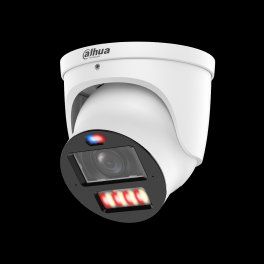
Worth Knowing

DVR Upgrade Myths, Mistakes & Surprising Facts

The things most owners don't realize about their recorder — the mistakes that cost people money, and the good news that saves it.

💡

Your cameras probably still work

When a system looks completely dead, it's usually just the recorder. The cameras and wiring are often fine — which is why a swap, not a rebuild, is the fix.

A bad power supply can kill the new box

A failing camera power supply that stressed the old DVR can damage a brand-new replacement too. It has to be checked before anything new connects.

🚫

The wrong DVR shows "No Signal" everywhere

Buy a recorder that doesn't match your camera signal type and every channel can read "No Signal" — even though the cameras are perfectly good.

🕑

It may have stopped recording months ago

Failing recorders often stop saving footage silently. Owners routinely discover the gap only when they go looking for a clip that was never recorded.

💰

You may not need new cameras or wiring

The most common misconception: that a dead system means a full replacement. In most Brooklyn buildings, the coax and cameras stay and only the recorder changes.

📱

"My app stopped working" isn't your fault

Old recorders lose remote access when the manufacturer retires its servers. There's no fix on the old box — a current recorder restores it.

💾

Desktop hard drives don't belong in a recorder

A regular computer drive fails fast under 24/7 recording. Surveillance-rated drives (WD Purple, Seagate SkyHawk) are built for the constant write load.

🔁

"Hybrid" costs about the same as plain

A hybrid/XVR recorder is often only $20–$80 more than a pure DVR — and it lets you add IP cameras later instead of buying a whole new recorder.

See It For Yourself

What a Real DVR Upgrade Looks Like

The moments that show what actually changes when you replace a recorder — the kind of thing worth seeing before and after, not just reading about.

Before-and-after footage

The same camera, same scene — grainy and dropping frames on the old DVR, then sharp and smooth on the new recorder at the camera's true resolution.

Diagnosing a "No HDD" error

Opening the old box to find the worn hard drive behind the error — the single most common reason a recorder stops saving footage.

Old DVR vs. new hybrid XVR

Side by side: the discontinued analog-only box next to a hybrid that takes the same cameras today and IP cameras tomorrow.

Remote access, restored

The phone app that hadn't connected in years coming back to life — live view and playback on the customer's own phone before we leave.

Testing and reusing the coax

Metering the existing RG59 runs to confirm they're solid copper and good to keep — the step that saves a whole re-wire.

One new IP camera on an analog system

Adding a single 4K IP camera at the front door of an otherwise-analog system, recording alongside the old cameras on the same hybrid box.

Retention, before and after

The storage timeline going from two or three days on the old drive to weeks on a properly sized surveillance drive with H.265+.

Clean USB export for a claim

Pulling a clip off the new recorder to a flash drive — exactly what an insurer or the NYPD asks for after an incident.

Local vs. National

Recorder Upgrade vs. ADT, Ring & SimpliSafe

All three national brands want you on their cameras and their monthly cloud. Every one of them ignores the wired cameras already on your walls. A recorder upgrade is the only option that treats your existing equipment as an asset instead of something to replace.

vs. ADT

ADT is a monitoring company first — a contract and a monthly bill, usually paired with their own equipment. Older BNC coax cameras generally don't fit that ecosystem, so the ADT answer tends to be a new proprietary system rather than a recorder that keeps what you have. Our recorder upgrade reuses your cameras and coax, records locally, and carries no monthly fee. Where ADT can make sense is if you actually want 24/7 professional monitoring bundled in; we don't provide central-station monitoring, so if that's the priority, that's a real difference to weigh.

vs. Ring

Ring is built around Wi-Fi cameras and cloud video, billed monthly. Good for a renter or a single doorway; a poor fit for a wired multi-camera building. Ring won't record your existing BNC cameras at all, it leans on your Wi-Fi staying up, and footage lives in Ring's cloud on a subscription rather than on a drive you own. For a Brooklyn landlord with eight hallway and entrance cameras on coax, that's a downgrade in reliability and a new recurring bill.

vs. SimpliSafe

SimpliSafe is a DIY alarm and camera kit, again subscription-driven for meaningful camera features. Like Ring, it doesn't record your existing analog cameras. If you're starting from nothing in a small apartment, it's reasonable. If you already have a wired system and only the recorder failed, buying a whole new DIY ecosystem to replace working cameras is money spent to go backwards. The recorder swap is the proportionate fix.

Pricing

DVR Upgrade Pricing in Brooklyn

We quote after reading your cameras and testing the coax — including for any renovation damage — but these are honest planning ranges for a Brooklyn job. The final figure moves with channel count, drive size for your retention, and how much BNC re-termination the old install needs.

4-Channel Swap
$450–$700
Existing coax, 2TB surveillance drive, recorder replaced, app configured.
8-Channel Swap
$650–$1,000
Existing coax, 4TB drive, motion + remote viewing set up.
8-Ch Hybrid / XVR
$800–$1,200
IP-ready recorder so you can add 4K IP cameras later — the popular choice.
16-Channel Commercial
$1,200–$2,200
Larger recorder swap for storefronts and multi-unit buildings.
32-Channel
$2,200+
Warehouse and large commercial — quoted after site assessment.
Add-On
Per Run
BNC re-termination / bad-run repair, quoted after testing your cabling.

What drives the price up or down

Three variables move the number more than anything else. Channel count: a 4-channel box is cheaper than a 16- or 32-channel unit, and you want to size for your current cameras plus a little headroom. Drive size: 2TB is entry-level, while 30-plus days across eight higher-resolution cameras may call for 4TB, 6TB, or dual-bay. Cable and connector condition: if your coax and BNC ends test clean, it's a straight swap; if runs fault or big-box cable needs re-termination, that's added labor quoted per run after we test.

Sizing your storage, roughly

A useful rule of thumb: about 2TB holds roughly 30 days of motion-only recording for four 4MP cameras under H.265+, or closer to a week on continuous. Double the cameras or the resolution and you roughly double the storage needed for the same retention. We size the drive to how many cameras you run, at what resolution, and how far back you need to see — then round up. We only use surveillance-rated drives (WD Purple, Seagate SkyHawk) because desktop drives fail fast under constant writing.

Ranges are estimates for planning, not a quote. Service and callback labor billed at the specialty rate with a 3-hour minimum where applicable.

FAQ

DVR Upgrade Questions

Can I upgrade my DVR without replacing my cameras?
+

Yes. Most analog HD cameras (TVI, CVI, AHD) work with a new hybrid recorder over your existing coax. We confirm the signal type first, then match a recorder that keeps every camera you already have.

How much does a DVR upgrade cost in Brooklyn?
+

Most residential DVR upgrades in Brooklyn run roughly $450 to $1,200 installed, depending on channel count, hard drive size, and how much BNC re-termination is needed. Commercial 16 and 32-channel jobs run higher.

Should I replace my DVR or switch to an NVR?
+

If your coax and analog cameras are healthy, a hybrid DVR/XVR is the cheaper path and reuses your wiring. If you want 4K on every channel, color night vision, and license-plate detail, moving to an NVR with IP cameras is the better long-term choice.

Will a new DVR improve my camera image quality?
+

A new recorder lets older cameras record at their full native resolution and frame rate, and adds H.265 compression for longer storage. It can't turn a 1080p camera into 4K, but many aging DVRs down-record cameras below their real capability.

Can a DVR upgrade add remote viewing to my phone?
+

Yes. Every recorder we install supports a free mobile app for live view and playback with no monthly fee. Older DVRs often lost app support years ago; a new unit restores reliable remote access.

Will my old cameras work with a new DVR?
+

Almost always, as long as we match the signal type. Modern pentabrid recorders auto-detect TVI, CVI, AHD, and CVBS per channel, so a mix of camera generations records on one box.

How long do DVRs last?
+

A DVR typically lasts 5 to 8 years. The hard drive is usually the first part to fail because it writes 24/7. Rebooting loops, missing footage, and app dropouts are the common end-of-life signs.

What is the difference between a DVR and an NVR?
+

A DVR records analog cameras over coax and processes video at the recorder. An NVR records IP cameras over Ethernet, where each camera encodes its own video. DVRs reuse coax; NVRs need Cat6 and PoE.

Can a DVR upgrade increase my recording storage?
+

Yes. Newer recorders support larger surveillance drives (up to 10TB+ per bay) and H.265+ compression, which can multiply your retention from days to weeks or months without adding cameras.

My DVR keeps rebooting and losing footage. Is that fixable?
+

Reboot loops and gaps in footage usually mean a failing hard drive or a dying power supply inside the DVR. Sometimes a drive swap fixes it; often the recorder itself is at end of life and a replacement is more reliable.

Can you keep my existing coax cable?
+

In most Brooklyn buildings, yes. Solid-copper RG59 coax carries HD analog fine. We test the runs first. Thin pre-made cable from big-box kits sometimes needs re-termination or replacement.

Do you install the hard drive too?
+

Yes. We supply and install a surveillance-rated drive (WD Purple or Seagate SkyHawk) sized to your retention goal. Desktop drives are never used because they fail under 24/7 recording.

Common Failures

DVR Problems We Fix Across Brooklyn

The basement recorder no one checks

Multi-unit buildings where the DVR quietly stopped saving footage months ago — discovered only after an incident forces someone to pull video that was never there.

The big-box kit that lost its app

Costco and Best Buy systems whose remote viewing died when the manufacturer retired its cloud servers. No fix on the old box — a current recorder restores it and keeps the cameras.

The recorder cooked by a bad supply

A failing power supply that takes the DVR — and sometimes a DIY replacement bought online — down with it. We check the supply before connecting anything new.

Two days of footage, max

Old drives plus H.264 leaving almost no retention. A larger surveillance drive and H.265+ take the same cameras from days back to weeks.

Half the channels reading "no signal"

A DIY box set to the wrong signal type, or coax runs that faulted over the years. A pentabrid recorder plus targeted run repair brings them all back.

A discontinued box on borrowed time

Models no longer made, firmware frozen, no compatible cameras left. Still running — but one failure from a scramble. We replace it before it strands you.

Watch

See a DVR Upgrade In Action

More recorder swaps and CCTV walkthroughs on our channel, @openeye0007.

Field Notes

From the Van

Half my Brooklyn calls are a landlord or a bodega owner sure the whole system is shot, and I walk down to the cellar or behind the counter and find live cameras feeding a recorder that quit. I pull the lid, check the drive and the power supply — in a damp, warm basement that supply is often the real culprit — and read the signal on each channel. If the coax is solid copper, and on pre-2015 Brooklyn installs it almost always is, I reuse every foot. The jobs I get called to rescue are the same two: somebody bought a DVR online that didn't match their cameras, or hung a new box off a cooked supply and lost it in a week. And in this borough I always check for a run a renovation nicked. Test first, match the signal, size the drive to the retention you actually need.

Full Service Area

DVR Upgrade Coverage

This Brooklyn page is part of the DVR upgrade silo covering the five boroughs, Long Island, and the Hudson Valley. Jump to the NYC hub or any sibling area below.

NYC (Hub)

All five boroughs from one hub — the recorder-swap starting point for any NYC building.

Manhattan

Pre-war walk-ups and FiDi storefronts where basement recorders age out quietly.

Brooklyn

Brownstones and Fifth Avenue multi-family — classic solid-copper RG59 reuse — you are here.

Queens

Roosevelt Avenue retail density and Astoria buildings overdue for a recorder.

Bronx

Fordham Road commercial strip and Grand Concourse stock — the "no one checked it" basement DVR.

Staten Island

Single-family and small-commercial swaps along Hylan Boulevard and the North Shore.

Long Island (Hub)

Nassau and Suffolk coverage for suburban homes and commercial recorders.

Nassau County

Recorder upgrades for Nassau homes and storefronts on existing coax runs.

Suffolk County

Longer-run analog systems across Suffolk that benefit from a hybrid swap.

Hudson Valley (Hub)

Six-county HV hub for homes and businesses north of the city.

Westchester

Recorder replacement for Westchester residential and commercial systems.

Rockland

Hybrid XVR upgrades across Rockland that keep existing camera runs.

Orange

Orange County recorder swaps with staged IP migration where it fits.

Putnam

Putnam County upgrades restoring remote viewing and retention.

Dutchess

Dutchess County recorder replacement for homes and small commercial sites.

Ulster

Ulster County coverage for analog systems ready for a modern recorder.

Each area page covers the recorder-upgrade specifics for that market — local building stock, the GBP and phone routing for that borough or county, and the labor factors that shift pricing outside the city. Serving another area? Jump to the NYC hub, Long Island, or Hudson Valley, or call (347) 934-8335 and we'll route you to the right technician.

Related Services

Related Security Services in Brooklyn

Camera Installation

New cameras when the old ones finally give out.

Learn more →

Camera Repair

Fix individual cameras, not just the recorder.

Learn more →

NVR Installation

Ready to go full IP/4K? Start here.

Learn more →

Access Control

Pair door entry with your new recorder.

Learn more →

Intercom Installation

Video entry for apartment buildings.

Learn more →

Structured Cabling

Cat6 runs for a future IP migration.

Learn more →

Bring Your Camera System Back to Life

One box in the cellar, footage you can actually pull. We upgrade recorders across Brooklyn — brownstones, two-families, bodegas, and storefronts from Greenpoint to Coney Island — keeping every camera already on your walls.

Last updated July 2026 · DVR upgrade Brooklyn · Reviewed by a licensed NY low-voltage technician

Packages