Doorbells, Cameras, Floodlights, Plans, Video History and Alexa vs Google Compared ยท Also Searched as Nest vs Ring ยท Updated November 2026
Ring vs Nest comes down to the assistant your home already uses: Ring is the better system for Alexa homes, months of saved video and doors or walls that can take a network cable, while Nest is the better system for Google homes, 2K wired cameras and a few hours of free clips. Both keep real history behind a plan.
Quick answer: Pick Ring for Alexa, a wired or Power over Ethernet front door, and up to 180 days of saved clips on one plan for the whole address; pick Nest for Google Home, Gemini search of your footage, and 2K wired cameras that keep a few hours of clips for free. Installed in NYC by our crews, four Ring cameras start from $1,350 and four Google Nest cameras start from $1,750 on our current price lists, including mounting, a wire run up to 100 ft per camera and app setup; recording is on the brand's own plan. We book requests within 2 hours.
On our jobs the question rarely arrives as a spec sheet. It arrives as a Nest Hub on a kitchen counter in Park Slope and a Ring doorbell somebody's brother-in-law already bought. It arrives as a Forest Hills house where the old chime transformer is too weak for the doorbell the owner picked, or a Staten Island driveway where a battery camera keeps going quiet in February. This page compares Ring and Google Nest the way those visits do: power, cold, Wi-Fi, how long video is kept, what the plans cost for a whole house, which speakers each one talks to, and what still works two winters later. Facts come from Ring's product, support and plan pages and from Google's Nest Help center and Google Store. Opinions come from mounting both.
Reviewed and updated November 7, 2026, against Ring's product and comparison page for the Battery Doorbell 4K Pro and its current doorbell line, Ring's support specs for the Outdoor Cam 4K Pro, Ring's Floodlight Cam Plus page and its Ring Protect plans page; Google's Nest Help article "Technical specs for Google Nest cameras and doorbells" (Nest Doorbell wired 3rd gen and battery, Nest Cam Outdoor wired 2nd gen, Nest Cam Indoor wired 3rd gen, Nest Cam battery, Nest Cam with floodlight), Google's articles on event and 24/7 video history, on how Nest cameras store video offline, on doorbell power requirements and on using Nest with Alexa, the Google Home Premium page on the Google Store and Google's hardware warranty center; and a live search of what ranks for "ring vs nest" and "nest vs ring" (security.org, SafeHome.org, This Old House, TechHive, Tom's Guide, Trusted Reviews, TechRadar, Modern Castle, T3 and a Reddit r/Ring discussion). Installed prices come from our own NYC Ring and Google Nest price pages. Where a manufacturer page did not confirm something, this page says so rather than guessing. ยท Anwar Timothy, NYS license #12000287431 ยท crews dispatched from our Troy Avenue office in Brooklyn
Owner-operated since 2002 ยท Thousands of jobs completed ยท Booked within 2 hours
If you only read one part, read this. Ring belongs to Amazon and Nest belongs to Google, and that ownership shapes almost everything else. Both sell video doorbells, outdoor and indoor cameras and a floodlight camera; both stream live view and send motion alerts with no plan; both sell a monthly plan that unlocks saved history and the smarter features. The differences that change what we install are these. History: Ring's plans page offers up to 180 days of event history, while Google Home Premium keeps 30 days on its Standard plan and 60 days on Advanced. Free clips: Google's newest wired Nest cameras and doorbell keep up to 6 hours of short event previews with no subscription, and its battery models keep up to 3 hours of event history; Ring's plans page treats saved history as a plan feature. Power: Ring sells hardwired, plug-in, battery and Power over Ethernet versions, including a doorbell that runs on PoE, and no Nest model on Google's spec page lists PoE. Resolution: Ring's top doorbells and outdoor camera are 4K, and Nest's newest doorbell and wired cameras are 2K. Smart home: Ring lists Alexa; Nest lives in the Google Home app and, according to Google's own help page, also works with Alexa.
So our short rule is this. If the household talks to Alexa, if you want to scroll back months rather than weeks, or if the camera can be fed by a network cable, we lean Ring. If the household talks to Google, if you want Gemini to search your footage and write summaries, or if you would like a few hours of clips without signing up for anything, we lean Nest. The installed cost is a little lower for Ring on our lists, the monthly plan cost is almost identical, and the rest of this page shows the detail behind each part of that rule.
Neither company sells a single boxed "system," so we lined up equivalent products: each brand's best current doorbell, its main outdoor camera, its floodlight camera, and the plan, storage and app behind them. On the Ring side that is the Battery Doorbell 4K Pro and the rest of the current Ring doorbell line, the Outdoor Cam 4K Pro and the Floodlight Cam Plus. On the Nest side it is the Nest Doorbell (wired, 3rd gen), the Nest Doorbell (battery), the Nest Cam Outdoor (wired, 2nd gen), the Nest Cam Indoor (wired, 3rd gen), the Nest Cam (battery) and the Nest Cam with floodlight. Every cell comes from Ring's or Google's own pages, read on November 6 and 7, 2026. Plan prices are the brands' own monthly prices; our installed prices are in a separate section below and are never placed next to a store price.
| What we compared | Ring | Google Nest |
|---|---|---|
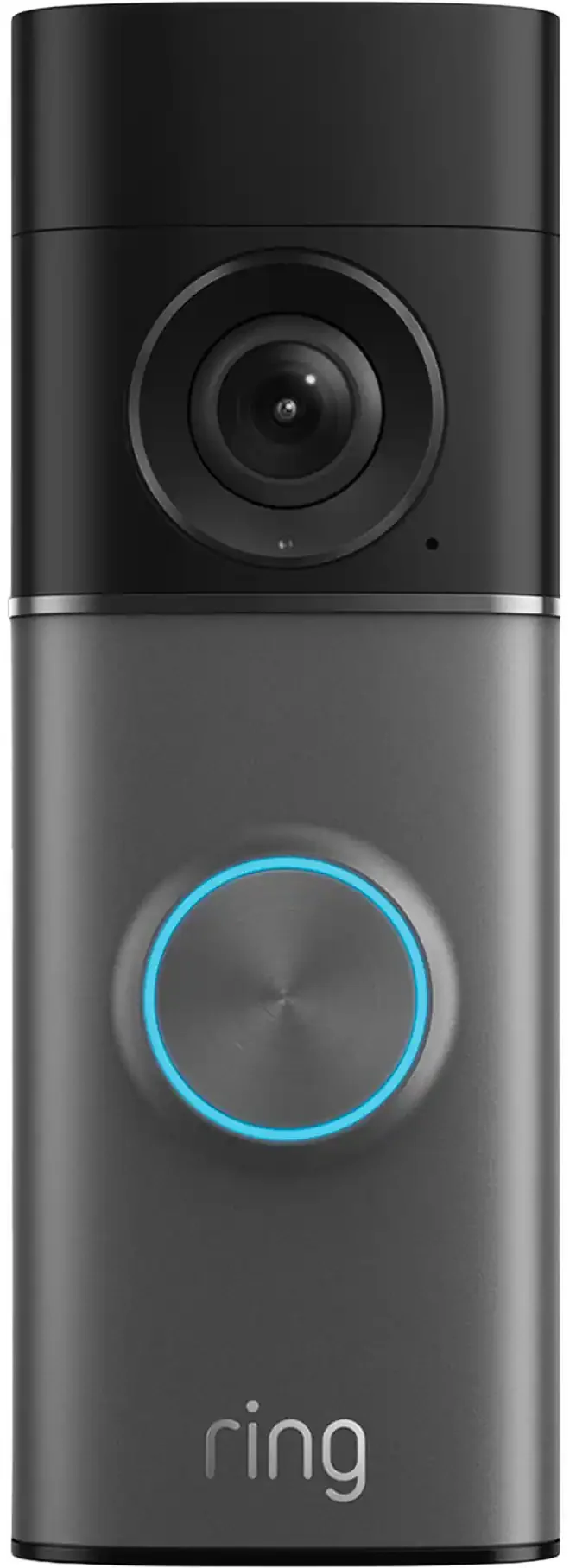
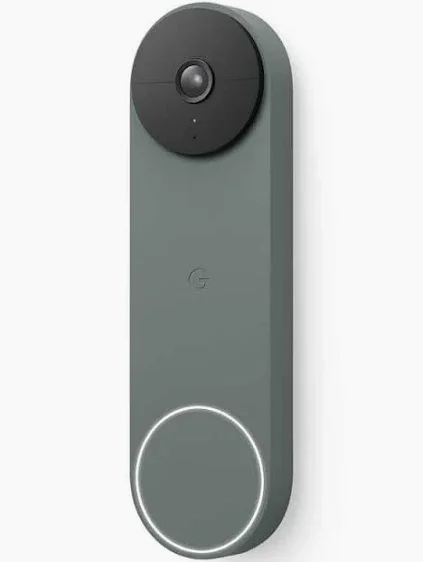
| Best doorbell: resolution and view | Wired and Battery Doorbell 4K Pro: Ring's "Retinal 4K" HDR, a head-to-toe view of 140ยฐ wide and 140ยฐ tall, and 10x Enhanced Zoom on the battery version | Nest Doorbell (wired, 3rd gen): 2K from a 2048 ร 2048 sensor, square 1:1 picture with HDR, 166ยฐ diagonal, 6x digital zoom |
| Main outdoor camera | Outdoor Cam 4K Pro: Retinal 4K with Enhanced Zoom, 85 dB siren measured at 1 m, works with Alexa | Nest Cam Outdoor (wired, 2nd gen): 2K (2560 ร 1440) with HDR, 152ยฐ diagonal, night vision lit up to 20 ft |
| Power options | Battery, plug-in, hardwired and Power over Ethernet across the line; Outdoor Cam 4K Pro comes hardwired, with a plug-in adapter or on PoE+; Wired Doorbell 4K Elite runs on native PoE | Outdoor wired camera on a 12 V supply with an 18 ft outdoor-rated cable; indoor camera on USB-C; battery camera and battery doorbell; floodlight hardwired at 100โ240 V with a battery camera; no PoE listed on any model |
| Doorbell power from old bell wire | Battery Doorbell 4K Pro, if wired in: 8โ24 VAC transformer, 40 VA maximum | Nest Doorbell (wired, 3rd gen): 16โ24 VAC, 10โ40 VA; Nest Doorbell (battery): 8โ24 VAC |
| Wi-Fi | Battery Doorbell 4K Pro: Wi-Fi 6, 2.4 and 5 GHz; Outdoor Cam 4K Pro: 2.4 and 5 GHz; some cheaper doorbells and the Floodlight Cam Plus are 2.4 GHz only; 15 Mbps upload recommended for 4K | 2.4 and 5 GHz on every current model listed for the U.S.; 3.3 Mbps needed for 2K on the 3rd gen doorbell and 2nd gen outdoor camera, 2 Mbps upload recommended per camera for 1080p models |
| Cold-weather rating | Battery Doorbell 4K Pro: โ4 ยฐF to 122 ยฐF; Outdoor Cam 4K Pro: โ5 ยฐF to 120 ยฐF, IP65; Floodlight Cam Plus: โ5 ยฐF to 122 ยฐF | Outdoor models and doorbells: โ4 ยฐF to 104 ยฐF; battery models charge only from 32 ยฐF; Nest Cam Indoor (wired, 3rd gen): 32 ยฐF to 104 ยฐF, indoor only |
| Saved video history | Up to 180 days of event history on Ring Solo, Ring Multi and Ring Pro | 30 days on Google Home Premium Standard; 60 days on Advanced |
| Free history with no plan | Live view, alerts and two-way talk; saved history needs a plan | Newest wired camera and doorbell: up to 6 hours of event video previews, clips up to 10 seconds; Nest Cam (battery) and Doorbell (battery): up to 3 hours of event video history |
| 24/7 recording | 24/7 Continuous Recording add-on, priced per eligible camera; recordings kept up to 14 days | Advanced plan: up to 10 days of 24/7 history, wired installs only; not available on the battery doorbell even when wired |
| Local or offline storage | Ring Edge: microSD card in a Ring Alarm Pro base station, with a compatible plan and the cameras on its eero network | No memory card; current models hold up to one hour of events in internal memory while offline and upload them when the connection returns |
| Monthly plans | Ring Solo $4.99 (one device), Ring Multi $9.99 (every device at one location), Ring Pro $19.99 (adds AI features and 24/7 professional monitoring) | Google Home Premium Standard $10 and Advanced $20, one subscription per home covering its cameras, doorbells, speakers and displays |
| Smart home | Works with Alexa; Google Home not listed on the Ring pages we read | Google Home app and Gemini for Home; Google's help page says Nest cameras and doorbells are compatible with Alexa |
| App | Ring app (doorbells, cameras, lights and Ring Alarm together) | Google Home app (cameras, doorbells, thermostats, speakers and other smart-home devices together) |
| Standard warranty | One-year limited warranty; Ring Multi and up add extended coverage on eligible devices | Google's hardware warranty center lists a one-year limited warranty for Nest devices |
| Best for | Alexa homes, long history on one cheap whole-address plan, PoE or hardwired doors, 4K detail | Google homes, free short clips, Gemini search and summaries, tall square doorbell view |
Two rows are worth a second read. The history row is the one owners regret skipping: on the same family-sized budget, Ring Multi at $9.99 a month keeps clips for up to 180 days and Google's Standard plan at $10 keeps 30, so if a landlord, an insurer or a precinct asks for something from two months ago, only one of them will still have it unless you pay for Nest Advanced. The temperature row is the one New Yorkers should not skip: every outdoor Nest model is rated down to โ4 ยฐF, but Google's battery models only charge from 32 ยฐF, and the Nest Doorbell (battery) has to be charged by cable below that point even when it is connected to bell wire. A camera that cannot top itself up in January is a camera that goes quiet in February.
On paper both brands cover a whole house. In practice the right choice depends on the speakers already in the home, how long you need to look back and whether there is power where the camera goes. This is how we split it after putting both on row-house stoops, two-family driveways, co-op doors and shopfronts across the five boroughs, Long Island and the Hudson Valley.
A walk-up with a dozen units, a store that must keep two weeks of round-the-clock video from eight cameras, or a parking lot that needs to read movement at a distance is not a job for either cloud brand. A wired system that records to a recorder inside the building keeps everything without a plan per device, and a Ring or Nest doorbell can still handle the front door. The recorder brands we fit are weighed against each other on our best security camera brands hub, and our house-brand systems are described on the security camera installation NYC page.

Most of our Ring and Nest jobs begin at the door. Someone has a package stolen, or a parent wants to see who is buzzing while they are at work, and the doorbell becomes the first piece of a system. The two brands approach the doorbell very differently: Ring sells a long list of models at several power levels, while Google's spec page covers four generations of Nest doorbell and the Google Store currently offers two of them, the wired 3rd gen and the battery model.
Ring's comparison page lists battery doorbells, hardwired doorbells and a Power over Ethernet doorbell side by side. The Battery Doorbell 4K Pro carries what Ring calls Retinal 4K video with up to 10x Enhanced Zoom, a head-to-toe field of view of 140 degrees horizontal by 140 degrees vertical, Wi-Fi 6 on both bands and a Quick Release battery pack. Ring recommends at least 15 Mbps of upload speed for its 4K devices and rates this doorbell from โ4 ยฐF to 122 ยฐF. If you wire it in, Ring asks for a standard doorbell transformer of 8 to 24 VAC, 40 VA at most. The Wired Doorbell 4K Pro gives the same 4K picture without the battery, and the Wired Doorbell 4K Elite runs on native PoE and adds remote gate access. Ring's 3D Motion Detection, which Ring describes as pinpointing both motion and distance, appears on the 4K Pro and Elite models. Ring's product FAQ for the Battery Doorbell 4K Pro also says it supports end-to-end encryption.
Google's current wired model is the Nest Doorbell (wired, 3rd gen). Its spec sheet lists a 2K sensor of 2048 by 2048 pixels, video up to 2K at 30 frames per second with HDR, a 1:1 square frame, a 166-degree diagonal field of view, 6x digital zoom, infrared night vision lit up to 10 ft, IP65 water and dust resistance and an operating range of โ4 ยฐF to 104 ยฐF. It needs a transformer of 16 to 24 VAC and 10 to 40 VA, connects on 2.4 or 5 GHz Wi-Fi, and Google says 2K quality needs at least 3.3 Mbps. The Nest Doorbell (battery) is the older-style option: HD video at 960 by 1280 in a 3:4 frame, a 145-degree diagonal view, IP54, a 6 Ah built-in battery and the ability to run on bell wire of 8 to 24 VAC for continuous charging.
Ring's 4K doorbells win on raw detail, which helps when a visitor stands back on the sidewalk or the stoop is several steps up from the street. Nest's 3rd gen doorbell wins on shape: its square frame shows a person's face and the doormat in the same picture, which is exactly where packages end up on a brownstone landing. Both see more than enough of a typical vestibule. Where they part is the cost of the picture: Ring's 4K stream asks a lot more of the upload connection, and in a basement-fed brownstone the Wi-Fi at the front door is often the weakest in the house.
This is the part that catches people. The Nest Doorbell (wired, 3rd gen) needs at least 16 volts AC from the transformer, while Ring's Battery Doorbell 4K Pro accepts 8 to 24 VAC and also runs on its battery. Many older New York homes still have small chime transformers from decades ago, and we meter every one before mounting anything. If the voltage is short for the doorbell you picked, the fix is a new transformer, which we fit or arrange before the doorbell goes up, so it never sits half-powered and dropping off Wi-Fi.
Google is unusually direct here: its spec sheet says a wired installation of the Nest Doorbell (battery) will still need charging with a cable when temperatures fall below 32 ยฐF. For a door that faces the weather from December to March, that means bringing the doorbell inside to charge. Ring's battery models can also be hardwired to keep the battery topped up, and its removable Quick Release pack can be swapped for a spare. If you want a doorbell you never think about, either brand's wired model is the better buy.
Neither brand replaces a building's intercom. In a co-op or rental hallway, a battery doorbell on a no-drill mount can work if management allows it, and Ring sells a peephole camera for renters. Where the building door is the real problem, our doorbell camera installation NYC crews look at the intercom and the apartment door together rather than adding a second button nobody uses.

Past the front door, a typical New York house needs eyes on a driveway, a back door and sometimes a side alley or a garage. Here is how the two brands' main outdoor cameras compare on the points that matter on a real wall.
Ring's Outdoor Cam 4K Pro is sold as Retinal 4K with Enhanced Zoom. Google's Nest Cam Outdoor (wired, 2nd gen) records 2K, 2560 by 1440, with HDR and night vision with HDR. On a driveway twenty or thirty feet long, 4K gives more room to zoom into a recorded clip; on a narrow side yard the difference is hard to see. Remember too that resolution is only as good as the upload: Ring wants 15 Mbps for its 4K cameras, Google 3.3 Mbps for 2K.
Google lists a 152-degree diagonal view for the 2nd gen outdoor camera and infrared night vision lit up to 20 ft by two high-power LEDs. Ring describes the 4K Pro as super wide-angle with night vision, and its spec page, as we read it on November 6, gives 140 degrees horizontal by 85 degrees vertical without stating a night-vision range. Because one brand measures diagonally and the other horizontally and vertically, the numbers cannot be compared directly. In practice both cover a typical backyard from a corner.
Ring lists a remote-activated 85 dB siren on the Outdoor Cam 4K Pro, measured at 1 m. The Nest Cam Outdoor spec rows we read cover picture, night vision, power and weather rather than a siren, so we do not promise one. If you want a camera that can sound off at someone on the driveway, Ring states it plainly, and the floodlight models of both brands add light as a deterrent.
Ring sells the Outdoor Cam 4K Pro three ways: hardwired, with a plug-in adapter, or on PoE+. Google's Nest Cam Outdoor (wired, 2nd gen) runs on a 12 V, 0.75 A supply through an 18 ft outdoor-rated cable, which means an outlet within reach or a cable brought through the wall, and the Nest Cam (battery) runs on a 6 Ah built-in battery. No Nest model on Google's spec page lists Power over Ethernet. For us that is the biggest practical difference between the brands outside: a PoE camera can sit 80 ft from the router on one cable with no outlet nearby, while a Nest wired camera needs power close to the mount.
Every outdoor Nest model is rated to operate from โ4 ยฐF, and Ring's outdoor camera from โ5 ยฐF. The difference is in charging. Google lists a charging range of 32 ยฐF to 104 ยฐF for the Nest Cam (battery), so a battery camera that runs low in a cold snap cannot recharge outdoors until it warms up. And the Nest Cam Indoor (wired, 3rd gen) is indoor only, rated from 32 ยฐF, so it does not belong in an unheated garage or enclosed porch in January.
Every current Nest model sold in the U.S. lists both 2.4 GHz and 5 GHz Wi-Fi. Ring's Outdoor Cam 4K Pro and its better doorbells are dual-band too, but some of Ring's lower-priced devices, including the Floodlight Cam Plus, connect on 2.4 GHz only. Through a brick party wall, 2.4 GHz usually reaches further, and 5 GHz carries more data when the signal is good. We measure both bands at every mounting spot before recommending either brand.

Most Ring vs Nest arguments are about the front door, but plenty of our customers start inside: a camera on the stairs to see the kids come home, one by the back door of a ground-floor apartment, or one watching a dog walker let themselves in.
Google lists a 2K sensor at 2560 by 1440, video up to 2K at 30 frames per second with HDR, night vision with HDR lit up to 15 ft, a 152-degree diagonal view, a 10 ft cable ending in USB-C with a 7.5 W adapter, dual-band Wi-Fi and an operating range of 32 ยฐF to 104 ยฐF. It is marked indoor use only. Like the other newest Nest models, it keeps up to 6 hours of event previews with no plan and can hold about an hour of events if the Wi-Fi drops.
Ring sells several indoor cameras, including pan-tilt and 4K models, and our own Ring price list includes a Power over Ethernet indoor version. We did not read Ring's indoor spec sheets for this page, so we are not quoting their resolution or field of view here; the Ring price page lists the models we install.
Indoors, power is easy and the Wi-Fi is usually good, so the choice comes down to the app you already use and the plan you will pay. A Google household with a Nest Hub gets the most from a Nest indoor camera; an Alexa household with Ring at the door is better keeping everything in the Ring app. Point indoor cameras away from bedrooms and bathrooms, and use the privacy settings each app offers when the family is home.
A floodlight camera replaces an existing outdoor light, so it is usually the second device people add after the doorbell. Both brands make one, and both need a proper electrical box and 120-volt power from a licensed electrician when hardwired.
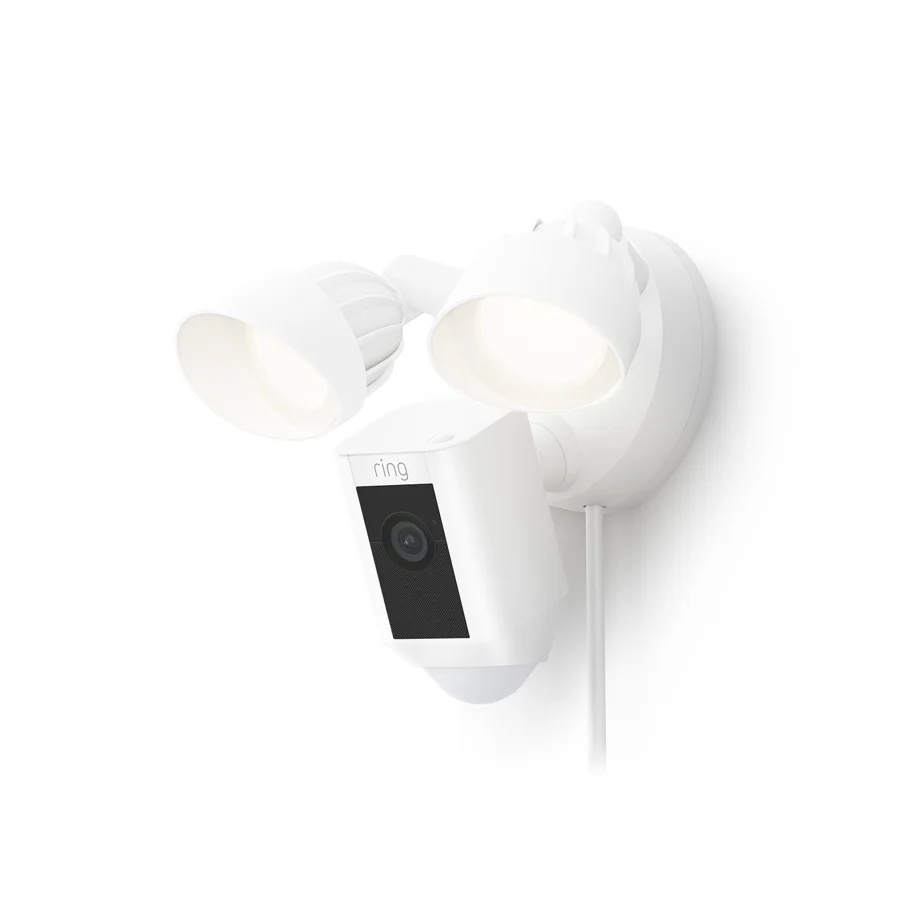
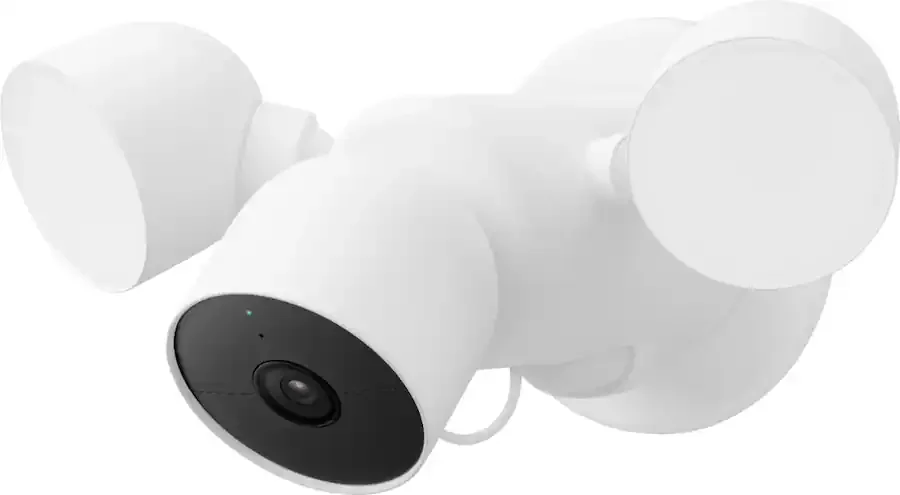
Ring's Floodlight Cam Plus pairs 1080p HD video and color night vision with two 2000-lumen floodlights at a warm 3000K, across a 140-degree horizontal by 80-degree vertical view. Google's Nest Cam with floodlight also records 1080p, with HDR, across a 130-degree diagonal view, with two adjustable lights reaching 2400 lumens at most at 4000K and infrared night vision lit up to 20 ft. Google lists two floodlight motion sensors covering 180 degrees horizontally out to about 25 ft, plus the camera's own sensor.
The Floodlight Cam Plus comes in a hardwired version for 110 to 240 V and a plug-in version, connects on 2.4 GHz Wi-Fi only, and carries a 105 dB siren. The Nest version hardwires at 100 to 240 V AC onto an electrical box, while the camera itself is a Nest Cam (battery) that rides on the floodlight; Google lists 2.4 and 5 GHz Wi-Fi for the U.S. model and an IP54 rating. Ring rates its floodlight from โ5 ยฐF to 122 ยฐF and Google rates its from โ4 ยฐF to 104 ยฐF.
For a driveway or back door in an Alexa home, the Ring floodlight is simple: one device, one plan, and a loud siren if you want it. For a Google home, the Nest floodlight blends into the Google Home app with the doorbell and indoor cameras. Either way, the outdoor box and the circuit come first. We mount, connect and set up the camera; the 120-volt feed comes from your electrician, and we will tell you before the visit if the existing light box will not carry the weight.

Both brands are cloud-first: the camera uploads clips, and the plan decides how long they stay. Neither takes a memory card in the camera itself. The details below are where the two brands differ most, and they matter more than resolution once something actually happens.
Ring's plans page promises up to 180 days of event history on Ring Solo, Ring Multi and Ring Pro, so the clip count grows with the plan but the window does not shrink. Google Home Premium keeps 30 days of event-based history on the Standard plan and 60 days on the Advanced plan. For a homeowner who checks the app the same evening, 30 days is plenty. For a landlord, a small business or anyone who might be asked about an incident long after it happened, Ring's window is up to six times longer for about the same monthly price.
This is Nest's quiet advantage. Google's help article on video history says the Nest Cam Indoor (wired, 3rd gen), the Nest Cam Outdoor (wired, 2nd gen) and the Nest Doorbell (wired, 3rd gen) keep up to 6 hours of event video previews with no subscription, in clips up to 10 seconds long. The Nest Cam (battery), the Nest Doorbell (battery), the Nest Doorbell (wired, 2nd gen) and the Nest Cam (wired) keep up to 3 hours of event video history. Older Nest models get 3 hours of snapshots instead. Ring's pages list live view, real-time alerts and two-way talk without a plan and treat saved video as part of the plan. If you never intend to pay a subscription, Nest leaves you with more.
Ring sells 24/7 Continuous Recording as an add-on for eligible cameras, priced per camera on top of a plan, with recordings kept for up to 14 days. Google includes 24/7 history on the Advanced plan, up to 10 days, but only for wired installations: the Nest Cam (battery) has to be connected to power to record continuously, and Google says 24/7 history is not available on the Nest Doorbell (battery) even when it is wired. If continuous recording on several cameras is the goal, both get expensive quickly, and that is usually the point where we price a recorder-based system as well.
Google's article on how Nest cameras store video says its current cameras and doorbells have enough internal memory to record up to one hour of events while offline, then upload them when the connection returns. That covers a router reboot or a short outage, not a power cut: if the camera loses power it cannot record, and the Nest Cam (wired) and the Nest Doorbell (wired, 2nd gen) have no battery to carry them. Ring's answer is Ring Edge, which stores video on a microSD card inside a Ring Alarm Pro base station; Ring requires a compatible plan, linked Ring and Amazon accounts and the cameras on the Alarm Pro's own eero Wi-Fi network.
Ring's support pages warn that you lose access to recorded videos when a plan ends and advise downloading anything you want first. Google's subscription help says you can only have one Google Home Premium subscription per home and tells owners to save any video history they want to keep before changing it. The habit we teach on every handover is the same for both: the moment something important is recorded, download it to your phone or computer.

Both plans are optional, both bill monthly or yearly, and both are paid to the brand, not to us. They are built differently, though. Ring prices by device or by location. Google prices by home and folds its speakers and displays into the same subscription.
For one doorbell and two cameras at one address, the cheapest full plan on each side is almost the same money: Ring Multi at $9.99 a month or Google Home Premium Standard at $10. Ring keeps clips far longer; Google throws in Gemini on your speakers and the free-tier clips if you ever cancel. Step up a level and it is $19.99 against $20 again: Ring Pro adds professional alarm monitoring and AI alerts, while Google Advanced adds 24/7 history and Gemini search. If you only have one camera, Ring Solo at $4.99 is the cheapest paid option on either side.
Cameras usually stay up for years, so the plan ends up costing more than people expect. Using the brands' own yearly prices: Ring Multi at $99.99 a year comes to about $300 over three years, and Google Home Premium Standard at $100 a year comes to $300. One level up, Ring Pro at $199.99 a year and Google Advanced at $200 a year each come to about $600 over the same three years. In other words, the monthly bill is a wash between the brands; what you are really choosing is what the bill buys. Ring spends it on a long history window and alarm monitoring, Google spends it on Gemini, 24/7 history for wired cameras and smart-speaker features. Paying yearly instead of monthly saves roughly two months on both, according to their own pages.
Without a plan, both brands give you live view, motion alerts and two-way talk from your phone. Nest adds its few hours of free clips; Ring, as its plan pages put it, provides certain features without a plan but keeps saved history behind one. We set up every system so the free features work on day one and the owner decides about a plan with the trial period in hand, not on the doorstep.
Ring says each plan covers one device or one location and plans renew until cancelled. Google says that switching between monthly and yearly billing means stopping auto-renewal, waiting for the cycle to end and subscribing again. Plan names and prices have both moved recently: Nest Aware is now Google Home Premium, and Ring's own pages describe its plans under the Ring Protect name. Treat the numbers here as correct for November 2026 and check the brand's page before you sign up.
Owners spend more time in the app than looking at the hardware, so it is worth thinking about which one you would rather live with.
The Ring app is built around security. Doorbells, cameras, lights and Ring Alarm sit together, and the timeline is a scroll of motion events. Ring's paid features, such as Video Descriptions that tell you what happened in the alert itself, Familiar Faces tagging and Video Search, all show up here. The app suits households where the main question every day is "who was at the door?"
The Google Home app runs the whole home: thermostats, lights, speakers, displays and locks alongside the Nest cameras and doorbells. Camera history is one part of a whole-home history. On Google Home Premium, alerts can include familiar faces and packages, and on Advanced the app adds descriptive notifications, event descriptions, daily summaries and the ability to ask Gemini to search your footage. Google's specs list the Google Home app as a requirement for every current Nest camera.
Either app becomes noise if every passing bus triggers a notification. On both brands we draw motion zones that skip the sidewalk and the street, set person and package alerts where the plan includes them, and walk the path a delivery driver takes while someone watches the phone. Ring's 3D Motion Detection on its 4K Pro and Elite doorbells and Google's familiar-face alerts both help, but zones drawn on site do most of the work.
When a package goes missing or a car is scraped, the clip needs to leave the app. Both apps let you download and share recordings. Our advice for both: download first, then share the file, so the evidence does not depend on a plan staying active.

This is the question that settles most Ring vs Nest decisions in our customers' homes, and it is less one-sided than people assume.
Ring is an Amazon company and its pages list "Works with Alexa." That means doorbell announcements on Echo speakers and live view on Echo Show and Fire TV screens. The Ring pages we read did not list Google Home or Google Assistant support, and Ring's own community forum answers say Google Home is not a supported integration. We do not install Ring for a household that expects to see the doorbell on a Nest Hub.
Nest cameras and doorbells set up in the Google Home app and show on Nest Hub displays. What surprises people is Google's own help article stating that Nest cameras and doorbells are compatible with Amazon's Alexa: you can show a Nest camera's live view on an Alexa device with a screen, get doorbell announcements, talk to a visitor and have Alexa announce motion. So a mixed household, with Google phones and an Echo in the kitchen, can live with Nest more comfortably than with Ring.
Neither Ring's pages nor Google's Nest spec pages that we read list Apple Home support for these cameras. If Apple Home is a must, tell us and we will price a camera that lists it rather than guessing.
Open the voice app on your phone and look at what already works: lights, a thermostat, a lock. If those are in Alexa, Ring will feel natural. If they are in Google Home, Nest will. If the home has both, Nest's Alexa support makes it the more flexible pick, though Ring still wins on history and wiring options.
Cameras record, but they do not call anyone. If you want help sent when something happens, the two brands offer different things.
Ring sells its own alarm, Ring Alarm, which shares the Ring app with the cameras. The Ring Pro plan adds 24/7 professional monitoring that requests help when the system is triggered, and Ring's Virtual Security Guard service adds live video monitoring by security professionals. Ring's plans page notes that the professional monitoring is tied to a Ring system being triggered, so it is an alarm service rather than a camera feature.
Google Home Premium lists emergency calling from the Google Home app and sound detection that lets speakers and displays hear glass breaking and smoke alarms. It does not describe a professional monitoring centre for the cameras on the pages we read. If round-the-clock monitoring matters, either look at Ring Pro with Ring Alarm or ask us about a professionally monitored system through our alarm installation NYC team.
Self-monitoring through a phone works well for most homes, as long as more than one person in the household gets the alerts. A second login takes thirty seconds to set up during installation and is the cheapest upgrade there is.
A camera on the outside of your home is also a camera that can see your neighbours, and an account that holds months of your family's comings and goings. A few points from the manufacturers' own pages are worth knowing.
Ring's product FAQ for the Battery Doorbell 4K Pro says it supports end-to-end encryption and privacy zones. Ring's outdoor and floodlight pages note that the devices are Amazon Sidewalk compatible, and Ring's floodlight page says Sidewalk is on unless you turn it off. Ring's Edge local storage offers optional encryption of the card. Ring also notes that some AI features, including Familiar Faces, are not offered in certain states.
Google's spec sheets list on-device machine learning, secure boot and 128-bit AES encryption with TLS/SSL for the current Nest cameras and doorbells, plus 2-step verification on the account. Google's Premium page attaches footnotes on requirements and availability to several features, familiar-face alerts among them, so read those before counting on one.
At handover we turn on two-step sign-in for the owner's account, add privacy zones over neighbours' windows, aim cameras at your property rather than the street where possible, and walk you through which settings share data. If you want Sidewalk off on a Ring device, we switch it off with you.
Ring's product pages list a one-year limited warranty. Ring Multi and the plans above it add extended coverage on eligible devices; Ring's plans page says that, in the U.S., the extended cover is a service contract run through Allstate Protection Plans.
Google's hardware warranty center lists a one-year limited warranty for Nest devices, and Google's Nest Help center walks owners through checking warranty status and filing a claim online. Google also offers repairs through its own stores, including one in New York.
If the device itself fails, the brand handles it under its warranty. If the wiring, the mount, the chime connection, the Wi-Fi at the spot or the app setup fails, that is what an installer is for. When we supply the products, our service agreement covers it. Full terms โ including 50% deposit, one-year parts-only warranty on AESS-supplied products, and the late-fee schedule โ are set out in the service agreement. Our security camera repair NYC crews also look after doorbells and cameras that someone else put up.
We ask these on every first call. The answers usually pick the brand for you.
The Nest Doorbell (wired, 3rd gen) needs 16 to 24 VAC. Ring's Battery Doorbell 4K Pro takes 8 to 24 VAC and can fall back on its battery. If you do not know, a photo of the chime box and the transformer label tells us most of it.
Alexa points to Ring. Google points to Nest. Both, or a household that may switch, points to Nest, because Google documents Alexa support for its cameras and Ring does not document Google support.
A few hours: Nest's free tier may be enough. A month: either brand's entry-level whole-home plan. Several months: Ring.
An outlet within 18 ft suits Nest's wired outdoor camera. A cable path back to the router suits Ring's PoE models. Neither, and you are choosing a battery camera, which in our climate means a charging routine.
Ring's 4K devices want 15 Mbps of upload; Nest's 2K models need 3.3 Mbps. Test at the actual spot with your phone on the same band, not in the living room.
Renters and co-op shareholders often need permission for anything drilled into a door frame or facade. A battery doorbell and a battery camera on small screws are easier to take with you, on either brand.
Unboxing reviews stop at week one. Our calls start around month eighteen. These are the things owners of both brands tell us about once the novelty wears off.
A battery camera that needed charging twice a year in a mild spring needs it far more often over a cold winter with busy foot traffic. Google's help page on Wi-Fi problems says plainly that cold weather can shorten battery life. Ring's swappable packs make the job quicker; Nest's built-in batteries mean taking the camera down. Either way, the camera you can wire is the camera you will still trust in year three.
A new internet provider, a new router or a renamed network knocks every Wi-Fi camera offline until it is set up again. Write down which devices you have before the technician arrives, and keep the app logins handy. A PoE Ring device keeps its connection through the cable to the switch, which is one more reason we like them for doors that matter.
Nest Aware became Google Home Premium, and Ring's plan names have shifted too. Over the life of a camera you should expect the plan to be renamed, repriced or reshaped at least once. Look at the price the brand charges today and decide whether you would still pay a few dollars more.
Google's own video history article shows how this plays out: the newest wired Nest models keep 6 hours of free event previews, while older ones such as the Nest Cam IQ and the original Nest Doorbell (wired) get only 3 hours of snapshots without a plan. Google even publishes a help page for upgrading from the 2nd gen wired doorbell to the 3rd gen. On either brand, buy the current model rather than a cheap old one.
Ring Multi already covers every Ring device at the address, and Google Home Premium covers the whole home, so a fourth or fifth camera adds no plan cost on either. What it does add is load on the Wi-Fi, which is where a mesh point or a cable earns its place.

Before writing this page we searched "ring vs nest" and "nest vs ring" to see who answers the question today. The results are a mix of security comparison sites (security.org, SafeHome.org, Modern Castle), home and tech publications (This Old House, TechHive, Tom's Guide, Trusted Reviews, TechRadar, T3), shopping blogs, a Reddit r/Ring discussion on the pros and cons of each, and forum threads on MacRumors and Tom's Guide. Several of the ranking articles were written around much older products such as the Nest Hello and early Ring doorbells, which no longer match what either brand sells.
Those reviewers compare boxes on a desk. What none of the ranking pages we saw does is install both on real buildings and say what happens next: the chime transformer that cannot feed a 16-volt doorbell, the 5 GHz signal that dies at a brick wall, the battery camera that will not charge on a February porch, the plan that quietly decides how much video exists when someone needs it. That is the gap this page is written to fill, with specs taken from the manufacturers and the judgement taken from our jobs.
One more note: the reversed search, "Nest vs Ring," brings up the same comparison sites and the same questions. We cover both orders here on one page so the answer stays in one place and stays current.
The front door is often up a stoop and set back in a vestibule, and the router is often in a basement or a back room. We usually wire the doorbell to the existing bell wire after checking the transformer and bring a cable or a mesh point toward the front. In an Alexa home that is a wired Ring 4K doorbell; in a Google home, the Nest Doorbell (wired, 3rd gen), whose square picture suits the deep landing.
Hallway rules come first. Where drilling is not allowed, a battery doorbell on a no-drill mount or Ring's peephole camera may be the only option. Inside the apartment, a Nest Cam Indoor or a Ring indoor camera on a shelf covers the entry without touching the building.
This is where both brands shine: a doorbell at the front, a floodlight over the driveway and a camera at the back door. The deciding factor is power at the back. If the back wall can take a network cable, Ring's PoE camera is the most reliable option either brand offers. If there is an outdoor outlet, Nest's wired outdoor camera with its 18 ft cable fits well.
With tenants coming and going, history length matters more. One Ring Multi plan covers every Ring device at the address for up to 180 days. A Nest system on Google Home Premium covers the home too, but 30 or 60 days is the window. Decide who holds the account before the install, since only one subscription can be attached to a home on Google's side.
One or two cameras at a counter and a door can work on either brand. Past that, or where you need weeks of continuous video for insurance, a recorder-based system is the better tool, and our security camera installation NYC page covers those.
Longer driveways and detached garages push cameras further from the router. Ring's PoE cameras and 4K detail help at distance; Nest's lighter 2K stream helps where the connection is slow. Our Long Island and Hudson Valley crews follow the same checks as in the city.

Owners of two- to six-unit buildings ask us about Ring and Nest more than anyone, usually after a package theft or a dispute about who left the front door open. A few points change when the person paying for the system does not live behind the door.
Both brands tie the cameras to one account. Ring prices its whole-address plan per location; Google allows one Google Home Premium subscription per home. In a building, decide at the start whether the owner, the managing agent or a tenant holds the account, and add the others as shared users. Moving an account later is a nuisance on either brand.
Disputes in rental buildings tend to surface weeks after the event. Ring's up to 180 days of event history gives a landlord far more room than Google's 30 or 60 days. If the building needs continuous footage of a hallway or a mail area, neither brand's add-on is cheap at scale, and a recorder-based system is usually the better answer for common areas.
Aim common-area cameras at doors, mailboxes and package shelves, not into apartments, and use each app's privacy zones. Put a short notice by the entrance. A front-door doorbell that tenants can also answer through the app is popular; give each tenant their own login rather than sharing the owner's password.
A Ring or Nest doorbell at the street door if the building has no intercom worth keeping, and a wired recorder system for the hallways, the basement and the back yard. That keeps the tenant-facing part simple and the evidence part independent of any one person's subscription.
Both brands are designed to be installed by owners, and some parts genuinely are easy. Here is where we draw the line.

These are our own installed prices at the NYC rate, taken from our Ring and Google Nest price pages on November 7, 2026. Each price includes the device, mounting, a wire run up to 100 ft per camera, connection, testing and setup in the brand's app. Recording is on the brand's own plan, which you pay Ring or Google directly. Prices are plus sales tax, and if this page and a price page ever disagree, the price page wins.
How to read those numbers: the Ring four-camera package is built on the Outdoor Cam 2K (plug-in), and the Google Nest package on four Nest Cam Outdoor (wired, 2nd gen), so the two packages are not the same camera class. Compare like for like: the Ring Outdoor Cam 4K Pro plug-in and the Nest Cam Outdoor (wired, 2nd gen) are both $400 installed on our lists, and Ring's 4K doorbells sit at $425 against $375 for Nest's 2K doorbell. Then add the plan you will pay the brand each month, which is close to identical at the entry level.
Picture a brick semi-detached house in Canarsie with a short stoop, a side driveway and a small yard. In an Alexa household: a Ring Wired Doorbell 4K Pro on the bell wire after we check the transformer, a Ring Floodlight Cam Plus over the driveway once the electrician has the box ready, and an Outdoor Cam 4K Pro on PoE at the back, all on one Ring Multi plan. In a Google household: a Nest Doorbell (wired, 3rd gen), a Nest Cam with floodlight over the driveway and a Nest Cam Outdoor (wired, 2nd gen) at the back near an outlet, on Google Home Premium Standard. The written quote names every model, how each one is powered and the plan you will be paying, before any work starts.
Ask us to price our own non-branded system next to it. It records to a recorder in your home or building with no monthly fee, and our quotes default to it. Brand-specific work is on our Ring camera installation NYC and Google Nest camera installation NYC pages, and every brand we install is compared on the best security camera brands hub.
People switch for three reasons: they changed speakers, a plan price went up, or the old doorbell died. Here is how each move goes.
Download the Ring clips you want to keep before cancelling, because Ring says access ends with the plan. Check the bell transformer before buying the Nest Doorbell (wired, 3rd gen), since a Ring battery doorbell may have been running happily on a transformer below Nest's 16-volt minimum. Ring PoE devices leave a network cable behind that a Nest camera cannot use for power, so plan for an outlet near each outdoor Nest camera.
Save the Nest history you need first. A Nest wired doorbell's transformer will normally suit a Ring wired doorbell. Outdoor Nest wired cameras leave a power supply and cable that can often be reused for a Ring plug-in camera at the same spot, or replaced with a network cable for PoE.
Plenty of homes do: a Ring doorbell someone was given and Nest cameras inside. It works, but it means two apps and possibly two plans, and Alexa or Google will only see one side cleanly. When we inherit a mixed system, we usually suggest settling on one brand as devices age out.
We remove the old devices, patch the holes and hand them back to you. Remove the old device from its app and account before selling or giving it away.
Out of date twice over. Nest Aware is now Google Home Premium, and Google's current wired models keep up to 6 hours of event previews for free, with the battery models keeping up to 3 hours of event history.
No. Ring's plans page offers up to 180 days. Google's plans keep 30 days on Standard and 60 on Advanced.
Half true. Ring's pages list Alexa. Google's help center says Nest cameras and doorbells are compatible with Alexa too.
The battery camera and the floodlight camera still are, but the Nest Cam Outdoor (wired, 2nd gen), Nest Cam Indoor (wired, 3rd gen) and Nest Doorbell (wired, 3rd gen) record 2K.
Not always. Google says a wired Nest Doorbell (battery) still needs cable charging below 32 ยฐF.
Only when the upload keeps up. Ring wants 15 Mbps for 4K; a weak front-door signal can make a 4K camera look worse than a steady 2K one.
That is fine. We install customer-supplied Ring and Google Nest doorbells and cameras regularly, priced per device for your area, and we will say so plainly if the spot you picked is wrong for it. Before the visit, send us the model name from the box, a photo of the doorbell transformer if you can find it, and a photo of each place a camera will go. If the voltage is low, the chime needs attention or the Wi-Fi at a spot is weak, we fix that first so the device works the way the brand intended. Our Ring camera installation prices NYC and Google Nest camera installation prices NYC pages link to our install-your-own pricing, and if you are also weighing Arlo, see our Ring vs Arlo comparison.

Give us the address or nearest cross streets, the kind of property, which doors and areas you want covered, whether the home uses Alexa or Google, and any Ring or Nest devices you already own. A technician will call back with a recommendation and the next step, or call us now on (800) 486-0943.
We note each door and area that needs coverage, who will use the app, and whether the home runs on Alexa, Google or both.
Doorbell transformer metered, chime inspected, outlets and light boxes checked, and a cable route found anywhere a wired or PoE device beats a battery.
Signal and upload speed measured at every mounting point on both bands, with a mesh point or a cable planned where it falls short.
Exact Ring or Nest models, how each is powered, any electrician work for floodlights, and the plan you will pay the brand, priced from our installed lists.
Each device fixed with anchors matched to the wall, whether wood, siding, brick or stone, every hole sealed and each view confirmed from the device's own position.
Every device added to one Ring or Google Home account, trial started and plan chosen with you rather than left to lapse.
Motion zones drawn to skip the street, person and package alerts set, and the visitor path walked while the phone is watched.
A doorbell press, a clip saved and downloaded, two-way talk checked, two-step sign-in on, and a login for each person in the home.
It depends on the speakers in the house. For an Alexa home, for history measured in months, or for a door or wall that can take a network cable, we lean Ring: its plans keep up to 180 days of events and it sells Power over Ethernet models. For a Google home, or for anyone who wants a few hours of clips without a subscription, we lean Nest.
Yes. It is the same two brands searched in the opposite order, so everything on this page answers both. We keep a single page for the pair so the facts are maintained in one place.
Ring. Its plans page offers up to 180 days of event history on Ring Solo, Ring Multi and Ring Pro. Google Home Premium keeps 30 days on the Standard plan and 60 days on the Advanced plan, which also adds up to 10 days of round-the-clock history for wired cameras.
Nest does, briefly. Google says its newest wired camera and doorbell keep up to 6 hours of event previews in clips of up to 10 seconds, and its battery camera and doorbell keep up to 3 hours of event history. Ring gives live view, alerts and two-way talk without a plan, with saved history as a plan feature.
Google's help center says Nest cameras and doorbells are compatible with Alexa, including live view on Echo devices with a screen and doorbell announcements. The Ring pages we read list Alexa only, and Ring's community forum says Google Home is not a supported integration.
Usually, if the transformer is strong enough. The Nest Doorbell (wired, 3rd gen) needs 16 to 24 volts AC and 10 to 40 VA. Ring's Battery Doorbell 4K Pro accepts 8 to 24 volts AC up to 40 VA when wired in. Many older New York chime transformers fall short, so we meter it before mounting.
Their outdoor models are rated to run from about minus 4 or minus 5 degrees Fahrenheit. The catch is charging: Google lists 32 degrees as the lowest charging temperature for its battery models, and a wired Nest Doorbell (battery) still needs cable charging below freezing. Wired cameras avoid the problem on both brands.
Ring's can. The Wired Doorbell 4K Elite runs on native Power over Ethernet and the Outdoor Cam 4K Pro comes in a PoE+ version. No current Nest model on Google's spec page lists PoE; the wired outdoor Nest camera uses a 12-volt supply on an 18 ft outdoor cable.
Current Nest cameras and doorbells store up to one hour of events in internal memory and upload them once the connection returns, as long as they still have power. Ring's local option is Ring Edge, which records to a microSD card in a Ring Alarm Pro base station with a compatible plan.
On paper, Ring. Its top doorbells and its Outdoor Cam 4K Pro are 4K, while Nest's newest doorbell and wired cameras are 2K. Ring recommends 15 Mbps of upload for 4K and Google needs 3.3 Mbps for 2K, so on a weak connection the steadier stream can look better.
On our current NYC price lists, four Ring cameras installed start from $1,350 and four Google Nest cameras from $1,750, including mounting, a wire run up to 100 ft per camera and app setup. Single Ring cameras run $260 to $1,200 and single Nest cameras $330 to $480. Hidden drywall wiring is $200 per camera, prices are plus sales tax, and the plan is paid to the brand.
Use it if the door is right for it, but expect it to live in the Ring app rather than on your Nest Hub. If you plan to add cameras, building the system on Nest usually works better in a Google home, and the Ring doorbell can be swapped later. We are happy to install either one.
Best Security Camera Brands (2026): Brands Compared by a NYC Installer ยท Ring vs Arlo: Which Security Camera System Is Better? ยท Lorex vs Reolink: Which Security Camera System Is Better? ยท Lorex vs Swann: Which Security Camera System Is Better? ยท Ring Camera Installation NYC ยท Google Nest Camera Installation NYC ยท Ring Camera Installation Prices NYC ยท Google Nest Camera Installation Prices NYC ยท Doorbell Camera Installation NYC ยท Floodlight Camera Installation NYC ยท Wireless Camera Installation NYC ยท Security Camera Installation NYC ยท Security Camera Pricing NYC ยท Abstract Enterprises Security Systems Home
Tell us which doors and areas you want covered, which speakers live in your home and how you feel about charging batteries and paying a monthly plan, and we will tell you which brand we would mount on your property, or whether a wired recorder system makes more sense. Reach us by phone or text at (800) 486-0943, through WhatsApp with a photo of the spot, or with the quote form above. We hold NYS license #12000287431, customers rate us 4.7โ over 201 Google Reviews, the business has been owner-operated since 2002, and every request is booked within 2 hours.