>>
What are you looking for?
About Us Contact Us Careers Get a Free Quote (347) 934-8335
Pick a service
✅ Got Your Own System?
🎬 Home TheatreQuote 🎶 AV SoundQuote 🔑 Access ControlQuote
Now pick your area
Pick your area
Long Island
Hudson Valley
Services available
Pricing & Tools
Pick a service for pricing
🚪 Intercom Pricing 🔔 Buzzer Repair Pricing
Calculators
📹 Camera System Calculator 🚨 Alarm Calculator ⚡ Cabling Quote Builder ✅ Got Your Own System?
Select your area

Security Camera Maintenance
New York City

Preventive Service Plans · Lens & Housing Cleaning · Firmware Updates · Storage & NVR Health Checks · Recording Verification · Cable Inspection · Same-Day Service

Professional security camera maintenance across all five NYC boroughs — because a camera system that was perfect on install day drifts toward failure silently. Lenses fog and film over with city grime, outdoor housings fill with condensation and spider nests, connectors corrode, hard drives fill up and quietly stop overwriting, firmware falls behind and opens security holes, and a camera knocked out of alignment by a delivery cart points at a wall for months. The moment you actually need footage — a break-in, a slip-and-fall claim, a delivery dispute — is the worst possible time to discover your system stopped recording three weeks ago. Most camera failures are silent: nothing flashes, nothing alerts, the footage just isn’t there. We keep NYC camera systems honest with scheduled preventive maintenance — lens and housing cleaning, cable and connector inspection, recording and playback verification, storage and NVR/DVR health checks, firmware and security updates, PoE and power testing, motion-detection and alert checks, IR and night-vision verification, and viewing-angle realignment — plus same-day reactive service when something’s already down. We service systems we installed and systems someone else installed, on most major brands. This is our NYC security camera maintenance hub; it pairs with our camera repair, camera installation, and NVR installation, and is part of everything we do for low-voltage security across the city.
Security camera maintenance and service in New York City
Get a Free Quote
We'll call you back within the hour
Request Sent!
We'll call you back within the hour.
25+
Years Experience
9
Service Areas
4.6★
Google Rating
$0
Monthly Fees
Last updated June 2026 · Reflects current NYC camera maintenance pricing, service frequencies, and preventive-maintenance practices.
📞 Call (347) 934-8335 📱 Free Quote in 60 Seconds
✅ Licensed NYS #12000287431✅ PoE & Network Configured✅ No Monthly Fees
Why an NVR

Why Camera Maintenance Is the Difference Between Footage and a Black Screen

A security camera system is not a buy-it-once appliance — it is equipment that runs 24/7 in a hard environment and degrades whether you watch it or not. In a NYC building the cameras face street grime, exhaust film, road salt, rain, freeze-thaw, and the occasional delivery cart to the housing. Indoors, lenses fog, dust builds, and recorders run hot in closets. Over months that adds up: a lens films over and footage goes soft, a connector corrodes and a camera drops offline, a hard drive fills and silently stops overwriting, firmware falls a year behind and becomes a way into your network, a camera bumped out of alignment films a wall. None of it announces itself. Industry data is blunt about it — full storage alone causes the majority of recording failures, and neglected systems lose footage roughly twice as often during an actual incident. The whole point of a camera is the footage on the day something happens; maintenance is what makes sure it is there.

That is why NYC owners put their systems on a maintenance schedule instead of waiting for a failure they will not see coming. On a service visit we do the things that quietly keep a system honest: clean every lens and housing, check and tighten every cable and connector, verify that all cameras are live and actually recording, run a storage and drive-health check so the recorder is not about to lose its history, push firmware and security updates, test PoE and power, confirm motion detection and alerts fire, verify IR and night vision, and realign anything that drifted. We document what we found and fixed — the record manufacturers want to honor a warranty and the paper trail that protects you in an insurance or liability claim. We maintain systems we installed and systems someone else installed, on most major brands, and when a visit turns up something already broken we fix it on the spot. Done on a schedule, this extends a system’s life by years and cuts the expensive emergency calls.

What We Do

What We Do on a NYC Maintenance Visit

A maintenance visit is a structured run through the whole system — cameras, recorder, storage, network, and power — not just a wipe of the front lens. Whether it is a quarterly check on a row house or a monthly visit to a busy storefront, here is what a service call covers.

🧽

Lens & Housing Cleaning

Microfiber lens cleaning that resolves most image-clarity complaints, plus housing and dome cleaning, clearing condensation, cobwebs, dust, and insect nests — the single biggest reason “working” cameras still produce useless footage.

🔌

Cable, Connector & PoE Check

We inspect and tighten every connection, look for fraying, corrosion, and water ingress at the cable ends, and test PoE voltage and power supplies — loose and corroded connections are a leading cause of cameras dropping offline.

💽

Storage & Drive Health Check

We confirm the recorder is actually overwriting and not silently full, check drive S.M.A.R.T. health and RAID status, verify retention matches what you think you have, and flag a drive that is degrading before it takes your footage with it.

📱

Recording & Remote-View Verification

We confirm every camera is live and recording, test playback and export, and verify the phone app and remote viewing still connect — ISP changes and expired settings quietly break remote access, and you only find out when you need it.

🔐

Firmware & Security Updates

We update camera and recorder firmware, change any default or shared passwords still in place, disable exposed services, and close the cybersecurity holes outdated firmware leaves open — the difference between a camera system and an open door onto your network.

🔍

Alignment, IR, Motion & Alerts

We re-aim cameras knocked off their view, verify IR and night vision and clear IR reflection off dirty domes, test motion detection and the zones, and confirm alerts and notifications actually fire — then leave a documented report of everything checked.

Where They Live

Camera Systems We Maintain Across NYC Properties

Every kind of NYC property needs its cameras maintained — what changes is how often. High-traffic sites like retail, restaurants, and warehouses drift faster and want monthly or quarterly visits; quieter residential systems do well on a quarterly-to-annual schedule. These are the properties we service most across the five boroughs.

🏢

Storefronts & Retail

High-traffic, high-dust, and the system you cannot afford to have fail during a chargeback or shoplifting dispute — we keep lenses clean, storage verified, and the 30-to-90-day retention intact, usually on a monthly or quarterly plan.

🏠

Brownstones & Row Houses

Stoop, hallway, rear yard, and cellar-door cameras that film over with street grime and lose remote view after an ISP change — a quarterly or annual visit keeps the picture clear and the phone app connected.

🏭

Warehouses & Industrial

Dust, vibration, forklifts, and long cable runs put these systems under the most stress — we run frequent checks on alignment, connections, RAID health, and the managed PoE switch, often monthly.

🏢

Offices & Buildings

Rack-mounted recorders on a camera VLAN, often tied to access control — we keep firmware current, drives healthy, and the documentation managing agents and boards expect on file.

🍽️

Restaurants & Bars

Grease, heat, and constant motion degrade these systems fast, and liability and labor disputes need the footage intact — monthly cleaning and recording verification keep entrance, bar, register, and kitchen covered.

🏫

Schools, Houses of Worship & Apartments

Multi-camera systems protecting a building full of people, where a silent failure is a real liability — scheduled maintenance keeps entrances, common areas, and perimeters recording and the access locked down.

Plain English

Maintenance Terms, Decoded

You don’t need the jargon to keep a system healthy, but a few terms come up on every maintenance plan. Here’s what they mean in plain English.

Preventive vs. Reactive

Preventive (planned) maintenance is scheduled work that catches problems before they cause an outage — cleaning, inspection, updates, health checks. Reactive maintenance is fixing something already broken. A good plan is mostly preventive, which is why it costs less over the life of the system than waiting for failures.

AMC / Service Plan

An Annual Maintenance Contract is a fixed-fee agreement covering scheduled visits and priority support. The industry prices these as a percentage of system value — commonly 8–15% a year — with the real value being a known cost and someone on the hook when it breaks.

Service Frequency

How often a tech visits — monthly, quarterly, semi-annual, or annual. Most commercial systems want at least annual; high-use sites (retail, restaurants, warehouses) and outdoor or dusty installs do better monthly or quarterly. We set the cadence to the site.

Retention & Overwrite

How many days of footage you keep before it loops. The silent failure here is a recorder that fills and stops overwriting instead of looping — full storage is the single biggest cause of missing footage. A maintenance check verifies retention is real, not assumed.

Drive Health / S.M.A.R.T.

Surveillance drives run 24/7 and wear out. S.M.A.R.T. is the drive’s own self-reporting on errors and remaining life. A maintenance visit reads it so a failing drive gets replaced on a calm Tuesday — not discovered the day you needed the footage it was holding.

Firmware

The software running on cameras and the recorder. Outdated firmware is the most common cybersecurity hole in a camera system — an open door onto your network. Keeping it current, and changing default passwords, is a core part of every maintenance visit.

Hardware

Camera & Recorder Brands We Service in NYC

We service and maintain whatever you already have on the wall — we are brand-agnostic and not trying to sell you a rip-and-replace. For most NYC homes and small businesses that means Reolink, Lorex, Amcrest, Annke, and Swann cameras and recorders — cleaning, firmware, storage, and remote-view upkeep. For commercial and larger systems we maintain Dahua, Hikvision, and their OEM lines (LTS, EmpireTech), keeping firmware current, RAID healthy, and smart-detection tuned. For enterprise and multi-site we service Uniview, Axis, Verkada, and managed-switch infrastructure. A maintenance visit is the same discipline regardless of brand: clean the optics, verify recording and storage, update firmware and passwords, test power and network, realign and re-tune. If your system mixes brands over ONVIF, we keep that integration working too — the place mixed systems quietly break after a firmware update.

Security camera maintenance and service in New York City
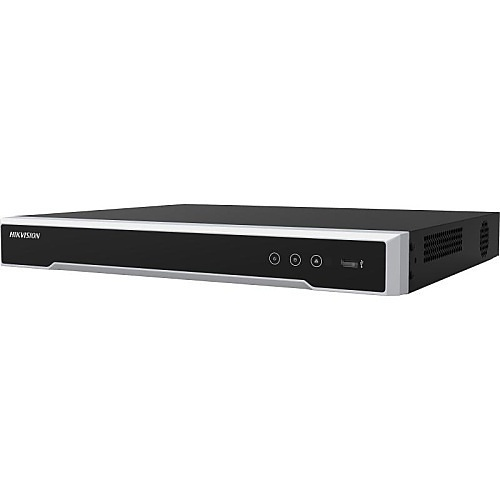
Hikvision DS-7616NI-Q2/16P 8MP PoE NVR
Security camera maintenance and service in New York City
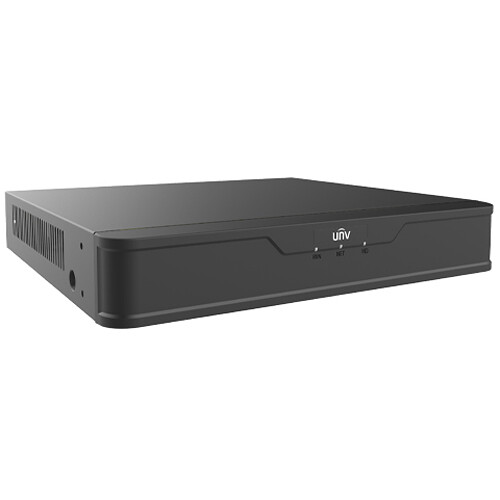
Uniview NVR501-08B-P8 8-channel 8MP NVR
Security camera maintenance and service in New York City
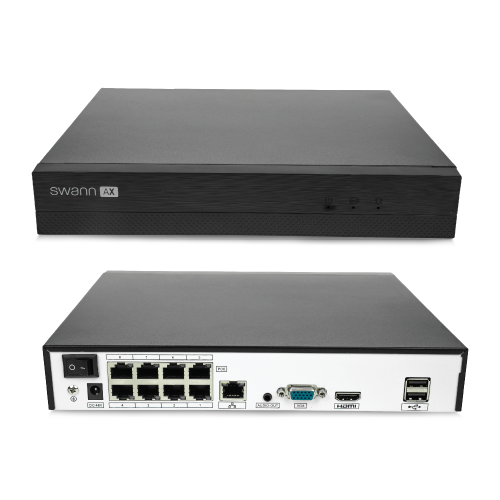
Swann AdvancedX 4K NVR
Security camera maintenance and service in New York City
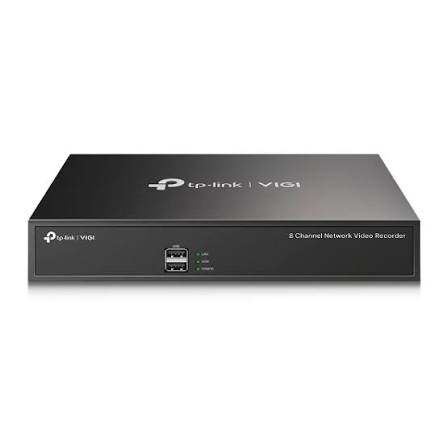
TP-Link VIGI NVR1008H 8-channel NVR
Security camera maintenance and service in New York City
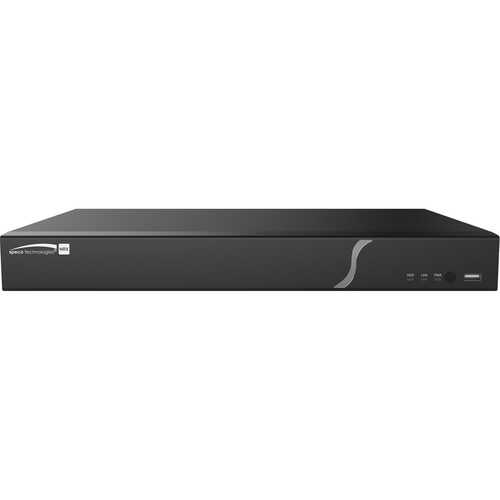
Speco Technologies N16NRX 16-channel 8K NVR
Security camera maintenance and service in New York City
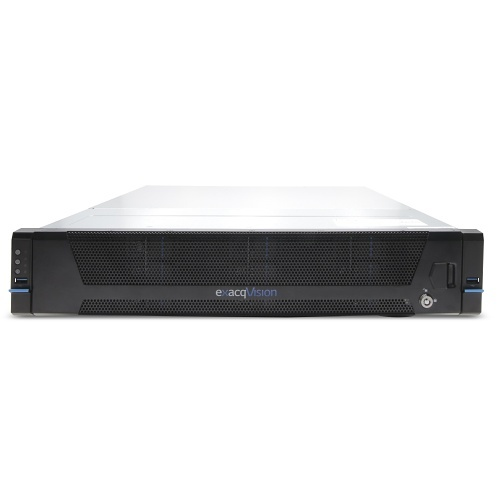
Exacq IP08-48T A-Series rackmount NVR
Security camera maintenance and service in New York City
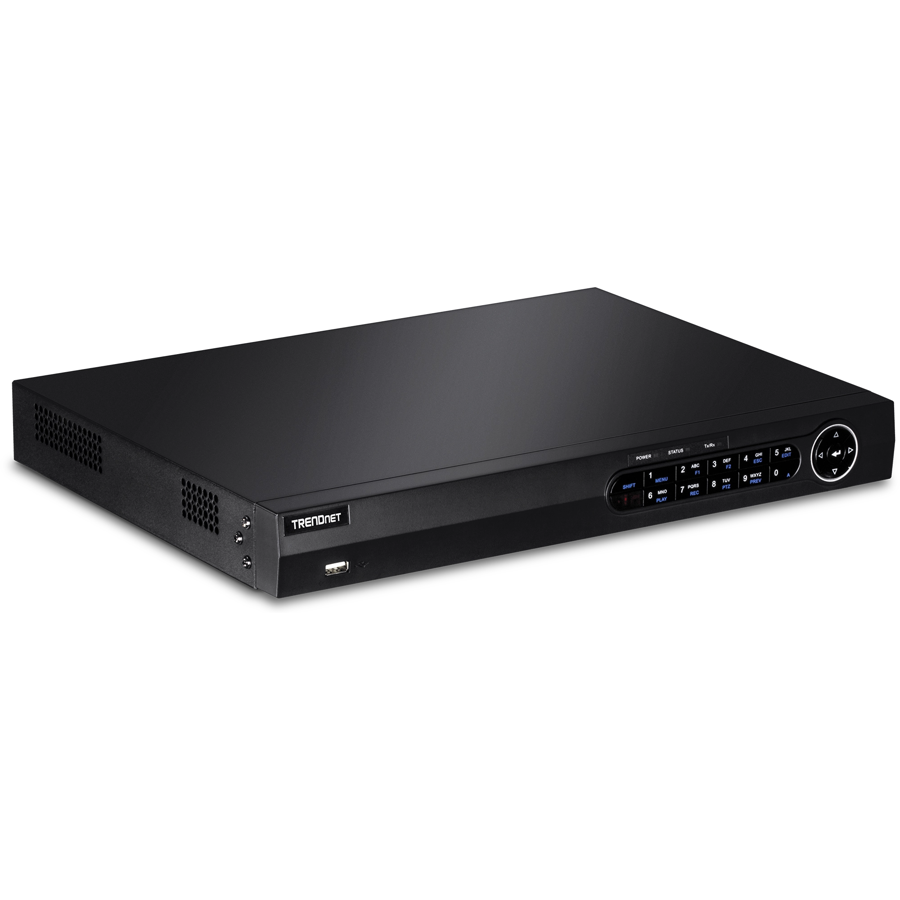
TRENDnet TV-NVR208 8-channel PoE+ NVR
Security camera maintenance and service in New York City
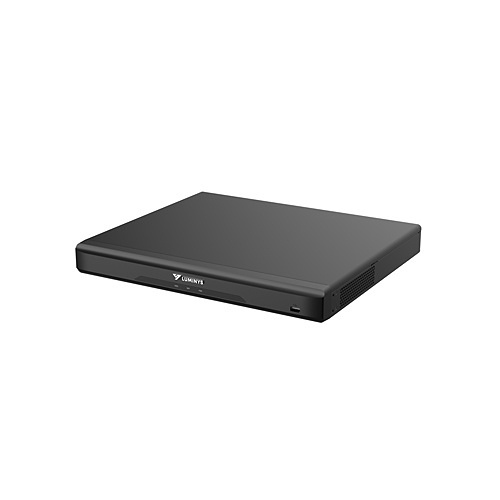
Luminys R52-16PA4 16-channel 8K NVR
Security camera maintenance and service in New York City
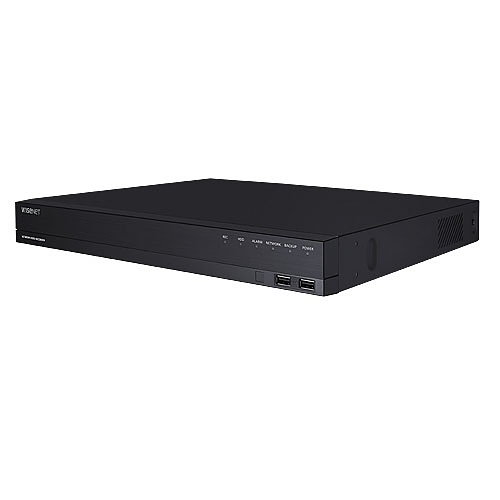
Hanwha Wisenet ARN-1610S 16-channel PoE NVR
Security camera maintenance and service in New York City
IDIS DR-2508P 8-channel 4K NVR
Security camera maintenance and service in New York City
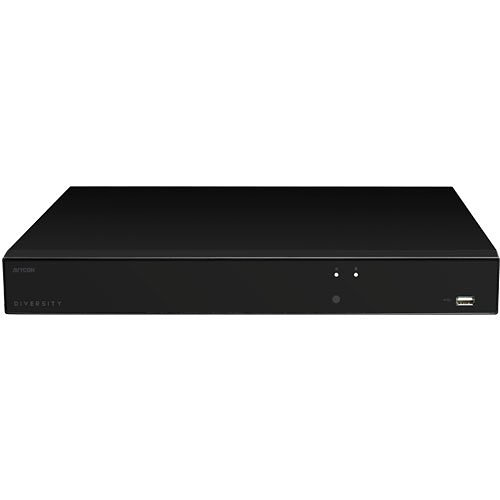
AVYCON AVR-NSV16P16 16-channel 4K UHD NVR
Security camera maintenance and service in New York City
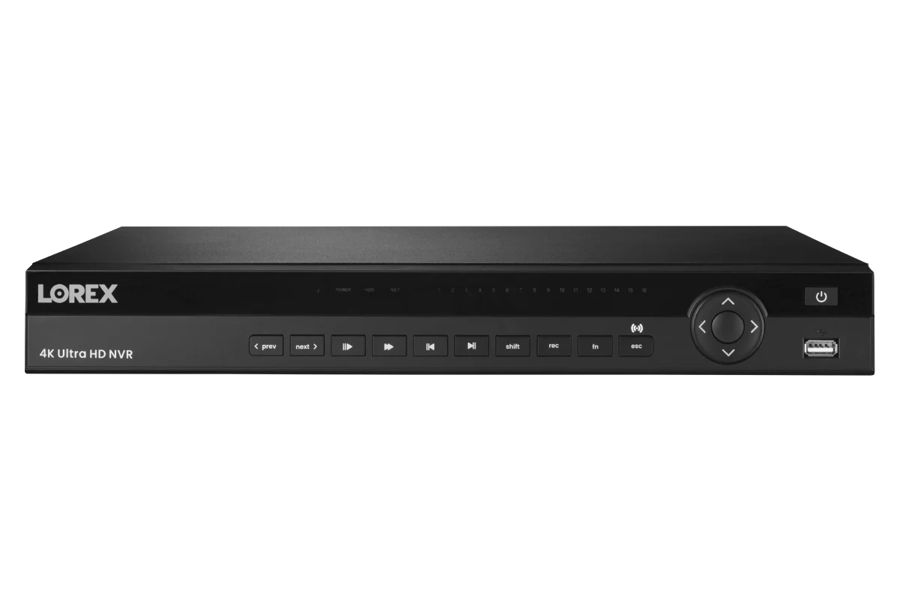
Lorex 4K Ultra HD 16-channel NVR
Security camera maintenance and service in New York City
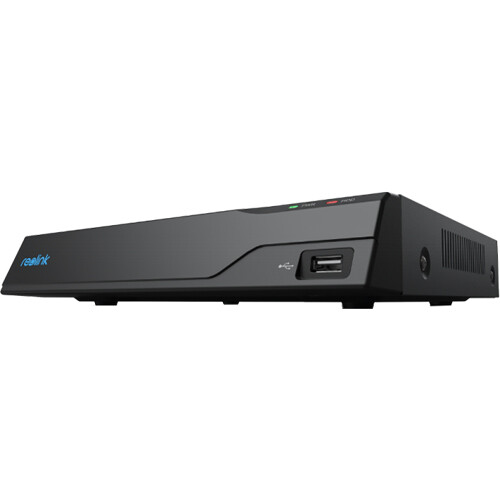
Reolink NVS8 8-channel 12MP PoE NVR
Security camera maintenance and service in New York City
ENS Titanium NVR network video recorder
Security camera maintenance and service in New York City
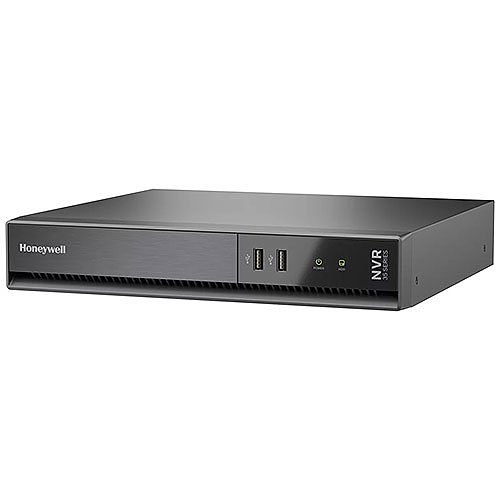
Honeywell HN35080204C 35 Series 4K NVR
Security camera maintenance and service in New York City
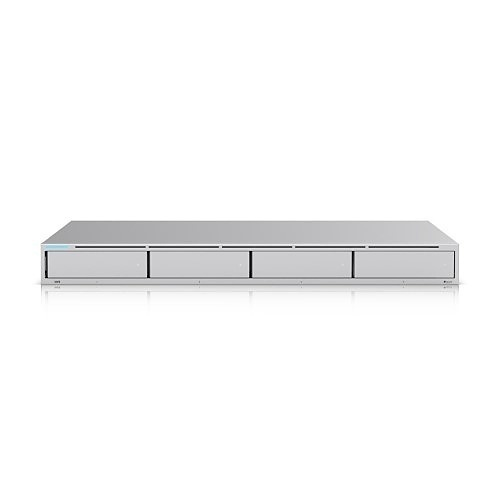
Ubiquiti UNVR 4K network video recorder
Security camera maintenance and service in New York City
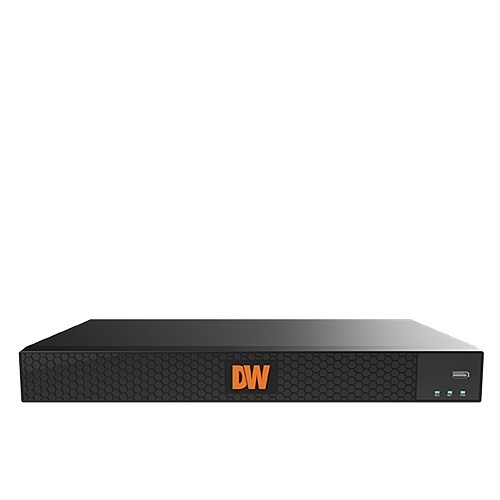
Digital Watchdog DW-COVA84T 8-channel 4K NVR

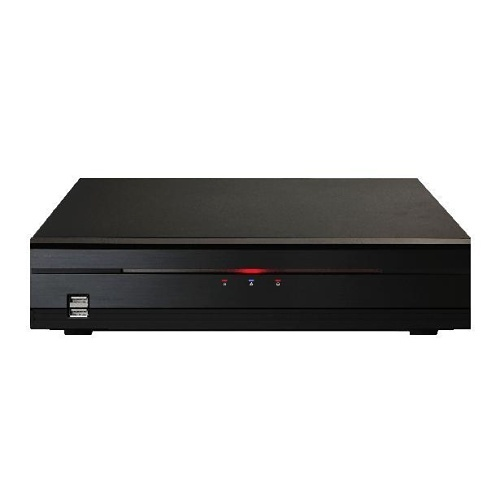
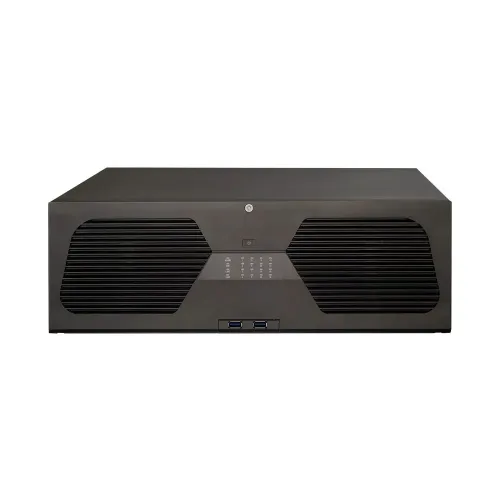
Network video recorders we install, configure, and service in NYC — Reolink, Lorex, Uniview, Hikvision, Ubiquiti UniFi, Hanwha Wisenet, Honeywell, Speco, AVYCON, Exacq, Digital Watchdog, IDIS, Luminys, Swann, TP-Link VIGI, TRENDnet, and ENS Titanium.

The recorder market runs far past the big three, and we install and service across all of it in NYC. On the prosumer and small-business side, the Reolink NVS8, TP-Link VIGI NVR1008H, TRENDnet TV-NVR208, and Swann AdvancedX 4K are clean plug-and-play PoE recorders with local storage and no monthly fee. For serious commercial builds we work with Hikvision (the DS-7616NI-Q series), Hanwha Wisenet ARN-1610S, Honeywell 35 Series MAXPRO, Speco N16NRX 8K, AVYCON AVR-NSV16P, Digital Watchdog COVA, IDIS DR-2508P, Luminys R52 8K, and ENS Titanium recorders — high channel counts, RAID, and deep analytics. For IT-managed and enterprise sites, Ubiquiti UniFi UNVR, Uniview NVR501, and Exacq A-Series rackmount systems integrate with managed switches, VLANs, and multi-site setups. We’re brand-agnostic, we confirm ONVIF compatibility before you commit, we change every default password, and we’ll install a recorder you already bought.

Honest Pricing

What Camera Maintenance Costs in NYC

Maintenance is priced two ways: a one-time service visit, or an annual plan with scheduled visits and priority support. The plan route is what the industry standardizes on — typically 8–15% of the system’s value per year — because it makes the cost predictable and puts someone on the hook when something breaks. The big variables are camera count, how often you need a visit, and whether the site is high-traffic or outdoor. A single tune-up of a small residential system is the cheapest path; a monthly plan on a multi-camera commercial system is the most involved. All ranges below are honest budgeting numbers; every plan is fixed-price after we see the system.

One-Time Service Visit
small / residential
$150 – $350

A single tune-up of a home or small system — clean every lens and housing, verify recording and storage, check cables and power, update firmware and passwords, realign cameras, and leave a report of what we found.

Residential Maintenance Plan
annual, scheduled
$200 – $500/yr

Scheduled visits (quarterly or semi-annual) for a home system, plus priority support if something goes down between visits. Often quoted around $50–$150 per camera per year depending on count and access.

Commercial Maintenance Plan
monthly / quarterly
$1,000 – $5,000+/yr

Monthly or quarterly visits for a store, restaurant, warehouse, or building — cleaning, storage and RAID health, firmware, alignment, documented reports, and priority emergency response. Priced as a percentage of system value after a walk-through.

Emergency / Same-Day Service
reactive
$190 – $900

System down, not recording, or remote view dead and you need it now — same-day diagnostic and fix. Plan customers get priority and reduced rates; one-off calls start with a flat diagnostic.

How It Works

How a Maintenance Visit Works

01
Walk-Through & Cadence

We inventory your cameras, recorder, storage, and network, look at the environment and traffic, and set a service frequency that fits the site — monthly for busy or outdoor systems, quarterly or annual for quieter ones — with a fixed-price plan or one-time quote.

02
The Service Run

On each visit we clean lenses and housings, inspect and tighten cabling and connectors, verify every camera is recording, check storage and drive health, update firmware and passwords, test PoE and power, verify IR and motion, and realign anything that drifted.

03
Report & Priority Support

We confirm remote viewing still connects, document everything checked and fixed in a written report — the record warranties and insurers want — and if anything needs follow-up we schedule it. Plan customers get priority response between visits.

Real Questions

Maintenance Questions NYC Actually Asks

Cost & Budget

How much does security camera maintenance cost in NYC?

A one-time tune-up of a small or home system runs $150 to $350. Annual plans for residential systems are commonly $200 to $500, often quoted around $50–$150 per camera per year. Commercial plans with monthly or quarterly visits run $1,000 to $5,000+ a year. The industry standard is to price a maintenance contract at roughly 8–15% of the system’s value annually. We set a firm number after we see the system.

Is a maintenance plan actually worth it, or should I just call when something breaks?

Reactive-only almost always costs more over the life of a system. Preventive maintenance cuts unexpected failures sharply, extends equipment life by years, and lowers total ownership cost compared to waiting for breakdowns — and one incident where clear footage settles a claim or dispute can pay for years of service. The hidden cost of “call when it breaks” is the footage you didn’t have on the day you needed it.

Frequency & Scheduling

How often should security cameras be professionally serviced?

At least once a year for most systems. High-use sites — retail, restaurants, warehouses — do better every six months, and outdoor or dusty installs and busy storefronts often want monthly attention. Between professional visits, a quick monthly self-check (are all cameras live, is it still recording, does the app connect) catches a lot. We set the cadence to your site, not a one-size schedule.

My cameras look fine — why would I need maintenance?

Because most camera failures are silent. A live picture on the monitor does not mean the system is recording, that storage isn’t full, that the drive isn’t failing, or that remote view still works. Cameras go offline, recorders fill, and image quality degrades with no alert at all. The only way to know a system is actually working is to test the output — which is exactly what a maintenance visit does.

DIY vs Pro

What can I do myself between professional visits?

Plenty of the easy, high-value stuff: wipe outdoor lenses with a microfiber cloth, glance at the live view and the recording timeline to confirm everything is capturing, check that the phone app connects, and watch for cameras that have gone dark or stuck. What needs a pro: storage and drive-health checks, firmware and password updates, PoE and power testing, working at height safely, and anything electrical. Do the monthly glance; leave the diagnostics to a tech.

Can I clean the camera lenses myself, or will I scratch them?

You can — carefully. Use a clean microfiber cloth and a little lens cleaner, never a paper towel or window cleaner, which scratch coatings. Lens and dome cleaning resolves the majority of image-clarity complaints, so it’s worth doing. For high outdoor cameras, condensation inside the housing, or domes with IR reflection, that’s a service visit — the cleaning is part of it but so is checking the seal that let the moisture in.

Technical

My footage looks blurry or grainy now — is the camera dying?

Usually not. The most common causes are a filmed-over lens or dome (street grime, exhaust, condensation), IR reflection off a dirty dome at night, or a focus that drifted. Cleaning and recalibration fix the large majority of clarity issues. If the picture is still poor after that, then we look at the sensor, the cabling, or compression settings — but we always rule out the cheap, common causes first.

Why did my cameras suddenly drop offline or stop recording?

The usual suspects are a full or failing hard drive that stopped overwriting, a corroded or loose connector, a PoE port or power supply that gave out, a firmware update that changed settings, or an ISP change that broke remote view. We trace it to the actual cause rather than swapping parts — and the point of maintenance is to catch a degrading drive or loose connection before it takes the system down.

Quality & Trust

Will maintenance keep my warranty valid?

Often it’s what protects it — many manufacturers require maintenance records to honor a warranty claim, and a documented service history is also your due-diligence record in an insurance or liability dispute. Every visit we leave a written report of what was checked, cleaned, updated, and replaced, so you have the paper trail when you need it.

Do I need a licensed contractor for camera maintenance in NYC?

For wiping a lens, no — but anything involving cabling, height, power, building infrastructure, or commercial work should be done by a licensed, insured low-voltage contractor and to code. We’re NYS licensed #12000287431 and insured, we service to code, we harden the system’s security as part of the visit, and we stand behind the work.

Reality Check

Camera Maintenance in NYC: An Honest Reality Check

Search “security camera maintenance cost” and the AI Overview, Angi, HomeAdvisor, and Fixr hand you a flat number and a generic checklist that miss what actually keeps a NYC system alive. Here’s what they leave out.

The “maintenance cost” number ignores how it’s priced

Angi and Fixr hand you a flat per-visit number, but real maintenance is priced to the system — the industry standard is a percentage of system value per year, commonly 8–15%. A four-camera home and a forty-camera warehouse are both “camera maintenance” at completely different costs. The number that matters is sized to your camera count, your site, and how often it needs a visit — not a national average.

“Set it and forget it” is how the gaps form

Generic content treats a camera system as install-and-done. The reality is that an unmaintained system drifts toward failure silently — full storage causes the majority of recording failures, and the recorder quietly stops overwriting without a single alert. Most owners discover their system stopped recording weeks ago only when they go looking for footage that isn’t there. A maintenance visit verifies the recording is real, not assumed.

Remote view breaks on its own — and nobody checks

National checklists never mention that remote access decays without anyone touching it. A NYC ISP rotates your public IP, a router resets its forwarding rules, an app update changes the login, or a provider moves you behind carrier-grade NAT — and the phone view that worked for a year quietly dies. You find out the day you reach for it. Verifying remote viewing still connects is a standing item on every maintenance visit, because it fails on its own.

Outdated firmware is the risk the checklists skip

A maintenance checklist that’s only “wipe the lens” misses the biggest exposure: outdated firmware and unchanged default passwords are how camera systems get scanned and hijacked, turning your own recorder into a door onto your network. Generic content rarely leads with it. Firmware updates, credential changes, and disabling exposed services are core maintenance tasks, not optional extras — security agencies flag exactly this for network-connected devices.

The drive that fails silently between “working” checks

Surveillance drives run hot 24/7 and wear out, and generic advice never tells you to watch their health. A drive degrades for weeks before it dies — its own S.M.A.R.T. data shows it — but only if someone reads it. Catching a failing drive on a routine visit means replacing it on a calm afternoon instead of discovering it took your footage with it. On RAID systems we verify the array is actually healthy, not silently running degraded.

The documentation that protects you in a claim

National content frames maintenance purely as “keep it clean.” What it skips is the paper trail: a documented service history is what many manufacturers require to honor a warranty, and what demonstrates due diligence if a liability or insurance claim ever alleges your security was inadequate. Every visit we leave a written record of what was checked, cleaned, updated, and replaced — the part of maintenance that pays off in a dispute.

The honest bottom line on NYC camera maintenance

A camera system is only as good as its last service check. The value of maintenance isn’t the lens wipe you can see — it’s verifying the recording is real, the storage isn’t full, the drive isn’t dying, the firmware isn’t a security hole, and the remote view still connects, all of which fail silently. Done on a schedule it extends the system’s life by years and cuts the expensive emergency calls. The smart move isn’t the cheapest checklist — it’s a licensed contractor who tests the output and documents it.

Need your cameras serviced or a system back online? Call Now Fast Quote Speak to a Tech
How We Compare

A Maintenance Plan vs. DIY, “Call When Broken” & National Chains

vs. DIY Upkeep Only

Wiping a reachable lens yourself is great — keep doing it. But storage health, firmware and password updates, PoE and drive diagnostics, and high or outdoor work need a tech and proper tools. The silent failures (full drives, dying disks, broken remote access) are exactly the ones DIY misses. We handle those; you handle the monthly glance.

vs. “Call When It Breaks”

Reactive-only feels cheaper until the emergency call — which costs more than the maintenance would have, and arrives after you’ve already lost the footage. Preventive service cuts failures, extends equipment life by years, and lowers total cost of ownership. You’re paying either way; a plan just pays less and keeps the footage.

vs. a General Handyman

A handyman might wipe a lens and tighten a bracket, but not read drive health, update firmware safely, harden the system against hijacking, or document the visit for your warranty and insurer. We’re a licensed low-voltage contractor servicing the whole system — optics, storage, network, power, and security.

vs. a National Chain Contract

National monitoring contracts often bundle a maintenance line item you never see used, with techs rotating through who don’t know your system. We’re local, you get the same people, we show up same-day when something’s down, and the plan covers the actual hands-on work — not a call center.

Our Model

Free assessment, fixed-price plan or one-time visit, cadence set to your site, every lens and housing cleaned, storage and drive health verified, firmware and passwords updated, PoE and power tested, alignment and alerts checked, a written report every visit, same-day priority for plan customers — licensed NYS #12000287431, insured.

Coverage

Camera Maintenance Across New York City

We service and maintain camera systems across all five boroughs — Manhattan, Brooklyn, Queens, the Bronx, and Staten Island — for homes, businesses, and buildings. This is the NYC camera maintenance hub; see our full security camera installation, camera repair, NVR installation, our commercial systems, or the structured cabling that ties it together. Back to our home page for everything we do.

Camera service by borough:
Manhattan → · Brooklyn → · Queens → · The Bronx → · Staten Island →

Camera Repair NYC

Something already broken — not recording, offline, dead remote view? Our NYC camera repair gets it back online.

NYC Camera Repair →

NVR Installation NYC

The recorder at the center of it all — sized, configured, and maintained for real retention.

NYC NVR Install →

Camera Installation NYC

New whole-home and whole-building camera systems — then kept healthy on a maintenance plan.

NYC Camera Install →

Structured Cabling NYC

The Ethernet backbone cameras and recorders run on — inspected and repaired as part of service.

Cabling NYC →
Problems We Solve

NYC Camera Maintenance Problems We Catch Every Week

“I went to pull footage and there was nothing there.”

The classic silent failure — a full disk that stopped overwriting, a dead drive, or a camera that dropped weeks ago. A maintenance visit verifies recording is real before you need it, and we set alerts so the next gap isn’t a surprise.

“The phone app stopped connecting and I don’t know why.”

Remote view decays on its own — an ISP IP change, a reset router rule, an app update. We restore the P2P or forwarding path, work around carrier-grade NAT, and add it to the checklist so it’s verified every visit instead of discovered when you’re away.

“The picture went blurry and I thought the cameras were dying.”

Almost always a filmed-over lens or dome, condensation, or IR reflection — not a dead sensor. Cleaning and recalibration fix the large majority of clarity complaints. We clean the optics, check the housing seal that let moisture in, and the picture comes back.

“A drive died and took my footage with it.”

A drive that ran to failure with nobody reading its health. We replace it, recover what we can, set RAID where loss isn’t acceptable, and from then on check drive health every visit so the next one gets swapped before it dies, not after.

“Half my cameras are pointing the wrong way.”

Delivery carts, staff, weather, and time knock cameras off their view, and nobody notices until the angle they needed is missing. We re-aim every camera to its intended coverage, lock the mounts, and verify the view on each visit.

“My system’s a few years old and I’ve never had it serviced.”

The most common call we get. We do a full first-time health check — clean everything, read drive health, update firmware and passwords, test power and network, verify recording and remote view — then put it on a schedule so it never drifts that far again.

Customer Reviews

What NYC Maintenance Customers Say

“Brownstone in Brooklyn — put my six-camera system on a quarterly plan after I went to pull footage one day and the drive had been full and not overwriting for a month. They cleaned everything, swapped a drive that was about to go, and now I get a report each visit. Peace of mind for what it costs.”

— Marcus T., Brooklyn

“Storefront in Manhattan — monthly maintenance on a 16-camera system. The cameras film over fast on this block, so they clean the lenses, check storage, and update firmware every visit. When I needed footage for a chargeback it was right there and clear. The plan pays for itself the first time you need a clip.”

— Sofia R., Manhattan

“Warehouse in Queens — 24 cameras, dust and forklifts everywhere. They come monthly, check alignment, RAID health, and the PoE switch, and have caught two failing drives before they died. We’ve had zero footage gaps since we started the plan. Exactly what we needed.”

— David O., Queens

“Two-family in the Bronx — cameras someone else installed and never touched. They did a first-time service, cleaned years of grime off the lenses, fixed the remote view that had stopped working, and updated the firmware. Picture looks new and I can see it from my phone again. Fair price, no upsell.”

— Angela M., Bronx

From the Field

Field Notes from a NYC Maintenance Call

A Queens restaurant that had “a camera system” for three years and never once had it serviced — a textbook first-time maintenance call. On paper everything worked: live picture on the monitor, twelve cameras, a recorder in the back office. In reality it was quietly broken in four places, none of which had thrown a single alert. First, the recorder’s drive had filled and the overwrite setting was off, so it had stopped recording new footage entirely about five weeks earlier — the owner thought he had months of history and actually had nothing past that date. Second, three of the kitchen and back-door lenses were so caked in grease film that the night footage was unusable; a microfiber cloth and ten minutes brought them back. Third, the recorder still had its factory default password and was reachable from the internet — an open door onto the restaurant’s network and POS. Fourth, the phone app had stopped connecting months ago after the ISP rotated the public IP, so the owner had no remote view at all. We fixed the lot on one visit: cleared and reset the storage with overwrite on and retention sized to thirty days, cleaned every lens and housing, read the drive health and flagged one disk showing early errors for replacement, changed every default password and disabled the exposed services, re-established hardened remote access, re-aimed two cameras that had drifted off the dining room, and updated all the firmware. Then we put them on a monthly plan, because a busy kitchen drifts fast. The cameras were never the problem — the system just hadn’t been touched since the day it went in. That’s what maintenance is: not fixing what’s obviously broken, but finding the four silent failures before the night you need the footage.

Need Service Now?

Cameras Down in NYC? Same-Day Service

System not recording, cameras offline, footage full of gaps, picture gone dark or blurry, remote viewing dead, a hard drive failed or full, or footage you can’t find when you need it? We service camera systems across all five boroughs same-day — clean and recover blurred or dropped cameras, replace failed drives and verify storage, restore remote access through any NYC ISP, re-aim and re-tune cameras, update firmware and lock down security, and document everything. Most service calls are same-day or next-day, and plan customers get first priority.

Related Searches

Camera Maintenance Services People Search For in NYC

NYC homeowners, business owners, and property managers find us under many of these searches. Every one points to the same licensed crew — from a single-visit camera tune-up to a full commercial maintenance plan, plus cleaning, firmware and security updates, storage and drive health, recording verification, alignment, and same-day service.

Security Camera ServiceSecurity Camera MaintenanceSecurity Camera Service and Maintenance NYCSecurity Camera Maintenance ServiceSecurity Camera Repair and MaintenanceSecurity Camera System Maintenance NYCSecurity Camera System ServiceCCTV ServiceCCTV Maintenance NYCCCTV System MaintenanceCCTV System ServiceSurveillance Camera ServiceSurveillance Camera Maintenance NYCSurveillance System MaintenanceSurveillance System ServiceVideo Surveillance MaintenanceVideo Surveillance Service NYCCamera System MaintenanceCamera System ServiceSecurity Camera Inspection NYCSecurity Camera Preventive MaintenancePreventive Camera MaintenanceScheduled Security Camera Maintenance NYCRoutine Security Camera MaintenanceAnnual Security Camera MaintenanceQuarterly Security Camera MaintenanceMonthly Security Camera Maintenance NYCSecurity Camera Health CheckSecurity Camera Diagnostic ServiceSecurity Camera Performance Check NYCSecurity Camera System InspectionSecurity Camera System CheckupSecurity Camera CleaningSecurity Camera Lens Cleaning NYCSecurity Camera AdjustmentSecurity Camera CalibrationSecurity Camera TestingSecurity Camera Optimization NYCSecurity Camera Tune UpSecurity Camera Firmware UpdateSecurity Camera Software UpdateSecurity Camera Firmware Upgrade NYCSecurity Camera System UpgradeSecurity Camera TroubleshootingSecurity Camera SupportSecurity Camera Technical Support NYCSecurity Camera Service TechnicianSecurity Camera Maintenance TechnicianSecurity Camera SpecialistSecurity Camera Contractor NYCSecurity Camera Service CompanySecurity Camera Maintenance CompanyProfessional Security Camera MaintenanceCertified Security Camera Technician NYCExpert Security Camera ServiceCamera Recording System MaintenanceNVR MaintenanceDVR Maintenance NYCNVR ServiceDVR ServiceNetwork Video Recorder MaintenanceIP Camera Maintenance NYCPoE Camera MaintenanceWired Security Camera MaintenanceWireless Security Camera MaintenanceCommercial Security Camera Maintenance NYCResidential Security Camera MaintenanceBusiness Security Camera MaintenanceHome Security Camera MaintenanceOffice Security Camera Maintenance NYCWarehouse Security Camera MaintenanceRetail Security Camera MaintenanceApartment Security Camera MaintenanceCondo Security Camera Maintenance NYCSchool Security Camera MaintenanceHotel Security Camera MaintenanceRestaurant Security Camera MaintenanceParking Garage Camera Maintenance NYCSecurity Camera Remote Viewing SupportSecurity Camera Mobile App SupportSecurity Camera Network TroubleshootingSecurity Camera Recording Issues NYCSecurity Camera Offline RepairSecurity Camera Not RecordingSecurity Camera Image Quality IssuesSecurity Camera Motion Detection Repair NYCSecurity Camera Night Vision RepairSecurity Camera Hard Drive ReplacementSecurity Camera Storage UpgradeSecurity Camera Cabling Repair NYCSecurity Camera System RestorationSame Day Security Camera ServiceEmergency Security Camera MaintenanceUrgent Security Camera Repair NYCSecurity Camera Service Near MeSecurity Camera Maintenance Near MeSecurity Camera Maintenance PlanSecurity Camera Service Plan NYCSecurity Camera Maintenance ContractSecurity Camera Maintenance AgreementSecurity Camera Maintenance and RepairSecurity Camera Service and Support
Questions

NYC Camera Maintenance Questions Answered

How much does security camera maintenance cost in NYC?

+

A one-time tune-up of a small or home system runs $150 to $350. Residential annual plans are commonly $200 to $500, often around $50–$150 per camera per year. Commercial plans with monthly or quarterly visits run $1,000 to $5,000+ a year. The industry prices maintenance contracts at roughly 8–15% of system value annually. We set a firm number after we see the system.

How often should I have my security cameras serviced?

+

At least once a year for most systems. High-use sites — retail, restaurants, warehouses — do better every six months, and outdoor, dusty, or busy installs often want monthly visits. Between professional service, a quick monthly self-check (cameras live, still recording, app connects) catches a lot. We set the cadence to your site.

What’s included in a maintenance visit?

+

Lens and housing cleaning, cable and connector inspection, recording and playback verification, storage and drive-health checks, firmware and password updates, PoE and power testing, IR and night-vision checks, motion and alert testing, camera realignment, and a remote-view check — finishing with a written report of everything found and fixed.

Why do I need maintenance if my cameras look like they’re working?

+

Because most camera failures are silent. A live picture doesn’t mean the system is recording, that storage isn’t full, that the drive isn’t failing, or that remote view still works. Cameras go offline and recorders fill with no alert at all. The only way to know a system actually works is to test the output — which is what a visit does.

Do you offer a maintenance plan or contract?

+

Yes — fixed-fee annual plans with scheduled visits and priority support, sized to your camera count and how often the site needs attention. We also do one-time service visits if you’d rather not commit. Plan customers get same-day priority and reduced emergency rates.

Can you service a system another company installed?

+

Yes — we maintain systems we installed and systems someone else installed, on most major brands (Reolink, Lorex, Amcrest, Annke, Dahua, Hikvision, Uniview, Axis, and more). A first-time service usually turns up a few things that were never set up right, which we fix as part of the visit.

My footage looks blurry now — do I need new cameras?

+

Usually not. The most common causes are a filmed-over lens or dome, condensation, or IR reflection off a dirty dome at night. Cleaning and recalibration fix the large majority of clarity complaints. We rule out the cheap, common causes before ever recommending new hardware.

Will a maintenance plan keep my warranty valid?

+

Often it’s what protects it — many manufacturers require maintenance records to honor a warranty, and a documented service history is also your due-diligence record in an insurance or liability dispute. We leave a written report every visit so you have the paper trail.

How does maintenance save me money?

+

Preventive service cuts unexpected failures, extends equipment life by years, and lowers total cost of ownership versus waiting for breakdowns. Emergency repairs cost more than the maintenance would have, and one incident where clear footage settles a claim can pay for years of service. You’re paying either way — a plan just costs less.

Can I do any of the maintenance myself?

+

Yes — wipe reachable lenses with a microfiber cloth (never paper towel or window cleaner), glance at the live view and recording timeline, and confirm the app connects. Leave storage and drive-health checks, firmware and password updates, PoE testing, and any height or electrical work to a tech with the right tools.

Do you provide emergency or same-day camera service?

+

Yes — if your system is down, not recording, or remote view is dead and you need it now, we service same-day across all five boroughs. Plan customers get first priority and reduced rates; one-off calls start with a flat diagnostic.

Do you maintain commercial systems and buildings, not just homes?

+

Yes — storefronts, restaurants, offices, warehouses, schools, houses of worship, and apartment buildings. Larger and high-traffic sites get more frequent visits, RAID and storage health checks, managed-PoE and VLAN verification, and the documented reporting that managing agents, boards, and insurers expect.

Build the backbone your cameras deserve. Call Now Fast Quote Speak to a Tech
Connect With Us

Find Us, Follow Us, Review Us

4.6★★★★★
190 reviews on Google
★★★★★

"Excellent work installing cameras at my building in Brooklyn. Clean wiring, professional team, everything works perfectly on my phone."

Marcus T. — Brooklyn, NY
★★★★★

"Best security camera company in NYC. Cameras on my brownstone without damaging the brick. Cables completely hidden. 4K picture quality is incredible."

James L. — Fort Greene, Brooklyn
Read All 190 Reviews on Google →

Follow Us

Abstract Enterprises
Security Systems · Licensed & Insured
1282 Troy Ave, Brooklyn, NY 11203📞 (347) 934-8335
NYS License #12000287431
Serving all five NYC boroughs, Long Island (Nassau & Suffolk), and Hudson Valley (Westchester, Rockland, Orange, Putnam, Dutchess, Ulster).
Packages