Public Districts · BOCES · Nonpublic & Yeshiva Schools · Daycares · Bus Garages · NYS Licensed Low-Voltage
School Security Cameras Installed in Orange County
Built to the Claim Form · Documented for the Audit · Ready for the Records Request
A school camera system in Orange County is almost never bought with spare cash. It is paid for out of a Smart Schools allocation, a capital vote, State building aid, a nonpublic-school safety reimbursement or a BOCES project — and every one of those comes with someone in Albany or Goshen who will read the paperwork later. We plan, wire and hand over school camera systems so the paperwork holds up: a camera list tied to each door and corridor, wiring that goes through the right approval before anyone is paid, recorders sized to the retention your safety plan names, and a handover file a business official, an auditor or a records officer can use without calling us.
Reviewed and updated October 18, 2026 by Anwar Timothy, NYS low-voltage license #12000287431 · Orange County school work is scheduled from our Bronx office at 460 E Fordham Rd
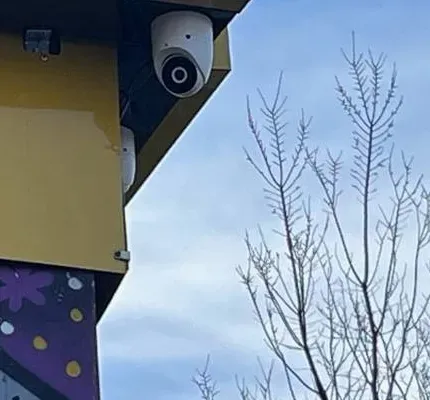
Example photo from another AESS job (not an Orange County school), cropped: a white dome camera tucked under a painted eave on a cold, clear day with the trees bare. On a school roofline in Warwick or Pine Bush the same placement keeps the lens out of snow and ice that slides off the roof edge.
Orange County School Camera Quote
Tell us the school, the building and how the work is funded — we reply the same business day
✅
Request Sent!
A school camera installer will call you back about the Orange County building the same business day.
25+
Years Experience
✓
Same-Day Estimates
100%
Licensed & Insured
4.7★
201 Google Reviews
Tell us how the job is being paid for before you tell us how many cameras you want. A Smart Schools plan, a capital proposition, an equipment-only building-aid claim and a nonpublic safety reimbursement each change what we put in writing, when the cable can be pulled and what the invoice has to show. Call or text (845) 640-3835 with the district or school, the building, and the funding source, and we will tell you what the paperwork needs before we price a single camera.
Orange County commercial school cameras run $630–$1,330 each installed, on our Hudson Valley rate of 1.40× the Brooklyn base, with recorders and storage priced as their own lines
No facial recognition, no audio, no cameras in restrooms or locker rooms — written into every school plan we hand over
Licensed for low-voltage work in New York (#12000287431), insured, and used to working around bell schedules, bus runs and custodial hours
Why Orange County Properties Need School Security Camera Installation
Orange County runs its schools through an unusual mix of institutions. Seventeen districts are components of Orange-Ulster BOCES in Goshen — Chester, Cornwall, Florida, Goshen, Greenwood Lake, Highland Falls–Fort Montgomery, Kiryas Joel, Marlboro across the Ulster line, Middletown, Minisink Valley, Monroe-Woodbury, Pine Bush, Port Jervis, Tuxedo, Valley Central, Warwick Valley and Washingtonville — and the Newburgh Enlarged City School District is listed with the BOCES as a non-component. Alongside them sit nonpublic schools, many of them yeshivas in and around Kiryas Joel, where the public district itself was created by the Legislature in 1989 to provide special education and, according to its own description, also runs buses and buys supplies for children who attend private yeshivas. A camera project here can be a city high school in Newburgh, a three-building rural campus in Pine Bush, a BOCES career shop on Gibson Road, a yeshiva in a converted building or a bus garage on the edge of a village.
What those projects share is money with conditions attached. New York's $2 billion Smart Schools Bond Act lets districts spend their allocation on “high-tech security,” which the State Education Department's guidance defines as video surveillance, emergency notification and physical access controls. The SED's approved-plan pages show how Orange County districts have used it: Minisink Valley put $3,571,363 into a plan for high-tech security alone in March 2019; Middletown's May 2022 plan put $499,475 into the same category; Pine Bush has had high-tech security in four approved plans between 2017 and 2023; Port Jervis and Warwick Valley each included it in plans that also bought connectivity and classroom technology. Newburgh's 2018 proposal, approved for $3.5 million in 2020 according to the Hudson Valley Press, paid for visitor management, “upgraded and additional camera infrastructure” and access control in every building.
The money is only half of it. The Education Department's Office of Facilities Planning treats a camera system with “electrical wiring installed through the building” as capital construction that needs a building permit, and its 2011 memo on security cameras is blunt about the cost of getting the order wrong: a system finished before the permit is issued is rejected and earns no State aid. Districts above the General Municipal Law thresholds have to bid the work, public work carries prevailing-wage obligations, and the building-level emergency response plans that every district must file with its local police and the State Police shape where the cameras have to look. A camera contractor who treats a school like a shop — walk in, hang cameras, send an invoice — can cost a district its aid or a nonpublic school its reimbursement. We plan the paperwork with the cable.
There is also an installed base to deal with. Middletown's district put roughly 265 Axis network cameras into seven school buildings and two administration buildings as early as 2007, running on Power over Ethernet through the switches that carried its phone system and keeping video for 30 days unless it related to an incident. Systems of that age are still on walls across the county, mixed with cameras added by later projects and by different contractors. In December 2021 News 12 reported that an Orange County district, unnamed in the report, was tightening security after fights inside its schools, “boxing matches” recorded in the hallways and a shooting involving four students outside a building. Orange County districts that want to replace or extend old cameras usually also want the doors tied in, and we can quote access control for Orange County school entrances on the same visit so the door log and the camera record line up.
Orange County facts that shape a school camera project
Seventeen BOCES component districts plus Newburgh. Orange-Ulster BOCES lists 17 component districts, from Tuxedo and Greenwood Lake to Middletown and Monroe-Woodbury, with Newburgh as a non-component district.
Smart Schools money already spent on security. SED approved Minisink Valley ($3,571,363, 2019) and Middletown ($499,475, 2022) plans in the high-tech security category, and Pine Bush, Port Jervis and Warwick Valley plans that include it.
Permits before payment. SED Facilities Planning: camera systems wired through a building are capital construction; aid on equipment-only claims is capped, and work finished before a required permit earns no aid.
A $158.8 million BOCES project. Orange-Ulster BOCES is carrying out a voter-approved $158.8 million capital project across its two Goshen campuses, including enhanced security systems and tighter control of employee access badges after a State Comptroller audit (AS&U, August 2026).
Buses already carry cameras. Since 2024 the county's school bus stop-arm program with BusPatrol has covered 15 districts; it issued 1,895 citations in its first months, 722 of them in June 2024 (Hudson Valley Press).
Nonpublic safety money grew. The state's Nonpublic School Safety Equipment program rose to $70 million in the 2024–25 budget, from $45 million the year before (Assemblymember Hevesi's office).
No facial recognition, anywhere. Since September 27, 2023 New York schools, public and private, may not buy or use facial recognition technology (NYSED determination under State Technology Law §106-b).
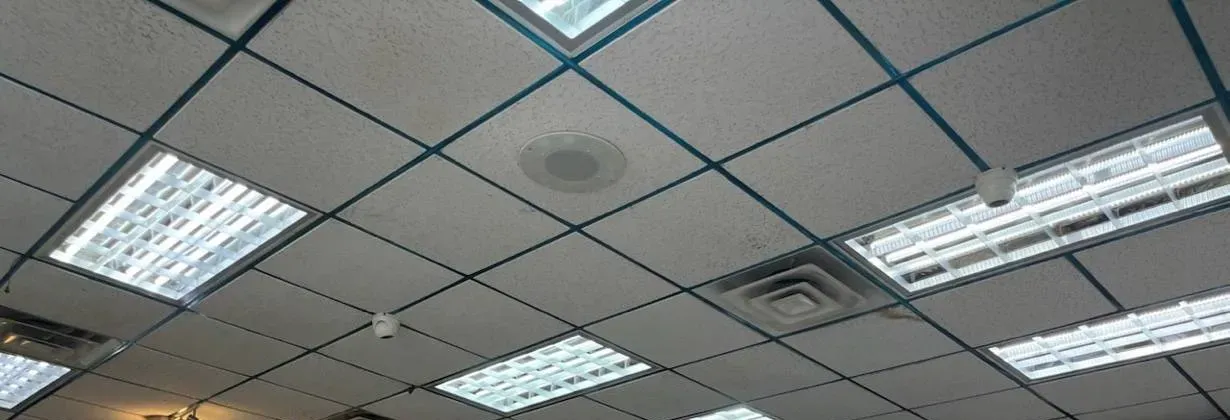
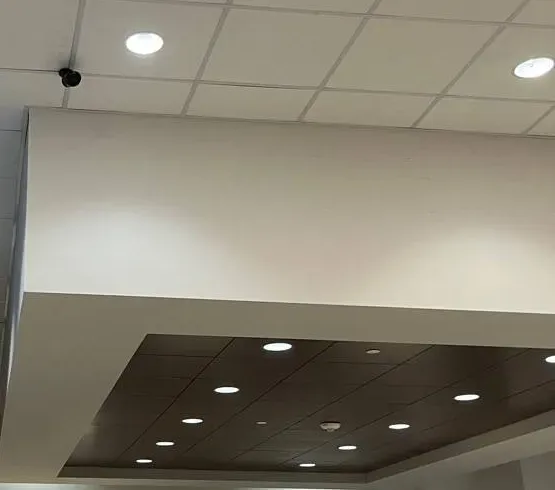
Example photo from another AESS job (not an Orange County school): small domes set into a tile ceiling between light panels. Corridors and cafeterias in many Orange County schools have this kind of ceiling, which lets cable run above the tiles without opening walls.
Orange County School Cameras Dark Before the First Bus?
If a recorder stopped saving overnight, a building's cameras went black after a storm, or a principal needs a clip copied before it is overwritten, call (845) 640-3835. We take the first open slot, bring a spare drive and a power supply to the site, and in most cases the recorder is saving video again within one to two hours of the technician arriving. We work on systems we did not install, including older district systems from earlier capital projects, and we leave a short written note of what failed and what we replaced so your facilities office can file it.
School Security Camera Installation Services in Orange County
Every service below is priced on the Orange County figures and can be written as a single line item for a capital project or split by building and funding source. The cards say what each one is for; the questions further down say how it plays out in a real district.
🏫 District building systems
Corridor, stairwell, cafeteria, gym and entrance cameras for a public school building, wired to a rack recorder, with a camera schedule your Smart Schools plan or capital project can reference line by line.
🚪 Entrance and vestibule cameras
A camera on the visitor at the call button, one inside the vestibule and one on the interior door, so the person who releases the door sees who they are letting in and the recorder keeps a face-height view of everyone who entered.
🚌 Bus garages and transportation yards
Overnight coverage of the fuel island, parts room, gate and parked rows at a district or contractor bus garage — separate from the stop-arm cameras on the buses themselves.
🔧 BOCES and career-tech shops
Cameras in welding, carpentry, auto, heavy-equipment and cosmetology spaces placed for tool-crib accountability and incident review, mounted clear of sparks, overhead doors and lift paths.
🕍 Nonpublic and yeshiva schools
Systems for religious and independent schools sized to the building and to what the Nonpublic School Safety Equipment reimbursement will and will not cover, with invoices written the way the claim needs them.
👶 Daycares and pre-K programs
Small systems for a converted house or storefront program: entry, play areas, pickup door, with a recorder that a director can search and export without IT help.
🔄 Replacing a 2000s-era system
Testing and reusing the network cable an older IP system left behind, replacing cameras and recorder in phases, and moving the old recorder's footage before it is switched off.
📋 Camera surveys for safety plans
A walked survey that marks every existing camera, its view and its condition on the floor plan, for a district-wide or building-level safety team that needs to know what it actually has.
🛠 Repair and service contracts
Same-day callouts for dead recorders, dropped cameras and failed drives at Orange County schools, and scheduled checks over summer and winter breaks when buildings are empty.
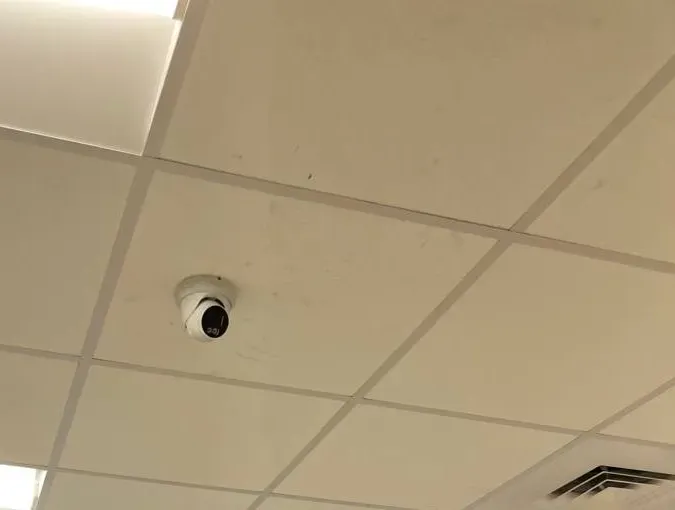
Example photo from another AESS job (not an Orange County school), cropped: a white turret camera on a ceiling tile beside a light panel. Ceiling-tile mounts are how corridor cameras go into a classroom wing without touching the classrooms themselves.
Building Specialists
School Security Cameras for Orange County's Architecture
Orange County's school buildings run from village schools that are well over half a century old to new additions paid for by recent capital votes. Each type below changes where the cable goes and how the cameras are mounted.
Mid-century single-storey district schools
Long wings with tile ceilings and exterior doors every few classrooms. Cable runs above the tiles to each corridor camera; every exterior door gets a view from inside, and the outdoor cameras sit under eaves where they stay clear of snow sliding off the roof.
City high schools and multi-storey buildings
Stair towers, multiple entrances and a cafeteria that seats hundreds. We map each stair landing and each entrance first, because those are the views a principal asks for after an incident, then fill corridors.
Rural multi-building campuses
Separate elementary, middle and high school buildings on one property, often with long drives and fields between them. Buildings are linked by fiber or a point-to-point wireless bridge rather than a copper run that exceeds its length limit.
BOCES career and technical buildings
High-bay shops with overhead doors, welding booths and equipment yards. Cameras go high, on the walls rather than the trusses, with housings rated for the dust and heat of the space.
Converted buildings used by nonpublic schools
Former offices, houses and commercial buildings turned into classrooms. Walls are often finished drywall with no ceiling access, so we plan surface raceway and short drops instead of fishing walls blind.
Bus garages and maintenance shops
Big open bays, fuel islands and long rows of parked buses. Long-lens bullets cover the rows, a camera watches the gate, and the parts room gets its own camera.
Methods by building type
In tile-ceiling wings we run plenum-rated cable on J-hooks above the ceiling to a telecom closet, so a corridor camera can be added later by dropping one cable. In plaster or block buildings without a ceiling void, the cable runs in surface raceway painted to match, and we put cameras on corridor walls where the raceway is short. Where an older building has asbestos-containing ceiling or pipe insulation on record, we follow the district's asbestos management plan and work only in areas the district has cleared; we do not disturb suspect material.
Between buildings on a rural campus we use outdoor-rated fiber in existing conduit when there is space, or a licensed wireless bridge when a trench would cross a field or a road. A network cable run is limited to 100 metres, so a camera on a far fence line is fed from a small outdoor switch or a fiber link rather than stretched past its limit. In BOCES shops, cameras are mounted on walls at a height that clears forklift masts and overhead door tracks, with steel conduit where cable passes a welding area.
In converted buildings used by nonpublic schools we run cable in the same raceway path a landlord's electrician would accept, because many of these schools lease their space and the lease controls what may be drilled. In bus garages, cameras are mounted inside the bay facing outward over the apron where possible, so the camera body stays dry and the lens sees each bus pull in. Most Orange County schools that get new cameras also review their door alarms; we pair the camera plan with alarm installation in Orange County when a building's intrusion zones are being redrawn at the same time.
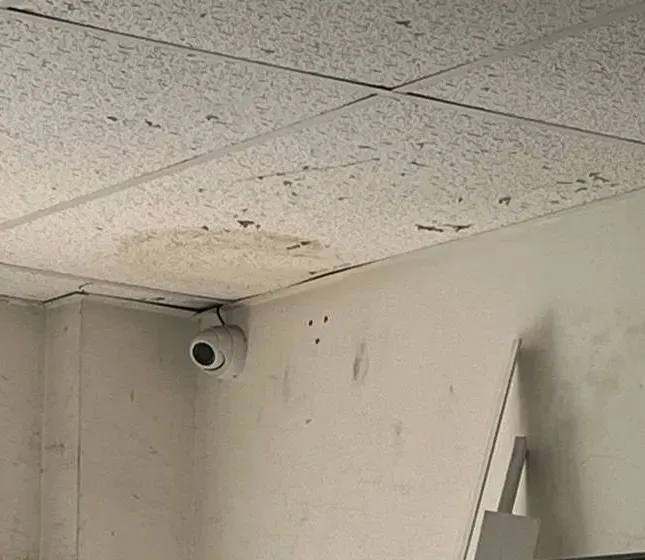
Example photo from another AESS job (not an Orange County school), cropped: a white dome high in the corner of a worn storage room under a water-stained ceiling. In older district buildings the service rooms look like this, and the camera goes where it sees the only door.
Commercial School Security Camera Installation
Business School Security Camera Installation in Orange County
Not every school in the county is a district school. Orange County's private and institutional education market sits along a handful of corridors, and each one has its own building stock and its own reasons for cameras.
Route 17K and Route 300 around Newburgh and New Windsor — daycares, tutoring centres and private schools in commercial plazas and converted offices near Stewart International Airport, where a leased unit means the landlord's rules come first.
Route 211 and the Middletown city grid — the SUNY Orange Middletown campus, charter and nonpublic programs and early-childhood centres in older two- and three-storey buildings with mixed tenants.
Route 32 and Route 17M through Central Valley, Monroe and Kiryas Joel — yeshivas in purpose-built and converted buildings, where the district runs buses for children attending private yeshivas, so arrival and dismissal are bus-heavy.
Gibson Road and the Goshen county seat — the two Orange-Ulster BOCES campuses, where the career and technical education centre is in the middle of a major construction phase.
Route 9W through Cornwall and Highland Falls — schools and programs in the river towns beside West Point, many in older buildings on sloping sites.
Route 6 and Pike Street in Port Jervis, and Route 94 in Warwick — village schools, parochial schools and childcare in older brick and frame buildings on narrow lots near the state lines.
For a private school, a daycare or a college, the owner of the cameras is usually also the owner of the risk, and there is no Smart Schools plan behind the purchase. The design questions are the same — who comes through which door, who answers it, what has to be kept and for how long — but the paperwork is the school's own. We put the camera list, the retention setting and the account holders in writing so a board, an insurer or a licensing inspector can see what was installed.
Rules that apply to Orange County school camera work
No facial recognition. The Commissioner's September 27, 2023 determination under State Technology Law §106-b bars every New York school, public or private, from buying or using it. Other biometrics are a local decision.
Permits and aid. SED Facilities Planning: wiring a camera system through a school building makes it capital construction; building aid depends on approvals in the right order.
Safety plans. Education Law §2801-a: building-level emergency response plans are confidential and filed with local police and the State Police within 30 days of adoption; cameras should match what those plans assume.
Bidding and wages. General Municipal Law §103 requires competitive bidding for public works over $35,000 and purchases over $20,000; work for a district is public work under Labor Law Article 8, and the Department of Labor has pursued an audio-visual installer who underpaid prevailing wage on a school district job.
Student records. Under federal FERPA, video directly related to a student and kept by the school can be an education record that parents may inspect; vendor contracts that touch student data also fall under New York's Education Law §2-d.
Fire and egress. Cameras and cable never obstruct exit doors, fire-rated assemblies are re-sealed where cable passes through, and 120-volt circuits are run by a licensed electrician.
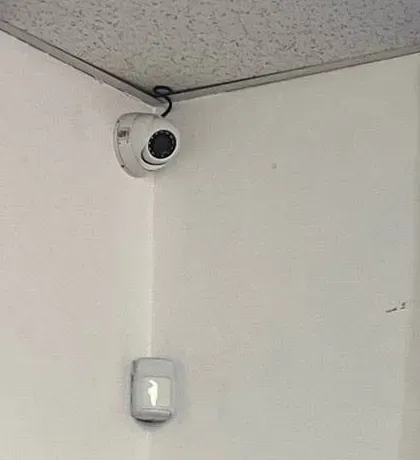
Example photo from another AESS job (not an Orange County school): a dome camera and an intrusion-alarm motion sensor sharing one corner. Many district buildings already have the alarm; a camera on the same corner lets whoever answers a night alarm see the room before driving out.
Your Questions Answered
School Security Camera Installation in Orange County: Questions Answered
These are the questions Orange County business officials, principals, facilities directors and nonpublic school administrators bring to a camera project, grouped by what they are really about. Each is answered here once; the FAQ further down covers different ground.
Paying for It: Smart Schools, Building Aid and Bids
Our district still has part of its Smart Schools allocation left — can that money buy cameras, and what has to happen first?
Yes, if the cameras go into an approved Smart Schools Investment Plan. The State Education Department's guidance puts video surveillance, emergency notification and physical access controls in the high-tech security category, and Orange County districts have used it: Minisink Valley's 2019 plan was high-tech security only, Middletown added a security plan in 2022, and Pine Bush has included it four times. The plan is written by the district, posted for comment and approved before money is spent.
What we supply for that step is the technical half: a building-by-building camera schedule, the recorder and storage, the network work, and a cost for each. SED's guidance also says that capital-intensive security work — new wiring or construction — needs Facilities Planning approval, and that where a permit is required it has to be issued before any payment is made. We write the schedule so your architect or engineer of record can carry it into that review without re-drawing it.
Why does the State Education Department care whether new wiring is part of the camera job?
Because wiring turns equipment into construction. SED's Facilities Planning page says a full system with electrical wiring installed through the building is legitimate capital construction and needs a building permit, while an equipment-only installation can be claimed for building aid on a special claim form without one. Its 2011 memo set a $2,000-per-camera allowance and a $35,000 ceiling for equipment claims; above that, the work must go through the capital-project route with permit review, or it earns no aid.
In practice that means we ask early whether your job is a few cameras on existing cable or a new cabled system, and we tell you which route it is likely to need. We do not pull a foot of new cable in a district building until the business office confirms the approval route, because a finished system that skipped the permit cannot be made aidable afterwards.
Will our camera project have to go out to public bid, and how do we avoid splitting it the wrong way?
It depends on the total. The Comptroller's training material puts the General Municipal Law §103 bidding threshold at more than $35,000 for public works and more than $20,000 for purchase contracts, and it says purchases are counted by the reasonably expected total over twelve months and may not be artificially divided to stay under the line. A district that needs cameras in six buildings this year cannot buy them one building at a time to avoid a bid.
Below the threshold, your board's own procurement policy under §104-b decides how many quotes you need. Above it, we bid like anyone else. Either way we can give you a scope written as a specification — camera locations, views, retention, standards for the cable and the recorder — so that every bidder prices the same job and you can compare the numbers honestly.
Can a district buy cameras off another government's contract instead of running its own bid?
Sometimes. General Municipal Law §103(16) has let districts buy equipment, with related installation and maintenance services, from a contract let by the federal government, the state or another political subdivision, provided that contract was competitively let, was made available to other governments, and was awarded to the lowest responsible bidder or on best value. The Comptroller's 2024 training deck noted that provision was due to sunset on June 30, 2026, so check with your district's attorney whether it has been extended before relying on it.
State contracts and cooperative contracts are separate routes your business office will know. When a district buys cameras that way, we can install, program and document equipment it purchased, as long as it meets the standards in your plan — in particular, no prohibited brands and no facial recognition features.
We received one bid and it is triple our budget — what should we look at before we reject it?
Start with whether the bid is itemized. A widely read discussion on the IPVM industry forum described exactly this: a school expected about $100,000 for roughly 100 cameras across several buildings and a lot, received one un-itemized bid near $400,000, and was told by other integrators to ask for an itemized price, find out why other contractors did not bid, check the scope for network build-out, racks, storage and trenching, and re-bid with marked camera locations and a pre-bid walkthrough. Several replies also said $1,000 a camera was an aggressive budget.
Our Orange County figures are $630 to $1,330 per installed commercial camera before recorders and storage, so a 100-camera multi-building job will not land at $100,000. But a single bid at three times your estimate usually means the scope was unclear or the bid package scared contractors off. A clearer specification is cheaper to fix than a bad contract.
Systems Left Behind by Earlier Projects
Our cameras went in during the 2000s — can the network cable they use be kept?
Often a good part of it. Districts that went to IP cameras early, as Middletown did in 2007 with about 265 network cameras running on Power over Ethernet, ran a cable to each camera position. Those runs may still pass a certification test and carry modern cameras, which saves the most expensive part of a project. Others have been cut, spliced, crushed above ceilings or terminated badly over the years.
We test every run end to end, record the result, and give you a list of cables that pass, cables that can be re-terminated and cables that must be replaced. New cameras then reuse the good runs. Older analog systems on coaxial cable are a different case; they can be bridged with adapters for a while, but a building that is being re-cabled for other reasons should take the chance to run network cable.
What happens to the recordings on the old recorder when the new system goes in?
Nothing, unless someone needs them. We leave the old recorder running and recording until each camera position is switched to the new system, so there is no day without coverage. If any footage on it is tied to an open incident, a discipline case, an insurance claim or a records request, the school should export those clips first, because old recorders that are unplugged and stored often never boot again.
When the last camera moves, we can keep the old recorder powered for its full retention period so the footage ages out normally, or the district can follow its own records schedule. We note the old recorder's model, serial number and the date it stopped recording in the handover file, which is the question an auditor or a lawyer tends to ask a year later.
Three projects left us with three brands of cameras — can they end up on one screen?
Usually, with limits. Most current IP cameras speak ONVIF, an industry standard that lets a recorder from one maker accept video from another, and a video management system can pull several recorders into one view for the main office or the district's security desk. Features such as analytics, two-way audio and some motion settings often only work within one brand, and a few older cameras do not support the standard at all.
We inventory every camera first, then tell you which ones can join the new platform, which can stay on their old recorder and be viewed together, and which should be replaced. Anything from a manufacturer that federal law bars from purchases made with federal money is flagged separately, so it is not carried forward into a grant-funded system.
Buses, Garages and the County Stop-Arm Program
Do the county's stop-arm bus cameras also cover our bus garage?
No. The Orange County program run with BusPatrol puts cameras on the buses to record drivers who pass a stopped bus; the county's page says footage is stored on an onboard recorder and sent over an encrypted cellular link for review, and that the program is paid for by fines. Goshen's district notes that the company installed its equipment at the Goshen bus garage, but that equipment exists to support the buses, not to watch the yard.
A bus garage still needs its own cameras for what happens when the buses are parked: the fuel island, the parts and tire rooms, the gate, the office and the rows of buses overnight. We keep those systems completely separate from the stop-arm equipment and do not touch the buses' own cameras or recorders.
What should a bus garage camera be able to show after a night with no one there?
Who came through the gate and when, what they did at the fuel island, and which bus they went near. That means one camera on the gate at plate-reading distance, one or two on the fuel island, long-lens cameras down each row of parked buses, and a camera inside the parts room door. The recorder goes in the office or a locked closet, not in the bay where exhaust and washing water reach it.
Garage yards are often dark, so we choose cameras with strong infrared or add a few lights on the building that switch on at night; a camera aimed into a dark yard records grey noise. If the garage is shared by a district and a contractor, we agree in writing who holds the administrator account before the system goes live.
Can our own parking-lot cameras help when a stop-arm ticket is disputed?
Rarely, and that is not their job. A stop-arm violation happens on the road, and the county's program already captures the plate and the video from the bus. Your lot cameras see your property. Where they occasionally help is with incidents that start on the road and end on your driveway — a car that followed a bus into the loop, or a near miss at the entrance — and then the clip goes to whoever is investigating, not to the ticket process.
The Hudson Valley Press reported that most violations in the program's first summer happened during afternoon drop-off, many between 3 and 4 p.m. If your entrance is on a busy county road, a camera on the driveway mouth that shows both directions of traffic at dismissal is worth having for its own sake.
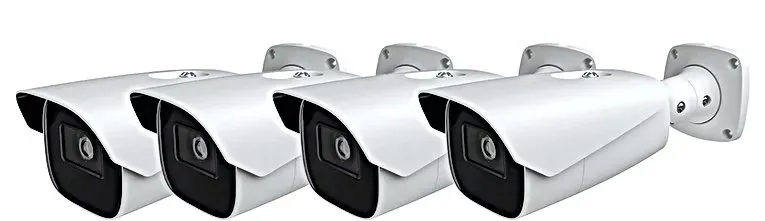
Manufacturer product photo (not an installed camera): white bullet cameras on wall brackets. Long-lens bullets are the usual choice for a bus garage apron or a fence line along a rural drive, where the subject is far from the wall.
Career-Tech Shops and Campuses Under Construction
Which shop-floor hazards change where cameras go in a career and technical building?
Heat, sparks, dust, moving equipment and overhead doors. Orange-Ulster BOCES lists welding, HVAC, carpentry, electrical trades, heavy-equipment operation and cosmetology among its programs, and each one has its own enemy for a camera: welding spatter and glare, sawdust, hair-product mist, forklift masts and doors that roll up into the ceiling.
We keep cameras off the trusses above welding booths, put them on the walls high enough to clear equipment, use housings rated for dust and water, and turn their wide dynamic range up so a welding arc does not white out the frame. The most useful single camera in a shop is usually on the tool crib or parts cage door, because that is where losses are argued about.
Our campus is in the middle of a capital project — should the cameras wait until construction ends?
Not usually. Construction phases are when doors are propped, temporary walls change the corridors and strangers in work clothes are expected, so coverage matters more, not less. Orange County has several large projects in motion: Monroe-Woodbury's $98 million project approved in December 2023, Pine Bush's March 2025 vote on two propositions totalling $79.3 million, and the BOCES project in Goshen.
We coordinate with the general contractor and the district's architect: permanent cameras go in where the walls are finished, temporary cameras cover the construction boundaries and laydown areas, and cable for future cameras is pulled while ceilings are open. That avoids paying later to open finished ceilings for cable that could have gone in during the project.
Footage, Records and Police
When two families both ask to see the same hallway fight clip, what does the school have to blur first?
It can be. The U.S. Department of Education's student-privacy office says video is an education record under FERPA when it is directly related to a student and kept by the school — its example is hallway footage of two students fighting that is used for discipline, which is directly related to both. Students who only appear in the background generally do not make the video theirs.
Parents of the students involved can ask to inspect it. The school must blur or cut out other students if that can reasonably be done without destroying the meaning of the clip; if it cannot, each parent may see the whole clip. FERPA does not generally require the school to hand over a copy. What we do is make the clip easy to find, export and redact: accurate recorder clocks, cameras named by location, and an export tool your staff have actually practised with.
Does our building-level emergency response plan have anything to do with camera access?
It should. Education Law §2801-a requires a building-level emergency response plan for each school, keeps it confidential and exempt from the Freedom of Information Law, and has it filed with the local police and the State Police within 30 days of adoption. If that plan assumes someone can see the entrances or the parking lot from a particular room during a lockdown, the camera system has to make that true.
We ask the building safety team, without needing to read the confidential plan itself, which rooms must have live views during an emergency, who must be able to export footage afterwards, and whether responding police have been promised a view. Then we set up the accounts and screens to match, and we test them during a drill rather than on the day.
What should a written agreement settle before village police or the sheriff get a live link to our cameras?
Technically yes; whether they should is a policy decision for your board and your police partners. Middletown planned for police and first responders to see its camera feeds when it installed its system in 2007. A live connection can be a standing link to a police dispatch system, a login the police use only on request, or nothing more than an agreement that the school will export footage quickly.
We can build any of those. A standing link needs a written agreement on who may look, when, and what is recorded about each viewing; we keep it on its own account with view-only rights and no export. We do not open recorders to the internet with default passwords, and we do not set up any feature that identifies faces.
Does the 2023 biometric ruling stop fingerprint door readers as well as face matching?
No. The Commissioner's determination of September 27, 2023 bans facial recognition outright in every New York school, but leaves other biometric technology — fingerprint readers, for example — to each school or district to decide after weighing privacy, civil rights, effectiveness and input from parents. The determination was issued under State Technology Law §106-b after an Office of Information Technology Services report.
For camera work the rule is simple: no face matching, no watch lists, no “face search” features left switched on in the recorder. Many current recorders ship with face detection or face comparison menus; we disable them and record that in the handover. A fingerprint reader on a staff door is an access-control decision for your board, and we will install one only on written instruction.
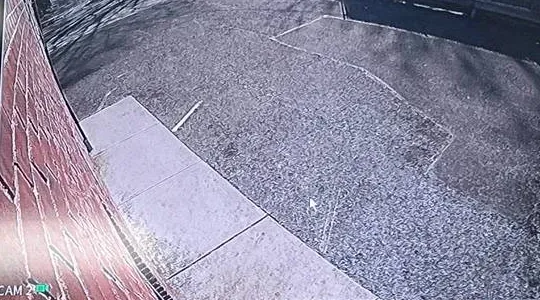
Recorder still from another AESS job (not an Orange County school): a wide lens looking along a brick wall over a sidewalk and paved lot. A view like this shows where cars and people went; it does not read a plate or a face, which is why a lot camera is paired with a closer camera at the doors.
Working Inside a Union Building and a Small District
Do we have to bargain with the teachers' union over where cameras go?
Possibly. A 2018 article for the New York State School Boards Association by the state association of school attorneys said that the Public Employment Relations Board has found regular surveillance that can be used for discipline or evaluation of employees is a mandatory subject of negotiation, while investigatory use in response to a specific complaint may not be. It also recommended reviewing the collective bargaining agreements and board policy before installing cameras.
That is a legal question for your district's counsel, not for us. What we can do is give your labour-relations staff a clear camera schedule with every view described in plain words — “main corridor, second floor, east stair to library door” — so the conversation is about real cameras rather than fears about them.
Should staff and visitors be told where every camera is?
They should be told cameras are in use; they do not need a map. The same school attorneys' guidance recommends posting notices so that employees and others on the premises know a system is operating, and keeping cameras to public spaces with audio permanently disabled. We supply and mount signs at entrances and in staff areas, and we put the full camera list in the confidential handover file rather than on a wall.
Where a camera is close to a sensitive area — a nurse's office door, a counselling suite, a staff lounge — we aim and mask it so it sees the corridor and not the room, and we list the mask in the handover so a later contractor does not remove it.
A small district has one IT person for every building — how do we keep the system from depending on one login?
By building it for more than one person from the start. Districts like Tuxedo, Greenwood Lake and Highland Falls–Fort Montgomery are small enough that one technology coordinator may handle everything. If that person holds the only administrator password, a retirement or a resignation can lock the district out of its own recorder.
We set up at least two administrator accounts held by named people, a separate account for each building's office with view and export rights only, and a sealed copy of the master credentials for the superintendent's office. Firmware updates, the camera list and the retention settings go into a one-page sheet that the next coordinator can pick up.
Nonpublic Schools, Yeshivas and Childcare
Can our nonpublic school borrow cameras through the public district's Smart Schools plan?
Generally not. Under the Smart Schools Bond Act, public districts must loan certain technology to nonpublic schools in their area, but SED's guidance applies that loan requirement to classroom technology and school connectivity, not to high-tech security. Pine Bush's 2023 plan, for example, lists a nonpublic loan component as a separate category from its high-tech security spending.
For cameras, nonpublic schools in Orange County usually look to the Nonpublic School Safety Equipment reimbursement, their own funds or private grants. We can price the work so it fits whichever route you use.
Our yeshiva has NPSE funds — will they reimburse outdoor cameras that are not tied to a door system?
Probably not on their own. SED's NPSE guidance lists external cameras as eligible only as part of an access control system — an intercom and remote door release at the entrance, for example — alongside external lighting for primary entry doors, door hardening and radios. Later years added items such as security assessments and contracted security personnel. Systems that scan visitor IDs against police databases are treated as operating costs and are not eligible.
NPSE pays back money the school has already spent, against invoices and proof of payment, with one claim per school per year. We write the invoice so the entrance camera, the door station and the release are shown as one access-control system, and anything that is not eligible is on a separate line. The state raised the program to $70 million in the 2024–25 budget, but each school's share is set by enrolment.
What does a daycare in a converted house actually need from cameras?
Three views most of all: the door where children are dropped off and picked up, each play or nap room from a corner that sees the whole floor, and the outside play area. Directors also tend to want the kitchen door and the hallway to the restrooms covered, never the restrooms or changing areas themselves. Four to eight cameras on a small recorder is usual.
The bigger issue is who can watch. Parents often ask for live access; that is a policy decision for the operator, and we can set view-only accounts limited to particular rooms if you choose to allow it. We set the recorder so the director can find and export a clip of a pickup without calling anyone, and we keep the system on its own network away from the office computers.
Equipment
Types of School Security Camera Systems We Install
We install commercial-grade equipment from manufacturers that are not barred from federally funded purchases. Section 889 of the 2019 National Defense Authorization Act prohibits spending federal money, including grant money, on Hikvision or Dahua video equipment, and the FCC stopped authorizing new models from those companies in November 2022, a ban an appeals court upheld in April 2024. Every product we specify for an Orange County school is listed by make and model in the quote so your business office can check it.
Fixed dome and turret cameras
The workhorse for corridors, cafeterias, gyms and stairwells. Vandal-rated domes go where a ball or a broom handle can reach; turrets go on ceiling tiles where glare off a dome bubble would hurt the image.
Entrance and door-station cameras
A camera built into the visitor call station at the main entrance plus a face-height camera inside the vestibule. This is the pair that most often appears in a funding application as part of an access-control system.
Long-range bullet cameras
For bus rows, fence lines, athletic-field gates and long rural drives where the subject is far from the building. Chosen for lens length and infrared range, not resolution alone.
Multi-sensor and fisheye cameras
One housing that covers a whole cafeteria, a playground or a parking lot from a single mount. Fewer cables and poles, at the cost of detail at the edges of the image.
Pan-tilt-zoom cameras
Used sparingly, at a stadium entrance or a large campus intersection where someone at a desk will actually steer them. A PTZ nobody watches records whatever it was last pointed at.
Network video recorders and storage
Rack or desktop recorders sized to channel count and to the retention in your safety plan, with surveillance-rated drives and, on larger systems, redundant drives so one failure does not lose video.
Network switches, fiber and wireless bridges
Power over Ethernet switches in each telecom closet, fiber between buildings, and point-to-point wireless where a trench is impractical. On district networks this equipment goes on its own VLAN.
Video management software
A single program for the main office, the district security desk and, where agreed, the police, with view, export and administrator rights set per person.
National alarm brands versus a school camera installer
Business offices sometimes ask whether a national home-security brand could do the job more cheaply. The comparison below is about fit, not quality; those companies build products for houses and small shops, and a district building is a different kind of project.
Question a district asks
ADT / Ring / SimpliSafe style consumer systems
AESS school installation
Will it fit a Smart Schools or capital-project schedule?
Sold per household or per account; no camera schedule for an SED submission
Building-by-building camera schedule with views, cable and cost lines
Where does the video live?
Usually the provider's cloud on a monthly plan
On recorders the district owns, in its own closets, with optional off-site copies
How many cameras can one system handle?
Designed for a handful of cameras per home
Dozens to hundreds per building, with fiber between buildings
Can it be bid and documented as public work?
Retail purchase; no prevailing-wage payroll
Itemized bid, certified payroll where the job is public work, as-built drawings
Facial recognition and audio
Some consumer products offer face features and microphones on by default
Face features disabled and audio off, recorded in the handover
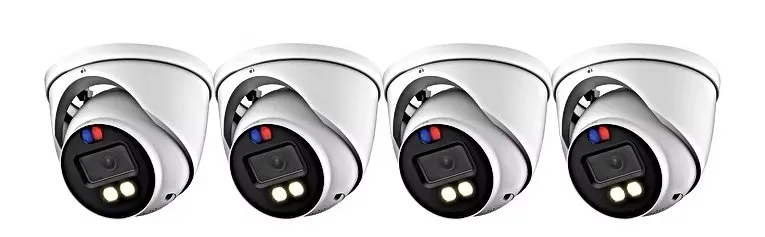
Manufacturer product photo (not an installed camera): turret cameras with built-in red and blue lights. At a school these lights are usually left off or set to after-hours only; flashing lights at the front door during arrival confuse parents and drivers.
AI Overview Reality Check
What AI Gets Wrong About School Security Camera Installation in Orange County
We could not open a live Google AI Overview from our build environment, so this section does not quote one. Instead it takes seven claims that turn up again and again in AI answers, cost guides and vendor blogs about school cameras, and checks each one against New York rules and Orange County practice.
“Schools can claim camera costs as State aid without extra steps”
Answers about school cameras often treat State building aid as automatic once the cameras are bought. In New York it is not. The State Education Department's Facilities Planning office separates equipment-only camera purchases, which can be claimed on a special form up to a per-building cost allowance, from systems wired through a building, which are capital construction and need a building permit.
The 2011 SED memo on security cameras put numbers on it: an allowance of $2,000 per camera, a ceiling of $35,000 for equipment claims, and no aid at all for a system that had to be a capital project but was finished before its permit was issued. That last sentence is the one that costs districts money.
For an Orange County district the practical answer is to decide the route before the purchase order, not after. We tell you early which route a scope is likely to need, and we will not start new cable in a district building until the business office has confirmed it.
“A school camera costs about the same as a home camera”
Cost sites such as Angi, HomeAdvisor and Fixr publish installation averages built from residential jobs: a few cameras on a house, short cable runs and little documentation. Those figures are reasonable for what they measure and wrong for a school.
A school camera is a commercial camera on its own cable to a telecom closet, aimed and programmed for a specific view, recorded on equipment sized for weeks of video from dozens of cameras, and documented for a funding claim. On district work there may also be prevailing wages and certified payroll. Our Orange County figure of $630 to $1,330 per installed camera, before recorders and storage, reflects that.
If a quote for a school looks like a home price, ask what is missing — usually cable, storage, network switches, after-hours labour or the documentation the claim needs.
“Facial recognition is a standard school-safety feature”
Plenty of product brochures still describe watch-list alerts and face search as the mark of an up-to-date campus system. For an Orange County school that advice is simply unusable: since the Commissioner of Education ruled on September 27, 2023, no public or private school in New York may purchase or operate facial recognition at all.
The same determination leaves other biometrics, such as fingerprint readers, to local decision after considering privacy, civil rights, effectiveness and parent input. That distinction matters because many recorders sold today include face detection or face search menus out of the box.
We switch those features off, write that into the handover, and do not quote any system whose main selling point is face identification. If a product cannot be configured without it, we do not install it in a school.
“Any camera brand is fine if the picture is good”
Image quality is only one test. Section 889 of the 2019 National Defense Authorization Act bars federal money, including grant money, from paying for Hikvision or Dahua video equipment, and the FCC stopped authorizing new models from those companies in 2022.
A district that uses federal funds for any part of a project, or hopes to, needs every camera and recorder in that project to clear the rule. Mixing a barred brand into a system can complicate a grant claim or an audit long after the cameras are working well.
We list every make and model in our quotes and in the handover file. Older barred-brand equipment that is still working can sometimes stay in place on its own recorder outside a federally funded project; we will tell you plainly where that is and is not sensible.
“Cloud storage is always safer than an on-site recorder”
Cloud video is convenient and suits some organizations with many small sites. For a school building with forty or eighty cameras, though, sending every camera to the cloud means a large, permanent monthly fee and a heavy, constant upload over the district's internet line.
It also moves student images to a vendor's servers, which brings New York's Education Law §2-d vendor-contract rules and the district's own data-privacy policies into play. Districts can do it, but it is a decision for the data-protection officer, not a default.
Most Orange County district systems we design record on recorders in the district's own closets, with a limited off-site copy of chosen cameras where the district wants one. The video stays under the district's control and the monthly bill stays small.
“More cameras means more safety”
It is tempting to judge a system by the camera count. In practice the cameras that matter most are the ones on entrances, stairwells, the main office approach and the places where students gather without staff, and a small number of well-aimed cameras there does more than a large number of cameras pointed at empty corridors.
Middletown's 2007 system put about 265 cameras into nine buildings; the number was driven by what the district wanted to see in hallways, cafeterias and lots, not by a target figure. A good plan starts from the views and works back to the count.
We draw each view on the floor plan with a sentence describing what it is for. If a camera does not have a sentence, it usually does not need to be bought.
“A single bid tells you what the job costs”
When a project receives one bid, it is easy to assume that is the market price. Contractors on the IPVM industry forum told one school with a single bid at about four times its budget to look first at why others did not bid: insurance and bonding requirements, prevailing wage, unclear scope or poor timing.
In Orange County the bidding pool for school camera work is limited by the same things: public-work payroll requirements, the need to work around bell schedules and bus runs, and long drives between buildings in the western and northern districts. A bid package that marks every camera location and holds a site walkthrough brings more contractors in.
We are happy to bid against others. We would rather lose a well-written bid than win a vague one, because a vague one becomes a dispute about what was included.
Recorder still from another AESS job (not an Orange County school): an overhead view of a cluttered storeroom and an open door. Back rooms like this are where a custodial supply closet, a shop tool crib or a bus-garage parts room gets checked after something goes missing.
Tell Us How the Project Is Funded
Smart Schools, a capital vote, an equipment-only aid claim, NPSE or your own budget — each one changes what the quote and the invoice must show. Tell us which, and we will write the camera plan to fit it.
Give us the district or school, the building, how many entrances and floors it has, what cameras are there now and how the project is funded. If a bid date, a Smart Schools submission or a board meeting is driving the schedule, tell us the date. We reply the same business day, or call (845) 640-3835.
✅
We Got Your Request!
Received. Someone who installs school systems will go over the building and the funding route and call you back today. For anything urgent, ring (845) 640-3835.
How It Works
Our Installation Process
Seven steps for every Orange County school, from a one-building daycare to a multi-building district. The first and fifth are the ones that protect your aid or your reimbursement.
1. Confirm the funding route and the approver
We ask how the work is being paid for and who signs off: Smart Schools plan, capital project, equipment-only aid claim, NPSE reimbursement or the school's own budget.
2. Walk every building with the safety team
We walk entrances, stairwells, corridors, lots and service rooms with the people who answer the door and the people who review incidents, and mark each existing camera.
3. Test the cable you already have
Every existing camera run is tested end to end, and the results tell us how much of an older system's cabling can be kept.
4. Write the camera schedule and the price
Each camera gets a location, a one-line purpose, a make and model and a cost line; recorders, storage, switches and links between buildings are separate lines.
5. Wait for the approvals, then pull cable
Once the business office confirms permits or approvals are in place, cable goes in after hours or during breaks, with fire-rated penetrations sealed.
6. Mount, aim, mask and set retention
Cameras are aimed to the agreed views, sensitive areas are masked, audio and face features are switched off, and the recorder keeps the days your plan names.
7. Test, train and hand over the file
We test every view by day and night, train office staff to search and export, and hand over the camera list, cable results, accounts and as-built drawings.
Coverage Area
School Security Cameras Near Orange County's Landmarks
Six places that mark out the county we drive to for school work, from the river at West Point to the three-state corner at Port Jervis.
United States Military Academy, West Point
The academy sits on the Hudson next to the village of Highland Falls, home of the Highland Falls–Fort Montgomery district, along Route 9W.
Orange-Ulster BOCES, Gibson Road, Goshen
Home of the BOCES career and technical education centre, now in a major construction phase of a $158.8 million capital project.
SUNY Orange, Middletown and Newburgh
The county's community college, with its main campus in Middletown and a second campus in the City of Newburgh.
Mount Saint Mary College, Newburgh
A private college in the City of Newburgh, near the Hudson.
Stewart International Airport, New Windsor
The airport in the Town of New Windsor, west of the City of Newburgh.
Tri-States Monument, Port Jervis
The marker where New York, New Jersey and Pennsylvania meet, at the far western edge of the Port Jervis district.
We also serve schools in neighbouring Rockland, Ulster, Putnam and Dutchess counties, including Marlboro, the one Orange-Ulster BOCES component district that sits across the Ulster line.
Pricing
School Security Camera Installation Cost in Orange County
Our Orange County school prices are the silo's Brooklyn base multiplied by 1.40, the Hudson Valley rate we use for Orange County work. They are ranges because no two buildings are wired alike; the walkthrough turns a range into a fixed written figure. Recorders, storage, switches and links between buildings are always separate lines so a funding claim can see them.
Project type
Typical scope
Installed range, Orange County
Daycare or pre-K program
6–12 cameras: drop-off door, rooms, play yard
$6,300 – $11,200
Single school building
16–32 cameras: entrances, corridors, stairs, cafeteria, lot
$16,800 – $42,000
Multi-wing building or campus
32–64 cameras across joined wings, gym, fields, loading area
$35,000 – $67,200
Multi-building district campus
64–128 cameras with fiber or wireless between buildings
Recorder and surveillance drives sized to channel count and retention
$1,050 – $8,400+ by scale
Links between buildings
Fiber in existing conduit, or a licensed wireless bridge
Priced at survey, own line
Service after installation
Repairs, adjustments and changes after the job is accepted
$195/hr, 3-hour minimum ($585)
What moves a number inside its range: whether existing cable can be reused, whether the building has a ceiling void or needs raceway, how much work has to happen after hours or during breaks, whether the job is public work with prevailing wages, and how far apart the buildings are. A district in the western half of the county with buildings miles apart will cost more to link than a city district with everything on a grid.
We list every assumption on the quote. If your funding source caps what it will pay per camera — SED's equipment-only allowance, for example — we show the claimable and non-claimable parts separately so there is no surprise at claim time.
Get the Orange County Camera Schedule in Writing
One walkthrough produces a numbered camera list, a stated purpose for every lens and a price beside each line, in a format a board packet, a bid or a funding claim can use as it stands. Phone us, text a floor plan or fill in the form.
Three starting points, all on the Orange County figures. Most district work is quoted building by building from the line items above; the packages help a small school or a board see the order of magnitude.
Starter — Daycare or Small School
$6,300 – $11,200
6 to 12 cameras on a desktop recorder: the drop-off door, each room or classroom corridor, the play yard and the parking approach. Director and one staff export account. Suits a daycare in a converted house or a one-floor nonpublic school.
Standard — One School Building
$16,800 – $42,000
16 to 32 cameras on a rack recorder: every entrance from inside and out, the vestibule, stairwells, main corridors, cafeteria, gym doors and the lot. Camera schedule written for a Smart Schools plan or capital project.
Premium — Multi-Wing or Campus
$35,000 – $67,200
32 to 64 cameras across wings or neighbouring buildings, with fiber or wireless links, a central viewing station for the main office, district security accounts and redundant storage.
Already bought the equipment?
If your district bought cameras and recorders through a state or cooperative contract, or a school was given equipment, we install it labour-only. We first check every make and model against the federal procurement ban and confirm the face features can be switched off, then quote cable, mounting and programming per camera position at the walkthrough. Equipment we did not supply carries its manufacturer's warranty, not ours.
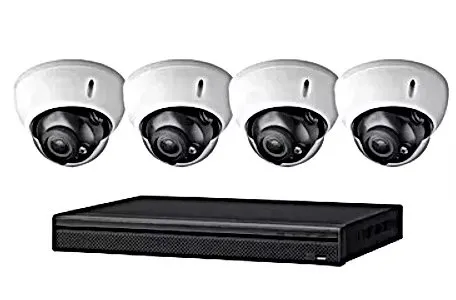
Manufacturer product photo (not an installed system): four domes and a small recorder. A kit this size suits a daycare or a one-building nonpublic school; a district building usually needs a rack recorder sized to its own channel count and retention rule.
Complete Services
Every School Security Camera Service in Orange County
Related Orange County pages for the work that usually comes up in the same school project — doors, recorders, cable between buildings, repair and maintenance.
Field Notes: Start the Walk at the Business Office
On an Orange County school job my first stop is not the front door, it is whoever will sign the claim. I ask the business official three things: how the work is being paid for, whether anyone has talked to the State Education Department about permits, and what the auditors asked for last time. Those answers decide how I write everything that follows.
Then I walk the building with the principal or the head custodian and someone from the safety team. I start outside at the bus loop and the main entrance, go through the vestibule the way a visitor would, then follow the routes students take between classes, to lunch and out at dismissal. I mark every old camera I find, test its cable, and note which rooms people tell me they need to see during a lockdown. A walk like that usually turns up a camera nobody remembered and a door nobody covered.
Back at the office I write the camera schedule one line per camera, with a sentence about why it is there. That schedule becomes the quote, the Smart Schools or capital-project attachment, the work order for the crew and the handover list. One document, read by four different people, is how a school camera job stays out of trouble later.
This describes how we work on every school job in the county, not one particular building.
Example photo from another AESS job (not an Orange County school): a small camera at the corner of a bulkhead over a dark lobby ceiling with downlights. Bright lights in front of a lens wash out faces, so in a school lobby we keep the lights behind or beside the camera.
FAQ
Orange County School Security Camera Installation FAQ
Practical questions about schedules, paperwork, networks and upkeep that the questions above do not already answer.
How many working days does a 30-camera school building take, and will it fit inside winter recess?
+
A building of that size usually takes our crew about five to eight working days once approvals are in place: two or three days pulling and testing cable, two days mounting and aiming, and the rest programming, testing at night and training staff. That fits inside a winter or spring recess if the cable can be pulled before the break or the building has open ceilings. Where it cannot, we pull cable on evening shifts during term and save mounting and cut-over for the break, so classrooms are never disturbed during the school day.
What should be in the handover file when a school camera project closes?
+
The camera schedule with each camera's location, view, make, model and IP address; the cable test results for every run; as-built floor plans showing cameras, closets and cable paths; the recorder settings, including retention days and which features are switched off; the list of accounts and who holds each one; firmware versions; warranty registrations; and the sign-off sheet. For a funded project we add the invoice breakdown in the same order as the claim. One copy goes to the business office and one to the facilities or technology office.
Can the cameras run on the district's existing network, or does IT need a separate one?
+
They can share the physical switches if IT prefers, but the cameras should sit on their own virtual network segment with their own address range, so camera traffic and student devices never mix and a compromised camera cannot reach the administrative network. In buildings where the existing switches lack the power budget for cameras, we add dedicated Power over Ethernet switches in the telecom closets. We agree the address plan and the segment with your technology director before any camera is connected.
How do we show an auditor or a court that the recorder's time stamp was right on the day of an incident?
+
By setting it up so the clock is never in doubt. We point every recorder at the district's network time source, or a public one where the district allows it, and set the time zone and daylight-saving rules explicitly. The handover file records how time is set. When staff export a clip, the export keeps the recorder's time stamp and, on most current recorders, a checksum that shows the file has not been altered. A short note of who exported it and when completes the record.
Do you provide certified payroll on prevailing-wage school jobs?
+
Yes. When a district job is public work, we pay the prevailing rates for Orange County and submit certified payroll in the form the district or its construction manager requires, for every week our workers are on site. We say so on the bid, because a contractor who cannot do it should not be bidding district work. Private schools, daycares and nonpublic schools paying from their own funds are not public work, and their quotes say which rules apply.
Can we add cameras next year without replacing the recorder?
+
If the system is designed for it. We size recorders with spare channels and storage headroom, leave spare ports on the switches, and where ceilings are open we pull extra cable to likely future positions and label it in the closet. Adding a camera then means mounting it and plugging it in. If a district already knows a wing will be renovated within a few years, we say so in the camera schedule so the next project can pick up from where this one stopped.
What insurance paperwork do you give a district before work starts?
+
A certificate of insurance showing general liability, workers' compensation and disability coverage, with the district named as an additional insured where its contract requires it, plus our New York low-voltage license number, 12000287431. Many districts also require a signed contract rider on data privacy if we will see student images, and some ask for background-check information for anyone working while students are present. Send us your district's vendor packet and we return it complete before scheduling.
What maintenance should a school schedule on its cameras each summer?
+
A once-a-year visit while the building is quiet: clean every lens and dome, check every camera is still aimed where the schedule says, look for cameras that have dropped offline or are recording at the wrong settings, check recorder drive health and replace any drive showing errors, apply firmware updates the manufacturer has released, and confirm retention still meets the safety plan. We also review the accounts list and remove anyone who has left. The summer report goes into the same file as the original handover.
How long do the hard drives in a school recorder last before they need replacing?
+
Surveillance drives write video around the clock, so they wear faster than drives in an office computer. In practice we plan for drive replacement within the life of the recorder and check drive health at every maintenance visit, replacing any drive that reports errors rather than waiting for it to fail. Recorders with redundant drive arrays keep recording through a single drive failure, which is why we recommend them for any building over about sixteen cameras.
Do you work through our architect or construction manager, or directly with the district?
+
Either. On a capital project with an architect of record and a construction manager, we work as a subcontractor or prime contractor under their schedule and submit drawings, product data and close-out documents through them. On smaller equipment-only work we deal with the business office and the facilities director directly. Either way, the camera schedule stays one document, so the architect, the district and our crew are working from the same list of cameras.
All Areas Served
School Security Camera Installation Across the Hudson Valley, New York City and Long Island
Questions that every valley district shares — hardware for hard winters, campuses spread across acres, thin rural bandwidth — are handled on the Hudson Valley school security camera installation hub, which sits one level above this Orange County page. Each borough and county school page we publish is in the grid that follows.
For door hardware, entrance intercoms and intrusion alarms that a school project tends to pull in, start from the Abstract Enterprises Security Systems home page; the company background, licensing and insurance are on about us.
Sources
Where the Orange County School Camera Facts Come From
Every rule, plan amount, news report and program figure cited above is linked here so a business official or board member can read it directly. We could not open Google's People Also Ask, related searches, AI Overview, Answer the Public or Yelp reviews from our build environment, and found no local Reddit discussion of school cameras; those sources are recorded as empty in our research notes rather than filled in. Prices are our own figures for Orange County.
Nothing on this page is legal advice. Questions about bidding, prevailing wage, bargaining, student records or aid eligibility belong with your district's attorney, business official or the State Education Department.
Need a Clip Exported or a Recorder Back Today? Call the Orange County Line
If a principal needs footage copied before it rolls off the drive, or a building's cameras went dark overnight, ring (845) 640-3835. We take the first open slot and aim to have the recorder saving video again within one to two hours of arriving, then put what we found in writing for your facilities file.
Orange County School Camera Systems From a Licensed, Insured Crew
Schools in Orange County reach us by call or text on (845) 640-3835; written messages also come through on WhatsApp. Visits are dispatched from the Abstract Enterprises Security Systems office at 460 E Fordham Rd, Bronx, NY 10458.
New York State low-voltage license #12000287431 · liability and workers' compensation certificates issued to districts, BOCES, nonpublic schools and childcare operators on request · a written figure once the building has been walked · 4.7★ average across 201 Google reviews
Each camera and recorder is first covered by its own maker's warranty; line-voltage circuits are left to a licensed electrician. Full terms — including 50% deposit, one-year parts-only warranty on AESS-supplied products, and the late-fee schedule — are set out in the service agreement. See our warranty page.
Page reviewed and updated October 18, 2026. Changelog: Orange County school camera page rebuilt from new research on the Orange-Ulster BOCES districts, State Education Department camera-aid and Smart Schools rules, Orange County districts' approved Smart Schools security plans, the 2023 facial-recognition determination, Nonpublic School Safety Equipment guidance, the county's school bus stop-arm program, FERPA video guidance, Education Law §2801-a, bidding thresholds and prevailing-wage practice, with prices on the Hudson Valley 1.40× Orange County rate.