UniFi camera dark, a recorder that will not boot after a storm, or a PoE port that stopped powering a camera at a Putnam County property? Same-day help on the Hudson Valley line: (845) 640-3835
Detached Homes · Lake-Colony Cottages · Ridge Houses · Village Storefronts · Contractors’ Yards
Ubiquiti Camera Installation in Putnam County
UniFi Protect Systems · PoE Budgets Worked Out on Paper · Cold-Rated Cameras · Recorders Kept Indoors · Surge-Protected Runs
A UniFi Protect system is not a box of cameras; it is a small computer network that happens to make video. In Putnam County that network has to stretch across a typical house lot here — a detached house built around 1968, often on rock, wrapped in trees, with a garage or a boathouse a long way from the basement — and keep running through the outages that take whole towns off NYSEG and Central Hudson at once. We design the network first: how much power each switch port can give, where the recorder can live without freezing, which cameras are rated for a north wall in January, how lightning is kept off the copper, and how the system stays reachable when the owner is in the city.
Reviewed and updated October 18, 2026 · checked against Ubiquiti’s published tech specs and Help Center articles, American Community Survey housing tables for Putnam, county outage and broadband reports, and Putnam County Chapter 145 · Anwar Timothy, NYS license #12000287431
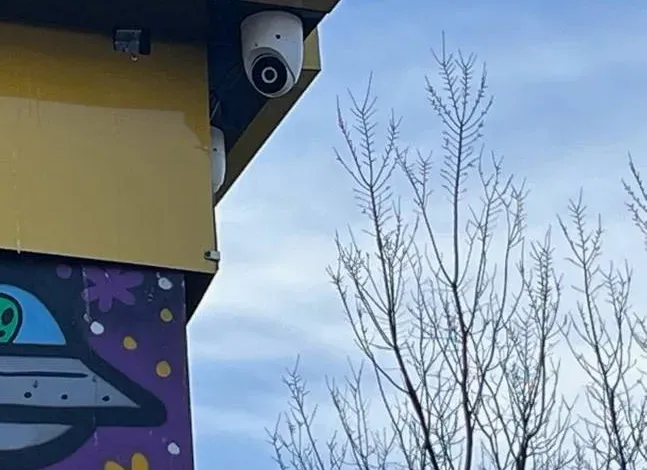
Real AESS job photo from another site, not a Putnam property: a white turret camera mounted under the corner of a yellow fascia board, with bare winter branches and a pale blue sky behind it and a painted mural below. Bare trees like these are what a Putnam camera looks through for five months of the year.
Putnam County UniFi Install Request
Town, rough number of cameras and where the internet comes in — a written price follows the same business day
✅
Request Sent!
A technician will call you back about the Putnam County UniFi system the same business day.
25+
Years Experience
✓
Same-Day Estimates
100%
Licensed & Insured
4.7★
201 Google Reviews
Planning UniFi for a Putnam house or shop? Three facts let us price it before anyone visits: roughly how many cameras you want, whether any of them go on a building other than the main house, and where the internet modem sits now. A phone photo of the basement or closet where the modem lives helps more than you would think, because that is usually where the recorder ends up. Call or text (845) 640-3835.
Installed Putnam prices are published, from $2,472 for a complete four-camera UniFi system with recorder, drive and phone setup
One crew handles the cable, the recorder, the network settings and the phones in the same trip
Two-hour arrival windows, seven days a week, under NYS low-voltage license #12000287431
Why Putnam County Properties Need Ubiquiti Camera Installation
Start with the houses. The Census Bureau’s 2023 American Community Survey counts 38,369 homes in Putnam, and the median one was built in 1968. Close to one in five — 6,857 of them — went up before 1940, while barely a thousand have been built since 2010. More than three-quarters are single-family detached houses. That is the building stock a camera installer meets here: plaster walls and fieldstone foundations in the older hamlets, split-levels and colonials from the commuter decades, and very few houses that were wired for data when they were framed. Every UniFi camera needs one Ethernet cable back to a switch, so the age of the house decides most of the labor.
Then the land. The county’s own hazard-mitigation profile describes a place that is about two-thirds forest, sitting on Hudson Highlands bedrock. Driveways climb, garages stand apart from houses, docks and sheds sit down at the water, and the ground between them is frequently ledge. A wired camera network does not mind distance as long as each run stays inside the roughly 100-metre (328-foot) limit for copper Ethernet, but it minds rock, trees and lightning a great deal. Those three things shape where we can put a cable, how we protect it and which camera goes on the end of it.
Then the people. Putnam’s working residents average about 39 minutes each way to work, and the American Community Survey lists 1,757 homes held for seasonal or occasional use — many in the lake colonies laid out from 1928 at Putnam Lake, Lake Carmel and Lake Peekskill. A thread on r/hudsonvalley in October 2026 asked second-home owners who keeps an eye on their places; the answers ran to caretakers, neighbours with cameras, battery backup and a cellular fallback. The internet those owners rely on is still filling in: in 2016 a county official said flatly, “We do not have 254 square miles of coverage,” and in September 2025 the state awarded Comcast $11.5 million to bring fiber to 390 Putnam locations that did not have it. A camera system watched from Manhattan or Queens has to be reachable through whatever line the house actually has.
And then the power. On the morning after Tropical Storm Isaias in August 2020, NYSEG had 34,150 of its 38,693 Putnam customers in the dark, including 12,717 in Carmel and 5,815 in Kent, and Central Hudson had 3,621 of 5,160 out on the river side. The smaller hits keep coming — the July 4, 2026 storms knocked out power across Westchester and Putnam, and an August 3 outage cut 740 Central Hudson customers in Cold Spring and Garrison. Because UniFi cameras take their power from the recorder or a PoE switch, one outage takes every camera down at once, and they all come back only when the recorder, switch, gateway and modem do. Designing that recovery is part of the install, not an afterthought.
The Putnam numbers that drive a UniFi design
1968 — median year built for Putnam’s 38,369 homes (ACS 2023, table B25035); only about 2.7% were built in 2010 or later.
77.7% single-family detached — 29,826 houses (ACS 2023, B25024), which is why most Putnam jobs include at least one camera on a separate garage, barn or shed.
About two-thirds forest on Highlands bedrock (county hazard-mitigation profile) — trees for false alerts, rock for trenching, ridges for lightning.
1,757 seasonal or occasional-use homes (ACS 2023, B25004) — owners who watch from somewhere else and need long recording.
390 locations still being wired for fiber under a September 2025 state broadband award — the upload a remote viewer depends on varies road by road.
Nearly nine in ten NYSEG customers in the county lost power at the peak of Isaias in 2020 (Daily Voice) — which is why the modem, gateway, recorder and switch share a battery.
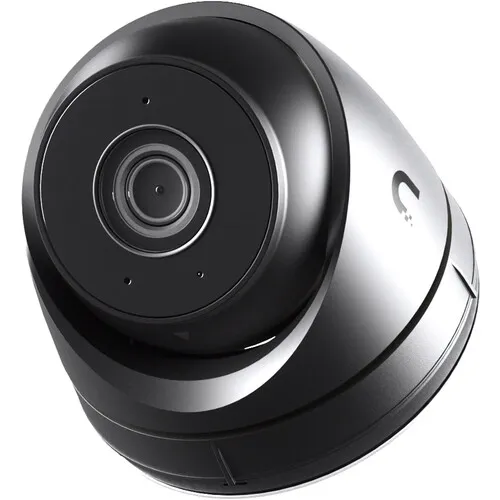
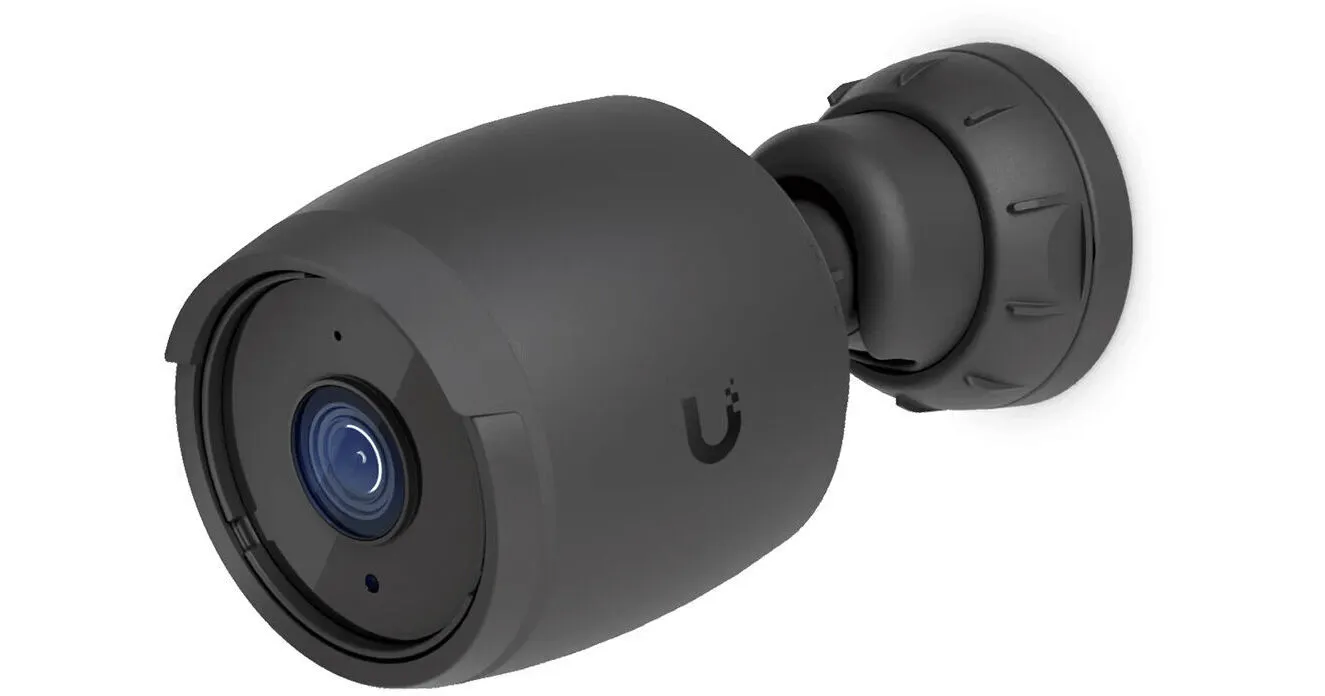
Ubiquiti product photo, not an installed unit: the UniFi G5 Turret Ultra in black, a small turret with its lens ball tilted forward in a rounded housing. Ubiquiti lists it at 4 watts maximum and rates it down to −22°F, which is why it anchors our Starter package.
Whole UniFi System Dark in Putnam? We Fix It the Same Day
When several UniFi cameras drop at once, the fault is almost never the cameras. It is the thing feeding them: a PoE switch or recorder that lost power and has not come back, a breaker that tripped in the garage, a surge that took out one port, or a modem that came back after an outage on a different address. Before booking a visit, three checks from home or by a neighbour usually tell us which:
Look at the recorder’s front screen or lights. The UNVR Instant has a small 1.14-inch status display; if it is dark, the recorder has no power and the cameras on its ports will be dark too.
Check whether only one camera, one building or everything is gone. One camera points at its cable or port; a whole outbuilding points at the switch or the run that feeds it; everything points at the recorder, the network or the power.
Check the utility. NYSEG and Central Hudson both publish town-by-town outage maps. If the town is still out, nothing on the network will come back until the battery backup or the grid does.
If those checks do not settle it, call (845) 640-3835. We book the next two-hour window, and most UniFi faults of this kind are found and fixed within one to two hours of arrival. Repair visits on an existing system are billed at the standard service rate of $195 an hour with a three-hour minimum; problems we can solve over the phone cost nothing.
Town by Town
Six Towns, Three Villages, Six Different Wiring Problems
Putnam is small enough to cross in forty minutes and varied enough that the same four-camera kit installs differently in each town. These are the patterns we plan around.
Carmel and Mahopac
The county seat and its biggest hamlet hold the most year-round family houses and the busiest commercial strip on Route 6. Houses here are largely mid-century colonials and split-levels with full basements, which is good news for cabling: the recorder goes beside the modem, and runs climb through the basement ceiling and up the rim joist to the eaves. Carmel took the heaviest hit in the Isaias outage, with 12,717 NYSEG customers dark, so battery backup for the network core is standard here. In August 2026 Mahopac News reported a run of overnight vehicle break-ins around Lake Casse, Lake Drive and Ridge Road between about 3:30 and 5 a.m., with residents asked to check their footage — the hour when a driveway camera’s infrared, not its daytime colour, does the work.
Kent
Kent is ridges and reservoir: long driveways off Route 301 and Route 52, the West Branch Reservoir splitting the town, and houses set far back in the trees. Lots here are where a garage camera can be 250 feet or more from the basement, close to the 100-metre copper limit once the cable has gone up, over and down. When a run will not fit, we put a small PoE switch in the outbuilding fed by its own cable, or a fiber link when the distance or the lightning exposure calls for it. Kent lost power to 5,815 NYSEG customers after Isaias.
Patterson and Putnam Lake
Putnam Lake was mapped as roughly 11,000 summer lots of 20 by 100 feet; many of those bungalows have since been joined and winterised, but they remain small houses on tight lots with crawlspaces rather than basements. The recorder rarely has a good home here: closets are small, and the unheated garage or shed is tempting but wrong for a recorder rated only to freezing. We usually wall-mount the compact UNVR Instant inside the living space, keep cable runs short, and aim cameras so they cover the owner’s lot rather than three neighbours’ yards on a 20-foot frontage.
Southeast and Brewster
Around the I-84 interchange and the village of Brewster, the work is more commercial: storefronts on Main Street and Route 22, offices and contractors’ yards along Route 312, and homes on the commuter routes near the Metro-North station. Yards with equipment outside need long-range cameras and, sometimes, plate reading at the gate. Shops need clean, quickly exported clips; the county Sheriff said in September 2026 that organised retail-theft crews were travelling to Putnam stores.
Putnam Valley
Wooded, hilly and full of lake communities, Putnam Valley declared a flash-flood emergency on July 29, 2026. For cameras that means two things: equipment in basements that take water needs to sit off the floor, and cameras along streams and roads that washed out should be aimed and mounted so a re-graded driveway does not leave them looking at nothing. Short-term rentals are common enough that the town requires a local manager within 30 miles of Town Hall — one more person who needs a limited view of the cameras.
Philipstown, Cold Spring, Nelsonville and Garrison
The river side runs on Central Hudson rather than NYSEG, has the county’s weakest cell coverage — a county legislator called Cold Spring “notorious for having blackout spots” — and is where Optimum has been building fiber. Cold Spring’s 691-acre historic district needs the review board’s approval for exterior changes visible from the street, so a camera on a village façade is planned for position and colour before anyone drills; the black UniFi housings often disappear against dark trim better than the white ones.
Before you buy: a Putnam UniFi planning checklist
Whether you hire us or do some of the work yourself, these are the questions that decide a UniFi system on a Putnam lot. Answering them before buying anything avoids most of the return trips we see.
Where will the recorder live? It needs a spot that stays between freezing and 104°F, close to the router, on battery backup and out of a burglar’s first sight line. If the only candidate is an unheated garage, solve that first.
How far is each camera, really? Measure the path the cable will take, not the straight line, including the climb up walls. Any camera whose path approaches 100 metres needs a switch or fiber in the plan.
What will power them? Add up the published maximum draw of every camera and compare it with the PoE budget of the recorder or switch. Leave headroom; winter nights run infrared hard.
Which walls are exposed? Mark north walls, gables and posts in the open; those get the models Ubiquiti rates to −22°F.
Which cables leave the house? Every one of them needs grounded surge protection at both ends, and the longest may be better as fiber.
Who needs to see what? Owner, family, caretaker, rental manager, staff: list them, and decide which cameras and which rights each one gets.
How long are you away? Your longest absence sets the minimum recording history, which sets the drive size and which cameras record continuously.
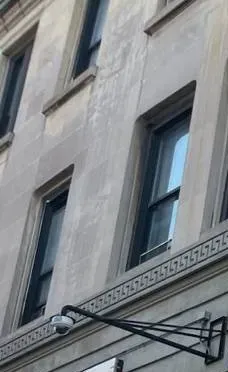
Real AESS job photo from another site, not a Putnam building: a small dome camera hangs from a long black steel arm fixed to a pale stone façade with a carved band, beneath two tall windows. An arm mount like this keeps the drilling to one point on old masonry.
What We Install
Ubiquiti Camera Installation Services in Putnam County
Every Putnam UniFi job is a mix of the services below. We price them together because they depend on each other: the camera choice sets the power draw, the power draw sets the recorder or switch, and the building sets where all of it can live.
Complete UniFi Protect systems
Cameras, a UniFi recorder with its drive, every cable, and UniFi Protect set up on each phone in the household. The standard Putnam starting point is four cameras on a UNVR Instant, which has six PoE ports of its own, so a small house needs no separate switch at all.
Power budgets worked out first
We add up each camera’s published maximum draw before we order anything. A recorder or switch that is asked for more than its PoE budget will simply refuse to power the last camera plugged in, which is a common reason owners call us after a do-it-yourself expansion.
Cameras on outbuildings
Garages, barns, studios, docks and pool houses. Short runs go straight back to the recorder; long ones get a small PoE switch in the outbuilding, and the most exposed get fiber, which carries no electrical surge across the yard. Every run that leaves the house is planned for lightning.
Recorder placement and cooling
The recorder goes where it will stay between freezing and 104°F, near the modem when possible, off the floor in basements that take water, and somewhere a burglar will not find it in the first minute. Wall and DIN-rail mounts for the UNVR Instant come in the box.
Outage-proof network core
A battery backup sized for the modem, gateway, recorder and any PoE switch, settings that bring everything back without anyone on site, and a pulled-plug test before we leave so you know how long the cameras ride through a NYSEG or Central Hudson outage.
Recording set for how you use the house
Continuous recording on doors and drives, detection-only recording on quiet woodland views, retention planned around your longest absence, and Enhanced Retention configured where a longer history at lower quality is worth more than a short one at full resolution.
Smart alerts that ignore the trees
UniFi cameras sort motion into people, vehicles and animals on the device itself. We switch on only the detection types you care about, draw zones away from roads, branches and water, and set phone alerts on a schedule so the house is quiet while you are in it.
UniFi doorbells and gate cameras
UniFi doorbells on the front door and the side door the family really uses, and a camera at the end of a long driveway that can read plates on vehicles turning in. Both report into the same UniFi Protect app as the rest of the system.
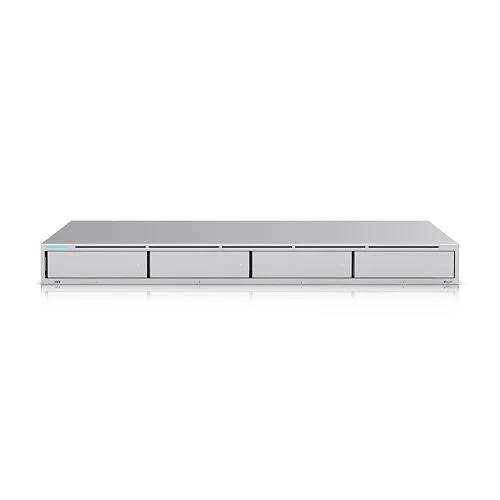
Ubiquiti product photo, not an installed unit: a flat silver rack recorder seen from the front, with four drive trays across its face, filed in our library as the UniFi Network Video Recorder. Four bays allow drive redundancy, which a single-bay recorder cannot offer.
Building Specialists
Ubiquiti Camera Installation for Putnam County's Architecture
With a median build year of 1968 and nearly 18% of homes older than 1940, Putnam’s houses were built long before anyone pulled data cable. These are the building types we wire most, and what each means for a UniFi install.
Pre-war farmhouses and village houses
Plaster and lath, balloon framing, stone foundations and little attic space in places. Cable follows chases, closets and the outside of the house in paintable raceway rather than being fished through plaster that cracks. Common in Cold Spring, Brewster village, Patterson and older parts of Carmel.
Lake-colony cottages
Small 1920s and 1930s bungalows at Putnam Lake, Lake Carmel and Lake Peekskill, many on crawlspaces. Short runs and few cameras, but no good recorder location: we wall-mount the compact recorder indoors, keep the core on battery backup, and frame cameras tightly on narrow lots.
Mid-century colonials and split-levels
The commuter houses of Mahopac, Carmel, Southeast and Putnam Valley. Full basements and accessible attics make these the easiest Putnam houses to wire; cable runs through the basement ceiling and up behind the siding to soffit-mounted cameras.
Ridge and woodland homes
Newer houses up long driveways in Kent, Putnam Valley and Philipstown, often with detached garages and decks facing the trees. Long runs, exposed walls and high mounting points mean cold-rated cameras, surge protection and careful detection zones.
Houses with outbuildings
Barns, studios, workshops, pool houses and boathouses across the yard. Each building is its own wiring decision: a direct run, a run to a small switch, or fiber. Burial through rocky ground is priced only after a site look.
Short-term rentals
Houses rented by the night, where Putnam Valley requires a local manager within 30 miles of Town Hall and Philipstown’s draft law asks for someone who can respond within 20 minutes. The recorder goes in a locked space, and the manager gets a restricted UniFi Protect login.
How the wiring changes by building
In a mid-century house, a four-camera install is mostly a basement job. The recorder sits beside the modem, a single cable runs from it to each corner of the house, and each cable leaves the basement through the rim joist, travels up behind a downspout or inside a soffit, and ends in a junction box behind the camera. The junction box matters: it hides the cable’s bend, keeps water out of the hole, and gives the next technician something to work with.
In an older village house, the same four cameras can take twice as long. Plaster walls do not fish well, fieldstone foundations are thick and irregular, and attics may be too low to crawl. We route cable through closets and chases where we can, and on the outside of the house in raceway painted to match where we cannot, rather than cracking walls that are a century old. Hidden in-wall wiring is priced separately because these houses are where it is genuinely hard.
On a ridge or woodland lot, the problem is exposure. Cameras on north walls and open gables see the coldest air, long runs pick up surges from nearby strikes, and every tree in the frame is a source of false motion. We favour the cameras Ubiquiti rates to −22°F for the most exposed positions, put a surge protector on both ends of any run that leaves the house, and draw detection zones before the first night of alerts.
Camera choice by wall
Exposed north walls, gables and poles: G5 Turret Ultra, G6 Turret or G6 PTZ — each rated down to −30°C (−22°F) in Ubiquiti’s tech specs.
Sheltered eaves, porches and garage fronts: G6 Bullet or G6 Dome — rated down to −20°C (−4°F), fine under a roof overhang but not our first pick for an open, windward mount.
Within reach of people: the G6 Dome, which carries an IK10 impact rating against the IK04 of the turret and bullet models.
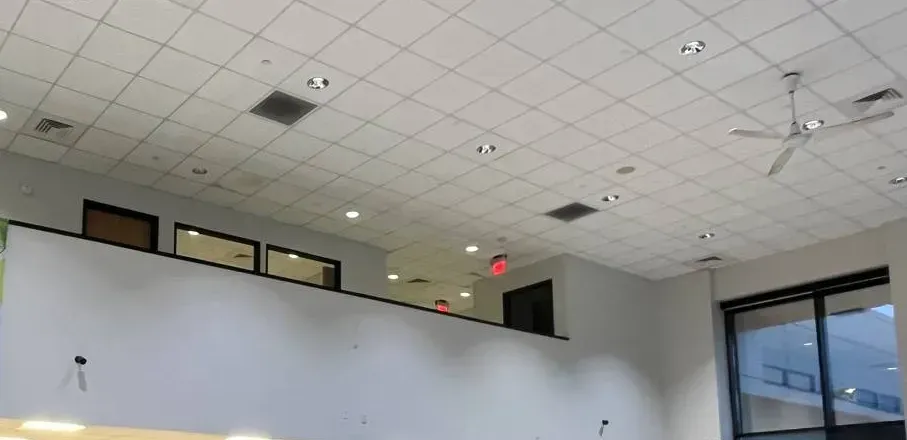
Real AESS job photo from another site, not a Putnam property: two small black cameras sit low on a tall white wall beneath a row of mezzanine windows, under a drop ceiling with recessed lights, vents and a ceiling fan. High open rooms like this need cameras placed for the people, not the ceiling.
Commercial Ubiquiti Camera Installation
Business Ubiquiti Camera Installation in Putnam County
Putnam’s commerce sits along a handful of roads — the county’s hazard-mitigation profile names Routes 6, 9, 22 and 52 and the I-84 corridor. Most businesses on them are owner-run, and the owner is the person reviewing footage at night. UniFi suits that well: one app for every location, recordings kept on your own recorder rather than a paid cloud, and recorders that scale from six cameras to dozens.
Route 6, Mahopac and Carmel
Shopping centres, restaurants and service businesses along the lake. In April 2026 Carmel police ran a detail at the Mahopac Village Shopping Center after complaints about speeding and burnouts once the stores closed, making 3 reckless-driving arrests and issuing 22 summonses. Owners there want wide parking-lot views with enough resolution to identify a vehicle.
Route 22 and Main Street, Brewster
Village storefronts and the Route 22 retail strip. The Sheriff described organised retail-theft crews travelling to Putnam stores in September 2026; for a shop, that means a clear camera over the register, one on the door at face height, and a quick way to export a clip.
Route 312 and I-84, Southeast
Offices, contractors’ yards and service businesses by the interchange. Yards with machinery need long-range cameras, a plate-reading camera at the gate if traffic warrants it, and a PoE switch in the yard office rather than a hundred-metre run from the main building.
Gleneida Avenue and Route 52, Carmel
Law and professional offices around the 1814 courthouse, often in older buildings with shared basements. Small systems with careful privacy masking on windows and on shared hallways, and a recorder in a locked room.
Main Street and Route 9, Philipstown
Cold Spring’s shops and restaurants and the businesses along Route 9 in Garrison. Historic-district rules for anything visible from the street, Central Hudson power, and staff whose phones may not get a signal on site — so a local viewing station on a monitor often matters as much as the app.
Lake marinas, delis and auto shops
Small businesses around Lake Mahopac, Lake Carmel and Putnam Lake, many with the owner’s apartment upstairs. One recorder can cover both, with separate Protect users so staff see the shop and nothing else.
Rules a Putnam business should know before adding UniFi cameras
Licensing under county Chapter 145. Camera cabling counts as regulated work here: Putnam folds video surveillance into its low-voltage and limited data communications trade, and that trade requires a county licence or registration. Before signing with anyone, look the firm up on the technician lists kept by Putnam Consumer Affairs — that goes for us as well.
Sound needs a reason. Several UniFi cameras have microphones. New York’s eavesdropping law makes recording a conversation without at least one party’s consent a felony, so we leave audio recording off at counters, offices and break rooms unless the owner has a lawful reason and posts notice.
Neighbours’ yards. Civil Rights Law § 52-a lets a homeowner sue someone who points a video device at their backyard from neighbouring property without written consent. UniFi Protect’s privacy masks black out parts of a view; we use them wherever a camera’s frame crosses a fence.
Village façades in Cold Spring. A camera that can be seen from the street on a building inside the historic district is an exterior alteration, and the Historic District Review Board signs off on those. A camera on a rear wall or under a porch out of street view does not go before the board.
A state credit for small retailers. New York’s Commercial Security Tax Credit can return as much as $3,000 per store to retail businesses of 50 or fewer employees that buy eligible security equipment, cameras among it. The certificate application closes on October 31 each year.
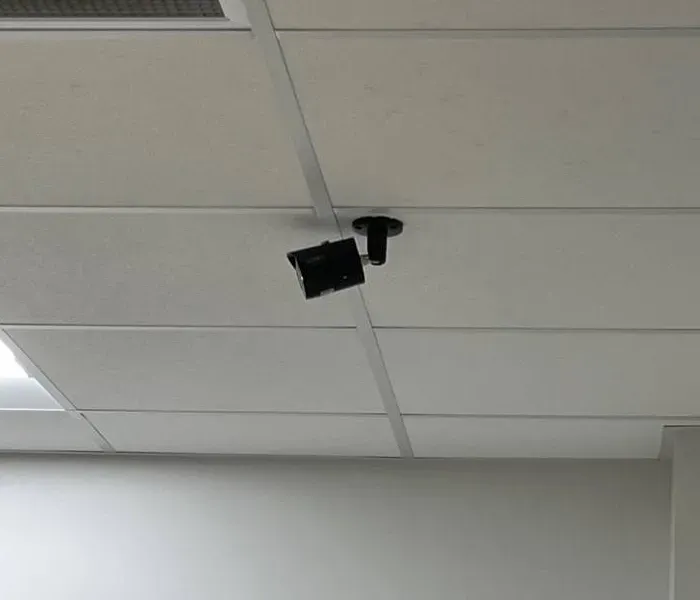
Real AESS job photo from another site, not a Putnam business: a black bullet camera on a short black stem mounted to the metal grid of a white drop ceiling, aimed down across the room. Shop and office ceilings like this are where a business camera’s cable is easiest to hide.
Your Questions Answered
Ubiquiti Camera Installation in Putnam County: Questions Answered
These are the UniFi questions Putnam owners ask once they are past “which camera” — the ones about power, placement, the internet, recording, weather and local rules. Each is answered for the houses, lots and lines found here.
Power and the PoE Budget
We added a fourth camera to the UniFi NVR Instant at our Carmel house and it never powered on — why?
Almost certainly the recorder ran out of power to give. The UNVR Instant has six PoE ports, but Ubiquiti lists its total PoE budget as 40 watts and the most any single port can deliver as 15.4 watts. Three G6 Turrets at their published maximum of 12.5 watts each already account for 37.5 of those 40 watts; a fourth pushes the total past the budget, and the recorder declines to power it. A G6 PTZ is a different problem: it needs PoE+ and draws up to 24.5 watts, more than any one port on the Instant can supply at all.
The fix is a small PoE+ switch between the recorder and the cameras, sized with headroom, or a lower-draw camera on the less critical views — the G5 Turret Ultra is listed at 4 watts. Before we order equipment for any Putnam job, we add up each camera’s published maximum against the recorder or switch budget, so the arithmetic is done on paper rather than on a ladder.
How many cameras can a single UniFi NVR Instant record before we need a bigger recorder?
Ubiquiti rates the UNVR Instant for six 4K cameras, eight 2K cameras or fifteen HD cameras, with a single 3.5-inch drive bay. That makes it a good fit for most Putnam houses: four to six cameras of mixed resolution, recorded on one large drive. Past that, or when you want longer recording than one drive can hold, the four-bay UNVR handles up to eighteen 4K cameras, and the UNVR Pro adds seven bays.
The camera count is only half of it. A recorder that supports the cameras may still need a separate PoE switch to power them, and a single-drive recorder keeps no second copy if the drive fails. For houses where the footage really matters — a rental, a business, a property empty for weeks — we usually recommend a multi-bay recorder with drive redundancy rather than stretching the Instant.
When NYSEG drops the power at our Mahopac house, which pieces should the battery backup keep running?
Everything between the cameras and the internet: the modem, the UniFi gateway or router, the recorder, and any PoE switch. Because the cameras take their power over the network cable, a backup that only covers the recorder will still lose any camera fed from a separate switch, and a backup that skips the modem leaves the cameras recording but unreachable from your phone. Ubiquiti’s own guidance on drive health also lists avoiding unexpected shutdowns, which a battery backup prevents.
How long it lasts depends on the load: four low-draw cameras and a compact recorder will ride through far longer on the same battery than a PTZ and a rack recorder. We measure the real draw at install, test with the plug pulled, and tell you how long you have. For houses on generators, the battery also covers the seconds between the grid dropping and the generator taking the load.
Where the Recorder Lives
Is the unheated garage at our Patterson place a reasonable home for the UniFi recorder?
No. Ubiquiti lists the UNVR Instant’s ambient operating range as 0 to 40°C, or 32 to 104°F, and an unheated Putnam garage spends much of the winter below that. Cameras are built for the cold; recorders are not, and the hard drive inside one dislikes both cold starts and summer heat. A garage is also the first place a burglar walks into.
We put the recorder in the conditioned part of the house — a closet, a basement shelf above flood height, a utility room — and run the garage cameras back to it, or to a small switch in the garage, which tolerates the cold better than a hard drive does. If a building must hold the recorder, it needs heat, and the drive needs to be one Ubiquiti lists as compatible.
Does the UniFi recorder have to sit beside the internet modem?
No, but it has to be on the same network, and the closer the better. The recorder needs a cable to the router or gateway; the cameras need cables to the recorder or a PoE switch. In a basement where the modem already lives, putting the recorder on the same shelf keeps that link short and lets one battery backup cover the whole core.
When the modem sits in a spot that cannot take the recorder — a living-room bookcase, an upstairs office — we run one cable from the router to wherever the recorder belongs, usually the basement where the camera cables converge. What we avoid is linking the recorder to the house over Wi-Fi. Recording traffic is constant, and a wireless link between the recorder and the router is the first thing to fail when the family starts streaming.
The Internet Side
Do we have to open ports on the router for UniFi Protect to reach our phones in the city?
No. Ubiquiti’s Help Center says its remote access needs outbound connections on TCP ports 443 and 8883, and states plainly that you do not need to open those ports for inbound traffic. The console reaches out to Ubiquiti’s Site Manager, which verifies who you are and sets up an encrypted session between your phone and the recorder. Nothing on the house router has to be exposed to the internet.
Where remote viewing fails in Putnam, it is usually because something blocks that outbound traffic or the time and name lookups the console depends on — an ISP-supplied router with filtering turned on, or a clock that is wrong because time requests are blocked. We check those at install, and we close any old port forwards left by a previous camera system, because an open port to a recorder is the one thing UniFi does not need.
Should our UniFi console be tied to a UI account, or kept as a local-only login?
For most owners who watch from somewhere else, a UI account with remote management is the practical choice: it is how the phone app reaches the house, and it is what lets you recover access if a password is forgotten. A local-only login keeps everything inside the house and works during an internet outage from a device on the home network, but Ubiquiti warns that local-only credentials cannot be recovered unless an email server was set up manually.
Many Putnam owners want both: a UI account for everyday remote viewing, plus the knowledge that, when the line is down, someone on the home Wi-Fi can still sign in locally and pull a clip. We set it up that way, record who holds the owner account, and give caretakers or managers their own limited logins rather than sharing the owner’s.
Recording for Long Absences
Should the cameras that face the woods record around the clock or only when something is detected?
Usually detection-only. UniFi Protect offers three recording modes — Always, Detection Only and Never — and Ubiquiti itself suggests Detection Only for low-activity areas to save storage. A camera on a tree line records almost nothing of value at 3 a.m. on a still night, and its footage crowds out the views that matter. Pre-event and post-event buffers mean a detection recording still includes the seconds before and after the trigger.
Doors, driveways and the approach to the house are different. In July 2026 the Sheriff said the county courthouse cameras had captured only portions of an incident because the system relied on motion sensors. That is the risk of detection-only on a key view, so we record entrances continuously and let quieter cameras save the drive.
How do we stop one important clip from being written over while an insurance claim drags on?
Flag it, export it, or put it in a case. UniFi Protect’s Storage Manager deletes the oldest footage as the drive fills, and Enhanced Retention may downgrade older footage to low quality. Ubiquiti lets you flag a clip so it is not downgraded, export or archive it to outside storage, or add it to Case Manager, which keeps footage indefinitely.
For anything an adjuster or the police may want, we suggest all three: flag it in the app the day it happens, export a full-quality copy to a laptop or USB drive, and keep a note of the camera, date and time. We show every owner how to do this on handover day, because the time to learn it is not the morning after a break-in.
Will deer, wind and swaying branches flood our phones with UniFi alerts?
They will if alerts are set to plain motion. A Putnam woodland view moves all day — leaves, shadows, snow falling off branches, deer at dusk. UniFi cameras classify what they see as people, vehicles or animals on the device itself, and Ubiquiti says that detection runs on your local network rather than in a cloud. Turning off plain-motion alerts and notifying only on people and vehicles removes most of the noise.
The rest comes from setup: detection zones drawn to exclude the road and the trees, sensitivity tuned in the first week of real use, and alert schedules so your phone is silent while you are home. We return to adjust after the first week if the alerts are still wrong.
Weather, Lightning and Plates
What stops a lightning surge from riding a camera cable back into the recorder?
Grounded surge protection at both ends of any run that leaves the house, and fiber where a run is long and exposed. Ubiquiti sells an outdoor Ethernet surge protector rated for 10 kA that guards against electrostatic discharge and surge events, and installers on Ubiquiti’s own community forum consistently say the same thing: protect both ends, bond the protector to ground, and use shielded cable with a drain wire and shielded connectors or the protector has nowhere to send the surge.
On a Putnam ridge, the cable to a garage or a pole camera is a long copper antenna. Within the house, short runs inside the walls are lower risk; between buildings, a nearby strike can take out a camera, a switch port and the recorder in one go. Where a run crosses open ground to an outbuilding, fiber with a small switch at each end removes the copper path entirely.
Can a UniFi camera read the plate of a car turning into our driveway at night?
The right one, placed properly, can. Ubiquiti lists licence-plate recognition on its G6 Turret, G6 Bullet and G6 PTZ, and sells an AI LPR camera “optimized for recognizing license plates”. What decides success is geometry: a camera aimed down the length of the drive at a narrow point the car must pass, close enough that the plate fills the frame, set with a fast shutter so headlights and motion do not smear it.
That matters in a county where Mahopac residents were asked in August 2026 to check their footage for overnight vehicle break-ins between about 3:30 and 5 a.m. A wide driveway camera shows that a car came in; a plate camera at the choke point shows which car. We usually recommend both: one for the scene, one for the plate.
Putnam Rules and Money
What does Putnam County’s Chapter 145 mean for whoever runs our camera cable?
It means the installer needs to be licensed or registered with the county. Chapter 145 of the Putnam County Code brings low-voltage and limited data communications work, including video surveillance systems, under its electrical licensing rules, and says no one may engage in that trade in the county without a licence or registration. The county Consumer Affairs office publishes its lists of licensed low-voltage technicians.
For an owner, the practical step is to ask any installer for their Putnam licence or registration number and check it against the county list before work starts. Our New York State low-voltage licence is #12000287431; ask us for our Putnam paperwork too, and check it the same way.
Can our Brewster shop get money back from New York State for adding UniFi cameras?
Possibly. New York’s Commercial Security Tax Credit is aimed at retail businesses with no more than 50 employees and is worth up to $3,000 per retail location for eligible security spending, which includes cameras. The credit certificate has to be applied for before October 31 of the year, so a shop planning an autumn install should apply early.
We provide an itemised invoice showing cameras, recorder, cable and labor separately, which is what an application or an accountant usually needs. Whether a particular shop qualifies is for the state and your accountant to decide; we only make sure the paperwork is clear.
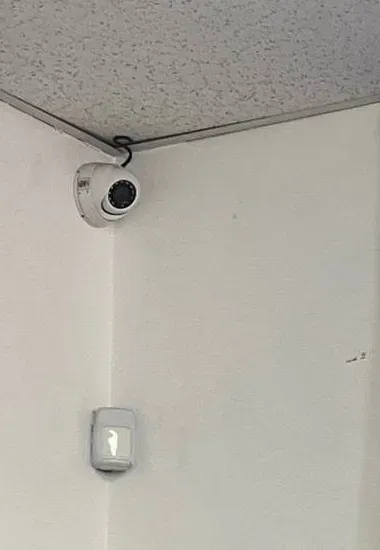
Real AESS job photo from another site, not a Putnam property: tucked into the angle of two white walls just below a speckled ceiling tile, a compact white dome looks out over the room, its lead curling over the top, while a little white wall sensor sits further down. From a corner, one camera and one cable can take in an entire room.
Equipment
Types of Ubiquiti Cameras We Install
Ubiquiti’s range is wide, and the model names change faster than most owners can follow. These are the families we install most in Putnam, with the published figures that matter for a house in the woods: power draw, cold rating and what each one is for.
UniFi model
Key published specs
Where it earns its place in Putnam
G5 Turret Ultra
2K (4MP), 30 m infrared, IP66, PoE at 4 W max, −30 to 50°C
The budget workhorse: low draw lets more cameras share one recorder’s PoE budget, and the cold rating suits open walls
G6 Turret
4K, 30 m infrared, face and plate recognition, PoE at 12.5 W max, −30 to 50°C
Driveways and yards where detail matters and the mount is exposed
G6 Bullet
4K, 30 m infrared, plate recognition, PoE at 9.9 W max, pole mount for 1.5–2" poles included, −20 to 50°C
Under eaves and on posts; very visible as a deterrent
G6 Dome
4K, IK10 impact rating, PoE at 9.25 W, −20 to 50°C
Porches, shop doors and anywhere a camera is within reach
G6 PTZ
4K, 10× hybrid zoom, 350° pan, two-way audio, PoE+ at 24.5 W max, −30 to 50°C
Large yards, lake frontage and lots; needs a PoE+ port, so it rarely runs straight off a UNVR Instant
G6 Pro Bullet / AI LPR
2.36× optical zoom, infrared to 40 m (60 m with Vision Enhancer), PoE+ at 15 W; the AI LPR is built for plates
Gates and driveway choke points where a plate must be read
UniFi doorbells
Doorbell Lite, G4 Doorbell Pro and PoE kit
Front doors, with the ring and the video in the same app as the cameras
UNVR Instant
6 PoE ports, 40 W budget, one 3.5" bay, HDMI for a viewing screen, 0 to 40°C
Houses with up to six 4K cameras and an indoor spot near the modem
UNVR / UNVR Pro
4 bays (UNVR, up to 18 4K cameras) or 7 bays (Pro); no PoE, so paired with a switch
Larger houses, businesses and anywhere drive redundancy matters
Ethernet surge protectors
Ubiquiti ETH-SP-G2, outdoor, 10 kA, IPX5
Both ends of any run that leaves the house
UniFi compared with a cloud-subscription camera
The cameras sold by the big national subscription brands are designed around their own cloud: clips are stored on the company’s servers and longer history usually comes with a monthly plan. UniFi Protect works the other way round. Ubiquiti’s Help Center says recordings stay on your own console, that there is no cloud backup of your video by default, and that the company cannot view, store or access your streams. You buy the recorder and the drive once, and the history you keep is limited by the drive, not a plan.
UniFi Protect, installed by AESS
Typical cloud-subscription camera
Where video lives
On the recorder in your house
On the provider’s servers
Recording when the internet drops
Continues to the local drive
Depends on the device; many stop uploading
Power to cameras
One Ethernet cable per camera (PoE)
Battery or a nearby outlet, plus Wi-Fi
Monthly cost for recording
None from us; history is limited by the drive size
Often a monthly plan
Who installs it
A licensed low-voltage crew, with cable runs planned and tested
Usually the owner
Ubiquiti product photo, not an installed unit: the UniFi G6 Bullet in black, a short cylindrical 4K camera on a jointed wall mount. Ubiquiti lists it at 9.9 watts maximum with a pole mount for 1.5–2-inch posts in the box.
AI Overview Reality Check
What AI Gets Wrong About Ubiquiti Camera Installation in Putnam County
Search-engine AI summaries change constantly and none could be captured for this page, so none is quoted. Instead, these are seven claims about UniFi that recur in forum replies, how-to videos and machine-written answers. Each holds a grain of truth, and each goes wrong somewhere between Ubiquiti’s spec sheet and a Putnam house lot.
“UniFi Protect is a cloud camera service”
It is easy to see why people assume so: you sign in through a Ubiquiti account, the app works from anywhere, and the video turns up on your phone in seconds.
But Ubiquiti’s own documentation says the opposite. Recordings and AI detections stay on your local console, there is no cloud backup of video by default, and Ubiquiti’s Site Manager only verifies your identity and helps build an encrypted connection; it does not handle the video itself.
For a Putnam owner, that cuts both ways. Your footage is private and keeps recording when the internet drops — but if the recorder is stolen or its single drive fails, the footage goes with it. That is why we hide the recorder, keep it on battery backup, and recommend a multi-drive recorder where the footage really matters.
“You have to forward ports for remote viewing”
This one is a leftover from older camera systems, where remote viewing really did mean opening a port on the router and pointing it at the recorder.
Ubiquiti’s Help Center says its remote access needs only outbound traffic on TCP 443 and 8883, and that you do not need to open those ports for inbound traffic. Forwarding ports to a UniFi console adds risk without adding anything.
Where we take over an older Putnam system, we often find forwards left behind for a recorder that no longer exists. We close them as part of the install.
“Any UniFi camera is fine for winter outdoors”
Every outdoor UniFi camera we install carries an IP66 weather rating, so rain and snow are not the issue.
Cold is where they differ. In Ubiquiti’s tech specs, the G5 Turret Ultra, G6 Turret and G6 PTZ are rated to −30°C (−22°F), while the G6 Bullet and G6 Dome are rated to −20°C (−4°F). And the recorders are indoor equipment: the UNVR Instant is rated only from freezing to 104°F.
So the generic answer is half right. The cameras can live outside; the recorder cannot, and on the most exposed Putnam walls we choose the wider-rated models rather than assuming every UniFi camera is the same.
“PoE means you can hang as many cameras as the recorder has ports”
Power over Ethernet really does let one cable carry both power and data, which is what makes UniFi so tidy to install.
But every PoE device has a total budget as well as a port count. The UNVR Instant has six ports and a 40-watt budget, with 15.4 watts per port at most. Four 12.5-watt G6 Turrets exceed that budget, and a 24.5-watt G6 PTZ needs PoE+ that the Instant’s ports do not provide.
We do this sum before ordering: published maximum draw for every camera, against the budget of whatever powers them, with headroom left over for winter nights when infrared runs all night.
“Wiring a UniFi system is a weekend job”
On a new house with an open attic and a basement under every wall, a handy owner can wire a few cameras over a weekend, and many do.
Putnam’s houses are rarely that. The median one dates from 1968, close to a fifth predate 1940, and many sit on rock with a garage across the yard. Plaster, fieldstone, long runs, lightning exposure and the 100-metre copper limit turn a weekend into a project, and Putnam County’s Chapter 145 brings video surveillance work under its low-voltage licensing rules.
We are happy to install equipment an owner already bought, on our published labor-only pricing; the cable runs are where professional time pays for itself.
“If the internet is down, the system is useless”
It is true that you cannot watch from the city while the house has no internet, and in parts of Putnam that happens — the county said in 2016 that it did not have coverage across all 254 square miles, and fiber was still being funded for 390 locations in 2025.
But the cameras keep recording to the local drive as long as they have power, and Ubiquiti documents local management specifically for internet outages: anyone on the home network can sign in by browser or app and review footage.
So the design priority in Putnam is power first. A recorder on battery backup with no internet still records the night; a recorder with no power records nothing at all.
“More megapixels always means better evidence”
A 4K camera does capture more detail than a 2K one, and on a wide yard view that extra detail can be the difference between “a person” and a recognisable one.
But resolution is not reach. A plate 80 feet away on a wide-angle lens is a handful of pixels whatever the sensor size; the AI LPR and the zoom-lens Pro models exist because placement and focal length matter more than megapixels for that job. Higher resolution also costs drive space and upload.
We match the camera to the job: wide 4K for scenes, a zoom or plate camera at the choke point, and lower-resolution, low-draw turrets where the view is simply “is anyone there”.
Get the Power Budget Right Before the First Hole
Tell us which cameras you are considering and where they go, and we will send back the PoE arithmetic, the recorder that fits, and a written Putnam price — before anyone drills.
Give us the town or hamlet, the number of cameras, any outbuildings and where the modem lives, and a written Putnam price follows the same business day. Rather talk it through? Call (845) 640-3835.
✅
We Got Your Request!
Received. A UniFi designer will check your camera list against the power budget and the cable distances, then phone with a written Putnam price before the business day is out; if a camera is down right now, dial (845) 640-3835.
How It Works
Our Installation Process
Seven steps, in the same order for a Putnam Lake cottage and a yard in Southeast. The first two happen on paper, because in Putnam most installation problems are decided by power, distance and placement long before a camera goes on a wall.
1. Plan on paper
From your description and photos, we list each camera, its view, its published power draw and the port that will feed it, and add the draws against the recorder or switch budget.
2. Walk the site
We measure the real cable path to every camera and outbuilding, check it against the 100-metre copper limit, find the recorder a conditioned home near the modem, and mark anything needing fiber or trenching.
3. Run and protect the cable
Cat6 to every camera with a junction box at the wall, shielded cable and grounded surge protectors on runs that leave the house, and a switch or fiber link where distance demands it.
4. Mount and aim
Cold-rated models on exposed walls, impact-rated domes within reach, plate cameras at the driveway choke point, and every view framed to your land with privacy masks where it crosses a fence.
5. Set up the recorder and network
Recorder adopted, firmware current, drive checked, battery backup on modem, gateway, recorder and switch, remote access through the UI account, and no inbound ports left open.
6. Recording, detections and users
Continuous recording on entrances, detection-only on quiet views, retention set for your longest absence, alerts limited to people and vehicles, and separate logins for family, caretakers or managers.
7. Test from away and hand over
We pull the plug to test ride-through, open UniFi Protect on cellular away from the house, flag and export a practice clip, and leave a sheet listing every camera, port, account and setting.
Coverage Area
Ubiquiti Camera Installation Near Putnam County's Landmarks
Six places that frame the county, east to west, and the kind of UniFi work we do around each. Crews are dispatched from our Bronx office and reach every Putnam town.
Lake Mahopac
A lake of about 587 acres with three private islands, once a nineteenth-century resort. Around it: lakefront houses with boathouses and docks that need cameras on separate buildings, and the Route 6 shopping strip.
Putnam County Courthouse, Carmel
Built in 1814 on Gleneida Avenue beside Lake Gleneida, one of New York’s oldest courthouses still in use. Around it: professional offices in older buildings, where small systems and careful privacy masking are the norm.
West Branch Reservoir, Kent and Carmel
A New York City reservoir in service since 1895, split into two basins by Route 301. Around it: ridge houses up long driveways, where outbuilding runs, cold-rated cameras and surge protection drive the design.
Fahnestock State Park, Route 301
Some 15,000 acres of state parkland reaching across Putnam into Dutchess along Route 301. Around it: woodland homes where detection zones and people-and-vehicle alerts matter more than raw motion.
Cold Spring Historic District
A 691-acre district listed on the National Register in 1982, with more than 200 buildings. Around it: village houses and Main Street shops where any camera visible from the street is planned with the review board in mind.
Tilly Foster Farm, Southeast
A farm of about 199 acres, owned by the county since 2002. Around it: Southeast homes on the commuter routes and the offices and yards along Route 312 and I-84.
We also install UniFi systems in Brewster, Lake Carmel, Putnam Lake, Lake Peekskill, Garrison, Nelsonville, Patterson, Putnam Valley and Mahopac Falls, and across the border in northern Westchester and southern Dutchess through our Westchester UniFi installers and Dutchess County team.
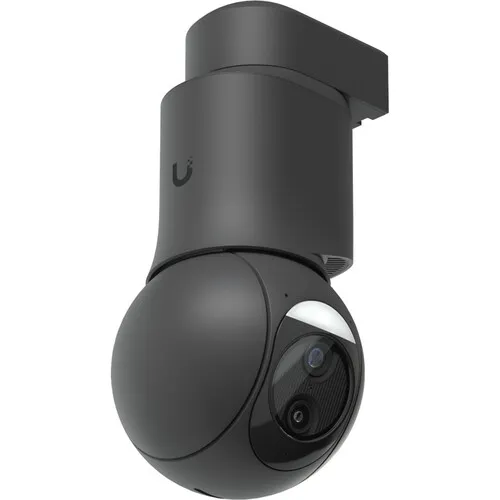
Ubiquiti product photo, not an installed unit: the UniFi G6 PTZ in black, a rounded camera head hanging below a short mount. It pans 350° with 10× hybrid zoom but needs a PoE+ port and up to 24.5 watts, more than one UNVR Instant port supplies.
Pricing
Ubiquiti Camera Installation Cost in Putnam County
These are the installed Putnam prices published on our UniFi price calculator for Putnam County, which you can use to build a system camera by camera. Each camera price includes the camera, mounting and a Cat6 run up to 100 feet; each recorder price includes setup and the phone app; every system gets a drive large enough for at least two weeks of continuous recording. Prices are plus sales tax.
Item
Putnam County installed price
What moves it
Four-camera UniFi system (G5 Turret Ultra, G5 Dome Ultra, G5 Bullet or G5 Flex + UNVR Instant)
from $2,472
Camera model, drive size for longer recording, hidden wiring
G5 Turret Ultra, one camera
$430
Run length beyond 100 ft, mounting surface
G6 Turret or G6 Bullet, one camera
$512
As above, plus PoE budget on the recorder
G6 Dome, one camera
$606
Impact-rated dome for doors and porches
G6 PTZ, one camera
$746
Needs a PoE+ port, so often a switch as well
G6 Pro Bullet / AI LPR
$840 / $863
Plate-reading position at a choke point
UniFi doorbells
$363 (Doorbell Lite) – $691 (G4 Doorbell Pro PoE Kit)
Wired chime or PoE, door frame
UNVR Instant / UNVR / UNVR Pro recorder
$414 / $524 / $744
Camera count, drive bays, redundancy
Hidden in-wall wiring
$200 per camera
Hollow drywall up to 100 ft; plaster, stone and spray foam checked on site
Repair or service visit on an existing system
$195 an hour, 3-hour minimum ($585)
Fault diagnosis, recorder and power problems
Two things push a Putnam job above the calculator: runs longer than 100 feet to an outbuilding, and anything that has to go through rock or across open ground. We price those after a site look, and the written quote shows them as separate lines so you can decide whether a camera on the far barn is worth the trench.
A worked example: a Kent house with a detached garage
Take a common Putnam request: four cameras around a 1970s colonial in Kent, plus one on a detached garage across the drive. Using the published Putnam prices, the house cameras come as the Starter package — four G5 Turret Ultras on a UNVR Instant for $2,472. The garage camera, a G6 Bullet so it can read plates on cars pulling up, adds $512. If the owner wants two of the house runs hidden inside finished drywall rather than run through the basement and behind the siding, that is $200 each, or $400. The total before tax is $3,384.
The power arithmetic works without a switch: four turrets at 4 watts and one bullet at 9.9 watts come to 25.9 watts, inside the Instant’s 40-watt budget, using five of its six ports. What the calculator cannot know is the garage run. If the walked path from the basement to the garage is longer than 100 feet, the extra cable is priced as its own line; if it crosses open ground, we add surge protection at both ends; and if it is close to the 100-metre copper limit, we quote a small switch in the garage or a fiber link instead. Those lines appear separately on the written quote, so the owner can see exactly what the garage camera costs to reach.
Why Putnam prices differ from the Bronx or Brooklyn ones on the same calculator: the equipment costs the same everywhere, but the labor is set per area, because a Putnam job means a longer drive and, usually, longer runs on bigger lots.
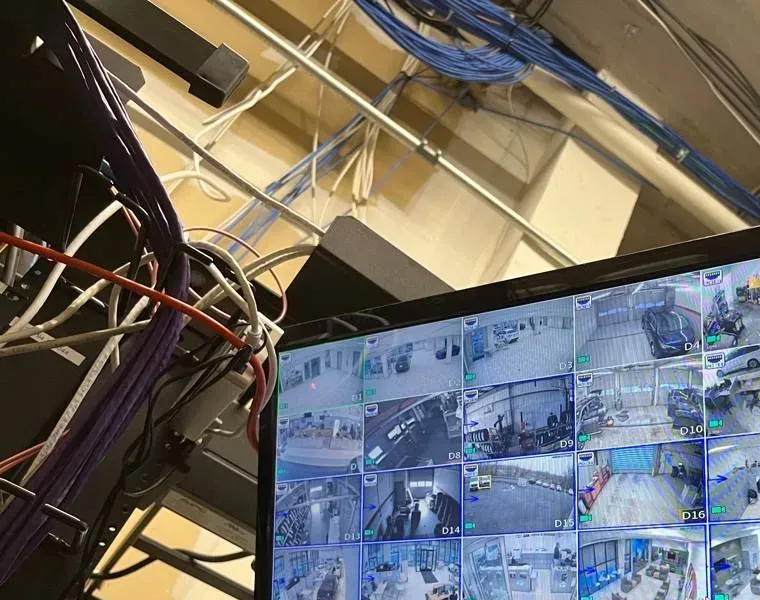
Real AESS job photo from another site, not a Putnam property: bundles of blue network cable run along a ceiling above a rack draped with purple and white patch cords, beside a monitor showing a grid of more than a dozen camera views. Every tile on that screen is one cable run someone had to plan and pay for.
A Written Putnam Price, Line by Line
Cameras, recorder, cable runs, outbuilding links and any trenching each get their own line, so you can see exactly what a camera on the dock or the barn adds before you commit.
Three four-camera UniFi packages from our published Putnam calculator. Each runs on a UNVR Instant, and each was chosen so that four cameras’ published maximum draw stays inside the Instant’s 40-watt PoE budget without an extra switch.
Starter — G5 Turret Ultra
$2,472
Four 2K turret cameras and a UNVR Instant. At 4 watts each, the four cameras use well under half the recorder’s PoE budget, leaving room to add two more later. Rated to −22°F, so they suit exposed walls. A drive for at least two weeks of recording and phone setup are included.
Standard — G6 Bullet
$2,800
Four 4K bullet cameras and a UNVR Instant. Plate and face recognition on every camera, and a pole mount in the box for a post along the drive. Four at 9.9 watts come to 39.6 watts, just inside the budget, so a fifth camera means adding a switch. Best under eaves and porch roofs.
Premium — G6 Dome
$3,176
Four 4K impact-rated domes and a UNVR Instant. IK10 housings for doors, porches and shopfronts where a camera is within reach. Four at 9.25 watts total 37 watts. Ideal for rentals and storefronts where cameras face the public.
Bought your own UniFi equipment? Labor-only installation
If you already own UniFi cameras or a recorder, we install them at our per-line labor rate for Putnam, set out on the install-your-own pricing page. Before we come, we check your models against the recorder’s PoE budget and camera capacity, so you know whether a switch or a bigger recorder is needed. Equipment you supply carries its manufacturer’s warranty; the work we do is covered by our service agreement.
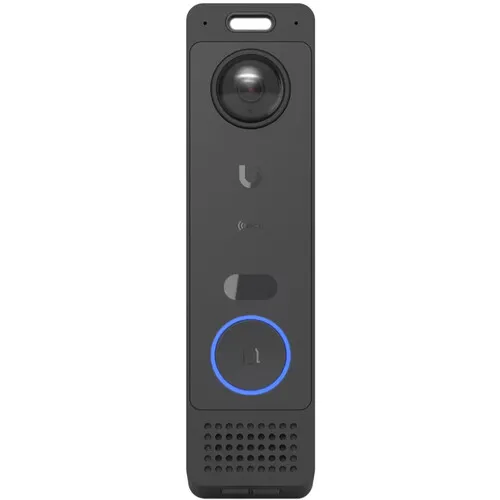
Ubiquiti product photo, not an installed unit: a tall, narrow black UniFi doorbell with a camera lens at the top, a small sensor window and a round button ringed in blue above a speaker grille. Its ring and video arrive in the same UniFi Protect app as the cameras.
Complete Services
Every Ubiquiti Camera Installation Service in Putnam County
A UniFi camera system touches the network, the cabling and often the doors. These Putnam County pages cover the work around it, so one crew can handle the whole job.
Two habits save more Putnam UniFi jobs than any piece of equipment. The first is arithmetic. Before we order, we write down every camera, its published maximum draw and the port it will use, and add them up against the recorder or switch budget with room to spare. It takes five minutes and it is the difference between a system that works on the first night and one where the last camera stays dark.
The second is walking the route. On a Putnam lot, the straight line from the basement to the garage is rarely where the cable can go: there is a stone wall, a septic field, a tree root mat or bare ledge in the way. So we walk the real path with a measuring wheel, add the climb up the wall and the drop at each end, and compare the total with the 100-metre limit for copper Ethernet. If it does not fit with margin, the plan changes on paper — a small switch in the outbuilding, or fiber — rather than on install day.
Then, before we leave, we pull the plug on the battery backup’s input and watch the cameras ride through, and we open UniFi Protect on a phone using cellular data rather than the house Wi-Fi. If the owner will be watching from the city, that is the test that counts.
FAQ
Putnam County Ubiquiti Camera Installation FAQ
Do the outdoor UniFi cameras each need an electrical outlet nearby?
+
No. UniFi cameras are powered over the same Ethernet cable that carries their video, a method called Power over Ethernet, so a camera on a garage gable or a post along the drive needs only its one cable back to the recorder or a PoE switch. Ubiquiti lists PoE as the power method for its G5 and G6 cameras, and PoE+ for the PTZ and Pro models. The only outlet involved is the one indoors that powers the recorder or switch, which we put on battery backup.
Does UniFi Protect send our video to a cloud service we have to pay for?
+
No. Ubiquiti’s Help Center says UniFi Protect stores recordings locally on your own console, that there is no cloud backup of your video by default, and that Ubiquiti cannot view, store or access your streams. Remote viewing passes through an encrypted connection to your recorder rather than a storage plan. We charge no monthly fee for recording; how much history you keep depends on the drive in the recorder.
Can the cameras be watched on a TV in the house as well as on our phones?
+
Yes. The UNVR Instant has an HDMI port that Ubiquiti calls Viewport, so a television or monitor can show live cameras without a computer. For larger recorders, Ubiquiti sells a separate Viewport device. We put the screen where it is useful, such as a kitchen, a front office or a shop counter, and set the layout to the views people actually check.
Can a UniFi camera go on a fence post or a lamp post along the driveway?
+
Often, yes. Ubiquiti includes a pole mount with the G6 Bullet for posts of 1.5 to 2 inches in diameter, and junction boxes and other mounts are available for wider posts. The real question is the cable: it has to reach the post underground or along a protected path, and a post far from the house is exposed to lightning, so we fit grounded surge protection. Trees are poor mounts because they move and grow.
How does the system warn us that the recorder’s hard drive is wearing out?
+
UniFi OS watches the drive’s health and reports it in plain terms: Optimal, Drive Failure Detected, or Drive at Risk of Failure, based on things like bad sectors and the drive’s own SMART reports. Ubiquiti says a drive showing early failure should be replaced as soon as possible. We switch on notifications so the owner hears about it, and on multi-bay recorders we set up redundancy so one failed drive does not lose the footage.
What should be ready at the house before the install day?
+
Access to the basement or closet where the modem lives, the attic hatch if there is one, and every outbuilding that gets a camera. Clear a little room along the walls where cable will run, have the internet working, and have the owner’s Ubiquiti account email to hand, or let us create one with you. If you will not be there, a caretaker or neighbour can let us in and we finish the phone setup with you by call.
How long does a four-camera UniFi install usually take at a Putnam house?
+
Most four-camera jobs on a house with a basement or accessible attic take one working day, including setup and testing. Older houses with plaster walls, stone foundations or no attic access take longer, as do cameras on outbuildings that need a separate switch, fiber or a trench. We give you the expected time with the written quote, after the site walk.
Is half the price due before the work starts?
+
Yes. Our service agreement asks for a 50% deposit, with the balance due on completion. The agreement also sets out the warranty terms and the late-fee schedule, and your written quote shows every line before you sign anything.
We already run a UniFi Dream Machine Pro for our Wi-Fi — can Protect record on it instead of a separate recorder?
+
Yes. Ubiquiti lists the UDM-Pro among the consoles that take a 3.5-inch drive for Protect recordings, so cameras can record to it without a separate recorder. It has no PoE ports for cameras, so a PoE switch powers them, and it shares its processor with your network duties. For more cameras, longer recording or drive redundancy, a dedicated recorder is the better choice, and we can add one to the same UniFi system.
How well does a UniFi camera within arm’s reach on a porch stand up to being knocked or tampered with?
+
It depends on the model. Ubiquiti gives most of its turret and bullet cameras an IK04 impact rating, while the G6 Dome carries IK10, the top of that scale. For a porch, a shop door or a rental entrance where people can reach the camera, we use a dome like that, mount it as high as the view allows, and run its cable inside the wall or a junction box so it cannot simply be pulled.
All Areas Served
Ubiquiti Camera Installation Across New York City, Long Island and the Hudson Valley
Putnam sits in our Hudson Valley region. Each area below has its own UniFi installation page, written for its own houses, buildings and rules.
Recorder Not Back After an Outage? Phone the Putnam Crew
A recorder that will not come back after an outage, a PoE port that stopped powering a camera, a garage camera lost after a thunderstorm, or remote viewing that broke when the provider swapped the router — ring (845) 640-3835. We book the next open two-hour window, and most UniFi systems are recording and reachable again within one to two hours of arrival.
Who Puts Up Your UniFi System
Abstract Enterprises Security Systems sends its Putnam crews out of 460 E Fordham Rd, Bronx, NY 10458. To book, use the direct Hudson Valley number (845) 640-3835 for calls and texts, or message us on WhatsApp.
We hold a 4.7★ rating from 201 Google reviews and work under New York State low-voltage license #12000287431. Quotes arrive itemised and in writing, and a certificate of insurance is available to any homeowner, landlord or business that asks.
Full terms — including 50% deposit, one-year parts-only warranty on AESS-supplied products, and the late-fee schedule — are set out in the service agreement. See our warranty page.
Page reviewed and updated October 18, 2026. Changelog: Putnam County Ubiquiti camera installation page rebuilt from new research on Ubiquiti’s published specifications and Help Center guidance, American Community Survey housing data for Putnam, county outage, broadband and cell-coverage reports, Putnam County Chapter 145 and local news, with installed prices from our published Putnam UniFi calculator.