What are you looking for?
About Us Contact Us Careers Get a Free Quote (800) 486-0943
Pick a service
✅ Got Your Own System?
🎬 Home TheatreQuote 🎶 AV SoundQuote 🔑 Access ControlQuote
Now pick your area
Pick your area
Long Island
Hudson Valley
Services available
Pricing & Tools
Pick a service for pricing
🚪 Intercom Pricing 🔔 Buzzer Repair Pricing
Calculators
📹 Camera System Calculator 🚨 Alarm Calculator ⚡ Cabling Quote Builder ✅ Got Your Own System?
Select your area
Putnam County, New York

Network Installation Putnam County

Small business network design · managed switching · business Wi-Fi · firewalls and VLANs · remote monitoring · rack buildout · repair

Commercial network installation across Putnam County — the Route 6 corridor through Carmel and Mahopac, Brewster and the Route 312 junctions, the river villages at Cold Spring and Garrison, and the county, school and municipal property in between.

Almost every commercial client here runs a single site with nobody on staff whose job is the network, and the nearest engineer is a drive away over roads that are not quick in February. That should shape the specification — managed equipment throughout, monitoring that reports before anybody notices, and a layout somebody can reason about from a browser forty minutes away.

4.7 / 201 Google Reviews NYS Low Voltage #12000287431 Licensed & Insured Small office networks from $4,900

Get a Putnam Network Quote

Tell us the building and roughly how many people work in it — we'll come back with a number.

Or call (845) 640-3835

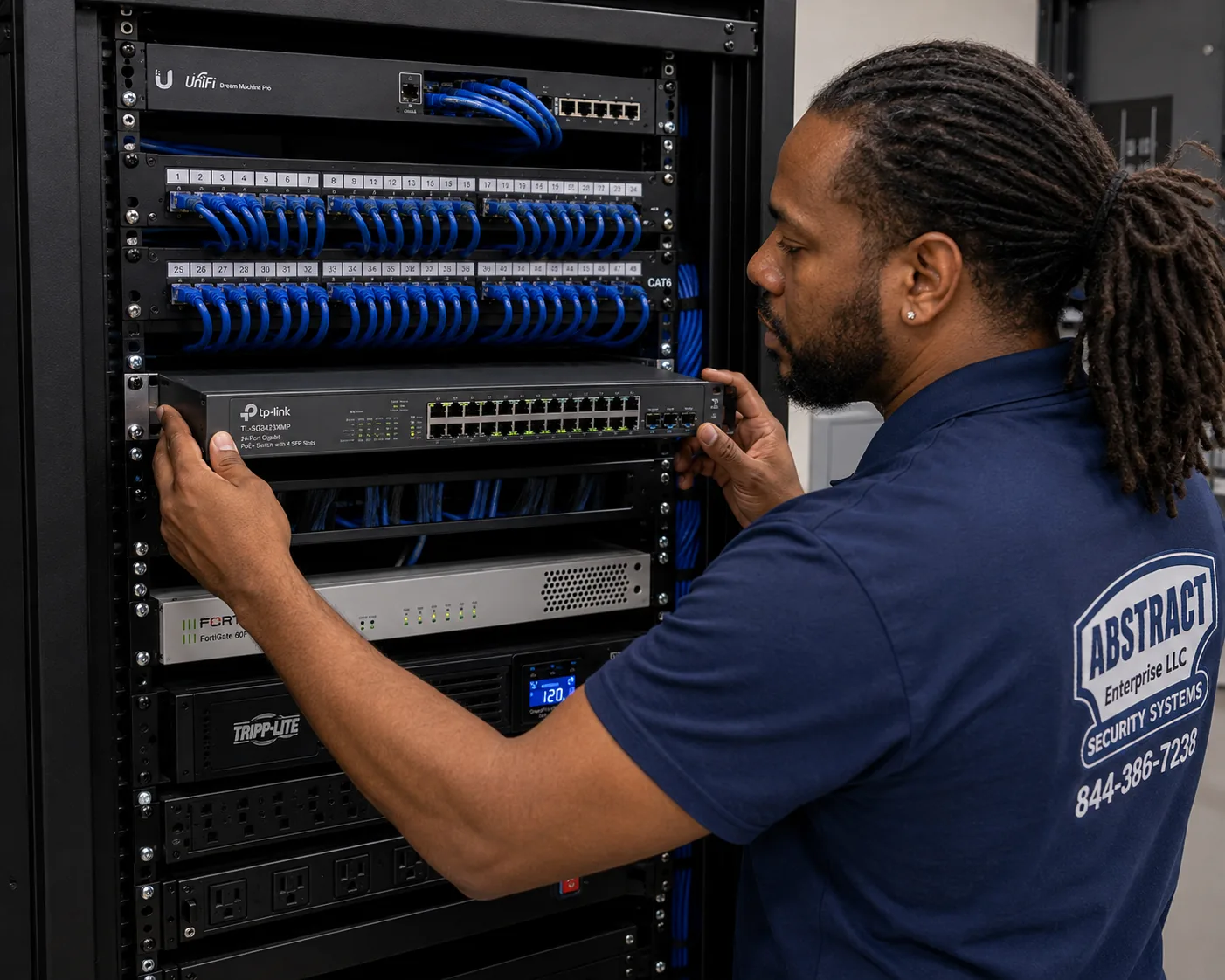
Network installation Putnam County technician mounting a managed PoE switch below patch panels in a small business rack
A managed PoE+ switch going in. On a site with nobody technical, the ability to diagnose it from a browser is worth more than the price difference.
Scope

What a Putnam network installation covers

Almost every commercial client in this county runs a single site with nobody on staff whose job is the network. That single fact should shape the whole specification, and usually does not.

  • A walk that asks who will look after this. Whether there is an IT provider, whether anyone on site can be talked through a reboot, and how long it takes somebody to reach the building. Those answers change what we install, not just how we install it.
  • A design built for remote diagnosis. Managed equipment throughout, monitoring that reports before anybody notices, and a topology somebody can reason about from a browser forty minutes away.
  • A written design. Addressing, the VLAN scheme, switch capacity with room to spare, radio counts and positions, and the equipment list.
  • The plant. Cable on supported pathway, plenum-rated where a ceiling serves as a return, firestopped at rated penetrations, terminated on matched hardware and certified across every run.
  • The rack. Cabinet or floor frame, panels, managers, protected power and battery backup, dressed and marked at both ends.
  • The active layer. Switching, the edge firewall and the radios — fitted, configured, tuned and demonstrated working.
  • Handover, in plain language. Port map, as-built, addressing record, equipment list with serials, administrative credentials — and a one-page card telling whoever is on site what to check before calling anybody.

Itemised rather than absorbed: rack hardware, panels, switching and firewalls where we supply them, conduit where a landlord requires it, firestop materials, coring through masonry, and any exterior or between-building work. Small jobs deserve the same honesty about line items as large ones, and in this county a surprise on a modest project lands harder than the same surprise on a large one.

Worth asking any bidder here. If this stops working on a Tuesday morning, what happens next? A proposal that has no answer beyond "call us" has designed for the installation rather than for the ten years afterwards.

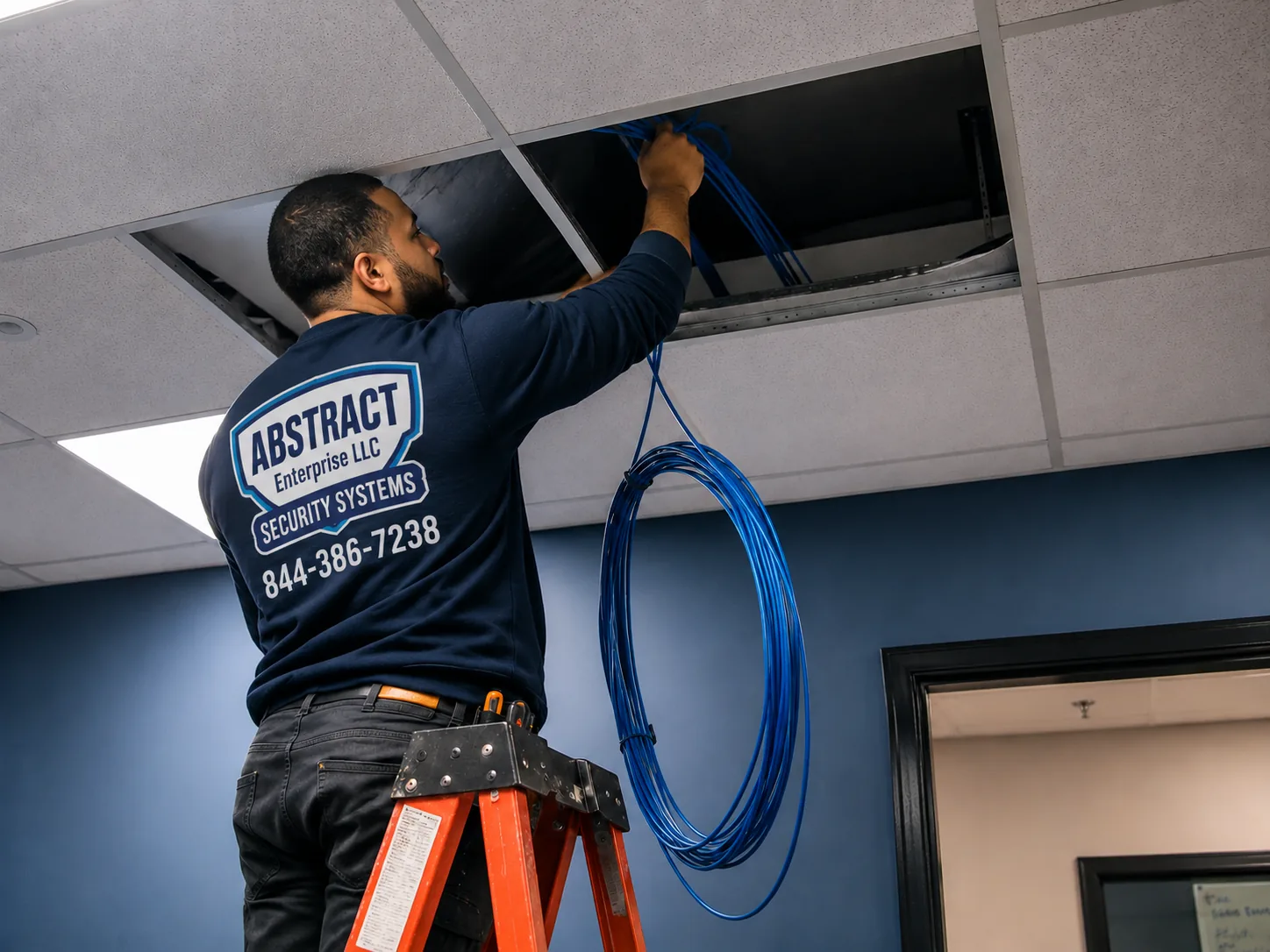
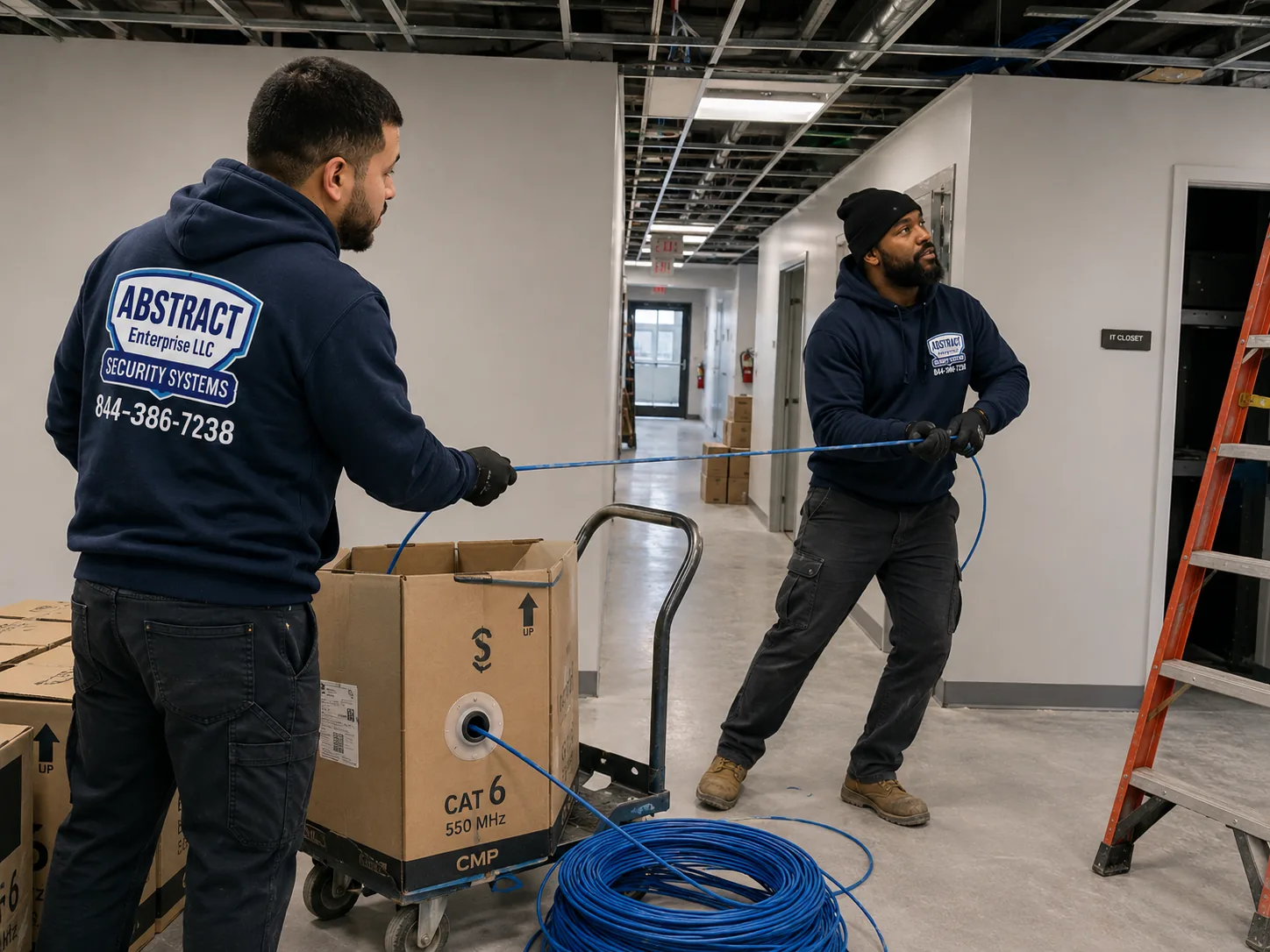
Office network installation Putnam County two technicians running cable toward a rack position in a small commercial building
Running back to the rack. On a small site the spare runs get pulled in the same pass, because that is when they cost almost nothing.
The Putnam constraint

Designing for a building with nobody technical in it

This is the smallest commercial market in the region, and its defining characteristic is not size but distance from help.

A Manhattan tenancy has an IT provider on retainer and a technician who can be on site within the hour. A Putnam practice, contractor or retailer has an owner, a manager and whoever happens to be there — and the nearest engineer is a drive away over roads that are not quick in February. The consequence is that a fault which would cost an hour elsewhere costs half a day here, and the design decisions that reduce that number are worth more than the ones that shave a few hundred dollars off the install.

What that changes in practice

  • Managed equipment, always. On a site with no technical staff, the ability to log in remotely and establish that the problem is one port rather than the whole network is the difference between a phone call and a visit. Unmanaged hardware saves a little at purchase and costs it back on the first fault.
  • Monitoring that tells us before you do. A switch that reports a failed link, a radio that has gone offline, a battery that is no longer holding — all of it visible remotely, so a problem is often resolved before anybody in the building has noticed it.
  • Topology somebody can reason about. A simple, documented layout beats a clever one nobody can follow. If the person on site has to describe what they are looking at over the phone, the labelling and the map are doing the real work.
  • Spare capacity rather than exact sizing. A spare port, a spare run and a spare radio position mean the next small change is a plug-in rather than a scheduled visit.
  • A one-page card by the rack. What the lights should look like, what to power-cycle and in which order, what not to touch, and who to call. Unglamorous, and it resolves a genuine share of calls without anybody leaving their desk.

The honest trade-off

All of that costs a little more at installation than the cheapest possible build. On a ten-person office it might be a few hundred dollars across the whole project. Set against a single avoided emergency visit, it pays for itself immediately — and on a site an hour from anywhere, it usually pays for itself more than once a year.

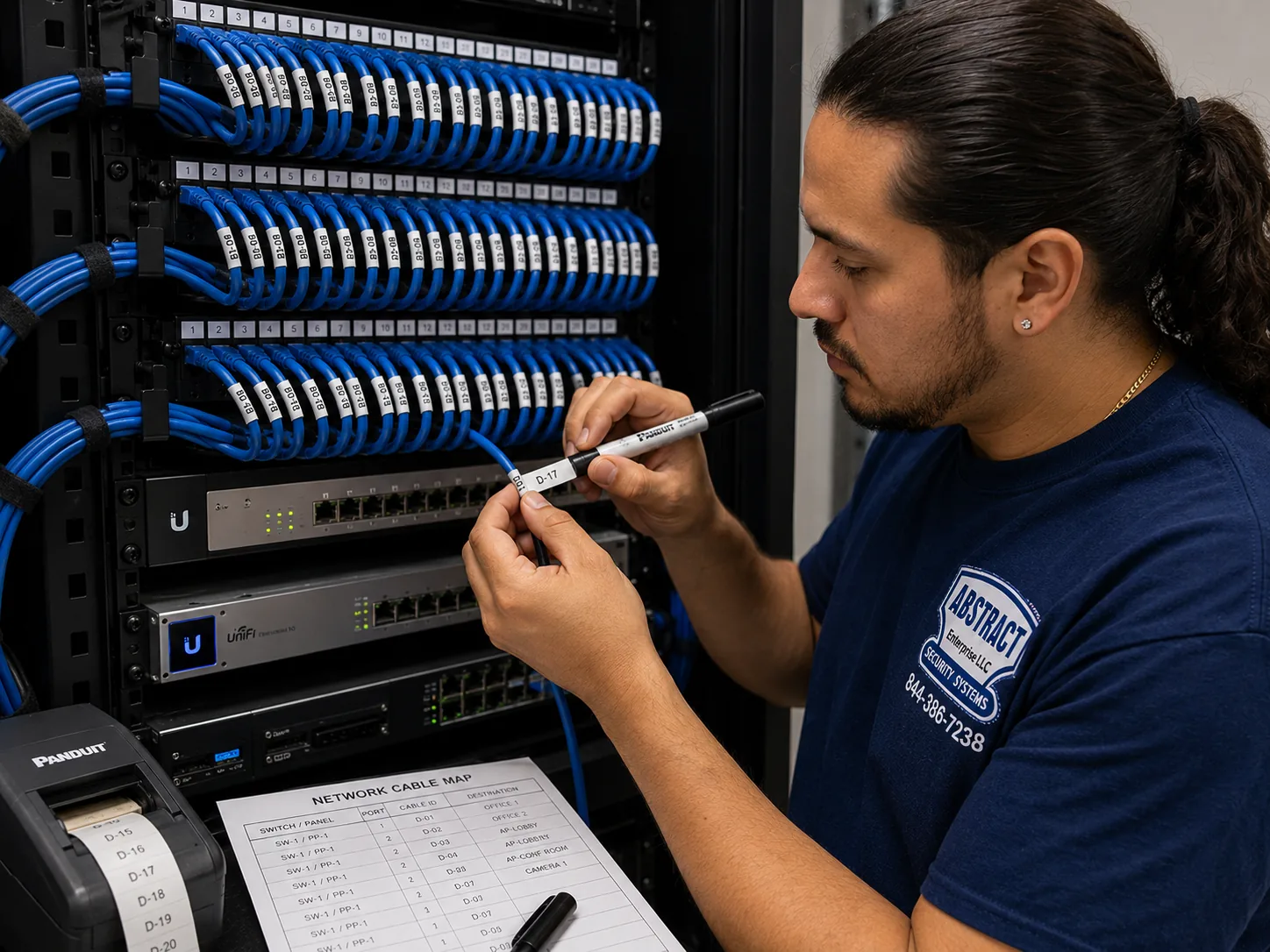
Network installation Putnam County technician marking a patch panel beside a printed port map
Marking made at the panel and entered on the map. Here the labels have a second job: being readable aloud by somebody on the phone.
Building stock

Four kinds of Putnam commercial property

The corridor tells you the construction, and the construction tells you the job.

Highway retail and service

The Route 6 corridor through Mahopac and Carmel, the Route 312 and Route 22 junctions near Brewster, and the commercial plazas along them. Single-story units in plazas and freestanding buildings, mostly conventional modern construction — steel stud, drywall, drop ceilings — with the usual retail constraints of trading hours and a stockroom that has to be covered as well as the sales floor.

Village and lake-town commercial

Cold Spring's Main Street, Mahopac's village centre, Brewster village and Putnam Valley's small commercial. Older buildings, many converted from residential, with masonry party walls, plaster in the oldest stock and no dedicated equipment space. Small tenancies where two or three placement decisions carry most of the outcome, and where seasonal footfall in the river villages changes what the wireless has to absorb.

Municipal, county and school property

County facilities around Carmel, school district buildings across all six towns, libraries and emergency services. Multiple buildings on some sites, infrastructure of mixed vintage, documented standards to work within, and procurement expecting certification results, drawings and insurance paperwork as deliverables rather than courtesies. A larger share of this county's commercial network work than of most.

Professional and medical practices

Offices, clinics and dental practices spread across the county, frequently in converted houses or small purpose-built buildings on their own lots. Partition-heavy layouts that raise the radio count, clinical systems that need segmenting, and appointment hours that dictate when work can happen.

Contractors, yards and light industrial

Service businesses, trades and small industrial operations on their own parcels, often with an office and a shop or yard on one site. Exterior coverage, equipment specified for an unconditioned space, and a second structure to link more often than the size of the business would suggest.

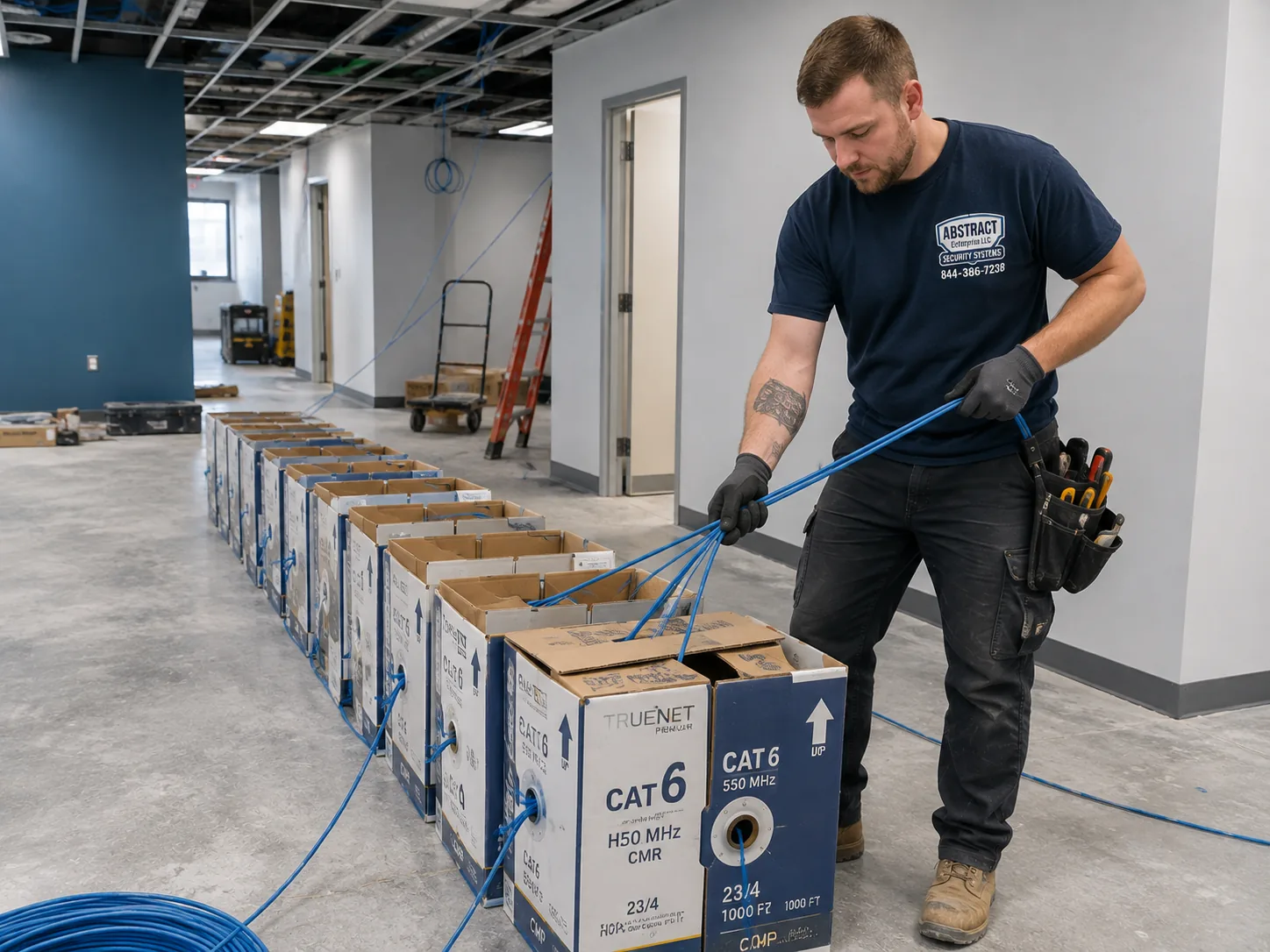
Commercial network installation Putnam County cable boxes staged for a multi-drop pull in a small commercial building
Boxes staged for a pull. Rating follows the route — anything leaving the building takes an exterior jacket, not an indoor one.
Wired layer

Switching, the edge, and equipment chosen to be supported from a distance

On a small site the hardware list is short. What matters is whether every item on it can be understood without standing in front of it.

Managed switching on a small network

The objection to managed switching on a ten-person site is price, and it is a false economy here. A managed switch reports which port is down, which is saturating and which is delivering power, and it does all of that to somebody who is not in the building. On an unmanaged switch the same questions require a person, a drive and an afternoon. On a site where that person is forty minutes away, the price difference is recovered on the first incident.

The edge

One router or firewall, at the point the circuit arrives. For most Putnam businesses a business gateway with a considered rule set is right, and its most valuable property is remote access for whoever supports it. Where a practice handles regulated information, or somebody works from home two days a week, a firewall with proper logging and a reliable VPN earns its cost. The edge is also where a second connection becomes a failover rather than an unused expense.

Sizing so the next change is not a visit

Spare ports, a spare cable run to a likely future position, and a radio position pre-cabled even if the radio is not bought yet. Each costs very little on the day and each removes a scheduled visit later. On a site where a visit carries a drive at both ends, that arithmetic is more favourable than in a dense market.

Power, and what happens when it goes out

Putnam sits on overhead distribution with substantial tree cover, and interruptions here are more frequent and longer than closer to the city. Battery backup sized to the rack keeps the network alive through a flicker and shuts it down cleanly on a long outage — which prevents the specific failure where power returns, equipment boots in the wrong order, and nothing routes until somebody drives out. On a site with no technical staff that scenario is exactly the one worth spending a few hundred dollars to avoid.

Segmentation

VLANs on a network nobody watches

Segmentation is usually sold as protection. On an unattended site it is also containment — it decides how much of your operation a single misbehaving device can take with it before anybody notices.

Without segments, everything attached has an open path to everything else. On a small site that means the waiting-room television, the card terminal, a visitor's phone and the machine holding your records are neighbours, with nobody monitoring any of it. The point is not that somebody will attack you; it is that when something goes wrong at nine on a Tuesday there is no one on site to work out how far it has spread.

SegmentTypical occupants on a Putnam siteWhy it is fenced
StaffWorkstations, laptops, printers, storageThe working network, with everything else outside it
GuestWaiting areas, customer-facing space, visitorsIsolation and a throughput ceiling, with no route inward
PaymentCard terminals in retail and counter operationsScope reduction — payment traffic kept clear of everything else
VoiceHandsets across the premisesPrioritised so calls hold through a large transfer
Building and IoTThermostats, sensors, displays, gate equipment, controllersThe least maintained hardware on any small site, by a distance
ExteriorYard radios, gate positions, anything reachable from outsidePhysically accessible in a way nothing indoors is

A four-person Cold Spring practice needs staff, guest and probably voice. A Route 6 retail unit needs payment fenced from the wireless customers can join. A contractor with a yard needs the exterior segment, because a radio on a pole is hardware a stranger can stand next to. None of this is expensive; all of it is awkward to add once devices are already connected.

Building devices deserve particular attention on small sites. Thermostats, sensors and similar equipment are rarely updated and frequently reachable. On a flat network they sit alongside your records; on their own segment they cannot.

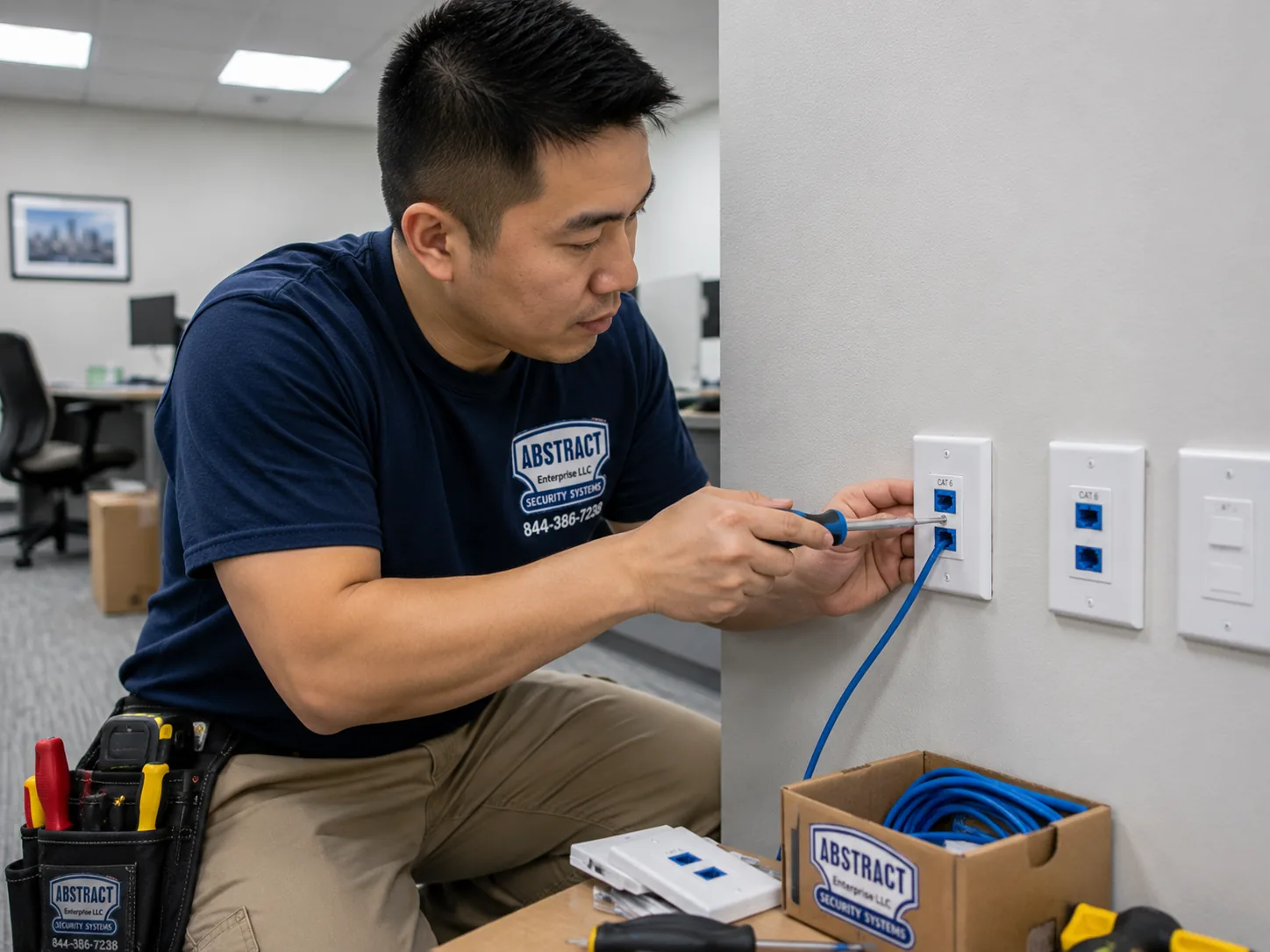
Network installation Putnam County technician terminating dual data outlets at an office workstation
Two ports at a desk position. The spare is what turns next year's small change into a plug-in rather than a scheduled drive.
Wireless

Wi-Fi installation in small buildings and older village stock

Wireless network installation here is rarely about congestion and almost always about what the building is made of and where the few radios you can justify should go.

Spectrum is not the problem

Scan a commercial building in this county and you will typically find your own networks and perhaps one neighbour. Channel planning has room to work, 2.4GHz remains genuinely usable for the devices that still need it, and interference is seldom the explanation for a complaint. That is a real advantage over the denser markets, and it means a wireless problem here has a tractable cause rather than an unavoidable one.

Placement carries the whole outcome

On a small site the budget supports two or three radios, not six, so where they go decides everything. In converted-residential buildings — which describes a large share of the county's professional and medical space — plaster over lath and masonry party walls stop signal between rooms in a way the square footage never suggests. Coverage there is planned room by room, and getting one position wrong is proportionally far more damaging than on a floor with eight radios covering for each other.

Seasonal footfall in the river villages

Cold Spring and the surrounding hospitality and retail see visitor numbers that change substantially through the year. A guest network sized for a quiet February afternoon is a guest network that fails on a busy Saturday. Capacity is planned for the peak the business actually experiences, with a throughput ceiling so guest use cannot swallow the connection whatever the day.

SpaceTypical radio countWhat drives it
Practice in a converted house2–3Plaster, masonry and small partitioned rooms
Retail unit with stockroom2Shelving absorbs signal; payment needs reliability
Modern single-story office, 4,000 sq ft2–3Conventional construction and clear spectrum
Village hospitality with seasonal footfall2–3 plus capacity planningPeak occupancy rather than floor area
Contractor's office plus shop or yard2 indoor + 1–2 exterior-ratedGround to cover and weather at the mounts
School or municipal room in use1 dedicated per roomDevice density during sessions
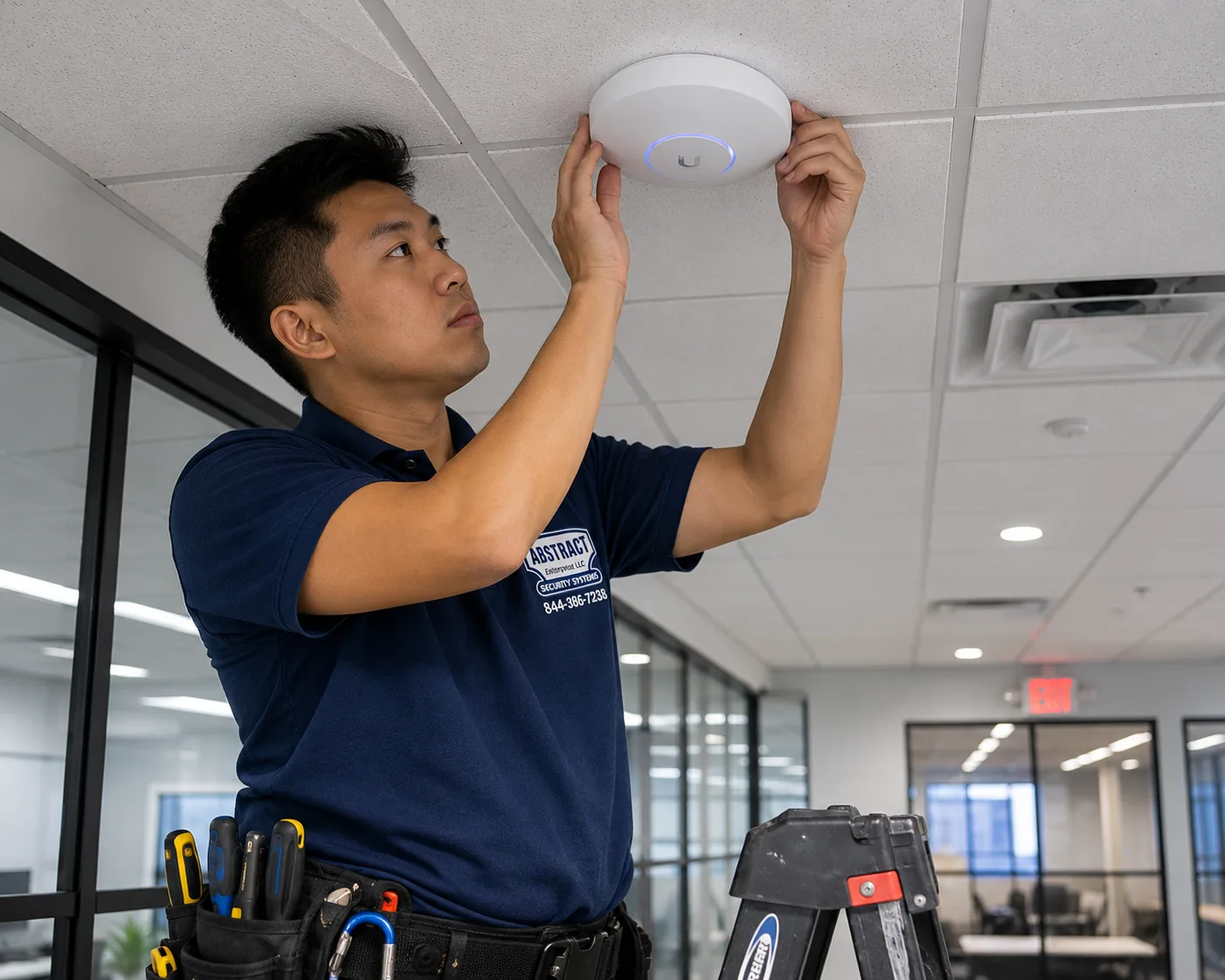
Wi-Fi installation Putnam County technician mounting a ceiling access point in a small commercial building
A radio going up. When the budget supports two or three rather than eight, every position has to be right the first time.
Survey

When a survey is worth it on a small job

A survey is a measurement, and on a project of this size the fee is a meaningful proportion of the total — so we are direct about when it is not needed.

Predictive work models likely coverage from the plan and the described construction. On a modern single-story unit that is close enough to design against, and paying for a survey would take money away from the hardware. An on-site survey puts a meter in the building and records real signal and real behaviour, which is worth doing when the building itself is the uncertainty.

Worth the fee

  • Converted-residential buildings, where interior walls decide the radio count and no floor plan reveals them. This is the strongest case in the county because so much of its professional space falls into it.
  • Anywhere the budget only supports two or three radios, since the margin for a misplaced position is nil.
  • Multi-structure sites, where the question includes whether devices roam sensibly between an office and a shop or yard.
  • Anywhere a previous WiFi installation already failed, since the survey establishes whether the fault was count, placement or the building — which decides whether the existing radios are worth keeping.

Not worth the fee

A modern single-story office or retail unit under roughly 3,500 square feet with conventional partitions does not need a paid survey to reach a defensible count. We will say so, and the money buys a better radio instead. The fee is $450 and comes off the project price if you proceed. The validation walk after installation — a meter carried through the finished building and out across any exterior area in scope — is included on every project regardless, and on a small job it is the step that catches the one room somebody assumed would be fine.

Network installation Putnam County technician feeding cable through a ceiling in an occupied small office
Feeding cable in an occupied practice. Appointment hours push most of this work to evenings, which carries no labour premium.
Power budget

PoE budget on a single-switch site

Power over Ethernet carries data and power down one cable to a radio, a handset or a powered device. It is also the failure that looks like anything except what it is.

A PoE switch holds one total wattage shared across all its ports, well under the sum of what every port could individually draw. A 24-port switch offering PoE+ throughout might carry a 370-watt budget; connect thirty-watt devices and the power runs out somewhere near the twelfth.

StandardPer-port budgetTypical devices
PoE (802.3af)15.4WHandsets, sensors, older radios
PoE+ (802.3at)30WModern radios, video handsets, powered displays
PoE++ (802.3bt)60–90WWi-Fi 6E and 7 radios, large displays, PoE lighting

Why one switch makes this sharper

On a larger site an exhausted budget can be relieved by moving devices to another switch in another room. On a single-switch site there is nowhere to move them to, so the only remedy is replacing the switch — which on a small project is a disproportionate expense and, on a site an hour from anywhere, a scheduled visit as well. Sizing generously at purchase is cheap; a 48-port switch when the count says twenty is not extravagance on a site that will add a handset, a display and an outdoor position over the next three years.

Exterior positions are the usual trigger. A radio in a heated enclosure at a yard or gate draws several times its indoor figure and draws most in the coldest weather, when nobody is watching. The failure is quiet and selective: devices already powered keep working while new ones are refused, so what gets reported is that last year's equipment is fine and this year's is dead.

Count what is coming, not what is present. On a single-switch site the difference between a budget with reserve and one without is the difference between a plug-in and a replacement.

The rack

The network rack, built to be described over the phone

On a site with nobody technical, the rack has one additional job beyond holding equipment: it has to be legible to somebody who has never opened it.

A good result is unremarkable to look at — panels above, switching below, short cords in consistent colours through managers, marked throughout, room to grow. On a small site it also means labels somebody can read out over a phone, a layout that matches the map, and a card on the door telling whoever is standing there what the lights should look like.

What belongs in it

  • A network rack or wall cabinet sized for the site's next few years rather than its exact current count, in a space that stays within the equipment's temperature range across a year.
  • Patch panels with ports in reserve, because panel capacity is the hardest thing to extend once a small building is occupied.
  • Cable managers vertically and horizontally, which is what makes a rack legible as well as serviceable.
  • Power. Its own circuit where the building allows, a PDU in the frame, and battery backup rated to the real load.
  • Bonding to building ground wherever the installation calls for it, and at any point cable enters from outside.
  • Marking on every port, panel and cable end, matching the port map exactly — and readable aloud, which is a genuine design consideration here.

Where the rack goes

The space offered on a small site is usually a storage closet with no ventilation or a corner of an unconditioned back room. A sealed cabinet holding a switch delivering three hundred watts turns into an oven by August, and heat produces the intermittent, temperature-linked faults that are miserable to diagnose remotely — which is exactly the kind of fault a site like this can least afford. Equally, an unheated corner in February can sit below the operating range of the same equipment. Both are settled during design by choosing the space, venting the cabinet or specifying accordingly.

Cleanup as a standalone job

A fair share of the work here is a rack that grew with a business over a decade, added to by several people, with nothing recorded. We trace, agree what is dead, remove it, re-route, re-terminate, dress, mark and produce a map. On a site supported remotely that day is worth more than it looks, because it converts every future call from an investigation into a lookup.

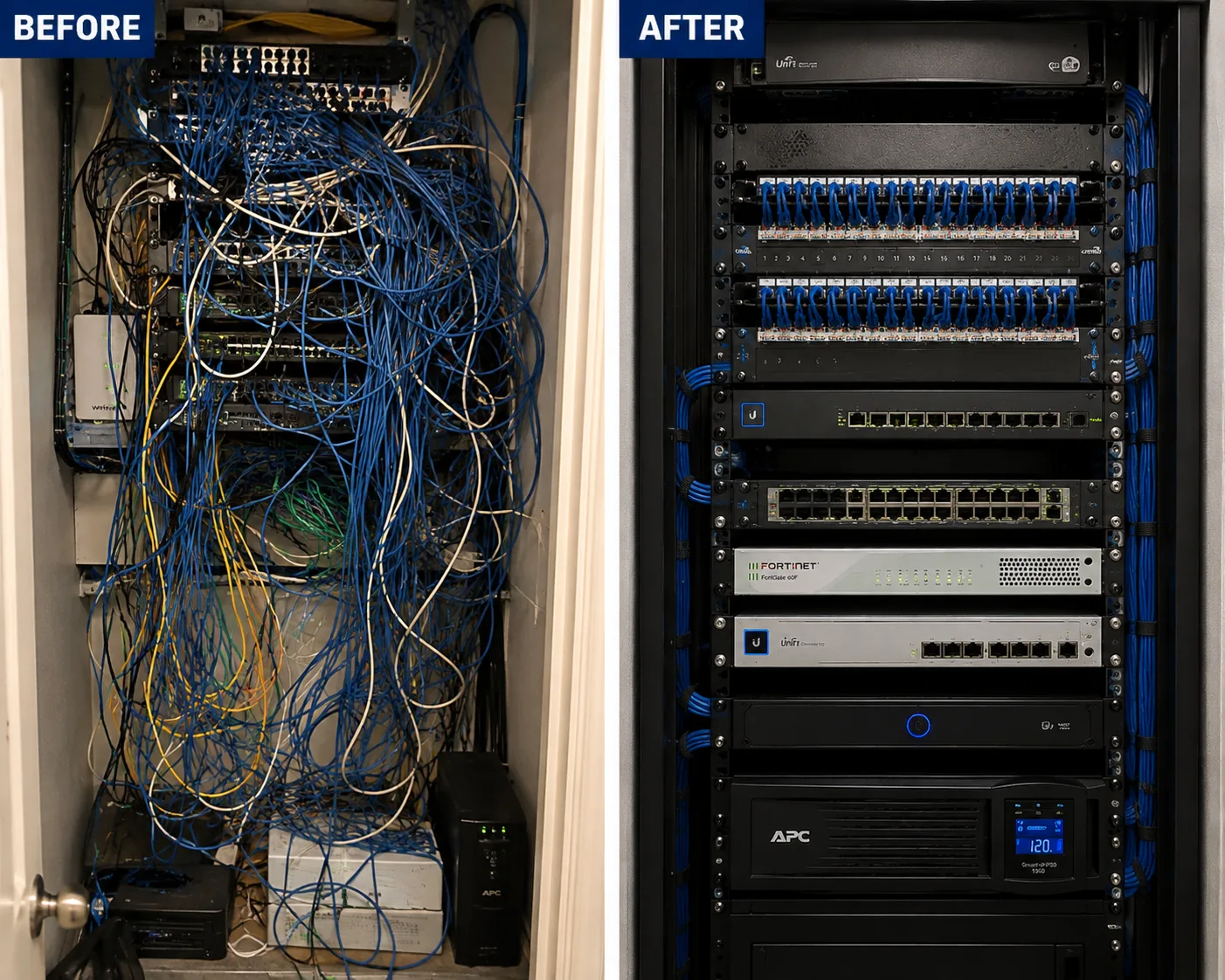
Network rack cleanup Putnam County before and after showing an unmarked rack rebuilt into a dressed marked one
One rack before and after. A decade of a growing business, added to by several people, with nothing written down anywhere.
Plant

Cable in buildings that were not offices to begin with

Every build carries a decision about what is already in the walls. In this county the walls themselves are frequently the harder half of that question.

Wireless still needs a wire. Radios are fed by cable, workstations take a run or two each, and everything terminates on a panel. The existing cable is therefore in scope whether or not a single new run is required.

What can stay

Existing cable is often perfectly usable. Runs of Cat5e or better, landed on matching hardware, inside the distance limit and certifying clean will carry a modern gigabit network without difficulty, and age by itself is not a finding. What is worth testing specifically in converted-residential stock is physical condition, because cable fished through an old building by somebody in a hurry tends to have been stressed somewhere along its length, and a run that passes on a warm day can fail on a cold one.

What has to go

  • Runs that fail certification: split pairs, a cracked or crushed jacket, or length past the limit once measured as installed.
  • Cable with no printing on the jacket to establish its grade, especially where something now powers from it.
  • Indoor-rated cable used to reach a shop, a yard or a second structure, which is common on properties that solved the problem themselves.
  • Cable without a plenum rating above a ceiling used as a return, which is a code matter regardless of how the link measures.
  • Connectors that do not match the cable, dragging the link down to whichever grade is lower regardless of what was paid for it.

Ethernet installation on a network build follows one rule set regardless of drop count: supported pathway, rated for where it runs, firestopped at rated penetrations, matched terminations, marked and certified. Two ports at a workstation and one at each ceiling position is the working default, and on a small site the spare run to a likely future position is worth pulling while somebody is already in the ceiling. Per-drop rates and the grade comparison are set out on the cabling pages.

Related: structured cabling installation in Putnam County covers the whole plant. Cat6 installation Putnam County covers grade and per-drop pricing.

Handover

Documentation for somebody who is not technical

On most sites the handover package is for an IT provider. Here it is frequently for an owner, a practice manager or whoever opens up in the morning, and that changes what it has to contain.

The full technical set is produced regardless — the next contractor or IT provider will need it — but on a small site it is accompanied by something readable.

  • A port map tying each panel port to the outlet and room it serves, in language that names rooms the way the people in the building name them.
  • Marking at both ends of every run, in a scheme that can be read aloud over a telephone.
  • Certification results for every drop installed rather than a sampled few.
  • An as-built showing the rack position, pathway, radio locations and any exterior route with measurements from fixed points.
  • The addressing and VLAN plan written down: subnets, scopes, reservations, SSIDs and the segment behind each.
  • An equipment list giving make, model, serial and firmware as handed over.
  • Admin access to every piece of equipment we set up, signed across when the job closes.
  • A one-page card at the rack — what normal looks like, what to power-cycle and in which order, what not to touch, and who to call. It resolves a real proportion of calls without anybody driving anywhere.

A blunt word on credentials: there are contractors who hold onto admin access to their own work, so that swapping suppliers means rebuilding from scratch. That is not our practice, and on a site with no in-house technical staff it matters more than usual — because a client who cannot get into their own equipment has no options at all. It is your network. You get the keys.

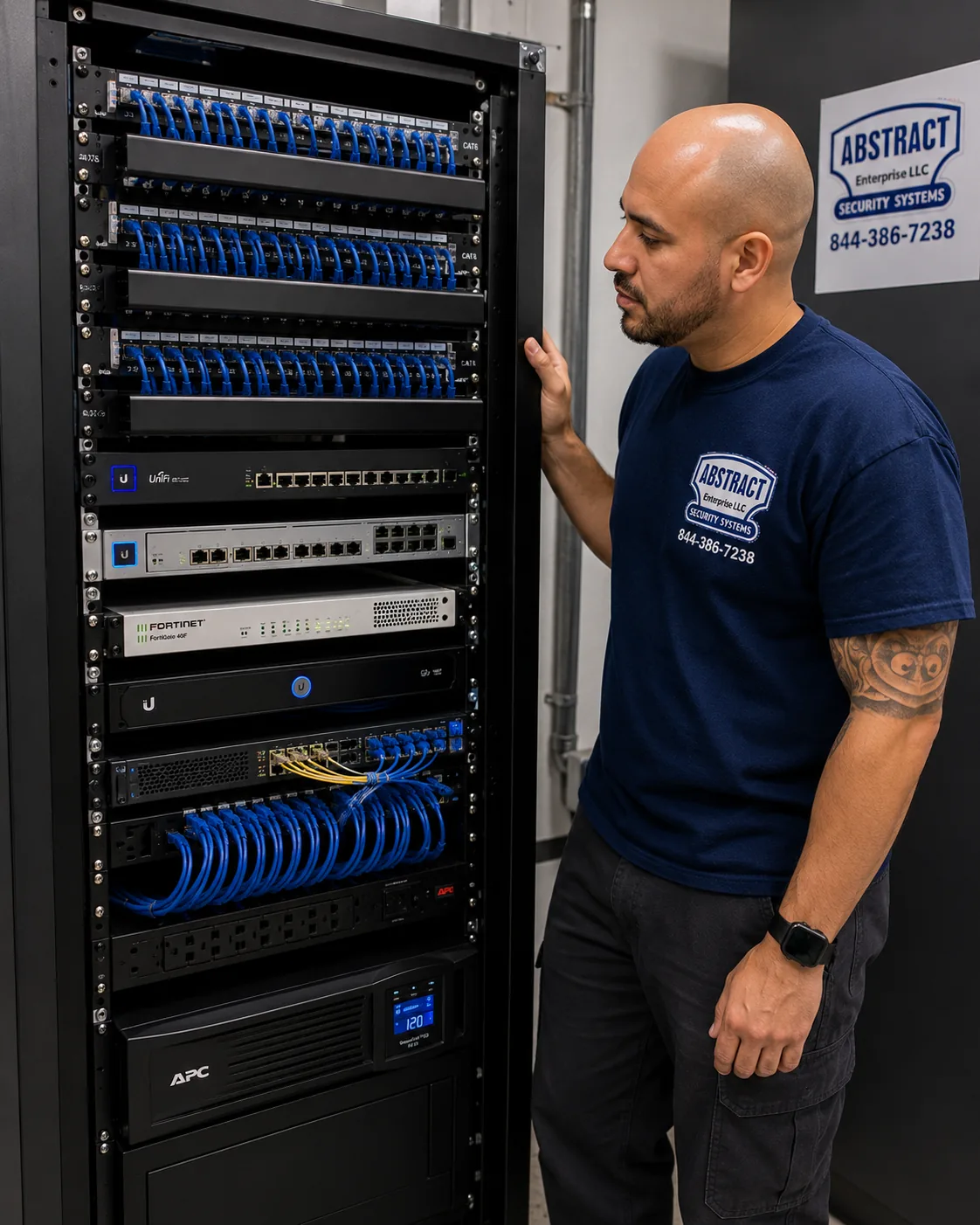
Finished network rack Putnam County with patch panels, switching, firewall and battery backup dressed and marked
A finished rack with battery backup at the base — which is what prevents equipment booting in the wrong order after an outage.
Repair & takeover

Networks that were installed once and never looked at

Most Putnam takeovers involve equipment that has been running untouched for years, by a business with no reason to think about it until the day it stopped.

The versions recur. A practice running on hardware bought when the business was half its current size. A rack somebody added to twice without recording either change. Wireless installed before the back office was framed out. An installer who has retired, moved on or stopped returning calls. A network that works until a storm, then works differently.

  1. Survey and write it up before changing anything

    We map what is physically present, certify the plant, read whatever configuration is reachable, and produce a written assessment: what is sound, what is failing, what is a hazard and what is simply unrecorded. Nothing changes until you have read it, and on a small site that assessment is frequently the first document the network has ever had.

  2. Separate the cable question from the equipment question

    They get conflated constantly and cost very different amounts. On a site this size the cable is usually fine and it is the equipment and its configuration that have been outgrown — which is a one-day job rather than a rewire. Certification settles which, and getting that answer before anybody prices a rewire is worth the hour it takes.

  3. Make it remotely supportable

    Where the existing plant is sound, the highest-value change is frequently swapping unmanaged hardware for managed and adding monitoring — so that the next fault is diagnosed from a browser rather than from the car park. That is a modest project with a disproportionate effect on how the site is supported afterwards.

  4. Record it and leave the card

    Even where very little changes, the rack gets marked, a map gets produced and the one-page card goes on the door. Those records stay with the building whoever does the next phase.

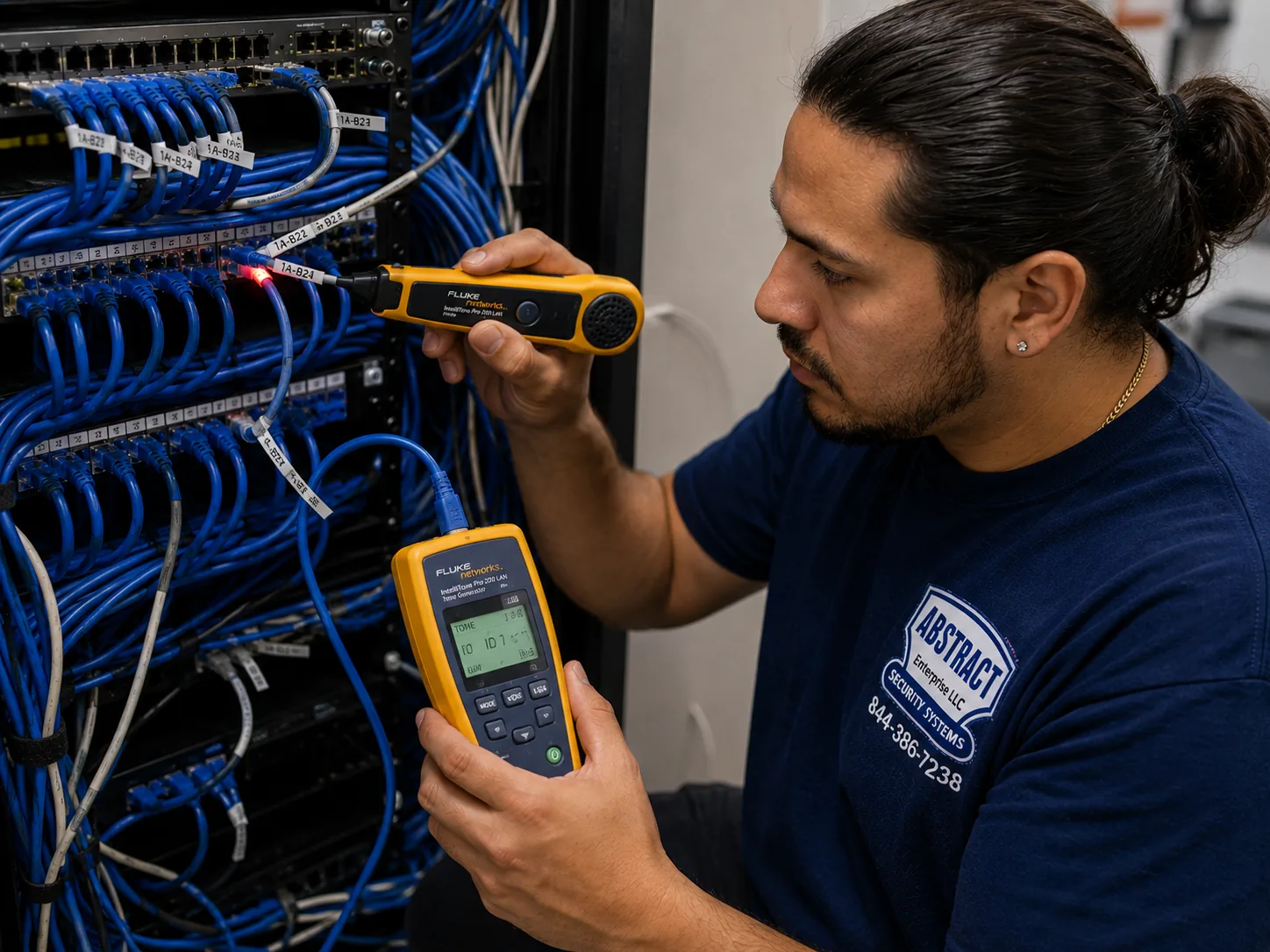
Network repair Putnam County technician tracing an unmarked cable run at a patch panel with a tone generator and probe
Tracing a run nobody recorded. Most networks here were installed once and never looked at until the day they stopped.
Diagnosis

What to check before anybody drives out

On a site this far from help, sorting a fault out over the phone is worth doing properly. Here is what we ask, and what the answers usually mean.

Points at your network

  • Some rooms are affected and others are not. In converted buildings that is nearly always the walls rather than the connection.
  • It follows the working day. Fine early, poor mid-morning, fine again by six — capacity or airtime rather than a fault.
  • The network keeps disconnecting rather than failing cleanly — a device joins, falls away, and comes back a minute later. Usually roaming, a marginal run, or a radio in a position that was optimistic.
  • It changed when the building changed. A new partition alters wireless behaviour immediately, and in older stock it alters it a great deal.
  • Only powered devices are affected. The switch's power budget, most often after something was added.
  • It began after a power cut. Equipment that booted in the wrong order, which is exactly what battery backup is there to prevent.

Points elsewhere

  • Slow everywhere, on cable and wireless, at every hour. That belongs to the carrier, and a wired test at the edge establishes it without anybody opening a ceiling.
  • One program is affected and the machine is otherwise normal. The application or whatever hosts it.
  • A single workstation is slow and nothing else in the building is. That workstation.
  • It started when the provider worked on the line and nothing changed at your end.

Where the equipment is managed and monitored, we can usually answer these from our own screen before asking anybody in the building to look at anything — which is the practical reason this page argues for managed hardware on even the smallest site. Where it is not, the one-page card at the rack is the next best thing.

Pricing

What network installation costs in Putnam County

Published line items at our New York City labour rates, with the county mileage allowance stated openly rather than folded into them. Switching, firewalls and radios are listed separately or supplied by you.

Design and survey

ItemPrice
On-site assessment, drop count and support reviewFree
Wireless site survey and heat map$450 (credited to the project)
Network design — addressing, VLAN scheme, as-built drawings$350–$650

Installation and configuration

ItemPrice
Router / gateway install and configuration$350
Business firewall install with rule set$450–$900
Managed switch install and configuration — 24-port$250
Managed switch install and configuration — 48-port$400
Each additional switch in a stack$175
VLAN / segmentation configuration, per segment$125
Guest network with client isolation and captive portal$200
Wi-Fi radio — mounted and tuned on an existing drop$225
Wi-Fi radio — including a new cable run$300
Exterior-rated radio — mounted, weatherproofed and bonded$495
Network rack or wall cabinet build — panels, managers, PDU, dressing$650
Rack cleanup, trace, re-route and re-markfrom $500
Demarc extension to the rack positionfrom $350
Documentation package — port map, as-built, rack card, credentials$350
Certification testing, per drop$20

Remote-support lines

ItemPrice
Remote monitoring setup — link, device and power alertingfrom $225
Spare run pulled to a likely future position, during the same visitfrom $85
Pre-cabled radio position, radio to follow laterfrom $135
One-page rack card, printed and mountedIncluded

Listed separately because they are the lines that matter most on a site an hour from help and are absent from most small-job quotes. The first of them is the single most cost-effective item on this page: monitoring that reports a fault before anybody in the building notices routinely turns a visit into a phone call.

Travel

AreaMileage allowance
Putnam County$95 per crew day

Stated on its own line rather than hidden in the hourly rate, so a Putnam project can be compared directly against one closer to the city. Multi-day work is scheduled in consecutive full days, which keeps the allowance down.

Whole-network packages

PackageScopeFrom
Small office or practiceUp to 10 users, 12 drops, firewall, 24-port PoE switch, 2 radios, wall cabinet, VLANs, monitoring, documentation and rack card$5,200
Converted-building practiceThe same headcount with the radio count the walls actually require and pathway created rather than foundfrom $7,400
Retail unit or plaza tenancyPayment segment, guest network with a ceiling, stockroom coverage, out-of-hours installfrom $5,800
Office plus shop or yardTwo structures linked, exterior coverage, exterior segmentCustom proposal

The small-office figure sits slightly above the equivalent elsewhere in the silo, and the difference is monitoring, the spare capacity and the rack card rather than any premium on labour. On a site supported remotely those three items are the ones that pay for themselves.

What moves the number

  • Construction age. Converted-residential buildings raise both the radio count and the labour on every drop, and they are common here.
  • Whether there is a second structure on the property, which there is more often than the size of the business suggests.
  • How much of the route goes outside, and whether it is bonded and rated for it.
  • Cable pulled before a wall closes versus fished afterwards, which is the largest saving available on any fit-out.
  • Trading and appointment hours, which push retail work overnight and clinical work to evenings.
  • Institutional documentation requirements on county and school work, which add real time.

Repair and service

Fault-finding and repair on an existing network is billed at $195 per hour with a three-hour minimum, plus the county mileage allowance. Where the equipment is managed and monitored we will attempt to isolate the fault remotely first, at no charge, and we will tell you honestly whether a visit is actually needed. Next-day attendance in most of the county. If the visit becomes a quoted project, the hours come off it.

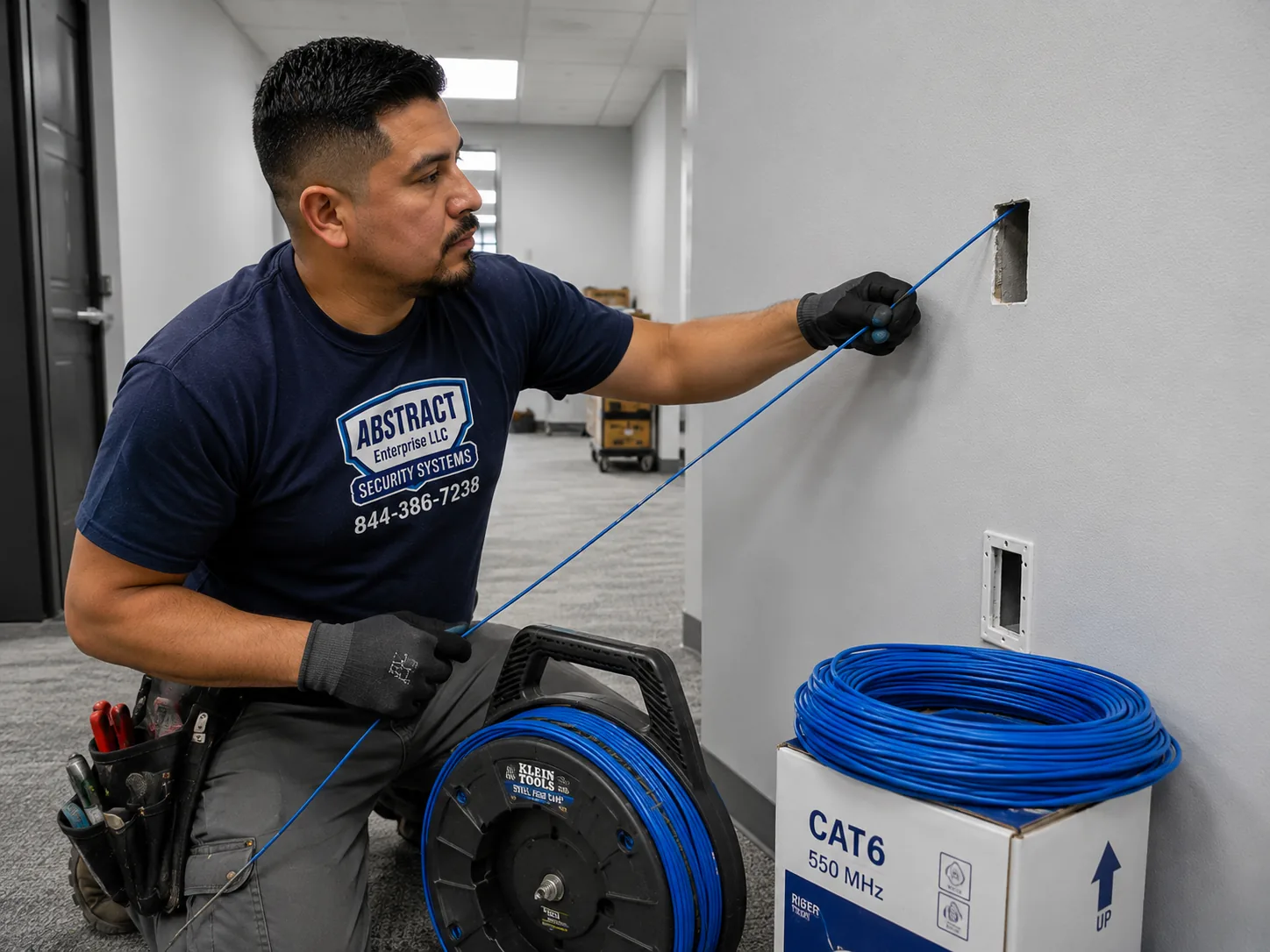
Network installation Putnam County technician fishing cable through a wall for a retrofit drop in a converted building
Fishing a drop in a converted house. Plaster and masonry are why retrofit hours in this stock run past new construction.
Equipment

What we deploy on Putnam sites

On a small site the choice of manufacturer matters less than whether the equipment can be looked after without somebody standing in front of it.

Ubiquiti UniFi

The usual choice here, and a good one for remotely supported sites: one controller covers indoor, outdoor and switching, the interface is approachable enough that an owner can be talked through it on the phone, and there is no licence per unit. Backing comes from the user community rather than a contract, which suits a business without a support budget.

Cisco Meraki

Cloud-managed with strong remote tooling and a manufacturer behind it, licensed per device annually and permanently — the hardware stops if a licence lapses. The right fit for county, school and municipal work where a support contract is expected and the recurring line can be justified.

Aruba Instant On and TP-Link Omada

Value equipment that outperforms its price, with no annual fee and remote management that is adequate for a practice or a retail unit. A sensible answer where the budget is genuinely tight but unmanaged hardware would be a false economy.

Firewalls — Fortinet and pfSense

Where the edge needs inspection, a dependable VPN for somebody working from home, and logs that can be produced on request. Fortinet where a manufacturer's backing matters; pfSense or Netgate where an open platform without a subscription suits better.

Client-supplied hardware

If the equipment is already in hand, or an IT provider keeps to a particular line, we put it in and set it up. What we will say plainly is when something bought on price cannot do the job — an unmanaged switch on a site that will need remote diagnosis, a radio count that will not cross the walls in front of it, a consumer router being asked to carry a practice.

What a Putnam business does not need

Unmanaged switching, which is the single most common false economy we unwind here. A consumer router serving a whole building. Extenders standing in for radios in a converted house, where they cannot cross the wall either. An enterprise licensing model on a six-person site. And a faster circuit purchased in the hope of fixing a coverage problem in the back office.

Comparison

Three terms that are not the same thing

They appear side by side in proposals and cover very different amounts of work.

TermWhat it coversWhat it excludes
Cat6 installationOne cable grade and its fittings — runs, jacks, panels, terminations and the testing behind them.Equipment, configuration, wireless design
Structured cablingThe physical side of a property: horizontals, backbone, rooms, fiber, pathway and certification.Configuring switches, routing, firewall rules, VLANs, tuning radios
Network installationThe whole set of things that have to hold before traffic flows: design, addressing, switching, the edge, segmentation, coverage, records, and the plant beneath it.Server administration, desktop support, software

On a small remote site the split has a support consequence. When the cable and the configuration belong to different firms, the client with no technical staff becomes the person relaying messages between them — and a fault that either could resolve in ten minutes takes a week of phone calls instead. One contractor holding both layers means one number to call and one party accountable for the answer.

This is the Putnam County page. It sits beneath network installation Hudson Valley, which sits beneath the citywide hub at network installation NYC. The neighbouring counties are covered on network installation Westchester County and network installation Dutchess County.

By business type

What the work looks like for different Putnam businesses

Headcount says little here — almost everybody is small. What matters is the building and who can be talked through a problem.

Medical

Practices, clinics and dental

Clinical systems fenced onto their own segment, patient wireless entirely separate, converted-house layouts where the walls set the radio count, appointment hours dictating the schedule, and monitoring so a fault is known before the first patient arrives.

Retail

Highway retail and plaza units

Payment terminals wired where possible and fenced from customer wireless, stockroom coverage that survives full shelving, and installation scheduled around trading hours on the Route 6 and Route 312 corridors.

Municipal

County, school and emergency services

Documented standards to work within, certification and drawings expected as deliverables, multiple buildings on some sites, and scheduling around terms and public hours. A larger share of this county's work than of most.

Hospitality

Village hospitality and visitor businesses

Cold Spring and the river villages. Guest wireless as part of the offer rather than a courtesy, capacity planned for the peak weekend rather than the quiet Tuesday, and a throughput ceiling so guest use cannot swallow the connection.

Trades

Contractors, yards and service businesses

An office and a shop or yard on one parcel, exterior coverage across open ground, an exterior segment for anything a stranger could stand next to, and equipment specified for a space nobody heats.

Professional

Professional and financial offices

Small tenancies in village buildings, segmentation driven by what sits on the file server, a reliable VPN for whoever works from home, and documentation written so a practice manager rather than an engineer can act on it.

Process

From walkthrough to closeout

Five stages, and the first one asks a question most surveys never do.

  1. Walk the building and establish who supports it

    The construction, where people work, where the circuit arrives, how far the furthest position sits from a candidate rack location — and, in parallel, whether there is an IT provider, whether anyone on site can be talked through a reboot, and how long it takes somebody to reach the building. Those answers change the specification.

  2. Design and quote

    Rack location, addressing, the VLAN scheme, switching sized with genuine reserve, radio positions for the walls actually present, monitoring, the equipment list, and a line-item price with the remote-support lines and the mileage allowance shown separately.

  3. Pathway and plant

    Cable on supported pathway, rated for where it runs, firestopped at rated penetrations, with any exterior entry sealed and bonded — and the spare runs pulled while somebody is already in the ceiling, because that is when they are almost free.

  4. Rack and equipment

    Cabinet or frame with panels, managers, power and battery backup. Switching, the edge firewall and radios fitted, configured and tuned, monitoring enabled and tested, and the power budget proven under real load including any exterior enclosure at its winter draw.

  5. Certify, validate and hand over

    Every drop certified and a validation walk with a meter through the building and across any exterior area in scope. Then the package — port map, as-built, addressing record, equipment list, credentials — plus the one-page card mounted at the rack, and a walkthrough with whoever will be standing there when something goes wrong.

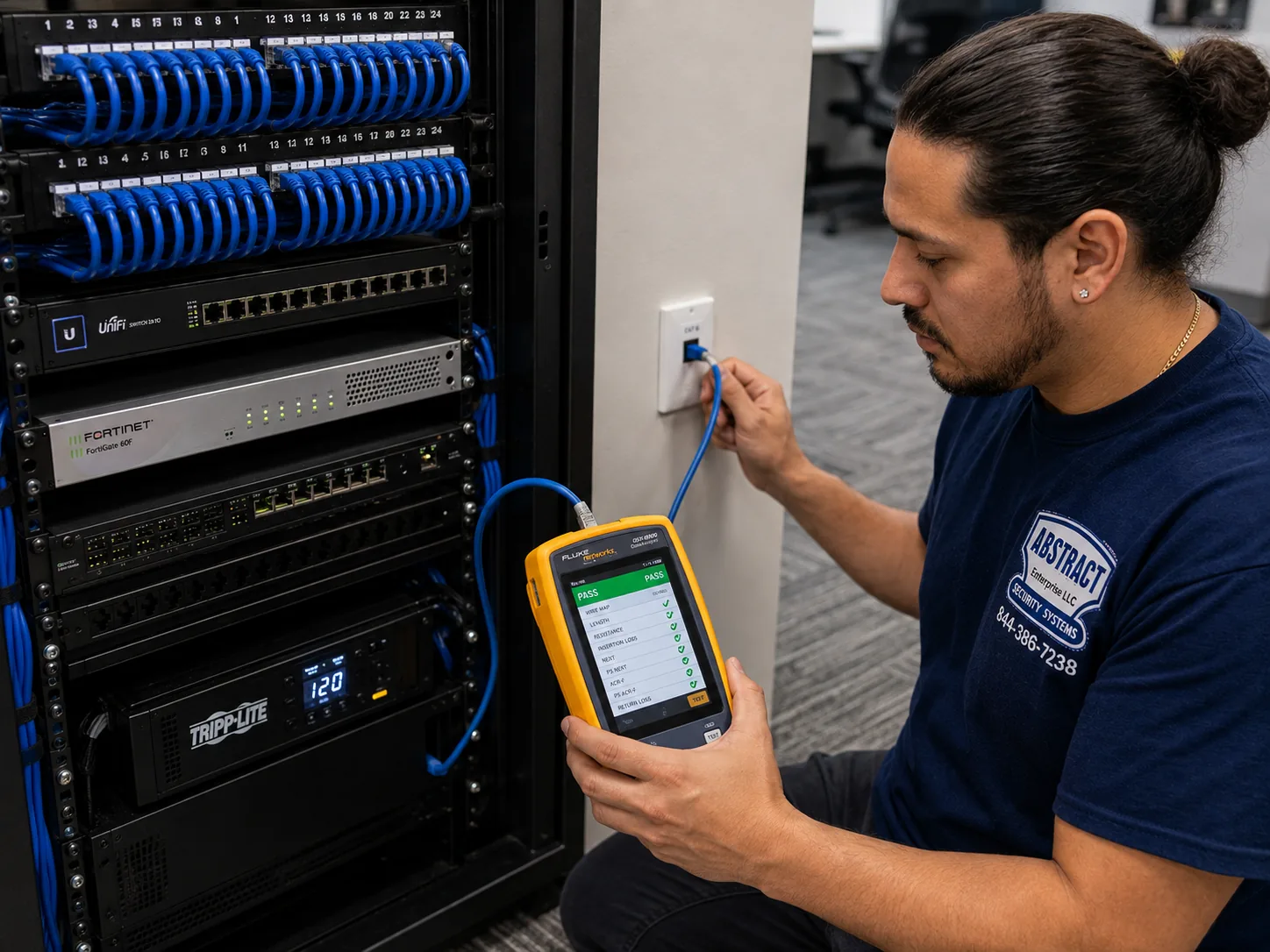
Network installation Putnam County technician certifying a data drop with a cable analyzer showing a PASS result
Certified at the outlet, run by run. In converted stock the physical condition of an existing run matters more than its age.
Commitments

What you can hold us to

Points you can check once the building is running, rather than adjectives.

  • Somebody walks the building before any price is issued, and asks who will be looking after this afterwards.
  • Managed, remotely diagnosable equipment as standard, so a fault can be isolated from a browser rather than from the car park.
  • Monitoring configured and tested before we leave, not listed as an option and never enabled.
  • Certification for every drop installed, reported in the handover rather than sampled.
  • A validation walk after installation, measured in the building including any exterior area in scope.
  • Marking at both ends and a port map that matches what is installed and can be read aloud over a phone.
  • A one-page card mounted at the rack, written for whoever is actually standing there.
  • Admin access to every piece of equipment we set up, signed across when the job closes. No exceptions.
  • A remote check before we bill a visit wherever the equipment allows it, and an honest answer about whether the drive is necessary.
  • Evening and weekend work at no premium on the labour, arranged in advance.
  • A licensed network installer on every job. NYS Low Voltage licence #12000287431, insured, certificates issued to owners or agents on request, and county and municipal requirements confirmed at survey stage.
  • Three years' warranty across the hardware we furnish and the labour that fitted it. Equipment bought directly stays under its own maker's terms.
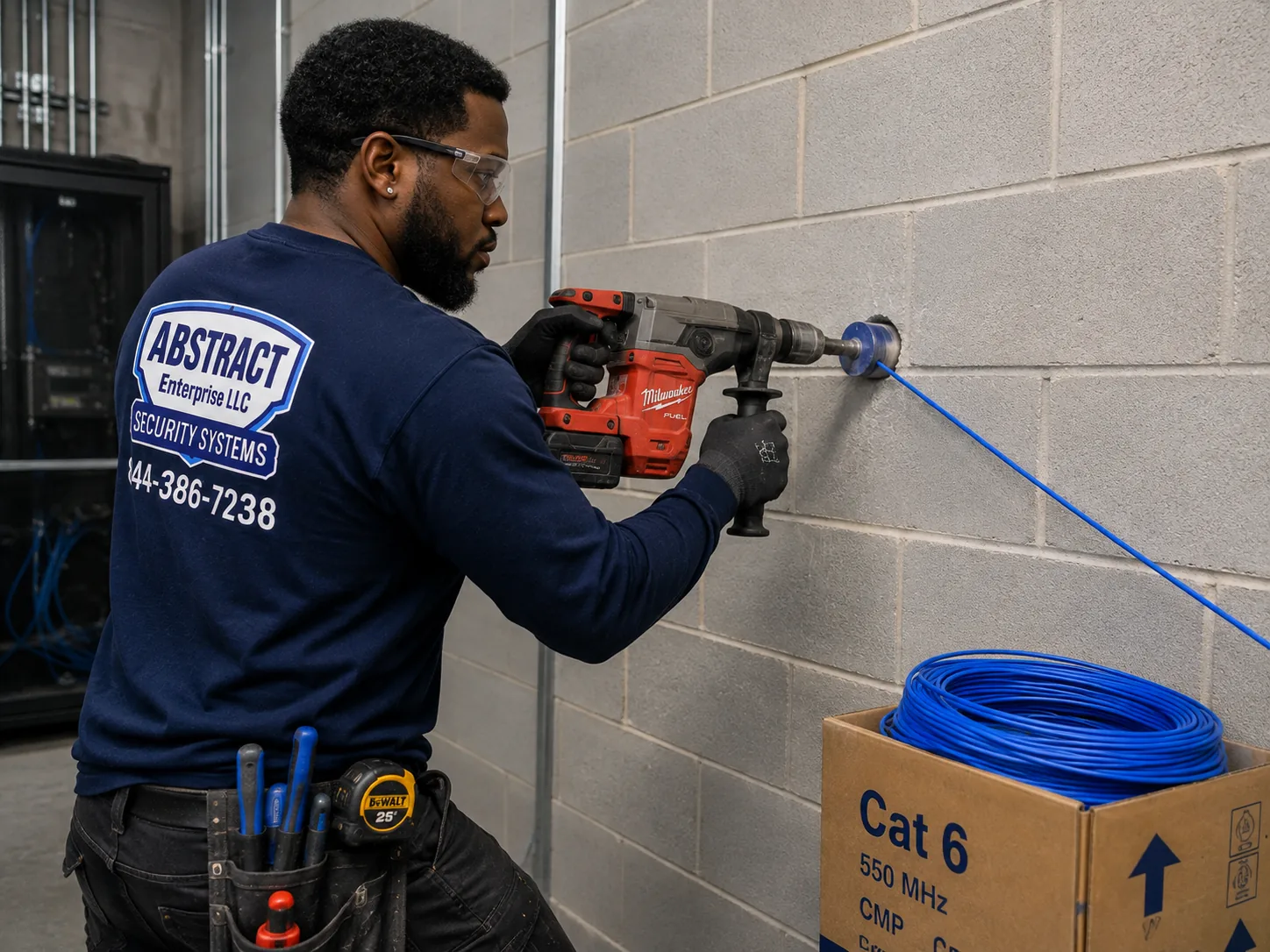
Network installation Putnam County technician core drilling a wall to carry cable through to the network rack
Coring to reach the rack. Each penetration is firestopped to the assembly rating and noted in the closeout package.
FAQ

Putnam network installation questions we get

A small office or practice of up to ten users starts near $5,200 — firewall, a 24-port managed PoE switch, two radios, a wall cabinet, VLANs, twelve drops, monitoring, documentation and a rack card. That sits slightly above the equivalent package elsewhere in our coverage, and the difference is the monitoring, the spare capacity and the card rather than any premium on labour. A practice in a converted building starts near $7,400, because the walls raise both the radio count and the labour on every drop. A retail unit or plaza tenancy starts near $5,800 with a payment segment, a guest network with a throughput ceiling and an out-of-hours install. Individual lines are published, and labour is at our New York City rates plus a stated mileage allowance of $95 per crew day.

On a site with no technical staff and a long drive to reach it, yes — and it is the single decision on this page that saves the most money over ten years. A managed switch reports which port is down, which is saturating and which is delivering power, and it reports all of that to somebody who is not in the building. On unmanaged hardware the same questions require a person, a drive and an afternoon. The price difference is a few hundred dollars at purchase and it is recovered on the first avoided visit. Pair it with monitoring from $225 and a fault is frequently identified before anybody in the building has noticed it.

Where the equipment is managed and monitored, usually we already know. Monitoring reports a failed link, a radio that has gone offline or a battery no longer holding, and a good proportion of those are resolved remotely before anyone calls. Where a remote fix is not possible we will tell you honestly that a visit is needed rather than billing a drive to find out. And on every site there is a one-page card mounted at the rack — what normal looks like, what to power-cycle and in which order, what not to touch, and who to call — which resolves a real share of calls without anybody leaving their desk.

A walk that establishes both the building and who will look after it afterwards, a design built for remote diagnosis, the cabling on supported pathway with firestopping at rated penetrations, the rack with panels and battery backup, managed switching and the edge firewall, the Wi-Fi installation — design, mounting and tuning rather than hanging radios — monitoring configured and tested, certification on every drop, and a handover package that includes the rack card written for whoever is actually standing there when something goes wrong.

Structured cabling is the physical side: cable, pathway, terminations, panels, certification. Network installation is the working system on top — switching, the edge firewall, VLANs, coverage, addressing and records — plus the plant. On a small remote site the split has a support consequence rather than a technical one. When the cable and the configuration belong to different firms, the client with no technical staff ends up relaying messages between them, and a fault either could resolve in ten minutes takes a week of phone calls instead.

Fewer than a city floor, and the placement matters far more. A practice in a converted house typically wants two or three, because plaster over lath and masonry party walls stop signal between rooms in a way the square footage never suggests. A retail unit with a stockroom runs two. A modern single-story office of 4,000 square feet wants two or three. A contractor's site adds one or two exterior-rated units for the yard. The key difference from a larger job is that with only two or three radios there is no margin for a misplaced one — the others cannot cover for it.

In a converted building it is almost always a wall. Plaster applied over metal lath behaves like a partial screen, and masonry party walls stop radio outright — and neither is visible from inside the room. A signal strong on one side can be unusable on the other, and turning the power up does not cross it, because the signal is being absorbed rather than falling short. The answer is a radio positioned for that part of the building, on its own cable run. Spectrum is rarely the cause here: scan a commercial building in this county and you will usually find your own networks and perhaps one neighbour.

Yes, and on a small site there are two other segments worth having that most quotes never mention. Payment terminals belong away from the network customers can join. And anything mounted where a stranger could stand next to it — a radio on a pole, a gate position, an exterior mounting point — belongs on its own segment, because it is physically accessible in a way nothing indoors is. Building devices deserve a mention too: thermostats and sensors are rarely updated and frequently reachable, and on a flat network they sit alongside your records.

One or two days for a small office or practice. A converted-building practice runs longer because pathway has to be created and each drop takes more labour. A retail unit is usually a single out-of-hours session. A site with an office and a shop or yard depends on the link between them. The items most likely to move a date are the provider's circuit install and, on county and school work, documentation requirements that add real rather than nominal time. We schedule multi-day work in consecutive full days, which keeps the mileage allowance down.

Yes. The new cable, the rack and the equipment go in while the existing network stays live, and the cutover is a short window out of hours — usually well under two hours on a site this size. Radios go over individually, so no part of the building is ever left uncovered. Retail work generally happens overnight, clinical work in evenings or on Saturdays, and neither carries a premium on our labour rate. What we ask for is enough notice to staff the crew and arrange access.

Sometimes, and we will tell you when it is not — the fee is a meaningful share of a small project and it should not be spent needlessly. It earns its cost in converted-residential buildings, where the interior walls decide the radio count and no floor plan reveals them; anywhere the budget supports only two or three radios, since the margin for a misplaced position is nil; on sites with a second structure, where roaming between buildings is in question; and wherever a previous WiFi installation already failed. For a modern single-story unit under about 3,500 square feet we will say it is not needed and the money buys a better radio. The fee is $450, credited to the project, and the validation walk after installation is included regardless.

Routinely, and it is a common arrangement here. We take the physical layer, the rack and anything involving a ladder or a trench, work to their naming conventions and standards, and hand the logical layer back to them. Where a client has no provider at all, we make sure the documentation and the rack card are written so that whoever they eventually appoint can pick the site up without starting from nothing.

In commercial work the ceiling and exterior positions take Cat6A almost without exception, and the reason is power delivery and headroom rather than throughput. Current Wi-Fi 6E and 7 units draw PoE++ under 802.3bt, and Cat6A's heavier conductors carry that with less heat rise through a bundle. It also delivers ten gigabit to the full hundred metres, which matters because the radio is replaced every five to seven years while the cable stays for fifteen — and on a site where a return visit means a drive at both ends, re-pulling a ceiling run is a cost worth designing out. Cat6 remains correct for workstations, printers and general connectivity, so mixed plant is normal.

They can be. New York City applies one set of requirements across all five boroughs, while several Hudson Valley counties and municipalities administer their own licensing, registration or examining arrangements for low-voltage and limited-energy work, and individual towns can add requirements of their own. Clearance in one county does not carry into the next, so ask any bidder which counties they are registered in and check it against where your property sits rather than where their office does. Our licence is NYS Low Voltage Electrical Contractor #12000287431, and for every project we check the current requirements with the county or municipal office concerned during the survey. Treat this as general orientation rather than legal advice; the rules are revised periodically.

Three sorts of business handle it: licensed low-voltage contractors, IT companies that hand the physical work out, and cablers who stop once the panel is terminated. Anyone shortlisting a network installer here should also ask what happens after the installation, because in a county of single-site businesses with no technical staff, how a network is supported matters more than how it was built. We are the first kind and hold both layers: Abstract Enterprises Security Systems, NYS Low Voltage Electrical Contractor licence #12000287431, insured, working from Cold Spring and Garrison across to Carmel, Mahopac, Brewster and Patterson. That covers the survey and support review, design and addressing, cabling and pathway, the rack, managed switching, the edge firewall, VLAN segmentation, wireless design, monitoring, certification, documentation and credential handover, plus repair and takeover of networks that were installed once and never revisited.

Quick answers

Quick answers to what we get asked most

Do we need a permit to run network cable?

Interior low-voltage cable work does not need a building permit. Landlord approval, insurance on file and firestop documentation at rated penetrations are the real requirements. Trenching between structures brings in the town.

Are you licensed to work in Putnam?

Yes. NYS Low Voltage Electrical Contractor licence #12000287431, and we confirm current county and municipal requirements at survey stage rather than relying on last year's position.

Do we really need managed switches on a small site?

On a site with nobody technical and a long drive to help, yes. The ability to diagnose remotely pays back the price difference on the first fault.

Can you fix things without coming out?

Often. Where the equipment is managed and monitored we will attempt to isolate the fault remotely at no charge, and tell you honestly whether the drive is needed.

Can you work with our IT provider?

Routinely. We deliver the physical layer and the rack to their standards and naming, then hand the logical layer back to them.

What is the rack card?

A one-page sheet mounted at the equipment: what normal looks like, what to power-cycle and in which order, what not to touch, and who to call. Included on every project.

Do you do emergency network repair?

Yes. Next-day attendance across most of the county, and a remote check first wherever the equipment allows it.

What does a survey cost?

$450, credited to the project — and on a straightforward modern unit we will tell you it is not needed. Whatever you decide, the post-install walk with a meter is part of the job.

Coverage

Where we install networks in Putnam County

All six towns. What changes between them is the building age and how far anybody has to drive.

Carmel and the county seat

Carmel and Mahopac. County government and civic property around the county seat, professional and medical offices, and the retail and service commercial strung along the Route 6 corridor. Mahopac's village centre adds older mixed-use, while the Route 6 plazas are conventional modern construction with trading hours setting the schedule.

Lake Carmel and Kent. Small commercial, service businesses and school district property, spread thinly enough that a single visit covers real distance.

Brewster and the eastern corridor

Brewster village and Southeast. Older main-street commercial in the village alongside modern retail and office development near the Route 312, Route 22 and I-84 junctions. The village stock is masonry and converted; the highway stock is not, and the two need quite different designs a mile apart.

Patterson and the Route 22 corridor. Service businesses, contractors and small commercial along the county's eastern edge, with multi-structure properties common.

The river towns

Cold Spring and Nelsonville. Main Street hospitality, retail and small professional offices in nineteenth-century buildings. Masonry throughout, no dedicated equipment space, pathway created rather than found, and visitor numbers that change substantially through the year — which makes guest capacity a real design question rather than an afterthought.

Garrison and Philipstown. Small professional offices, institutional property and hospitality on larger parcels, frequently with more than one structure and with exterior coverage expected.

The west and the lakes

Putnam Valley. Small commercial, service businesses and municipal property, plus the lake-community businesses whose season shapes their year.

Mahopac Falls, Carmel Hamlet and the Route 301 corridor. Practices, service businesses and small offices in a mix of converted and purpose-built buildings, with the travel distances that make full-day scheduling sensible.

This page sits under network installation Hudson Valley. The cable plant these networks run on is covered on structured cabling installation Putnam County, and cable grade and per-drop pricing on Cat6 installation Putnam County.
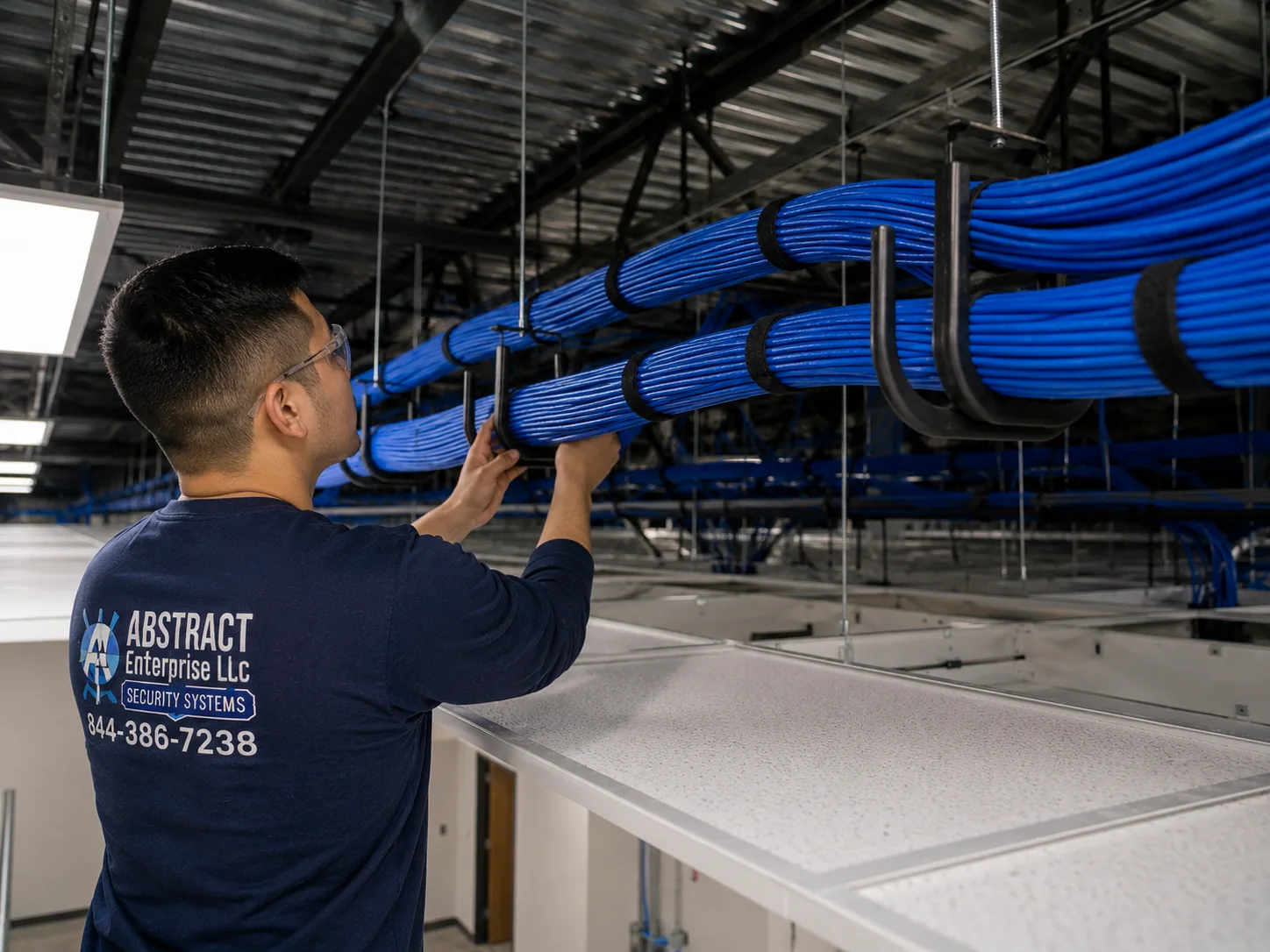
Network installation Putnam County J-hook pathway carrying dressed cable bundles across a commercial ceiling
Bundles on supported pathway at a consistent height, clear of fixtures and parallel power — the same standard on a small job as a large one.
Next step

Get a Putnam network quote

Tell us the building and roughly how many people work in it. We will walk it, ask who will be looking after it, and come back with a line-item number.

Or call (845) 640-3835 · NYS Low Voltage #12000287431