Driveway camera offline since the last storm, a backyard view that freezes every evening, or a clip you need for a police report today? Nassau line, same day: (516) 346-5778
Signal Tested at Every Mount · Driveway, Side Yard and Garage Coverage · Storm Backup Built In · No Monthly Fees Required
Most of Nassau County is houses: Cape Cods and ranches on quarter-acre lots, split-levels and colonials on curving streets, two-family homes near the train lines, and rows of one-storey shops along the turnpikes. The router almost always sits in the front of the house, near where the cable comes in, while the places that need watching sit at the back and sides — the driveway beside the house, the narrow side yard, the detached garage at the rear of the lot and the backyard gate. That is exactly where home Wi-Fi runs out. We design wireless camera systems for Nassau around that gap: test the signal at every mounting point before a camera goes up, power each camera so you are not climbing a ladder every few weeks, and keep the system recording when PSEG Long Island power or the internet goes down after a storm.
Reviewed and updated October 18, 2026: Nassau County’s list of cities, towns and villages, U.S. Census QuickFacts for Nassau County, ABC7 and CBS reporting on Tropical Storm Isaias outages, News12’s October 2025 nor’easter outage report, the Long Island Herald’s ten-year Sandy retrospective on Long Beach, Nassau police warnings on package theft (Fox 5, November 2023) and car theft (CBS New York, April 2022), the Village of Lawrence camera plan (News12, April 2026) and the Flower Hill camera debate (CBS New York, 2017) · Abstract Enterprises Security Systems, NYS license #12000287431 · Nassau visits dispatched from our office on Troy Avenue in Brooklyn
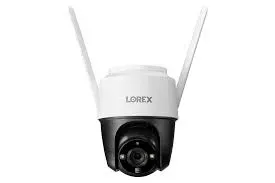
Manufacturer product photo, used for reference: a Lorex pan-tilt camera with two external Wi-Fi antennas on top. External antennas like these are one of the simplest ways to hold a usable signal at the far edge of a suburban lot, where a camera with internal antennas starts to stutter.
Nassau Wireless Camera Request
House or storefront, where the router is, what you want covered — we call back the same business day
✅
Request Sent!
A technician will call you back about the Nassau property the same business day.
25+
Years Experience
✓
Same-Day Estimates
100%
Licensed & Insured
4.7★
390+ Google Reviews
Start with three photos and one measurement. Photograph the spot where your router and modem sit; the driveway, taken from the street; and the back of the property, taken from the farthest point you want covered, whether that is the garage door, the back fence or the pool gate. Then pace out roughly how many steps it is from the router to that farthest point, and send it all with your town or village to (516) 346-5778. From that we can usually tell whether your existing Wi-Fi will reach, whether a mesh node or an outdoor access point is needed, which cameras can run from an outlet and which need batteries or a solar panel, and whether your router needs a battery backup before anything else.
Photo review is free; we only start the clock when a technician arrives at the property
Every camera position signal-tested at mounting height before we drill or stick anything
New York State licensed under the security and fire alarm installer law (General Business Law §69-m), license #12000287431, and insured for work on occupied homes and storefronts
The County
Why Nassau County Homes Need Wireless Camera Installation
Nassau County is overwhelmingly a county of owned houses. The U.S. Census Bureau’s QuickFacts puts the owner-occupied housing rate at 81.9 percent for 2020–2024, with a median owner-occupied home value of $684,700 and an average of 2.99 people per household; the county’s July 2025 estimate is 1,398,939 residents in 480,591 housing units. Those figures describe the job we do most often here. It is not a shared lobby or a building superintendent’s riser closet, as it would be in the city; it is a family that owns the walls, the soffits and the yard, and wants to see the driveway, the side gate and the back of the lot from a phone. Because they own it, they can mount where the view is best. Because it is a house, the camera that matters most is usually the farthest one from the router.
The building stock explains why. Nassau’s best-known subdivision, Levittown, opened its first house in October 1947 and grew to 17,544 Cape Cod and ranch houses on former potato fields, according to reporting on its sixtieth anniversary; the originals had four rooms, a bath, an unfinished attic and no basement. Virtually all of them have since been expanded — dormers, rear extensions, second storeys — to the point that the local historical society’s president described some as “almost McMansions.” Each addition pushed the back of the house farther from the front-room cable outlet where the router lives, and added another exterior wall, often with foil-faced insulation or aluminium siding, between the Wi-Fi signal and the backyard. The same pattern repeats in the post-war developments across the three towns. A camera that streams perfectly when tested at the kitchen window can drop out once it is screwed to a detached garage forty yards away.
Wireless cameras suit these houses because they avoid what makes wiring a finished suburban home expensive: fishing cable through closed walls, crossing a finished basement ceiling, trenching a run under a driveway to a detached garage. But a wireless camera is only as good as the radio link and the power behind it. The design questions are therefore different from those in an apartment building. Will the signal reach the garage? Is there an outlet under the eave, or does the camera need a battery and a solar panel? Where does the camera look when the house next door is twelve feet away? And what keeps the whole system recording when the power goes out for a day or two? Those four questions shape every Nassau plan we write.
The last question is not hypothetical here. When Tropical Storm Isaias crossed Long Island in August 2020, ABC7 reported that almost half of PSEG Long Island’s 1.1 million customers lost power at the peak, that 105,000 were still without it days later, and that half of Glen Cove’s residents were still waiting for power. Super-storm Sandy, eight years earlier, turned Long Beach into what the Long Island Herald later called “basically a dirty brown river,” with water three to five feet deep in some yards and more than 1,000 homes deemed substantially damaged by FEMA. Even an ordinary nor’easter leaves pockets dark: News12 reported outages in Port Washington, Glen Cove and Levittown on October 13, 2025. A wireless camera that depends on a router with no battery backup stops being a security camera exactly when the street is dark and the alarm panel is on its last hour of battery.
Theft patterns point at the same places on the lot. In November 2023 Nassau County police warned homeowners after FedEx packages were taken from at least six homes in Massapequa Park, Massapequa and Wantagh between October 5 and October 16; police said the suspect walked up to the front door, took the package and left on foot. In April 2022 CBS New York reported Nassau car thefts had more than tripled in a year, from 100 to 341 for the same period, with police saying 95 percent of the stolen cars were unlocked with the key fob inside. Those are front-step and driveway crimes, committed in seconds, often at night. A camera plan for a Nassau house starts with a clear face at the front door and a clear view of the car doors in the driveway, then works back through the side yards to the garage and the rear fence.
Local government adds a layer most homeowners do not think about until a neighbour complains. Nassau has 2 cities, 3 towns and 64 incorporated villages, each village with its own code and board, and more than 100 unincorporated areas governed by the towns. Villages have taken different views of cameras: the Village of Lawrence approved more than 100 outdoor cameras with licence plate readers on its street lights in February 2026, while residents of Flower Hill debated a proposed local law in 2017 aimed at cameras whose only purpose was recording a neighbour’s property. Neither situation stops a homeowner from protecting their own house, but both are reasons to aim cameras at what you own, mask what you do not, and check your village’s code before a floodlight or a pole goes up.
Nassau facts that shape a wireless camera plan
81.9 percent of homes owner-occupied and a median owner-occupied value of $684,700 (U.S. Census QuickFacts, 2020–2024).
94.8 percent of households have a broadband internet subscription, so nearly every house already has the router a Wi-Fi camera needs (same source).
2 cities, 3 towns, 64 incorporated villages and more than 100 unincorporated areas (Nassau County government).
Almost half of PSEG Long Island’s 1.1 million customers lost power at the peak of Tropical Storm Isaias in August 2020 (ABC7).
95 percent of stolen cars in a 2022 Nassau spike were unlocked with fobs inside, per police quoted by CBS New York.
17,544 Cape Cod and ranch houses in Levittown, nearly all since renovated and enlarged (Fox News, Levittown at 60).
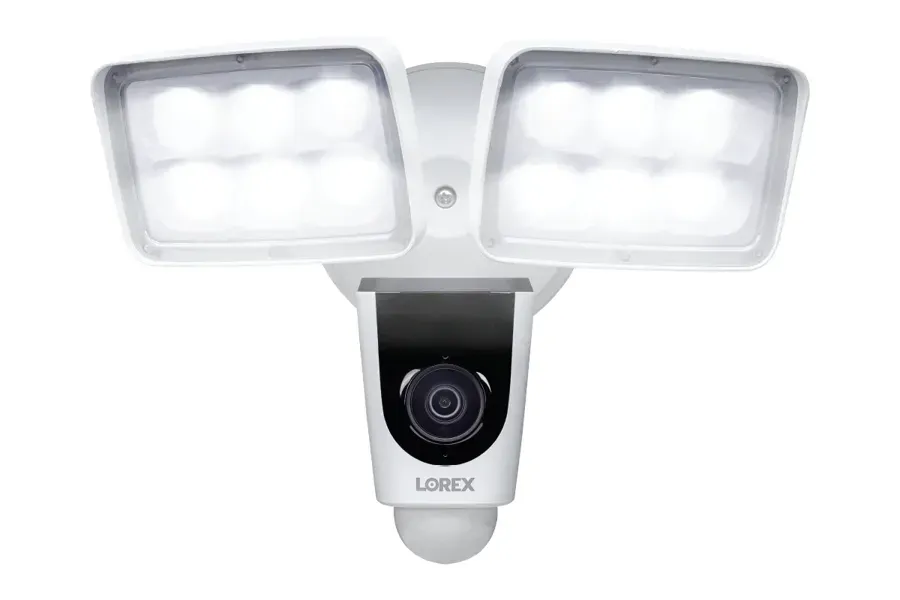
Manufacturer product photo, used for reference: a white floodlight camera with two lit LED panels above a camera body and motion sensor. Over a driveway, light that switches on with motion gives the camera colour and detail on a car door at 2 a.m. that infrared alone cannot.
Most Nassau families who add cameras also want the doors to report when they open. A wireless camera system and an alarm can share the same app and the same backup battery plan; our Nassau alarm installation team can plan both on one visit, so the router, the backup and the outdoor devices are sized once.
Same-Day Repair
Wireless Cameras Down in Nassau County? Same-Day Repair
The calls we get for failing wireless systems in Nassau are remarkably consistent. The back camera works in the morning and drops every evening, when the whole street is streaming and the 2.4 GHz band is crowded. A camera that was fine all summer goes offline in November because the leaves came down, the sun moved lower and the solar panel no longer charges it. The router was replaced by the internet provider and nobody re-paired the cameras. A storm knocked out power, the router came back with a firmware update and a new password, and half the cameras never reconnected. Or a battery camera at the far end of the lot is waking up so often — trees, cars, a neighbour’s motion light — that it drains in two weeks. Most of these are found and fixed within one to two hours of arrival.
Repair visits are billed at our standard service rate of $195 an hour with a 3-hour minimum ($585). That covers measuring signal at each camera, moving or adding a mesh node, re-pairing cameras to a new router, re-aiming and re-masking views, resetting motion zones and checking that clips are actually being stored. Replacement cameras, batteries, solar panels and backup units are quoted once we know what failed. If someone else installed the system, send us the brand and a screenshot of the app’s device list before the visit, so we arrive with the right spare parts rather than a guess.
If something has already happened and you need the footage, stop and save it before anyone changes anything. Many wireless cameras keep clips on a memory card or a base station that overwrites the oldest video first, and cloud plans delete clips after a fixed number of days. Download the clip to your phone, note the camera and the time, and only then let anyone reset the system. We will start by recovering what exists, tell you honestly if a camera was offline at the time, and check whether a neighbouring camera on the same property caught the moment from a different side.
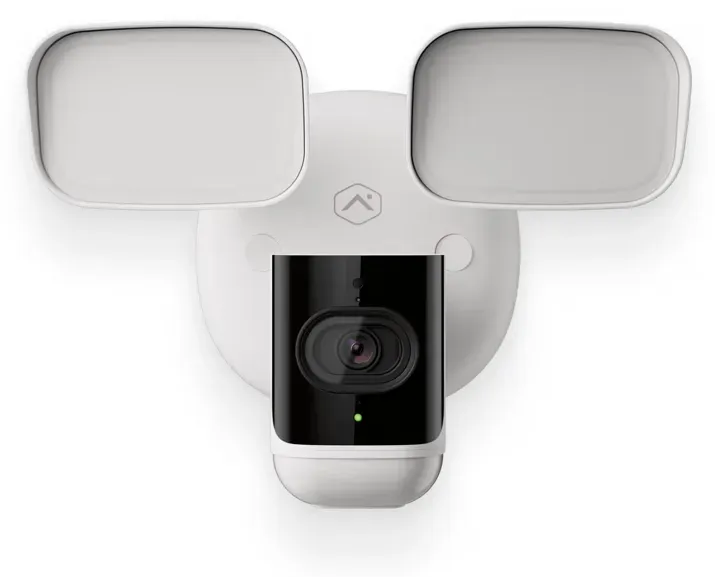
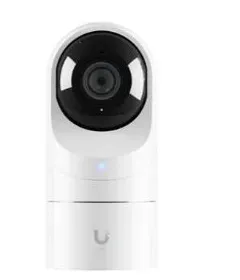
Manufacturer product photo, used for reference: a white floodlight camera with its two lamp panels off and a small green status light below the lens. A floodlight camera needs a line-voltage feed, so it usually goes where an old outdoor light fixture already is.
Every service below starts with the same walk around the house: where the router is, where the outlets are, and how far each camera position sits from both. The answers decide the equipment.
Driveway and car coverage
A camera that sees both car doors and the end of the driveway, mounted high on the house or garage, with motion-triggered light so the picture at night is in colour. Aimed so passing traffic on the street does not set off every alert, and so the view settles what happened to the car in the morning.
Side yard and gate cameras
Narrow strips between houses, often only a few metres wide, covered by a camera looking along the wall rather than across at the neighbour. These views catch anyone heading to the back of the property and are usually the first ones where signal starts to weaken.
Detached garage and shed links
Garages at the back of the lot, reached by extending the home network with a mesh node in a rear room or a weatherproof access point on the garage itself. The camera on the garage looks back toward the house, so it covers the walk between them.
Video doorbells and porch cameras
Doorbells wired to the existing transformer where one is still in the wall, or battery doorbells where it is not, plus a second porch camera where a storm door or a deep porch roof blocks the doorbell’s view of packages left on the step.
Backyard, pool and deck coverage
Wide-angle cameras on the rear wall or deck posts that show the yard, the back door and the pool gate. Motion zones drawn around the pool and play set so the family can use the yard without a hundred alerts an afternoon.
Storm backup for cameras
A battery backup sized for the modem, router and base station, spare batteries for battery cameras, and solar panels where a camera has a clear southern sky. Planned so the cameras keep recording locally even when the internet is down.
Storefront strip systems
Wi-Fi and plug-in cameras for one-storey shops on the turnpikes and village main streets: front door, register, stock room and the shared rear lot, recording to a recorder inside the shop rather than only to a phone app.
Taking over existing systems
Cameras bought online and half-installed, systems left behind by a previous owner, or a mix of brands that never worked together. We reset what is worth keeping, replace what is not, and put everything in one app where possible.
Manufacturer product photo, used for reference: a narrow video doorbell with a white edge, black face, top-mounted lens and a white lit ring around the button. A doorbell this slim fits the narrow trim beside many Nassau front doors and storm doors.
Building Specialists
Wireless Cameras for Nassau County’s Houses
Nassau houses fall into a handful of familiar shapes. Each one decides where the router ends up, how far the signal has to travel and where a camera can be mounted under cover.
Expanded Capes
One-and-a-half-storey houses with dormers and rear additions, often with the router in a front room and the newest, best-insulated walls at the back. Shallow eaves on the original section leave little cover for cameras, so we look for the soffits on the newer additions.
Ranches
Single-storey houses spread across the lot. Long and low means the signal crosses many interior walls from one end to the other, but the wide eave line gives good mounting points and easy access to outlets in the attic or garage.
Split-levels and high ranches
Half-flights of stairs and a garage tucked under living space. The router often sits on the lower level, which puts a slab and a floor between it and an upstairs-rear camera; a mesh node on the upper level usually solves it.
Colonials and centre-hall houses
Two full storeys on larger North Shore and central lots. Second-floor soffits give a high, wide view of the driveway, and a second-floor router or mesh node can cover the whole rear yard from above.
Attached and semi-attached houses
Houses that share a party wall with the neighbour, with a front, a back and very little side. Cameras go front and back only, and masking is essential because almost every view takes in part of the next-door property.
Raised and flood-zone houses
South Shore and barrier-island houses raised after Sandy, with living space a storey above grade. Cameras go high, equipment stays above the flood line, and stainless mounts resist salt air near the water.
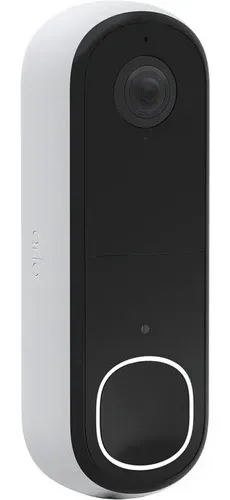
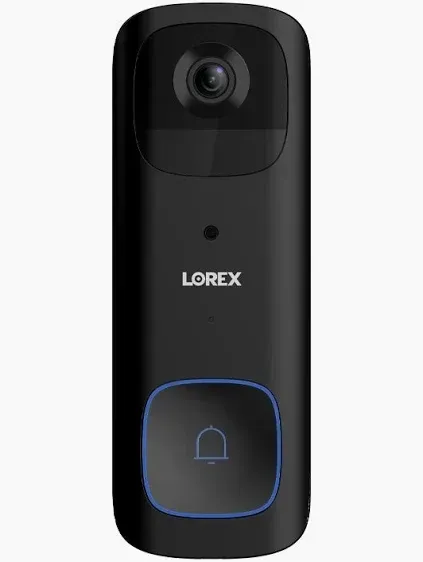
Manufacturer product photo, used for reference: a black Lorex video doorbell with a lens at the top and a blue ring around the bell button. Where an old doorbell transformer is still in the wall, a wired doorbell like this skips battery charging altogether.
Detached garages and the edge of the network
The detached garage is the single most common reason a Nassau wireless camera system disappoints. On a typical lot it sits at the back corner, behind the house, often thirty to fifty metres from a router that lives in the front living room. Between them are several interior walls, an exterior wall that may be wrapped in foil-faced insulation or covered in aluminium siding, and the open air of the yard. Each of those takes a bite out of the signal. A camera can show three bars when you test it at the back door and one bar once it is bolted to the far side of the garage, and one bar is the difference between smooth video and a camera that drops off every evening when the neighbourhood is online. We plan the garage camera first, measure the signal where it will actually be mounted, and choose between moving the router, adding a mesh node in a rear room, or putting a small outdoor access point on the back of the house aimed at the garage. Once the network reaches the garage, the garage itself becomes a good mounting point, because it can look back at the house and see the backyard, the rear door and the walk between them.
Two-family houses and basement apartments
Many Nassau owners rent part of the house: an upstairs unit, a basement apartment with its own entrance, or the second half of a two-family. That changes the plan. Outdoor cameras on the owner’s property are generally fine when tenants know about them, but the entrances a tenant uses every day deserve thought: a camera on a shared driveway or front walk records the tenant’s comings and goings too, and it should be disclosed in writing. No camera should ever look into a tenant’s living space, and New York’s unlawful surveillance law (Penal Law §250.45) makes recording people without consent in places like bedrooms and bathrooms a crime. We usually give the owner and the tenant separate camera groups on the same system, so each sees the views that concern them and neither sees the other’s door.
Commercial Wireless Cameras
Business Wireless Cameras on Nassau’s Storefront Strips
Nassau’s small businesses mostly occupy one-storey strips: a row of shops sharing a roof, a front sidewalk and a rear parking lot or alley. The turnpikes are lined with them. Hempstead Turnpike, the county stretch of State Route 24, runs from Elmont and Franklin Square through West Hempstead, Hempstead, Uniondale, East Meadow and Levittown to Farmingdale, and the route’s own description notes long commercial strips in Elmont and Franklin Square and businesses lining the road through East Meadow, Levittown and Plainedge. Village main streets and the blocks around Long Island Rail Road stations hold the rest. A wireless system suits these tenants because many lease a unit for a few years, cannot run cable through a shared ceiling without the landlord, and want something they can take with them.
The challenge on a strip is the back of the shop. The front door and register are easy: the shop’s router is usually a few metres away. The rear door, the dumpster area and the shared lot sit behind a stock room, a steel door and a masonry back wall, and that is where deliveries arrive, staff take breaks and, after hours, people try doors. We measure signal at the rear door before quoting, and where the back of the shop is out of reach we use a wired camera or a second access point at the back rather than a battery camera that will struggle. The recorder lives inside the shop, locked, with a battery backup, so the cameras keep recording through a power cut and the footage does not depend on the shop’s internet.
Several of Nassau’s downtowns have been changing. Baldwin won a $10 million state Downtown Revitalization Initiative award in May 2021 for the area around its train station and along Grand Avenue, including a planned rebuild of Merrick Road between Harrison Avenue and Pershing Boulevard; Hicksville won the same $10 million award for the business district around its station, where the Port Jefferson and Ronkonkoma branches meet near Routes 106 and 107, and Westbury won the year before. New mixed-use buildings bring new ground-floor tenants, and each one has to sort out cameras before opening day. A wireless system can be up in a day and moved later if the tenant relocates within the same downtown.
What a shop landlord usually needs to know
Most strip leases say what a tenant may attach to the building. Before we mount anything outside, we ask the tenant to confirm with the landlord where cameras can go, whether the fascia or sign band can take a bracket, and whether the landlord already has cameras on the rear lot. A camera inside the front window, looking out, needs nobody’s permission and often gives the best view of the door. Outside, a corner of the fascia usually sees both the frontage and the side lot; at the rear, a camera above the back door covers the door itself and the nearest parking spaces.
Manufacturer product photo, used for reference: a small white indoor camera with a black lens face on a short base. Indoor cameras aimed at the inside of a garage door or a back hallway cover entry points without facing a neighbour at all.
Nassau County Wireless Cameras: Questions Answered
These are the questions Nassau homeowners and shop owners ask us on walkthroughs. They are suburban questions, about lots, yards, garages, neighbours and storms, because that is what wireless cameras in Nassau have to deal with.
Our router is in the front room and the garage is at the back of the lot. Why does the garage camera keep buffering?
Because the signal arriving at the garage is weak, even if the app shows it as connected. Home Wi-Fi is designed to cover a house, and the router manufacturer’s range figure assumes open air. A router in a front room sends its signal through the living room wall, the kitchen, the back wall of the house — which on many renovated Nassau houses means insulation with a foil facing or aluminium siding outside — and then across the yard. By the time it reaches a camera on the far side of a detached garage, the camera has just enough signal to stay paired but not enough to send steady video. It works in the morning, when the street is quiet, and buffers every evening when everyone nearby is streaming on the same channels.
There are three fixes, in order of cost. First, move the router, if the house allows: a router on a high shelf in the middle or back of the house, rather than on the floor behind the television, can add a surprising amount of range to the backyard. Second, add a mesh node in a rear room or the back of the attic, wired to the router if possible, so the garage camera connects to something much closer. Third, where the garage is far or the walls are hard to get through, put a weatherproof access point on the back wall of the house, aimed at the garage, or on the garage itself. Each of those is quick to install, and we test the camera at its final mounting point after each step, not at the back door where everything looks fine.
It also helps to choose the right band and the right camera. Most battery cameras use 2.4 GHz, which travels farther through walls but is more crowded; cameras with external antennas, like the pan-tilt models we sometimes use on garages, hold a weak signal better than tiny cameras with internal antennas. And recording on the camera or a base station, rather than streaming everything to the cloud, means short dropouts cost a few seconds of live view rather than missing clips.
Our side yard is only a few feet wide and the neighbour’s windows face it. Where should that camera point?
Along your wall, not across the gap. In the narrow side yards common between Nassau houses, a camera mounted on the corner of your house and aimed down the length of the side yard toward the back sees exactly what you need — anyone walking from the front to the back of your property — while seeing only a thin slice of the neighbour’s wall. A camera aimed across the side yard sees mostly the neighbour’s windows, which helps nobody and invites a complaint. We mount it high under the soffit at the front corner, angle it so the far end of the view lands on your back gate, and use the camera’s privacy mask to black out any part of the neighbour’s windows that still sneaks into the frame.
Lighting matters as much as aim in a side yard. It is usually dark there, and infrared night vision bounces back off a close wall, washing out the picture. A small motion light or a camera with a built-in spotlight gives a clearer image, but pointed down the side yard, not at the house next door. Some side yards have a gas meter, air conditioner or trash cans that block part of the view; we place the camera so the path past them stays visible.
If both side yards lead to the back, both need a camera, and they can be cheaper, narrower-view cameras than the ones on the driveway. If one side is fenced and locked, the gate itself is the thing to watch.
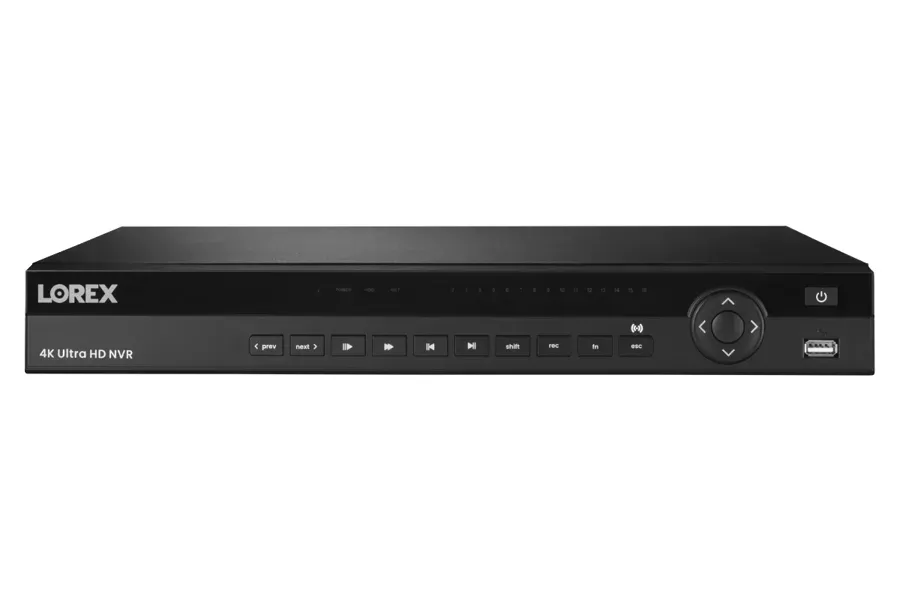
Manufacturer product photo, used for reference: a black 4K network video recorder with playback buttons, a navigation ring and a front USB port. A recorder or base station inside the house keeps video on a drive you own, which matters when the internet is down after a storm.
The neighbours say our floodlight camera lights up their bedroom. How do we keep the night picture without the glare?
Aim the light where the camera looks, and no farther. On close-set Nassau lots, a floodlight camera mounted at the back corner of a house often throws its light straight across the fence into the house next door, because the lamp heads were left pointing level when the camera was aimed. The camera only needs light on your driveway, your back door or your yard. We tilt both lamp heads down so the bright area ends at your property line, and where the fixture allows, angle each head separately so one lights the path and the other the door.
The second fix is when the light comes on. Most floodlight cameras let you choose between staying on at dusk, switching on with motion, or never switching on and relying on infrared. Motion-only with a short timer, and a motion zone drawn tightly around your own driveway or yard, means the light comes on only when someone is actually on your property, not every time a cat crosses the neighbour’s lawn. Lowering the brightness setting often helps more than people expect; a camera needs far less light than a person does to produce a clear colour picture.
If the fixture is simply in the wrong place, moving it is better than living with the complaint. Because village codes differ across Nassau’s 64 incorporated villages, we also suggest checking yours before mounting a new floodlight near a property line, and we show neighbours the adjusted light at night if they want to see it.
What does a driveway camera need to show if someone tries the car doors at night?
It needs to show the person, the car doors and the direction they came from, in enough light to tell one person from another. The Nassau car theft spike of 2022 shows why: police quoted by CBS New York said 95 percent of the cars stolen were unlocked with the key fob inside, and described thieves walking through neighbourhoods trying door handles. A camera that only shows a dark shape near the car is little help. We usually mount the driveway camera high on the house or the garage, angled so the car doors fill the middle of the frame and the end of the driveway is still in view, and pair it with light that switches on with motion so the night picture is in colour.
The second job is the approach. Most people reach a driveway from the street, so a slightly wider view that includes the sidewalk and the kerb shows which way someone came and went, and whether a car stopped. We keep the street out of the motion zone, though, or every passing car will set off an alert. On corner lots, a second camera at the other end of the house covers the side street.
No camera replaces locking the car and keeping the fob inside the house, which is what police asked residents to do. What the camera adds is an alert while it is happening and a clear clip afterwards.
Can the cameras tell us the kids got home from school without recording them all day?
Yes, by watching the door rather than the children. Many Nassau families want a simple message on a parent’s phone when a child walks in after school or from the train, and nothing more. The cleanest way is an alert from the front or side door camera, or a video doorbell, limited to a time window such as 2:30 to 5:00 on weekdays and to people only, so a delivery van or a passing dog does not trigger it. The parent gets a notification with a short clip of whoever came to the door, and the cameras inside the house stay off or are not installed at all.
Some camera apps can also recognise familiar faces, but face recognition stores biometric data and makes mistakes with hoods, hats and growing children, so we usually start with the simpler door-and-time-window approach. A door contact sensor or a smart lock that reports which code was used is another option that involves no video at all; our smart lock installation in Nassau can give each child their own code.
Whatever the method, we set it up with the family’s agreement and explain it to older children, so the camera is a check-in, not a surprise. Alerts can be switched off for school holidays with one tap.
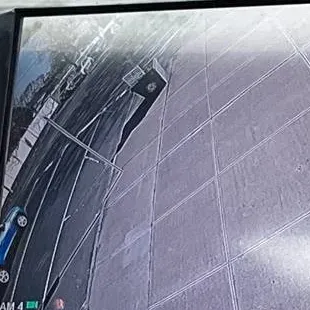
Photo from our job library, used for reference: a recorder screen showing a wide-angle view looking down a paved sidewalk beside a curb, with part of a parked car at the edge and a time stamp in the corner. On a storefront strip, this is the view that shows who walked to the door and from which direction.
Where should a porch camera go so it shows the face of someone taking a package?
Low enough to see under a hat brim and close enough to the door that a person reaching for the package faces it. The Nassau thefts police warned about in November 2023 — packages taken from at least six homes in Massapequa Park, Massapequa and Wantagh — followed the usual pattern: the person walked up to the door, picked up the box and left on foot. A camera mounted high on the house sees the top of a head. A video doorbell at about chest height, or a small camera on the porch ceiling aimed back toward the steps, sees the face at the moment the person bends down.
Two details make the difference. The first is where the package lands. If the delivery driver leaves it to one side of the door, outside the doorbell’s view, the doorbell records nothing useful; we look at where packages actually get left and either angle the camera or suggest a spot for deliveries. The second is backlight. A porch facing the afternoon sun can turn faces into silhouettes; a camera with good wide dynamic range, or a small porch light on a motion sensor, keeps faces visible.
If you share clips with police, the most useful ones show a face, the walk to and from the door, and any car that stopped. A second camera covering the front walk and kerb often provides the last two.
Will a video doorbell work if we have a glass storm door in front of the front door?
Not well, if it is mounted behind the glass. A doorbell camera mounted on the door frame inside the storm door looks out through glass, and at night its infrared light reflects straight back into the lens, turning the picture white. Motion detection suffers too, because many doorbells detect heat and the glass blocks it. Visitors also cannot reach the button without opening the storm door, which defeats the purpose.
The fixes depend on the doorway. If there is enough trim outside the storm door frame, we mount the doorbell there, often with a wedge or corner bracket to angle it toward the walk. If the trim is too narrow, a slim doorbell fits where a standard one will not. Where neither works, we leave a simple button by the door and put a small camera on the porch ceiling or the wall beside the door instead. Wired doorbells need the old doorbell wires to reach the new position; if they do not, a battery model is the fallback.
The storm door itself can also be part of the plan: a contact sensor on it tells you when someone opens it to reach the main door, which is useful if packages are left between the two doors.
Our shop is in a strip with a shared lot behind it. Can one Wi-Fi system cover the front counter and the back door?
Often, but the back door is the part to test first. In a one-storey strip building, the front of the shop is usually close to the router, while the back door is on the far side of a stock room, sometimes behind a block wall and a steel door. Wi-Fi does not pass well through either. A camera mounted outside above the back door may get almost no signal from a router at the front counter. Before quoting, we stand at the back door with a signal meter.
If the signal is weak, we add a second access point in the stock room, wired back to the router through the ceiling if the landlord allows, or use a wired camera at the back door and keep Wi-Fi cameras for the front. Either way, all the cameras record to one recorder inside the shop, so the owner sees the counter, the front door, the stock room and the rear lot in one app.
Shared lots raise a second question: who else is watching? Many landlords already have cameras on the rear lot. It is worth asking for access to that footage in an emergency, and aiming your own rear camera at your own door rather than duplicating the landlord’s view of the whole lot.
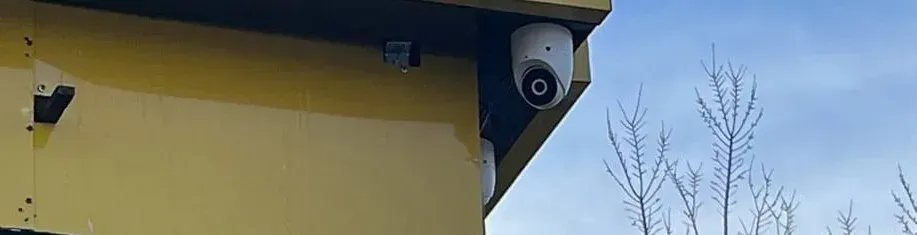
Photo from our job library, used for reference: a white dome camera sits under the overhang of a yellow-painted fascia, with a second camera just below it at the building corner and bare winter branches against blue sky. A corner of the fascia is often the one spot on a strip building that sees both the frontage and the side lot.
We live in a flood zone near the water. Does that change where cameras and equipment go?
Yes, in three ways: height, corrosion and where the equipment lives. Sandy showed how high water can rise on the South Shore; in Long Beach, the Long Island Herald recorded water three to five feet deep in some yards and on porches, and FEMA deemed more than 1,000 homes substantially damaged. Anything mounted low — a camera on a fence post, a base station in a garage, a router on a basement shelf — can be lost in a single surge. We mount outdoor cameras high on the house, and keep the router, base station and backup battery on an upper floor, above the level the house is designed to flood to.
Salt air is the second concern. Near the water, ordinary steel screws and brackets rust quickly and stain the siding. We use stainless steel hardware and weather-rated cameras, and seal every penetration. Solar panels need a sturdy mount because wind off the water is stronger than inland.
Finally, many raised houses have living space a storey above the ground, with parking or storage underneath. The underside of the house is a good place for a camera covering the parking area, but it is also the area most exposed to flooding, so those cameras should be battery or solar powered rather than plugged into an outlet at ground level.
Our village just put licence plate readers on the street lights. Do we still need a camera facing the street?
The village system and your own cameras do different jobs. In Lawrence, for example, the village board unanimously approved more than 100 new outdoor cameras with licence plate readers in February 2026, mounted on recently upgraded street lights and linked to the Nassau County Police Department’s command centre, according to News12. A system like that tracks vehicles on public streets for the police. It does not show your front door, your driveway or your backyard, and you cannot pull up its footage on your phone.
So a camera facing the street from your house is still useful, but its job changes. It does not need to read every passing plate; its job is to show who came to your property and which car they arrived in. We aim it at the end of your driveway and the front walk, not the whole street, which keeps alerts down and keeps the picture focused on what you need.
If your village or a neighbour already covers the street, you can spend more of your budget on the side yards, garage and backyard, which no public camera will ever see.
Should the cameras be on our main Wi-Fi or a network of their own?
For most houses with more than four or five cameras, a separate network is worth it. Cameras send a steady stream of data; on the same network as laptops, phones, game consoles and streaming televisions, they compete for airtime, especially in the evening. Putting the cameras on their own network name, on a different channel or band where the router allows, keeps them out of the evening traffic jam. It also limits the damage if a cheap camera ever has a security flaw, because it cannot see the family’s computers.
Many current routers and mesh systems can create a second network for smart-home devices without extra hardware. Where yours cannot, a small dedicated access point for cameras is an inexpensive fix. We set strong, unique passwords on the camera network, change every camera’s default password, turn on two-step login for the camera app, and keep a written record of the network details so a future router swap does not become a crisis.
The one thing we avoid is the guest network that many routers offer. Some guest networks cut devices off from each other, which stops cameras talking to their base station, and some reset whenever the router updates.
If we can only afford two cameras this year, which two should they be on a Nassau house?
For most houses, the front door and the driveway. Those are the two places where the local incidents we found in police warnings and news reports happened — packages taken from front steps and cars tried in driveways — and they are also where visitors, deliveries and family members come and go every day, so the cameras earn their keep even when nothing goes wrong. A video doorbell covers the first, and a camera high on the house or garage with motion lighting covers the second. Both are usually close to the router, so they rarely need extra network equipment.
The exception is a house where the real worry is at the back: a detached garage full of tools or bikes, a pool, or a back door hidden from the street. In that case, one camera on the back of the house, looking at the garage and the rear door, may be worth more than a second camera at the front. We will tell you honestly on the walkthrough which two views would have helped most on your street and your lot.
Whatever you start with, plan for the rest. We place the first two cameras so the system can grow, check that the router or base station has room for more, and note the mounting points and power for the side yards and garage, so adding them next year is a short visit rather than a new design.
Equipment
Types of Wireless Cameras We Install in Nassau County
“Wireless” covers several different kinds of camera, and most Nassau houses end up with a mix. The table shows how each type is used around a suburban house or a strip storefront, and what to watch for.
Camera type
Best Nassau use
What to watch out for
Battery Wi-Fi camera
Side yards, fences, sheds and spots with no outlet; renters
Battery life depends on how often it wakes; busy views drain it in weeks
Plug-in Wi-Fi camera
Under eaves near an outdoor or attic outlet, garage interiors, porches
Needs a weatherproof power run; still depends on Wi-Fi for video
Solar-assisted battery camera
Detached garages, back fences and south-facing walls with open sky
Winter sun is low; trees and the house itself can shade the panel
Floodlight camera
Driveways and backyards where an outdoor light fixture already exists
Wired to a household circuit; aim the light down, not over the fence
Video doorbell
Front doors; side doors used by family or a tenant
Storm doors and deep porches block the view of packages
Pan-tilt Wi-Fi camera
Garages and large backyards, where one camera can sweep the yard
Records only where it points; never the only camera on a door
Cellular (LTE) camera
Spots no Wi-Fi can reach, or as a backup view during internet outages
Needs a data plan and decent cell signal at the mounting point
Indoor Wi-Fi camera
Inside the garage door, back hallway, basement apartment entrance
Keep out of private rooms; NY Penal Law §250.45 limits recording there
Behind the cameras sits the network: the router, any mesh node or outdoor access point, and a base station or recorder that keeps clips on a drive inside the house. We size the battery backup for those pieces first, because without them the cameras have nowhere to send video. Cameras are chosen from brands we support for local recording without a required monthly plan; if you prefer a cloud subscription for its extra features, we set it up and explain exactly what it costs per year.
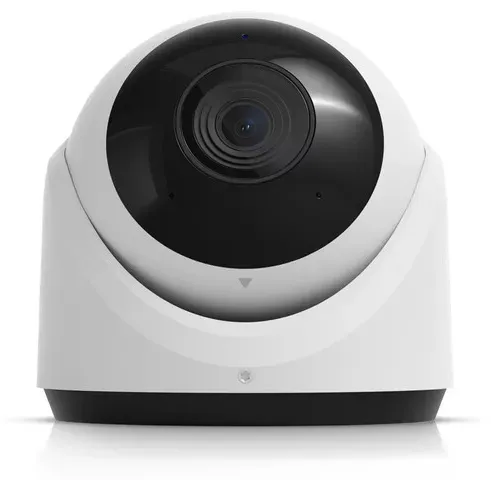
Manufacturer product photo, used for reference: a white turret camera with a deep black lens face on a rounded base. A turret under a soffit keeps rain and glare off the lens, which helps in a narrow side yard where the camera looks along the house wall.
AI Overview Reality Check
What AI Gets Wrong About Wireless Cameras in Nassau County
Ask an AI assistant or a national cost site about wireless cameras and you get advice written for an average house in an average place. Here is where that advice goes wrong on a Nassau lot.
“Wireless cameras work anywhere within range of your router.”
The range printed on the box is measured in open air. A Nassau house puts interior walls, an exterior wall with insulation and siding, and often a detached garage’s own walls between the router and the camera. Range shrinks with every one of them, and evening congestion from neighbours’ networks shrinks it further.
The camera may still show as connected, which is what misleads people. A connection with too little signal sends choppy video, drops clips and reconnects over and over, and the problem is worst in the evening, which is when most people check their cameras.
The fix is not a bigger camera; it is a measured plan. We test signal at the final mounting point, not at the back door, and add a mesh node or outdoor access point where the numbers say so.
“Battery cameras last six months to a year on a charge.”
That figure assumes a camera that wakes a few times a day. A driveway camera on a busy street, a backyard camera facing trees that move in the wind, or a side-yard camera triggered by a neighbour’s motion light can wake hundreds of times a day and drain in weeks.
Winter makes it worse. Cold reduces battery capacity, longer nights mean more infrared, and the low sun leaves many solar panels in shadow. A camera that ran all summer can be flat by mid-December.
We set motion zones to ignore the street and the trees, use plug-in power wherever an outlet is close, and put solar panels only where they will see the winter sun.
“Wireless cameras keep working in a power outage.”
The cameras might, if they run on batteries. The router, modem and base station they depend on do not, unless they have their own backup. During Tropical Storm Isaias, almost half of PSEG Long Island’s customers lost power at the peak, and some waited days.
A battery camera with no network to talk to either saves clips to its own memory card, if it has one, or saves nothing. Either way you see nothing on your phone, which is exactly when you most want to look.
The answer is a battery backup sized for the network equipment, local recording inside the house, and a test at handover with the router unplugged, so you know what still works.
“Mount cameras as high as possible so nobody can reach them.”
High cameras are hard to steal, but they look down on the tops of heads. On a porch or at a side gate, a camera at the second-floor soffit sees a cap or a hood, not a face.
Nassau houses usually allow a better answer: a high camera for the overview of the driveway or yard, and a lower camera, often a doorbell or a porch-ceiling camera, for faces at the door.
We mix heights deliberately, and put the lower cameras where a thief would need a ladder or a long reach, so they stay useful without being easy to pull down.
“Professional installation costs $100 to $200 per camera.”
National averages from sites like Angi, HomeAdvisor and Fixr mix a handyman sticking one camera to a wall with full systems, and they leave out the network. A Nassau system often needs a mesh node, a battery backup and some outdoor power, which a per-camera price ignores.
Our published Nassau figures are higher than those averages and itemized: a single battery camera at $339, a four-camera exterior system at $1,489, a mesh node at $397. You can see exactly what the network and the backup are adding.
A cheap quote that skips the signal survey usually ends with a second visit to add the mesh node anyway, after the garage camera has been dropping out for a month.
“You can point your cameras wherever you like on your own property.”
Mounting a camera on your own house is generally lawful, but aim and use still matter. New York’s unlawful surveillance law covers recording people without consent in places like bedrooms and bathrooms, and village boards respond to neighbours who feel watched, as Flower Hill’s 2017 debate over a proposed camera law showed.
An AI answer will rarely mention that Nassau has 64 incorporated villages with their own codes. Lighting, fences and structures near property lines are the usual friction points.
We aim at what you own, mask the rest, and suggest checking your village’s code before anything goes on a pole or shines over a fence.
“ADT, Ring or SimpliSafe will cover everything you need.”
National brands sell good products, and we install Ring and similar cameras when customers want them. But a national plan is built around the camera, not the lot. It will not measure the signal at your garage, add a mesh node in the right room, or size a battery backup for a multi-day PSEG outage.
Monitoring contracts from national alarm companies also tend to run for years, with monthly fees for features that local recording provides at no extra cost.
Our job is to make whichever cameras you choose actually work on your property, with no contract and no required monthly fee unless you specifically want one.
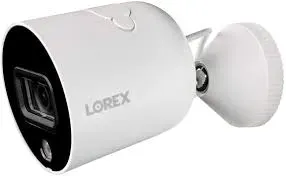
Manufacturer product photo, used for reference: a white Lorex bullet camera with a small built-in spotlight on a short wall bracket. A bullet like this, mounted on the garage itself and aimed back toward the house, covers the walk between them.
Planning Cameras Before a Renovation or a Move?
An extension, new siding or a new roof is the cheapest time to add outlets under the eaves and a network point in the back of the house. A ten-minute call before the contractor closes the walls can save a lot of battery charging later.
Tell us in a sentence or two what the property is — a ranch in Levittown with a garage at the back, a raised house in Long Beach, a shop on Hempstead Turnpike — where the router sits and what you want to see. We reply in writing the same business day using our published Nassau figures. Prefer to talk? Ring (516) 346-5778.
✅
We Got Your Request!
Received. A technician is reading your Nassau details and will phone you today. If it cannot wait, the Nassau line is (516) 346-5778.
How It Works
Our Installation Process
A two-camera starter and a ten-camera house with a detached garage follow the same seven steps. On a Nassau lot, the network comes before the cameras.
1. A call and three photos
A short call about the house or storefront, plus photos of the router location, the driveway and the back of the lot so we can judge signal and power before arriving.
2. Walk the lot with a signal meter
We walk every planned camera spot with a phone and signal meter at mounting height, noting dead spots, outlets, soffit depth and anything a neighbour would see.
3. Written plan and fixed price
A camera-by-camera plan with mounting points, power for each camera, any mesh node or backup battery, and a written price from our published Nassau figures.
4. Network first
Router placement checked, mesh node or outdoor access point added where the plan calls for it, battery backup on the router and modem, and a separate camera network where needed.
5. Mount, power and pair
Cameras mounted and sealed, plug-in and solar power connected, each camera paired and checked for signal strength at its final position, not on the ladder at eye level.
6. Aim, mask and tune
Each view aimed at what you own, privacy masks drawn over neighbours’ windows and yards, motion zones and alert schedules set so the street does not trigger every car.
7. Handover and a storm test
App logins for each family member, a practice clip export, and a test with the router unplugged so you see what still records when the power or internet goes.
After handover: a five-minute monthly check
Wireless systems drift. Leaves grow, routers update and batteries age. Once a month, open the app and look at each camera live: is it still aimed where it should be, is the picture sharp, does the time stamp look right? Check the battery level on every battery camera and the signal indicator on the farthest ones. Play back a clip from the previous night on the driveway camera to prove recording works. Before hurricane season and again before winter, charge the spare batteries, clean the solar panels and check that the router’s backup battery still holds a charge. Call us when something looks wrong, not after you need the footage.
Coverage Area
Wireless Camera Installation Near Nassau’s Landmarks
We work across all three towns and both cities. These landmarks are listed to show how the county is laid out and what kind of property surrounds each; naming them does not mean we have worked on or in them.
Levittown
The post-war subdivision of 17,544 Cape Cod and ranch houses that opened in October 1947, almost all since expanded. Classic territory for detached-garage and rear-extension signal problems.
Belmont Park and UBS Arena, Elmont
At the western end of Hempstead Turnpike, near the Queens line, surrounded by a long commercial strip and blocks of attached and detached houses in Elmont and Franklin Square.
Nassau Coliseum and Hofstra University
Hempstead Turnpike passes south of Hofstra’s stadium and alongside the Coliseum’s parking lots in Uniondale, between the village of Hempstead and the houses of East Meadow.
Eisenhower Park, East Meadow
The park lines the westbound side of Hempstead Turnpike while businesses line the eastbound side, a good picture of how Nassau’s shopping strips sit right against residential blocks.
Hicksville station
Where the Port Jefferson and Ronkonkoma branches meet near Routes 106 and 107, at the centre of a downtown awarded a $10 million state revitalization grant.
Long Beach boardwalk
The 2.2-mile boardwalk was torn apart by Sandy and rebuilt for about $40 million; the city’s raised and flood-zone houses need cameras and equipment mounted high.
We also serve Glen Cove and the North Shore villages from Great Neck to Oyster Bay, the South Shore from Valley Stream and the Five Towns to Massapequa, central communities such as Mineola, Garden City, Westbury, Baldwin and Freeport, and the neighbouring areas covered on our Suffolk County and Queens wireless camera pages.
Pricing
Wireless Camera Installation Cost in Nassau County
The prices below are our published wireless installation figures at the Nassau area rate, which is 1.15 times our Brooklyn base. The first table is our wireless installation list, priced from the Brooklyn wireless base; the second shows our four-camera recorded packages from the same Brooklyn base. The wireless figures cover installation labour — mounting, power, pairing, aiming, masking and app set-up; cameras and network hardware are billed at street price unless you supply your own, sales tax is added, and the final figure is fixed in writing after the walkthrough. On a Nassau lot, most of the spread between two quotes comes from the network: whether the existing Wi-Fi reaches, and how much backup the system needs.
Item
Nassau price
Typical Nassau use
Single battery camera, no-drill or bracket mount
$339
Side yard, fence, shed, renter’s front window
Single plug-in camera, hardwired in-wall power
$512
Driveway or backyard camera under an eave with an outlet nearby
Video doorbell
$397
Front door on the existing doorbell wires or battery
4-camera exterior wireless system
$1,489
Cape or ranch: front, driveway, both side yards
4-camera mixed indoor and outdoor system
$1,719
Exterior views plus garage interior or back hallway
8-camera system with base station or recorder
$3,214
Colonial with detached garage, corner lot, two-family house, small shop
Solar panel add-on, per camera
$167
Garage, back fence or shed with open southern sky
Mesh Wi-Fi node for camera coverage
$397 per node
Rear room or upper floor to reach the backyard and garage
Cellular (4G LTE) camera
$627 per camera
Spot no Wi-Fi can reach, or a backup view during outages
Wireless pan-tilt outdoor camera
$799 per camera
Large backyard or garage sweep
Service and repair
$195/hr, 3-hr minimum ($585)
Any brand or installer; most faults fixed in one to two hours
Four-camera recorded systems at the Nassau rate
Where a house or shop is better served by a four-camera system recording to its own recorder — for example wired cameras at the rear of a strip store alongside wireless ones at the front — we quote from our published four-camera packages (four cameras with two weeks of recording), shown here at the same 1.15 Nassau rate applied to the Brooklyn base.
Four-camera package
Nassau price
Camera type
A Series
from $1,093
2MP HD
F Series
from $1,148
5MP 2K
E Series
from $1,331
4–5MP IP
C Series
from $1,601
8MP 4K on a DVR
D Series
from $1,601
8MP 4K IP
Name brands
from $1,908
Lorex, UniFi, Uniview, Luminys
What moves a Nassau quote up or down
Distance to the farthest camera. A garage at the back of the lot or a long rear yard often needs a mesh node or outdoor access point.
Power at each mounting point. An outlet under the eave or in the attic makes a plug-in camera simple; no outlet means a battery, a solar panel or an electrician.
Backup. A battery backup for the modem, router and base station is a small cost; whole-system backup for plug-in cameras is more.
Siding and surfaces. Vinyl, aluminium, cedar shingle, brick and stucco each take different mounting blocks and fixings.
Existing equipment. Reusing a working doorbell transformer, outdoor outlet or router lowers the cost; replacing an old router that cannot handle the cameras raises it.
A planning checklist before you ask for prices
Owners who have these answers ready get firmer quotes, from us or anyone else. First, where the router and modem are, and whether the internet provider will let you move them. Second, the farthest spot you want covered, and roughly how far it is from the router. Third, which spots have an outlet within a few feet, inside or out. Fourth, whether you have a generator, and which circuits it covers. Fifth, any village, condo or homeowners’ association rules you already know about. Sixth, what you most want to see on your phone at 2 a.m. With those six answers, a quote can be specific instead of a range.
Get a Written Nassau Price for Your House
Send the three photos and the router-to-garage distance. We will come back with a camera plan and a fixed written price, usually the same business day.
Four exterior wireless cameras installed for $1,489 in Nassau: the front door or porch, the driveway and both side yards. Suits most Capes, ranches and attached houses where the router can reach every corner of the house without help.
Whole House — $1,719
Four cameras mixing indoor and outdoor views for $1,719: typically the front, the driveway, the backyard and the inside of the garage door. Add a mesh node at $397 where the backyard or garage needs a stronger signal.
Lot and Garage — $3,214
Eight cameras with a base station or recorder for $3,214, for a larger house, a corner lot, a detached garage or a two-family house. Includes local recording inside the house; add solar panels at $167 each and a battery backup plan for storms.
Already bought the cameras? Labour-only installation
Plenty of Nassau homeowners buy cameras online and then find the garage camera will not hold a connection. We install customer-supplied cameras on a labour-only basis at the same published figures, after checking the model numbers. Two things to confirm first: that the cameras can record locally to a memory card or base station without a subscription, if that matters to you, and that they support the Wi-Fi band your router uses at the back of the house.
Adding cameras later
Many families start with the front and driveway and add the side yards and garage the following year. We check that the base station or recorder has spare capacity, note mounting points and power for future cameras, and leave the network ready, so adding a camera later is a short visit rather than a redesign.
Field Notes: Test the Signal Where the Camera Will Live
This is a note on method, not a story about a particular customer. The most common mistake we see on suburban wireless systems is testing in the wrong place. Someone holds the camera at the back door, sees a good picture on the phone, then mounts it on the far side of the garage, under a metal gutter, facing away from the house. The picture that looked perfect at the door turns into a camera that disconnects every evening.
So we test at the exact mounting point and height, with the camera facing the way it will face, and we do it at the time of day when the neighbourhood is busiest if we can. We write the signal reading on the plan next to each camera. If a reading is marginal, we fix the network before mounting, not after. It adds perhaps twenty minutes to a visit. It saves the call six weeks later asking why the garage camera keeps going offline, and it means the plan we hand you shows, camera by camera, why each one will stay connected.
The same habit applies to power. We note which cameras are on batteries, when they were charged and which have spare batteries, so the family knows exactly which ones need attention before a storm.
FAQ
Nassau County Wireless Camera FAQ
My mailing address says one town but I live in an incorporated village. Whose rules apply to cameras on my house?
+
The village’s, for anything its code covers, because an incorporated village writes and enforces its own local laws on top of town rules. Nassau County lists 2 cities, 3 towns, 64 incorporated villages and more than 100 unincorporated areas, and a postal name often does not match the municipality you actually live in. Check your tax bill or the village website before we mount anything that touches lighting, fences or a structure you share with a neighbour.
Does mounting a plug-in or battery camera on my own house in Nassau need a building permit?
+
Battery and plug-in cameras attach to the outside of the house and connect to an existing outlet or no outlet at all, so the work is low-voltage mounting rather than construction. A new exterior outlet, a hardwired floodlight on a household circuit or a new circuit in a detached garage is electrical work for a licensed electrician and may involve your town or village building department. We tell you on the walkthrough which parts of the plan fall into that category before anything is booked.
We are switching internet providers next month. Should we wait before installing the cameras?
+
No, but tell us the date. Every Wi-Fi camera remembers the network name and password it was paired to; a new router with a different name means every camera has to be re-paired. If we know the switch is coming, we can set up the new network name on day one or rename the new router to match the old one, so the cameras carry on without a second visit.
Can cameras go on vinyl or aluminium siding without letting water in behind it?
+
Yes. We mount on a flat siding block or a mounting plate fixed through the siding into sheathing or framing, seal every penetration, and route any cable with a drip loop so water runs off before it reaches the hole. Battery cameras on a no-drill bracket avoid penetrations altogether where the angle allows, which also suits renters and owners who plan to re-side soon.
Can a camera on our detached garage run off the same outlet as the garage door opener?
+
Usually yes, if the opener has its own ceiling outlet and the circuit is sound. We add a short outdoor-rated run or a plug-in transformer from that outlet so the garage camera never needs its battery charged. If the garage has no power at all, a solar panel or a battery camera with a spare battery is the fallback, and a dedicated circuit becomes a job for an electrician.
What happens to the recording if someone pulls a wireless camera off the wall?
+
Clips already saved to a base station, recorder or cloud account stay there; only video held on a memory card inside the stolen camera leaves with it. That is why we prefer a base station or recorder inside the house for the cameras most likely to be reached from the ground, mount them high enough to need a ladder, and turn on the camera’s tamper or offline alert so you know straight away.
How soon can a technician get to a house in Nassau County?
+
Estimates are same-day where the schedule allows, and installs are usually booked within a few days of a signed quote. Repairs and storm-related failures go to the front of the queue. Nassau visits are dispatched from our Brooklyn office on Troy Avenue; call the Nassau line and we will give you an arrival window on the phone.
We already have two Ring cameras. Can they stay if we add a local-recording system?
+
They can stay and keep working in their own app, but they will not record to another brand’s base station or recorder. Most families either keep the doorbell on its existing app and put the yard cameras on a local-recording system, or replace everything at once so one app shows every view. We price both options so you can see what changing ecosystems really costs.
Can a camera go on the utility pole or the street tree in front of our house?
+
Not without the owner’s permission, and usually that owner is not you. Utility poles belong to the utility or the phone and cable companies that share them, and a tree between the sidewalk and the road may belong to the village or town rather than the homeowner. Trees also sway and grow, which ruins a camera’s aim within a season. We keep cameras on your house, garage, fence or a post on your own lot, and use a longer-lens camera on the house where the view needs to reach the street.
We are getting new gutters and a new roof next spring. Should the cameras wait?
+
Install the ones you need now, and tell us the roofer’s dates. Cameras mounted on fascia boards or soffits often have to come down when gutters or trim are replaced, and solar panels on a roof edge get in the roofer’s way. We mark which cameras will be affected, mount the rest on walls the roofer will not touch, and come back after the work to remount and re-aim the others, usually in a single short visit.
Can we put cameras on a parent’s house in Nassau when we live somewhere else?
+
Yes, with the parent’s agreement. We set the system up on the parent’s internet, give each family member their own login rather than sharing one password, and set alerts so the right person hears about a stuck front door or a camera that has gone offline. Indoor cameras are placed only where the parent wants them; most families start with the front door, the driveway and the back door.
Roughly how many wireless cameras does a typical Cape or ranch on a quarter-acre need?
+
Four to six covers most of them: one at the front door or a video doorbell, one on the driveway, one on each side yard that leads to the back, and one on the backyard or detached garage. Corner lots, a second entrance to a basement apartment or a long rear yard add one or two. We confirm the count by walking the property and testing signal at each spot.
All Areas Served
Wireless Camera Installation Across Long Island, New York City and the Hudson Valley
We read each of the following in October 2026 while writing this page; the Nassau statistics, events and rules above come from them. Prices are not from outside sources: they are our own published wireless installation figures multiplied by the Nassau rate.
Nassau County government, “Cities, Towns & Villages” (2 cities, 3 towns, 64 incorporated villages, more than 100 unincorporated areas)
U.S. Census Bureau, QuickFacts: Nassau County, New York (population estimate July 1, 2025; housing and broadband figures 2020–2024)
ABC7 New York, “Isaias Impact: Widespread damage and power outages across Long Island,” August 2020
News12 Long Island, “Thousands without power across Long Island due to nor’easter,” October 13, 2025
Long Island Herald, “Superstorm Sandy, 10 years later” (Long Beach)
Fox 5 New York, “Tis the porch pirate season: Police on Long Island report pattern of package theft,” November 7, 2023
CBS New York, “Nassau Police making push for residents to stop leaving key fobs in cars amid surging thefts,” April 15, 2022
News12 Long Island, “Lawrence to add more than 100 cameras as part of newly approved comprehensive outdoor surveillance camera system,” April 29, 2026
CBS New York, “Flower Hill Residents Raise Privacy Concerns Over Neighbors’ Security Cameras,” October 12, 2017
Fox News, “Levittown, America’s first suburb, turns 60”
New York State Senate newsroom, “$10M state grant to bring new projects to downtown Baldwin,” May 2021; Long Island Press, “Hicksville gets $10M downtown revitalization grant,” 2017
New York State Route 24 (Hempstead Turnpike) reference entry; New York Penal Law §250.45; New York General Business Law §69-m
Some sources we normally check were out of reach this time: Google’s question boxes, related searches and AI Overview, Answer the Public, Bing and DuckDuckGo autocomplete, and Yelp reviews. Reddit search returned general camera threads but nothing specific to Nassau that we could rely on. Because we could not see those sources properly, nothing on this page relies on them.
Cameras Offline After a Storm? Call the Nassau Line
When the router came back from an outage and the cameras did not, the garage camera has been dropping every evening, or you need a clip pulled before it is overwritten, ring (516) 346-5778. Repair calls are slotted into the next free two-hour arrival window, and most single faults are sorted within an hour or two of the technician arriving.
Nassau Wireless Cameras From a Licensed, Insured Team
Nassau County jobs are dispatched by Abstract Enterprises Security Systems from 1282 Troy Ave in Brooklyn (NY 11203). Call or text the Nassau line at (516) 346-5778, or send pictures of the router, the driveway and the back of the lot over WhatsApp.
Google rating 4.7★ from 390+ reviews. New York State license #12000287431. Same-day written estimates. Insurance certificates available for condominium boards, homeowners’ associations and shop landlords on request.
Full terms — including 50% deposit, the 30-day warranty and optional paid extended warranty, and the late-fee schedule — are set out in the service agreement. See our warranty page.
Revision log, October 18, 2026: page rebuilt from scratch around how wireless cameras really behave on Nassau lots — routers in the front room, cameras at the back of the property, detached garages at the edge of Wi-Fi range, narrow side yards beside close neighbours, and storms that cut PSEG power for days. New research covered Nassau’s municipal structure, Census housing figures, Isaias and nor’easter outages, Sandy in Long Beach, recent Nassau package and car thefts, the Lawrence camera plan and the Flower Hill debate. Prices recalculated at the 1.15 Nassau rate.