One Recorder · Stoop and Yard · Cable Through Old Brick · The Right Lorex App
A Lorex kit comes out of the box ready for a suburban house with an attic. A Brooklyn rowhouse has no attic run, a stoop at one end, a yard at the other and a hundred years of brick and plaster in between. The real decisions are where the Lorex recorder lives — cellar, parlor-floor closet or top floor — how each network cable travels from it to the front and the back without wrecking the walls, which spots honestly need a Wi-Fi camera, and which of Lorex's three apps your system will run on. We plan that on paper first, install the cameras where they see faces rather than hats, and hand over a system the whole household can use.
Reviewed and updated October 18, 2026 by Anwar Timothy (NYS license #12000287431) · Brooklyn installs are dispatched from our office at 1282 Troy Avenue
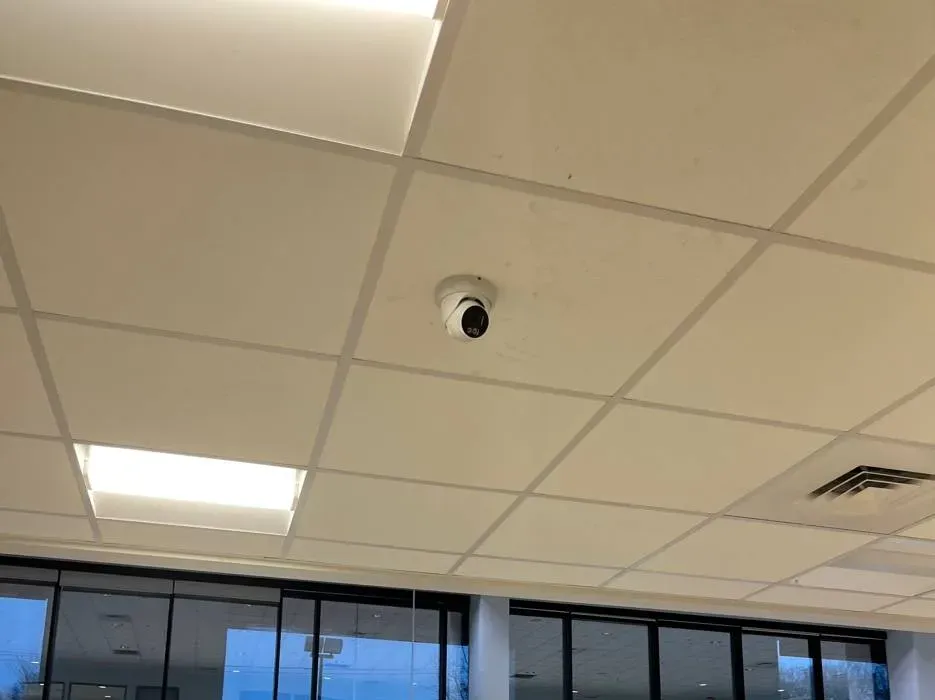
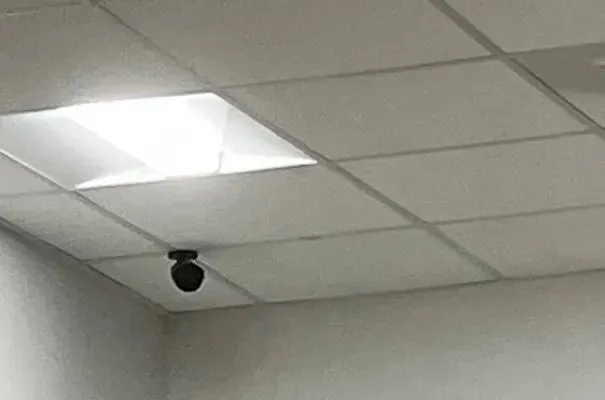
Example photo from another AESS job (not a Brooklyn property): a small dome camera on a ceiling tile looking toward a run of glass doors. In a Brooklyn store or lobby, the first camera we place is the one that sees every face coming through the entrance.
Brooklyn Lorex Camera Quote
Tell us the building, how many floors, and where the internet comes in — a written Lorex price follows the same business day
✅
Request Sent!
A Lorex installer will call you back about the Brooklyn job the same business day.
25+
Years Experience
✓
Same-Day Estimates
100%
Licensed & Insured
4.7★
201 Google Reviews
Three answers get a Brooklyn Lorex quote moving. Which floor the internet modem is on, whether the house has a cellar you can stand up in, and which doors matter most — the stoop, the garden door, the cellar door under the stoop, or a store entrance. Text them with a photo of the front and the back to (347) 934-8335 and we can sketch the cable route before anyone visits.
Installed Lorex systems in Brooklyn start at $1,795 for four cameras with the recorder, a drive holding at least two weeks, cable up to 100 feet per camera and app setup
Recording stays on a recorder you own; Lorex sells its systems with no monthly fee
Two-hour arrival windows, seven days a week up to 8 PM, under NYS low-voltage license #12000287431
Why Brooklyn Properties Need Lorex Camera Installation
Brooklyn houses touch each other. The Census Bureau's 2023 five-year survey counts 93,812 homes in Kings County in one-unit attached buildings and only 52,359 detached, with another 175,805 in two-unit buildings and 170,655 in buildings of three or four units. Half the county's housing — 513,629 of 1,090,187 homes — was built in 1939 or earlier, and the median year built is 1943. In practice that means a long, narrow house with two exposed faces: a stoop and areaway on the street, and a garden door on a yard boxed in by fences and the backs of the next row. A Lorex system in Brooklyn has to watch both ends of the same building, and almost everything that makes the job hard happens in the forty to sixty feet of brick, joists and plaster between them.
Owners say as much when they describe the problem in their own words. One brownstone owner on a home-networking forum wrote that their router sat centrally on the third floor of a four-storey brick house and still “doesn't get great signal through the floors and walls.” Another, writing about cameras on a Brooklyn brownstone, noted that “the front yard is like 20' wide and 10' deep,” so the doorbell and the cameras overlapped. On the Park Slope board, residents trading ideas about packages left in brownstone vestibules suggested a buzzer with a camera so drivers can be let inside. Those three comments are the Brooklyn brief in miniature: Wi-Fi that dies in the masonry, a front that is small enough to over-cover, and a vestibule that matters as much as the sidewalk.
The reason people call at all is usually a door. In July 2026 the NYPD released images of a man linked to eleven commercial burglaries across the 76th, 77th, 78th, 79th, 83rd and 94th precincts — Carroll Gardens and Gowanus through Crown Heights, Park Slope, Bed-Stuy, Bushwick and Greenpoint — and said he got in through basement-level doors. In September a man walked into a residential building near West End Avenue and Shore Boulevard and left with packages holding sports cards police valued at about $17,400. In both cases the police asked the public for time-stamped doorbell and store video. A Brooklyn Lorex system earns its keep in exactly that moment, and only if the cellar door, the vestibule and the counter were covered at face height and the footage can be pulled off the recorder in minutes.
Lorex fits this housing well when it is installed as a wired system. Its network video recorders power each camera through one Ethernet cable, keep the recordings on a drive inside the house, and are sold without a monthly fee. What a kit cannot do is decide where that recorder should sit in a building with no attic, how to get eight cables from a cellar to a cornice without chasing plaster, or which camera positions on a landmarked front the Landmarks Preservation Commission will accept. That planning is the installation. Owners who cover the stoop with cameras often want the buzzer upgraded at the same visit, and we can price an intercom for the Brooklyn vestibule alongside the Lorex work.
Brooklyn facts that shape a Lorex install
Attached beats detached nearly two to one — 93,812 one-unit attached homes against 52,359 detached in Kings County (Census ACS 2023 five-year), so most Lorex jobs here are front-and-back rowhouse layouts, not four-sided houses.
Two- to four-unit buildings hold about 346,000 homes (175,805 two-unit; 170,655 three- or four-unit, same survey) — which is why “who sees which camera” is a normal Brooklyn question.
Median year built 1943, with 513,629 homes in buildings from 1939 or earlier — masonry party walls, lath-and-plaster interiors and very few empty conduits to pull cable through.
Lorex lists 328 feet (100 m) as the longest Ethernet run from recorder to camera, and a PoE switch in between for anything longer — comfortably enough for a 100-foot Brooklyn lot if the route is planned.
NYPD investigators asked for time-stamped doorbell and in-store video after the basement-door burglary pattern across six Brooklyn precincts in July 2026.
The city's 2024 electrical code law (Local Law 128 of 2024) defines low-voltage work as wiring designed to run below 50 volts for signaling, communication, alarm and data circuits and lets qualified persons do it without an electrical permit, while 120-volt work stays with licensed electricians.
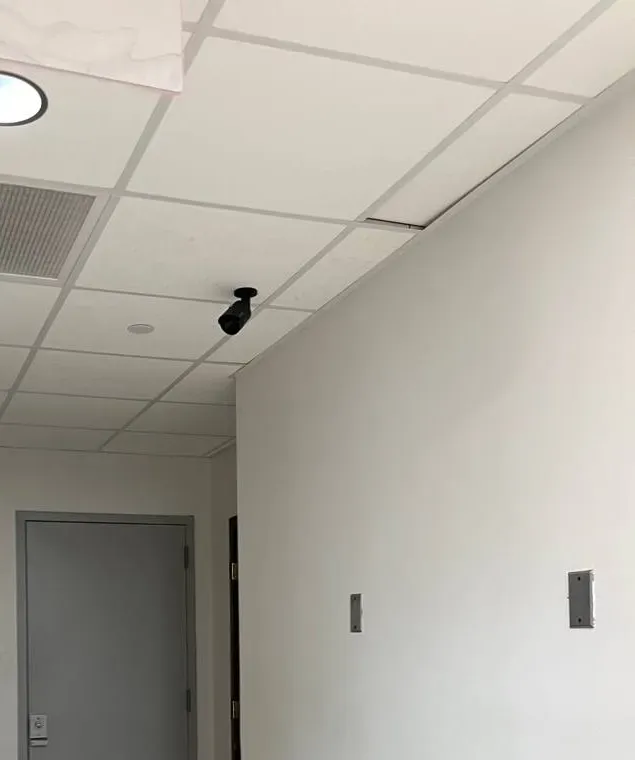
Example photo from another AESS job (not a Brooklyn property), cropped to the wall: a black bullet camera high on a pale wall, angled down at a plain grey door. A Brooklyn cellar or rear service door gets the same treatment: one camera, close, looking straight at the door.
Lorex Cameras Gone Dark or Offline in Brooklyn?
Black tiles on the monitor, an app that says the recorder cannot be found, a doorbell that dropped off after the router was replaced — call (347) 934-8335. We book the next two-hour window, and most Brooklyn Lorex systems are recording and viewable again within one to two hours of arrival, even when the lasting fix is a new cable or a new drive ordered for a second visit. Systems from other brands go to camera repair in Brooklyn.
Before you call, look at these four things
Is the recorder itself on? In a cellar the recorder often shares a power strip with the boiler controls or a dehumidifier. Look for lights on its front panel and listen for the fan.
Is it one camera or all of them? One black tile usually means one cable or one camera. Every tile black, or the recorder missing from the app, points to power, the drive or the internet connection.
Did anything change on the network? A new modem from the internet provider, a new mesh system or a changed Wi-Fi password breaks remote viewing far more often than a failed camera does.
Which app are you opening? Lorex now publishes three apps. If yours was renamed or updated recently, write down the name on your phone's screen before you call.
Send those answers with your request and we arrive with the right part instead of a guess.
What We Install
Lorex Camera Installation Services in Brooklyn
Most Brooklyn Lorex jobs are some combination of the nine pieces of work below. The first two decide whether everything else goes smoothly.
🗄
Recorder Placement
Choosing the room for the Lorex NVR — dry, ventilated, close to the modem or reachable by one network cable from it, and hard for an intruder to find and carry off.
🧱
Front-to-Back Cable Routes
Planning how each PoE cable climbs or drops through an attached house: cellar ceilings, closet corners, behind baseboards, up a rear wall to the cornice, never across a parlor ceiling.
🚪
Stoop, Vestibule and Areaway
Cameras that show faces on the stoop, the parcel shelf inside the outer door and the cellar entrance under the stoop, placed with the landmark rules in mind where they apply.
🌿
Garden Door and Yard
A camera at the rear door and one looking back from high on the wall, aimed at your own ground and masked off the neighbors' yards on either side.
🔔
Lorex Doorbells
Wired Lorex doorbells on the stoop or the gate, with the 16–24 volt AC supply Lorex specifies checked or replaced first, since older houses often have weaker transformers.
📶
Fusion Wi-Fi Additions
On Fusion recorders, Wi-Fi cameras for the places a cable truly cannot reach, after a signal check at the exact mounting point.
🏪
Storefront Lorex Systems
Counter, register, door and stockroom coverage for bodegas, salons and restaurants, with the recorder locked away from the front of the shop.
📱
App and User Setup
The correct Lorex app for your recorder, remote viewing tested on cellular data, and access set up for each household member who needs it.
🔧
Inherited and Ailing Systems
Lorex systems that came with a house or a lease: passwords recovered through the proper reset, drives tested, dead cameras traced and replaced.
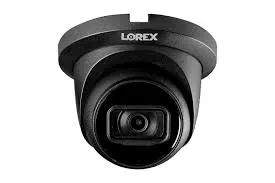
Manufacturer product photo (not an installed camera): a black Lorex turret. Turrets are our default for Brooklyn stoops, vestibules and garden doors because they sit tight to brick and are easy to aim at face height.
Building Specialists
Lorex Systems for Brooklyn's Architecture
The same eight-camera Lorex kit goes in very differently depending on what it is going into. These are the Brooklyn building types we wire most often, and what each one changes about the install.
Brownstone and Limestone Rowhouses
Bed-Stuy, Park Slope, Crown Heights, Clinton Hill, Fort Greene. Masonry fronts, high stoops, cellars under the parlor floor and deep yards. The recorder usually goes in the cellar or a parlor-floor closet, with cables to the front run along the cellar ceiling and up inside the stoop.
Frame and Brick-Faced Rowhouses
Bushwick, Sunset Park, East New York, Gravesend. Lighter construction, often vinyl or aluminum siding over wood, and narrower lots. Cable can sometimes drop inside a hollow exterior wall, but the siding needs mounting blocks so cameras sit flat and seal properly.
Two- and Three-Family Brick Houses
Bensonhurst, Flatbush, Canarsie, Borough Park, Bay Ridge. Separate entrances for each household, a shared side alley or driveway and often a shared cellar. The design question is who owns the recorder and which cameras each unit sees.
Walk-Ups and Mixed-Use Buildings
Four- and five-storey buildings with a store below, on Fifth Avenue, Nostrand Avenue, Myrtle Avenue and Church Avenue. A commercial tenant's system and the residential hallway system should be separate, even when both are Lorex.
Detached and Semi-Detached Houses
Marine Park, Mill Basin, Dyker Heights, Manhattan Beach, Midwood. Driveways, side yards and rear garages, so camera counts climb and the furthest camera may be a hundred feet from the recorder.
Lofts, Workshops and Warehouses
Gowanus, Red Hook, East Williamsburg, Sunset Park. High ceilings, roll-up doors, exposed brick and steel. Cables can travel exposed in conduit, which makes routes simple, but camera heights and lens choice matter more.
How the method changes from house to house
Through masonry. On brick and brownstone we take the cable outside through a mortar joint rather than the face of the brick or stone, sleeve the hole, seal it, and fix the camera base into mortar or plain masonry with masonry anchors. The Landmarks Preservation Commission's own guidance says the same for designated buildings: attach at mortar joints or plain masonry and keep away from cast iron and decorative surfaces. On a carved lintel, a cornice bracket or a terracotta panel, nothing gets drilled.
Up the back wall. The rear of most Brooklyn rowhouses is plain common brick, which makes it the honest place for a vertical cable. A single cable in a short, painted raceway from the garden-door level up to a camera under the cornice is usually less disruptive than fishing it inside a party wall, and it is serviceable later. On the street front the cable stays hidden whenever possible, entering the camera from behind.
Inside plaster walls. Lath-and-plaster cracks when it is cut carelessly, and a century of paint hides old gas pipes and knob-and-tube remnants. We prefer existing paths: closet corners, the gap behind a baseboard, an abandoned dumbwaiter or chimney chase where it is safe and clean, the cellar ceiling. Where concealed in-wall cable is the only acceptable route, it is priced per camera in advance so there are no surprises.
Siding and frame houses. On vinyl or aluminum siding, a camera fixed straight onto the ribbed surface never seals and slowly loosens. A mounting block that matches the siding profile gives the camera a flat base and the cable a clean entry, and the screws reach the sheathing behind.
Shared walls and shared views. In attached housing, every camera on the side of a yard is close to a neighbor. New York's Civil Rights Law section 52-a gives a homeowner a right to sue someone who installs a video device on adjoining property to record their backyard without written consent, so we aim yard cameras at your own ground and mask out the neighbors' yards in the Lorex settings. The same visit is a good time to ask whether the side gate needs a smart lock in Brooklyn, since the camera will show who used it.
A camera plan for a two- or three-family house
The Census numbers say roughly a third of Brooklyn's homes are in two- to four-unit buildings, and those houses raise questions a single-family plan never does. Before we place a single camera on a Bensonhurst or Flatbush two-family we settle four things with the owner, in writing, because changing them later means re-cabling.
Who owns the recorder. Normally the owner of the building, kept in the owner's unit or a locked part of the cellar, not in a shared hallway. Tenants can be given live access to some cameras without being given the recorder.
Which cameras each household sees. A shared side alley, the garbage area and the street door usually serve everyone. A camera on the owner's private garden door or inside the owner's entrance does not. We list each camera against each user before setup.
Where nothing points. No camera looks into a tenant's windows or through their door, and none sits inside a tenant's private entrance. Hallway cameras look along the hall, never at a door.
What happens at move-out. When a tenant leaves, their app access must be removed the same day. We show the owner how to do it, because a former tenant with live access to the building's cameras is a common and avoidable problem.
The same thinking applies, on a larger scale, to a walk-up. There the recorder belongs in a locked room, the hallway and entrance cameras serve the building, and a commercial tenant on the ground floor keeps its own separate system.
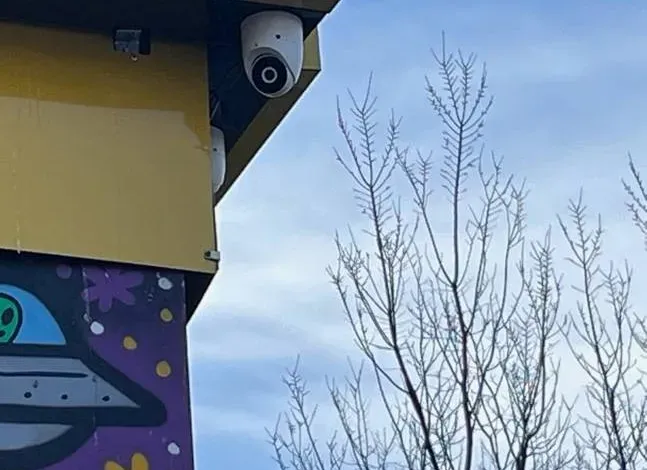
Example photo from another AESS job (not a Brooklyn building): a white dome camera tucked under the corner of a painted fascia above a mural. On Brooklyn mixed-use fronts the store tenant’s camera often lives in exactly this kind of corner, separate from the building’s own system.
Commercial Lorex
Business Lorex Camera Installation in Brooklyn
Lorex is a sensible choice for a Brooklyn shop, office or small warehouse that wants a recorder on the premises and no monthly bill. For larger commercial sites Lorex also publishes a separate app, Lorex Pro, built for wired systems and multi-camera viewing of up to sixteen cameras. These are the corridors where our commercial Lorex work concentrates, and what each tends to need.
Fifth Avenue, Bay Ridge
The Bay Ridge Fifth Avenue BID runs from 65th to 85th Street: restaurants, salons, pharmacies and small offices, many with apartments above. Typical Lorex job: four to eight cameras covering the door, the register and the back exit, recorder in a locked office or the cellar.
Fulton Mall, Downtown Brooklyn
Fulton Street between Flatbush Avenue and Adams Street. High foot traffic, narrow deep stores and stockrooms on upper floors. The camera that matters most looks back at the entrance from behind the counter at face height.
Industry City and Sunset Park
Industry City describes itself as a six-million-square-foot campus in the former Bush Terminal, with the side streets around it full of wholesalers and food producers. Tenants usually want their own unit, loading door and office on their own Lorex recorder, separate from the landlord's cameras.
Brooklyn Navy Yard
More than 300 acres and more than 550 businesses, according to the Yard's own impact report. Small manufacturers and studios ask for coverage of a workshop door and an equipment bay; building-wide systems stay with the property's management.
Nostrand, Church and Flatbush Avenues
Delis, bakeries, beauty supply stores and take-out counters in East Flatbush, Flatbush and Crown Heights, close to our Troy Avenue office. Long narrow stores where one high camera over the door and one over the counter do most of the work.
Gowanus, Carroll Gardens and Greenpoint
Converted industrial buildings, workshops and ground-floor offices, three of the precinct areas where the July 2026 basement-door burglary pattern was reported. Cellar and rear service doors get their own camera, not just the shopfront.
Rules a Brooklyn business should know before the cameras go up
Audio is a different legal question from video. New York's Penal Law section 250.05 makes eavesdropping, including mechanical overhearing of a conversation, a class E felony, and section 250.00 defines that as recording a conversation without the consent of at least one party by someone not present. Many Lorex cameras carry microphones; in a store we usually leave audio recording off unless you have taken advice that it is lawful for your setup.
Federal money changes the brand choice. If the store, office or workshop is paid for with a federal grant, or the business holds a federal contract covered by the NDAA, pick another platform: in its published FAQ Lorex excludes federal governments, federally funded projects and NDAA-bound contractors from its intended customers.
Some Lorex products are restricted for certain end uses. Since July 16, 2026, under the FCC's Public Notice DA 26-635, Lorex says some of its products may not be marketed or sold for public safety, government facilities, critical-infrastructure surveillance or other national-security purposes, and it may ask buyers to confirm the intended use. A neighborhood store is not in those categories; a municipal office or utility site is.
Cameras that record a neighbor's private space create risk. Section 250.40 of the Penal Law defines places where a person can reasonably expect to undress in privacy, and no camera goes near a restroom or changing area under any circumstances.
Small retailers may be able to recover part of the cost through a state tax credit for security equipment; the eligibility rules are covered in the questions below.
Insurance paperwork for landlords and boards. Commercial landlords and co-op boards often want a certificate of insurance before work starts. We issue one naming the building as needed, at no charge.
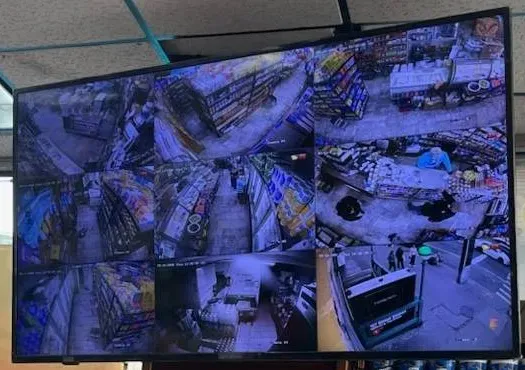
Example photo from another AESS job (not a Brooklyn store): a monitor hung near the ceiling showing a grid of aisle and counter views. In a Brooklyn shop the monitor stays where customers can see it, and the recorder stays out of reach in the back.
Your Questions Answered
Lorex Camera Installation in Brooklyn: Questions Answered
These are the questions Brooklyn owners, tenants and shopkeepers ask about Lorex specifically, grouped by the problem underneath them: where the recorder goes, how cable crosses an old house, wired versus Wi-Fi, the apps and accounts, the brand's ownership and legal questions, storefronts, and what to do when footage is suddenly important.
Where the Recorder Lives in an Attached House
Cellar, parlor-floor closet or top floor — where should the Lorex recorder go in a brownstone?
Wherever the shortest set of cable routes meets a room that stays dry and reasonably cool. In most brownstones that is the cellar or the front of the garden level, because cables from there can run along open joists to the front under the stoop and to the back at the garden door, and only the cameras up high need a vertical run. A parlor-floor closet works well when the cellar is damp or used by a tenant. The top floor only makes sense when most cameras are at the cornice or roof line, which is rare on a rowhouse.
Two rules decide between candidates. The recorder needs a wired network connection to the router for remote viewing — Lorex's own Fusion system page says remote access requires the recorder to be connected to the router by cable and recommends at least 6 Mbps of upload speed — so if the modem is on the third floor and the recorder in the cellar, one cable has to join them. And the drive inside the recorder is the only copy of your footage, so the room should not be the first one a burglar walks through.
We mark the candidate rooms on a floor sketch during the walk-through, measure each camera's run from each of them, and pick the one with the shortest, least destructive routes. The difference between a good and a bad choice is often thirty feet of cable per camera and a day of labor.
The router is upstairs and the only dry room is the cellar — can the recorder and the router sit on different floors?
Yes, and in Brooklyn they often do. The recorder only needs one network cable to the router; the cameras connect to the recorder, not to the router. So the job is a single cable from the modem floor down to the recorder, usually following an existing path such as the internet provider's own line, a closet stack or the space beside a radiator riser.
The alternative is to move the internet. Many owners use the Lorex visit to bring the modem down to the cellar or garden level and run cable back up to a Wi-Fi access point, which can also fix weak Wi-Fi on the upper floors. Whether that is worth it depends on how the provider's line enters the house; we check before suggesting it.
What we avoid is a powerline adapter or a Wi-Fi bridge between recorder and router as the permanent link. They work on the bench and then fail quietly under load, and a Lorex recorder that drops its internet connection still records but stops sending alerts.
Why shouldn't the Lorex recorder sit on the media shelf beside the parlor television?
Because the parlor is the room a visitor, a contractor or an intruder sees first, and a box with blinking lights next to the television announces where every recording is kept. It is also usually the warmest, most enclosed spot in the room, wedged in a cabinet with a cable box and a games console, which is hard on a hard drive that runs every hour of every day.
Owners put it there because the television is where they want to watch the cameras. That does not require the recorder to be in the same room. An HDMI extender or a long video cable lets the picture appear on the parlor TV while the recorder lives in the cellar, a hall closet or a locked cabinet with air around it, and the phone app does the rest.
On some Lorex models individual cameras or the doorbell can also keep clips on a memory card, which gives a second copy if the recorder is ever damaged or lost. Which of your cameras can do that depends on the model, and we tell you before you choose.
Getting Cable From the Back of the House to the Front
How does a network cable travel from the rear yard to the stoop of an attached house without opening the walls?
Through the cellar, almost always. Brooklyn rowhouse cellars have exposed or easily reached joists running the full depth of the house, so a cable can run along the cellar ceiling from the garden door to the front wall, then up inside or under the stoop to the vestibule or the parlor-floor window head. Each camera gets its own cable, but they can share a path, so the work is done once.
Where there is no cellar, or a finished one with a sealed ceiling, the options are the rear wall to the roof and across, an existing chase such as a disused dumbwaiter, or a closet stack. Each has a cost in labor and appearance, and we show you the route on a sketch before drilling.
The cable itself should be outdoor-rated where it is outside, and Lorex recommends Cat6 for better signal on its Fusion systems, though Cat5e is listed as working. On older houses we use Cat6 throughout, because the cable outlives the cameras and the next upgrade may need it.
Where the cable passes through the brick, will water or mice follow it in?
Not if the hole is made and sealed properly. We drill through a mortar joint with a slight downward slope to the outside, run the cable through a sleeve, form a drip loop below the hole so water runs off before it reaches the entry, and seal both ends. On the inside, the sleeve end is filled so there is no open path for insects or rodents.
Mortar joints are also the reversible choice. If you remove the camera years later, a hole in a mortar joint is repointed and disappears; a hole through the face of a brick or a brownstone block is a permanent scar. On landmarked buildings, the Commission's guidance asks for exactly this approach.
Old brownstone cellars can be damp regardless, so we keep cable runs off the floor and away from walls that show efflorescence, and we never put the recorder itself on a cellar floor.
Can a Lorex camera go on the shared wall or fence at the side of our yard?
On your own side of your own wall, yes. On a party wall or a shared fence, only with your neighbor's agreement, and it is wise to have that in writing. The bigger question is where the camera points: Civil Rights Law section 52-a lets a homeowner sue a neighbor who installs a camera to record their backyard without written consent, so a side camera must look along your yard, not across into theirs.
Where the recorder and camera support privacy masking, we draw masks over parts of the view so those areas are blacked out in the recording. In a narrow Brooklyn yard we usually mask the neighbors' yards and windows completely and set motion detection so it ignores movement there.
Often the best yard camera is not on the side at all. A camera high on your rear wall looking down the length of the yard sees the garden door, the back fence and anyone coming over it, and its view stops naturally at your fence line.
Wired, Fusion Wi-Fi or a Mix
Which spots on a Brooklyn property actually justify a Lorex Wi-Fi camera instead of a cable?
Fewer than you might think. A wired PoE camera gets power and data on one cable and never needs charging or a signal check, which is why most Brooklyn Lorex systems are fully wired. Wi-Fi earns its place where a cable route would cost more than the camera is worth: a detached garage at the end of a Marine Park driveway, a shed across a yard with no safe route, a rented apartment where the lease forbids drilling, or a temporary position during renovation.
Masonry is the deciding factor. Lorex's own guidance for its Wi-Fi cameras is to place the camera as close to the router as possible and reduce obstructive materials between them. In a brownstone the obstructions are brick party walls, plaster on lath, and floors with decades of layers; a Wi-Fi camera at the garden door with the router on the third floor is a camera that will drop out.
When Wi-Fi is the right answer, we measure the signal at the exact mounting spot with a meter before installing, and often add a wired access point near that end of the house so the camera has something strong to connect to.
Can a Lorex doorbell on the stoop run off the house's old doorbell wiring?
Sometimes. Lorex says its wired video doorbells need a constant supply between 16 and 24 volts AC, and adds that most older homes have 10-volt transformers that do not provide enough. In a Brooklyn rowhouse the existing bell wire may run to a transformer like that, or it may be part of an apartment buzzer system with an entirely different voltage, or it may be cloth-covered wire that should not be trusted.
We test the wire and the transformer before mounting anything. If the transformer is too weak we replace it or fit Lorex's plug-in power adapter; if the bell wire is unusable we run new low-voltage cable from the cellar. On a two- or three-family house with a buzzer panel, the Lorex doorbell usually goes beside the panel for the owner's door rather than replacing the panel.
Masonry around the door frame matters too. The doorbell should sit on the frame or a mortar joint, not on carved stone, and at a height where it sees the face of someone on the top step.
Our Fusion recorder takes Wi-Fi cameras — is there a limit to how many we should add?
There is a hard limit and a practical one. The hard limit is printed on the product: for example, Lorex sells a Fusion 16-channel recorder as eight wired plus eight Fusion Wi-Fi channels, so the wired cameras cannot use the Wi-Fi slots and vice versa. Check the label on yours, because different Fusion models split their channels differently.
The practical limit is your Wi-Fi. Every Wi-Fi camera streams continuously to the recorder over the same wireless network your family uses for video calls and television, and older Brooklyn houses are already hard on that network. Two or three Wi-Fi cameras near a strong access point are usually fine. Eight spread around a brick house are not.
If you are filling Wi-Fi channels because cable seemed hard, it is worth a quote for wiring the same positions. The cable is a one-time cost; dropped Wi-Fi recordings keep costing you.
The Lorex App, Accounts and Inherited Systems
Our phone app turned into “Lorex Classic” overnight and will not sign in — is the recorder broken?
Almost certainly not. Lorex reorganized its apps: its apps page now lists Lorex Connect for the newer wired and Wi-Fi line, Lorex Classic — “previously known as the Lorex App” — for the Fusion line, and Lorex Pro for wired commercial systems. Owners on the Lorex community forum have described exactly this: the Android app updated, came back under the Classic name, and stopped accepting the login for a recorder on the home network.
The recorder keeps recording through all of this; what broke is the phone's route to it. The fix is usually to confirm from the recorder's model number which app it belongs to, sign in again with the right account, and re-add the recorder if the update dropped it. A forgotten account password or a recorder that was added by a previous owner adds a reset step.
When we install a Brooklyn system we write the recorder model, the app name and the sign-in steps on a one-page sheet and leave it with you, so the next app update is a five-minute job rather than a service call.
We bought a house that came with Lorex cameras — how do we take the system over?
Carefully, and starting with a reset. Brooklyn houses change hands with camera systems still on the walls, and the previous owner may still have the recorder linked to their account and their phone. A new owner on a camera forum described exactly this: a new house with Lorex cameras around the outside and no idea how to connect them.
We identify the recorder model, check that every camera is still alive, and then reset the recorder to factory settings using Lorex's documented procedure for that model, which removes the old owner's account and passwords. After that the system is set up fresh on your account, with new passwords and your phones only. We also test the drive, because a recorder that has run for years in a cellar may have a tired disk.
If the system turns out to be an older Lorex line that the current apps no longer support well, we tell you plainly and price the cheapest way forward, which is sometimes a new recorder on the existing cables and cameras.
Our landlord put Lorex cameras in the hallway — what are they allowed to record?
Common areas, generally yes; your apartment, no. Brick Underground's guide for New York tenants puts it plainly: there is nothing illegal about hallway cameras, but landlords may not set them up so they see into individual apartments. The same guide warns that hallway footage is increasingly used in rent-regulation primary-residence cases, which is worth knowing whether you are the tenant or the owner.
In rent-stabilized buildings, cameras can also be part of how required services are delivered. In Matter of Bazile v Rubin (2018), the Appellate Division, Second Department, upheld a state housing agency finding that a video surveillance system was an adequate substitute for part-time lobby attendants. That is a decision the owner applies for, not one a camera makes on its own.
When we install a hallway system for a Brooklyn owner, every camera is aimed along the corridor, never at a door's peephole or into a unit, audio is off, and the recorder sits in a locked room. Tenants who ask what a camera can see get a straight answer.
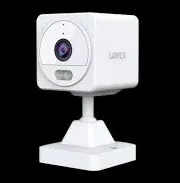
Manufacturer product photo (not an installed camera): a white Lorex indoor cube camera on a short stand. A Wi-Fi indoor camera like this suits a Brooklyn renter who cannot drill, as long as it stays out of bedrooms.
Ownership, Lawsuits and the 2026 Federal Rules
Lorex used to belong to Dahua — who owns it now, and why does that matter for a house?
Lorex is a brand based in Ontario, Canada, that Dahua acquired in 2018. Dahua agreed in late 2022 to sell it to Skywatch, a company based in Taiwan, for about US$72 million; Texas's attorney general says the sale closed on November 24, 2022, one day before the FCC barred new approvals for Dahua products. Lorex's own notice on the 2026 FCC rules says some Lorex-branded products are produced by a company whose products are on the FCC's Covered List.
For a Brooklyn homeowner, the practical meaning is about data and updates rather than legality. A Lorex system recording to a recorder in your own house, with remote access secured by strong passwords and current firmware, keeps the footage under your roof. We set systems up that way by default: unique passwords, firmware updated at install, and no unnecessary port openings on your router.
If supply-chain origin matters to you, say so at the start. We install other brands too, and we would rather recommend a different platform than install one you are uneasy about.
Is it wise to put a Lorex indoor camera in a child's bedroom?
We advise against it, whatever the brand, and Lorex is currently the subject of two lawsuits that turn partly on that point. Nebraska's attorney general sued in September 2025, saying Lorex told consumers its cameras were safe and secure enough to place in private spaces such as a child's bedroom while, the state alleges, not disclosing risks linked to its former owner Dahua; Texas's attorney general followed in February 2026 with a suit centered on Lorex baby monitors. Both are allegations in pending cases, not court findings, and neither release included a response from Lorex.
Our practice in Brooklyn homes is simple. Indoor cameras go in entrances, stairwells and hallways that show who comes and goes, not in rooms where people sleep or dress, and their microphones stay off unless you ask for them. If you want to watch a sleeping baby, a dedicated monitor that works only on your home network is a better tool than a security camera linked to an app.
Every Lorex system we set up gets unique passwords, current firmware and no unnecessary openings on your router, which matters most for any camera that can see inside the house.
If we buy Lorex in 2026, will replacement cameras still be available in a few years?
For a house or an ordinary business, Lorex says yes as things stand. Its notice on the FCC rules effective July 16, 2026 says the rules do not create a blanket ban, that the use, operation, service and support of equipment customers already own continues, and that firmware updates, pricing, product support and warranty service are unaffected. The caveat Lorex gives is narrow: replacement parts may be limited where the equipment is used for a restricted purpose such as public safety or government facilities.
What nobody can promise is that a particular camera model stays in the catalog. Lorex renames and replaces models often, which is one reason we favor recorders and cameras that follow common standards and leave spare channels, so a failed camera years from now can be replaced by a current Lorex model on the same cable.
If your project is federally funded, or your board or insurer has a policy on the brand, raise it before we order. In those cases we recommend a different platform from the start rather than a Lorex system you might have to replace.
Storefronts and Mixed-Use Buildings
In a narrow Brooklyn storefront, where should the Lorex recorder and monitor go?
The recorder goes in the back office or the cellar, out of reach of the counter, and the monitor goes where staff can see it and customers can see that it exists. A monitor facing the entrance is a deterrent in its own right; a recorder on the shelf under the register is an invitation.
In long, narrow Brooklyn stores the cable route is usually simple: along the ceiling or the cellar to each camera, with the recorder at the back. The cameras that pay for themselves are one high over the door looking in, one behind the counter looking out at face height, one on the register, one in the stockroom or cellar, and one on the rear service door.
If the store has a cellar entrance from the sidewalk, give it a camera. The July 2026 burglary pattern across six Brooklyn precincts came in through basement-level doors.
Our building has a store downstairs and apartments above — should it be one Lorex system or two?
Usually two. The store tenant needs control of its own cameras, its own recordings and its own app access, and the building owner needs the residential entrance, the hallways and the rear yard. Mixing them on one recorder means one party controls the other's footage, which leads to arguments the moment something goes missing.
Two small recorders cost less than people expect, and they can share the building's internet connection without seeing each other's cameras. Where the store's camera covers the shared sidewalk and the building's camera covers the residential door, the two systems overlap just enough to tell a full story.
If the owner and the store are the same person, one recorder is fine, but we still set up separate app users for the shop staff and the family.
Is a Lorex system covered by New York's tax credit for small retailers?
It can be. The city's business portal describes the New York State Commercial Security Tax Credit as available to businesses with 50 or fewer employees, worth up to $3,000 per retail location, with security cameras among the eligible purchases. The credit is claimed through the state, so your accountant decides whether and how to apply.
What we can do is make the paperwork easy: an itemized invoice that separates cameras, recorder, cabling and labor, with the store address on it and the installation date.
Check the current filing window when you get the quote. Program details and deadlines can change, and the portal is the place to confirm them.
When Footage Suddenly Matters
An NYPD detective asked for our camera footage — how do we get a clip off a Lorex recorder?
There are two ways: export it to a USB drive at the recorder, or download it to a phone from the app. The USB route keeps the original quality and the recorder's time stamp, which is what investigators usually want. Write down the date, the time window and the camera name before you start, because searching hours of footage on a small screen is slow.
Check the recorder's clock first. A recorder whose time drifted or was never set to New York time makes footage much harder to use. We set the time zone and daylight saving at installation and show you where to check it.
If you cannot find the clip or the export fails, call us. A service visit to pull and copy footage is billed at our standard rate, and it is often worth it when the clip matters.
How do we make sure an important clip is not overwritten before we save it?
Recorders like Lorex's are normally set to record over the oldest footage once the drive fills. If something happens, export or lock the clip as soon as you can; the days you have depend on drive size, camera count, resolution and whether you record continuously or only on motion.
Lorex's own storage calculator shows how much those settings matter. It assumes H.265 compression, notes that motion recording produces roughly 120 thirty-second events per recording hour, and says the Nano Codec on select recorders such as the X Series reduces file size by about 40 to 50 percent. We size the drive so a Brooklyn system holds at least two weeks, and longer for stores that only notice losses at month-end stocktaking.
If you know you will need weeks of history — for a dispute with a neighbor, a contractor or a tenant — tell us before installation, and the drive can be sized for it.
Is it legal in New York for our yard camera to pick up the neighbors talking?
Video and audio are treated differently. Recording a conversation you are not part of, without the consent of at least one person in it, can be eavesdropping under New York's Penal Law, and Lorex's own FAQ warns that audio monitoring is not legal everywhere and that buyers must check local privacy laws.
In a Brooklyn yard, where the neighbors' garden table may be eight feet from your camera, that matters. Our default is to leave audio recording off on outdoor cameras that face shared spaces, and to use two-way audio only on the doorbell, where you are a party to the conversation.
If you want audio for a specific reason, we will configure it, but we will ask where the microphones are and who is likely to be within range.
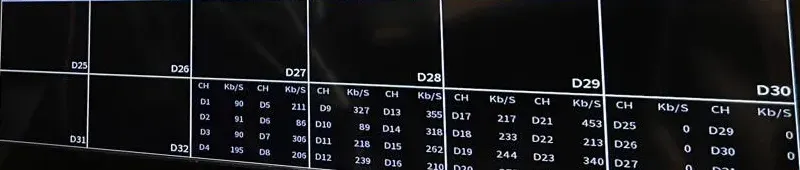
Example photo from another AESS job (not a Brooklyn system): a recorder’s channel list with the bitrate of each camera in Kb/s. Those numbers, multiplied by hours and cameras, decide how many days a Brooklyn Lorex drive can hold before it overwrites.
Equipment
Types of Lorex Cameras We Install
Lorex sells a wide catalog under several product lines, and the names change often. What matters on a Brooklyn job is the shape of the camera and how it is powered. These are the categories we install, and where each one earns its place on a rowhouse, a two-family or a shop.
💾
Lorex PoE Network Recorders
The heart of a wired system. Lorex Connect recorders support up to eight PoE cameras on some models, each on a single cable; Fusion recorders add Wi-Fi channels. Sized for camera count and at least two weeks of recording.
🟢
Turret Cameras
Our default for stoops, vestibules and garden doors: a short ball-shaped camera that sits close to the wall or ceiling, keeps glare off the lens, and is easy to aim at face height.
🔫
Bullet Cameras
Longer lenses for driveways, side alleys and the length of a deep yard. Many Lorex bullets carry warning lights and a siren that can trigger on a detected person.
🔵
Dome Cameras
For store ceilings, hallways and vestibules where a camera within reach needs a tougher housing. Some Lorex domes carry a vandal-resistance rating.
🔔
Wired Video Doorbells
For the stoop or a gate. Lorex specifies 16–24 volts AC; we check the supply first. Two-way audio lets you talk to a delivery driver from upstairs.
📶
Wi-Fi Cameras
For garages, sheds and rented apartments where cable is not possible, after a signal check at the mounting point. On a Fusion recorder they record alongside the wired cameras.
🏠
Indoor Cameras
Small cameras for a stairwell, a front hall or a store's back office. In homes we keep them out of bedrooms and bathrooms, and indoors we leave audio off unless you ask.
💡
Cameras With Security Lighting
Lorex models with built-in lights help the colour picture at a dark garden door, but in a twenty-foot yard the light is set low so it stays on your side of the fence.
Lorex installed locally versus the national alternatives
Question
Lorex wired system, installed by AESS
ADT
Ring
SimpliSafe
Where the footage lives
On a recorder inside your house
Depends on the package chosen
Mostly cloud, by subscription
Mostly cloud, by subscription
Monthly fee to record
None required on local-storage systems
Typically part of a monitoring contract
Plan needed for recorded video history
Plan needed for recorded video history
How cameras are powered
One PoE cable per camera from the recorder
Varies
Battery, plug-in or wired, mostly Wi-Fi
Battery or plug-in, Wi-Fi
Behaviour through brick walls
Unaffected — cabled
Varies
Wi-Fi limited by masonry
Wi-Fi limited by masonry
Who plans the cable route
A licensed installer who walks your building
Company technician
Usually you
Usually you
The comparison is about system types, not quality rankings. Wi-Fi and subscription cameras are a good fit for a renter who cannot drill; a wired local recorder suits an owner who plans to stay and wants footage in the house. Check each company's current plans before deciding, since fees and features change.
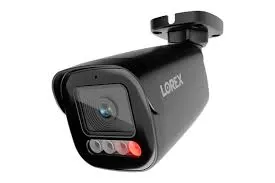
Manufacturer product photo (not an installed camera): a black Lorex bullet with warning LEDs under the lens, one lit red. In a narrow Brooklyn yard we set lights and sirens so they respond to people on your side of the fence, not the neighbor’s cat.
AI Overview Reality Check
What AI Gets Wrong About Lorex Camera Installation in Brooklyn
We could not capture Google's AI Overview from our build environment, so the claims below are the ones that circulate in product listings, forum threads and generic how-to articles — the material AI answers are built from. Each one is reasonable in a suburb. Each needs adjusting for a Brooklyn building.
1. “A Lorex camera can be up to 328 feet from the recorder”
That is what Lorex's help page says: the maximum Ethernet cable length between a recorder and a camera is 328 feet, or 100 metres, and a PoE switch can be added for longer runs. Lorex's own Fusion system listing gives a lower figure for the same idea — a maximum PoE run of 300 feet, with a separate power supply beyond that.
Neither number is the problem in Brooklyn. A typical rowhouse lot is around a hundred feet deep, so even the longest camera is well inside the limit. The real limit is the route: a cable that has to go down to the cellar, along the house, up inside the stoop and across a cornice can be three times the straight-line distance, and every turn through masonry costs labor.
So the useful question is not how far Lorex reaches. It is whether there is a sensible path from the recorder to each camera, and that is answered on a floor sketch, not a spec sheet.
2. “Lorex has no monthly fees”
True for recording. Lorex markets its systems with “No Monthly Fees” and, on its Lorex Connect line, “Own it. No subscriptions required.” A wired Lorex recorder keeps your footage on its own drive and shows it in the app without a plan.
But Lorex also sells cloud products and subscriptions, including its Connect Cloud+ cameras, and some Wi-Fi cameras store clips on a memory card or in the cloud rather than on a recorder. A kit bought for its no-fee promise can end up with a subscription if the cameras chosen are cloud-first.
On Brooklyn installs we specify recorder-based cameras unless you choose otherwise, and we tell you in writing which items, if any, involve an ongoing charge.
3. “Wi-Fi cameras are the easy option for older homes”
Easy to mount, hard to keep online. Lorex's own guidance for its Wi-Fi cameras says to place them as close to the router as possible and reduce obstructive materials in between. A brownstone is mostly obstructive materials: brick party walls, plaster on lath, deep floors.
Brownstone owners report the same. One described a router in the middle of the third floor of a four-storey brick house that still did not reach well through floors and walls. Put a Wi-Fi camera at the garden door of that house and it will drop recordings exactly when the house is busiest on the network.
Wired Lorex cameras avoid the issue entirely, and in Brooklyn the cost of the cable is usually less than people fear because the cellar does most of the work.
4. “Every Lorex system uses the Lorex app”
There are now three. Lorex lists Lorex Connect, Lorex Classic — which it describes as previously known as the Lorex App — and Lorex Pro for wired commercial systems. Which one you need depends on the recorder you own.
Forum posts show the confusion this causes: owners whose app updated to the Classic name and then could not sign in to their local recorder, and installers who stopped carrying Lorex after customers could not connect through an earlier app. None of that is a hardware fault, but all of it is a support call.
We confirm the app from the model number before installation, set it up on each phone, and write the app name on the handover sheet so nobody has to guess later.
5. “Any old doorbell wire will power a Lorex doorbell”
Lorex disagrees. It says its wired doorbells need a constant 16 to 24 volts AC and that most older homes have 10-volt transformers that do not provide enough voltage. Brooklyn houses are older homes by definition; the median year built in Kings County is 1943.
On top of that, many Brooklyn front doors are wired to an apartment buzzer or intercom, not a simple chime. Connecting a doorbell camera to the wrong circuit can damage both.
We meter the wire first, replace an underpowered transformer or use Lorex's plug-in adapter, and leave building intercoms on their own circuits.
6. “Lorex is banned now”
Not for homes and ordinary businesses. Lorex's notice on the FCC's Public Notice DA 26-635, effective July 16, 2026, says some Lorex-branded products are produced by a company on the FCC's Covered List and cannot be marketed or sold for public safety, government facilities, critical-infrastructure surveillance or other national-security purposes — and that the rule does not create a blanket ban.
Lorex also says customers who already own its equipment can keep using it, with firmware updates, product support and warranty service continuing, subject to limits on replacement parts for restricted uses.
The real exclusions are narrower and come from Lorex's own FAQ: its products are not for federal governments, federally funded projects or NDAA contractors. If your Brooklyn project is one of those, we recommend a different brand.
7. “Mount the cameras high so nobody can reach them”
High is safe from tampering, but on a rowhouse it often means a camera under the cornice that records the tops of heads and the far side of the street. On a stoop, the face that matters is a step or two below the door.
The better pattern on Brooklyn fronts is one camera high for the overview and one at the door frame or vestibule, around head height, for faces. A doorbell camera often does the second job.
On landmarked fronts the Commission's guidance points the same way: discreet spots such as beneath a band course or under the stoop are preferred to the open facade, which tends to give a better face angle as well.
Plan the Cable Before You Buy the Kit
Tell us where the modem is, whether there is a cellar, and which doors you care about. We will suggest where the Lorex recorder should go, how many cameras the building really needs, and the Brooklyn price before you order a box.
For a Brooklyn Lorex quote we need the neighborhood and building type, the number of floors, where the internet comes in, and the doors, yard or rooms you want covered. If you already own Lorex equipment, the recorder's model number helps. A written total comes back the same business day; to talk it through, call (347) 934-8335.
✅
We Got Your Request!
Thank you — an installer will look at the building, the floors and the doors you listed, then call you back today with a route and a price. Urgent? Use (347) 934-8335.
How It Works
Our Installation Process
Seven steps for every Brooklyn Lorex job, from a single-family rowhouse to a store with apartments above. The first three decide most of the price and most of the mess.
1. Sketch the building from photos
From a photo of the front, one of the back and the floor the modem is on, we sketch the house and mark likely recorder rooms and camera positions before anyone travels.
2. Walk the cellar and the doors
On site we start in the cellar to find the cable paths and the dry corner, then stand at each door to find where faces will be, and note any landmark rules on the front.
3. Pick the recorder room and routes
We choose the recorder location by measuring every camera's run from each candidate room and taking the shortest, least destructive set of routes.
4. Write the plan and the price
You get the camera list, the recorder and drive size, each cable route, the app your system will use and the price on the Brooklyn base figures, in writing.
5. Pull cable and mount cameras
Cables go along the cellar ceiling and up through closets or the rear wall, out through sealed mortar-joint holes, and each camera is anchored into mortar or plain masonry.
6. Configure recorder, app and privacy
We set the time zone, update firmware, set unique passwords, draw motion zones and privacy masks, size recording for at least two weeks, and set up the correct Lorex app.
7. Test and hand over
We check every camera by day and by night, export a test clip, confirm remote viewing on cellular data and leave a one-page sheet with the model, app and sign-in steps.
Coverage Area
Lorex Cameras Near Brooklyn's Landmarks
Six places that stand for the kinds of Brooklyn property we wire for Lorex, from the borough's first historic district to its working waterfront.
Brooklyn Heights Historic District
Designated on November 23, 1965, the city's first historic district. Landmarked rowhouse fronts where cameras belong under the stoop or beside the door, with cable entering from behind.
Park Slope Historic District
Designated in 1973 and extended into the South Slope in 2012, with two- and three-storey rowhouses behind deep front yards. Long front gardens push the face camera to the gate or the door.
Fifth Avenue, Bay Ridge
The Fifth Avenue BID corridor from 65th to 85th Street, where storefronts sit under apartments and the cellar door on the sidewalk deserves its own camera.
Industry City, Sunset Park
The six-million-square-foot former Bush Terminal campus, with tenant units, loading doors and the wholesale side streets around it.
Brooklyn Navy Yard
More than 300 acres and more than 550 businesses, from small manufacturers to studios, many wanting a recorder of their own for their own door.
Riegelmann Boardwalk, Coney Island
Where the local council member funded NYPD cameras between West 28th and West 29th Streets — a reminder that public cameras stop at the street, and the stoop and the store are yours to cover.
We also install Lorex in Bedford-Stuyvesant, Crown Heights, Flatbush, East Flatbush, Canarsie, Midwood, Borough Park, Bensonhurst, Dyker Heights, Sheepshead Bay, Marine Park, Mill Basin, Gravesend, Kensington, Windsor Terrace, Carroll Gardens, Red Hook, Gowanus, Williamsburg, Greenpoint, Bushwick, Clinton Hill, Fort Greene, Prospect Heights and East New York.
Pricing
Lorex Camera Installation Cost in Brooklyn
Brooklyn is the base market for our pricing, so these are the base figures for Lorex installation. They come from the Brooklyn Lorex prices we already publish: installed prices that include the Lorex equipment, mounting, cable up to 100 feet per camera, a drive holding at least two weeks of recording, and phone setup. Sales tax is extra. Our Brooklyn Lorex price list shows every camera and recorder individually.
Item
Brooklyn price
What moves it
Lorex camera, installed (each)
$278–$1,376
Model, resolution and features: turret, bullet, dome, dual-lens, pan-tilt or doorbell
Lorex recorder with setup
from $470
Channel count, built-in PoE ports and drive size
Two-camera Lorex kit, installed
from $1,080
Which series — U3 2K+ kits start lower than V-series 4K kits
Four-camera Lorex system, installed
from $1,795
Camera series, dome versus turret or bullet, how hard the four cable routes are
Six- or eight-camera Fusion system, installed
from $2,274 (six) / from $2,950 (eight)
Fusion recorder, mix of wired and Wi-Fi, longer routes to a yard or garage
Concealed in-wall cable
$200 per camera
Only where surface or cellar routes are not acceptable
Your own Lorex equipment installed
$175 per camera line
Covers cable up to 100 feet, mounting, termination and connection to your recorder
Service visit after installation
$195 an hour, 3-hour minimum ($585)
Re-aiming, adding users, footage export, faults not covered by warranty
Four things push a Brooklyn Lorex price up or down more than the camera choice does. The first is the recorder location: a cellar under the whole house usually means short, easy routes; a closet on the top floor of a house with no cellar means long vertical runs. The second is masonry: every pass through a brick or brownstone wall is careful, sealed work. The third is height: a cornice camera on a four-storey front needs more ladder or access than a garden-door camera. The fourth is landmark status, which can steer cameras to positions that take longer to reach.
Larger systems follow the same arithmetic. As a rough guide drawn from our published Brooklyn ranges, a four- to six-camera home or small business system usually lands between $1,800 and $3,500, an eight- to sixteen-camera building or commercial system between $3,500 and $8,000, and multi-building or high-channel commercial work above $8,000. The written quote after the walk-through is the number that counts.
A worked example on the published Brooklyn prices
Take a three-storey brownstone with an open cellar, the modem on the parlor floor, and an owner who wants the stoop, the cellar door under the stoop, the garden door and a high view of the yard. That is the four-camera system from $1,795. The cellar carries three of the four cables, so they stay inside the 100 feet included per camera. The fourth camera, under the cornice at the back, needs a vertical run; on the plain brick rear wall it can run in a short painted surface raceway, listed as a line item in the quote, and if the owner wants it hidden inside the wall instead, that line adds $200. One network cable from the parlor-floor modem down to the cellar recorder completes the job.
Now change one thing: the cellar has been finished with a sealed ceiling. Every cable that would have run along open joists now needs another route, often concealed, and two or three of them may move to the in-wall rate. That single detail can add several hundred dollars, which is why the cellar is the first thing we look at and the first thing we ask you to photograph.
If you already own the cameras and recorder, the same four positions cost $175 per camera line for installation, with the same add-ons for concealed runs. Either way the quote spells out each line, so you can see exactly where the money goes.
Example photo from another AESS job (not a Brooklyn building): a black mini dome on a ceiling tile close to the wall, beside a light panel. In a Brooklyn vestibule or hallway, keeping the camera near the wall and away from the light keeps glare off the picture.
Shop Our Systems
Lorex Camera Packages & Pricing
Three starting points on the Brooklyn base prices. Each is confirmed after we have seen the building and the cable routes.
Stoop and Garden Door
from $1,080
Two Lorex PoE cameras on an 8-channel recorder. One at the front door or vestibule at face height, one at the garden door, recorder in the cellar or a closet, cable routed through the cellar, app set up on your phones. Room on the recorder to add six more later. Suits a single-family rowhouse or a top-floor owner in a two-family.
Whole Rowhouse
from $1,795
Four 4K Lorex PoE cameras and recorder. Stoop or vestibule, cellar or areaway door, garden door and a high yard view, with at least two weeks of recording and up to 100 feet of cable per camera. The most common Brooklyn Lorex system, for brownstones, frame rowhouses and small shops.
Two-Family, Driveway or Store
from $2,950
Eight-camera Lorex Fusion system. Separate entrances, a side alley or driveway, rear garage or stockroom, with Wi-Fi channels free for a shed or garage camera. Suits Bensonhurst and Flatbush two-families, Marine Park detached houses and storefronts with a cellar.
Already bought a Lorex kit? We install it at labor-only rates
If you picked up a Lorex system at a warehouse club or online, we install it for $175 per camera line on the Brooklyn base, which covers cable up to 100 feet, mounting, termination and connecting each camera to your recorder. Concealed in-wall runs, conduit and difficult heights are priced as add-ons before we start. Bring us the box unopened if you can; we check that the kit suits the building before anything goes on a wall, and we will tell you if a different recorder or an extra cable would save you trouble. Equipment you supply carries its manufacturer's warranty, which Lorex's FAQ gives as one year.
Get the Brooklyn Lorex Price in Writing
One walk-through, one floor sketch, one written number that includes the cable, the drive and the setup. Call, text or send the form.
Intrusion alarms that pair with the cameras on the same doors.
Field Notes
Field Notes: Start in the Cellar With a Flashlight
On a Brooklyn Lorex walk-through I go downstairs before I look at a single camera position. The cellar tells me most of what I need: whether the joists run front to back and are open, where the internet provider's line comes in, whether there is a dry corner for the recorder, and what is already strung along the ceiling — old alarm wire, abandoned coax from a previous camera system, a phone line from decades ago. Old cable is often a clue to a route someone already proved works.
Then I go up to the parlor floor and stand at the front door, and then at the garden door, and ask where a person's face would be. On a high stoop it is a step below the door; at the garden door it is right at the threshold. Only after that do I go outside and look at the walls for mortar joints, carved stone to avoid, and the landmark questions. By the time I write the quote, the recorder location and every cable route are on the sketch, and the cameras are the easy part.
This is how we approach every Brooklyn Lorex job; it is a description of method, not a story about a particular house.
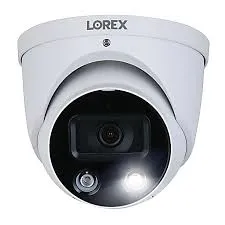
Lorex catalog image, shown for reference only: a white turret whose lens sits between a compact spotlight and an infrared LED. Against pale Brooklyn stucco or painted brick that white shell blends in; for dark brownstone we specify the black version.
FAQ
Brooklyn Lorex Camera Installation FAQ
Practical questions about the day of the install, the building and life with the system afterwards — the ones not already covered above.
How long does a typical Brooklyn Lorex installation take, and do we need to move furniture?
+
A two- to four-camera system in a rowhouse with an open cellar usually takes one working day; eight cameras, a finished cellar or a high front can take two. We need clear access to the cellar ceiling along the cable route, the closet or room where the recorder goes, and the windows or doors near each camera position. Moving a bookcase or clearing a storage shelf the night before saves real time. We put down drop cloths where we drill indoors and vacuum the masonry dust before we leave.
A street tree hides the front of our house all summer — where should the front camera go?
+
Lower and closer to the door. A camera under the cornice looks down through the canopy and sees leaves from May to October, while a camera at the door frame, in the vestibule or under the stoop looks along the stoop and the sidewalk beneath the branches. On most tree-lined Brooklyn blocks we put the face camera at the door and accept a narrower view of the street. If you want the parked cars too, a second camera at parlor-floor window height, angled down the block, usually clears the lowest branches. We look at the tree before choosing, and we remember it will be bare in winter.
Can the Lorex system keep running while we gut-renovate the house?
+
Partly, and it is often worth it, because a house under renovation is full of tools and materials and open doors. Cameras on the exterior can usually stay up and recording if the recorder moves to a protected spot with power, such as a locked room or a closet sealed against dust. Interior cameras and any cable in walls that are being opened should come down first; plaster dust ruins recorders and drives, and contractors cut cable they cannot see. The best time to run new cable is while walls and ceilings are open, so tell us your renovation schedule and we will rough in the routes when it costs least.
Do we need our co-op or condo board's permission before cameras go on the building?
+
Usually, for anything on the exterior or in common areas, and often for drilling at all. Most Brooklyn co-op and condo boards require an alteration application or at least written approval, a certificate of insurance from the installer and sometimes specific working hours. We supply the insurance certificate at no charge, a list of camera positions with photos and a product sheet for the board. Cameras entirely inside your own apartment rarely need approval, but check your house rules.
What upkeep do the Lorex cameras and recorder need after installation?
+
Very little, but not none. Wipe camera lenses and domes a few times a year, especially near a street or under trees, because grime and spider webs cause blurred or false-alert footage. Install firmware updates when the Lorex app or recorder offers them. Every month or two, play back a clip from the night before to confirm the recorder is still saving footage, and check that the recorder's clock is right after daylight-saving changes. Hard drives wear out with constant recording; if playback becomes patchy or the recorder reports a disk error, replace the drive before it fails completely.
We are selling the house — what should we do with the Lorex system?
+
Decide first whether it stays, and say so in the contract, since cameras fixed to the walls are usually treated as part of the house. If it stays, remove your account from the recorder and the app, reset the recorder to factory settings so your footage and passwords go with you, and leave the model number and the app name for the buyer. If you take the recorder, the cameras left behind will not record until the new owner connects them to one. We can do the hand-over setup for the buyer as a service visit.
Will pigeons on the cornice or a cat crossing the yard flood our phones with alerts?
+
Not if detection is set up properly. Many Lorex wired cameras offer person and vehicle detection, which Lorex describes as working with compatible IP cameras, so alerts can be limited to people and cars instead of every movement. We combine that with motion zones that leave out the cornice ledge, the fence top where cats walk and the neighbors' yards. Brooklyn yards still produce the odd false alert at dusk or in heavy rain, so we review the first week of alerts with you and tune sensitivity if needed.
Will the recorder be noisy if it goes in a bedroom closet?
+
Lorex recorders have a hard drive and, on some models, a small fan, so there is a low hum that most people only notice in a quiet room at night. That is one more reason we prefer the cellar or a hall closet. If a bedroom closet is the only option, we keep the recorder off the floor with space around it for air, and we can choose a model and drive suited to quieter running.
Do you take away the old analog DVR and cameras when the new Lorex system goes in?
+
Yes, if you want them gone. We remove old cameras, brackets and the DVR, patch and seal the holes we can, and leave cables that may be reused for the new system. Equipment that still works can stay with you if you would rather keep it as a spare or sell it. Old coaxial cable is often left in place inside walls, because pulling it out can do more damage than leaving it; we tell you where it is.
How do we pay for a Brooklyn Lorex installation?
+
On larger jobs we take a 50% deposit to book the installation and order the equipment, with the balance due when the system is working and handed over. Smaller jobs can be paid in full at booking. Full terms are set out in the written service agreement you receive with the quote, and nothing is ordered until you have approved it.
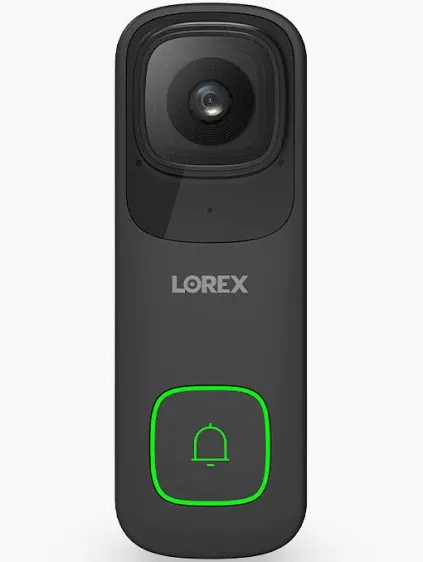
Manufacturer product photo (not an installed doorbell): a black Lorex wired video doorbell with a green-lit button. Before one goes on a Brooklyn stoop we meter the old bell wire, because Lorex specifies 16–24 volts AC and many older houses supply less.
All Areas Served
Lorex Camera Installation Across New York City, Long Island and the Hudson Valley
If the job reaches beyond cameras — an intercom for the vestibule, an alarm for the store, cabling for a renovation — every service is listed on the Abstract Enterprises Security Systems site, and the company page covers our license and insurance.
Sources
Where the Brooklyn Lorex Facts Come From
Housing figures, rules, product specifications, court and agency actions and news items on this page come from the publications below. Forum and Reddit material was read as search excerpts. AESS prices are the Brooklyn Lorex installed prices already published on this site, plus our standard labor-only and hourly service rates.
This page is general information about installing cameras, not legal advice. For a specific legal question about recording, privacy or a lease, speak to a lawyer.
Lorex Recorder Not Showing Up? Call the Brooklyn Line
Cameras dark, an app that cannot find the recorder, a drive that stopped saving — phone (347) 934-8335. We book the next open two-hour window, and most Lorex systems are recording and viewable again within one to two hours of arrival.
Brooklyn Lorex Systems From a Licensed, Insured Crew
Brooklyn line (347) 934-8335 · Abstract Enterprises Security Systems, 1282 Troy Ave, Brooklyn, NY 11203 · messages by WhatsApp (718) 679-0359
Working under NYS low-voltage license #12000287431, insured on every Brooklyn job, with written estimates the same day · 4.7★ average across 201 Google reviews
Lorex cameras and recorders carry Lorex's manufacturer warranty. Full terms — including 50% deposit, one-year parts-only warranty on AESS-supplied products, and the late-fee schedule — are set out in the service agreement. See our warranty page.
Page reviewed and updated October 18, 2026. Changelog: Brooklyn Lorex page rebuilt from new research on recorder placement and cable routes in attached houses, Lorex's three apps, Lorex doorbell power, Wi-Fi limits in masonry buildings, the Lorex FCC notice of July 2026 and state lawsuits, landlord and audio rules in New York, and Brooklyn burglary and package-theft reports, on the Brooklyn Lorex prices already published.